
Our readers keep the lights on and my morning glass full of iced black tea. As an Amazon Associate, I earn from qualifying purchases.
Specs are compiled from manufacturer listings and verified buyer reviews and can change over time — please confirm the key details on the product page before buying.
If a 34-inch ultrawide monitor is sitting on its factory stand, it is too low and too far forward, and it is probably wobbling on your desk right now. An arm changes that completely by floating the screen up to eye level and opening up the whole desk beneath it. The real question is which arm can safely hold a heavy curved panel without drooping, and this guide breaks down the stand-alone mounts that handle that job.
I’m Min — the founder and writer behind Gadgets Feed. This guide is built by comparing the manufacturers’ published specifications and the patterns across verified customer reviews, so you get each pick’s real strengths and trade-offs instead of marketing spin.
Whether your desk is a thin IKEA top or a thick standing platform, we cover the mounting styles, weight limits, and motion ranges that matter most in a 34 inch monitor stand.
Our Picks at a Glance

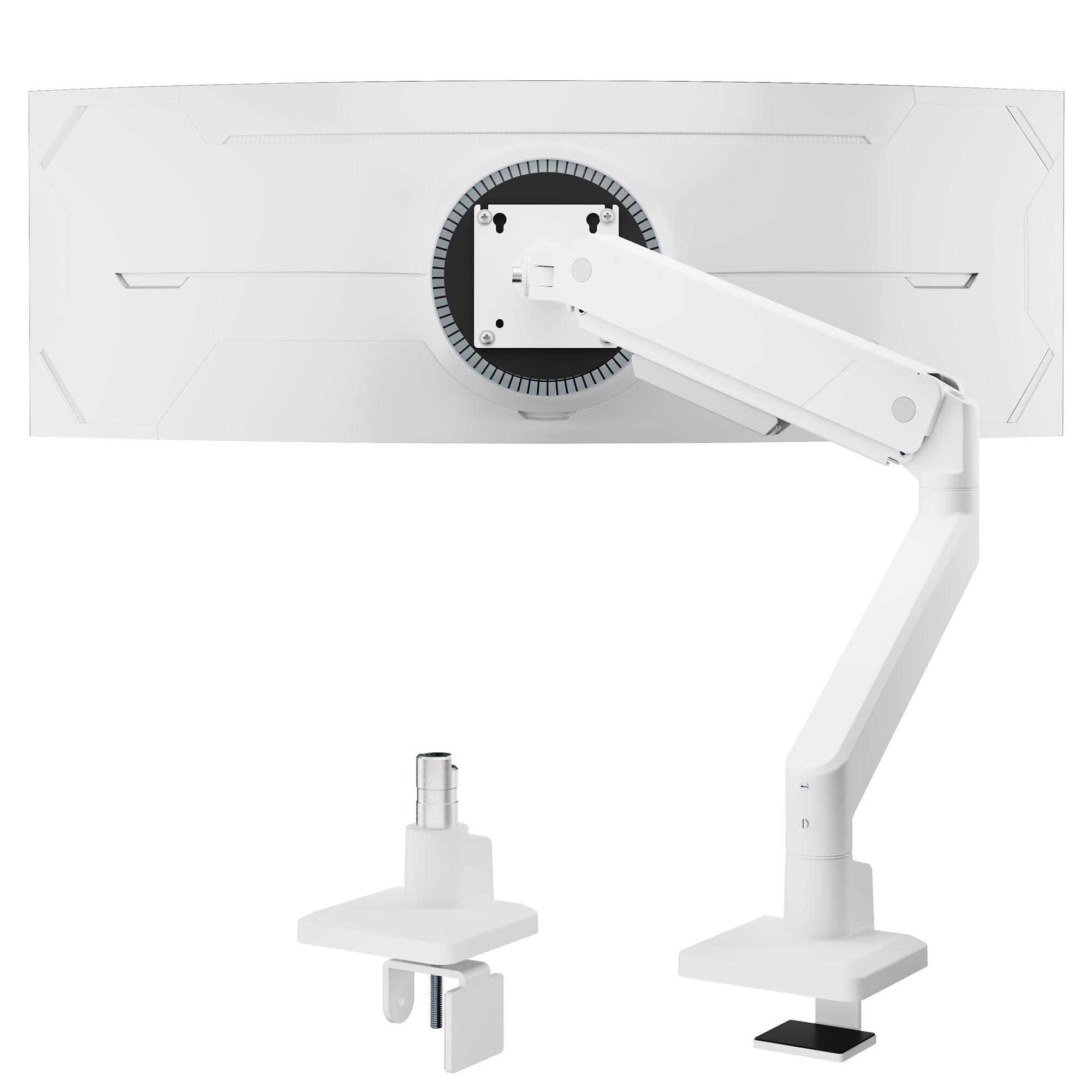
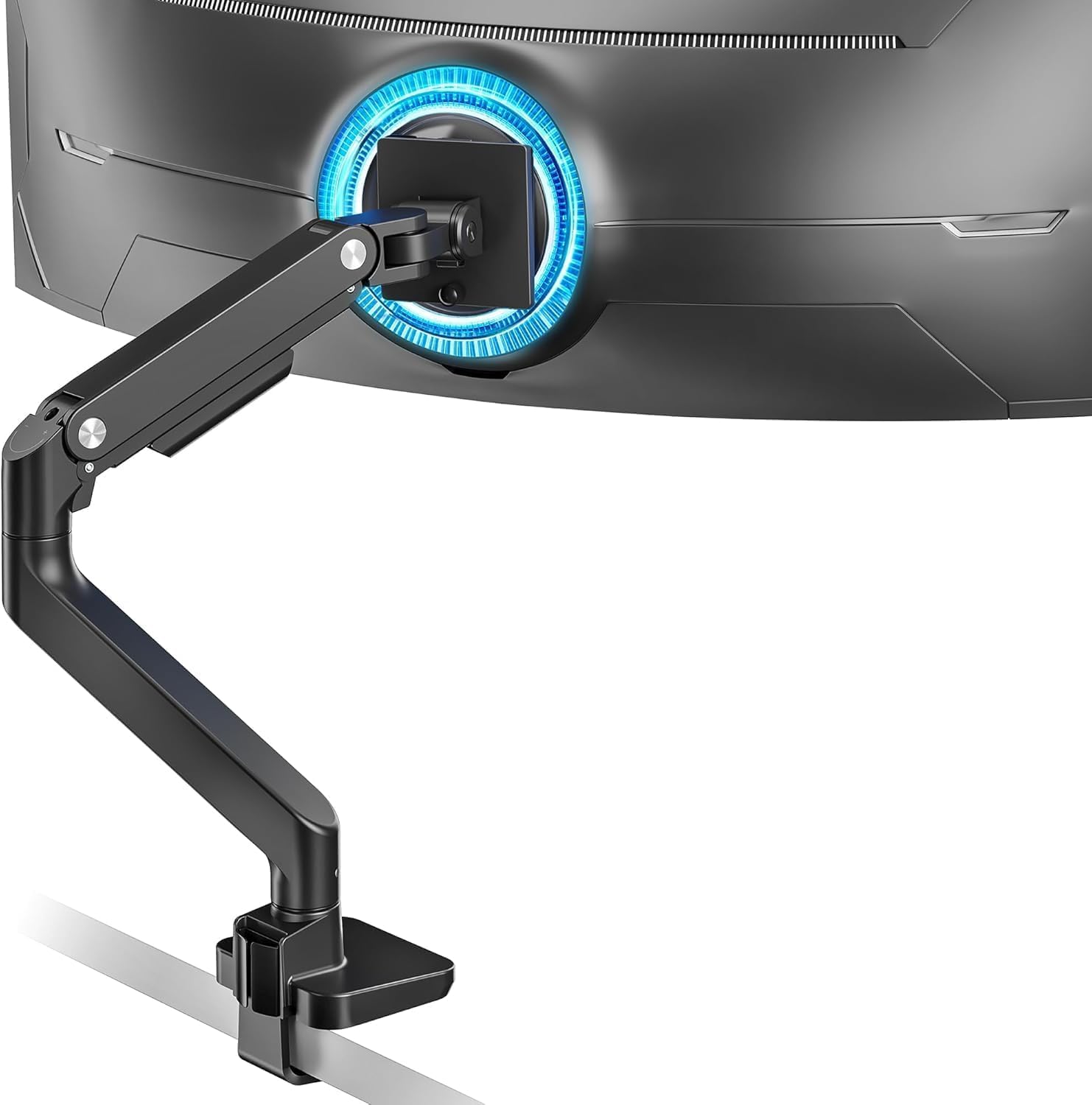
How To Choose The Best 34 Inch Monitor Stand
Picking a stand for a 34-inch monitor is less about the brand name and more about three hard numbers: the VESA pattern, the weight of your specific screen, and the thickness of your desk. Get those three matched and almost any arm on this list will serve you well; miss one and you are in for a wobbly or even dangerous setup.
VESA compatibility comes first
Look at the back of your monitor for four screw holes in a square pattern. If they are spaced 75x75mm or 100x100mm apart, you have the standard VESA mounting holes that every arm needs. If your monitor lacks them, you will need to buy a separate adapter plate before any of these arms can attach to your screen.
Weight rating is a safety margin
A 34-inch monitor typically weighs somewhere between 12 and 20 pounds, depending on the panel and stand. Arms list a maximum supported weight, and you want your screen’s weight to sit comfortably below that number. A heavy screen on an arm rated near its ceiling will drift downward over time and strain the gas spring.
Desk thickness and clamp style matter
Most arms use either a C-clamp that grips the edge of your desk or a grommet mount that passes through a hole in the surface. A glass desk often needs a reinforcing plate, and some arms specify that only wooden desks work. Measure your desk edge thickness and check it against the clamp’s rated range before buying.
Quick Comparison
| Model | Best For | Max Screen Size | Max Weight | Tilt Range | Amazon |
|---|---|---|---|---|---|
| Ergotron LX★ Best Overall | Premium stability and adjustability | 34 inches | 25 lbs | 75 degrees | Amazon |
| monTEK SingleBest Value | Budget value with wide range | 45 inches | 35.27 lbs | 90 degrees | Amazon |
| ARES WING UltrawideTop Performer | Big 49-inch monitor support | 49 inches | 44 lbs | 50 degrees | Amazon |
| monTEK Heavy Duty | Massive 57-inch capacity | 57 inches | 59.4 lbs | 75 degrees | Amazon |
| HUANUO TitanLift | Rock-solid all-metal build | 49 inches | 44 lbs | 50 degrees | Amazon |
| ARES WING Stacked Dual | Two monitors on one pole | 49 inches | 44 lbs per arm | 50 degrees | Amazon |
| Modernsolid Heavy Duty | Design-focused 34-49 inch hold | 49 inches | 38 lbs | 55 degrees | Amazon |
| ULTRARM MA20P-S | Upgradable tall-pole mount | 57 inches | 44 lbs | 50 degrees | Amazon |
| Ergotron MXV | Lightweight premium for 34 inch | 34 inches | 20 lbs | 100 degrees | Amazon |
In‑Depth Reviews
1. Ergotron LX Monitor Arm
Our pick — over 4.5★ from 10,500+ verified ratings; the strongest balance of quality and price.
The Ergotron LX delivers the smoothest, most precise motion of any arm tested for a 34-inch ultrawide.
For a 34-inch curved ultrawide, the Ergotron LX is the reference point that other arms get compared against. It holds screens up to 34 inches diagonal and 7 to 25 pounds, so a typical 34-inch panel sits well within its working range. Give it a screen with a standard VESA 75x75mm or 100x100mm hole pattern and it will lock on securely.
What makes it special is motion quality. You get 13 inches of lift that raises the monitor up to 17.3 inches above your work surface, with 360 degrees of rotation and 75 degrees of tilt for fine-tuning your view. A 9.8-pound body of metal feels reassuringly dense, and the two-piece desk clamp handles desktops 0.4 to 2.4 inches thick while the grommet mount fits through a hole for desks up to 2.25 inches thick.
The thing that wins people over is the adjustability — owners praise the smooth, precise repositioning, especially when shifting between sitting and standing throughout the day. A 5’2″ user found the arm’s height fell short by about 3 inches at first, but an Ergotron extension shaft solved it and turned a complaint into a five-star verdict. The 10-year warranty is the quiet confidence here, covering you for a decade of daily movement.
The Hallmarks of Quality
- Holds a 34-inch monitor with heavy-duty stability at 9.8 pounds of solid build
- Raises the screen up to 17.3 inches for standing-desk use
- Comes with a 10-year warranty covering long-term wear
The Realistic Trade-offs
- One owner found the height short by roughly 3 inches until an extension was added
- Some find the counter-spring tension screw awkward to reach for adjustment
Reach for this if: you want the proven standard for a heavy 34-inch curved screen and value a decade of warranty coverage.
Look elsewhere if: you are very tall and need maximum pole height straight from the start without buying an add-on extension.
2. monTEK Single Monitor Arm
The monTEK Single offers an all-metal build and 45-inch support at a budget price.
This monTEK arm stretches well beyond a 34-inch screen, officially supporting flat or curved displays from 17 to 45 inches and up to 35.27 pounds. That makes a standard 34-inch ultrawide a light load for it, which is exactly the kind of headroom you want for stability. It uses the standard VESA 75x75mm and 100x100mm patterns, so most modern monitors will bolt straight on.
Motion range is wide: the screen tilts from -45° to +90° — a lead over most rivals here, since it pivots up to 90 degrees while the ARES WING tops out at 50 degrees. You also get a ±90° swivel and ±180° rotation, with height adjustable from 8.8 to 20.4 inches. A 8.9-pound steel and aluminum body holds it all steady, and the C-clamp plus grommet base options fit most desks. Buyers report the actual vertical travel measures about 13 inches, beating the advertised 11.5 inches.
What wins people over is the quality-to-price ratio — owners describe a clean, all-metal design that feels premium despite the budget positioning. One 32-inch Alienware around 18 pounds sits on it without strain. The catch is that a few mention the 180-degree swivel being the limit, and the clamp may need to be repositioned by disassembly if you change desk layouts.
The Smart Budget Buy: a sturdy metal arm that handles 45-inch screens for a fraction of the flagship price, though adjustability opinions are mixed for finer tilt control.
Best for: anyone who wants a sturdy metal arm for a heavy 34-inch screen without spending flagship money.
Who should skip: users who need continuous 360-degree swivel rotation, since this arm caps out at 180 degrees.
3. ARES WING Ultrawide Monitor Desk Arm
The ARES WING supports up to 49-inch ultrawides with a 44-pound capacity and 22.4-inch extension.
The ARES WING is the arm for people who think they might upgrade to a truly massive screen later. It officially supports displays from 17 to 49 inches and holds between 4.4 and 44 pounds, so a 34-inch monitor is barely a warm-up for it. The aluminum body uses an internal gas spring that has been fatigue-tested for durability, keeping heavy screens stable over time.
Its range of motion is where it stands out: a +50° to -20° tilt, 180-degree swivel, 360-degree rotation, and height adjustment from 8.7 to 18.7 inches with a max extension of 22.4 inches. The mounting options are a C-clamp for desks 0.5 to 1.8 inches thick and a grommet mount for desks up to 2 inches thick. Installation is topside-friendly, so you avoid crawling under the desk.
Owners mention it holds a 49-inch Samsung curved monitor securely without needing the clamp over-tightened, and it replaces cheaper arms that sagged. The recurring gripes are honest: some say it needs a modification or adapter to fully integrate with a monitor’s existing mount, and a few found it wobbly at high tension settings. It also sits about 8 inches away from the wall, so it needs a little desk depth to work.
Big-Screen Muscle
- Supports up to 49-inch ultrawides with a 44-pound maximum
- Gas spring holds heavy curved screens without sagging
- Offers 360-degree rotation for portrait or landscape use
Reality Check
- May need a VESA adapter or slight modification for some curved monitors
- The arm’s positioning is off-center in some setups, limiting full extension symmetry
Reach for this if: you run a 45 to 49-inch ultrawide and want a gas-spring arm that holds it firmly without sag.
Think twice if: you want a simple bolt-on fit with zero modification, as some curved panels need extra adapters.
4. monTEK Heavy Duty Monitor Arm
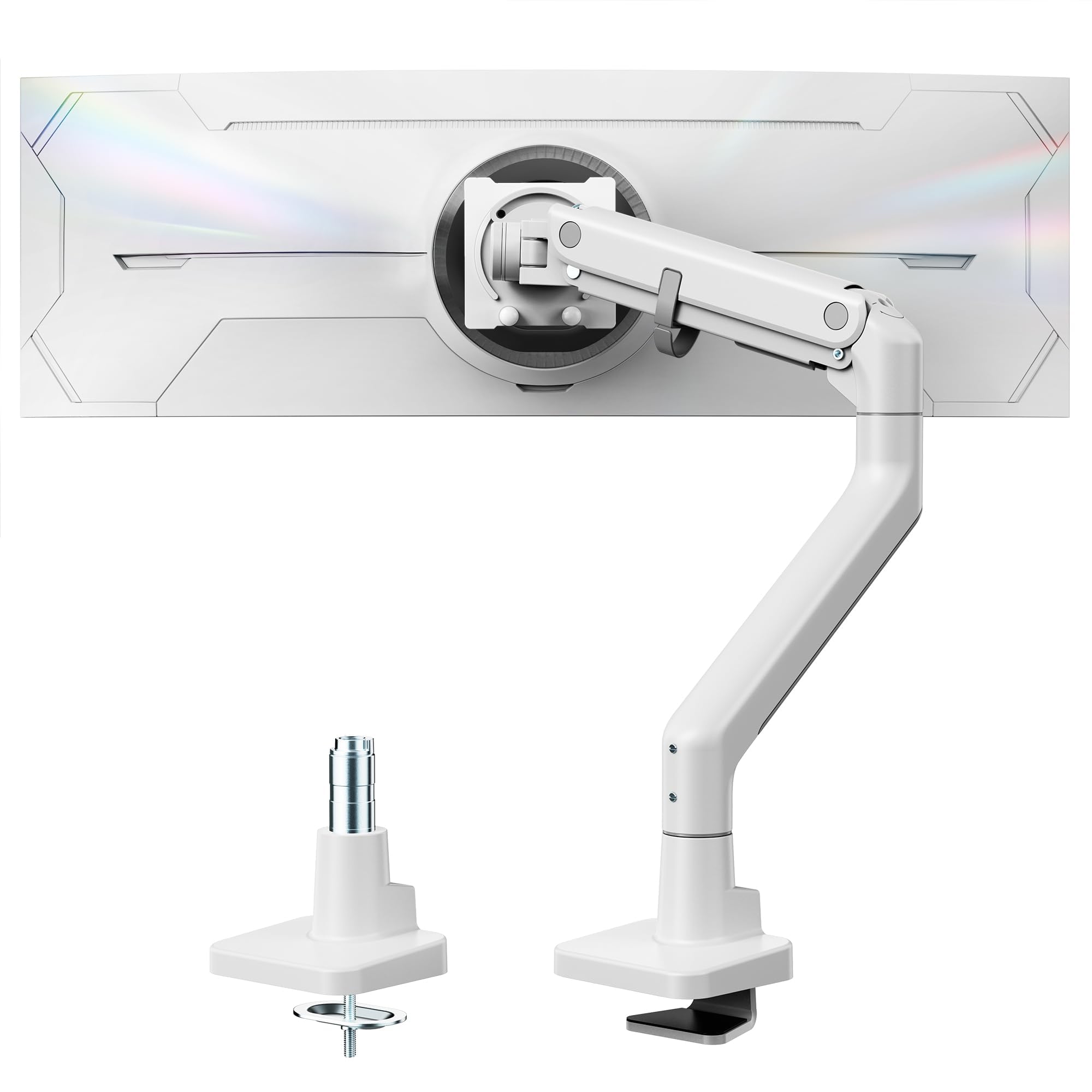
The monTEK Heavy Duty handles up to 57-inch screens and 59.4 pounds with a 20,000-cycle gas spring.
This is the arm you pick when your monitor is a monster. The monTEK Heavy Duty supports screens from 17 to a staggering 57 inches and holds up to 59.4 pounds, making it compatible with the enormous Samsung Odyssey G9 and similar 57-inch curved panels. The steel and aluminum construction includes a gas spring that has been through a 20,000-cycle life test, meaning it is engineered to keep moving smoothly for years.
Adjustability is generous: a +75° to -75° tilt, 180-degree swivel, and ±90° rotation for portrait or landscape. Height ranges from 11.3 to 22 inches, with an extension up to 19.7 inches. The C-clamp and grommet mounts plus a quick-release VESA plate make setup straightforward, and the maker claims it saves up to 30% of installation time.
You can trust this stand to hold a 57-inch Samsung G9 without sagging when you adjust the height, and the large clamp base stays put even on a thick IKEA Karlby desktop. Buyers praise the premium feel and value, but opinions split on the tilt mechanism — some call it essentially nonfunctional, and one owner reported the arm swung to one side until a washer fixed it. Durability feedback is mixed, so plan to tune the tension carefully during setup.
The Big-Screen Specialist: this stand lifts monitors up to 57 inches and 59.4 pounds — more than any other pick here — at a mid-range price, and its gas spring (a piston that counterbalances the screen) is tested to 20,000 cycles, so it keeps moving smoothly for years.
Best for: owners of 49 to 57-inch ultrawides who need the highest weight capacity on this list.
Who should skip: anyone on a budget who just needs a simple 34-inch arm, as the extra capacity adds cost you may not use.
5. HUANUO TitanLift Monitor Arm
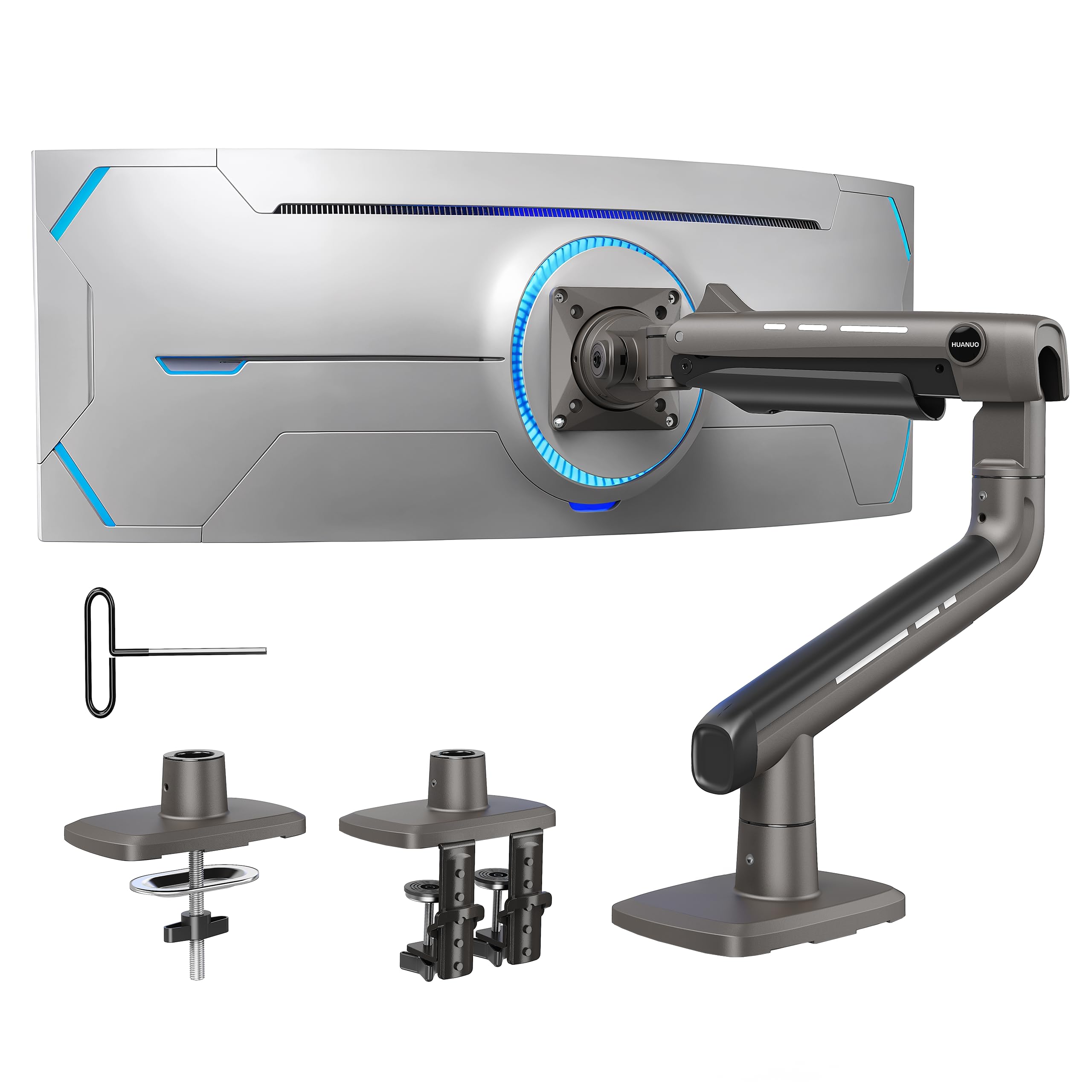
The HUANUO TitanLift uses reinforced alloy steel to hold up to 44 pounds without sagging.
If your priority is a 34-inch monitor that stays exactly where you put it, the TitanLift is the one. It supports screens from 17 to 49 inches and 6.6 to 44 pounds, with the high-strength aluminum alloy body reinforced by a VESA head that is 20% thicker and a base that is 30% wider than standard designs. The maker put it through a 50,000-cycle motion test and a 3X load test, which is why owners describe it as tank-like.
The motion range is fully adjustable: tilt from +50° to -50°, 180-degree swivel, 360-degree rotation, and an arm extension up to 22.5 inches. Height adjusts up to 19.6 inches measured from the desk surface to the VESA mount center, which lets you raise a heavy ultrawide well above the native stand. The quick-install VESA head mounts a screen in seconds, and the dual C-clamp base adds extra stability.
What wins people over is the build and stability — a 25.8-pound Dell U4025QW and an 18-pound U3419W both hold without droop or wobble, even at full extension. The tension adjustment is one-handed via an Allen key, a real improvement over arms that need a blind screwdriver reach. The catch is desk compatibility: only wooden desks in the 0.8-inch to 3.5-inch thickness range work, and the bottom cannot have cross beams blocking the clamp.
Built Like a Fortress
- Reinforced alloy steel holds up to 44 pounds without sagging
- One-handed Allen key adjusts the gas-spring tension easily
- Dual C-clamp base spreads the load for added stability
Know Before You Buy
- Only wooden desks between 0.8 and 3.5 inches thick are supported
- Cable routing splits between upper and lower arm, which some find fiddly
Reach for this if: you want the most solid-feeling hold for a heavy 34-inch or 49-inch screen, with glass-free desk requirements.
Look elsewhere if: your desk is glass, plastic, or under 0.8 inches thick, since the dual clamp needs a solid wooden top.
6. ARES WING Stacked Dual Vertical Monitor Arm
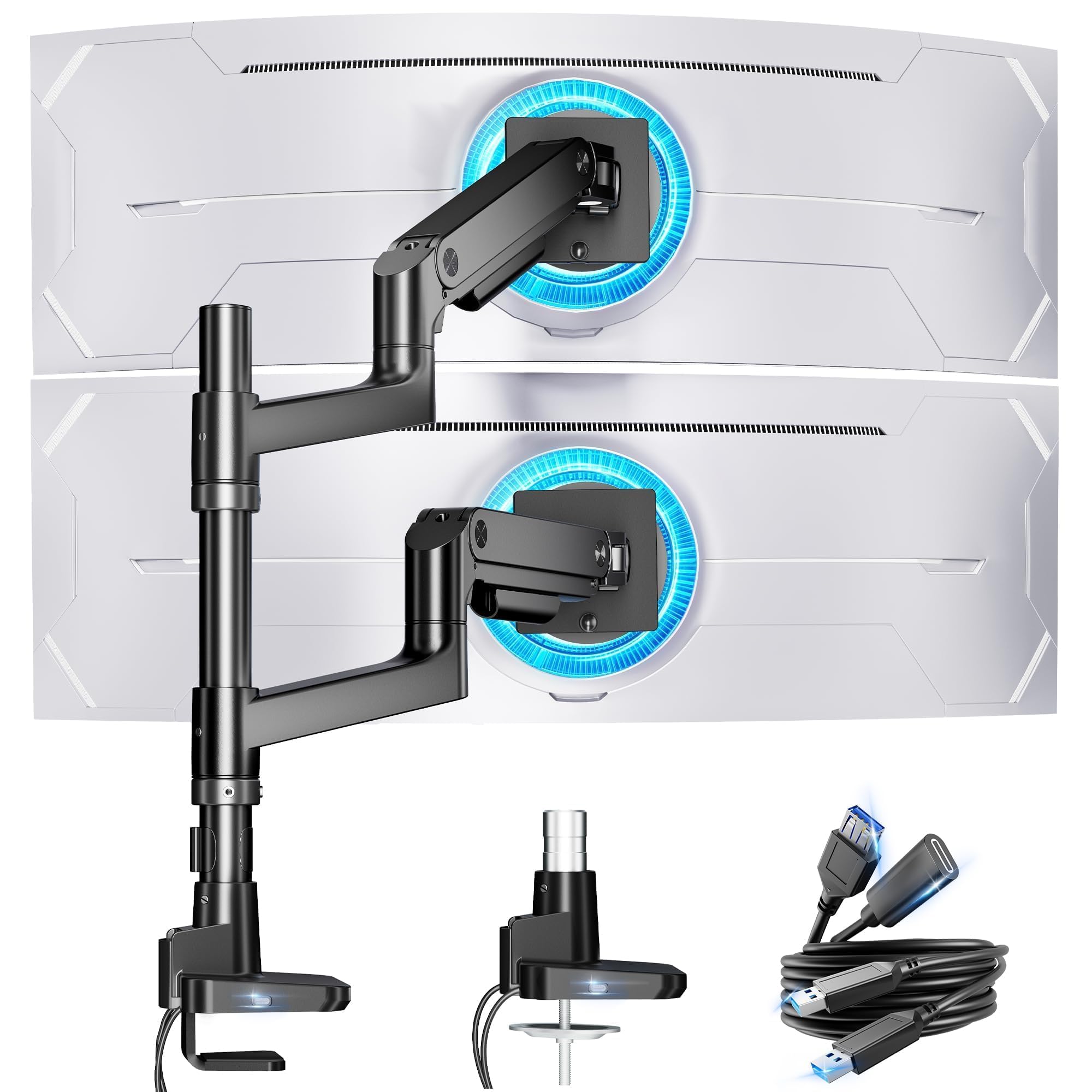
The ARES WING Stacked Dual holds two 44-pound monitors vertically and includes USB-C and USB-A charging ports.
This is the arm for the person whose workflow needs a main ultrawide with a second screen stacked above it. Each of the two arms holds up to 44 pounds and supports monitors from 17 to 49 inches, so a 34-inch ultrawide plus a secondary panel is well within range. The industrial-grade gas springs eliminate the rebound problem common in cheaper dual stands, keeping both screens steady at full extension.
Height is the defining feature here: the maximum height is adjustable to 27.9 inches, with arm extension up to 22.4 inches. Each arm offers a -50° to +20° tilt, ±90° swivel, and 360-degree rotation, letting you angle a stacked pair for a comfortable viewing posture. An upgraded USB hub in the base lets two devices charge simultaneously through a USB-C port (5V/2A) and a USB-A port (5V/2A).
Owners running dual 49-inch Samsung G9 OLEDs describe the arms as the strongest dual mounts they have tried, with the screens rock solid and wobble-free. Installation is either a C-clamp for desks 0.5 to 1.8 inches thick or a grommet mount for desks up to 2 inches thick, and the quick-release panels speed up the build. The one real limitation: the center pole is not tall enough for two very large 45-inch ultrawides stacked vertically, so check the height before buying for that specific setup.
Two Screens, One Pole
- Each arm holds up to 44 pounds for heavy ultrawides
- USB-C and USB-A ports charge two devices at once
- Rises to 27.9 inches tall for a comfortable stacked layout
Watch Out For
- The pole may be too short to stack two 45-inch ultrawides cleanly
- Installation is polarizing: easy for some, tricky for others
Best for: users stacking a 34-inch ultrawide with a second monitor who also want device charging built into the mount.
Who should skip: anyone planning to vertically stack two massive 45-inch screens, since the pole height runs short.
7. Modernsolid Heavy Duty Monitor Arm
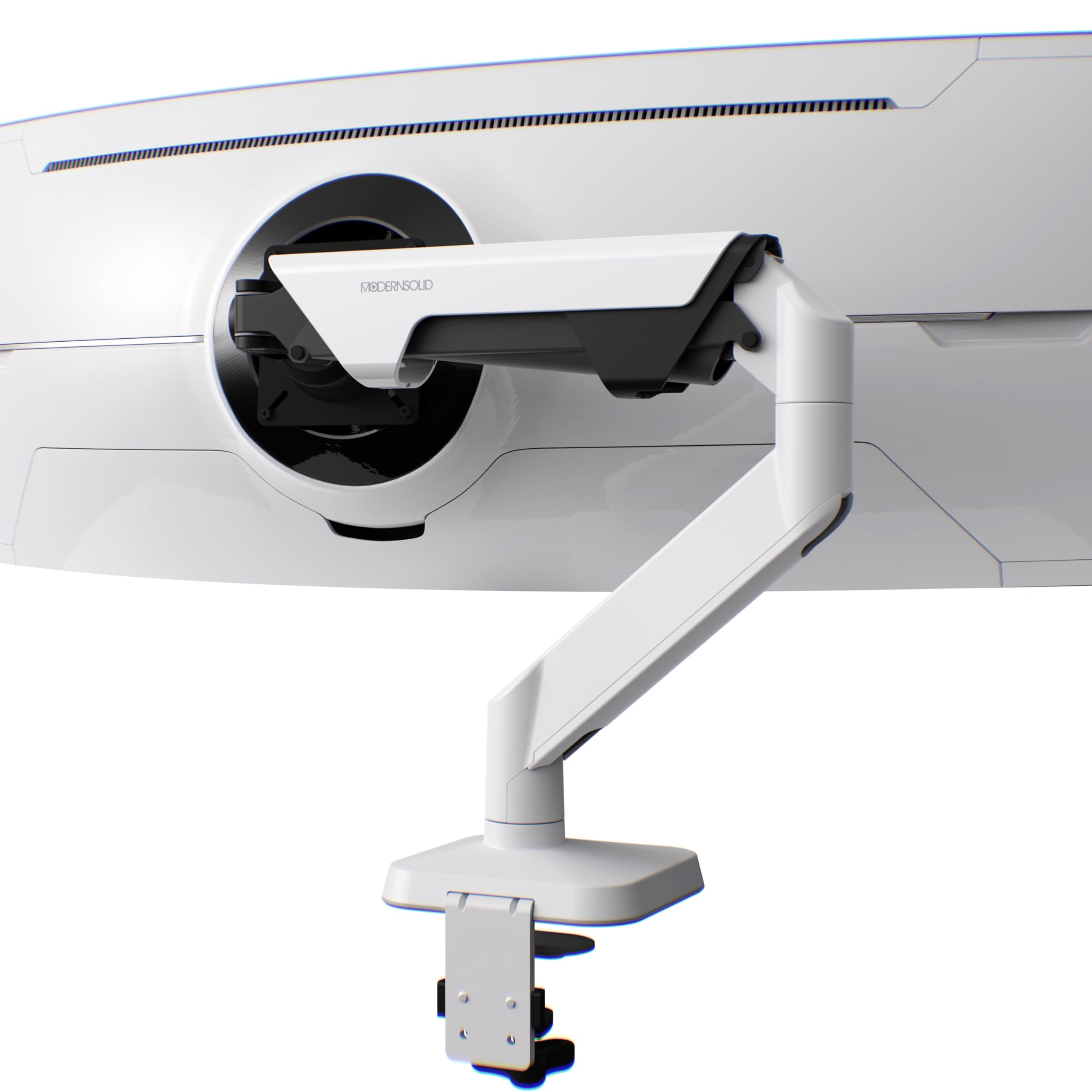
The Modernsolid Heavy Duty uses SmartFriction gas-spring tech for drift-free adjustment on 34-49 inch screens.
This Modernsolid arm starts at 34 inches as its minimum supported size, which makes it unusual: it is built specifically for the large ultrawide crowd, holding 34 to 49-inch screens weighing 14 to 38 pounds. That tight specialization means a 34-inch curved panel is right in its comfort zone, supported by industrial-grade aluminum that has been tested through 10,000-plus motion cycles and engineered in Taiwan.
Its calling card is a gas spring with SmartFriction technology, which delivers smooth, drift-free adjustment without snap-back. The tilt range spans +55° to -25°, with a 180-degree swivel and 90-degree rotation on a quick-release VESA plate using the standard 75x75mm or 100x100mm pattern. The clamp-on design installs on most desks without drilling, and the minimalist white finish carries a Red Dot Design Award.
Owners describe a premium feel, with one noting the arm holds a 34-inch monitor with smooth one-handed adjustments and excellent cable management. The base includes padding for protection and anti-slip grip, and the low-profile bracket saves desk space. The honest catch: one owner found the RGB light and base power-outlet version failed after about 3 months due to a short circuit, so it is worth skipping the light-up model and keeping things basic.
The Style-Meets-Strength Choice: a Red Dot Award-winning arm with a gas spring tuned for smooth, drift-free movement on heavy curved screens.
Reach for this if: you want a beautifully finished white arm that makes a 34-inch ultrawide feel light to adjust.
Think twice if: you are tempted by the RGB/outlet version, as one owner saw those electronics fail a few months in.
8. ULTRARM Heavy Duty Monitor Arm MA20P-S

The ULTRARM MA20P-S features a modular pole rated for 88 pounds, expandable from one to three monitors.
The ULTRARM MA20P-S is the arm for people who see themselves adding monitors later. It holds one ultrawide up to 57 inches and 44 pounds, with a tall pole base rated for 88 pounds of mounting capability that can be upgraded to a dual or triple monitor setup. A pneumatic spring system inside handles weight adjustment so a heavy 34-inch screen floats smoothly instead of slamming down.
Motion is full and flexible: a +25° to -25° tilt, 180-degree swivel, 180-degree rotation, and 13 inches of smooth height adjustment with the gas spring lift. The C-clamp supports desks 0.6 to 3.3 inches thick, while the grommet mount fits desks 0.6 to 1.9 inches thick. The quick-release VESA plate accepts 75x75mm and 100x100mm patterns, and a clear cable management channel keeps wires tidy.
Customers note it handles a Samsung 57-inch ultrawide well and frees up desk space nicely, with a thicker-than-standard pole that feels solid. One tip from the feedback: adjust the two large black bolts near the tilt head before mounting the monitor, or you will need a second person to level things later. The trade-off is that the tilt mechanism draws mixed reviews, and the modular base means you are paying for expansion potential even if you never use it.
Room To Grow
- Base rated for 88 pounds, upgradeable to dual or triple monitor mounts
- Pneumatic gas spring provides 13 inches of smooth height adjustment
- Holds ultrawides up to 57 inches and 44 pounds
The Fine Print
- Tilt mechanism design gets mixed feedback from owners
- Heavier monitors are hard to clamp solo and may need a helper
Best for: upgraders who want a single tall-pole arm now that can later expand to hold two or three screens.
Who should skip: anyone who only needs one fixed 34-inch screen and does not want to pay for modular expansion capability.
9. Ergotron MXV Single Monitor Arm

A featherweight premium arm from the brand that defines the category.
The MXV is the lighter sibling in the Ergotron lineup, built for monitors up to 34 inches diagonal and 7 to 20 pounds. That sits slightly below the LX’s 25-pound limit, so a heavier 34-inch gaming panel might be pushing its ceiling — but a standard productivity ultrawide is perfect. It arrives fully assembled, so the only work is clamping it to your desk and bolting on the screen via a 75x75mm or 100x100mm VESA plate.
Despite the V-shape lightweight body, it offers real range: 13 inches of lift that rises 18.5 inches from the worksurface, with 360 degrees of rotation and 180 degrees of tilt. The low-profile clamp fits tight spaces and attaches to desktops 0.47 to 1.25 inches thick, with an accessory grommet mount available separately. Thoughtful cable management keeps the view clean, and the 10-year warranty matches the LX.
Owners rave about how it holds an Apple Studio Display rock solid after a quick tension adjustment, and the thumb screws are called brilliant for easy tweaks. The honest trade-off: some found it lacks the advertised 180-degree joint near the desk base, which makes that premium price harder to justify. Stability opinions are split too, with many calling it rock solid and one mentioning wobble, so the tension setup matters more here than on most arms.
Light And Precise
- Fully assembled and easy to install from the start
- Offers 13 inches of lift and 180 degrees of tilt
- Backed by Ergotron’s 10-year warranty
The Honest Limits
- 20-pound max weight is lower than the LX’s 25 pounds
- Some find the forward-back adjustment limited for centering the screen
Reach for this if: you want the sleek, lightweight premium feel of a fully assembled Ergotron with a 10-year warranty for a standard 34-inch screen.
Look elsewhere if: your 34-inch monitor is on the heavier side, since the 20-pound ceiling leaves little headroom.
Understanding the Specs
VESA patterns
A VESA pattern is the square of screw holes on the back of your monitor, measured in millimeters. The two standards you will see are 75x75mm and 100x100mm, and nearly every arm on this list supports both. Measure the distance between the holes on your screen before buying to guarantee a match.
Gas spring
A gas spring is a sealed cylinder of compressed gas that counterbalances the weight of your monitor, letting you lift and tilt it with one finger. It is what stops a heavy 34-inch screen from slamming down or slowly drifting out of position. A quality gas spring is the difference between an arm that feels premium and one that fights you.
FAQ
How do I know if my 34-inch monitor has the right VESA mount holes?
How much weight does my 34-inch monitor actually need an arm to hold?
Will a standard arm clamp fit my thick or thin desk?
Can I mount a 34-inch curved ultrawide on these arms?
Why does my monitor arm droop even though it is within the weight limit?
Is a gas spring arm better than a fixed monitor stand?
Will these arms work on a standing desk?
What is the difference between the Ergotron LX and the MXV?
Final Thoughts: The Verdict
For most buyers, the 34 inch monitor stand winner is the Ergotron LX because it pairs a heavy-duty 9.8-pound build with the smoothest adjustability and a 10-year warranty. If you want to spend less and still hold a heavy screen steady, grab the monTEK Single, which supports 45-inch monitors on an all-metal body. And for a massive 49-inch ultrawide or a future-proofed setup, the ARES WING Ultrawide is the one to reach for.
How We Picked
We do not accept paid placement. Every pick is matched to a real buyer and a real use-case; we do not hands-on test units.
Sources & Methodology
Specifications: manufacturer listings and product documentation. Review insights: verified customer reviews, as of August 2026. Pricing: not shown on this page (it changes often); check the current price via the retailer link.
As an Amazon Associate, Gadgets Feed earns from qualifying purchases. This does not affect which products we feature.