
Our readers keep the lights on and my morning glass full of iced black tea. As an Amazon Associate, I earn from qualifying purchases.
Specs are compiled from manufacturer listings and verified buyer reviews and can change over time — please confirm the key details on the product page before buying.
You want every frame of a competitive shooter to render with absolute clarity—no ghosting, no tearing, just pure, instantaneous response. This guide helps you pick the right one among the handful of panels that genuinely hit 500Hz, and explains the real-world trade-offs (like OLED care and connectivity) that come with the territory.
I’m Min — the founder and writer behind Gadgets Feed. This guide is built by comparing the manufacturers’ published specifications and the patterns across verified customer reviews, so you get each pick’s real strengths and trade-offs instead of marketing spin.
From blistering 540Hz OLEDs to dual-mode speed demons, here’s the definitive breakdown of the 500hz gaming monitor landscape to help you find your perfect match.
Our Picks at a Glance

How To Choose The Best 500Hz Gaming Monitor
Picking a 500Hz monitor is different from buying a standard 144Hz screen. At this speed, you’re paying a premium for the absolute cutting edge of panel technology, so knowing what to look for is critical.
Panel Type: OLED is the Star Player
Every monitor at this refresh rate uses an OLED panel. That’s because OLED pixels turn on and off individually, which allows for staggeringly fast response times—often 0.03ms or faster—that eliminate ghosting completely. Variants like QD-OLED (which uses a quantum dot layer for vibrant color) or Tandem OLED (which stacks layers for higher brightness) each bring their own benefits to the table, but the core speed advantage is shared.
Connectivity: It’s About Bandwidth
A 500Hz signal is massive, and your monitor’s inputs need the bandwidth to handle it. Standard HDMI often caps out lower, so you’ll need DisplayPort 1.4a or, better yet, DisplayPort 2.1 for a future-proof connection. The specs of your graphics card also matter—you’ll need a high-end GPU to even push the frames required to see 500Hz in action.
OLED Care: Protecting Your Investment
OLED screens can suffer from burn-in if a static image is left on them for long periods. Brands include software or hardware features to combat this, like pixel shifting, logo dimming, or even a proximity sensor that turns the screen off when you step away. These are not optional extras; they’re essential for the longevity of your display.
Quick Comparison
| Model | Best For | Refresh Rate | Resolution | Panel Type | Amazon |
|---|---|---|---|---|---|
| Dell AW2524HF★ Best Overall | Budget 500Hz entry | 500Hz (OC) | 1920 x 1080 | Fast IPS | Amazon |
| ASUS PG27AQWP-WTop Performer | Premium 540Hz Tandem OLED | 540Hz / 720Hz | 2560 x 1440 | Tandem OLED | Amazon |
| MSI MAG 272QP X50 | Vivid QD-OLED color | 500Hz | 2560 x 1440 | QD-OLED | Amazon |
| LG 27GX790B-B | Dual-mode speed | 540Hz / 720Hz | 3440 x 1440 | OLED | Amazon |
| Acer Predator X32 X | rich 4K curve | 240Hz | 3840 x 2160 | QD-OLED | Amazon |
| GIGABYTE AORUS FO27Q5P | High value 500Hz OLED | 500Hz | 2560 x 1440 | OLED | Amazon |
| ASUS ROG XG27AQDPG | Top-tier 500Hz QD-OLED | 500Hz | 2560 x 1440 | QD-OLED | Amazon |
In‑Depth Reviews
1. Dell Alienware AW2524HF
Our pick — over 4★ from 100+ verified ratings; the strongest balance of quality and price.
The only 500Hz screen that skips OLED entirely, anchoring a high-speed IPS panel at a friendlier price.
If you want that buttery-smooth 500Hz motion clarity without the burn-in worries of OLED, this Alienware is your ticket. It hits a 500Hz overclocked refresh rate on a 24-inch, 1920 x 1080 Fast IPS panel with a 0.5ms gray-to-gray response time. Crucially, the specs note you need a DisplayPort connection to get past the 255Hz limit that HDMI typically tops out at.
The picture quality here is a different world from the OLEDs below—its 1000:1 contrast ratio is far weaker, and the 99% sRGB coverage means colors are accurate but not as rich, so it is a pure esports tool. You get AMD FreeSync Premium to keep high-speed frames tear-free. The build is classic Alienware, with full height, pivot, swivel, and tilt adjustments to dial in the perfect angle for long matches.
Reliability is the elephant in the room here. Buyers report that a unit can develop display faults within months: “I ordered this in May 2025 and by September it was junk to me,” describing a black bar that crept up from the bottom. There are also accounts of new orders arriving with used units in the box. It’s clearly the value route to 500Hz, but it demands a careful unboxing and a stress test right away.
Why it’s a bargain
- Reaches a legit 500Hz overclock on a 0.5ms Fast IPS panel
- FreeSync Premium for tear-free competitive play
- Fully adjustable stand for any desk setup
The honest catch
- IPS contrast (1000:1) can’t match OLED blacks
- Some units fail within months, so check it thoroughly on arrival
Reach for it if: you want the pure 500Hz esports experience at the lowest entry cost and prefer IPS confidence over OLED’s black levels.
Look elsewhere if: you demand OLED-class contrast and the 1440p sharpness that the pricier panels below deliver.
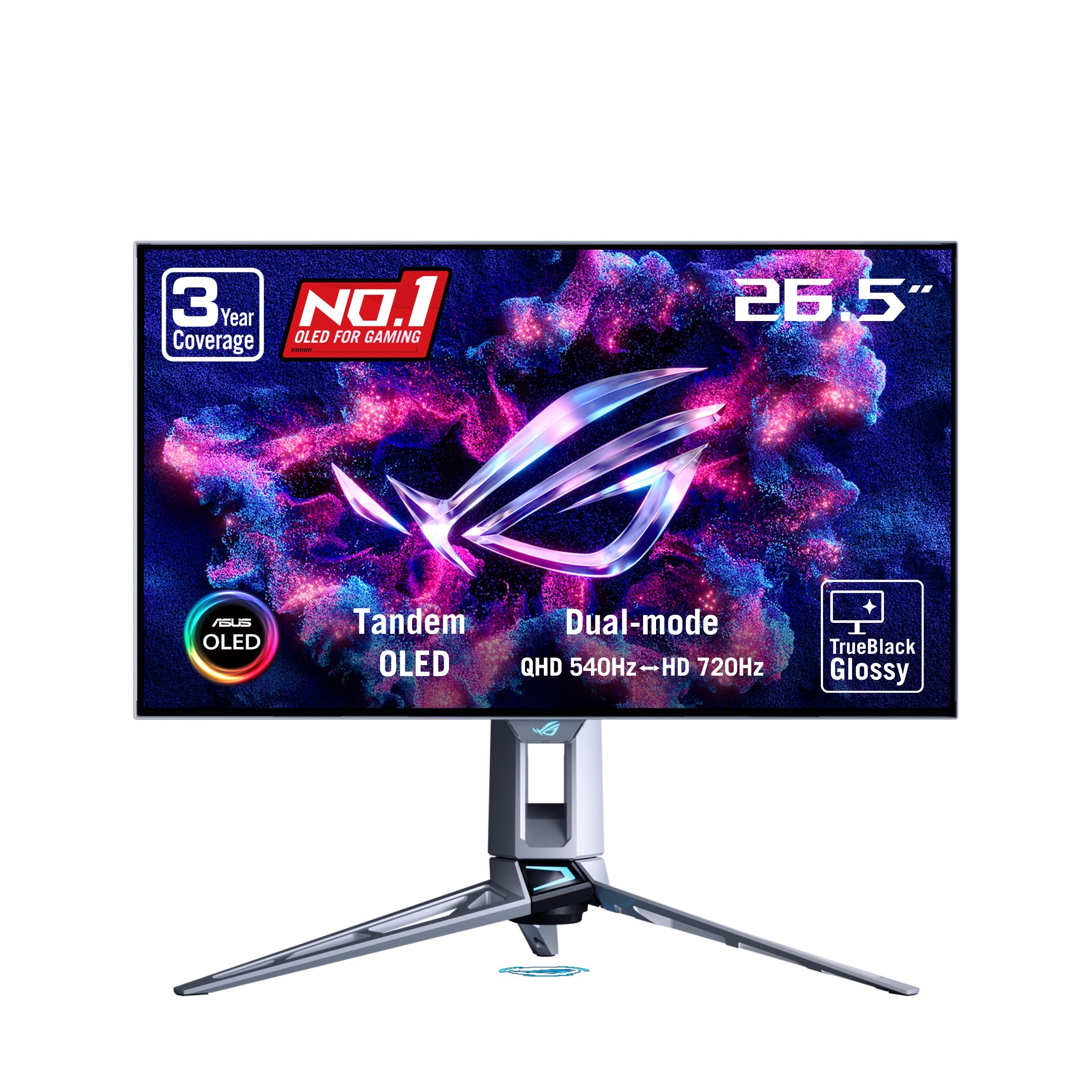
2. ASUS ROG Swift PG27AQWP-W
A 540Hz Tandem OLED that pairs blistering esports speed with a glossy panel for shockingly crisp imagery.
This is the screen that competes with the LG below, but beats it on paper brightness. The ASUS PG27AQWP-W’s Tandem OLED panel claims 15% higher peak brightness, 25% larger color volume, and 60% longer lifespan than previous-gen panels. On a 26.5-inch 2560 x 1440 screen, you get a dual-mode display: QHD at 540Hz or HD at 720Hz, driven by a 0.02ms response time.
Unlike most others, this one opts for a TrueBlack Glossy panel with a zero-haze surface, which owners mention makes the colors and deep blacks pop. One owner called it a “9.5/10,” praising the “buttery smooth” 540Hz that offered a “clear edge over 240Hz” in competitive games. The 99.5% DCI-P3 gamut and Delta E < 2 color accuracy make it a joy for HDR content, backed by VESA DisplayHDR 500 True Black certification.
The big differentiator is ASUS OLED Care Pro with a Neo Proximity Sensor that detects when you step away and switches the screen to black, cutting burn-in risk automatically. Setup is easy with the included DisplayPort 2.1 (DP80) cable, and ASUS throws in a 3-year warranty covering burn-in. The trust factor here is strong—the review pages show near-universal praise for its quality and appearance, though a rare panel can arrive with visible banding.
Standout speed: 540Hz plus a 0.02ms response creates the smoothest, ghost-free motion available, with the flexibility to jump to 720Hz when you want absolute speed.
The trade-off: It’s a premium-priced panel, and the glossy coating means you’ll want a controlled lighting setup to avoid reflections.
The pick for: buyers who want a top-tier 540Hz display with the best burn-in protection and a 3-year warranty for confidence.
skip it if: you need a matte finish for a bright room, or you’re strictly budget-minded.
3. MSI MAG 272QP QD-OLED X50

Quantum Dot OLED color with a 500Hz refresh rate and a staggeringly fast 0.03ms response time.
For pure color fidelity at ultra-high speed, the MSI MAG 272QP is hard to overlook. It’s a 26.5-inch WQHD (2560 x 1440) Quantum Dot OLED panel that serves up 1.07 billion colors with 99% DCI-P3 coverage and a Delta E ≤ 2 accuracy rating. That means games look unbelievably vibrant, with deep blacks and rich saturation that buyers describe as a “night and day difference” from IPS.
Its native 500Hz refresh rate and 0.03ms gray-to-gray response time earn a VESA ClearMR 21000 rating for crisp motion. It’s VESA DisplayHDR True Black 500 certified, and the specs list a 1500000:1 native contrast ratio—a staggering 1500x difference versus the Alienware’s 1000:1, giving you a massive depth-of-field advantage. An elite graphene heatsink keeps the fanless panel cool and durable.
Connectivity is sturdy, with DisplayPort 1.4a, HDMI 2.1, and a USB-C port with 15W power delivery (enough to charge a laptop slowly). MSI’s Gaming Intelligence software includes OLED Care 2.0 to help prevent burn-in (permanent image retention). The catch: customers note the screen surface is fragile, with one writing that “the screen scratches with anything” after just cleaning it, so you’ll want to use the included fiber cloth exclusively.
What you get
- 500Hz and 0.03ms response on a vivid QD-OLED panel
- DisplayHDR True Black 500 with a 1500000:1 contrast ratio
- Versatile DisplayPort 1.4a, HDMI 2.1, and USB-C inputs
Handle with care
- Delicate screen coating is prone to scratching
- Included cables are noted as extremely short
Grab it for: the most captivating colors and deepest contrast you can get at 500Hz, ideal for both competitive and cinematic play.
Be aware: the fragile panel demands careful handling and the standard cables will probably need a longer replacement.
4. LG UltraGear 27GX790B-B
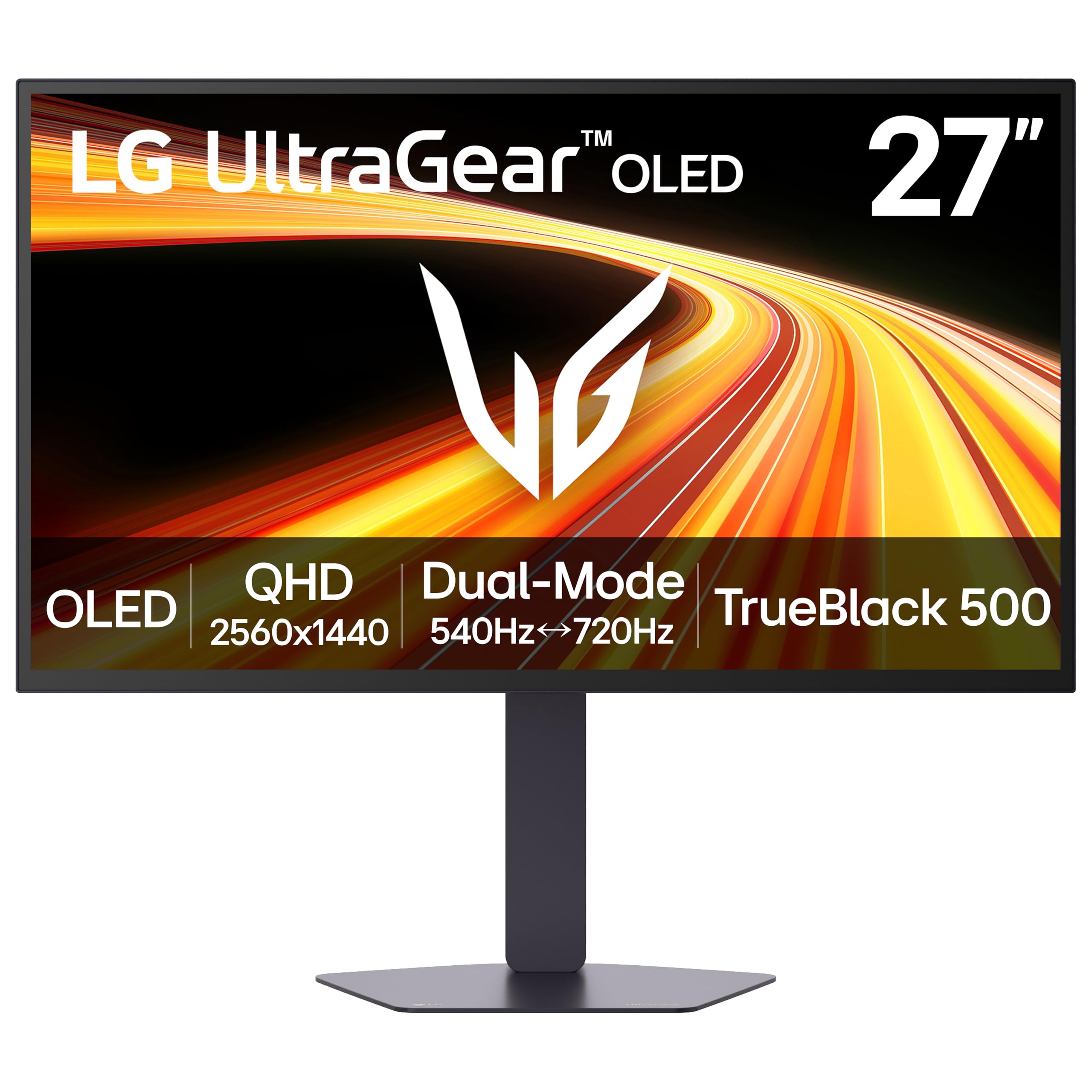
LG’s 4th-gen OLED with a dual-mode a neat extra: 540Hz at QHD or a ludicrous 720Hz at HD.
What wins people over here is the flexibility of Dual Mode. On a 27-inch OLED, you can toggle between QHD resolution at 540Hz for sharp, detailed play, or drop to HD at 720Hz for the absolute maximum speed in frantic shooters—all from a simple hotkey. Its 0.02ms response time delivers virtually flawless motion clarity.
LG calls this its brightest OLED gaming monitor, reaching 335 nits typical brightness thanks to Primary RGB Tandem tech, while the advanced 4-stack RGB structure keeps contrast and detail sharp. Its 3440 x 1440 resolution offers a 79% wider field of view than the Alienware’s 1920 x 1080. It carries VESA DisplayHDR True Black 500, a 1.5 million:1 contrast ratio, and up to 99.5% DCI-P3 color gamut.
Connectivity is next-gen: DisplayPort 2.1 open up those ultra-high refresh rates, plus USB-C for single-cable setups and dual HDMI 2.1 for consoles. It’s G-SYNC Compatible and AMD FreeSync Premium Pro certified. Review pages highlight the 540Hz mode working “perfectly from the start,” though the 720Hz mode is reportedly buggy, occasionally freezing the system. Quality and brightness are the most-praised aspects, even if a rare unit arrives with issues.
Best in class speed: the dual-mode flexibility—540Hz at full QHD detail or 720Hz when you need every split-second advantage—is a genuine edge over single-mode rivals.
Stay sharp: keep it in 540Hz mode, which is the stable balance; the 720Hz mode is the one to avoid for now.
Choose this if: you want the bragging rights of 720Hz and the practicality of 540Hz at high resolution, all in one bright OLED package.
Think twice if: you need a monitor that works flawlessly in all modes—the bleeding-edge 720Hz mode still has kinks.
5. Acer Predator X32 X

A 31.5-inch curved 4K QD-OLED that swaps raw hertz for raw pixel density and immersion.
Not every pick in this list breaks the 500Hz ceiling—this one prioritizes resolution and immersion. It’s a 31.5-inch, 3840 x 2160 (4K) Quantum Dot OLED panel with a true 10-bit color depth and a DCI-P3 99% color gamut. The display wraps around your vision with a 1700R curvature, creating a genuinely enveloping gaming environment. It’s important to note this is a 240Hz panel, so it’s a different beast for players who demand pure esports frame rates.
Quality is the thing everyone raves about here. Buyers call the picture “top-notch” and “stunning,” with “flawless deep blacks” and HDR performance that “stays cool at 100% brightness.” It carries a VESA DisplayHDR True Black 400 rating (a certification for HDR quality) with a minimum brightness of 0.0005 nits, giving you inky-dark scenes that are perfect for moody, cinematic titles. Its 0.03ms response time still offers excellent motion clarity for the games it can run.
Ergonomics are fully adjustable for tilt, swivel, and height, and built-in speakers are a handy extra. The connectivity suite includes DisplayPort, HDMI, USB Type-A, and a USB-C port capable of 65W power delivery. For those with a top-tier GPU that can push 4K frames, the X32 X offers a level of sharpness and scene depth that 1440p speed demons simply can’t match. Some reviewers point out the out-of-box color accuracy needs tuning, but the potential is clearly there.
Why it stands out
- Stunning 4K QD-OLED color and deep blacks with HDR True Black 400
- rich 1700R curve and 65W USB-C power delivery
- Fully adjustable stand for marathon sessions
The speed caveat
- 240Hz refresh rate, not 500Hz—this is for resolution, not raw esports speed
- Requires a very powerful GPU to drive 4K at high frame rates
Ideal for: the gamer who values cinematic immersion, graphical fidelity, and desktop sharpness over the absolute fastest refresh rates.
pass on it if: you’re strictly a competitive FPS player who needs every possible hertz on the screen.
6. GIGABYTE AORUS FO27Q5P
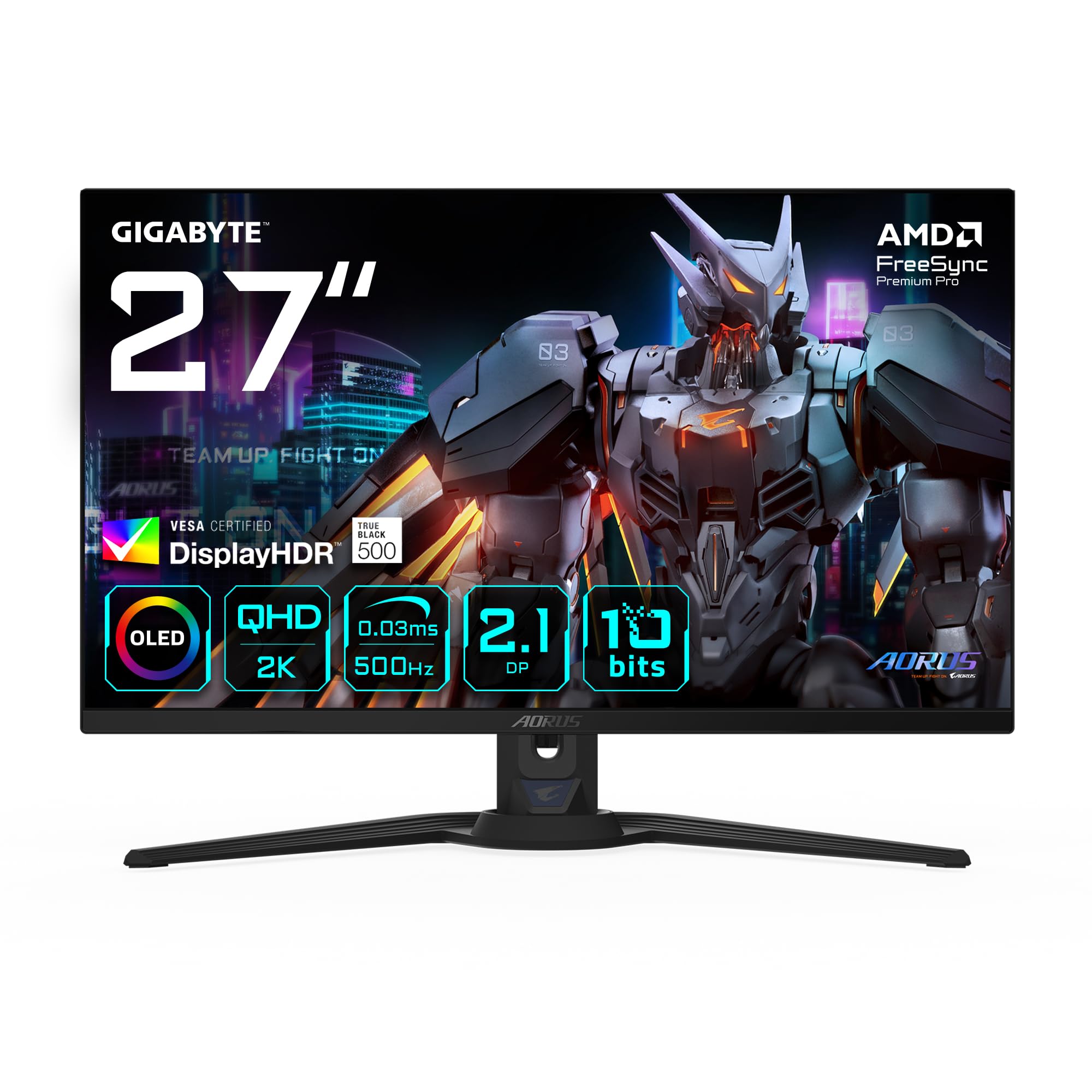
A flat 27-inch 500Hz OLED that’s often found at a price that undercuts similar panels.
If you want the 500Hz OLED experience without paying the absolute premium, the GIGABYTE AORUS FO27Q5P is the value pick. It’s a straightforward 27-inch, 2560 x 1440 (QHD) OLED flat panel running at 500Hz with a 0.03ms response time. There’s no curved gimmickry or multi-mode switching here—just a pure, fast OLED panel that delivers the core experience.
Buyers who’ve made the jump are impressed. One describes it as a “bargain” compared to other 200Hz OLEDs, calling the 500Hz, 2K OLED an excellent value. Another notes it’s “among the top 3 best OLED monitors” on the market, with a “starker” (stronger) picture quality and no grey banding issues that plague some competitors. The most common praise centers on ease of setup, brightness, and “stunning visuals” once you calibrate HDR and colors.
It’s the lightest touch here in terms of extras—connectivity is primarily DisplayPort. Its 2000:1 contrast ratio is far below the other OLEDs’ 1.5 million:1, so contrast depth is limited. A handful of noted cons include sparse packaging and a cable that’s incompatible with some charging blocks. But for the price-to-spec ratio, it’s a compelling contender.
What makes it a bargain
- Genuine 500Hz QHD OLED with a fast 0.03ms response
- Bright, vibrant picture with no grey banding
- Often priced below rival 500Hz OLEDs
Simple by design
- Basic DisplayPort connectivity, no USB-C or HDMI 2.1 listed
- Lower 2000:1 contrast ratio than other OLED picks
Perfect for: the value-conscious player who wants a flat 500Hz OLED and doesn’t need exotic connectivity or top-shelf contrast ratios.
Consider others if: you plan to hook up a console via HDMI or need USB-C for a clean laptop setup.
7. ASUS ROG Strix XG27AQDPG

The flagship 27-inch 500Hz QD-OLED, refined with anti-flicker tech and a proximity-based burn-in shield.
This is ASUS’s other 500Hz contender, and it targets the player who wants the best of both worlds: massive speed and vivid QD-OLED color. It’s a 27-inch QHD (2560 x 1440) QD-OLED gaming monitor with a 500Hz refresh rate and a 0.03ms response time. It carries VESA DisplayHDR 500 True Black compliance, a 99% DCI-P3 range, 10-bit true color, and a Delta E < 2 color difference rating for impressive HDR delivery.
What sets this model apart is the Anti-Flicker OLED 2.0 technology. Its Anti-Flicker OLED 2.0 algorithm cuts flicker by 20% versus previous-gen panels for more comfortable long sessions. The display is widely praised for its “perfect” 500Hz support over both DisplayPort and HDMI, with one buyer confirming a full 12-bit color depth over HDMI. It is also one of the few that ships well-calibrated from the start.
The ASUS OLED Care Pro suite, complete with a Neo Proximity Sensor that blackens the screen when you step away, offers sturdy burn-in protection. Its 1,000,000:1 contrast ratio delivers signature OLED blacks. At this price point, it’s the fullest-featured and most polished 500Hz panel you can buy, with buyers lauding its fluidity, “vivid colors,” and consistent compatibility as the reasons it remains a “yes, every time” recommendation.
The flagship standard: flawless 500Hz over DP and HDMI, factory calibration, and top-tier QD-OLED color in a single refined package.
The premium barrier: it’s much pricier than the field, making it a choice for buyers who demand the very best without compromise.
Pick it if: you want a meticulously engineered 500Hz QD-OLED with the best anti-flicker tech and bulletproof burn-in prevention, and price is secondary.
Choose the MSI instead if: you want near-identical 500Hz QD-OLED performance and deeper contrast at a more accessible price.
Understanding the Specs
Refresh Rate (Hz) & Response Time (ms)
Refresh rate measures how many times per second your screen draws a new image, and at 500Hz that means a completely new picture every 2 milliseconds. A 500Hz display benefits you most in fast-paced shooters where you’re tracking a moving target—the image updates so often that there’s no perceptible motion blur, letting you spot enemies more quickly. The response time, usually listed as 0.03ms, is how fast a single pixel can change color, which directly combats ghosting or smearing on fast-moving objects. Both numbers matter, but for 500Hz panels, the response time is so low that they’re virtually ghost-free.
Panel Types: OLED, QD-OLED, and Tandem OLED
Every monitor in this guide uses some form of OLED because the technology allows pixels to be perfect, self-illuminating units. This is what makes true blacks possible and enables those ultra-fast response times. QD-OLED adds a quantum dot layer on top of the OLED, which boosts color volume and saturation—you’ll see this in the MSI and ASUS ROG. Tandem OLED, found in the ASUS PG27AQWP-W, stacks multiple OLED layers to increase brightness and lifespan. An OLED’s best contrast ratio is usually listed high, like 1.5 million to 1, which is leagues beyond what a traditional IPS LCD screen can achieve—those are typically around 1000:1. The trade-off for OLED is burn-in, which is why these monitors have built-in care features.
FAQ
Is a 500Hz monitor worth it over 360Hz or 240Hz?
Do I need a special cable to get 500Hz?
What graphics card do I need to run a 500Hz monitor?
Will a 500Hz monitor prevent screen tearing?
What is OLED burn-in and how do I prevent it?
Is there a difference between QD-OLED and WOLED?
Can these 500Hz monitors work well with consoles?
Are the colors good on a 500Hz monitor for photo editing?
What is the difference between a 500Hz monitor and a dual-mode 540Hz/720Hz monitor?
Final Thoughts: The Verdict
For most users chasing the ultimate esports edge, the clear 500hz gaming monitor winner is the ASUS PG27AQWP-W because it pairs the fastest 540Hz speed with the brightness and longevity of Tandem OLED plus a 3-year burn-in warranty. If you want a more accessible path to 500Hz OLED speed, the GIGABYTE AORUS FO27Q5P is the value pick to grab. And for the gamer who places perfect color and contrast above all else, the MSI MAG 272QP X50 with its QD-OLED panel is the one to reach for.
How We Picked
We do not accept paid placement. Every pick is matched to a real buyer and a real use-case; we do not hands-on test units.
Sources & Methodology
Specifications: manufacturer listings and product documentation. Review insights: verified customer reviews, as of August 2026. Pricing: not shown on this page (it changes often); check the current price via the retailer link.
As an Amazon Associate, Gadgets Feed earns from qualifying purchases. This does not affect which products we feature.