
Our readers keep the lights on and my morning glass full of iced black tea. As an Amazon Associate, I earn from qualifying purchases.
Specs are compiled from manufacturer listings and verified buyer reviews and can change over time — please confirm the key details on the product page before buying.
You want a 1 TB external drive that fits your life without wasting money. That capacity holds years of family photos, a big video project, or your entire game library, and it costs less than larger drives. The key choice is between an SSD (a drive with no moving parts, so it responds instantly) and a spinning hard drive (a mechanical disk, which is cheaper per gigabyte). This guide helps you match that choice to your real workflow—backing up a laptop, editing on the go, or adding space to a console.
I’m Min — the founder and writer behind Gadgets Feed. This guide is built by comparing the manufacturers’ published specifications and the patterns across verified customer reviews, so you get each pick’s real strengths and trade-offs instead of marketing spin.
We’ve ranked the most reliable choices so you can find the best 1 tb external hard drive for your specific needs, from rugged field work to simple plug-and-play backups.
Our Picks at a Glance


How To Choose The Best 1 TB External Hard Drive
Your decision hinges on two trade-offs: speed versus cost per gigabyte, and durability versus style. A video editor who moves large files daily needs a fast SSD, while someone who stores photos in a drawer can save money with a slower spinning drive. Here is how to tell which side you are on.
Match the Drive Type to Your Workflow
Your first decision is between a solid-state drive (SSD) and a traditional hard disk drive (HDD). An SSD has no moving parts, so it’s silent, more shock-resistant, and delivers transfer speeds several times faster than a spinning drive, but it costs more per gigabyte. A spinning HDD is the budget-friendly workhorse, fine for backups and media libraries where you can tolerate a wait during large transfers.
Check the Interface and Compatibility
Look at the connection standard (like USB 3.0 or USB 3.2 Gen 2) because it dictates your real-world transfer speeds. Many drives come formatted for Windows PCs and need a quick reformat to work with Apple’s Time Machine, so match the drive to your computer ecosystem before you buy.
Quick Comparison
| Model | Best For | Drive Type | Interface | Max Transfer Rate | Amazon |
|---|---|---|---|---|---|
| Samsung T7 SSD★ Best Overall | Pro-grade speed & video editing | SSD | USB 3.2 Gen 2 | 10 Gbps | Amazon |
| Maxone 1TB HDDBudget Champion | Budget backups & large libraries | HDD 5400 RPM | USB 3.0 | 5 Gbit/s | Amazon |
| Toshiba Canvio AdvanceBest Backup Software | Automatic backup software | HDD 2.5-inch | USB 3.0 | 5 Gbps | Amazon |
| ADATA HD710 Pro | Military-grade outdoor durability | HDD | USB 3.1 | 5 Gbps | Amazon |
| Seagate One Touch | Simple scheduled backups & style | HDD 2.5-inch | USB 3.0 | 5000 MB/s | Amazon |
| LaCie Rugged Mini | Drop-proof travel & field work | HDD 2.5-inch | USB 3.0 | 130 MB/s | Amazon |
| Toshiba Canvio Basics | No-fuss value & extra storage | HDD 2.5-inch | USB 3.0 | 5 Gbps | Amazon |
| Seagate Portable HDD | Console gaming (PS5 & Xbox) | HDD | USB 3.0 | 20 Gbps | Amazon |
| WD My Passport | Security & built-in backup software | HDD 2.5-inch | USB 3.1/USB 3.0 | 5Gbps | Amazon |
In‑Depth Reviews
1. Samsung T7 Portable SSD
Our pick — over 4.5★ from 21,000+ verified ratings; the strongest balance of quality and price.
A pocket-sized SSD that moves 4K video files at up to 1,050 MB/s.
If you move big files for a living, this drive earns its spot on speed. It uses PCIe NVMe (a fast connection standard for solid-state drives) to hit read and write speeds up to 1,050/1,000 MB/s—nearly twice as fast as its predecessor—so you can record Ultra High Resolution 4K video at 60fps directly from a compatible camera or iPhone. Buyers report it records 7 simultaneous 1080p30 video streams with zero drops or errors, making it a genuine creative workhorse, not just a big pocket.
It is built to travel, too. The solid aluminum unibody offers shock resistance and drop protection up to 6 feet, and because it’s an SSD with no moving parts, it runs silently. The crowd favorite — 4.7 stars across 21,000+ owners — with performance and reliability being the two things people praise most, and while it runs warm under heavy use, it never throttles or damages the drive.
The main trade-off is the price per gigabyte, which is higher than a spinning drive. But for anyone who edits video, records music, or just hates waiting for transfers, that cost buys a dramatic time saving over the Maxone — a USB 3.0 HDD that tops out at 5 Gbps.
Why owners stay loyal
- Compact size compared to a credit card, so it slips into any pocket.
- Includes both USB-C and USB-A cables for broad device support.
- Silent, shock-resistant, and reliable for daily photo/video work.
The realistic trade-offs
- Runs warm under sustained heavy loads, though safely.
- Premium price compared to a 1 TB spinning HDD.
Reach for this if: you edit large media files or want near-instant transfer speeds in a pocket-sized, drop-resistant package.
Think twice if: you just need a cheap vault for static backups and can tolerate slower transfers.
2. Maxone 1TB Ultra Slim HDD
A slim aluminum HDD that offers plug-and-play backups at a budget price.
At just 0.4 inches thick, the Maxone is an ultra-slim metal slab that runs cool and quiet. It’s a true plug-and-play device: no software installs, no external power supply. Connect it to a PC or laptop running Windows 7, 8, or 10, and it’s ready to fill with photos, games, or documents. The 2.5-inch 5400 RPM drive uses USB 3.0 to hit transfer speeds up to 5 Gbit/s.
Owners found it copies over 4,000 photos in about an hour and can even run a 60GB game install, albeit slowly. The recurring note from real buyers is longevity: one owner shared it lasted 3 years before the drive started clicking and slowing down, which is a fair lifespan for a budget HDD.
The catch is that reliability is a mixed bag relative to the pricier options — some units have failed within a year, and a few computers refuse to recognize it. It’s a “backup your backup” kind of drive, but for the price, it’s a low-stakes way to expand storage.
Who it beats: the Maxone is the default pick for anyone who wants the most storage per dollar and doesn’t need SSD speed. The 5 Gbit/s interface is decent, but the Samsung T7’s 10 Gbps connection is twice as fast if you need to move data quickly.
The honest caveat: expect a 3-year lifespan rather than a decade, and be ready to troubleshoot if an older PC doesn’t see it immediately.
3. Toshiba Canvio Advance
A compact HDD with free automatic backup software for Windows.
Toshiba includes free downloadable backup software for Windows that automates the process, plus password protection to keep prying eyes out of your files. It connects via USB 3.0 at 5 Gbps, and it’s compatible with USB 2.0 ports as well.
One owner noted it holds a staggering 46,000 photos, which is a concrete sense of the 1 TB capacity. The build is a stylish, textured plastic that’s compact enough to tuck away, and while it’s listed as Mac compatible, the reviews consistently remind buyers that Macs require a reformat before use. It also works with a PS4, but some owners mention the drive can stop being recognized by certain computers.
Speed gets mixed feedback, with some seeing extremely fast transfers and others reporting a sluggish 45 MB/sec rate, depending on the file size and port. For a solid, feature-rich backup companion rather than a speed demon, this is a strong, well-reviewed choice.
What stands out
- Free automatic backup software for Windows saves you the hassle of manual copies.
- Built-in password protection adds a layer of security for sensitive files.
- Compact, textured design with color options to match your setup.
Watch out for
- Mac users must reformat before use — it’s not plug-and-play for Apple.
- Transfer speeds vary by file type and some customers note slower rates.
Best suited for: Windows PC owners who want automated, scheduled backups without buying extra software.
Look elsewhere if: you’re on a Mac and want a drive that works instantly from the start.
4. ADATA HD710 Pro
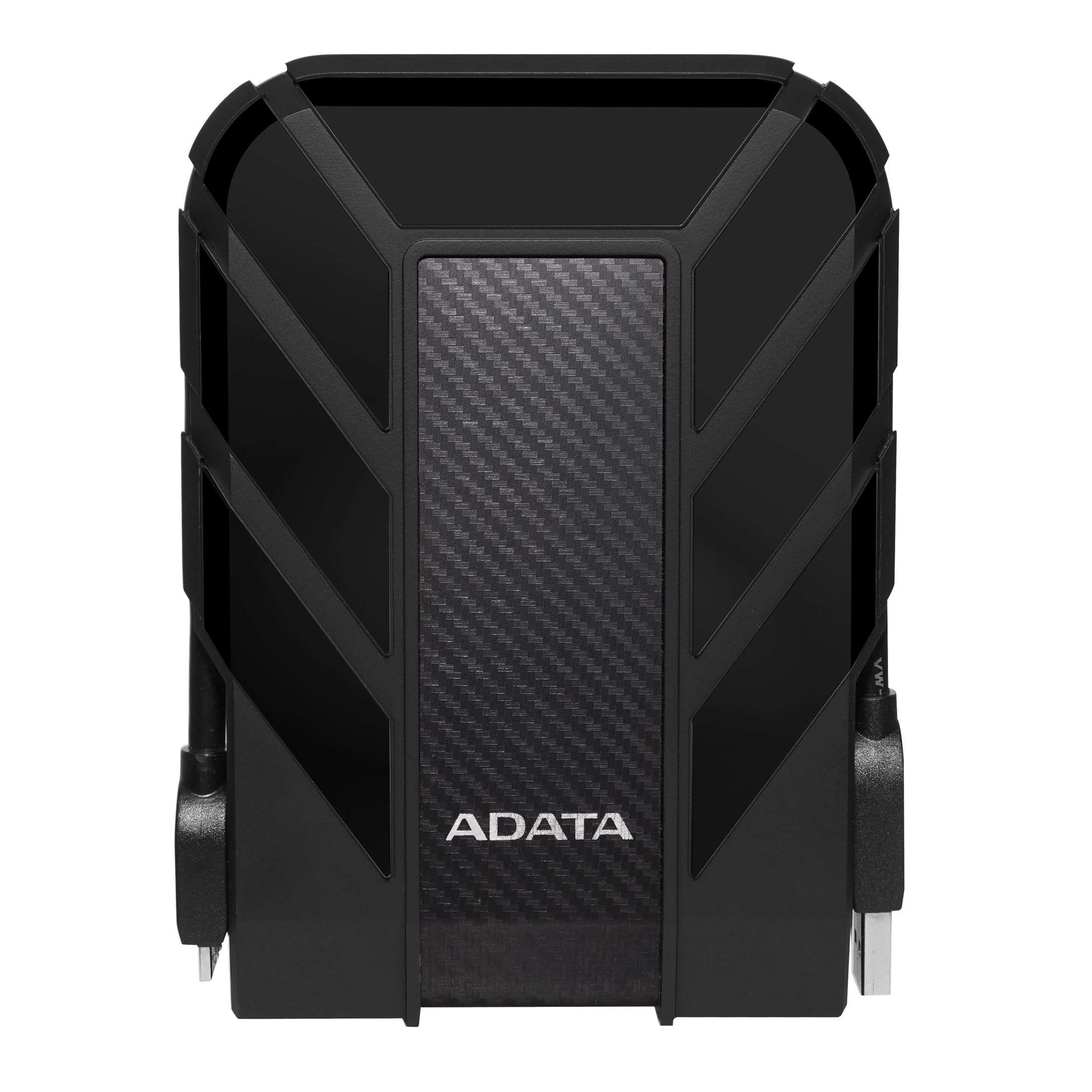
An armored HDD with IP68 waterproofing and MIL-STD-810G shock resistance.
The HD710 Pro is built for the outdoors and chaotic workspaces. Its claim to fame is military-grade toughness: it meets the MIL-STD-810G 516.6 standard for shock resistance, and carries an IP68 waterproof and IP6X dustproof rating. In plain English, that means it can be dunked in water and buried in dust without killing your data.
Under the armor, it’s a 1 TB drive with a USB 3.1 interface running at 5 Gbps. One owner transferred 606 GB in just a few minutes, so the speed is genuinely solid. It works with Linux, Mac, and PC, and the aluminum enclosure helps it survive daily bag-carrying abuse. The rubber bumper also protects the USB port, which is a common failure point on cheaper drives.
The honest trade-off is the cable: one owner reported the USB connector on the drive worked loose after heavy use and had to be glued. It’s a rare complaint, but worth knowing if you plan to plug and unplug it constantly. For the price, it’s the drive to grab if you’re tired of treating electronics with kid gloves.
Grab this if: you venture into dusty, wet, or bumpy environments and can’t afford to lose data to a clumsy drop.
Pass on it if: you need maximum portability over maximum protection — the rubber armor adds bulk.
5. Seagate One Touch

A brushed-aluminum HDD with one-click and scheduled backup software.
The One Touch is as much about looks as it is about function. The minimalist brushed aluminum enclosure gives it a polished look that fits right next to a premium laptop. It’s a true set-and-forget device: the included software lets you back up with a single click, or schedule automatic daily, weekly, or monthly backups to run in the background.
Inside, it is a 2.5-inch mechanical drive (a spinning disk, not a solid-state chip) that connects via USB 3.0 (a common cable standard). It works with Windows, Mac, and Chromebook laptops, but USB-C computers need a separate adapter, and Mac users must reformat it for Time Machine (Apple’s backup software). Seagate includes Rescue Data Recovery Services, so if the drive fails, the company attempts to recover your files.
Owners praise its small footprint and the ease of setting up a backup routine, especially on older PCs with limited internal storage. The recurring criticism is the lack of an activity LED, which makes it hard to tell if a transfer is actually happening, but that’s a minor annoyance rather than a dealbreaker.
Why it stands out: it pairs hardware encryption with a genuinely attractive design, so your files are secure and your desk looks cleaner. It launched with a 4.5-star rating across nearly 10,000 owners, a solid track record.
The simple catch: the included USB-C adapter is missing, so you’ll need to buy one separately if you rock a modern thin-and-light laptop.
6. LaCie Rugged Mini
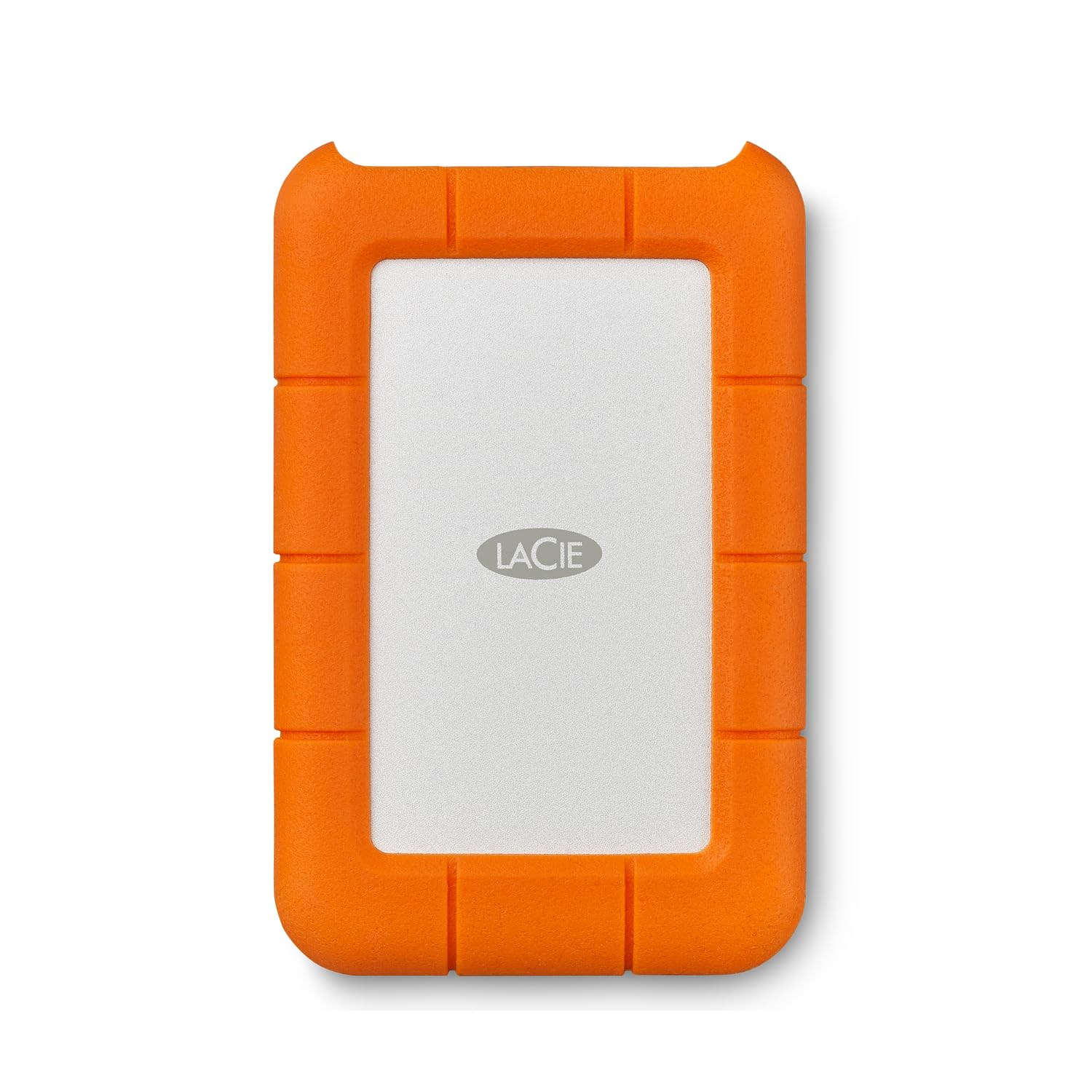
An orange-armored HDD rated for 4-foot drops, dust, and water resistance.
The LaCie Rugged Mini has a cult following for one simple reason: it survives. It’s rated to handle drops up to 4 feet, and it’s both dust and water resistant, which is why it’s a fixture in camera bags and DJ kits. The rubber bumper absorbs impacts that would kill lesser drives, and it comes with password protection built in.
Under the orange shell, this is a 2.5-inch drive using USB 3.0, with real-world transfer speeds of 130 MB/s—enough to move a 4 GB movie in about 30 seconds. It works with PC, Mac, iPad, and iPhone, but Apple devices need a reformat first. Owners love the pocketable size and the confidence; one buyer reports their drive survived a Great Dane puppy chewing on it, and another says theirs still runs strong after 1.5 years of hard use.
There’s a notable quirk: this specific listing does not include a data cable, so you’ll need to buy one separately. Also, since it’s a mechanical drive, it’s not as fast as an SSD, but the durability is the primary selling point here.
The legend behind the orange
- Survives drops, dust, and water, so it keeps data safe in the field.
- Built-in password protection secures your files without extra software.
- Compact form factor trusted by DJs and video editors on the move.
Before you buy
- Data cable sold separately — plan an extra purchase.
- Requires reformatting for Mac, which erases the pre-loaded software.
Choose it if: your drive goes where you go — into muddy fields, crowded stages, or chaotic camera bags.
Reconsider if: you want the fastest possible transfers, as a spinning drive can’t match SSD speeds.
7. Toshiba Canvio Basics

A matte-finish HDD that offers plug-and-play storage without extra software.
The Canvio Basics is the definition of a solid, straightforward external drive. It has a sleek profile with a matte finish that resists fingerprints, and it is pure plug-and-play: connect it via USB 3.0 (or 2.0) and it’s ready with no software to install. It’s pre-formatted for Windows but is a quick reformat away from Mac compatibility.
It doesn’t need an external power cord, which makes it an easy travel companion, and its compact size has been compared to a pack of cards, so it disappears into a laptop bag. Reviewers point out it’s a cost-effective alternative to upgrading your laptop’s internal storage, and they praise the lightning-fast data handling for the price point.
The durability is the main concern here, with the most critical feedback pointing to failures after a couple of years. It’s a fair trade-off at this price, and the 1-year limited warranty provides a basic safety net.
What you get
- Matte, smudge-resistant finish keeps it looking clean always.
- No software installation required — true plug-and-play simplicity.
- Runs off USB power alone, so no wall adapter to carry.
Keep in mind
- Durability is a gamble; some units fail after a couple of years.
- Mac owners must reformat the drive before use.
Buy this if: you want a cheap, reliable way to add a terabyte of space without any bells and whistles.
skip it if: you need rugged durability or plan to move it around constantly.
8. Seagate Portable HDD
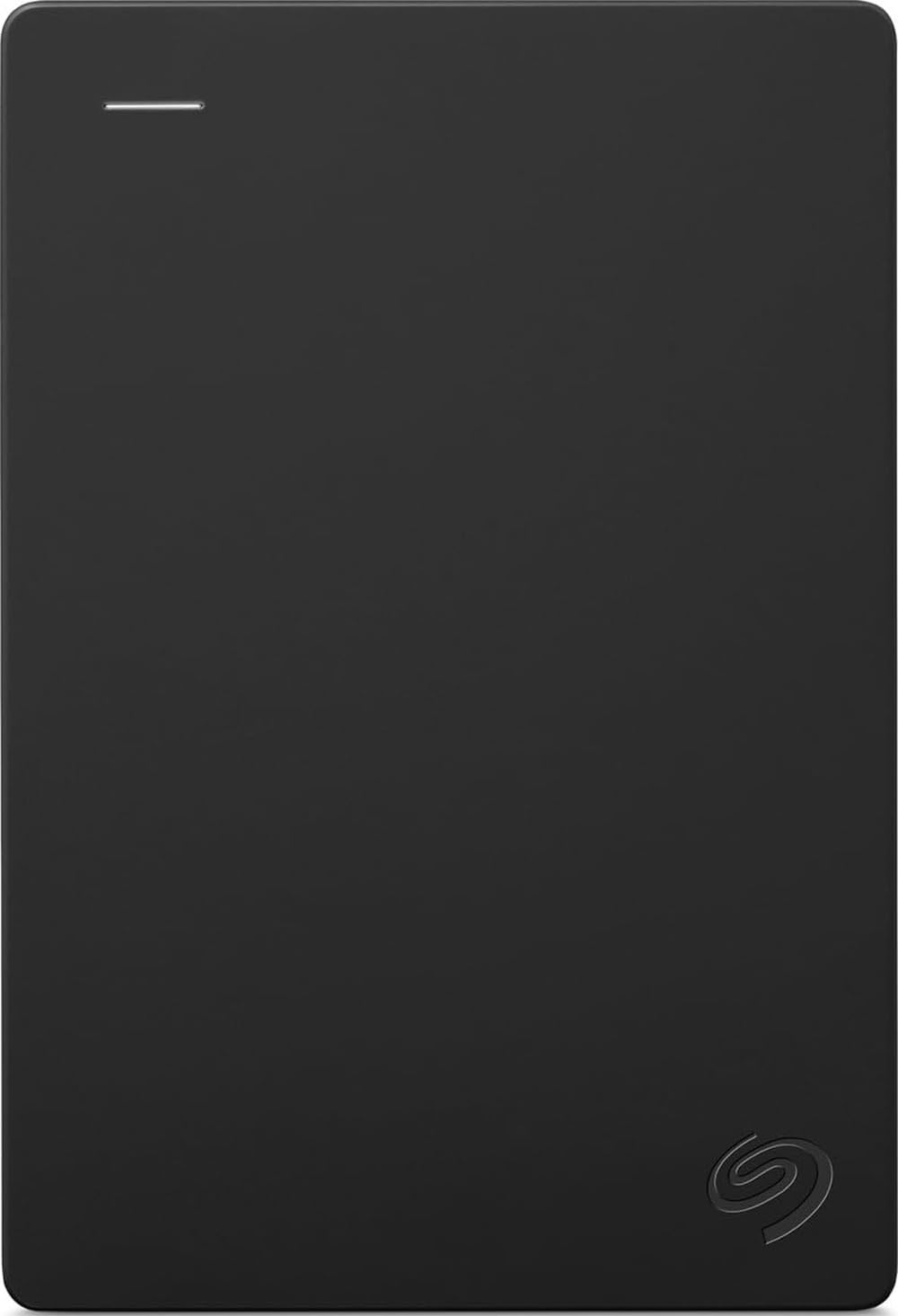
A console-ready HDD that expands PS5 and Xbox storage without setup.
If your PlayStation or Xbox is full, this drive is your answer. The Seagate Portable is explicitly designed for the Sony PlayStation 4 and 5, and the Microsoft Xbox Series S and X, so it plugs in and works without setup. Just drag and drop to move games and free up internal storage—no reformatting or extra software needed.
It connects via USB 3.0 and comes with a 1-Year Rescue Service, which is a lifeline if the drive ever fails. Owners confirm it works perfectly with PS4 and Xbox One for expanding game storage, and it’s a light, compact drive that’s easy to stash near the console or in a bag. It’s a mechanical drive (a spinning disk), which is why it delivers excellent value for money over pricier SSDs, with many owners praising the throughput.
The compatibility is a double-edged sword: while it works from the start with consoles, it doesn’t work natively with Macs without a reformat. The reliability is also a mixed bag, with some owners reporting drives failing after heavy use, so it’s worth keeping backups of critical saves.
Why gamers like it
- Native support for PS4, PS5, Xbox Series S, and Xbox Series X.
- Lightweight and compact, so it hides behind the console easily.
- Excellent value per gigabyte for storing massive game installs.
Heads up
- Not plug-and-play for Mac — reformatting is required.
- Mechanical drive speeds are slower than an external SSD.
Get this if: you need an affordable way to expand PS5 or Xbox storage without deleting your favorite games.
Skip this if: you’re on a Mac or demand SSD-level load times for your games.
9. WD 1TB My Passport

A slim, secure vault for your files with built-in ransomware defense.
The My Passport is the pick for anyone who treats backup as a security matter. WD includes device management software with defense against ransomware, plus password protection and hardware encryption for the drive itself. In practice, that means it scrambles your data so it’s unreadable without the password, and it blocks malicious software from locking your files.
Performance is a strong suit. One owner reported transferring over 50,000 pictures and videos in less than 20 minutes, proof of the fast USB 3.1 interface (backward compatible with USB 3.0). The slim, durable design makes it easy to slip into a bag, and it’s compatible with desktop, laptop, and tablets. The 3-year limited warranty is a great safety net.
The software is the weak link: the included WD Backup utility is unsupported, and the free Acronis trial can create proprietary files that force you to buy the full version to restore. For that reason, many owners recommend skipping the bundled apps and using the drive as a manual plug-and-play storage device, which works flawlessly.
The security upside
- Hardware encryption and password protection shield your sensitive data.
- Fast transfer speeds that move tens of thousands of photos in minutes.
- 3-year limited warranty provides long-term coverage.
The software downside
- Bundled backup software is clunky and unsupported; the trial has limits.
- Mac users may face compatibility hurdles.
The final word: buy it if you want a secure, fast, and reliable drive and plan to ignore the bundled software.
A word of caution: if you rely entirely on the free Acronis trial for backups, you may hit a paywall when you need to restore — use alternative software.
Understanding the Specs
SSD vs. HDD
Think of the drive type as the engine. A solid-state drive (SSD) has no moving parts, making it faster, quieter, and more resistant to drops — ideal for video editing or running software. A hard disk drive (HDD) uses a spinning platter, which is cheaper per gigabyte but slower and more fragile. For pure backup storage, an HDD is fine; for active work, an SSD is worth the premium.
Interface and Data Transfer Rate
The interface is the connection speed between the drive and your computer. USB 3.0 offers 5 Gbps, while USB 3.2 Gen 2 doubles that to 10 Gbps, which is why the Samsung T7 can transfer files much faster than a standard USB 3.0 drive. Always check both the drive’s speed and your computer’s port — a fast drive plugged into an old USB 2.0 port will only run at USB 2.0 speeds.
Durability Ratings (IP and MIL-STD)
These labels tell you how much abuse a drive can take. An IP68 rating means the drive is fully protected against dust and can survive being submerged in water, while MIL-STD-810G is a military standard for shock resistance that indicates the drive can survive drops. If you travel with your drive or work in rough environments, these ratings matter more than raw speed.
Software and Security Features
Some drives come with built-in backup or encryption software. Password protection and hardware encryption scramble your data so it’s unreadable without the key, which is crucial for sensitive documents. Automatic backup software handles scheduled copies so you don’t have to remember, but be wary of trial versions that may require a paid subscription later.
FAQ
Is a portable SSD worth the extra cost over a regular external hard drive?
Will this type of drive work with my MacBook or Windows laptop?
What is the difference between USB 3.0 and USB 3.2 Gen 2 for external drives?
Is it safe to keep a 1 TB external hard drive plugged in at all times?
Can I use these drives to expand storage on my PlayStation 5 or Xbox Series X?
How many photos or videos can I fit on a 1 TB drive?
What does an IP68 waterproof rating actually mean on a portable drive?
Why does my computer not recognize the external hard drive?
How long does a typical external hard drive last?
Final Thoughts: The Verdict
For the majority of shoppers, the 1 tb external hard drive winner is the Samsung T7 SSD because it delivers a once-in-a-generation jump in speed and durability that makes the premium price feel justified. If you want a budget-friendly workhorse for backups, grab the Maxone. And for the outdoor adventurer or console gamer, the ADATA HD710 Pro is the one to reach for, thanks to its military-grade toughness.
How We Picked
We do not accept paid placement. Every pick is matched to a real buyer and a real use-case; we do not hands-on test units.
Sources & Methodology
Specifications: manufacturer listings and product documentation. Review insights: verified customer reviews, as of August 2026. Pricing: not shown on this page (it changes often); check the current price via the retailer link.
As an Amazon Associate, Gadgets Feed earns from qualifying purchases. This does not affect which products we feature.