
Our readers keep the lights on and my morning glass full of iced black tea. As an Amazon Associate, I earn from qualifying purchases.
Specs are compiled from manufacturer listings and verified buyer reviews and can change over time — please confirm the key details on the product page before buying.
Choosing a budget streaming camera depends on if you need 4K detail or smooth 1080p at 60fps. This guide breaks down seven webcams that deliver clean video for streaming, meetings, and content creation without a mirrorless camera budget.
I’m Min — the founder and writer behind Gadgets Feed. This guide is built by comparing the manufacturers’ published specifications and the patterns across verified customer reviews, so you get each pick’s real strengths and trade-offs instead of marketing spin.
The best budget streaming camera balances a sharp sensor, reliable autofocus, and a decent mic — here are the models that earn their place on your desk.
Our Picks at a Glance

How To Choose The Best Budget Streaming Camera
You want a webcam that keeps you looking sharp when you move, handles a dim room without turning you into a blur, and has a mic good enough to skip a separate one. Here’s what actually matters for a budget streaming camera.
Resolution, Frame Rate, and Your Use Case
For fast movement like gaming or gesturing, a 1080p webcam at 60fps (frames per second) looks smooth. A 4K sensor gives you more detail and lets you crop into the frame in editing, but most streaming platforms compress the feed anyway. If you are just starting out, 1080p at 60fps is the practical balance — 4K at 30fps only matters if you record video for YouTube or want the flexibility to zoom without losing clarity.
Autofocus: The Difference Between Sharp and Soft
Cheap webcams use fixed focus, which means you go blurry the moment you lean forward to read something. Look for PDAF (phase-detection autofocus), the same fast-focusing tech found in DSLR cameras, so the lens locks onto your face instantly and stays sharp as you move. Good autofocus keeps you sharp and professional even with a modest sensor.
Low-Light Performance and Field of View
A bigger sensor physically captures more light, which is why a 1/2″ or larger sensor beats a tiny one in a dim room. Pair that with a wide field of view (around 80° is typical) so you can show a desk setup or sit comfortably close without chopping off the top of your head. If your space is dark, prioritize a larger sensor over a higher megapixel count — the sensor is what actually sees in the dark.
Quick Comparison
| Model | Best For | Resolution | Autofocus | Field of View | Amazon |
|---|---|---|---|---|---|
| Logitech C920e★ Best Overall | Reliable meetings & value | 1080p / 3MP | Auto | 78° | Amazon |
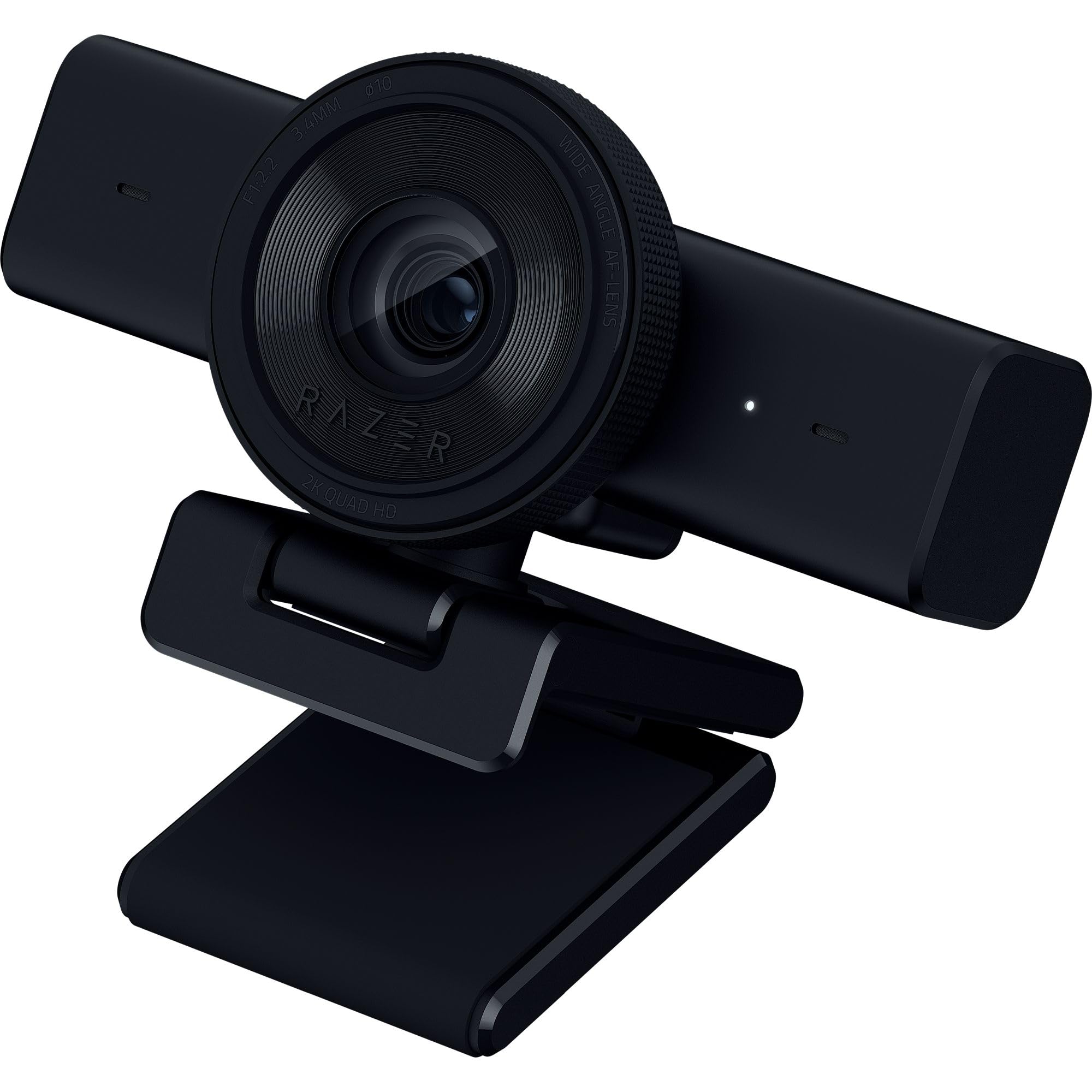
| Razer Kiyo V2 XStreaming Pick | Smooth 60fps streaming | 1440p / 3.7MP | Auto & Manual | — | Amazon |
| NexiGo N680E Pro | Built-in ring light | 4K / 3840p | PDAF | 80° | Amazon |
| Logitech StreamCam | Vertical video & OBS | 1080p / 2MP | Auto | — | Amazon |
| OBSBOT Meet 2 | Travel & AI framing | 4K / 48MP | AI Auto | — | Amazon |
| Razer Kiyo V2 | Studio-grade low light | 4K / 8.3MP | AI Auto | Ultrawide | Amazon |
| YOLOLIV YoloCam S3 | DSLR-like bokeh | 4K / 3840p | PDAF | 82° | Amazon |
In‑Depth Reviews
1. Logitech C920e HD 1080p Webcam
Our pick — over 4.5★ from 3,500+ verified ratings; the strongest balance of quality and price.
A proven 1080p webcam that nails the fundamentals for meetings and first streams.
This is the webcam that remote workers and streamers alike keep coming back to, and the crowd consensus backs it up. It delivers crisp 1080p video with true-to-life colors and a glass lens that stays sharp even in varied lighting, thanks to automatic light correction and built-in HD autofocus. The fixed 78° field of view frames your face well-balanced while still leaving room to show a project or prop — so you never look cramped on screen.
The audio side deserves real credit: two integrated omnidirectional microphones capture your voice clearly from up to one meter away, which makes it a great “just plug it in and go” option for classrooms and meetings. Buyers report it’s a strong value proposition, calling out the price-performance ratio against higher-priced retail alternatives. It is certified for Zoom and TAA compliant., and works with Microsoft Teams and other popular video calling apps, so compatibility isn’t a guessing game.
What wins people over is the overall build quality — the sturdy adjustable clip mounts easily on any laptop or monitor, plus 1/4″ threads let you throw it on a tripod. The attachable privacy screen flips up and down to cover the lens, and a quick glance confirms whether it’s shielded. The only recurring note is that some users report quirks with Windows Hello compatibility, so if facial-recognition logins are a must-have, check your setup first.
Why it’s a crowd favorite
- Sharp 1080p with true colors and a glass lens
- Dual mics capture voice clearly from up to 1 meter
- Privacy shutter and tripod threads included
Who should look elsewhere
- Stuck at 1080p/30fps if you crave 60fps smoothness
- Windows Hello compatibility has mixed reports
Reach for this if: you want a proven, no-drama webcam that works instantly with Teams and Zoom for meetings or a first stream.
Look elsewhere if: you need 60fps motion clarity for fast-paced gaming content.
2. Razer Kiyo V2 X Webcam
Smoothest motion in the budget tier, built for streamers who move.
If your stream involves any kind of motion — unboxings, reactions, leaning into the camera — the Kiyo V2 X is the one that keeps up. It shoots 1440p at 60 FPS, which is a 33% sharper video resolution than the 1080p Logitech C920e above, and that extra headroom makes fast movement look fluid instead of choppy. The still resolution also jumps to 3.7MP versus the C920e’s 3MP, a 23% gain that shows up in sharper text and fine detail when you hold something up to the lens.
Setup is genuinely plug-and-play, and owners mention the image quality is excellent right from the start. The fast, accurate auto focus keeps you sharp during a “clutch play,” and the wide-angle lens lets you zoom out to show a full setup or get close for an intimate chat. Razer Synapse software offers quick presets plus precise color and lighting adjustments if you want to fine-tune the look, though some owners note occasional blackouts or flickering that may trace back to those settings.
The integrated privacy shutter twists to cover the lens instantly, and the universal pivoting mount tilts and swivels on a monitor or screws onto a tripod via a built-in thread. The built-in mic is decent for a quick stream, but the real draw here is the smooth, natural video. Customers note it works flawlessly with OBS and produces natural colors out-of-the-box — a rare combo at this level.
Best for: streamers and gamers who want 60fps smoothness and a wide-angle view without stepping up to a 4K price tag.
The honest trade-off: image quality gets mixed reviews in the dark, and the occasional setup quirk means it rewards a little tinkering.
3. NexiGo N680E Pro 4K Webcam
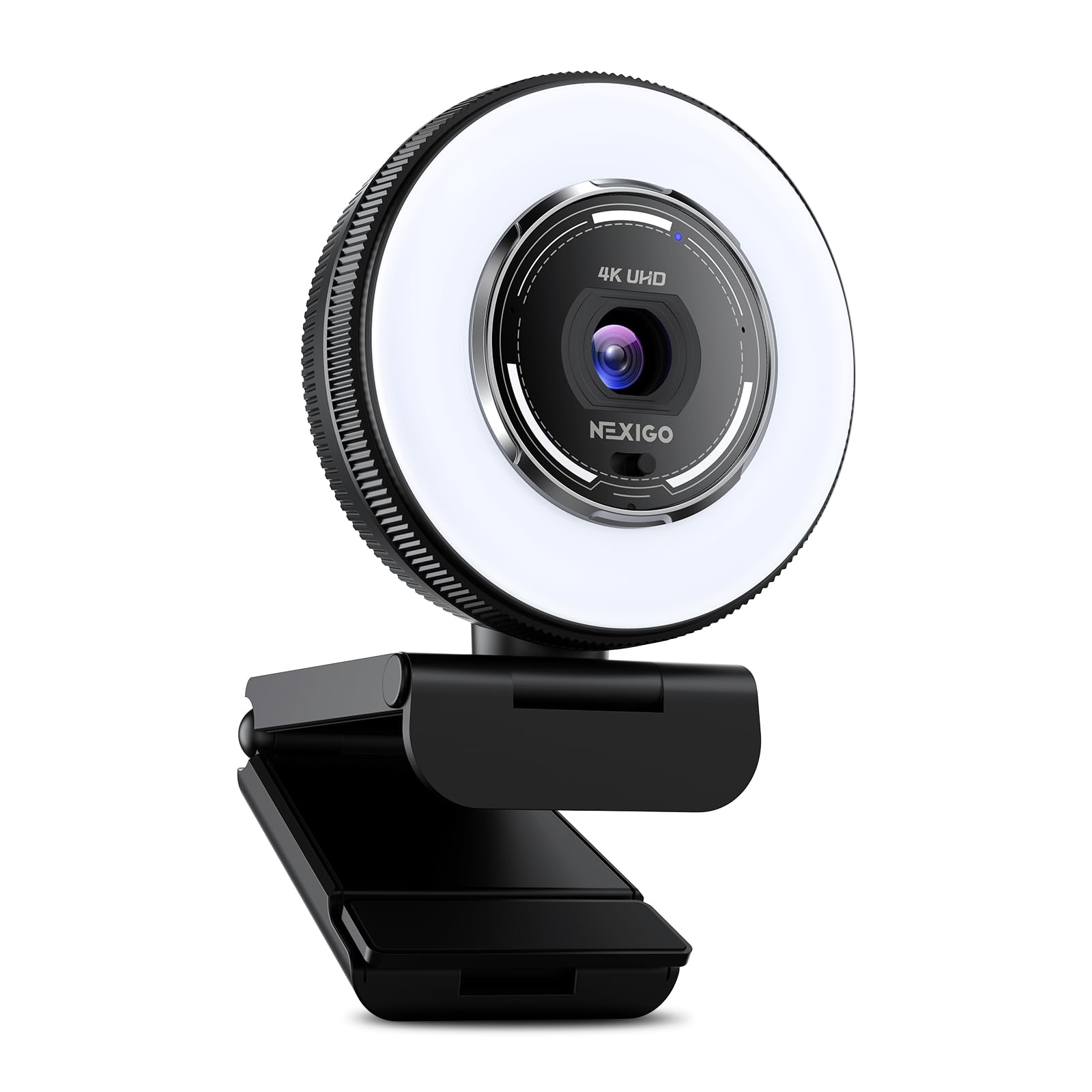
A 4K sensor and ring light in one box, solving lighting before you ask.
This is the pick for anyone whose space never seems to have good light. The NexiGo N680E Pro packs a Sony 1/2.5″ 4K sensor behind a coated lens that boosts light transmission and cuts reflections, and it streams smoothly at 1080p 60fps when you want motion clarity. But the standout is the built-in tri-tone ring light — three color temperature modes with a touch, and stepless brightness control by rotating the outer dial, so you can dial in flattering, glare-free illumination for any room.
Autofocus here is PDAF (phase-detection autofocus), the same fast-focusing tech used in DSLRs, so it locks on quicker and holds steadier than traditional AF as you move. Dual noise-reducing microphones filter out background hum so your voice stays clean in conversations and streams. It’s a wider 80° field of view than the C920e’s 78°, a small but real gain if you want to show a bit more of your desk or background.
The built-in privacy shutter blocks the lens completely, and USB-A plug-and-play means no drivers, apps, WiFi, or Bluetooth required — just connect and go. Compatibility spans Windows 7–11, Mac OS 10.6+, and Chrome OS 29+, and it even works with Switch 2 using your own USB-C to USB-A adapter. The flexible clip and standard 1/4″ tripod mount make angle-finding easy. Buyers praise the crisp, clear picture and the different light settings, though the field of view leans tight — one owner found it too zoomed in for a face-only view.
What makes it stand out
- Built-in ring light with 3 color modes and stepless brightness
- PDAF autofocus for fast, stable focusing
- True plug-and-play with no drivers needed
Keep in mind
- Field of view runs a bit tight, favoring face close-ups
- One owner hit an NVIDIA driver incompatibility
Grab it for: streamers and video-callers with a dim room who don’t want to buy a separate ring light.
skip it if: you need a wide, multi-person conference view rather than a face-forward frame.
4. Logitech StreamCam (Renewed)

The creator’s webcam that flips to vertical and loves OBS.
If you stream on Twitch or YouTube, the Graphite StreamCam is built for content creation, not just meetings. It streams in full 1080p HD at 60 fps for sharp, natural video with smooth motion, and it’s tune for the software creators actually use — Open Broadcaster Software (OBS), XSplit, and Streamlabs OBS — so streaming is genuinely plug-and-play. The high-bandwidth USB-C connection keeps that HD feed stable and reliable even during long sessions.
Where it truly shines is the auto-framing: it keeps you centered in the shot even as you move left or right, and intelligent exposure adjusts to varying lighting conditions so you look good without fiddling. Reviewers point out it works well in low light and that the built-in microphone is surprisingly good — a real bonus for a starter cam. The included Logitech Capture software open up manual control over focus, exposure, brightness, and contrast, which is a big deal for creators who want to fine-tune the image.
Reviewers also discovered it can push to 2K resolution (2304×1296), exceeding its advertised 1080p, and the sensor rotates for vertical video without distortion — ideal for TikTok and Shorts. The monitor clip works well, and it even works with GNU/Linux for the FOSS crowd. Being a renewed unit, the recurring note is that durability is a mixed bag — one owner had a cable come loose — and the software has had compatibility hiccups on Macs, so check your OS before committing.
Best for: creators who want smooth 60fps, vertical-video flexibility, and deep software control without a mirrorless camera.
The catch: it’s renewed, so inspect the cable and confirm Mac software support before relying on it daily.
5. OBSBOT Meet 2 4K Webcam

A 4K camera the size of earbuds that travels in a pocket.
For the mobile worker and traveling streamer who refuses to compromise on quality, the OBSBOT Meet 2 weighs only 40.5 grams and is about as big as a pair of earbuds, yet it packs a UHD 4K resolution and a larger 1/2″ CMOS sensor (the light-capturing chip) that boosts its light-capturing area for clearer, brighter images. It’s genuinely pocketable — you can carry it to a café or a co-working space and get professional-grade video on the go.
The AI is the headline feature. AI framing dynamically adjusts the composition and focuses on you whether you’re alone or in a group, and 2.0 dynamic gesture control lets you wave a “🖐” to toggle framing or point a “👆” to control zoom — no touching the camera or software needed. It’s plug-and-play over a single USB-C connection, with the OBSBOT Center app for deeper tweaks. Shoppers say incredible autofocus that beats built-in laptop cameras, works flawlessly with OBS, and delivers an easy, consistent connection.
The dual omnidirectional noise-canceling mics filter out wind, keyboard typing, and ambient noise, adjusting the reduction level to the scene. The magnetic privacy cover and premium metal build add polish. The caveats are real: the included USB-C cable is short, the stand can be tricky to mount above a screen (it works better on a table), and some units have stopped working after about 8 months, with reported compatibility issues on Mac Studio. It also runs hot — the maker flags this as normal, but be aware.
Why it wins on the road
- Weighs 40.5g and fits in a pocket
- AI framing and gesture control keep you centered hands-free
- Larger 1/2″ sensor for brighter low-light images
What to watch
- Short included cable and a finicky above-screen stand
- Reports of units stopping after ~8 months
Pick this for: frequent travelers and mobile creators who need 4K quality in a pocket-sized body with AI convenience.
Think twice if: you need a rock-solid mount above a monitor and a long cable in the box.
6. Razer Kiyo V2 Webcam
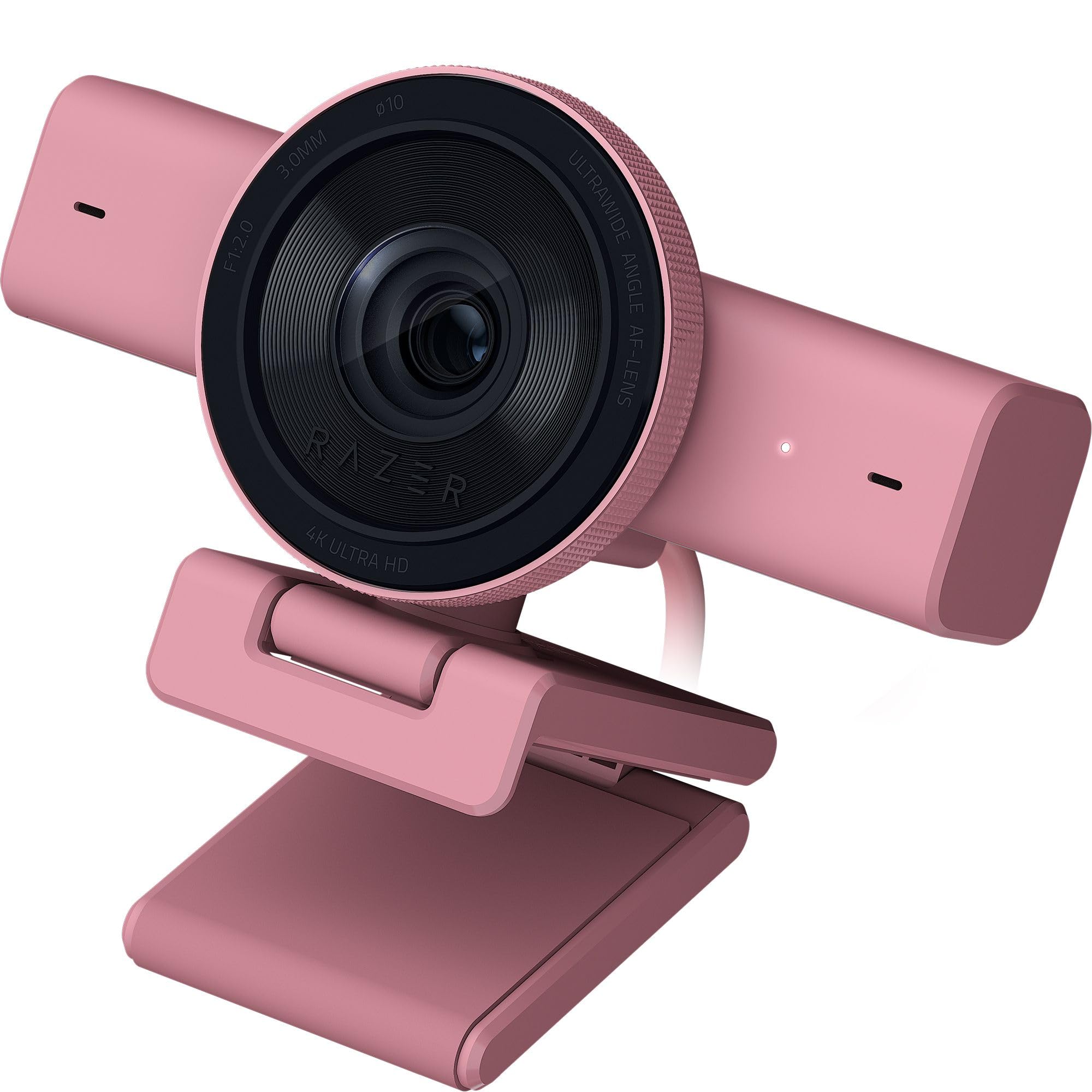
The low-light specialist that makes a dim battlestation look studio-lit.
If your streaming setup lives in a basement or a room with moody RGB lighting, this is the webcam engineered for exactly that. The Razer Kiyo V2 runs on a high-performance Sony STARVIS sensor, which is specifically designed to excel in low light, delivering crisp, clear video at 4K 30fps even when your room is darker than you’d like. Buyers report it performs incredibly well in low-light situations, often eliminating the need for a separate lighting rig entirely.
It also brings AI-powered auto-framing that uses natural face tracking with intelligent pan, tilt, and zoom effects to keep you in the center of the frame as you move. One-click image enhancement handles automatic exposure, white balance, and noise reduction, so backlit setups still look clean. For those who want control, Razer Synapse offers advanced settings like ISO and shutter speed, plus HDR (High Dynamic Range) that adds richer hues and enhanced contrast to your feed.
The ultrawide-angle lens lets you zoom in for a personal shot or pull out to show an entire setup without warping or distortion at the edges. The universal pivoting mount tilts and swivels on a monitor or mounts to a tripod. The honesty check: the software is the weak link, with buyers describing it as buggy, and reliability is mixed — some report it freezes repeatedly during calls and needs an unplug-and-reconnect. One owner also flagged that it needs 20Gbps USB 3.2 Gen 2 bandwidth but ships with a USB 2.0 cable, so a USB 4 connection may be needed for full 4K 30fps performance.
Best for: streamers and creators in dark spaces who want a 4K image with AI framing and don’t mind tweaking software.
The trade-off: the software experience is rough, and freezes are reported — treat it as a capable but finicky pick.
7. YOLOLIV YoloCam S3 4K Webcam
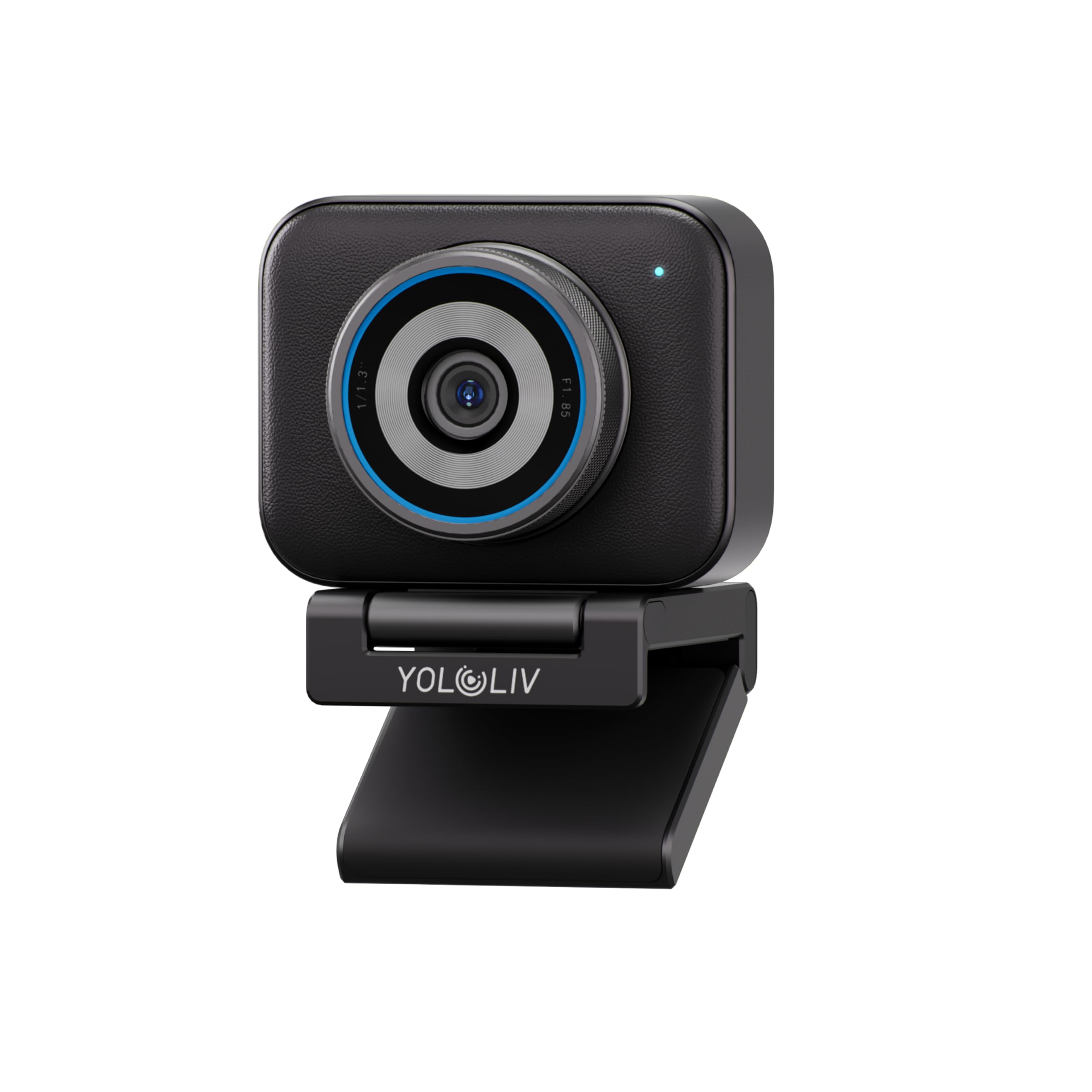
A 1/1.3″ sensor that rivals mirrorless cameras for a webcam price.
If you want a stream that looks like it came from a proper camera, the YoloCam S3 is the splurge that genuinely changes your look. It packs a 1/1.3″ sensor — likely the largest ever fitted in a webcam — which delivers uncompressed 4K/30fps and 1080p/60fps video with a natural background blur (bokeh) that makes you look like you’re filming on a proper camera. Owners mention DSLR-like quality that has replaced their Sony ZV-1f and Canon R50 V for streaming, praising the organic bokeh and sharp 4K detail.
The fast PDAF autofocus delivers instant, zero-lag focus, keeping you crisp and blur-free even in close-ups. AI-enhanced imaging claims faces are 2.5x clearer in low light, with auto-tuned exposure and HDR., with auto-tuned smart exposure, white balance, and HDR, all wrapped in an 82° field of view that keeps you framed without losing quality. Plug-and-play over USB 3.0 needs no driver, and the foldable magnetic mount works anywhere, plus a 1/4″-20 interface fits most tripods — though one owner noted a missing 1/4-inch tripod mount on their unit.
The all-aluminum body acts as a heat sink, keeping 24/7 streams stable without overheating. — a warm surface is just the heat dissipating. The Picasso Resolve color grading engine offers precision control, currently Windows-only, and 4x digital zoom at 1080P keeps the image crisp even when zoomed. Buyers praise the easy setup and sharp video, and note it’s less expensive than a single lens. The trade-offs: no SD card recording (you’ll need a YoloCam box for that), and autofocus plus software get mixed reviews — so test the focus behavior in your specific setup.
Why it’s worth the step up
- 1/1.3″ sensor delivers DSLR-like bokeh and 4K sharpness
- All-metal body prevents overheating in 24/7 streams
- AI imaging plus 82° FOV keeps you framed and clear
Before you buy
- No SD card recording without an external unit
- Autofocus and software have mixed reports
Choose this for: serious streamers and podcasters who want a true depth-of-field look and 4K clarity without a mirrorless camera.
Reconsider if: you need multi-cam recording or a tool that works entirely from the start with zero software quirks.
Understanding the Specs
Sensor Size vs. Megapixels
A bigger sensor physically captures more light, which determines how good you look in a dim room — not the megapixel count. A 1/1.3″ sensor like the one in the YoloCam S3 sees in the dark far better than a tiny sensor with a high MP number. For streaming, prioritize sensor size over pixel count.
PDAF Autofocus
PDAF (phase-detection autofocus) is the same fast-focusing technology found in DSLR cameras. Unlike fixed-focus webcams that go blurry when you lean in, PDAF locks onto your face instantly and holds it sharp as you move. Look for this spec if you gesture, lean forward, or move during your stream.
FAQ
Do I need 4K for streaming on Twitch or YouTube?
What is the difference between a 1/2″ sensor and a 1/1.3″ sensor?
Will a streaming webcam work with my laptop’s existing software?
How important is the built-in microphone on a streaming camera?
What does field of view (FOV) mean for my stream?
Will a webcam with a privacy shutter work with face open up?
Can I mount a streaming webcam on a tripod?
What is the difference between 1080p 60fps and 4K 30fps for gaming streams?
Why does my webcam get warm during long streams?
Do I need a separate lighting setup if I buy a webcam with a ring light?
Final Thoughts: The Verdict
For most buyers, the budget streaming camera winner is the Logitech C920e because it nails the fundamentals — sharp 1080p, reliable autofocus, and dual mics that sound great — at a price that’s hard to argue with. If you want smooth 60fps motion for gaming or reaction content, grab the Razer Kiyo V2 X. And for a dim room or a professional depth-of-field look, the YoloCam S3 is the one to reach for. The crowd favorite remains the C920e — its proven track record across thousands of owners makes it the safest first webcam you can buy.
How We Picked
We do not accept paid placement. Every pick is matched to a real buyer and a real use-case; we do not hands-on test units.
Sources & Methodology
Specifications: manufacturer listings and product documentation. Review insights: verified customer reviews, as of August 2026. Pricing: not shown on this page (it changes often); check the current price via the retailer link.
As an Amazon Associate, Gadgets Feed earns from qualifying purchases. This does not affect which products we feature.