
Our readers keep the lights on and my morning glass full of iced black tea. As an Amazon Associate, I earn from qualifying purchases.
Specs are compiled from manufacturer listings and verified buyer reviews and can change over time — please confirm the key details on the product page before buying.
You want a gaming laptop that makes your games look sharp without crushing your frame rates. That is exactly what a native 1440p (QHD) panel delivers — roughly double the pixels of a 1080p screen, so edges look crisper, text is cleaner, and game worlds feel more detailed. This guide focuses purely on machines with true 1440p displays, cutting through the marketing to the models that actually hit that resolution.
I’m Min — the founder and writer behind Gadgets Feed. This guide is built by comparing the manufacturers’ published specifications and the patterns across verified customer reviews, so you get each pick’s real strengths and trade-offs instead of marketing spin.
Every laptop here pairs a native QHD panel with a serious GPU, so you can skip the guesswork when hunting for the best 1440p gaming laptop that fits your budget and play style.
Our Picks at a Glance


How To Choose The Best 1440p Gaming Laptop
The jump from 1080p to 1440p is about balance. You get a much sharper image, but those extra pixels demand more from the graphics card. A laptop with a 1440p screen but a weak GPU will stumble in modern games. Here is how to match the right parts together.
Match the GPU to the Resolution
Your graphics card does the heavy lifting at 1440p. A card with 8GB of video memory can run many titles at high settings, but 12GB or 16GB gives you more room for future games and higher texture quality. Look for an RTX 5070 Ti or RTX 5080 if you want high refresh rates without dropping settings.
Don’t Skip the Refresh Rate
The refresh rate, measured in Hz, is how many times the screen updates per second. A 165Hz panel shows up to 165 frames per second smoothly, which feels much more fluid than a standard 60Hz screen. For fast competitive shooters, a higher number like 240Hz gives you a real edge.
Check the Power Delivery (TGP)
Two laptops with the same GPU can perform very differently. The TGP (Total Graphics Power) is how much wattage the GPU is allowed to use. A higher TGP means the chip can run faster and produce more frames. A “Max-P” or high-wattage version of a GPU will beat a low-power “Max-Q” version of the same card.
Quick Comparison
| Model | Best For | Display | GPU | Memory | Amazon |
|---|---|---|---|---|---|
| Lenovo Legion Pro 7i★ Best Overall | Ultimate Performance | 16″ OLED 240Hz | RTX 5080 16GB | 64GB DDR5 | Amazon |
| Thunderobot Storm 17Budget 17-Inch | Budget 17-Inch | 17.3″ LCD 165Hz | RTX 5060 4GB | 16GB DDR5 | Amazon |
| MSI Katana 15 HXValue Performance | Value Performance | 15.6″ QHD 165Hz | RTX 5060 | 16GB DDR5 | Amazon |
| Alienware 16 Aurora | Balanced All-Rounder | 16″ WQXGA 300 nits | RTX 5060 | — | Amazon |
| Acer Predator Helios Neo 16 | High FPS Esports | 16″ WQXGA 240Hz | RTX 5070 Ti | 16GB DDR5 | Amazon |
| MSI Katana 15 HX (i9) | Raw CPU Power | 15.6″ QHD 165Hz | RTX 5070 | 32GB DDR5 | Amazon |
| Lenovo Legion 5i | OLED Color Accuracy | 15″ OLED 165Hz | RTX 5070 | 16GB DDR5 | Amazon |
| Acer Nitro 16S | Copilot+ AI Features | 16″ WQXGA 180Hz | RTX 5070 Ti | 32GB DDR5 | Amazon |
| ASUS ROG Strix G16 | Premium Cooling | 16″ 2.5K 240Hz | RTX 5070 Ti | 32GB DDR5 | Amazon |
| ASUS ROG Strix Scar 18 | Large Mini-LED Screen | 18″ 2.5K 240Hz | RTX 5070 Ti | 32GB DDR5 | Amazon |
| Alienware 18 Area-51 | High Refresh 18-Inch | 18″ WQXGA 300Hz | RTX 5080 | 32GB DDR5 | Amazon |
| Dell Alienware 18 Area-51 | Maximum GPU Power | 18″ WQXGA | RTX 5090 | 64GB DDR5 | Amazon |
In‑Depth Reviews
1. Lenovo Legion Pro 7i Gen 10
Our pick — over 4.5★ from 50+ verified ratings; the strongest balance of quality and price.
The flagship that turns 1440p into an OLED spectacle without breaking a sweat.
This is the laptop that sets the bar for the entire category. Its 16-inch WQXGA OLED panel hits 2560×1600 resolution with a 240Hz refresh rate, meaning you get both stunning color depth and ultra-smooth motion. Owners describe the screen as gorgeous and superb, and the performance backs it up—the RTX 5080 with 16GB of GDDR7 memory pushes 65-100fps on ultra settings in demanding titles without needing DLSS.
The internals are just as impressive as the display. You get a massive 64GB of DDR5-6400MHz RAM and 2TB of NVMe SSD storage split across two 1TB drives. The Intel Core Ultra 9 275HX hits 5.4 GHz, and buyers report zero throttling during long sessions, with the machine running cool and quiet.
What wins people over is the build quality—it’s the most-praised aspect by a wide margin. The caveats are minor but real: the trackpad is subpar, there’s no Windows Hello face login, and the smooth finish can slide on a cooling mat. Reliability gets mixed feedback, so a warranty is worth keeping in mind.
Flagship Firepower
- OLED 240Hz screen with 500 nits and 100% DCI-P3 color
- 64GB RAM and 2TB storage handled demanding multitasking
- Runs cool and quiet under heavy gaming loads
Honest Trade-Offs
- Smooth chassis finish slides on cooling pads
- Trackpad quality disappoints at this price
- Setup may need driver and BIOS updates from the start
Reach for this if: you want the definitive 1440p OLED gaming experience with no compromises on frame rates or color.
Look elsewhere if: you want an out-of-the-box experience with zero driver tinkering, or you need Windows Hello biometric login.
2. Thunderobot Storm 17
The big-screen value pick that brings 1440p to a 17-inch panel for less.
If a large display is your priority and budget matters, this 17.3-inch QHD 165Hz screen delivers a lot of pixels for the money. The Intel Core i7-13620H with 10 cores and 16 threads handles modern titles easily, and owners mention it runs games like Battlefield 6 very smoothly. Performance is the most-praised aspect here.
The cooling design is serious for the price point: 0.2mm copper fins with 245 pieces, dual 60mm turbofans, and a one-click forced cooling mode. A 53Wh battery with 100W PD fast charging keeps you going between outlets.
The thing everyone should know is that the RTX 5060 ships with 4GB of VRAM in the spec sheet, which one owner flagged as insufficient for 2560×1440 at high refresh rates—16GB is preferred for smoother frame pacing. The SSD also posts mediocre speeds, and Linux users report it works well with Fedora 43 using proprietary NVIDIA drivers. A single 1/5 review mentions a unit failing after four months, but most buyers praise the value.
For the price, this is a functional 1440p machine that gets you the resolution without the premium markup. Just know the GPU has limits at the high end of settings.
Best for: gamers who want a large 17-inch 1440p panel on a budget and don’t need max settings in every title.
Trade-off: 4GB of GPU memory is tight for 1440p high-refresh gaming—plan to run a mix of medium and high settings.
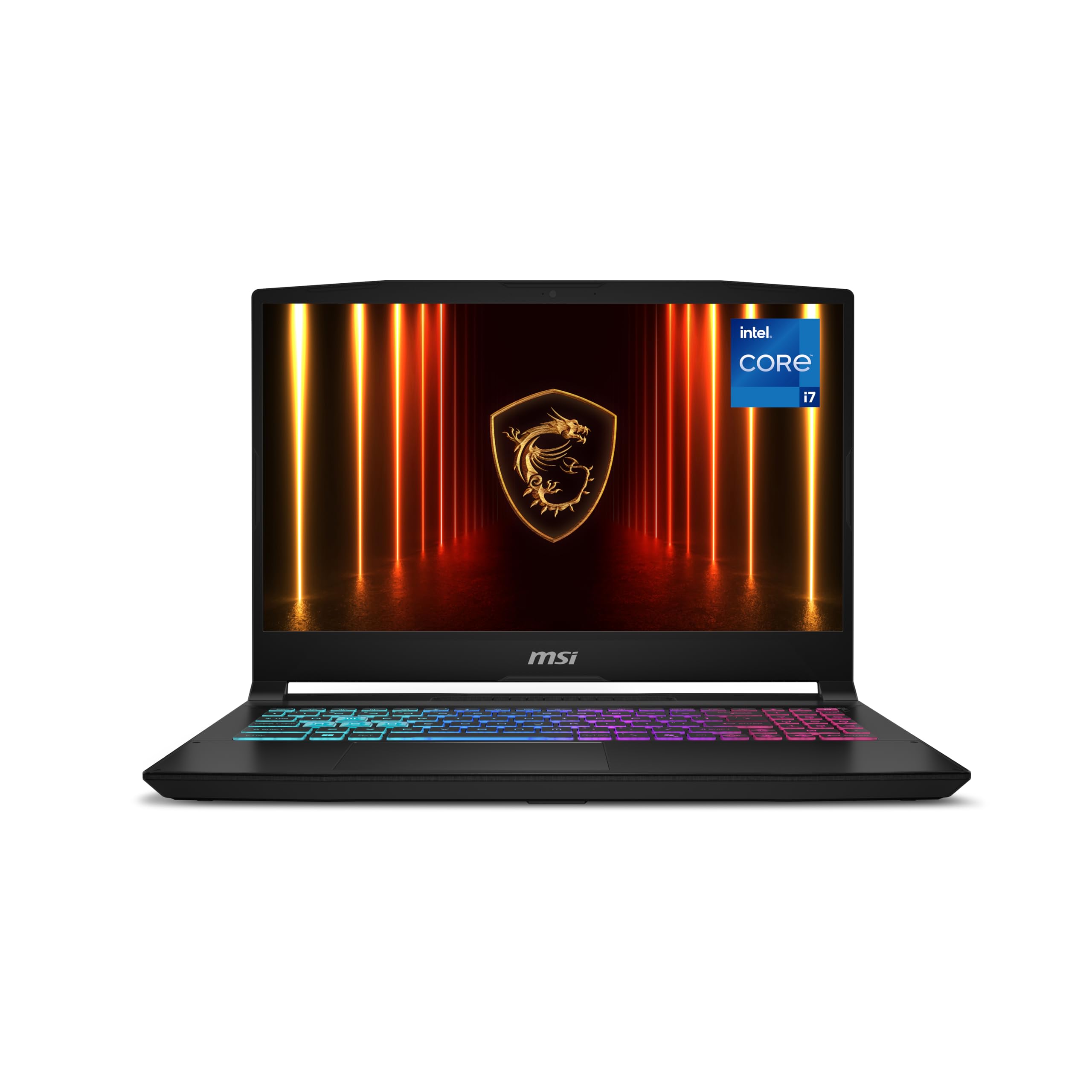
3. MSI Katana 15 HX
A sharp 1440p panel with 100% DCI-P3 color that makes games look rich.
This Katana pairs a 15.6-inch QHD 165Hz display with wide-gamut 100% DCI-P3 color, so you get sharper detail and smoother motion than a typical 1080p 144Hz panel. Games like Cyberpunk 2077 and Call of Duty run incredibly smoothly, according to buyers.
Cooler Boost 5 uses dual fans and multiple heat pipes to keep the CPU and GPU in check during long sessions. The 4-zone RGB keyboard has highlighted WASD keys and a numpad, and connectivity includes HDMI up to 8K and Wi-Fi 6E.
The trade-off is fan noise. Owners note the fans are among the loudest in the industry under load, though that’s expected for a machine with this much power. Heat generation is also notable, so a cooling pad helps. Performance is the top praised aspect, followed by value for money.
Who it suits: value-focused gamers who want a fast 1440p screen with accurate colors and don’t mind jet-engine fan noise during intense play.
The catch: expect loud fans and noticeable heat under gaming loads—plan for a cooling pad.
4. Alienware 16 Aurora

A crisp 16:10 WQXGA panel wrapped in Alienware’s signature comfort-focused design.
Alienware brings its 1 Year Onsite Service to this 16-inch Aurora, meaning Dell will come to your home if a hardware issue can’t be resolved remotely. The 16:10 WQXGA display at 2560×1600 gives you extra vertical space compared to standard 16:9 screens, useful for both gaming and productivity. One reviewer noted its nearly 3K screen resolution with accurate colors.
The newly designed Cryo-Chamber structure focuses airflow where it matters most, and the streamlined design doesn’t need a rear thermal shelf. The Intel Core 7 240H hits 5.2 GHz, and the RTX 5060 handles modern titles at max graphics settings with 80-120 FPS, according to owners.
Quality is the most-praised aspect here, but performance gets mixed feedback. Some find it blazing fast, while others report crashes and screen freezes during video playback. Battery life also splits opinion—some get all-day battery when not gaming, while others report dead batteries. It’s heavier than you might expect, so it’s not the most portable option.
Comfort-First Design
- 1 Year Onsite Service covers home visits
- 16:10 screen gives extra vertical workspace
- Runs cool with low fan noise for some owners
Consider These
- Mixed reports on performance stability
- Battery life opinions vary widely
- Heavier build reduces portability
Best if you: value onsite support and a roomy 16:10 screen for mixed gaming and work.
Think twice if: you’re sensitive to potential crashes or need consistent battery life estimates.
5. Acer Predator Helios Neo 16

A 240Hz esports screen with DLSS 4 that pushes past 100 FPS in modern titles.
This Predator is built for speed. The 16-inch WQXGA panel runs at a fast 240Hz refresh with 3ms overdrive response time, and the 500-nit brightness keeps things visible even in brighter rooms. It covers up to 100% DCI-P3 for vibrant colors, all backed by NVIDIA G-SYNC to prevent screen tearing.
Under the hood, the Intel Core Ultra 9 275HX hits 5.4 GHz, and the RTX 5070 Ti with 12GB of VRAM delivers 100+ FPS in games like Battlefield 6 and Modern Warfare 3 with DLSS enabled. Customers note a Time Spy score around 17,600, calling it a true desktop replacement. The Killer Wi-Fi 6E keeps online play responsive.
The catch is RAM—16GB is sufficient for gaming but owners note it feels tight when multitasking with music and Discord. Upgrading to 32GB requires a BIOS update to fix crashes, and you’ll need a T6 screwdriver. The noise level gets mixed feedback, with a cooling pad recommended to keep temps in check. Quality is the most-praised aspect, followed by value for money.
Ideal for: competitive gamers who want a blazing 240Hz panel and DLSS 4 performance without spending flagship money.
Worth noting: plan to upgrade past 16GB RAM and invest in a cooling pad for sustained sessions.
6. MSI Katana 15 HX (i9)

An i9-14900HX with 24 cores that chews through heavy multitasking and AAA titles.
This Katana variant steps up to the Intel Core i9-14900HX, a 24-core hybrid powerhouse that hits 5.8 GHz max speed. That CPU muscle shows in fast load times, high FPS, and smooth multitasking, all while the RTX 5070 with DLSS 4 handles the graphics. Owners call it a beast for gaming, running modern and older titles perfectly, even on an external 32-inch monitor.
The QHD 165Hz display covers 100% DCI-P3, and Cooler Boost 5’s dual fans and 5-heat-pipe design keep frame rates stable during marathons. Gaming performance is the top praised aspect, followed by screen quality. The 4-zone RGB keyboard has highlighted WASD keys, and you get USB-C Gen 2, HDMI up to 8K, and Wi-Fi 6E.
The honest trade-offs are real. Fan Boost mode sounds like a jet engine, and the machine runs hot, needing a cooling pad. Battery life is short—around 45 minutes of gaming or 1.5 hours of music. Some reviewers point out sleep and shutdown issues. Performance gets mixed feedback overall, with a notable 1/5 review citing a unit that died within six months.
CPU Firepower
- 24-core i9-14900HX at 5.8 GHz handles anything
- QHD 165Hz screen with 100% DCI-P3 colors
- Runs demanding games flawlessly when plugged in
Know Before Buying
- Fan Boost is extremely loud under heavy load
- Battery drains fast during gaming sessions
- Reliability reports are mixed, including early failures
Pick this if: CPU-heavy workloads and multitasking matter as much as gaming, and you’ll keep it plugged in.
skip it if: you need quiet operation or long battery life away from an outlet.
7. Lenovo Legion 5i
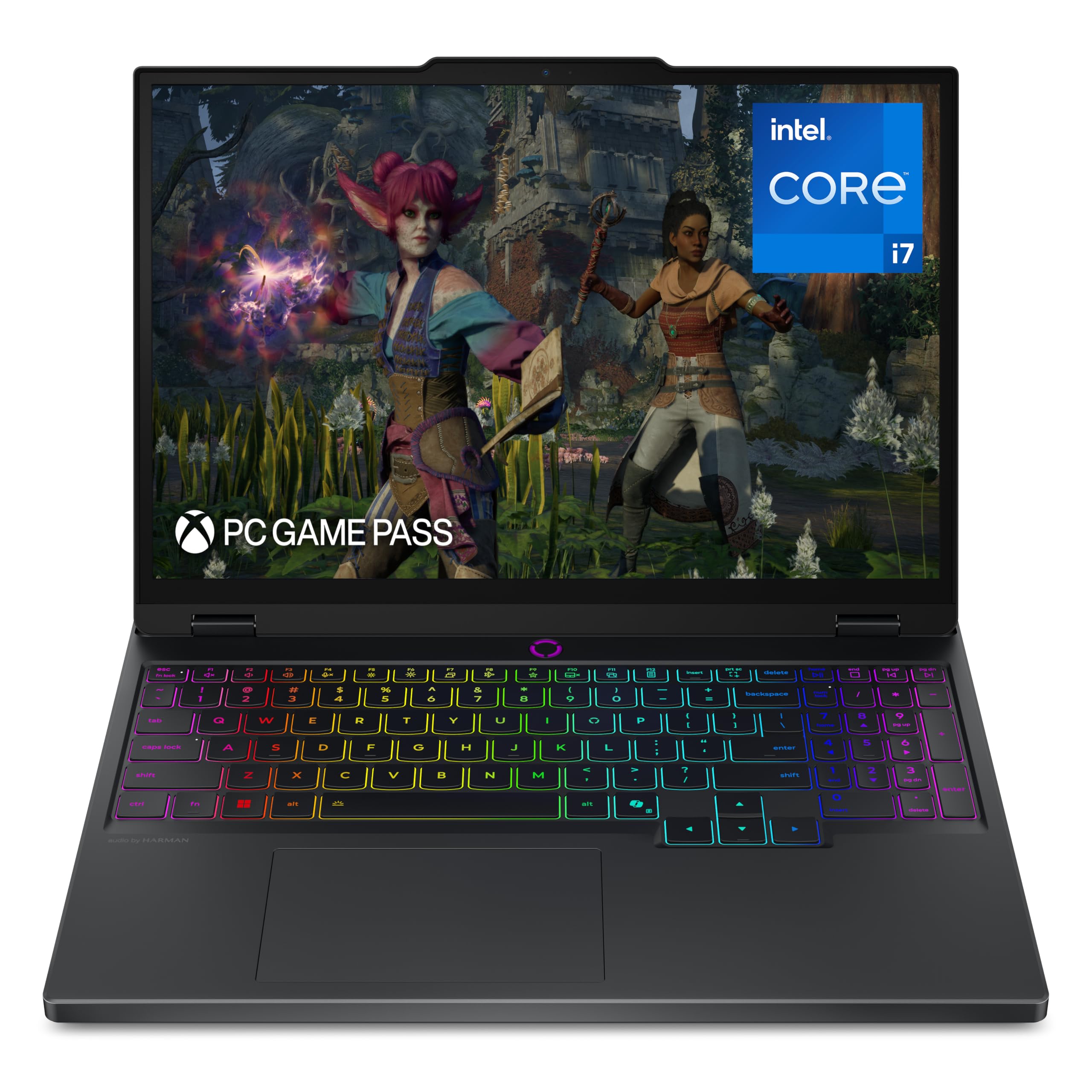
A 15-inch OLED panel with true-to-life colors that doubles for gaming and creative work.
This Legion 5i brings Lenovo’s PureSight OLED display to a 15-inch form factor, and it’s a stunner. With a 2.5K WQXGA resolution, 165Hz refresh, and exact color accuracy, it excels at both gaming and coursework on the go. Owners rave about the beautiful screen and call it the easiest choice over an Acer rival. Gaming performance is the most-praised aspect by a wide margin, and battery life gets positive feedback at around 9 hours.
The Intel Core i7-14700HX hits 5.4 GHz, paired with the RTX 5070 for high-end game settings. Legion Coldfront: Hyper keeps things quiet, and fast-charging takes the battery from 0 to 70% in under 30 minutes via USB Type-C. The design is thinner and lighter than previous Legions, making it easy on a backpack.
The honest catches: 16GB of RAM comes as a single stick, which bottlenecks performance—dual channel would be better. The cooling fan kicks on loud even during routine tasks, and there’s no fingerprint reader or Windows Hello. The keyboard has only 1.5mm travel, and the numpad shifts the typing area. Value for money gets divided opinions.
Best for: students and creators who want an OLED display for vibrant colors plus solid gaming, all in a portable chassis.
Watch out for: single-channel RAM limiting performance—upgrading to dual sticks is the smart move.
8. Acer Nitro 16S AI Copilot+
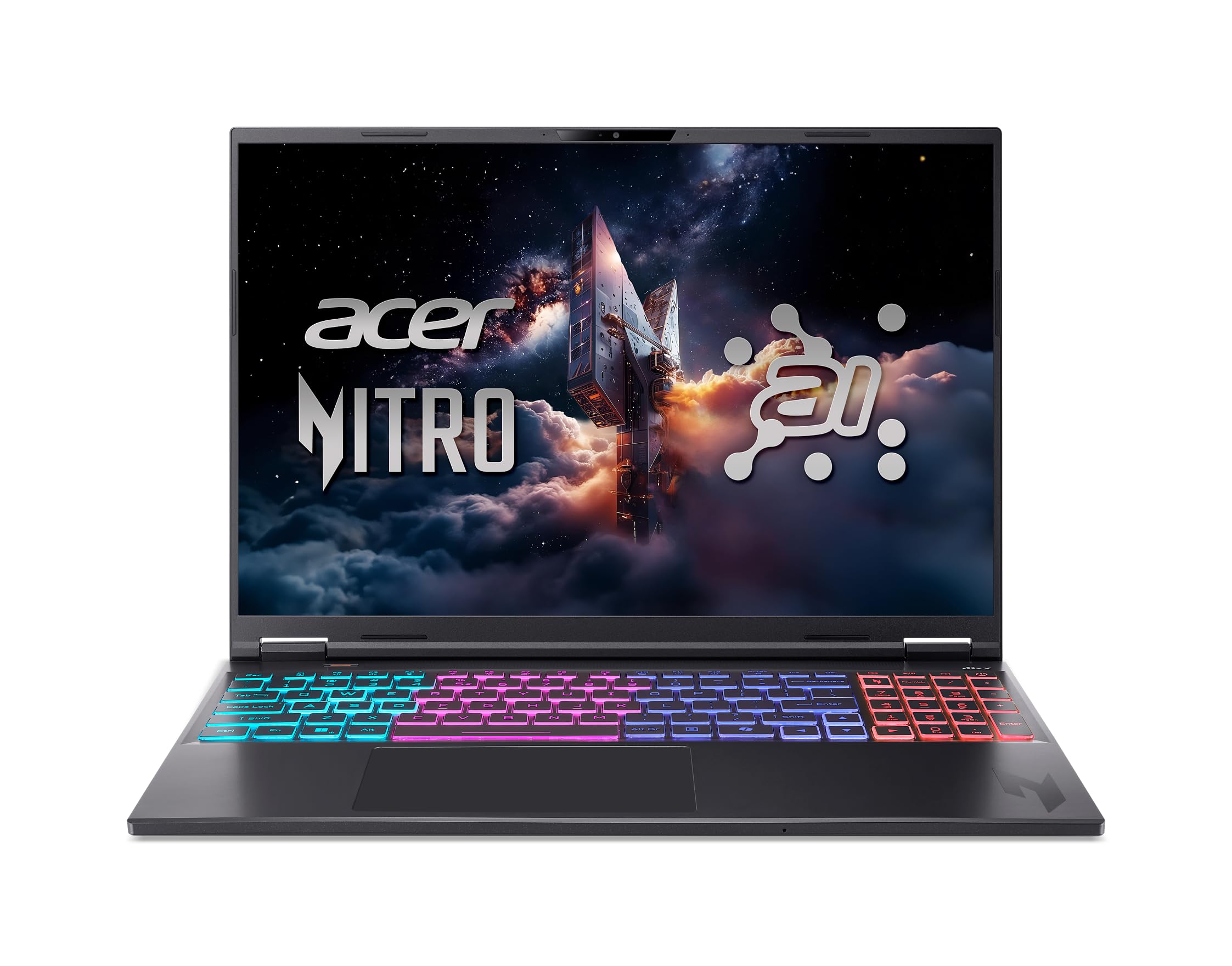
A Copilot+ PC with 73 AI TOPS that brings generative AI tools to your gaming setup.
This Nitro 16S is a Copilot+ PC, meaning it runs Windows’s generative AI features locally. The AMD Ryzen AI 9 365 processor delivers 73 Overall AI TOPS, powering tools like background removal and audio optimization. The 16-inch WQXGA 2560×1600 display runs at 180Hz with 100% sRGB coverage, giving you fluid motion and accurate colors for both gaming and photo work.
Graphics come from the RTX 5070 Ti with 992 AI TOPS of horsepower, and owners say it handles Spider-Man 2 and Forza Horizon 6 excellently. The 32GB of DDR5 RAM and 2TB Gen 4 SSD handle large 4K Photoshop files without breaking a sweat. Storage, however, is split as two 1TB drives, which uses both M.2 slots and leaves no room for expansion—a common buyer surprise.
The fans are loud by default, but there’s a quiet mode to dial them down. The webcam is weak, and the battery life gets mixed reviews. Buyers generally call it a powerful deal with good value for gaming and design work.
Choose this if: you want AI-powered Copilot features plus strong gaming and creative performance in one package.
Check the fine print: the 2TB storage is two 1TB drives with no empty slot—plan your storage needs upfront.
9. ASUS ROG Strix G16

A ROG Nebula 240Hz display with vapor-chamber cooling that stays quiet and cool.
ASUS packed its flagship cooling into the G16: an end-to-end vapor chamber, tri-fan technology, and Conductonaut extreme liquid metal on the chipset. The result is a machine that owners say runs cool and quiet, even during extended gaming. The 16-inch ROG Nebula display hits 2.5K resolution at 240Hz with a 3ms response time, and a new ACR film enhances contrast while reducing glare.
The Intel Core Ultra 9 275HX and RTX 5070 Ti with 12GB VRAM deliver excellent 1440p ultra gaming at 60-90+ FPS, and VR via Oculus 3 works well. Performance is the most-praised aspect by a huge margin, followed by display quality. The 32GB of DDR5-5600MHz memory and 1TB PCIe Gen 4 SSD round out the package, with Wi-Fi 7 for fast wireless.
The honest notes: it’s a bright WLED screen, not OLED, so colors are good but not as deep as OLED rivals. ASUS software restricts fan control, which annoys some owners, and there’s pre-installed bloatware like McAfee. At around 4.5 hours of battery, it’s decent for a gaming laptop. One owner noted the value is great at a discount but would rate it lower at full price.
Cooling Champion
- Vapor chamber and liquid metal keep temps low
- 240Hz/3ms Nebula display with anti-glare ACR film
- Handles CAD, gaming, and VR workloads smoothly
Trade-Offs
- WLED screen lacks OLED’s deep blacks
- ASUS software restricts manual fan control
- Bloatware eats into system resources
Reach for this if: you prioritize cool, quiet operation and a blazing 240Hz screen for fast-paced gaming.
Keep in mind: the value proposition shines brightest when you catch it on sale.
10. ASUS ROG Strix Scar 18
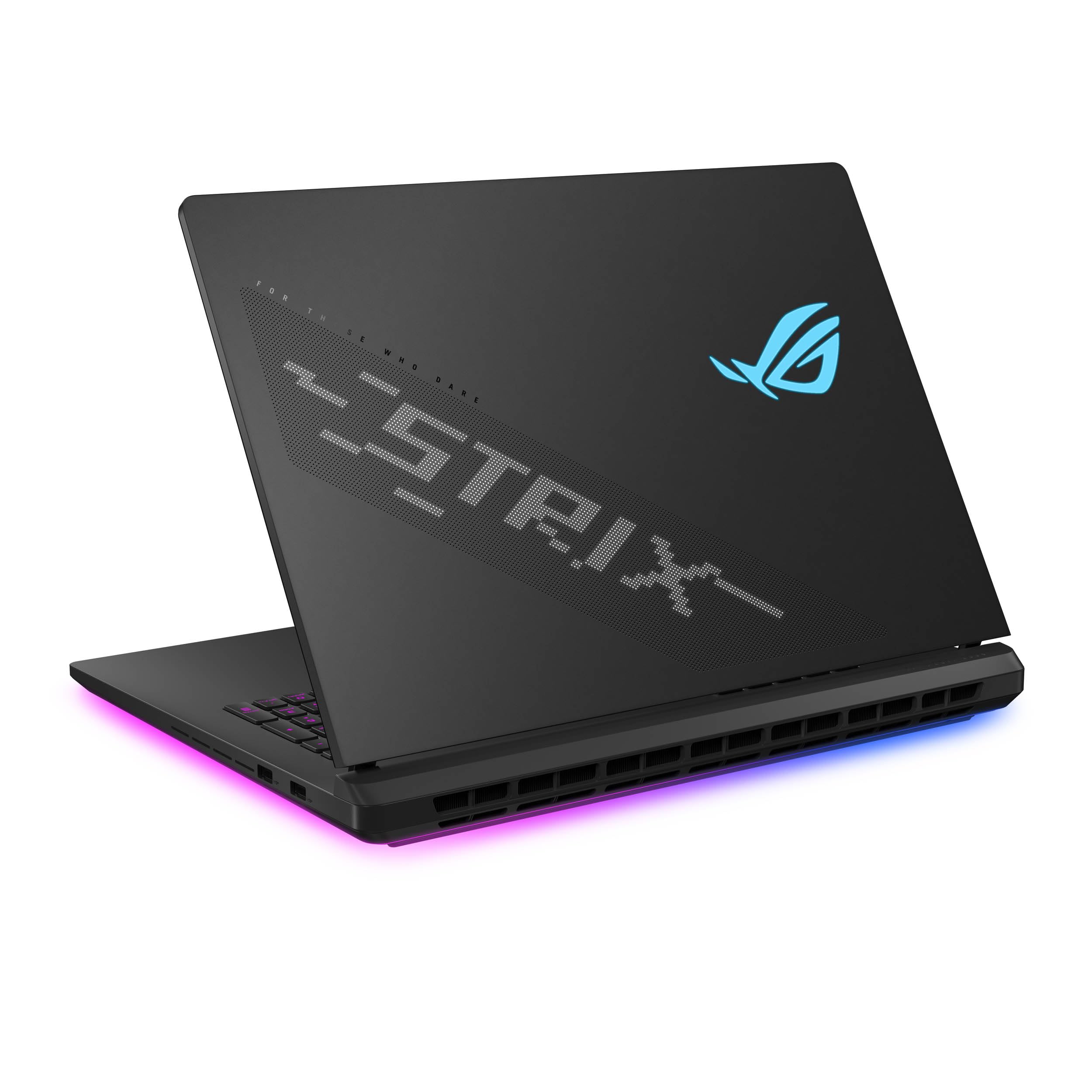
An 18-inch Mini-LED screen with 2,000+ dimming zones for cinematic HDR gaming.
This Scar 18 is the big-screen showpiece. The ROG Nebula HDR display uses Mini LED technology with 2,000+ dimming zones and dual ACR layers, delivering 240Hz refresh and 100% DCI-P3 color for vibrant, lifelike imagery. It’s a 16:10 aspect ratio at 2.5K resolution, giving you serious screen real estate. Professional artists call the color accuracy and contrast superb.
Under the hood, the Intel Core Ultra 9 275HX and RTX 5070 Ti handle heavy rendering and complex visuals without breaking a sweat. The 32GB of DDR5-5600MHz and 1TB PCIe Gen 4 SSD with up to 7,000MB/s throughput keep things snappy. A MUX Switch boosts gaming performance by routing frames directly from the GPU, and Advanced Optimus auto-switches to save battery.
Tool-free access lets you upgrade RAM and SSD by sliding a latch—no screwdriver needed. The customizable AniMe Vision display on the lid shows text or animations. The honest downside: a 1/5 review reports a power button cracking off in under four months, and the Armoury Crate software gets called unintuitive. It’s a heavy, well-built machine, so portability isn’t its strength.
Best for: gamers and creators who want the ultimate large-format 1440p screen with HDR-grade brightness and contrast.
The risk: build quality is generally solid, but one owner reported a power button failure—check your warranty.
11. Alienware 18 Area-51

An 18-inch 300Hz panel in a rugged tank of a chassis that feels indestructible.
The Area-51 name returns with serious intent. This 18-inch WQXGA display runs at a blazing 300Hz with 3ms response, making it one of the smoothest 1440p panels available. Owners describe it as a tank—a heavy-duty, rugged chassis that feels indestructible. The RTX 5080 with NVIDIA Max-Q delivers tune battery life and jaw-dropping graphics fidelity.
The Cryo-Chamber design props up the laptop for increased airflow and features a clear Gorilla Glass panel showing off the AlienFX fans. Performance is the most-praised aspect, with buyers calling it fast, with great graphics and screen, plus amazing heat dissipation. The 32GB of DDR5 RAM and 2TB SSD handle multiple tasks smoothly, from updates to Office to games.
The honest truth: this is a heavy machine. Owners say if you want slim and lightweight, keep looking. It runs hot in performance mode, and one 1/5 review reports the internal audio completely stopped working. Value for money gets mixed feedback, with some calling it overpriced. But the 1 Year Onsite Service provides home support.
Monster Machine
- 300Hz refresh is among the fastest 1440p screens
- Rugged build feels built to last
- Excellent heat dissipation and performance
Heavy Reality
- Very heavy—portability is not a priority here
- Runs hot in performance mode
- Rare but serious audio failure reported
Pick this if: you want an absolute gaming beast with the fastest 1440p refresh and don’t care about carrying weight.
Look elsewhere if: portability or a slim profile matters to you—this is a desktop replacement.
12. Dell Alienware 18 Area-51 (RTX 5090)

The absolute pinnacle—an RTX 5090 with 64GB of RAM that leaves nothing on the table.
You get the smoothest gameplay here because the RTX 5090 (a top-tier graphics card) pairs with DLSS 4 Multi Frame Generation (a tech that boosts frame rates by generating extra frames). NVIDIA Reflex 2 with Frame Warp syncs your actions to your latest mouse input, so your shots land faster. The 18-inch 2.5K WQXGA anti-glare display keeps visuals sharp and rich. Shoppers say it’s a monster that runs max settings on the most demanding games without a hitch.
With 64GB of DDR5 RAM and a 2TB PCIe SSD, this handles even heavy video editing. One owner notes Premiere Pro 2026 Beta runs slower than a MacBook Pro 16 M4 Max—17fps vs 24fps on AI Object Mask—but calls it adequate. The Wi-Fi 7 and Bluetooth 5.4 keep connectivity future-proof, and Intel Ultra 9 275HX tops out at 5.4 GHz.
The trade-off is size and weight. Owners say it’s very large and heavy, needing a separate carrying case. There’s no fingerprint reader, and the battery is a lithium-ion unit with expectations set for a desktop replacement. Every single review here is 5/5, praising build quality, cooling, and the Stealth Mode that keeps things cool and quiet.
The verdict: if you want the most powerful 1440p gaming laptop money can buy and treat it as a desktop replacement, this is it.
The reality: it’s enormous and heavy—portability is simply off the table.
Understanding the Specs
Refresh Rate (Hz)
The refresh rate, measured in Hz, tells you how many times the screen redraws each second. A 165Hz panel shows up to 165 frames per second, making motion look smoother and reducing blur in fast games. For competitive shooters, 240Hz or 300Hz gives a real edge, but you need a GPU powerful enough to hit those frame rates.
GPU VRAM and TGP
The GPU’s video memory (VRAM) stores textures and game data. At 1440p, 8GB is the minimum, but 12GB or 16GB provides headroom for future titles. The TGP (Total Graphics Power) is how much wattage the GPU can draw—a higher TGP means better sustained performance, so check this spec rather than just the GPU name.
FAQ
Is a 1440p gaming laptop worth it over a 1080p one?
How much VRAM do I need for 1440p gaming?
What is TGP and why does it matter for gaming laptops?
Should I choose an OLED or IPS 1440p display?
Can a 1440p laptop drive an external 4K monitor?
How long does a 1440p gaming laptop battery last?
What is DLSS and how does it help at 1440p?
Is 16GB or 32GB of RAM better for a gaming laptop?
Are 17-inch and 18-inch 1440p laptops too heavy to carry?
Do I need a cooling pad for a 1440p gaming laptop?
Final Thoughts: The Verdict
For the majority of shoppers, the 1440p gaming laptop winner is the Lenovo Legion Pro 7i because its OLED 240Hz display and RTX 5080 deliver a strong balance of visual fidelity and frame rates, with 64GB of RAM for future-proofing. If you want a value-driven 1440p experience with strong cooling, the MSI Katana 15 HX gets you there for less. And for maximum GPU power on an 18-inch screen, the Dell Alienware 18 Area-51 with the RTX 5090 is the ultimate desktop replacement—just be ready for the weight.
How We Picked
We do not accept paid placement. Every pick is matched to a real buyer and a real use-case; we do not hands-on test units.
Sources & Methodology
Specifications: manufacturer listings and product documentation. Review insights: verified customer reviews, as of August 2026. Pricing: not shown on this page (it changes often); check the current price via the retailer link.
As an Amazon Associate, Gadgets Feed earns from qualifying purchases. This does not affect which products we feature.