
Our readers keep the lights on and my morning glass full of iced black tea. As an Amazon Associate, I earn from qualifying purchases.
Specs are compiled from manufacturer listings and verified buyer reviews and can change over time — please confirm the key details on the product page before buying.
Your neck and shoulders will thank you when your screens sit at eye level, rock-steady, instead of forcing you to hunch. Some stands clamp to your desk and float the screens, clearing the whole surface, while others are simple risers that lift the monitor to a better height. The key choice is between a flexible mount arm and a fixed platform, and this guide helps you match that choice to your daily setup.
I’m Min — the founder and writer behind Gadgets Feed. This guide is built by comparing the manufacturers’ published specifications and the patterns across verified customer reviews, so you get each pick’s real strengths and trade-offs instead of marketing spin.
Pick a floating dual-arm rig for full adjustability or a sturdy riser with storage for simplicity, and the right monitor stand will make your desk feel more open and your posture more natural.
Our Picks at a Glance

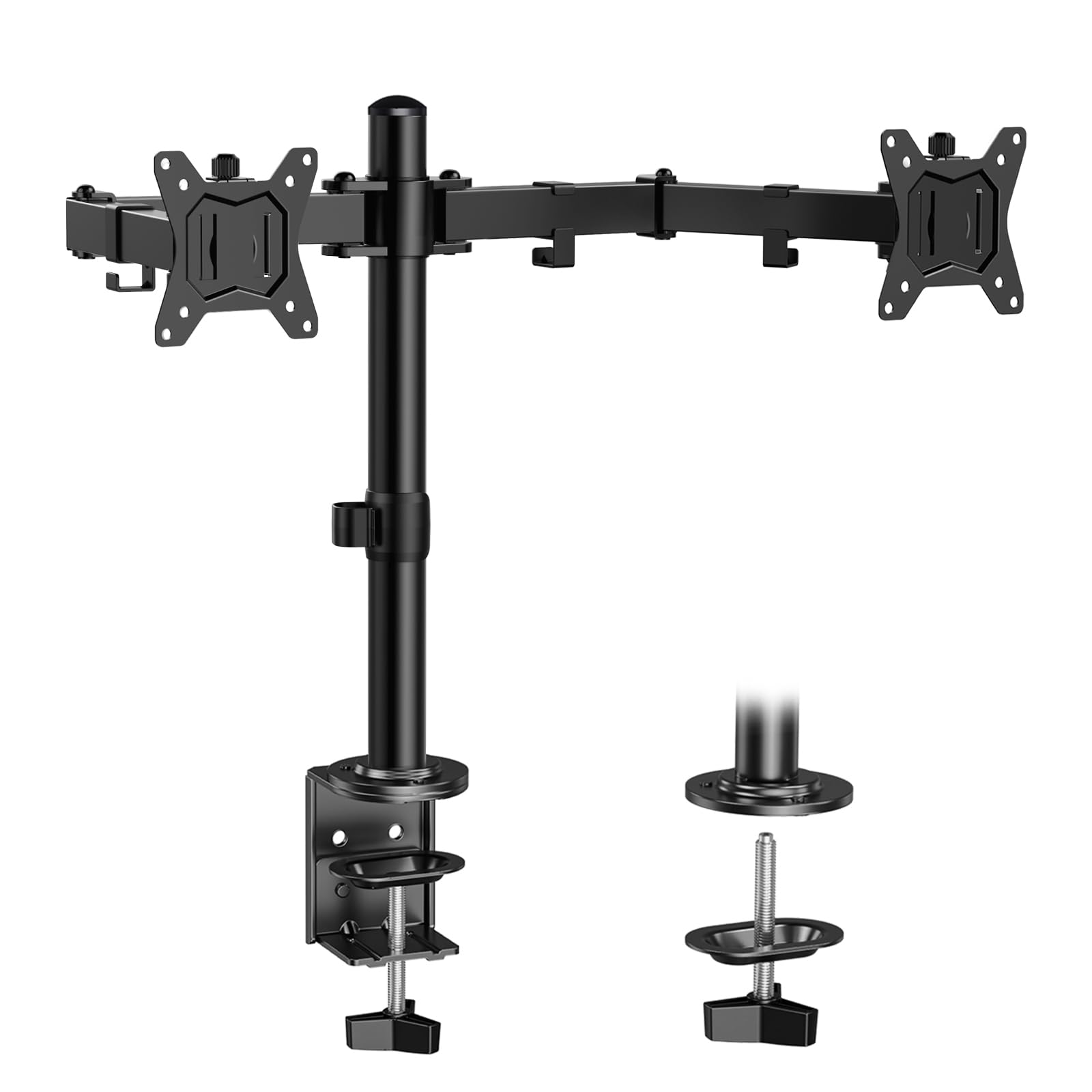
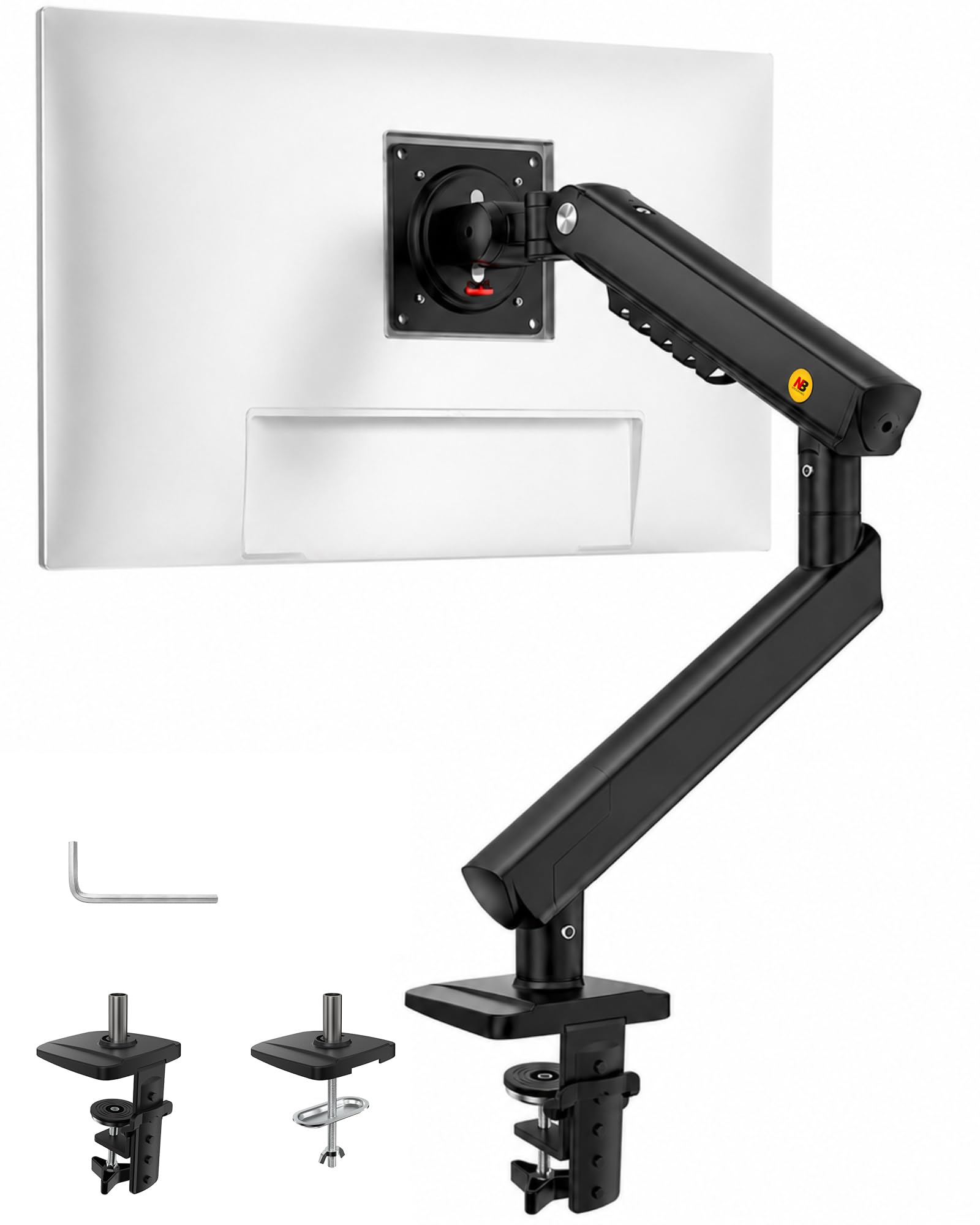
How To Choose The Best Monitor Stand
Before you buy, you need to answer one big question: do you want a mount that clamps to your desk and lets you move the screen freely, or a static riser that simply improve your monitor? Your answer decides everything else — the weight limit you need, the space you reclaim, and the adjustability you’ll actually use.
Check Your Monitor’s Weight and VESA Holes
Every mount has a maximum weight limit per screen, and every arm needs VESA mounting holes — the standard 75x75mm or 100x100mm pattern of four screws on the back of your monitor. Look at the spec sheet for your monitor to confirm it fits the mount’s range before you order. For example, if a mount supports 17 to 32 inches but your monitor is 24 inches, you’re clear on size — just confirm the weight is within the limit too.
Freestanding Risers vs. Clamp Arms
A riser like a 2-tier stand simply sits on your desk, lifting your monitor up and often giving you a shelf underneath for a keyboard or other gear. A clamp arm attaches to the edge of your desk and floats your monitor in mid-air, which reclaims the most desk space and lets you tilt, swivel, and rotate the screen. If your desk is against a wall or made of glass, a freestanding riser or a freestanding mount is the safer choice.
Ergonomics and Your Natural Eye Level
The entire point of a stand is posture. You want the top of your screen roughly at eye level so you don’t crane your neck forward or down. A gas-spring arm lets you adjust height continuously and on the fly, while a riser gives you one fixed height. Think about whether you sit for hours at a time and need frequent adjustments, or just need one clean, stable position.
Quick Comparison
| Model | Best For | Mount Type | Max Screen Size | Max Tilt | Amazon |
|---|---|---|---|---|---|
| Simple Trending 2-Tier★ Best Overall | Heavy riser setups | Freestanding Riser | — | — | Amazon |
| ErGear Dual Monitor MountBest Value | Budget dual arms | C-Clamp / Grommet | 32 inches | 45 degrees | Amazon |
| NB SmooVex™ MountSmoothest Motion | Smooth spring movement | C-Clamp / Grommet | 32 inches | 90 degrees | Amazon |
| ErgoFocus Dual Arm | Standing desk heights | C-Clamp / Grommet | 32 inches | 70 degrees | Amazon |
| VIVO STAND-V002 | Sturdy dual at a value | C-Clamp / Grommet | 30 inches | 90 degrees | Amazon |
| Mount-It! Dual Stand | Glass or thin desks | Freestanding Base | 32 inches | 45 degrees | Amazon |
| HUANUO Single Arm | Simple single-screen setups | C-Clamp / Grommet | 32 inches | 85 degrees | Amazon |
| Acer Dual Monitor Arm | Name-brand reliability | C-Clamp / Grommet | 32 inches | 90 degrees | Amazon |
| HUANUO FlowLift™ | Full-motion dual arms | Dual C-Clamp / Grommet | 32 inches | 85 degrees | Amazon |
In‑Depth Reviews
1. Simple Trending 2-Tier Dual Monitor Stand
Our pick — over 4.5★ from 900+ verified ratings; the strongest balance of quality and price.
The riser that hoists your whole setup — monitors, keyboard, even a printer — with a 100 lbs backbone.
If you don’t want to clamp anything to your desk, this 2-tier riser is the most versatile of the shelf-style options. It raises your screens to a 7-inch height, which puts the top of most monitors closer to eye level, and the open bottom tier slides a full-size gaming keyboard or an Xbox underneath. The metal mesh platform has ventilation holes that keep air moving around your PC, so heat has somewhere to escape during long sessions.
What wins people over is the build quality — the steel legs and powder-coated finish feel genuinely solid for a riser, and the included 32″x10″ mouse pad gives you a smooth glide across the whole platform. It’s rated to hold 100 lbs, a 5.7x gap versus the ErGear dual-arm mount’s 17.6 lbs per arm, making this the obvious pick if you’re stacking heavy gear rather than floating lightweight screens. Owners love that it clears “all the junk off my work surface” while keeping two monitors at the right height.
The honest trade-off: the middle shelf is wire mesh and bends slightly under a heavy single load, so it’s happiest with two smaller monitors rather than one giant ultrawide. Assembly takes roughly 5 to 10 minutes with the included Allen wrench, though a few people found the instructions a little unclear. That aside, it’s a space-saving workhorse that has earned a loyal following as a crowd favorite — 4.7 stars across 900+ ratings.
What Owners Rave About
- Rock-solid metal frame rated for a massive 100 lbs
- Mesh middle tier vents heat away from your PC and console
- 2-in-1 design: screen riser plus a keyboard or Xbox garage
Consider This First
- Middle wire shelf can bow slightly under a very heavy single load
- Fixed height means no tilt or swivel — it’s a platform, not an arm
Reach for this if: you want max load capacity and a tidy spot for your keyboard, without drilling or clamping anything.
Look elsewhere if: you need per-screen tilting or floating arm movement — that requires a mount arm instead.
2. ErGear Dual Monitor Mount
The entry-point dual arm that floats two big screens for less than most single arms cost.
If one of your screens is an older, smaller laptop-style display, this mount fits it better than the NB SmooVex because it accepts monitors as small as 13 inches, while the NB SmooVex starts at 17 inches — a 31% advantage. It clamps to your desk with a heavy C-clamp and lifts two monitors between 13 and 32 inches, each up to 17.6 lbs. The 31.22″ wide arm span and 16″ high bar give you plenty of room to position both screens.
You can swing a screen to portrait for coding or share it with a coworker, thanks to +/-45° tilt, +/-90° swivel, and 360° rotation. Integrated cable clips run your wires along the arms for a clean look. Buyers describe the quality as excellent — “great quality, sturdy, and easy to use and adjust” — and the install is simple, with labeled hardware and a choice between a C-clamp that fits desks 0.39″ to 3″ thick or a grommet mount.
The catch is stability at the extremes. A few owners note the arm-bracket interface can feel a little loose, causing wobble if you’re constantly moving the screens. It’s happiest as a set-and-forget setup rather than something you rearrange every hour. For the money, though, it’s hard to argue with the value — it’s among the most-liked budget dual mounts around.
Solid first mount: huge motion range and easy C-clamp install at a budget-friendly price.
Best if: you want a dual arm that accepts smaller 13-inch screens and you’ll set it once and leave it.
Think twice if: you obsess over zero-wobble when moving screens constantly — that calls for a pricier spring arm.
3. NB SmooVex™ Monitor Mount
A mechanical spring arm with a 90° tilt range — double the bend of the ErGear, minus the gas leakage worries.
Here’s a smarter take on the classic gas-spring arm. Instead of a gas piston that can slowly leak and sag over years, the NB SmooVex uses a precision mechanical spring that keeps its support without that failure mode. That upgrade matters if you plan to keep this arm for the long haul. It handles monitors from 17 to 32 inches, has a slimmer arm profile that hugs the wall, and installs in a simple 3-step process with both C-clamp and grommet options.
You can lift the screen to a natural eye line for work or angle it down sharply for a workbench setup, thanks to a tilt range from -25° to 90° — exactly double the ErGear’s 45 degrees — plus ±90° rotation and 230mm of height travel. Owners describe it as “sturdy and easy to adjust” with no sagging, and several note the smooth spring motion holds position well. One buyer runs this in a 6-monitor setup and still praises the adjustability.
The trade-off is size flexibility: it won’t take anything smaller than 17 inches, so it’s out if you’re pairing it with a compact 14-inch portable display. But for a single 24 to 32-inch screen where you want silky, precise movement and a name-trusted build, this mechanical spring arm is a standout value that rivals far pricier brands.
Buy it for: the unique 90° tilt and mechanical spring that won’t sag like a gas arm.
Perfect for: anyone who wants a single ultra-adjustable arm and plans to keep it for years without sag.
Skip if: your monitor is under 17 inches — this arm won’t grab it.
4. ErgoFocus Dual Monitor Stand
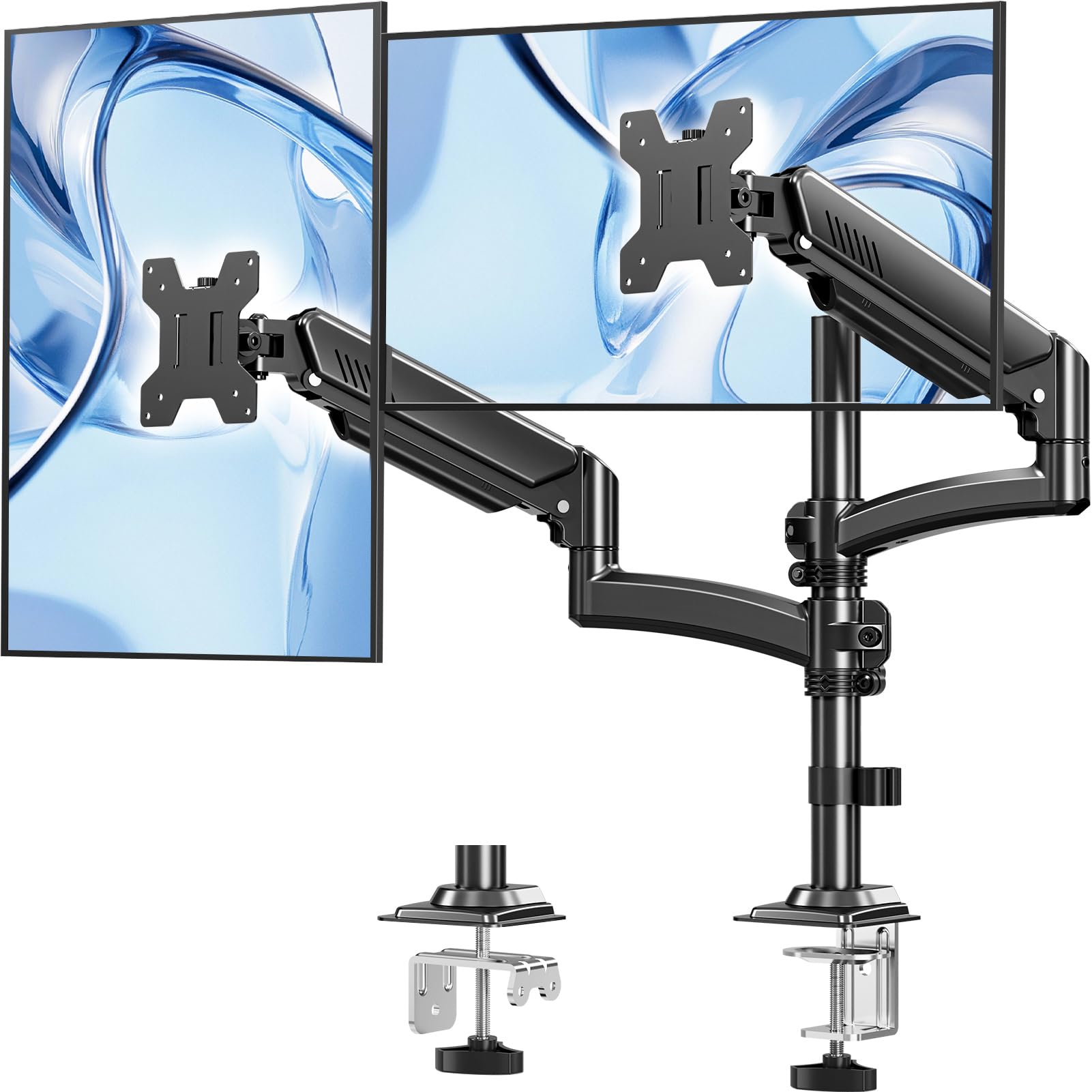
An extendable pole that lifts your screens 26.6 inches — built for desks that switch between sitting and standing.
If you work on a standing desk, this is the dual arm most likely to keep up. The key feature is the extendable center pole that raises the monitors to a maximum height of 26.6 inches from the desktop, so a single touch lets you transition between sitting and standing without craning your neck. Each arm holds a monitor up to 22 lbs and 32 inches, and the steel frame is built to stay wobble-free.
On the movement front you get +70°/-45° tilt, ±90° swivel, and 360° rotation, with arms that extend 18.1 inches — enough to pull a screen close for detailed work or push it back for a movie. The clamp fits desks 0.39″ to 2.76″ thick, with a grommet option for desks with a hole. Buyers highlight it as “great for gaming” with easy repositioning, and the dual-mount setup earns consistent praise for being simple to assemble right from the start.
The honest caveat: a couple of owners note the bolt-tightening for screen movement can be a little confusing at first, and the tilt is essentially fixed once you set it tight. It also carries a 2-year warranty, which adds confidence for the money. For a sit-stand desk that needs true height range, this extendable design is the one to beat among value-priced dual arms.
Stand-up hero: the 26.6-inch rise is the defining spec that suits sit-stand desks and tall users.
Choose this if: your desk alternates between sitting and standing positions and you need real height range.
Pass it by if: you want a set-and-forget arm and never change posture — a simpler arm saves you effort.
5. VIVO Dual Monitor Desk Mount

The most-bought dual arm in its class — tens of thousands of owners, a 3-year warranty, and rock-solid steel.
This is the dual mount that pretty much every budget-buyer has at least considered, and for good reason. It fits two screens from 13 to 30 inches at up to 22 lbs each, using the standard VESA 75x75mm or 100x100mm holes, and the heavy-duty C-clamp grips desks up to 3.25 inches thick. Cable management clips run along the arms and center pole, so your setup looks clean without extra parts. The sturdy steel build is backed by a 3-year manufacturer warranty with friendly tech support.
Adjustment is comprehensive: +90° to -90° tilt, 180° swivel, 360° rotation, and height adjustment along the center pole, so you can flip screens to portrait for coding or reading. What wins people over is the value — owners consistently describe it as “sturdier than expected” versus far pricier arms, with assembly that’s easy thanks to detachable VESA plates. The sturdiness earns some of the most-discussed praise in the category.
The recurring note is adjustability: the joints can migrate under load over time and need a hex-wrench nip to stay put, and height changes require lifting the monitors off. It’s built for a static setup you set once and trust. Given the sheer number of happy owners and the warranty backing, this is the safest dual-arm bet for most home offices.
Why It’s a Best-Seller
- Legendary value for a full-motion steel dual arm
- 3-year warranty and responsive tech support
- Holds up to 22 lbs per arm for hefty 30-inch screens
The Known Quirks
- Joints may loosen over time and need a hex-wrench re-tighten
- Height adjustment means lifting the monitors off the brackets
Grab it for: a dependable, well-supported dual arm at a price that leaves room for other gear.
Think twice if: you want zero-maintenance joints — this one benefits from the occasional tighten.
6. Mount-It! Dual Monitor Desk Stand
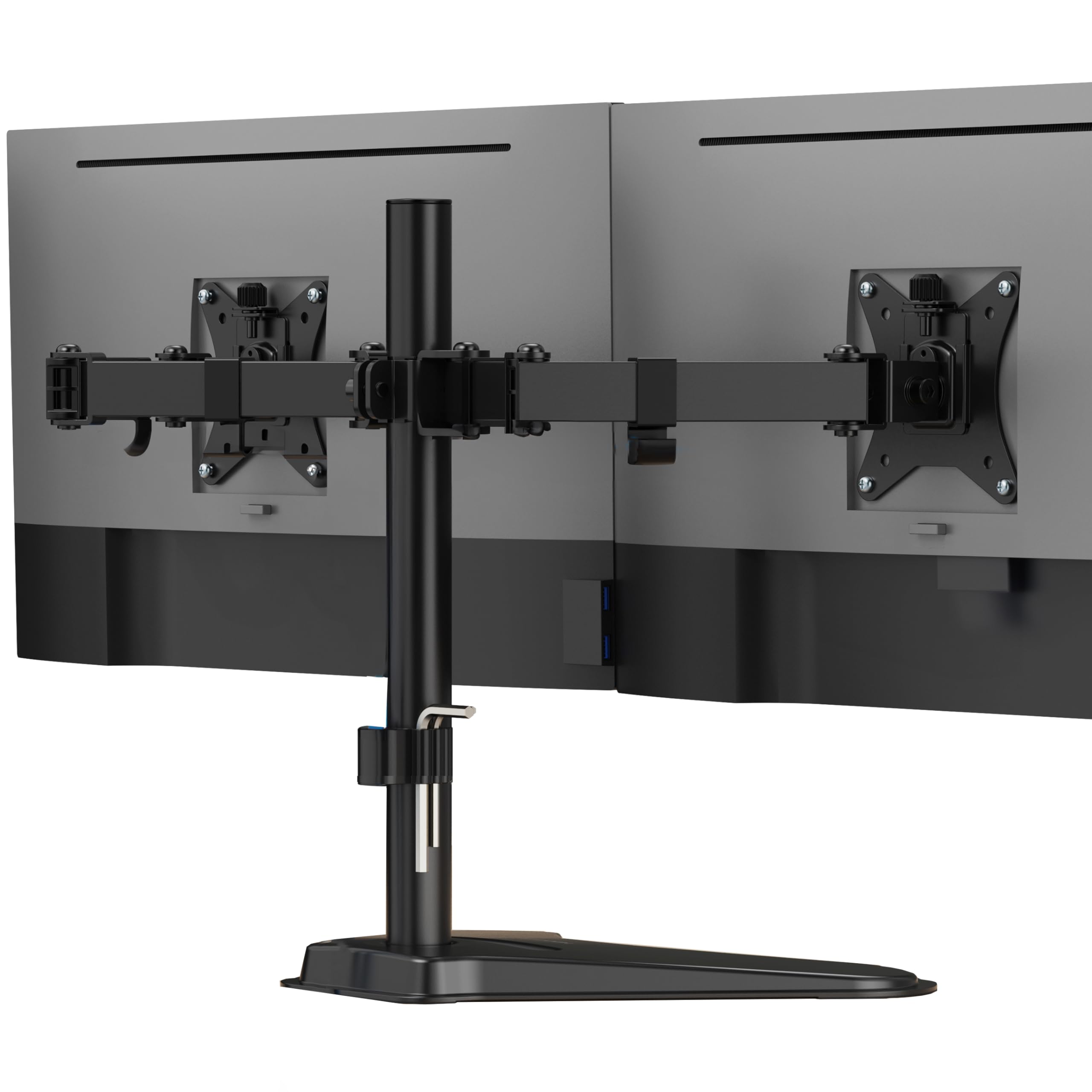
A heavy-duty freestanding base that lifts two 32-inch screens without a single clamp or drilled hole.
Here’s the rare dual mount that doesn’t care what your desk is made of. Instead of a C-clamp, the Mount-It! uses a heavy-duty freestanding base, so it works on glass tabletops, thin surfaces, cubicles, and desks pushed flat against a wall where a clamp has nothing to grab. It securely holds two flat screens up to 32 inches at 19.8 lbs per arm, on a 16.5-inch center pole that lets both monitors adjust vertically for a comfortable eye level.
Each arm offers full motion: tilt up or down to cut glare, swivel for screen sharing, and rotate between landscape and portrait for coding or documents. Detachable VESA plates support the standard 75x75mm and 100x100mm patterns, and integrated cable routing keeps power and video cords out of sight. Owners call it a “solid basic product” that holds screens securely — one runs dual 27-inch monitors with no wobble, and another praises it for freeing up desk space.
The trade-off is the footprint: the deep base needs real desk space, and setup can take patience because the joints arrive stiff and need balancing. It also doesn’t offer the floating flexibility of a clamp arm, so you won’t be pulling screens toward you mid-task. For anyone stuck with a fragile or unusual desk, this freestanding design is the practical answer.
Desk-proof design: the freestanding base is the reason to pick this over every clamp-style arm on the list.
Ideal if: your desk is glass, thin, or against a wall where clamps can’t work.
Not for you if: desk space is tight — the base is wide and demands room.
7. HUANUO Single Monitor Mount
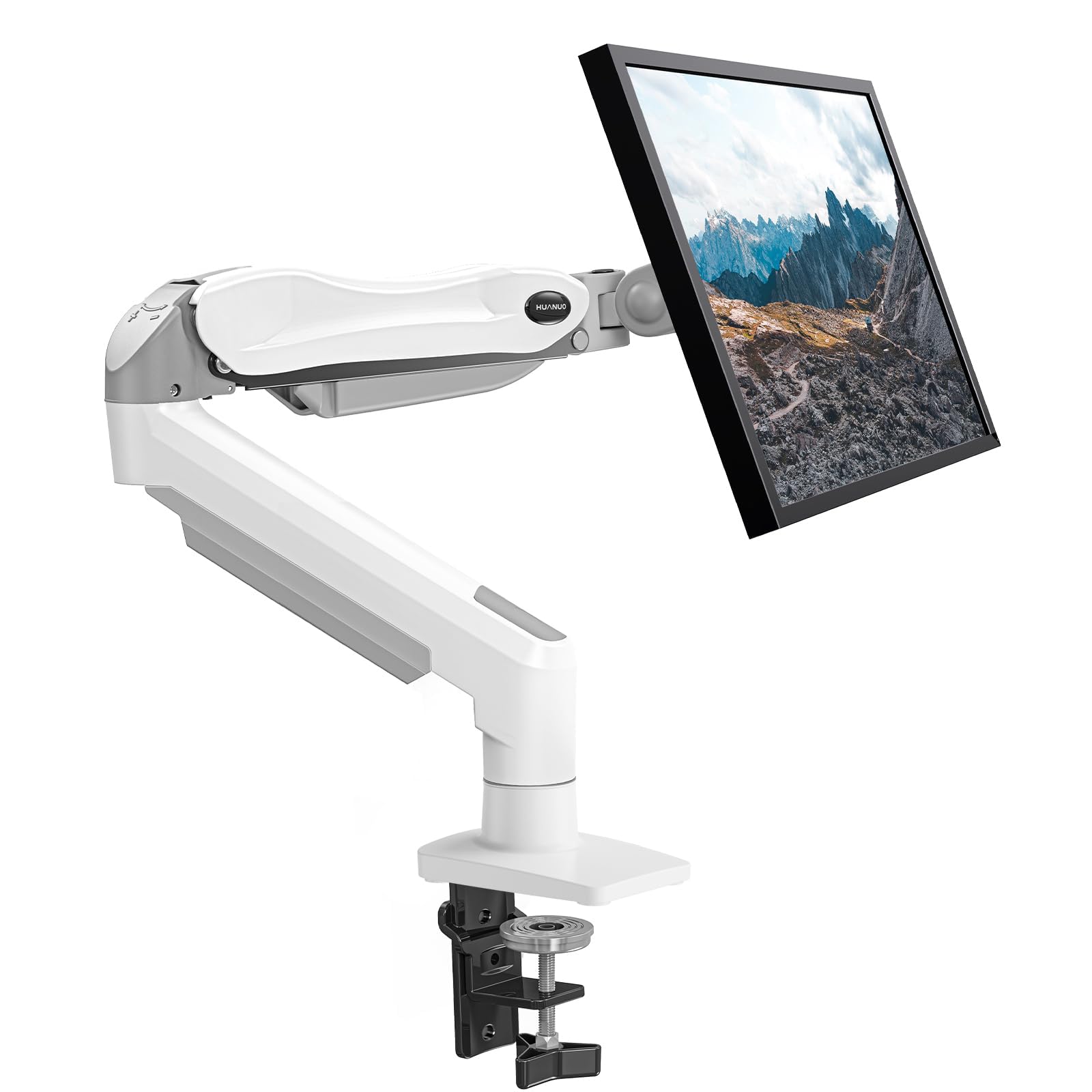
The one-hand single arm with automotive-grade gas springs, tested through 20,000 motions for years of smooth lifts.
If you only have one monitor, why buy a dual arm? This HUANUO is the dedicated single-screen solution, fitting 13 to 32-inch displays from 4.4 to 19.8 lbs with the standard VESA 75x75mm or 100x100mm holes. Its automotive-grade gas spring core has passed 20,000 motion tests, which the maker says translates into over 5 years of continuous use without issue. The 1-piece design installs in about 3 minutes.
The adjustment range is what makes it feel premium: a tilt range from -50° to +30°, ±90° swivel, and 360° rotation, plus a one-hand lift of your screen up to 39.6cm from the desk. That means you can raise the monitor to eye level for a spreadsheet, then angle it down for a design review — all without touching a tool. Owners praise the “heavy-duty thick metal” and note the gas shock is perfectly tuned for a 27-inch display, holding any angle reliably with no tilt or extension issues.
The only recurring grumble is that a small number of units arrive with slightly different mounting hardware, and the vertical adjustment needs a hex wrench. It also frees over 80% of desktop space compared to a heavy base stand. For a single-screen setup where you want silent, tool-free, everyday repositioning, this is the arm to beat.
One-screen champion: a gas-spring arm that makes height changes feel easy and holds position like it’s welded.
Reach for this if: you run a single 24 to 32-inch monitor and want smooth one-hand adjustment.
Look elsewhere if: you have two screens to mount — grab the dual FlowLift below instead.
8. Acer Dual Monitor Arm
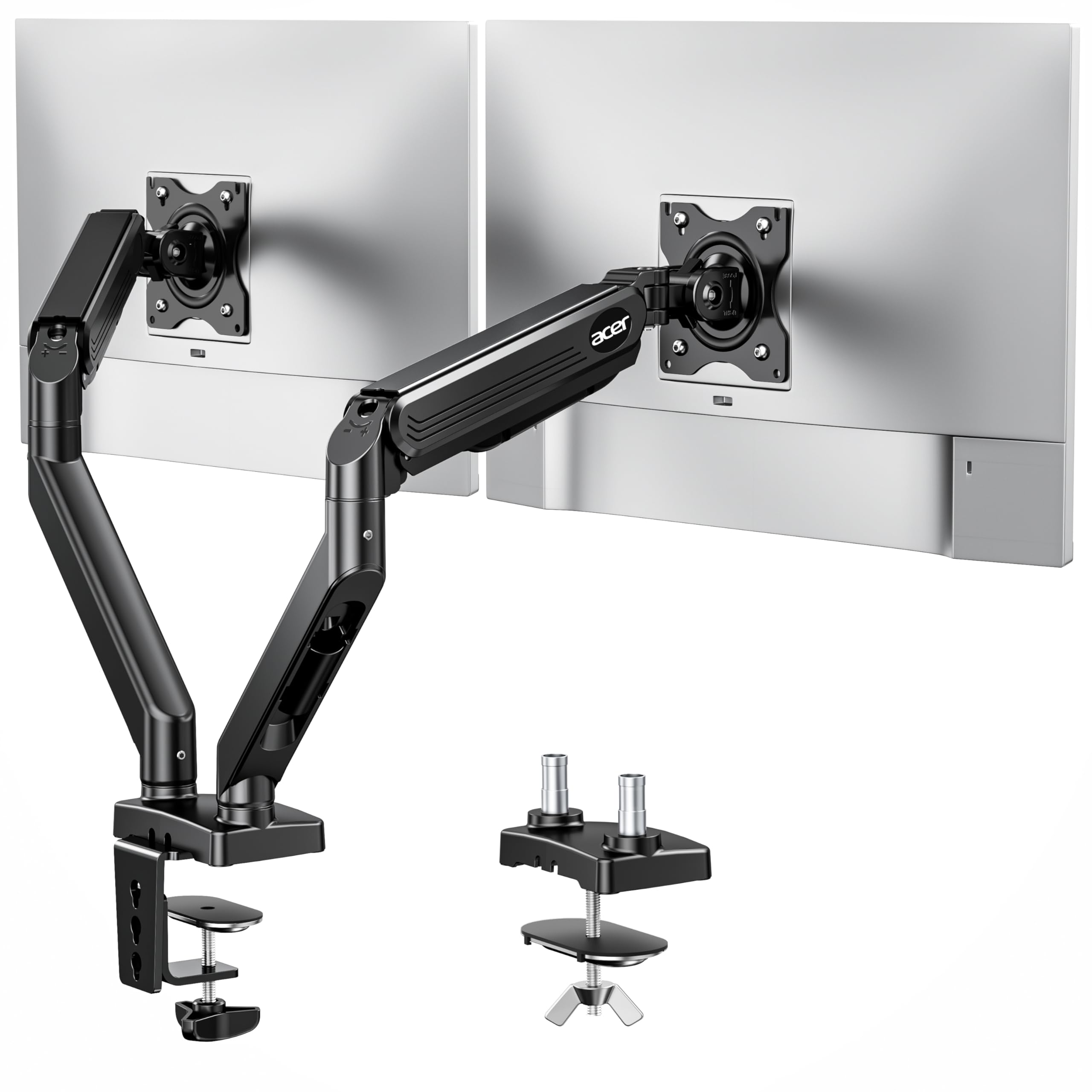
A name-brand gas-spring dual arm with 20,000 durability tests and a smooth lift you can trust for years.
For buyers who want a trusted brand name rather than a gamble, the Acer dual arm brings a polished, reliable feel. It supports 17 to 32-inch screens at 4.4 to 19.8 lbs per monitor, with VESA 75x75mm and 100x100mm compatibility. The gas-assisted lifting has passed over 20,000 durability tests, reassuring you the arm won’t sag or seize after a year of daily use. The alloy steel and aluminum build feels substantial in the hand.
Movement is where it shines: 360° rotation, +90°/-60° tilt, and ±90° swivel, with a height adjustment range up to 18.1 inches and extension out to 21.25 inches. That’s enough reach to pull a screen close for detail work or push it back for entertainment, and you can arrange two screens in dual horizontal, one portrait one landscape, or dual vertical layouts. The hidden cable clips keep wires tucked along the arms, and owners note it “does not sag” even after loosening the pressure for lighter monitors.
The honest notes: the arm’s extension can feel a little short on very deep desks, and a few buyers report it cannot tilt down as far as they’d like. It also leans toward the pricier end, with the brand name being part of the cost. For someone who values a recognized label and a silky gas-spring feel, though, this dual arm is a genuinely dependable choice.
Worth naming: 20,000 durability tests and a brand you already trust from your monitor itself.
Best if: you want brand reliability and a smooth gas lift for two 27 to 32-inch screens.
Consider another if: your desk is deep and you need maximum arm extension.
9. HUANUO FlowLift™ Dual Monitor Stand

The premium full-motion dual arm with a dual C-clamp base — engineered to kill wobble for good.
This is the dual arm that answers the biggest complaint in the category: wobbly screens. The FlowLift uses a larger platform plus a dual C-clamp structure that locks the whole pole firmly to your desk, so both screens stay steady while you’re typing, clicking, or gaming. It fits 13 to 32-inch monitors at 4.4 to 19.8 lbs each, with the standard VESA 75x75mm and 100x100mm patterns, and only wooden desks are recommended — glass or plastic won’t take the clamp’s grip.
The motion is genuinely full: +85°/-50° tilt, ±90° swivel, and 360° rotation, with a one-hand raise of up to 15.75 inches. You can pull a screen in close for a spreadsheet, push it back to watch a video, or flip to portrait for coding — all smoothly, with the gas springs holding position with no drift or sag. Owners are emphatic that the arms “hold position perfectly,” even on an Ikea desk, and that the independent arm movement beats cheaper linked designs.
Two small notes: the included M4x30 screws can be too long for some thinner monitors and bottom out, so you may need shorter M4x25 screws, and the cable rails require detaching the arm to install wires. Neither is a dealbreaker against what is otherwise the most capable and stable dual arm in this lineup — a true top-tier option for a serious workspace.
What Makes It Premium
- Dual C-clamp base eliminates the wobble that plagues cheaper arms
- Independent arms with gas springs that hold position with no drift
- One-hand adjustment of height, tilt, and rotation up to 15.75 inches
Before You Buy
- Deeper desks only — the arm’s reach needs room behind the screen
- Longer mount screws may need swapping for thinner monitors
Pick this if: you want the most stable, full-featured dual arm and don’t mind investing for it.
Choose simpler if: your desk is shallow or you rarely move your monitors once set.
Understanding the Specs
VESA Mounting Pattern
This is the square of four screw holes on the back of your monitor, almost always 75x75mm or 100x100mm. Every arm on this list uses one of those two patterns. If your monitor lacks these holes — some ultrawides and budget screens do — a mount arm won’t attach, and you’ll need a freestanding riser that supports the monitor’s base instead.
Gas Spring vs. Mechanical Spring
A gas spring arm uses a pressurized piston to counterbalance the monitor’s weight, letting you move the screen with one finger. A mechanical spring does the same job with coiled steel. The advantage of a mechanical spring is that it can’t leak gas and sag after years of use, which is why the NB SmooVex markets that design as a longevity feature.
Load Capacity Per Arm
This is the maximum weight each arm can safely hold, and it varies widely — from 17.6 lbs on the ErGear to 22 lbs on the ErgoFocus and VIVO. Always check your monitor’s weight against this number. A 32-inch gaming monitor with a heavy stand can easily weigh 15 to 20 lbs, so a lower-capacity arm might struggle.
Tilt Range
Tilt is how far the screen can angle up or down, and it matters for reducing glare and finding your ideal viewing angle. The ErGear offers a modest 45 degrees, while the NB SmooVex doubles that to 90 degrees. If you need to look down at a workbench or angle a screen sharply, a higher tilt range is worth paying for.
FAQ
How do I know if my monitor is compatible with a mount arm?
What’s the difference between a gas spring and a mechanical spring arm?
Can a clamp arm damage my desk?
Why does the ErGear arm have mixed feedback on tilt?
Which stand is best for a desk pushed against a wall?
What is the ideal monitor height for ergonomics?
Can I mount a monitor without VESA holes?
How much desk space will a mount arm actually save?
What should I do if my screens don’t stay level on a dual arm?
Is a single arm or a dual arm the better buy?
Final Thoughts: The Verdict
If you want one dependable pick, the monitor stand winner is the Simple Trending 2-Tier because it delivers a massive 100 lbs capacity and a keyboard garage in one sturdy riser, earning the highest owner satisfaction in the crowd. If you want floating flexibility, grab the HUANUO FlowLift. And for a single screen with easy one-hand adjustment, the HUANUO Single Mount is the one to reach for.
How We Picked
We do not accept paid placement. Every pick is matched to a real buyer and a real use-case; we do not hands-on test units.
Sources & Methodology
Specifications: manufacturer listings and product documentation. Review insights: verified customer reviews, as of August 2026. Pricing: not shown on this page (it changes often); check the current price via the retailer link.
As an Amazon Associate, Gadgets Feed earns from qualifying purchases. This does not affect which products we feature.