
Our readers keep the lights on and my morning glass full of iced black tea. As an Amazon Associate, I earn from qualifying purchases.
Specs are compiled from manufacturer listings and verified buyer reviews and can change over time — please confirm the key details on the product page before buying.
Swapping in a 2TB NVMe SSD is the single most dramatic upgrade you can make to a sluggish PC or a PlayStation 5. Games that took thirty seconds to load open in a blink, and a drive that clicks and whirs is replaced by silence. The real challenge is choosing, because the spec sheets all blur together once you start comparing read speeds and PCIe generations.
I’m Min — the founder and writer behind Gadgets Feed. This guide is built by comparing the manufacturers’ published specifications and the patterns across verified customer reviews, so you get each pick’s real strengths and trade-offs instead of marketing spin.
The right drive for you balances raw speed, reliability, and what your system can actually use, so this breakdown of the best 2tb nvme ssd focuses on real-world boot times and sustained transfer performance, not just peak numbers.
Our Picks at a Glance

How To Choose The Best 2TB NVMe SSD
Before you spend money, you need to know which slot your computer has. Most modern desktops and laptops use the M.2 2280 form factor — that is the physical stick shape — and they support either the PCIe Gen3 or Gen4 interface. A Gen4 drive works in a Gen3 slot, but it runs at the slower Gen3 speed, so you may pay extra for speed you cannot use.
Match the drive to your system’s generation
If your motherboard is a few years old and only has a PCIe Gen3 M.2 slot, a flagship Gen4 drive is wasted money. A drive like the Ediloca EN600 PRO, which tops out at 3,200 MB/s, is a perfect match for those systems and costs less. But if you own a PS5 or a newer PC with a Gen4 slot, you want a drive that hits at least 5,500 MB/s to satisfy the console’s requirements.
Read speed is only half the story
Peak read speeds — the 7,000 MB/s and up figures — determine how fast games and apps launch. Write speeds matter when you move huge files. Every drive uses a fast cache (SLC cache) for quick bursts; once that fills, speeds drop. Look at sustained write performance and cooling, because a drive that throttles down when hot feels slow in real use.
Quick Comparison
| Model | Best For | Max Read | Max Write | Interface | Amazon |
|---|---|---|---|---|---|
| 990 EVO Plus★ Best Overall | Top Performer | 7,250 MB/s | 6,300 MB/s | PCIe Gen4 x4 | Amazon |
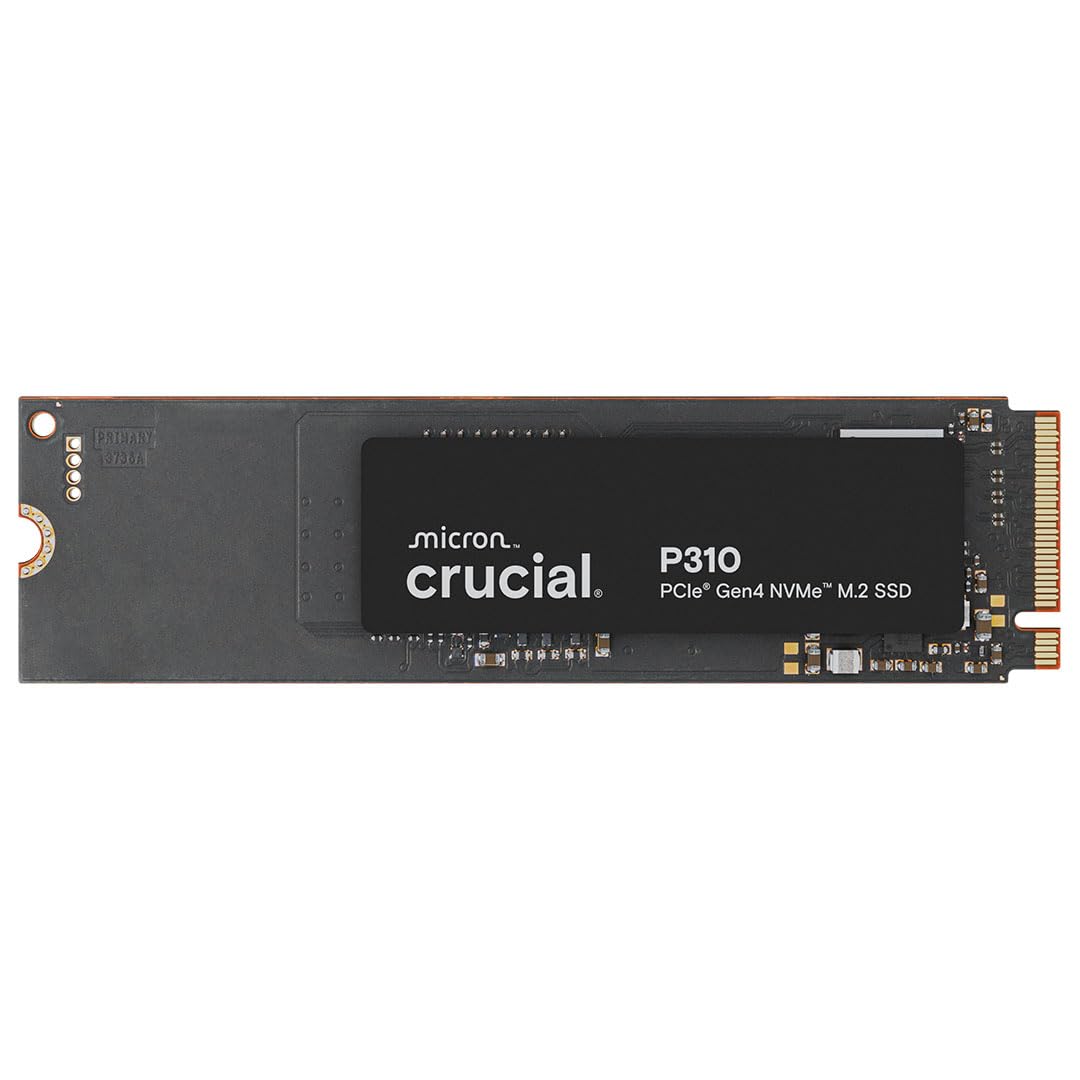
| Crucial P310Best Value | Best Value | 7,100 MB/s | 6,000 MB/s | PCIe Gen4 x4 | Amazon |
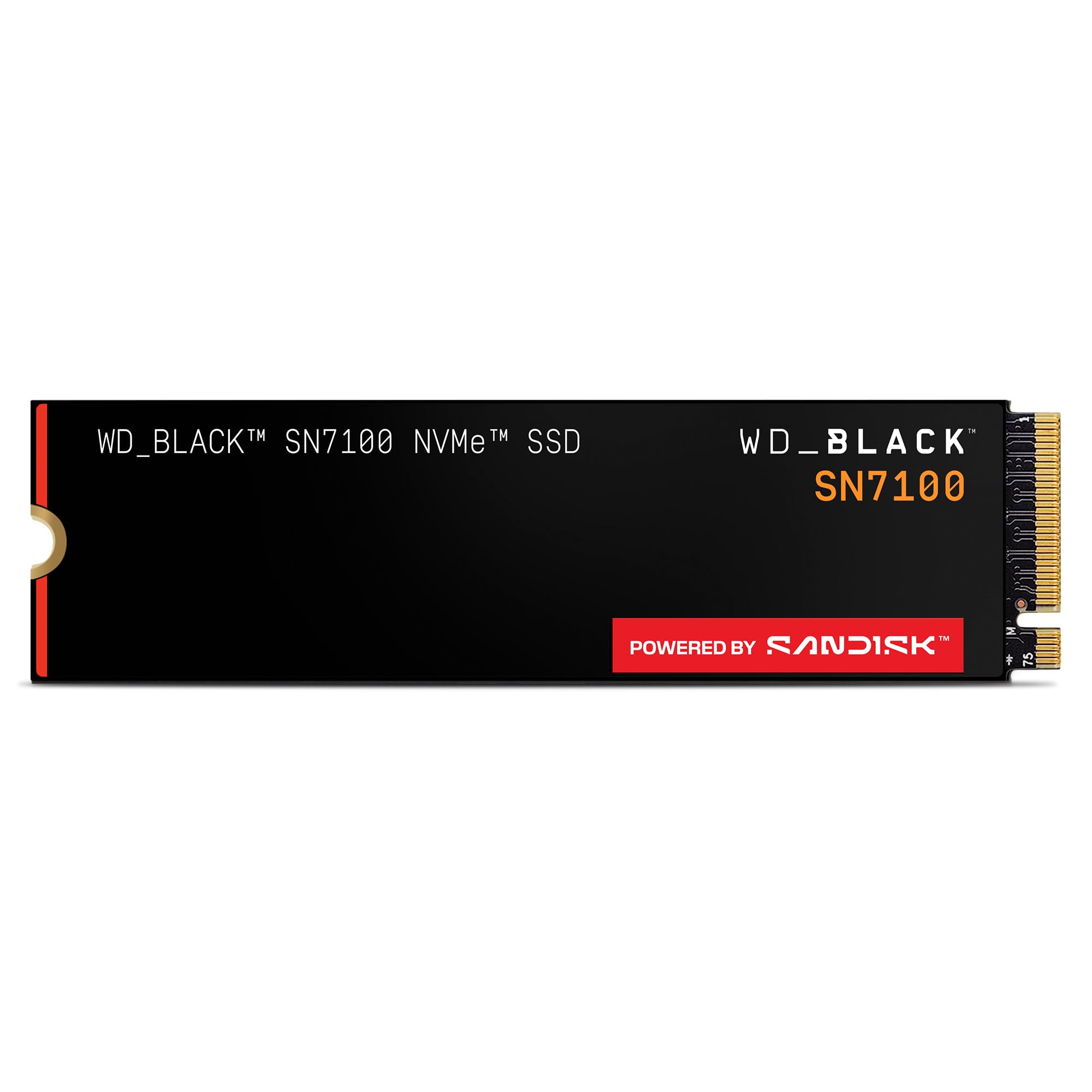
| WD_Black SN7100Gaming Mobility | Gaming Mobility | 7,250 MB/s | 6,900 MB/s | PCIe Gen4 x4 | Amazon |
| 990 PRO | Peak Speed | 7,450 MB/s | — | PCIe Gen4 x4 | Amazon |
| fanxiang S880ER | PS5 Ready | 7,100 MB/s | 5,300 MB/s | PCIe Gen4 x4 | Amazon |
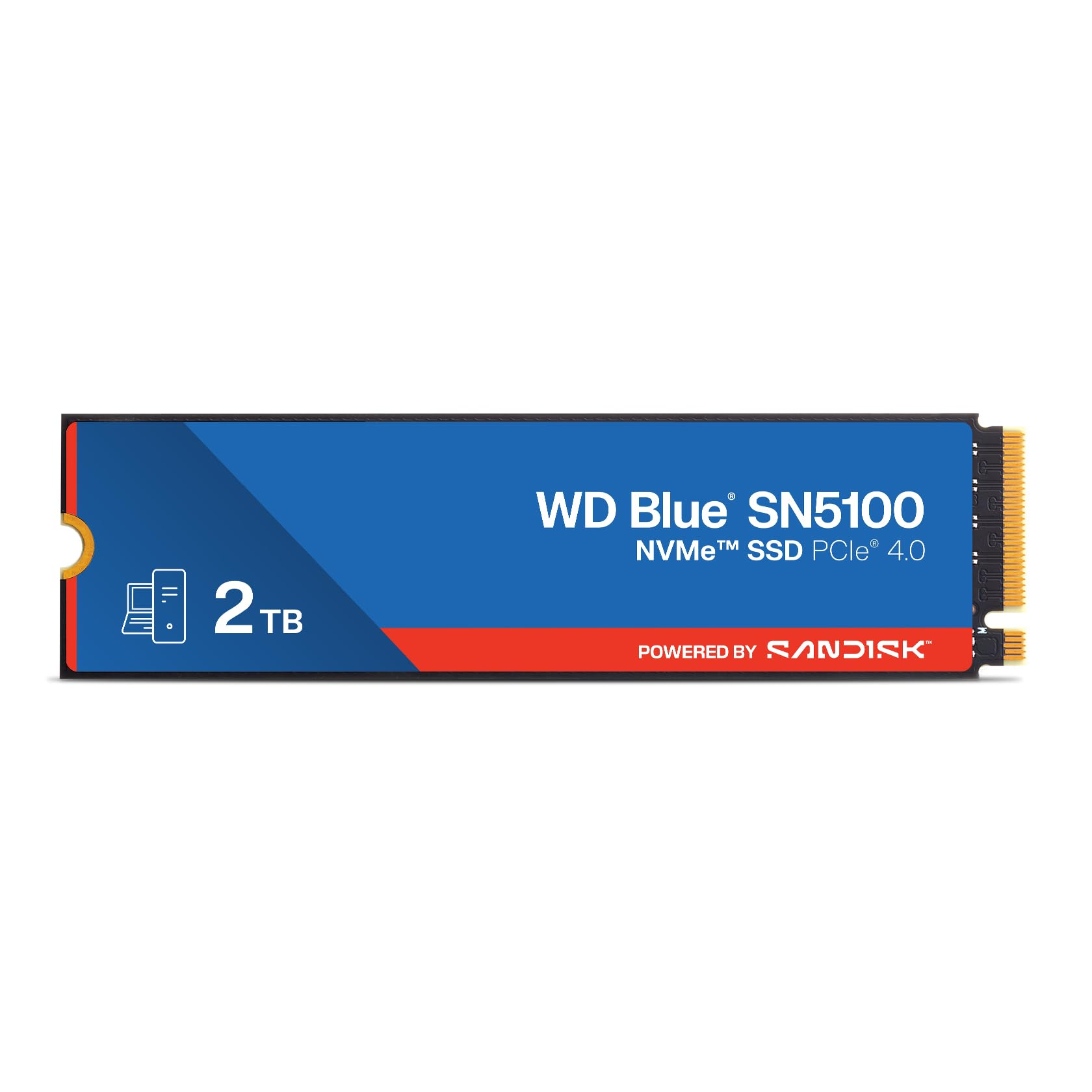
| WD Blue SN5100 | Laptop Upgrades | 7,100 MB/s | — | PCIe Gen4 x4 | Amazon |
| Lexar NQ780 | Handheld Storage | 7,000 MB/s | 5,000 MB/s | PCIe Gen4 x4 | Amazon |
| Ediloca EN705 | PS5 Budget Fit | 4,800 MB/s | 4,500 MB/s | PCIe Gen4 x4 | Amazon |
| TEAMGROUP MP44L | Budget Builder | 4,800 MB/s | 4,400 MB/s | PCIe Gen4 x4 | Amazon |
| Ediloca EN600 PRO | Gen3 Systems | 3,200 MB/s | 1,750 MB/s | PCIe Gen3 x4 | Amazon |
| Crucial P510 | Future Proofing | 10,000 MB/s | 9,500 MB/s | PCIe Gen5 x4 | Amazon |
In-Depth Reviews
1. Samsung SSD 990 EVO Plus 2TB
Our pick — over 4.5★ from 6,500+ verified ratings; the strongest balance of quality and price.
The crowd-pleasing speed king that slashes boot times from 25 seconds to 8.
Real-world tests show boot times dropping from 25 to 8 seconds and 100GB transfers shrinking from 15 minutes to 2. Sequential read and write speeds reach 7,250/6,300 MB/s, putting it at the top of the Gen4 class.
Unlike many rivals, it is compatible with both PCIe 4.0 x4 and PCIe 5.0 x2 slots, so it keeps working fast even if you move it to a newer motherboard later. The nickel-coated controller sips power and runs cool, which is why it is reliable for long gaming sessions. Owners praise the plug-and-play installation — literally screw it in and go.
The main thing to know: it does not ship with a heatsink. If your motherboard lacks one over the M.2 slot, you will want to add one, especially in a desktop. It also has no screw included, so keep a tiny M.2 screw handy.
What Wins People Over
- Thunderous real-world speed on boot and game loads
- Runs cool and power-efficient thanks to the nickel-coated controller
- Future-proof with both PCIe 4.0 and 5.0 support
What to Know First
- No heatsink in the box — plan for one on a desktop
- Premium price tag for the capacity
Reach for this if: you want a genuinely fast, reliable drive for a modern PC or PS5 and are happy to pair it with a heatsink of your own.
Look elsewhere if: you are on an older Gen3-only system, where you would pay for speed you cannot use.
2. Crucial P310 2TB
The everyman Gen4 drive that matches flagship speed at a friendlier price.
The P310 delivers up to 7,100 MB/s read and 6,000 MB/s write, which is right there with the flagships. Where it wins is value — owners repeatedly call it a great deal for the money, and it is built on Micron’s advanced G8 NAND for trusted reliability.
Its a neat extra is broad compatibility. Beyond laptops and desktops, it works with handheld gaming consoles like the ROG Ally X, Lenovo Legion Go, and AYANEO Kun, and it is backward compatible with PCIe Gen3 systems. One owner cloned two 256GB drives into this 2TB unit in under 30 minutes using a USB enclosure, quadrupling storage with no boot issues.
It also includes Acronis data recovery software and a one-month Adobe Creative Cloud All-Apps subscription, which sweetens the deal for creators.
Smart-buyer read: You get flagship-class speed (7,100 MB/s) without the flagship-class price, and the single-sided design keeps it cool in thin laptops — the classic “spend less, lose nothing” move.
Pick this for: the largest group of buyers — gamers, home users, and handheld owners who want fast, reliable storage without overspending.
Skip it only if: you need the absolute peak Gen4 write speed for constant huge-file writes, where the 990 PRO leads.
3. WD_Black SN7100 2TB
A power-efficient gaming drive that keeps laptops and handhelds cool.
The SN7100 pushes read speeds to 7,250 MB/s and writes to 6,900 MB/s, but its defining trait is efficiency — up to 100% more power-efficient than the previous generation. Owners running it in a Framework 16 laptop note it extends battery life and avoids the thermal failures that plague cramped chassis.
It also throttles gracefully: one owner measured it dropping to 4,500 MB/s at 59°C, with idle at 30°C and load at 60°C without a heatsink. That means consistent performance during long gaming sessions. It is compatible with PS5, Xbox Series S/X, and handheld gaming devices, and includes the WD_BLACK Dashboard software for optimization.
There is a rare reliability warning worth knowing — a small number of owners saw failures within three months — but the overwhelming consensus is positive, and the drive is covered by Sandisk’s 5-year warranty.
Editor’s verdict: The best pick for laptop and handheld gamers who want speed without killing their battery, if you accept the small reliability risk that any high-performance drive carries.
Best for: on-the-go gamers in handhelds and thin laptops who value battery life and cool operation as much as raw speed.
Think twice if: you are building a desktop where a higher-endurance drive is a better match.
4. Samsung 990 PRO 2TB

The gold-standard Gen4 x4 drive with proven reliability and peak speed.
This is the drive enthusiasts call “the gold standard for x4” — there is no faster, more reliable Gen4 option. It hits a maximum transfer rate of 7,450 MB/s, right at the ceiling of what the PCIe 4.0 x4 interface allows. Samsung’s proprietary controller with intelligent thermal management keeps it consistent during extended use without throttling.
It is designed for power efficiency too, balancing high performance with lower power draw to extend laptop battery life and reduce desktop heat. The standard M.2 2280 form factor slots into any compatible desktop, laptop, or workstation with a PCIe 4.0 slot, and it is backward compatible with PCIe 3.0.
The honest caveat: a couple of owners reported the drive failing after a few months, and one noted it was no longer recognized by the computer. The vast majority, though, report flawless operation, and the included Magician software handles firmware updates and drive health monitoring.
Bottom line: The fastest Gen4 money can buy with proven Samsung reliability and great software — just keep the rare failure reports in mind before you buy.
Choose this when: your priority is the absolute maximum Gen4 speed plus a trusted brand, and price is not the deciding factor.
Move on if: you want a better balance of value, where the 990 EVO Plus delivers nearly the same speed for less.
5. fanxiang S880ER 2TB with Heatsink

The PS5-ready drive that ships with its own heatsink included.
This drive is built for consoles — it is compatible with PS5 and DirectStorage, and it ships with a unique heatsink designed to keep it cool during extended gaming sessions. That means no slowdowns under heavy load, which is exactly what you want in a console that runs hot. Speeds reach 7,100/5,300 MB/s read/write.
Owners call the installation a breeze, and it works with no issues on PS5. The included heatsink means you do not have to source one separately — a common headache with other drives. It also comes with a screwdriver and replacement screw, though on a PS5 without a disc drive you will reuse the existing screw and spacer because the provided one is too short.
The value pitch is strong: flagship-class performance with cooling included, backed by a 5-year service guarantee. Note that it is not for Mac OS, so this is a Windows or console drive.
Console verdict: The rare drive that removes the heatsink question entirely — ideal for PS5 owners who want plug-and-play storage with no extra parts to buy.
Get this for: PS5 gamers who want a fast, cool-running drive with the heatsink already handled in the box.
skip it if: you need Mac OS compatibility, which this drive does not offer.
6. WD Blue SN5100 2TB
The dependable workhorse that revives old laptops with easy installation.
This is the drive for reviving a tired laptop — owners describe upgrading older machines like a Dell Inspiron 15 3000 with immediate, noticeable speed gains. Read speeds reach 7,100 MB/s, and Sandisk’s nCache 4.0 technology keeps large file copies moving quickly. It is built on Sandisk 3D CBA NAND for durability.
You get up to 2TB of storage on the M.2 2280 form factor (the standard stick-shaped size that fits most laptops and desktops), so you can keep large projects and media libraries on hand. Moving your old files over is straightforward because Acronis True Image for Sandisk data migration software is a free download. A 5-year limited warranty backs the drive, so you are covered if it fails early.
The blue label signals it is the mainstream pick rather than the gaming black series — and that is fine, because buyers report not noticing a difference in load times versus a WD Black for everyday gaming.
Everyday read: Fast, cool, and simple — the ideal first NVMe upgrade for a desktop or laptop that does not need the gamer branding or the premium price.
Perfect for: anyone giving an older PC or laptop a second life with a reliable, fast, well-priced drive.
Not the pick for: users who want the higher endurance of a WD_Black for constant heavy writes.
7. Lexar NQ780 2TB

A slim, single-sided drive that fits tight handheld and laptop spaces.
Speeds reach 7,000/5,000 MB/s read/write, but the NQ780’s defining feature is its single-sided design. That means the NAND chips are all on one side of the stick, making it thinner and easier to fit in compact handhelds and slim laptops where space is tight. The 8-channel Gen 4 controller delivers strong sustained write performance.
It is great for laptops thanks to Intelligent Power Control, which reduces power draw, and the Lexar DiskMaster management tool lets you handle firmware updates and monitor drive health. A 5-year limited warranty backs it up.
The honest note: boot performance gets mixed feedback. Most owners mention fast boots, but a few found it would not boot in their specific system. If your setup is a niche handheld, double-check compatibility first.
Fit-based read: The right choice when every millimeter counts and you want a clean, reliable storage upgrade for a handheld or ultra-thin laptop.
Reach for this if: you are upgrading a handheld gaming console or a thin laptop where the single-sided profile is a real advantage.
Hesitate if: you are building a desktop — other drives offer higher write endurance for similar money.
8. Ediloca EN705 2TB

A no-nonsense PS5 drive that gets the job done without the flagship price
Read/write speeds hit 4,800/4,500 MB/s — comfortably above the PS5’s minimum requirement, and one owner reported transferring 700GB of games in about 5 minutes. It is officially validated for PS5 storage expansion and uses the universal M.2 2280 form factor for plug-and-play install in desktops and laptops too.
The kit includes an installation screwdriver, mounting screw, and an illustrated multilingual guide, which owners find genuinely helpful. It is rigorously tested with 1,500+ hours of validation and a 640TBW endurance rating under a 5-year warranty, with US-based technical support.
What it lacks: a heatsink. Several owners note you will need to buy one separately for the PS5, which adds a small cost. And fair value warning — a buyer put it plainly: “Lol when I bought this it was. Now look at what it is. It does what I needed and works well.”
Value read: A fast, honestly-rated Gen4 drive that delivers on its promises, with the only real gap being the missing heatsink you must add yourself.
Good fit for: PS5 and PC owners who want reliable, validated performance at a friendlier price and do not mind buying a heatsink.
Look past it if: you want the absolute fastest Gen4 speeds, where 7,000 MB/s drives are a clear step up.
9. TEAMGROUP MP44L 2TB

The budget-builder favorite with a clever thin graphene cooling label
Sequential speeds reach 4,800/4,400 MB/s read/write — more than double a Gen3 drive — which makes it a strong pick for PC builders watching their budget. It supports SLC caching to keep performance high during bursts, and customers note flawless compatibility across multiple builds with no cooling issues or throttling.
Its design is genuinely clever: the label uses a conductive graphene coating on aluminum foil that is less than 1mm thick, eradicating mechanical interference when assembling. Combined with an onboard M.2 heat sink, heat dissipation is doubled. The standard M.2 2280 form factor fits desktops and laptops, and it works with PS5, Xbox Series S/X.
The catch is market timing, not the product — buyers have noted that AI-driven price inflation has made every SSD more expensive than it should be. One owner’s blunt advice: “I can’t recommend you buy any of this stuff until AI data centers go bust and these prices collapse.” That is a market note, not a product flaw.
Builder’s take: A reliable, well-cooled Gen4 drive at a budget-friendly tier, held back only by the current inflated SSD market rather than its own performance.
Best for: system builders who want a dependable, cool-running boot drive without paying flagship prices.
Reconsider if: the current SSD pricing market makes you want to wait for costs to drop.
10. Ediloca EN600 PRO 2TB

The smart-genie pick for older PCs that still run PCIe Gen3
This is the drive for systems that are a few years old and only have a PCIe Gen3 M.2 slot. Read/write speeds reach 3,200/1,750 MB/s, which is still a massive leap over a mechanical hard drive and perfectly matched to what a Gen3 motherboard can deliver. It adopts NVMe 1.3 technology on the Gen3 x4 interface.
It adds graphene heat dissipation stickers for effective thermal control, and the 3D NAND TLC particles deliver low power consumption and good shock resistance. One owner successfully runs Linux Mint on an HP Z2 Mini G5 using the secondary M.2 slot, and another had a 15-year-old complete the installation, which tells you how easy mounting is.
Two important compatibility notes: it is not compatible with the PS5, so pass on it if you are expanding a console. And the 3-year service period is shorter than the 5-year warranty many competitors offer.
Honest match: The right tool for the right slot — a budget-friendly Gen3 drive that delivers real speed gains to older machines without wasting money on Gen4 bandwidth you cannot use.
Buy it for: an older Gen3-only laptop or desktop that needs a fast, reliable storage upgrade at a sensible price.
Do not buy it for: a PS5 or any system with a Gen4 slot — those deserve a faster drive.
11. Crucial P510 PCIe Gen5 2TB

The Gen5 speed demon that out-runs every Gen4 drive on this list
This is the future-proof pick — it delivers up to 11,000 MB/s read and 9,500 MB/s write, though the listed spec is 10,000 MB/s, making it the fastest drive here by a wide margin. It uses compact Gen5 NVMe performance with advanced G8 NAND and thermal control, and it is backward compatible with Gen4 systems so you can use it now and open up full speed later.
Owners running it on an MSI MAG X870E TOMAHAWK MAX WIFI found the pre-supplied heatsink sufficient and boot times blazing fast, even on the newest SSD-required games. It also comes with Acronis cloning software and a one-month Adobe Creative Cloud All-Apps subscription.
The honest limits: it is NAND flash, not DRAM-based, which matters for sustained heavy writes. One owner maxed out around 8,000 MB/s in practice rather than the 10,000 MB/s spec. And it is a premium investment — worth it only if you already have or plan to get a Gen5 motherboard.
Speed verdict: This drive delivers top-tier raw speed for gamers and creatives on the newest platforms — but you need a Gen5 slot (the latest, fastest connection on a motherboard) to open up its full potential.
Choose this: if you have a Gen5 motherboard or plan to build one soon, and you want the fastest storage money can buy today.
Avoid it if: your system is Gen4-only, where you would pay a premium for speed you cannot reach.
Understanding the Specs
Sequential Read & Write Speeds
This is the headline number, measured in MB/s. It tells you how fast the drive moves big files like games and videos. A 7,100 MB/s drive opens games in a blink, while a 3,200 MB/s drive is still far faster than a hard drive. Write speed matters most when you copy large projects — a drive with a fast SLC cache (a temporary high-speed buffer) keeps those transfers quick until the cache fills.
PCIe Gen3 vs Gen4 vs Gen5
This is the lane the drive uses to talk to your computer. Gen3 tops out around 3,500 MB/s, Gen4 around 7,000 MB/s, and Gen5 can exceed 10,000 MB/s. Your motherboard determines which one you can use — a Gen4 drive works in a Gen3 slot but only runs at Gen3 speed. Check your system spec before you pay for speed you cannot reach.
TBW Endurance Rating
TBW stands for Terabytes Written — the total amount of data you can write to the drive before the warranty expires. A 640TBW rating means you could write 640 terabytes over the drive’s life. Higher is better for heavy workloads like video editing, but for everyday use and gaming, even 600TBW is plenty for years of service.
The M.2 2280 Form Factor
This is the physical shape of the drive — 22 millimeters wide and 80 millimeters long, like a stick of gum. It is the standard for modern laptops and desktops. Some drives are single-sided (chips on one side), which fits tighter spaces like ultra-thin laptops and handheld consoles. Always confirm your device has an M.2 NVMe slot, not just an M.2 SATA one.
FAQ
Will a PCIe Gen4 NVMe SSD work in my older Gen3 slot?
Is a 2TB NVMe SSD compatible with the PlayStation 5?
Do I need a heatsink for my NVMe SSD?
What does TBW mean and how long will a 2TB drive last?
Is a DRAM-less SSD slower than one with DRAM?
Can I use a 2TB NVMe SSD in a laptop?
What is the difference between PCIe Gen4 and Gen5 NVMe SSDs?
Can I clone my old hard drive onto a new NVMe SSD?
Final Thoughts: The Verdict
For most buyers, the 2tb nvme ssd winner is the Samsung 990 EVO Plus because it pairs the highest real-world speed (7,250 MB/s read) with proven reliability and a crowd-favorite reputation. If you want the best blend of speed and cost, grab the Crucial P310 — it delivers 7,100 MB/s at a friendlier price. And for a PS5 expansion with cooling already handled, the fanxiang S880ER is the one to reach for. The single strongest nudge in this whole lineup: the 990 EVO Plus holds a 4.8-star score across thousands of owners, which is the highest approval rating of any drive here — that kind of consensus is hard to argue with.
How We Picked
We do not accept paid placement. Every pick is matched to a real buyer and a real use-case; we do not hands-on test units.
Sources & Methodology
Specifications: manufacturer listings and product documentation. Review insights: verified customer reviews, as of August 2026. Pricing: not shown on this page (it changes often); check the current price via the retailer link.
As an Amazon Associate, Gadgets Feed earns from qualifying purchases. This does not affect which products we feature.