
Our readers keep the lights on and my morning glass full of iced black tea. As an Amazon Associate, I earn from qualifying purchases.
Specs are compiled from manufacturer listings and verified buyer reviews and can change over time — please confirm the key details on the product page before buying.
The biggest mistake in this lane is buying on looks alone. A slim chassis and a nice screen mean nothing if the machine chokes on a dozen browser tabs. The real question is how much RAM, storage, and processor you actually get for your money — and the gap between picks here is a 4.0x swing in both memory and drive space.
I’m Min — the founder and writer behind Gadgets Feed. This guide is built by comparing the manufacturers’ published specifications and the patterns across verified customer reviews, so you get each pick’s real strengths and trade-offs instead of marketing spin.
You want a laptop that handles school or travel without emptying your wallet. The best affordable notebook computers give you a fair mix of speed, endurance, and cost for your everyday tasks.
Our Picks at a Glance


How To Choose The Best Affordable Notebook Computers
Before you compare brands, you need a clear picture of the specs that decide whether a laptop feels fast or frustrating. The good news is that this category rewards buyers who check just a few key numbers.
RAM: The Multitasking Ceiling
RAM is the short-term memory your computer uses to keep apps running at once. In this price tier, 4GB is the classic rookie trap — it will struggle the moment you open more than a few tabs. Look for 8GB as the real baseline for Windows, and 16GB if you plan to keep the machine for years or run heavier software.
Storage: SSD Beats Everything Else
Storage type matters more than size. A solid-state drive (SSD) makes boot-up and app loading feel instant, while older hard drives and slower UFS storage feel sluggish. A 128GB SSD is fine for light use; 256GB gives you room for software, and 512GB is genuinely comfortable for most people.
Battery Life: Match It To Your Day
A long battery rating is only useful if it matches how you actually work. A 12-hour machine is overkill if you’re always near an outlet, but it’s essential if you’re in back-to-back classes. Check the battery life claim, then weigh it against the weight you’ll carry.
Quick Comparison
| Model | Best For | RAM | Storage | Max CPU Speed | Amazon |
|---|---|---|---|---|---|
| Lenovo IdeaPad Slim 3i★ Best Overall | Best Overall Value | 8GB | 128GB | 4.3 GHz | Amazon |
| Samsung Galaxy Chromebook GoTravel Pick | Light Travel | 4GB | 64GB | 2.8 GHz | Amazon |
| Dell Latitude 5420Refurb Power | Refurbished Power | 16GB | 256GB | 4.2 GHz | Amazon |
| Auusda Business Laptop | Upgrade Flexibility | 16GB | 1TB | 3.4 GHz | Amazon |
| NIAKUN 2026 Laptop | Office Ready | 8GB | 256GB | — | Amazon |
| Acer Aspire Go 15 (Intel) | Intel Efficiency | 8GB | 128GB | 3.9 GHz | Amazon |
| Acer Aspire Go 15 (AMD) | AMD Performance | 8GB | 128GB | 4.1 GHz | Amazon |
| HP 14 Flagship | Bundle Extras | 16GB | 628GB | 3.6 GHz | Amazon |
| HP OmniBook 3 17.3″ | Big Screen | 8GB | 512GB | 4.1 GHz | Amazon |
In-Depth Reviews
1. Lenovo IdeaPad Slim 3i
Our pick — over 4.5★ from 700+ verified ratings; the strongest balance of quality and price.
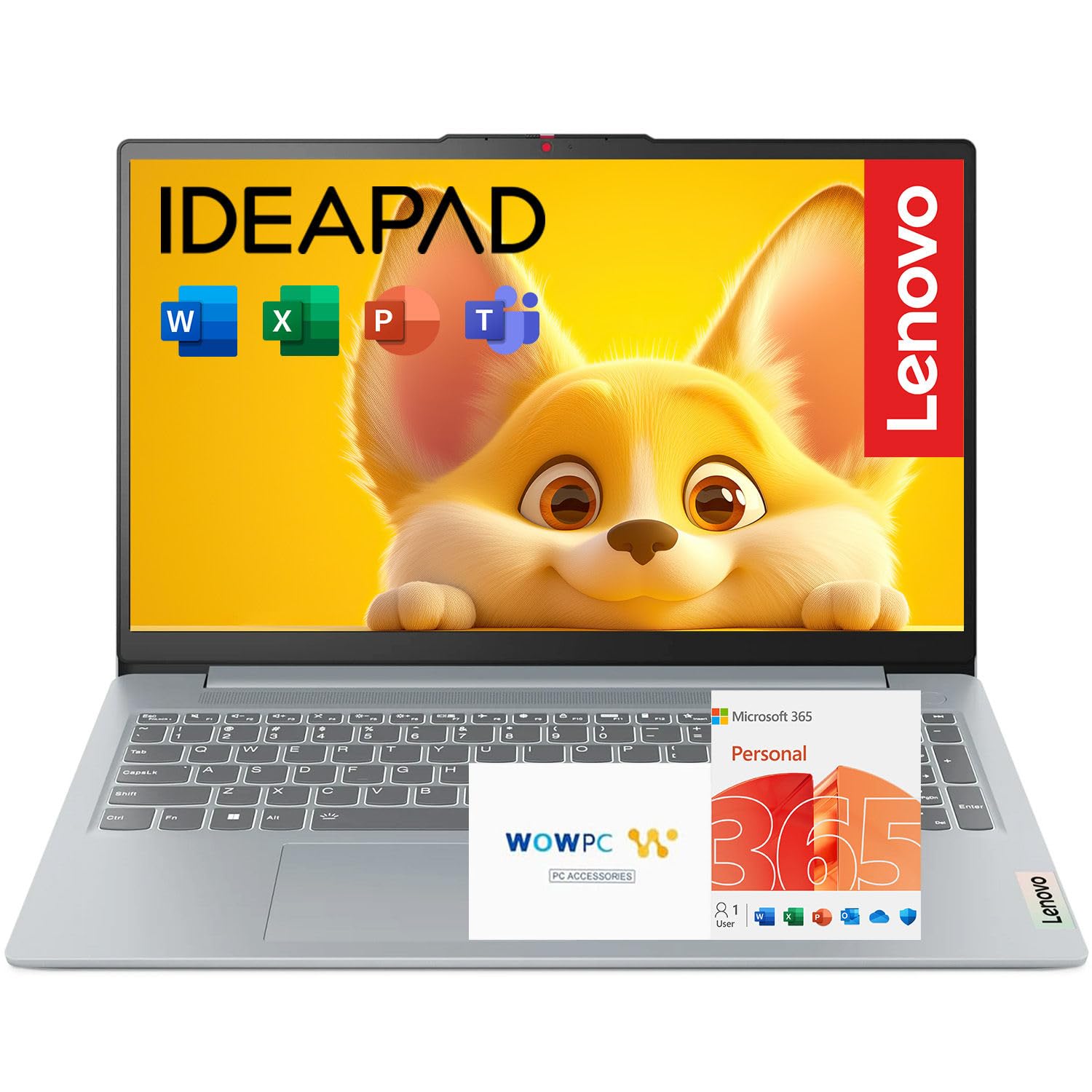
The rare budget laptop that bundles a fingerprint reader, Wi-Fi 6, and office software in one slim package.
You get smooth everyday performance for work and school from the Intel N150 processor paired with 8GB of LPDDR5 memory. That RAM is the real baseline for Windows, so browsing, streaming, and video calls won’t grind to a halt when you multitask. Storage is a modest 128GB SSD, which boots fast but fills quickly if you install large software.
The 15.6-inch FHD display uses a 16:10 aspect ratio, giving you more vertical screen space than the usual 16:9 panels. It also carries TÜV Low Blue Light certification, which is a fancy way of saying the screen filters out some eye-straining blue light during long sessions. On the durability front, it meets MIL-STD-810H military-grade standards, so it shrugs off the bumps of daily commutes.
Battery life is the honest weak spot here. Buyers report the machine feels heavy, and the battery doesn’t last as long as the slim chassis suggests — one owner described it as “feels like you’re carrying a rock.” The Rapid Charge Boost is the saving grace: a 15-minute charge can give you up to 2 hours of use, which softens the sting of poor endurance. This is the best all-rounder, but only if your day includes regular access to a power outlet.
What Wins People Over
- Fingerprint reader makes sign-in instant and password-free
- Fast Wi-Fi 6 for reliable connections
- Military-grade durability for daily travel
Where It Trips Up
- Battery life disappoints and the weight adds up
- 128GB storage is tight for heavy software
Reach for it if: you want a well-rounded Windows notebook with modern extras like a fingerprint reader and USB-C, and you can live near a charger.
Look elsewhere if: your day is spent away from outlets — the endurance here is the main trade-off.
2. Samsung Galaxy Chromebook Go
The lightweight traveler with an all-day battery that powers through classes and flights without a charger.
What wins people over is the value-for-money balance — 67 buyers single it out as their favorite trait, and it’s easy to see why. The 14-inch Chromebook runs ChromeOS, which is quick to boot and simple to navigate, making it a natural fit for students. The battery life is the hero spec here: up to 12 hours on a single charge. That is more than double the endurance of several Windows rivals, so a full school day is genuinely within reach.
The trade-off is in the specs, which sit at the absolute entry level. The Intel Celeron N4500 tops out at 2.8 GHz, and you get 4GB of RAM with 64GB of storage — a 4.0x gap in both memory and drive space compared to the Dell Latitude 5420 above. That means heavy multitasking will lag, and you’ll rely on cloud storage for big files. This is a machine for browsing, writing, and streaming, not for running demanding software.
Reliability draws the most mentions overall, and the feedback is split — some owners mention flawless daily use, while others say their unit stopped working entirely. The no-touch-screen display also gets flagged as a downside by 18 owners, so know you’re getting a traditional clamshell. A little machine that nails the basics: customers note it’s “perfect size for traveling, super easy with start up.”
Bottom line: the best endurance per dollar in this lineup, but only for light web-based work.
Best for: students and travelers who live in a browser and need a full day away from outlets.
Not for: anyone who needs to run Windows software or juggle many heavy apps at once.
3. Dell Latitude 5420
A refurbished business laptop that out-specs most new budget machines with 16GB of RAM.
This is the head-to-head winner on raw specs. The Dell runs an 11th-gen Intel Core i5-1145G7 that boosts to 4.2 GHz — nearly matching the Lenovo’s 4.3 GHz ceiling — but pairs it with a massive 16GB of RAM and 256GB of storage. That is a 4.0x memory advantage over the Samsung Chromebook, and it shows in real use: reviewers point out it runs fast enough for emulated games at full speed with no frame skipping.
The buyers who love it point to performance first — 74 owners call it out as the standout trait. One summed it up: “Refurbished laptop works like new; clean Win11, no bloatware.” That clean install matters, because a machine that arrives with junk software can feel slow from the start. The performance is genuinely impressive for the money, and it ships with Windows 11 Pro rather than the Home edition.
But here’s the honest catch: this is a renewed (refurbished) unit, and reliability draws the most mentions with mixed feedback. While some owners say it looks and runs like new, others report units failing after a few months of use, and the battery life lands around 3 hours — far short of all-day endurance. Buyer reviews sum it up best: “Sold on the promise of like-new condition, but the experience varies.” If you’re comfortable with refurbished gear and want peak performance per dollar, this is a strong play.
Specs king: the i5, 16GB RAM, and 256GB SSD combo is the most powerful configuration at this price point.
Grab it if: you want serious performance for multitasking and don’t mind the refurbished gamble.
Think twice if: you need predictable longevity or all-day battery life straight from the start.
4. Auusda Business Laptop
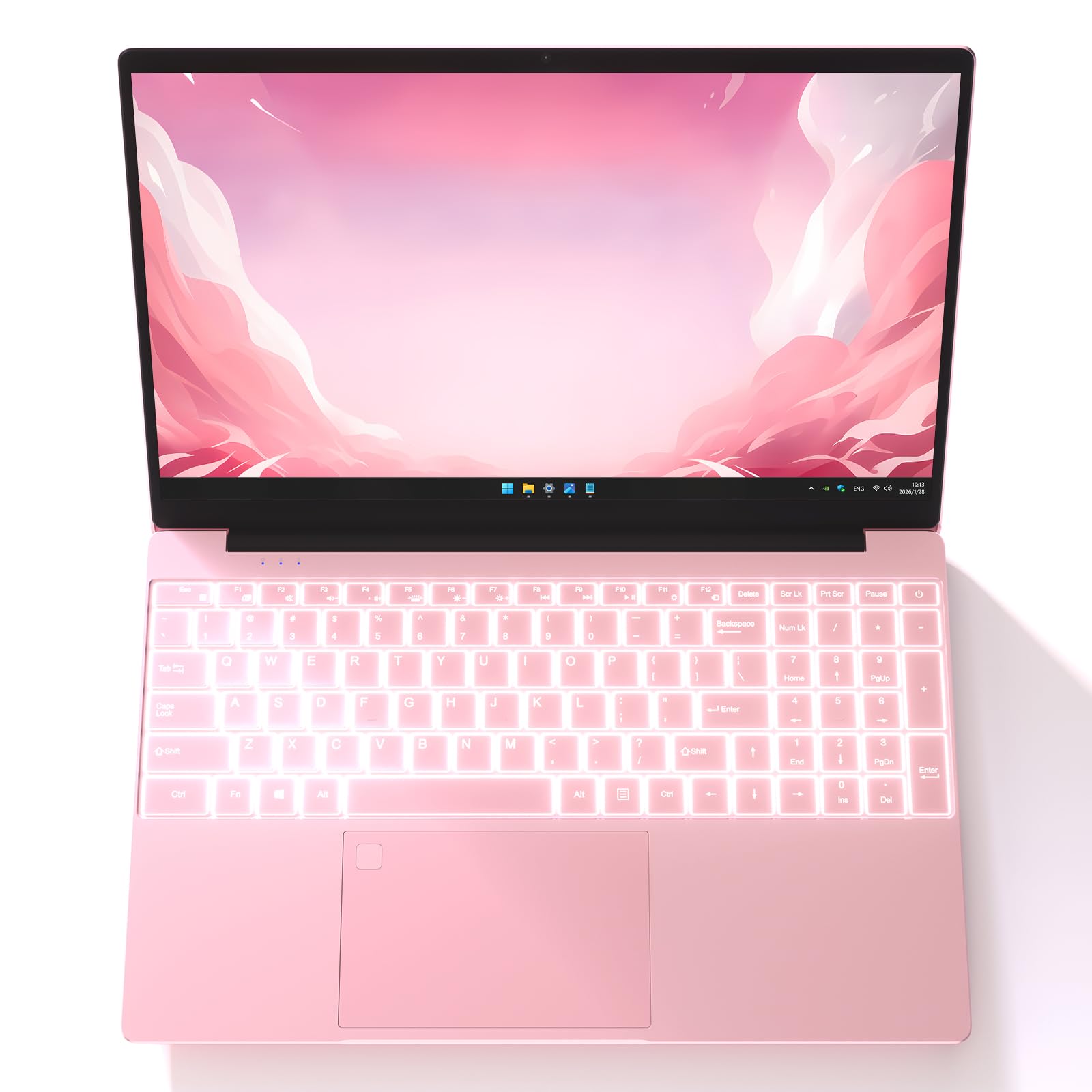
The rare budget machine that ships with a full terabyte of storage and room to grow later.
This one leads with storage — a full 1TB NVMe SSD from the start, plus the ability to expand up to 32GB of RAM and add even more drive space. For buyers who keep years of photos, projects, and media, that headroom is the whole point. It’s a 15.6-inch FHD IPS display with a 180° hinge, and the 0.2-inch bezels means the screen stretches edge to edge for a modern look.
Performance is what wins people over here — 271 owners call it out as the standout trait, the highest positive count on the list. The 16GB of DDR4 RAM and the fast processor handle browsing, office work, and streaming without drama. The backlit keyboard includes a dedicated numeric keypad, which accountants and data-entry types will appreciate, and the fingerprint reader adds a genuinely useful security layer.
Two honest notes for buyers. First, connectivity is thinner than the marketing suggests: you get 2 USB 3.0 ports but no USB-C and no HDMI, which catches out anyone planning a multi-monitor setup — one owner’s external monitors failed entirely. Second, the battery is a mixed bag at roughly 8 hours, with some owners finding it merely acceptable. This is a writer’s or student’s machine with enormous storage, not a dock-ready workstation.
The Storage Story
- 1TB SSD from the start — the most in this group
- Upgradable to 32GB RAM and 8TB+ of drive space
- Low-blue-light FHD IPS screen with 180° hinge
Port Reality
- No USB-C or HDMI limits external monitor setups
- Battery life is average, not all-day
Choose this for: media hoarders and upgraders who want a huge SSD and the option to expand later.
skip it if: you run a multi-monitor desk setup — the port selection will frustrate you.
5. NIAKUN 2026 Laptop

A Windows 11 Pro machine that arrives with Office 365 included and a two-year warranty as backup.
Productivity is the whole pitch here. This 15.6-inch laptop ships with Windows 11 Pro and Office 365 already installed, so you can open a document the moment it boots. The 8GB of RAM and 256GB SSD give you a genuinely workable baseline for everyday tasks, and the 6-hour battery life covers a solid stretch of classes or meetings.
Performance draws the most praise — 122 owners call it out as the top trait, and shoppers say it handles email, browsing, and office apps without complaint. At just 3.53 lbs and 0.8 inches thin, it’s also one of the easier machines to carry all day, and the 180° hinge lets you lay the screen flat for sharing work in a meeting. The 1920×1080 IPS screen delivers wide viewing angles, which matters when someone leans over to look.
The honest catches are speed and build. Several buyers report the Intel Pentium processor feels slow for anything beyond basics — one called it “pretty slow” and admitted needing something faster. The casing is thin plastic, so it won’t survive rough handling, and it runs a bit warm under load. The 2-year warranty and 6-month return policy soften the risk, making this a safe, no-surprises choice for office and school basics.
Nice package: the built-in Office 365 and long warranty make this a low-hassle pick for students and office workers who need a reliable daily driver.
Ideal for: students and professionals who want a ready-to-use Windows machine with software included and solid support.
Not for: power users who need speed — this is strictly for light, everyday work.
6. Acer Aspire Go 15 (Intel)

The 8-core efficiency machine that pairs a long battery with the convenience of USB-C charging.
This is the smart mid-range choice for buyers who want a modern port setup. The Aspire Go 15 runs an 8-core Intel Core 3 processor N355 that hits 3.9 GHz, paired with 8GB of DDR5 memory and 128GB of UFS storage. The dual USB-C ports support both charging and display output, which is a rarity at this tier and means one cable can power your laptop and an external monitor.
Battery life is the other standout — a rated 12.5 hours, and buyers confirm it runs for hours on a charge while charging back up fast. The 720p webcam uses Acer’s TNR technology to clean up low-light video, and Acer PurifiedVoice filters background noise on calls, making this a genuinely strong choice for remote meetings. The 15.6-inch FHD IPS display with Acer BluelightShield keeps long sessions comfortable on the eyes.
Performance wins people over — 154 owners highlight it as the strongest trait, and buyers describe it as a workhorse that handles multitasking well. The catch is storage: 128GB UFS fills up quickly, and owners mention the space feels limited once apps pile up. One owner recommended adding a larger SSD. Speeds are solid for the money, but this is a machine for browser-based work, not heavy local software.
Modern and efficient: dual USB-C ports and a long battery make this the most forward-looking Intel pick in the lineup.
Best for: students and remote workers who want fast charging, strong battery life, and a clean modern port setup.
Consider the alternative if: you store lots of files locally — the 128GB fills fast.
7. Acer Aspire Go 15 (AMD)

The AMD sibling that trades a little battery for a faster max clock speed and smoother graphics.
Here’s the direct comparison buyers actually face: the AMD version of the Aspire Go 15 uses the Ryzen 3 7320U, which boosts to 4.1 GHz — a step above the Intel model’s 3.9 GHz ceiling. It pairs that with AMD Radeon 610M graphics, which handles streaming and light casual use more smoothly than the Intel integrated alternative. For the same 8GB of RAM and 128GB SSD, you’re getting a touch more processing headroom.
Buyers who love it point to performance as the standout — 48 owners call it out as the top trait, and one wrote the review from the laptop itself, calling it “great for work or school.” Battery life also earns praise, with owners describing it as excellent and stable. The dual USB-C ports, Wi-Fi 6, and HDMI 2.1 connectivity carry over from the Intel version, so you keep the modern, cable-friendly setup.
The structural trade-off is the same as its sibling: 8GB of RAM is hardwired and non-upgradable, and the 128GB SSD feels tight. The saving grace is that the M.2 drive is replaceable, and one owner swapped in a 1TB upgrade with ease. This is the pick for buyers who want the fastest processor and don’t need to expand memory down the line.
More headroom: the faster Ryzen clock and Radeon graphics make this the punchier of the two Aspire Go 15 models.
Choose this if: you want the quickest processor in this price band and a smooth everyday experience.
Pass if: you need upgradable RAM — 8GB is fixed here.
8. HP 14 Flagship
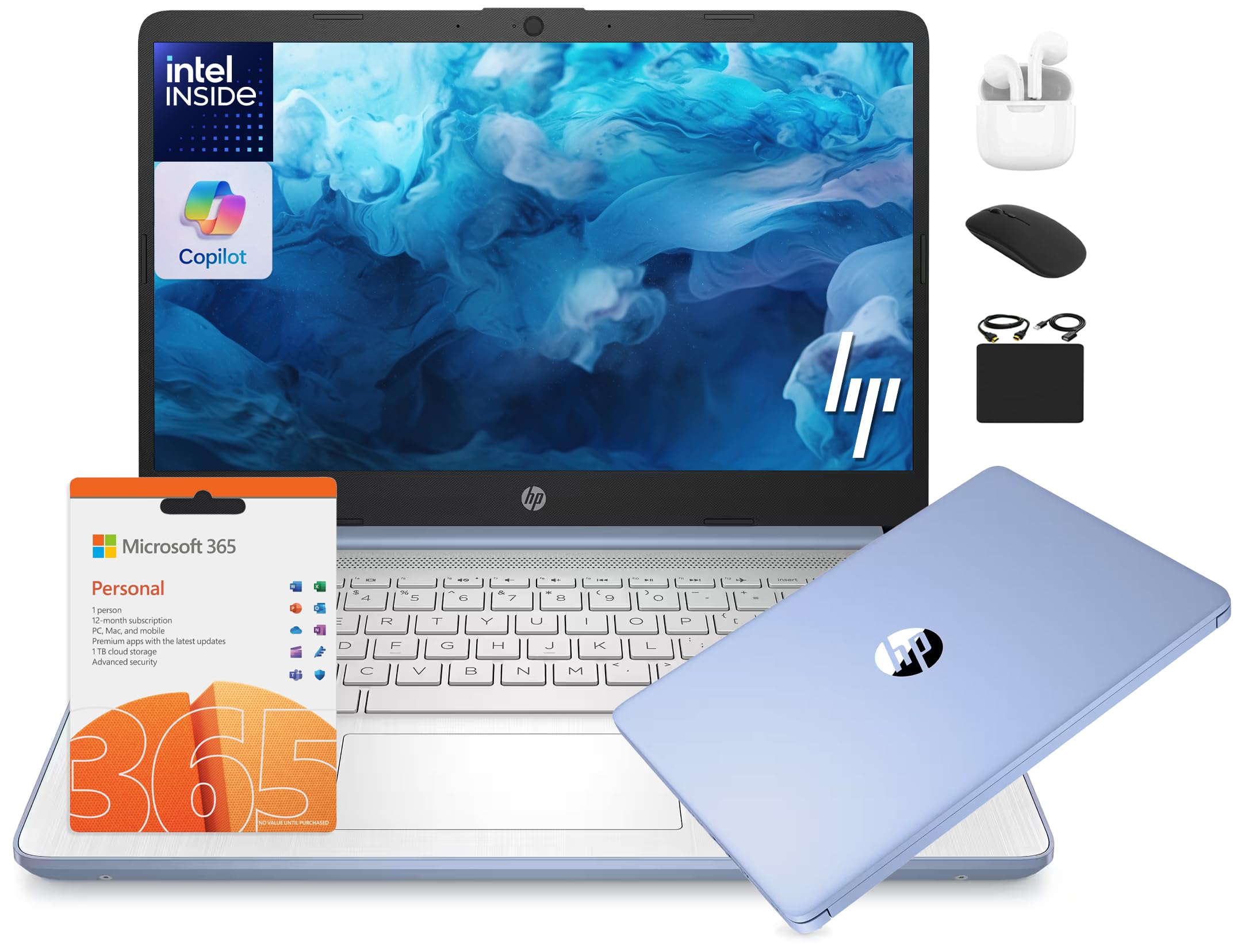
The everything-in-the-box deal that pairs a 628GB storage setup with a year of Office 365.
If you hate buying accessories separately, this is the pick. The HP 14 ships with a 6-in-1 bundle that includes wireless earbuds, a 500GB external drive, a USB extension cord, an HDMI cable, a mouse pad, and a wireless mouse — plus a 1-year Microsoft Office 365 subscription. The internal specs back it up too: 16GB of DDR4 RAM for smooth multitasking and a combined 628GB of storage across the internal 128GB UFS drive and the 500GB external drive.
The 13th-gen Intel N150 processor hits up to 3.6 GHz with Turbo Boost, and buyers describe the machine as fast, lightweight, and great for school or office settings. Quality is the most-praised trait — 75 owners highlight it — and the 14-inch HD display handles everyday work well. The anti-glare panel is a genuine bonus for working near a window.
The honest caveats come down to the fundamentals. The display resolution is 1366×768, which is noticeably less sharp than the 1920×1080 screens on the Acer and Lenovo picks. Reliability also draws mixed feedback, with a few buyers reporting units failing to power on after a few months. The sheer bundle value is hard to argue with, but if screen sharpness matters more to you than free accessories, a 1080p machine is the smarter buy.
The Bundle Bonus
- 16GB RAM for heavy multitasking
- 500GB external drive and earbuds included
- Full year of Office 365
The Sharpness Gap
- 1366×768 screen is less crisp than 1080p rivals
- Mixed reliability reports on longevity
Great value if: you want the complete accessory kit and a year of Office software without buying anything extra.
Better options exist if: screen sharpness is a priority — the 1080p Acer models win on clarity.
9. HP OmniBook 3 17.3″

The desktop-replacement-sized notebook that brings a 17.3-inch screen and astonishing battery endurance.
For buyers who want the biggest possible screen in an affordable package, this is the one. The 17.3-inch FHD IPS display offers 178-degree viewing angles, which means colors stay accurate even when you’re not sitting dead-center. It’s a genuine desktop-replacement size — buyer reviews sum it up: “Larger than I expected but it works better for me.” You’re getting a lot of visible workspace for spreadsheets and split-screen documents.
The endurance is the headline spec: up to 14 hours and 15 minutes of battery life, with HP Fast Charge that restores a flat battery to 50% in about 45 minutes. The AMD Ryzen 3 30 processor boosts to 4.1 GHz and pairs with 512GB of SSD storage — the roomiest single-drive setup on this list. The 1080p FHD camera with HDR auto-switch keeps video calls looking sharp, and the AI noise reduction filters out background chatter.
The trade-off is portability. A 17.3-inch machine is heavy and won’t slide into a small bag, so this is a desk-dweller rather than a daily commuter. Performance draws mixed feedback — some owners find it fast, others call it slow for demanding work, so keep expectations at everyday level. Quality is the most-praised trait across 47 owners, and setup is easy, making this a solid home-base laptop for those who value screen real estate above all.
The big-screen champ: 17.3 inches of FHD workspace with a battery that outlasts everything else in the lineup.
Buy it for: a home-desk machine where a massive screen and all-day battery matter more than portability.
Avoid it if: you commute daily — this notebook is too large for a small bag.
Understanding the Specs
RAM and Storage
RAM (Random Access Memory) is the short-term workspace your laptop uses to run apps. For affordable Windows notebooks, 8GB is the practical floor — 4GB will stutter with multiple tabs open. Storage type matters too: SSD (solid-state drive) is the fast, modern standard, while UFS is a step slower and eMMC is the slowest budget option. A 128GB SSD feels snappier than a 256GB eMMC drive.
CPU Max Clock Speed
The max clock speed, measured in GHz, tells you the fastest a processor can run. Compare it within the same family: an Intel N150 at 4.3 GHz will outpace the same-class Celeron at 2.8 GHz on demanding tasks. But more important than the number is the core count — an 8-core chip handles multitasking more smoothly than a 4-core one even at lower clock speeds.
FAQ
Is 4GB of RAM enough for an affordable notebook?
What is the difference between a Chromebook and a Windows laptop?
How long do affordable notebook batteries really last?
Is it safe to buy a refurbished laptop?
What does SSD stand for and why does it matter?
Can I upgrade RAM and storage on an affordable laptop?
What is a 180-degree hinge for?
How many USB ports do I really need?
Which is better for video calls: 720p or 1080p camera?
Final Thoughts: The Verdict
If you want one dependable pick, the affordable notebook computers winner is the Lenovo IdeaPad Slim 3i because it bundles a fingerprint reader, modern Wi-Fi 6, and the right 8GB RAM baseline into a well-rounded package. If you want the fastest processor and a smooth everyday feel, the Acer Aspire Go 15 (AMD) is the one to reach for. And for an all-day battery that keeps a student or traveler unplugged, the Samsung Galaxy Chromebook Go remains the endurance champion.
How We Picked
We do not accept paid placement. Every pick is matched to a real buyer and a real use-case; we do not hands-on test units.
Sources & Methodology
Specifications: manufacturer listings and product documentation. Review insights: verified customer reviews, as of August 2026. Pricing: not shown on this page (it changes often); check the current price via the retailer link.
As an Amazon Associate, Gadgets Feed earns from qualifying purchases. This does not affect which products we feature.