
Our readers keep the lights on and my morning glass full of iced black tea. As an Amazon Associate, I earn from qualifying purchases.
Specs are compiled from manufacturer listings and verified buyer reviews and can change over time — please confirm the key details on the product page before buying.
Your PC tower spends its life on the floor, and that means dust, pet hair, and a backache every time you reach for a USB port. A rolling stand fixes that, but the two numbers that actually decide if a stand works are the width it fits and how much weight it can hold. Match those to your case, and you get a cleaner, cooler, and far easier-to-reach setup.
I’m Min — the founder and writer behind Gadgets Feed. This guide is built by comparing the manufacturers’ published specifications and the patterns across verified customer reviews, so you get each pick’s real strengths and trade-offs instead of marketing spin.
You want an adjustable computer tower stand that fits your space and budget without guesswork. This guide compares the key options so you can pick the right one on the first try, if you need a budget fix or a feature-rich cart.
Our Picks at a Glance

How To Choose The Best Adjustable Computer Tower Stand
Not every stand fits every tower. The secret is to measure your case’s width and weigh your full build before you look at any cart, because the entire category exists to handle different sizes and weights.
Measure your tower’s width first
The single most common buying mistake is grabbing a stand that looks big enough but actually isn’t. Check the exact width of your PC case, then compare it against the stand’s adjustable width range. A narrow stand will leave your tower wobbling, while an overly wide one looks ridiculous and wastes space.
Weigh your PC with everything inside
Your tower is heavier than you think once the GPU, power supply, and liquid cooling are installed. Every stand lists a maximum load capacity, and you want a comfortable margin above your actual weight. Ignore this and you risk a collapsed frame with a very expensive PC on top of it.
Decide between rolling, fixed, and under-desk
Rolling stands with locking casters are the most flexible, letting you slide the PC out for cable work. Fixed feet are cheaper and more stable. Under-desk mounts bolt to your tabletop and free up floor space entirely, but they are a bigger installation job and only suit desks with solid wood or MDF tops.
Quick Comparison
| Model | Best For | Width Range | Load Capacity | Height | Amazon |
|---|---|---|---|---|---|
| Hmseng CPU Stand★ Best Overall | Budget tower lift | 7.87-11.81″ | — | — | Amazon |
| CUISIBOT Mobile StandSturdy Pick | Sturdy floor cart | 7.9-10.2″ | 176 lbs | — | Amazon |
| VIVO CART-PC01LWide Fit | Wide ATX cases | 7.8-14″ | — | — | Amazon |
| ZUAVIALA 2-Tier Cart | Desk companion | — | 110 lbs (lower) | 21.34-28.3″ | Amazon |
| PUTORSEN Under Desk Mount | Standing desk users | 7.89-13.39″ | 77 lbs | 11.42-23.23″ | Amazon |
| JANE EYRE Charging Stand | Full ATX plus outlets | — | 140 lbs | 23.03-28.3″ | Amazon |
| Ultimate Setup Under Desk Holder | Heavy desk mounts | — | 77 lbs | — | Amazon |
| EUREKA ERGONOMIC Swivel Mount | 360-degree access | 6.3-10.2″ | 44 lbs | 0-20.5″ | Amazon |
| Bytesium Metal Frame | EATX and big towers | 7.87-14.17″ | 110 lbs | — | Amazon |
In-Depth Reviews
1. Hmseng CPU Stand with Lockable Castors
Our pick — over 4.5★ from 600+ verified ratings; the strongest balance of quality and price.
The entry-level lift that gets your tower off the carpet while staying affordable.
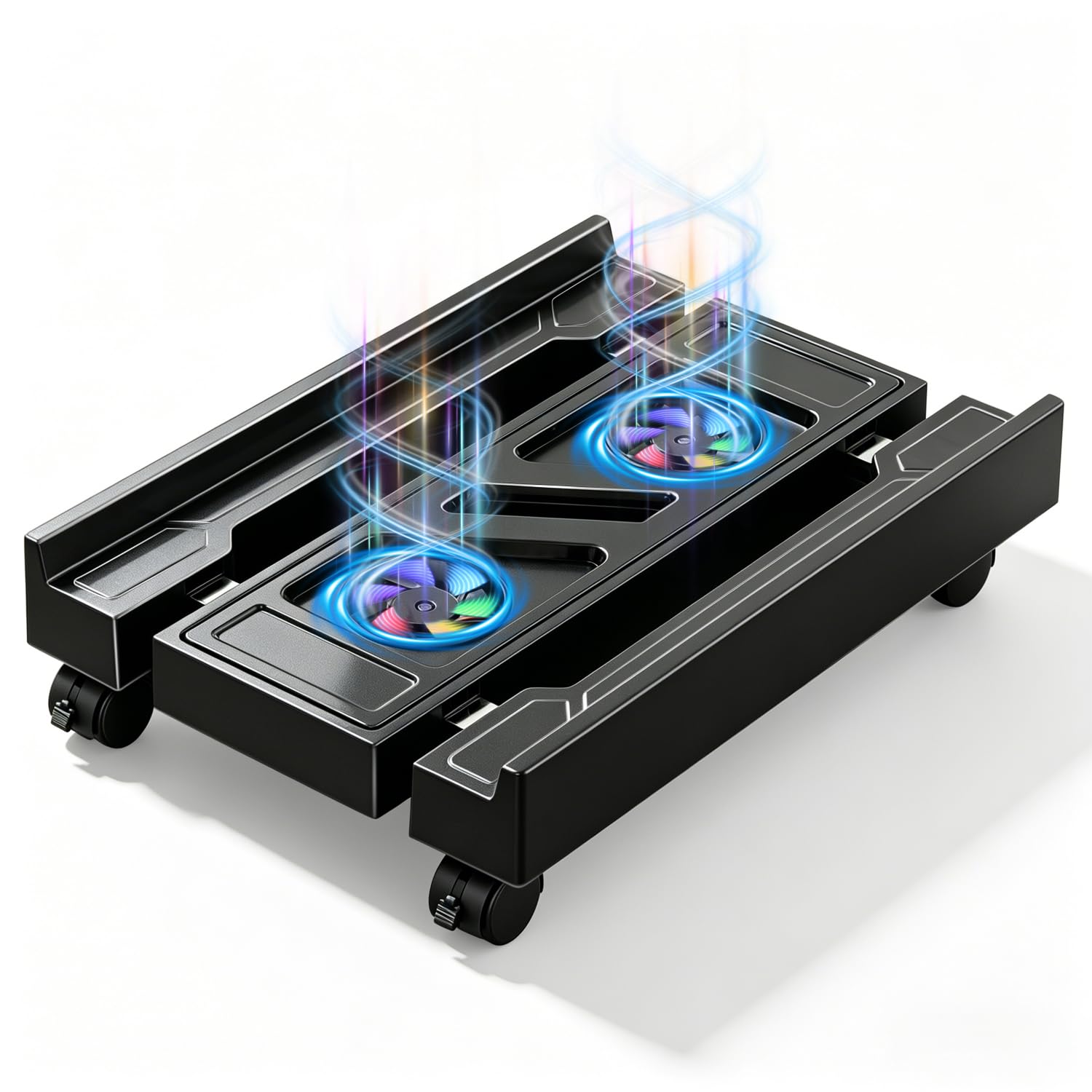
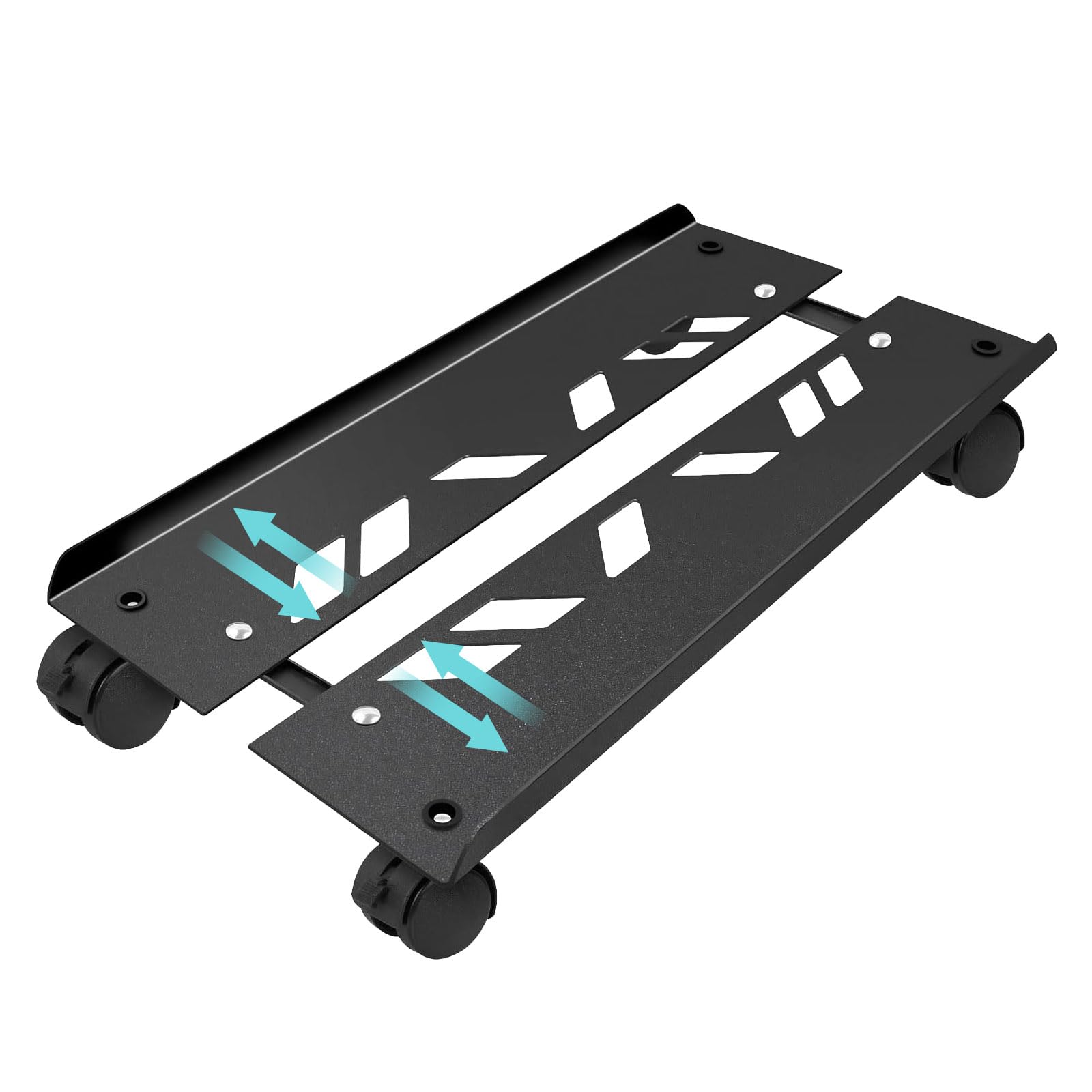
If your only goal is to raise a mid-size PC off a dusty floor and be able to roll it out for cleaning, this is the value move. The frame slides to fit cases between 7.87 and 11.81 inches wide, and at 15.75 inches long it handles standard ATX mid-towers with room to spare. The size is printed right on the steel tube so assembly is a straightforward bolt-together job.
Two of the wheels lock to hold it in place, and the open bottom design sits the case about 2 inches off the floor, which helps cooling and cuts down on dust intake. Buyers report it is easy to set up and works as advertised for everyday towers, though a rare unit has been known to buckle under a very heavy load—so check your weight before committing.
This one keeps the process simple: measure, slide, lock, and roll. For a budget-friendly first stand, it delivers exactly what the label promises.
Why people grab it
- Adjustable width suits most mid-towers
- Lightweight and quick to assemble
- Raises the case for airflow and cleaning
Where to be careful
- Light-duty build means heavy towers are risky
- Only two locking wheels, not four
Reach for it if: you have a mid-size PC and want a no-fuss rolling base for a modest outlay.
Look elsewhere if: your tower is a heavy full-tower build that needs a higher load rating.
2. CUISIBOT Adjustable Large Tower Stand
A steel frame rated for heavy towers, with side rails that keep a big case planted.
The load rating is the story here: this stand is built from high-grade steel and holds up to 176 pounds, so a loaded full-tower gaming rig sits safely. Protective railings on both sides stop the chassis from sliding off, and at 19.68 inches long it beats the Hmseng by about 4 inches of platform, giving bigger cases a more secure footing.
Width adjusts from 7.9 to 10.2 inches, which covers most ATX cases on the market. All four caster wheels rotate 360 degrees and every one of them locks, so you can pin the stand in place under a desk or printer table when you need it still. The perforated base lifts the tower for airflow and keeps the power supply ventilated.
The recurring trade-off owners flag is the wheels—they roll but not super smoothly, which is a minor irritation when you mostly park the stand and leave it. What wins people over is the build quality and the sheer stability for the money.
Best for: anyone with a hefty full tower who wants a stable, lockable cart and can tolerate slightly stiff wheels.
skip it if: you plan to wheel your PC around constantly and need glass-smooth rolling.
3. VIVO Large Computer Tower Rolling Stand
For wide ATX cases that dwarf standard carts, this adjustable frame opens up to 14 inches.
Width is the differentiator here. Where the CUISIBOT stops at 10.2 inches, this VIVO cart adjusts from 7.8 up to 14 inches, so it swallows most of the chunky ATX cases on the market. Just measure your case first—anything wider than 14 inches won’t fit, and the listing is explicit about checking dimensions before you buy.
It is made from high-grade alloy steel with a powder-coated surface and inside padding that protects your case from scratches. Two of the four caster wheels lock to hold the cart still, and the low-profile matte black look blends into a gaming or office setup without shouting. Assembly is minimal with step-by-step instructions and all hardware included.
Buyers praise the easy build and how well it moves a heavy PC around, and the extra-wide foot makes it ideal for cases with three pairs of feet. The honest caveat: very large cases with wide-set feet can feel a little less stable, which is why some owners end up using two of these side by side under an extra-large tower. It is a fit consideration, not a flaw in the build.
Wide-platform verdict: the right call if your case is too fat for standard 10-inch carts, and the padding plus steel build keep it feeling premium.
4. ZUAVIALA 2-Tier Height Adjustable PC Cart
A rolling two-shelf desk extension that holds your tower, printer, and supplies in one spot.
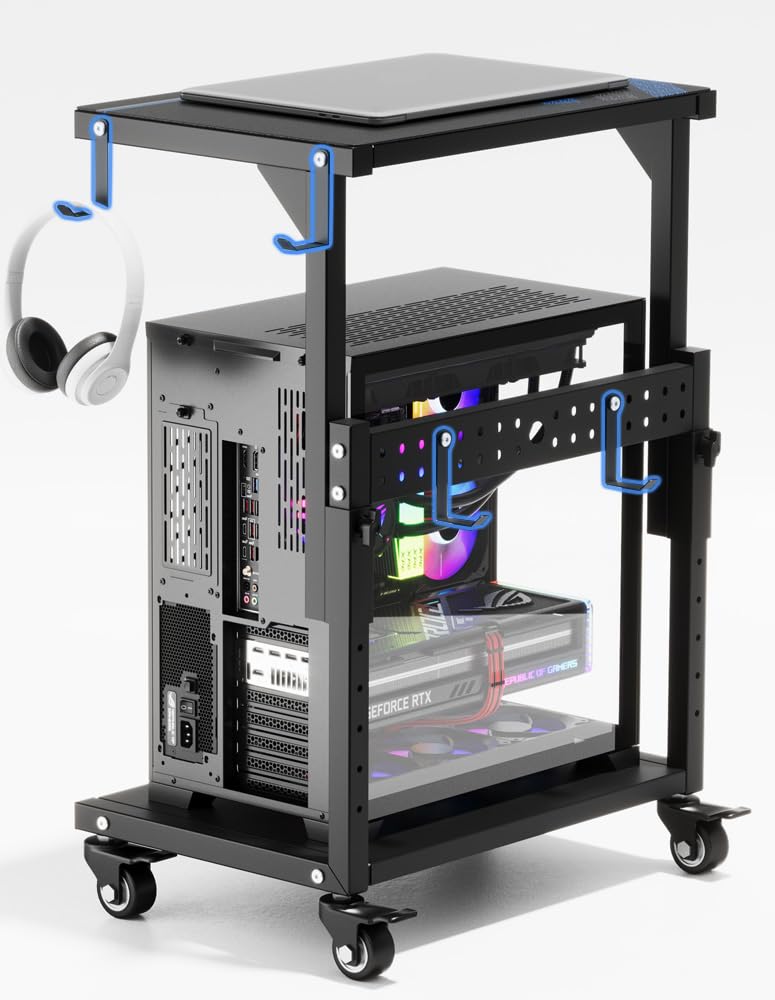
You can tuck this cart neatly under your desk by turning the knob to adjust its height from 21.34 to 28.3 inches. The top shelf holds a printer, sound bar, or documents, while the bottom shelf cradles your PC. The bottom shelf supports up to 110 pounds and the upper shelf up to 88 pounds, so it handles most gaming towers plus whatever you stack on top.
Four hooks add storage for cables or accessories, a pegboard on the back organizes power strips, and a waterproof mousepad turns the top into an actual mouse surface. All four 2-inch metal casters have brakes, and they roll silently across wood, carpet, and even grass without complaint. Reviewers repeatedly mention how the build quality exceeds expectations and how it upgrades a workspace the moment it slides under the desk.
The only note is to keep heavy loads sensible—it is built for a typical PC plus desk basics, not a workshop full of gear. If you want one unit that lifts your tower and adds workspace, this is the most versatile pick on the list.
Space-multiplier take: ideal for small offices or dorm rooms where floor space is scarce and your PC needs a home plus a side table.
5. PUTORSEN Under Desk PC Mount
The standing-desk companion that hoists your tower off the floor and out of the way.
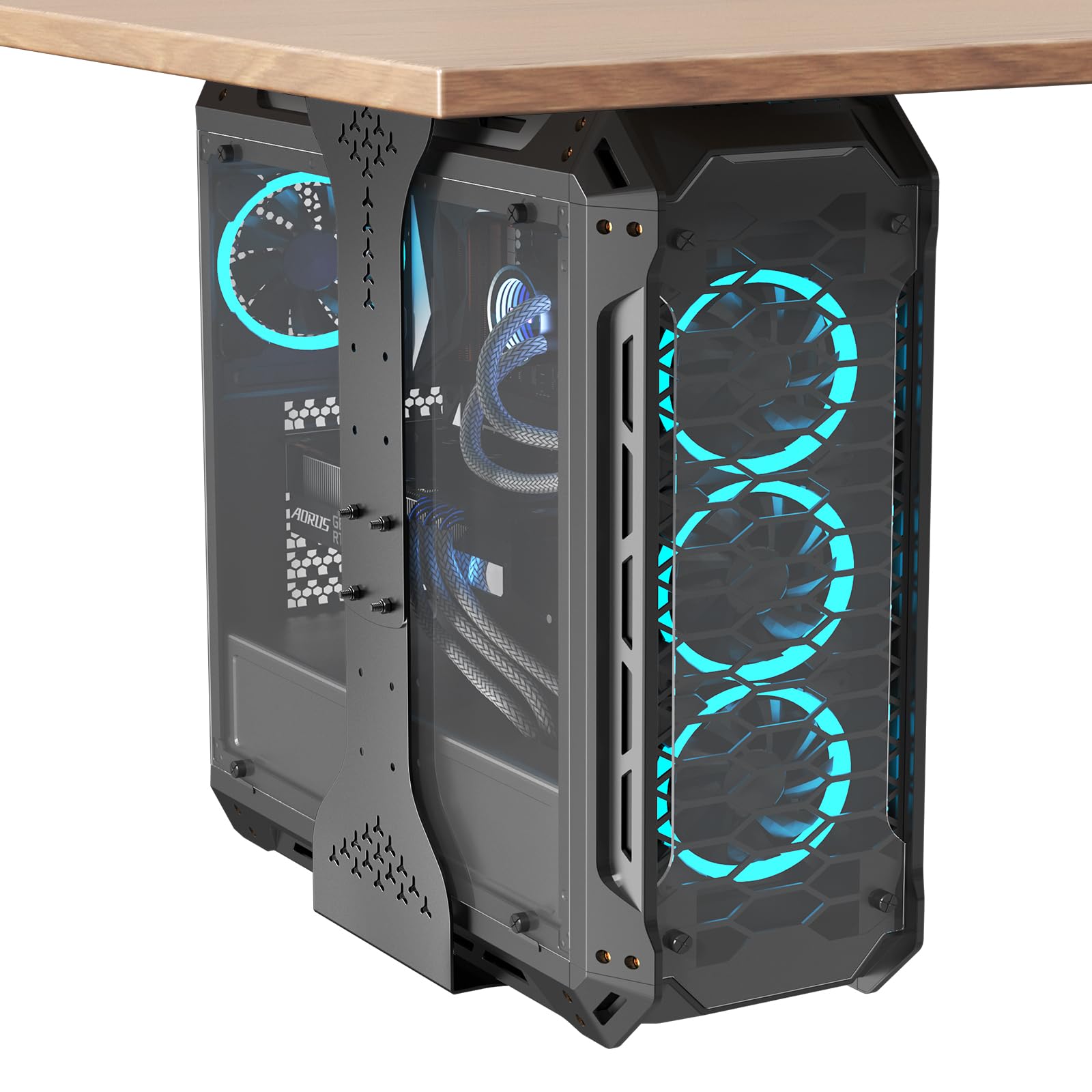
If floor space is your top priority, this mount bolts your PC underneath the desk entirely. Its width adjusts from 7.89 to 13.39 inches and its height from 11.42 to 23.23 inches, so it fits mid and mini towers plus some larger cases. It rises and lowers in sync with a standing desk, keeping cables strain-free. High-grade steel with dual support pillars carries up to 77 pounds.
Eight reinforced screws create a solid foundation that distributes the weight evenly, and protective mats stop scratches and dampen vibration. The open frame lets air circulate freely around the case, keeping components cool during long sessions. There is even a 0.35-inch adjustment window during install so you can fine-tune the position without drilling new holes.
Owners specifically call out how it works with an UpLift standing desk and frees up floor space for a noticeably cleaner setup. It is a bigger install job than a rolling cart, but the payoff is a PC that is completely out of the way.
Choose this if: you have a standing desk and want the tower to travel with it, leaving your floor completely clear.
Pass if you: rent and can’t drill into the desk, or prefer the flexibility of a wheeled stand.
6. JANE EYRE Computer Tower Stand with Charging Station

The full-featured stand with built-in outlets that powers your whole desk setup.
This stand offers the most features. The 2-tier wooden stand offers ten distinct height adjustments from 23.03 to 28.3 inches, letting you align your tower, printer, or phone right where you want it for a comfortable reach. Its expanded bottom dimension of 19.2 by 11.5 inches gives full ATX towers a spacious, snug fit, and the rated 140-pound load capacity handles even the heaviest gaming rigs with confidence.
Its standout feature is the integrated charging station: dual 120V/12A sockets and dual USB ports sit on top, so you can plug in a laptop, phone, or printer without hunting for a wall outlet. Two of the wheels have built-in brakes for secure positioning, and you can swap between wheels and adjustable feet depending on your floor. Four sturdy hooks keep a gaming headset or cables within easy reach.
Buyers routinely call the assembly easy and love how the built-in outlets simplify their workspace, and it has been trusted to hold a full ATX tower plus dual monitors without issue. The stability gets mixed feedback, so very top-heavy loads deserve a little caution—but for most setups, this wood-frame stand is the most complete solution here.
The headliner features
- Built-in dual outlets and USB ports
- Ten height settings for ergonomic reach
- Holds up to 140 pounds
Keep in mind
- Stability is mixed for very heavy top loads
- Wood frame is lighter than a pure steel cart
The verdict: the best all-rounder—reach for it when you want a tower stand that also charges your gear and looks clean doing it.
7. Ultimate Setup Heavy Duty Under Desk PC Holder
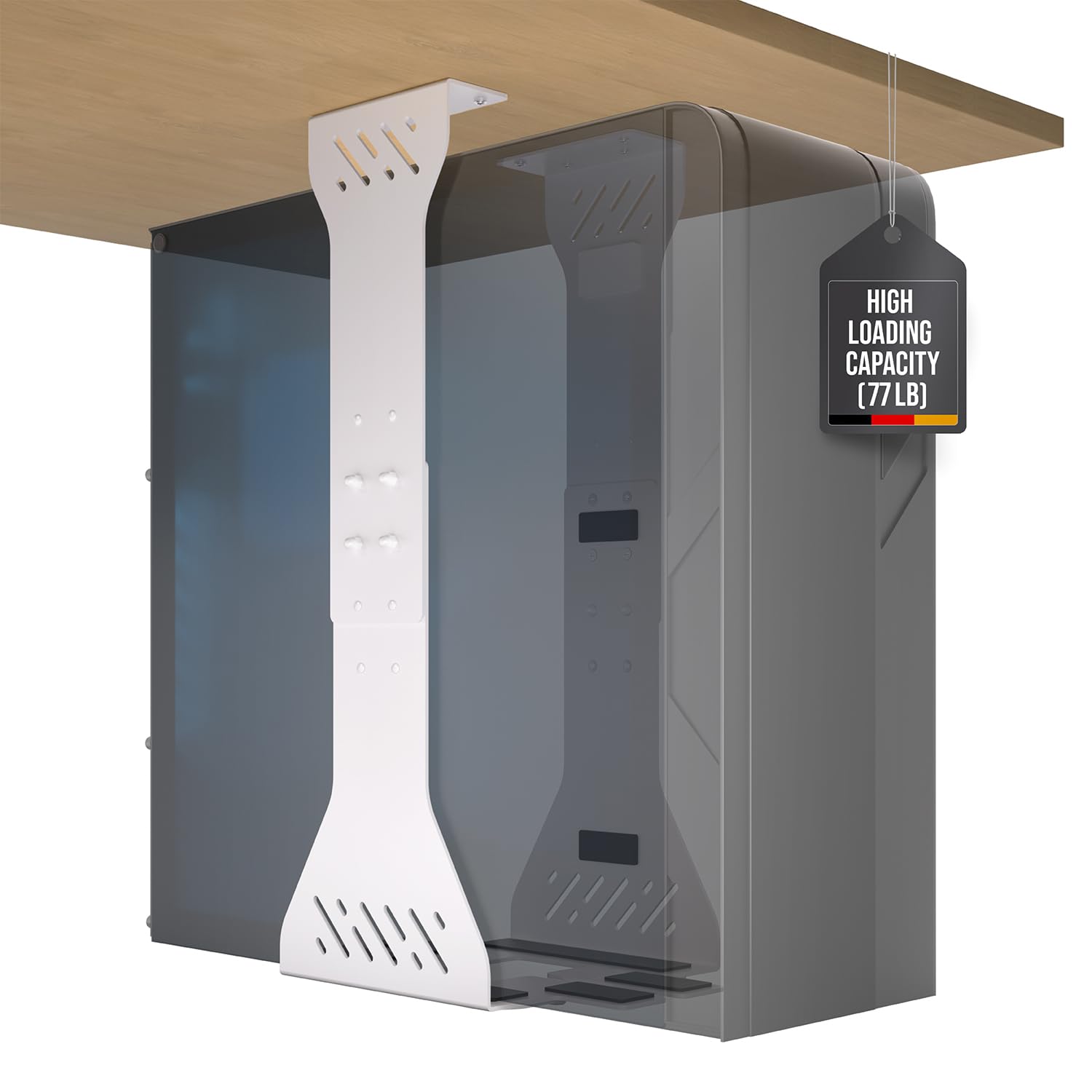
A white steel mount built for dual-chamber cases and continuous heavy loads.
Where the PUTORSEN mount is about desk-sync convenience, this one is about sheer holding power. Built from thick, solid steel with two support pillars, it is designed specifically for heavy, continuous loads up to 77 pounds, and buyers confirm it handles wide custom-built PCs and dual-chamber cases without a hint of wobble. The white finish is a rare option if you want the mount to match a light-colored desk.
Ventilation slots keep high-performance PCs cool, and rubber pads prevent scratches. The included drilling template makes mounting straightforward: line it up, drill, and bolt the frame to the underside of your desk. Setup is a little more involved than a rolling cart, but the result is a rock-solid hold that frees up all your floor space.
The recurring gripe is the installation hardware—the included screws are not always up to the job, and several owners ended up buying their own wood screws. It is a small annoyance against an otherwise sturdy, well-engineered mount that people describe as the one to buy after trying cheaper options.
For heavy builders: the go-to under-desk mount if your rig is wide, heavy, and you want it secured tight—just budget for replacement screws.
8. EUREKA ERGONOMIC 360° Swivel CPU Holder

An under-desk bracket that spins a full circle so rear ports are never out of reach.
The a neat extra here is the 360-degree swivel. Bolted under your desk, this mount lets you rotate the whole PC around to reach the back panel, plug in a cable, or admire an RGB-lit case from any angle. Width adjusts from 6.3 to 10.2 inches and height from 0 to 20.5 inches, covering most standard towers, and the cold rolled carbon steel frame holds up to 44 pounds.
It works brilliantly with motorized standing desks, and owners mention the grip slides and extends without loosening over time, keeping a full-size PC secure through height changes. Six self-tapping screws are small enough to attach to most wood, MDF, or similar desktops, and a bonus screwdriver comes in the box. It also shields the case from bumps, dust, and moisture.
The honest limit is size: this is happiest with small-to-mid towers. Larger cases can feel unstable because the base plate is relatively small and the top bracket does not lock down tight enough for a massive rig. Buyers bound toward full towers are the ones who hit this wall—for a 360-degree mount on a standard case, it is well built and easy to install.
Pick this for: small or mid towers on standing desks where rotating to the rear ports is a daily need.
Think twice if: your case is a chunky full tower that needs a bigger, more rigid cradle.
9. Bytesium Metal Frame Tower Stand

The heavy-duty steel chassis that swallows giant EATX towers and holds them rock solid.
If your case is huge, this is the stand that finally fits. The Bytesium adjusts in both width and length—width from 7.87 to 14.17 inches and length from 14.17 to 25.39 inches—so it accommodates everything from a standard ATX mid-tower up to the biggest EATX cases on the market. The metal frame holds up to 110 pounds, and wide welded corner plates give your case feet plenty of surface to sit on.
Side walls and cork padding prevent any unwanted movement and protect the case from scratches, while the open bottom structure lifts the tower 3.42 inches for serious airflow. The extra clearance cools bottom-mounted power supplies and prevents dust buildup. All four top-quality wheels roll smoothly on hard floors and medium-pile carpet, and every one locks when you want the stand parked.
Owners with enormous builds—including a liquid-cooled machine near the 100-pound mark—describe it as the one to get for machine safety, and the full black powder coating keeps it looking discreet. The premium price is the only barrier, but buyers consistently call it worth the cost for the stability and adjustability it brings.
Why it earns the premium
- Adjusts in both width and length for giant cases
- Cork padding and side walls prevent shifting
- Holds up to 110 pounds of machine
The trade-off
- Premium price compared to basic carts
- Wheels can be stiff to screw in during assembly
The premium verdict: the definitive stand for oversized, heavy towers where stability and safety outweigh the higher cost.
Understanding the Specs
Width Range
This is the make-or-break number. It tells you the narrowest and widest tower the stand can grip, so you must measure your case’s actual width and make sure it falls inside that window. A stand that maxes out at 10.2 inches will not serve a 13-inch-wide EATX case, and an overly wide frame under a slim tower looks off and can wobble.
Load Capacity
This is the maximum weight the frame is engineered to support, usually listed in pounds. Your fully loaded PC—with GPU, power supply, and cooling—can easily hit 40 to 70 pounds, so you want a rated capacity well above your real weight. Underestimating this is how stands collapse under heavy gaming rigs.
FAQ
How do I know which width range fits my PC tower?
Will a rolling stand hold my heavy gaming PC safely?
What is the difference between a floor stand and an under-desk mount?
Can I use a tower stand with a standing desk?
How much weight can a typical tower stand hold?
Do I need all four wheels to lock?
Will a tower stand improve my PC’s cooling?
Are under-desk mounts hard to install?
Final Thoughts: The Verdict
The adjustable computer tower stand winner for most people is the JANE EYRE charging stand because it combines a 140-pound capacity, ten height settings, and built-in power outlets in one polished unit. If you want a heavy-duty rolling cart for a giant EATX tower, the Bytesium metal frame is the premium choice that finally fits oversized cases. And if floor space is precious, the PUTORSEN under-desk mount lifts your PC entirely off the ground and follows your standing desk up and down.
How We Picked
We do not accept paid placement. Every pick is matched to a real buyer and a real use-case; we do not hands-on test units.
Sources & Methodology
Specifications: manufacturer listings and product documentation. Review insights: verified customer reviews, as of August 2026. Pricing: not shown on this page (it changes often); check the current price via the retailer link.
As an Amazon Associate, Gadgets Feed earns from qualifying purchases. This does not affect which products we feature.