
A 2-in-1 laptop eliminates the compromise between a powerful workstation and a portable tablet. With a 360-degree hinge that folds the screen fully back, you get a touch-enabled device ready for tent-mode presentations, stand-mode media consumption, and full tablet-mode sketching without carrying two separate devices.
I’m Min — the co-founder and writer behind Gadgets Feed. I’ve spent years analyzing processor generations, display specifications, and build quality across hundreds of convertible laptops to identify exactly which models deliver real-world versatility without cutting corners.
This guide breaks down the top contenders in the convertible category, from budget-friendly workhorses to premium powerhouses, helping you find the absolute best 2 in 1 laptop for your specific workflow and budget.
How To Choose The Best 2 In 1 Laptop
Choosing a convertible laptop means balancing processing power, display quality, and portability against your primary use case — whether that’s digital art, heavy multitasking, or light media consumption. The wrong pick either leaves you with a sluggish tablet or a bulky laptop that doesn’t fold well.
Form Factor: 360° Hinge vs Detachable
A 360° hinge laptop (like the Lenovo Yoga or LG gram Pro) offers a sturdier keyboard base and typically more processing power and ports, but remains heavier in tablet mode. Detachable models (like the Microsoft Surface Pro or FUNYET) separate completely into a thin tablet, making them lighter to hold, but often sacrifice performance and battery capacity to fit in the screen half.
Processor and RAM: Matching Performance to Workload
Entry-level Intel N100 chips handle browsing and Office tasks but will choke on video editing or multitasking with many browser tabs. Mid-range Intel Core 5/Ultra 5 and AMD Ryzen AI 7 processors provide smooth performance for creative apps and heavy productivity. High-end Core Ultra 9 or Ryzen AI MAX+ chips with 32GB of RAM are necessary for 4K video editing, 3D modeling, or running virtual machines on the go.
Display Quality: Resolution, Color Accuracy, and Touch
A 1920×1200 IPS panel is the baseline for sharp text and decent color. Creative professionals should look for 2.5K or higher resolution with 100% sRGB or DCI-P3 coverage. A higher refresh rate (120Hz or 180Hz) makes scrolling and pen input feel fluid, while AMOLED displays (like on the Samsung Galaxy Book5 360) deliver true blacks and vibrant colors for media consumption.
Quick Comparison
On smaller screens, swipe sideways to see the full table.
| Model | Category | Best For | Key Spec | Amazon |
|---|---|---|---|---|
| ASUS ROG Flow Z13 | Gaming Convertible | High-end gaming & creative work | 13.4″ 180Hz / RDNA 3.5 Graphics | Amazon |
| LG gram Pro 2in1 16 | Ultra-light Premium | Ultra-portable productivity | 2.7 lbs / 16″ 2-in-1 | Amazon |
| GEEKOM GeekBook X16 Pro | High-Performance Workstation | Photo/video editing on a budget | Ultra 9 185H / 32GB RAM | Amazon |
| Samsung Galaxy Book5 360 | Media & Ecosystem | Media consumption & Samsung integration | 15.6″ FHD AMOLED Touch | Amazon |
| Microsoft Surface Pro 13 | Detachable Tablet | Ultimate tablet-to-laptop flexibility | 13″ / Snapdragon X Plus | Amazon |
| HP OmniBook X Flip | AMD Premium | Multitasking with 24GB RAM | AMD Ryzen AI 7 / 24GB RAM | Amazon |
| Lenovo Yoga 7i 16 | Mid-Range Workhorse | Large-screen productivity | 16″ 2K / Core Ultra 7 | Amazon |
| HP OmniBook 5 Flip 14 | Value Convertible | Everyday productivity with stylus | 14″ 2K Touch / Stylus Included | Amazon |
| Lenovo IdeaPad 5 Flex | Budget Convertible | Budget-friendly versatility | Intel 12-core Ultra 5 | Amazon |
| QAZIPO 12″ 2-in-1 | Entry-Level Detachable | Light office & media on a budget | 12″ 2K / 12GB RAM | Amazon |
| FUNYET 14″ 2-in-1 | Budget Detachable | Student & home use on a budget | N100 / 16GB DDR5 RAM | Amazon |
In‑Depth Reviews
1. ASUS ROG Flow Z13

The ASUS ROG Flow Z13 redefines what a convertible can do, packing a 16-core AMD Ryzen AI MAX+ 395 processor with RDNA 3.5 graphics into a 13-inch chassis. That translates to desktop-class gaming and rendering performance in a form factor that converts to a tablet via its built-in kickstand. The 2.5K 180Hz Nebula touchscreen with a 3ms response time makes fast-paced gaming buttery smooth, while the 16:10 aspect ratio offers extra vertical space for productivity.
With 32GB of LPDDR5X 8000MHz quad-channel memory and a 1TB SSD, this machine handles heavy multitasking, 4K video editing, and modern titles without breaking a sweat. The 170° kickstand adapts to any surface, and battery life now reaches several hours on normal tasks — a major improvement over previous generations. Dolby Atmos dual speakers and Wi-Fi 6E round out a premium feature set.
Owners praise its raw power and excellent display, though some note occasional random lockups that require a hard reset. The fan noise under load is audible, but acceptable given the performance on tap. For anyone needing a genuine gaming-capable convertible, this is the only serious option on the market.
Why it’s great
- Class-leading RDNA 3.5 graphics in a convertible form factor
- 180Hz 2.5K Nebula touchscreen with 3ms response
- 32GB quad-channel RAM eliminates bottlenecks
- USB-C charging and power bank compatibility extend runtime
Good to know
- Random black screen lockups reported on some units
- Fan noise is noticeable under sustained load
- Premium price reflects its unique capabilities
2. LG gram Pro 2in1 16
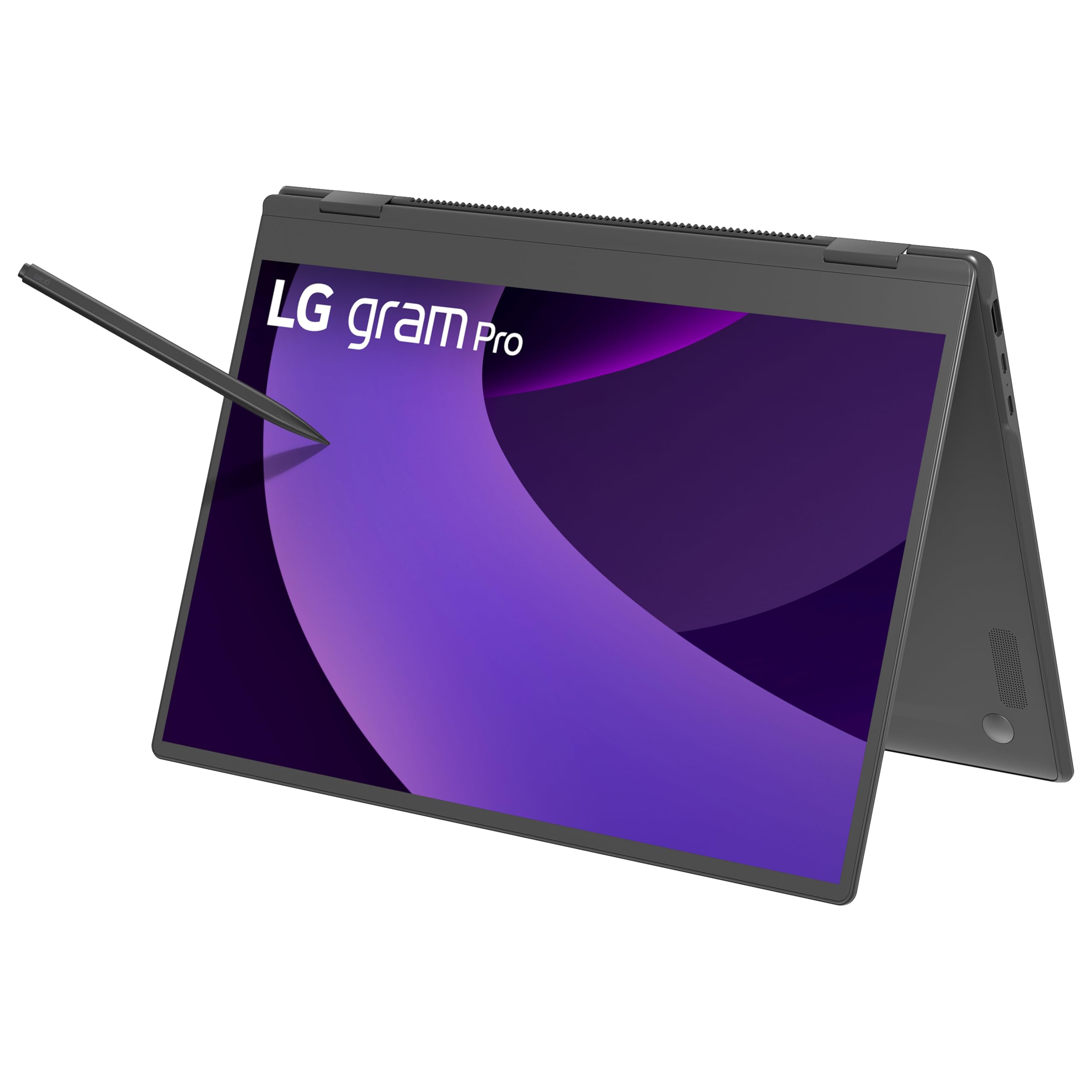
The LG gram Pro 2in1 16 holds the title of the world’s lightest 16-inch 2-in-1 at just 2.7 pounds, yet it doesn’t compromise on durability — it passes seven military-grade standards for resilience. The Intel Core Ultra 7 255H processor delivers an 18% performance boost over its predecessor, paired with 32GB of RAM and a 2TB SSD for heavy creative projects. The 16-inch WQXGA touchscreen with a high refresh rate (likely 120Hz) provides crisp, fluid visuals for both work and play.
The 360° hinge allows seamless transitions between laptop, tent, stand, and tablet modes. The included stylus with 4096 levels of pressure sensitivity makes note-taking and sketching precise, though palm rejection can be inconsistent. The 77Wh battery offers up to 19 hours of video playback, and the internal dual cooling system keeps thermals in check during extended use.
Owners rave about the super-light chassis and gorgeous screen, but some report the keyboard has an unusual feel and the BIOS is locked down for Windows-only updates. The lack of Thunderbolt 4 on some units has also frustrated a few buyers. Still, for a featherlight 16-inch convertible with this much RAM and storage, it’s a top-tier choice.
Why it’s great
- Incredibly light 2.7 lb chassis for a 16-inch 2-in-1
- 32GB RAM and 2TB SSD handle large creative projects
- Military-grade durability without weight penalty
- Stylus included with 4096 pressure levels
Good to know
- Stylus palm rejection and right-click issues reported
- BIOS is locked; no open-source OS support
- Thunderbolt 4 support may vary by configuration
3. GEEKOM GeekBook X16 Pro

The GEEKOM GeekBook X16 Pro packs an Intel Core Ultra 9 185H processor — a 16-core, 22-thread beast — into a 2.8-pound chassis with a 16-inch 2.5K IPS display that covers 100% sRGB at a 120Hz refresh rate. That combination of raw CPU power, high-resolution, fast-refresh display, and featherlight build is nearly unmatched at this price point. The aerospace-grade magnesium alloy chassis with a CNC unibody feels premium and resists fingerprints.
With 32GB of LPDDR5x memory at 7500MHz and a 2TB PCIe Gen4 NVMe SSD, this machine loads large project files instantly and handles heavy multitasking without stuttering. The 77Wh battery delivers up to 17 hours of runtime, and the 65W GaN charger brings it to 80% in about an hour. Dual-fan IceBlade 2.0 cooling keeps the Ultra 9 from throttling during sustained workloads.
Photographers and student gamers love the bright, accurate display and light weight. Some users have noted consistently loud fan noise and a touchpad that only clicks at the bottom corners. The non-upgradable 32GB RAM and occasional system freezes have caused a few returns, but overall the value proposition is hard to beat for a high-performance 16-inch convertible.
Why it’s great
- Ultra 9 185H offers desktop-class performance
- 2.5K 120Hz display with 100% sRGB coverage
- 32GB RAM + 2TB SSD for under premium pricing
- 17-hour battery life with fast GaN charging
Good to know
- Fans can be loud under load, even during light tasks
- Touchpad only clicks at corners, not center
- RAM is soldered and non-upgradable
- Occasional system freezing reported
4. Samsung Galaxy Book5 360

The Samsung Galaxy Book5 360 brings the vibrant AMOLED experience to a 15.6-inch convertible, delivering true blacks and vivid colors that make movies, photos, and creative work pop. The latest Intel Core Ultra processor (Series 2) drives AI-powered features like AI Select for visual searching, Cocreator for AI-assisted image generation, and real-time translation via Live Captions. Up to 31 hours of battery life means you can leave the charger at home for multi-day trips.
The 360-degree hinge is sturdy and smooth, and the thin, lightweight design (just over 3 pounds) makes it easy to carry. Dolby Atmos quad speakers provide room-filling audio for media consumption. Phone Link mirrors your Galaxy phone’s notifications and messages directly on the laptop, and Quick Share makes file transfers between Samsung devices effortless.
Owners are thrilled with the long battery life and seamless integration with Samsung phones and tablets. A few have reported the glass screen edge cracking without any impact, which is concerning. Some units have also shipped without the power adapter. If you’re deep in the Samsung ecosystem, this is the most cohesive 2-in-1 experience available.
Why it’s great
- Stunning FHD AMOLED display with deep blacks
- Up to 31 hours of real-world battery life
- Deep Samsung ecosystem integration (Phone Link, Quick Share)
- AI features enhance everyday productivity
Good to know
- Screen edge cracking reported without impact
- Some units missing power adapter
- No Thunderbolt 4 ports
5. Microsoft Surface Pro 13

The 2024 Surface Pro is a Copilot+ PC driven by the Snapdragon X Plus (10-core) chip, offering exceptional battery life and sustained performance in a passively cooled chassis. It runs completely silent and stays cool even during extended use. The 13-inch touchscreen has a responsive 120Hz refresh rate (though the base model may be 60Hz), and the built-in kickstand provides flexible viewing angles for laptop, tablet, or sketching use.
With 16GB of RAM and 512GB of storage, this is a capable machine for productivity, creative work, and media consumption. The front-facing camera supports Windows Hello face recognition for instant, secure login. Battery life reaches 14 hours on a single charge, and the 65W power supply via Surface Connect or USB-C fast-charges quickly. The detachable Flex Keyboard (sold separately) adds a comfortable typing experience and a slot to store the Surface Slim Pen.
Users who have owned Surface devices for years praise the reliable build quality and the seamless tablet-to-laptop transition. Some programs (like Quicken or older games) may have compatibility issues with the ARM-based Snapdragon X processor, but most major apps are supported. The screen glare can be annoying in bright environments, so an anti-glare protector is a worthwhile addition.
Why it’s great
- Silent, fanless operation even under load
- 14-hour battery life with fast charging
- Premium build quality and versatile kickstand
- Windows Hello face recognition login
Good to know
- Keyboard and pen sold separately, adding cost
- Snapdragon X may have app compatibility issues (ARM-based)
- Screen glare noticeable in bright rooms
6. HP OmniBook X Flip 14
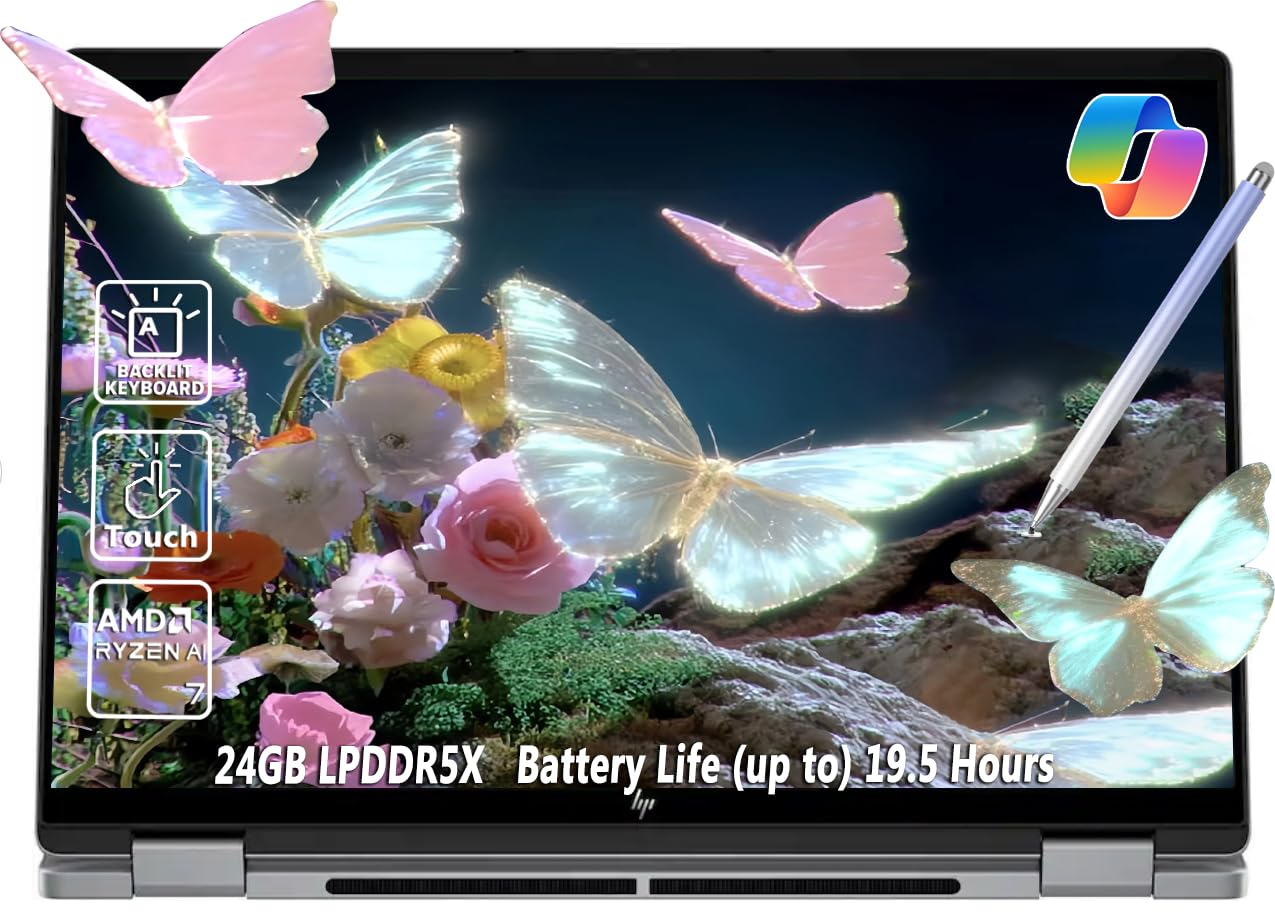
The HP OmniBook X Flip 14 brings serious AMD power to the 2-in-1 space with an 8-core Ryzen AI 7 350 processor capable of boosting up to 5.0 GHz. The Radeon 860M integrated graphics punch well above their weight, handling light gaming and video editing with ease. The 14-inch WUXGA IPS touchscreen (1920×1200) hits 400 nits of brightness, making it usable in sunlit coffee shops, and the 5MP IR camera with a privacy shutter delivers crisp video calls.
With 24GB of LPDDR5 RAM and a 1TB SSD, multitasking is fluid even with dozens of browser tabs and heavy creative applications open. The 59Wh battery provides up to 19 hours of video playback, though real-world mixed use is closer to 8 hours. Connectivity is excellent: two USB-C ports (one with USB4 support), two USB-A, HDMI 2.1, and a headphone jack. The backlit keyboard and included stylus pen are welcome additions.
Owners are impressed by the raw performance and build quality for the price, with some noting that the battery drains faster than expected under load. One reviewer called it the best purchase they’ve made in years. If you want an AMD-powered convertible with ample RAM at a mid-premium price, this is the one to beat.
Why it’s great
- AMD Ryzen AI 7 with Radeon 860M offers excellent integrated graphics
- 24GB RAM handles heavy multitasking with ease
- Bright 400-nit touchscreen with 5MP IR camera
- Stylus pen included at no extra cost
Good to know
- Real-world battery life is around 8 hours under load
- RAM is soldered and non-upgradable
- Slightly heavier than some competitors at 3.11 lbs
7. Lenovo Yoga 7i 16

The Lenovo Yoga 7i 16 offers a spacious 16-inch 2K IPS display with a 360-degree hinge, making it ideal for productivity tasks that benefit from extra screen real estate. The Intel Core Ultra 7 155U provides 12 cores with Turbo Boost for demanding workloads, while 16GB of DDR5 RAM and a 1TB PCIe SSD ensure snappy performance. The IPS technology delivers wide viewing angles and vibrant colors, though it doesn’t reach 120Hz.
Connectivity is a strong point: two USB-A, two USB-C, HDMI, a microSD card reader, and a headphone jack give you plenty of options without a dongle. Wi-Fi 6E provides fast, low-latency networking, and the fingerprint reader adds convenient security. The backlit keyboard is comfortable for long typing sessions, and the 360° hinge is robust enough for repeated flipping.
Lenovo loyalists upgrading from older Yoga models are consistently impressed by the build quality, long battery life, and responsive touchscreen. One minor annoyance is persistent sales prompts from Lenovo Vantage and Microsoft for app subscriptions and security scans. If you need a large, versatile screen for work or study, this is a reliable and well-rounded choice.
Why it’s great
- Spacious 16-inch 2K display for productivity
- Excellent port selection with USB-A, USB-C, HDMI, microSD
- Fingerprint reader for quick, secure login
- Solid battery life from 71Wh cell
Good to know
- Display is limited to 60Hz refresh rate
- Annoying sales prompts from pre-installed software
- On the heavier side for a convertible at ~4.5 lbs
8. HP OmniBook 5 Flip 14

The HP OmniBook 5 Flip 14 offers a solid mid-range configuration with an Intel Core 5 120U processor (2 P-cores + 8 E-cores) and 8GB of DDR5 RAM. The 14-inch 2K touchscreen (1920×1200) with 178-degree viewing angles provides a crisp, responsive canvas for note-taking, sketching, and media. The included capacitive stylus with a magnetic cap adds immediate value for note-takers and casual artists, requiring no Bluetooth pairing or charging.
The 360° hinge is smooth, and the system is lightweight enough to carry between classes or meetings. The 5MP IR camera with HDR switch delivers high-quality video calls, and Wi-Fi 6E + Bluetooth 5.3 ensures modern connectivity. Tuned stereo speakers with HP Audio Boost provide decent volume for a laptop of this size.
Buyers appreciate the fast setup, responsive touchscreen, and the included stylus — though one reviewer noted the stylus was missing from their package. A small number of units have arrived defective or unable to charge. For a mid-range convertible that includes a pen out of the box, this is a competitive pick.
Why it’s great
- 2K touchscreen with wide viewing angles
- Capacitive stylus included with magnetic cap
- Lightweight and easy to carry
- 5MP IR camera with HDR for crisp video calls
Good to know
- Only 8GB RAM limits heavy multitasking
- Some units shipped without the stylus
- Documented quality control issues on a minority of units
9. Lenovo IdeaPad 5 Flex 14

The Lenovo IdeaPad 5 Flex 14 punches above its price point with an Intel 12-core Ultra 5 225U processor that beats older Core 7 chips. The 14-inch touchscreen converts to tent and tablet modes for versatile use, and the 512GB PCIe Gen4 SSD provides fast storage for booting and launching apps. The build is premium for the price, with a solid hinge and a clean gray finish.
With only 8GB of soldered LPDDR5x RAM, this is best suited for light productivity — web browsing, Office apps, email, and media consumption. The integrated Intel Graphics handles basic photo editing and casual games, but don’t expect to run heavy creative software or modern titles. The included stylus is a nice bonus for note-taking, though it responds to input 3mm above the screen, causing some stray marks.
Owners are impressed by the performance-per-dollar ratio, with many calling it a great budget laptop for students. The battery life is decent for light use but may not last 2.5 hours under sustained load. If your workflow is light and your budget is tight, this is a smart entry into the convertible world.
Why it’s great
- 12-core Ultra 5 processor offers great performance for the price
- Premium build quality with convertible hinge
- Included stylus for note-taking
- User-upgradable M.2 SSD
Good to know
- 8GB RAM is soldered and non-upgradable
- Stylus registers input 3mm above screen
- Battery life drops sharply under load
10. QAZIPO 12″ 2-in-1
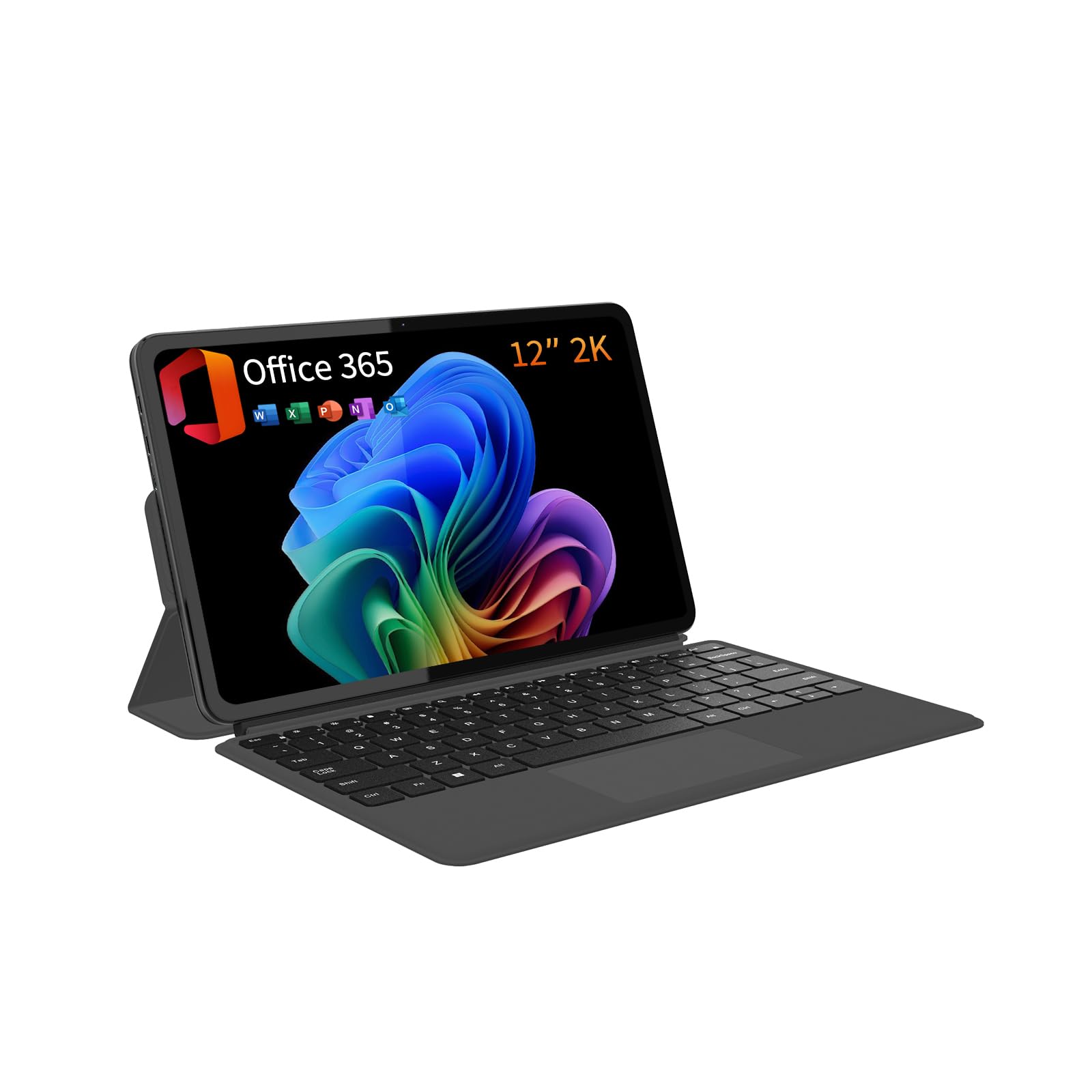
The QAZIPO 12-inch 2-in-1 is a detachable tablet that comes with a magnetic keyboard and a full 1-year Office 365 subscription pre-installed. The 12-inch 2K IPS touchscreen (2000×1200) with 100% sRGB coverage delivers vibrant colors for photo editing and media consumption. At just 0.36 inches thick and 1.4 pounds (tablet only), it’s exceptionally portable.
The Intel Pentium Gold 6500Y processor with 12GB of RAM and a 512GB SSD handles light office work, web browsing, and streaming smoothly. The dual USB-C ports support 4K video output, charging, and file transfers, while micro HDMI adds additional display flexibility. Windows 11 Home runs smoothly, and the detachable design makes it easy to switch between laptop and tablet use.
Buyers praise the clear display, responsive touchscreen, and the included Office 365 subscription. Some have experienced random 20-second freezes with 100% disk usage, which may be a software or hardware conflict. For a budget-friendly detachable that includes both a keyboard and Office, it’s a solid value for students and home office users.
Why it’s great
- 2K IPS screen with 100% sRGB accuracy
- Includes magnetic keyboard and 1-year Office 365
- Ultra-portable at 1.4 lbs (tablet only)
- USB-C ports with 4K video output
Good to know
- Random freezes with high disk usage reported
- Pentium Gold processor is underpowered for heavy tasks
- Protective case stand can be unstable
11. FUNYET 14″ 2-in-1

The FUNYET 14-inch 2-in-1 delivers surprising value by pairing an Intel N100 processor with 16GB of DDR5 RAM (6400MHz) and a 1TB SSD — specs typically found in much more expensive laptops. The 14-inch 1920×1200 IPS display covers 100% sRGB, and the detachable design means you can use it as a standalone tablet. At just 2 pounds and 0.4 inches thick, it’s highly portable.
The N100 is efficient for web browsing, Office apps, video playback, and even light gaming (The Sims 4 runs well). Wi-Fi 6 and Bluetooth 5.2 provide modern connectivity, while the four HiFi speakers and microphone handle video conferencing and media clearly. The backlit keyboard is comfortable, and the magnet is strong enough to keep the keyboard securely attached.
Buyers consistently praise the fast performance and ample storage, with one minor complaint about the battery life being closer to 6-7 hours than the advertised 10. Some units have experienced frequent unexpected errors and reboots, suggesting quality control issues. For budget-conscious students or home users needing a convertible with 16GB of RAM, this is an incredible deal — if you get a working unit.
Why it’s great
- 16GB DDR5 RAM and 1TB SSD at a budget price
- Detachable design with 100% sRGB display
- Lightweight (2 lbs) and thin (0.4 inches)
- Wi-Fi 6 and Bluetooth 5.2 for modern connectivity
Good to know
- N100 processor limits heavy multitasking
- Battery life is 6-7 hours, not 10
- Quality control issues with random reboots reported
FAQ
Why do some 2-in-1 laptops use detachable keyboards while others use a 360-degree hinge?
Can I replace the RAM or SSD in a 2-in-1 laptop later?
How much RAM do I really need for a 2-in-1 laptop?
Final Thoughts: The Verdict
For most users, the best 2 in 1 laptop overall is the ASUS ROG Flow Z13 because it uniquely delivers genuine gaming and creative performance in a convertible form factor, with a 180Hz screen and RDNA 3.5 graphics that nothing else can touch. If you want the lightest large-screen option, grab the LG gram Pro 2in1 16. And for the best value-to-performance ratio, nothing beats the GEEKOM GeekBook X16 Pro with its Ultra 9 processor and 2.5K 120Hz display.