
Our readers keep the lights on and my morning glass full of iced black tea. As an Amazon Associate, I earn from qualifying purchases.
Specs are compiled from manufacturer listings and verified buyer reviews and can change over time — please confirm the key details on the product page before buying.
Before you buy any mount, check the four holes on the back of your TV or monitor — the VESA pattern — because they decide everything. A 100x100mm pattern means those holes are 100 millimeters apart, both horizontally and vertically. Match that exact square, and your screen hangs true; miss it, and you are drilling holes that will never line up. This guide covers mounts that fit that 100x100mm bolt square, from ultra-flush wall plates to full-motion arms that swing out into the room, so you can match the bracket to your space and your screen.
I’m Min — the founder and writer behind Gadgets Feed. This guide is built by comparing the manufacturers’ published specifications and the patterns across verified customer reviews, so you get each pick’s real strengths and trade-offs instead of marketing spin.
You need a slim wall plate, a tilting bracket, or a desk arm that erases your cluttered stand. The right 100mm VESA mount turns a wobbly screen into a rock-solid one, and here are eight worth your attention.
Our Picks at a Glance

How To Choose The Best 100mm VESA Mount
Before you buy any bracket, you need three numbers from your screen’s manual or its back panel: the VESA pattern, the screen size, and the total weight. The pattern (100x100mm here) tells you the bolt spacing. The other two tell you whether the mount’s arms and hinge can actually hold your specific screen without sagging.
Wall Plate vs. Desk Arm vs. Pole Mount
Your mounting surface decides the whole category. A wall plate hugs your TV to the wall and is perfect for bedrooms, kitchens, or RVs. A desk arm clamps to your table’s edge and frees up your desktop for a monitor. A pole mount wraps around a vertical pipe or stand and suits unusual setups like sim rigs or studio spaces. All three can carry a 100x100mm VESA plate, but the installation and the final look are completely different.
Fixed, Tilting, or Full Motion
Think about how often you’ll move the screen after it’s up. A fixed mount sits flush and never moves — great for a TV you watch straight-on. A tilting mount lets you angle the screen up or down to kill glare. A full-motion mount swings out, swivels left and right, and pulls back flat, which is the most flexible but pushes the screen farthest from the wall. The trade-off is always between a sleek profile and range of motion.
Weight Capacity and Build Material
Protect your screen by checking the mount’s weight limit first, so weigh your TV or monitor before shopping. A heavy 32-inch TV needs a bracket rated well above its weight, not just one that lists “32 inches.” Look for steel or aluminum construction; solid metal resists flex and keeps the screen from drifting after months of use.
Quick Comparison
| Model | Best For | Max Weight | Max Screen | Max Tilt | Amazon |
|---|---|---|---|---|---|
| Mounting Dream MD2567★ Best Overall | Versatile full-motion small TVs | 33 lbs | 26 inches | 15 degrees | Amazon |
| Mount-It! MI-203Ultra Flush | Ultra-flush fixed wall mounts | 60 lbs | 32 inches | Fixed | Amazon |
| HUANUO HNCM15Desk Space Saver | Budget desk arm ergonomics | 17.6 lbs | 32 inches | 45 degrees | Amazon |
| Pipishell PIMF7 | Large full-motion TVs | 77 lbs | 65 inches | 15 degrees | Amazon |
| Mount-It! MI-6524 | Tilt-to-kill-glare wall mounts | 30 lbs | 32 inches | 15 degrees | Amazon |
| VIVO MOUNT-POLE01 | Pole and pipe mounting | 22 lbs | 30 inches | 30 degrees | Amazon |
| NB SmooVex A5 | Mechanical-spring desk arms | — | 32 inches | 90 degrees | Amazon |
| HUANUO HNSS6 | Premium one-hand adjustment | 19.8 lbs | 27 inches | 85 degrees | Amazon |
In-Depth Reviews
1. Mounting Dream MD2567
Our pick — over 4.5★ from 66,000+ verified ratings; the strongest balance of quality and price.
The small-screen full-motion mount that stays rock-steady thanks to a rock-solid reputation
You get a surprising amount of movement for such a compact bracket. This Mounting Dream fits screens from 10 to 26 inches, supports up to 33 lbs, and uses the 100x100mm VESA pattern (it also covers 50x50mm and 75x75mm). The arms rotate and tilt, so you can pull the TV toward your seating spot or angle it away from a window’s glare.
Installation is genuinely painless. The bracket sits just 2.4 inches off the wall, keeping a sleek profile while still allowing motion. Everything arrives in pre-labeled bags, the printed guide is clear, and the included hole template and 2-axis level are spot-on — the sort of precision that makes a 20-minute job feel like five. For a repeat buyer, the dependability is the draw: this is the kind of mount people come back to when they need another one.
The one honest caution: this is a compact mount, so the 33-lb limit means it is not for big living-room sets. And like any articulating arm, extending it fully pulls the screen away from center, so plan for a little distance from the wall if you want it perfectly centered. What wins people over is the build quality — thousands of owners single out the sturdy metal and the easy install, and the value is tough to top, especially against brackets that cost far more.
What You Get
- Full swivel and tilt motion in a slim 2.4-inch profile
- Pre-labeled hardware and a precise 2-axis level for fast installs
- Broad VESA coverage from 50x50mm up to 100x100mm
Keep In Mind
- 33-lb capacity limits it to smaller TVs and monitors
- Articulating arm shifts the screen off-center when fully extended
Grab it for: a dependable, full-motion bracket for a bedroom, kitchen, or office screen up to 26 inches.
Pause if: your TV is a heavy 40-inch-plus set — you need the 77-lb class of mount instead.
2. Mount-It! MI-203
The flush-fitting fixed plate that makes your screen look painted onto the wall
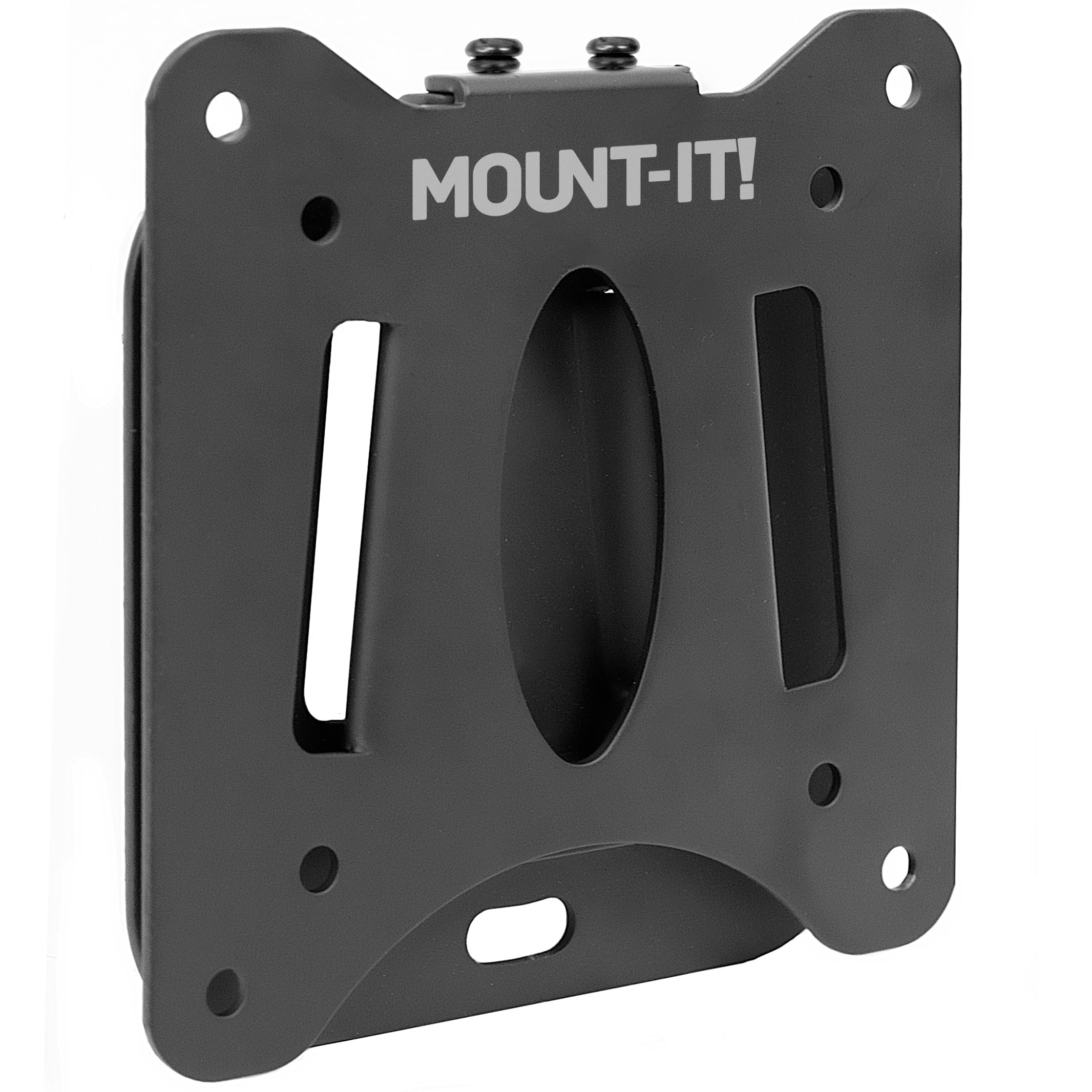
If you want the absolute sleekest look, this is the bracket. The Mount-It! MI-203 positions your screen just 0.55 inches from the wall — barely a finger’s width — which makes the TV read as part of the room rather than a box sticking out. It is fixed, meaning no tilt and no swivel, so it is built for a screen you watch straight-on, like a monitor on a desk or a TV in a tight nook.
Do not let the slim profile fool you on strength. This bracket is rated for up to 60 lbs and screens from 13 to 32 inches, and it is made from heavy-duty steel. That is a 3.4x higher weight ceiling than the HUANUO desk arm below, so it comfortably handles larger monitors and smaller TVs. The built-in bubble level and the simple install are the other big selling points — buyers report it is easy to put up and sits flush to the wall exactly as promised.
The trade-off is real, though. Because it sits so close to the wall, you need to connect every cable before you hang the screen, and reaching screws once it is on can be fiddly. There is also a quirk: some owners needed to add M6 bolts that are not included, and the bracket’s holes can be too small for them without a little drilling. If you own a 32-inch curved monitor, though, it is a perfect fit — strong, secure, and tidy.
Why It Shines
- Only 0.55 inches off the wall for a truly flush look
- 60-lb steel construction handles big monitors with ease
- Built-in bubble level simplifies the install
Watch Out For
- No tilt or swivel — viewing angle is locked
- M6 VESA bolts not included; holes may need drilling
Choose this when: you want the cleanest possible fixed mount for a 13-32 inch screen and you are handy with a drill.
Look elsewhere if: you need to angle the screen to fight glare — you want a tilting model.
3. HUANUO HNCM15
A clamps-onto-your-desk arm that frees your workspace without emptying your wallet
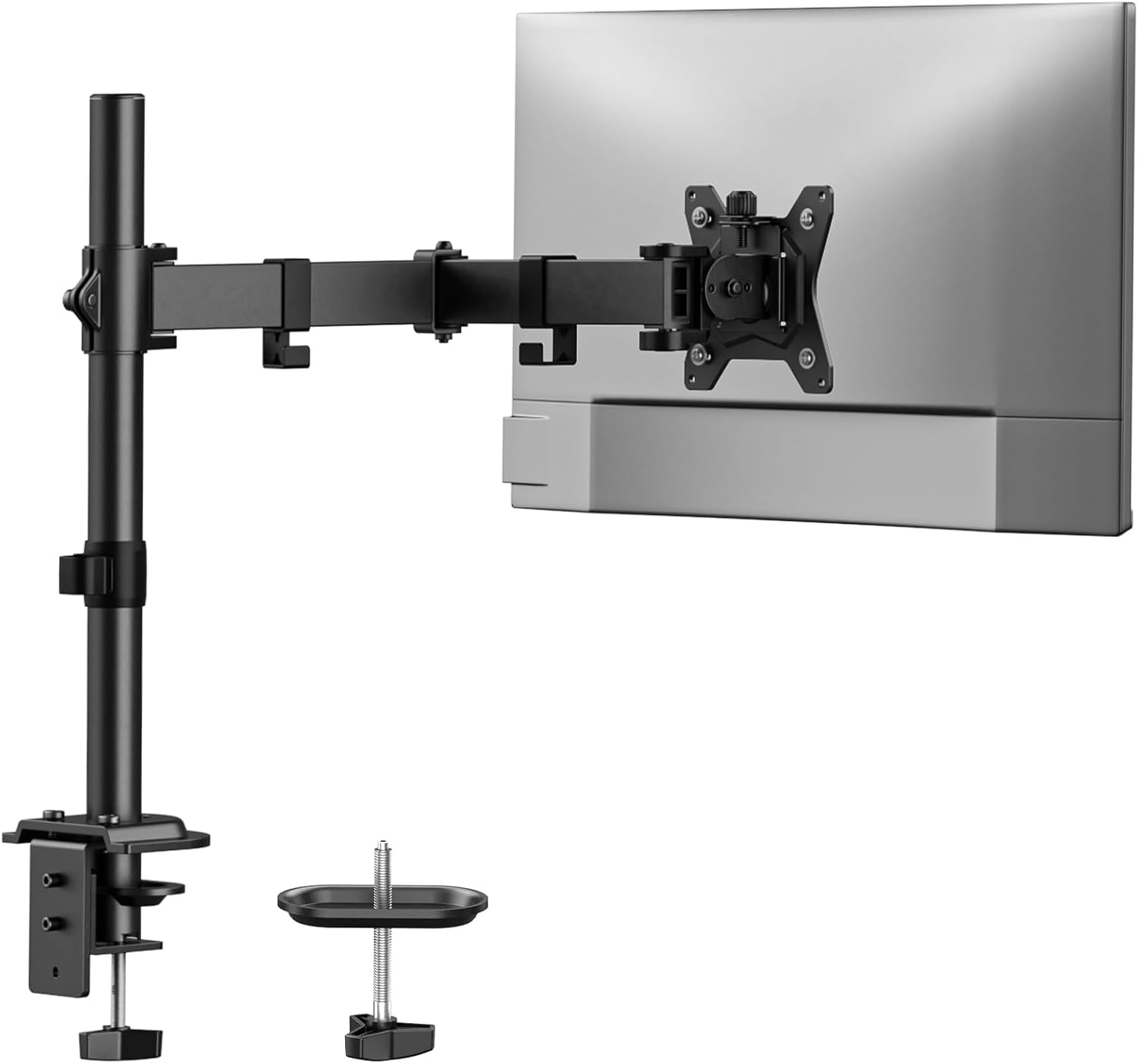
This is the pick for anyone whose monitor currently squats on a bulky stand eating half the desk. The HUANUO HNCM15 is a single monitor arm that clamps to your table’s edge (C-clamp for desks 0.39 to 3.07 inches thick, or a grommet mount for thinner tops), holding screens from 13 to 32 inches up to 17.6 lbs. It uses the 75x75mm and 100x100mm VESA patterns, so your 100mm monitor fits right in.
What makes it stand out at this level is the viewing flexibility. You get +/-90° swivel, +/-45° tilt, and 360° rotation, plus a max height of 16 inches, so you can lift the screen to a natural eye level for working or gaming. The aluminum die-cast build keeps the monitor steady even at the full 16.54-inch extension. The cable management clips on the arm also keep the cords off your mousepad, which owners appreciate.
The honest note is that a 45° tilt is triple the range of the fixed-wall options above, but the fit can be fussy. Some owners found the VESA plate tight or slightly off-angle, and heavier monitors needed a firm hand on the tension bolts to keep the tilt from drooping. If your monitor is on the lighter side, it is stable and smooth; the adjustability is the most-discussed aspect, and it is mixed — great for some, fiddly for others.
The Good
- Frees desk space and routes cables cleanly
- 360° rotation lets you flip to portrait easily
- Works with clamp or grommet bases
The Fuss
- 17.6-lb limit means large monitors need care
- Tilt can droop unless tension bolts are cranked down
Reach for this if: you want a light, adaptable arm to reclaim desk space in a dorm, nook, or home office.
Think twice if: you run a heavy 27-inch-plus monitor and want set-and-forget stability.
4. Pipishell PIMF7
The big-screen articulating arm that pulls a 65-inch centerpiece out to face any seat in the room
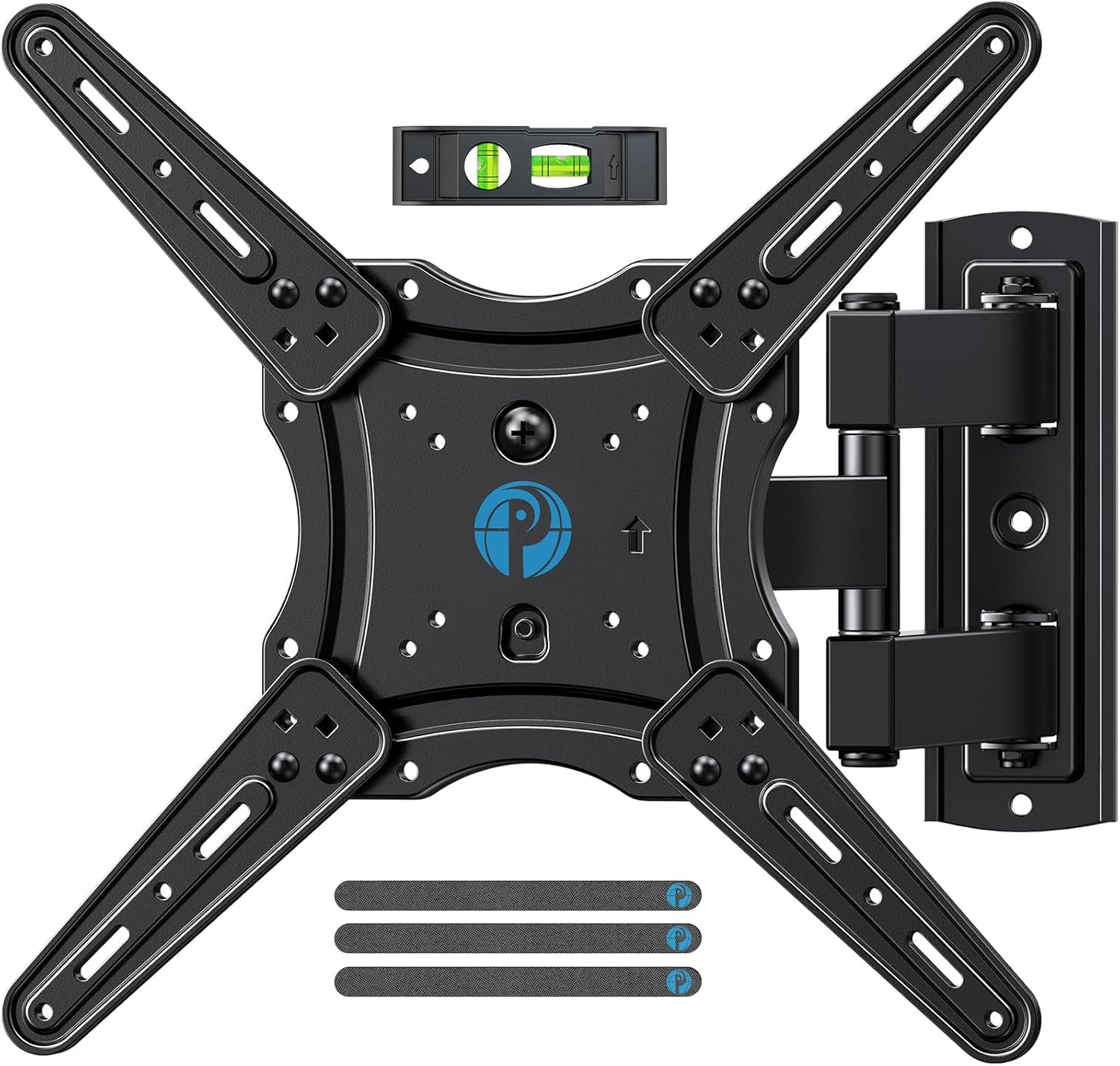
Here is the mount for the living room, where the TV is the centerpiece and the seating is everywhere. The Pipishell PIMF7 handles screens from 26 to 65 inches at up to 77 lbs, and its articulating arms are 33% thicker than other mounts for that extra sense of security. It covers VESA patterns from 75x75mm up to 400x400mm, so the 100x100mm pattern is right at home.
The motion is the headline. It tilts +5°/-15° to cut glare, swivels +/-90° to aim the screen at you, and you can level it +/-4° after install to fine-tune the position. You can extend it 17 inches out from the wall for viewing, then push it back to just 2.36 inches for a low-profile look. The single-stud design is a genuine plus — it mounts to one wood stud, concrete, or brick, which makes corner installs and awkward stud layouts far simpler.
Installation is where it earns its thousands of fans: clear instructions, all hardware included, and most owners are done in under an hour. It feels lightweight in the box but holds firmly once mounted. The one recurring note is that the printed instructions can be tricky to follow for some, and the mount is not designed for drywall alone — you need a stud, concrete, or brick behind it. This is the pick that beats the Mounting Dream above on sheer size and reach.
Big Reasons To Buy
- Extends 17 inches and retracts to 2.36 inches
- 77-lb capacity suits large 65-inch TVs
- Single-stud design simplifies tricky installs
The Fine Print
- Instructions can be hard to follow without a video assist
- Not for drywall-only installation
Pick this for: a big living-room TV where you want to pull the screen toward different seating zones.
skip it if: your TV is under 26 inches — the compact Mounting Dream is a better fit.
5. Mount-It! MI-6524

The tilt-only wall plate built to angle a bright screen away from window reflections
This one solves a specific and common problem: your TV or monitor sits across from a window and you are tired of watching yourself in the glass. The Mount-It! MI-6524 tilts up to 5° upward and 15° downward, so you can angle the screen away from the reflection or down from a high wall position. It is a tilt-only mount, so there is no swivel or extension — if you need left-right motion, this is not it.
It is built to disappear. The bracket holds your 24-32 inch screen just 1.65 inches from the wall for a flush, built-in look, and the quick-release plate lets you pop the TV off in seconds — a real feature for RV and camper owners who need to secure the screen before driving. The steel construction is rated to 30 lbs and keeps the screen stable with no flex or drift, and it weighs just 1.2 pounds, so handling it during install is easy.
Mounting is flexible, too: it can attach to a single wood stud, metal stud, concrete, brick, or masonry, and the included hardware covers all of them. Because of the minimal clearance, the smart move is connecting every cable before you hang the screen. The one gripe owners mention is that the retention screw can be hard to reach once the TV is on, so set your angle first and tighten carefully.
Best used for: a bedroom, kitchen, office, or RV screen from 24-32 inches that needs glare control without the bulk of a full-motion arm.
The drawback: no side-to-side swivel, and clearance behind the screen is minimal, so cable management happens before you hang it.
6. VIVO MOUNT-POLE01
The steel bracket that straps a monitor to a pole when a wall or desk just won’t work
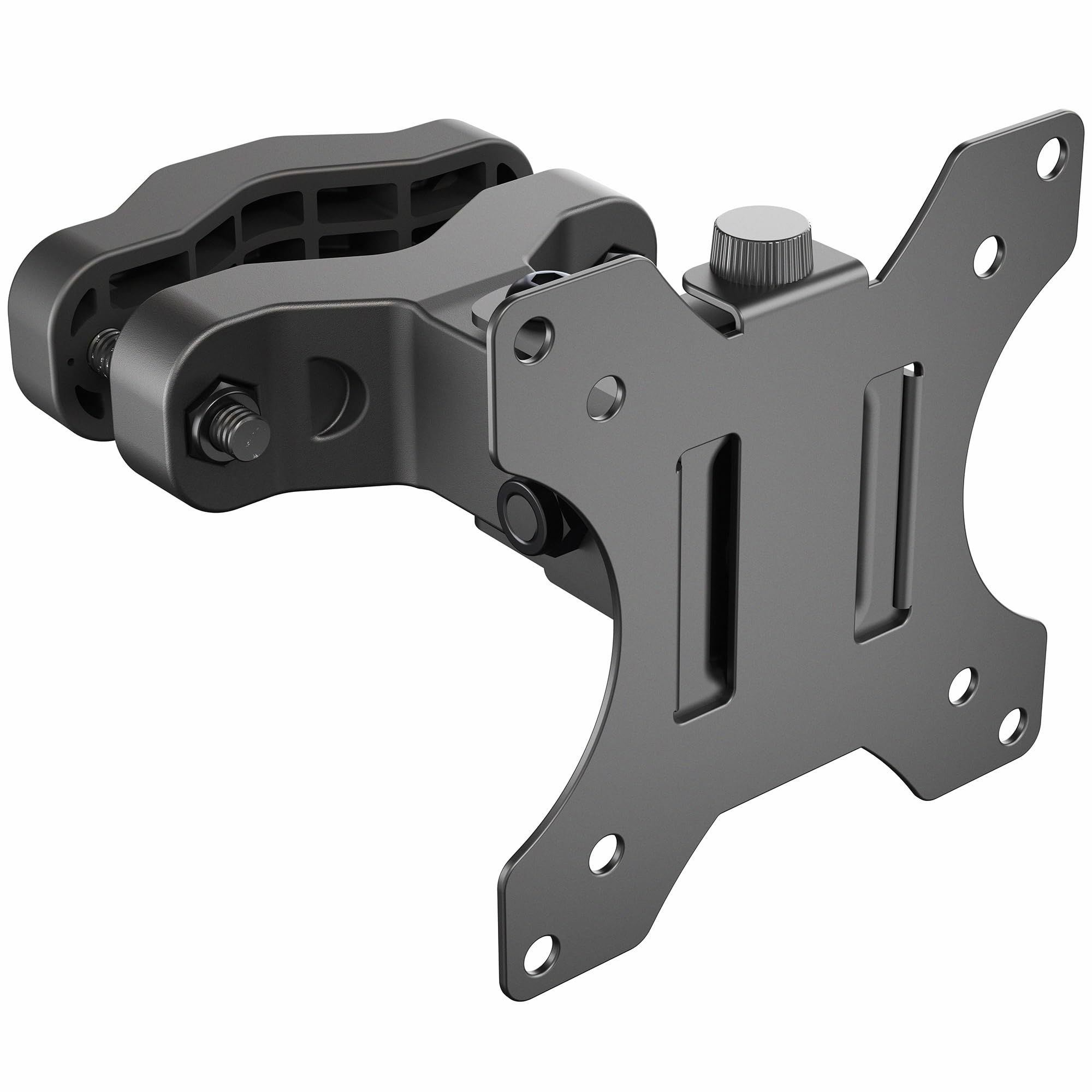
Some setups have no wall to use and no desk edge to clamp — that is exactly what this VIVO mount is for. It wraps around a vertical pole with a diameter from 2.8 cm to 6.1 cm, making it a natural fit for sim racing rigs, studio stands, photo booths, or any pipe-based structure. The removable VESA plate supports both 75x75mm and 100x100mm patterns, so your 100mm monitor drops right on.
The articulation surprises given the price. You get -30° to +30° tilt, 160° swivel, and 360° rotation, so you can flip the screen to portrait or landscape and aim it wherever you need. It holds most 13-inch to 30-inch screens weighing up to 10 kg (about 22 lbs), and the alloy steel build keeps a 27-inch monitor feeling locked in place. Owners have used it to hold everything from field monitors to button boxes on gaming rigs, and the varied screw lengths and spacers in the box make installation straightforward.
The catch is in the name: this is a pole mount, and the reviews make clear it works with vertical poles — not horizontal bars. If you are not mounting to a vertical pipe, this is the wrong tool. There is also a mention that heavy monitors can strain the tightening mechanism, so give the bolts a solid crank and keep lighter screens in mind.
Built For
- Sim rigs, studio poles, and pipe-based structures
- Full 360° rotation for portrait or landscape
- Removable VESA plate makes install easy
Not For
- Horizontal poles — vertical mounting only
- 22-lb limit means very heavy monitors strain the hinge
Reach for it if: you are building a sim rig or need a monitor on a vertical stand, not a wall or desk.
Look elsewhere if: you wanted a standard wall plate — this one only mounts to poles.
7. NB SmooVex A5
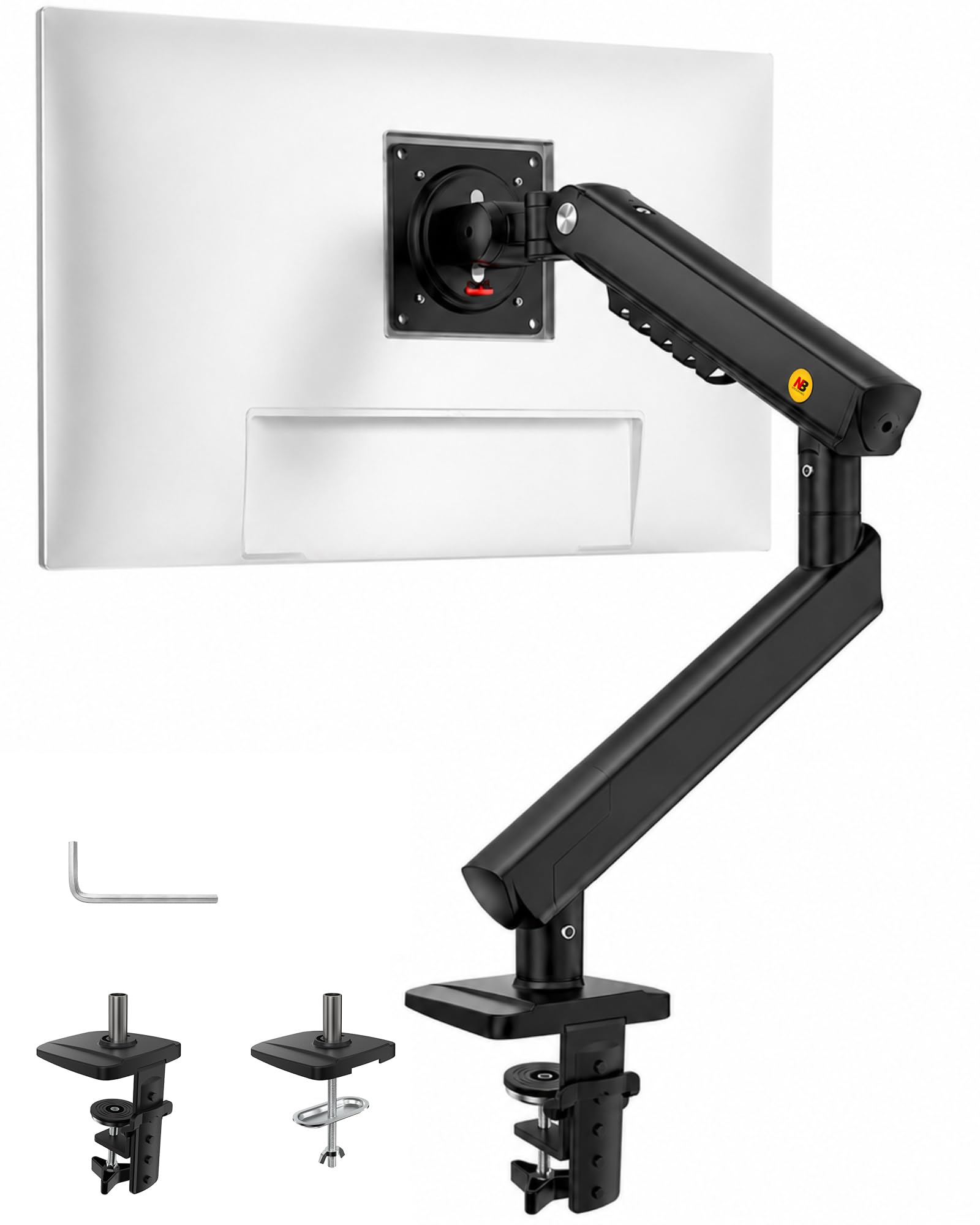
The desk arm that replaces a saggy gas spring with a mechanical mechanism built to last
Most monitor arms use a gas spring to hold the screen up, and over time those can lose pressure and sag. The NB SmooVex A5 takes a different route with a precision mechanical spring that avoids the gas-leak worry entirely and sags less as the months pile up. It supports flat and curved monitors up to 32 inches with the standard 75x75mm and 100x100mm VESA patterns.
The movement is the other big draw. You get ±90° rotation, a tilt range from -25° up to 90°, swivel adjustment, and 230mm of height travel — so you can lift the screen to a comfortable eye level or drop it down for close work. Owners running multi-monitor setups (even six screens) praise how easily each arm holds position once set. The installation is a genuinely simple 3-step process with C-clamp and grommet options, and most people are done in about five minutes.
The build is aluminum, which keeps it light while staying stable, and the slim arm design saves desk space. There is a small learning curve: on a heavy 32-inch monitor you may need to dial in the spring tension, but that is expected for a large screen. What wins people over is the adjustability and the value — it holds its own against arms that cost far more, and the smooth, sag-free mechanism keeps it feeling new.
Buy it for: a home office or gaming setup where you want smooth height changes and long-term stability without gas-spring sag.
The only caveat: heavy 32-inch monitors need a quick tension adjustment after setup to hold their position perfectly.
8. HUANUO HNSS6
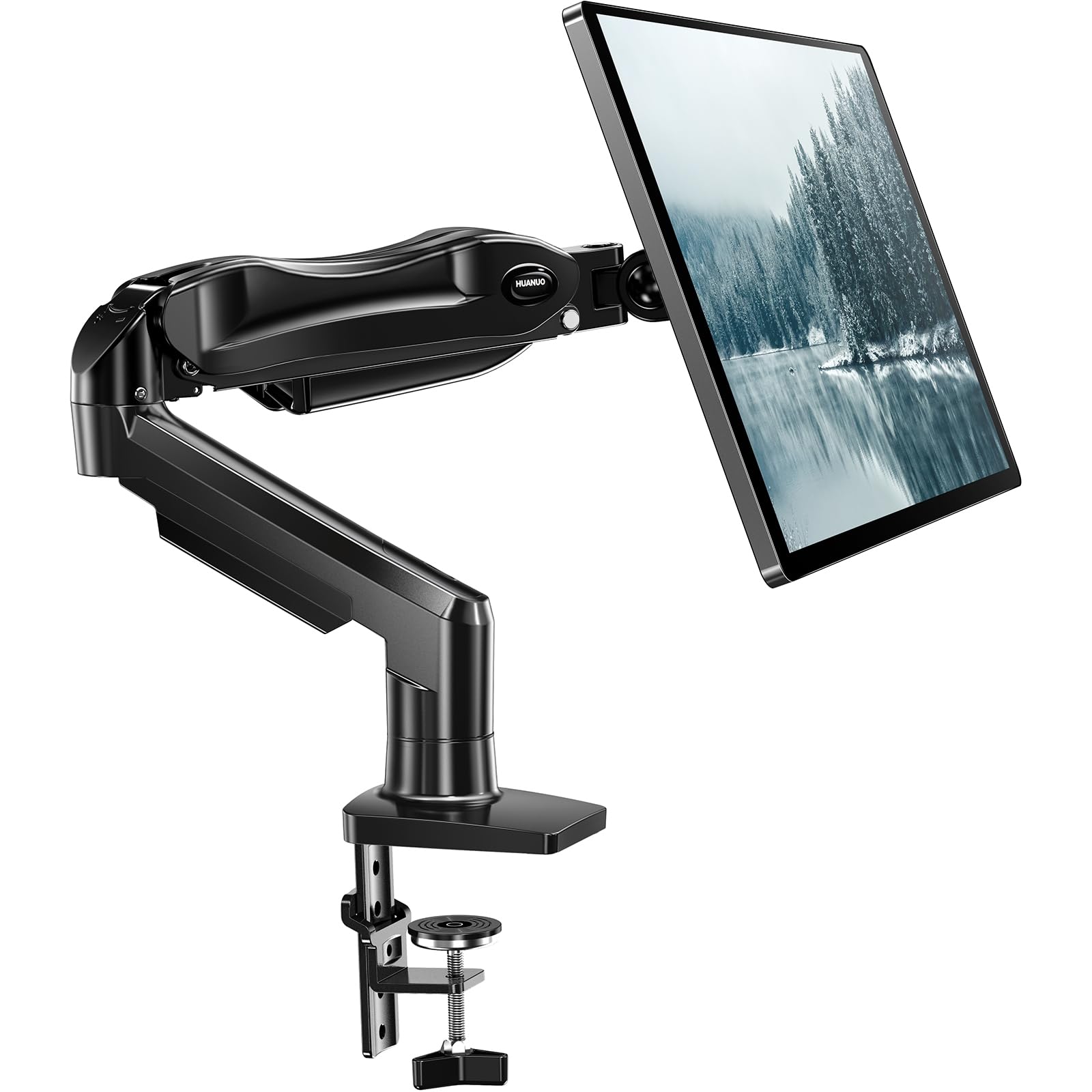
The premium gas-spring arm that lifts a 19.8-lb monitor with a single hand
This is the arm for people who reposition their screen constantly — standing to stretch, leaning in to read, shifting to show a coworker. The HUANUO HNSS6 holds monitors from 13 to 32 inches (the spec sheet’s max screen size is 27 inches) and supports 4.4 to 19.8 lbs using both 75x75mm and 100x100mm VESA patterns. The headline is the tilt range: -50° to +85°, which is a bigger sweep than the 45° on the cheaper HNCM15 above.
The whole point is easy motion. You get ±90° swivel and 360° rotation, and the screen lifts up to 39.6 cm from the desktop with one hand. HUANUO claims the automotive-grade components survived 20,000 motion tests, so it should stay smooth well past five years of daily use. The 1-piece design means assembly genuinely takes about three minutes: clamp the bracket, attach the VESA plate, and set the tension.
Owners consistently praise the thick metal, the smooth silent swivel, and how clean the desk looks afterward. The mixed note is adjustability — most find the gas shock perfectly tuned for a 27-inch monitor, but a few report the tension needs real effort to dial in, and the included clamp and grommet options cover most tabletop thicknesses from 0.59 to 3.54 inches. It is the priciest arm here, and it earns it with that one-hand lift.
Why It’s Worth It
- One-hand height adjustment up to 39.6 cm
- Wide -50° to +85° tilt range
- Thick steel build with smooth, silent motion
Consider This
- Premium price among desk arms here
- Tension can require effort to tune for very light monitors
Choose this for: a frequently repositioned monitor where smooth, one-hand control is worth paying for.
Consider the cheaper HUANUO if: your monitor is light and you rarely move it once it is set.
Understanding the Specs
VESA Pattern and Screen Size
The VESA pattern is the distance in millimeters between the four mounting holes on the back of your screen — a 100x100mm pattern means a 100mm square. This is the single most important number because it decides which brackets can physically bolt on. Screen size alone is a rough guide, but two 32-inch TVs can have completely different VESA patterns and weights, so always check the manual or measure the holes before you buy.
Tilt Angle and Range of Motion
Tilt is how far the screen angles up or down, measured in degrees, and it is the spec that fixes glare. A fixed mount (0°) is sleek but locked; a tilt mount offers 15-30° to angle away from windows; a full-motion or articulating arm adds swivel and extension. If the screen faces a window or sits high on a wall, a tilt range of at least 15 degrees makes a real difference to comfort.
FAQ
How do I measure my TV’s VESA pattern?
Will a 100x100mm mount fit my 32-inch TV?
What is the difference between fixed, tilting, and full-motion mounts?
How much weight can a 100mm VESA mount hold?
Can a wall mount go into drywall without a stud?
Is a desk mount arm better than a wall mount for a monitor?
What does the tilt angle number actually mean for daily use?
How long does a monitor arm take to install?
Final Thoughts: The Verdict
The crowd favorite for a 100mm vesa mount is the Mounting Dream MD2567 — it pairs genuine full-motion flexibility with a simple install and a broad reputation for quality, all in a compact 2.4-inch profile. If you want your screen to sit almost invisibly flat against the wall, the Mount-It! MI-203 with its 0.55-inch profile and 60-lb steel build is the cleanest option. And for a big living-room TV that needs to swing toward different seats, the Pipishell PIMF7 gives you a 77-lb capacity and 17 inches of reach. Match the bracket to your screen’s weight, your wall or desk type, and how often you plan to move it — then hang it once and forget it.
How We Picked
We do not accept paid placement. Every pick is matched to a real buyer and a real use-case; we do not hands-on test units.
Sources & Methodology
Specifications: manufacturer listings and product documentation. Review insights: verified customer reviews, as of August 2026. Pricing: not shown on this page (it changes often); check the current price via the retailer link.
As an Amazon Associate, Gadgets Feed earns from qualifying purchases. This does not affect which products we feature.