
Our readers keep the lights on and my morning glass full of iced black tea. As an Amazon Associate, I earn from qualifying purchases.
Specs are compiled from manufacturer listings and verified buyer reviews and can change over time — please confirm the key details on the product page before buying.
Choosing a 240mm AIO is about matching your CPU’s heat output to a radiator that can handle it quietly, without turning your case into a wind tunnel. The difference between a 240mm and a larger cooler isn’t just size—it’s how much hot air those two 120mm fans can push through the radiator fins. This guide breaks down the real-world performance, noise, and feature trade-offs of the leading models so you pick the one that fits your build’s power draw.
I’m Min — the founder and writer behind Gadgets Feed. This guide is built by comparing the manufacturers’ published specifications and the patterns across verified customer reviews, so you get each pick’s real strengths and trade-offs instead of marketing spin.
For most mid-range to high-end CPUs, a 240mm AIO is the smart balance of cooling, case compatibility, and value. That’s why we’ve analyzed the top contenders to find the 240mm aio that delivers the best combination of thermals, acoustics, and installation ease.
Our Picks at a Glance

How To Choose The Best 240mm AIO
Choosing a 240mm AIO (a liquid cooler with a radiator that fits two 120mm fans) depends on your CPU’s heat output, your noise tolerance, and your case’s clearance. A cooler that handles a 65W processor may not cool a high-end overclocked chip, so match the cooler to your hardware first.
Match the Cooler to Your CPU’s Power Draw
A 240mm radiator has a finite amount of surface area to dissipate heat. If you’re running a power-hungry flagship CPU that draws 200W or more during heavy loads, you’ll want a model designed for high cooling capacity. Pay attention to the maximum fan speed and air flow capacity—measured in cubic feet per minute (cfm)—as these numbers tell you how much air the fans can move through the radiator. A fan that spins faster and moves more air can pull heat away more effectively, but it often comes with higher noise as a trade-off.
Evaluate Noise Levels Honestly
The noise level, measured in decibels (db), is a key spec, but numbers don’t tell the whole story. A pump can whine at low fan speeds, or fans can produce a whooshing sound that’s more annoying than a consistent hum. Look for models with advanced pump designs that reduce motor noise and fans with tune blade shapes. In this category, quiet operation is a major reason people switch from stock air coolers, so a good 240mm AIO should be barely audible during regular use, not just at idle.
Check Your Case and Socket Compatibility
Beyond the 240mm radiator width, you need to confirm the cooler fits your case’s mounting points and supports your CPU socket. Most modern coolers support the latest Intel LGA 1700/1851 and AMD AM5/AM4 sockets, but if you have an older system, double-check the list. The included mounting hardware and whether thermal paste is pre-applied also affect how easy installation will be. Some coolers use a more complex mounting process that requires removing the motherboard, which matters if you’re not comfortable with a hands-on build.
Quick Comparison
| Model | Best For | Air Flow | Max Speed | Noise Level | Amazon |
|---|---|---|---|---|---|
| be quiet! Light Loop 240★ Best Overall | Near-silent performance with RGB | 61.8 cfm | 2100 rpm | 34.9 db | Amazon |
| ARCTIC Liquid Freezer III Pro 240Top Performer | High cooling capacity for hot CPUs | 77 cfm | — | — | Amazon |
| Thermaltake TH240 ARGB Sync V2Best Value | Value with motherboard RGB sync | — | 2000 rpm | 25.8 db | Amazon |
| MSI MAG Coreliquid A13 240 | Build quality and simple setup | 60.78 cfm | 5200 rpm | 14.4 db | Amazon |
| Thermaltake Floe 240 | Legacy socket support | 42.34 cfm | 1400 rpm | 24.7 db | Amazon |
| CORSAIR Nautilus 240 RS LCD | LCD screen and low-noise pump | — | 2100 rpm | 20 db | Amazon |
| ASUS ROG RYUO III 240 ARGB | Flagship aesthetics and build | — | 1200 rpm | 36.45 db | Amazon |
| Noctua NL-LC1-24 | Ultra-quiet premium builds | 107.3 m³/h | 1800 rpm | 22.5 db | Amazon |
| NZXT Kraken Elite 240 RGB | Large LCD display and customization | 78.86 cfm | 1000 rpm | 30 db | Amazon |
In‑Depth Reviews
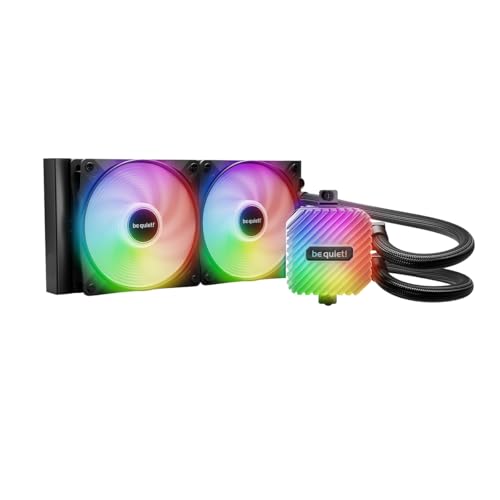
1. be quiet! Light Loop 240mm
Our pick — over 4.5★ from 350+ verified ratings; the strongest balance of quality and price.
The quiet champion that cools hot CPUs and stays whisper-silent while doing it.
If your priority is a cool, quiet PC, this is the 240mm AIO to beat. It’s built to handle heavily overclocked systems, and buyers report that their Ryzen 7 9800X3D chips stay well under 65°C even during long gaming sessions, with some seeing temperatures as low as 45°C under heavy loads. The cooling block and two Light Wings LX 120mm high-speed fans are covered in 48 LEDs total, giving your build a striking, fully synchronized light show that spreads across the fan blades.
Its refillable tank is rare—owners mention you can top up the coolant yourself, with a bottle in the box, extending its life beyond sealed AIOs. The included ARGB-PWM-Hub (a hub that connects up to 6 PWM fans and 6 ARGB components to one motherboard header) reduces cable clutter. It moves 61.8 cfm of air at 2100 rpm max, yet owners call it “whisper quiet” compared to the stock air cooler they replaced.
Installation is a genuine highlight here. The bracket-and-screw mounting is straightforward, and reviewers consistently call it one of the easiest AIOs they’ve fitted. There is one quirk to know: the RGB and fan controller needs SATA power, so make sure your power supply has a spare cable available. This also comes with the heaviest push behind it—this cooler is the crowd favorite, holding a 4.8-star rating. Compared to the ARCTIC below, it runs slightly quieter in practice for most users, even if the raw spec sheet looks similar.
quiet loop design
- Exceptionally quiet operation, even at high fan speeds
- Refillable coolant tank with coolant included extends the cooler’s life
- Tool-free, easy installation with a flexible mounting system
bulky radiator
- RGB and fan controller require a SATA power connection, which can complicate cable management
- At 34.9 db, it’s not the absolute quietest on paper
quiet build: you want a balanced, quiet, and reliable cooler that won’t fight you during installation and looks fantastic with RGB.
tight cases: your build has no SATA power available for the controller, or you demand the very lowest possible noise spec.
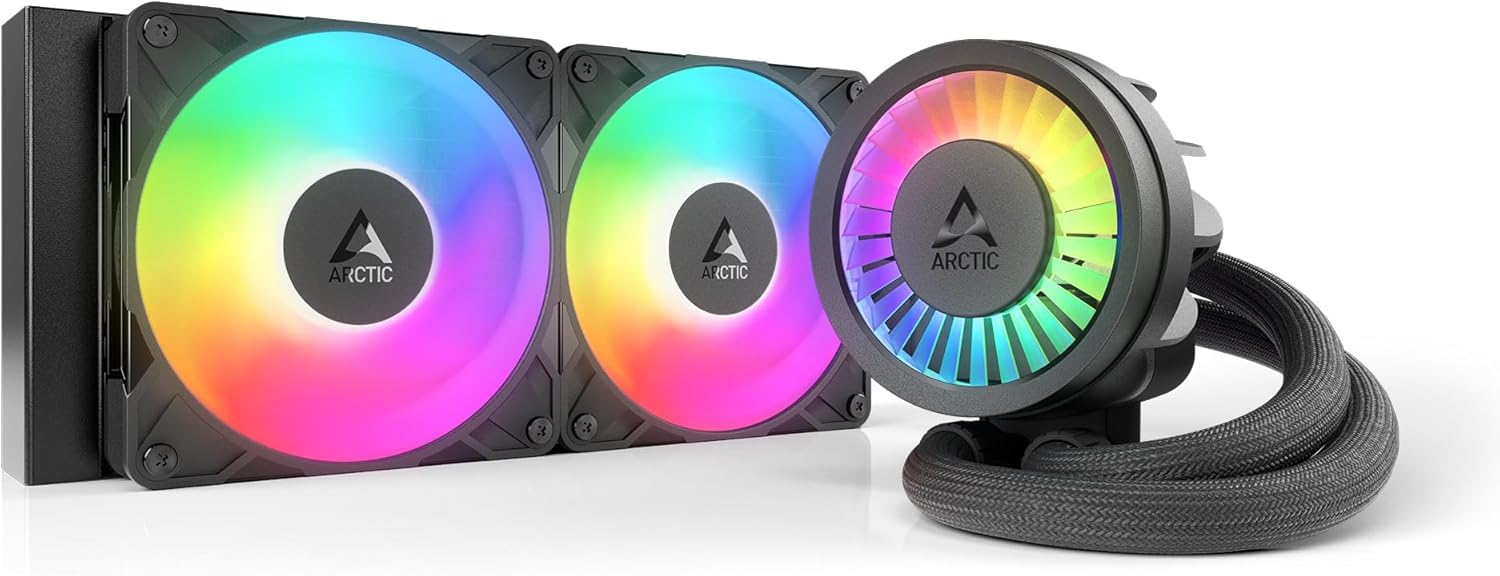
2. ARCTIC Liquid Freezer III Pro 240
Raw cooling muscle for hot CPUs, with a thick radiator that punches above its class.
This is the cooler you pick when your CPU runs hot and you refuse to compromise on thermals. One owner saw a massive -30°C drop versus their stock air cooler on a Ryzen 9 3900, and the chip never exceeded 65°C where it previously throttled. That’s the kind of headroom that keeps performance consistent.
ARCTIC packed in the engineering details that serious builders appreciate. The contact frame for Intel LGA1851 and LGA1700 tune pressure distribution for better heat transfer, while the native offset mounting shifts the cold plate toward the CPU hotspot on both Intel and AMD platforms. It even has an integrated VRM fan that actively cools the voltage converters around the socket, which is a unique touch. The P12 PRO fans are more powerful and quieter than their predecessors, especially at low speeds.
Installation is not plug-and-play—you’ll likely need to remove the motherboard backplate, so plan your build carefully. Reviewers report “Quiet; -30°C vs stock air cooler, never exceeded 65°C on Ryzen 9 3900,” but some note noise and fit issues, so measure your case clearance first. Its 10.9″ x 4.7″ x 1.5″ radiator is thicker than many rivals, so check your case’s depth.
peak cooling force: With 61.8 cfm air flow and a 1.5″ thick radiator, this is the top pick for overclockers and hot CPUs, if you accept a more involved install.
max chill: maximum cooling capacity in a 240mm format, especially for Intel i7/i9 or Ryzen 9 chips that generate serious heat.
small builds: you want the simplest possible drop-in installation and have a tight case with limited radiator clearance.
3. Thermaltake TH240 ARGB Sync V2
A budget-friendly 240mm that syncs with your motherboard’s RGB software and keeps temps in check.
If you’re on a budget but still want a liquid cooler that looks the part, this Thermaltake delivers where it counts. The high-performance copper base plate accelerates heat conductivity, and buyers moving from a standard heatsink setup report a noticeable drop in temperatures under load. It handles 65W TDP processors comfortably, making it a strong match for mid-range CPUs like an i5 or a Ryzen 5, and it runs quietly enough that owners call it a solid daily driver.
The defining feature here is the integration. The 360-degree rotational cap sports an Infinity Mirror Lighting effect, and the RGB synchronizes with ASUS Aura Sync, GIGABYTE RGB Fusion, MSI Mystic Light Sync, and ASRock Polychrome. That means you can control the lighting from your motherboard’s existing software without extra controllers. At 25.8 db, it’s also the quietest of the three value-oriented options we reviewed, even though it doesn’t have the raw air flow of the ARCTIC above.
Owners have run this cooler for two years without issues, praising its reliable quiet operation. The honest trade-off is the installation experience—it’s workable, but the instructions are vague and the build can feel less premium than pricier rivals. The fan’s 4-pin connector may need to go to a chassis header rather than the CPU fan header on some boards, so expect to fiddle a little during setup. It’s priced as an entry-level unit, and it performs exactly as it should for that tier.
sync rgb flair
- Works with major motherboard RGB software for easy control
- Quiet operation at 25.8 db, noticeable drop from stock coolers
- Excellent value for budget-oriented builds
pump noise
- Installation instructions are vague and require some patience
- Build quality feels functional rather than premium
rgb show: you want a quiet, good-looking 240mm AIO that syncs with your existing motherboard software while staying affordable.
silence fans: you’re powering a high-end overclocked CPU that needs maximum cooling capacity.
4. MSI MAG Coreliquid A13 240

A compact cooler with a high-speed pump that keeps modern chips cool in tight spaces.
This MSI cooler is the one to grab if you’re building in a case where space is precious but you still want liquid cooling. The split-flow radiator uses an integrated three-phase pump that runs at up to 3800 RPM, a speed that keeps even a Ryzen 9 9900X3D cool during long gaming sessions without taking up extra room. Customers note temperatures staying below 60-65°C on demanding chips, and it’s a notably quiet unit thanks to the ceramic bearings in the pump.
The build quality is the standout here, with owners describing the construction as “amazing” and praising how well it plugs into standard CPU_Fan and CPU_Pump headers. The mounting bracket is easy to work with, supporting AMD AM5/AM4 and Intel LGA 1700 from the start, with LGA 1851 support included as well. The 390mm water cooling tubes are triple-layered and reinforced, designed to be evaporation-proof, so the closed loop stays sealed over time.
It’s a little heavier on the spec sheet than some rivals, but the real-world result is a cooler that’s easy to set up and simple to live with. One reviewer noted the AMD mounting requires “a bit more prep time” than Intel, so plan for that. The 14.4 db noise rating is among the lowest in this lineup, making it an excellent choice for quiet, compact builds where a larger radiator won’t fit.
compact quiet unit: This is the go-to 240mm for small-form-factor (SFF) and mid-tower builds that need solid cooling without the bulk, paired with one of the lowest noise ratings we’ve seen.
small fit: a tidy, quiet build with a modern AMD or Intel chip where case space is limited.
heavy loads: you’re after the absolute maximum air flow for a heavily overclocked flagship CPU.
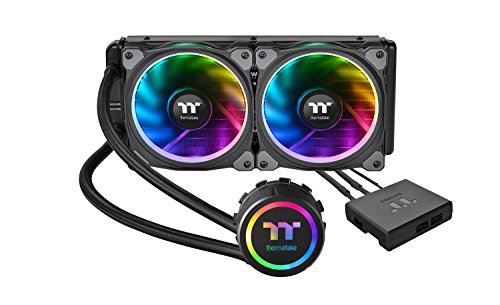
5. Thermaltake Floe 240
A reliable 240mm with the widest socket support and solid performance for older and modern CPUs alike.
This Thermaltake Floe is the best pick when you have an older or less common CPU socket. It supports a staggering range including Intel LGA 2066/2011-3/2011/1366/1156/1155/1151/1150 and AMD TR4/AM4/FM2/FM1/AM3 Plus/AM3/AM2 Plus/AM2, so it can breathe new life into a system that newer coolers won’t fit. The 240mm radiator supports push/pull mounting, letting you add extra fans for even better airflow if your case allows.
The cooling performance is proven, with buyers on an i7-4790K seeing mid-20s°C at idle and under 70°C in benchmarks. For a high-core-count Threadripper 3970X, it held around 80°C at full load across 64 threads—a solid result for a 240mm. The dual-ring RGB design has 12 separately controlled LEDs, and the pump unit incorporates 6 more to keep the lighting consistent across the whole assembly.
Reliability and noise are the honest caveats. Many owners run it flawlessly for years, but a few report leaks needing replacement, and the pump can buzz at certain speeds—some buyers fix it by adjusting voltage in BIOS. At 24.7 db, it’s not the quietest here, but its broad socket compatibility makes it uniquely useful for unusual CPUs.
budget cooling
- Exceptional socket compatibility including TR4 and legacy Intel/AMD chips
- Effective cooling for high-core-count CPUs
- Vibrant RGB with individually controlled LEDs
basic design
- Some units have reported pump noise or seal leaks
- Software control for the pump is limited
cheap cool: you have an older socket like TR4 or LGA 2011 that needs a modern liquid cooler.
premium feel: a flawless track record and dead-silent operation are non-negotiable for your build.
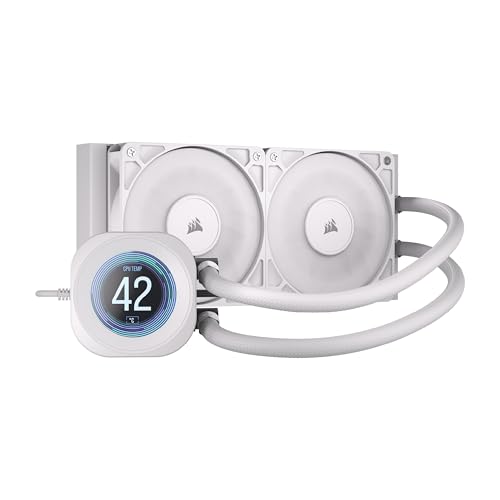
6. CORSAIR Nautilus 240 RS LCD
A smart cooler with a 2.1″ LCD screen that adds style while the low-noise pump keeps things calm.
This Corsair is for builders who want their cooler to be a centerpiece. The 2.1-inch IPS LCD screen on the pump block lets you display custom images, GIFs, or system stats, adding a level of personalization most coolers can’t match. Buyers rave about keeping their CPU at around 40°C while playing AAA games, and the cooling performance is strong enough for most modern builds.
The pump is a standout on the spec sheet, running at just 20 dBA, which is genuinely whisper-quiet. This is achieved with a convex cold plate that ensures maximum contact with your CPU’s heat spreader, and pre-applied thermal paste that speeds up installation. The included RS120 fans push air efficiently through the radiator, and the daisy-chain design simplifies cable management.
Installation is one of the easiest in this category, especially with the pre-applied paste making it “as easy as screwing in and turning on” for some owners. The display quality is praised, though the software can have minor glitches that a quick restart fixes. Some reviewers point out that the tubes have a “twist memory” and can snake across the case front, which might bother those who prefer a perfectly clean look. It’s a premium-feeling option that’s worth it if the LCD screen is a must-have for you.
lcd screen style: The 2.1″ LCD and 20 dBA pump make this the most feature-forward option for a build that prioritizes both looks and low noise.
screen stats: a showpiece build where a customizable LCD screen and near-silent pump are high priorities.
no software: you prefer invisible cooling and don’t need the screen, or want the absolute simplest cable routing.
7. ASUS ROG RYUO III 240 ARGB

A flagship premium cooler with a unique mini LED display and top-tier cooling for heavy overclocking.
This is the cooler you buy when you want the best and you’re willing to pay for it. The ASUS-exclusive Anime Matrix is a mini LED array that can display ROG-exclusive anime content, core system stats, and custom animations—a feature you simply won’t find on other coolers. It’s built on the latest 8th-generation Asetek pump with a 3-phase motor, delivering high flow and low impedance for ultimate cooling performance. Buyers with an overclocked i9 running at 5.2GHz report excellent temperatures, and the ARGB fans are described as brighter, quieter, and thicker than standard fans.
The craftsmanship is unmistakable. The aluminum body with a vacuum-coat lens achieves a flagship aesthetic that matches premium ROG builds perfectly. Socket support spans AMD AM4, AM5, and TR4, plus Intel LGA 1700, 1200, 115x, 1366, 2011, 2011-3, and 2066, making it incredibly versatile. Installation is straightforward, and the included USB header cable makes setup simple.
The main caveats are software and sound. The Armoury Crate software can be buggy and may need reinstalls, and some owners note the RGB white tint leans slightly blue or purple. At 36.45 db, it’s also on the louder end when fans spin up, though many owners find it acceptable with a headset. A few buyers wished the screen were higher resolution, noting it’s a bit pixelated for full pictures. If you want the RGB crown and have the budget, it’s a fantastic choice—just be ready to tinker with the software.
rog premium build
- Unique Anime Matrix LED display for customization and stats
- Flagship build quality with a premium aluminum design
- Excellent cooling for high-end overclocked CPUs
pricey extras
- Higher noise level at 36.45 db under load
- Armoury Crate software can be buggy and require maintenance
rog badge: you’re building a showpiece ROG system and want the unique Anime Matrix screen with top-tier cooling.
budget builds: you want a quieter cooler and prefer to avoid brand-specific software quirks.
8. Noctua NL-LC1-24
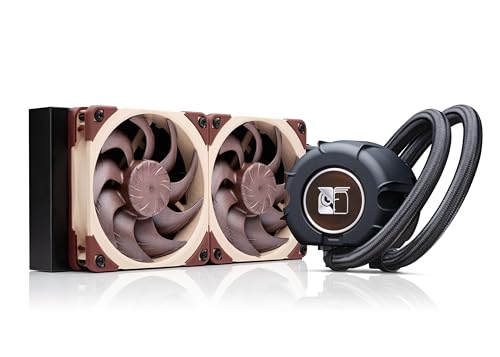
Noctua’s first AIO brings their legendary silence and premium build quality to liquid cooling.
If silence is your ultimate goal, this is the 240mm AIO you’ve been waiting for. Noctua is famous for its fans, and this cooler pairs two award-winning NF-A12x25 G2 PWM 120mm fans with a premium Asetek Emma V2 closed-loop platform. The result is an ultra-quiet cooler that owners describe as “quieter than an air purifier,” with an innovative pump noise absorber using a 3-layer acoustic soundproofing structure to mute the pump at full speed. It even has a tuned-mass damper to reduce vibration.
This is the top choice for small form factor (SFF) builds. Despite being a 240mm, the compact design fits into tight cases like a Hyte Revolt 3, and the SecuFirm2 multi-socket mounting system includes offset options for hotspot optimization on AMD AM5 and Intel LGA1851. It’s ideal for the latest Ryzen 9800X3D, 9950X, and Intel Core Ultra 200-series chips. Shoppers say a Ryzen 7950X running with significantly better thermals than on a previous EK AIO, and a 9850X3D staying at a max of 72°C while gaming, all without throttling.
Its installation guide is weak—offset instructions for some current Intel models are “a bit difficult to understand,” and hoses can touch the side panel in tight cases, causing minor idle pump noise. It has no RGB, which some see as a feature, others as a miss. You pay a premium for the Noctua name and NF-A12x25 fans, among the best in the industry, making it ideal for a near-silent, high-performance build.
whisper quiet: With 22.5 db noise and a mass damper on the pump, this is the definitive choice for noise-sensitive users and SFF builders who want premium cooling.
silent hum: a near-silent high-end build where you value the reputation and performance of NF-A12x25 fans over RGB flash.
overclocking: you want integrated RGB lighting or a display, or if you need a cooler with a more intuitive installation guide.
9. NZXT Kraken Elite 240 RGB

A 2.72-inch LCD screen (a color display for showing temps or images) makes this the most visually rich 240mm AIO you can buy.
This NZXT takes the LCD screen concept to another level. The 2.72-inch IPS display with crisp 640 x 640 resolution, a 60 Hz refresh rate, and an ultra-bright 690 cd/m² backlight is the biggest and most vibrant in this lineup. You can display GIFs, images, or real-time system performance, and integrate with Google Photos, Spotify, and YouTube for a truly personalized pump head. The RGB LED ring syncs with on-screen content for a cohesive look that owners call “truly stunning.”
Cooling performance is excellent, with the custom-designed NZXT Turbine pump efficiently handling heat-prone CPUs. Buyers report stable idle temperatures of 44-45°C on a Ryzen 9 9950X3D, and the RGB Core single-frame fan on the radiator provides strong airflow at 78.86 cfm. The installation is simple, with pre-applied thermal paste, a single breakout cable, and tool-free mounting brackets for AMD AM5/AM4 and Intel LGA 1851/1700/1200/115X sockets.
The honest concerns here are durability and noise. Some owners have reported the AIO failing within 4 months, and there are mixed experiences with loud whining noise at 100% RPM. The 30 db noise level is moderate, but the reliability questions from a minority of buyers are worth considering against the premium price. Most owners are delighted with the performance and screen quality, but it’s a cooler with more reported variability than the top pick. For the biggest, boldest display and deep ecosystem integration, it’s the one to get.
elite rgb look
- Huge 2.72″ IPS LCD with high resolution and brightness for detailed customization
- Excellent cooling performance for high-end CPUs
- Easy tool-free installation with pre-applied paste
high cost
- Some reliability concerns with units failing after a few months
- Can produce a whining noise at maximum fan speed
kraken glow: you want the largest, most customizable LCD display available on a 240mm AIO and you’re building a high-end system.
tight wallet: you prioritize proven long-term reliability over screen size, or want lower noise at full speed.
Understanding the Specs
Air Flow Capacity (cfm)
This measures how much air your radiator fans can push, in cubic feet per minute. Higher numbers mean more hot air is moved away from the radiator, which allows for better cooling, especially when your CPU is under heavy load. For a 240mm AIO, look for a model with a higher cfm rating if you have a power-hungry processor, but be aware that more airflow often comes with more noise.
Noise Level (db)
Decibels (db) tell you how loud the cooler gets. A difference of just a few db is noticeable to the human ear. A cooler rated at 20 db is essentially whisper-quiet, while one at 36 db will be clearly audible, especially in a quiet room. Pay attention to both the fan and pump noise, as a whining pump can be more annoying than a consistent fan hum.
Maximum Rotational Speed (rpm)
Revolutions per minute (rpm) indicates how fast the fan blades spin at maximum speed. Higher rpm fans can move more air, but they also tend to be louder. Some coolers have a high max rpm for when you need maximum cooling, but you can run them slower for quieter operation. A wider speed range gives you more control over the noise-to-performance balance.
Radiator Size and Construction
Every cooler here has a 240mm radiator, designed to fit two 120mm fans, but thickness varies. A thicker radiator has more surface area for heat dissipation, yet needs more case clearance—so check your case’s mounting depth before picking a thicker-core model.
Pump and Cold Plate Design
The pump circulates the coolant, and the cold plate is the part that touches your CPU. A quality pump with a 3-phase motor runs more smoothly and quietly. The cold plate’s shape and material matter—a slightly convex plate ensures better contact with your CPU’s heat spreader, and a copper base is highly effective at conducting heat away.
FAQ
Is a 240mm AIO better than a high-end air cooler?
Will a 240mm AIO cool my high-end i9 or Ryzen 9 CPU?
How do I know if a 240mm AIO fits my case?
What is the difference between ARGB and non-ARGB coolers?
Does the pump noise matter for a 240mm AIO?
How long does a 240mm AIO last?
Is a 240mm AIO worth it for a mid-range or budget PC build?
Can I control the RGB lighting on a 240mm AIO with my motherboard?
Does a 240mm AIO cool better than a 280mm or 360mm?
What is included in the box with a typical 240mm AIO?
Final Thoughts: The Verdict
The best 240mm aio overall is the be quiet! Light Loop 240—it runs whisper-quiet, cools hot chips well, and has a refillable tank with included coolant, extending its life beyond sealed rivals. For raw cooling on a hot i9 or Ryzen 9, the ARCTIC Liquid Freezer III Pro 240 moves 25% more air than the be quiet, making it the performance king. On a tight budget, the Thermaltake TH240 ARGB Sync V2 syncs with your motherboard’s RGB software and runs quieter than most. For a visual centerpiece, the NZXT Kraken Elite 240 with its 2.72-inch LCD is the most rich display you can mount. Match the cooler to your CPU’s power draw, and you’ll get years of cool, quiet operation.
How We Picked
We do not accept paid placement. Every pick is matched to a real buyer and a real use-case; we do not hands-on test units.
Sources & Methodology
Specifications: manufacturer listings and product documentation. Review insights: verified customer reviews, as of August 2026. Pricing: not shown on this page (it changes often); check the current price via the retailer link.
As an Amazon Associate, Gadgets Feed earns from qualifying purchases. This does not affect which products we feature.