
Our readers keep the lights on and my morning glass full of iced black tea. As an Amazon Associate, I earn from qualifying purchases.
Specs are compiled from manufacturer listings and verified buyer reviews and can change over time — please confirm the key details on the product page before buying.
Mounting a TV flat against the wall often leaves every seat with a glare problem or a bad angle. An adjustable TV mount solves this by letting you tilt, swivel, and extend the screen to match your seating. This guide breaks down the best adjustable TV mounts for every TV size, weight, and room layout — from full-motion arms that slide out 37.9 inches to corner-friendly brackets that tuck a massive screen into a tight spot.
I’m Min — the founder and writer behind Gadgets Feed. This guide is built by comparing the manufacturers’ published specifications and the patterns across verified customer reviews, so you get each pick’s real strengths and trade-offs instead of marketing spin.
We dig into stud spacing, VESA patterns, tilt ranges, and arm extension lengths so you can confidently pick the best adjustable tv mount for your home without measuring twice or drilling three times.
Our Picks at a Glance

How To Choose The Best Adjustable TV Mount
To avoid a frustrating return, check three things before you buy a bracket: your TV’s VESA pattern (the rectangle of screw holes on the back), its weight, and the spacing of the wooden studs behind your drywall. Every good mount lists its limits for all three, and matching them is the difference between a quick afternoon install and a frustrating return.
Match the VESA Pattern First
The VESA pattern (the distance in millimeters between the four mounting holes on your TV’s back, like 400x400mm or 200x100mm) determines which brackets fit. Most full-motion mounts in this guide accept patterns from 100x100mm up to 400x400mm, but larger screens often need bigger patterns like 600x400mm. If your TV’s holes are wider than the mount allows, the bracket simply won’t attach, so check this before anything else.
Stud Spacing Decides Your Options
Standard walls in North America have studs spaced 16 inches apart, and most mounts are built for that. But if your studs are 24 inches apart, or you are working with concrete or brick, you need a mount that explicitly says it covers that spacing — or one with a wider wall plate. Never mount a heavy TV into drywall alone; the mount needs to bite into solid wood or masonry to hold the weight safely.
Tilt, Swivel, and Extension Are Your Real Payoff
The whole point of an adjustable mount is fixing your viewing angle. Tilt (usually +5° up and -15° down) kills glare from windows or ceiling lights. Swivel (often ±45° or even ±90°) lets you point the screen at a couch that isn’t directly opposite the wall. Extension, measured in inches, is how far the arm pulls the TV off the wall — a long arm like 37.9 inches lets you watch from multiple rooms or a corner that would otherwise be impossible.
Quick Comparison
| Model | Best For | Screen Range | Max Weight | Extension | Amazon |
|---|---|---|---|---|---|
| Mounting Dream Full Motion★ Best Overall | Best Overall / 32-70″ TVs | 32″–65″ | 99 lbs | 17.5″ | Amazon |
| Pipishell PIMF9Corner Expert | Corner mounts / 26-65″ | 26″–60″ | 77 lbs | 19.51″ | Amazon |
| Pipishell PIMFK1-CBest Value | Best Value / 26-74″ | 26″–75″ | 99 lbs | 15.34″ | Amazon |
| USX MOUNT | Quick install / 32-70″ | 32″–70″ | 99 lbs | 13.89″ | Amazon |
| Perlegear PGMF21 | Pre-assembled ease / 32-74″ | 32″–69″ | 99 lbs | 17.3″ | Amazon |
| Mounting Dream MD2263-XLK | Big screens, low profile / 42-86″ | 42″–86″ | 120 lbs | 2.5″ profile | Amazon |
| Perlegear PGLF12 | Heavy 42-86″ TVs | 37″–82″ | 132 lbs | 16.3″ | Amazon |
| MOUNTUP Long Arm | Extra-long reach / corners | 42″–75″ | 99 lbs | 37.9″ | Amazon |
| SANUS SLT4-B1 | Premium tilt / 42-90″ | 42″–90″ | 150 lbs | 5.7″ | Amazon |
In‑Depth Reviews
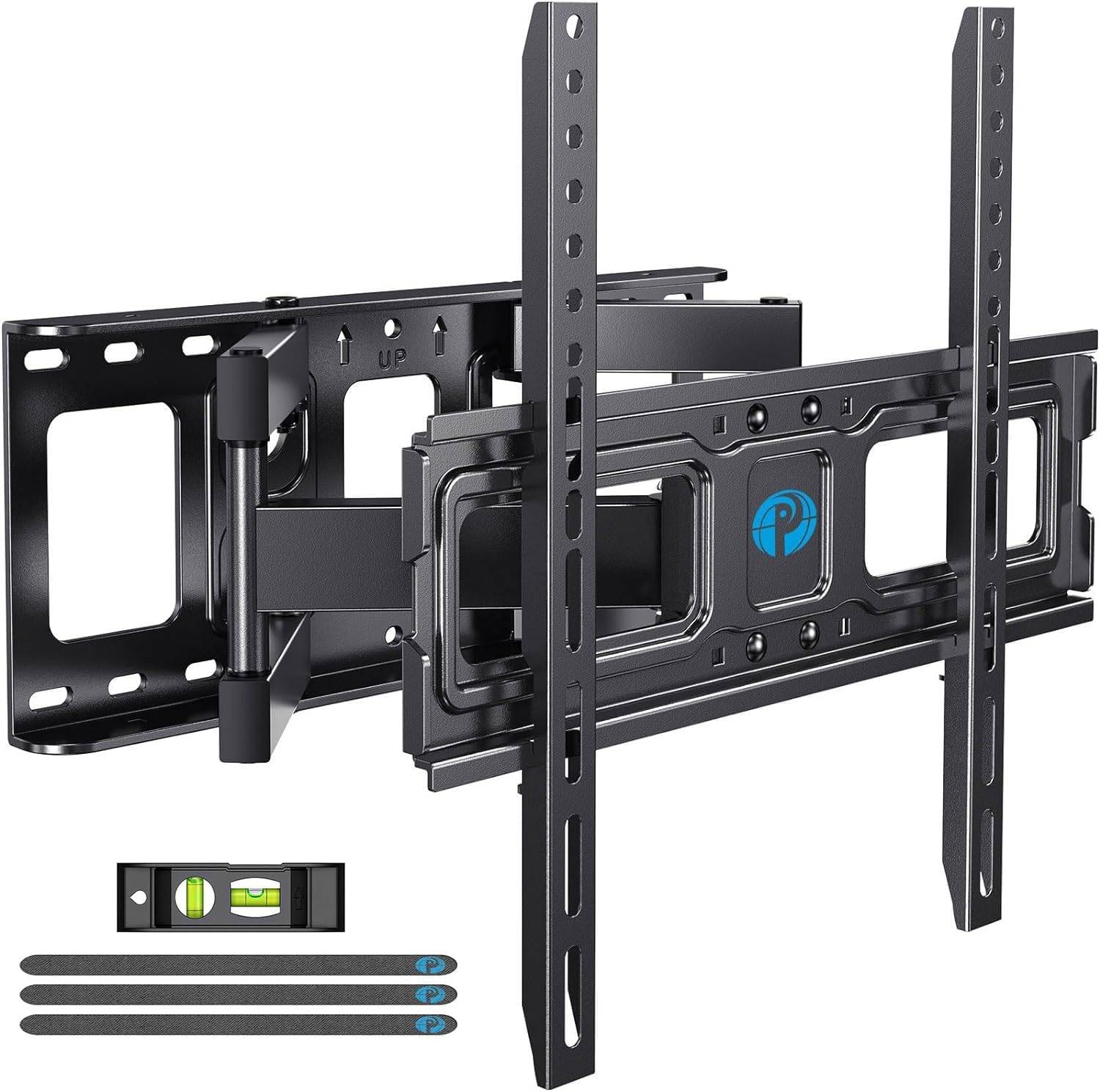
1. Mounting Dream Full Motion TV Wall Mount
Our pick — over 4.5★ from 75,500+ verified ratings; the strongest balance of quality and price.
A full-motion arm with pre-labeled hardware and a paper template for a smooth, easy install.
What wins people over is the installation experience — the clear instructions, the paper drilling template, and hardware sorted into pre-labeled bags take the guesswork out of the job. The +/-3° post-installation adjustment is a lifesaver for getting the screen perfectly level after everything is tightened, and the built-in level helps you avoid a crooked hang in the first place.
Once it’s up, the viewing flexibility is the real star: it tilts up 5° and down 15° to kill glare, swivels left or right to aim at your seat, and pulls out to 17.5 inches before retracting to a slim 3.4 inches from the wall. The dual arms glide smoothly with no wobble, and the 6 articulating arms use robot welding for a sturdy frame that holds TVs up to 99 lbs. It fits most 32- to 65-inch screens with a max VESA of 400x400mm — buyers report it’s rock-solid with a 55-inch TV and still easy to pull away for cable access.
The catch: this bracket is built for standard 16-inch stud spacing, so if your studs are farther apart, you need a different Mounting Dream model (MD2380-24K) for 16″, 18″, or 24″ spacing. And like nearly every mount here, it is not meant for drywall alone — it must anchor into wood studs, with concrete anchors available on request.
What Owners Rave About
- Smooth tilt, swivel, and extension with zero wobble
- Pre-labeled hardware bags and paper template make DIY install simple
- Heavy-duty steel frame feels secure with a 55-inch TV
What To Check First
- Designed for 16-inch stud spacing only — verify before buying
- Not for drywall installation
- Extends 17.5″, not the longest reach on this list
Reach for it if: you want the safest, easiest full-motion upgrade for a mid-size TV without overpaying.
Look elsewhere if: your studs are spaced beyond 16 inches or you need a longer reach for a corner setup.
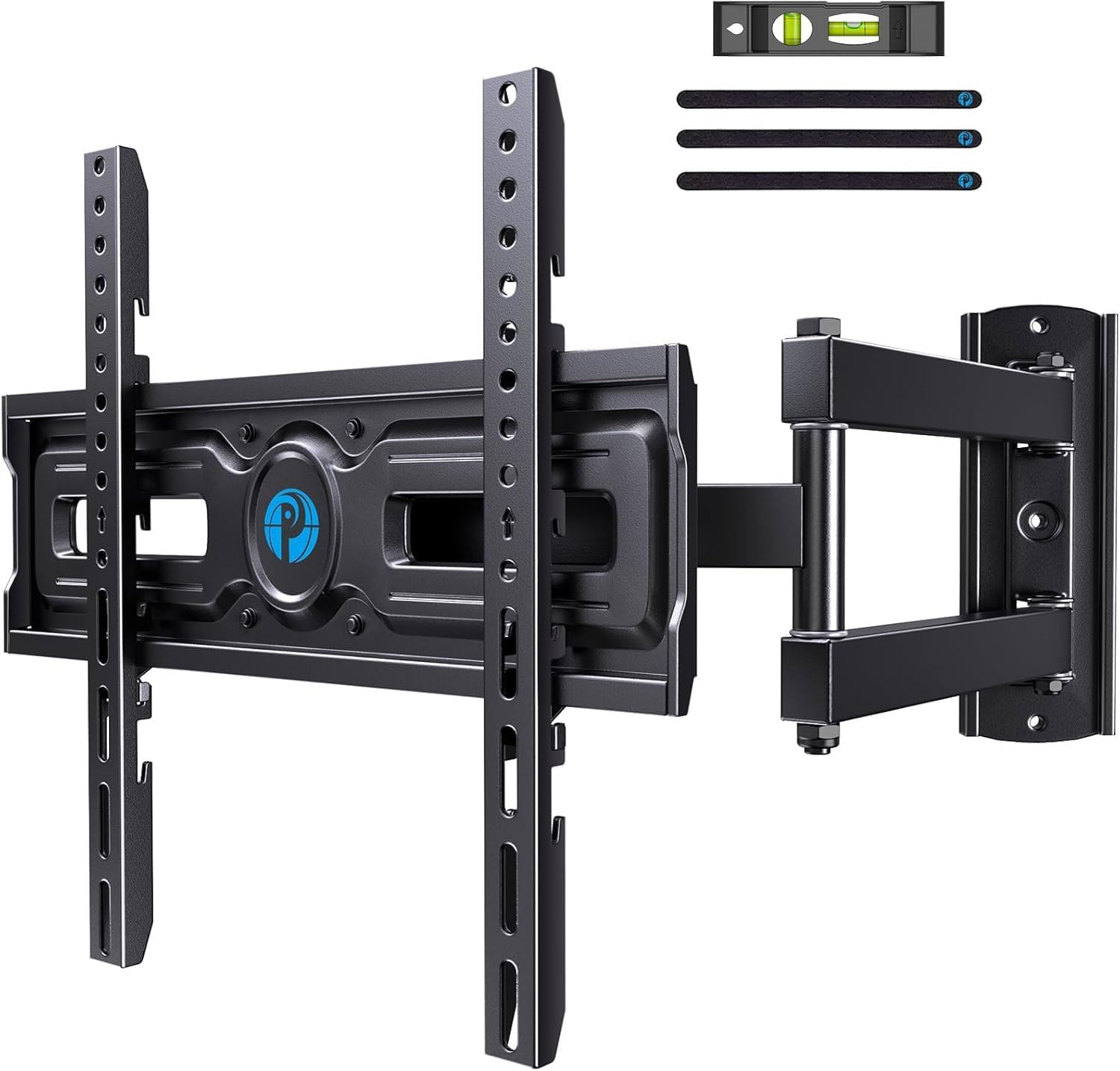
2. Pipishell Full Motion TV Wall Mount PIMF9
A single-arm corner mount with height-adjustable brackets and a swing that covers the whole room.
Its ±90° swivel range makes it ideal for corner placements or rooms with multiple viewing spots. Its single articulating arm extends 19.51 inches out — notably farther than many dual-arm rivals — yet retracts to a tidy 3.53 inches when you want a low-profile look.
Beyond the reach, the 3 levels of height adjustment let you fine-tune the screen’s vertical position after installation, which is a rare feature that helps get the TV to true eye level without remounting. It handles most 26- to 60-inch TVs up to 77 lbs with VESA patterns from 100x100mm to 400x400mm, and the tilt (5° up, 15° down) plus security lock screws keep everything stable.
One honest note: this is a heavy mount, and because of the long single arm, installation usually takes two people — owners mention needing a stud finder, a drill, a level, and a long ratchet extension to get it done, though the included hardware covers the job. The quality and steel construction earn consistent praise, but the weight is the trade-off you accept for the reach.
Why It Stands Out
- ±90° swivel plus 19.51″ extension ideal for corners
- 3 height settings for post-install vertical adjustment
- Premium alloy steel feels durable and reliable
The Honest Catch
- Heavy unit that typically needs two people to install
- Long arm means you should plan the install carefully
Best for: a corner TV spot where you want to swing the screen between a bed and a seating area.
skip it if: you plan a solo install or your TV exceeds 77 lbs.
3. Pipishell TV Wall Mount PIMFK1-C
A budget full-motion bracket that supports up to 74-inch screens and 99 lbs.
Here’s a mount that matches the premium crowd on capacity — it fits most 26- to 74-inch TVs and handles up to 99 lbs — but lands at a noticeably friendlier price. The dual articulating arms are made of heavy-gauge steel, and the spec sheet stretches to a max supported screen size of 75 inches, so it covers everything from a small bedroom set to a large living-room centerpiece.
Owners consistently describe the install as straightforward, often finishing in under an hour with the clear instructions and included level. The motion range is the other big win: a +5°/-15° tilt for glare, a ±45° swivel to aim at your seat, and a ±3° leveling adjustment for fine-tuning, with the arms extending 15.34 inches and collapsing to 3.98 inches.
What makes it a true value pick is how it behaves for its price — customers note it swivels, rotates, and folds smoothly while holding a 45-inch TV securely. One recurring theme in the reviews: the instructions can be tricky for some, with a note that YouTube helps. But the quality and sturdiness at this tier are hard to argue with.
The Strong Points
- Supports up to 74-inch / 99 lb TVs at a budget-tier price
- Smooth full-motion movement in every direction
- Works on 12/16/8-inch wood studs, concrete, or brick
Minor Friction
- Some find the printed instructions hard to follow
- 15.34″ extension is mid-pack, not the longest
Grab this if: you want big-screen capability without the premium price tag.
Think twice if: you need a very long arm reach for a corner installation.
4. USX MOUNT Full Motion TV Wall Mount

A dual-arm mount with a simple 3-step install for quick TV mounting.
If the idea of a long, complex installation makes you nervous, this mount is built around a simple 3-step flow: screw the brackets to the TV, bolt the wall plate to the wall, then hang the TV. Owners confirm it’s genuinely fast — one buyer reports hanging a 65-inch Vizio in about 15 minutes with all the hardware included.
It handles most 32- to 70-inch TVs up to 99 lbs, with a VESA range of 75x75mm to 400x400mm and support for 12/16-inch wood studs, concrete, or brick. The tilt range (-12°/+5°) and a smooth 13.89-inch extension give you solid glare control and reach without adding bulk, and it retracts to just 2.59 inches for a low-profile look when you’re done adjusting.
The dual articulating arms are made of cold-rolled steel with a load-bearing structure that owners say holds the screen securely — including a buyer who initially doubted the strength but reports three months of solid service. There’s also a practical service promise: if you need concrete anchors or M8x50mm screws, the US-based support team will mail them directly instead of you hunting at a hardware store.
What Makes It Easy
- True 3-step install that owners finish in minutes
- Cold-rolled steel frame holds a 65-inch TV without wobble
- Free replacement hardware shipped straight to you
Watch For
- 13.89″ extension is on the shorter side
- Supplied drilling template can be slightly inaccurate
Perfect if: you want the least intimidating install for a standard mid-size TV.
Not ideal if: you need a long arm to reach a distant viewing position.
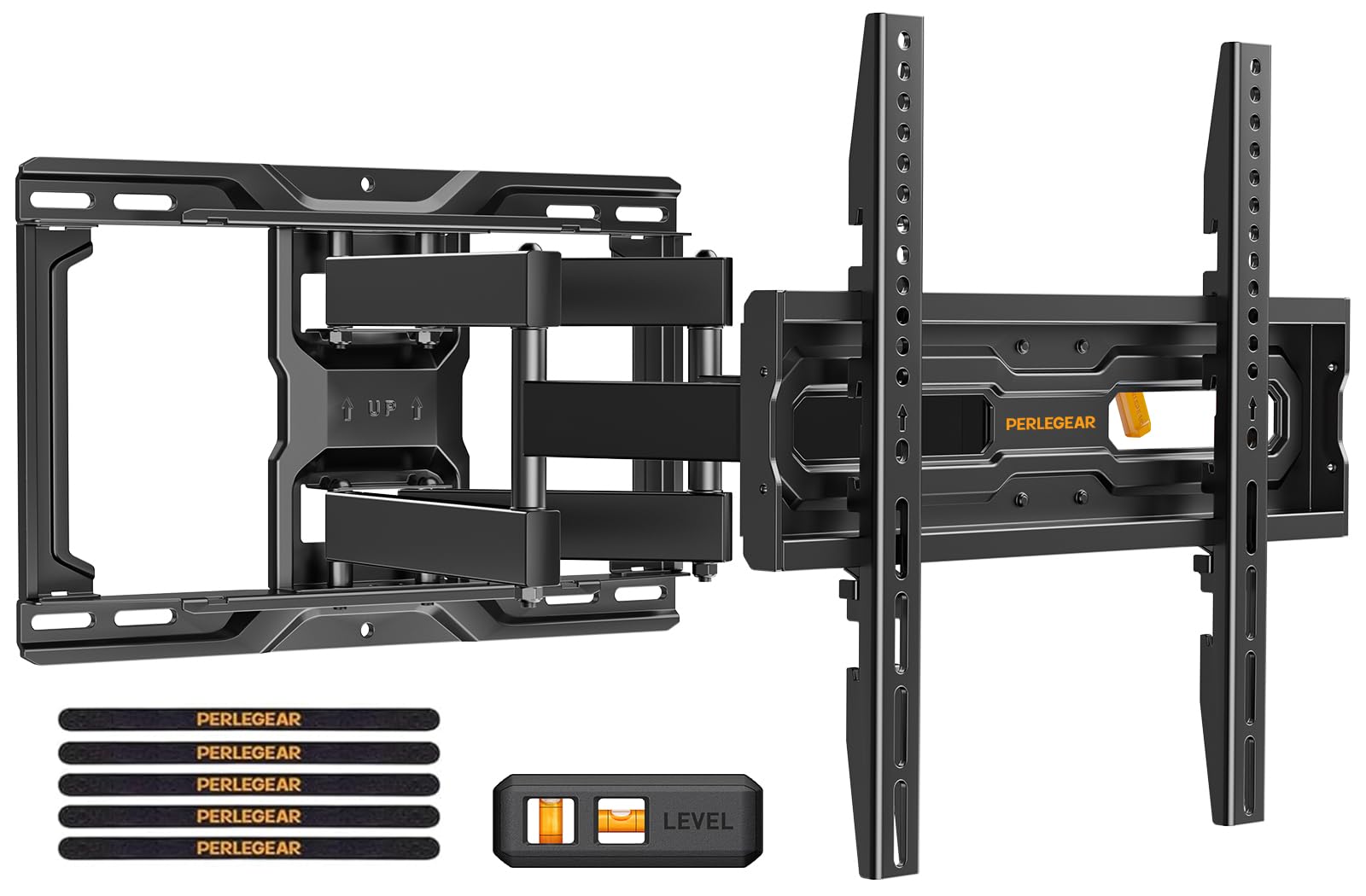
5. Perlegear Full Motion TV Wall Mount PGMF21
A pre-assembled bracket with tool-free tilt for fast big-TV installation.
The defining feature here is convenience: the bracket arms come pre-assembled from the start, and the tilt adjusts tool-free, so you can angle the screen 5° up or 15° down by hand without hunting for an Allen key. Paired with pre-divided hardware and a drilling template, the manufacturer says even a DIY beginner can finish in under 15 minutes.
It fits most 26- to 74-inch flat or curved TVs up to 99 lbs, with 3 height configurations to position the screen at a comfortable eye level — useful when you want to raise the TV for a soundbar or holiday decorations without remounting. The swivel reaches ±45°, the leveling goes ±4°, and the arm extends 17.3 inches before retracting to a slim 3 inches.
The build quality outperforms pricier rivals: automotive-grade steel, six articulating arms, a wider wall plate, and a bracket that passed 60,000 motion cycle tests and 4x load tests. Owners mounting 85-inch TVs praise the smooth swivel and extension, though they note a second person helps with the lifting and the install takes a little time to get right.
The Convenience Wins
- Tool-free tilt and pre-assembled arms speed up install
- 3 height settings for flexible eye-level placement
- Sturdy steel passed 60,000 motion cycle tests
Keep In Mind
- Big TVs still need a second person to lift into place
- Install takes time if you measure carefully
Choose this for: a fast, tool-free setup and a beautifully smooth arm on a large screen.
Look past it if: you need the absolute longest extension on the market.
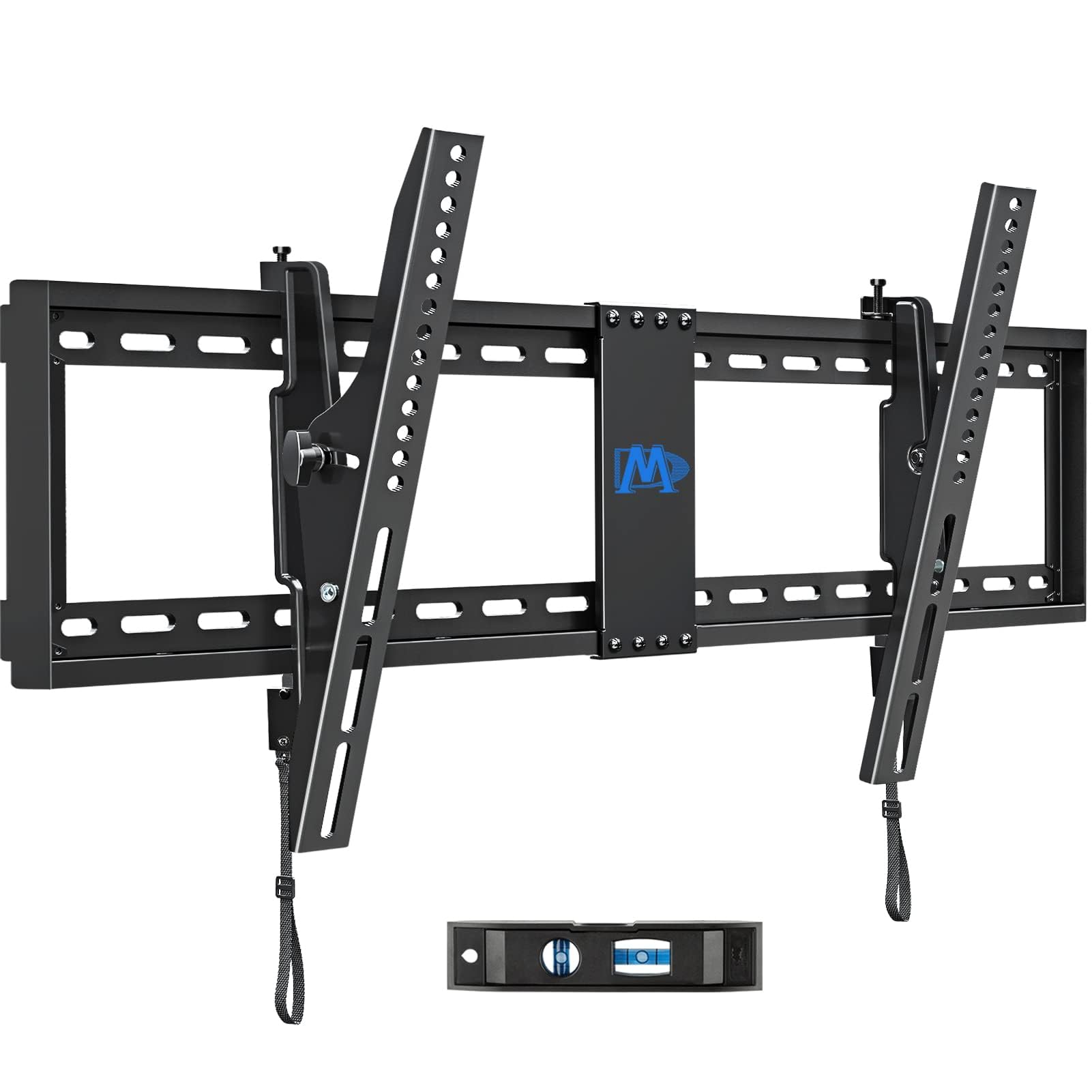
6. Mounting Dream Tilting TV Wall Mount MD2263-XLK
A low-profile tilt bracket that supports up to 86-inch TVs and 120 lbs without full-motion bulk.
Not every room needs a screen that swings out — sometimes you just want to kill the glare from a window and keep the TV nearly flush against the wall. This tilting bracket holds that line beautifully: it sits just 2.5 inches off the wall for a clean, gallery-like look while still letting you tilt forward up to 15° (or back 5° for easy cable access) using a tool-less handle.
Its real superpower is size: it fits most 42- to 86-inch LCD, LED, or plasma TVs up to 120 lbs, with a VESA range from 200x100mm all the way to 800x400mm. That makes it the go-to for a big living-room screen where you value a tidy profile over the ability to pull the TV into the middle of the room.
Owners consistently call the install easy, praising the pre-labeled hardware bags, the torpedo level, and the straightforward instructions. The tilt adjustment draws a couple of mixed comments — some find it stiff to move — but the sturdy two-piece bracket earns wide trust, and the 10-year warranty backs the confidence.
Why It Wins For Big TVs
- Handles up to 86-inch screens and 120 lbs
- 2.5″ slim profile keeps the wall clean
- 10-year warranty for long-term confidence
A Fair Warning
- No swivel — this is tilt-only, so aim the mount carefully
- Tilt knob can feel stiff to some owners
Best for: a huge TV where you want a flush, minimal look and only need glare-canceling tilt.
Not for: anyone who needs to swivel the screen toward different seats.
7. Perlegear Full Motion TV Wall Mount PGLF12

Six steel arms and a 132-pound capacity make this the heavyweight champion of big-screen full motion.
When your TV is pushing 80 inches, you need a mount that doesn’t flinch. This Perlegear bracket steps up with six articulating arms and heavy-duty steel construction rated to hold up to 132 lbs — the strongest full-motion load rating on this list — while still moving through a full +5°/-15° tool-free tilt, a ±45° swivel, and a ±3° leveling range.
It fits most 42- to 86-inch flat or curved TVs with VESA patterns from 200x100mm to 600x400mm, and reviewers point out holding 75-inch screens of around 40 lbs with total confidence and zero wobble. The arm extends 16.3 inches for viewing and retracts to 2.9 inches for a low-profile look, and the wall plate even has openings so you can run an electrical outlet right behind the TV.
The build earns consistent praise — buyers call it top-notch and durable, and the included drilling template and detailed manual help first-timers. The honest catch: because the bracket is heavy and the arms are long, installation takes a little time and a good stud finder, and some owners note the TV brackets have sharp edges to handle carefully during setup.
The Heavyweight Edge
- Highest full-motion capacity here at 132 lbs
- 6 steel arms with anti-drop end caps and security locks
- Extends 16.3″ and retracts to just 2.9″
Plan For
- Install takes time and a good stud finder
- Sharp edges on the TV brackets need care during setup
Reach for it if: you have a massive, heavy TV and want full motion without compromise.
Look elsewhere if: you want a quick, feather-light install for a small bedroom set.
8. MOUNTUP 37.9″ Long Arm TV Wall Mount
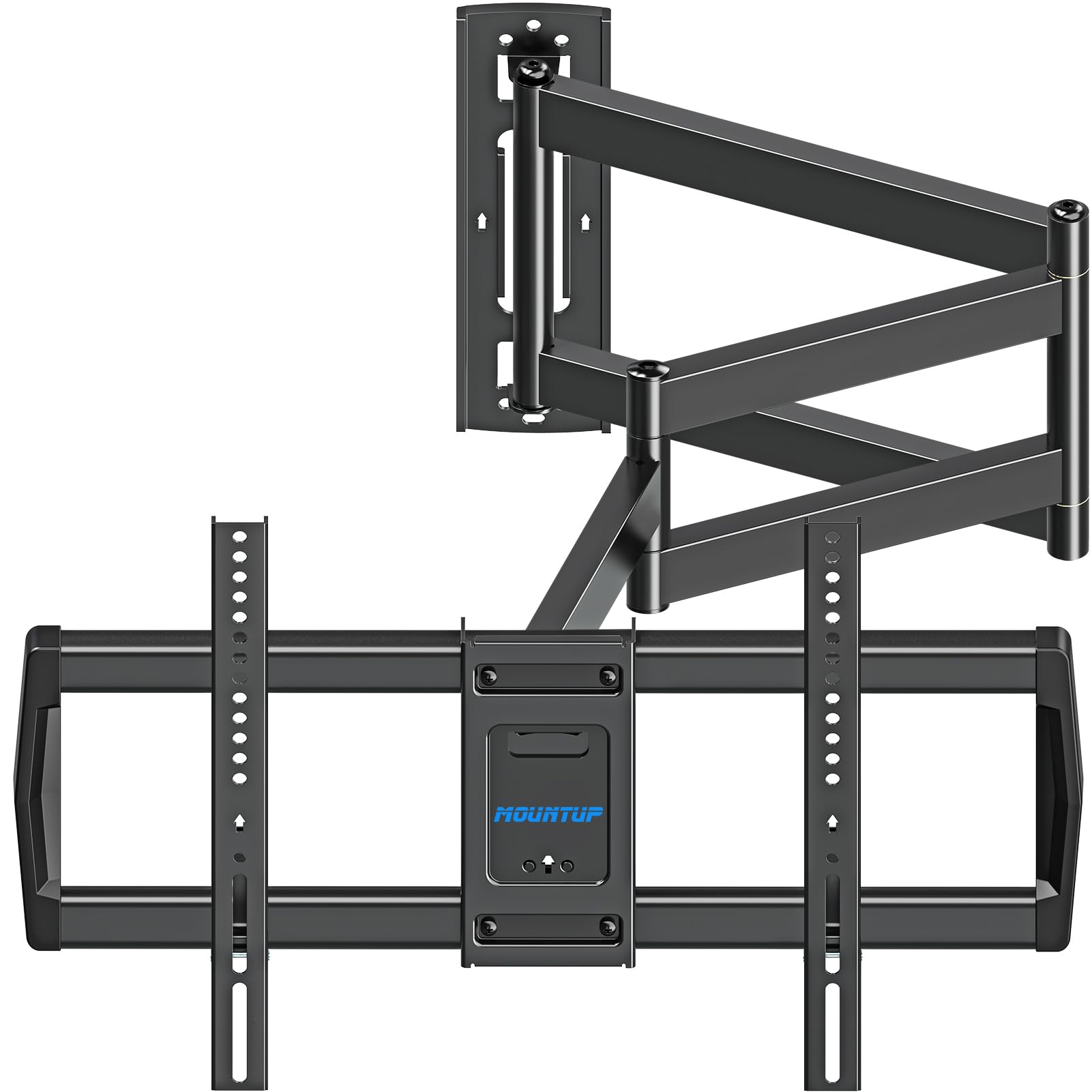
A triple-folding arm that swings an enormous 37.9 inches from the wall to watch from anywhere.
This is the mount for impossible layouts. The extra-long triple-folding arm extends 37.9 inches — more than double most rivals on this list — so you can place the TV on a side wall and still watch from a couch far across the room. A single-stud design makes it ideal for corner mounting, which owners confirm works brilliantly for freeing up space in a bedroom or awkward caddy-corner setup.
Beyond the reach, it keeps the essentials: a ±90° swivel to cover angles without moving the mount, a +5°/-10° tilt for glare, and a ±3° leveling adjustment. It fits most 42- to 75-inch TVs up to 99 lbs with VESA patterns from 150x100mm to 600x400mm, and retracts to about 3 inches from the wall when you want it tucked away.
The trade-off for that long arm is care: buyers recommend studying the instructions before starting, and note the included lag bolts feel light enough that some choose to swap in heavier ones. But the sturdiness earns steady praise — one owner liked it so much they bought a second. The 3-year warranty adds a bit of reassurance.
The Reach Advantage
- Massive 37.9″ extension for room-to-room viewing
- Single-stud design perfect for corners
- ±90° swivel to cover the whole room
Handle With Care
- Included lag bolts feel light to some — consider upgrading
- Read the instructions carefully before starting
Best for: corner rooms and layouts where a normal arm simply won’t reach.
Skip if: your TV spot is straight-on with no need for extreme extension.
9. SANUS Preferred Extendable Tilt TV Wall Mount SLT4-B1
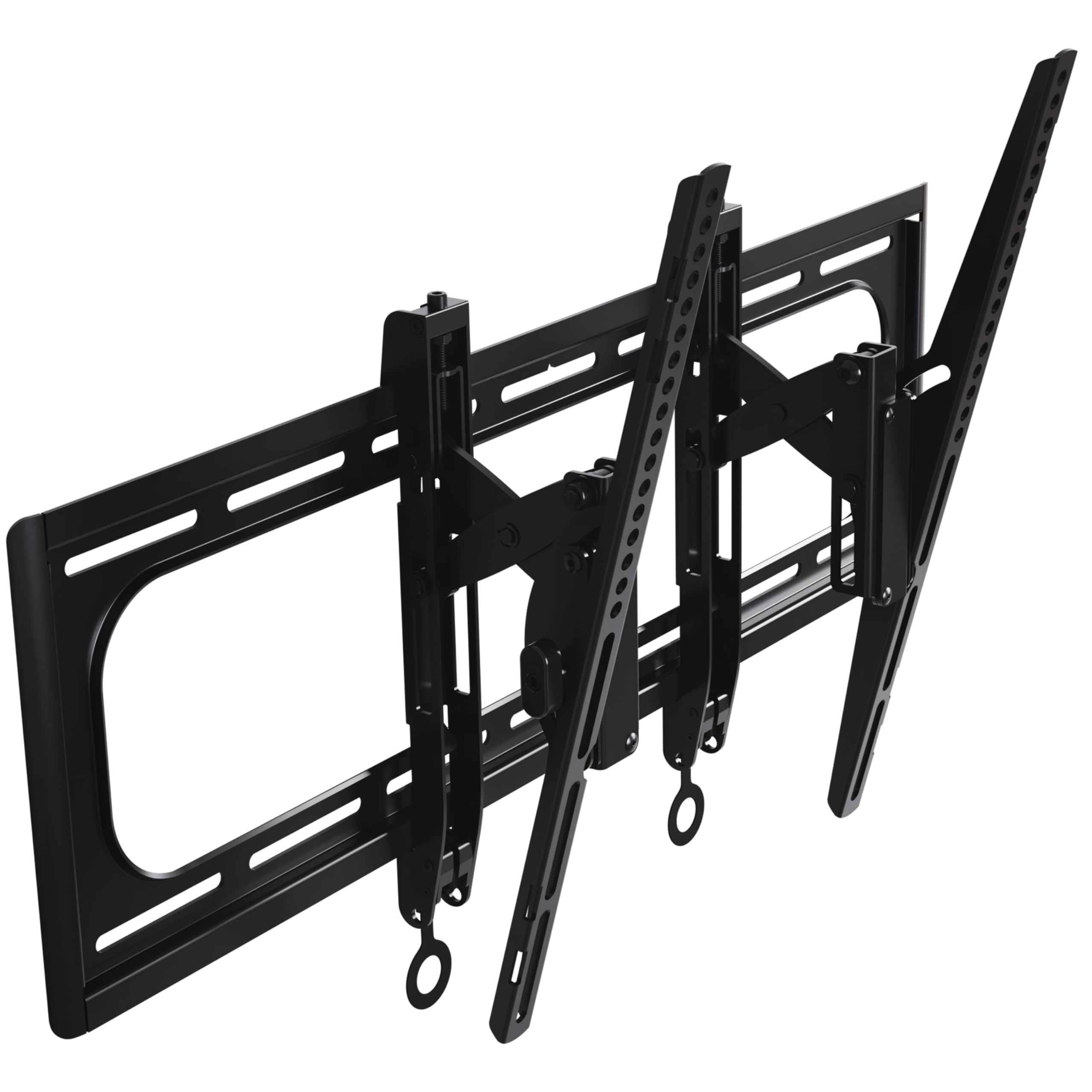
A premium tilt mount with precision lateral shift that handles the biggest, heaviest TVs with ease.
When your TV is the centerpiece of the room — up to 90 inches and as heavy as 150 lbs — you want a mount that treats that weight as routine. This SANUS bracket is UL Listed and built from premium steel, with a 10-year warranty and support from a brand with 40+ years of AV experience behind it.
The tilt goes 12° down and 5° up to knock out glare, and the 5.7 inches of extension gives even huge screens room to tilt fully and gives you easy access to the cables behind. What really separates it is the precision positioning: 9 inches of lateral shift lets you center the TV perfectly even when the studs are off-center, plus 1 inch of height adjustment and post-install leveling for a flawless finish.
Owners praise the solid, tank-like build and note it handles heavier TVs with ease — one buyer mentions the included lag screws are suitable for screens over 100 lbs as long as they hit studs. It fits 42- to 90-inch TVs with VESA patterns from 200x100mm to 600x415mm. The honest note: there’s no built-in level, so you’ll want your own, and it’s the premium-tier pick of the group — you pay for that extra capacity and polish.
The Premium Perks
- 150 lb capacity for the largest screens
- 9″ lateral shift to center TV on off-center studs
- UL Listed with a 10-year warranty
What To Expect
- Premium-tier price reflects the heavy-duty build
- No built-in level — bring your own
Pick this if: you have a massive, heavy TV and want a flawless, perfectly-centered install.
Find another if: you need a full-motion swivel arm rather than tilt-only.
Understanding the Specs
VESA Pattern
The VESA pattern is the rectangle of screw holes on the back of your TV, measured in millimeters — like 400x400mm or 200x100mm. This is the single most important compatibility number: the mount’s VESA range must cover your TV’s pattern or the bracket simply won’t bolt on. Most full-motion mounts on this list accept 100x100mm up to 400x400mm, while bigger screens need larger patterns like 600x400mm or 800x400mm.
Stud Spacing
Studs are the vertical wooden beams behind your drywall, and in most North American homes they’re spaced 16 inches apart. Your mount’s wall plate needs to line up with at least one stud (or two, for heavy TVs) to hold the weight safely. Never mount a TV into drywall alone — the mount must bite into solid wood or masonry. If your studs run 24 inches apart, check the mount’s spec carefully or look for a wider plate.
FAQ
How do I find my TV’s VESA pattern?
Can I install a TV mount into drywall without a stud?
What does extension length actually do for me?
What is the difference between a tilt mount and a full-motion mount?
Will my 85-inch TV fit on a mount rated for 86 inches?
What tools do I need for installation?
How far should my mount let the TV tilt?
Is a corner TV mount worth it?
Can I re-level my TV after it’s mounted?
Final Thoughts: The Verdict
Across the board, the best adjustable tv mount winner is the Mounting Dream Full Motion because it nails the essentials — smooth movement, secure steel construction, and an install made easy by pre-labeled hardware and a template — at a price that undercuts most rivals. If you have a massive screen, grab the Perlegear PGLF12 for its 132 lb capacity and six steel arms. And for a corner or awkward layout, the MOUNTUP long arm is the one to reach for its class-leading 37.9-inch reach.
How We Picked
We do not accept paid placement. Every pick is matched to a real buyer and a real use-case; we do not hands-on test units.
Sources & Methodology
Specifications: manufacturer listings and product documentation. Review insights: verified customer reviews, as of August 2026. Pricing: not shown on this page (it changes often); check the current price via the retailer link.
As an Amazon Associate, Gadgets Feed earns from qualifying purchases. This does not affect which products we feature.