
Our readers keep the lights on and my morning glass full of iced black tea. As an Amazon Associate, I earn from qualifying purchases.
Specs are compiled from manufacturer listings and verified buyer reviews and can change over time — please confirm the key details on the product page before buying.
You searched for a 58-inch TV, but stores rarely sell that exact size—manufacturers build 55-inch and 60-inch panels far more often. So this guide treats “58 inch” as the 55-to-60-inch balance and reviews the nearest same-type models that genuinely deserve your money. Every pick below is the closest available size to what you asked for, so you are never misled into expecting a panel that does not exist on the shelf.
I’m Min — the founder and writer behind Gadgets Feed. This guide is built by comparing the manufacturers’ published specifications and the patterns across verified customer reviews, so you get each pick’s real strengths and trade-offs instead of marketing spin.
The best 58-inch TV here combines anti-glare, smooth motion, and a user-friendly smart platform without needing extra audio gear.
Our Picks at a Glance


How To Choose The Best 58 Inch TV
Before you compare models, decide what the screen does most: is it a weekend movie screen, a bright-day family TV, or a console gaming display? That single answer narrows the field more than any spec sheet.
Panel technology: QLED, MiniLED, or plain LED
QLED uses a quantum-dot layer to push colors brighter and more saturated than a standard LED panel. MiniLED goes further by packing thousands of tiny backlight zones behind the screen, which lets the TV dim small areas independently — that is what creates deep blacks next to bright highlights. Plain LED is the budget baseline: fine for casual viewing, softer on contrast.
Refresh rate and your content
Refresh rate is how many times per second the screen redraws. A 60Hz panel is perfectly smooth for movies and most TV shows. Sports and fast-action games feel tighter on a 144Hz panel, because motion stays clear with less blur. If you only stream dramas, do not overpay for a high refresh rate you will never use.
Smart platform and voice control
The operating system is your daily life: Google TV, Fire TV, and Tizen all aggregate apps differently. Check that your most-used streaming service is one click away, and confirm the remote does voice search — that is the feature owners actually use every single day.
Quick Comparison
| Model | Best For | Refresh Rate | Display Tech | Contrast Ratio | Amazon |
|---|---|---|---|---|---|
| Hisense 55” CanvasTV S7★ Best Overall | Art lovers who hate glare | 144Hz | Hi-QLED | 3800:1 | Amazon |
| iFFALCON 55U85 MiniLEDGaming Powerhouse | Gamers on next-gen consoles | 144Hz | Mini LED | 6000:1 | Amazon |
| Westinghouse 58” Xumo | Exact-size budget buyers | 60Hz | LED | 5000:1 | Amazon |
| TOSHIBA M450 QLED | Fire TV ecosystem fans | 60Hz | QLED | — | Amazon |
| Samsung U8000H Crystal | Bright, colorful all-rounders | 60Hz | LED | — | Amazon |
In‑Depth Reviews
1. Hisense 55” CanvasTV S7
Our pick — over 4★ from 200+ verified ratings; the strongest balance of quality and price.
The only pick with a Hi-Matte anti-glare display and built-in Art Mode for bright rooms.
The single defining feature is the Hi-Matte anti-glare display. Bright rooms with windows behind the couch do not wash out the picture — owners describe the panel staying rich and clear even when sunlight streams in. The 4K Hi-QLED panel runs at a native 144Hz refresh rate, so fast sports and gameplay stay smooth with less blur, and the 3800:1 contrast ratio keeps shadows and highlights distinct.
What wins people over is the Art Mode. The TV includes a teak frame and an UltraSlim wall mount, and it draws from more than 1,000 complimentary curated artworks. A motion detector wakes the display when you enter the room and fades it when you leave, which also saves energy. The 2.0.2 multi-dimensional sound with DTS Virtual:X fills a room without a soundbar, though buyers report a soundbar still edges it out for cinema nights.
Owners sum it up as a “sharp, bright QLED picture” with easy setup and smooth Google TV navigation across 10,000+ apps. Over 80 owners single out quality, with picture quality the second-most-discussed trait at 63 mentions. The only quirk: turning the art display off requires a double press of the power button, and the TV is best appreciated when you actually want the décor feature—if you never display art, you are paying for a skill you will not use.
Gallery-grade by day: the anti-glare Hi-Matte finish and 144Hz motion handling make this the most versatile pick in the list, at home with a midday movie or a fast-paced match.
Designer intent: the included teak frame and flush wall mount make it look like a framed print on the wall — guests often do not realize it is a TV until it turns on.
Reach for this if: you want a TV that disappears into your décor and you watch in bright rooms where glare kills other panels.
Look elsewhere if: you only want a plain screen and will never use the art gallery — the premium is tied to that feature.
2. iFFALCON 55″ 4K MiniLED Smart TV
A MiniLED gaming panel with four HDMI 2.1 ports and 144Hz for next-gen consoles.
This is the pick for anyone who owns a PS5 or Xbox and wants every frame to count. The native 144Hz panel (a refresh rate that shows 144 frames per second) supports Variable Refresh Rate up to 240Hz, so fast action stays smooth without screen tearing. Up to 1000 nits of peak brightness means HDR highlights pop even in a sunny room, while local dimming and a 6000:1 contrast ratio deliver “almost perfect blacks” that owners rave about. Four HDMI 2.1 ports let you connect a console, PC, soundbar, and streaming box all at once, with two ports running 4K@144Hz and two handling 4K@60Hz.
The gaming focus extends to the audio. A 2.1-channel sound system with a 20W woofer and Dolby Atmos passthrough (a feature that sends surround-sound data to a compatible soundbar) means you get a built-in home theater without extra gear. Auto Low Latency Mode (ALLM) drops the TV into game mode the instant you start playing, so inputs feel immediate. Owners say the interface feels smoother and more responsive than Samsung or LG menus, and that it beats a competitor panel at a fraction of the price—though a couple note the chassis is slightly thicker than ultra-thin models.
The 50W audio with a subwoofer makes a soundbar optional, per owner reviews. Quality is the most-discussed strength with 63 owner mentions, and picture quality follows at 43. The one honest trade-off: this is a TCL subsidiary, so software update expectations should be modest — one owner plans for a roughly three-year lifespan, which is fair for the price tier.
Console-Ready Hardware
- Native 144Hz with VRR up to 240Hz for tear-free gaming
- Up to 1000 nits peak brightness with local dimming
- 4x HDMI 2.1 — two at 4K@144Hz, two at 4K@60Hz
- Built-in 50W 2.1-channel audio with Dolby Atmos
Real-World Caveats
- Slightly thicker chassis than ultra-thin rivals
- As a TCL subsidiary, firmware updates are not guaranteed long-term
Get it for gaming: if your console is the center of your setup and you want a smooth, bright, rich 144Hz panel without spending on a flagship brand.
Think twice if: you plan to keep one TV for eight-plus years — the long-term software support story is less certain here.
3. Westinghouse 58-inch Smart TV
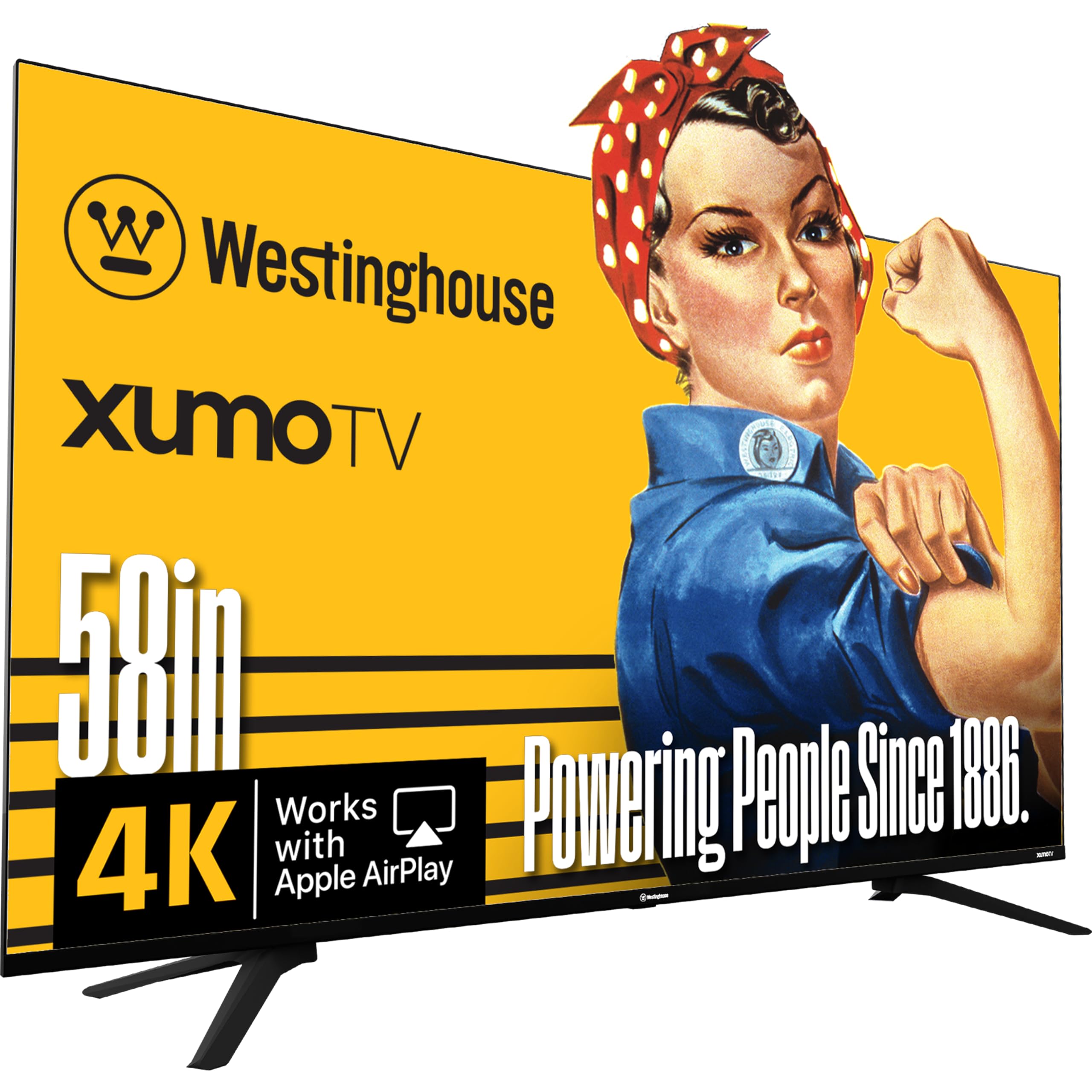
The only true 58-inch panel here, with a 5000:1 contrast ratio and free Xumo streaming.
This is the exact size you searched for and the budget-friendly way to get it. The 58-inch 4K UHD display uses Dolby Vision and HDR10+ (two high-dynamic-range formats that boost contrast and color) for bright, accurate color, while the 5000:1 contrast ratio keeps blacks deep. The Xumo platform offers 350+ free live channels and 70,000+ on-demand movies and shows with no subscription—plus it is preloaded with Netflix, Prime Video, Disney+, Apple TV+, Hulu, HBO MAX, and YouTube TV, so your existing logins work immediately.
Connectivity is this TV’s quiet strength. Three HDMI inputs, one USB port, a composite video input, and an optical digital audio output cover every device you already own. Apple AirPlay lets you mirror from an iPhone or Mac, and Bluetooth 5.1 pairs a soundbar or headphones wirelessly.
The most-discussed positives are quality and value for money, each drawing 18 owner mentions, with picture quality close behind at 14. Owners call the built-in speakers “superior quality” — one buyer running it without a soundbar described them as booming at volume 22. The honest caveat: the mixed feedback on reliability and connectivity — one owner received a cracked screen in delivery, and another hit initial pairing issues that resolved with updates. An occasional unit arrives damaged in transit, so inspect on arrival.
True-to-size value: the only panel in this guide that is literally 58 inches, with a contrast ratio that beats the Hisense on paper at a lower tier.
Soundbar optional: buyers consistently rate the built-in speakers better than typical TV audio, so you can skip an add-on.
Buy it if: you want the genuine 58-inch size and a huge free-streaming library without paying for a major brand.
Be careful if: delivery damage is your worry — check the screen the moment it arrives and report any cracks immediately.
4. TOSHIBA 55″ M450 Series QLED

A budget QLED with Fire TV and Alexa voice control for under.
The hook is the price-to-feature ratio: a 55-inch QLED with rich color, Fire TV, and an Alexa voice remote. The REGZA AI Engine ZRi Gen3 upscales lower-resolution content toward 4K while reducing noise, so older shows look cleaner than you expect. Dolby Vision and Dolby Atmos combine for engaging audio-visual performance, and HDR10+ Adaptive adjusts brightness scene by scene.
Game Mode adds ALLM, VRR, and eARC support, which is rare at this tier and makes the panel genuinely console-capable. The REGZA Power Audio uses dual “clear direct speakers” so you hear sound as if you are in the scene. Owners rate the picture crisp and the setup easy, calling it “10/10” across the board. Quality earns the most mentions at 45, with picture quality and value for money tied at 38 each.
The recurring gripe among owners is the factory “energy saving mode” — the picture looks noticeably better once you disable it and turn off adaptive brightness. Reliability is mixed in the feedback, and one owner hit a setup issue where the remote would not connect. Connectivity is the weakest area: a few buyers found the TV needed an ethernet cable to be usable over Wi-Fi, so factor that in if your router is far from the screen.
Fire TV Ecosystem
- Voice remote with Alexa for search, controls, and smart home
- Dolby Vision and Dolby Atmos built in
- Game Mode with ALLM, VRR, and eARC
- REGZA AI Engine upscales content toward 4K
Owner Adjustments
- Energy-saving mode dulls the picture — change settings on day one
- Some units struggle on Wi-Fi alone; an ethernet connection helps
Ideal for Fire TV fans: if you already live in the Alexa ecosystem and want a cheap QLED with solid gaming extras.
Not for non-techies: the settings tweak and potential Wi-Fi quirk mean you should be comfortable poking around menus.
5. Samsung 55″ U8000H Crystal UHD

A Samsung Crystal Processor and Color Booster deliver vivid streaming at a budget price.
The defining spec here is the Crystal Processor, which enhances colors and sharpens details for a vibrant 4K experience. The Color Booster feature pushes reds and blues to pop, and 4K upscaling upgrades lower-quality sources toward crisp 4K clarity. Motion Xcelerator delivers smooth motion at up to 4K 60Hz — a solid match for sports and casual gaming, though not the 144Hz territory of the top picks.
The smart side is generous: Samsung TV Plus offers 2,700+ free streaming options, including 750+ subscription-free channels, so there is plenty to watch before you log into anything. Bluetooth 5.3 and built-in Wi-Fi handle wireless connections, and the remote supports voice control. Owners describe the picture as “breathtaking” with vibrant colors and sharp details, and the setup as straightforward—quality earns 186 mentions and picture quality 146, the highest raw counts in this guide.
The honest trade-off is the Tizen OS feeling laggy for some owners, and the remote drawing 33 negative mentions for responsiveness — a few buyers simply attach a Roku stick. Sound quality is mixed: some find it rich and crisp, others want more. For plain TV watching at a friendly price, it is a strong crowd favorite — but its 60Hz panel and occasionally sluggish interface mean gamers and impatient users should look at the iFFALCON above.
Crowd-Pleasing Picture
- Crystal Processor with 4K upscaling for cleaner detail
- 2,700+ free streaming options via Samsung TV Plus
- Slim bezel design for a modern look
- Easy setup praised by the majority of buyers
Things to Weigh
- Tizen OS occasionally feels laggy in menus
- Remote responsiveness draws the most negative feedback
Pick it for casual watching: if you mostly stream movies and shows and want a trusted brand with a vibrant picture at a budget price.
Skip it for gaming: the 60Hz panel cannot match the 144Hz motion handling of the iFFALCON, and the laggy OS will test your patience.
Understanding the Specs
Refresh Rate in Hertz
Refresh rate tells you how many times the screen redraws per second. A 60Hz panel is fine for movies and most TV shows. A 144Hz panel keeps fast-moving sports and console games smooth with less blur — the difference is most visible when the camera pans quickly across a field or you are swinging through a game level.
Contrast Ratio and Local Dimming
Contrast ratio compares the brightest white to the darkest black a panel can show. A higher ratio, like the 6000:1 on the iFFALCON, means deeper blacks next to bright highlights. Local dimming goes further by dimming small zones of the backlight independently, which is what creates that “almost perfect black” look owners describe.
FAQ
Why is there no exact 58-inch model from most brands?
Does a 144Hz TV matter if I only watch movies?
Will the anti-glare screen on the Hisense really help in a bright room?
Is a MiniLED TV worth the extra cost over a standard LED?
Which smart platform is easiest to use day to day?
Do I need a soundbar with these TVs?
Is Dolby Vision better than HDR10+?
Can I use any of these TVs as a computer monitor?
Final Thoughts: The Verdict
For most people, the 58 inch tv winner is the Hisense CanvasTV because its anti-glare Hi-Matte panel and 144Hz motion handling make it the one screen that works in bright living rooms and dark movie nights alike. If you game on a PS5 or Xbox, grab the iFFALCON MiniLED for its 1000-nit brightness and four HDMI 2.1 ports. And for the genuine 58-inch size on a budget, the Westinghouse Xumo delivers a 5000:1 contrast ratio and free streaming from the start.
How We Picked
We do not accept paid placement. Every pick is matched to a real buyer and a real use-case; we do not hands-on test units.
Sources & Methodology
Specifications: manufacturer listings and product documentation. Review insights: verified customer reviews, as of August 2026. Pricing: not shown on this page (it changes often); check the current price via the retailer link.
As an Amazon Associate, Gadgets Feed earns from qualifying purchases. This does not affect which products we feature.