
Our readers keep the lights on and my morning glass full of iced black tea. As an Amazon Associate, I earn from qualifying purchases.
Specs are compiled from manufacturer listings and verified buyer reviews and can change over time — please confirm the key details on the product page before buying.
Chasing a 1440p 300Hz monitor means you want two things at once: sharp, detailed pixels and motion so fluid it feels like the game is reading your mind. The real question is which panel technology gets you there — a fast IPS for value, a Mini-LED for searing HDR brightness, or an OLED for perfect blacks and instant response. This guide breaks down the best options, what each panel type does differently, and the honest trade-offs you will live with daily.
I’m Min — the founder and writer behind Gadgets Feed. This guide is built by comparing the manufacturers’ published specifications and the patterns across verified customer reviews, so you get each pick’s real strengths and trade-offs instead of marketing spin.
Whether you are upgrading from 1080p or a 60Hz panel, the shift to a 1440p 300hz monitor is the single most noticeable change you can make to your gaming setup for crisp detail and buttery-smooth motion.
Our Picks at a Glance

How To Choose The Best 1440p 300Hz Monitor
Before you get lost in spec sheets, know this: the crowd favorite in this space holds a 4.3-star rating with over four hundred owners, and the consensus is clear that OLED is the picture-quality king. The real decision tree starts with your graphics card, because hitting 300 frames per second requires serious GPU horsepower.
Panel Type: IPS vs Mini-LED vs OLED
This is the biggest fork in the road. IPS panels give you wide viewing angles, reliable color, and the lowest price, but their contrast is limited — blacks look more like dark gray. Mini-LED panels add local dimming zones to boost contrast and HDR brightness dramatically, but you can see halos around bright objects. OLED panels deliver perfect blacks and instant pixel response, but they cost more and carry a burn-in risk with static images like a desktop taskbar.
Refresh Rate and Response Time
At 300Hz, the screen draws a new image every 3.3 milliseconds, which makes fast motion look almost blur-free. Response time measures how fast a pixel changes color, and the gap between 1ms and 0.03ms is massive — the 0.03ms panels are up to 33 times faster, which is why OLED feels so much more responsive. For competitive shooters, lower response time beats higher peak brightness every time.
Adaptive Sync Compatibility
FreeSync and G-Sync stop screen tearing by syncing the monitor to your graphics card’s frame output. If you have an AMD card, look for FreeSync Premium or Premium Pro. If you have an Nvidia card, you want G-Sync Compatible. Most 1440p 300Hz monitors support both, so this usually depends on which tier you get and whether it works over HDMI or DisplayPort.
Quick Comparison
| Model | Best For | Panel Type | Response Time | Peak Brightness | Amazon |
|---|---|---|---|---|---|
| Alienware AW2725DF★ Best Overall | Best Overall — OLED motion clarity | QD-OLED | 0.03ms | 250 cd/m² | Amazon |
| ASUS TUF VG27AQM5ABest Value | Budget IPS speed | Fast IPS | 0.3ms | 1027.8 lm | Amazon |
| AOC Q27G4SMNHDR Powerhouse | Mini-LED HDR value | Mini-LED VA | 1ms | HDR1000 | Amazon |
| MSI MAG 274QPF X30MV | Mini-LED with 1152 zones | Rapid VA | 0.5ms | 1370.4 lm | Amazon |
| LG 27G640A-B | Value with HDMI 2.1 & USB-C | IPS | 1ms | 400 cd/m² | Amazon |
| ASUS ROG Strix XG27AQMR | ESports-grade IPS | Fast IPS | 1ms | DisplayHDR 600 | Amazon |
| Alienware AW2725DF OLED | Premium OLED all-rounder | QD-OLED | 0.03ms | 1000 cd/m² | Amazon |
| MSI MPG 271QR QD-OLED X50 | 500Hz absolute speed | QD-OLED | 0.03ms | 1027.8 cd/m² | Amazon |
| Samsung Odyssey OLED G6 G60SD | 360Hz with burn-in protection | QD-OLED | 0.03ms | 250 cd/m² | Amazon |
| Samsung Odyssey OLED G6 G60SF | 500Hz OLED speed | QD-OLED | 0.03ms | 300 cd/m² | Amazon |
| Sony INZONE M10S | Tournament-ready 480Hz | OLED | 0.03ms | 275 cd | Amazon |
In‑Depth Reviews
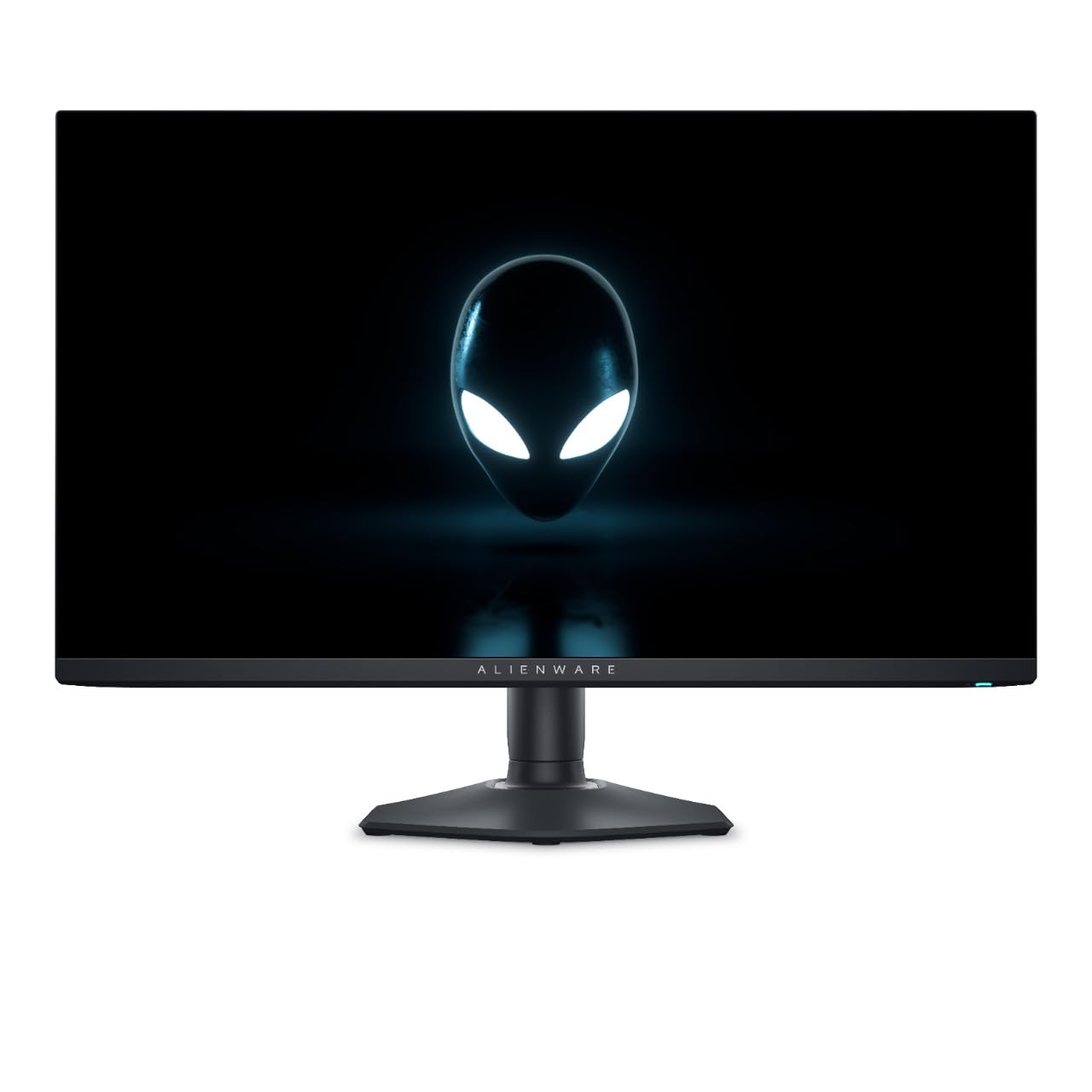
1. Alienware AW2725DF 27″ QHD 360Hz QD-OLED
Our pick — over 4★ from 250+ verified ratings; the strongest balance of quality and price.
The OLED that gives you near-instant 0.03ms response with colors that pop off the screen.
The Alienware AW2725DF is the pick that wins people over the moment they see it, and the reason is the QD-OLED panel. It pushes a 360Hz refresh rate — a full 20% higher than the 300Hz baseline — while delivering a 0.03ms gray-to-gray response time that is up to 33 times faster than a 1ms IPS panel. That combination makes motion look almost ghost-free, and the 99.3% DCI-P3 coverage makes game worlds look rich and saturated.
Owners say the jump from IPS is the most striking thing about it, calling the visuals stunning compared to what they had before. The matte finish means you will want a darker room, and buyers report that the AMD FreeSync feature can flicker in some apps like Steam or Chrome, so many simply switch it off and run the panel without issue. Text clarity is good, and the adjustable stand covers height, tilt, swivel, and pivot, so dialing in your perfect viewing angle is easy.
One trade-off to know about: OLED panels carry a burn-in risk if you leave static images like a taskbar on screen all day. Alienware backs it with a 3-year warranty, which takes the edge off that worry. The glossy screen is also a fingerprint magnet, so keep a microfiber cloth nearby.
Fastest QHD OLED
- Infinite contrast ratio for true black levels
- 0.03ms response time eliminates motion blur
- 360Hz refresh rate leads the 1440p pack
- 99.3% DCI-P3 color coverage for vivid games
Heavy power draw
- Glossy finish needs a dark room to avoid reflections
- FreeSync can flicker in some apps, so many disable it
- OLED burn-in risk with static images
Speed demons: The 360Hz refresh rate and 0.03ms response make it a dream for competitive shooters and visual purists alike.
Budget buyers: If you play in a bright room or leave a static desktop on screen all day, an IPS panel is the safer, lower-maintenance choice.
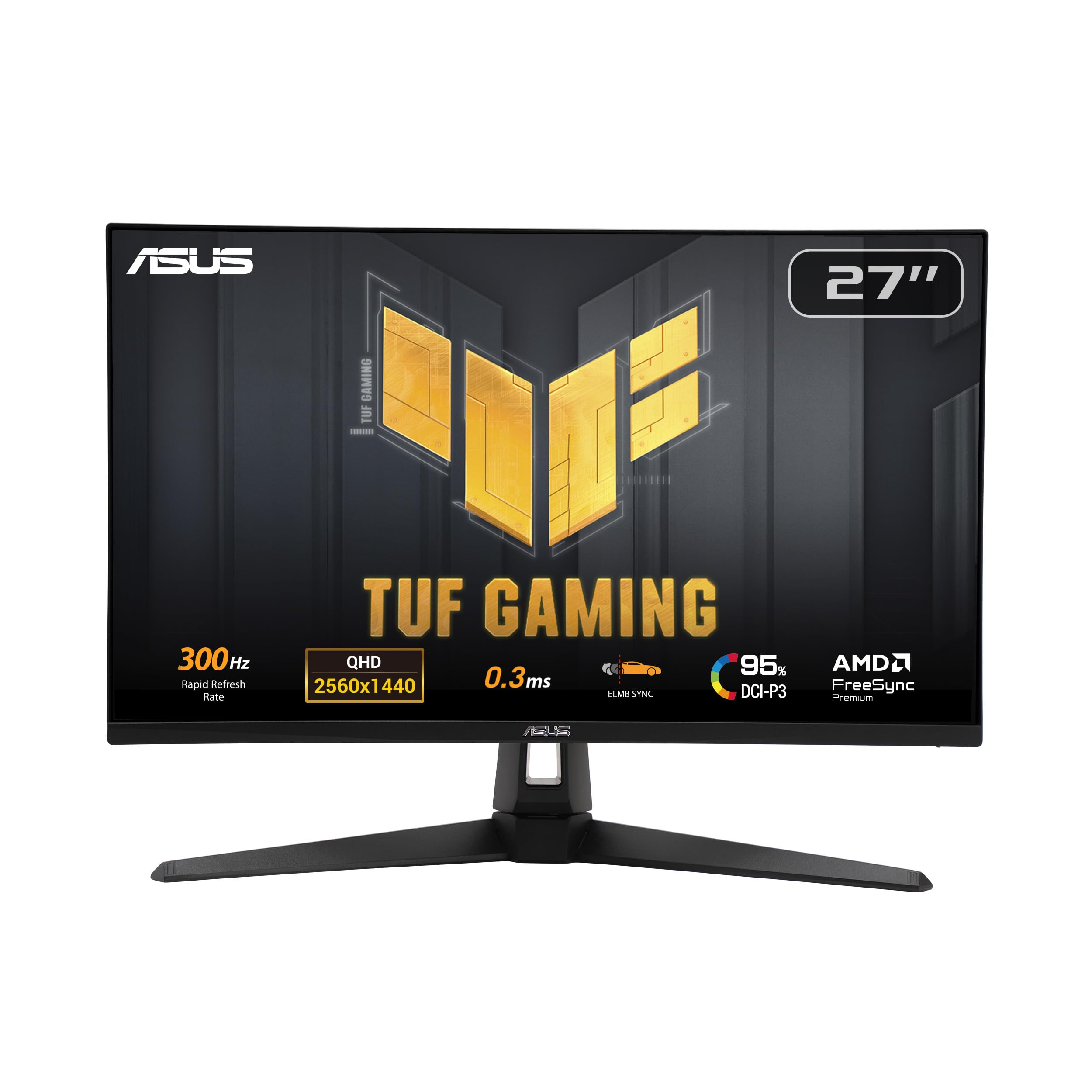
2. ASUS TUF Gaming VG27AQM5A
The Fast IPS panel that delivers 300Hz speed with a 0.3ms response at a price that feels like a steal.
The TUF Gaming VG27AQM5A is the budget-friendly speedster that punches far above its weight. It uses ASUS Fast IPS technology to hit a 0.3ms gray-to-gray response time, which keeps fast-moving objects sharp without the smearing you often see on cheaper panels. The 300Hz refresh rate matches the top of the 1440p class, and the 1300:1 contrast ratio is a solid 30% better than the 1000:1 you get on the AOC Mini-LED below, so dark scenes have a bit more depth.
What wins people over here is the overall quality and pure value — the sharp 1440p resolution, the fast response, and color that covers about 95% DCI-P3. The matte anti-glare coating keeps reflections down, and the stand is solid enough that owners mention no shaking. A built-in pair of speakers means you can skip a headset for casual watching, though they are more for convenience than immersion.
The honest catch is that not every unit is perfect from the start. Some owners note dead pixels on arrival, while others report an occasional flicker at certain refresh rates. The 3-year warranty covers dead pixels, which softens the blow. For the price, the sheer feature list — ELMB Sync, Shadow Boost, and DisplayWidget Center software — is tough to beat.
TUF fans: You want a fast, reliable 300Hz gaming monitor without paying OLED prices, and you are okay with average contrast.
Aesthetic hunters: You need deep black levels or a flawless panel guarantee on delivery day.
3. AOC Q27G4SMN Mini-LED
The Mini-LED panel that brings near-OLED black levels and searing HDR1000 brightness for a mid-range price.
The AOC Q27G4SMN is the HDR specialist of this group, and it earns that with a Mini-LED VA panel packing 1152 local dimming zones. Those zones turn off individually, so you get deep blacks that owners describe as close to OLED. It is certified DisplayHDR 1000, which means bright highlights genuinely pop, and the 150.2% sRGB coverage delivers vivid, accurate colors.
The 300Hz refresh rate runs over DisplayPort or HDMI, and owners confirm they can get true 10-bit color at 1440p and 300Hz via DisplayPort with an AMD card. The factory calibration is excellent — one report shows an sRGB average Delta E of 0.45, which is a measure of color accuracy where lower is better. The included HDMI 2.1 and DisplayPort cables mean you can plug in and play immediately.
It is not a perfect package. The 1ms response time is faster than standard VA panels, but still slower than the 0.3ms or 0.03ms panels here, so motion is good but not elite. The old-style four-button OSD is clunky, and the stand wobbles slightly when you press those buttons. Owners also note the FreeSync Premium Pro label is advertised but only shows as Adaptive Sync Compatible in AMD settings — a small mismatch, not a dealbreaker.
HDR lovers: Gamers who want HDR brightness and deep blacks but are not ready to pay OLED prices, and who prefer a VA panel for its high contrast.
Halo haters: Esports players who need the absolute fastest pixel response for twitch shooters.
4. MSI MAG 274QPF X30MV

The Rapid VA Mini-LED that hits 1152 dimming zones and 300Hz for brilliant HDR without the OLED price tag.
The MSI MAG 274QPF X30MV takes the Mini-LED formula and pushes it further with 1152 full-array local dimming zones — the same count as the AOC — on a Rapid VA panel. It is certified DisplayHDR 1000, and with a brightness spec of 1370.4 lm, it is the brightest panel in this entire lineup. That means HDR content looks punchy, and owners describe it as one of the best Mini-LED monitors available for the money.
The 300Hz refresh rate pairs with a 0.5ms gray-to-gray response time, which is solid for a VA panel and keeps screen tearing and choppy frame rates under control. Owners find it great for static work like spreadsheets and MMOs, where OLED panels can struggle with burn-in, and the thin bezels keep the focus on the screen. Quantum Dot technology boosts the color gamut to 99% DCI-P3, so games look vibrant.
The catch is that colors need a little setup from the start. Several customers note the initial color profile looks off, but installing the ICC profile from the MSI website fixes it completely. There is also a mention of VA black smearing on dark text — a trait of the panel type, not a defect. And if you want 10-bit color, you need DSC, which disables the picture-in-picture modes.
Versatile players: You want the highest brightness available and do a mix of gaming and static productivity work, so OLED burn-in is a real concern.
HDR purists: You want out-of-the-box color accuracy without downloading a profile, or you hate VA panel smearing.
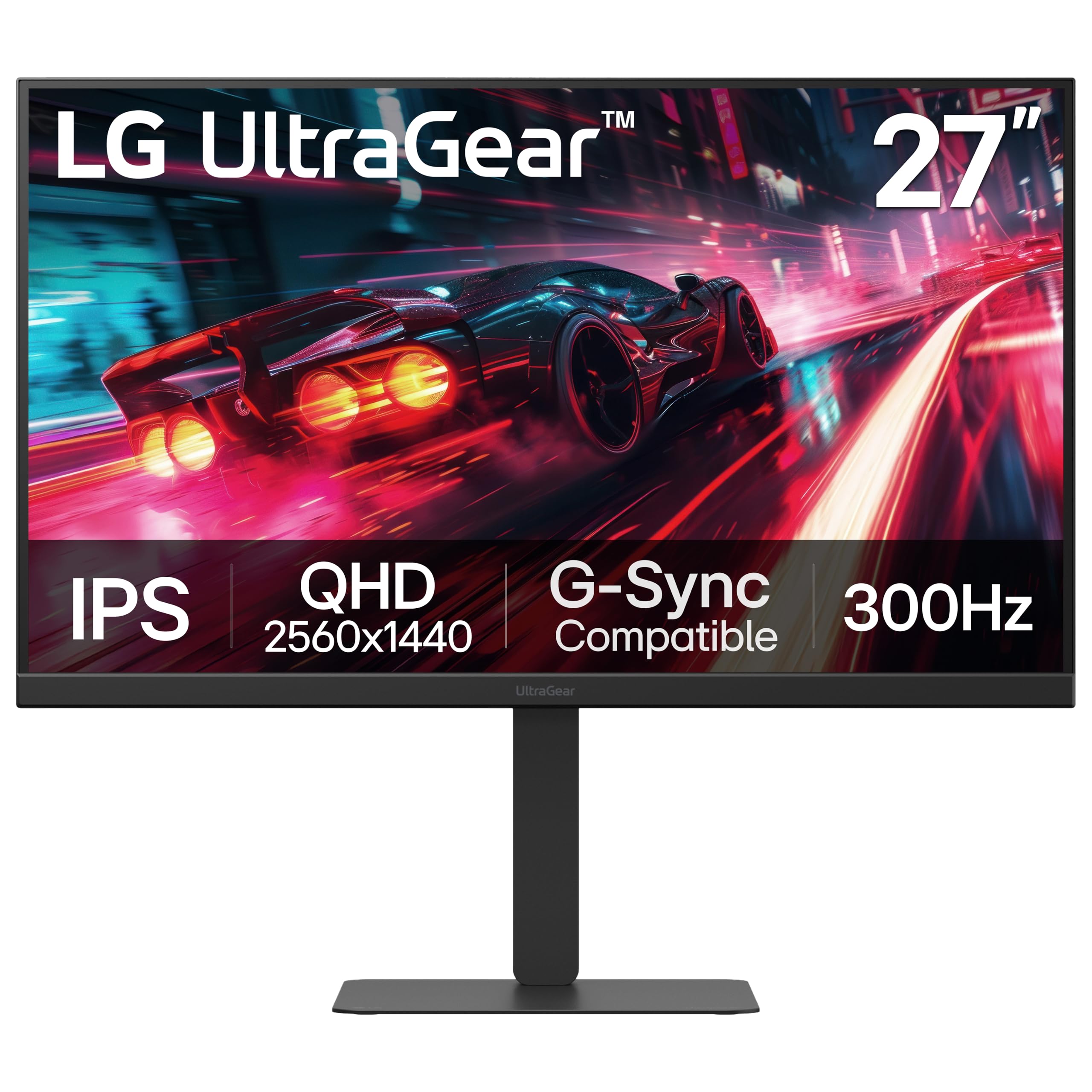
5. LG UltraGear 27G640A-B
The IPS workhorse that pairs 300Hz speed with HDMI 2.1 and USB-C ports most monitors at this price skip.
The LG 27G640A-B is the well-rounded value pick, and its defining feature is connectivity. It is the rare 1440p monitor at this tier to include dual HDMI 2.1 ports plus a USB Type-C port with 15W power delivery, so you can plug in a laptop and charge it while you play. The 300Hz refresh rate pairs with a 1ms gray-to-gray response time, and it supports both AMD FreeSync Premium and NVIDIA G-Sync Compatible.
What wins people over is the monitor quality — owners call it phenomenal for the price, specifically praising the sharp 1440p resolution, the 300Hz fluidity, and the excellent color coverage at up to 95% DCI-P3. The VESA DisplayHDR 400 certification means HDR is present but modest, and the 1300:1 contrast ratio is better than many IPS panels. The stand offers height, tilt, swivel, and pivot adjustments, so you can position it exactly how you like.
The honest trade-offs are the built-in speakers, which owners describe as weak, and the occasional faulty cable — one owner reported the included DisplayPort cable was bad, though an old cable fixed it instantly. There is also a rare report of a unit failing to power on the first day. The 300Hz performance at 1440p is consistently praised, and the 3-year warranty gives you some cover.
Wallet watchers: You want a reliable, fast IPS monitor with modern ports for both PC and console gaming on a budget.
Feature seekers: You need strong HDR or a panel that arrives with zero risk of a defective cable.
6. ASUS ROG Strix XG27AQMR

The ROG Strix that pairs a 300Hz Fast IPS panel with DisplayHDR 600 for vivid esports visuals.
The ASUS ROG Strix XG27AQMR is the step-up IPS option from the TUF, and it earns its ROG badge with a 1ms Fast IPS panel and a higher DisplayHDR 600 certification. That HDR rating means brighter, more effective highlights than the 400-class panels, and the 120% color gamut coverage makes games look rich. The 300Hz refresh rate is complemented by G-Sync Compatible and FreeSync Premium Pro, so it plays nice with both Nvidia and AMD cards.
Owners describe the motion clarity as one of the best on a non-OLED panel, which is high praise in a market flooded with 300Hz options. The ELMB Sync technology eliminates ghosting and tearing, and the color presets are a favorite feature — you can switch profiles on the fly depending on the game you are playing. The 27-inch 1440p resolution feels sharp, with some owners saying it looks as crisp as 4K at this size.
The downsides are mixed. Some reviewers point out dead pixels on arrival, others note backlight bleed, and a few find the value questionable compared to cheaper options. The red and yellow-dominant colors are vivid but can look oversaturated if you prefer a natural image. One owner had a unit develop lines after three months, and the repair quote was not worth it — a reminder that quality control is not perfect.
Pro gamers: Competitive gamers with an RTX card who want a fast, vivid IPS panel with strong HDR and G-Sync support.
Casual users: Budget buyers who are happy with a TUF-grade panel and want to save the difference.
7. Alienware AW2725DF OLED (B0CZSGWLD5)

The second Alienware OLED on this list, and the one owners call a jack of all trades for gaming and work.
This Alienware AW2725DF is the more complete OLED package, and it shares the same core DNA as the top pick — a QD-OLED panel with 360Hz refresh and a 0.03ms response time. what separates it is the build: it comes with a 3-year burn-in warranty, a fully adjustable stand with height, tilt, swivel, and pivot, and USB 3.2 Gen1 ports for a built-in hub. The infinite contrast ratio and VESA DisplayHDR True Black 400 deliver deep blacks and bright highlights in the same scene.
What wins people over is the monitor quality — with over a hundred owners praising it, the consensus is that OLED is vastly superior to LCD for both gaming and productivity. The 99.3% DCI-P3 coverage and Delta E under 2 accuracy mean colors look true-to-life, and the 360Hz refresh with 0.03ms response makes motion look almost instant. Owners call it a god-like monitor for competitive play, and the included factory calibration report confirms the color accuracy from the start.
It is not without quirks. A 5-minute pixel refresh runs every few hours, and the purple-tinted coating picks up fingerprints easily. Text clarity is slightly softer than an IPS panel due to the subpixel layout, and there is a note that DLDSR does not work above 240Hz. One refurbished unit reportedly arrived missing cables, so buy new if you want the full accessory kit. Some owners question the price, but the performance is consistently described as elite.
Desk minimalists: You want an OLED that balances gaming and productivity, with a burn-in warranty for confidence.
Port seekers: You are sensitive to text clarity on OLED panels or want the lowest possible price for this panel type.
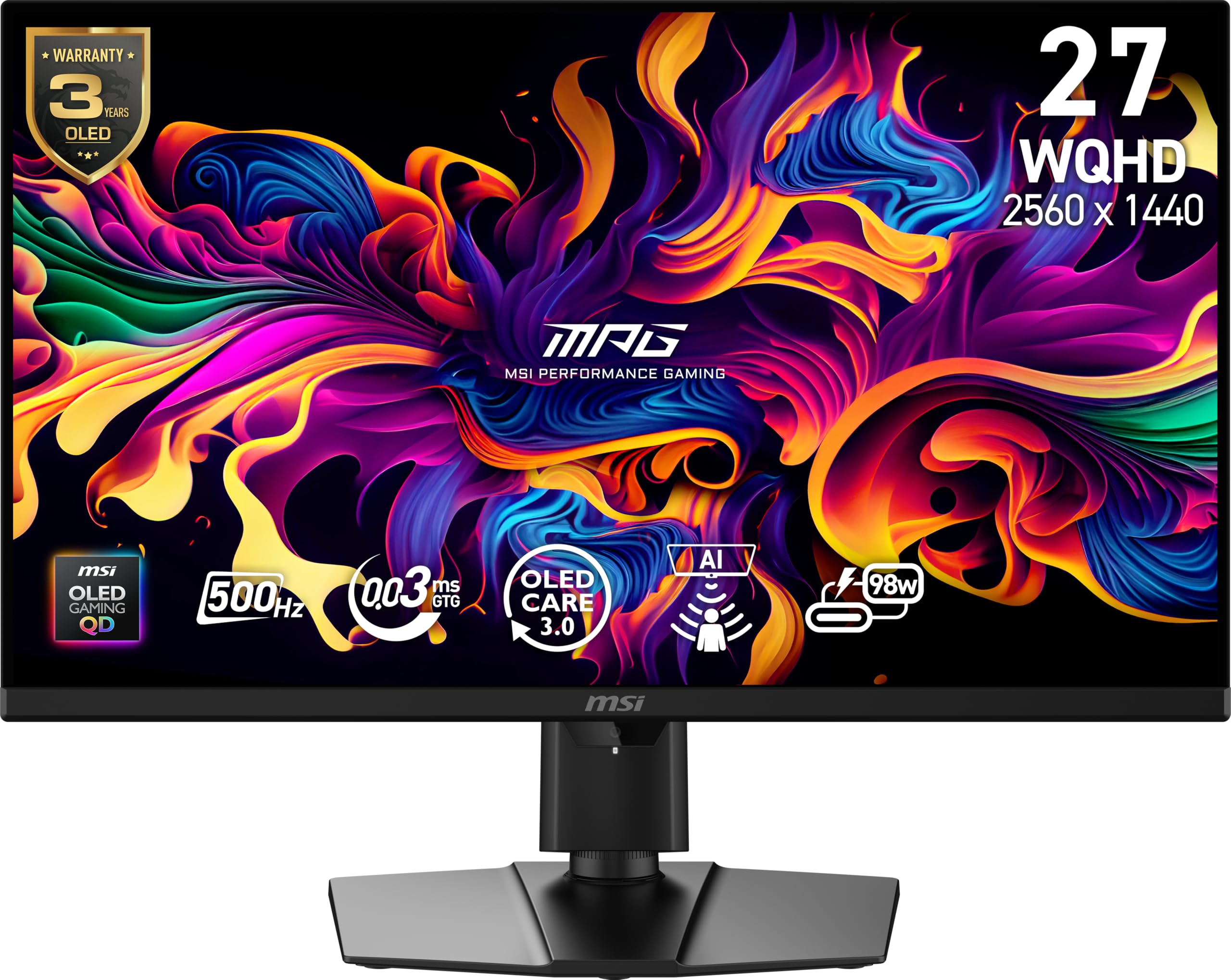
8. MSI MPG 271QR QD-OLED X50
The 500Hz QD-OLED that leaves every other refresh rate here in the dust, with a 0.03ms response.
The MSI MPG 271QR QD-OLED X50 is the fastest panel in this lineup, and 500Hz is not a typo. That refresh rate is 67% higher than the 300Hz baseline, and it pairs with a 0.03ms gray-to-gray response time for a VESA ClearMR 21000 rating — a certification for motion clarity. The QD-OLED panel displays 1.07 billion colors with 99% DCI-P3 coverage and a native contrast ratio of 1,500,000:1, so blacks are truly black and colors are vivid.
What wins people over is the display quality — owners call it an endgame monitor, and the 500Hz motion clarity is described as incredible. The included DisplayPort 2.1a cable is required for full 500Hz, so do not lose it. It also features a fanless graphene heatsink instead of an active fan, plus an AI Care Sensor that uses a CMOS sensor to keep the screen on only when someone is present — a clever anti-burn-in feature. The USB-C port delivers 98W power, so it can charge a laptop while displaying.
The catch is the software and firmware. Shoppers say the 500Hz mode requires a firmware update, the software needs a USB-B connection, and the OLED care pop-ups are annoying because they cannot be dismissed with a mouse or keyboard. The AI power on/off is also unreliable in dark rooms. One owner found the rear buttons hard to use and the menu frustrating, though the panel itself is flawless. The high price is the other honest hurdle.
Color fans: You want the absolute fastest refresh rate on the market and you are willing to tinker with firmware for perfection.
Multi-device users: You want a plug-and-play experience without software quirks or OLED care pop-ups interrupting your session.
9. Samsung Odyssey OLED G6 G60SD

The Samsung OLED that fights burn-in harder than any other, with a 360Hz panel and a clever cooling system.
The Samsung Odyssey OLED G6 G60SD is the OLED that thinks about longevity, and its defining feature is the Dynamic Cooling System. For the first time, Samsung introduced a Pulsating Heat Pipe into a monitor — it evaporates and condenses a coolant to diffuse heat five times better than the older graphite sheet method. That directly fights the main OLED fear: burn-in. A Thermal Modulation System predicts surface temperature and adjusts brightness to reduce heat.
What wins people over is the picture quality — owners call it the best OLED display they have used, praising the vivid colors, incredible contrast, and sharp, clear text. The 360Hz refresh rate and 0.03ms response time make it feel instant, and the Glare Free technology significantly reduces reflections from external lights, so you are not stuck in a dark room. The 1,000,000:1 contrast ratio delivers true blacks, and the 3-year warranty adds confidence.
The honest downsides: owners note the brightness is lower than a Mini-LED panel, and the rear joystick button is fragile — one owner had it break after six months, and it was not covered by warranty. The build quality is mixed, with some calling it sturdy and others mentioning brittle plastic. The OLED care auto screen on/off can be annoying, and the stand lacks M4 screws for a monitor arm. Owners who have used it daily for months report no burn-in with energy saving and HDR off.
Curve lovers: You want OLED visuals but fear burn-in enough to want the strongest anti-burn-in tech on the market.
Stability sticklers: You need maximum brightness or want a monitor arm without dealing with screw compatibility.
10. Samsung Odyssey OLED G6 G60SF
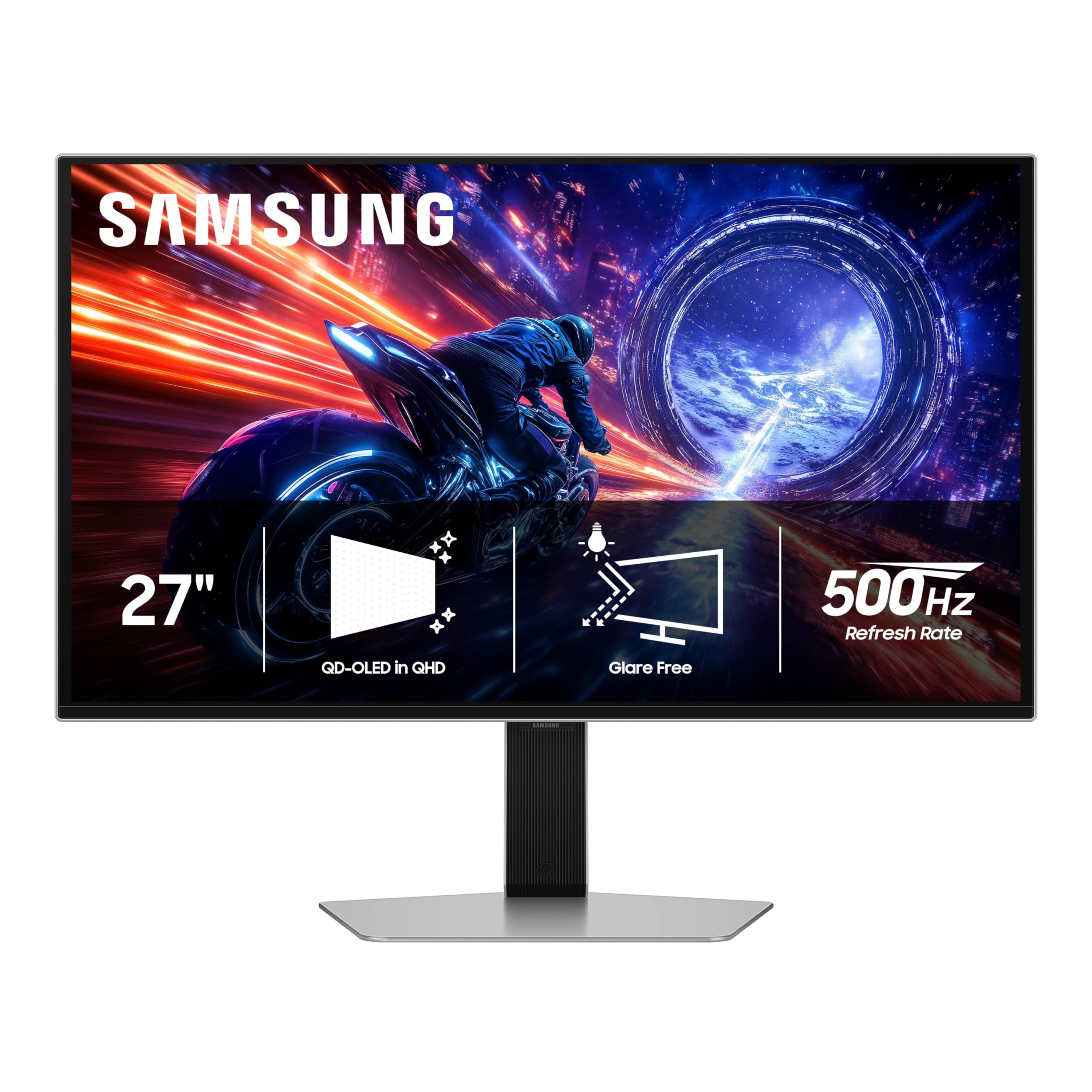
The world’s first 500Hz OLED gaming monitor, and the motion clarity is genuinely astonishing.
The Samsung Odyssey OLED G6 G60SF is the other 500Hz panel here, and it holds the claim of being the world’s first OLED monitor to hit that refresh rate. The 0.03ms response time pairs with the 500Hz refresh for a near-instant reaction that owners describe as feeling like CRT clarity — the gold standard for motion smoothness. QD-OLED delivers enhanced brightness and vibrant colors, and the VESA DisplayHDR TrueBlack 500 certification means deep blacks with 1000 nits peak brightness.
What wins people over is the picture quality — the 500Hz refresh rate draws praise for eliminating motion blur entirely, and owners say it is a huge upgrade from a 165Hz panel. The Glare Free technology keeps reflections away, and the ergonomic stand tilts, height-adjusts, and pivots. G-Sync compatibility reduces screen lag and tearing, so it works well with Nvidia cards. The 1,000,000:1 contrast ratio ensures blacks are truly black, and HDR content at 1000 nits is very noticeable.
The honest catch is build quality. Owners repeatedly report the button durability is a concern — multiple buyers report the joystick breaks within a month of use, and the base has notable play between the base and arm stand. One owner described the build as feeling cheap with a loose power connector. The high price tags on this one also draw mixed reviews, with several owners saying it feels overpriced for the build quality even if the picture is spectacular.
Flat-screen fans: You are a competitive gamer who wants the fastest OLED motion clarity possible and will mount it on an arm anyway.
Hub dependents: You need a rock-solid stand or you are wary of the recurring button durability complaints.
11. Sony INZONE M10S

The Sony OLED built with the Fnatic esports team, blending a 480Hz panel with tournament-ready features.
The Sony INZONE M10S is the monitor developed with the Fnatic esports team, and it shows in the details. The 480Hz refresh rate sits between the 300Hz baseline and the 500Hz leaders, but it pairs with a 0.03ms response time for a snappy, responsive feel that owners describe as instant. The OLED panel delivers perfect blacks and vivid colors, and the 27-inch QHD resolution gives you crisp detail at 108 PPI.
The defining feature is the tournament-ready design. The stand is just 4mm thin, freeing up desk space for a low-profile keyboard and mouse setup, and the monitor can swap to a 24.5-inch mode with dedicated FPS Pro and FPS Pro+ modes that enhance contrast for fast-paced games. The fan-less passive cooling system uses a custom heatsink to prevent burn-in, and a 3-year OLED limited warranty includes burn-in coverage — real confidence.
Owners praise the responsiveness and picture quality, calling it the best monitor on the market for a reason. The viewing angles are perfect, the colors accurate, and the blacks inky. The catch is the value — several owners say it is not worth the asking price, and there is a rare report of a unit with a pixelation issue on the left half of the screen that persists across cables. The stand is minimal, so a monitor arm is the better long-term setup.
Tournament pros: You are a serious FPS player who wants tournament-grade features, a thin stand, and a 3-year burn-in guarantee.
Big-screen fans: You want the fastest 500Hz refresh or you are hunting for the best bang for your buck in the OLED tier.
Understanding the Specs
Panel Technology
Your monitor’s panel type dictates everything you see. IPS panels offer wide viewing angles and reliable colors but weaker contrast. Mini-LED panels add local dimming zones to boost contrast and HDR brightness, but bright objects can show halos. OLED panels deliver perfect blacks and instant response, but they cost more and can suffer burn-in with static images. Choose based on what matters most: value, HDR, or image purity.
Response Time
Response time measures how fast a pixel changes color, and it directly affects motion clarity. A 0.03ms OLED panel is roughly 33 times faster than a standard 1ms IPS panel, which is why OLED feels so responsive. For competitive shooters, a lower response time matters more than peak brightness. Look for 0.03ms to 0.5ms for the smoothest experience, and understand that 1ms is still good but not elite.
FAQ
Do I need a powerful graphics card to run a 1440p 300Hz monitor?
What is the difference between G-Sync and FreeSync?
Is OLED worth the extra cost for gaming?
Can a console run a 1440p 300Hz monitor?
Will I notice the difference between 144Hz and 300Hz?
What is local dimming and why does it matter?
How long do OLED gaming monitors last?
Is a curved or flat 1440p 300Hz monitor better?
What does DisplayHDR 1000 mean for gaming?
How many local dimming zones do I need for good HDR?
Should I buy a 300Hz monitor or wait for higher refresh rates?
Final Thoughts: The Verdict
If you want one dependable pick, the 1440p 300hz monitor winner is the Alienware AW2725DF because its QD-OLED panel delivers the perfect blend of hyper-fast response and stunning color for a competitive price. If you want a budget-friendly IPS option that still hits 300Hz with a 0.3ms response, grab the ASUS TUF VG27AQM5A. And for the absolute fastest refresh rate available, the MSI MPG 271QR and Samsung G60SF push 500Hz for a truly elite esports edge.
How We Picked
We do not accept paid placement. Every pick is matched to a real buyer and a real use-case; we do not hands-on test units.
Sources & Methodology
Specifications: manufacturer listings and product documentation. Review insights: verified customer reviews, as of August 2026. Pricing: not shown on this page (it changes often); check the current price via the retailer link.
As an Amazon Associate, Gadgets Feed earns from qualifying purchases. This does not affect which products we feature.