
Our readers keep the lights on and my morning glass full of iced black tea. As an Amazon Associate, I earn from qualifying purchases.
Specs are compiled from manufacturer listings and verified buyer reviews and can change over time — please confirm the key details on the product page before buying.
Staring at a single laptop screen while juggling spreadsheets, video calls, and a dozen browser tabs is a recipe for wasted hours. A USB and HDMI adapter is the small, inexpensive fix that turns that cramped laptop into a proper two-monitor command center, and the right one also keeps your machine charged while it works. The catch is that “adapter” covers wildly different devices — some are simple USB-C video cables, others are full hubs with extra ports, and a few need driver software before they will do anything at all. This guide breaks down the real differences, so you buy the one that matches your laptop, your monitors, and your working style.
I’m Min — the founder and writer behind Gadgets Feed. This guide is built by comparing the manufacturers’ published specifications and the patterns across verified customer reviews, so you get each pick’s real strengths and trade-offs instead of marketing spin.
Mirroring your screen for a presentation or extending your desktop for multitasking depends on one thing: the right usb and hdmi adapter. A correct match means instant plug-and-play; a mismatch means no signal or constant disconnects.
Our Picks at a Glance


How To Choose The Best USB And HDMI Adapter
Match your laptop’s output port, your monitor’s input, and your need for extra ports or just video. Skipping this check can leave you with an adapter that won’t display anything.
Check for DisplayPort Alternate Mode first
Most modern USB-C ports can carry video, but only if they support something called DisplayPort Alternate Mode (DP Alt Mode). This is the protocol that lets a USB-C port send a video signal to a monitor. If your laptop’s USB-C port is data-only or charge-only, no adapter will ever make it show video. Look up your laptop’s specs or check the port for a small “DP” logo before you spend any money.
Decide between a cable and a hub
A simple USB-C to HDMI cable is compact and cheap, but it usually only adds one monitor and might lack charging. A multiport adapter adds USB-A ports for your mouse and keyboard, a second HDMI for dual monitors, and a dedicated charging port. If your laptop only has USB-C ports, a hub-style adapter is almost always the better buy because it replaces the ports you lost.
Match resolution and refresh rate to your monitor
The adapter’s performance is limited by the weakest component in the signal chain. If you want 4K at 60Hz, your laptop, the adapter, and the HDMI cable must all support HDMI 2.0 or newer. If any one of them is older, the signal will drop to a lower resolution. For standard office monitors, 1080p at 60Hz is sufficient and more affordable.
Quick Comparison
| Model | Best For | Ports | Max Resolution | Charging | Amazon |
|---|---|---|---|---|---|
| Apple USB-C Digital AV Multiport★ Best Overall | MacBooks & iPads needing a reliable hub | 3 | Mirrors Mac Display | USB-C pass-through | Amazon |
| Microwoo USB-C to 4K HDMIBest Value | Budget phone-to-TV mirroring | 2 | 4K | USB-C 100W PD | Amazon |
| VIENON USB 3.0 to HDMI 7-in-1USB-A Champion | Windows laptops with USB-A only | 7 | 1920*1080 | USB-C power port | Amazon |
| Cable Matters USB-C to HDMI 2.1 | Gamers wanting 8K or 4K@240Hz | 1 | 8K@60Hz | None | Amazon |
| Acer 4-in-1 USB-C Hub | Dual 4K monitors on the go | 4 | Dual 4K@60Hz | USB-C 100W PD | Amazon |
| Reborn USB-A to Dual HDMI | Adding two monitors to an older PC | 2 | Dual 1920*1080 | None | Amazon |
| Anker Nano USB-C to HDMI | Travelers who need charging while casting | 2 | 4K@60Hz | USB-C 140W PD | Amazon |
| j5create USB to HDMI | Office multitaskers adding a 3rd screen | 2 | 1080P | None | Amazon |
| WAVLINK USB 3.0 or C to Dual HDMI | Power users running up to 8 monitors | 2 | Dual 2K or one 2560×1440 | None | Amazon |
In‑Depth Reviews
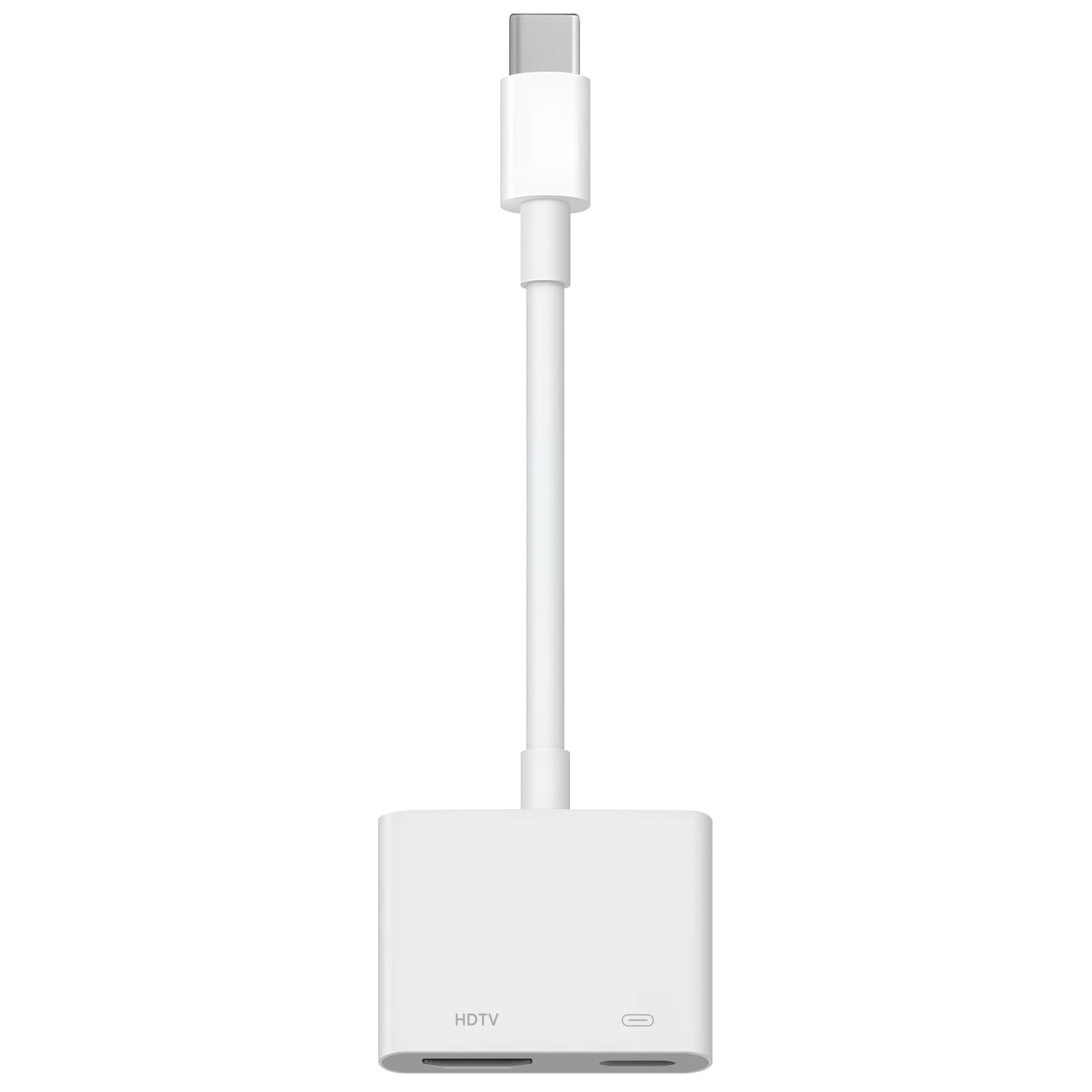
1. Apple USB-C Digital AV Multiport Adapter
Our pick — 4.5★ from 950+ verified ratings; the strongest balance of quality and price.
The Apple-made hub that Mac owners trust to mirror to a TV and charge at the same time
If you live in the Apple ecosystem, this adapter just works. It packs three ports into one small white block—an HDMI output, a standard USB-A port, and a USB-C pass-through for charging—so you can mirror your Mac or iPad to a big screen while keeping your mouse connected and your laptop topped up. It weighs just 23 g, so it disappears into a pocket or sleeve when you are not using it.
Its durable construction justifies the price. Buyers report it surviving daily use with a sturdy, durable feel, and the video output is crisp with no lag. Owners mention adding a second monitor to an iMac in seconds with this cable. It’s plug-and-play for remote work, instantly recognizing monitor, keyboard, and charger.
The honest trade-off is the price and the mixed connectivity feedback. While many report flawless connections, some owners hit issues with the USB-C port failing or incompatibility with certain iPhone models. In more demanding setups, running HDMI, charging, and audio at the same time caused signal drops, pushing one buyer to a powered hub. For simple daily use, it is flawless; for heavy multi-signal demands, you might outgrow it.
What wins people over
- Rock-solid Apple build quality that holds up in daily use
- Crisp, lag-free video output for mirroring and second monitors
- Compact 23 g design that is easy to carry anywhere
Where to think twice
- Premium price tag that is harder to justify for casual use
- Some customers note USB-C port issues or iPhone incompatibility
- Not built for heavy simultaneous HDMI, charging, and audio loads
The crowd favorite: This is the go-to for MacBook and iPad owners who want one reliable adapter that mirrors to a TV, adds a USB device, and charges — all from a single USB-C port.
Who should skip it: If you run a demanding multi-signal setup, its three ports may not be enough, and the price is steep for a basic video-only link.
2. Microwoo USB C to HDMI Adapter
The budget two-port link that streams 4K from your phone to a projector without breaking a sweat
This is the adapter for the person who just wants their phone or tablet on the big screen, fast. It carries 4K HDMI video out of one USB-C port while its second port delivers 100W pass-through charging, so you can stream a movie or run an app on a projector without worrying about the battery draining. It is true plug-and-play — no power supply, no Wi-Fi, no driver installation, and it connects in about 10 seconds.
What wins people over here is sheer functionality at a bargain price. It works perfectly with an iPad Air M2, and one owner uses it to stream a bicycle fit app directly to the TV because screen sharing kept freezing. Reviewers point out it “worked as expected for iPhone to projector,” with excellent video quality and zero connectivity issues — at a fraction of the cost of a name-brand alternative. The ABS case and anti-pulling TPE cable are built for longevity.
The recurring caveat is compatibility with MacBooks specifically. One owner found it worked fine with other computers but not with their Mac, a limitation note if you are all-in on Apple laptops. Connectivity feedback is also mixed — some say it is perfect while others report it does not hold a strong connection. For phones, tablets, and Windows machines, it is a steal; for MacBook users, it is a gamble.
The budget benchmark: At two ports, it offers half the connectivity of the Apple multiport, but for 4K phone-to-TV mirroring with 100W charging, it delivers 4K output that rivals adapters costing several times more.
Reach for this if: You stream from an iPhone, iPad, or Android phone to a TV or projector and want 4K output plus charging without spending premium money.
Look elsewhere if: You rely on a MacBook — this one has a track record of not cooperating with Apple laptops.
3. VIENON USB 3.0 to HDMI Adapter
A seven-port workhorse that turns a USB-A laptop into a full multi-monitor docking station
If your laptop has a plain USB-A port instead of USB-C, this is the adapter that open up a second monitor. It is a 7-in-1 hub that adds an HDMI output at 1920*1080, a fast USB 3.0 port at 5Gbps, two USB 2.0 ports, two USB-C data ports, and even a micro SD card reader. That makes it a genuine port expander, not just a video cable — you can plug in a monitor, a mouse, a keyboard, and a USB stick all at once.
The built-in driver is a practical touch. You connect it, open the removable disk, install the driver, restart, and it works — no hunting around the internet for software. It even solved a real headache for one owner whose second monitor stopped working after a Microsoft update; they plugged this in and had a working second display immediately. The USB-C power port keeps everything stable even with several high-power devices connected.
This is where the feedback gets honest. Port reliability is the most-discussed topic, and it is mixed — some owners say all seven ports work great, while others report the adapter stopped functioning after two weeks or found it slow. Latency is a noted negative for some. It also only supports Windows 7/8/10 and Mac OS, and Windows 7 does not support extend mode currently. If you need a simple, reliable USB-A to HDMI link, this is a capable option, but reliability is the trade-off at this price point.
The honest read: For the price of a budget adapter you get a full hub with an SD reader and fast data ports, but the port reliability is the most-discussed aspect and the reviews split on whether it lasts.
Best if: You have a USB-A-only laptop and want to add a second monitor plus extra ports for peripherals, all from one compact hub.
Think twice if: You need rock-solid reliability for daily critical work — the occasional unit stops functioning after a couple of weeks.
4. Cable Matters 48Gbps USB C to HDMI 2.1 Adapter

The single-port adapter that pushes gaming monitors to 4K@240Hz with HDMI 2.1 speed
This is the adapter for the person who takes their display seriously. It is a single unidirectional USB-C to HDMI 2.1 adapter that supports up to 8K@60Hz resolution on compatible displays, plus features like HDR for richer colors and Auto Low Latency Mode (ALLM) for lag-free gaming. The braided cable and aluminum enclosure give it a premium feel and protect against fraying over time.
Plug-and-play is the standout experience here. Shoppers say achieving 4K@120Hz on a Dell laptop with a Samsung S95F with no external power needed, and 4K@120Hz 12-bit RGB on an LG 42C2 after a firmware update. One owner replaced a faulty DP-to-HDMI cable and now runs stable HDR with no audio stutter. For a 2019 MacBook Pro user, it made the laptop look better on a 65″ OLED than a dedicated streaming stick.
The fine print matters. Achieving 8K@60Hz or 4K@240Hz requires a compatible graphics card like an NVIDIA RTX 2060/30/40 series or AMD RX 6000/7000 series, an HDMI 2.1 display, and a certified HDMI 2.1 cable. On macOS, it is limited to 4K@60Hz. VRR/G-Sync/FreeSync are not supported, and a few buyers report screen reliability issues over time or compatibility problems with specific Mac models like the 2022 Mac Ultra Studio.
The speed it delivers
- True HDMI 2.1 support with 8K@60Hz and 4K@240Hz on compatible setups
- Genuine plug-and-play with no drivers or external power required
- Premium braided cable and aluminum enclosure that resists fraying
The limits to know
- No VRR, G-Sync, or FreeSync support for adaptive refresh gaming
- MacOS is capped at 4K@60Hz, not the full 8K or high refresh rates
- Full performance needs a powerful GPU, HDMI 2.1 display, and certified cable
The standout spec: At a single port, it beats the Apple hub’s 4K mirroring with a 8K ceiling — a leap in resolution that matters for serious gamers and 4K/8K monitor owners.
Who it is not for: If you just mirror a laptop for work and only have a 1080p monitor, this is overkill — the premium is wasted on everyday office tasks.
5. Acer 4-in-1 USB C Hub
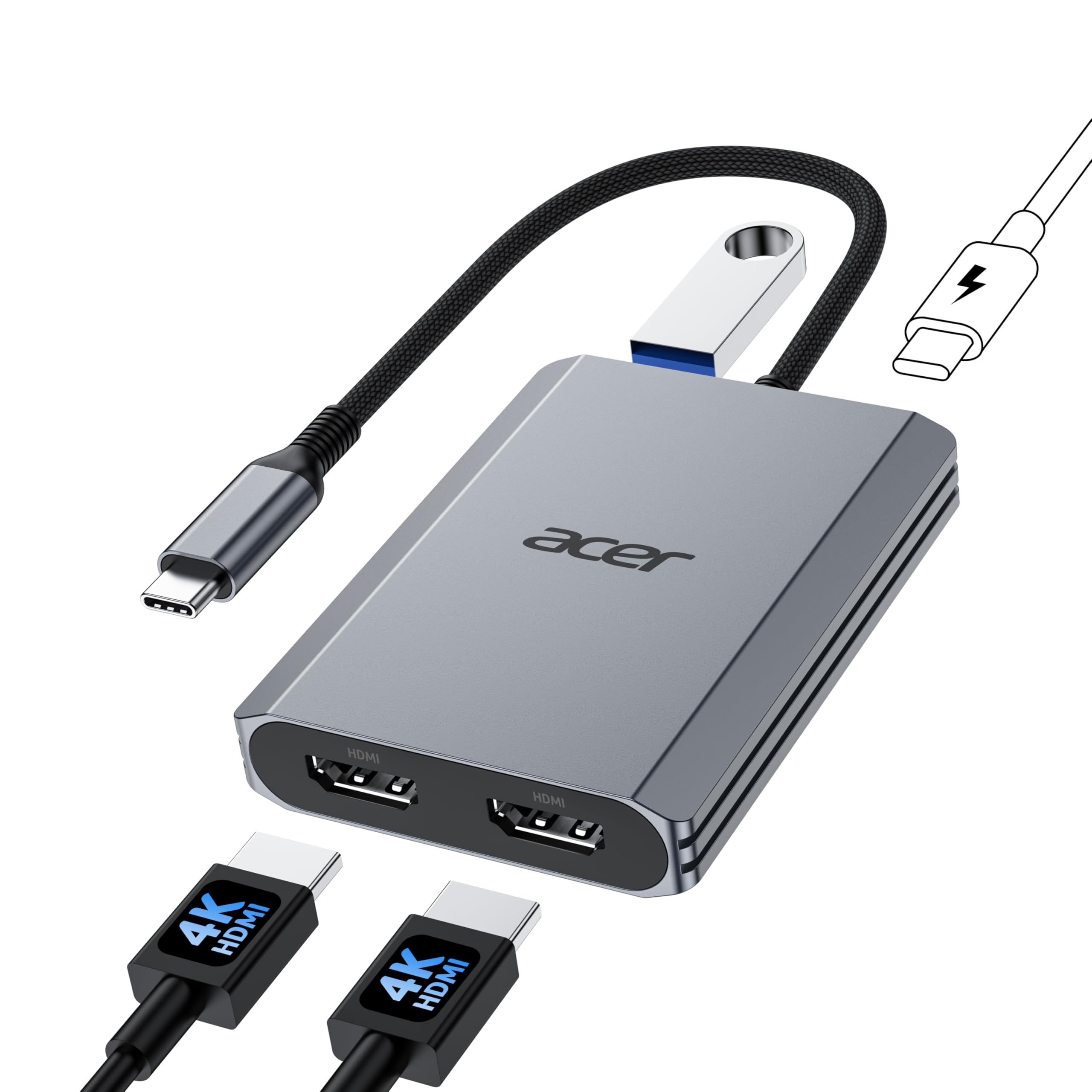
A dual-HDMI hub that runs two 4K monitors at 60Hz while charging your laptop at 90W
For the productivity power user who needs two external monitors, this Acer hub is a compact four-port solution. It offers dual HDMI ports both supporting 4K@60Hz via HDMI 2.0, a USB-A 3.0 port at 5Gbps for fast file transfers, and a sturdy 100W Power Delivery port that charges your host device at a consistent 90W. That means you can run two crisp 4K displays while your laptop battery stays topped up.
Setup is refreshingly straightforward — no software installation required, just plug it in. One buyer replaced their old Acer USB-C/HDMI converter with this and found it works flawlessly, adding dual HDMI, USB-A, and USB-C power in one slightly larger but far more capable package. Another uses it to stream from an iPad or phone to a second monitor that does not connect to the main one. It works with Windows and macOS devices that support DisplayPort Alternate Mode.
The mixed feedback centers on functionality and compatibility. While it works great for many, some report it often does not work, particularly with certain Acer monitors. A few owners hit flickering or power reliability issues. Mac users should also note that macOS can only mirror the same content across all external monitors — you cannot run two separate extended screens on macOS. It also requires a 100W external power adapter and cable, which are not included.
The balanced view: This beats the Apple multiport on raw port count with four connections and a 90W charge vs three ports, but compatibility with some Acer monitors is the recurring complaint, so check your display before committing.
Reach for this if: You are a Windows user with a DP Alt Mode laptop who wants dual 4K external monitors and fast charging from one compact hub.
Consider the risk if: You use Acer monitors or macOS — both have documented compatibility snags, and the hub needs its own 100W power adapter to function fully.
6. Reborn USB-A to Dual HDMI Adapter
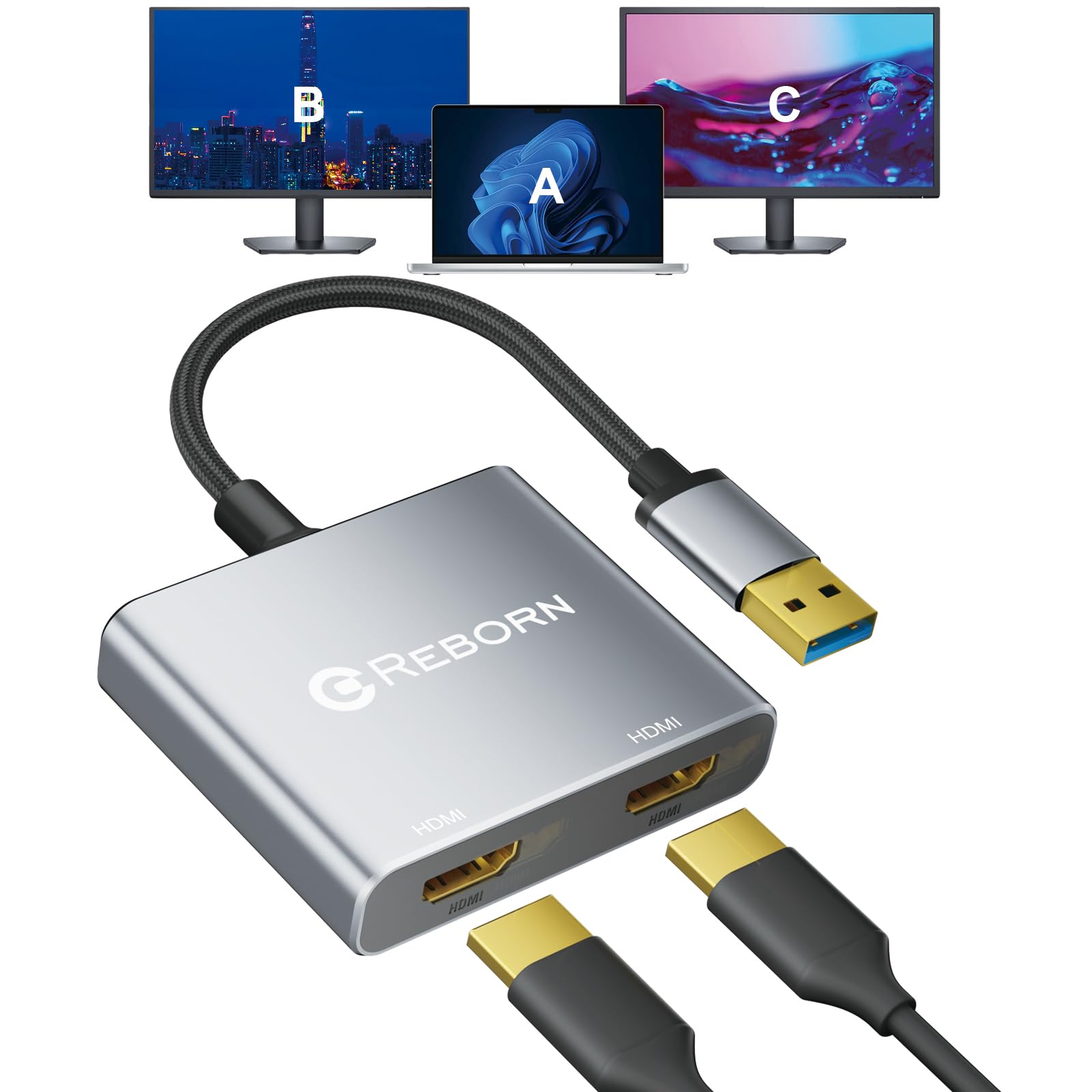
The cheapest way to add two full-HD monitors to a laptop that only has a USB-A port
Sometimes you do not need a fancy docking station — you just need two monitors connected to your laptop, and this adapter does exactly that for less than almost anything else. It is a compact dual HDMI adapter that connects two 1920*1080 displays via a single USB-A port, enabling mirror or extended mode on Windows and Mac. It is driver-based, but the installation is straightforward: connect, open the removable disk, install, and restart.
Owner feedback is genuinely positive on functionality. One buyer calls it a must-have for two-monitor setups, noting it works well when you do not need an expensive docking station. Another found it well-built, easy to set up, and functional, with high-quality video resolution — the only lag appearing when running three monitors on a basic laptop, which they accepted as expected. The instructions are in very small print, but they are clear and easy to follow.
The catch is the setup ritual. One owner found the computer would not recognize the device until it was plugged into the USB port without either HDMI cable attached — a detail the instructions omit. There is also the note that it cannot be used in BIOS mode, and a driver must be installed before first use. The occasional unit simply does not work for some buyers, so patience with the specific installation steps is part of the deal.
The value angle: It undercuts the VIENON’s seven-port price while still delivering dual full-HD monitors, but the driver setup is fiddlier and some units arrive not working.
Best if: You want the lowest-cost path to a dual-monitor setup from a USB-A laptop and are comfortable following a few specific setup steps.
Not for plug-and-play fans: If you expect to plug in and have it work instantly, the driver installation and exact-step requirement will frustrate you.
7. Anker Nano USB C to HDMI Cable Adapter
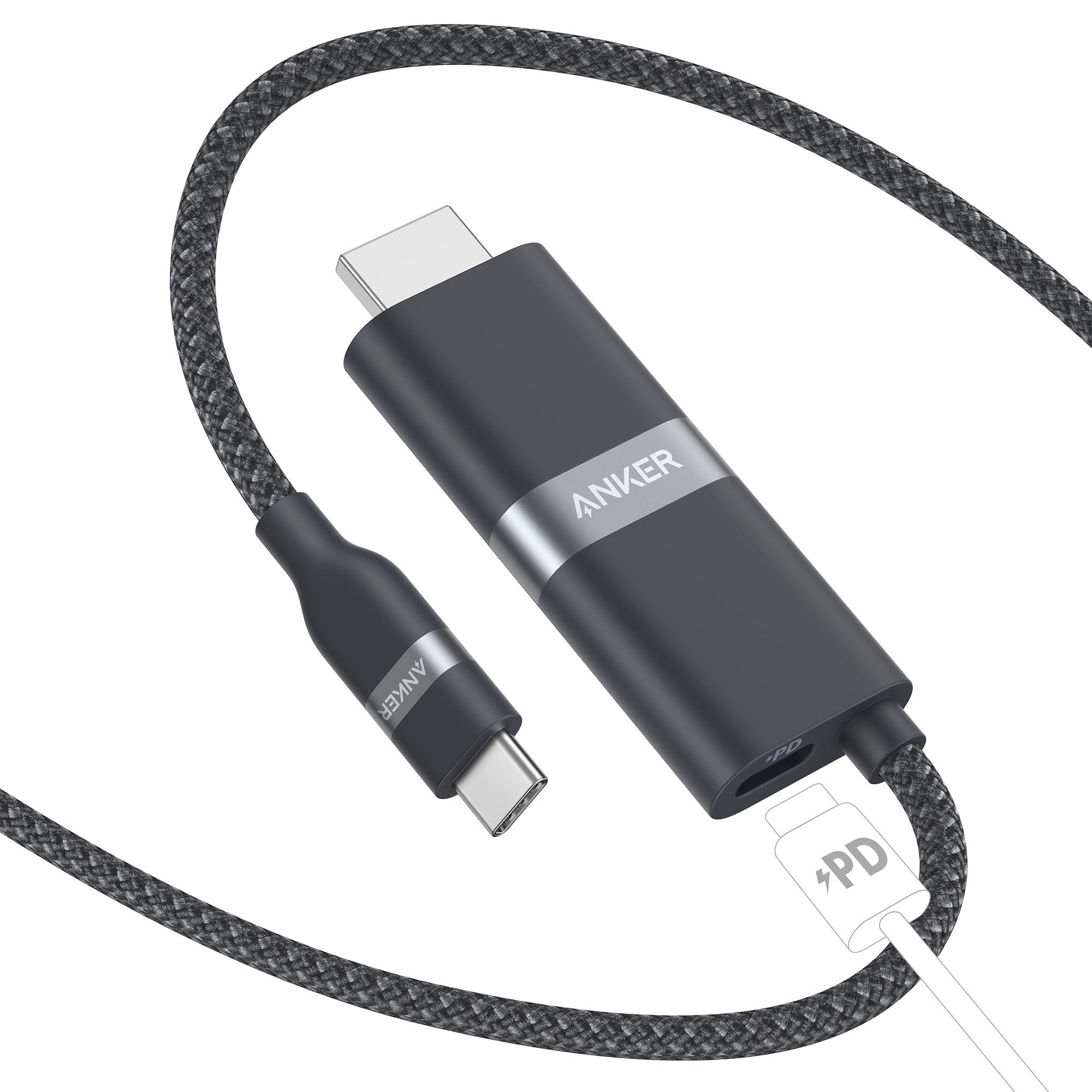
A single braided cable that streams 4K and fast-charges your laptop at 140W from one USB-C port
This is the minimalist’s dream: one cable that does the job of two. The Anker Nano is a USB-C to HDMI cable with an extra USB-C input port for charging, meaning you can cast 4K@60Hz video to a screen while your laptop charges at up to 140W—all from a single USB-C port on your device. It comes in a 3 ft or 6 ft length with a durable upcycled-braided finish, and Anker backs it with an 18-month warranty.
Portability is the thing everyone raves about. It is compact, solid, and ideal for travel or a tidy desk setup where you do not want a bulky hub. It works flawlessly with an iPhone 17 Pro with a stable TV connection, and it is great for Samsung DeX and the Steam Deck. One owner pairs it with a 140W PD charger to power their laptop fast while displaying video, and finds it perfect for travel and desk use. It even supports Thunderbolt 3, 4, and 5 ports.
The drawbacks are specific but real. It does not support HDCP, which means DRM-protected content like iTunes movies will not play through it — Anker confirmed this. It also lacks pass-through charging despite having a charging port, and it will not charge Samsung phones at Super Fast speeds due to the PPS protocol being blocked. It is not compatible with the Nintendo Switch, and a long list of specific Dell, LG, and Samsung monitors is excluded.
Why it travels well
- Single braided cable replaces a separate adapter and HDMI cable, saving bag space
- 140W charging keeps a laptop powered while casting 4K video
- Reliable connection praised for zero drops with iPhones and Steam Deck
The compatibility caveats
- No HDCP support, so DRM content like iTunes movies will not display
- Not compatible with Nintendo Switch or a long list of specific monitors
- Blocks Samsung Super Fast Charging, and no pass-through charging despite the port
The standout feature: This is the only pick that combines 4K casting and 140W charging in one portable cable, a convenience that beats the Apple hub’s separate charging setup for travel.
skip it if: You watch DRM-protected streaming, use a Nintendo Switch, or expect Samsung fast charging — the listed incompatibilities are deal-breakers for those uses.
8. j5create USB to HDMI Display Adapter

The driver-friendly USB adapter that adds a third monitor to any office PC without touching your video card
If your office PC has run out of video outputs, this j5create adapter gives you one more monitor without installing an internal video card. It is a 1080p HDMI adapter that connects via a standard USB port, and the standout feature is automatic driver installation—plug it in and the driver installs itself, which is the opposite of the manual driver hunts many budget adapters require. It is hot-swappable, so you can add or remove monitors without rebooting.
This is the adapter that works when others do not. One buyer owns three of them — two on a home setup and one at work — praising it for working alone, alongside a Thunderbolt hub, or with a powered USB port extender to further extend monitor capacity. Another tested every other brand in the office and found this was “the only hdmi to usb adapter that works” across all the laptop brands they use. That reliability made them buy it a second time for the office.
The known weakness is Mac compatibility. Multiple owners mention it does not work with Mac Catalina OS, so this is really a Windows-first tool. Performance feedback is split — some report no lag at all, while others experience horrible lag. There are also moments of random disconnects and reconnects, though the owner attributed that to an old PC rather than the adapter itself. For a Windows office environment, it is a proven workhorse; for Mac users, look elsewhere.
The reliability story: Unlike the Reborn’s fiddly manual driver setup, this one auto-installs its driver and is the only adapter that worked across every laptop brand in one buyer’s office — a real-world vote of confidence.
The office pick: If you juggle spreadsheets, email, and web work across multiple Windows screens, this is the dependable third-monitor solution that sets itself up.
Not for Mac fans: With documented failures on Mac Catalina OS, macOS users should choose the Apple hub instead.
9. WAVLINK USB 3.0 or C to HDMI Adapter

A hybrid dual-HDMI adapter that connects via USB-A or USB-C and scales your desktop up to eight monitors
For the ultimate multi-screen setup, this WAVLINK adapter is a powerhouse. It is a hybrid 2-in-1 that connects via USB 3.0 or USB-C, supporting dual HDMI monitors at resolutions up to dual 1920×1080@60Hz, or one 2560×1440@60Hz alongside a second 1920×1080@60Hz. The serious headline is that on Windows, multiple adapters can be chained to connect up to 8 monitors — a setup that rivals a dedicated graphics card for productivity work.
The built-in GPU does real work. Its “Content Adaptive Technology” reduces CPU load by up to 70%, and multiple hardware decoders deliver faster video streaming performance. Customers note displaying 2K on one monitor at 1080p on the other, and one extended their Mac desktop to two monitors with no issues after two months of daily use. The aluminum build with heat sinks on both sides and four non-slip PVC pads keeps it cool and stable.
The honest limits are about driver and use-case. A driver installation is required, and on Mac it needs an unsigned driver not available in the App Store — a security concern for some. It is not recommended for gaming or graphics-intensive work, and it does not support HDCP-protected content. Reliability feedback is mixed, with some finding it unreliable and others reporting durability concerns. For productivity apps like Google Docs or Windows Office, it excels; for gaming, skip it.
The multitasking edge: With support for chaining up to 8 monitors on Windows and a hybrid USB-A/USB-C connection, it offers more display options than the Acer’s twin 4K cap, but only for productivity, not gaming.
Best for: Power users who want to run multiple productivity monitors from a single USB port without buying an expensive external graphics card.
Think twice if: You game, need HDCP for streaming, or use a Mac with strict security settings — the driver requirement and gaming limits are genuine hurdles.
Understanding the Specs
DisplayPort Alt Mode
This is the feature that decides whether a USB-C port can even send video. Most modern USB-C ports support it, but not all — some are data-only or charge-only. If your laptop lacks DP Alt Mode, an adapter like the Apple hub or the Acer 4-in-1 will simply not light up a screen, no matter how good it is. Check your laptop’s specs or look for a “DP” icon beside the port before you buy.
Pass-Through vs. Powered Charging
Look for the watts on the charging port. The Anker Nano pushes 140W, the Microwoo and Acer deliver 100W, and the Apple hub offers standard USB-C pass-through. Higher wattage means you can charge a demanding laptop while it is running two monitors. Some hubs, like the VIENON, have a USB-C power port that needs its own external adapter to keep multiple ports stable under load.
Resolution and Refresh Rate
Adapters range from 1080p (like the j5create and Reborn) up to 8K@60Hz (like the Cable Matters). For office work, 1080p is fine and cheap. For gaming or creative work, aim for 4K@60Hz or higher. Remember the whole chain — laptop, adapter, cable, and monitor — must support the same resolution for it to work. The Cable Matters adapter only hits its full potential with an HDMI 2.1 display and a certified cable.
Drivers and Plug-and-Play
Adapters that use DisplayPort Alt Mode, like the Apple, Microwoo, and Acer, are typically plug-and-play with no software. Adapters that convert USB to video over a general-purpose port, like the VIENON, Reborn, j5create, and WAVLINK, need a driver installed first. The j5create auto-installs its driver, which is the smoothest experience; the Reborn requires very specific setup steps, and the WAVLINK needs a manual download.
FAQ
Will any USB-C to HDMI adapter work with my MacBook?
What does DisplayPort Alt Mode mean for an adapter?
Why do some adapters need a driver and others do not?
Can I charge my laptop while using an HDMI adapter?
What is the difference between mirror mode and extend mode?
Will these adapters work with a Nintendo Switch?
Can I use a USB-A to HDMI adapter on a modern USB-C only laptop?
Why is my monitor not displaying at the advertised 4K resolution?
Final Thoughts: The Verdict
For most buyers, the usb and hdmi adapter winner is the Apple USB-C Digital AV Multiport Adapter because it is the most reliable all-in-one hub for Mac and iPad owners, combining HDMI output, a USB-A port, and pass-through charging in a durable 23 g package. If you want fast charging while you cast, grab the Anker Nano for its 140W charging in a portable cable. And for a serious multi-monitor workstation, the WAVLINK lets you scale up to eight screens. Each of these adapters solves a different problem—match yours to your ports, your monitor, and your need for charging, and you will end up with a setup that simply works.
How We Picked
We do not accept paid placement. Every pick is matched to a real buyer and a real use-case; we do not hands-on test units.
Sources & Methodology
Specifications: manufacturer listings and product documentation. Review insights: verified customer reviews, as of August 2026. Pricing: not shown on this page (it changes often); check the current price via the retailer link.
As an Amazon Associate, Gadgets Feed earns from qualifying purchases. This does not affect which products we feature.