
Our readers keep the lights on and my morning glass full of iced black tea. As an Amazon Associate, I earn from qualifying purchases.
Specs are compiled from manufacturer listings and verified buyer reviews and can change over time — please confirm the key details on the product page before buying.
Choosing a 27-inch monitor is the easy part; finding the right one for your daily routine is where most people get stuck. The key specs — resolution, refresh rate, and panel type — determine how sharp your text looks, how smooth your games feel, and how accurate your colors appear.
I’m Min — the founder and writer behind Gadgets Feed. This guide is built by comparing the manufacturers’ published specifications and the patterns across verified customer reviews, so you get each pick’s real strengths and trade-offs instead of marketing spin.
For sharp text at work, fast motion in games, or vivid colors for editing, the best 27 inch computer monitor is the one that fits your specific tasks and your desk space.
Our Picks at a Glance



How To Choose The Best 27 Inch Computer Monitor
Before you click buy, three decisions control almost everything else. Match these to how you actually use your computer, and you will not end up with buyer’s remorse.
Resolution: 1080p vs 1440p vs 4K
At 27 inches, your resolution choice matters most. Full HD (1920 x 1080) keeps text clear for everyday tasks and keeps costs low. Quad HD (2560 x 1440) offers a balance of detail and performance for gamers, without overloading your graphics card. 4K (3840 x 2160) delivers razor-sharp text and ample screen space for editing, but requires a powerful GPU (graphics processing unit) to run games smoothly.
Refresh Rate: How Smooth Should Motion Be?
This number, measured in Hertz (Hz), tells you how many times the screen updates per second. A standard 60Hz or 100Hz monitor handles office work and videos fine. Competitive gamers will want 240Hz or higher, because faster refresh means less motion blur and smoother tracking of fast-moving targets.
Panel Type: IPS, OLED, and Your Viewing Habits
IPS panels offer wide viewing angles and accurate colors, making them the default for most buyers. OLED panels deliver perfect blacks and incredible contrast, ideal for dark-room gaming and movies, but they cost more. Your room’s lighting matters too — a matte screen cuts glare, while a glossy one makes colors pop.
Quick Comparison
| Model | Best For | Resolution | Refresh Rate | Panel Type | Amazon |
|---|---|---|---|---|---|
| Dell SE2725HM★ Best Overall | Everyday office use | 1920 x 1080 | 100Hz | IPS | Amazon |
| Samsung S32GFTop Performer | Casual gaming and media | 1920 x 1080 | 120Hz | IPS | Amazon |
| Amazon Basics 27″Best Value | Budget desk setups | 1920 x 1080 | 100Hz | IPS | Amazon |
| Gawfolk 4K | Sharp 4K on a budget | 3840 x 2160 | 60Hz | IPS | Amazon |
| AOC Q27G41ZE | Competitive esports gamers | 2560 x 1440 | 240Hz | IPS | Amazon |
| Alienware AW2725DM | All-round gaming and work | 2560 x 1440 | 180Hz | Fast IPS | Amazon |
| Dell S2725QS | 4K productivity with smoothness | 3840 x 2160 | 120Hz | IPS | Amazon |
| LG 27GR83Q-B | High-refresh 1440p gaming | 2560 x 1440 | 240Hz | IPS | Amazon |
| Samsung Odyssey OLED G5 | OLED blacks on a budget | 2560 x 1440 | 180Hz | QD-OLED | Amazon |
| ASUS ProArt PA279CRV | Photo and video editing | 3840 x 2160 | 60Hz | IPS | Amazon |
| LG 27GX704A-B | Elite OLED gaming experience | 2560 x 1440 | 240Hz | OLED | Amazon |
In‑Depth Reviews
1. Dell 27 Monitor SE2725HM
Our pick — over 4.5★ from 800+ verified ratings; the strongest balance of quality and price.
The office workhorse that protects your eyes while you grind through spreadsheets.
This Dell is the crowd favorite for a simple reason: it gets the basics right and adds comfort features that matter over a full workday. The 100Hz refresh rate (meaning the screen redraws 100 times a second) makes scrolling through long documents noticeably smoother and easier on the eyes than older 60Hz panels.
ComfortView Plus is the standout here — it’s an always-on built-in feature that cuts harmful blue light without washing out colors, which is why buyers specifically praise the “nighttime feature” for late working sessions. The matte anti-glare finish and dead-center VESA mounting (the standard hole pattern for wall or arm mounts) also earn consistent praise, especially from people building multi-monitor setups. Its 1500:1 contrast ratio is the real surprise — that’s a solid 50% more contrast gap compared to the 1000:1 ratio on many rivals, making blacks look deeper and text crisper.
The honest trade-off is sound: there are no built-in speakers here, so you will need separate ones for audio. And the input selection is lean — HDMI and VGA only — which is fine for most laptops but short on modern extras like USB-C. Owners say setup is genuinely simple and it works flawlessly for Word, Excel, email, and web browsing.
value pick: your day is mostly documents, spreadsheets, and browsing, and you want eye comfort built into the hardware.
pro users: you need built-in speakers or a USB hub on your desk.
2. Samsung 27″ S3 (S32GF) Series FHD Monitor
A featherlight 120Hz panel that upgrades a 24-inch setup while staying affordable.
This Samsung is one of the few entry-level monitors that genuinely feels like an upgrade. Its 120Hz refresh rate beats the 100Hz on the Dell above by a full 20% — a gap you feel immediately in smoother mouse movement and less blur when content is moving fast. The IPS panel keeps colors bright even when you shift viewing angles, which owners appreciate for both gaming and study sessions.
Setup is famously quick — buyers report it “ready to go in 5 minutes.” It is also very light and thin, making it an easy fit for a dual-monitor stand or a carrying case for travel. The Game Picture Mode adjusts any game to fill the screen, and the eye-care features reduce blue light and flicker for long sessions. A long HDMI cable is included, which is a small but appreciated detail.
The recurring gripes are physical, not visual. The power switch sits on the back and needs a hard press to reach the menu, there is no height adjustment on the stand, and there are no speakers. A rare occasional issue is the screen briefly going black for a few seconds at random. None of this stops owners from loving the value — many say they would order a second one.
fast play: casual gamers and students who want a fast, light, colorful panel that is easy to set up.
color work: you need a height-adjustable stand or built-in audio from the box.
3. Amazon Basics 27 Inch Monitor
A self-contained desk hub with speakers and USB ports at an unbeatable price.
Most budget monitors make you buy speakers and a hub separately. This Amazon Basics model bundles both in, which is why it’s the value king for simple desk setups. The built-in speakers “get the job done” per the consensus, and while they are not audiophile-grade, they save you desk space and cabling. The 4 USB ports let you plug in a keyboard, mouse, and other peripherals directly into the monitor, decluttering your PC tower area.
Picture quality is a genuine highlight for the price. The 1500:1 contrast ratio matches the premium Dell above — richer blacks than the typical 1000:1 budget panel — and buyers describe the 1080p clarity as rivaling pricier monitors. It’s plug-and-play ready, with one owner noting the whole setup took under 10 minutes including all cables. Its 8.4-pound weight is manageable for a single-person lift onto a desk.
The catch is the rear USB ports: they only work after you connect a separate USB-B to A cable, which is not included. The base assembly also requires pressing a tab, and the rear controls are not the most intuitive. Sound quality is the most mixed point — some find it fine, others want more volume. Owners still report months later the monitor is “still going strong.”
No-frills reliability
- Built-in speakers save desk space
- 4 USB ports act as a mini hub
- 1500:1 contrast for deeper blacks
- Plug-and-play in under 10 minutes
Limited adjustability
- USB ports need an extra cable to activate
- Speaker volume gets mixed feedback
- Rear controls are not intuitive
desk basic: a simple, all-in-one desk setup where you want speakers, ports, and 1080p clarity without paying for extras.
tilt needs: you need loud audio or a fully height-adjustable stand.
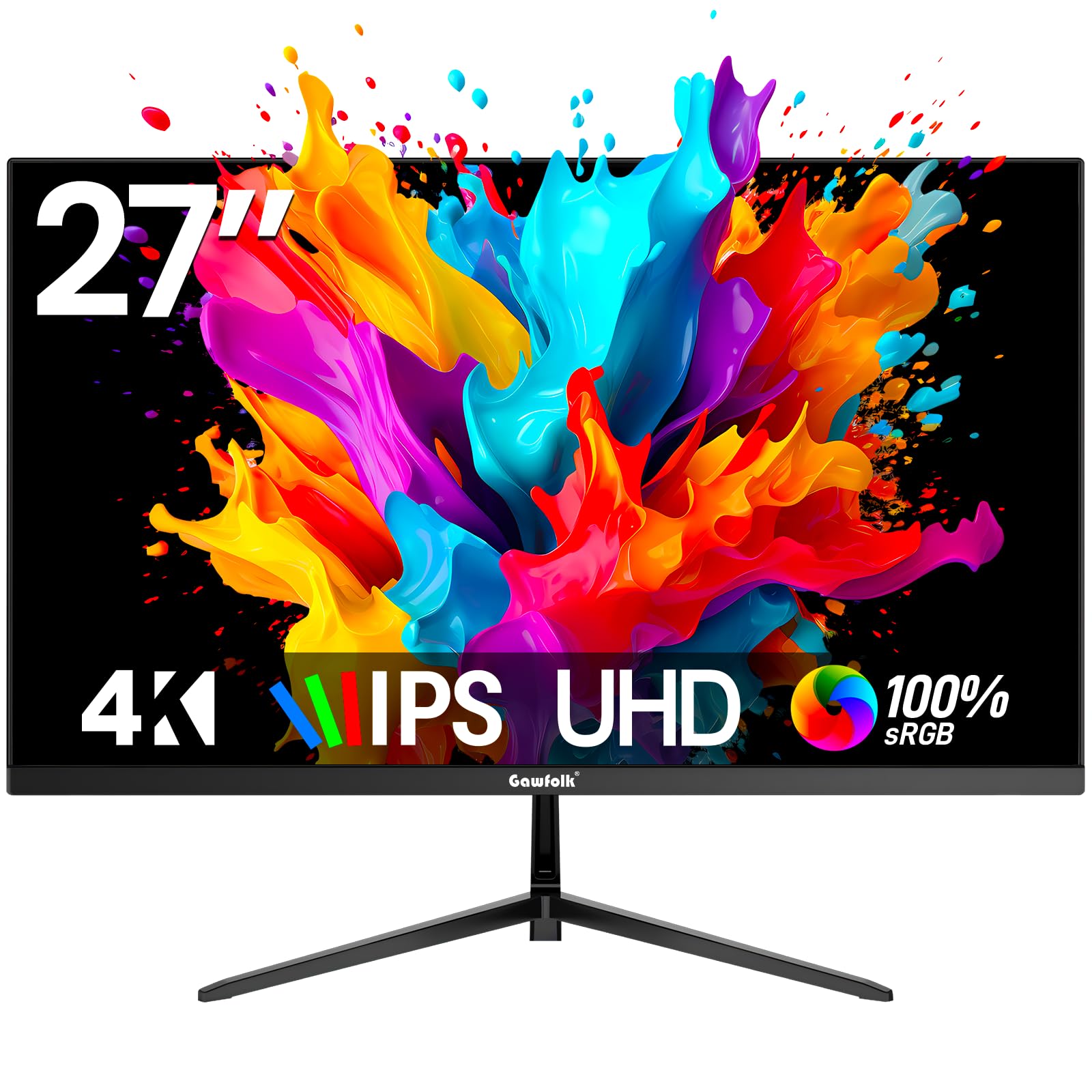
4. Gawfolk 27 Inch 4K Monitor
The cheapest real path to 4K sharpness for work, with a 178-degree viewing angle.
If razor-sharp text and tons of screen space are your priority, this Gawfolk is the budget gateway into 4K. Its UHD 3840 x 2160 resolution quadruples the pixels of a 1080p panel, so spreadsheets, code, and documents look dramatically crisper. The 3000:1 dynamic contrast ratio is remarkably high for the price, giving images real depth.
The IPS screen holds color accuracy from a 178-degree wide viewing angle, meaning the picture stays true even if you are not sitting dead-center. Connectivity is generous for the cost — dual HDMI 2.0, dual DisplayPort 1.4, and an audio-out jack — so you can hook up a PC, laptop, and console without swapping cables. The bezel-less design minimizes visual distractions for a clean multi-monitor look.
This is a 60Hz panel, so it is built for productivity and light gaming, not fast-paced competitive play. Owners find it a great fit for both work and everyday use, with sharp text and consistent colors from side angles. Setup is straightforward, though the stand offers tilt only and no height adjustment.
sharp text: office work, school, or general use where 4K pixel density is the goal and your budget is tight.
fast games: high-refresh competitive gaming, where the 60Hz cap will hold you back.
5. AOC 27″ Gaming Monitor Q27G41ZE

Blazing-fast 240Hz motion paired with QHD detail for gamers who take aim seriously.
This AOC is built for speed. The 240Hz refresh rate (via DisplayPort) with a 0.3ms MPRT (moving picture response time) response time means competitive gamers will notice the difference instantly — the jump from a standard 60Hz panel is described as “very noticeable.” The 2560 x 1440 QHD (quad high definition) resolution adds detail without taxing your GPU as much as 4K would.
It supports both NVIDIA G-SYNC and AMD FreeSync, so screen tearing and input lag are kept in check no matter which graphics card brand you run. The three-sided frameless design with a textured black and red finish gives it a proper gaming aesthetic. Shadow Control and Game Mode presets let you tune visibility on the fly, and the tilt range adjusts from -3° to +21°.
The 300-nit brightness with 1000:1 contrast delivers vibrant visuals in most rooms. The main trade-off is the non-adjustable stand — owners often replace it with a VESA arm. There are no speakers either, just a headphone jack. Picture quality gets mixed notes on color and brightness, with a few reporting dead pixels or backlight bleed on arrival, though the majority praise it as a massive upgrade from 60Hz.
esports fit: esports players who want the smoothest motion and QHD sharpness at a mid-range price.
audio fans: you need an adjustable stand from the start or built-in audio.
6. Alienware 27 Gaming Monitor AW2725DM

A premium-feeling 180Hz QHD panel with colors vivid enough for both gaming and creative work.
Alienware’s reputation is for premium gaming gear, and this monitor carries that into a versatile 27-inch package. The 180Hz refresh rate with a 1ms gray-to-gray response time keeps motion fluid, while the QHD 2560 x 1440 resolution keeps details sharp. It balances the needs of gaming and daily productivity better than most dedicated gaming panels.
Color is the headliner here. The DCI-P3 95% color coverage with VESA DisplayHDR 400 certification delivers vibrant, accurate colors — owners use it for gaming, media, and general work without complaint. The stand is genuinely adjustable, offering height, pivot, swivel, and tilt, which is a rarity at this level. A hardware-based low blue light solution reduces eye strain during marathon sessions without dulling the picture.
Owners consistently call it an “excellent midrange choice” that works great with modern graphics cards. The main caveats are the lack of any audio output and the occasional report of scratches around the ports on arrival. The included cables are generous — DisplayPort 1.4, HDMI, and a USB cable all come in the box.
premium choice: you want one monitor that handles fast gaming and looks great doing everyday work, with a fully adjustable stand.
tight budgets: you need speakers built into the panel itself.
7. Dell 27 Monitor S2725QS

The rare 4K panel that runs at 120Hz, giving you sharp text and smooth scrolling together.
Most 4K monitors stop at 60Hz. This Dell combines full 3840 x 2160 4K resolution with a 120Hz refresh rate, which is why owners say you “can’t go back to 60Hz” after using it. Everything feels responsive — scrolling, window dragging, and even light gaming. The 0.03ms response time and AMD FreeSync Premium keep motion tear-free.
For work, it is outstanding. The 99% sRGB color gamut with a 1500:1 contrast ratio delivers vibrant, accurate colors, and the 350-nit brightness keeps the screen readable in bright rooms. ComfortView Plus reduces harmful blue light emissions to 35% or less, protecting your eyes all day without sacrificing color accuracy. The ash white finish and ultra-thin bezels give it a clean, modern look.
Owners specifically praise its performance with Mac Mini setups for photo and video editing, noting the matte finish is easy on the eyes. The built-in speakers are better than most monitor audio. The honest downsides are minor: the default brightness runs high from the start, and there is some noticeable ghosting in fast-paced games. A small number note a slight vignetting on the right side of the panel.
photo edit: professionals who want 4K sharpness for work plus smooth 120Hz motion for occasional gaming — all in one.
motion blur: competitive esports is your main use, where a dedicated 240Hz panel serves you better.
8. LG 27GR83Q-B UltraGear

A 240Hz QHD IPS panel with console-ready HDMI 2.1 and a stand that spoils you.
This LG UltraGear suits serious gamers who also value build quality. The 240Hz refresh rate with a 1ms GtG (gray-to-gray) response time delivers smooth, tear-free gameplay, officially validated as NVIDIA G-SYNC Compatible and carrying AMD FreeSync Premium. Both DisplayPort 1.4 and HDMI 2.1 support the full 240Hz, so it works flawlessly with next-gen consoles too.
Color and clarity are top-tier: the DCI-P3 95% coverage with VESA DisplayHDR 400 brings vivid, accurate hues. The stand is a genuine highlight — full tilt, height, and pivot adjustment with a sturdy feel that owners rave about. Gaming extras like Dynamic Action Sync, Black Stabilizer, an FPS counter, and a crosshair overlay give you real competitive tools. The 4-pole headphone jack with DTS Headphone:X delivers spatial 3D audio over headphones.
The main risk here is quality control on pixels — a notable number of owners mention stuck pixels on arrival, sometimes across multiple units. There are also no built-in speakers. But for those who get a clean panel, it is described as an excellent investment with stunning visuals and great color accuracy. The stand alone justifies the price for many.
competitive edge: you want a premium 1440p 240Hz experience with an excellent adjustable stand and console compatibility.
HDR purists: the lottery of pixel quality control, and the need for external speakers.
9. Samsung 27″ Odyssey OLED G5

Perfect OLED blacks and hyper-fast motion, finally at a price that makes sense.
OLED is the picture-quality king, and this Samsung is the most affordable way into it. The QD-OLED panel with QHD 2560 x 1440 resolution delivers what owners call “perfect blacks” and incredible contrast — the 1,000,000:1 contrast ratio is literally a thousand times deeper than an IPS panel’s 1000:1. Colors are Pantone Validated, accurately reproducing over 2100 shades.
The 180Hz refresh rate with a 0.03ms GtG response time is lightning-fast, backed by both G-Sync compatibility and AMD FreeSync to eliminate tearing and lag. OLED Safeguard uses a Thermal Modulation System to actively prevent burn-in, and Glare Free technology keeps the screen clear of reflections. The slim, premium build with a matte finish draws consistent praise.
The trade-offs are honest ones. Connectivity is limited — just one HDMI, one DisplayPort, and a USB-A service port. There are no built-in speakers, only a 3.5mm audio out. The panel is thin and demands careful handling, and HDR10 content is capped at 120Hz. Owners still call it the best price-to-performance OLED available, a huge visual leap over IPS and VA panels.
contrast king: the deepest blacks and most vibrant colors in gaming and movies without paying flagship OLED prices.
long static: you will need external speakers and your own hub, and handle the thin panel with care.
10. ASUS ProArt PA279CRV

Factory-calibrated 4K color accuracy that makes photo editing feel easy.
This ASUS ProArt is built for one audience: people who care about color. It is Calman Verified and factory pre-calibrated to a Delta E of less than 2, meaning the colors you see are strikingly close to true. The 99% DCI-P3 and 99% Adobe RGB coverage make it a reliable tool for photo and video editing, color correction, and Photoshop work.
The 27-inch 4K (3840 x 2160) IPS panel with a 178-degree wide viewing angle keeps colors consistent across the screen. The connectivity is where it shines for Mac users: DisplayPort over USB-C with 96-watt Power Delivery, so a single cable carries video, data, and charges your laptop. DisplayPort daisy-chaining lets you connect multiple monitors through one cable for a cleaner desk.
The ergonomic stand offers tilt, swivel, pivot, and height adjustment for comfortable long sessions. Owners working with Mac Mini and M2 Mac Studio Pro setups call it a great value rivaling far pricier professional monitors. The main complaints are about reliability — a few report ports failing or connection issues that require adjusting power settings. There is also no built-in speaker, but a 3.5mm jack is present.
creative pro: professional photo and video editing where factory-accurate color is non-negotiable.
gaming use: possible power-setting tweaks and the occasional reliability hiccup that comes with a tinkerer’s panel.
11. LG 27GX704A-B UltraGear OLED

The glossy OLED endgame with 240Hz speed and blacks so deep they disappear.
This is the monitor you buy when you want the best image quality money can buy at 27 inches. The glossy OLED panel delivers a standard 275 nits of brightness that peaks at 1300 nits, with a 1.5M:1 contrast ratio. Dark scenes in games and movies reveal details you simply cannot see on IPS panels. The up-to-98.5% DCI-P3 color coverage makes everything look vivid and alive.
Speed matches the beauty. The 240Hz refresh rate with a 0.03ms response time means zero visible ghosting or tearing, backed by both NVIDIA G-SYNC Compatible and AMD FreeSync Premium Pro. The glossy finish makes colors pop more than matte OLEDs, and it is three times UL-certified for Anti-Glare, Flicker-Free, and Low Blue Light, so long sessions stay comfortable.
Connectivity is complete for serious gamers: dual HDMI 2.1, DisplayPort 1.4, plus USB 3.2 upstream and two downstream ports. The stand adjusts in height, tilt, swivel, and pivot. Owners say it excels in gaming, photo editing, and video with phenomenal colors, though text can show some sub-pixel fringing — a known OLED characteristic. Some find the brightness less impressive than expected, and the glossy screen demands controlled lighting. It is a premium price for a premium experience.
ultimate smooth: you want the absolute best image quality for gaming and media, with speed to match.
casual users: you work in a bright, unlit-controlled room or do heavy text work all day, where the glossy finish and sub-pixel fringing matter.
Understanding the Specs
Refresh Rate (Hz)
This tells you how many times per second the screen redraws the image. A 60Hz panel is fine for office work. A 100Hz or 120Hz panel makes scrolling and general use feel noticeably smoother. Competitive gamers want 240Hz or higher, because faster refresh reduces motion blur and helps you track fast-moving targets. Your graphics card must be powerful enough to hit those frame rates to feel the benefit.
Panel Type
IPS panels are the default choice for most buyers because they offer wide viewing angles and accurate colors from any position. OLED panels are the premium upgrade, delivering perfect blacks and stunning contrast, but they cost more and can show text fringing. Budget TN panels are faster but have poor viewing angles — none of the picks here use them. Your room’s lighting matters too: matte screens cut glare, glossy screens make colors pop.
FAQ
Is 1080p sharp enough on a 27-inch monitor?
Can my graphics card run a 4K monitor?
What is the difference between IPS and OLED panels?
Is a higher refresh rate worth it for non-gamers?
What does VESA mounting mean for my desk setup?
Should I buy a monitor with built-in speakers?
What is the ideal response time for gaming?
How do I know if a monitor is easy on the eyes for long workdays?
Is 1440p or 4K better for a 27-inch monitor?
What cables do I need to connect my monitor?
Final Thoughts: The Verdict
Across the board, the best 27 inch computer monitor is the Dell SE2725HM because it nails the basics — crisp 1080p, smooth 100Hz motion, and an always-on eye-comfort feature — at a price that makes it the crowd favorite. If you want faster motion for gaming, grab the Samsung S32GF with its 120Hz panel. And for the ultimate picture quality with perfect OLED blacks, the LG 27GX704A-B is the one to reach for.
How We Picked
We do not accept paid placement. Every pick is matched to a real buyer and a real use-case; we do not hands-on test units.
Sources & Methodology
Specifications: manufacturer listings and product documentation. Review insights: verified customer reviews, as of August 2026. Pricing: not shown on this page (it changes often); check the current price via the retailer link.
As an Amazon Associate, Gadgets Feed earns from qualifying purchases. This does not affect which products we feature.