
Our readers keep the lights on and my morning glass full of iced black tea. As an Amazon Associate, I earn from qualifying purchases.
Specs are compiled from manufacturer listings and verified buyer reviews and can change over time — please confirm the key details on the product page before buying.
The biggest headache with a 3D printer with dual extruder isn’t the printing—it’s the purging. Single-nozzle machines waste a shocking amount of filament every time they switch colors, and they often bleed one color into the next. The real fix is a machine with true independent toolheads that swap in seconds, not one that pauses to flush old material out. That choice defines everything else on this list, so we’re cutting through the marketing to show you exactly which approach fits your workshop.
I’m Min — the founder and writer behind Gadgets Feed. This guide is built by comparing the manufacturers’ published specifications and the patterns across verified customer reviews, so you get each pick’s real strengths and trade-offs instead of marketing spin.
The honest answer is that the best 3D printer with dual extruder for you depends on whether you prioritize raw speed, material flexibility, or zero-waste color prints, and we break down all eight options below.
Our Picks at a Glance

How To Choose The Best 3D Printer With Dual Extruder
Every machine on this list can print with more than one color or material, but they do it in completely different ways. The first decision is mechanical: do you want two (or four) totally separate print heads, or one head that switches between filament feeds? Separate heads cost more but eliminate color bleeding and most waste, while single-head systems are cheaper and simpler to maintain.
Independent Toolheads vs. Single Nozzle
With a single nozzle, changing color means retracting the old filament, purging it through the hotend to clear the path, then loading the new spool. That purge becomes a pile of wasted material on every color change. Independent toolheads, by contrast, keep each color loaded in its own nozzle; the machine simply swaps heads the way a CNC mill changes bits. High-end machines like the Snapmaker U1 pull this off in five seconds with zero purge waste.
IDEX: The Productivity Multiplier
IDEX stands for Independent Dual EXtruders, where two heads each have their own X-axis rail. Beyond multi-color printing, IDEX lets you run Duplication Mode to print two copies of a model at the same time, or Mirror Mode to print a part and its inverse simultaneously. If you make batches of small parts for a business, IDEX effectively doubles your output without buying a second printer.
Speed, Materials, and Your Workspace
Print speed matters, but only if quality holds up at that pace. Look for CoreXY frame designs, which are inherently more stable at high speeds than the older moving-bed designs. Also check the rated speeds—many modern machines hit 500-600 mm/s. Finally, measure your space before you buy: a large-format machine with a heated chamber can weigh over 100 pounds and fill a whole table, so verify the footprint fits your setup.
Quick Comparison
| Model | Best For | Toolheads | Max Speed | Build Volume | Amazon |
|---|---|---|---|---|---|
| Creality K2 Plus Combo★ Best Overall | Large-format multi-color | CFS single-head | 600 mm/s | — | Amazon |
| Snapmaker U1Also Great | Zero-waste multi-color | 4-head changer | 500 mm/s | 270 x 270 x 270 mm | Amazon |
| Flashforge Creator 5Top Performer | Industrial-grade speed | 4-head changer | 600 mm/s | — | Amazon |
| ANYCUBIC Photon P1 | Resin dual-material | Dual vats | — | 8.78 x 4.96 x 9.05 in | Amazon |
| Snapmaker Artisan | 3-in-1 workshop tool | Dual extruder | — | 400 x 400 x 400 mm | Amazon |
| Creality SPARKX i7 | Beginner AI printing | CFS Lite single-head | — | 260 x 260 x 255 mm | Amazon |
| Raise3D E2 | Parallel production | IDEX dual | — | 13 x 9.4 x 9.4 in | Amazon |
| Prusa XL 2-Toolhead | Professional reliability | Dual tool | — | 14.17 x 14.17 x 14.17 in | Amazon |
In‑Depth Reviews
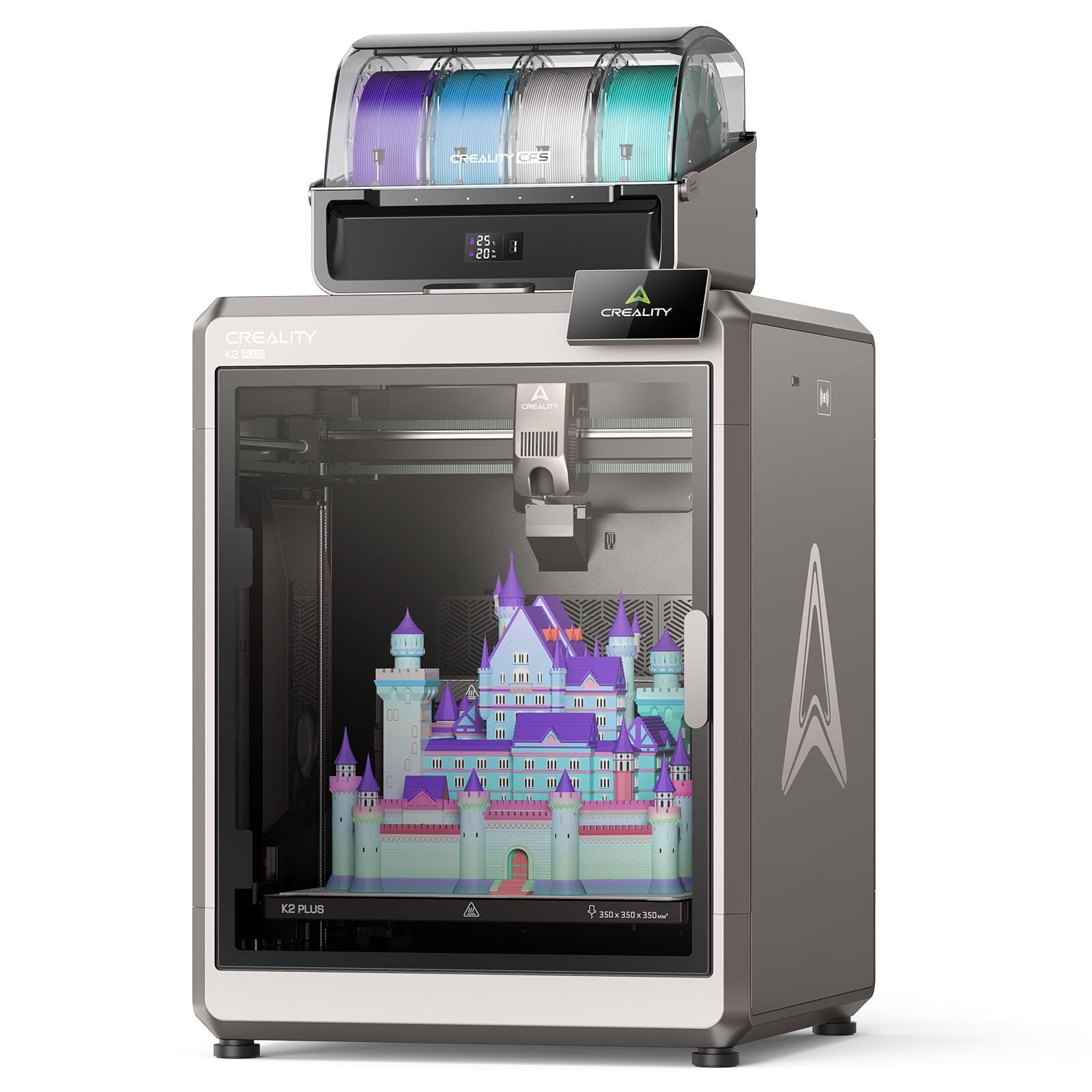
1. Creality K2 Plus Combo with CFS
Our pick — over 4★ from 3,500+ verified ratings; the strongest balance of quality and price.
A heavy-duty large-format machine that juggles up to sixteen filament colors.
This combo pairs the K2 Plus printer with a CFS filament system that intelligently manages multiple spools, letting you print up to 16 colors together without ever hand-swapping filament. That’s a different path than the tool-changers above—it uses a single head fed by multiple filaments—but it’s the most color-flexible option here. The machine is built around industry-grade FOC step-servo motors, and it shows: it reaches 600 mm/s with acceleration of 30,000 mm/s² while keeping positioning precise through 32,768 controllable microsteps per revolution.
Owners praise the printing quality most, with printer quality and ease of use as the top positives. Owners mention “the printer performs well, printing perfectly every time and completing prints in 80 minutes at full speed.” The actively heated chamber creates a thermostatic environment up to 60°C, which is essential for strong ASA, ABS, and PPS prints, and the tri-metal nozzle with a hardened steel tip reaches 350°C for wear-resistant engineering materials like PA-CF and PLA-CF.
Two AI cameras watch the chamber for spaghetti failures and foreign objects, plus a toolhead camera analyzes the 3D model to generate optimal flow rates. The durability trade-off is real: while some customers note 200+ hours of flawless operation, others hit failures mid-print. At 112.4 pounds, this is a permanent piece of furniture—a serious commitment compared to the 33-pound SPARKX i7 also on this list, and it demands a sturdy table and real floor space.
The Big Strengths
- Up to 16 colors via the CFS filament management system
- 60°C heated chamber for engineering-grade materials
- 600 mm/s speed with 30,000 mm/s² acceleration
- Dual AI cameras for failure detection and flow calibration
Weigh These
- 112.4 pounds—needs serious workspace
- Reliability reports split between flawless and mid-print failures
- Hardened steel gears and tri-metal nozzle still need care
Choose this for: big engineering-grade parts in up to 16 colors, where print quality and chamber control matter more than footprint.
Pass if: you need a portable printer—this one stays where you put it.
2. Snapmaker U1 3D Printer
The zero-waste color machine that swaps filament heads in five seconds flat.
The standout here is the SnapSwap tool changer, which swaps between four preloaded and preheated filament heads in just five seconds—no purging, no color bleeding, no wasted material. That design cuts filament waste by up to 5X and makes multi-color printing up to 5X faster than traditional systems that repeatedly unload and purge filament.. The locking mechanism has been validated through over 1,000,000 swaps with zero failures., which is why owners call it the most efficient multi-color printer they have used.
You get stable, accurate prints even at the 500 mm/s top speed because this CoreXY machine (a motion system where the print head moves on two parallel rails) uses lightweight carbon fiber X-axis rails. The 270 x 270 x 270 mm print volume fits medium-sized projects, and it handles PLA, TPU, PETG, ABS, ASA, PA, PC, and flexible filaments with different Shore hardness ratings (a scale measuring material softness), so you can print rigid and flexible parts in one job or use water-soluble supports that dissolve away. Automatic toolhead offset calibration and vibration compensation keep the first layer perfect with minimal manual effort.
Owners consistently report setup under 20 minutes, thanks to a clear manual and a 3.5-inch touchscreen, and the built-in AI camera adds print monitoring with time-lapse recording. The review pages sum it up: this is a premium machine that brings multi-color projects to life while staying quiet enough for overnight printing. The only real learning curve is understanding the STL-to-G-code workflow in the custom Snapmaker Orca slicer, and a touch of stringing on the bottom layer if you leave nozzle settings at defaults—both are quick fixes.
Why the U1 Wins
- True 4-toolhead changer means zero purge waste and clean color separation
- 500 mm/s CoreXY speed with excellent print quality
- Setup under 20 minutes for most owners
- Handles rigid and flexible materials in one print
The Trade-offs
- Slight bottom-layer stringing may need nozzle tuning
- STL-to-G-code info in the slicer is a bit unclear for new users
Reach for this if: you want vibrant multi-color prints without the mountain of purge waste a single-nozzle machine creates.
Think twice if: you expect perfectly drag-and-drop slicing—the Orca software takes a little reading to master.
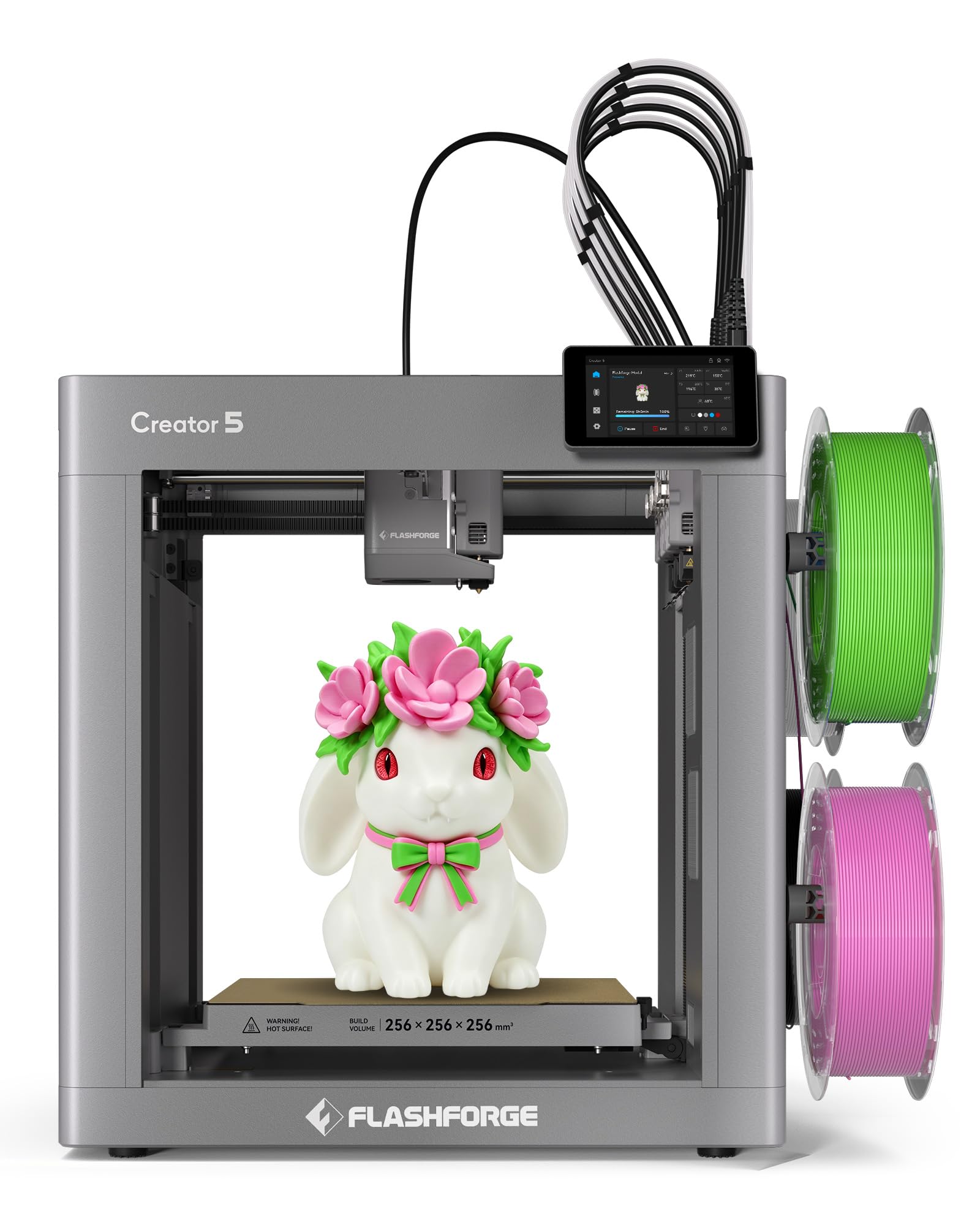
3. Flashforge Creator 5 4-Toolheads
An industrial-speed color machine that trades away nothing on accuracy.
Where the U1 leads on five-second swaps, the Creator 5 matches the pace with its FlashSwap system that switches materials in just 7 seconds, delivering nearly 84% material efficiency—meaning almost no filament ends up as waste.. Its CoreXY all-metal frame pushes maximum speed to 600 mm/s with acceleration up to 30,000 mm/s², and vibration compensation plus dynamic flow calibration keep those fast prints smooth and dimensionally accurate. Buyers report a keychain test print finished in just six minutes..
You can print tough engineering materials like PA-CF carbon-fiber composites alongside everyday PLA, PETG, and flexible TPU 95A because the four hardened steel nozzles reach up to 320°C with a 32mm³/s high-flow rate (the volume of filament extruded per second). Fully automatic bed leveling and automatic toolhead offset calibration hold alignment within 0.04mm with no manual adjustments, which is why owners describe it as both beginner-friendly and serious enough for pros who want control rather than a locked ecosystem. A built-in HD camera, filament detection, and jam plus tangle detection feed real-time monitoring through the mobile app.
Setup runs about 20 minutes, and the auto-leveling plus enclosure are called major upgrades over older moving-bed designs. The honest caveats: the rear filament feed limits where you can place the machine, the fan is constantly audible while powered, and some owners note the feed tube needed a small trim to stop rubbing the lid. It’s a machine that rewards a little tinkering with excellent, detailed prints.
What Impresses
- 600 mm/s top speed with vibration compensation
- 7-second tool changes at nearly 84% material efficiency
- 320°C hardened steel nozzles for engineering materials
- 0.04mm automatic alignment
What to Expect
- Constant fan noise whenever the machine is powered
- Rear spool holder limits placement options
- Occasional tinkering needed, like trimming the feed tube
Pick it for: fast, accurate multi-color prints with carbon-fiber materials and a UI that rewards curious makers.
Look elsewhere if: you want a silent machine that never needs adjustment—this one asks for a little hands-on care.
4. ANYCUBIC Photon P1 Resin Printer
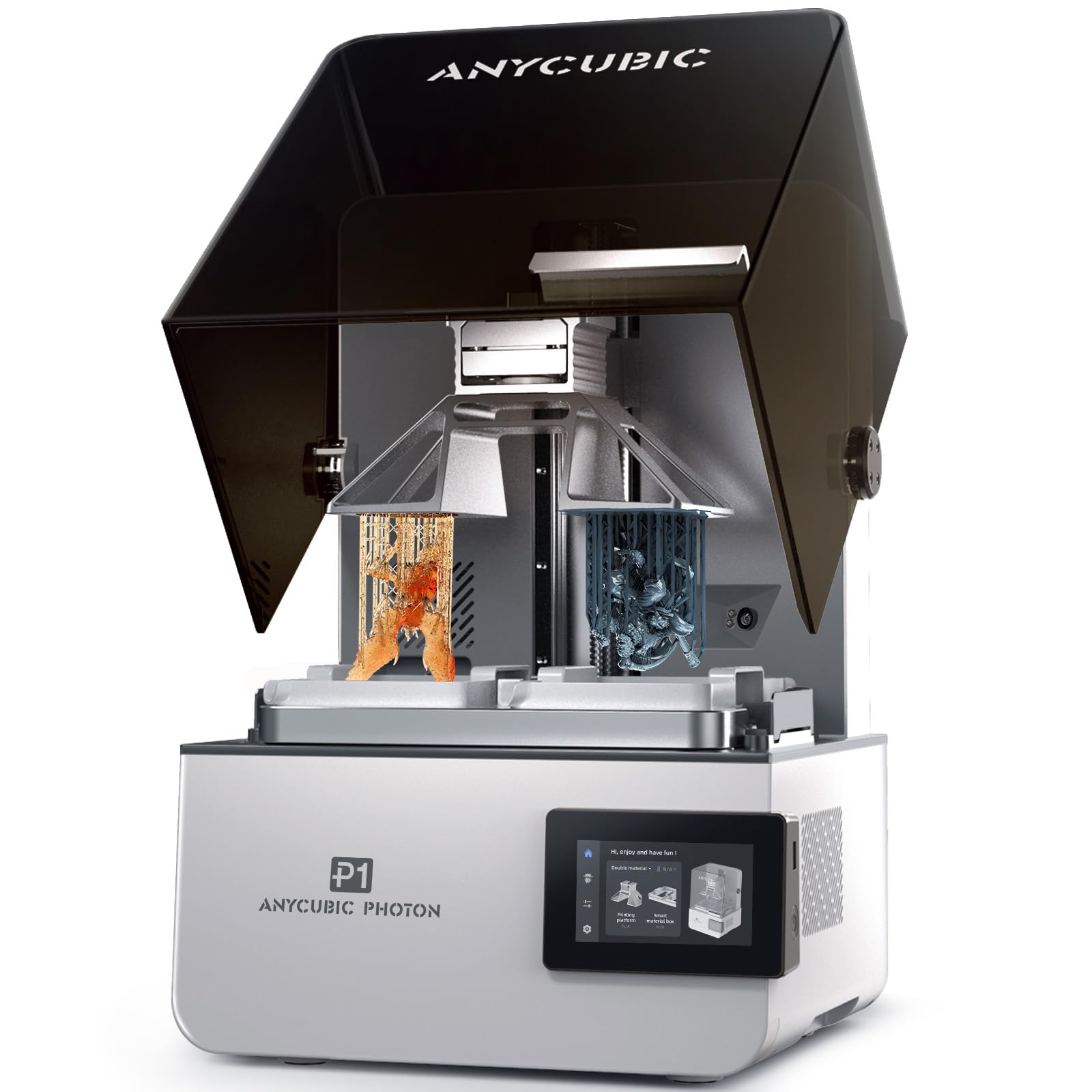
The resin specialist that prints two materials at once with jaw-dropping detail.
This is an entirely different beast from the filament machines above: it’s a resin (liquid plastic) printer, and its dual-color capability comes from two separate resin vats rather than toolheads. That means you can print with two different materials and colors in one job, and use just a small amount of expensive resin for small models—a real cost saver when you’re working with high-priced materials. The 14K screen delivers a fine 16.8 x 24.8µm resolution, which is why a dental lab owner reports using it for high-quality dental models daily..
The build quality gets serious praise: a stable ball screw Z-axis, precision guide rails, and a steel plate create a solid platform that minimizes vibration for consistently accurate details. Wave Release Technology generates micro-airflow during plate lifting, reducing release force by 60%., so models detach easily and failure rates drop. A heated vat handles ultra-high-viscosity resins up to 8,000 cps—about 40 times standard resin—which opens up professional applications you simply can’t run on most resin printers.
The Smart Leveling 3.0 arrives factory-calibrated and auto-checks itself before each print, providing real-time pressure feedback across four corners so you rarely touch manual leveling. Beginners find the setup minimal and plug-and-play, with the Anycubic App offering a free model library and remote monitoring. Just know resin printing needs ventilation, personal protective equipment, and a wash-cure station—this is a workflow, not just a printer. And dual-material printing has a learning curve before the colors come out perfectly.
What Shines
- True dual-vat printing for two materials in one job
- 14K screen with 16.8 x 24.8µm detail
- Handles resins up to 8,000 cps for professional work
- 60% less release force cuts print failures
What It Demands
- Proper ventilation, PPE, and a wash-cure station
- Dual-color printing has a learning curve
- Resin must be purchased separately
Best for: jewelers, dental labs, and mini painters who need tiny, flawless parts in two materials.
skip it if: you want large functional parts—resin printing is a detail-first workflow, not a big-volume one.
5. Snapmaker Artisan Dual Extrusion

The 3-in-1 workshop that prints, lasers, and carves in one 400mm cube.
This machine isn’t just a dual extruder—it can become a laser engraver and a CNC carver through quick-swap modules, switching between functions in under a minute. That modular design makes it a genuine workshop tool rather than just a printer, and its 400 x 400 x 400 mm build volume is among the largest on this list, letting you take on big projects that smaller machines simply can’t fit. The dual-extrusion module uses a 7:5:1 planetary gear system for precise, fast printing.
Industrial-grade transmission tech shows up in the steel guide rails made by CNC grinding at micron level, plus an upgraded one-piece die-cast base plate that stays rock-steady even during high-speed CNC work. The machine supports 600+ materials across its three functions—PLA, ABS, PETG, TPU, and Nylon through the dual extruder, plus wood, metal, leather, and acrylic with laser modules, and tough materials with the 200W CNC module. Owners rate the overall experience an 8.5/10, calling build quality and the enclosure a perfect 10.
The 7-inch touchscreen is a genuine pleasure, letting you view live work status, set dual nozzle temperatures, and preview G-code files without powering down. The catch is honest: assembly took one owner about four hours with no manual, only a quick-start guide, and the machine needs a 4×5 ft workspace. One tough review calls out reliability issues with the right extruder, so this is best for someone who enjoys tinkering and values the multi-function flexibility over plug-and-play simplicity.
The Flexibility Payoff
- 3-in-1 design: printing, laser, and CNC in one machine
- Massive 400 x 400 x 400 mm build volume
- 7-inch touchscreen with live status views
- Micron-level CNC-ground steel rails
The Investment
- Assembly can take hours—instructions are minimal
- Needs a 4×5 ft workspace
- Premium price for a machine with mixed reliability reviews
Worth it for: makers and small workshops who want one machine that prints big, lasers, and carves.
Reconsider if: you want a reliable printer first and foremost—this rewards patience and DIY troubleshooting.
6. Creality SPARKX i7 Combo
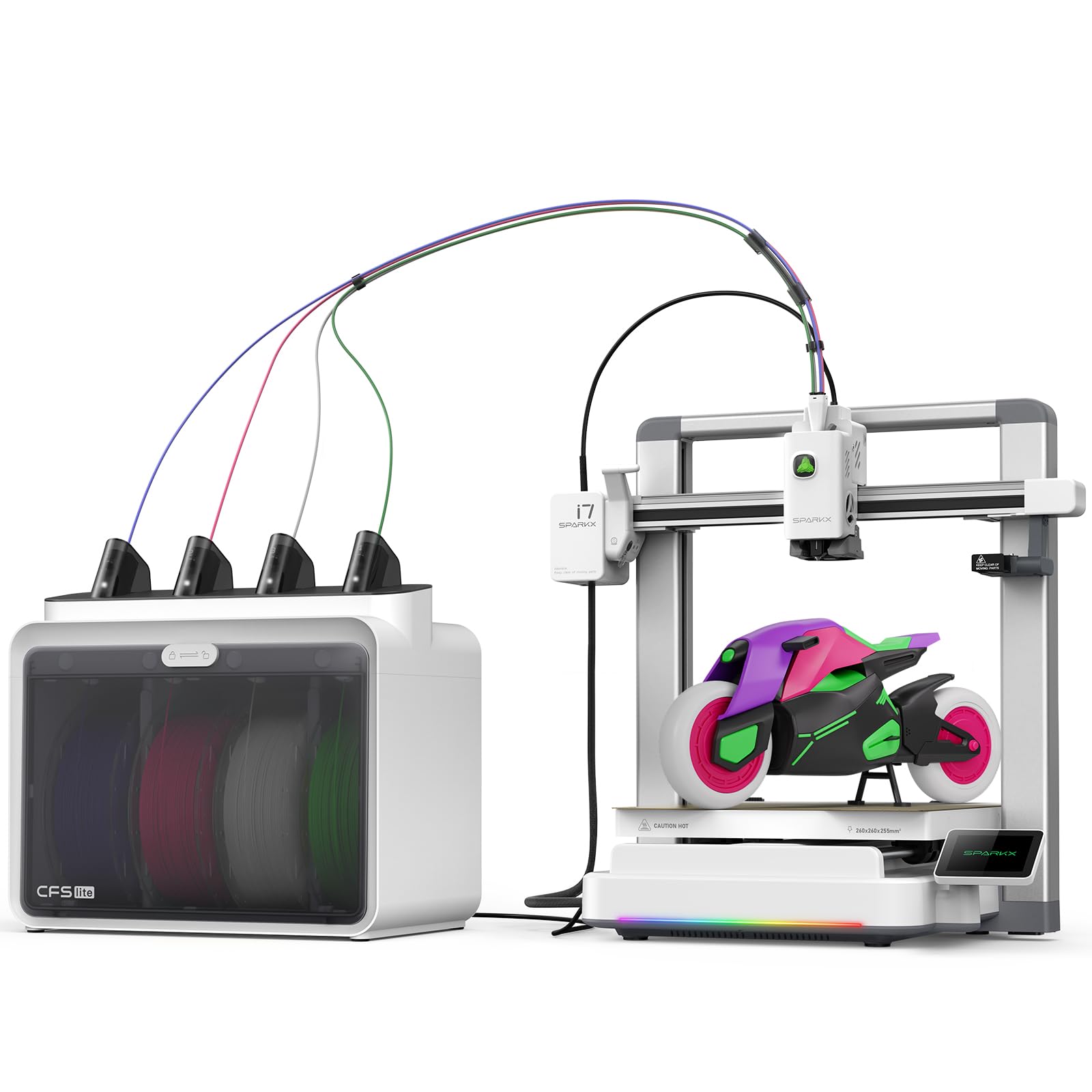
The AI-powered machine that turns a selfie into a print in minutes.
This is the easiest entry point on the list, and the hook is genuinely novel: with Creality’s CubeMe AI, you upload a portrait and it generates a unique 3D model in seconds—no modeling software required. That makes it an instant hit for personalized gifts and custom figurines. It arrives 95% pre-assembled, so you can go from unboxing to first print in about five minutes. Reviewers point out being “beginner-friendly, printing within 30 minutes, perfect first Benchy, ~60 hours print time.”
On the color front, the CFS Lite system gives you four-color capability while the maker claims 50% less waste compared to traditional multicolor systems.. The built-in AI camera watches every print in real time, detecting spaghetti failures, air printing, filament tangles, and build plate issues, then sends instant alerts so you can intervene before a print is ruined. The generous 260 x 260 x 255 mm build volume is large enough for full-size airless basketballs, yet the machine runs quietly—with a Night Mode for ultra-quiet, light-free overnight printing.
The honest trade-offs are worth knowing. Owners note the build is plastic rather than metal, and it’s louder than premium machines. Setup instructions are famously “Chin-glish,” and some find the bundled filament poor—switching to Creality Hyper PLA improves results dramatically. One owner had the machine go offline permanently after a loose ribbon cable failure and found support unhelpful. It’s a confidence-building first printer that’s great as a backup, but not the most durable option here.
Beginner Perks
- AI photo-to-3D modeling in seconds
- 5-minute unbox-to-print setup
- AI camera catches print failures early
- Large 260mm build volume in a small 33-pound frame
Beginner Hurdles
- Plastic build and higher noise levels
- “Chin-glish” setup instructions
- Occasional quality control issues
Grab this if: you’re new to printing and want AI-assisted creativity with a forgiving, fast start.
Pass if: you plan to print daily for years—this is a starter, not a workhorse.
7. Raise3D E2 IDEX Desktop Printer

The IDEX workhorse that prints eight copies of a part in one pass.
The E2 uses Raise3D’s IDEX technology, where two independent extruders each have their own X-axis. That opens up Duplication Mode, letting you print two identical models at once, and Mirror Mode, which produces a model and its inverse simultaneously—perfect for left and right parts of a design. One owner reports using IDEX to print 8 copies at once., calling it faster and more reliable than the cheaper printers they’d used before. The build is a hefty 110 pounds of industrial-grade rigidity.
Set up is genuinely approachable for a machine this serious: auto bed leveling plus a video-assisted offset calibration system guides you through verification, and the on-board 7-inch touchscreen with a visual interface makes operation feel friendly. Filament run-out sensors automatically pause the print if a spool empties, and power loss recovery stores progress and resumes smoothly when power returns—so an overnight failure isn’t a catastrophic loss. The heated bed reaches 110°C, and the printer handles an enormous material list from PLA and ABS to Nylon, TPU, and carbon-fiber infused filaments within a 300°C temperature range.
The E2 also brings Wi-Fi and ethernet connectivity with a live camera for remote monitoring, plus HEPA air filtration. The reviews are genuinely split, though: happy owners call it a polished, fast, and reliable machine with excellent support, while a frustrated few report high failure rates and adhesion issues that made the printer a near-paperweight. With such a high investment, your warranty and seller support become critical—so buy with real protection in mind.
Why IDEX Wins
- Print 2 identical parts or mirror images simultaneously
- 110-pound build delivers vibration-free stability
- Filament run-out sensors and power loss recovery
- HEPA air filtration for safer operation
The Reality Check
- Mixed reliability reports—some owners hit repeated failures
- Support quality varies heavily by seller
- High price makes the risk feel bigger
Ideal for: small businesses producing duplicate parts who need IDEX productivity and serious material range.
Proceed with caution if: you lack a solid warranty path—this machine’s reviews swing hard both ways.
8. Prusa XL 2-Toolhead
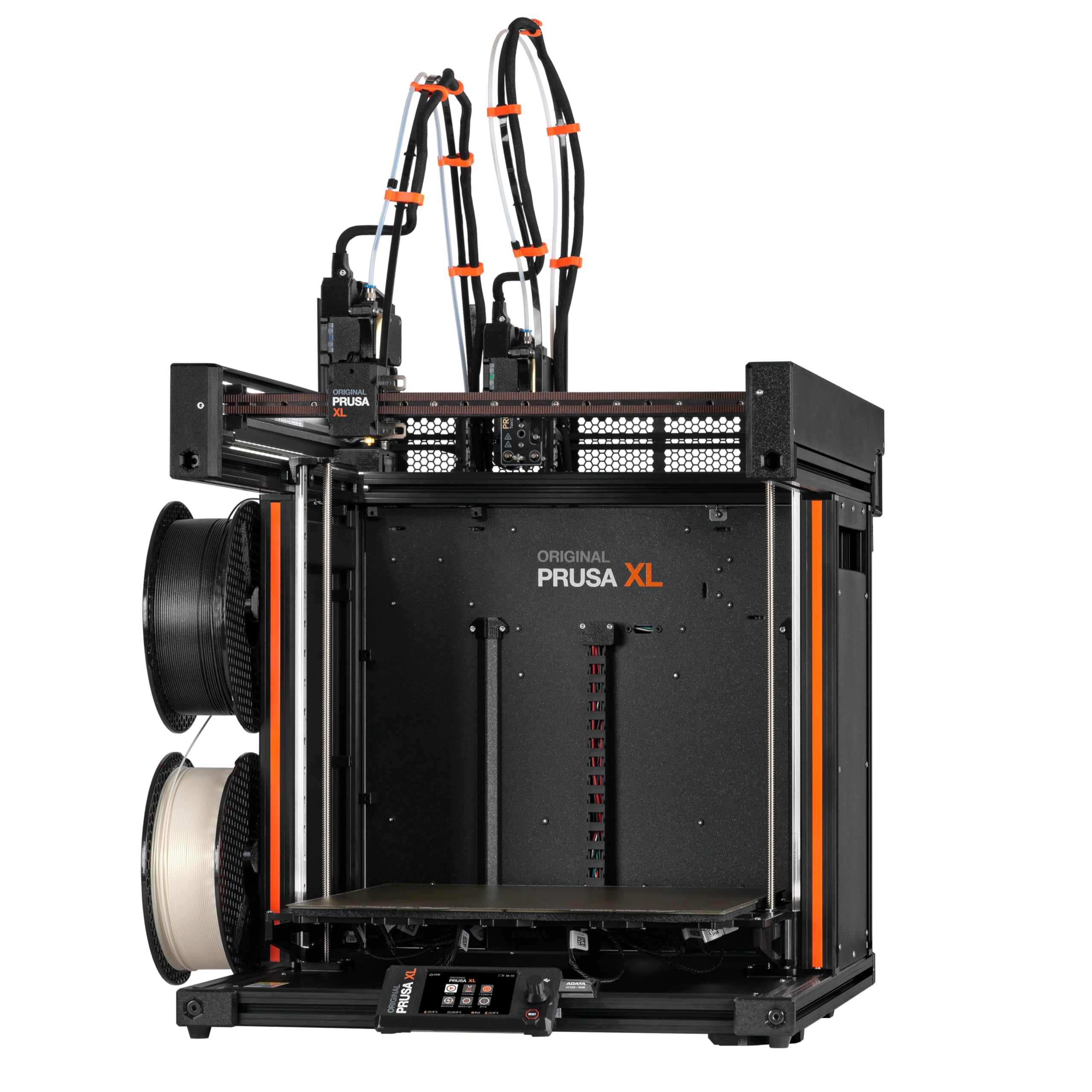
The maker-community legend scaled up to a 14-inch print cube.
The Prusa XL is the machine that dedicated makers dream about, and its 14.17 x 14.17 x 14.17 inch build volume is the largest here. The segmented heated bed system is the standout engineering feature: intelligent heating zones boost energy efficiency and reduce warping on large prints, giving reliable first-layer adhesion across the entire platform. The dual-tool system enables smooth switching between materials for complex prints, functional prototypes, and soluble support structures—so you can print PETG bodies with supports that dissolve away in water.
The stable CoreXY motion system keeps printing accurate even during complex multi-material jobs, and the intelligent tool switching minimizes purge waste while keeping transitions clean. It ships with one Satin print sheet and a 1kg spool of Prusament PLA, and it’s fully integrated with PrusaSlicer and Printables.com. Prusa Research promises lifetime technical assistance and 24-hour professional customer service—a level of backing that makes the premium price feel more like an investment in confidence. Owners describe performance as outstanding, calling it the best consumer multi-material printer available.
That said, this is “not for the faint of heart,” as one review puts it. The machine arrives partially disassembled by design—the LCD, extruder assembly, Wi-Fi antenna, and spool holder are packed separately for safe transport, and installing the extruder took some owners half a day. One buyer found several plastic parts broken in shipping and had to print replacements from Printables. The software also earned a few complaints about buggy crashes. This is a powerful professional tool for people who understand what they’re getting into, not a plug-and-play gift.
The Pro Advantage
- 14.17-inch build cube—the largest on this list
- Segmented heated bed reduces warping and saves energy
- Lifetime technical support from Prusa Research
- Open ecosystem with PrusaSlicer integration
The Pro Demands
- Partial assembly required—extruder install takes hours
- Not for novices; troubleshooting needs technical skill
- Fragile parts can arrive damaged in shipping
Choose it for: engineering teams and advanced makers who need large-scale, multi-material reliability with real support behind them.
Steer clear if: you want an out-of-the-box experience—this one asks for assembly and technical patience.
Understanding the Specs
Independent Toolheads vs. Single Nozzle
The core decision in a dual-extruder printer is whether the heads are truly independent or share one nozzle. A single-nozzle system (like the Creality K2 Plus with its CFS) switches filaments through one hotend, which causes purging waste and slight color bleed between transitions. Independent toolheads (like the Snapmaker U1 or Flashforge Creator 5) keep each color in its own nozzle and swap heads entirely, which eliminates waste and bleeding but adds mechanical complexity and cost. For clean multi-color prints, independent heads win; for simple dual-material support, single-head is lighter and cheaper.
IDEX and Duplication Modes
IDEX (Independent Dual EXtruders) is a specific architecture where two extruders each ride on their own X-axis rail. Beyond color printing, IDEX open up Duplication Mode—printing two identical parts at once for batch production—and Mirror Mode, which creates a part and its mirror image simultaneously for left-right pairs. The Raise3D E2 is the only true IDEX machine on this list, and it’s the pick if you produce batches of small parts for a business. Tool-changers like the U1 and Creator 5 give you more colors but don’t duplicate parts.
CoreXY Frame and Speed Ratings
CoreXY is a motion system where both motors stay fixed in the frame and move the print head through a belt loop, rather than the older design where the bed moves forward and back. This makes the printer more stable at high speeds and better for tall prints. Modern dual-extruder machines rate 500-600 mm/s top speeds, but remember that’s a maximum, not a cruising speed—print quality at that pace depends on vibration compensation and dynamic flow calibration. A rigid all-metal frame like the Creator 5’s or the U1’s carbon-fiber rails is what actually keeps those fast speeds accurate.
Heated Chamber and Material Range
If you plan to print engineering-grade materials like ABS, ASA, or PPA-CF, the chamber temperature matters as much as the nozzle temperature. An actively heated chamber (like the K2 Plus’s 60°C environment) keeps the ambient air warm, which prevents warping and layer separation in materials that shrink as they cool. Nozzle temperature tells you the ceiling: 300°C handles most plastics, 320-350°C reaches wear-resistant carbon-fiber composites. Check both numbers together—a high-temp nozzle without a heated chamber still can’t print ABS well.
FAQ
What is the difference between a dual extruder and a tool changer?
Is IDEX better than a tool changer for multi-color printing?
Will a dual-extruder printer work with water-soluble supports?
How much filament waste can a tool changer actually save?
Do I need a heated chamber for printing ABS or ASA?
Are resin dual-color printers like the ANYCUBIC Photon P1 a good choice for beginners?
Can a dual-extruder printer print two different materials, not just two colors?
How much space do these large-format dual-extruder printers need?
What does auto bed leveling actually do, and why does it matter?
Final Thoughts: The Verdict
For most buyers, the winning 3d printer with dual extruder is the Snapmaker U1 because it delivers true four-color printing with zero purge waste, giving you clean, vibrant prints at 500 mm/s without the material costs of single-nozzle systems. If you want industrial-grade speed with carbon-fiber filament support, grab the Flashforge Creator 5. And for batch production of duplicate parts, the Raise3D E2 with its IDEX duplication mode is the one to reach for.
How We Picked
We do not accept paid placement. Every pick is matched to a real buyer and a real use-case; we do not hands-on test units.
Sources & Methodology
Specifications: manufacturer listings and product documentation. Review insights: verified customer reviews, as of August 2026. Pricing: not shown on this page (it changes often); check the current price via the retailer link.
As an Amazon Associate, Gadgets Feed earns from qualifying purchases. This does not affect which products we feature.