
Our readers keep the lights on and my morning glass full of iced black tea. As an Amazon Associate, I earn from qualifying purchases.
Specs are compiled from manufacturer listings and verified buyer reviews and can change over time — please confirm the key details on the product page before buying.
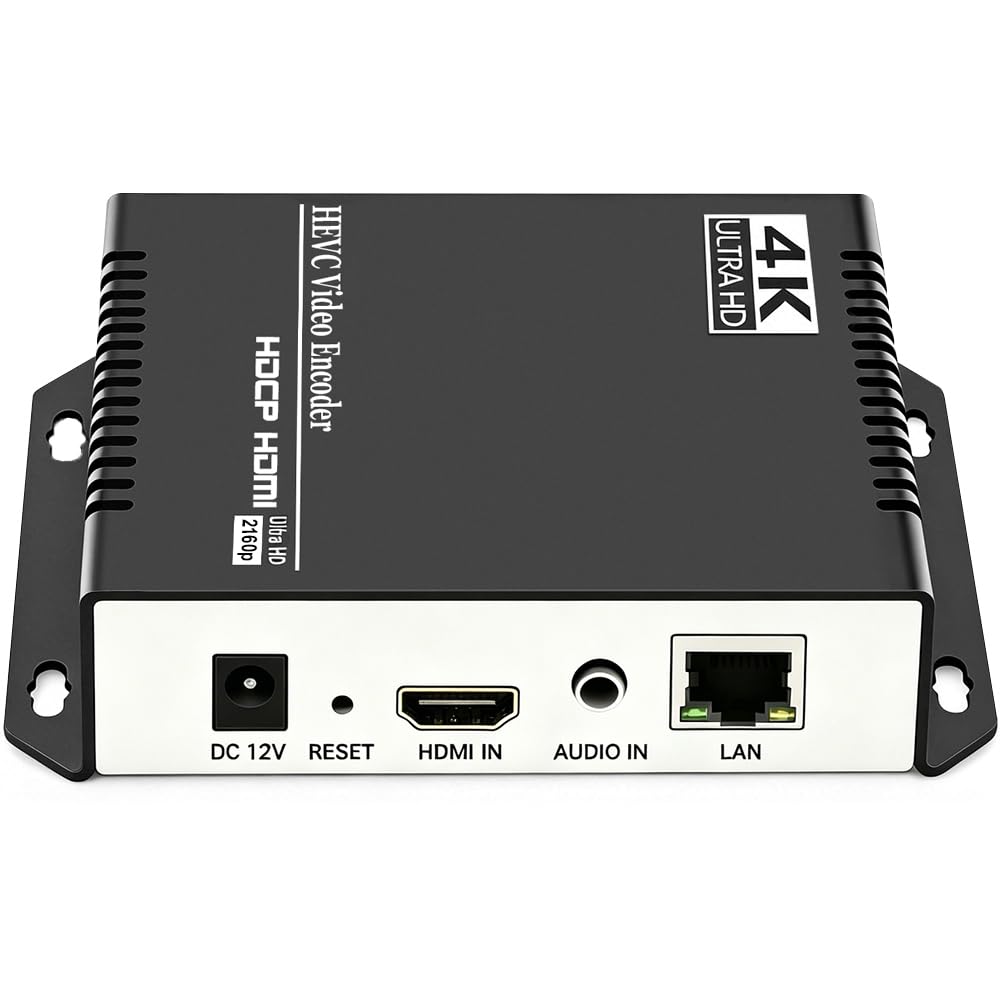
You need a 4K streaming encoder box that fits your workflow without adding frustrating delay or requiring a nearby computer. The right pick depends on your streaming platform’s protocol, your tolerance for latency, and if you need a dedicated box or a multi-tool device. Here is which one earns its place in your bag or rack.
I’m Min — the founder and writer behind Gadgets Feed. This guide is built by comparing the manufacturers’ published specifications and the patterns across verified customer reviews, so you get each pick’s real strengths and trade-offs instead of marketing spin.
4k streaming encoder box choices come down to codec support, protocol compatibility, and reliability — and this guide names the best one for each job.
Our Picks at a Glance


How To Choose The Best 4K Streaming Encoder Box
An encoder takes the HDMI signal from your camera or console and compresses it into a network stream your audience can watch. Your choice depends on where you send that stream, how much delay you can accept, and if you want a dedicated box or a multi-tool device.
Match the Protocol to Your Platform
YouTube and Facebook primarily accept RTMP, while NDI is a specialized protocol for professional video networks over Ethernet. Some boxes support both, plus SRT for reliable long-distance transmission over poor networks. Check which protocols your streaming destination accepts before buying.
Decide Between 4K Input and 1080p Output
Many encoders accept a 4K HDMI signal but encode and output at 1080p, which is fine for most platforms since they compress to 1080p anyway. If you must deliver true 4K to viewers, you need a box that encodes at 4K resolution natively, not just one that upscales.
Consider the Physical Setup
Think about where the device lives. A compact box that mounts on a tripod or cold shoe suits run-and-gun streaming, while a rack-style unit with multiple channels fits permanent installations. Power options like USB-C or Power over Ethernet simplify wiring in tight spaces.
Quick Comparison
| Model | Best For | Encoding | Max Input | Weight | Amazon |
|---|---|---|---|---|---|
| URayCoder UHE265-1S-4K★ Best Overall | Best Overall — Multi-platform streaming | H.265 / H.264 | 4K UHD | 1.1 lbs | Amazon |
| ZowieBox HDMI NDINDI Specialist | NDI workflows & gaming | H.265 / H.264 | 4K | 5.9 oz | Amazon |
| ZowieBox HDMI onlySRT Converter | SRT & UVC conversion | H.265 / H.264 | 4K | — | Amazon |
| J-Tech Digital JTECH-ENCH4 | Multi-stream output | H.265 / H.264 | 4K@60Hz | 0.57 kg | Amazon |
| URayCoder UHE265-1L-4K | Reliable 24/7 streaming | H.265 / H.264 | 4K UHD | 0.5 kg | Amazon |
| URayCoder UHE265-1L-4K | VLC & multicast delivery | H.265 / H.264 | 4K UHD | — | Amazon |
| URayCoder UHE265-4-4K | Multi-channel permanent installs | H.265 / H.264 | 4K UHD | 16 oz | Amazon |
| Blackmagic Web Presenter 4K | Broadcast-grade streaming | H.265 / H.264 | 4K | 953 g | Amazon |
In‑Depth Reviews
1. URayCoder UHE265-1S-4K
Our pick — over 4.5★ from 60+ verified ratings; the strongest balance of quality and price.
The multi-platform workhorse that pushes video to four destinations at once without a computer.
You plug an HDMI source into this box and it encodes into H.265 or H.264, then pushes to YouTube, Facebook, Twitch, and Vimeo simultaneously — up to 4 video streams with different protocols at the same time. That alone replaces a whole rack of hardware, and it takes 4K UHD input at up to 30fps, or up to 120fps at 2K and lower resolutions.
Setup is genuinely plug-and-play, which is what owners emphasize: buyers report it “worked from the start and very easy to use.” Functionality earns the most praise by far — 21 owners single it out — with 16 more highlighting build quality and 15 mentioning how painless setup is. The device handles HDCP 1.4 decryption (a copy-protection standard), so copy-protected HDMI sources decode without extra adapters.
The feature list runs deep: you can add scrolling captions, static text, logos, and timestamps, plus crop, rotate, flip, or mirror the video. It accepts both HDMI embedded audio and line-in audio with adjustable sound quality. The one caveat for advanced users is that managing it remotely over the web works best when you understand IP addressing and port forwarding.
Why It Wins
- Pushes 4 streams to different platforms simultaneously
- HDCP 1.4 decryption handles protected HDMI sources
- Lifetime free warranty with responsive tech support
What to Know
- On-screen display is limited to 4 images programmatically
- No remote control included
Reach for this if: you stream to multiple platforms at once and want one box doing the job of four.
Look elsewhere if: you need NDI output — this unit focuses on standard internet protocols instead.
2. ZowieBox 4K HDMI NDI Encoder/Decoder
The pocket-sized NDI box that fits in your palm yet replaces expensive software licenses.
This device is smaller than a phone yet converts HDMI to NDI|HX3, HX2, or HX — the professional video-over-Ethernet format used with OBS and vMix. That means it can replace paid NDI software licenses, which owners note cost around each, making this a hardware bargain that behaves like premium gear.
Reliability is the story here. As owners mention, “these devices are rock solid, consistent, dependable, works endless hours, maintains temperature and well worth your investment.” Beyond NDI (a network video protocol), it also streams via SRT, RTMP(S), and RTSP (streaming protocols), and works as a decoder taking IP streams back to 4K HDMI for monitoring.
Setup is beginner-friendly with an easy wizard, and once your camera is connected it auto-appears in the NDI tab. The trade-offs are real but specific: encoder and decoder modes cannot run simultaneously, full NDI signals are not supported (HX only), and the internal antenna in the aluminum case means WiFi performance depends heavily on a strong network.
Standout trait: at 5.9 ounces with USB-C power, PoE, and a tripod mount, it disappears into any camera bag.
Honest caveat: an occasional unit faces restart loops — a documented reliability gripe, so buy from a source with easy returns.
3. Zowietek ZowieBox 4K HDMI Encoder/Decoder (HDMI only)
A bidirectional SRT bridge that turns cameras into secure long-distance streams and back again.
This version of the ZowieBox specializes in SRT — Secure Reliable Transport, a protocol built for stable video over challenging, long-distance networks. It converts HDMI sources into SRT, RTMP, or RTSP streams for platforms like YouTube and Twitch, then flips roles to decode those same network streams back to HDMI for TVs or ATEM switchers.
It also acts as an HDMI-to-UVC encoder, letting a professional HDMI camera appear as a webcam for video calls in software like Zoom or OBS. The ultra-compact aluminum housing supports NDI HX4, PoE power, a standard tripod mount, and a tally light for multi-camera setups.
Buyers praise the build quality and value, calling it well-made and reliable, with one noting the RTSP-to-HDMI box “works great” for remote stream control. The honest drawbacks: the API documentation is hard to find and clunky, and one owner reported a unit that stopped working after 3 months — a reminder that any electronics can fail, so keep the 1-year hardware warranty in mind.
Pick this if: you need SRT for reliable remote production or want one box that both encodes and decodes.
Think twice if: you rely on UniFi Protect surveillance — it does not work with that system despite ONVIF support.
4. J-Tech Digital JTECH-ENCH4 HDMI Encoder
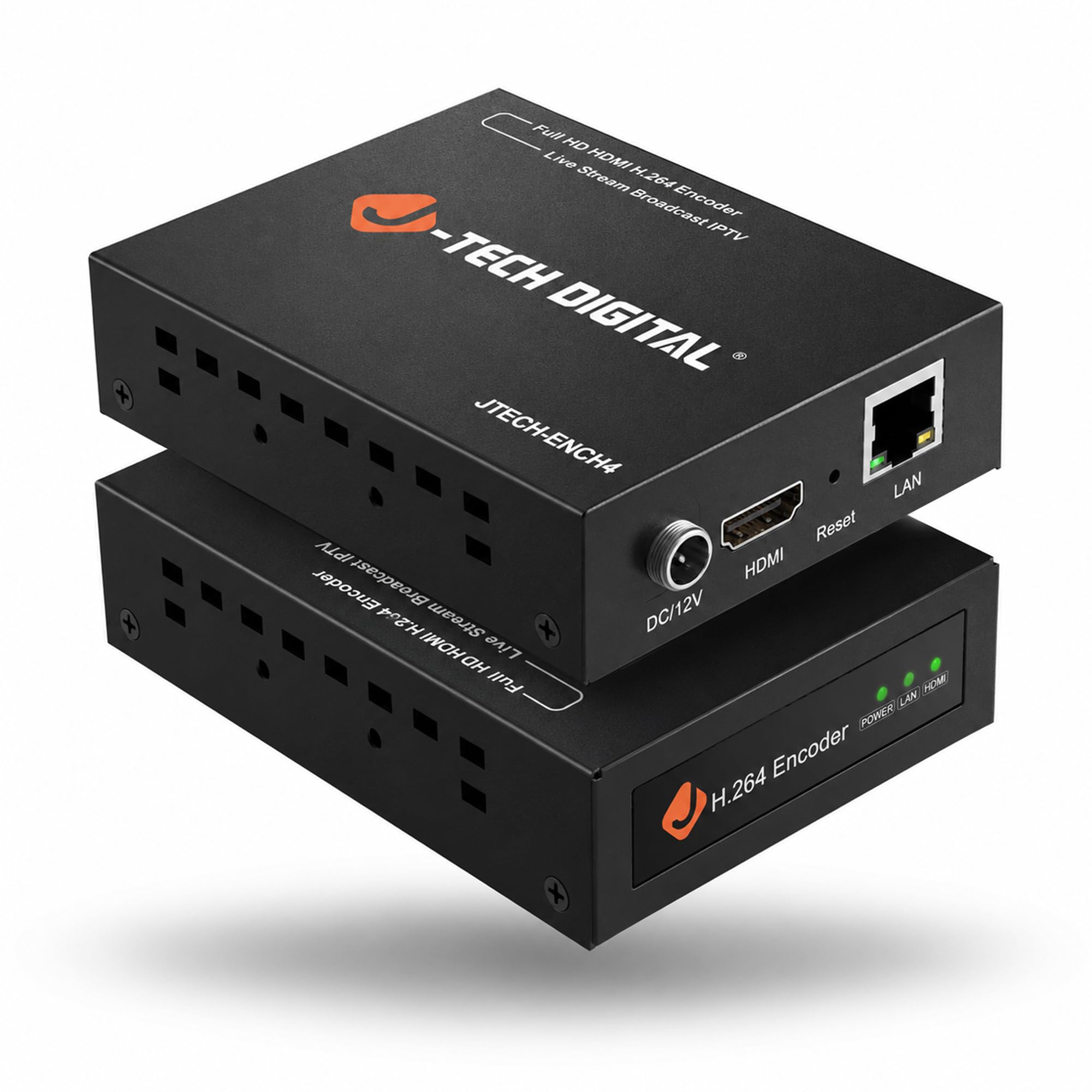
The budget-friendly encoder that runs multiple lower-resolution substreams beside your main feed.
This encoder accepts up to 4K@60Hz HDMI input and outputs 1080P@60Hz, running 1 main stream plus 3 substreams simultaneously — handy when different viewers need different bitrates. It encodes to H.264 or H.265 and transmits over standard TCP/IP networks, tune for low-latency, high-bitrate delivery.
Protocol support is broad: RTMP/RTMPS, HLS, FLV, TS, MP4, RTSP, UDP, SRT, TRTC and more, and it works directly with VLC player — just enter the encoder’s IP address with “/0.ts” and play. Owners successfully stream 4 FireTV sticks through an HDMI quad viewer simultaneously, with VLC delivering all 4 feeds to any device on the network.
The web GUI lets you adjust bitrate, FPS, and IP settings remotely, plus add OSD text or logos and fine-tune flip, rotate, crop, contrast, and brightness. Setup is browser-based and easy, though DHCP is not enabled by default — you’ll assign a static IP first. Quality wins buyers over most, with 14 praising build quality and 8 highlighting video quality; one owner did report an internal power defect after a day, but the free lifetime technical support from Stafford, TX covers issues.
Best move: pair it with an HDMI quad viewer to put four sources onto one network feed for security or digital signage.
Watch out: the static IP requirement trips up beginners — read the quick start before plugging in.
5. URayCoder UHE265-1L-4K

The dependable 24/7 streamer that keeps pushing video around the world without a computer.
Functionality is the biggest reason buyers pick this one — 45 owners praise it, with 23 more highlighting setup ease. It uses the same H.265/H.264 dual encoding chip (video compression standards) as the top pick, accepting 4K UHD input at up to 30fps and up to 120fps at 2K and lower, then pushing to RTMP, RTSP, UDP, HLS, and SRT destinations like YouTube and Facebook.
This is the box for permanent installations. Owners run it reliably 24/7 via RTMP push, using it with PTZ cameras, mixers, and HDMI embedders, and coming back to buy more units. Video quality earns praise for delivering excellent 1080p at 16Mbps, and it can stream 1080p to multiple Raspberry Pi devices at once.
It compresses 1080p HDMI to Ethernet for remote display with straightforward setup if you know your IP and bitrate settings. The main gripe is literal: it has no off/on switch, so owners wish they could cycle power to let the circuit cool down.
Built To Last
- Runs 24/7 with RTMP push reliably
- Excellent 1080p video quality at 16Mbps
- Responsive firmware updates and support
The Trade-Off
- No physical power switch to cool the circuit
- Compatibility experiences are mixed across setups
Choose this for: always-on streaming where you plug it in once and forget it.
skip it if: you need quick on-location reconfiguration during live events.
6. URayCoder UHE265-1L-4K (VLC/Multicast Focus)
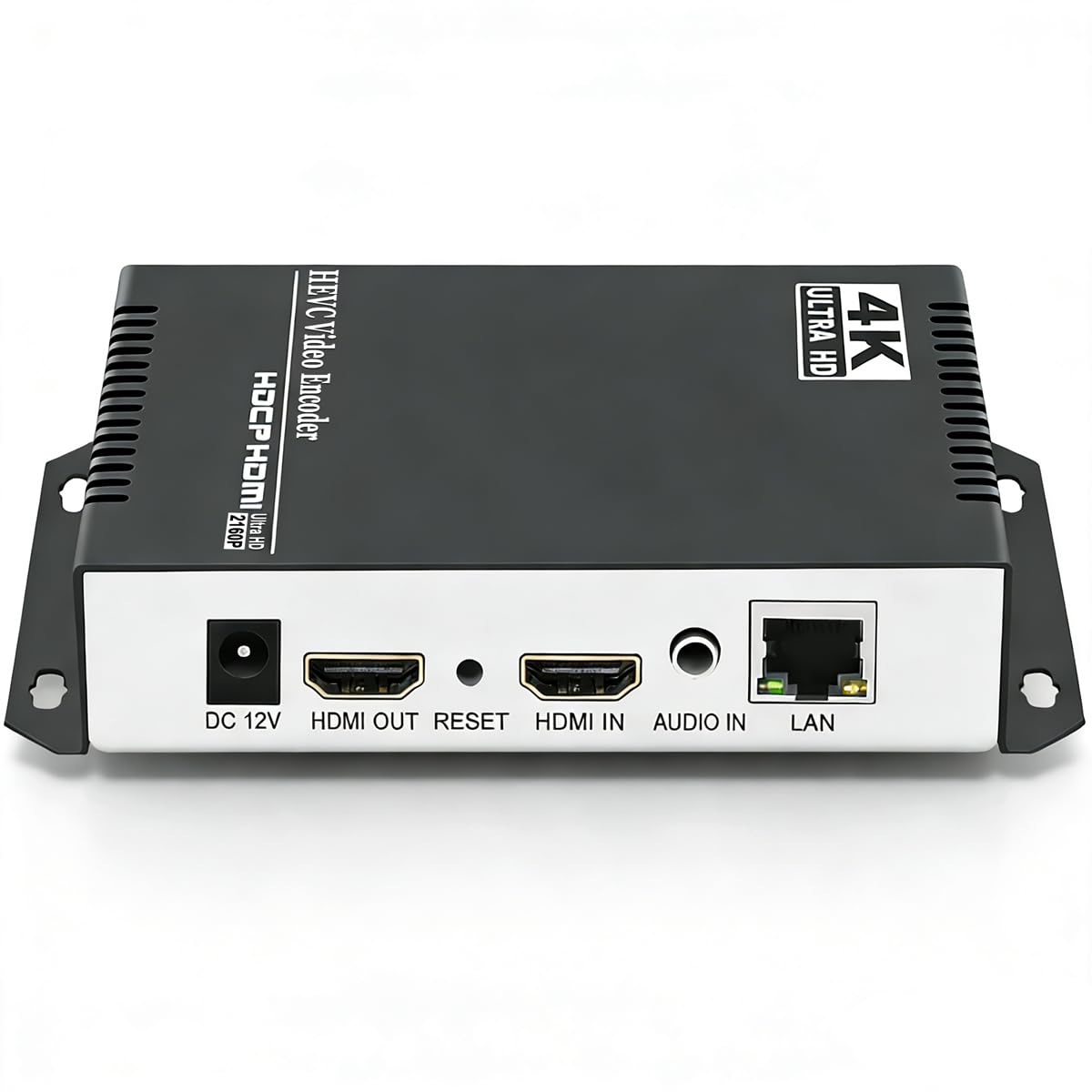
The multicast master that feeds many screens on your network from one HDMI source.
Functionality leads here too — 36 owners praise it, with 35 more highlighting performance. This box serves multicast video content over a network, making it ideal for digital signage or distributing one live feed to many displays. It works smoothly with VLC player (a free media player), which is the most-cited real-world use.
Customers note running it flawlessly 24/7 for almost a year while staying cool, encoding H.265 with near-zero latency. One software engineer ran 10-hour continuous encoding sessions stable, praising the comprehensive settings and well-chosen defaults, plus the NTP server option for accurate time sync.
Setup requires the default IP 192.168.1.168 and a decent grasp of networking, and high-quality settings increase latency so defaults are best left alone. Audio quality is the recurring weak point — 9 owners flag it as negative, with issues like popping solved by switching the audio sampling rate from 44100 to 48000.
Where it shines: handling 1080p cameras well and serving multicast to many network devices at once.
Plan for: H.265 adds more lag than H.264, and audio needs a little settings experimentation to dial in.
7. URayCoder UHE265-4-4K
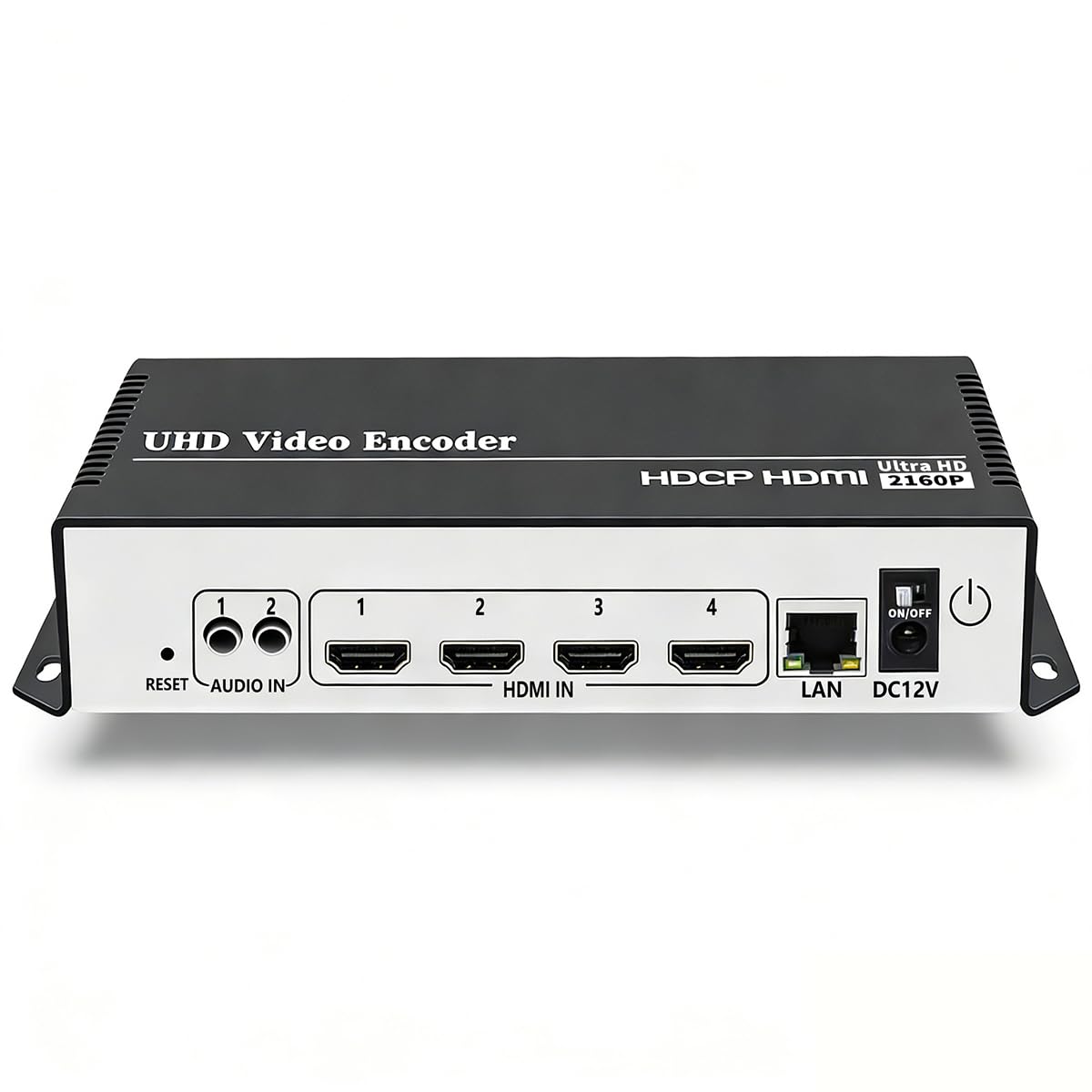
The heavier-duty URayCoder built for 24/7/365 streams and surveillance integration.
This is the multi-channel variant of the URayCoder family, weighing 16 ounces with a matte aluminum shell. It targets permanent installations — one owner runs two of them streaming reliably to Blue Iris surveillance software and OBS simultaneously, with vMix and YouTube in the mix.
Setup is the biggest hurdle. Owners agree it works great once configured, but it’s challenging to set up, and there’s no way to stop a stream without unplugging the device — fine for a 24/7/365 feed, frustrating for live events that change on the fly. DHCP (automatic network configuration) is off by default, which adds to the initial frustration.
When it’s running, it delivers: simultaneous streaming to Facebook and YouTube works well, and the picture quality matches units costing significantly more. Tech support earns consistent praise as helpful and responsive, which matters when you’re configuring a permanent install.
Best for: permanent multi-channel installations where a stream runs around the clock.
Not for: on-location live production where you need to start and stop streams quickly.
8. Blackmagic Design Web Presenter 4K

The broadcast-grade interface that turns professional SDI cameras into plug-and-play web streams.
This is the serious broadcaster’s choice, with 12G-SDI input and output, HDMI monitor output, SDI monitor output, and USB webcam output — plus a front-panel LCD for menus and technical monitoring. It’s built for church services, events, and professional productions where reliability matters more than price.
Reviewers point out it’s an “excellent unit” for streaming 1080p 60fps, with the stream peaking at 8.7 Mbs which is perfect for YouTube. Churches in particular praise it: “we use this for our church ministry and it was easy to get connected so we can stream online and to different platforms. Plug n play!” The 4-pin XLR input for DC power means you can power it from professional broadcast batteries.
The LCD display shows you exactly what’s being streamed, and the SDI and HDMI monitor ports let you watch the feed on professional monitors. The honest downside: at 953 grams with a 9.1-inch footprint on each side, it’s the largest and heaviest unit here, and one owner received a unit with a non-working plug port and returned it — a rare but possible QC miss.
Why it stands apart: professional SDI workflow plus USB webcam output — no other box here offers both.
Consider the cost: this is the premium pick, and occasional connectivity issues may need troubleshooting.
Understanding the Specs
H.265 vs H.264 Encoding
These are the two compression standards that shrink your video for the network. H.265 (also called HEVC) is the newer codec that delivers the same picture quality at roughly half the bitrate of H.264, which cuts bandwidth and storage needs in half.. Most boxes here support both, so you can switch based on your network speed and destination platform’s compatibility.
Streaming Protocols: RTMP, SRT, NDI
Protocols are the languages your encoder speaks to deliver video. RTMP is the most common for YouTube and Facebook. SRT is built for secure, reliable transport over unpredictable networks like the public internet. NDI is a professional standard for moving video over local Ethernet networks with very low latency. Pick a box that speaks the protocol your destination needs.
FAQ
What does a 4K streaming encoder box actually do?
Will a 4K encoder box work with my YouTube or Facebook stream?
What is the difference between H.264 and H.265 encoding?
Can an encoder box stream to multiple platforms at once?
Is there a difference between 4K input and 4K output?
What is NDI and do I need it?
How do I power an encoder box in a remote location?
Can I use an encoder box with a surveillance system?
What is SRT and why would I use it?
Final Thoughts: The Verdict
If you want one dependable pick, the 4k streaming encoder box winner is the URayCoder UHE265-1S-4K because it pushes 4 simultaneous streams to different platforms with HDCP support and lifetime warranty. If you want NDI for professional local networks, the ZowieBox HDMI NDI is the compact specialist to grab. And for broadcast-grade production with SDI connectivity, the Blackmagic Web Presenter 4K is the one to reach for.
How We Picked
We do not accept paid placement. Every pick is matched to a real buyer and a real use-case; we do not hands-on test units.
Sources & Methodology
Specifications: manufacturer listings and product documentation. Review insights: verified customer reviews, as of August 2026. Pricing: not shown on this page (it changes often); check the current price via the retailer link.
As an Amazon Associate, Gadgets Feed earns from qualifying purchases. This does not affect which products we feature.