
Our readers keep the lights on and my morning glass full of iced black tea. As an Amazon Associate, I earn from qualifying purchases.
Specs are compiled from manufacturer listings and verified buyer reviews and can change over time — please confirm the key details on the product page before buying.
An 8-inch laptop is a tiny full Windows PC that slips into a purse or a big coat pocket, not a toy. This guide cuts through the noise to find the few that genuinely run real desktop apps like Office, Zoom, and a web browser with many tabs. You will see that most of these are 2-in-1 convertibles, so the screen rotates around to work like a tablet for reading, drawing, or presentations.
I’m Min — the founder and writer behind Gadgets Feed. This guide is built by comparing the manufacturers’ published specifications and the patterns across verified customer reviews, so you get each pick’s real strengths and trade-offs instead of marketing spin.
Because true 8-inch models are rare, this guide includes the closest 8.9-inch and 9-inch convertibles that match the same pocketable, full-Windows purpose. After reading, you can confidently pick the best 8 inch laptop for taking on planes, to job sites, and anywhere a full-size machine is too much.
Our Picks at a Glance

How To Choose The Best 8 Inch Laptop
An 8-inch laptop handles web browsing, email, streaming, note-taking, and light office work on the go, but it won’t replace your desktop for heavy tasks. Your choice hinges on balancing processor speed, battery life, and build quality within a sub-2-pound frame.
Processor and Performance
The engine in these mini laptops is the Intel N-series chip—N95, N100, or N150—which dictates everyday responsiveness. These low-power processors are designed for everyday tasks like browsing and document editing. They breeze through a few browser tabs and a word processor, but choke on heavy video editing or modern gaming. Aim for a 4-core chip with a boost speed of 3.4 to 3.6 GHz—the standard for this size class.
RAM, Storage, and Ports
For smooth Windows 11 multitasking, target 12GB of RAM—the standard across nearly all these models. Storage is typically a 256GB or 512GB SSD (a fast drive that boots quickly), and some allow upgrading to 2TB. Check the ports: a USB-C port that charges the device, a USB-A for older accessories, and an HDMI out for connecting to a bigger monitor are the essentials to look for.
Quick Comparison
| Model | Best For | Processor | Memory & Storage | Battery Life | Amazon |
|---|---|---|---|---|---|
| KOOTIGERS P8★ Best Overall | Everyday portability | Intel N95 (3.4GHz) | 12GB / 256GB | 4 hours | Amazon |
| Ruchonin N100Premium Pick | All-metal build | Intel N100 (3.4GHz) | 12GB / 512GB | 5 hours | Amazon |
| KOOFORWAY N100 | Solid functionality | Intel N100 (3.6GHz) | 12GB / 512GB | 4 hours | Amazon |
| Crelander N100 | Multitasking on the go | Intel N100 (3.4GHz) | 12GB / 512GB | 4 hours | Amazon |
| KOOSMILE P8 (N150) | Travel and field work | Intel N150 (3.4GHz) | 12GB / 512GB | 5 hours | Amazon |
| KOOSMILE N150 | Light gaming | Intel N150 (3.6GHz) | 12GB / 512GB | 5 hours | Amazon |
| KOOFORWAY N95 | Storage and creativity | Intel N95 | 12GB / 1TB | 5 hours | Amazon |
In-Depth Reviews
1. KOOTIGERS P8 Mini Laptop
Our pick — over 4★ from 70+ verified ratings; the strongest balance of quality and price.
The rare sub-2-pound Windows machine that genuinely performs beyond its pocket-sized frame.
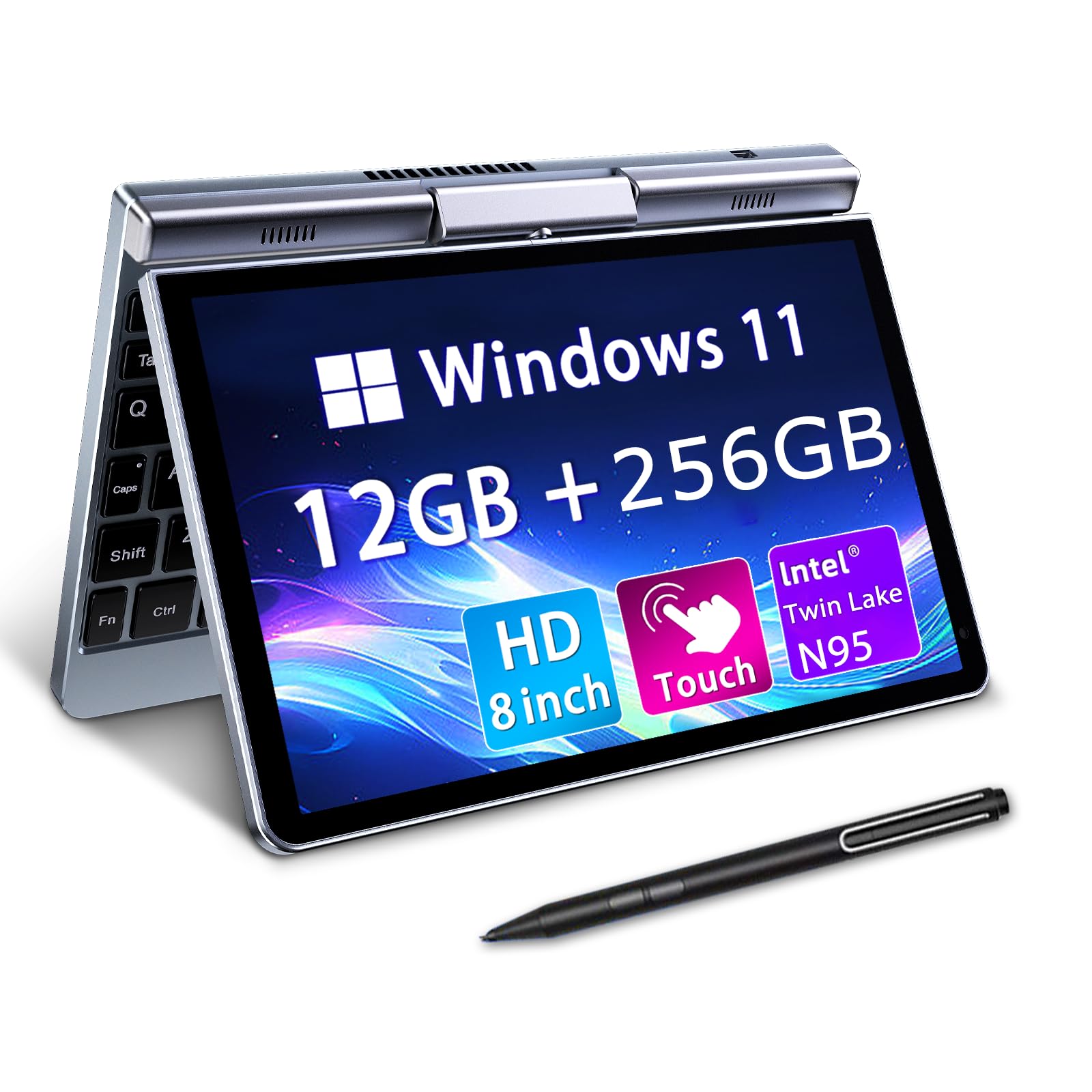
At just 1.72 lbs, this is the lightest pick in the lineup, and it does not give up real-world speed to get there. The Intel N95 processor runs up to 3.4GHz, and paired with 12GB of LPDDR5 memory, it handles a full desktop web browser, Zoom calls, and Microsoft Office without the stutter you often get from mini PCs. It is the pick that most buyers report “performs better than expected,” and it earns the top spot for that balance of weight and capability.
The flexible design is a big part of the appeal. A 360° hinge lets you rotate the screen into tablet mode, and it includes a stylus for handwriting and drawing. The 1280×800 display has an anti-glare coating, which is a thoughtful touch for working near a window or under bright office lights. It also ships with a tactile keyboard that remains comfortable to type on despite the small size, and the rugged metal casing is built to survive a daily commute better than plastic rivals.
Connectivity is where this little machine punches up. The USB-C port supports video out, so you can plug into an external monitor, and it has full-size ethernet, HDMI, and USB-A ports for hooking up legacy gadgets. There is one honest caveat: some owners mention that only the original USB-C charger works, and generic cables may fail, so treat the included charger as essential. Also, the battery is rated for 4 hours, which is about average here but not all-day stamina.
Why It’s a Winner
- Weighs only 1.72 lbs for true pocket portability
- 12GB RAM handles multitasking smoothly
- Full-size ports including ethernet and HDMI
- 360° rotating screen with stylus support
The Honest Trade-Offs
- 4-hour battery is just average for the category
- Charger is finicky with third-party cables
- Small screen and keyboard suit travel, not long typing sessions
Reach for this if: you want the lightest true Windows laptop that still runs real desktop apps for travel, school, or field work.
Look elsewhere if: you need full-day battery away from a wall outlet, since the 4-hour rating demands a charger nearby.
2. Ruchonin All-Metal N100
An aviation-grade aluminum shell that feels far more expensive than this class suggests.
This is the pick for buyers who care about how a device feels in the hand. The aviation aluminum body gives it a rigid, premium build that plastic rivals lack, and the T-axis design lets you rotate the screen 180° with one hand, flipping it into a tablet for reading or notes. Inside, the 12th Gen Intel N100 chip with a 3.4GHz max turbo and 12GB of RAM gives it enough muscle for daily web work, word processing, and even light creative tasks in Gimp.
It doubles your storage compared to the top pick — 512GB SSD versus 256GB — which matters if you carry a big media library or lots of documents. The 2-megapixel camera with a 77° angle of view is genuinely useful for video calls, capturing more of the room than a cramped laptop cam. Bluetooth 5.2 and a 3200mAh 11.4V polymer battery promise 4-6 hours of mixed use, and USB-C PD fast charging means your phone charger can often top it up.
Battery reality is the clear weakness, with owners reporting only hours of web surfing and as little as 20 minutes when running AI workloads. The keyboard layout is also a divisive point — some find it delightful for typing games, while others describe it as nonstandard enough to make touch-typing nearly impossible. If you plan to type a lot, budget for an external Bluetooth keyboard, which pairs well.
Built to Last
- Aviation aluminum body feels genuinely premium
- 512GB SSD doubles the storage of the top pick
- USB-C PD charging compatible with many phone chargers
What to Watch For
- Battery drains fast under heavy loads like AI tools
- Nonstandard keyboard layout frustrates some typists
- Hinge can weaken over time with repeated flexing
Choose this for: the most rugged, premium-feeling chassis in the lineup, ideal for rough commutes and fieldwork.
skip it if: battery stamina is your top priority, since intense tasks drain the 3200mAh cell rapidly.
3. KOOFORWAY N100 (12GB+512GB)

A CNC-machined metal body with Wi-Fi 6 and a fast-charging battery at a smart mid-range price.
This 8-inch convertible earns its value spot by balancing a strong feature set against a sensible price. The CNC-machined full-metal body (a solid, precision-cut aluminum frame) feels sturdy, and the 180° rotating screen flips into a tablet for touch and stylus work. It runs on the efficient N95 processor boosting to 3.4GHz with 12GB of LPDDR5 RAM (fast memory for smooth multitasking), and owners say it boots fast — under a second to log in and about 2 seconds to cold-start Chrome.
Connectivity is a genuine highlight. Built-in Wi-Fi 6 and Bluetooth 5.2 keep wireless transfers snappy, and the port selection includes USB 3.0, USB-C, and HDMI for plugging into external monitors. The 75% color gamut display is sharper and more vibrant than most in this class, and the 1-year warranty with 24-hour customer service adds a layer of protection that many rivals skip. A free rechargeable stylus pen is also boxed in.
Owners consistently praise the build quality and speed, but a few note it gets warm under sustained load and that the keyboard layout takes adjustment, with a tiny backspace and a touchpad that splits the spacebar. Battery life lands at 4-5 hours from a 2-hour charge, which is respectable though not class-leading. It is also slightly heavier than its footprint suggests at 0.78 kg, so it feels denser than the KOOTIGERS top pick.
Excellent Everyday Value
- Wi-Fi 6 for fast, stable wireless connections
- 1-year warranty and 24-hour support
- Fast boot and snappy Chrome performance
- Sharp 75% color gamut HD display
Consider This First
- Runs warm during heavier tasks
- Keyboard layout needs an adjustment period
- Heavier than its 0.78 kg frame suggests
It’s a fit if: you want the best mix of price, warranty protection, and modern Wi-Fi 6 connectivity.
It’s not if: you need the absolute lightest carry, since the metal body adds density you’ll feel.
4. Crelander 2-in-1 Mini Laptop

A 0.78 kg pocket PC that pairs a fast N100 chip with 30W rapid USB-C charging.
Creativity and productivity come together in this 360-degree rotating convertible. Weighing just 0.78 kg with a 12th Gen Intel N100 processor pushing up to 3.4GHz, it runs Windows 11 smoothly for everyday multitasking. The 12GB of DDR5 RAM and 512GB M.2 SSD give you comfortable headroom, and you can expand storage up to 2TB if your library grows. It even runs older games — owners have pushed it through Skyrim at 720p low settings on the integrated graphics.
The 30W PD fast charging is a standout feature, letting a compatible power bank top up the battery away from a wall socket — one owner rigged it as an emergency PC powered by the sun. Wi-Fi 6 and Bluetooth 5.2 keep wireless connections fast and stable with multiple devices. The port layout covers USB 3.0, USB Type-C, and HDMI, and the package includes a stylus for the touchscreen, so drawing and note-taking work from the start.
The mixed reliability feedback is the honest caveat. Some units arrive with a drained battery that will not charge, which is a real quality-control concern, while others have run perfectly for six months. The keyboard is tight and usable, but the power key sits above the backspace and the apostrophe key placement feels awkward. Battery life is rated 4-6 hours but sags under heavy multitasking, and the device runs warm during system updates.
Performance-First Pick: the N100 chip with 12GB DDR5 and a 512GB SSD offers the best raw multitasking muscle at this size.
Quality-Control Gamble: most units shine, but a small share arrives dead on arrival, so buy from a seller with a solid return policy.
Buy it for: fast charging convenience and the ability to run light games and demanding apps in a pocket-sized frame.
Be cautious if: you need guaranteed reliability — the mixed reviews suggest occasional DOA units.
5. KOOSMILE P8 (N150, 512GB)
A CNC-machined performer that brings Windows 11 Pro and Gigabit Ethernet to the field.
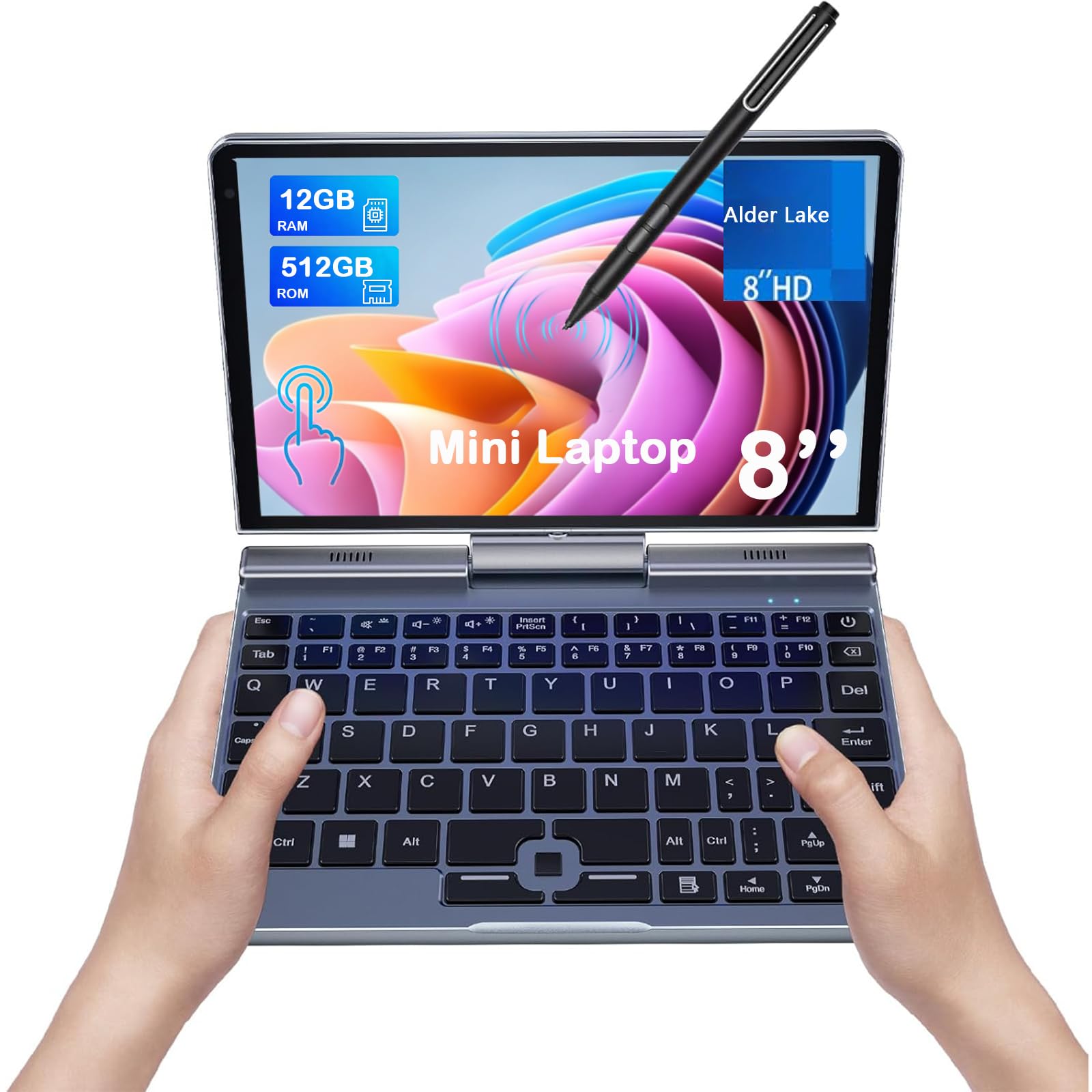
This is the edition that trades a little battery headroom for a more pro-oriented software setup. It ships with Windows 11 Pro pre-installed and is powered by the newer N150 processor, a 4-core/4-thread chip boosting to 3.6GHz that owners say feels snappier than older N5105 and J4125 netbooks. The 12GB of DDR5 RAM and 512GB SSD keep browsing and YouTube scrolling fast, and the CNC-machined full-metal body gives it a solid, wearable feel for light field work.
It is a near-twin of the Ruchonin in spirit, but it adds Gigabit Ethernet alongside Wi-Fi 6 and Bluetooth 5.2 for the fastest, most stable network hookups. The 180° rotating screen flips into tablet mode nicely, and the package includes a PD adapter, active stylus, HDMI cable, and a USB hub — everything you need to dock at a desk. Owners note the vibrant screen is crisper than a standard 800p panel, and the display rotates 180 degrees freely for presentations.
The trade-off is thermal and audio. The bottom gets hot under sustained load, and the speakers are quiet, so headphones are recommended for streaming. Battery life is a moving target: rated around 5 hours, it can drop to about 2 hours after a Windows update or when driving connected devices, and it drains slowly even when powered off. An occasional unit runs into post-update display quirks with external monitors, which is worth knowing if you dock it daily.
Field-Ready Performance: the N150 chip plus 12GB RAM delivers smooth multitasking for light professional work.
Thermal Reality: plan for a hot underside and quiet audio, and keep headphones handy.
Ideal for: technicians and road warriors who need Gigabit Ethernet and a pro Windows license in a tiny metal chassis.
Not ideal if: you expect consistent all-day battery, since post-update drain can cut runtime in half.
6. KOOSMILE N150 (12GB+512GB)
The variant with a unique joystick pointer replaces the touchpad for precision control.
This sibling to the P8 keeps the same N150 processor (up to 3.6GHz), 12GB RAM, and 512GB SSD, but adds a distinctive input twist: a joystick pointer with dedicated mouse buttons instead of a traditional touchpad. Owners who work in tight spaces — like uploading PLCs in cramped industrial cabinets — say the compact footprint and this precise pointer make it invaluable for that kind of field work. It runs Windows 11 smoothly and handles light gaming without complaint.
The 1280×800 LED display is clear and readable, and the 180° rotating hinge transforms it into a tablet with stylus support included. The 2MP camera and dual speakers cover video calls, and the port selection spans USB, HDMI, and USB-C. It charges from a USB-C power bank, which extends its usefulness for remote diagnostics, and the package includes a 4-port USB hub and an active stylus.
The 3.9-star score reflects a real reliability split. Most owners get a great travel or backup machine, but a meaningful share report the unit failing to power on after a month of use, and the screen rotation can occasionally get stuck after tablet mode. It is also not built for heavy-duty video editing or modern gaming — the integrated graphics have clear limits. The small keyboard is adaptable, and the USB-C power input is a genuine plus for someone who already carries a power bank.
Unique Input Edge: the joystick pointer is a genuine advantage for precision work where a touchpad is clumsy.
Reliability Split: most units delight, but a worrying share quit after a month, so weigh the risk.
Reach for this if: you do precision field work in tight spaces and want a joystick pointer plus USB-C power flexibility.
Think twice if: you need a machine you cannot afford to have fail, given the mixed longevity reports.
7. KOOFORWAY N95 (1TB SSD)
The king of storage — a full terabyte of SSD space in a pocket-sized Windows tablet.
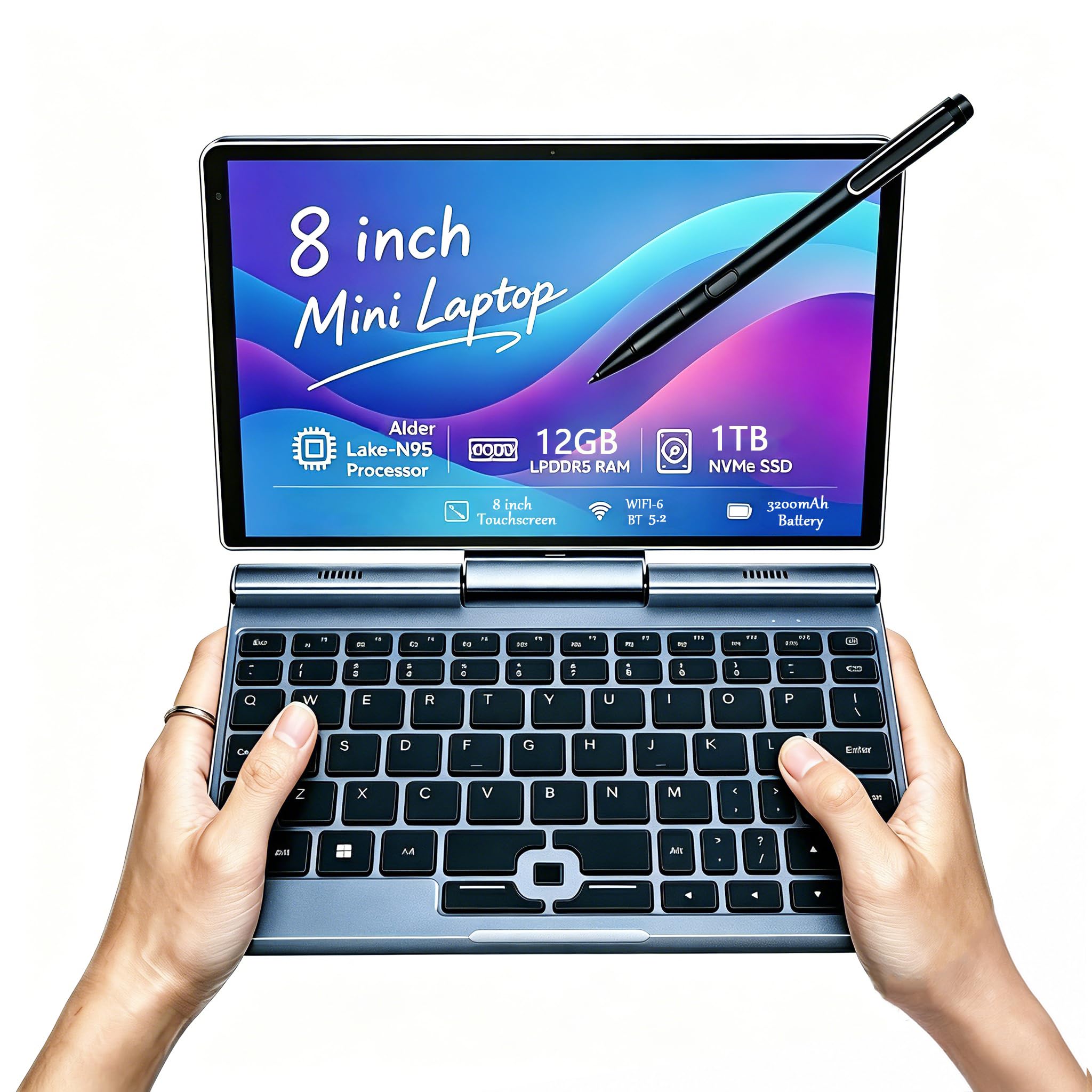
Storage hoarders, this is your machine. The KOOFORWAY N95 packs a full 1TB SSD, which is double the 512GB of most rivals and four times the 256GB of the top pick, all at a budget-friendly price point. It runs on the Intel N95 chip with 12GB of RAM, so it handles office tasks, web browsing, and even older games like Battlefront 2 at 30FPS on low settings. The 8-inch 1280×800 touchscreen supports 10-point touch and a 1024-level pressure-sensitive pen, making it genuinely useful for drawing and editing on the go.
It is the most-reviewed model in this lineup at 316 ratings with a 4.0-star average, which suggests a broad base of owners using it for real work like sales calls, insurance field visits, and business travel. The aluminum build keeps it feeling solid, and the 2MP front camera plus dual-channel speakers handle video calls. The 0.78 kg weight makes it easy to slip into a purse, and the HDMI output lets you hook up an external display for presentations. A 72-hour standby rating means it holds its charge well when you are not using it.
The battery is the recurring tension point — some owners get close to all-day life, while others report barely 3 hours, and a few units stop working after limited use. The keyboard receives mixed reviews for a misaligned row and awkward backspace and delete placement, so heavy typists may want an external keyboard. It also requires a 65W USB-C PD charger; a 40W charger will not cut it. The stylus is essential for navigating an 8-inch screen, but its magnet is weak and it lacks a holder.
Storage & Value
- 1TB SSD is class-leading in this category
- 10-point touch and 1024-level pressure pen
- 72-hour standby rating for long idle periods
- Broad owner base at a budget-friendly price
Where It Compromises
- Battery life varies widely, from all-day to barely 3 hours
- Requires a specific 65W USB-C charger
- Keyboard layout and weak stylus magnet frustrate some
Grab this for: the most storage per dollar in the 8-inch class, ideal for media libraries and creative files on the move.
Pass if: you cannot tolerate variable battery life or plan to type long documents on the cramped keyboard.
Understanding the Specs
Processor Power (N95 vs N100 vs N150)
These chips are the engine of your mini laptop. The Intel N95, N100, and N150 are all 4-core low-power processors with boost speeds around 3.4 to 3.6 GHz. In plain terms, they all handle web browsing, email, Office, and streaming easily. The N150 is the newest and slightly faster, while the N95 is the older, more budget-oriented option. None of them will play modern AAA games or render video quickly, so set your expectations to light-duty work and classic titles.
RAM and Storage
Almost every 8-inch laptop here ships with 12GB of RAM, which is the right amount for smooth Windows 11 performance with several apps open. Storage ranges from 256GB to a full 1TB across these picks. If you carry lots of photos, videos, or documents, lean toward 512GB or 1TB. Many models let you expand the M.2 SSD up to 2TB, which future-proofs your purchase. More storage is the safest way to avoid running out of space mid-project.
Battery Life Reality
Manufacturers quote “4-6 hours” of battery life, but real-world numbers often drop lower under heavy use. Browsing, streaming, and light office work will get you closest to the rated time, while AI tools, gaming, and external drives drain the cell much faster. The KOOFORWAY N95 reports a 72-hour standby time, meaning it loses little charge when idle, but active use still sips power. USB-C PD charging lets many of these top up from a power bank, which is a practical workaround for the short battery life.
Form Factor and Input
All of these are 2-in-1 convertibles with a rotating hinge, so the screen flips into tablet mode. This matters for note-taking, drawing with the included stylus, and presentations. Keyboards on 8-inch laptops are small and tight, so check the layout — some have awkward backspace placement or split spacebars. A few models, like the KOOSMILE N150, swap the touchpad for a joystick pointer, which some precision workers prefer. Consider an external Bluetooth keyboard if you type for hours.
FAQ
Can an 8-inch laptop replace my main desktop computer?
Is 12GB of RAM enough for Windows 11 on an 8-inch laptop?
How long does the battery actually last on these mini laptops?
Will these laptops run Microsoft Office and Zoom?
Can I connect an 8-inch laptop to a bigger monitor?
Are 8-inch laptops good for gaming?
How much storage do I need in an 8-inch laptop?
What is the difference between an 8-inch laptop and a Windows tablet?
Final Thoughts: The Verdict
For most buyers, the 8 inch laptop winner is the KOOTIGERS P8 because it is the lightest at 1.72 lbs and still delivers genuinely smooth performance with 12GB RAM. If you want a rugged all-metal body for fieldwork, grab the Ruchonin N100 with its 512GB SSD. And for maximum storage at a budget price, the KOOFORWAY N95 with a 1TB drive is the one to reach for.
How We Picked
We do not accept paid placement. Every pick is matched to a real buyer and a real use-case; we do not hands-on test units.
Sources & Methodology
Specifications: manufacturer listings and product documentation. Review insights: verified customer reviews, as of August 2026. Pricing: not shown on this page (it changes often); check the current price via the retailer link.
As an Amazon Associate, Gadgets Feed earns from qualifying purchases. This does not affect which products we feature.