
Our readers keep the lights on and my morning glass full of iced black tea. As an Amazon Associate, I earn from qualifying purchases.
Specs are compiled from manufacturer listings and verified buyer reviews and can change over time — please confirm the key details on the product page before buying.
The best 21:9 monitor has to do two jobs at once: give you that cinematic, wrap-around view for games and movies, and still feel sharp and comfortable for a full day of work. A wrong pick can mean eye strain or motion smearing, so prioritize specs that match your workflow. The key is knowing which specs actually matter for your setup—refresh rate, panel type, and curve—because the right balance changes everything about how the screen feels.
I’m Min — the founder and writer behind Gadgets Feed. This guide is built by comparing the manufacturers’ published specifications and the patterns across verified customer reviews, so you get each pick’s real strengths and trade-offs instead of marketing spin.
From 240Hz gaming panels to 5K2K productivity hubs, these picks span every budget. The 21:9 monitor options here were chosen for their real-world performance, not just their spec sheets.
Our Picks at a Glance

How To Choose The Best 21:9 Monitor
Match the screen to your daily habits—refresh rate for gamers, color accuracy for creators. A competitive gamer needs a fast refresh rate to see enemies clearly, while a photo editor needs accurate colors above all else. Decide your primary use first, then let specs like refresh rate and panel type follow.
Refresh rate: smoothness you can feel
This number, measured in hertz (Hz), tells you how many times the screen updates per second. A standard office monitor runs at 60Hz, which is fine for typing but can look blurry in fast games. Gaming screens start at 144Hz and go up to 240Hz or more—the higher the number, the smoother motion appears and the quicker you can react to what’s on screen.
Panel type: VA, IPS, or OLED
The panel type—VA, IPS, or OLED—determines contrast, color accuracy, and response time. VA panels offer strong contrast with deep blacks but can have slightly slower response times. IPS panels give accurate colors from wide viewing angles, making them great for creative work. OLED panels deliver perfect blacks and instant response, but they cost more and need some care to avoid permanent image retention.
Curve and resolution: the view and the detail
A lower R number (like 800R) means a deeper curve that wraps further into your peripheral vision. Most ultrawides use 3440×1440, balancing sharpness with moderate GPU demands. Premium models like the Dell U4025QW jump to 5120×2160 for finer text and detail.
Quick Comparison
| Model | Best For | Refresh Rate | Resolution | Panel Type | Amazon |
|---|---|---|---|---|---|
| KOORUI 34″★ Best Overall | Budget gaming | 240Hz | 3440×1440 | VA | Amazon |
| ASUS TUF VG34VQ3BConsole Ready | Console gaming | 180Hz | 3440×1440 | VA | Amazon |
| ASUS TUF 250HzEsports Speed | Esports speed | 250Hz | 3440×1440 | FastIPS | Amazon |
| INNOCN 40C1R | Color work | 144Hz | 3440×1440 | IPS | Amazon |
| Dell S3425DW | Office productivity | 120Hz | 3440×1440 | VA | Amazon |
| MSI MAG 341CQP | OLED gaming | 175Hz | 3440×1440 | QD-OLED | Amazon |
| Alienware AW3425DW | High-refresh OLED | 240Hz | 3440×1440 | QD-OLED | Amazon |
| LG 34GS95QE | Steep curve gaming | 240Hz | 3440×1440 | OLED | Amazon |
| Alienware AW3423DWF | Creator gaming | 165Hz | 3440×1440 | QD-OLED | Amazon |
| LG 39GX90SA-W | Streaming + gaming | 240Hz | 3440×1440 | OLED | Amazon |
| Dell U4025QW | Productivity hub | 120Hz | 5120×2160 | IPS | Amazon |
In‑Depth Reviews
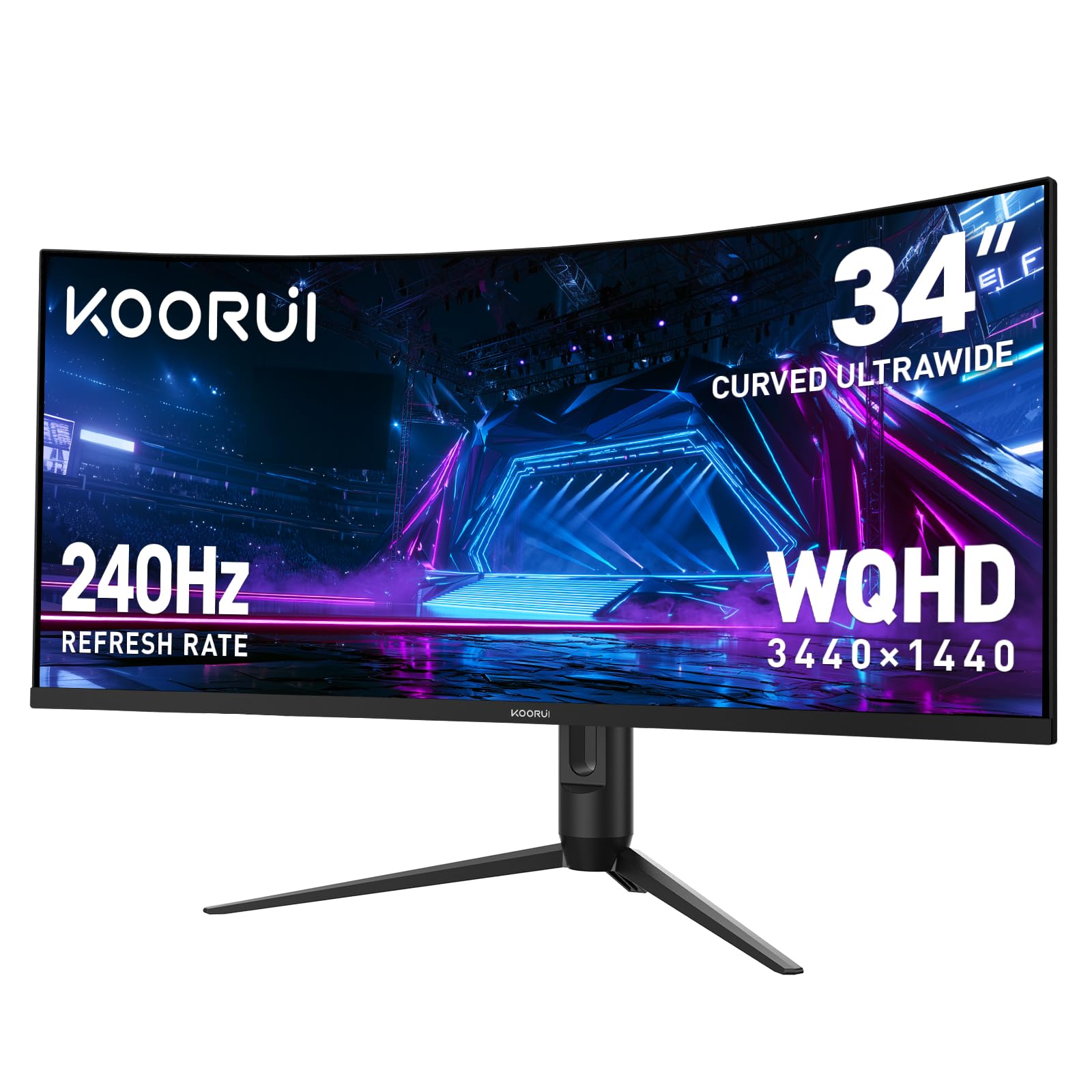
1. KOORUI 34 Inch 240Hz WQHD Ultrawide Curved Gaming Monitor
Our pick — 4.5★ from 6,000+ verified ratings; the strongest balance of quality and price.
The budget king that floods your desk with 240Hz of silky motion.
You get an extreme 240Hz refresh rate here, which is a number usually reserved for screens costing twice as much. That speed means fast-moving scenes stay crisp instead of turning into a blur, so it’s a genuine edge in racing and first-person shooters. The 34-inch VA panel wraps around you with a 1500R curve, and it backs up that smoothness with a 1ms response time to cut ghosting.
Colors hold up well for the price, with 98% DCI-P3 coverage and a 4000:1 contrast ratio that makes dark scenes look deep rather than washed out. HDR400 gives brighter highlights a lift. Buyers report the panel delivers a “clear picture” even after years of daily use, calling it cheap, great quality, and hard-working for the money.
Multitaskers get a bonus: Picture-in-Picture and Picture-by-Picture modes let you run two devices on screen at once. The stand adjusts 110mm in height with tilt and swivel, and you plug in via two HDMI 2.1 ports and one DisplayPort 1.4. The most-discussed trade-off is the stand, which feels basic compared to the screen itself.
ultrawide speed king
- 240Hz refresh with 1ms response for razor-sharp motion
- 98% DCI-P3 color and 4000:1 contrast for vivid scenes
- PIP/PBP modes for dual-device multitasking
curve takes space
- Stand feels basic and wobbly compared to pricier options
- VA panel can show slight smearing in extreme motion
grab it for: budget builders who want a huge, fast screen without emptying their wallet.
think twice if: you need a rock-solid stand or do color-critical photo work — this leans gaming-first.
2. ASUS TUF Gaming 34″ Ultra-Wide Curved Monitor (VG34VQ3B)
A console-friendly curve that makes every game feel bigger.
This ASUS TUF model uses Extreme Low Motion Blur Sync (a technology that reduces ghosting on fast-moving objects) to keep action sharp, and owners mention the refresh rate feels “spot on” for the Xbox Series X. The 34-inch panel runs at 180Hz with a 1ms response time, so it’s fast enough for competitive play while the 1500R curve pulls you into the game. FreeSync Premium (a standard that syncs the screen with your graphics card to stop tearing) works by default for a tear-free picture.
What wins people over is the overall quality—the color and tones get called “amazing,” and the size feels massive on a desk. The screen hits 90% DCI-P3 color coverage, and a 4,000:1 contrast ratio gives dark game scenes real depth. It’s also light enough to wall-mount easily, with enough USB 3.2 ports to keep your peripherals plugged in. The 1ms response versus the 0.5ms on the pricier ASUS model below means this one trails slightly on pure speed.
The honest catch is the sound: the built-in speakers are tinny and quiet, so plan on external audio or a headset. The stand is also a weak point, being small and non-adjustable. What’s in the box includes a DisplayPort cable, USB cable, power cord, and a screwdriver for setup.
tough gaming choice: a stellar console or general gaming screen where the picture quality and size punch well above the price, as long as you bring your own sound.
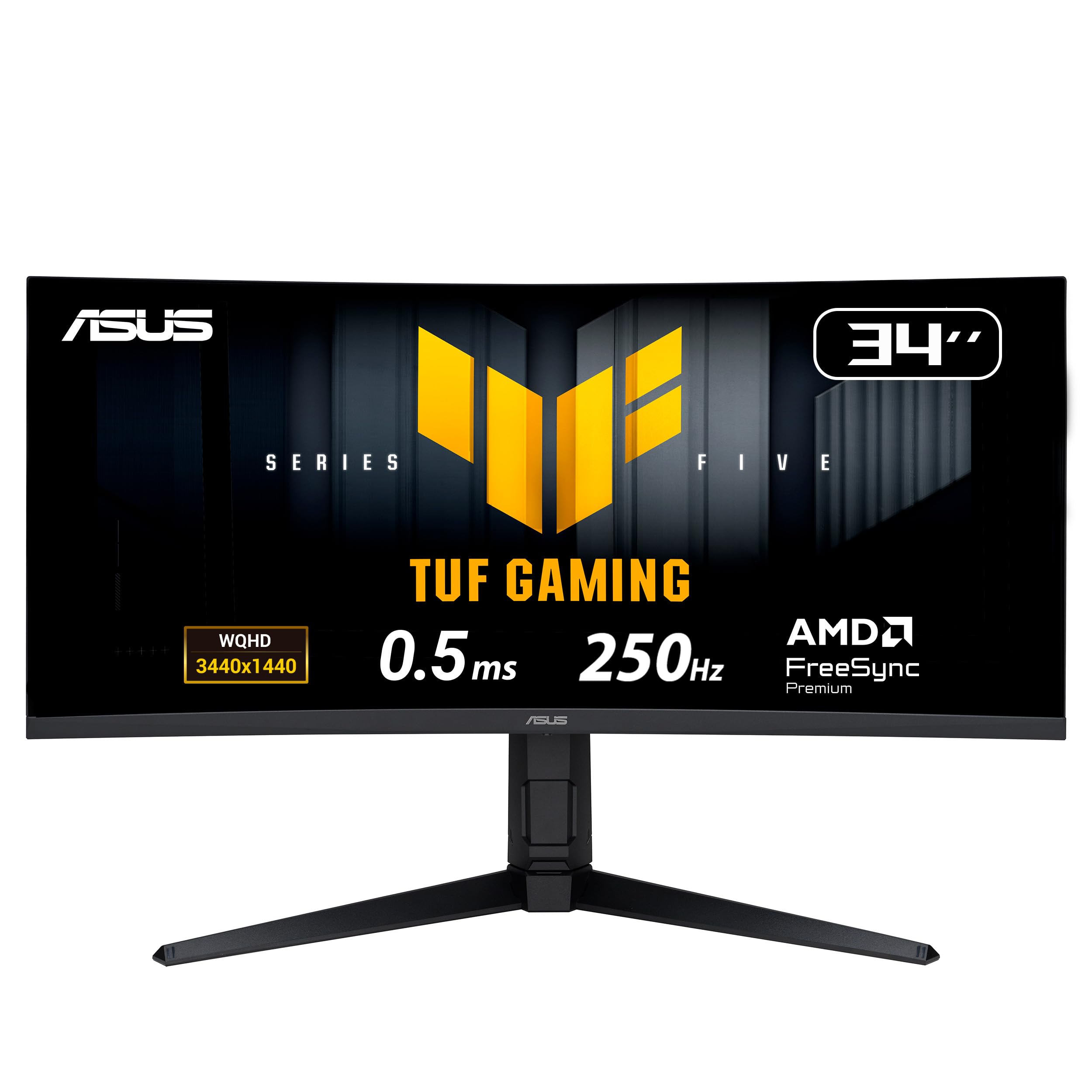
3. ASUS TUF Gaming 34″ 1440P Ultrawide Curved Monitor
A 250Hz FastIPS panel that outpaces most rivals on pure speed.
This is the fastest screen in the ASUS lineup here, overclocking to 250Hz with a 0.5ms response time—that’s a 2.0x gap in response speed versus the VG34VQ3B’s 1ms. That combination means almost zero ghosting, giving you a fluid feel that competitive gamers will notice immediately. It uses a FastIPS panel instead of VA, which means better color and viewing angles than the KOORUI above, plus a 1500R curve for immersion.
Color performance is the headline: 130% sRGB coverage and a 4000:1 contrast ratio make images look rich and accurate. Customers note it “beats budget IPS in color/motion/brightness” and call the VA-like deep blacks a pleasant surprise with no black smearing. The adjustability gets consistent praise—the height goes up to 130mm with tilt and swivel, and the menu is controlled by an easy-to-use joystick.
There’s a fair warning in the review data: some units can arrive with a grey line on the right edge, though a second unit typically comes through fine. The built-in speakers are basic, and you’ll want to use the DisplayPort 1.4 inputs for the best performance. It also includes a 3-month Adobe Creative Cloud trial for creative users.
perfect for: you’re a fast-twitch gamer who wants maximum smoothness and a screen that adjusts to any position.
look elsewhere if: quality control can be inconsistent, so check the panel carefully on arrival.
4. INNOCN 40C1R Ultrawide Monitor 40″ WQHD

A huge 40-inch IPS canvas that gives you 18% more room to create.
This INNOCN towers over the 34-inch pack with a 40-inch flat screen that offers 18% more viewable area than a 34-inch gaming monitor. That extra space is a gift for photo editors and video workers, especially since it arrives color-calibrated with a delta-E under 2 (a measure of color accuracy where lower is better). The IPS panel delivers 95% DCI-P3 color and 500 nits of brightness, so images look bright and true from wide angles.
It’s TÜV Rheinland certified for low blue light, which means less eye strain during long editing sessions. The 144Hz refresh rate (via DisplayPort) keeps motion smooth when you do game, and AMD FreeSync Premium prevents tearing. You get a USB-C port, DisplayPort, two HDMI inputs, and a headphone jack—enough to hook up a laptop, desktop, and console all at once.
The drawbacks are real but predictable: HDR performance is weak, and the compatibility is mixed, with some devices not working at all. Durability concerns appear in the reviews, with occasional dead pixels and weak packaging. It’s a screen that rewards creators who prioritize color accuracy over gaming polish.
big screen value: an affordable way to get a massive, color-accurate screen for creative work, if you can accept its modest HDR and occasional quality control issues.
5. Dell 34 Monitor S3425DW

A productivity hub that charges your laptop with one clean USB-C cable.
This Dell is the anti-gamer: it’s built for long workdays, with ComfortView Plus (a built-in feature that reduces harmful blue light emissions to 35% or less) so your eyes stay fresh during marathon sessions. The single USB-C cable delivers up to 65W of power to your laptop while carrying the video signal, so your desk stays clutter-free. Buyers call it an “excellent productivity hub” that replaces a multi-monitor setup with one wide screen.
The 34-inch VA panel hits 99% sRGB and 95% DCI-P3 color, giving you vibrant, true-to-life tones for editing photos in Lightroom. A 120Hz refresh rate keeps scrolling and window movement smooth—it’s not for esports, but it feels modern. The 3000:1 contrast ratio adds depth, and the re-engineered speakers deliver more detailed sound than the previous generation.
Setup is genuinely tool-free, taking about 60 seconds, and the ash-white design looks clean on a desk. The honest limitations: the port selection is limited to HDMI and USB-C (no DisplayPort), and the VESA mount is recessed, which makes wall-mounting slightly awkward. One reviewer noted the color is slightly less accurate than an older Dell model.
buy it for: office workers, programmers, and creative pros who want a clean, single-cable setup and eye comfort.
consider the catch: you’re a hardcore gamer who needs DisplayPort or ultra-low response times.
6. MSI MAG 341CQP QD-OLED Curved Gaming Monitor

The first taste of OLED’s true blacks without the top-tier price.
This MSI brings QD-OLED (a panel that uses quantum dots for richer color) to the 34-inch ultrawide size, and the effect is immediate: perfect blacks, vivid colors, and a 1,500,000:1 contrast ratio that makes HDR content look incredible. The 0.03ms response time is effectively instant, meaning zero ghosting even in the fastest scenes, paired with a 175Hz refresh rate. Buyers call it the “best value 34-inch ultrawide OLED” and say dark scenes look incredible.
The QD Premium Color ensures a Delta E of 2 or less, so colors meet professional standards. It includes a KVM switch (a feature that lets you control multiple computers with one keyboard and mouse) and Console Mode with HDMI 2.1 at full 48 Gbps bandwidth for consoles. MSI OLED Care 2.0 helps reduce burn-in risk, and there’s a 3-year warranty covering it.
The catch is the OLED experience itself: an intrusive pixel shift that you can’t disable, a panel refresh that runs every few hours, and slight text color fringing on white backgrounds. Buyers candidly say it requires “babying” compared to an LCD. The brightness is moderate at 250 nits, and colors can feel overwhelming at close distance.
ideal for: you want OLED’s stunning contrast for gaming and media and don’t mind a little maintenance.
handle with care: you leave your screen on static spreadsheets all day—burn-in risk makes it a poor office choice.
7. Alienware 34 240Hz QD-OLED Curved Gaming Monitor (AW3425DW)

A 240Hz QD-OLED that feels like a GPU upgrade for your eyes.
You get the smoothest gaming motion here thanks to a 240Hz refresh rate (the screen redraws 240 times per second) and the deepest blacks from QD-OLED (a panel type that layers quantum dots over an OLED base for vivid color and true black). The 34.2-inch screen curves at 1800R (a gentle arc that wraps around your view without distorting edges), and the 0.03ms response time (how fast a pixel changes color) means no ghosting in fast scenes. Buyers with high-end rigs report running maxed settings at 240fps in open-world games with flawless motion.
Color is a major selling point: 99.3% DCI-P3 coverage with a Delta E under 2 means colors are stunningly accurate. VESA DisplayHDR TrueBlack 400 and a peak 1000 nits brightness give dark scenes a competitive edge—you can spot enemies hiding in shadows. It supports NVIDIA G-SYNC Compatible, AMD FreeSync Premium Pro, and VESA AdaptiveSync, so it works smoothly with any graphics card.
The trade-offs are typical for OLED: a semi-glossy screen that can show reflections, and HDR that needs some tinkering in settings. A firmware update helped one owner’s HDR dimming issue. There’s a subtle text fringing on small fonts, which is an OLED trait. It includes a microfiber cloth for cleaning the delicate screen.
pick this if: a high-end gaming rig where you want both speed and jaw-dropping visual quality.
be prepared: glossy reflections and HDR tweaking mean it rewards a bit of setup patience.
8. LG 34GS95QE 34-inch UltraGear OLED Curved Gaming Monitor

An 800R curve so steep it wraps the action around your peripheral vision.
This LG stands out with the most aggressive curve in the group—an 800R bend that extends the screen into your side vision for a genuinely wrap-around feel. That immersion is backed by OLED’s perfect blacks and a 1.5M:1 contrast ratio, so dark scenes in games look stunning. The 240Hz refresh rate and 0.03ms response time keep everything buttery smooth, with buyers praising night scenes as “amazing.”
It’s officially validated as NVIDIA G-SYNC Compatible and supports AMD FreeSync Premium Pro, so you get tear-free gaming on either GPU. The anti-glare, low-reflection screen minimizes distractions, and the virtually borderless design looks sleek on a desk. Both HDMI 2.1 and DisplayPort 1.4 support the full 240Hz refresh rate, and the stand offers height, tilt, and swivel adjustments.
The mixed feedback centers on the picture quality and curve: some find the 800R too aggressive for desktop work, while FPS players love how it aids aiming. There are reports of a finicky joystick control and the need to tweak settings. OLED care features must be enabled manually, which some buyers miss.
fast oled gaming: the steepest curve here makes it the most rich for gaming, but it’s a specialist—not a general-purpose work screen.
9. Alienware AW3423DWF Curved QD-OLED Gaming Monitor

The QD-OLED that made a whole generation of gamers refuse to go back.
Buyers describe this Alienware in near-religious terms—”Incredible colors, great HDR implementation” and “every screen I own is now OLED and I’m not going back.” The 34-inch QD-OLED panel delivers 99.3% DCI-P3 color (a wide color gamut standard used in film and gaming) and a 1M:1 contrast ratio (the difference between the brightest white and darkest black), so blacks look so deep you’d think the screen is off. The 165Hz refresh rate and 0.1ms response time keep gaming fluid, though it trails the newer 240Hz models above on speed.
what separates it is the Creator Mode, an on-screen display menu feature that lets you switch between native DCI-P3 and sRGB color spaces (two different color standards) and adjust gamma (the brightness of mid-tones). That makes it genuinely useful for content creators and game developers doing color-critical work. The 1800R curve and Legend 2.0 design with customizable RGB AlienFX lighting make it look as premium as it performs.
The recurring gripe is the anti-glare coating, which is delicate and shows spots or marks from gentle cleaning. It’s a screen that demands careful handling. The 3-year premium warranty includes coverage for OLED burn-in (permanent image retention from static elements), which offers genuine confidence for a daily driver.
choose this if: creators and gamers who want reference-grade color in an rich ultrawide.
be aware that: the delicate anti-glare coating means you’ll be cautious with cleaning cloths and light sources.
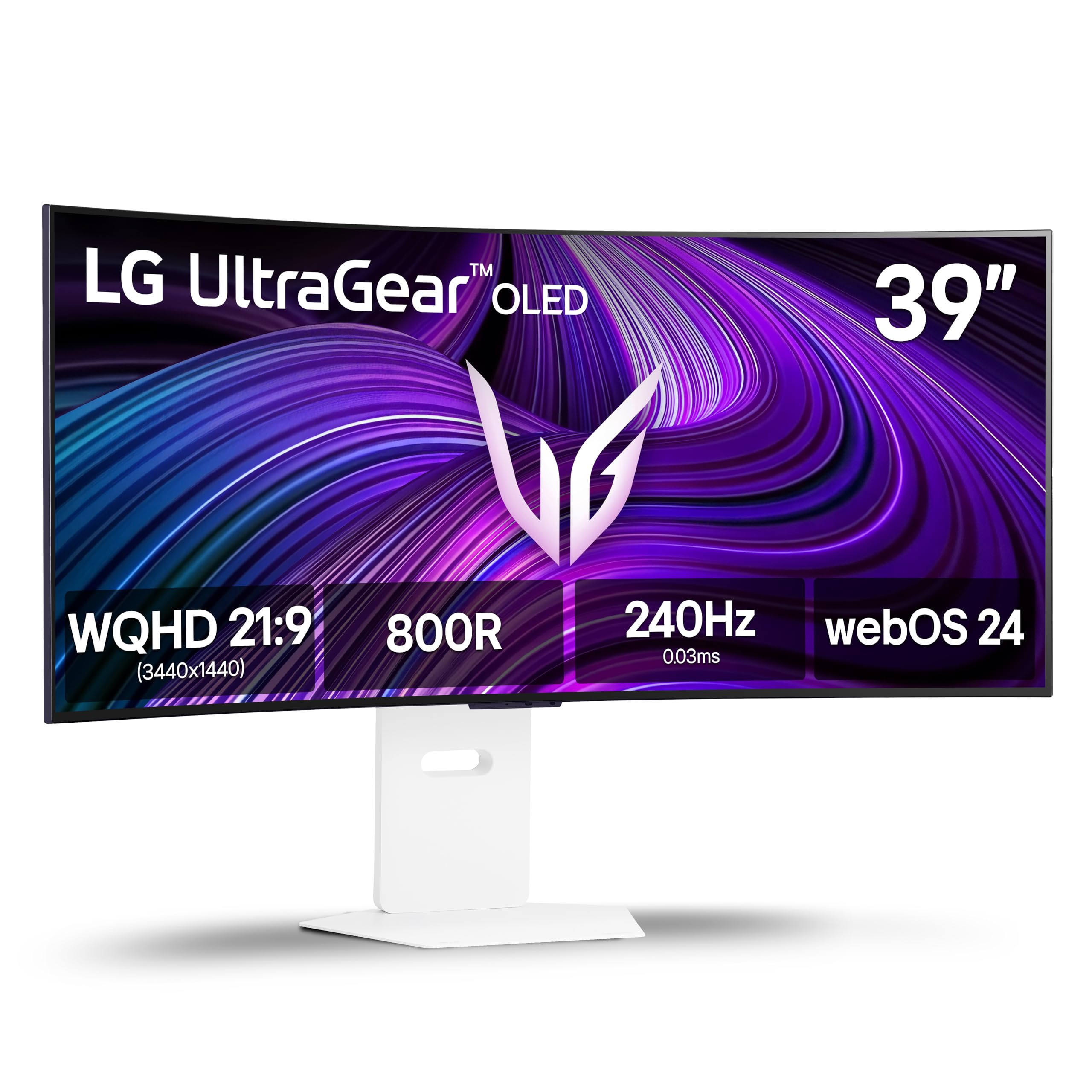
10. LG 39GX90SA-W 39-inch UltraGear WQHD OLED Smart Monitor
A 39-inch OLED smart screen that streams and games without a PC.
This LG is the multi-tasker of the premium tier, packing a 39-inch OLED panel with a steep 800R curve and 1300-nit peak brightness. The 240Hz refresh rate and 0.03ms response time keep gaming fast, but the real a neat extra is webOS24 built-in: you get Netflix, Prime Video, Disney+, and over 300 free LG Channels without touching a PC. Cloud gaming services like NVIDIA GeForce NOW run straight from the home screen.
Color performance is exceptional with 98.5% DCI-P3 coverage and a 1.5M:1 contrast ratio, plus DisplayHDR True Black 400 for rich highlights. It’s both FreeSync Premium and G-SYNC Compatible, so it syncs with any GPU. The USB-C port powers a MacBook while carrying video, and reviewers point out it works well with 10-year-old laptops and Mac M3/M4 Max computers alike.
The trade-off is the software: some shoppers say HDR flickering on HDMI (fine via DisplayPort or USB-C), and there are privacy concerns about LG’s ad-related software on Windows. The powerful OLED picture requires a hefty GPU to drive at high settings—one buyer’s RTX 5080 was the bottleneck. It’s a specialist screen with a split personality.
perfect for: you want one screen that does it all—console gaming, PC gaming, and streaming—in a single white OLED package.
look elsewhere if: for a demanding GPU and a few software quirks that need settings tweaks.
11. Dell UltraSharp U4025QW 40″ Class 5K2K WUHD Curved LED Monitor

A 5K2K command center that turns your desk into two monitors without the bezel.
This Dell is the ultimate productivity weapon, with a native 5120×2160 resolution—that’s 5K2K, offering significantly more detail than the 3440×1440 panels elsewhere. The 39.7-inch viewable screen at 600 nits brightness means you can read text in well-lit rooms, and the 5ms response time handles action films and games fine. Buyers call it the “perfect command center” for a Mac Studio, with sharp text and great colors from the start.
The built-in hub is the standout feature: a single Thunderbolt 4 cable delivers up to 140W of power to your laptop while carrying video, Ethernet, and USB data. That means a clean, single-cable desk setup. The 120Hz refresh rate keeps motion smooth visually, and the display effectively replaces a dual-monitor setup for full-time programmers—one buyer notes working 7 hours a day coding is easier with multi-windows and less neck pain.
The catch is the price and the physical size: it needs a big desk and the downward-facing ports are hard to reach. The KVM switch (which lets you control two PCs with one keyboard and mouse) works but has limitations. It’s not a gaming-focused screen, though it handles games fine when they come up.
reach for this if: serious professionals, programmers, and Mac users who want the sharpest text and a built-in Thunderbolt hub.
skip it if: gaming speed is your priority—this is a workhorse, not a racehorse.
Understanding the Specs
Refresh Rate & Response Time
Refresh rate, measured in hertz, is how many times the screen redraws each second. Higher is smoother for gaming. Response time, in milliseconds, is how fast a pixel changes color—lower means less ghosting or blur in fast scenes. A 240Hz screen with a 1ms response is the balance for competitive play, while 120Hz feels plenty smooth for office work.
Panel Types: VA, IPS, OLED
VA panels give the best contrast for the money with deep blacks, but can smear slightly in fast motion. IPS panels offer accurate colors and wide viewing angles, ideal for creators. OLED panels deliver perfect blacks and instant response, but cost more and need care to prevent burn-in. Your choice should match whether you prioritize gaming speed, color accuracy, or absolute image quality.
FAQ
What does the R number in a curve like 1500R mean?
Can a 21:9 ultrawide replace two monitors?
Will my graphics card support a 3440×1440 ultrawide?
What is G-Sync and FreeSync, and do I need them?
Is OLED worth the extra cost for a monitor?
What does HDR400 or DisplayHDR TrueBlack 400 mean?
How does a 21:9 monitor handle console gaming on PS5 or Xbox?
Can I use a 21:9 monitor for work if I’m not a gamer?
Final Thoughts: The Verdict
For most buyers, the best 21:9 monitor is the KOORUI 34″ because it delivers a 240Hz refresh rate, 3440×1440 resolution, and a 1500R curve at a budget-friendly price that undercuts the competition by a wide margin—it’s the crowd favorite for a reason. If you want the ultimate gaming experience with perfect blacks and a 240Hz OLED panel, the Alienware AW3425DW is the one to reach for, backed by 99.3% DCI-P3 color and G-Sync compatibility (a technology that syncs the screen’s refresh rate to your graphics card to prevent tearing). And for a productivity-focused desk that replaces two monitors with a single Thunderbolt hub, the Dell UltraSharp U4025QW is the undisputed champion, offering 5K2K sharpness (a resolution of 5120×2160 pixels) and 140W laptop charging that no gaming screen can match.
How We Picked
We do not accept paid placement. Every pick is matched to a real buyer and a real use-case; we do not hands-on test units.
Sources & Methodology
Specifications: manufacturer listings and product documentation. Review insights: verified customer reviews, as of August 2026. Pricing: not shown on this page (it changes often); check the current price via the retailer link.
As an Amazon Associate, Gadgets Feed earns from qualifying purchases. This does not affect which products we feature.