
Our readers keep the lights on and my morning glass full of iced black tea. As an Amazon Associate, I earn from qualifying purchases.
Specs are compiled from manufacturer listings and verified buyer reviews and can change over time — please confirm the key details on the product page before buying.
You finish the shoot, plug in your card, and then you wait — sometimes 15 minutes for a full dump. A fast memory card reader can cut that to about 4 minutes., and The key spec is transfer speed, measured in megabytes per second (MB/s).. This guide looks at seven readers, from pocket-sized dongles to dual-slot workhorses, so you can pick the one that keeps up with the card you already own.
I’m Min — the founder and writer behind Gadgets Feed. This guide is built by comparing the manufacturers’ published specifications and the patterns across verified customer reviews, so you get each pick’s real strengths and trade-offs instead of marketing spin.
Match the reader to your card’s speed class., and the memory card reader below is the one most owners call the fastest and most reliable..
Our Picks at a Glance


How To Choose The Best Memory Card Reader
Before you compare brands, know the two things that will decide whether a reader feels fast or useless in your hands: the speed class of your card and the USB standard your computer offers. Everything else is just shape and slots..
Match the Reader to Your Card’s Speed Class
A fast reader can’t make a slow card faster.. A UHS-I card caps out around 104 MB/s, so a budget reader handles it fine, while a UHS-II card can hit 300 MB/s and demands a reader built for that standard. If you shoot burst photos or 4K video, you almost certainly own a UHS-II card, and a standard reader will bottleneck your downloads hard.
Check Your Computer’s USB Port First
That new USB 3.2 reader only fires at full speed if it plugs into a matching USB 3.0 or newer port. Older ports drop it down to USB 2.0 speeds, which is roughly 10 times slower and defeats the whole purpose. This is why you see “backward compatible with USB 2.0” on almost every box — it works, but at a crawl..
Count the Slots You Actually Need
Owners juggling full-size SD cards from cameras and microSD cards from drones or phones get real value from a dual-slot reader that shows up as two drives at once. If you work with one camera and one card type, a single-slot model is smaller, lighter, and easier to slip into a bag.
Quick Comparison
| Model | Best For | Transfer Speed | Slots | Weight | Amazon |
|---|---|---|---|---|---|
| ProGrade Dual-Slot UHS-II★ Best Overall | Pro offloads | 1.25 GB/s (10Gb/s) | 2x SD UHS-II | 204 g | Amazon |
| Sony MRW-S1Premium Pick | Single-card speed | USB 3.1 / UHS-II | 1x SD UHS-II | 1.28 oz | Amazon |
| Anker 2-in-1 USB A | Everyday reliability | 5 Gbps (USB 3.0) | 2x SD & microSD | 14 g | Amazon |
| aper Dual-Slot USB C | Travel versatility | 5 Gbps (USB 3.0) | 2x SD & microSD | 15 g | Amazon |
| UGREEN USB C SD 4.0 | Phone + laptop | 5 Gbps / 312 MB/s | 2x SD & microSD | 60 g | Amazon |
| ZIYUETEK CF Adapter | Legacy CF + SD mix | 5 Gbps (USB 3.0) | 5x multi-format | — | Amazon |
| PNY Performance Prime | microSD max speed | 200 MB/s read | 1x microSD | 0.02 kg | Amazon |
In‑Depth Reviews
1. ProGrade Digital SD UHS-II Dual-Slot Card Reader USB 3.2
Our pick — over 4.5★ from 700+ verified ratings; the strongest balance of quality and price.
The dual-slot workhorse that clears a full shoot in one read.
If you offload two cards at once, this is the fastest reader on this list by a wide margin. It transfers up to 1.25GB/s (10Gb/s) from both cards simultaneously, and buyers report a combined 480MB/s when dumping two 128GB UHS-II cards to an NVMe SSD — enough to watch a folder of RAW files vanish in real time. It weighs 204 g, so it is the chunkiest pick here, but the heft comes from a precision-built body and a heavy-duty magnet.
That built-in magnet is the feature owners rave about. It snaps onto the included adhesive metal plate stuck to your laptop, turning the reader into a one-handed device you can click cards in and out of without holding it still. The dual slots show up as two separate drives, and each has its own safe-eject indicator so you know exactly when it’s clear to pull a card.
There’s a deliberate trade-off to notice: it arrives with a USB-C port that needs the included short 18.6-inch cables, which some owners say are too short for a desktop tower, so check your setup before you commit. The crowd favorite carries a 4.8-star score across 700+ owners, and its 2-year warranty is the most generous on this list.
dual-slot speed demon
- Blazing 1.25GB/s combined transfers on both slots
- Strong magnetic base for one-handed card swaps
- Sturdy build that survives a travel bag
bulky for travel
- Short 18.6-inch cables; a tower may need replacements
- Overkill for anyone using a single UHS-I card
pros pick: dual-card offloads on location where every minute counts.
portability seekers: you only read one card at a time — this power is wasted on single files.
2. Sony MRW-S1 High Speed UHS-II USB 3.0 Memory Card Reader
A single-slot reader that outruns most ports on a laptop.
If your workflow is one card in, one card out, this is the fastest single-card speed you can buy. Owners clock a 3x jump — from 90 MB/s up to 263/277 MB/s — when pairing it with a UHS-II card, and the bottleneck shifts to the destination drive’s write speed, which is exactly where you want it. It reads ProGrade UHS-II cards at 260 MB/s read and 170 MB/s write, numbers that rival the dual-slot ProGrade above.
The Sony stands out for its cleverly compact shape and an activity light that tells you when it’s writing, so you never yank a card mid-transfer. A sliding cover protects the USB connector when it rides in a pocket, and at 1.28 oz it disappears into a camera bag. There’s no microSD slot here — you’ll need the full-size adapter that some card brands include.
One physical quirk owners flag: at 32mm wide it can block the adjacent USB port on a tightly-packed laptop, which pushes some buyers toward a hub. It’s the kind of thing that only matters if your ports are already shoulder-to-shoulder, but worth measuring before you order. For a single-card shooter who wants UHS-II speed without dual-slot bulk, nothing else on this list matches it.
sleek choice: owners of a single fast card who want every megabyte to move at maximum speed.
budget buyers: anyone juggling microSD, which needs an added adapter here.
3. Anker SD Card Reader, 2-in-1 USB A Memory Card Reader

The 14-gram dongle owners trust for years of daily use.
Sometimes the smartest buy is the one you never think about again, and that’s this Anker in a nutshell. It reads and writes two cards at once over USB 3.0 at up to 5 Gbps, yet at 14 g it’s the lightest thing here — a 14.6x weight gap versus the ProGrade above — so it dangles off a port like it isn’t there. Owners consistently clock steady 80-90 MB/s copying from budget cards, and dozens of them describe using it for over 100 transfers with zero failures.
The support list is the real headline: it reads CompactFlash, MMC, Memory Stick, SD, SDHC, SDXC, UHS-1, microSD, miniSD and more, making it the most format-agnostic pick on this list. A DJ owner calls it ideal for multi-GB WAV transfers that land in seconds, and the same review notes it runs warm but never hot even under load. It needs no drivers on Windows 10/8/7/Vista or Mac OS X 10.2 and up — just plug it in.
Honest fit note: some owners mention it refuses older 8GB and 16GB SDHC cards even after formatting, while 32GB and 64GB cards work flawlessly — so if you archive on small legacy cards, this may not be the one. This is the budget pick with the most reviews on the page at 4.6 stars across 45,000+ owners, and it’s backed by an 18-month warranty.
plug-and-play champ
- Tiny 14 g size that never blocks the pocket
- Reads nearly every card format in existence
- No drivers on Windows or Mac — true plug and play
limited to USB-A
- Can miss older 8GB/16GB SDHC cards entirely
- USB-A only, so no direct phone hookup
daily driver: you want one reader that handles your camera SD and your drone microSD without drama.
USB-C fans: your workflow leans on tiny legacy cards that this one may skip.
4. acer SD Card Reader USB C, Dual Slots USB Type C to Micro SD Card Adapter
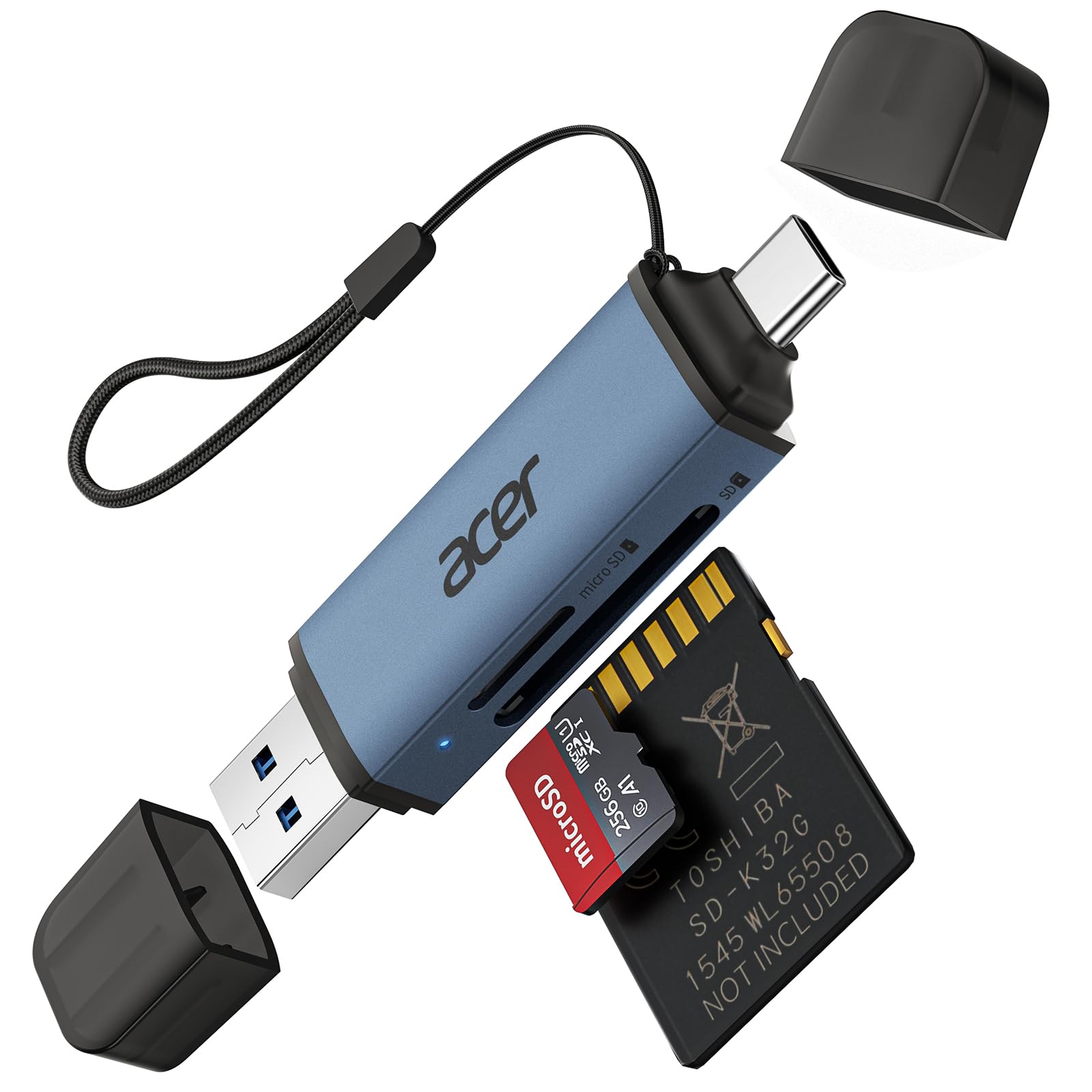
A dual-header travel buddy for SD and microSD on any device.
This one solves a headache most readers ignore: it carries both USB-A and USB-C connectors built in, so it works with your laptop, your tablet, and a camera bag that has one spare slot. At 15 g with a 2.8-inch length, it’s barely heavier than the Anker above and yet offers simultaneous reading on SD and microSD slots at USB 3.0 speeds up to 5 Gbps. Owners load video from 4K cameras with no throttling and report images that pop up on screen nearly instantly.
The design cares about your gear, not just speed. Protective dust caps shield both ports when it rides loose, and the aluminum body stays cool during long transfers. A single reader handles drone footage, wildlife cameras, and GoPro files without a second thought, though the listing notes it reads data from cards only — it won’t connect straight to a camera. It’s compatible with Windows 11/10/8/7, macOS, and most Android devices, with no drivers needed.
The small print matters for two groups: thick phone cases can prevent full insertion, and the SD slot won’t take Type A/B/C or XQD cards. Owners call it a fast, sturdy, no-data-loss tool that earned high marks on a 4.6-star average across a huge crowd of buyers. If you live between a phone and a laptop, the dual-header design alone makes this the one to beat.
pocket-friendly dual
- Both USB-A and USB-C built in, no adapter dongles
- Dust caps shield ports from pocket lint
- Simultaneous SD + microSD reading
flimsy build
- Thick phone cases may block full insertion
- No XQD or Type A/B/C card support
travel buddy: photographers and creators who always carry a phone plus a laptop.
rugged use: legacy XQD shooters who need a specialized slot.
5. UGREEN USB C SD 4.0 Card Reader USB Memory Card Reader
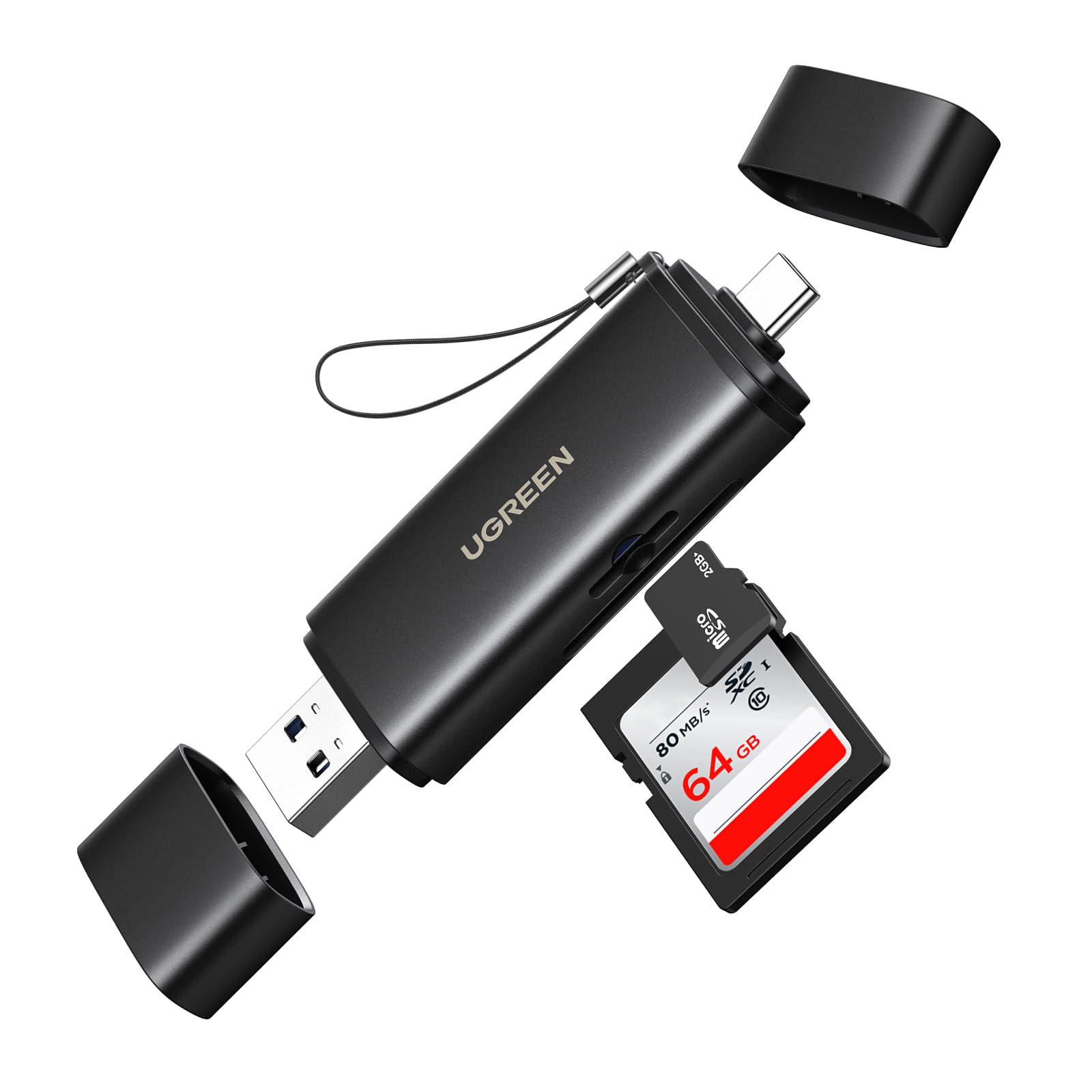
The pocket reader that chases phone and laptop data down.
UGREEN aims this directly at the phone-plus-laptop crowd, and it lands. The 2-in-1 design connects through a USB-A or USB-C port, and with a phone’s OTG function it reads cards straight on an iPhone 16 Pro Max, iPad Pro, Galaxy S24, or Surface Pro 8. Owners describe smooth browsing of 40MP JPGs on a recent iPhone with zero lag, and transfers that averaged 110 MB/s across 179 files — replacing a reader that took 40 minutes on 26GB with about 4 minutes.
The spec sheet pulls double duty here: it supports SDXC, SDHC, MicroSD, MMC, RS-MMC, and both UHS-II and UHS-I cards up to 2TB, with data rates up to 5 Gbps and up to 312 MB/s on a UHS-II card. An eject-mechanism design locks the card snugly in the slot, so there’s no accidental loss during a transfer. At 60 g it’s heavier than the featherweight options above, but that weight buys a solid, premium feel.
Owners do flag one thing loudly: reliability is a mixed bag, with most units working perfectly from the first plug-in while a few arrive unreliable. That split shows up in the review pages, so it’s the pick to test right from the start. The compact body also means it can block a neighboring port on tightly-spaced laptops — a fair trade for a reader that fits in a coin pocket.
fast dual-device
- Works on phone, tablet, and laptop via OTG
- Up to 312 MB/s with a UHS-II card
- Eject lock keeps the card seated mid-transfer
cable not included
- Reliability reports split between flawless and flawed
- All-black body is easy to misplace
speed seeker: you want one reader that moves files from camera to phone to laptop.
cable forgetters: you’d rather avoid any chance of a first-day dud.
6. ZIYUETEK CF Card Reader, USB 3.0 to Compact Flash Memory Card Reader Adapter

The five-format adapter that keeps old CF cards alive.
If you’re one of the many shooters who still keeps a CompactFlash stash from a previous camera generation, this is the reader that finally unifies your desk. It packs five card slots — SDXC, Micro SD, MS M2, and CF — so you can read multiple cards at once and kiss the constant unplug-and-replug routine goodbye. Owners note it works well with a Memory Stick adapter and finds its way into a phone-to-PC photo pipeline with no driver install on Windows, Mac OS, Linux, or Chrome OS.
The shell is aluminum, which brings two real benefits: it stays cooler under load and it shrugs off a drop far better than plastic. At 4.17 inches long and 0.47 inches thick, it’s the longest pick here, but that length buys room for all those slots to sit side by side. Data moves at USB 3.0 speeds up to 5 Gbps, with built-in protection against over-current, over-voltage, and short circuits.
Here’s the honest split the review pages keep repeating: it’s easy to use and praised for versatility, but functionality and transfer speed draw mixed reactions, with some owners happy from day one and others reporting a unit that doesn’t work at all from the start. It also isn’t compatible with Pro Duo cards, so check your exact format. For the price of a budget lunch, it’s a decent bet for mixed-format users, not a sure thing for the picky.
old gear: clearing out a drawer full of old CF, M2, and SD cards.
modern shooters: flawless performance from every unit — test it early.
7. PNY Performance Prime USB 3.2 Gen 1 microSD Flash Memory Card Reader
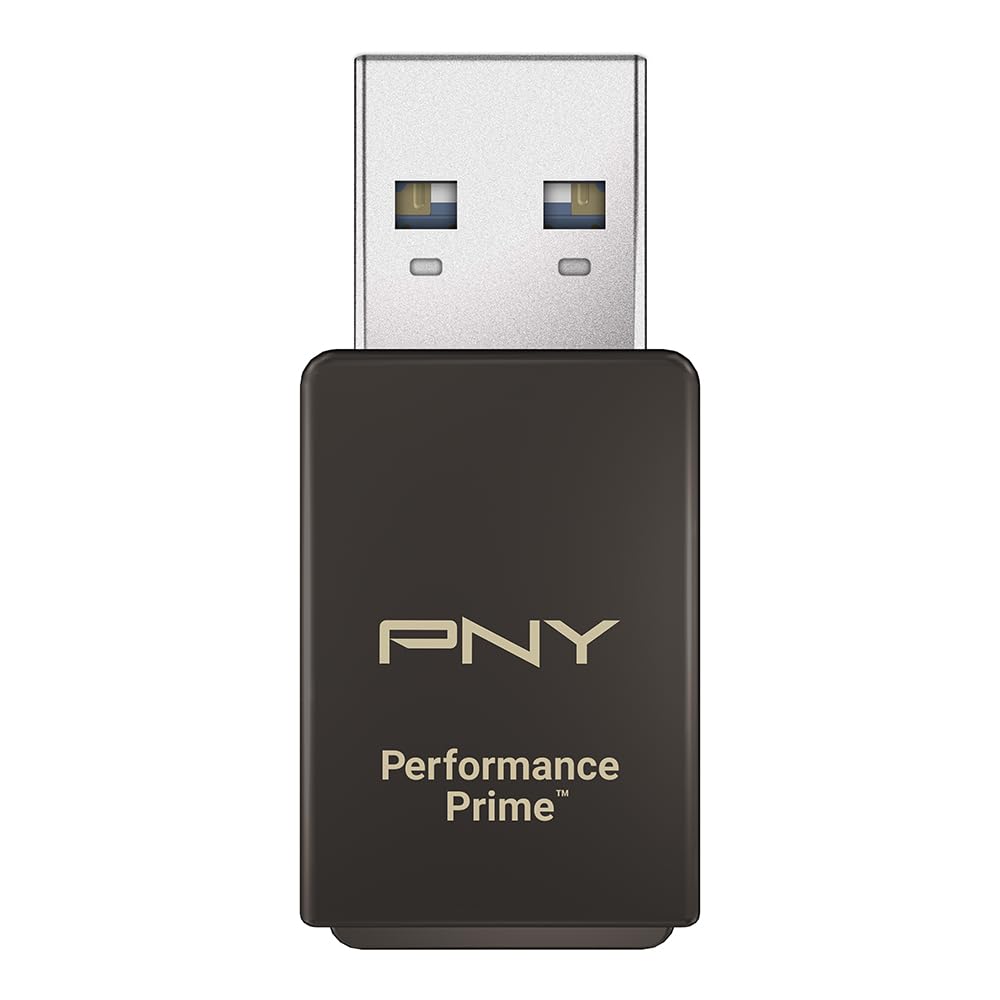
A microSD-only speed demon with a metal shell that travels.
MicroSD power users, this one’s for you. PNY built a single-slot reader that skips the full-size SD entirely and goes all-in on speed for tiny cards, hitting extreme read speeds up to 200 MB/s and writes up to 150 MB/s when paired with PNY PRO Elite Prime cards. Customers note it actually doubles their read/write speed over an older non-USB 3.0 dongle — one measured 95/90 MB/s on a SanDisk rival climbing to the card’s full 180/130 MB/s here. On a DDR225-capable card, it hits the UHS-I ceiling.
The metal build is what separates it from the plastic crowd: sleek, compact, and warm but never hot even after sustained use. It’s light enough at 0.02 kg to hang off a Raspberry Pi or a slim laptop without stress, and the design leaves the microSD sticking out just enough for an easy grab. Owners use it to run four 1.5TB microSD cards on a laptop setup with no issues over time.
The recurring complaint is specific and worth knowing: the slot can scrape paint off the top edges of painted cards, so if you baby your flash storage, be gentle. Compatibility also splits opinions — some owners see flawless cross-platform use, while others report a unit that won’t work at all. If you live entirely in microSD land, the speed per gram here is hard to match at this end of the price scale.
phone backup: Raspberry Pi tinkerers and dashcam owners who live on microSD.
video editors: paint scrapes on decorated cards and the odd incompatible unit.
Understanding the Specs
UHS-I vs UHS-II
These are speed classes stamped on SD cards, and they set the ceiling for any reader. UHS-I tops out near 104 MB/s, which is plenty for most hobby shoots. UHS-II can reach 312 MB/s, roughly triple, and it demands a reader built for that standard to see any benefit. A UHS-II card plugged into a UHS-I-only reader runs at the slower speed — the card is faster than the hole it fits into. Check the lightning-bolt symbol on your card.
USB Standards, Explained
The USB port is the other half of the speed equation. USB 3.0, 3.1, and 3.2 Gen 1 all deliver up to 5 Gbps, which is the bandwidth a typical fast reader needs. A USB 2.0 port caps out at 480 Mbps and turns a 5-minute offload into a 30-minute wait. Readers always work when plugged into older ports — they just drop to USB 2.0 speeds. If your laptop only has USB-C, pick a reader with a USB-C connector or a dual-header design.
FAQ
Why is my card reader so slow even though it says USB 3.0?
Will a memory card reader work with my phone?
What does a dual-slot card reader actually do for me?
Is UHS-II support worth paying extra for?
Why does my reader block the USB port next to it?
Can a card reader damage my SD card?
Do I need to install drivers for a card reader?
What’s the difference between a single-slot and a multi-format reader?
How long does a memory card reader last?
Is there a difference between a card reader and a card adapter?
Final Thoughts: The Verdict
For most buyers, the memory card reader winner is the ProGrade Digital Dual-Slot because it pairs the fastest combined transfer speed on the page with a magnetic mount that genuinely improves daily workflow. If you want a lighter single-card option that still delivers UHS-II speed, the Sony MRW-S1 is the one to reach for. And for a budget pick that owners trust for years, the Anker 2-in-1 is the safest buy on this list — the crowd favorite with the most owners behind it, and the one most people should start with.
How We Picked
We do not accept paid placement. Every pick is matched to a real buyer and a real use-case; we do not hands-on test units.
Sources & Methodology
Specifications: manufacturer listings and product documentation. Review insights: verified customer reviews, as of August 2026. Pricing: not shown on this page (it changes often); check the current price via the retailer link.
As an Amazon Associate, Gadgets Feed earns from qualifying purchases. This does not affect which products we feature.