
Our readers keep the lights on and my morning glass full of iced black tea. As an Amazon Associate, I earn from qualifying purchases.
Specs are compiled from manufacturer listings and verified buyer reviews and can change over time — please confirm the key details on the product page before buying.
Shopping for an External 4K Blu-Ray Drive is a minefield of misleading labels. Many units that claim 4K support simply cannot read UHD discs — you only discover this after ripping your first movie fails. This guide cuts through the false advertising to identify the drives that actually handle UHD, burn BD-XL discs, and survive daily ripping marathons.
I’m Min — the founder and writer behind Gadgets Feed. This guide is built by comparing the manufacturers’ published specifications and the patterns across verified customer reviews, so you get each pick’s real strengths and trade-offs instead of marketing spin.
Read on to find a reliable external 4k blu-ray drive with genuine UHD playback and burning capabilities, not just an expensive DVD reader.
Our Picks at a Glance


How To Choose The Best External 4K Blu-Ray Drive
The biggest trap in this category is a spec sheet that promises 4K UHD playback when the hardware, straight from the start, is locked down. Understanding that distinction is the single most important step before you spend any money.
Firmware is the real spec that matters
Most drives ship with firmware that blocks 4K UHD disc reading. To actually rip or play these discs, you usually need to flash a custom firmware like LibreDrive (using a tool like SDFtool Flasher) and pair it with software such as MakeMKV. If you are not comfortable with a two-minute firmware update, your drive options shrink dramatically.
Check the burner specs for BD-XL
For archiving huge files, you want a unit that burns 100GB BD-XL triple-layer discs, not just standard 25GB Blu-rays. Drives with 6x media speed handle these large discs at a reasonable pace, which matters for long backups.
Decide if you want a hub built-in
Some drives double as a limited USB hub, adding card readers and extra ports for data transfer. This is a genuine convenience for laptops, but it also adds moving complexity and potential compatibility quirks that a simple dedicated drive avoids.
Quick Comparison
| Model | Best For | Max BD Media Speed | BD-XL 100GB Burn | Max Data Rate | Amazon |
|---|---|---|---|---|---|
| LG BP60NB10★ Best Overall | Reliable Standard Blu-ray Ripping | 6x | Yes | USB | Amazon |
| Wbacon 7 in 1Best Value Hub | Budget Hub & Standard Playback | 6x | — | 5 Gbps | Amazon |
| XRTFORE 6 in 1 | LibreDrive Tinkerers | — | Yes | 625 MB/s | Amazon |
| Wbacon 4K Hub | 4-Port Hub & Firmware Updaters | 6x | — | 5 Gbps | Amazon |
| JOYIN-BURN Aluminum | Mac Plug & Play Simplicity | — | — | — | Amazon |
| Synteryx BU40N | Windows Legancy Loading | — | — | 5 Gbps | Amazon |
In‑Depth Reviews
1. Produplicator LG BP60NB10
Our pick — over 4★ from 50+ verified ratings; the strongest balance of quality and price.
The dependable workhorse that reads all day, yet demands a firmware update before it truly open up 4K.
This LG slim portable drive earns its top spot by being a genuine burner — it writes up to 100GB of files onto BDXL triple-layer discs while also handling BD-R/RE, DVD-RAM, and CD-R/RW formats. You get a full bundle straight from the start: a 100GB M-Disc BDXL, CyberLink Media Suite for playback, and a USB cable included.
The standout physical features are Silent Play, which cuts noise during playback by adjusting speed automatically, and Jamless Play, which skips past damaged parts of a disc. For your 4K ambitions, expect to update the firmware first — one owner confirms they backed up their 4K Blu-rays only after that step, while others report ripping 4K UHD discs failing without it.
This is the one that handles a 12-hour-a-day ripping session without complaint, per owners who praise it as a workhorse. However, 4K UHD ripping is not guaranteed from the start, and burning large video files to 50GB Blu-rays can be blocked by Windows 10 video encoding restrictions.
Why It’s the Daily Driver
- Slim, portable design with included 100GB BDXL disc
- Silent Play reduces playback noise automatically
- Known as a reliable workhorse for extended use
Firmware Reality Check
- 4K UHD ripping requires a firmware update first
- Windows 10 can block burning large video files
Reach for this if: you need a proven burner for standard Blu-rays and BDXL archives and accept a quick firmware tweak.
Look elsewhere if: you want true 4K UHD ripping with zero setup hassle.
2. Wbacon 7 in 1 External 4K Blu Ray Drive
A budget-friendly jack-of-all-trades that works flawlessly for standard discs, yet its 4K label overpromises.
This budget pick bundles a Blu-ray drive with two concealed wire grooves, so your USB 3.0 and Type-C cables stay stored when traveling. Beyond reading discs, it acts as a mini hub with an SD card slot, a TF card slot, two Type-C ports, a USB 2.0 port, and a USB 3.0 port for data transfer or charging.
Reading speeds reach 24x for CDs, 8x for DVDs, and 6x for BDs, with a 2MB cache memory. Owners confirm it is truly plug-and-play and reads everything thrown at it without issues, making it a reliable standard Blu-ray player.
The honest catch is significant: several owners state it cannot play 4K UHD discs at all, describing the product description as misleading. If your goal is archiving a 4K collection, this is not the drive — but for everyday Blu-rays and a portable hub, it works perfectly.
Solid Standard Player: Great for plug-and-play Blu-ray and DVD use with a handy multi-port hub.
4K Reality: Fails to play UHD discs despite the label; treat it as a standard Blu-ray burner.
3. XRTFORE External 4K Blu Ray Drive
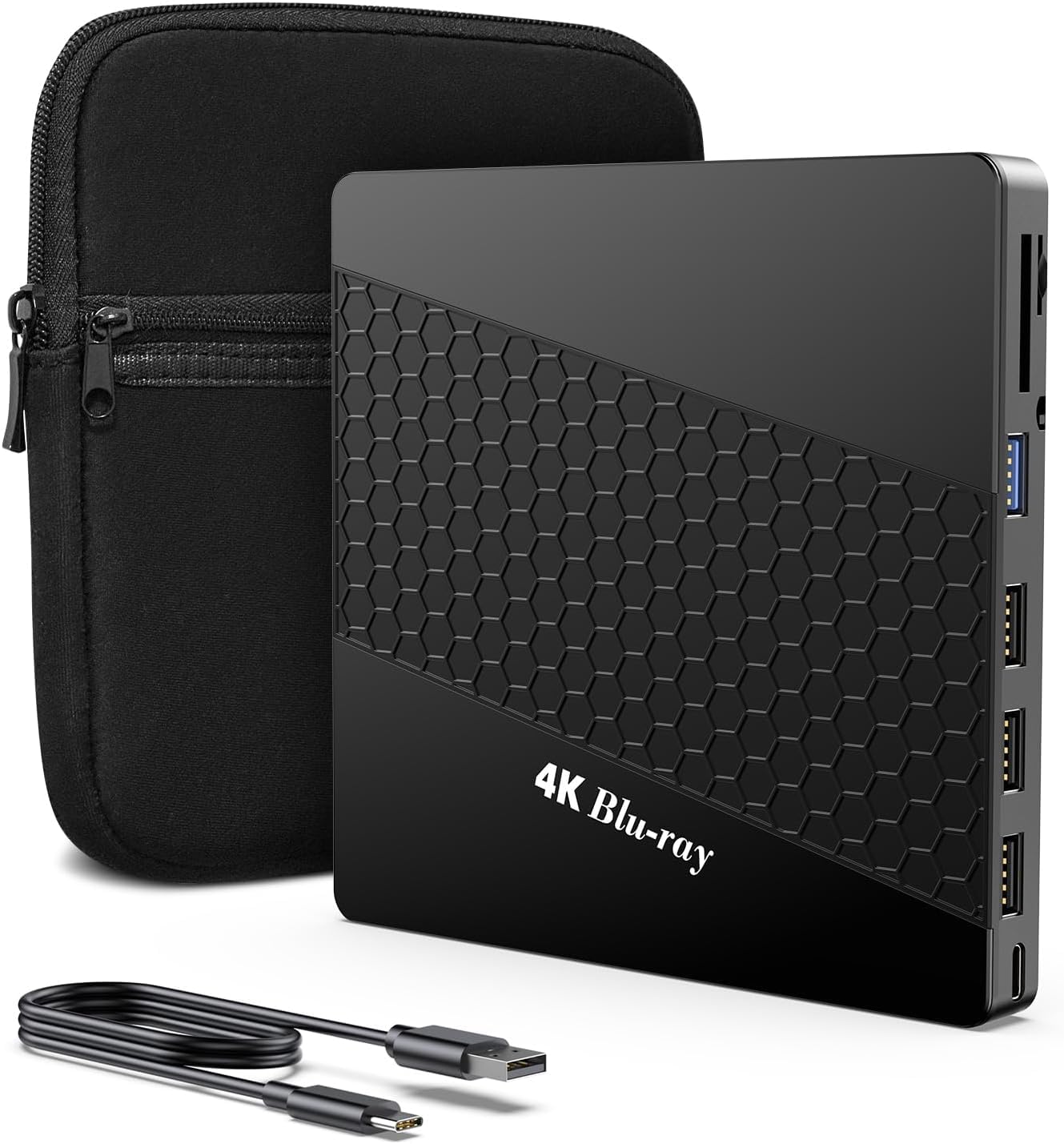
The tinkerer’s dream that ships with LibreDrive mode enabled, ready to rip 4K UHD after a quick flash.
This slim, lightweight drive includes a thicker protective carrying case and skip-proof rubber padding, so it stays put on your desk and travels safely in a laptop bag. It also gives you a full hub: three USB ports, one Type-C port, and two TF/SD card slots.
The big draw is the HL-DT-ST BD-RE-BU40N drive inside, which buyers report arrives with LibreMode enabled right from the start — no firmware flashing required. One owner burned 90+GB BD-XL discs successfully, while another confirms 4K UHD playback works after a two-minute firmware flash.
Many owners note the RGB backlit logo feels cheesy, and a minority report the drive stops working after some time, with disc playback as the lowest-scoring aspect. Success with 4K depends on using older firmware and software like MakeMKV — it is not a guaranteed out-of-box experience.
Built for Rippers: One of the few drives that reads and writes 90GB BD-XL discs and 4K UHD after a simple firmware step.
DIY Required: Relies on third-party software; some owners hit reliability issues down the line.
4. Wbacon 4K External Blu Ray Drive
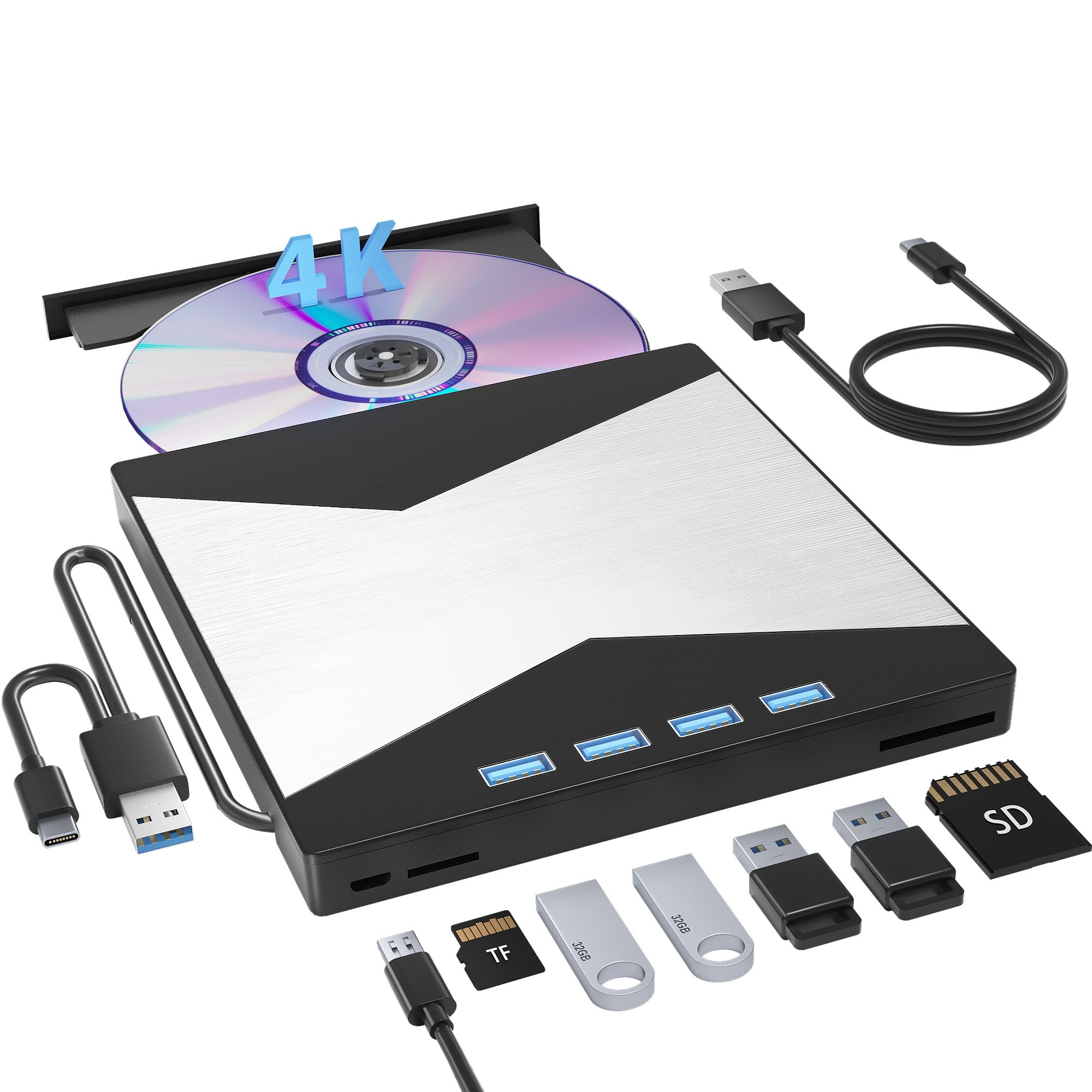
A versatile external hub that burns and reads discs while giving your laptop four extra USB ports.
This 7-in-1 drive solves two laptop problems at once: it reads and burns CD/DVD/BD discs, and it doubles as a USB hub with one USB 3.0 port and three USB 2.0 ports. You also get a TF slot and an SD card slot for offloading camera photos and video.
Transfer speeds run up to 5 Gigabit/s (625MB/s) over USB 3.0, with maximum read speeds of 8x for DVDs and 24x for CDs. Owners confirm it works with both iMac and PC without drivers, and that it reads 4K and Blu-ray discs after a firmware update.
Reliability is the recurring mixed note: some owners mention it only lasted a month, and it does not work with certain 2023 Mac Minis. For standard disc reading and data transfer it is solid, but true 4K UHD and long-term durability are not guaranteed.
Versatile Setup
- Adds 4 USB ports and dual card slots to your laptop
- Plug and play on both iMac and PC
- Reads 4K discs after a firmware flash
Durability Question
- Reliability is hit-or-miss; some units died within a month
- Won’t work with some newer Mac Minis
Who it fits: laptop users who want a burner, card reader, and USB hub in one device.
Then the limit: plan for possible reliability issues and check Mac Mini compatibility first.
5. JOYIN-BURN Aluminum External UHD 4K Blu-Ray Writer
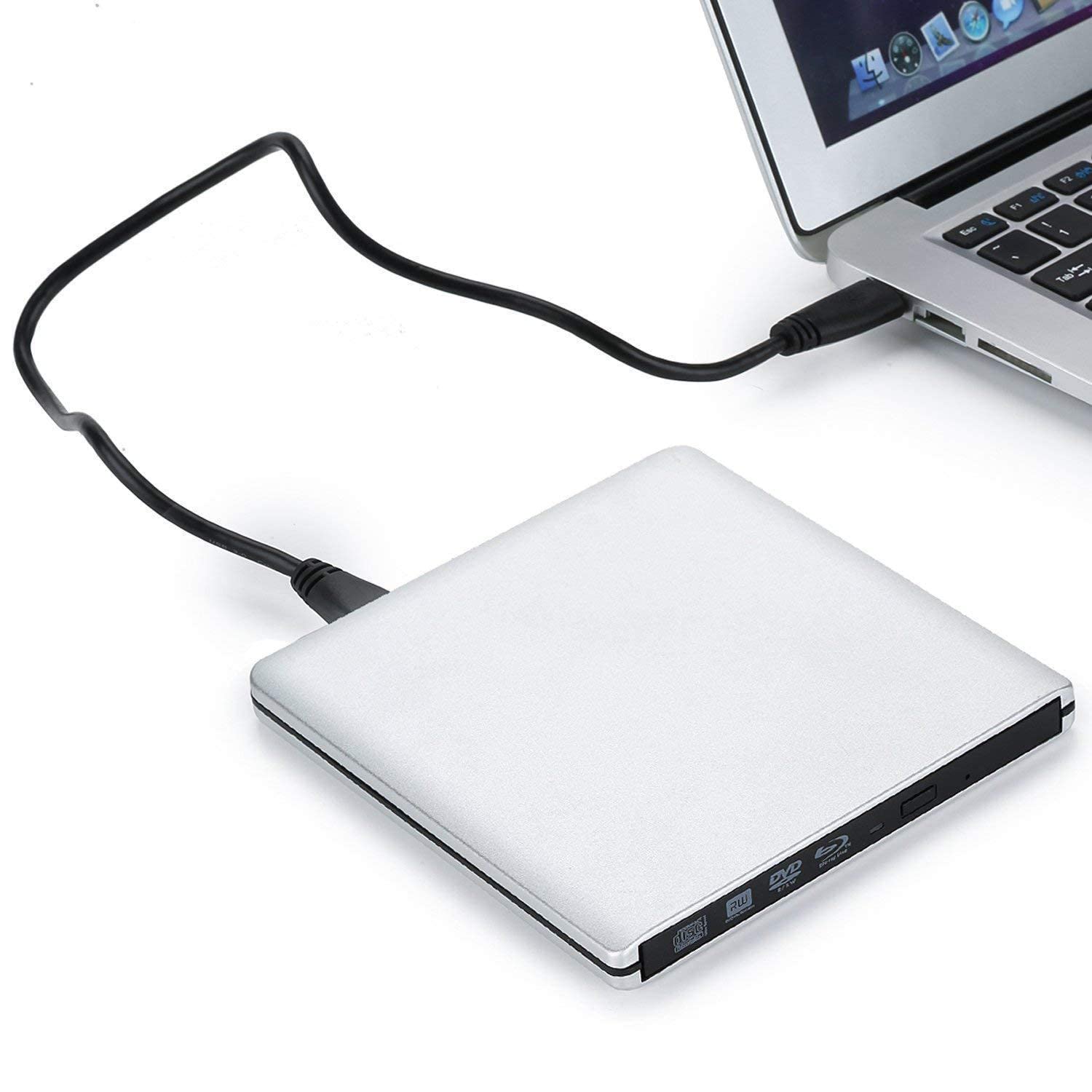
A full aluminum tray-loading drive that plays nice with Macs from the start, though 4K claims wobble.
This premium pick stands out for its full aluminum case, measuring 11mm thick, with a tray-loading mechanism that feels sturdier than typical plastic slim drives. It ships with both USB 3.0 and USB C cables, and owners confirm it is plug-and-play on a MacBook Pro, working with all free software tried.
It supports a wide range of systems from Windows 98 SE through Windows 11, plus Mac OS 8.6 or higher, with an 8MB cache. For standard DVD and CD playback, it works without any extra software — just plug it in and go.
However, 4K UHD playback is a sore spot: one owner found the box had a 4K sticker placed over the original barcode, and the drive was actually Blu-ray only. Another reported the drive stopped recognizing discs after three days, so durability and the 4K promise are both genuine risks.
Mac Simplicity: The easiest plug-and-play experience for Apple users who need a standard Blu-ray burner.
4K Uncertainty: Evidence points to Blu-ray-only hardware in some units; verify before relying on UHD.
6. Synteryx External 4K Blu Ray Drive
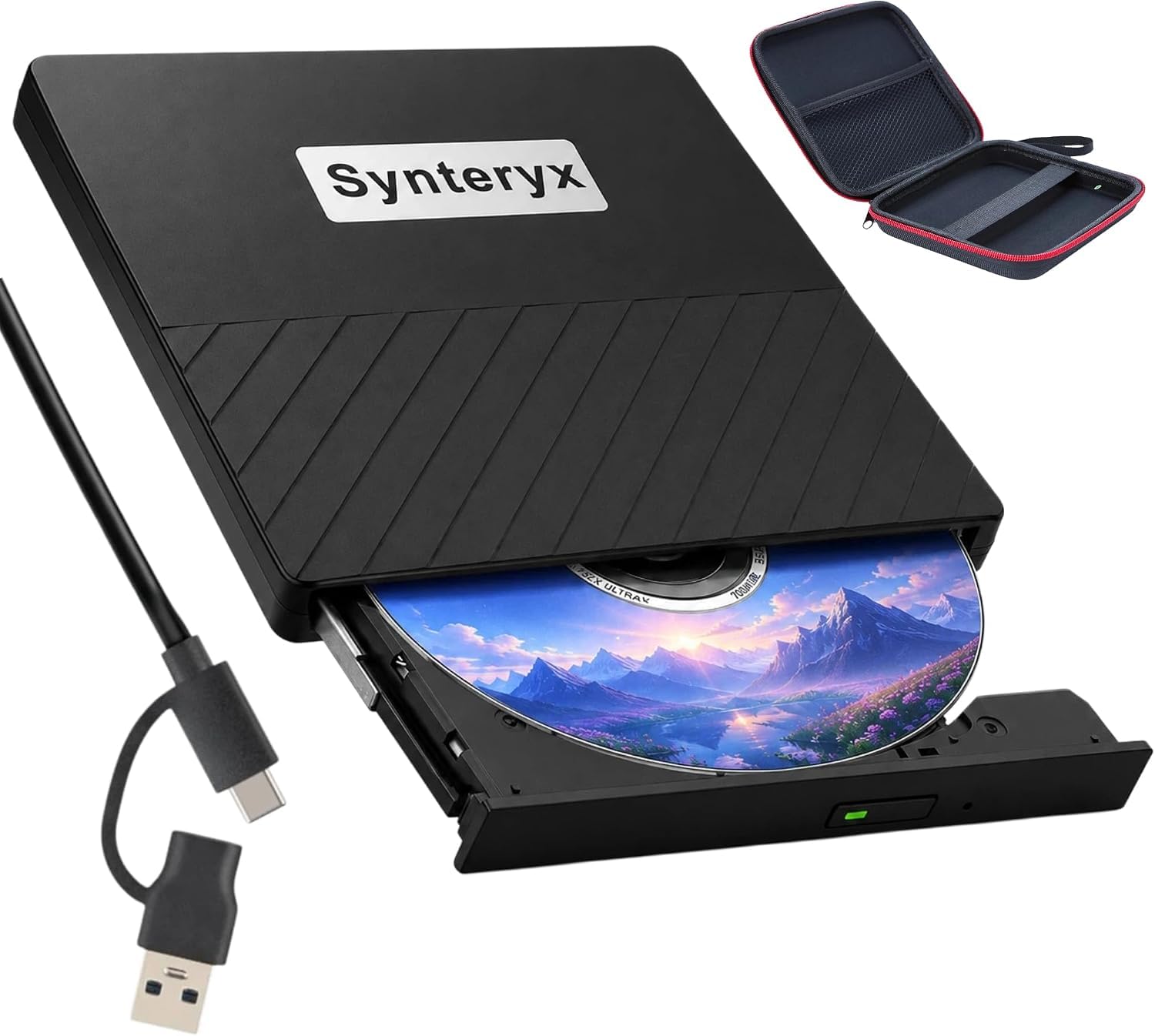
A slim, scratch-resistant burner built for Windows 11 laptops that lost their built-in optical drives.
This portable drive targets the growing number of Windows 11 laptops that ship without a DVD drive — owners confirm it is the perfect size to load the operating system. It supports a broad range of formats including BD-R, BD-RE, DVD-R, DVD-RW, CD-R, and CD-RW, making it a capable all-in-one burner.
The body features a scratch-resistant matte finish and anti-skid rubber feet to keep it stable on a desk. It draws power directly from the computer, with an extra power cable included for stable delivery, and transfers data at up to 5 Gigabit/s over USB 3.0.
True 4K ability is questionable here: the model number references a BU40N drive that reads UHD discs, but one owner’s manual stated it cannot play Blu-rays at all. The cheaper build feels fragile to knocks, and the included cable is very short, so treat it as a capable standard burner rather than a 4K specialist.
Practical Burner: A reliable, portable way to read and write standard discs on modern laptops.
Build Caution: Fragile to knocks and a very short cable; 4K Blu-ray reading is not consistent.
Understanding the Specs
BD-XL and BDXL 100GB Burning
This spec tells you whether a drive can write to triple-layer discs that hold up to 100GB of data. It matters if you archive entire 4K movie folders or large business backups. A drive without BDXL support is limited to standard 25GB Blu-rays, which fills up fast.
LibreDrive and Firmware Flashing
LibreDrive is a custom firmware that removes the region and copy protections blocking 4K UHD disc reading. Many drives ship with stock firmware that refuses UHD discs, so you flash them with a tool like SDFtool Flasher first. This is the difference between a drive that reads 4K and one that only reads standard Blu-rays.
FAQ
Will any external drive labeled 4K actually play UHD discs from the start?
What is the difference between a 4K drive and a standard Blu-ray drive?
Do I need special software to play or rip 4K Blu-ray discs?
What does BD-XL mean and why does it matter?
Why won’t my computer recognize the drive?
Can these drives work with a MacBook or an iMac?
Is a drive with built-in SD card slots and USB ports worth it?
How long does an external Blu-ray drive last with heavy use?
Final Thoughts: The Verdict
For most buyers, the external 4k blu-ray drive winner is the Produplicator LG BP60NB10 because of its proven reliability, Silent Play technology, and included 100GB BDXL disc. If you want a versatile hub with card readers, grab the Wbacon 4K External Blu Ray Drive. And for tinkerers who want LibreDrive from the start, the XRTFORE External 4K Blu Ray Drive is the one to reach for.
How We Picked
We do not accept paid placement. Every pick is matched to a real buyer and a real use-case; we do not hands-on test units.
Sources & Methodology
Specifications: manufacturer listings and product documentation. Review insights: verified customer reviews, as of August 2026. Pricing: not shown on this page (it changes often); check the current price via the retailer link.
As an Amazon Associate, Gadgets Feed earns from qualifying purchases. This does not affect which products we feature.