
The upgrade from a standard IPS or VA panel to a proper 27-inch OLED 1440p monitor isn’t just a step up in resolution or refresh rate — it represents a fundamental shift in how you perceive contrast, motion clarity, and color depth. The self-emissive pixels produce absolute blacks and near-instantaneous response times that traditional LCD backlighting simply cannot replicate, making this category the definitive choice for gamers and creative professionals who demand the highest fidelity in a compact, pixel-dense form factor.
I’m Min — the co-founder and writer behind Gadgets Feed. I analyze the technical specifications, panel technologies, and real-world performance data behind the latest desktop displays to separate genuine breakthroughs from marketing claims, ensuring this guide reflects the actual experience of owning a 27-inch OLED at 2560×1440.
Whether you prioritize blistering 500Hz refresh rates, burn-in mitigation features like custom heatsinks, or the pure contrast of WOLED versus QD-OLED, this deep-dive guide to the best 27 inch oled 1440p monitor will help you match the right panel to your specific gaming or productivity setup.
How To Choose The Best 27 Inch OLED 1440p Monitor
Selecting a 27-inch OLED 1440p monitor involves understanding the specific panel architecture, the adaptive sync implementation, and the burn-in prevention features that differ widely between models. Two major panel families dominate the market — WOLED (white OLED with color filters) from LG Display and QD-OLED (quantum dot) from Samsung Display — and each has distinct advantages for black levels, brightness, and text rendering.
WOLED vs QD-OLED: Which Panel Technology Fits Your Room?
WOLED panels use a white sub-pixel plus red, green, and blue filters, which produces pure black levels that remain black even under bright ambient light. The matte anti-glare coating on most WOLEDs diffuses reflections effectively, making them a strong choice for rooms with windows or overhead lights. QD-OLED panels use blue OLEDs with quantum dot layers to produce red and green, resulting in higher peak color volume and slightly better brightness in HDR highlights — but they can exhibit a faint purple tint in direct sunlight due to the quantum dot layer. If your gaming room is dark or you control the lighting, QD-OLED delivers punchier colors; if your desk sits near a window, WOLED with its true-black retention is the more practical choice.
Refresh Rate: 240Hz, 360Hz, or 500Hz?
All 27-inch OLED 1440p monitors in this guide offer at least 240Hz, which already exceeds what most GPUs can sustain at native resolution in modern titles. The jump from 240Hz to 360Hz reduces frame-to-frame delay by about 1.4ms — noticeable to competitive FPS players but invisible in slower-paced genres. The 480Hz and 500Hz panels require extremely powerful hardware (RTX 5090 or RX 7900 XTX) and esports titles like Valorant, CS2, or Overwatch 2 running at low settings to push those frame rates. Unless you compete professionally and own a top-tier GPU, a 240Hz OLED at a more accessible price point will deliver 99% of the visual benefit.
Burn-In Mitigation and Warranty Coverage
OLED burn-in from static UI elements is a real long-term concern. Look for monitors that include pixel refresh cycles, static logo detection that dims bright fixed elements, and an automatic screen saver. Several brands now offer three-year warranties that explicitly include burn-in coverage — ASUS ROG, MSI, Alienware, and Sony are the most transparent about this. If you plan to keep the monitor for five or more years, prioritize a model with a custom heatsink (like the ASUS ROG Strix or Sony INZONE M10S) because sustained heat accelerates organic material degradation. A monitor with passive heatsink cooling or a pulsating heat pipe (Samsung G61SD) will maintain consistent brightness longer than one relying solely on the panel’s internal thermal management.
Quick Comparison
On smaller screens, swipe sideways to see the full table.
| Model | Category | Best For | Key Spec | Amazon |
|---|---|---|---|---|
| LG 27GS93QE | WOLED | Best overall value | 240Hz, 0.03ms, DisplayHDR True Black 400 | Amazon |
| AOC Q27G4ZD | QD-OLED | Budget-friendly QD-OLED | 240Hz, 0.03ms, 147.6% sRGB | Amazon |
| ASUS ROG Strix XG27AQDMG | WOLED | Glossy panel with heatsink | 240Hz, 0.03ms, Custom Heatsink, 3yr warranty | Amazon |
| MSI MPG 271QRX | QD-OLED | Fast 360Hz QD-OLED | 360Hz, 0.03ms, Delta E≤2, KVM | Amazon |
| Samsung Odyssey OLED G6 G60SF | QD-OLED | World first 500Hz OLED | 500Hz, 0.03ms, DisplayHDR TrueBlack 500 | Amazon |
| Alienware AW2725DF | QD-OLED | Best all-around QD-OLED | 360Hz, 0.03ms, DCI-P3 99.3%, 3yr burn-in warranty | Amazon |
| INNOCN GA27M1Q | QD-OLED | Value 500Hz with speakers | 500Hz, 0.03ms, HDR500, Built-in Speakers | Amazon |
| Samsung Odyssey OLED G6 G61SD | QD-OLED | Sleek metal design with heat pipe | 240Hz, 0.03ms, Pulsating Heat Pipe, 3yr warranty | Amazon |
| Sony INZONE M10S | WOLED | Competitive esports with heatsink | 480Hz, 0.03ms, DisplayPort 2.1, Tournament Mode | Amazon |
| Acer Predator X27U | WOLED | Premium WOLED with USB-C 90W | 240Hz, 0.01ms pixel response, 99% DCI-P3, KVM | Amazon |
| ASUS ROG Swift OLED PG27AQDM | WOLED | Top-tier glossy WOLED | 240Hz, 0.03ms, G-Sync, Anti-Glare Coating | Amazon |
In‑Depth Reviews
1. LG 27GS93QE Ultragear OLED

The LG 27GS93QE uses a WOLED panel from LG Display, which means the blacks remain truly black even with ambient light in the room — no purple shift like QD-OLED panels can exhibit. At 240Hz with a 0.03ms GtG response time, it delivers fluid motion without ghosting, and the matte anti-glare coating reduces reflections without introducing the hazy texture typical of older matte finishes. Owners report that the factory color calibration is accurate out of the box, covering 98.5% of DCI-P3, and the DisplayHDR True Black 400 certification ensures that HDR content has deep shadows and punchy highlights.
The stand offers full height, tilt, pivot, and swivel adjustments, making it easy to find an ergonomic position. Connectivity includes HDMI 2.1 (supports full 240Hz) and DisplayPort 1.4, plus it is G-Sync Compatible and supports FreeSync Premium Pro for tear-free gaming with either major GPU brand. A two-year warranty covers the OLED panel, and the monitor includes a pixel-clean cycle that runs automatically when the screen enters standby.
Some users note that OLED brightness maxes out at around 275 nits in full-screen SDR content, which is typical for the technology but may feel dim compared to a high-end IPS panel. For dark-room gaming, however, the infinite contrast ratio makes this a non-issue. The LG 27GS93QE strikes the best balance of performance, price, and practical ergonomics for the widest range of buyers in this category.
Why it’s great
- True WOLED blacks with matte coating — no purple tint in bright rooms
- Full ergonomic stand (height, pivot, swivel, tilt) included
- Two-year OLED panel warranty included
Good to know
- Full-screen SDR brightness is moderate at ~275 nits
- No built-in speakers
2. AOC Q27G4ZD QD-OLED

The AOC Q27G4ZD brings the color volume of a Samsung QD-OLED panel to the most accessible price point in this guide, covering 147.6% of the sRGB gamut and 110.2% of DCI-P3 for exceptionally vibrant HDR highlights. The 240Hz refresh rate and 0.03ms GtG response time ensure buttery-smooth motion, and the matte display coating helps manage reflections without washing out the quantum dot colors. Users upgrading from TN panels report an immediately visible improvement in both color accuracy and motion clarity.
Connectivity includes two HDMI 2.0 ports and two DisplayPort 1.4 inputs, which is adequate for 1440p at 240Hz but lacks HDMI 2.1 bandwidth for future console use at higher frame rates. The stand offers limited height adjustment and no pivot or swivel, so you will likely want to pair this with a VESA arm (100x100mm mount is supported) for proper ergonomics. AOC backs the panel with a three-year Zero Bright Dot warranty, which adds confidence given the budget-tier price.
Several buyers reported receiving units that showed signs of prior use — sticker residue or minor scratches — so inspect the panel carefully upon arrival. The package includes an HDMI cable and power cord, but the stand’s lack of adjustability is the main practical downside. For users who can mount the monitor on an arm, the AOC Q27G4ZD delivers QD-OLED performance at a price that undercuts most competitors by a significant margin.
Why it’s great
- Exceptional color gamut coverage (over 110% DCI-P3)
- Three-year Zero Bright Dot warranty included
- Dual DisplayPort inputs for multi-PC setups
Good to know
- Stand has very limited height and no swivel/pivot
- Some reports of receiving used units — inspect promptly
3. ASUS ROG Strix XG27AQDMG

The ASUS ROG Strix XG27AQDMG is a third-generation WOLED monitor with a glossy display surface that preserves the sharpness and color saturation that matte coatings can soften. The glossy finish makes the image look punchier in controlled lighting, while the custom heatsink and advanced airflow design reduce the risk of burn-in by keeping the panel cooler during long sessions. It is G-Sync Compatible and supports FreeSync Premium, with a 240Hz refresh rate and 0.03ms response time that feels instant in competitive shooters.
ASUS includes its proprietary Anti-Flicker technology that minimizes flicker during refresh-rate fluctuations, and the Uniform Brightness setting prevents the panel from dimming in specific zones during HDR content. The three-year warranty explicitly covers burn-in, which is a strong statement of confidence in the heatsink design. The OSD menu is controlled via a joystick and supports DisplayWidget software for desktop adjustments.
The monitor does not include built-in speakers, and the pixel cleaning cycle takes about six minutes to complete. Some users experienced flickering with VRR enabled using certain cables; switching to the included DisplayPort 1.4 cable resolved the issue. The ROG Strix XG27AQDMG is the best choice for users who want a glossy OLED image with professional-grade burn-in protection and a comprehensive warranty.
Why it’s great
- Glossy WOLED panel with superior sharpness and color vibrancy
- Custom heatsink reduces burn-in risk significantly
- Three-year warranty with burn-in coverage
Good to know
- No built-in speakers
- VRR flickering reported with certain DisplayPort cables
4. MSI MPG 271QRX QD-OLED

The MSI MPG 271QRX uses a next-generation QD-OLED panel that reaches 360Hz, making it one of the fastest 1440p OLEDs available without jumping to the premium-tier 480Hz or 500Hz monitors. The 0.03ms GtG response time virtually eliminates motion blur, and the QD Premium Color certification guarantees Delta E≤2 accuracy out of the box for color-sensitive work. VESA DisplayHDR True Black 400 ensures deep blacks and bright specular highlights in HDR content, and the OLED Care 2.0 suite includes pixel shift, panel refresh, and taskbar detection to mitigate burn-in.
Connectivity is strong with HDMI 2.1 at full 48 Gbps bandwidth, which supports console gaming at up to 1440p at 120Hz, plus a USB-C port with DisplayPort Alt Mode for laptop users. The built-in KVM switch lets you control two devices with one keyboard and mouse set, which is rare in this category. The stand offers tilt, height, and swivel adjustments, and the VESA mount pattern is 100x100mm for aftermarket arms.
Several users have noted that the QD-OLED panel can show a faint purple tint when direct sunlight hits the screen, which is a known behavior of Samsung’s quantum dot layer. Text clarity is good for an OLED but not as sharp as a high-PPI IPS panel due to the sub-pixel layout. The MSI MPG 271QRX is an excellent choice for gamers who want 360Hz smoothness, accurate colors, and the convenience of a KVM switch for multi-device setups.
Why it’s great
- 360Hz refresh rate with 0.03ms response time
- HDMI 2.1 at full 48 Gbps bandwidth
- Built-in KVM switch for multi-device control
Good to know
- QD-OLED shows purple tint under direct sunlight
- Text clarity slightly softer than IPS at equivalent PPI
5. Samsung Odyssey OLED G6 G60SF
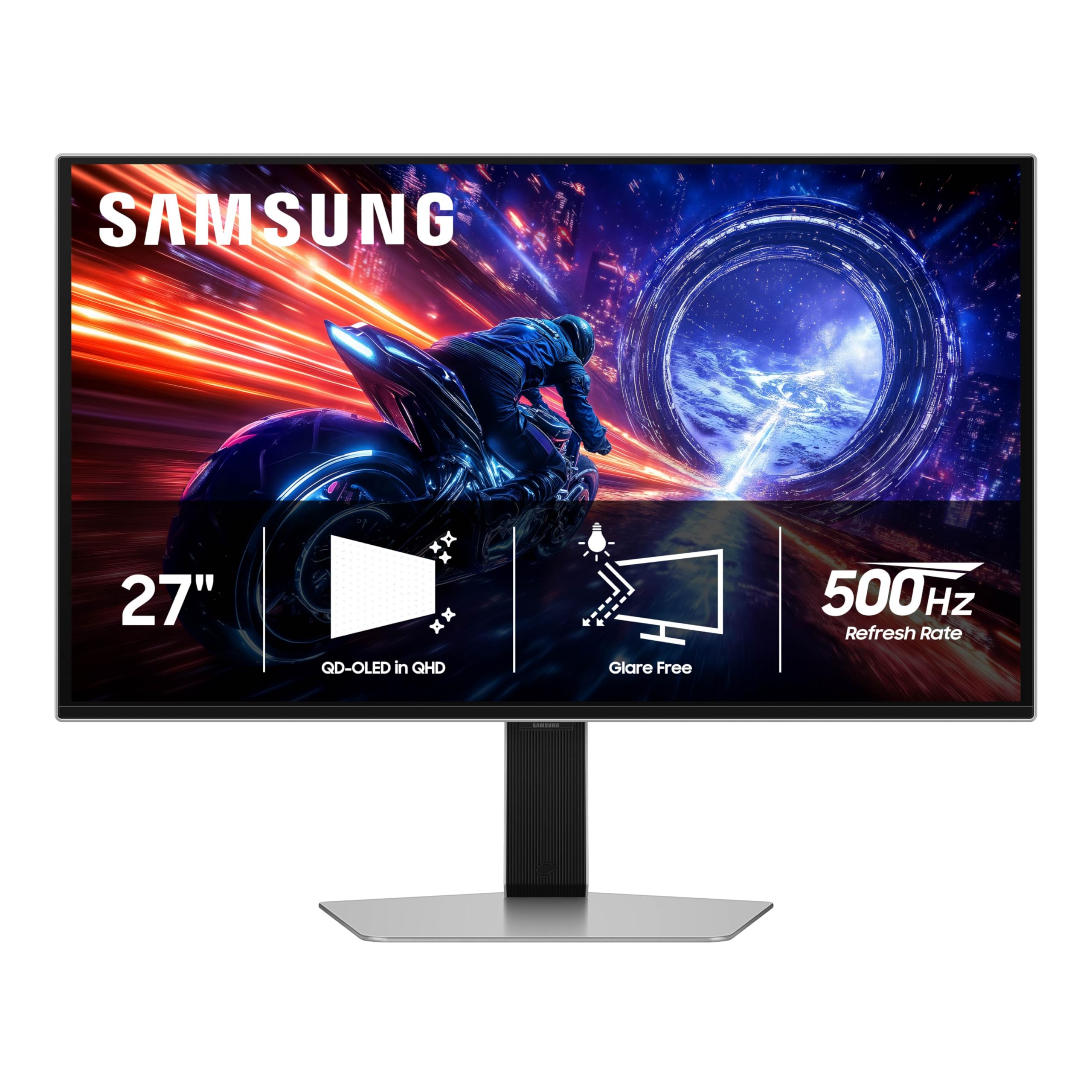
The Samsung Odyssey OLED G6 G60SF holds the distinction of being the world’s first OLED monitor to achieve a 500Hz refresh rate, paired with the 0.03ms GtG response time that makes motion look impossibly fluid. The QD-OLED panel delivers 1000 nits peak brightness for HDR highlights and covers 99% DCI-P3, while Samsung’s Glare Free technology reduces reflections by 54% compared to standard anti-reflection films — a meaningful advantage for a QD-OLED panel that would otherwise show purple reflections. It is G-Sync Compatible and supports FreeSync Premium Pro.
The ergonomic stand offers tilt, height, and pivot adjustments, and the monitor includes a VESA mount pattern for arm installation. Connectivity is straightforward with one DisplayPort and one HDMI 2.1 port, plus a USB-A upstream port for the monitor’s internal hub. The 2025 model ships with a three-year warranty, and the Dynamic Cooling System uses a pulsating heat pipe that Samsung claims cools the panel five times better than traditional graphite sheets.
Pushing 500Hz requires a very powerful GPU — realistically, only an RTX 5090 or RX 7900 XTX can sustain that frame rate in esports titles at low settings. At the price point, it competes directly with the INNOCN GA27M1Q and Sony INZONE M10S. The G60SF is the ultimate choice for competitive players who want the absolute highest refresh rate and are willing to invest in the supporting hardware.
Why it’s great
- Industry-first 500Hz refresh rate on OLED
- Pulsating heat pipe cooling for burn-in prevention
- Glare Free coating reduces QD-OLED reflections
Good to know
- Needs top-tier GPU to fully utilize 500Hz
- Higher price premium for the extra refresh rate
6. Alienware AW2725DF

The Alienware AW2725DF has quickly become a favorite among enthusiasts for its combination of a 360Hz QD-OLED panel, VESA DisplayHDR True Black 400 certification, and a peak brightness mode that hits 1000 nits on 3% window sizes. The 0.03ms GtG response time and infinite contrast ratio deliver an image that rivals reference monitors for both gaming and media consumption. The DCI-P3 99.3% coverage with Delta E<2 accuracy out of the box means it also holds up well for photo editing and design work.
The build quality is excellent, with a fully adjustable stand that offers height, tilt, swivel, and pivot. Port selection includes DisplayPort 1.4, HDMI 2.1, and a USB 3.2 Gen1 hub with four downstream ports. The three-year warranty explicitly covers burn-in, which gives peace of mind for long-term ownership. The monitor includes a pixel refresh reminder that runs every few hours of cumulative use, taking about five minutes during standby.
Users report that the QD-OLED panel is a fingerprint magnet and shows faint purple reflections in bright rooms, which is typical of Samsung’s quantum dot technology. The text clarity is slightly softer than a high-end IPS, but the trade-off for the color volume and motion clarity is worth it for most buyers. When on sale around the mid-range tier, the Alienware AW2725DF offers the best all-around QD-OLED package in the 27-inch category.
Why it’s great
- 360Hz with 1000-nit peak brightness mode
- Fully adjustable ergonomic stand
- Three-year burn-in warranty included
Good to know
- QD-OLED purple reflection in bright rooms
- Surface is a fingerprint magnet
7. INNOCN GA27M1Q

The INNOCN GA27M1Q is the most affordable 500Hz OLED monitor in this guide, using a QD-OLED panel that delivers a 1,500,000:1 contrast ratio, 99% DCI-P3 coverage, and HDR500 certification. At a refresh rate that only the Samsung G60SF and Sony M10S match, it offers a compelling value for competitive gamers who want the highest possible frame rates without paying the full premium-tier price. The monitor also includes built-in speakers, which is a rarity among OLED gaming monitors, and a three-sided ultra-narrow bezel design with LED ambient lighting.
Connectivity is generous with two DisplayPort inputs and two HDMI 2.1 ports, plus a 3.5mm audio jack. The stand supports height, tilt, and swivel adjustments, and VESA mounting is compatible at 100x100mm. The OSD includes dedicated FPS and RTS modes, and the monitor is G-Sync Compatible for tear-free performance. Users report that the colors need some tuning out of the box — about five to ten minutes of adjustment — but the panel quality is excellent after calibration.
The biggest caveat is the brand’s warranty reputation; INNOCN offers a standard one-year warranty, which is shorter than the three-year burn-in coverage from ASUS, Alienware, MSI, and Sony. The GA27M1Q is best suited for buyers who are comfortable with a shorter warranty period and want to save money while still experiencing the 500Hz OLED advantage. At this price point, it delivers a level of motion clarity that was unavailable at this cost even six months ago.
Why it’s great
- 500Hz QD-OLED at the lowest price available
- Built-in speakers included
- Two HDMI 2.1 inputs for multi-console setups
Good to know
- Only one-year warranty, no explicit burn-in coverage
- Color accuracy needs manual calibration out of box
8. Samsung Odyssey OLED G6 G61SD

The Samsung Odyssey OLED G6 G61SD shares the same QD-OLED backbone as the G60SF but tops out at 240Hz, making it a more attainable option for users who do not need the ultimate 500Hz speed. The slim metal design with a silver finish and practically borderless screen stands out on any desk, and the Glare Free coating works well to minimize the purple-tint reflections that QD-OLED is known for. Samsung includes a remote control for OSD navigation, which adds convenience for couch or multi-monitor setups.
Thermal management is handled by Samsung’s Pulsating Heat Pipe — a first for the monitor category — which cools the panel five times more effectively than graphite sheets, directly reducing long-term burn-in risk. The monitor also features logo detection, taskbar detection, and an automatic screen saver after ten minutes of inactivity. The 0.03ms response time and FreeSync Premium Pro support ensure tear-free gameplay at up to 1440p 240Hz.
A significant downside is the mandatory Pixel Shift feature, which creates visible black “gaps” at the screen edges as the image shifts to prevent burn-in. This cannot be disabled in the OSD, which some users find distracting. The auto-brightness function can also be jarring when it dims the screen during bright white scenes. Despite these quirks, the G61SD is a beautifully designed 240Hz QD-OLED with excellent burn-in protection for users who prioritize style and long-term reliability.
Why it’s great
- Slim metal design with premium silver finish
- Pulsating heat pipe cooling for burn-in prevention
- Includes remote control for OSD navigation
Good to know
- Pixel Shift cannot be disabled, creates edge gaps
- Auto-brightness behavior may be distracting
9. Sony INZONE M10S

The Sony INZONE M10S is built with direct input from the Fnatic esports team and includes a Tournament Mode that shifts the display to a 24.5-inch simulated size for competitive play, matching the standard used in professional LAN events. The 480Hz WOLED panel delivers the same 0.03ms GtG response time as the fastest competitors, but Sony’s custom fan-less heatsink ensures consistent brightness without active cooling noise — a meaningful advantage for streamers who record audio. The DP 2.1 input (UHBR10) provides enough bandwidth for 1440p at 480Hz without needing display stream compression.
The low-profile stand is only 4mm thick, maximizing desk space for low-sensitivity mouse movements, and supports height, tilt, and ±180° swivel. Sony includes a three-year limited warranty with burn-in coverage, and the monitor features pixel refresh, static image detection, and a screen saver. Color accuracy is excellent out of the box, with a factory calibration report included in the box. The M10S is G-Sync Compatible and supports VRR over HDMI 2.1.
The premium price is the main barrier — it sits at the top of the mid-range tier. Some users experienced pixelation or “snow effect” on half the screen on day one, though this was resolved by moving the cable or returning the unit. The 480Hz refresh rate is genuinely transformative for fast-paced shooters, and the built-in OLED care features combined with the heatsink make this a monitor that can last through multiple hardware upgrade cycles. The Sony INZONE M10S is the definitive choice for competitive esports players who demand both speed and build quality.
Why it’s great
- 480Hz with fan-less passive heatsink cooling
- Tournament Mode with 24.5-inch simulated screen size
- Three-year burn-in warranty included
Good to know
- Premium price relative to other 480Hz options
- Some reports of QC issues on day one
10. Acer Predator X27U

The Acer Predator X27U uses a WOLED panel with a 0.01ms pixel response time — the fastest spec on paper in this guide — and supports HDR10 with a peak brightness of 1000 nits in 3% window sizes. The 240Hz refresh rate, combined with FreeSync Premium, delivers smooth gameplay, and the Delta E<1 factory calibration ensures color accuracy suitable for creative work. The built-in KVM switch lets you toggle between two input sources while sharing peripherals, which is useful for users with a work laptop and a gaming desktop.
Connectivity is a highlight: the USB-C port supports up to 90W power delivery, DisplayPort over USB-C, and data at USB 3.1 Gen 1 speeds, making it a true docking solution for modern laptops. The stand offers a full range of ergonomic adjustments including height (5.9 inches), swivel, tilt, and pivot. Dual 5W speakers are built in, providing usable audio for casual use without external speakers, though audiophiles will still want dedicated gear.
The most common complaint is the burn-in prevention pop-up that appears every few hours during gaming, requiring the user to either accept a five-minute pixel refresh or dismiss it. This interruptive behavior can be frustrating during intense sessions. The headphone output also contains some digital noise, which is below the expected standard for a monitor at this price point. The Acer Predator X27U is best suited for professionals and gamers who need USB-C 90W charging and a KVM switch in a single OLED display.
Why it’s great
- USB-C with 90W power delivery and KVM switch
- Delta E<1 color accuracy with factory calibration
- Full ergonomic stand and built-in dual 5W speakers
Good to know
- Frequent burn-in prevention pop-up during gaming
- Headphone audio output has digital noise
11. ASUS ROG Swift OLED PG27AQDM

The ASUS ROG Swift OLED PG27AQDM is the upper-echelon sibling in this guide, offering a glossy WOLED panel with an anti-glare coating that maintains deep blacks and vibrant colors without the haze of matte finishes. The 240Hz refresh rate and 0.03ms GtG response are paired with G-Sync compatibility for tear-free gaming, and the HDR performance is considered by many users to be the best in this category for color saturation and black depth. The glossy coating preserves sharpness particularly well, making text and fine details appear crisp despite OLED’s inherently different sub-pixel layout.
The build quality is premium, with a heavy-duty stand that offers tilt, swivel, and height adjustments, plus a VESA mount for aftermarket arms. Connectivity includes DisplayPort and HDMI inputs, and the monitor includes a custom heatsink for passive cooling — the same approach used on the ROG Strix XG27AQDMG but in a slightly larger chassis. The three-year warranty provides clear burn-in coverage, and ASUS’s OLED Care functions are comprehensive.
The price is the highest in this roundup, making it a premium-tier investment that only makes sense for buyers who are specifically seeking the best possible glossy WOLED image quality and are willing to pay a substantial premium for it. The monitor lacks built-in speakers, and the text on white backgrounds can appear slightly less sharp than an equivalent IPS due to the WOLED sub-pixel structure. For users who already own top-tier graphics hardware and want the definitive 27-inch 1440p OLED experience, the PG27AQDM remains the benchmark that other glossy monitors are measured against.
Why it’s great
- Best-in-class glossy WOLED image quality and contrast
- Custom heatsink for effective passive cooling
- Three-year warranty with burn-in coverage
Good to know
- Highest price in the 27-inch OLED 1440p category
- No built-in speakers; text clarity slightly softer than IPS
FAQ
What is the difference between WOLED and QD-OLED for a 27-inch 1440p monitor?
Do I need a 500Hz OLED monitor or is 240Hz enough?
How do pixel refresh cycles and burn-in prevention work on OLED monitors?
Can I use a 27-inch OLED 1440p monitor for productivity and text work?
Final Thoughts: The Verdict
For most users, the best 27 inch oled 1440p monitor winner is the LG 27GS93QE because it delivers the true-black performance of WOLED, a full ergonomic stand, a two-year panel warranty, and the widely compatible 240Hz refresh rate at a price that undercuts almost every competitor while sacrificing nothing essential. If you want the highest possible motion clarity for competitive esports, grab the Samsung Odyssey OLED G6 G60SF for its industry-first 500Hz refresh rate and pulsating heat pipe cooling. And for the absolute best glossy image quality and premium build, nothing beats the ASUS ROG Swift OLED PG27AQDM — if you are willing to invest at the top of the price spectrum for the definitive visual experience.