
Our readers keep the lights on and my morning glass full of iced black tea. As an Amazon Associate, I earn from qualifying purchases.
Specs are compiled from manufacturer listings and verified buyer reviews and can change over time — please confirm the key details on the product page before buying.
The best 34-inch monitor for office work is one that gives you genuine side-by-side space without the bezel in the middle. A 21:9 ultrawide screen changes how you work: a spreadsheet on the left, a research PDF on the right, and no window-swapping. It replaces the two-monitor tangle on most desks.
I’m Min — the founder and writer behind Gadgets Feed. This guide is built by comparing the manufacturers’ published specifications and the patterns across verified customer reviews, so you get each pick’s real strengths and trade-offs instead of marketing spin.
If your desk is cluttered with cables and you juggle multiple windows, a 34-inch ultrawide monitor can charge your laptop, tidy your workspace, and show everything at once. This review of the 34 inch monitor for office work highlights the models that actually deliver on that promise.
Our Picks at a Glance


How To Choose The Best 34 Inch Monitor For Office Work
Your daily reality is hours of documents, video calls, and data entry. A great office ultrawide focuses on text clarity, eye comfort, and a clean connection to your laptop. This is what separates a workhorse from a gaming display.
Resolution is your real workspace
Every monitor here is WQHD at 3440 x 1440. That pixel count is what makes small text crisp and lets you fit two full windows comfortably. At this size, it is sharper than a standard 1080p and far more useful for multitasking than a 16:9 screen.
USB-C power delivery changes your setup
The single cable that carries video, data, and power is the biggest office convenience. Several picks here deliver up to 65W or even 90W over USB-C, enough to charge a modern laptop. This removes the separate power brick and the cable clutter on your desk.
Panel type determines the picture
Most value-oriented ultrawides use a VA panel. You get deep blacks and strong contrast for reading text and watching video, with a small trade-off in viewing angles compared to IPS. For typical office work, VA is the practical winner.
Quick Comparison
| Model | Best For | Resolution | Refresh Rate | USB-C Power | Amazon |
|---|---|---|---|---|---|
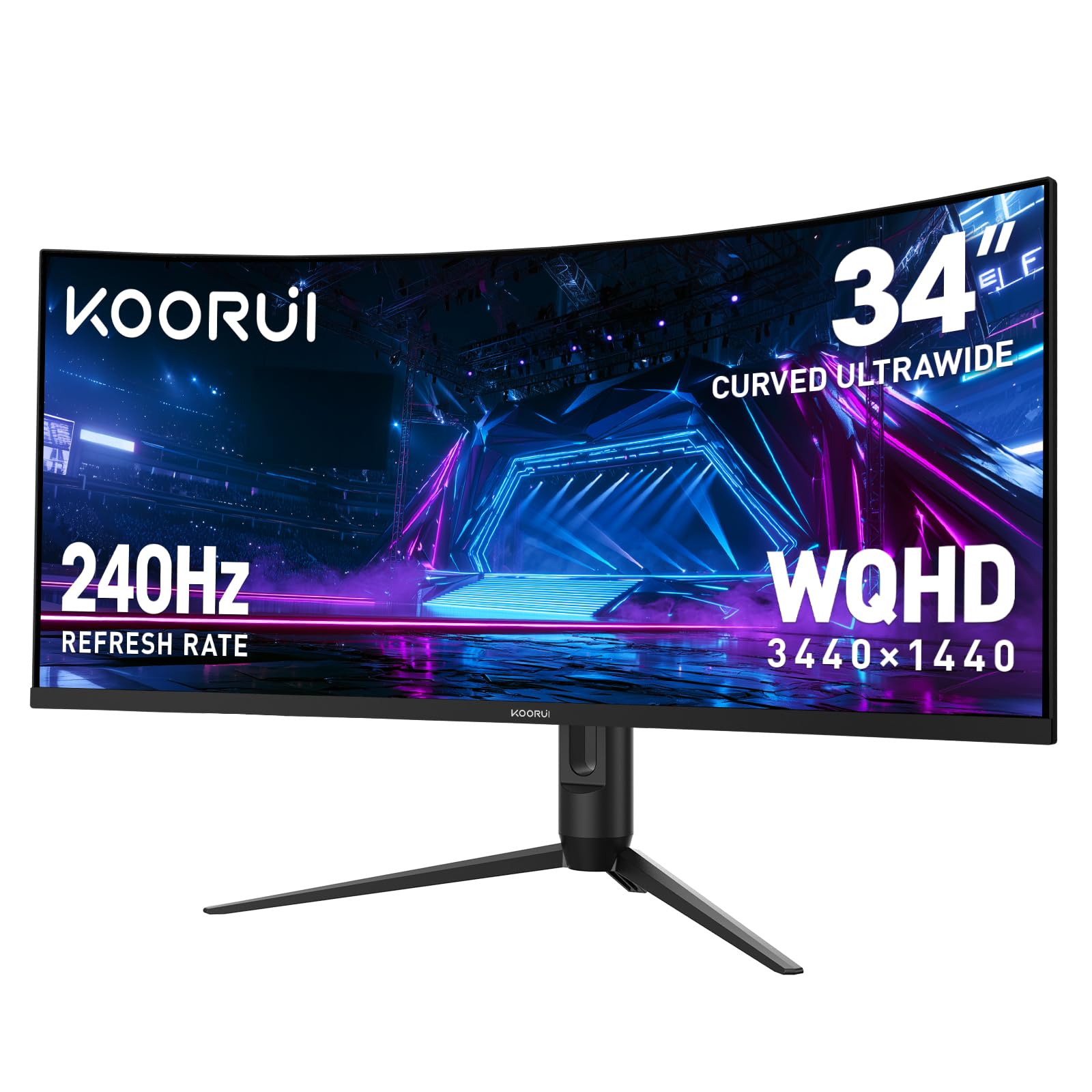
| KOORUI 34″★ Best Overall | Multitasking & Smooth Motion | 3440 x 1440 | 240Hz | — | Amazon |
| LG 34WR55QK-BBest Value | Laptop Charging & Value | 3440 x 1440 | 100Hz | 65W | Amazon |
| Philips 346E2CUAEMacBook Favorite | MacBook Plug-and-Play | 3440 x 1440 | 100Hz | USB-C PD | Amazon |
| ASUS VG34VQ3B | Gaming & Work Combo | 3440 x 1440 | 180Hz | — | Amazon |
| Samsung S50GC | Auto-Brightness Comfort | 3440 x 1440 | 100Hz | — | Amazon |
| LG 34SR60QC-W | Built-in Streaming | 3440 x 1440 | 100Hz | — | Amazon |
| Samsung S65UA | Single-Cable 90W Charging | 3440 x 1440 | 100Hz | 90W | Amazon |
| ASUS VA34VCPSR | Full Docking Station | 3440 x 1440 | 100Hz | 96W | Amazon |
| Dell S3425DW | Eye Comfort & Sound | 3440 x 1440 | 120Hz | 65W | Amazon |
| Samsung CH890 | Business Ergonomics | 3440 x 1440 | 100Hz | USB-C | Amazon |
| Dell P3424WE | KVM Multi-Computer | 3440 x 1440 | 60Hz | 90W | Amazon |
In‑Depth Reviews
1. KOORUI 34 Inch 240Hz WQHD Ultrawide Curved
Our pick — 4.5★ from 6,000+ verified ratings; the strongest balance of quality and price.
The crowd favorite here gives you 3440 x 1440 pixels across a 1500R curve (a gentle arc that wraps the screen around you) for a genuinely rich desk setup.
KOORUI’s 34-incher is the crowd favorite here — a 4.6-star reputation held by thousands of owners — and it earns that status with a 4000:1 contrast ratio that makes text pop and blacks look deep. The 125% color gamut coverage means spreadsheets, photos, and video calls all render with rich, accurate tones. It wraps around your field of view with a 1500R curve, which pulls the edges of the screen into your peripheral vision so you notice less flicker when glancing between windows.
This monitor is absurdly fast on paper at 240Hz with a 1ms response time, giving you a 2.4x refresh rate advantage over the LG 34WR55QK-B’s 100Hz. You will not find that speed useful for email, but it makes scrolling through long documents feel perfectly fluid and eliminates any motion blur when you drag windows around. The VA panel delivers that verified 4000:1 contrast that beats the Philips 3462E’s 16:09 rating by a factor of 250x, so nighttime work sessions feel comfortable on the eyes.
The ergonomic stand adjusts 110mm in height, tilts from -5° to 20°, and swivels ±15°, so you can position it to match your eye level. Both HDMI 2.1 ports and a DisplayPort 1.4 give you flexible hookups for a desktop and a laptop. As owners put it: “Best monitor by far that I’ve bought in years” — and the customization options inside the on-screen menu are a big reason why.
The Productivity Perks
- PIP/PBP mode shows two inputs side-by-side for true multitasking
- G-Sync Compatible and FreeSync Premium prevent screen tearing
- Strong stand adjustments for all-day comfort
Worth Knowing
- No speakers built in, so plan for headphones or external audio
- 240Hz is overkill for office work alone, though it never hurts
Grab it for: the smoothest, most color-rich ultrawide experience that still handles a full workday with ease.
Think twice if: you need a monitor that also charges your laptop over USB-C — this one does not.
2. LG 34WR55QK-B UltraWide WQHD Curved
An LG that charges your laptop, splits your screen, and cuts blue light for marathon work sessions.
The LG 34WR55QK-B is the value champion because it checks every office box without a single gaming flourish. A single USB-C cable carries video and delivers up to 65W of power to your laptop, so you can ditch the charger brick and keep your desk tidy. It also gives you two USB ports for accessories, plus HDMI and DisplayPort options, making it a mini hub for your workspace. Owners praise the screen quality more than anything else, calling it an excellent value for the money.
Text stays crisp thanks to the 3440 x 1440 WQHD resolution, and the 99% sRGB color gamut keeps colors accurate for presentations and design reviews. The VA panel’s 3000:1 contrast ratio delivers solid blacks for video, though some buyers find the picture slightly less punchy than they hoped. Its 100Hz refresh rate keeps scrolling and window movement smooth, which is plenty for a standard workday.
Reader Mode reduces blue light for those long afternoons staring at documents, and the three-sided virtually borderless design looks clean on any desk. The ergonomic stand adjusts height and tilt to match your posture. LG’s OnScreen Control software lets you split the display into custom zones with a few mouse clicks, and Picture-by-Picture shows content from two sources at once. “This product is unbelievable,” report the buyers, especially for its user-friendly processing speed.
Why it wins: no other value pick combines 65W laptop charging, dual USB ports, and a 99% sRGB panel in one tidy package.
Fair warning: there are no built-in speakers, so factor in headphones or a small speaker for calls.
3. Philips 34 Inch Curved UWQHD 346E2CUAE
A Philips that plugs into a MacBook with one USB-C cable and just works, no adapters or fuss.
The Philips 346E2CUAE is the plug-and-play pick for Apple users. “I was very happy when I plugged it into my Apple that is just worked! No problems at all,” happy owners say, and the USB-C connection handles video, data, and laptop charging over a single cable. It also has four USB-A ports — two powered — so you can attach a keyboard, mouse, and webcam without a separate hub. The monitor quality earns the most praise by far, with owners calling it a glorious piece of technology.
Color accuracy is a genuine strength here. The Ultra Wide-Color technology displays up to 121.3% sRGB and 99.5% NTSC color gamut (two standard measures of color range), so photos and videos look true-to-life during editing. The 3440 x 1440 UWQHD resolution (ultra-wide quad high definition) gives you more workspace than a standard Quad HD monitor, and the 1500R curvature wraps the image around you for an rich feel without being distracting.
The 100Hz refresh rate with Adaptive-Sync keeps motion fluid, while the ultra-fast 1ms response time eliminates ghosting. A 4-year warranty backs the purchase, and the frameless design looks sharp on a modern desk. The main trade-offs are the narrow viewing angles and a stand that lacks swivel, so you may want to position it carefully or use a monitor arm. “I have never been so happy with a monitor,” sums up the general sentiment.
Best for: MacBook owners who want a single-cable connection that also charges the laptop, plus accurate colors for creative review.
Keep in mind: the built-in speakers are weak for video calls, and off-axis viewing fades — sit directly in front.
4. ASUS TUF Gaming VG34VQ3B

An ASUS that splits the difference, with a 180Hz panel for play and a 90% DCI-P3 palette for work.
The ASUS TUF Gaming VG34VQ3B is for the person whose desk does double duty. With a 180Hz refresh rate and a 1ms MPRT response time, it is significantly faster than the LG 34WR55QK-B’s 100Hz panel, so fast-paced action stays blur-free. But it is not just a gaming screen: the 34-inch 3440 x 1440 QHD resolution and 90% DCI-P3 color gamut give you accurate colors for creative tasks and sharp text for spreadsheets. Quality and value for money are the two aspects owners praise most, calling it fantastic for the price point.
ASUS Extreme Low Motion Blur SYNC technology cuts ghosting during rapid motion, and FreeSync Premium enables variable refresh rate by default for a tear-free picture. The 1500R curve wraps the image around you without feeling extreme, and the 4000:1 static contrast ratio delivers rich, deep blacks. It has a 4x USB 3.2 Gen 1 Type-A hub, so you can plug in your peripherals directly to the display instead of reaching behind your computer.
Owners love the color and tones, with one calling it the best monitor they have had. It is light enough to hang on a wall via a VESA mount (a standard 100x100mm bracket), which several buyers did, and it includes a DisplayPort cable, USB cable, and screwdriver in the box. The downsides are a short, non-adjustable stand and tinny built-in speakers, so you will likely want a monitor arm and external audio. The 3-year warranty offers solid confidence.
Where It Shines
- 180Hz refresh rate keeps everything buttery smooth
- 90% DCI-P3 color gamut for accurate creative work
- Built-in USB hub reduces desktop clutter
The Trade-Offs
- The stock stand is short and lacks height adjustment
- Built-in speakers are weak, plan for external ones
Reach for this if: you want one screen that handles a 9-to-5 and a 9-to-midnight gaming session with equal grace.
Look elsewhere if: a fully adjustable stand and rich built-in audio are dealbreakers for your setup.
5. Samsung ViewFinity S50GC Series

A Samsung that reads the room’s light, auto-adjusts brightness, and guards your eyes from dawn to dark.
The Samsung S50GC puts eye comfort at the center of the office experience. An ambient light sensor on the monitor detects the lighting in your workstation and automatically adjusts brightness, so you are not squinting at a too-bright screen in a dark room. Eye Saver Mode minimizes excessive blue light, and Flicker Free technology relieves the eye strain that comes from hours of document work. Monitor quality is the most-praised aspect, with owners noting it works reliably for months of use and is easy to hook up.
The 21:9 Ultra-WQHD panel (ultra-wide quad high definition) shows over 1 billion colors with HDR10 (high dynamic range), making dark colors darker and bright text easier to read. The 3440 x 1440 resolution boost screen real estate for smooth multitasking, and the 100Hz refresh rate (how often the screen updates per second) keeps scrolling smooth without the cost of faster gaming panels. Owners say it is a clear upgrade for spreadsheets compared to a 32-inch 16:9 screen.
Picture-by-Picture lets you view input from two sources at native resolution, so you can run a work laptop and a personal desktop side by side. Picture-in-Picture resizes a second source in a corner for monitoring while you work. The virtually bezel-free screen looks almost gapless in a dual-monitor setup. The stand is a bit wobbly and the speakers are weak, so a monitor arm and external audio are smart additions, but the picture quality makes it an easy recommendation.
Why users stick with it: the auto-brightness sensor genuinely helps during long workdays, and the 1 billion colors keep media looking vibrant.
One honest note: Mac users may need to tweak resolution settings for ideal text sharpness — PC users get a smoother ride.
6. LG 34SR60QC-W Curved Smart Monitor

An LG that moonlights as a smart TV, streaming Netflix while the workday winds down.
The LG 34SR60QC-W is the rare office monitor that turns into an entertainment hub after hours. With webOS23 built in, you get direct access to Netflix, Prime Video, the Apple TV app, Disney Plus, HBO Max, and over 300 free LG Channels — no PC or streaming box needed. Apple AirPlay 2 and HomeKit compatibility let you cast and mirror content from your iPhone or MacBook wirelessly, so a design mockup on your phone jumps straight to the big screen.
The 34-inch ultrawide QHD (3440 x 1440) panel with a 21:9 aspect ratio offers a 34% wider view than a 16:9 display, and the 1800R curve (a gentle arc) creates a cinematic feel. The 99% sRGB color gamut and HDR10 keep colors vibrant for both work and play. Owners consistently praise the crisp display and note it fits nicely on a small desk while still letting you split the screen for side-by-side document viewing.
From webOS you can access cloud PC services like Microsoft 365 and Google applications without a physical PC, which is handy for light productivity. The monitor has two HDMI ports and three USB ports, plus built-in speakers for calls and casual listening. It works well for multitasking with three to five apps open, and one owner called it a “big work monitor PLUS Smart TV” — a huge value for the price.
Perfect for: the home office where the same screen handles spreadsheets by day and streaming by night.
Be aware: the stand is not height-adjustable, and the G-Sync Compatible feature is a bonus rather than a core selling point.
7. Samsung ViewFinity S65UA Series

A Samsung that charges even power-hungry laptops over USB-C with 90W, keeping one cable on your desk.
The Samsung S65UA is the premium choice for laptop users who want true one-cable simplicity. Its USB Type-C port delivers 90W of charging power, enough to fuel most modern laptops, while transmitting data and video over the same connection. This keeps your desktop clean and eliminates the need for a separate docking station. Owners love the screen size, with one noting it is perfect for upgrading from a 32-inch ultrawide, and the 1000R curvature matches the curve of the human field of sight to reduce eye strain.
The 34-inch ultrawide WQHD (3440 x 1440) display with HDR10 reproduces 1 billion colors, making dark scenes deeper and bright highlights crisper. The 100Hz refresh rate provides silkier mouse sensitivity for enhanced productivity, and AMD FreeSync keeps motion smooth. The 4000:1 contrast ratio delivers deep blacks for video, and the borderless design pairs smoothly in a dual-monitor setup.
TUV-certified eye care auto-adjusts brightness and color temperature for late-night work, while eye saver mode and flicker-free tech cut blue light. However, the experience is mixed across buyers: some rave about the clean, sharp picture and USB ports eliminating the need for a hub, while others report dead pixels or warranty frustrations. It is genuinely a premium-feeling monitor, but the consistency could be better.
The High Points
- 90W USB-C charging powers large laptops on one cable
- 1000R curve matches natural sight for less strain
- Multiple USB ports reduce desktop clutter
Fair to Flag
- Some units arrive with dead pixels — check on arrival
- Quality control is less consistent than pricier rivals
Pick this when: you run a large laptop that needs serious charging power and you want one clean cable for your whole desk.
Hesitate if: you need guaranteed pixel-perfect quality from the start; it is a lottery on arrival condition.
8. ASUS VA34VCPSR USB-C Dock Monitor

An ASUS that acts as a full docking station, routing data, power, and Ethernet through a single USB-C cable.
The ASUS VA34VCPSR is the office powerhouse that replaces your docking station entirely. Its USB-C port delivers up to 96W of power for laptop charging, carries video and data, and connects to a built-in RJ45 LAN port for a stable wired internet connection. One cable handles everything, and owners call it a much more affordable alternative to enterprise-level configurations that cost far more. The functionality and screen quality are the two aspects that earn the most praise.
The 34-inch WQHD (3440 x 1440) panel with a 1500R curve and a 178-degree viewing angle gives you sharp text and a wide field of view. With 100% color gamut coverage, colors come through accurately for design reviews and presentations. The 100Hz refresh rate with Adaptive-Sync eliminates tracing for a crisp, smooth picture during scrolling and video. “Simply put, this is a perfect addition to a work configuration,” report owners, noting the USB-C connector provides all functionality including a built-in laptop charger.
TUV Rheinland-certified Flicker-free and Low Blue Light tech reduce eye strain, with one owner noting their eyes feel rested after long sessions. The ergonomic stand offers tilt, swivel, and height adjustments, and the frameless design plus VESA mounting give you flexible installation options. The 3-year warranty with advanced replacement adds real confidence for a work-critical device.
Why it earns a premium spot: the 96W charging plus RJ45 Ethernet makes it the most complete one-cable solution for a modern laptop setup.
Small caveat: default color settings look a bit washed out until you switch to Theater Mode, and the USB-A ports charge phones slowly.
9. Dell 34 Monitor S3425DW

A Dell that cuts blue light to 35% while boosting sound, so all-day work feels lighter on the eyes and ears.
The Dell S3425DW’s ComfortView Plus cuts blue light to 35% or less without dulling colors, so long spreadsheet sessions feel easier on the eyes. Display quality is the most-praised aspect by far, with owners highlighting rich visuals, clarity, and a gorgeous 34-inch display. One buyer uses it for photography in Lightroom and says it performs beautifully.
The 3440 x 1440 VA panel covers 99% sRGB and 95% DCI-P3 for vibrant, true-to-life colors in creative work. A 3000:1 contrast ratio with HDR readiness adds depth and detail to video calls and media. The 120Hz refresh rate with AMD FreeSync Premium keeps motion smooth and tear-free, and the ultra-low 0.03ms response time makes even fast scrolling feel instant. It connects via a single USB-C cable with up to 65W power delivery.
Re-engineered sound quality sets this apart: the built-in speakers offer greater output power, deeper frequency response, and more decibel range than the previous generation, so video calls and media sound fuller than typical monitor audio. The stand is tool-free and snap-in, with easy setup in about 60 seconds. Owners using it with a MacBook find it auto-detects over USB-C, making it a true desktop replacement.
Why It Stands Out
- ComfortView Plus cuts blue light to ≤35% for daily comfort
- Built-in speakers are genuinely better than most
- 120Hz refresh rate beats the typical 100Hz office panel
Room for Improvement
- Limited ports — just HDMI, USB-C, and USB-A, no DisplayPort
- Not IPS, so graphics pros may want a different panel
Choose this if: eye comfort is your top priority and you want decent sound without buying separate speakers.
Pass on it if: you need a full USB hub or DisplayPort input for your specific setup.
10. Samsung Business CH890 Series

A Samsung built for the 9-to-5, with a rock-solid stand, split-screen smarts, and a 3-year business warranty.
The Samsung CH890 is the no-nonsense business monitor, designed to boost productivity with a 3440 x 1440 WQHD resolution that owners consistently describe as crisp and vibrant. Screen quality is the most-praised aspect, with buyers calling it a phenomenal monitor and praising the sharp colors, sturdy build, and slim bezels. For a medical coder or finance analyst running multiple windows, the 21:9 ultrawide format lets you keep your primary app and reference material visible at once.
Connectivity is comprehensive: HDMI, DisplayPort, and USB Type-C streamline your desk, with the USB-C port transmitting power, data, and digital display over a single connection. The 100Hz refresh rate with AMD FreeSync and a 4ms response time make it ideal for multimedia work without feeling laggy. The 3000:1 contrast ratio keeps text crisp and blacks deep.
The highly adjustable stand offers height, tilt, and swivel adjustments along with VESA mounting, giving you ergonomic comfort for long work sessions. It also features picture-in-picture and split-screen modes for greater productivity. The TAA compliant designation makes it suitable for federal government customers, and the 3-year business warranty backs the investment. Owners recommend pairing it with a monitor arm for maximum flexibility, as the included stand can feel a bit wobbly.
Best for: professionals who need a dependable, adjustable workhorse with a solid warranty and clean USB-C hookup.
Worth noting: bright rooms can wash out the 300 cd/m² panel, and some units have had USB-C port issues — check yours early.
11. Dell 34 Curved USB-C Hub Monitor P3424WE

A Dell that switches between two computers with one click, the ultimate hub for a dual-machine desk.
The Dell P3424WE is the most work-focused monitor on this list, designed to be the center of a multi-computer setup. The highlight is its KVM functionality (keyboard, video, mouse switch): you connect your mouse and keyboard to the monitor, then switch between two computers with one click. “The ability to connect mouse and keyboard to monitor and switch between 2 computers smoothly is amazing and far more useful than expected,” buyers report. It also powers your laptop via USB-C with up to 90W of charging, keeping your desk clean.
The WQHD 3440 x 1440 curved screen delivers sharp text and great colors, with owners noting it equates to two 27-inch screens in terms of productivity. The 300 cd/m² brightness and 10000:1 contrast ratio make documents easy to read and media look deep. It includes RJ45 Ethernet connectivity, so you get a stable wired internet connection through the monitor, which is a big plus for video calls and large file transfers.
While it runs at a standard 60Hz, that is fine for office work where smooth motion is less critical than text clarity. Owners who upgraded from a 27-inch 4K found the widescreen far more useful for daily work. The setup is straightforward, and the sleek design looks professional on any desk. It is an investment, but for two-computer households or power users, the convenience is class-leading.
The smart pick for: anyone running two computers — work laptop and personal desktop — who wants one keyboard and mouse for both.
The honest catch: at 60Hz it is not for gamers, and the premium price reflects the KVM convenience, not raw speed.
Understanding the Specs
Refresh Rate
Measured in Hz, this is how many times the screen updates per second. A 100Hz panel refreshes 100 times a second, making cursor movement and scrolling feel smooth. It matters for comfort during a long workday even if you never game.
USB-C Power Delivery
This lets a single cable carry video, data, and power to your laptop. The wattage tells you how fast it charges: 65W handles most ultrabooks, while 90W to 96W powers larger pro laptops. Higher is better for keeping your machine topped up.
FAQ
Is a 34-inch monitor good for office work?
Will a 34-inch ultrawide fit on my desk?
What is the difference between 100Hz and 240Hz for office use?
Can a 34-inch monitor charge my laptop?
Is a curved screen better for office work?
How many windows can I fit on a 34-inch ultrawide?
What is the best panel type for text-heavy office work?
Are built-in speakers on a monitor good enough for video calls?
Final Thoughts: The Verdict
For most buyers, the best 34 inch monitor for office work is the KOORUI 34 because it pairs a vivid 4000:1 contrast panel with a flexible stand and crowd-pleasing reliability. If you want true one-cable laptop charging, the LG 34WR55QK-B delivers 65W USB-C power at a great value. And if your desk hosts two computers, the Dell P3424WE is the hub that ties it all together.
How We Picked
We do not accept paid placement. Every pick is matched to a real buyer and a real use-case; we do not hands-on test units.
Sources & Methodology
Specifications: manufacturer listings and product documentation. Review insights: verified customer reviews, as of August 2026. Pricing: not shown on this page (it changes often); check the current price via the retailer link.
As an Amazon Associate, Gadgets Feed earns from qualifying purchases. This does not affect which products we feature.