
Our readers keep the lights on and my morning glass full of iced black tea. As an Amazon Associate, I earn from qualifying purchases.
Specs are compiled from manufacturer listings and verified buyer reviews and can change over time — please confirm the key details on the product page before buying.
You need a 3 TB external hard drive, but the real question is whether it will live on your desk or in your bag. Desktop drives give you more space for less money, but portable drives run off the USB port alone. This guide sorts the genuine 3 TB options from the marketing fluff and tells you exactly which one fits your setup.
I’m Min — the founder and writer behind Gadgets Feed. This guide is built by comparing the manufacturers’ published specifications and the patterns across verified customer reviews, so you get each pick’s real strengths and trade-offs instead of marketing spin.
You want a drive that won’t let you down; the 3 tb external hard drive picks below are ranked on real transfer speeds, build quality, and owner feedback so you can buy with confidence.
Our Picks at a Glance


How To Choose The Best 3 TB External Hard Drive
Before you click buy, you need to decide between a desktop drive that plugs into the wall and a portable drive that runs off your laptop’s USB port. It changes everything about speed, size, and how you’ll use it.
Desktop vs Portable: The Real Trade-Off
Desktop drives need a power adapter, so they stay on your desk. In exchange, they spin faster and move data quicker. Portable drives are the opposite — no power cord, so they travel well, but they trade away some speed and usually cost more per terabyte.
Speed: 7200 RPM vs 5400 RPM
The drive’s spin speed sets the pace for everything you copy. A 7200 RPM drive reads and writes faster than a 5400 RPM model, which matters if you’re moving huge game files or video projects. If you only back up photos occasionally, the slower drive still works fine.
Don’t Ignore the Power Supply
Some drives ship with a short power cable or a tiny on/off switch that’s awkward to reach. These seem like small details, but they become daily annoyances. Check the adapter length and switch placement before you commit.
Quick Comparison
| Model | Best For | Capacity | Interface Speed | Form Factor | Amazon |
|---|---|---|---|---|---|
| Seagate Expansion 3TB★ Best Overall | Reliable bulk storage | 3 TB | 5 Gbps USB 3.0 | Desktop | Amazon |
| ModusTech Vault USB-CBest Value | Speed on a budget | 3 TB | 10 Gbps USB-C | 3.5-inch Desktop | Amazon |
| Avolusion HDDGear Pro (PS5)Gamer Pick | PS5 game storage | 3 TB | 5 Gbps USB 3.0 | 3.5-inch Desktop | Amazon |
| Avolusion HDDGear Pro (PS4) | PS4 game libraries | 3000 GB | 6 Gbps USB 3.0 | 3.5-inch Desktop | Amazon |
| WD Blue My Passport | Secure portability | 3 TB | USB 3.0 | 2.5-inch Portable | Amazon |
| WD Elements Portable | Simple plug-and-play | 3000 GB | USB 3.0 | Portable | Amazon |
| Toshiba Canvio Advance | Colorful compact backup | 3 TB | 5 Gbps USB 3.0 | 2.5-inch Portable | Amazon |
| Seagate Backup Plus | PC/Mac shared use | 3 TB | 5 Gbps USB 3.0 | Desktop | Amazon |
| iStorage diskAshur PRO2 | Maximum data security | 3000 GB | USB 3.2 | 2.5-inch Portable | Amazon |
In‑Depth Reviews
1. Seagate Expansion 3TB Desktop External Hard Drive USB 3.0 (STEB3000100)
Our pick — 4.5★ from 21,500+ verified ratings; the strongest balance of quality and price.
The desktop workhorse whose reputation is built on 4.5 stars across more than 21,000 owner experiences.
This is the drive people buy when they want to plug in a power adapter and never think about storage again. It’s a desktop unit, so it stays put, but that trade-off buys you a 64 MB cache (a small memory buffer that speeds up repeated reads) and steady USB 3.0 transfers at 5 Gbps (a connection speed standard for external drives). Buyers report moving 410GB in about 20 minutes after formatting, with transfer speeds around 179MB/s — so a full movie library moves in under half an hour.
What wins people over is the quality — it’s the most-praised aspect by a wide margin, and it shows in the sheer volume of long-term owners. Some units have run for three years straight, and the drive is a favorite for Plex servers and console game libraries. It’s designed for archiving rather than heavy daily hammering, though, and it runs warm rather than hot. On a Mac, you’ll need to reformat it first, which wipes the drive unless you back it up elsewhere.
Reliability feedback is mixed, so keep a second backup of your most precious files. But for sheer capacity-per-dollar and proven staying power, it’s the pick most people will be happiest with.
What owners love
- Quality is the #1 praised aspect — over 4,700 owners single it out
- Real-world speeds near 179MB/s after formatting
- Works great with Xbox One and PS4 games
What to know
- Desktop-only — needs its power adapter, not for travel
- Mac users must reformat, which erases the drive
- Reliability feedback is mixed, so keep a second backup
Reach for this if: you want a proven, roomy desktop drive for media libraries or console games.
Look elsewhere if: you need something portable — this one is meant to sit still on a desk.
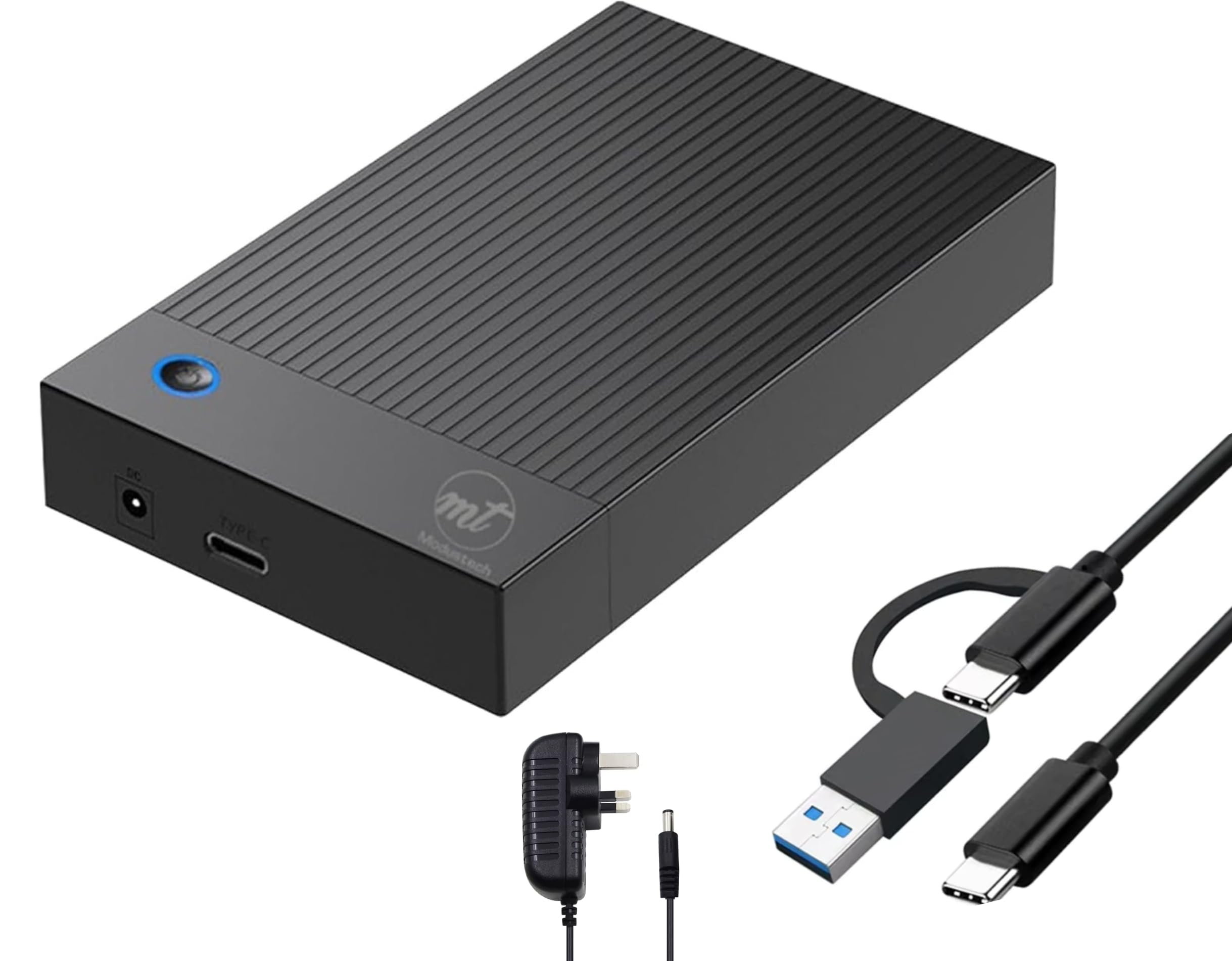
2. ModusTech Vault 3TB Desktop External Hard Drive USB-C 3.1
A 7200 RPM desktop drive that doubles the transfer ceiling of the Seagate above at a friendlier price.
This drive moves data at up to 10 Gbps over USB-C — a full 2.0x gap versus the 5 Gbps on the Seagate Expansion. Inside sits a 7200 RPM mechanism built for sustained, continuous operation rather than the occasional backup. It’s pre-formatted and ready from the start, so you plug in the USB-C cable and mains adapter and start moving files in under a minute.
It plays nicely with Windows, macOS, PS4, PS5, Xbox, and smart TVs, and it’s backed by a 2-year ModusTech warranty. The catch is the physical design: the metal case runs extremely hot in some setups — owners suggest standing it on its edge to avoid overheating — and there’s a tiny rear on/off switch that’s annoying to reach. The power cable is also short at 1 meter.
Owners mention that the manufacturer replaced a faulty unit without requiring a return first and refunded the return postage, which speaks well for the warranty. The high heat is the recurring gripe, so give it room to breathe.
Speed for the money: you’d normally pay a premium for a 10 Gbps USB-C interface — here it’s the entry point.
The honest catch: that metal case gets very hot, so it needs airflow on a desk, not tucked in a cabinet.
3. Avolusion HDDGear Pro 3TB 7200RPM USB 3.0 External Gaming Hard Drive (for PS5) White (Renewed)
A console-focused 7200 RPM drive that plugs straight into a PS5 and gets recognized automatically.
The whole pitch here is PlayStation: it’s a 3 TB USB 3.0 gaming drive that lets you play PS4 games directly from extended storage, freeing up your PS5’s internal SSD for PS5 titles. Since you can’t download PS5 games straight to USB, you move them over when you’re not playing — owners say a game takes about 3 to 5 minutes to transfer, which beats re-downloading every time.
It pairs a brand-new enclosure with a like-new refurbished 7200 RPM enterprise drive from a leading manufacturer. The drive passed factory tests with zero bad sectors at 100% health., and it comes with a 2-year warranty. Value for money is the top praise, followed closely by raw storage capacity for large games.
The honest caveat is heat — owners say it runs really hot but keeps working fine. Reliability feedback is mixed, with some units failing to power on, so treat the 2-year warranty as your safety net. If you’re on a PC instead of a console, remember it’s reformattable but really built for PlayStation.
Console-ready value: the price per terabyte is hard to argue with when you’re stacking up a big PS5 game library.
Watch the temps: it runs hot by design, and a few units arrive with power issues — the warranty covers that.
4. Avolusion HDDGear Pro 3TB 7200RPM 64MB Cache USB 3.0 External Gaming Hard Drive (Designed for PS4) – Renewed

The 3 TB PS4 companion that’s pre-formatted for instant plug-and-play expansion without opening the console.
This one skips the setup entirely — it ships pre-formatted for the PS4 file system, so you plug in the USB 3.0 cable and the drive is recognized immediately. It’s built for the PS4 Original, PS4 Slim, and PS4 Slim Pro, and It uses a like-new refurbished 7200 RPM enterprise drive with zero bad sectors at 100% health., so game loads feel consistent. The cache is 64 MB to smooth out transfer bursts.
Functionality is the most-praised aspect, and customers note it survived power outages without a scratch when plugged into a battery backup. The rubber-and-plastic case is bigger than people expect — one owner called it “definitely bigger than I thought” — and it throws a bright blue flashing LED that’s distracting in a dark room. The noise level is mixed, with some units humming softly and others running loud.
Reliability gets some negative feedback, so keep your receipts. But for a PS4 gamer drowning in 500 GB of internal space, the 3 TB of room is transformative — one owner added a 70 GB game instantly with zero formatting.
Why it clicks
- Pre-formatted for PS4 — genuinely plug-and-play
- Functionality is the top praise, with 23 owners highlighting it
- Survives power outages fine on a battery backup
What might bug you
- Bulkier than expected for a desktop drive
- Bright blue LED is annoying in a dark room
- Noise level varies — some units are loud
Grab it if: you want console storage with zero setup friction and don’t mind a bulky desktop case.
Think twice if: a quiet, compact drive matters more than pure capacity — this one is a big, occasionally loud box.
5. WD 3TB Blue My Passport Portable External Hard Drive – USB 3.0
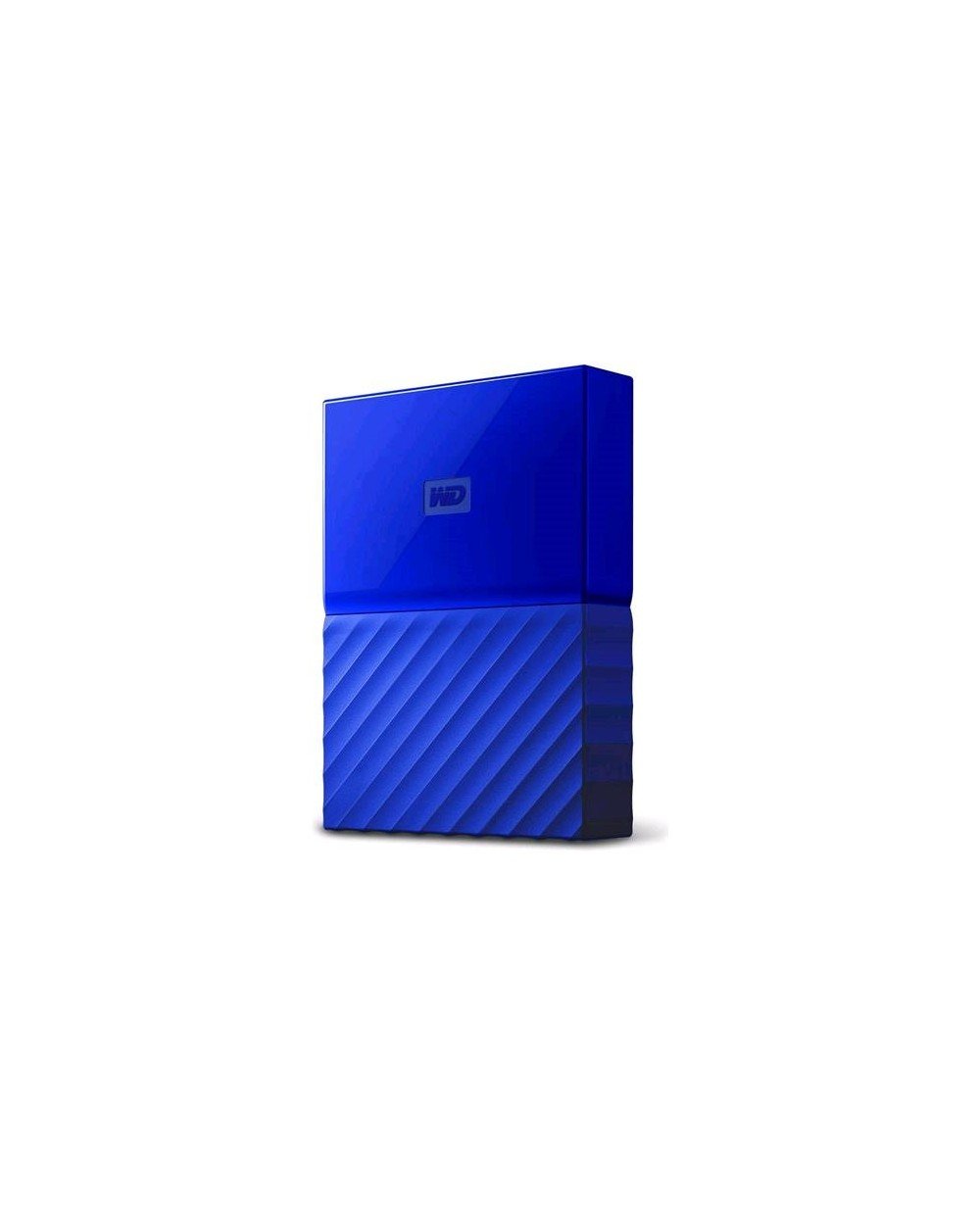
A pocketable 2.5-inch drive with hardware encryption and auto backup for people who carry data around.
This is the portable pick for a reason: it runs off the USB port alone, so there’s no power brick to lug around, and the 3 TB capacity rides in a compact blue shell. It pairs WD Backup software for automatic backups with password protection via hardware encryption — meaning your files stay locked even if the drive is lost or stolen. WD backs it with a 3-year manufacturer’s limited warranty.
Size is a genuine selling point, and owners appreciate that they never run out of space. It works with Windows 10, 8.1, and 7 from the start; Mac users need to reformat, just like with the Seagate desktop drive. The bundled WD software draws some grumbles — one owner called it “a JOKE” and switched to free alternatives — but the drive itself performs fine for bulk storage.
Reliability is mixed, with a few reports of failure around the 9-month mark. Given it’s portable, it takes more physical bumps than a desktop unit, so treat it as a backup companion, not your only copy.
Carry-everything appeal: you get 3 TB that fits in a jacket pocket, with password-level security built in.
The catch: skip the bundled backup app — owners say the drive is great, the software is not.
6. WD 3TB Elements Portable External Hard Drive – USB 3.0
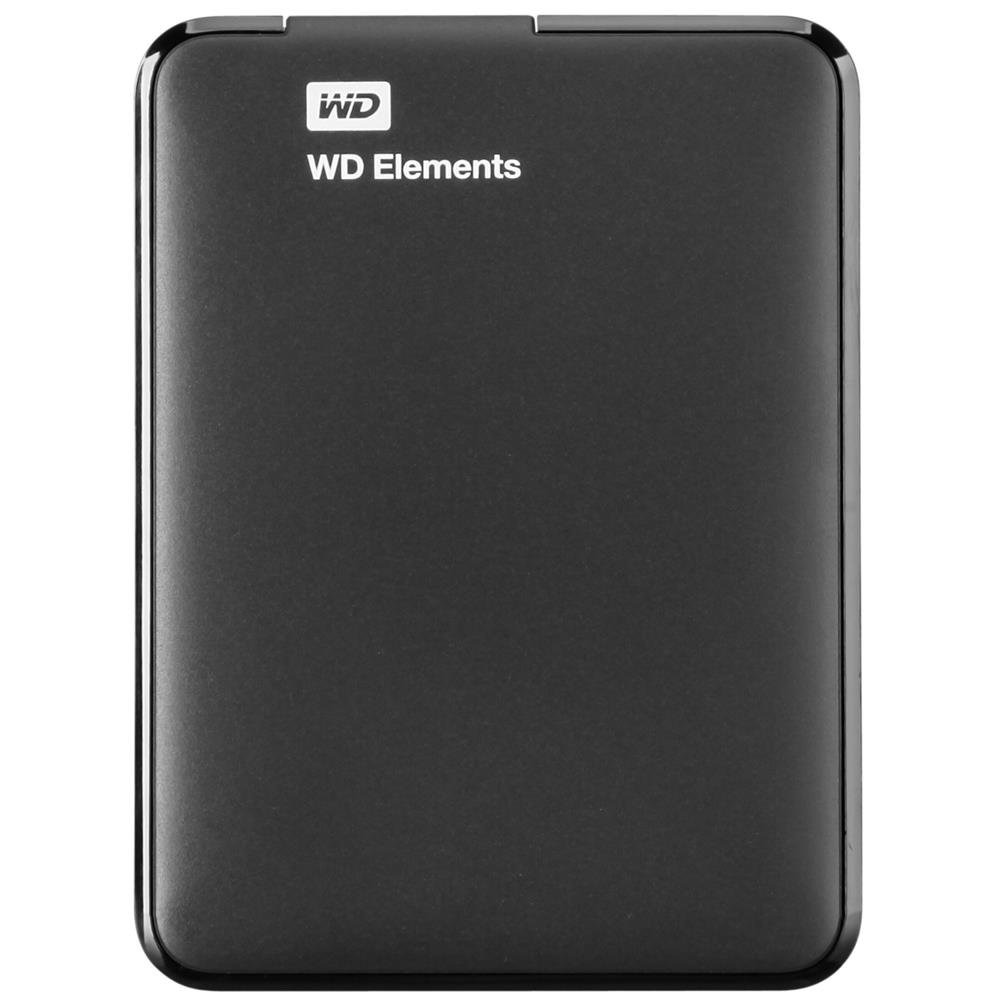
The no-frills aluminum portable that gamers and media hoarders alike praise for sheer performance.
Performance is the headline here — it’s the most-praised aspect, with over 90 owners calling it out. The 3 TB drive uses an aluminum enclosure and runs off USB 3.0 power alone, meaning no adapter and no clutter. It’s formatted for Windows 8, 7, Vista, and XP, and you can easily reformat it for a Mac. The USB 3.0 connection keeps games running without slowdown, which is why it’s a favorite for both PS4 and Xbox One owners.
Owners note it’s small and compact — good for tossing in a bag — and it’s a great buy for the money. One Xbox One S owner plugs it into the rear USB port, unplugs it for travel, and reconnects with no issues. The catch is it takes a little longer to get read by a computer than some other drives, and the reliability record is mixed, with some failures reported.
If you want a simple, lightweight portable that just works for games and photo libraries, this is a strong mid-range pick. It doesn’t come with backup software or encryption, so it’s raw storage — which is exactly what some people want.
Plug-and-play appeal: no software, no adapter, just 3 TB of fast portable storage.
Fair warning: you’re on your own for backups and security features — it’s bare-bones by design.
7. Toshiba Canvio Advance 3TB Portable External Hard Drive USB 3.0, White

A compact 2.5-inch portable with downloadable password security and four color options to match your setup.
This one is for people who want their storage to look the part. The Canvio Advance is a 2.5-inch portable drive with a compact frame, and it comes in four color options — this one is white. It includes downloadable Toshiba Storage Backup software so you can schedule automatic backups, plus Toshiba Storage Security Software that adds a password lock to keep unauthorized access out.
Setup is genuinely easy: one Xbox One X owner plugged it in and it formatted itself with a single press of the A button, then moved data quickly. The 3 TB capacity is a big step up from a 1 TB drive, and owners upgrading say it’s affordable backup space for everything they own. It comes with a 2-year standard limited warranty.
The honest downside shows up in longevity — some reviewers point out drives failing after a couple of years or even within days, with clicking sounds and undetected connections. It’s a pattern note for a drive that holds irreplaceable photos. For everyday backup with a visual flair, it delivers, but keep a second copy of anything truly precious.
Easy-on-the-eyes backup: a colorful, compact portable that formats itself on consoles.
The durability gamble: some units fail early with a clicking sound — don’t trust it as your only copy of family photos.
8. Seagate Backup Plus 3 TB USB 3.0 Desktop External Hard Drive
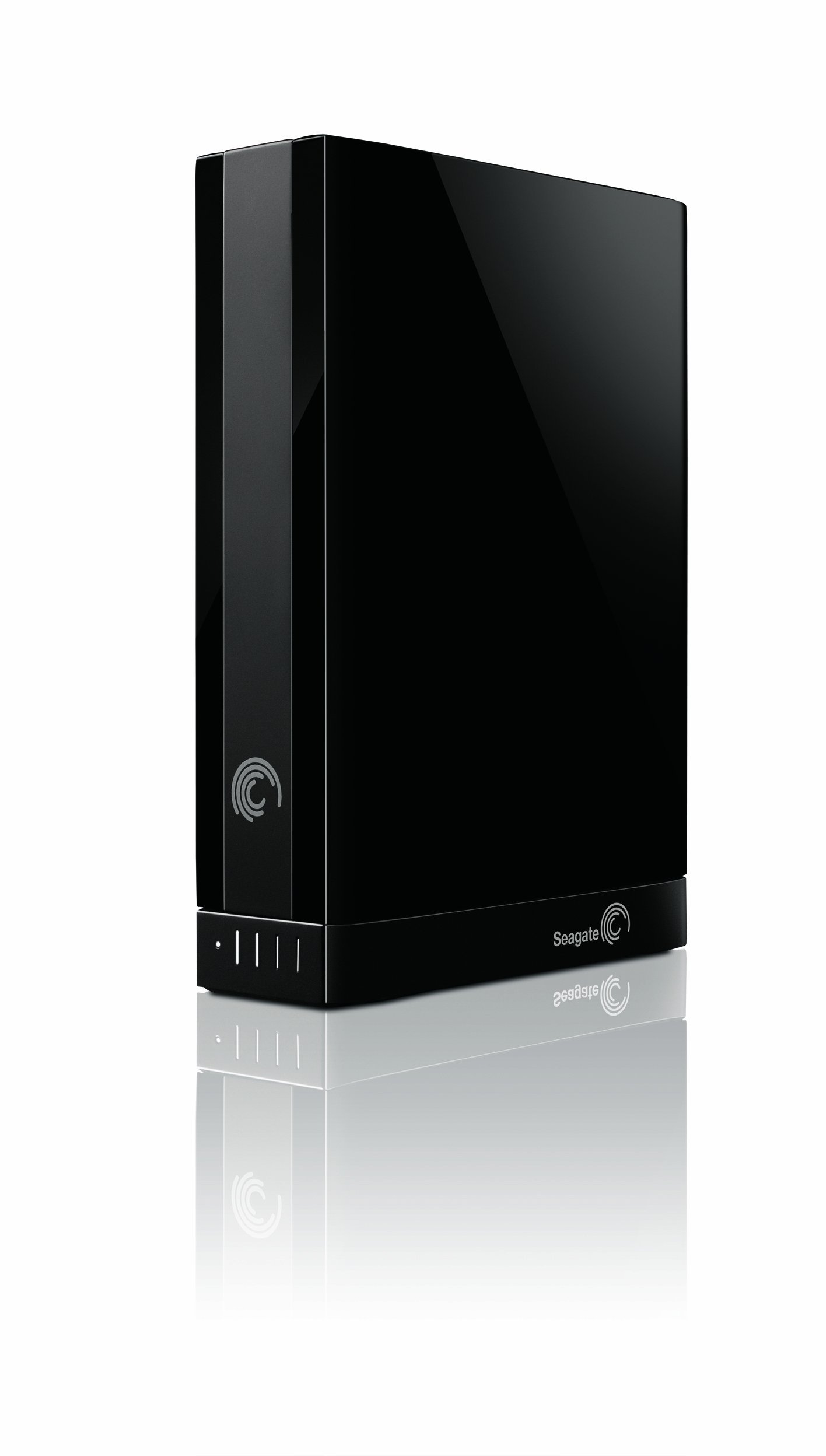
A desktop drive with a pre-loaded NTFS driver so you can move between PC and Mac without reformatting.
The standout feature here is cross-platform friendliness. Seagate pre-loads an NTFS driver for Mac, so you can use the drive interchangeably between PC and Mac without wiping it — a huge convenience that the other desktop drives in this list don’t offer. It’s a 3.5-inch desktop unit with a detachable base that lets you swap the interface adapter between USB 3.0, Thunderbolt, or FireWire 800.
Speed is a big draw, with owners reporting USB 3.0 transfers around 135MB/s and an 8 GB file copying in under a minute. The Seagate Dashboard software adds social network backup, though owners note that Flickr backups save at 1024×768 rather than original resolution. It runs quietly for a 5400 RPM drive and includes a 2-year limited warranty.
The value-for-money praise is strong — over 440 owners highlight it — but reliability is the most-discussed aspect and it’s mixed, with some drives failing almost immediately and losing years of data. Durability also gets negative feedback, and the drive reportedly doesn’t work standing up. This is a “buy with eyes open” recommendation: great speed and Mac flexibility, but keep redundant backups.
What stands out
- Works on PC and Mac without reformatting — a rare convenience
- Fast real-world transfers near 135MB/s
- Swappable interface adapters add Thunderbolt/FireWire options
What to weigh
- Reliability feedback is mixed — some units fail quickly.
- Doesn’t work standing up; needs to sit flat
- Durability is a recurring negative in reviews
Pick this if: you juggle files between a Windows PC and a Mac and hate reformatting drives.
skip it if: your data is irreplaceable — the failure rate demands you keep extra backups.
9. iStorage diskAshur PRO2 HDD 3TB Secure Portable Hard Drive

A rugged 2.5-inch drive with FIPS 140-2 Level 3 certification and PIN-locked hardware encryption on the device itself.
This is the drive for people whose data can’t afford to leak. You enter a 7-15 digit PIN on the built-in keypad to open up it, and when it’s disconnected, everything encrypts via AES-XTS 256-bit hardware encryption — no software required. It’s certified to FIPS 140-2 Level 3 and works on any device with a USB port, including Windows, macOS, Linux, Chrome, Android, and even Citrix and VMware. The rugged shell is dust and water resistant with IP56 certification.
It’s genuinely fast too, with up to 160MB/s read and 143MB/s write speeds over backward-compatible USB 3.2. Owners say it’s easy to use and delivers exactly as advertised. The PIN pad is great for tax records and sensitive business files, but it has a serious edge: if you mess up the reset pattern or enter wrong combos, it can destroy your data. One owner called it “a bit too well” protected — long passkeys and complex settings make it stressful to open up under pressure.
There are also reports of corrupted sectors on a brand-new unit, concerning for a drive marketed on data integrity. This is the most expensive pick here by a distance, and rightly so for the security features. But the combination of PIN complexity and odd corruption reports means it’s for security-focused users who understand the risks, not for casual backup.
Ironclad security: government-grade encryption with a physical PIN pad — nothing else here comes close.
The trade-off: the same lock that protects data can destroy it if you forget the combo, and a few units show corruption issues.
Understanding the Specs
Data Transfer Rate
This is the speed limit for moving files onto and off the drive. It’s measured in gigabits per second (Gbps) for the interface, though real-world speeds are lower. A 5 Gbps USB 3.0 drive moves files fast enough for most backups; a 10 Gbps USB-C drive is twice as quick on paper. Gaming and video work benefit from the faster interface.
Form Factor and Power
Desktop drives are 3.5 inches and need a wall adapter, so they stay on your desk but offer more space per dollar. Portable drives are 2.5 inches and run off the USB port alone, meaning you can carry them in a bag with no extra cables. Your choice here dictates whether the drive travels or lives permanently on a shelf.
FAQ
What is the difference between a desktop and a portable 3 TB drive?
Can I use these drives with a PS4 or PS5?
Does a 7200 RPM drive really make a difference?
Why does my drive show less than 3 TB of space?
What happens if a drive has bad sectors or corrupts data?
Is a hardware-encrypted drive worth the extra cost?
Can I use a Windows-formatted drive on a Mac?
What does a “renewed” or “refurbished” drive mean?
How long should a 3 TB external drive last?
Why is my external drive making a clicking noise?
Final Thoughts: The Verdict
Across the board, the 3 tb external hard drive winner is the Seagate Expansion because it pairs a proven 4.5-star track record from over 21,000 owners with genuinely fast USB 3.0 transfers and a 64 MB cache. If you want the fastest interface for the least money, grab the ModusTech Vault with its 10 Gbps USB-C connection. And for secure portability, the WD My Passport is the one to reach for.
How We Picked
We do not accept paid placement. Every pick is matched to a real buyer and a real use-case; we do not hands-on test units.
Sources & Methodology
Specifications: manufacturer listings and product documentation. Review insights: verified customer reviews, as of August 2026. Pricing: not shown on this page (it changes often); check the current price via the retailer link.
As an Amazon Associate, Gadgets Feed earns from qualifying purchases. This does not affect which products we feature.