
Our readers keep the lights on and my morning glass full of iced black tea. As an Amazon Associate, I earn from qualifying purchases.
Specs are compiled from manufacturer listings and verified buyer reviews and can change over time — please confirm the key details on the product page before buying.
If you’re shopping for a 27 Inch Monitor Wall Mount, the real question isn’t just “does it hold my screen?” It’s about reclaiming desk space, improving posture, and avoiding a sagging arm months later. This guide breaks down the specs that actually matter for a 27-inch display — tilt range, weight limits, and VESA patterns — so you can mount it once and forget it.
I’m Min — the founder and writer behind Gadgets Feed. This guide is built by comparing the manufacturers’ published specifications and the patterns across verified customer reviews, so you get each pick’s real strengths and trade-offs instead of marketing spin.
We’ve dug into the load ratings, motion ranges, and build quality of eight leading arms to help you find the right 27 inch monitor wall mount for your workspace without overpaying or undershooting your needs.
Our Picks at a Glance


How To Choose The Best 27 Inch Monitor Wall Mount
Before you pick an arm, check the back of your monitor. Almost every 27-inch screen has four screw holes in a square pattern called VESA. If the holes are 75x75mm apart or 100x100mm apart, you have a standard mount. If you don’t see holes, you’ll need an adapter plate, which some mounts don’t include.
Weight rating beats screen size
Screen sizes are a rough guide, but the number that protects your gear is the weight limit. A heavy 27-inch gaming panel can weigh more than a lighter 32-inch office display. Look for an arm rated for your monitor’s actual pounds — most single arms here handle roughly 17.6 to 19.8 lbs, which covers the majority of 27-inch models.
Know your wall type
Almost every mount in this list demands a wood stud, brick, or concrete wall. Drywall alone is a non-starter for a heavy monitor arm. Before buying, confirm where your studs are so the mounting plate lines up, and measure to ensure the arm’s extension won’t push the screen too far into your room or too close to a corner.
Quick Comparison
| Model | Best For | Max Tilt | Screen Size | Max Weight | Amazon |
|---|---|---|---|---|---|
| VIVO Premium Dual★ Best Overall | Dual-screen setups | 90 degrees | 21-32 inches | 22 lbs each | Amazon |
| UPGRAVITY SingleBest Value | Mid-range value | 35 degrees | 17-32 inches | 17.6 lbs | Amazon |
| MOUNTUP MU2007Budget Champion | Budget-friendly | 90 degrees | 17-32 inches | 17.6 lbs | Amazon |
| MOUNTUP MU2003 | High-weight 27-inch panels | 90 degrees | 17-32 inches | 19.8 lbs | Amazon |
| ErgoFocus | White finish & smooth motion | 90 degrees | 13-32 inches | 19.8 lbs | Amazon |
| Mount-It! MI-765 | Brand trust & single-stud install | 90 degrees | 13-32 inches | 14.3 lbs | Amazon |
| ARES WING | Ultrawide & heavy 27-inch screens | 50 degrees | 17-49 inches | 44 lbs | Amazon |
| AVLT Dual Arm | Dual 27-inch ergonomic setups | 35 degrees | 13-32 inches | 17.6 lbs each | Amazon |
In‑Depth Reviews
1. VIVO Premium Dual Monitor Wall Mount
Our pick — over 4.5★ from 450+ verified ratings; the strongest balance of quality and price.
The dual-arm champion that holds two 27-inch panels flush to the wall without sagging.
If you run two 27-inch monitors side by side, this VIVO mount is the reason to clear your desk entirely. The standout feature is the patented telescoping arms that slide into each other, letting you collapse the whole rig flat against the wall for a clean look. Each side carries up to 22 lbs, which covers even heavier 1440p 27-inch panels with room to spare.
The motion range is generous — a 90-degree tilt, 180-degree swivel, and 360-degree rotation mean you can flip a screen into portrait mode for coding or documents. Buyers report that it’s a perfect match for two 27″ 1440p Dell monitors, and that it handles off-center studs without complaint. After a year of adjustments, owners mention no sagging—the durability you want from a dual mount.
Be aware that the highest-count checkout point is build quality, which gets mixed feedback — mostly around the plastic cable clips feeling basic. It’s best treated as a set-and-position unit for fixed daily viewing, not something you’ll want to crank into new angles every hour.
Two-Screen Wins
- 22 lbs per arm holds heavy 27-inch and 32-inch panels
- Telescoping arms collapse to a flush wall profile
- 90° tilt and 360° rotation enable portrait mode
Set-It-and-Leave-It Limits
- Mixed feedback on overall build quality
- Basic cable clips, not a full channel system
- Best for fixed position, not frequent daily adjustments
Pick it for: a dual 27-inch workstation where you want a sturdy, flush-mounted setup and don’t plan to re-angle monitors all day.
Think twice if: you need arms that reposition quickly and often — the telescoping design favors stability over constant motion.
2. UPGRAVITY Monitor Wall Mount
A gas-spring arm that delivers a full 11-inch height range on a tight budget.
For a single 27-inch screen, this UPGRAVITY arm gives you the premium feel of a gas-spring lift without the premium price. It’s rated for monitors 17 to 32 inches and up to 17.6 lbs, which is right in the zone for a typical 27-inch panel. The headline spec is an 11-inch height adjustment range, so you can raise the screen to meet your eye line rather than slumping down to it.
Customers note that once you set the tension, you can move the monitor to any height within that 11-inch range, and the adjustments are smooth and sturdy. The arm extends forward up to 20.5 inches when you need to pull the screen closer, and it retracts to just 3 inches from the wall when you don’t. The tilt range is more limited here — 35 degrees total, versus the 90 degrees on the VIVO or MOUNTUP — so think of this as a height-focused arm rather than a recline-any-way unit.
The construction is where a few owners flag a trade-off, noting the plastic feels a bit cheap in spots and that the included Allen wrench may not fit the tensioning socket — keep a backup set handy. For the price, the motion and stability are hard to argue with.
easy Height Moves
- 11-inch gas-spring height range for eye-level viewing
- Extends to 20.5 inches and retracts to 3 inches
- Tested through 25,000+ exercise cycles
Budget Blemishes
- 35-degree tilt is limited vs. competitors
- Some plastic parts feel less premium
- Allen wrench may not fit the tensioner — have your own
Reach for it if: you want a height-adjustable 27-inch mount that clears your desk without busting your budget.
Look elsewhere if: you need deep tilt for glare control — the limited 35-degree range won’t recline far back.
3. MOUNTUP Single Monitor Wall Mount (MU2007)
A featherweight arm that brings full motion to a 27-inch screen at a rock-bottom cost.
This single-arm MOUNTUP is proof that a 27-inch wall mount doesn’t need to cost as much as the monitor it holds. It weighs just 4.8 pounds itself but supports screens up to 32 inches and 17.6 lbs, which is more than enough for the vast majority of 27-inch displays. That low arm weight makes installation a genuinely one-person job because there’s less to hold up while you tighten bolts.
What wins people over is the mount quality — owners consistently note how solid and stable it feels once lag-bolted into framing. The arm rotates a full 360° from landscape to portrait, tilts up 90° and down 45°, and folds to just 3 inches from the wall. The included level makes it simple to keep the plate straight, and the swing range impresses buyers given the cost.
One honest caveat: the adjustability gets mixed feedback, with a couple of owners noting there’s no fine-tuning for left-to-right play. If the screen sits slightly askew, you may need to loosen the bolts and nudge it by hand rather than micro-adjust with a knob. It also can’t lower below the wall attachment point, so mount it at the lowest height you want.
Great for Tight Budgets
- Full 360° rotation for portrait mode
- Only 4.8 lbs — easy solo install
- Folds to 3 inches from the wall
Fine-Tuning Limits
- No precise left-right micro-adjustment
- Screen can’t drop below the wall plate point
- Mixed feedback on adjustability
Best if: you want a dependable, full-motion 27-inch mount for the least money and install it once into a solid stud.
skip it if: you obsess over millimeter-perfect alignment after mounting — this arm prefers a firm hand-setting.
4. MOUNTUP Single Monitor Wall Mount (MU2003)

The alloy-steel arm that shrugs off heavy 27-inch gaming panels and even 49-inch ultrawides.
This second MOUNTUP is the one to grab when your 27-inch monitor is a chunky gaming or pro-grade panel. It lifts up to 19.8 lbs, a step above the standard 17.6 lbs most single arms handle, and that extra headroom means you’re never running at the very edge of the limit. The alloy steel build is what buyers praise most, calling it the sturdiest mount they’ve found at the price.
Reviewers point out it holds massive 49-inch ultrawides with the tilt bolt cranked down tight — overkill for a 27-inch screen, but a great sign of reserve strength. The premium spring makes vertical movement smooth, and the detachable VESA plate lets you pre-mount the bracket on your monitor before you ever lift it to the wall. For a 27-inch setup, this is buy-once-and-stop-worrying territory.
The catch is the adjustability, which earns mixed notes because the tilt joint can loosen over time and let the screen drift forward until you re-tighten it. A few owners also mention the included hardware lacks a wrench for the bolts. Remember: it’s not for drywall alone — you’ll need a stud, brick, or concrete wall.
Built for the Heavy Stuff
- 19.8 lbs capacity for beefy 27-inch panels
- Alloy steel joints praised as the sturdiest at the price
- Detachable VESA plate simplifies solo mounting
Keep the Wrench Handy
- Tilt joint may need periodic re-tightening
- No wrench included for the bolts
- Adjustability rated mixed, not stellar
Grab it for: a heavy 27-inch or even larger monitor where exceeding the weight spec by a few pounds matters.
Pass if: you want zero-maintenance positioning — the tilt joint may demand the occasional re-tighten.
5. ErgoFocus Monitor Wall Mount
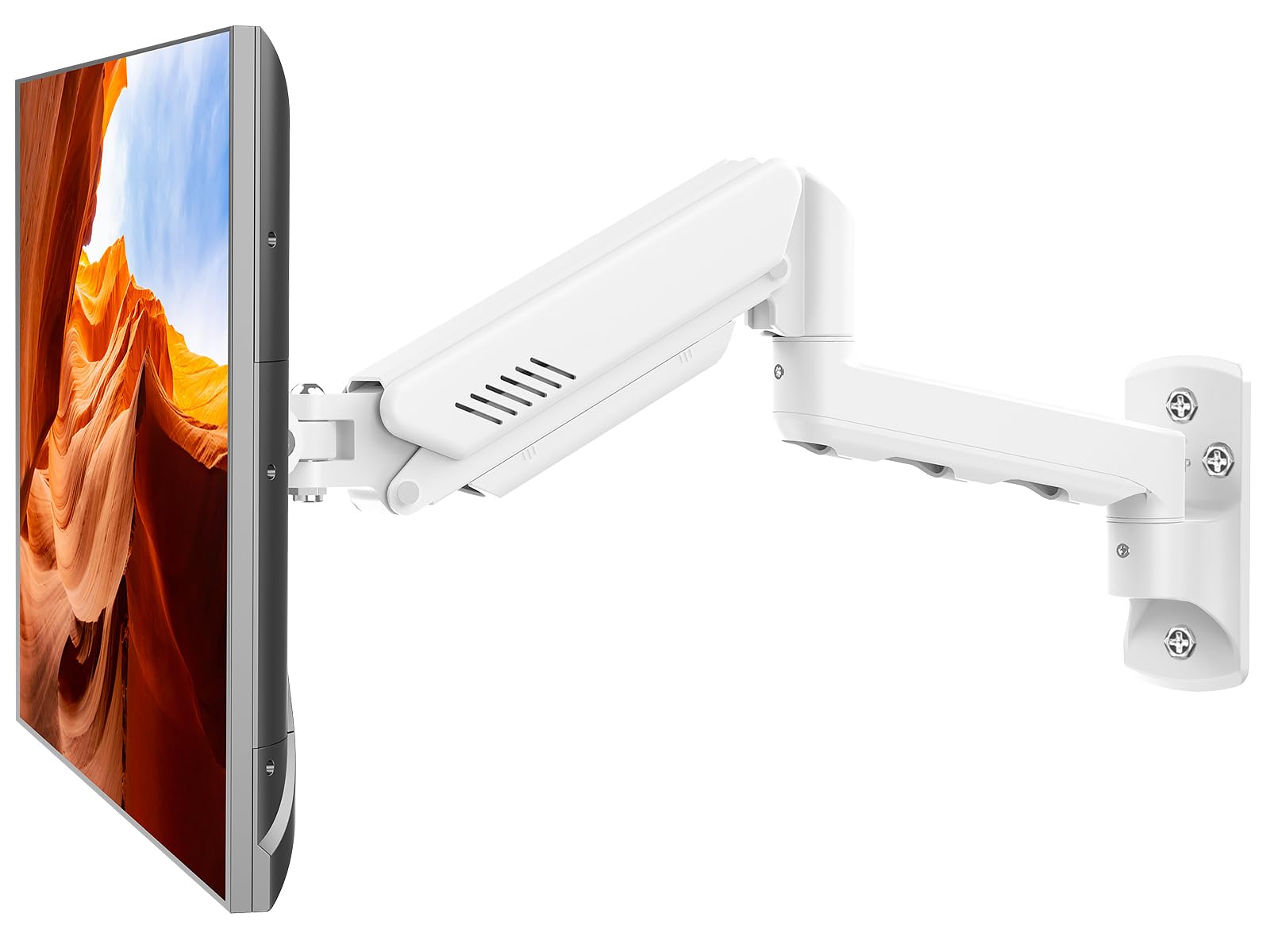
The rare white-finished arm that pairs a 21.6-inch reach with buttery-smooth motion.
When most mounts come in black, this ErgoFocus stands out — literally and functionally. The white finish makes it a smart match for bright, minimal workspaces, and it supports monitors from 13 to 32 inches up to 19.8 lbs, so a 27-inch panel sits well within its comfort zone. The defining spec is the 21.6-inch extension, giving you a longer reach than most arms in this list.
Shoppers say the gas-spring motion is smooth and the adjustments are easy, with one noting it holds a 30-inch curved monitor solidly on a standing desk. The quality and sturdiness are the aspects owners praise most, and a repeat buyer says they’ve purchased three of these over several months without any issues. It also tilts up to +90°/-90° and swivels to match, giving you plenty of glare control.
The one caution from owners is that the upper mounting holes sit side-by-side, which makes it easy to misalign with a wall stud — measure carefully before you drill. It’s also a mount that needs a solid wall, so keep it off drywall alone.
Long-Reach Flexibility
- 21.6-inch extension pulls the screen in close
- White finish for bright workspaces
- 19.8 lbs capacity with smooth gas-spring glide
Install Care Needed
- Side-by-side top holes are easy to misalign with studs
- Not for drywall-only installation
- Fewer reviews than the category leaders
Choose it for: a clean, light-colored workspace and a 27-inch monitor you like to pull close for detail work.
Steer clear if: your studs aren’t perfectly aligned with the plate’s side-by-side top holes — you’ll want room to shift.
6. Mount-It! Full-Motion Gas Spring Arm
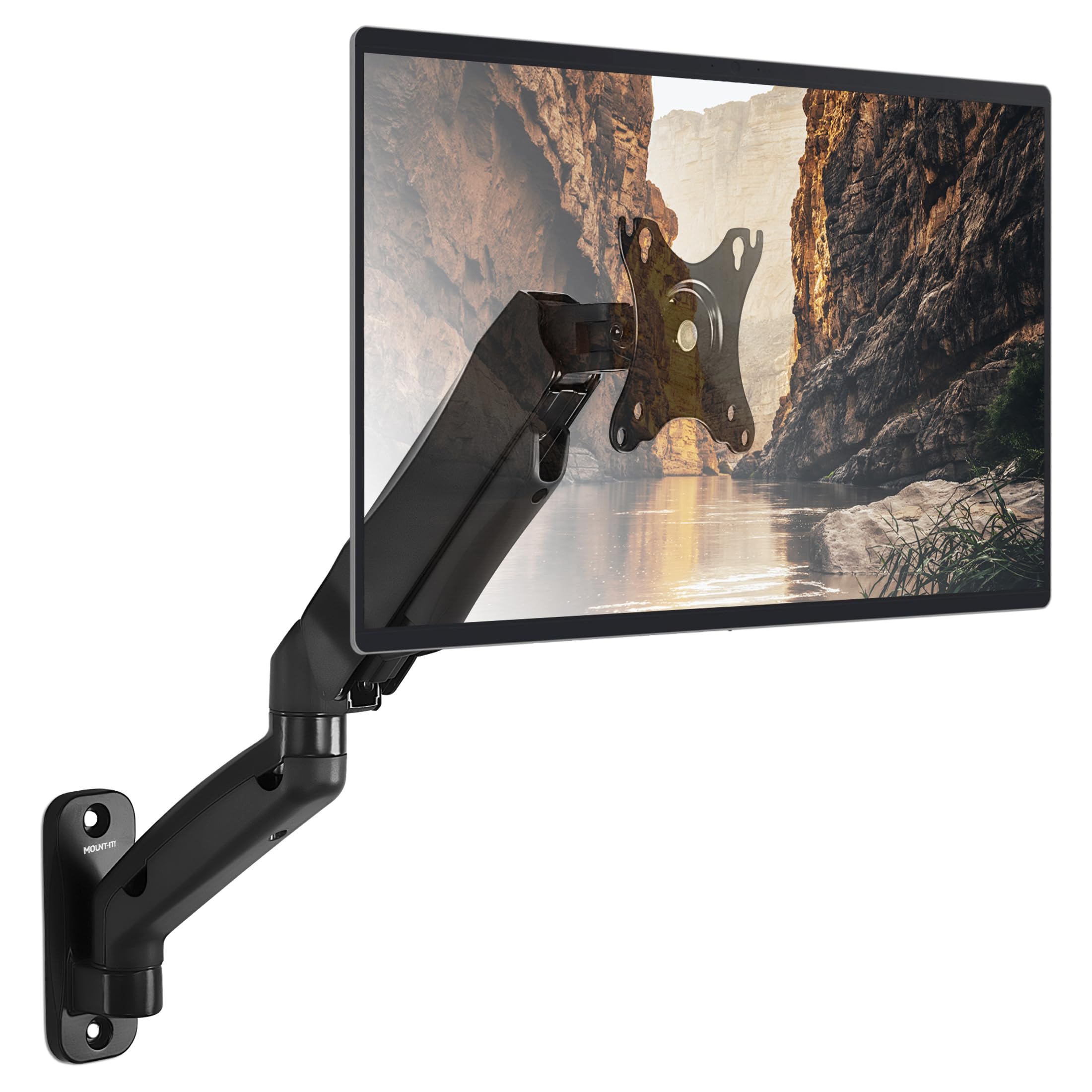
A gas-spring arm that mounts on a single stud and holds a 27-inch screen rock-steady.
This Mount-It! arm is the one to pick when your wall studs aren’t where you want them. The heavy-duty design attaches to a single wood stud or solid concrete wall, which simplifies installation when framing is sparse. It’s rated for 13- to 32-inch monitors up to 14.3 lbs, so a standard 27-inch panel is comfortably within range, though the weight limit means very heavy gaming monitors are a no-go.
Buyers report months of use with a 32-inch monitor, praising its never-sagging sturdiness. The gas-spring lets you glide the screen to the right height with fingertip pressure, and the arm extends up to 17.1 inches when you need it closer. It’s also built for extended reach with a 90° tilt, 180° swivel, and 360° rotation.
The honest downside is the adjustability, which gets mixed feedback. Some owners find the vertical adjustment limited, and the arm balance requires persistent Allen-wrench turns before it moves smoothly. A few also note the stud spacing can limit left-right alignment, so plan your placement before drilling.
Single-Stud Simplicity
- Mounts to one wood stud or solid concrete
- Owners praise the rock-steady hold on 32-inch screens
- Extends 17.1 inches and tilts 90°
Setup Patience
- Vertical adjustment reported as limited
- Arm balance needs persistent wrench tuning
- 14.3 lbs is light for heavy 27-inch panels
Best for: a standard-weight 27-inch monitor and a wall where only one stud is conveniently placed.
Not for: a hefty 27-inch gaming panel over 14 lbs — you’ll be over the rated capacity.
7. ARES WING Monitor Wall Mount

The heavyweight champion that lifts a 27-inch screen like it’s nothing — and flexes up to 49 inches.
If you want serious future-proofing, the ARES WING is the overachiever of this list. It’s rated for monitors from 17 up to 49 inches and carries a massive 44 lbs — more than double what most single arms here handle. That means your 27-inch panel isn’t just supported; it’s barely a workout for the arm. Its internal gas spring passed 20,000+ fatigue tests, ensuring years of sag-free support.
You get the longest reach in this guide—up to 23.9 inches—so you can pull a heavy ultrawide close to your face for gaming or push it back for desk space. The height adjusts across 10 inches, letting you align the screen with your eye level without shims. Tilt ranges from +50° to -20°, a middle ground between the 35-degree and 90-degree options on other mounts. Owners mention the mount holds heavy ultrawides without sag or drift, and they praise its build as comparable to far pricier options.
The trade-off is that the adjustability gets mixed reviews — one owner couldn’t get the tilt to go all the way down without forcing it. At 8 pounds, the arm itself is also the heaviest here, so installation is a two-person job. If you’re only mounting a light 27-inch office monitor, this is more muscle than you need.
Maximum Muscle
- 44 lbs capacity handles any 27-inch panel easily
- 23.9-inch reach, the longest in this guide
- Build quality praised as comparable to pricier arms
Overkill to Manage
- 8 lbs arm weight makes solo install tough
- Tilt mechanism can be stiff to move
- Mixed feedback on adjustability
Pick it if: you run a heavy 27-inch panel now and might upgrade to an ultrawide later — this arm handles everything.
pass on it if: you just need a light, cheap arm for a standard office monitor; you’d be paying for unused capacity.
8. AVLT Dual Monitor Arm Wall Mount

The ergonomic dual mount that lifts two 27-inch screens with a gas-spring assist and clean cable routing.
For a dual 27-inch setup on a small desk, this AVLT mount is the ergonomic answer. Each arm supports up to 17.6 lbs, and the gas-spring mechanism assists height adjustment across an 11-inch range, so you can bring each screen to your eye line independently. The triple-bolt wall plate mounts to cement, brick, or wood, giving you a sturdy base for two monitors.
Installation is the most-praised aspect here, with owners noting a 15-20 minute setup when the wall is prepped. The cable management runs cords through the arms for a clean look, and customers note the screens stay positioned well even after 1.5 years of use. It’s a favorite for small desks because it frees up a huge amount of surface area.
The stability gets mixed feedback — some owners mention wobble, and the extended arms can push into the desk if your desk isn’t deep. Owners also note the arms, when flat, separate monitors widely, so carefully measure your workspace before committing. The 35-degree tilt is on the limited side, too.
Small-Desk Savior
- Gas-spring 11-inch height range per arm
- Built-in cable management for a tidy look
- Owners praise the easy 15-20 minute install
Space Math Required
- Extended arms may encroach on a shallow desk
- Stability gets mixed feedback — some wobble reported
- Limited 35-degree tilt range
Ideal for: a dual 27-inch setup where you want each screen independently height-adjusted and a deep desk to absorb the arm reach.
Reconsider if: your desk is shallow — the extended arms can push the screens too far into your workspace.
Understanding the Specs
VESA pattern
This is the square of screw holes on the back of your monitor, measured in millimeters. The two standards are 75x75mm and 100x100mm — virtually every 27-inch monitor uses one of these. Measure the distance between the center of the holes on your monitor and match it to the mount’s spec sheet. If your monitor lacks holes entirely, you’ll need a VESA adapter plate that may not ship with the arm.
Weight capacity
This is the mount’s maximum monitor weight, and it’s the number that actually protects your gear. A heavier 27-inch gaming panel can weigh up to 19.8 lbs, while a slim office display may be just 10 lbs. Always buy a mount rated for your exact monitor’s weight — running at the very edge of the limit can cause sagging or droop over time.
FAQ
Will a 27 inch monitor wall mount fit my specific monitor brand?
Can I mount a 27 inch monitor on drywall alone?
What does VESA 100×100 mean on a mount?
How much weight can a 27 inch monitor wall mount hold?
How do I know if my monitor is too heavy for a mount?
Can a single arm wall mount hold two 27 inch monitors?
What is the difference between tilt, swivel, and rotation on a monitor mount?
How long does a gas spring monitor wall mount last?
Final Thoughts: The Verdict
The crowd favorite for a dual-screen setup is the VIVO Premium Dual, because its telescoping arms and 22 lbs per side handle two 27-inch panels with no sagging. If you want a single-arm value pick, the UPGRAVITY offers an 11-inch gas-spring height range for far less than most premium arms. And for a heavy 27-inch gaming monitor with room to grow, the ARES WING is the one to reach for, with a 44 lbs rating that makes your current screen feel weightless.
How We Picked
We do not accept paid placement. Every pick is matched to a real buyer and a real use-case; we do not hands-on test units.
Sources & Methodology
Specifications: manufacturer listings and product documentation. Review insights: verified customer reviews, as of August 2026. Pricing: not shown on this page (it changes often); check the current price via the retailer link.
As an Amazon Associate, Gadgets Feed earns from qualifying purchases. This does not affect which products we feature.