
Our readers keep the lights on and my morning glass full of iced black tea. As an Amazon Associate, I earn from qualifying purchases.
Specs are compiled from manufacturer listings and verified buyer reviews and can change over time — please confirm the key details on the product page before buying.
Your phone already sees light, but it cannot see heat. That is exactly what an Android thermal camera adds — a way to spot the cold draft, the overheating wire, or the hidden water leak that your eyes miss. The right one turns a simple USB-C plug-in into a tool that can pay for itself on the first home repair.
I’m Min — the founder and writer behind Gadgets Feed. This guide is built by comparing the manufacturers’ published specifications and the patterns across verified customer reviews, so you get each pick’s real strengths and trade-offs instead of marketing spin.
The key is matching resolution to your job, and this breakdown of the android thermal camera market separates the genuinely sharp sensors from the ones that just promise big numbers.
Our Picks at a Glance


How To Choose The Best Android Thermal Camera
Thermal cameras used to be bulky, expensive tools for specialists. Now they are pocket-sized add-ons that slip onto your phone, but the spec sheets can get confusing fast. Here is the plain-English version of what actually matters when you are hunting for a leak or checking a breaker panel.
Start with the detector resolution
The detector resolution is the raw number of heat-sensing pixels the camera uses before any software tricks. A 256×192 sensor sees a coarse grid, while a 512×384 sensor sees twice the detail in each direction. Higher native resolution means you can stand further back and still spot a small hot spot, which is why it is the first number to compare.
Understand “Super Resolution” claims
Many cameras advertise a boosted resolution, like scaling 256×192 up to 512×384. This uses software to sharpen the image, and it genuinely helps you see shapes and edges better. But it is not the same as a native sensor at that resolution, so read the fine print to know the real detector size.
Quick Comparison
| Model | Best For | IR Resolution | Temp Range | Power Source | Amazon |
|---|---|---|---|---|---|
| TOPDON TC002C Duo★ Best Overall | Universal USB-C & tight spaces | 256×192 (512×384 TISR) | -4°F to 1022°F | Phone Powered | Amazon |
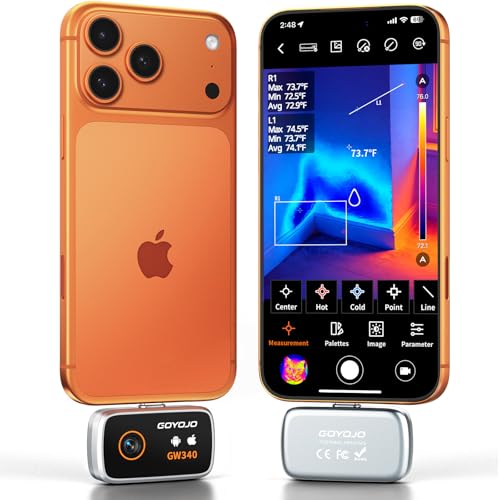
| GW340Best Value | Accurate spot checking | 512×384 | -4°F to 752°F | Rechargeable | Amazon |
| FOXWELL RT100Top Performer | Long inspection sessions | 512×384 TISR | -4°F to 1022°F | Phone Powered | Amazon |
| Flir One | Guided home inspections | 80×60 (240×180 SR) | Scene 5°C to 120°C | Built-in Battery | Amazon |
| Infiray P2 Pro | Circuit board work | 256×192 | -4°F to 1112°F | Phone Powered | Amazon |
| VANTRUE TS1 | Pocket portability | 512×384 Super IR | -4°F to 1022°F | Phone Powered | Amazon |
| Thermal Master P2 Pro | Macro electronics inspection | 512×384 X³ | -4°F to 1112°F | Phone Powered | Amazon |
| Thermal Master P3 | Close-up PCB diagnosis | 512×384 X³ | -4°F to 1112°F | Phone Powered | Amazon |
| Flir Edge Pro | Seeing around corners | 160×120 (480×360 SR) | Scene 5°C to 120°C | Built-in Battery | Amazon |
In‑Depth Reviews
1. TOPDON TC002C Duo Thermal Imaging Camera
Our pick — over 4★ from 250+ verified ratings; the strongest balance of quality and price.
A featherweight that finds leaks before they find you.
The TOPDON TC002C Duo is the crowd favorite for a simple reason — it just works across almost every device. It uses a 256×192 sensor and boosts it to 512×384 with TISR (TOPDON’s Image Super Resolution software), so you see sharper edges than the raw chip alone could give you. The whole unit weighs just 1.1 oz and measures 2.8 x 1.7 x 0.55 inches, which means it slides into a pocket and disappears until you need it.
You can read temperatures from -4°F up to 1022°F with an error of ±2°C or 2%. The real story is in the reviews: Buyers report finding a hot water leak under their house within minutes, saying it paid for itself on that first diagnosis.. Its 25Hz refresh rate keeps the image smooth when you are sweeping across a wall, and the heat sensitivity of 40mK (a measure of the smallest temperature difference it can detect) catches subtle variations.
The USB-C connection draws power straight from your phone, so there is no battery to charge. That is convenient, but a few owners note the connection can feel loose and is the most delicate part of the design. It works with iOS, Android, and Windows, though it is not yet compatible with Android 16 devices.
Owner consensus: The thing everyone raves about is the functionality — over 60 owners single out how well it performs its core job.
One honest catch: The subscription AI features are unimpressive, so buy this for the hardware, not the extras.
Reach for it if: you want one thermal camera that pairs reliably with whatever USB-C phone or tablet you own.
Look elsewhere if: you need a rock-solid physical connection and plan to use it heavily every single day.
2. GW340 Thermal Camera
Sharp native 512×384 imaging at a price that undercuts the big names.
The GW340 skips the software upscaling debate by delivering a native 512×384 resolution — double the detail of a 256×192 sensor. That extra clarity shows up when you are trying to tell a warm pipe from a cold wall stud. Its temperature range of -4°F to 752°F with ±2°C or 2% error is plenty for home inspection, HVAC checks, and automotive work.
Reviewers report the display reads within about 1.5°F of their reference tools, which is solid for the money. It is a pocket-sized design at 1.77 x 0.43 x 1.34 inches, but unlike most phone cameras here, it has its own rechargeable battery. That means it does not drain your phone during a long session, though one owner notes you have to connect the battery wires before first use.
The bundled desktop software is the weak link — a reviewer found malware in it and recommends using the free IRImageTools from the Microsoft Store instead. Stick with the THG Start app on your phone and this is a genuinely accurate little tool.
What wins people over
- Accuracy is the top praise — over 60 owners call the temperature readings almost dead on.
- Battery means zero drain on your phone
- Fine-tune emissivity and object distance for different materials
The honest trade-offs
- Bundled PC software is a malware risk — uninstall it
- Requires OTG enabled in phone settings before it connects
Best for: anyone who wants a true high-res sensor without paying flagship prices.
skip it if: you refuse to fiddle with phone settings and want pure plug-and-play.
3. FOXWELL RT100 Thermal Imaging Camera
A marathon runner built for long inspections that outlast other sensors.
The FOXWELL RT100 gives you the same 512×384 TISR boosted resolution as the top pick, but it pairs it with the longest working time in this lineup. It draws a tiny 0.15W from your phone, which the maker says delivers up to 10 hours of continuous use — a few hours longer than most rivals. The included 25.5-inch USB cable is the secret weapon, giving you reach to inspect tight spots without contorting your phone.
Its temperature range spans -4°F to 1022°F with ±2% accuracy, and it can detect shifts as small as 0.1°C. The 25Hz refresh rate keeps the image fluid even in dark or dynamic scenes, which matters when you are watching a moving belt or scanning a dark attic. Owners say it produces clearer images than the Flir One Gen 3, and a sturdy aluminum body gives it a premium feel.
The main compatibility note is the app — one owner found the official app would not install on their particular phone, though a third-party app open up full control. It is a brilliant tool when the software cooperates, but check the compatibility list for your specific handset first.
Performance read: Owners mention it sees palm-vein heat with good dynamic range, and it works on a PC as a bonus.
Watch out: Temperature accuracy can drift up to 4°C off at extremes, so treat it as a great finder, not a lab instrument.
Choose it for: long jobs where a dying phone battery is your biggest fear.
Think twice if: you want guaranteed official-app support on every phone model.
4. Flir One Thermal Imaging Camera
The brand electricians trust, with a built-in guide that holds your hand.
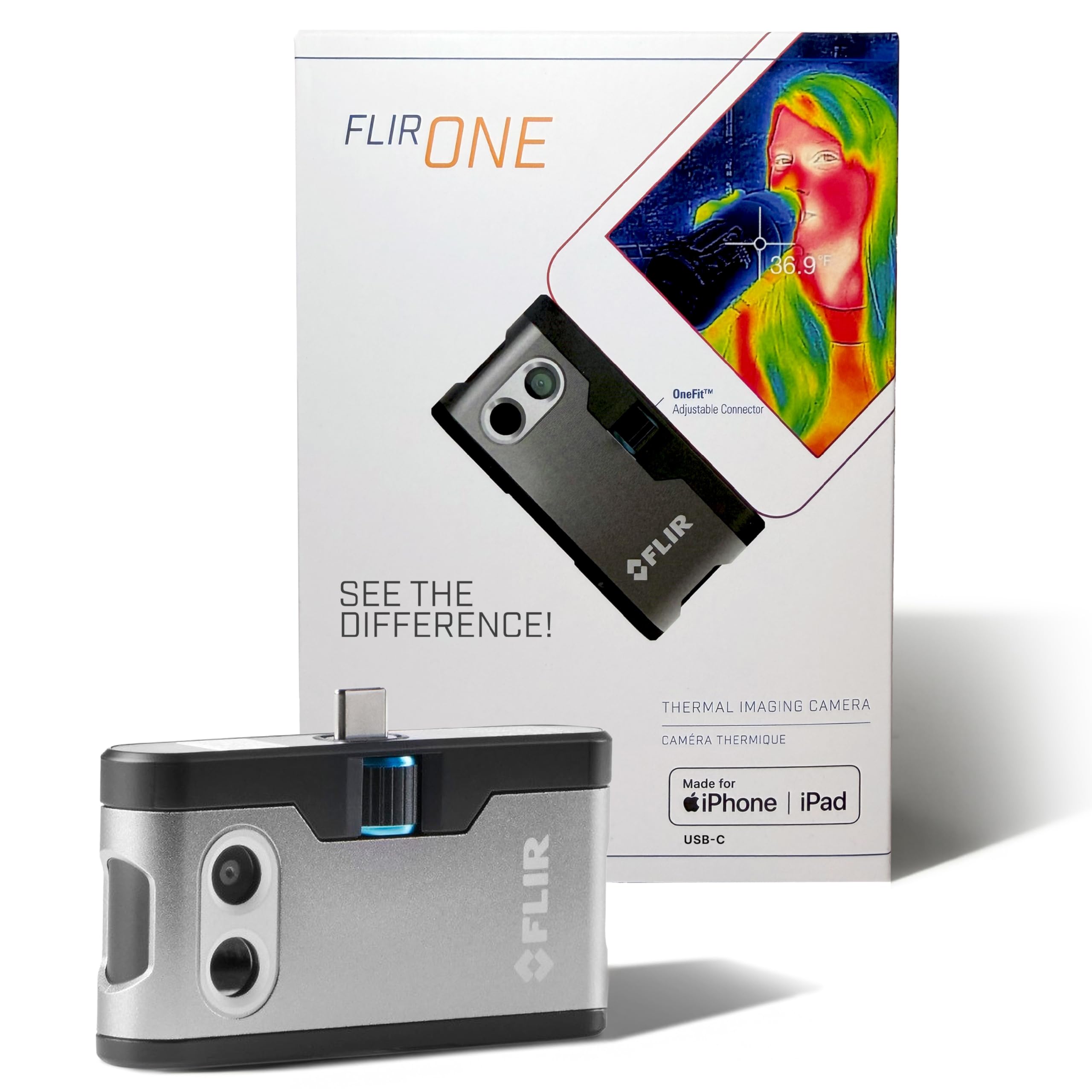
The Flir One is the iPhone-native pick here, plugging into any USB-C iPhone 15 or newer, but it earns its place on this list because its app is genuinely instructive. The Flir One app contains step-by-step inspection guides that walk you through finding air leaks, moisture buildup, and typical electrical faults. That guidance is the standout feature for a first-time buyer who wants to know what they are looking at.
Its native sensor is only 80×60, upscaled to 240×180 via Flir’s Vivid IR technology plus MSX (which merges thermal and visual images in real time for sharper edges). Measurements land within ±3°C or ±5% under normal conditions. The body is rated to survive a drop from 1.5 meters, so it shrugs off jobsite abuse that would crack a cheaper sensor.
The trade-off is the numbers. Its resolution is the lowest in this lineup, and the built-in battery is a known weak point — customers note short battery life and a phone attachment that can break after months of regular use. If you need the sharpest detail, the higher-res options above beat it; if you want a tough, guided intro tool, this is your match.
Why it stands out
- Thermal inspection guides in the app for beginners
- Built to take a 1.5-meter drop
- MSX overlay makes hot spots easy to locate
Where it falls short
- 80×60 native resolution lags behind rivals
- Battery life is the recurring complaint
- iPhone-only — no Android hookup
Ideal for: a homeowner with a newer iPhone who wants coaching on the basics.
Not for: Android users or anyone needing fine thermal detail.
5. Infiray P2 Pro Thermal Camera

Tiny enough for circuit boards, sharp enough to catch a failing component.
The Infiray P2 Pro is built for close work, and its magnetic macro lens is the reason electronics hobbyists love it. Snap the lens on and you can inspect a circuit board in detail, spotting the one resistor that is running hot. Its 256×192 sensor at 25Hz delivers smooth imaging, and the pixel size of 12μm (the individual heat sensor cells) helps it pick up fine detail.
It reads from -4°F up to 1112°F — the widest top end in this group — with an accuracy claim of ±3.6°F. The 50cm adapter cable is a thoughtful inclusion for reaching awkward spots. Owners describe it as incredibly small and say it outperforms their old handheld units, with one noting it can even see footprints walking across a wood floor.
The catch is power. It draws around 1.5–2 hours of use from a 3500mAh phone battery, which is heavy compared to the ultra-low-draw models. The app also looks a bit sketchy and does not always save your settings. And despite some listing claims, it does not work on iPhone — this is strictly for Android 9.0 and above.
What wins people over: The functionality earns the most praise — owners find it a perfect fit for circuit board work.
Fair warning: It eats phone power fast, so carry a charger for long sessions.
Get it for: PCB inspection and electronics troubleshooting where the macro lens shines.
Pass if: you want all-day battery life or need an iPhone-compatible unit.
6. VANTRUE POWER TS1 Thermal Camera
Smaller than a matchbox, yet it finds insulation gaps and brake heat with ease.
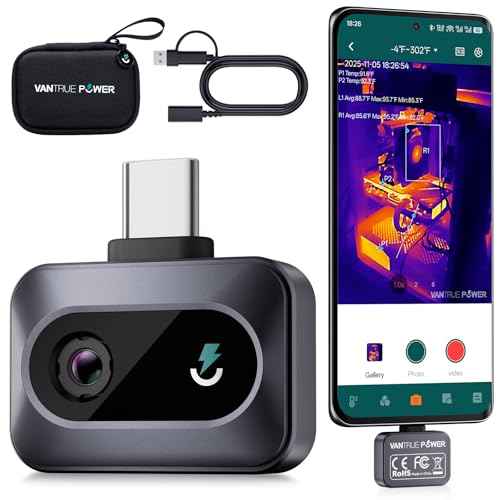
The VANTRUE TS1 is the size champion here at just 1.22 x 0.82 x 0.38 inches and 0.02 pounds — you will forget it is in your pocket. It packs a 512×384 Super IR boosted resolution and a 25Hz refresh rate, so the image stays crisp even as you sweep across a room. A wide 40°(H)×30.2°(V) field of view lets you capture whole sections of wall in one pass.
It measures from -4°F to 1022°F with ±3.6°F accuracy and a claimed 0.1°C measurement precision. The 12μm detector captures temperature changes as small as 0.035°C, which is why owners say it spots subtle problems like the early heat of a failing electrical component. The included EVA storage bag keeps it safe, and the maker throws in a 1-year warranty plus lifetime technical support.
The app is straightforward and works instantly over USB-C with no battery or Bluetooth handshake. Owners praise the sharp imaging and even use it to check tire heat gradients during track days. The learning curve is real if you want perfect emissivity settings for different materials, and it draws a modest 0.33W from your phone.
The highlights
- Accuracy is the top praise — over 10 owners call it spot on.
- Pocket-sized with a protective case included
- 15x digital zoom for close-up scans
The limitations
- Colors are relative, not absolute, so compare within one image
- Advanced analysis tools are limited in the app
Grab it if: you want maximum portability without sacrificing image quality.
pass on it if: you need deep data analysis tools built into the software.
7. Thermal Master P2 Pro

Reads a 0.25mm resistor from 4cm away — the closest look at heat you can get.
The Thermal Master P2 Pro is the only phone thermal camera with a magnetic macro lens that gets this intimate with your subject. It can clearly observe a 0.25mm resistor from just 4cm away, which makes it a surgical tool for electronics repair. The Razor X and X³ algorithms boost the 256×192 sensor to 512×384 for ultra-clear images.
Its temperature range spans -4°F to 1112°F with ±2°C PCB accuracy. You can configure over 50 environmental parameters to fine-tune readings, and a 15x digital zoom lets you zoom by sliding two fingers — a feature no other phone thermal camera claims. The 25-frame-per-second refresh keeps the feed smooth, and it weighs just 9g, light enough to live in a suit pocket.
Owners are impressed by how sensitive it is, noting it can detect breathing and see a cat in complete darkness. The app can lag on some Samsung phones, and the image quality is solid but not the absolute sharpest here. It draws a tiny 0.33W, delivering 5-7 hours of use from a 3000-5000mAh phone.
Owner take: The performance is the most-discussed strength — it works as advertised for home and electronics troubleshooting.
The caveat: App lag on certain high-end Samsung phones is the recurring gripe.
Best for: electronics hobbyists and technicians who need macro-level heat detection.
Consider another if: you use a Samsung flagship and cannot tolerate occasional app stutter.
8. Thermal Master P3
Manual focus for PCB sleuths who need to pinpoint a single overheating component.
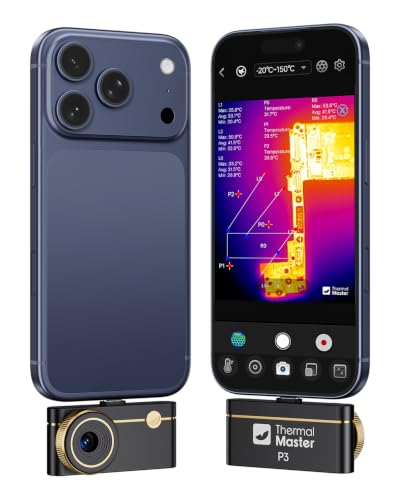
The Thermal Master P3 is the more capable sibling in the Master lineup, built around a manual focus lens with a minimum focusing distance of 8mm. That lets you get extremely close to a circuit board and isolate one microelectronic component. It upscales its 256×192 sensor to 512×384 with Razor-Sharp X³ Super Resolution, and the 25Hz refresh keeps the image fluid while you hunt for faults.
Its temperature range of -4°F to 1112°F with ±3.6°F accuracy, plus adjustable emissivity, covers electrical, HVAC, and automotive checks. Unlike the P2 Pro, this one includes a Lightning adapter for older iPhones and a 19.7-inch extension cable for Windows connectivity. It weighs just 0.93 oz and pulls only 0.3W from your phone for 5-8 hours of use.
The app’s professional features include bird-watching mode, 15× digital zoom, 12 color palettes, and picture-in-picture. Owners found it instantly located a leaky heater vent and an overheating circuit breaker. But the app gets mixed feedback — some find it intuitive, others struggle, and one owner had to work around PC driver issues that antivirus flagged as a virus.
What impresses
- Manual focus enables extreme close-ups — one owner read a single hair follicle
- Plug-and-play on iOS and Android with no battery
- Accurate readings within ±0.05-1°F in practice
What frustrates
- Some units arrive locked to Celsius with no Fahrenheit switch
- PC software has driver/antivirus headaches
- No retroactive temperature measurement on saved video
Choose it for: serious PCB inspection where manual focus is non-negotiable.
Pass if: you want a fuss-free desktop workflow — stick to the Android app.
9. Flir Edge Pro Wireless Thermal Camera
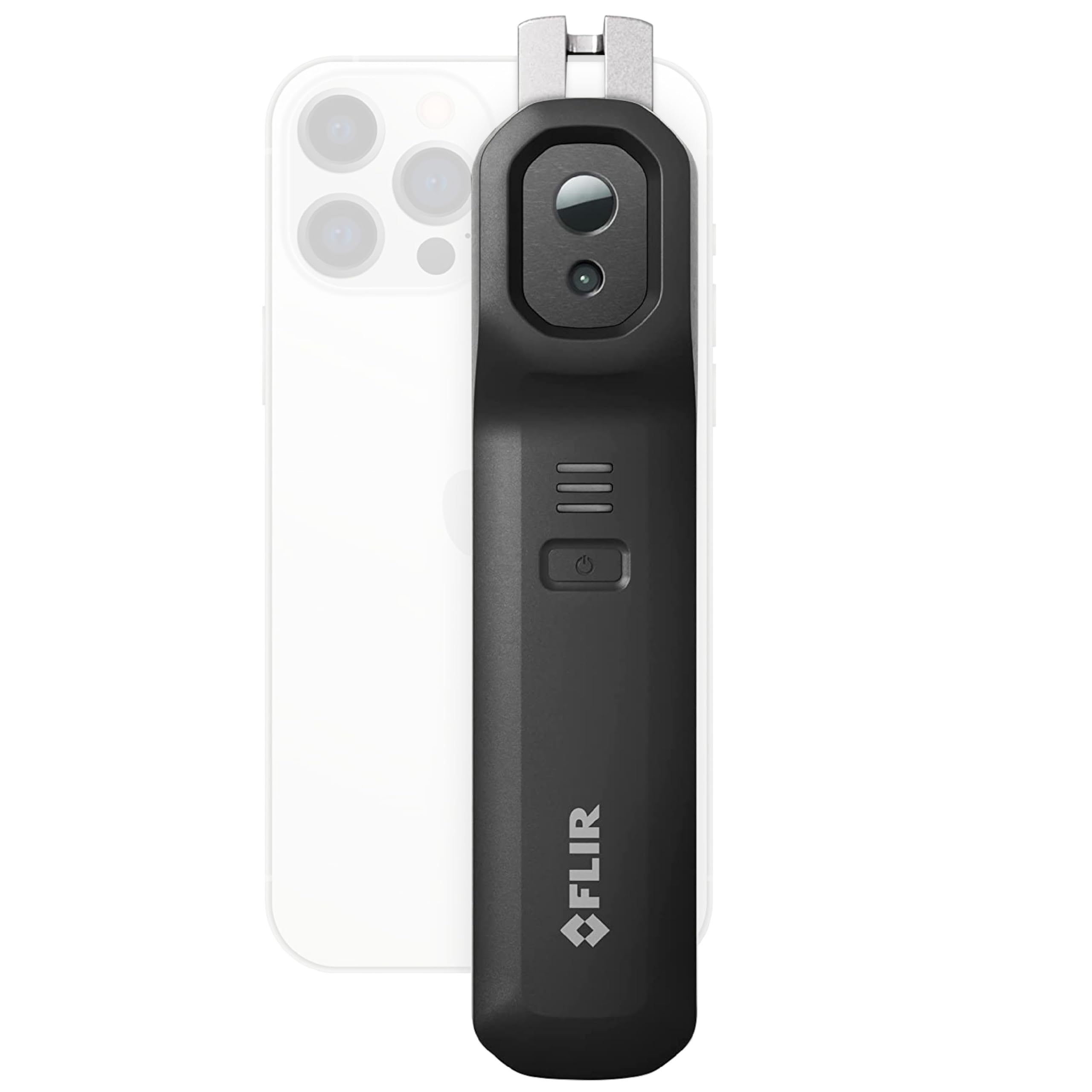
The only wireless option here — see heat around corners without a physical tether.
The Flir Edge Pro breaks the USB-C mold entirely. It connects to your phone or tablet wirelessly via Bluetooth, so you can point the camera around a corner, into a tight pipe chase, or under a car while your phone stays comfortably in your hand. Its native 160×120 sensor upscales to 480×360 with Flir’s Vivid IR technology, and MSX merges thermal and visual images for clearer context.
It is the most expensive unit here and the only one with a built-in battery — no drain on your phone at all. Owners say it pairs more reliably on iPhone than Android, though it does work with Android 11 or higher, and it replaced a higher-end FLIR B20 for most professional tasks. The 30mm focal length with autofocus handles a range of distances.
The honest trade-offs are significant. Reviewers point out lag compared to a wired connection, a slow refresh rate, and connection drops. The image quality draws heavy criticism, and the tablet app has known orientation bugs. It is genuinely the best choice for wireless freedom, but you accept a performance hit for that convenience.
The verdict: This is a fit-based choice — the IR quality is the most-mentioned aspect, and it is decidedly mixed, not a clear win.
Who it suits: Professionals who value no-tether flexibility over raw frame rate.
Reach for it if: you regularly inspect awkward, hard-to-reach spots where a cable would snag.
Look elsewhere if: you need smooth real-time scanning — the wired options above are far more fluid.
Understanding the Specs
IR Resolution & Super Resolution
The IR resolution is the number of heat-sensing pixels on the detector, written as width × height (256×192, 512×384). More pixels means you see smaller temperature differences at a distance. “Super Resolution” (TISR, X³, Vivid IR) is software that upscales the native sensor to a higher number, sharpening edges and making hot spots easier to locate. Always check the native resolution — that is the hardware truth.
Temperature Range & Accuracy
The temperature range (like -4°F to 1022°F) sets the extremes you can measure, from freezing pipes to hot exhaust. Accuracy (like ±2°C or 2%) tells you how close the reading is to the true temperature. A wider range matters if you check vehicle components or industrial gear; a tighter accuracy spec matters if you are comparing two similar surfaces for a subtle difference.
Refresh Rate & Sensitivity
The refresh rate (measured in Hz, like 25Hz) is how many times per second the camera updates the image. A higher rate means smoother video and less blur when you sweep across a wall. Sensitivity (measured in mK, like 40mK) is the smallest temperature difference the sensor can detect — a lower number reveals fainter heat signatures, like a warm wire behind drywall.
Power Source: Phone vs Battery
Some thermal cameras draw power straight from your phone over USB-C, so there is no battery to charge but your phone drains faster. Others, like the Flir models and the GW340, have their own built-in battery so your phone stays topped up for other tasks. Wireless models use Bluetooth and run on internal power, trading a cable for a heavier, bulkier body.
FAQ
Will a USB-C thermal camera work with any Android phone?
What is the difference between native and Super Resolution?
Can these cameras see through walls?
How far away can I measure temperature?
Does a thermal camera drain my phone battery fast?
What is emissivity and why does it matter?
Is a thermal camera worth it for home use?
Can I use a thermal camera to spot wildlife or pets in the dark?
What is the difference between the Thermal Master P2 Pro and P3?
Do I need the bundled software or can I use a third-party app?
Final Thoughts: The Verdict
For the majority of shoppers, the android thermal camera winner is the TOPDON TC002C Duo because it pairs broad USB-C compatibility with sharp boosted imaging at a sensible price. If you want the highest native resolution for accurate spot-checking, grab the GW340. And for electronics work that demands a macro view of individual components, the Thermal Master P2 Pro is the one to reach for.
How We Picked
We do not accept paid placement. Every pick is matched to a real buyer and a real use-case; we do not hands-on test units.
Sources & Methodology
Specifications: manufacturer listings and product documentation. Review insights: verified customer reviews, as of August 2026. Pricing: not shown on this page (it changes often); check the current price via the retailer link.
As an Amazon Associate, Gadgets Feed earns from qualifying purchases. This does not affect which products we feature.