
Our readers keep the lights on and my morning glass full of iced black tea. As an Amazon Associate, I earn from qualifying purchases.
Specs are compiled from manufacturer listings and verified buyer reviews and can change over time — please confirm the key details on the product page before buying.
If you want a desktop that doesn’t turn your desk into a cable spaghetti factory, an all-in-one is the answer. The real question is which one delivers a crisp display and enough processing power for daily tasks without breaking your budget. This guide ranks the best budget all-in-ones for browsing, documents, streaming, and light gaming—no tower required.
I’m Min — the founder and writer behind Gadgets Feed. This guide is built by comparing the manufacturers’ published specifications and the patterns across verified customer reviews, so you get each pick’s real strengths and trade-offs instead of marketing spin.
From an entry-level workhorse to a sharp 27-inch screen, these picks balance performance and price so you can find the all in one computer on a budget that actually fits your daily routine.
Our Picks at a Glance


How To Choose The Best All In One Computer On A Budget
An all-in-one packs the entire computer behind the screen, so you’re really choosing three things: the processor, the RAM, and the display. Choose these three wisely, and your all-in-one stays responsive for years, not just on day one.
Processor: The engine behind the screen
The CPU determines how fast apps launch and how many browser tabs you can keep open without lag. For everyday tasks like email and streaming, an Intel N100 is plenty. If you juggle spreadsheets and video calls at once, step up to a Core i5 or i7 — they handle multitasking with more headroom, so things feel snappier.
RAM and storage: The multitasking and speed duo
RAM is your multitasking workspace: 4GB feels cramped, 8GB is comfortable, and 16GB handles office apps and many tabs smoothly. An SSD makes boot-up take seconds instead of minutes, so a 256GB or 512GB SSD keeps everyday use feeling instant.
Display: What you look at all day
Full HD (1920×1080) is the standard, and an IPS panel offers wider viewing angles and truer colors than older screen types. For long desk sessions, an anti-glare coating and blue-light filter matter more than an extra inch of screen.
Quick Comparison
| Model | Best For | Processor | RAM / Storage | Display | Amazon |
|---|---|---|---|---|---|
| Dell 23.8″ All-in-One★ Best Overall | Reliable daily driver | Intel Core 3 100U (4.7 GHz) | — / — | 23.8″ FHD IPS | Amazon |
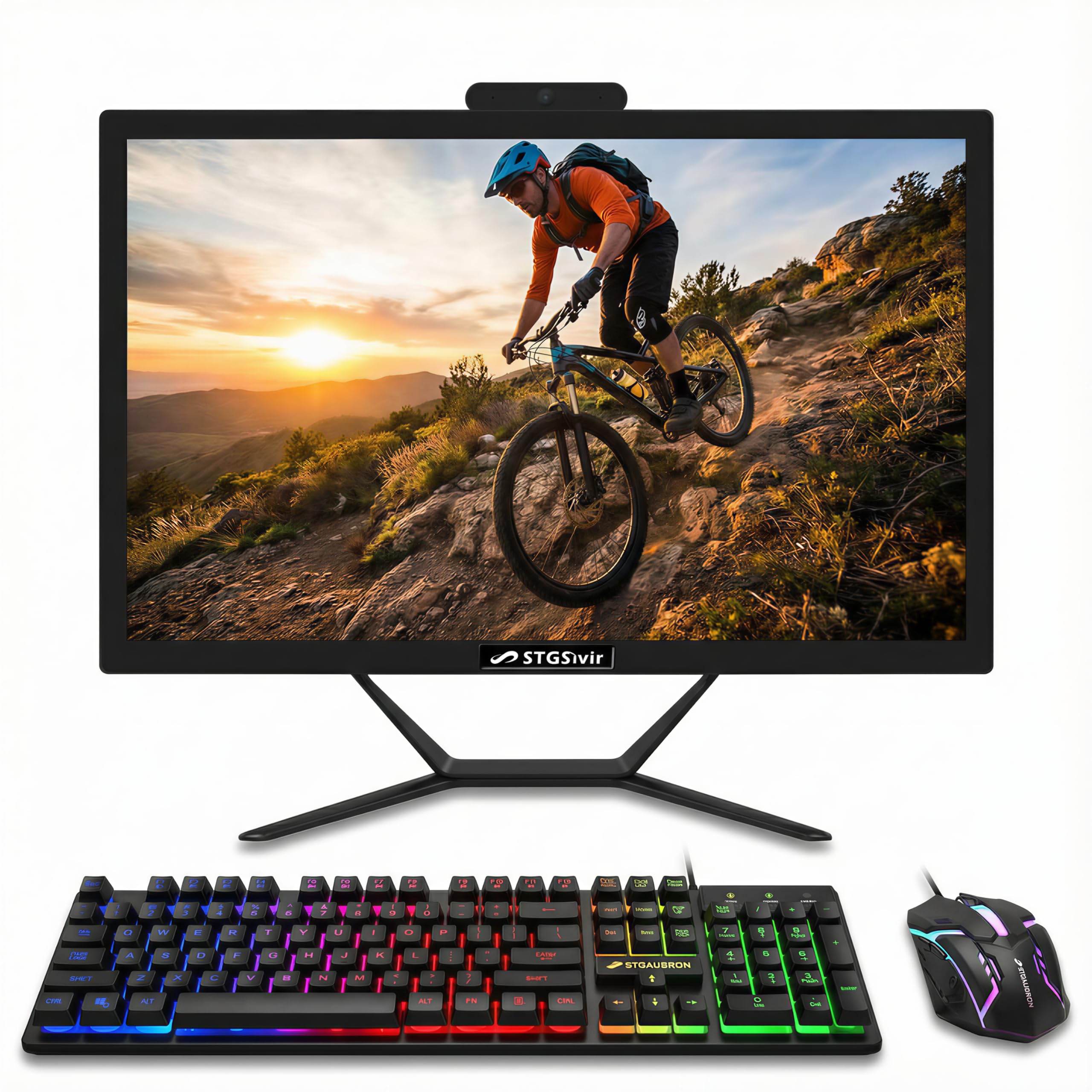
| STGSivir 22″ (i5)Budget Champion | Deepest budget entry | Intel Core i5 4570S (3.6 GHz) | 16GB / 512GB SSD | 22″ FHD LED | Amazon |
| STGSivir 24″ (i7)Big Screen Value | Budget with more cores | Intel Core i7 4770S (3.9 GHz) | 16GB / 512GB SSD | 24″ FHD LED | Amazon |
| Core Innovations 24″ | Simple school tasks | Intel Celeron N5095 (2.9 GHz) | 4GB / 128GB | 24″ FHD IPS | Amazon |
| HP 21.5″ (Renewed) | Refurbished big-brand value | Intel Pentium Silver J5040 (3.2 GHz) | 8GB / 128GB SSD | 21.5″ FHD VA | Amazon |
| Lenovo IdeaCentre 23.8″ | Balanced home office | Intel N100 (3.4 GHz) | 8GB / 512GB SSD | 23.8″ FHD IPS | Amazon |
| HP 22″ (New Version) | Fast setup for seniors | 13th Gen Intel N100 (3.4 GHz) | 8GB DDR5 / 128GB UFS | 21.5″ FHD IPS | Amazon |
| Lenovo 24″ Business AIO | Business with Wi-Fi 6 | Intel N100 (3.4 GHz) | 16GB / 256GB SSD | 23.8″ FHD IPS | Amazon |
| AOC 23.8″ AIO | Multitasking power | AMD Ryzen 5 3500U | 16GB / 512GB SSD | 23.8″ FHD 60Hz | Amazon |
| Dell 27″ All-in-One | Large screen for work | Intel Core 5 120U (5 GHz) | — / — | 27″ FHD IPS | Amazon |
In-Depth Reviews
1. Dell 23.8″ All-in-One Desktop
Our pick — over 4.5★ from 250+ verified ratings; the strongest balance of quality and price.
A crowd-pleasing Dell that owners call fast, quiet, and genuinely pleasant to use daily
This Dell earns its top spot because owners consistently report it handles everyday tasks smoothly — the Intel Core 3 100U processor peaks at 4.7 GHz, so boot-ups are quick and apps open without lag. The 23.8-inch FHD IPS screen covers 99% of the sRGB color range, which means colors look vivid and true whether you’re editing photos or streaming a movie.
Comfort is clearly part of the design here. Dell ComfortView Plus cuts down blue light emissions for long sessions, and the refresh rate is 66% higher than the previous generation, so scrolling feels smoother. For video calls, the 5MP+IR camera uses HDR technology to keep you looking good even in tricky lighting, and the tilt adjusts from 0 to 20 degrees to find your angle.
Sound is a highlight too — dual Bluetooth speakers with Dolby Atmos spatial audio make music and video chat feel fuller. Buyers report: “Great aio. It’s pretty fast for basic tasks and the display is good. The sound quality is also good.” The 1-year onsite service means Dell will come to your home if an issue can’t be fixed remotely, which is rare reassurance at this level.
What Wins People Over
- Smooth performance on daily work and school tasks
- Crisp 99% sRGB display with strong color accuracy
- Good sound via Dolby Atmos dual speakers
Who Should Look Elsewhere
- No dedicated graphics card for serious gaming
- RAM and storage specs aren’t fully listed — check the listing before buying
Reach for this if: you want a dependable, great-looking all-in-one for work and school with premium audio.
Think twice if: you need heavy gaming power or want to confirm exact RAM before ordering.
2. STGSivir 22″ All in One Computer PC
One of the cheapest ways to get a Core i5 with 16GB of RAM sitting on your desk
If you’re counting every dollar, this 22-inch STGSivir is built to stretch your money. It pairs an Intel Core i5 with 16GB of RAM and a 512GB solid state drive — the kind of spec combo that usually costs a lot more. The processor tops out at 3.6 GHz and the CPU cache sits at 6 MB, which is enough for study, business, and streaming without feeling sluggish.
The 22-inch screen delivers 1920×1080 Full HD resolution, so text stays sharp and images look clear. It comes with an RGB mouse and keyboard, a built-in webcam and speaker, plus Wi-Fi 5 and Bluetooth for wireless gear. Owners highlight the lifetime tech support as a real bonus, and the integrated design keeps your desk free of tower clutter.
Honest caveat: this machine uses refurbished parts, and a few buyers found it didn’t include a graphics card — not even a weak one — so it’s not for gaming. One unit arrived looking previously opened with no software installed, which the manufacturer asked to be returned. It’s a value play, not a risk-free one.
The value read: you get a Core i5 and 16GB RAM at an entry-level price, with the trade-off being refurbished internals and no discrete graphics.
Who it fits: students and home users on a strict budget who need general speed, not gaming muscle.
Best for: budget buyers who prioritize RAM and processor over brand polish.
Look elsewhere if: you want a brand-new sealed machine or any kind of graphics capability.
3. STGSivir 24″ All in One Computer PC
A 24-inch screen with an older Core i7 that’s noticeably faster than its 22-inch sibling
You get a sharper, faster machine for photo editing, streaming, day trading, and multitasking. The 24-inch screen shows 1920×1080 Full HD (a 14% resolution jump over the 22-inch model), and the Core i7 processor runs up to 3.9 GHz — quicker than the 22-inch’s 3.6 GHz i5. With 16GB of RAM and a 512GB SSD, you can keep many apps open without slowdowns.
Owners who work from home and take online college courses call it “definitely the best desktop I have ever had,” with no issues reported through heavy daily use. The RGB mouse and keyboard add a bit of fun, and the built-in webcam makes video calls easy. Since Windows 11 Home is pre-installed, you’re up and running quickly.
The honest trade-off: reliability reports are split. Some units have stopped working or wouldn’t turn on, and tech support hasn’t always resolved things fast. It’s a budget machine with a powerful spec sheet, but quality control can vary from unit to unit.
Performance upside: the Core i7 and 512GB SSD make this feel faster than its price suggests for daily productivity.
The reliability note: some owners hit dead-on-arrival units, so check the return policy and test it early.
Choose this if: you want a larger screen and a faster processor than the 22-inch budget pick.
Pass if: you can’t tolerate the risk of a faulty unit and prefer a mainstream brand’s quality control.
4. Core Innovations 24″ All-in-One Desktop PC

A clean 24-inch FHD IPS screen that’s genuinely easy for a first-time computer owner to use
This is the pick for someone who just wants a simple machine that works. The 24-inch 1920×1080 IPS display looks crisp, and the Windows 11 setup is straightforward enough for an average user to handle. Owners describe it as “very nice and easy to use” and a “great computer for the average user,” especially if you need a camera for video chats.
The Intel Celeron N5095 processor runs at 2.9 GHz with 4GB of RAM and 128GB of storage, which is enough for web browsing, email, and schoolwork — but not much beyond that. It’s affordable for basic use, and the 128GB solid state drive keeps things responsive for everyday tasks. The wireless keyboard and mouse come included, so you don’t have to buy extras.
The catch is reliability: multiple owners mention these machines stopping or failing to power up within a year, even for light email use. Another owner noted the keyboard and mouse only activate after plugging in a USB receiver hidden in the mouse. This is a budget starter, not a long-term workhorse.
Easy Wins
- Large 24″ IPS display with sharp Full HD detail
- Simple setup for beginners and seniors
- Includes camera, keyboard, and mouse
Hard Limits
- 4GB RAM and 128GB storage feel tight for multitasking
- Reliability concerns — some units died within a year
Great for: light school use or a first computer where budget trumps everything.
Not for: anyone who expects years of dependable daily business use.
5. HP 21.5″ All-in-One Desktop (Renewed)

A refurbished HP that brings a trusted name and a sharp 21.5-inch anti-glare screen to the budget table
Want a familiar brand without the premium price tag? This renewed HP pairs an Intel Pentium Silver J5040 processor — hitting 3.2 GHz with 4 cores and 4 threads — with 8GB of RAM and a 128GB SSD. The 21.5-inch Full HD screen uses a VA panel with an anti-glare coating and three-sided micro-edge design, so you get a clean look and comfortable viewing even in bright rooms.
The bundle includes a wired HP keyboard and mouse, plus an HP True Vision 720p HD privacy camera with dual array microphones for clearer video calls. With Wi-Fi, Bluetooth 4.2, and Gigabit Ethernet, connectivity is solid. Buyers call it an “excellent product and great value,” with many praising the thorough packaging that keeps it safe in transit.
Because it’s renewed, reliability is a mixed bag. Some customers note it working well, while a few hit crashes, and one unit failed at the 13th month. The 128GB SSD is also on the smaller side, so plan to use cloud storage or an external drive for big files.
Why it’s a contender: HP’s brand reliability and a quality anti-glare display at a renewed price.
Fair warning: a renewed unit carries more risk, and 128GB fills up quickly once you add photos and software.
Pick it if: you trust refurbished gear from a major brand and want a space-saving screen for desk work.
skip it if: you need lots of storage or want a brand-new sealed product.
6. Lenovo IdeaCentre All-in-One Desktop

A clean 23.8-inch Lenovo with Wi-Fi 6 and a fast 512GB SSD that’s easy to recommend
Lenovo stakes its claim here with an Intel N100 processor (4 cores, up to 3.4 GHz turbo, 6MB cache) paired with 8GB of DDR4-3200 RAM and a 512GB PCIe SSD. That storage is the standout — it makes boot times and app launches feel instant, which owners notice right away. The 23.8-inch Full HD IPS screen has an anti-glare finish, 250 nits brightness, and 99% sRGB coverage for accurate colors.
This is one of the better-connected budget picks: Intel Wi-Fi 6 AX203, Bluetooth 5.2, and Gigabit Ethernet, plus a USB-C 10Gbps port for fast accessories. The slim Eclipse Black design and tilt screen fit nicely on an office desk or study area. Buyers call setup “very easy,” with a “great picture” and “fast response” standing out in review after review.
The one recurring gripe is port placement — owners find the USB ports challenging to reach when plugging in devices. There’s also no SD card slot, so card users need an adapter. It’s a minor ergonomic quibble on an otherwise well-rounded machine.
Solid Highlights
- Fast 512GB SSD for quick boots and launches
- Modern Wi-Fi 6 and Bluetooth 5.2 connectivity
- Crisp 99% sRGB IPS display
Real Quirks
- USB ports are awkwardly placed for frequent plugging
- No SD card slot on board
Choose it when: you want a modern, well-connected all-in-one for home office or student use on a mid-range budget.
Move on if: you plug in USB drives constantly and hate reaching around the back.
7. HP 22″ All-in-One Desktop (New Version)

One buyer reports setup took just five minutes, and the built-in privacy shutter lets you block the webcam when you’re not on calls.
This newer HP runs the 13th Gen Intel N100 processor with 8GB of DDR5 RAM — a newer, faster memory type — and 128GB of internal UFS storage, plus a 512GB external flash drive for extra space. The 21.5-inch Full HD IPS display has an anti-glare coating so you can work near a window without squinting, and the dual stereo speakers keep audio clear.
What owners rave about here is the setup and reliability. One reported the computer took just 5 minutes to configure and works great, while another called it “remarkable for compact size” with support for two separate user logons. It ships with Windows 11 Pro, which adds business-grade security and remote desktop support that power users appreciate.
The built-in HD webcam includes a privacy shutter, so you can physically block the lens when you’re not on a call. Connectivity is modern with Wi-Fi 6 and Bluetooth 5.3. The main grumble is the keyboard — one owner says it “could use some work,” but that’s an easy swap.
The standout: DDR5 memory and a privacy-shuttered webcam make this feel more premium than its price.
Small note: the included keyboard isn’t the best, and you might want to upgrade it for comfort.
Ideal for: seniors, first-timers, or home office users who want a quick, secure, no-fuss setup.
Consider other options if: you store lots of files locally and find the 128GB internal drive limiting.
8. Lenovo 24″ All-in-One Desktop for Home & Office

A 16GB RAM business machine with Wi-Fi 6 that keeps a clean desk and runs Windows 11 Pro
This Lenovo is built for the office or a serious home workspace. It packs an Intel N100 processor (4 cores, 3.4 GHz max turbo, 6MB cache) with 16GB of DDR4 RAM and a 256GB PCIe SSD. The 23.8-inch FHD IPS display delivers 250 nits and 99% sRGB coverage, so spreadsheets and documents look sharp and colors stay accurate.
Running Windows 11 Pro adds business-grade features and security, and connectivity is future-proof with Intel Wi-Fi 6 AX203 and Bluetooth 5.2. Ports include two USB-A at 10Gbps, an HDMI-out 1.4b, and Ethernet, giving you flexibility for monitors and accessories. A wireless grey keyboard and mouse come in the box, keeping the setup tidy.
Owners praise it as “good all in one PC for the money” with strong Ethernet and front USB access. The caveats: the built-in speaker is weak, and the keyboard layout is non-standard with defaulted F-keys — one owner had a non-functional # key and needed help with assembly. It’s a productivity machine, not an entertainment hub.
Business appeal: Windows 11 Pro plus 16GB RAM handles office multitasking with room to spare.
The trade-off: weak speakers and a quirky keyboard mean you may want external audio and a different input device.
Get this for: a reception desk, small business, or home office where Windows 11 Pro and Wi-Fi 6 matter.
Look elsewhere if: you want great built-in sound or a familiar standard keyboard.
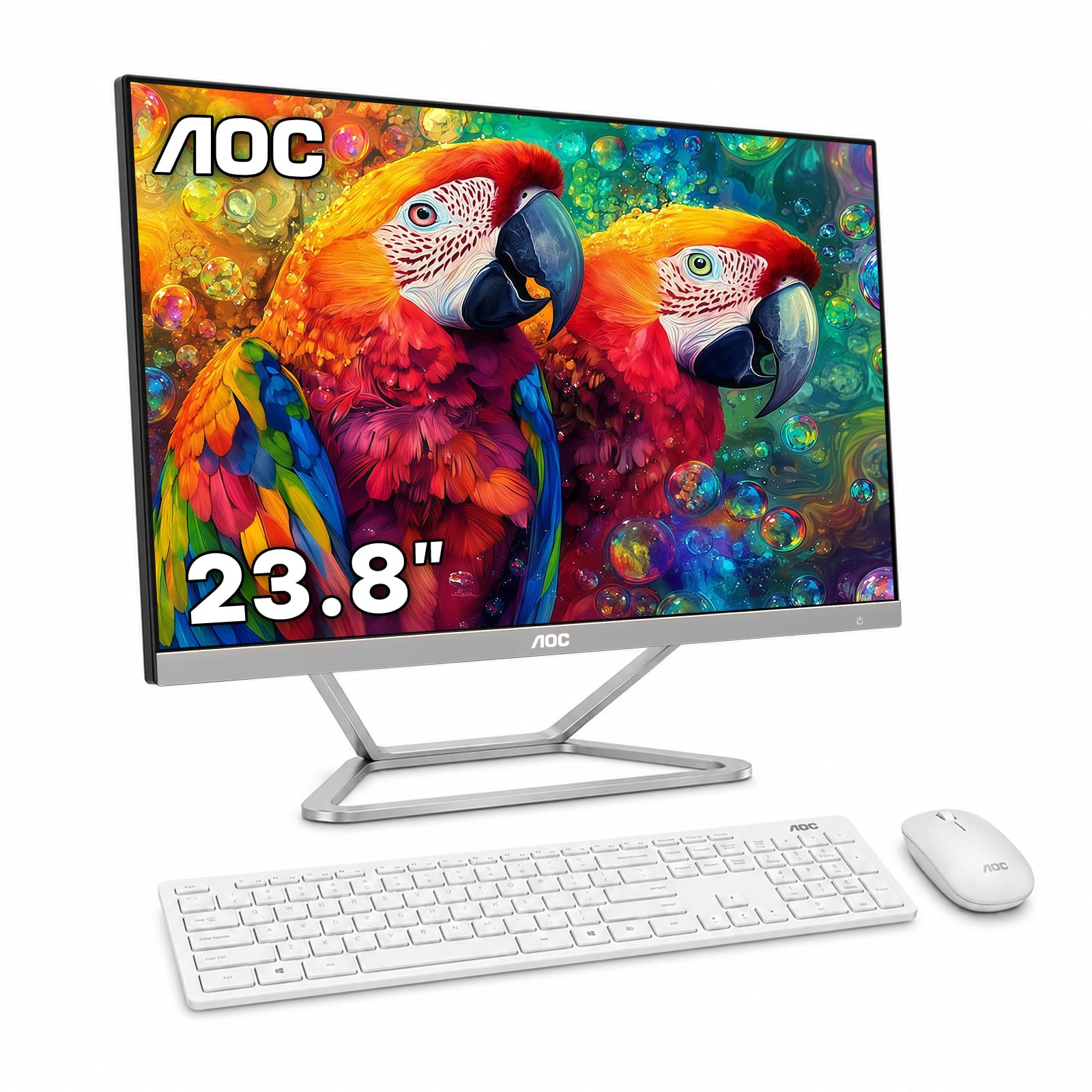
9. AOC 23.8″ All-in-One Desktop Computer
An AMD Ryzen power move that juggles spreadsheets, streaming, and older games without breaking a sweat
If you want genuine multitasking muscle, the AOC brings AMD power to the game. The Ryzen 5 3500U processor has 4 cores and 8 threads — twice the threads of many Intel budget chips — so it handles web browsing, documents, and business software with more fluidity. Integrated Radeon Vega 8 graphics even manage light gaming and Full HD media playback.
The 23.8-inch Full HD display runs at 60Hz, which is smooth for work and streaming, though not a gaming monitor. You get 16GB of DDR4 RAM and a 512GB SSD, so multiple applications run smoothly and files load fast. It comes with an AOC wireless keyboard and mouse, plus dual 3W speakers, and connects via dual-band Wi-Fi, Bluetooth, or Gigabit Ethernet.
Owners consistently call it a “solid home-office performance” machine that’s dependable and space-efficient for reception desks and student rooms. The big honesty note: there’s no built-in camera or microphone, so video calls need an external webcam. It’s a productivity-focused tool, not a complete communication suite.
Power Perks
- Fast Ryzen 5 with 8 threads for smooth multitasking
- 16GB RAM and 512GB SSD for responsive daily use
- Vega 8 graphics handle light gaming and HD video
Setup Gaps
- No built-in webcam or microphone — bring your own for calls
- Speakers are adequate, not impressive
Reach for it if: you run many apps at once or want the option of light gaming.
Skip if: you do daily video calls and don’t want to add a separate webcam.
10. Dell 27″ All-in-One Desktop

The 27-inch screen that surprised owners by running fast, staying quiet, and looking sleek
This is the premium big-screen option for those who want more real estate without graduating to a tower. The 27-inch FHD IPS display covers 99% of sRGB with 50% higher contrast than standard, making movies and work documents look vivid. The Intel Core 5 120U processor peaks at 5 GHz — the fastest CPU of any pick here — so demanding tasks stay snappy.
Design touches make daily use pleasant. The pop-up 5MP+IR camera uses HDR and pushes down for privacy, while the innovative stand houses your keyboard underneath to keep the desk clutter-free. Dual Bluetooth speakers with Dolby Atmos deliver rich sound, and Dell ComfortView Plus reduces blue light for long sessions. Owners note it’s “larger than I thought,” with “good sound” and a “sleek look” that fits small offices perfectly.
At this size, it’s great for work and media consumption — one owner says it’s “perfect for what I need to do” with browsing, bill pay, and YouTube. The 1-year onsite service provides home support if issues can’t be fixed remotely. Just be aware the 27-inch footprint needs a deeper desk than the 22-inch models.
Why It’s Premium
- Big 27-inch FHD IPS screen with vivid 99% sRGB color
- Fastest CPU here at 5 GHz max boost
- Privacy pop-up camera and Dolby Atmos audio
Size Trade-Off
- Requires a deeper desk for comfortable viewing
- Premium price — the most expensive pick on this list
Splurge on it if: you want the largest screen and fastest feel, plus a camera that hides away for privacy.
Save elsewhere if: your desk is compact or your budget tops out lower.
Understanding the Specs
Processor Speed and Cores
The CPU speed (measured in GHz) tells you how fast a single task runs, while cores and threads determine how much you can do at once. A 4-core, 4-thread chip like the Intel N100 handles everyday work smoothly. An 8-thread CPU like the AMD Ryzen 5 3500U juggles more apps at the same time, which matters if you multitask heavily.
RAM and SSD Storage
RAM (in GB) is your active workspace — 8GB is comfortable, 16GB is smoother for multitasking. Storage on an SSD (solid state drive) makes boot-up and app loading take seconds instead of minutes. A 512GB SSD gives you room for files and media, while a 128GB drive fills up fast.
FAQ
How much RAM do I really need in an all-in-one?
Can I use these all-in-ones for gaming?
Is a refurbished all-in-one worth buying?
What does the screen resolution affect in daily use?
Do I need Windows 11 Pro or is Home enough?
Does every all-in-one come with a webcam for video calls?
How much storage do I need for daily files and photos?
Which all-in-one is easiest to set up for a senior or beginner?
Will these all-in-ones connect to Wi-Fi and Bluetooth devices?
Are there any hidden costs after buying an all-in-one?
Final Thoughts: The Verdict
For most buyers, the all in one computer on a budget winner is the Dell 23.8″ All-in-One because the Intel Core 3 100U processor, 99% sRGB display, and Dolby Atmos audio make it the most well-rounded daily driver. If you want pure multitasking power for light gaming and video editing, grab the AOC 23.8″ with Ryzen 5. And for the deepest budget entry with 16GB RAM and a Core i5, the STGSivir 22″ is the one to reach for.
How We Picked
We do not accept paid placement. Every pick is matched to a real buyer and a real use-case; we do not hands-on test units.
Sources & Methodology
Specifications: manufacturer listings and product documentation. Review insights: verified customer reviews, as of August 2026. Pricing: not shown on this page (it changes often); check the current price via the retailer link.
As an Amazon Associate, Gadgets Feed earns from qualifying purchases. This does not affect which products we feature.