
Our readers keep the lights on and my morning glass full of iced black tea. As an Amazon Associate, I earn from qualifying purchases.
Specs are compiled from manufacturer listings and verified buyer reviews and can change over time — please confirm the key details on the product page before buying.
When you want one smooth curve to replace your dual-monitor setup, the real choice isn’t the screen size—it’s the resolution and refresh rate your graphics card can handle. This guide sorts the 44-inch-class market into clear picks, from high-refresh gaming panels to color-accurate productivity giants, so you can match the panel to your PC’s power.
I’m Min — the founder and writer behind Gadgets Feed. This guide is built by comparing the manufacturers’ published specifications and the patterns across verified customer reviews, so you get each pick’s real strengths and trade-offs instead of marketing spin.
Note that this list uses flexible matching for size, so you’ll see 43- and 45-inch models alongside true 44-inch ones—the nearest sold size serves the same purpose. A great 44 inch monitor must balance panel type, curvature, and ports against your desk and your GPU’s output.
Our Picks at a Glance

How To Choose The Best 44 Inch Monitor
Your choice between these large panels hinges on three trade-offs: how much your graphics card can push, how close you sit, and whether gaming smoothness or color accuracy leads your list. Nail these down first, and the right model becomes obvious.
Resolution vs. Your GPU
A 5120×1440 DQHD panel packs nearly double the pixels of a standard 2560×1440 screen. That means you need a serious graphics card to run games at native resolution and high refresh—otherwise you’ll drop frames or lower settings. If your PC is mid-range, a 3440×1440 model like the LG OLED is far more forgiving.
Panel Type: VA vs. OLED
VA panels offer strong contrast and are the budget-friendly workhorse of the ultrawide world, delivering deep blacks for the price. OLED panels go further with per-pixel dimming, giving true blacks and near-instant response, but they cost more and need care against burn-in. Choose VA for value, OLED for the best gaming image.
Curvature and Ergonomics
Curvature is measured in millimeters—a lower number like 800R is a tighter bend that wraps around you, while 1500R is gentler and better for productivity. A steep curve can cause eye strain in office work, so match the bend to your main use: tight for gaming immersion, gentle for spreadsheets.
Quick Comparison
| Model | Best For | Resolution | Refresh Rate | Panel | Amazon |
|---|---|---|---|---|---|
| Viewedge 44.5″★ Best Overall | Competitive gaming value | 5120 x 1440 | 240Hz | VA | Amazon |
| Gawfolk 45″ DQHDTop Performer | Dual-device setup | 5120 x 1440 | 185Hz | VA | Amazon |
| INNOCN 45C1RBest Value | USB-C docking hub | 5120 x 1440 | 120Hz | VA | Amazon |
| Gawfolk 45″ 200Hz | High-refresh gaming | 5120 x 1440 | 200Hz | VA | Amazon |
| ViewSonic VX4381-4K | Home theater & multi-view | 3840 x 2160 | 60Hz | MVA | Amazon |
| INNOCN 45″ 5K2K | Productivity with KVM | 5120 x 1440 | 120Hz | VA | Amazon |
| Dell U4320Q | Premium office clarity | 3840 x 2160 | 60Hz | IPS | Amazon |
| LG 45GX900A-B | OLED gaming immersion | 3440 x 1440 | 240Hz | OLED | Amazon |
| LG 45GX950A-B | Ultimate sharpness | 5120 x 2160 | 165Hz | OLED | Amazon |
In‑Depth Reviews
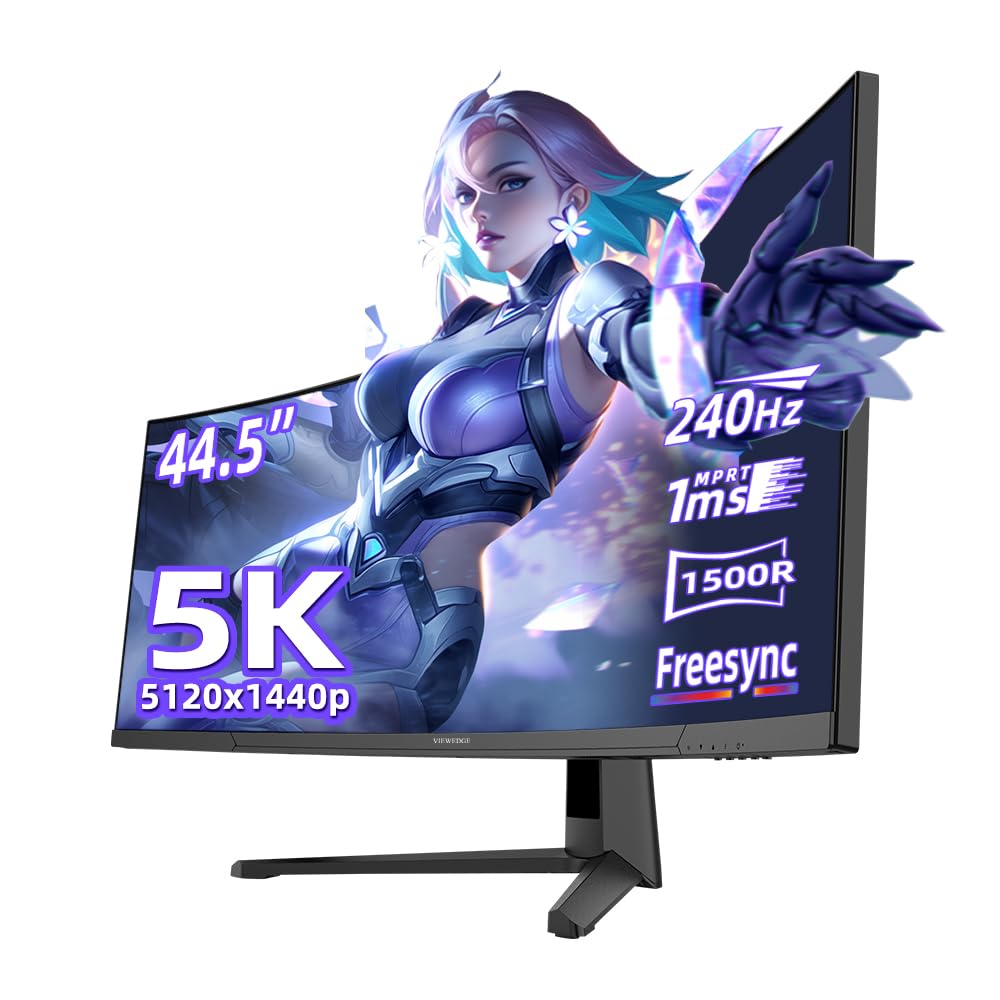
1. Viewedge 44.5″ Curved Gaming Monitor
Our pick — 4.5★ from 700+ verified ratings; the strongest balance of quality and price.
The 240Hz refresh rate outpaces every VA panel in this size class.
For competitive players, the refresh rate is everything—and this Viewedge doubles the speed of the INNOCN 45C1R with a 240Hz panel versus that model’s 120Hz, a 2.0x gap you feel instantly in fast strafes and flick shots. The 1ms response time keeps fast-moving targets sharp across the 5120×1440 DQHD panel.
Color performance holds up its end with HDR10 and a 100% sRGB color gamut, while Adaptive Sync (FreeSync) kills screen tearing for smoother play. You get 2 HDMI and 2 DisplayPort inputs plus 100x100mm wall mounting, and buyers report the picture quality is crisp enough for work and trading, not just games.
The biggest complaint is durability—owners mention durability is a concern as some report it breaking after two years, so this is a pick for those who upgrade frequently rather than keep a panel for a decade. On the flip side, the crowd favorite justification is clear: it holds a 4.5-star score across 700+ owners, making it the highest-rated pick here.
Frame-Rate King
- 240Hz refresh for buttery competitive play
- 1ms response cuts motion blur for tracking targets
- 100% sRGB gamut for vibrant, accurate colors
Long-Haul Caveats
- Reports of failure after two years of use
- Occasional glitched lines and flickering noted
- Tilt adjust is very tight from the start
Grab it for: the fastest refresh rate you can get in this size without jumping to OLED pricing.
Think twice if: you expect a decade of daily service—treat it as a high-performance panel, not a lifetime desk anchor.
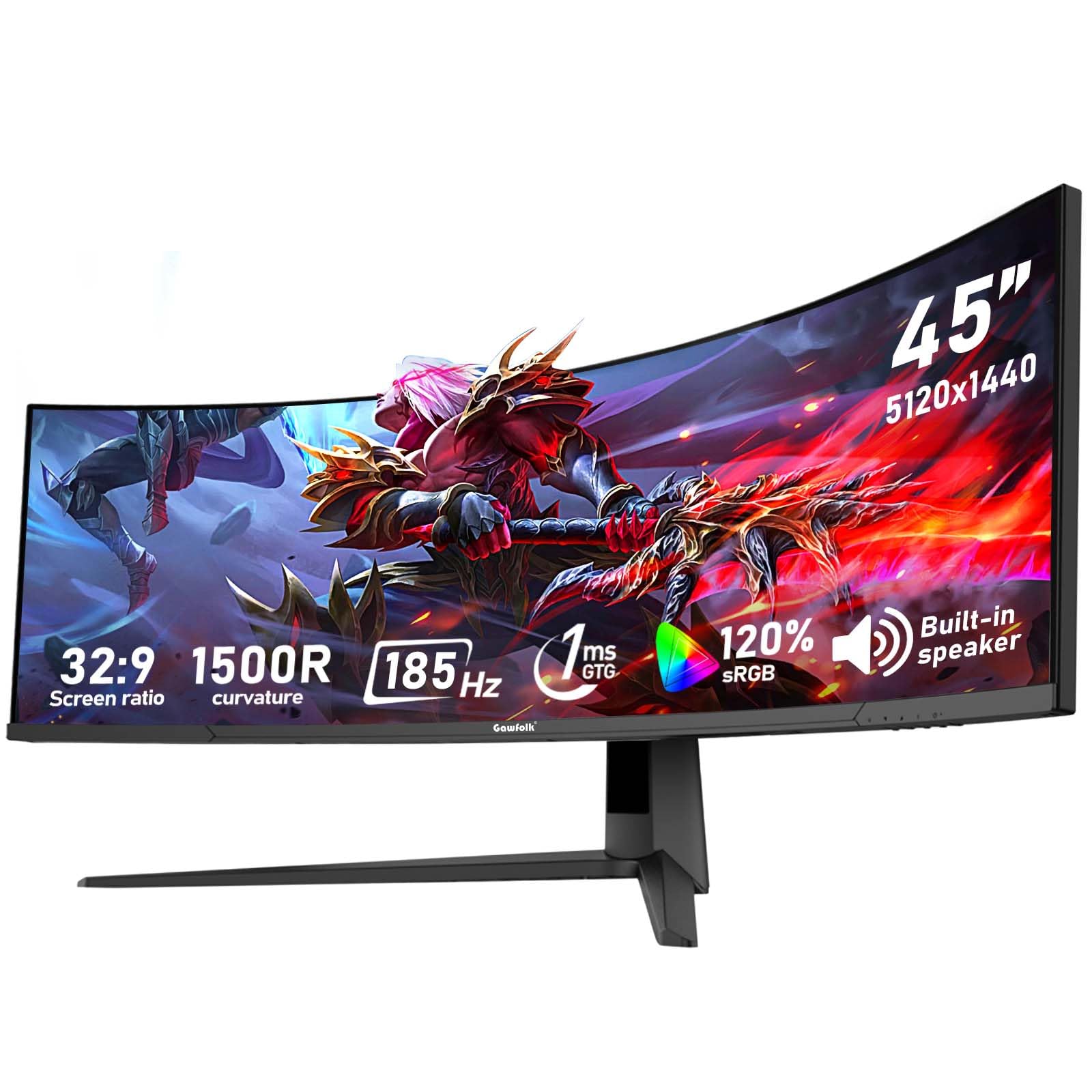
2. Gawfolk 45″ Ultra-Wide Curved 1500R
A color-rich 45-inch workhorse that welcomes both consoles and PCs.
This Gawfolk stands out with a 120% sRGB color gamut—a full 20% more coverage than the Viewedge above—so photo editing and video color grading look noticeably richer. The 45-inch VA panel runs at 185Hz with a 350cd/m² brightness and a 3000:1 native contrast ratio, which keeps dark scenes detailed without blowing out bright highlights.
It earns its keep as a hub with 2 HDMI 2.1 and 2 DP 1.4 ports, letting you keep a PS5, desktop, and laptop all plugged in at once and switch without crawling behind the desk. FreeSync and G-Sync compatibility cover both major graphics card brands, and the flicker-free, low-blue-light design eases eye strain on long sessions.
Customers note picture quality is a mixed bag—some call the colors and resolution crisp, while others see blur or dead pixels, so quality control is the variable to watch. One buyer’s consensus line sums up the good side: “Works as advertised after weeks of daily use; crisp picture/colors, refresh rate fine, great price.”
Color Coverage Leader
- 120% sRGB gamut beats rivals for creative work
- Full HDMI 2.1 x2 and DP 1.4 x2 for multi-device
- 12-month after-sales service for confidence
Quality Lottery
- Mixed reports of blurry images and dead pixels
- Some units arrive with QC quirks
Best suited to: anyone juggling a console and a PC who wants wide color for creative apps.
skip it if: you have zero tolerance for the possibility of a panel defect—inspect it the moment it arrives.
3. INNOCN 45C1R 45″ 5K2K Ultrawide
The USB-C docking hub that turns a single cable into a full desk.
The defining feature here is connectivity: a USB-C port delivering 65W power delivery charges a laptop while carrying the 5120×1440 signal, alongside 1 DP 1.4, 2 HDMI 2.1, 2 USB-A, a USB-B, and even RJ45 ethernet. That makes this a genuine docking station replacement—one cable from a MacBook or Dell Latitude gives you display, power, and peripherals.
The 45-inch VA panel runs at 120Hz with HDR400 and a 99% sRGB gamut, and the 1500R curve plus tilt, swivel, and height adjustment let you dial in a comfortable posture. PIP/PBP split-screen shows two input sources at once, so you can keep a laptop feed beside your desktop without a second monitor.
Video editors and traders are the core fans here, praising the crisp resolution and accurate colors after minor tweaking—though some report colors off from the start and adjustments that feel imprecise. The 120Hz refresh is smooth for work, but it trails the 240Hz Viewedge by 2.0x if raw gaming speed is your priority.
One-Cable Command
- USB-C 65W charges and displays in one cable
- RJ45 ethernet port for a wired connection
- Full height/swivel/tilt ergonomics
Work Over Play
- 120Hz refresh is modest for fast esports
- Color calibration needs manual tweaking for some
- Adjustment feel gets mixed reviews
Reach for this if: you run a laptop-based desk and want to eliminate a separate dock.
Look elsewhere if: you are chasing the highest competitive refresh rates.
4. Gawfolk 45″ 200Hz Ultrawide Curved
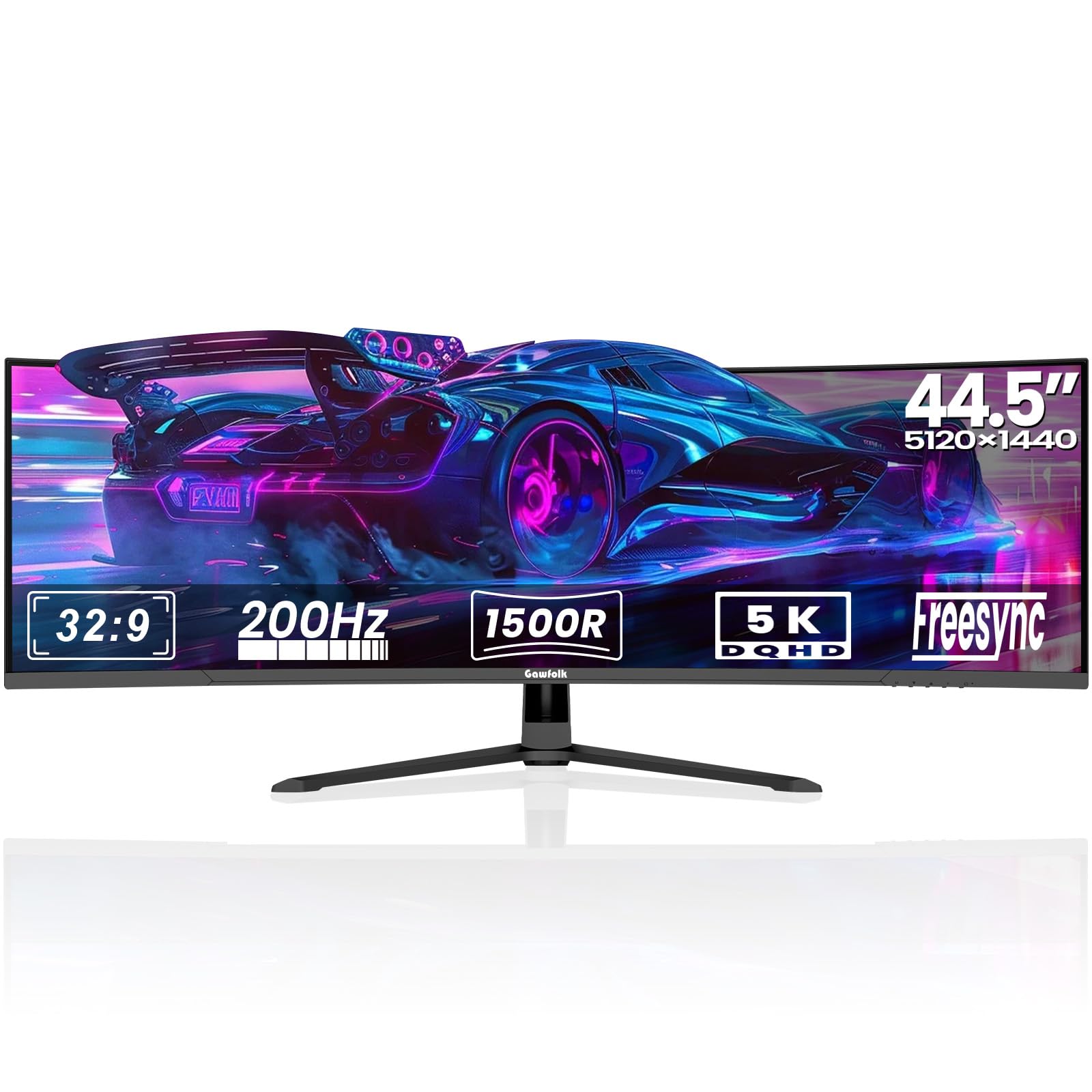
A 200Hz ultrawide with a sturdy aluminum base built for marathon sessions.
This Gawfolk splits the difference between raw speed and build quality, delivering a 200Hz refresh rate on a 5120×1440 DQHD panel with a 3000:1 static contrast ratio. The 1500R curve wraps gently around you, and the VA panel covers 85% NTSC color gamut with 16.7M colors—vibrant enough for gaming and casual photo editing.
It packs pro-gaming OSD features like Black Equalizer to spot enemies in shadows, an on-screen Crosshair for FPS accuracy, and Flicker-Free DC Dimming to protect your eyes. The sturdy aluminum alloy base is a step up from plastic stands, and tilt adjustment from 5° to 15° keeps posture in check during long stretches.
Buyers love the build quality and gaming chops, calling the contrast stunning and the colors brilliant—but reliability is a gamble, with some units reportedly stopping completely and others showing screen cuts with ghosting. The integrated speakers lack bass, so plan on external audio unless you’re fine with thin sound.
Built to Game
- 200Hz refresh with FreeSync/G-Sync support
- Black Equalizer and Crosshair for competitive edge
- Aluminum alloy base feels premium
Reality Check
- Reliability reports are mixed—some units fail
- Speakers lack bass for rich audio
- Whites can appear washed out
Choose it for: a high-refresh gaming panel that won’t flex on a sturdy stand.
Be aware: QC varies, so buy from a seller with easy returns and test it hard in the first week.
5. ViewSonic VX4381-4K 43″ 4K Monitor
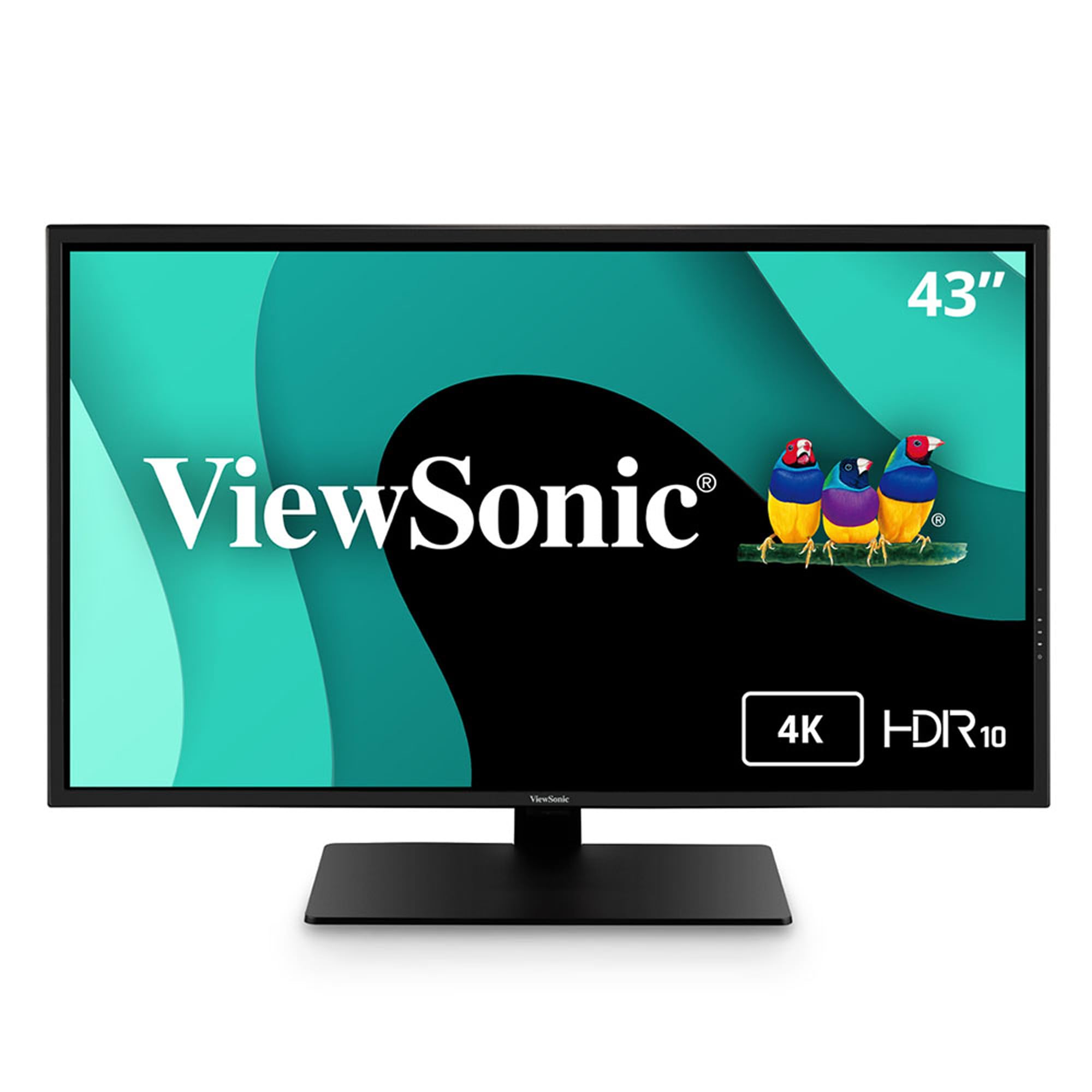
A flat 43-inch 4K canvas for multitasking and cinema that skips the curve.
This ViewSonic breaks from the ultrawide mold with a standard 16:9 4K resolution (3840 x 2160) on an MVA panel, giving you four times the detail of standard HD. Its defining a neat extra is MultiPicture—you can view up to four simultaneous video sources on one screen, perfect for monitoring multiple feeds or data streams at once.
HDR10 enhances every frame with deeper contrast and richer color, while Flicker-Free tech and a Blue Light Filter reduce eye fatigue for all-day use. Connectivity is flexible with HDMI, DisplayPort, Mini DisplayPort, and a USB hub, and the thin bezels make it feel modern on a desk.
The honest catch: at 4K on 43 inches, pixel density is lower than on smaller panels, so some buyers see grainy images and visible pixel structure unless they sit back. Developers praise it for coding with multiple windows, but the built-in speakers are weak enough that most recommend an external soundbar.
Multi-View Master
- Four-source MultiPicture for busy workflows
- 4K UHD with HDR10 for vivid media
- Mini DP and USB hub for wide compatibility
Flat-Panel Limits
- Lower pixel density means grainy text up close
- Speakers are tinny—plan on a soundbar
- Viewing angles narrow past about 40 degrees
Pick this if: you want a flat 4K workhorse for code or finance without the ultrawide curve.
pass on it if: you sit close and demand razor-sharp pixel density—this rewards distance.
6. INNOCN 45″ 5K2K Ultrawide Curved
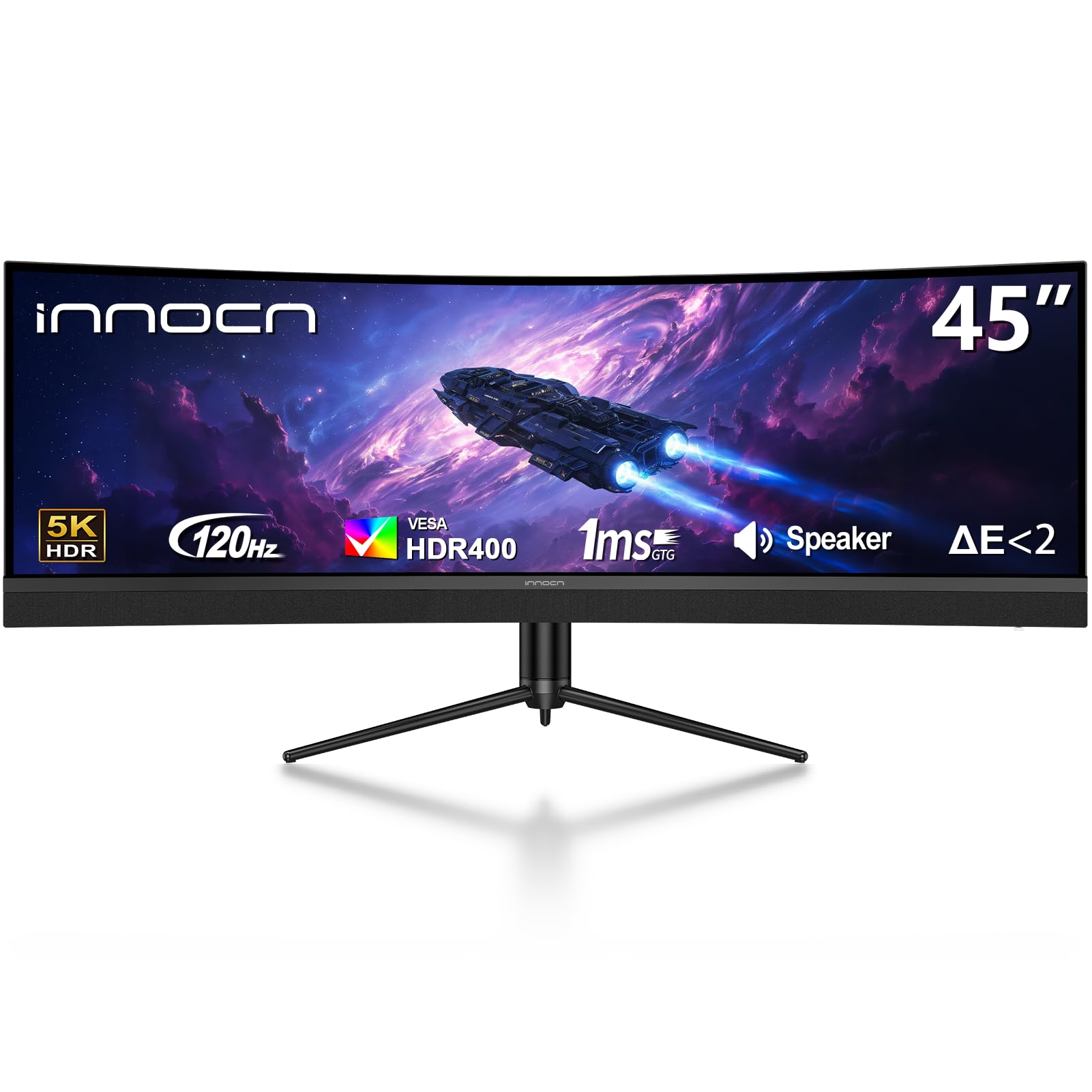
A 45-inch productivity hub that switches between work laptop and gaming PC with one button.
This INNOCN builds on the same VA panel recipe as the 45C1R—5120×1440 at 120Hz with a 1500R curve—but adds a built-in dock and KVM function that lets you switch the same keyboard, mouse, and display between two devices. The USB-C port delivers 65W power delivery, so a work laptop charges while connected.
The port selection is generous: 1 DP 1.4, 1 USB-C 65W, 2 HDMI 2.1, 2 USB-A, 1 USB-B, 1 RJ45 ethernet, and a 3.5mm audio jack. That makes it a genuine hub for a Mac, a gaming console, and a desktop all at once, with PIP/PBP to show two sources simultaneously.
Owners who replaced dual 23-inch monitors love fitting three or more windows on one screen, and the image quality earns praise as “very neat.” The catch is reliability—one unit blinked out after three days, and another arrived with a damaged bezel and missing cables, so check your shipment carefully. The 250 cd/m² brightness is also modest, so a bright room may wash it out.
Dual-Device Dock
- Built-in KVM switches between laptop and PC
- USB-C 65W charges while displaying
- Three windows fit comfortably on one screen
Shipment Roulette
- Some units arrive damaged or missing hardware
- 250 cd/m² brightness is modest for bright rooms
- Source switch takes about 10 seconds
Built for: hybrid workers who bounce between a work laptop and a gaming PC daily.
Caution: inspect the box on arrival—damage in shipping is a real risk.
7. Dell U4320Q 43″ 4K UltraSharp

The office-grade IPS giant that replaces four smaller monitors with one cable.
Dell’s UltraSharp line is built for work, and this 42.5-inch IPS panel delivers a flat 16:9 4K resolution (3840 x 2160) with the wide viewing angles IPS is known for. A single USB-C connection carries display, data, and power, and the included Dell Display Manager lets you snap windows into a four-screen grid—perfect for replacing a wall of small monitors.
The 350 cd/m² brightness and 1000:1 contrast ratio are solid for office lighting, and the Flicker-Free panel eases eye strain over 12-hour workdays. It comes with HDMI, DisplayPort, USB-C, and USB-A cables in the box, so setup is genuinely plug-and-play for Windows, Mac, Linux, and even Chromebooks.
IT professionals and near-sighted users praise the scaling that keeps text large without losing desktop space, and one called it the best monitor they’ve owned. The trade-offs: at 43 inches the pixel density is lower than a 27-inch 4K, some find it pricey, and a few units reportedly don’t work at all—so buy with a good return policy.
Workhorse Clarity
- IPS panel with wide viewing angles
- USB-C single-cable setup for laptop desks
- Dell Display Manager for 4-screen grids
Office Trade-offs
- 60Hz refresh is fine for work, not gaming
- Lower PPI than smaller 4K panels
- Mixed reports on value and reliability
Ideal for: professionals who want a flat, color-trustworthy panel with wide viewing angles.
Not for: competitive gamers needing high refresh rates.
8. LG 45GX900A-B 45″ Ultragear OLED

The steepest-curve OLED that wraps your whole field of view in 240Hz glory.
This LG is the immersion king, pairing a dramatic 800R curve with OLED’s per-pixel dimming for true blacks and a 1.5M:1 contrast ratio—a category leap over VA panels. The 21:9 34-inch-class resolution (3440 x 1440) is easier for a mid-range GPU to drive than the 5120-wide panels, while still delivering a wider view than a 49-inch 32:9 screen in practical gaming space.
At 240Hz with a 0.03ms response time, motion is near-instantaneous with no ghosting, and both FreeSync Premium Pro and G-Sync compatibility keep frames tear-free. Up to 1300 nits peak brightness and 98.5% DCI-P3 color coverage make games pop, and OLED Care tools like pixel cleaning protect the panel with a 2-year limited warranty.
Buyers upgrading from smaller 4K screens call the colors “out of this world” and the blacks class-leading, with one noting Battlefield looks sublime at this resolution. The honest limit: at 3440×1440 on 45 inches, pixel density is lower than the 5K2K OLED sibling, so text isn’t as razor-sharp for heavy office work.
OLED Immersion
- 0.03ms response with zero ghosting
- 1.5M:1 contrast for true blacks
- 800R curve pulls you into the action
Gaming Focus Only
- WQHD density is softer for office text
- One unit arrived defective—check on arrival
- OLED needs burn-in care
Buy this for: the most rich gaming image available, with blacks and speed VA can’t touch.
Pass if: you need crisp text for productivity—this is a gamer’s panel first.
9. LG 45GX950A-B 45″ Ultragear 5K2K OLED

The world’s first 5K2K OLED gaming monitor with a dual-mode refresh trick.
This is the sharpest ultrawide you can buy for gaming, packing 5120 x 2160 resolution at 125 pixels per inch—so text is crisp enough for a full workday, not just play. The updated subpixel layout reduces color fringing for clearer type, and the 21:9 800R curve serves up more usable screen area than a 49-inch 32:9 panel.
Its a neat extra is Dual Mode: run graphically rich story games at 5K2K up to 165Hz, then press a hotkey to drop to Wide Full HD at 330Hz for lightning-fast FPS and racing titles. With up to 1300 nits peak brightness, 98.5% DCI-P3 color, and DisplayHDR True Black 400, every scene delivers deep blacks and brilliant highlights.
Connectivity is future-proof with DisplayPort 2.1, two HDMI 2.1 ports, and USB-C with 90W power delivery, plus triple UL certification for anti-glare, flicker-free, and low blue light. Owners call the picture “crisp” with vivid colors and true blacks, though the curve is divisive and one buyer flagged LG software concerns on Windows around adware—so privacy-minded users should check LG’s installer options.
Sharpest Ultrawide
- 125 PPI for crisp text and work usability
- Dual Mode: 165Hz 5K2K or 330Hz WFHD
- DP 2.1 and USB-C 90W for future laptops
Flagship Caveats
- Demands a top-tier GPU for native 5K2K gaming
- 800R curve causes mild disorientation for some
- Windows software install prompts raise privacy flags
The standout: unrivaled sharpness and dual-mode flexibility in one 45-inch OLED.
Reality check: it demands a powerful GPU and a careful eye on software installs—this is the enthusiast’s endgame.
Understanding the Specs
DQHD vs 4K vs WQHD Resolution
Resolution dictates how sharp text and images look on a big panel. DQHD (5120×1440) is the ultrawide standard that mimics dual 1440p monitors, while 5K2K (5120×2160) adds more vertical pixels for sharper text. WQHD (3440×1440) is lighter on your graphics card but softer up close.
Refresh Rate and Response Time
Refresh rate, measured in Hertz, is how many times the screen redraws per second—240Hz feels far smoother than 60Hz in fast games. Response time, in milliseconds, is how fast a pixel changes color; lower numbers mean less ghosting on fast-moving objects.
FAQ
What graphics card do I need for a 5120×1440 ultrawide monitor?
Is a curved monitor better than a flat one for office work?
Will a 44 inch monitor fit on my desk?
What is the difference between VA and OLED panels?
Can I use a 5120×1440 monitor for console gaming?
What does USB-C power delivery do for me?
Is a 240Hz refresh rate worth it over 120Hz?
What is the ideal viewing distance for a 44 inch monitor?
Final Thoughts: The Verdict
Across the board, the 44 inch monitor winner is the Viewedge 44.5″ because it pairs the highest refresh rate in its class with the strongest owner satisfaction for the money. If you want a USB-C docking hub for a laptop desk, grab the INNOCN 45C1R. And for the sharpest, most rich gaming image money can buy, the LG 5K2K OLED is the one to reach for.
How We Picked
We do not accept paid placement. Every pick is matched to a real buyer and a real use-case; we do not hands-on test units.
Sources & Methodology
Specifications: manufacturer listings and product documentation. Review insights: verified customer reviews, as of August 2026. Pricing: not shown on this page (it changes often); check the current price via the retailer link.
As an Amazon Associate, Gadgets Feed earns from qualifying purchases. This does not affect which products we feature.