
Our readers keep the lights on and my morning glass full of iced black tea. As an Amazon Associate, I earn from qualifying purchases.
Specs are compiled from manufacturer listings and verified buyer reviews and can change over time — please confirm the key details on the product page before buying.
Mounting a 77-inch screen is a two-person job with zero room for error — get the bracket wrong and you are wrestling a heavy, fragile panel that could pull straight off the wall. The real battle is choosing between a slim fixed plate and a full-motion arm that lets you pull the TV out, swivel it toward the couch, and tuck it flat again. Every pick here is verified to fit a 77-inch TV, so you can focus on the motion type, weight capacity, and how far the arm reaches instead of worrying about VESA compatibility.
I’m Min — the founder and writer behind Gadgets Feed. This guide is built by comparing the manufacturers’ published specifications and the patterns across verified customer reviews, so you get each pick’s real strengths and trade-offs instead of marketing spin.
The defining choice for a screen this size is reach versus profile, and this ranking of the 77 inch tv wall mount options breaks that trade-off down into clear winners.
Our Picks at a Glance


How To Choose The Best 77 Inch TV Wall Mount
A 77-inch TV typically weighs anywhere from 60 to over 100 pounds, so the bracket’s weight rating is your first safety gate. You also need the mounting hole pattern on the back of your TV — the VESA spacing — to match what the bracket accepts, and your wall studs have to line up with the plate’s slots.
Match the VESA pattern and weight limit first
VESA is the distance in millimeters between the four mounting holes on the back of your TV, like 600x400mm. A 77-inch panel almost always needs a large pattern in that 400×400 to 600×400 range, and every mount here covers that span. Check your TV’s weight against the mount’s rated capacity — never mount a 90-pound TV on a bracket rated for 100 pounds with no margin.
Pick your motion: full motion, tilt, or fixed
Full-motion mounts have articulating arms that pull the TV out from the wall, swivel left and right, and tilt up or down — the most flexible option for rooms with multiple seating zones. Tilting mounts hold the TV close to the wall and only angle it forward to kill glare, while fixed mounts sit nearly flush and never move at all. For a 77-inch screen, full motion is the popular choice because a panel that big is hard to reposition once hung.
Confirm your stud spacing before you buy
Before you buy, check your wall’s stud spacing—most homes have wood studs 16 inches apart on center, but newer builds often use 24-inch spacing. A mount that only fits 16-inch studs will leave you stuck, so verify the bracket’s stated stud range. Every mount in this guide installs on wood studs; none are safe on drywall alone, and concrete installs usually need anchors you request separately.
Quick Comparison
| Model | Best For | Weight Capacity | Max Screen Size | Motion Type | Amazon |
|---|---|---|---|---|---|
| Mounting Dream MD2617★ Best Overall | Best Overall | 100 lbs | 84 inches | Full Motion | Amazon |
| Perlegear PGLF8Premium Pick | Premium Pick | 132 lbs | 85 inches | Full Motion | Amazon |
| monTEK HW1243BKSlim Full Motion | Slim Full Motion | 132 lbs | 90 inches | Full Motion | Amazon |
| Mounting Dream MD2263-XLK | Best Value Tilt | 120 lbs | 86 inches | Tilt | Amazon |
| Perlegear PGXLF02 | Long Arm Corner | 150 lbs | 97 inches | Full Motion | Amazon |
| USX STAR Heavy Duty | Budget Low Profile | 220 lbs | 100 inches | Fixed | Amazon |
| HOME VISION HV9901 | Budget Tilt | 220 lbs | 120 inches | Tilt | Amazon |
| SANUS OLF22 | Smooth Motion | 125 lbs | 90 inches | Full Motion | Amazon |
| SANUS OLF24 | Longest Reach | 120 lbs | 90 inches | Full Motion | Amazon |
In‑Depth Reviews
1. Mounting Dream Full Motion TV Wall Mount
Our pick — over 4.5★ from 75,500+ verified ratings; the strongest balance of quality and price.
The crowd favorite that pulls out 16.6 inches and still locks flat against the wall
This is the mount that tens of thousands of owners have settled on for a reason: it balances every feature you want with a level of build quality that rarely shows up at this price. The 6 cold-formed steel arms flex smoothly without feeling flimsy. It holds up to 100 lbs, so a typical 77-inch panel sits well within its comfort zone.
The motion wins people over: tilt 5° up/15° down for glare, swivel left/right, extend 16.6 inches for cables, and retract to 2.5 inches. Buyers report it feels smooth and pulls close to the wall with no wobble. The install is genuinely beginner-friendly too, with all hardware in pre-labeled bags, a paper template for marking holes, and 4 cable clips to keep cords tidy.
One honest note: the built-in level and solid construction are appreciated, but the included hardware may not fit every TV and wall type, so double-check your specific bolts and anchors before you start. It also requires studs—never drywall alone—just like every mount in this guide. After hanging, a ±4° post-installation adjustment lets you fine-tune the level without re-drilling, a small detail that saves real frustration.
What owners rave about
- Installation is the top praise — thousands of owners call it the easiest mount they have used
- Smooth tilt, swivel, and extension with zero wobble on the 6 steel arms
- Retracts to just 2.5 inches for a clean, low-profile look
What to check first
- Bolt kit may not match every TV brand — verify your VESA bolts
- Designed around 16-inch stud spacing, so measure your wall before buying
Reach for this if: you want the proven all-rounder that handles motion, install ease, and low profile without overspending.
Look elsewhere if: your studs are set 24 inches apart — you will need a mount with a wider plate.
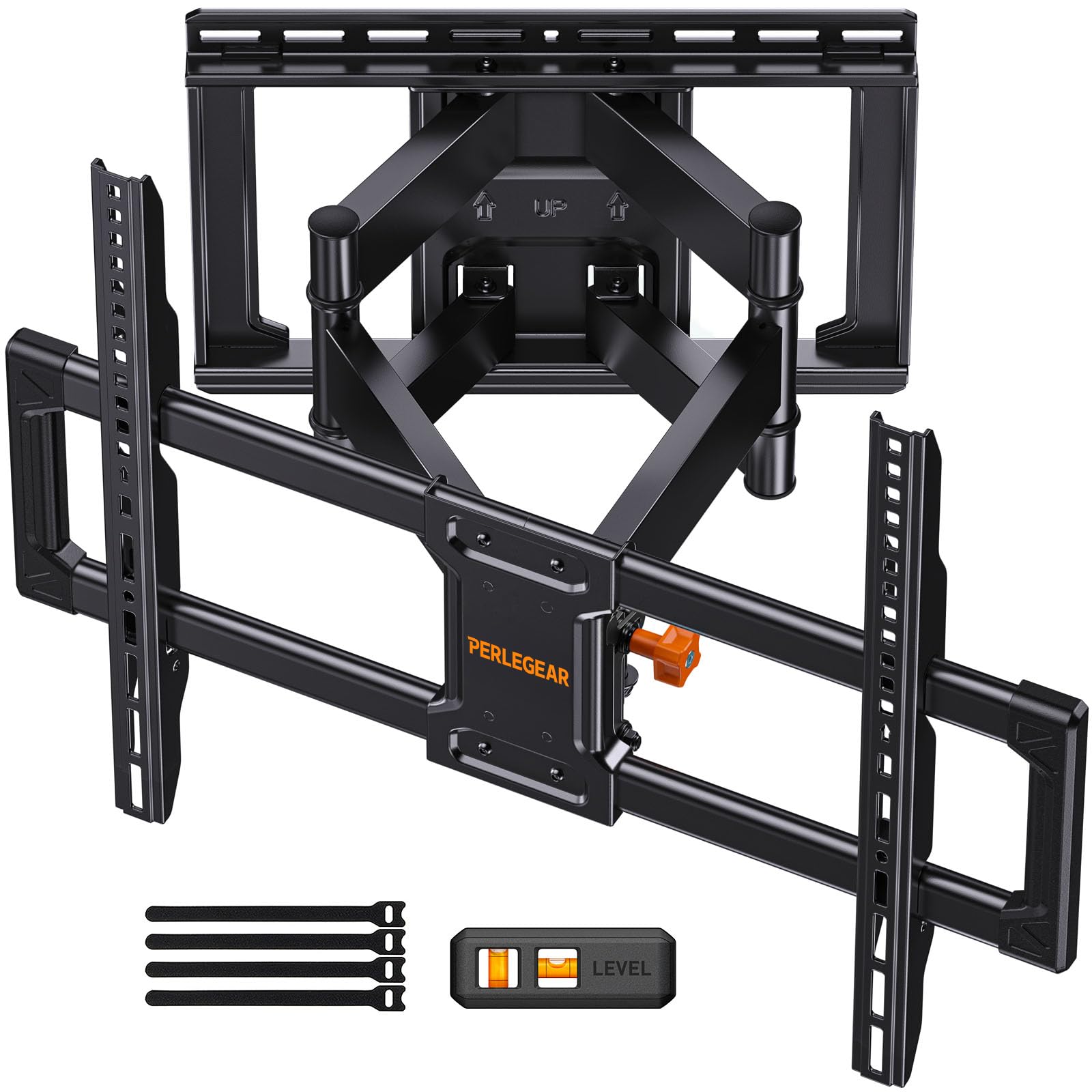
2. Perlegear UL Listed Full Motion TV Wall Mount
The safety-obsessed bracket that survived 60,000 motion cycles before you ever touched it
If your 77-inch TV is a premium OLED or you simply want the strongest possible guarantee that the panel stays put, this Perlegear is the one to beat. It is UL-listed and tested to withstand 60,000 motion cycles and 4x the rated load, so it’s built for years of daily swiveling. It supports up to 132 lbs, giving you serious headroom over the weight of most 77-inch panels.
Owners highlight the build: a 30% thicker arm, reinforced wall plate, solid steel shaft, double-layer hooks, and anti-drop edges. It swivels ±50° on steel bearings, tilts +5°/-15° tool-free, and extends 16.6 inches before retracting to 3 inches. The open wall plate even fits around an in-wall cable management kit, so you can hide every wire for that floating-TV look.
Owners consistently note the included template and clear instructions make it easy even for first-timers, and it handles 65-inch to 85-inch TVs at full extension without sag. The catch is that this much steel is heavy, and a second person is strongly recommended for the actual hanging — this is not a solo afternoon project. It fits 8″, 12″, or 16″ wood studs plus concrete and brick, but if your studs are 24″ apart you will need to contact Perlegear for an extension bracket.
The safety case
- UL-listed with 4x rated load testing and 60,000 motion cycles
- Tool-free tilt and smooth ±50° swivel on steel bearings
- 5-year product service with U.S.-based support
Fair warnings
- Heavy bracket — plan for a two-person install
- 24-inch stud spacing needs a separate extension part
Buy it for: the confidence that comes from independent safety certification and a mount tested to outlast your TV.
skip it if: you want the thinnest possible wall profile — this sits at 3 inches, not the ultra-slim 1.1-inch class.
3. monTEK 1.1-Inch Ultra Slim Full Motion TV Wall Mount
A full-motion arm that disappears to just 1.1 inches when you push it back
Most full-motion mounts trade a slim profile for their articulating arms—this monTEK refuses to make that trade. It retracts to a mere 1.1 inches from the wall, giving you the clean, picture-frame look of a fixed mount while still letting you pull the TV out 16.5 inches and swivel ±60° when you want a different viewing angle. For a 77-inch screen in a living room, that is the best of both worlds.
The arm uses 6 heavy-duty steel tilt and swivel joints with a faceplate that survived a 4x max load test, holding up to 132 lbs. Owners mounting 65-inch and 75-inch TVs describe it as rock solid with no sagging, and several note it pulls out nicely for movie nights then pushes back almost flush for a gallery-wall look. The tool-free tilt of +3°/-12° handles glare without needing a wrench, and you can level ±3° after installation.
The fit is flexible too — VESA patterns from 100x200mm up to 600x400mm and 16″/18″ wood studs, concrete, or brick walls. There is a recurring note that on larger displays it does not sit quite as close to the wall as the 1.1-inch figure suggests, so set your expectations there. The install needs a drill and a ratchet for the lag screws, and a second pair of hands makes the job far easier given the 12.5-pound bracket weight.
Why it stands out
- Ultra-slim 1.1-inch retracted profile with full motion capability
- ±60° swivel and tool-free tilt for flexible viewing
- Velcro cable management keeps cords hidden and neat
Keep in mind
- Large TVs may not sit as flush as the 1.1-inch spec promises
- Requires power tools and ideally a second person for install
Choose this for: a full-motion mount that preserves a sleek, near-flush wall look when the TV is not in use.
Pass if: you need the lowest possible price — the slim design commands a premium over basic tilting brackets.
4. Mounting Dream Tilting TV Wall Mount Bracket
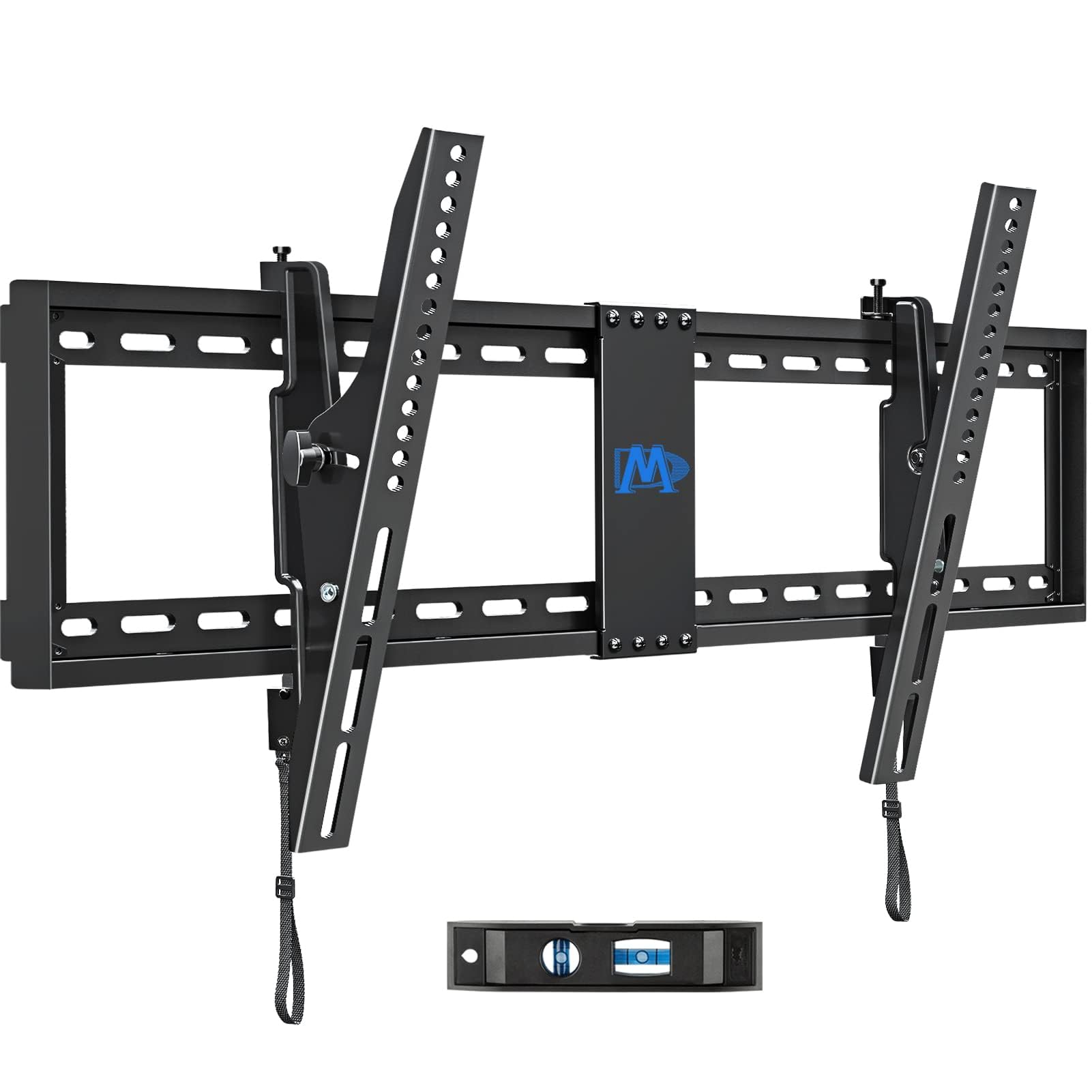
The budget tilt bracket that holds big screens at a 15° forward angle with a 10-year warranty
Not every room needs a swiveling arm — if your seating is directly opposite the TV, a tilting mount saves money and gets the screen closer to the wall. This Mounting Dream model handles 42-86 inch TVs up to 120 lbs, with a universal VESA range from 200x100mm to 800x400mm that covers virtually every 77-inch panel. The headline is the tool-less tilt handle: pull it to angle the TV forward up to 15° to kill glare, or back 5° to reach the cables behind.
Owners consistently describe it as stable, durable, and easy to use, with one praising it as lightweight and noting the manufacturer description is spot on. The 2.5-inch slim profile keeps the screen almost flush against the wall for a neat, space-saving look, and the ±1° post-installation leveling lets you fix a slightly crooked hang without re-drilling. Everything arrives in pre-labeled bags with a torpedo level, so the install is genuinely straightforward for a first-timer.
The recurring note is that the tilt mechanism, while effective, can feel stiff and takes some effort to adjust — it is a low-maintenance feature rather than something you fiddle with daily. Some owners also mention the open up cords are short, so you may want to extend them if your TV is especially large. It fits 16″, 18″, or 24″ stud spacing, which is rare flexibility at this price, and it carries a 10-year warranty as an extra safety net.
Where it shines
- Tool-less 15° tilt for glare control
- Fits 16″, 18″, or 24″ stud spacing
- 10-year warranty and 2.5-inch slim profile
Consider this
- No swivel — only forward tilt, so off-angle seating is not covered
- Tilt adjustment can feel stiff and requires some effort
Grab this if: your couch is dead-center and you just want glare control at a budget-friendly price with a long warranty.
Think twice if: you need to angle the screen toward a corner seat — that demands a full-motion arm.
5. Perlegear Long Arm Full Motion TV Wall Mount
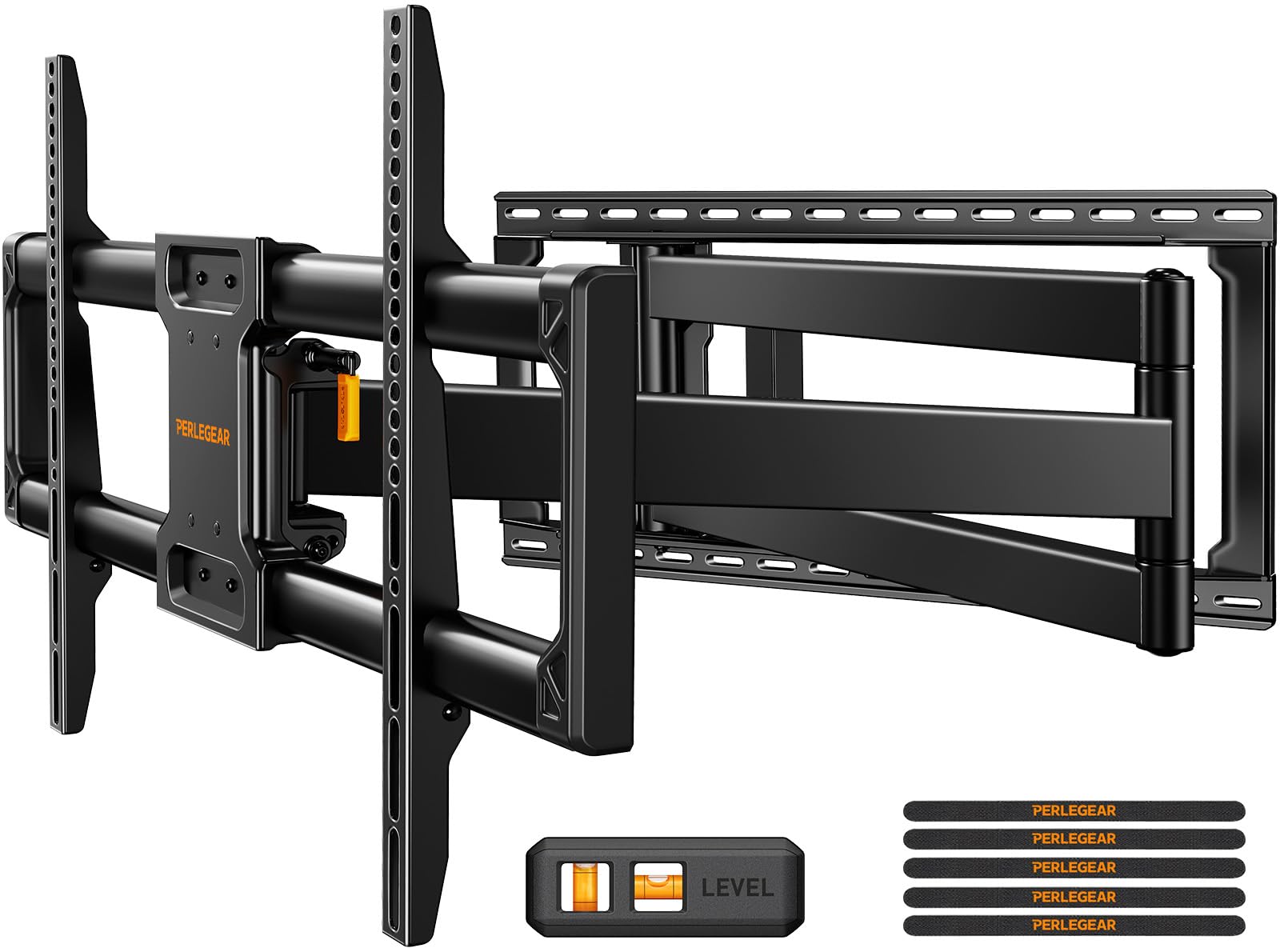
The 40.1-inch arm built for corner setups and built-in cabinets where other mounts fall short
Most full-motion mounts extend 16 inches — enough for a little flexibility but useless in a corner or behind cabinet doors. This Perlegear stretches out a full 40.1 inches, making it the specialist pick for awkward layouts where the TV needs to clear furniture or swing out from a corner to face the room. It holds up to 150 lbs, the highest capacity in this lineup, with a max screen size of 97 inches, so a 77-inch panel is nowhere near its limit.
The cold-rolled steel arm and wide wall plate passed a 4x load test and 6,000-cycle test. It swivels a full ±90° — owners note you can turn the TV perpendicular to the wall or even beyond — plus +5°/-15° tilt and ±4° post-installation leveling. It retracts to 3.7 inches when pushed back, so you are not permanently stuck with a protruding arm. It fits 8″/12″/16″/24″ wood studs, concrete, or brick, giving you serious placement freedom.
Owners praise it as rock solid with no lean at full extension, and several note the pre-assembled design makes install a simple three-step job. The honest trade-off is that this much reach means the TV sits farther from the wall than a standard mount, and a solo install of a large screen is genuinely challenging—you will want a second person and possibly a longer power cord given how far the arm extends. It is built for the specific corner or cabinet scenario, not for someone who just wants the slimmest possible profile.
The big advantages
- 40.1-inch reach for corner and built-in cabinet installations
- 150-lb capacity and ±90° swivel for heavy, flexible placement
- Pre-assembled for a simple three-step install
Realistic trade-offs
- TV protrudes farther from the wall than standard mounts
- Solo install of a large screen is difficult — get help
This is your pick if: the TV goes in a corner or behind cabinet doors and needs to swing out to face the room.
Not for you if: you want the TV as flush to the wall as possible — the 40.1-inch arm works against that goal.
6. USX STAR Heavy Duty Low Profile TV Wall Mount
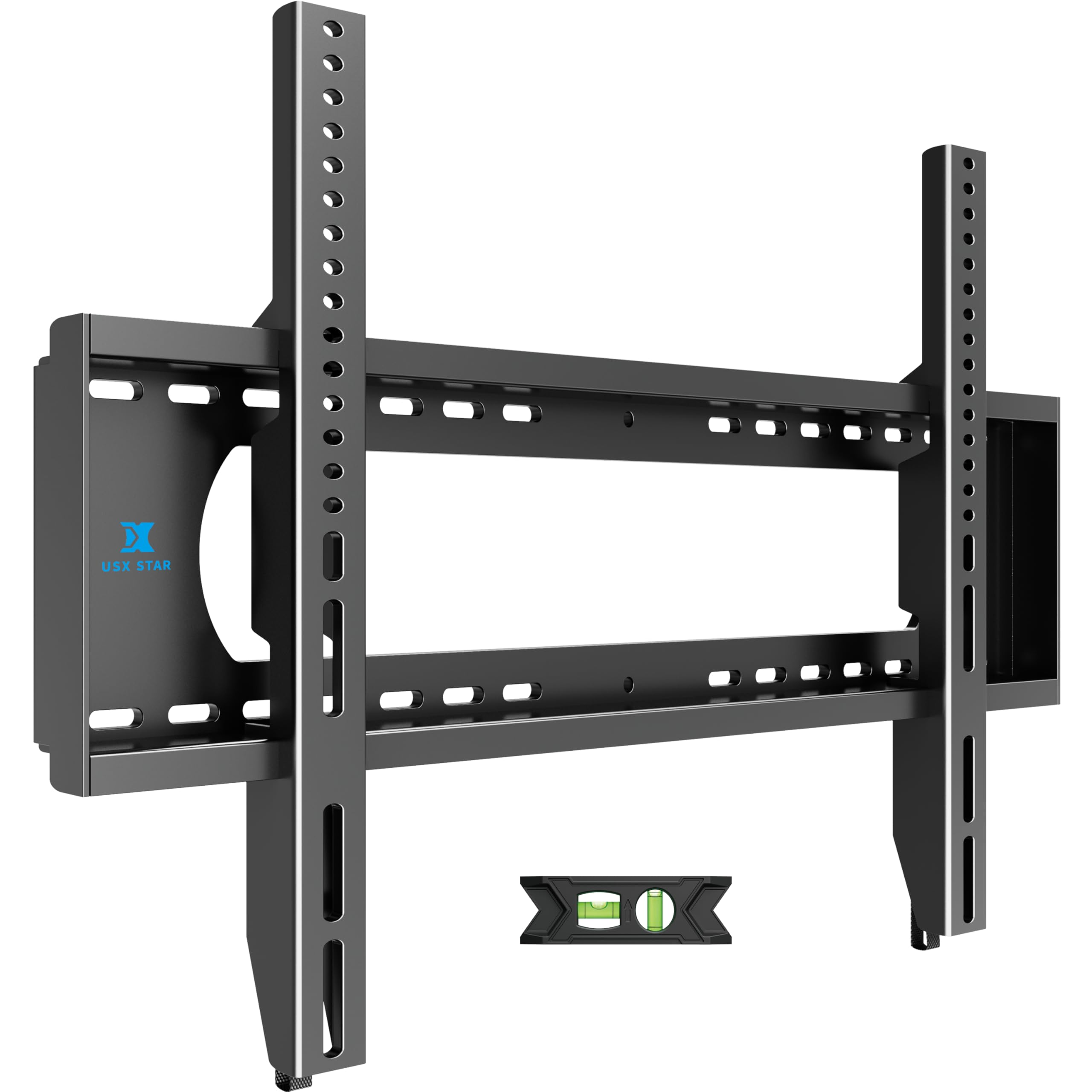
A 220-pound-rated fixed plate that pairs monster capacity with a budget-friendly price tag
If your viewing position is fixed and you want the TV as close to the wall as possible, this USX STAR plate delivers the biggest weight rating in the entire lineup—220 lbs—at a price that undercuts most full-motion arms. It is a one-piece fixed construction, meaning there are no moving parts to wear out or sag over time. It handles 55-inch up to 100-inch screens with a VESA range up to 900x600mm (about 35.4 x 23.62 inches), so a 77-inch TV sits comfortably in the middle of its range.
The low-profile design extends only about 1.1 inches from the wall, giving that sleek, modern built-in look. Owners mounting 86-inch to 100-inch TVs describe it as sturdy and economical, with the spring latches letting the TV swing out slightly for cable access — though you will need something to prop it while you work. The plate slides left or right after install for perfect centering, and it fits 8″, 16″, 24″, or 32″ stud spacing, which is exceptional flexibility.
The recurring notes are all about the install logistics rather than the mount itself: an included level is subpar, the pull cords are too short for a 100-inch TV (owners lengthen them with twine or zip ties), and hanging a huge screen takes three people. The 10-year manufacturer support is a nice safety net. For the budget-conscious buyer who knows their seating is fixed, this is the value king.
Why it wins on value
- 220-lb capacity covers even the heaviest 77-inch panels
- Fits 8″, 16″, 24″, or 32″ stud spacing
- 1.1-inch profile and 10-year manufacturer support
Small frustrations
- Included level is subpar — use your own
- Pull cords run short on very large TVs
- No tilt or swivel — fixed position only
Pick this for: a fixed, flush wall mount that prioritizes rock-solid capacity and a clean look over any movement.
Avoid if: you need to angle the screen for glare or off-center seating — this plate does not move at all.
7. HOME VISION Heavy Duty Tilting TV Wall Mount
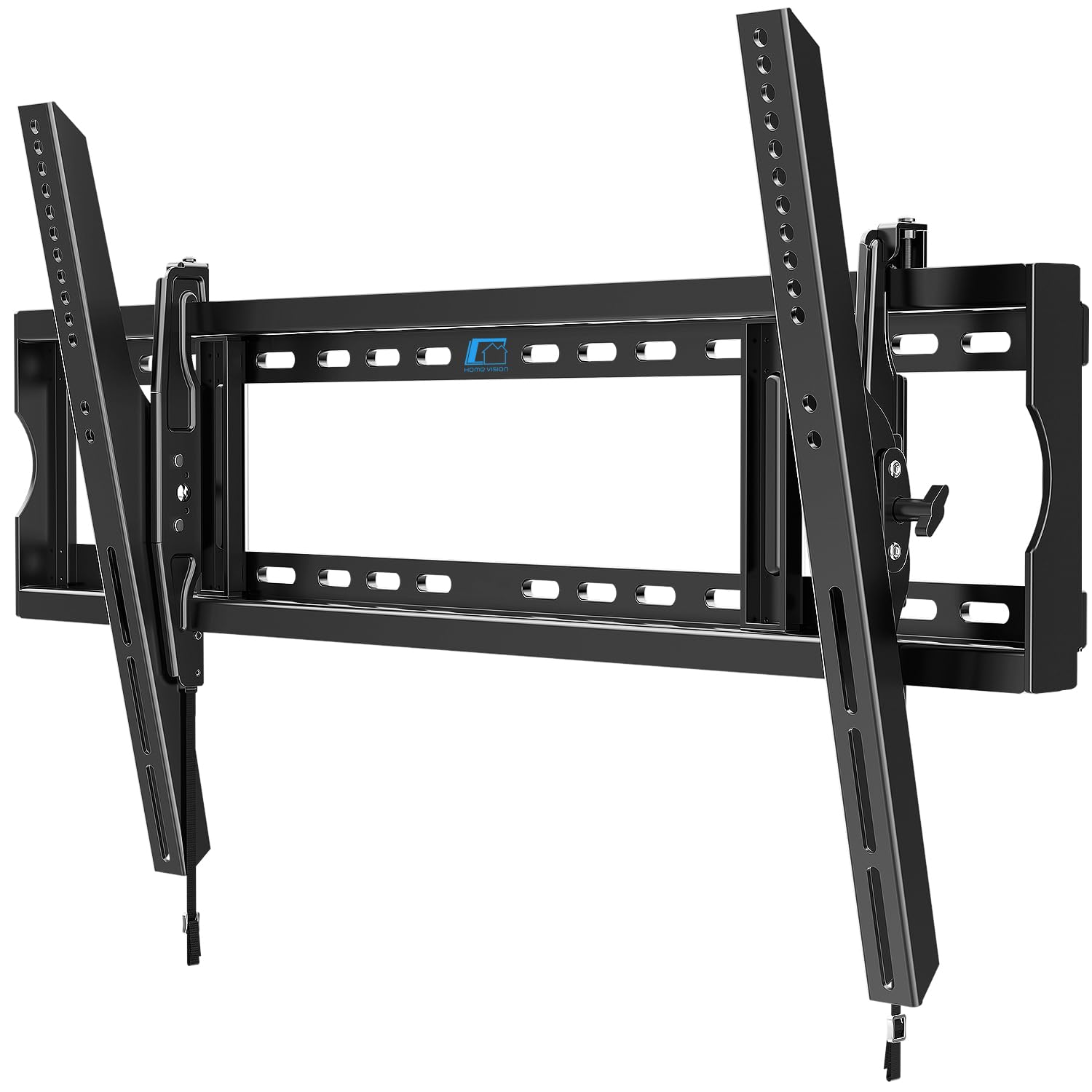
A budget tilt mount with a 37-inch steel plate built for 120-inch TVs and everything smaller
This HOME VISION bracket is engineered for XXL screens first and foremost — it supports 60-inch to 120-inch TVs with a 220 lbs weight capacity and a 37-inch steel plate that distributes weight evenly to prevent sagging. It was safety stress-tested to 550 lbs, so a 77-inch panel is nowhere near its limits. The tilt range is 10° down and 5° up, controlled tool-free, which is enough to cut glare from a fireplace mount or a high wall position.
Owners are emphatic about how well it holds big screens — one has been using it for 5 months with a 98-inch TCL that weighs about 121 lbs, calling it stable with a smooth tilt and no degradation. Another mounted an 86-inch LG on 2×4 studs and praises the slim design for keeping port access easy. The one-piece wall plate eliminates multi-part assembly, and the open-back design lets you mount over an electrical outlet for a clean setup without an extra recessed box.
The honest caveats: the tilt range draws mixed feedback — some find the mechanism strong and useful, others note the range is quite small, so it is more for fine-tuning than dramatic angle changes. The ±1° post-installation leveling covers minor corrections. It fits stud spacing up to 32 inches, which is wider than most competitors, and works on wood studs, concrete, or brick. Hanging a large TV still took three people, so plan for help.
Where it delivers
- 220-lb capacity with 550-lb stress testing
- 37-inch steel plate prevents sagging on big screens
- Fits stud spacing up to 32 inches
Be aware
- Tilt range is small — fine-tuning, not dramatic angles
- No swivel; fixed horizontal position
- Large TV install realistically needs three people
Best for: heavy 77-inch TVs mounted high or over a fireplace where a slight downward tilt solves the viewing angle.
Not ideal if: you need to swivel the screen left or right for a corner room layout.
8. SANUS Premium Full Motion TV Mount
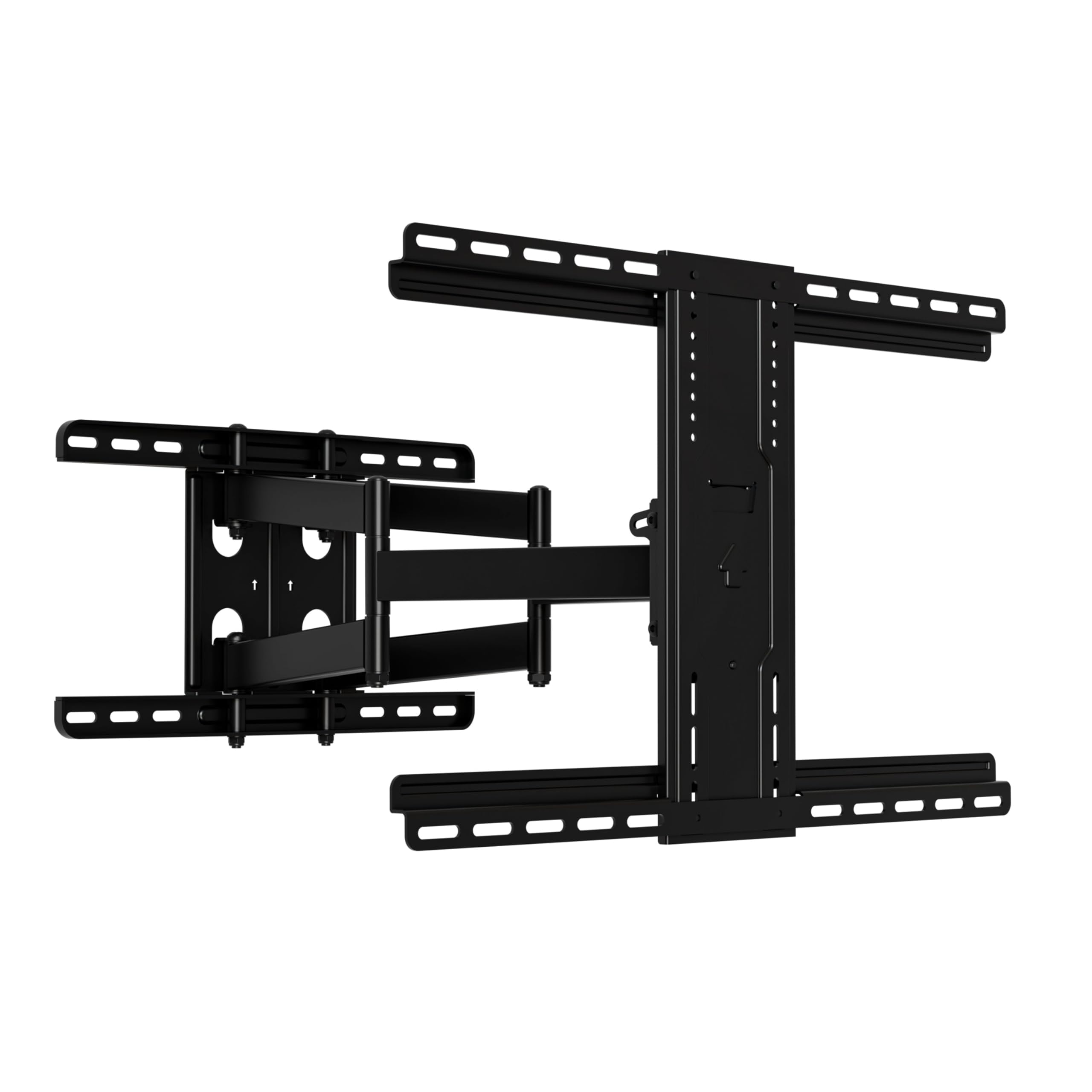
The premium arm that extends 22 inches and glides with fingertip-touch motion
SANUS is a name that carries weight in the mounting world, and this OLF22 model justifies the reputation with buttery-smooth articulation. It extends up to 22 inches from the wall and swivels easily for TVs up to 90 inches and 125 lbs. The stainless steel construction is UL-listed, and owners describe holding heavy screens with zero sag or wobble—even curved TVs mount smoothly. The 35° tilt range is among the most generous in this lineup, giving real flexibility for glare control.
The motion quality is the standout story. It adjusts with a light touch rather than requiring force, which owners repeatedly highlight, and it retracts to just 2.5 inches for a slim profile while leaving room to tuck small media devices behind the TV. The comprehensive kit includes a drilling template, pre-assembled parts, cable ties, and an install manual designed to keep the whole job around 20 minutes. Owners note you will still need a second person for most TVs, but the process itself is straightforward.
The catch is that installation feedback is genuinely mixed — some owners find it very easy while others wrestle with alignment, so set aside more time than the 20-minute claim suggests. There is also a note that SANUS does not sell replacement brackets to non-original buyers, so keep the original purchase receipt safe. It installs on 16-inch wood studs or concrete in three steps, and the post-installation leveling handles minor corrections.
The premium feel
- Fingertip-smooth swivel, tilt, and 22-inch extension
- 35° tilt range — the most generous in this lineup
- UL-listed stainless steel with zero wobble on heavy TVs
Honest caveats
- Installation difficulty varies — some owners struggle with alignment
- Replacement parts are hard to get from SANUS
- 16-inch stud spacing only, unlike wider competitors
Worth it for: the smoothest, most premium-feeling motion you can get on a 77-inch TV, backed by a trusted brand.
Reconsider if: your studs are set wider than 16 inches — this mount will not fit without a different plate.
9. SANUS Full Motion TV Wall Mount

The longest-reaching arm in this lineup at 24 inches, with a 42° tilt for high mounts
This is the max-reach option for a 77-inch TV—the OLF24 extends out a full 24 inches from the wall, giving you more swing than any other mount here. It pairs that reach with a 42° tilt range, the steepest of the entire group, which makes it the standout choice for TVs mounted high above a fireplace or in a loft where you need to angle the screen down sharply. It handles TVs up to 90 inches and is held to a 120-lb capacity, with dual articulating arms built to move with a fingertip touch.
Owners mounting 75-inch and 86-inch TVs describe it as sturdy with zero flex at full extension, handling daily movement and nightly repositioning without issue. One owner mounted a 75-inch Sony Bravia weighing about 96 lbs and called it a fraction of the price of the Sony-branded mount. The design routes power and HDMI cables through the arms themselves, and decorative wall plate covers hide the mounting hardware — a polished finish you do not often see.
The honest trade-off: owners mention the TV can be hard to return flush to the wall without help, and some find the adjustability mixed with a tendency to tilt forward. It requires wood studs or concrete — never drywall anchors — and the full-size template makes marking straightforward.
The reach advantage
- 24-inch extension — the longest in this lineup
- 42° tilt range handles high fireplace mounts
- Cables route through the arms for a clean look
Watch for
- Returning the TV flush to the wall can take effort
- Some owners find it has a slight forward tilt tendency
- Premium price for the reach and tilt capability
Choose this if: you need maximum reach and a steep tilt for a high or corner mount on a heavy 77-inch screen.
Pass if: you want the TV tucked tight to the wall when not in use — the 24-inch arm works against that goal.
Understanding the Specs
VESA Pattern
This is the distance in millimeters between the four mounting holes on the back of your TV — a 77-inch panel typically needs a pattern in the 400x400mm to 600x400mm range. The bracket’s VESA range must include your TV’s pattern or the holes will not line up. All mounts here cover the spans a 77-inch TV needs, but always check your specific model’s manual before buying.
Weight Capacity
The mount’s rated maximum load is your hard safety limit. A 77-inch TV commonly weighs between 60 and 100 pounds, so look for a bracket rated at least 100 lbs—and ideally more for headroom. Every mount in this guide meets that threshold, with the heavy-duty fixed plates going up to 220 lbs for the biggest panels.
FAQ
Will a 77-inch TV fit a mount rated for up to 84 or 86 inches?
What VESA pattern does a 77-inch TV use?
How much weight can a 77-inch TV wall mount hold?
Can I install a full-motion mount on drywall alone?
What if my studs are 24 inches apart?
Full motion vs tilt mount for a 77-inch TV, which should I choose?
How far from the wall will my TV sit?
Is a 100 lb capacity mount enough for a 77-inch TV?
Can I install a 77-inch TV mount by myself?
Final Thoughts: The Verdict
For most buyers, the 77 inch tv wall mount winner is the Mounting Dream Full Motion because it delivers smooth 16.6-inch extension, easy installation, and a proven track record with thousands of satisfied owners at a fair price. If you want independent safety certification and higher capacity, grab the Perlegear PGLF8. And for a corner or cabinet setup where reach matters most, the Perlegear PGXLF02 with its 40.1-inch arm is the one to reach for.
How We Picked
We do not accept paid placement. Every pick is matched to a real buyer and a real use-case; we do not hands-on test units.
Sources & Methodology
Specifications: manufacturer listings and product documentation. Review insights: verified customer reviews, as of August 2026. Pricing: not shown on this page (it changes often); check the current price via the retailer link.
As an Amazon Associate, Gadgets Feed earns from qualifying purchases. This does not affect which products we feature.