
Our readers keep the lights on and my morning glass full of iced black tea. As an Amazon Associate, I earn from qualifying purchases.
Specs are compiled from manufacturer listings and verified buyer reviews and can change over time — please confirm the key details on the product page before buying.
You are looking at screens that replace two monitors at once, and the biggest decision is not the inch count — it is the resolution and refresh rate hiding behind that curve. A 45-inch ultrawide sounds impressive, but the real question is if you want a super-wide 32:9 panel that acts like two QHD displays side by side, or a 21:9 OLED with perfect blacks. The best 45 inch computer monitor for you depends on what you actually do with it — gaming, trading, editing, or all three.
I’m Min — the founder and writer behind Gadgets Feed. This guide is built by comparing the manufacturers’ published specifications and the patterns across verified customer reviews, so you get each pick’s real strengths and trade-offs instead of marketing spin.
This list uses flexible matching for screen size, so a few picks sit at the nearest sold size. Here is the honest take: the best 45 inch computer monitor for you depends on whether you value raw speed or color depth.
Our Picks at a Glance

How To Choose The Best 45 Inch Computer Monitor
A 45-inch panel is a big commitment, so you want to match the screen to your hardware and your daily routine. The good news is that the choices boil down to a few clear decisions that are easy to understand once you know what to look for.
Resolution: Decide Between DQHD and WQHD
DQHD (5120×1440) gives you the horizontal space of two 27-inch QHD monitors without a bezel in the middle — perfect for spreadsheets and code. WQHD (3440×1440) is a slimmer 21:9 format that is easier on your graphics card. Your GPU needs to push all those pixels, so a weaker card will struggle with the higher-resolution panels at high refresh rates.
Refresh Rate: How Smooth Do You Need It?
Higher refresh rates like 240Hz make fast motion look fluid and reduce eye strain during long sessions. If you play competitive shooters, the jump from 120Hz to 240Hz is noticeable; if you mostly work, a 120Hz panel is still silky smooth for scrolling and video.
Panel Type: VA vs OLED
VA panels offer great contrast and brightness for the price, with deep blacks and vibrant colors. OLED panels take that further with true per-pixel black and near-instant response times, but they cost more and require care to avoid burn-in. Your budget and your tolerance for maintenance will decide this one.
Quick Comparison
| Model | Best For | Resolution | Refresh Rate | Panel Type | Amazon |
|---|---|---|---|---|---|
| CRUA 45″ DQHD★ Best Overall | Value Ultrawide | 5120×1440 | 240Hz | VA | Amazon |
| Gawfolk 45″ DQHDBest Value | Budget Gaming | 5120×1440 | 185Hz | VA | Amazon |
| INNOCN 45C1RWorkhorse Pick | Work & Play | 5120×1440 | 120Hz | VA | Amazon |
| Gawfolk 45″ 200Hz | Fast Gaming | 5120×1440 | 200Hz | LCD | Amazon |
| LG 34GX900A-B | OLED 240Hz | 3440×1440 | 240Hz | OLED | Amazon |
| INNOCN 45″ 5K2K | Dock & KVM | 5120×1440 | 120Hz | VA | Amazon |
| LG 39GX90SA-W | Smart OLED | 3440×1440 | 240Hz | OLED | Amazon |
| LG 45GX90SA-B Bundle | Complete Bundle | 3440×1440 | 240Hz | OLED | Amazon |
| LG 45GX900A-B | Pure OLED Gaming | 3440×1440 | 240Hz | OLED | Amazon |
| LG 45GX950A | 5K2K OLED | 5120×2160 | 330Hz | OLED | Amazon |
In-Depth Reviews
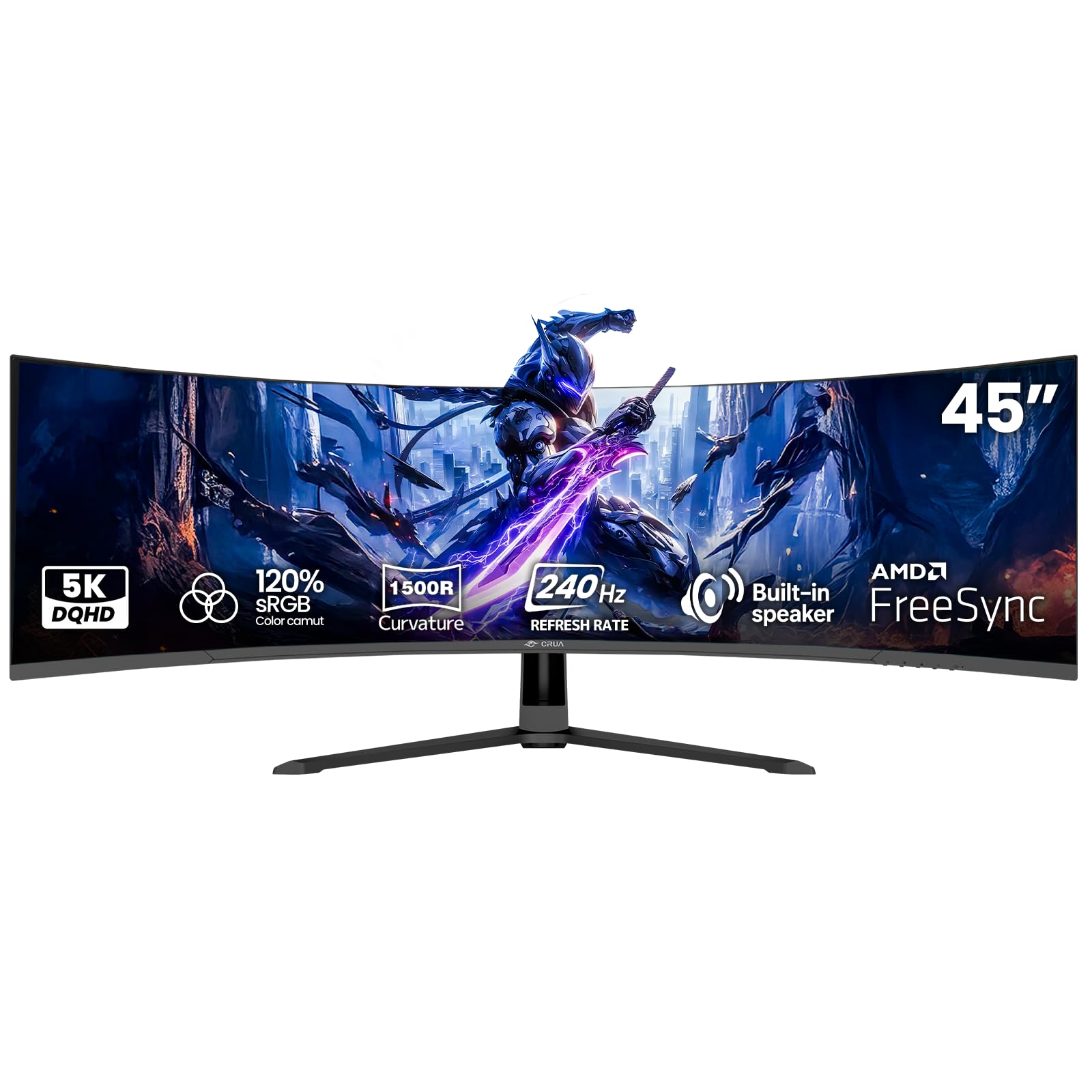
1. CRUA 45″ DQHD 240Hz Ultrawide Curved Gaming Monitor
Our pick — over 4★ from 4,000+ verified ratings; the strongest balance of quality and price.
A 5120×1440 DQHD panel with a 240Hz refresh rate that replaces a dual-monitor setup.
This panel gives you a 5120×1440 DQHD resolution spread across a 32:9 aspect ratio — effectively two QHD monitors side by side with no bezel splitting your view. The 1500R curvature wraps the screen around your field of vision, which helps you take in the whole workspace at a glance without moving your head, so multitasking and programming feel more natural. For fast-paced play, the 240Hz refresh rate with AMD FreeSync compatibility cuts out screen tearing and stutter, keeping motion smooth whether you are gaming or just scrolling through long documents.
Colors hold up well for the price, with 120% sRGB gamut, 350 cd/m² brightness, and a 3000:1 contrast ratio producing deep blacks and vibrant detail. You also get built-in speakers, so you can hop into a meeting or stream a show without plugging in external audio. Connectivity is flexible with HDMI 2.1 and DisplayPort 1.4, and the 100×100mm wall-mount option frees up desk space.
Setup is straightforward, and the picture quality impresses most people right from the start. The main caveat is that a handful of units have arrived with defects — one reviewer noted a display failure about a month after purchase — so it is worth checking your panel early. The recurring theme is that when you get a good unit, this is exceptional value for a 240Hz ultrawide.
What Wins People Over
- 240Hz refresh rate keeps fast motion fluid and tear-free
- 5120×1440 resolution replaces a dual-monitor setup
- Built-in speakers add convenience for calls and media
Where It Can Trip You Up
- Quality control varies — check for dead pixels early
- The 32:9 format demands a strong GPU at full resolution
Reach for this if: you want the smoothest ultrawide experience without paying OLED prices.
Think twice if: your graphics card is older, since pushing 5120×1440 at 240Hz needs serious horsepower.
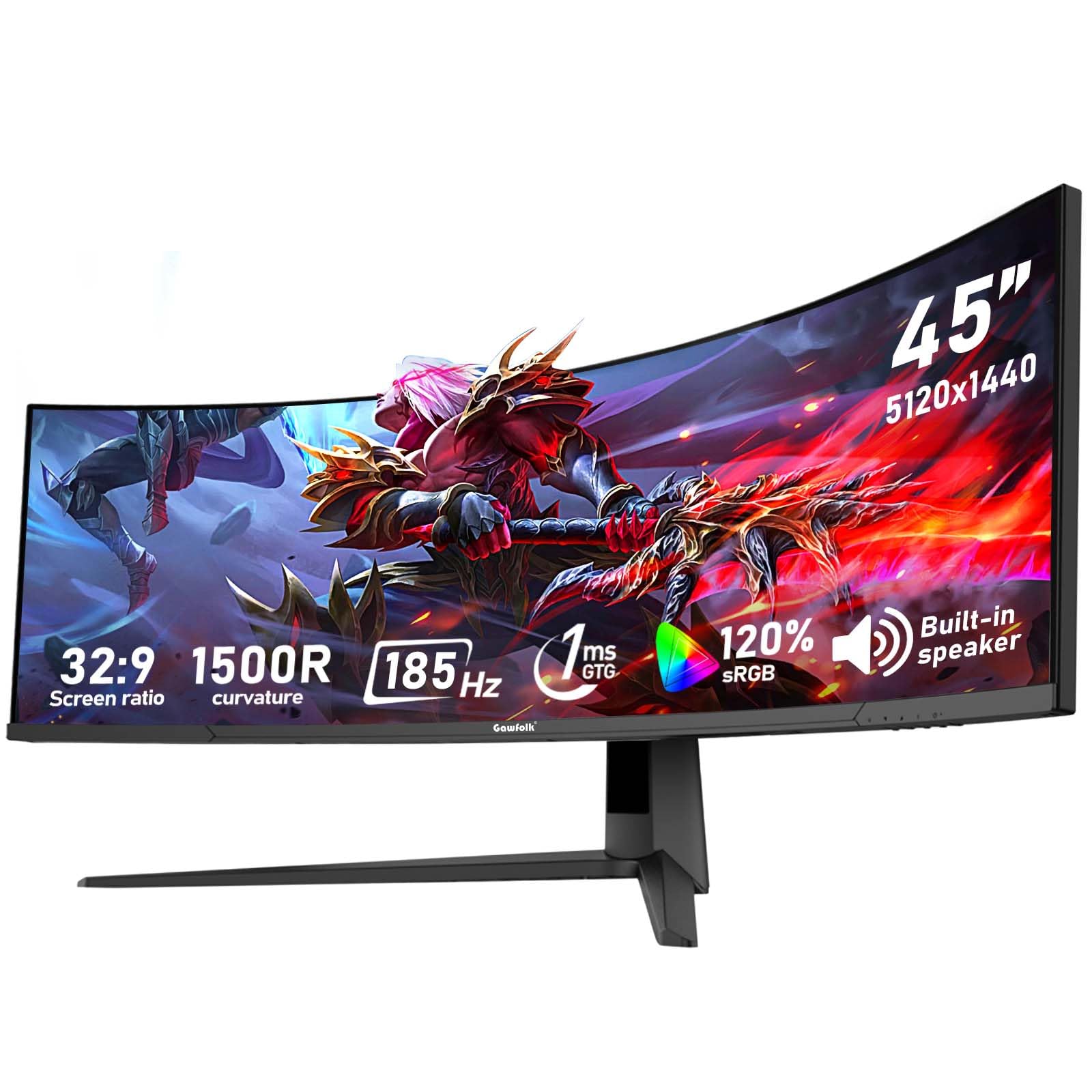
2. Gawfolk 45 inch Ultra-Wide Curved 1500R Gaming Computer Monitor
A 5120×1440 DQHD panel with a 185Hz refresh rate and Adaptive Sync for smooth, budget-friendly gaming.
For split-screen office work or rich gaming, the Gawfolk gives you nearly double the horizontal view of a traditional monitor, thanks to its 5120×1440 DQHD resolution on a 32:9 ultra-wide screen. The 185Hz refresh rate, paired with Adaptive Sync technology (supporting both FreeSync and G-Sync), keeps motion smooth and free of tearing, whether you are in a fast AAA title or editing 4K video. With 120% sRGB color gamut and a 3000:1 contrast ratio, colors stay accurate enough for photo retouching and video color grading.
It is comfortable for long sessions, thanks to low blue light filtering and a flicker-free design that reduces eye fatigue and dryness. Connectivity is full-spec with 2 HDMI 2.1 ports and 2 DisplayPort 1.4 inputs, so you can hook up a PC, console, and laptop simultaneously and switch between them easily. Buyers describe it as working exactly as advertised after weeks of daily use, with a crisp picture and good color reproduction for the price.
The honest trade-off is that quality control gets mixed feedback — buyers report some units arrive with blurry images or dead pixels, while others are flawless. The consensus is that when you get a good panel, this is one of the best values in the 45-inch class. A 12-month after-sales service backs the purchase, which adds a little confidence.
Solid pick for: gamers and multitaskers on a budget who want the full DQHD ultrawide experience.
The catch: do a quick dead-pixel check on arrival, since a few units slip through with defects.
3. INNOCN 45C1R 45″ 5K2K Ultrawide Curved Gaming Monitor
A 5120×1440 VA panel with USB-C 65W power delivery and a fully adjustable stand for work and play.
If you live in spreadsheets and code editors, the INNOCN boost screen real estate for smooth multitasking with its 5120×1440 resolution on a 32:9 VA panel. The 1500R curvature reduces eye fatigue during long work sessions, and the tilt, swivel, and height adjustment let you dial in the perfect viewing angle. At 120Hz, it is smooth enough for gaming, though it prioritizes clarity and color accuracy over raw speed.
Connectivity is where this monitor shines: it offers 1 DP 1.4, 1 USB-C with 65W power delivery, 2 HDMI 2.1, 2 USB-A, 1 USB-B, 1 RJ45, and a 3.5mm audio jack. That means you can plug in a laptop, Mac, phone, tablet, and gaming console all at once — and the USB-C port charges your laptop while it displays. The 99% sRGB color gamut with HDR400 support and 3000:1 contrast delivers crisp, accurate images, which creators and video editors appreciate.
The PIP/PBP split-screen technology lets you show content from two separate inputs at the same time, which is ideal for monitoring a laptop feed while working on a desktop. Owners praise the value and picture quality, though some note that color calibration can need a little tweaking from the start, and the stand is heavy enough that assembly is easier with two people. It is a superb all-rounder that handles work, gaming, and media with equal grace.
What Makes It Stand Out
- USB-C 65W power delivery charges your laptop while connected
- Fully adjustable stand with tilt, swivel, and height settings
- PIP/PBP splits the screen between two devices at once
What to Keep in Mind
- 120Hz is smooth but not as fast as 240Hz rivals
- Heavy panel needs help during assembly
Best suited for: professionals who need a dock-like hub with a massive, adjustable canvas.
Look elsewhere if: you demand the fastest refresh rates for competitive esports.
4. Gawfolk 45 Inch Ultrawide Curved Monitor, 200Hz 5K DQHD
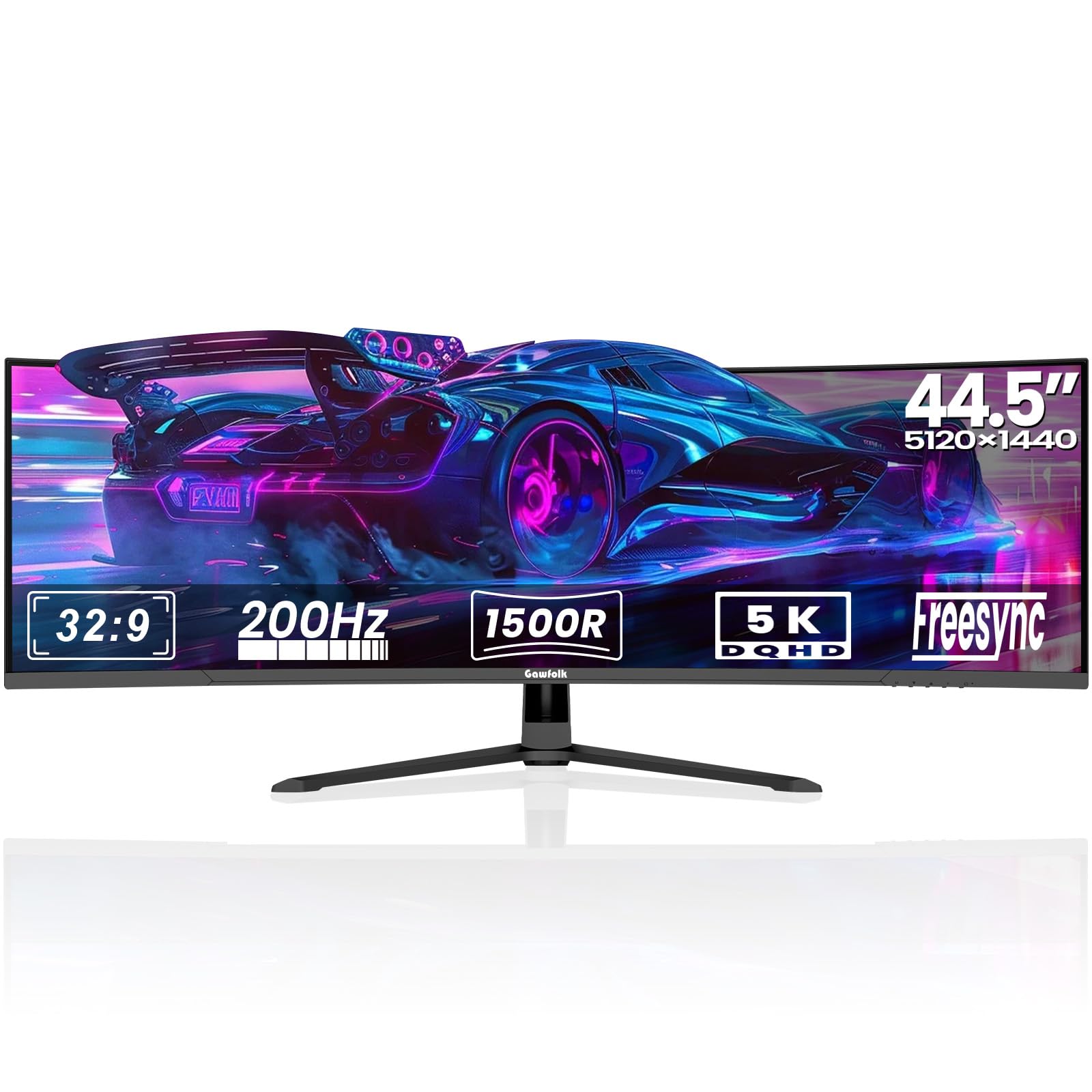
A 5120×1440 DQHD panel with a 200Hz refresh rate, G-Sync support, and gaming extras like Overdrive and Black Equalizer.
This Gawfolk pairs a 5120×1440 DQHD resolution with a 200Hz refresh rate — a combination that keeps fast-paced games fluid while still offering enough pixels for serious multitasking. The 32:9 aspect ratio and 1500R curve wrap around your vision, making it feel like two 24-inch QHD monitors fused together without a bezel. It supports both AMD FreeSync and NVIDIA G-Sync, so screen tearing is a non-issue whether you run an AMD or NVIDIA graphics card.
For competitive players, the built-in Overdrive function fine-tunes response times, while the Black Equalizer brightens dark scenes to reveal hidden enemies. A customizable on-screen Crosshair (Aim Assist) improves FPS accuracy, and Flicker-Free DC Dimming protects your eyes during marathon sessions. The rear Ambient Lighting adds a modern glow to your setup, and the sturdy aluminum alloy base keeps everything stable.
With 2 HDMI 2.1 and 2 DisplayPort 1.4 inputs, plus PIP and PBP modes, you can run a laptop and desktop side by side on one screen. Owners consistently praise the build quality and gaming performance, noting the vivid colors and strong contrast. Reliability gets mixed feedback, with occasional reports of units stopping working, so it is wise to test yours thoroughly during the return window. For most buyers, though, the speed and feature set are hard to match at this level.
Why it earns a spot: the 200Hz refresh rate with G-Sync support makes it a serious contender for FPS players.
Fair warning: test for reliability early, as a small number of owners mention defects.
5. LG 34GX900A-B 34-Inch Ultragear WQHD OLED Curved Gaming Monitor

A 3440×1440 OLED panel with an 800R curve, 240Hz refresh rate, and true per-pixel blacks for cinematic gaming.
This LG takes a different approach with a 34-inch WQHD (3440×1440) OLED panel and a dramatic 800R curve that wraps the screen around you. The OLED technology delivers true per-pixel blacks and a 1.5M:1 contrast ratio, so dark scenes in games and movies have real depth instead of gray haze. With up to 98.5% DCI-P3 color coverage and DisplayHDR True Black 400, colors are vibrant and accurate, making it a treat for both gaming and content creation.
At 240Hz with a 0.03ms response time, this is one of the fastest displays you can buy. The near-instant pixel response eliminates ghosting, and with FreeSync Premium Pro and G-Sync compatibility, tearing is gone as well. It is also UL-verified for flicker-free display and low blue light, so long sessions are easier on your eyes. Connectivity includes HDMI 2.1, DisplayPort 1.4, and a USB-C port with 65W power delivery.
Owners describe the picture quality as stunning, with deep blacks and vibrant HDR that make games pop. The 21:9 aspect ratio is ideal for multitasking, and the USB-C hub is convenient for connecting laptops. Two things to note: OLED panels carry a burn-in risk, so the included OLED Care tools like pixel cleaning are worth using, and the glossy coating can reflect light in bright rooms. The 2-year limited warranty covers the OLED panel, which helps.
The OLED Advantage
- True blacks and 1.5M:1 contrast for cinematic visuals
- 240Hz with 0.03ms response is buttery smooth
- USB-C 65W power delivery charges your laptop
Before You Buy
- Glossy coating reflects light in bright rooms
- OLED burn-in requires using pixel cleaning tools
Pick this if: you want OLED color quality and speed without the largest 45-inch footprint.
skip it if: you need the extra horizontal space of a 32:9 super-ultrawide.
6. INNOCN 45 Inch 5K2K Ultrawide Curved Gaming Monitor
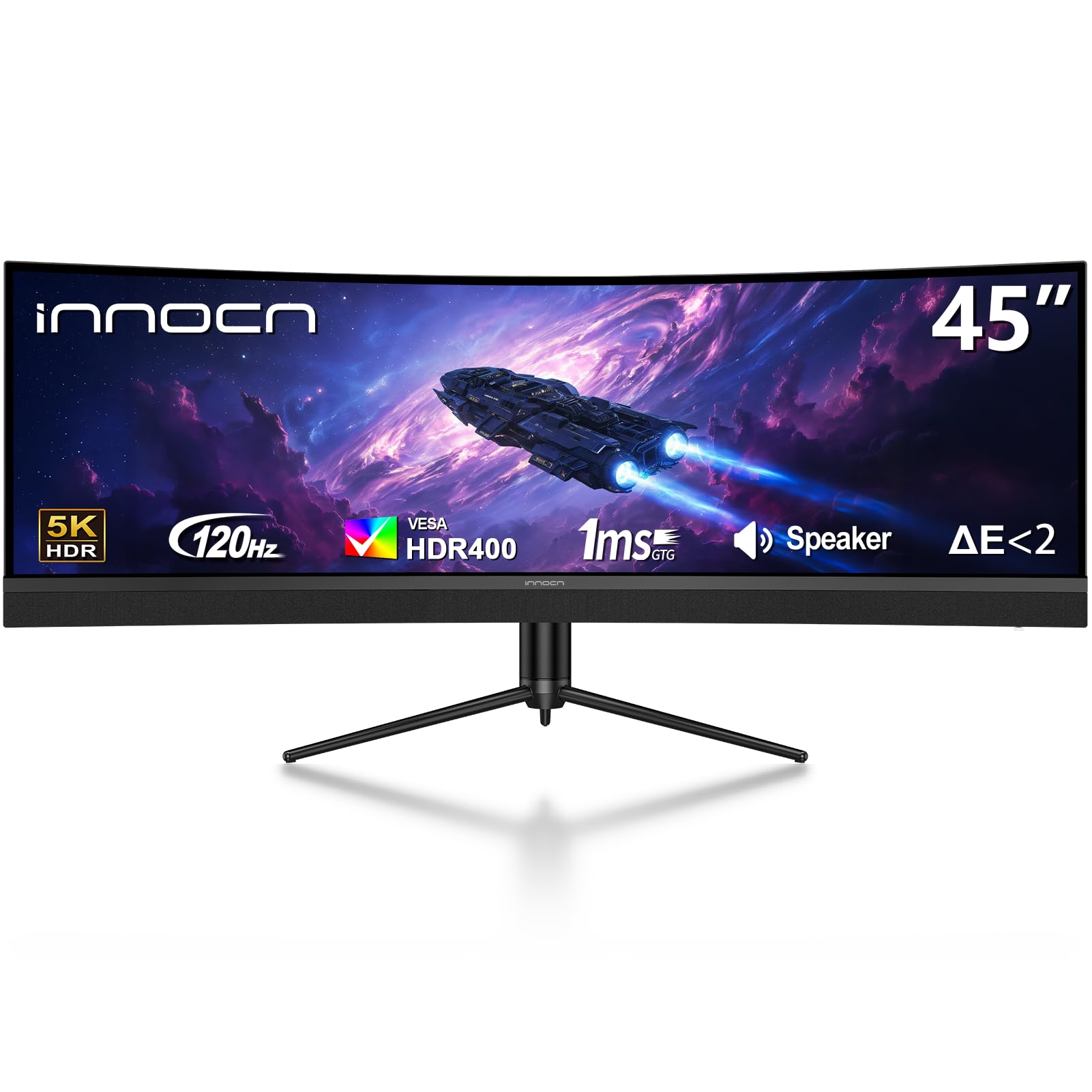
A 5120×1440 VA panel with a built-in dock and KVM switch for switching between two computers.
This INNOCN offers a 5120×1440 resolution on a 32:9 VA panel at 120Hz, giving you plenty of screen real estate for content creation and gaming. The 1500R curvature wraps around your vision, reducing eye fatigue and letting you take in the full workspace at a glance. Tilt, swivel, and height adjustment make it easy to find a comfortable viewing position, whether you are hunched over code or leaning back to watch a movie.
The standout feature here is connectivity: the built-in dock and KVM function let you switch between a gaming PC on HDMI and a laptop on USB-C with the press of a button. The interface includes 1 DP 1.4, 1 USB-C with 65W power delivery, 2 HDMI 2.1, 2 USB-A, 1 USB-B, 1 RJ45, and a 3.5mm audio jack. That means you can consolidate multiple devices into one clean setup and even share a keyboard and mouse between machines.
Owners love the image quality and the ease of switching between two devices, with one noting they can fit at least three windows comfortably on screen. The 99% sRGB gamut and HDR400 support deliver accurate colors for editing work. It is a newer model with fewer reviews, so there is less long-term data, but the early consensus is strong. The main downside reported is packaging — some units arrived with damage or missing cables, so inspect yours on delivery.
A great fit for: people juggling a desktop and laptop who want one screen and one set of peripherals.
Keep an eye on: delivery quality, since a few units have arrived damaged or incomplete.
7. LG 39GX90SA-W 39-inch Ultragear WQHD OLED Curved Gaming Monitor

A 3440×1440 OLED panel with built-in webOS for streaming apps and cloud gaming without a PC.
This white LG UltraGear brings a 3440×1440 WQHD OLED panel to a 39-inch screen with a steep 800R curve and 1300-nit peak brightness. The OLED technology delivers deep blacks and a 1.5M:1 contrast ratio, so games and movies look rich and cinematic. At 240Hz with a 0.03ms response time, motion stays fluid and ghost-free, and it supports both FreeSync Premium and G-Sync for tear-free play.
What sets this model apart is webOS24 built in. You can stream Netflix, Prime Video, Disney+, and other apps directly on the monitor, plus cloud game through NVIDIA GeForce NOW and Amazon Luna — no PC or console required. That turns the monitor into a standalone entertainment hub. The anti-glare surface minimizes reflections, and AI tools like Dynamic Tone Mapping and AI Picture sharpen visuals automatically.
Owners are impressed by the picture quality and the huge usable screen area, with one noting it beats a high-end Alienware for value. The 5K2K resolution here is actually a WQHD panel, but the response is that it reduces eye fatigue compared to super-ultrawides and the 21:9 format is more practical for daily work. One buyer warns that using it on Windows triggers LG software installations they do not appreciate, which is worth knowing if privacy matters to you.
Why It’s Unique
- Built-in webOS streams apps and cloud games directly
- 240Hz OLED with 0.03ms response time
- Anti-glare surface keeps reflections down
Worth Knowing
- Windows users may see extra LG software installs
- 39-inch 21:9 is narrower than 32:9 super-ultrawides
Choose this if: you want a smart OLED that doubles as a streaming TV and gaming display.
Consider another if: you dislike extra software on your Windows machine.
8. LG 45 inch Ultragear OLED WQHD 240Hz 800R Curved Gaming Monitor Bundle
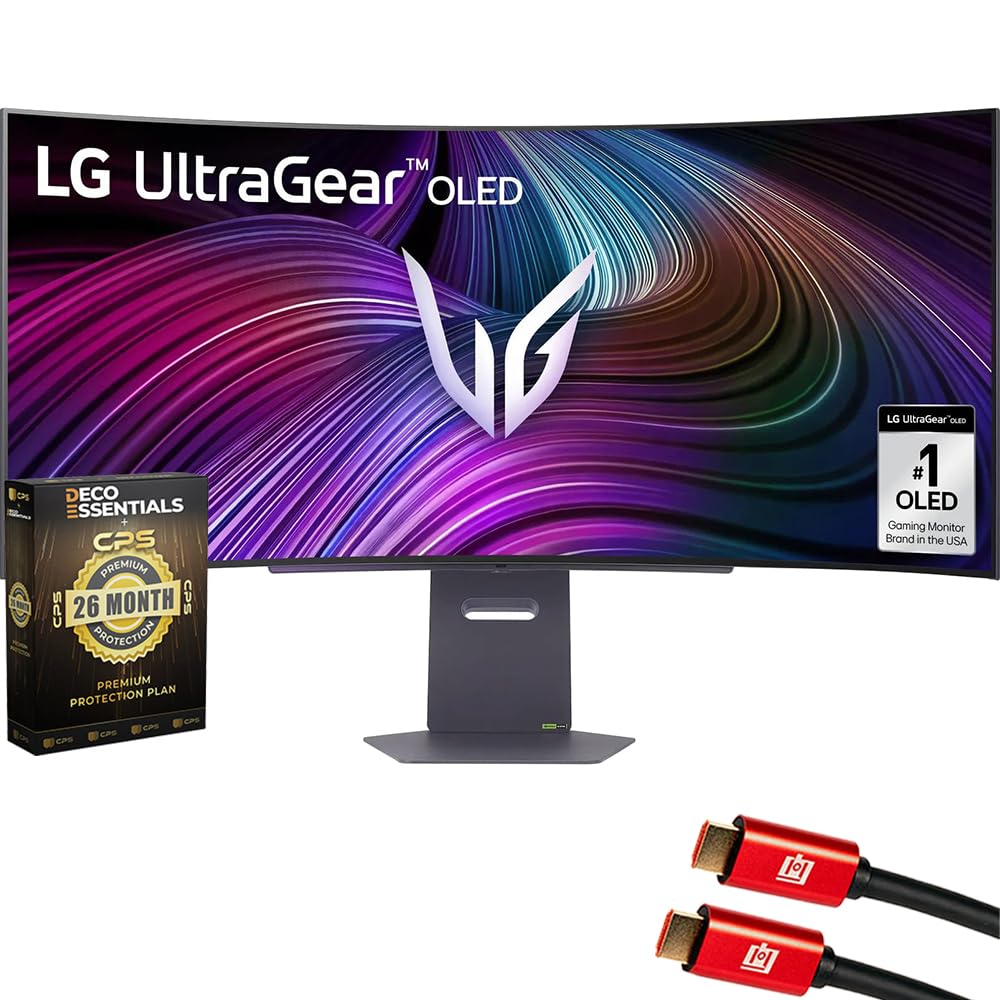
A 3440×1440 OLED panel with an 800R curve, 240Hz refresh rate, plus HDMI cables and a 26-month protection plan included.
This bundle pairs the LG 45″ UltraGear OLED with a 240Hz refresh rate and 0.03ms response time, so you get the speed and smoothness competitive gamers demand. The steep 800R curve wraps the 45-inch OLED screen around you, enhancing your field of view and making every scene more intense. With FreeSync Premium and G-Sync compatibility, tearing and stutter are eliminated on both PC and console.
The OLED panel covers 98.5% of DCI-P3 color, with HDR True Black 400 and a 1.5M:1 contrast ratio, giving you deep blacks and brilliant highlights. Streaming is covered too, with webOS built in for Netflix, Prime Video, and Disney+, plus cloud gaming through GeForce NOW and Amazon Luna. The bundle adds two 6-foot 4K HDMI cables and a 26-month extended protection plan that includes accidental and burn-in coverage.
The in-box protection plan is a genuine plus, covering the OLED panel for over two years. The only criticism in the reviews is that the color can look a bit dim for some, but most find the picture quality impressive. It is a complete package that removes the hassle of buying cables and protection separately.
Great for: buyers who want everything in one box — monitor, cables, and extended OLED protection.
Note: a few owners find the default color a touch dark; a quick settings tweak usually fixes it.
9. LG 45GX900A-B 45-Inch Ultragear WQHD OLED Curved Gaming Monitor

A massive 45-inch OLED with more screen area than a 49-inch super-ultrawide.
For the most rich gaming experience, the LG packs a 3440×1440 WQHD OLED panel into a 45-inch 21:9 frame — LG says it delivers more screen area than a 49-inch 32:9 screen. The 800R curve pulls the edges toward you, making it feel less like a monitor and more like sitting inside the game. With up to 1300 nits peak brightness, a 1.5M:1 contrast ratio, and 98.5% DCI-P3 coverage, HDR content looks stunning.
The 240Hz refresh rate and 0.03ms response time are top-tier for competitive play, and FreeSync Premium Pro plus G-Sync compatibility keep everything tear-free. It also carries UL verification for flicker-free display, discomfort glare, and low blue light, so it is easier on your eyes during long sessions. Connectivity is complete with HDMI 2.1, DisplayPort 1.4, and USB-C with 65W power delivery, plus the 2-year limited warranty covers the OLED panel.
Owners praise the size and curve, with one upgrading from a 43-inch mini-LED and calling it a standout. The OLED blacks are a particular highlight for gaming. Two honest caveats: the WQHD resolution on a 45-inch panel means less pixel density than a 5K2K model, so fine text is not as sharp as the higher-res rivals, and reliability is mixed — one buyer received a used unit sold as new. If you get a good panel, this is a stunning display.
The Big Wins
- 45-inch OLED with more area than many 49-inch rivals
- 240Hz and 0.03ms response for elite gaming
- USB-C 65W power delivery for laptops
The Trade-Offs
- WQHD density is lower than 5K2K panels at this size
- Check for used or defective units on delivery
Go for it if: you want the biggest, most rich OLED experience for gaming.
Pass if: you need razor-sharp text for all-day productivity — a 5K2K panel serves you better.
10. LG 45GX950A Ultragear 45″ OLED 5K2K 330Hz Curved Gaming Monitor Bundle
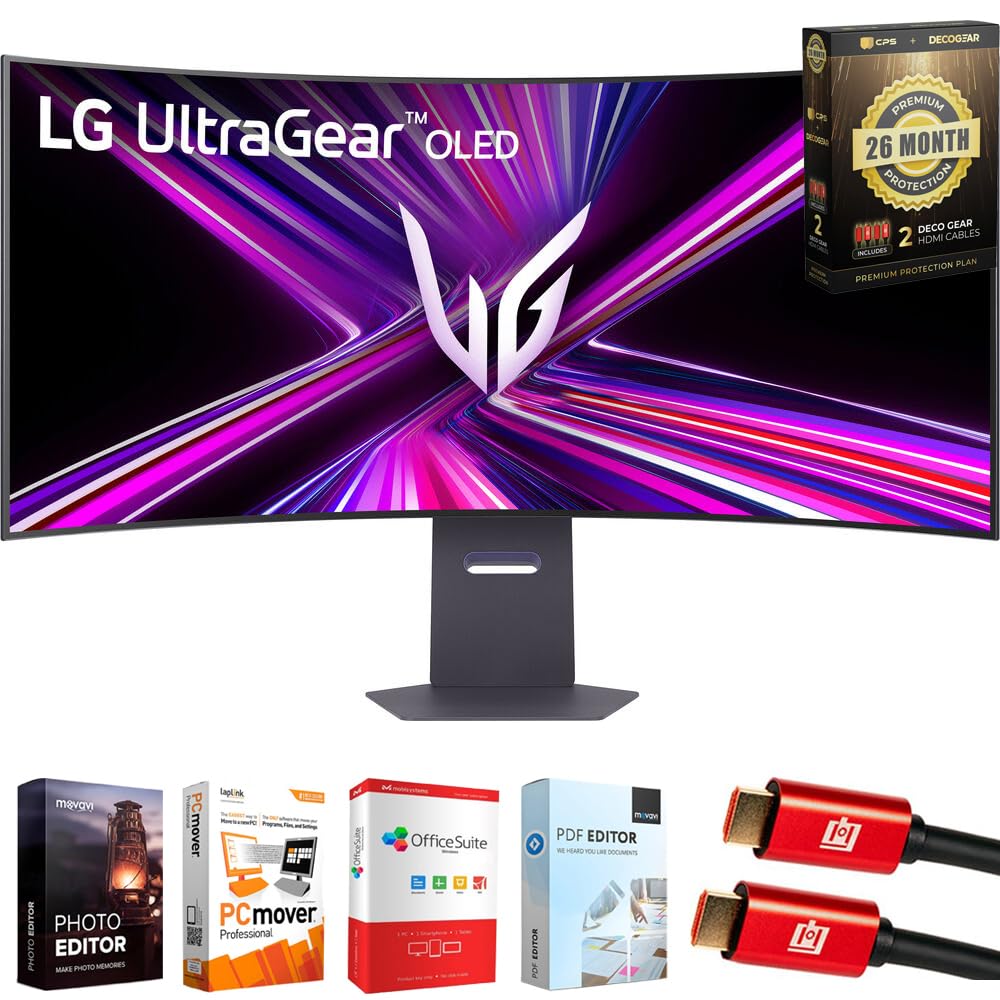
The world’s first 45-inch 5K2K OLED, with dual-mode speeds up to 330Hz.
This is the flagship of the group, and it earns the title: LG calls it the world’s first 45-inch 5K2K OLED gaming monitor, with a 5120×2160 resolution on a cinematic 21:9 panel. That resolution translates to a high 125 PPI pixel density, which means sharper text, less color fringing, and a more detailed image than any other 45-inch option here. The 800R curvature wraps the massive screen around you for serious immersion.
The dual-mode feature is the a neat extra: you can toggle between stunning 5K2K at 165Hz for rich visuals or lightning-fast Full HD at 330Hz for competitive play. That flexibility means one monitor handles both your cinematic RPG and your esports titles. With a 0.03ms response time, motion blur and ghosting are essentially eliminated, and G-Sync plus FreeSync Premium Pro keep everything stutter-free.
Connectivity is future-proof with DisplayPort 2.1, HDMI 2.1, and USB-C with 90W power delivery. The bundle includes a Tech Smart USA software suite, two 4K HDMI cables, and a 26-month protection plan covering accidental damage and burn-in. Owners praise the picture quality and call it excellent value for what it delivers, with one noting it is ideal for Xbox Series X and PlayStation 5. The main drawbacks are the premium price and the heavy GPU requirement — you will want a strong graphics card to feed this panel.
Worth it for: enthusiasts who want the sharpest, fastest 45-inch OLED money can buy.
Be ready for: a demanding GPU to push 5K2K at high frame rates.
Understanding the Specs
Resolution and PPI
Higher resolution means more pixels on screen, which makes text sharper and images more detailed. A 5120×1440 DQHD panel gives you the space of two monitors, while a 5120×2160 5K2K panel adds vertical pixels for even more clarity. As a rule, more pixels demand more power from your graphics card — a 5K2K panel at high refresh rates needs serious hardware.
Refresh Rate
Measured in hertz (Hz), this tells you how many times the screen updates per second. 120Hz is smooth, 240Hz is very smooth, and 330Hz is elite. Higher refresh rates reduce motion blur in fast games and make everyday scrolling feel fluid. The catch is that your GPU must be able to produce those frames to see the benefit.
Panel Type: VA vs OLED
VA panels offer good contrast and brightness at a lower price, making them the budget-friendly choice. OLED panels light each pixel individually, giving true blacks and stunning contrast, but they cost more and need some care to avoid burn-in. Your choice depends on whether you prioritize image quality or value.
Adaptive Sync
This technology (FreeSync and G-Sync) matches the monitor’s refresh rate to your graphics card’s output, eliminating screen tearing and stutter. It matters most for gaming, where a mismatch between frames causes visible artifacts. Most modern monitors support at least one of these standards.
FAQ
What does DQHD 5120×1440 actually look like compared to a regular monitor?
Will my graphics card run a 45-inch 5120×1440 monitor?
Is a 1500R curve better than an 800R curve?
What is the difference between a 21:9 and a 32:9 aspect ratio?
Do I really need a 240Hz refresh rate?
Is OLED worth the extra money for a monitor?
How much desk space does a 45-inch ultrawide need?
Can I work with a Mac using these monitors?
What is the downside of the 32:9 super-ultrawide format?
How do I protect an OLED monitor from burn-in?
Are the built-in speakers on these monitors good enough?
Final Thoughts: The Verdict
Across the board, the 45 inch computer monitor winner is the CRUA 45″ DQHD because it delivers the full 5120×1440 ultrawide experience with a smooth 240Hz refresh rate at a value that is tough to ignore. If you want the sharpest, most future-proof panel and can handle a demanding GPU, the LG 45GX950A is the flagship 5K2K OLED you will not outgrow. And for a true work-and-play hybrid with a built-in dock and KVM switching, the INNOCN 45 is the one to reach for.
How We Picked
We do not accept paid placement. Every pick is matched to a real buyer and a real use-case; we do not hands-on test units.
Sources & Methodology
Specifications: manufacturer listings and product documentation. Review insights: verified customer reviews, as of August 2026. Pricing: not shown on this page (it changes often); check the current price via the retailer link.
As an Amazon Associate, Gadgets Feed earns from qualifying purchases. This does not affect which products we feature.