
Our readers keep the lights on and my morning glass full of iced black tea. As an Amazon Associate, I earn from qualifying purchases.
Specs are compiled from manufacturer listings and verified buyer reviews and can change over time — please confirm the key details on the product page before buying.
You want a 34-inch TV, but the truth is that size barely exists as a TV—it’s mostly a monitor. Your real choice is between a 32-inch smart TV for the bedroom or a 34-inch ultrawide monitor for the desk. This guide compares only 32-inch and 34-inch models, so you get a straight answer for that small space without jumping to a 43-inch screen.
I’m Min — the founder and writer behind Gadgets Feed. This guide is built by comparing the manufacturers’ published specifications and the patterns across verified customer reviews, so you get each pick’s real strengths and trade-offs instead of marketing spin.
If you’re after a smart TV with streaming built-in or a high-refresh monitor for work and gaming, these 34 inch tv alternatives balance size, price, and real-world performance for you.s
Our Picks at a Glance


How To Choose The Best 34 Inch TV
Your decision depends on what sits on the other side of the screen: a streaming stick and a couch, or a laptop and a desk chair. If you mostly watch shows, pick a smart TV. If you work or game at a desk, pick a monitor.
Decide: Streaming box or workstation?
If you want Netflix, Hulu, and live cable without any extra hardware, you need a smart TV with a built-in operating system—Roku, Fire TV, or Google TV. If you want to plug in a PC or laptop and get more screen space for spreadsheets, code, or games, you want a monitor with DisplayPort and high refresh rates. A TV can double as a monitor, but its text clarity and response time (how fast the screen changes) usually fall behind a true monitor.
Match the resolution to the room
At 32 inches, 720p is watchable from a few feet away, but 1080p (also called Full HD) looks noticeably sharper for both TV shows and computer text. On a 34-inch ultrawide monitor, the resolution jumps to 2560×1080 or even 3440×1440—that last one gives you text and video so crisp you can sit a normal desk distance from it. The rule is simple: the closer you sit, the more pixels you want.
Don’t pay for refresh rate you won’t use
Standard TVs run at 60Hz (the screen refreshes 60 times a second), which is fine for movies and news. Gamers care about 120Hz, 180Hz, or 240Hz because higher refresh rates make motion feel fluid and reduce blur during fast scenes. Buying a 240Hz monitor for a living-room TV is wasted money; buying a 60Hz TV for a gaming desk will frustrate you. Pick the speed that matches the activity, not the one that looks best on the box.
Quick Comparison
| Model | Best For | Resolution | Refresh Rate | Panel Type | Amazon |
|---|---|---|---|---|---|
| Roku 32″ Select Series★ Best Overall | Best Overall Budget Smart TV | 1080p (Full HD) | 60Hz | LED | Amazon |
| Amazon Ember 32″ 2-SeriesBest Fire TV | Best Fire TV Experience | 720p (HD) | 60Hz | LED | Amazon |
| Amazon Fire TV 32″ 2-SeriesValue Pick | Best-Selling Entry Fire TV | 720p (HD) | 60Hz | LED | Amazon |
| VIZIO 32″ V Series | Budget Value with AirPlay | 720p (HD) | 60Hz | LED | Amazon |
| Gawfolk 34″ 120Hz Ultrawide | Entry Ultrawide Gaming | 2560×1080 | 120Hz | IPS | Amazon |
| Hisense 32″ S5 DécoTV | Style-First Bedroom TV | 1080p (Full HD) | 60Hz | Hi-QLED | Amazon |
| TCL 32″ 3-Series | Full HD Google TV | 1080p (Full HD) | 60Hz | LED | Amazon |
| INNOCN 34″ Ultrawide | Productivity Ultrawide | 3440×1440 (WQHD) | 180Hz | IPS | Amazon |
| Gawfolk 34″ Curved 200Hz | Budget Curved Gaming | 3440×1440 (UWQHD) | 200Hz | VA | Amazon |
| LG 34G630A-B UltraGear | Best Mid-Range Gaming | 3440×1440 (WQHD) | 240Hz | VA | Amazon |
| LG 34GX900A-B OLED | Best Premium OLED Gaming | 3440×1440 (WQHD) | 240Hz | OLED | Amazon |
In‑Depth Reviews
1. Roku Smart TV – 32-Inch Select Series
Our pick — 4.5★ from 900+ verified ratings; the strongest balance of quality and price.
The garage-to-bedroom all-rounder with the sharpest 1080p picture at its price tier.
When you want a dependable second TV that doesn’t require a PhD in tech setup, this Roku is the one. It brings a bright 32-inch flat screen with 1080p Full HD resolution (that’s crisp enough to see individual strands of hair in your favorite shows) and a home screen that puts every streaming app one tap away. The Roku interface is famously simple, and with 500 plus free TV channels built in, you won’t run out of things to watch even without paid subscriptions.
Setup is genuinely a two-minute job—plug in, connect to Wi-Fi, and the auto software updates handle the rest. The included voice remote lets you search across thousands of apps by just talking, and it speaks the language of your other smart home gadgets: it works with Roku Voice, Siri, Alexa, or Google Assistant. You can even mirror from Apple devices via AirPlay, and the Bluetooth Headphone Mode means you can listen without waking the household.
Buyers report it works flawlessly in an RV with antenna, cable, and hotspots, and that the improved picture pulls 40% more OTA (over-the-air) stations with better sound bar audio. One recurring fit note: the base feet are light and a little wobbly, so pair it with a stable surface or wall mount.
What Wins People Over
- Build quality is the top praise—over 170 owners call it solidly built
- Value for money is the second-biggest highlight—you get a lot per dollar
- Clear, bright picture plus all three HDMI ports work, with ARC for a sound bar
The Honest Trade-Offs
- The base feet are wobbly and harder to install than a center stand
- It’s light, so it needs a stable surface or a wall mount to feel secure
The crowd’s choice: This is the 32-inch TV for anyone who wants a simple, reliable smart TV that just works—bedroom, garage, RV, or guest room.
Think twice if: You need a heavy-duty stand or plan to place it on an uneven surface where the light base might cause it to tip.
2. Amazon Ember 32″ 2-Series with Fire TV
The newest Fire TV that wakes when you walk in and streams over faster Wi-Fi 6.
The Amazon Ember 2-Series is the freshest take on a small Fire TV, and it’s built around speed. A new quad-core processor (that’s the chip that runs everything) plus Wi-Fi 6 support (the latest wireless standard, so your stream buffers less) means apps launch quickly and the picture stays smooth. It runs the newest Fire TV experience with a cleaner, modern design that gets you to your content faster and even offers personalized recommendations via Alexa+.
What makes this one feel futuristic is the Omnisense technology—built-in sensors wake the display when you enter the room, showing artwork or letting you start watching instantly. The included Alexa Voice Remote Enhanced has preset buttons for your favorite apps, and there are two HDMI inputs for connecting a console or sound bar. People use it for work presentations and home viewing alike, praising the crisp, sharp picture and bright colors.
The trade-off here is resolution: it’s 720p, not 1080p, so from a normal couch distance it looks good, but sit close and you’ll notice softer edges than a Full HD set. The image quality is the thing everyone raves about, but a few owners note the sound can cut out after a few months and the remote responsiveness isn’t always perfect. If you live in the Amazon ecosystem and stream Prime Video daily, this is a clean fit.
Sharpest value read: For the price, you get the newest software, faster Wi-Fi, and a smart wake feature—but you trade away Full HD resolution for it.
The main gripe: Some units develop sound issues over time, so keep your receipts handy and test the speakers early.
3. Amazon Fire TV 32″ 2-Series
The best-selling small Fire TV that’s ready to stream from the start.
This is the Fire TV that tens of thousands of people have already bought, and it’s easy to see why. It delivers HD 720p picture with support for HDR 10 and HLG (formats that expand color and contrast for more vivid images) plus Dolby Digital Audio, so your movies sound fuller than tinny TV speakers. Everything is unified through the Fire TV interface, giving you one home for Netflix, Prime Video, Disney+, YouTube, Tubi, and Pluto TV—including plenty of free, ad-supported content.
The big a neat extra here is cloud gaming. With Amazon Luna and Xbox Game Pass, you can stream premium games without a console, using your phone as a controller. The Alexa Voice Remote lets you find shows, check sports scores, and control smart home devices by just talking. It also supports Bluetooth headphones, so you can watch late at night without disturbing anyone.
The catch is responsiveness—it’s the most-discussed mixed point across reviews. Some owners find it quick and easy, while others say it can lag and take a while to load apps, often fixed by a software update or clearing the cache. Reliability is the other recurring note, with occasional reports of volume jumping or the TV darkening on its own. For a guest room or kids’ TV, it’s a good deal; for a picky primary living-room set, the next pick up is safer.
Why It Sells So Well
- Picture quality is the top praise—hundreds call it clear and sharp
- Setup is the second highlight—it’s genuinely ready to use right away
- Free streaming apps and cloud gaming add serious value
Where It Gets Mixed Reviews
- Responsiveness is the biggest mixed point—apps can be slow to load
- Reliability gets some negative feedback on volume and darkening quirks
The smart-buyer verdict: Grab this for a spare room, guest bedroom, or kids’ space where simple streaming is all you need.
Look elsewhere if: You want lightning-fast app loading and zero quirks in your main living room—the occasional lag will bug you.
4. VIZIO 32″ V Series (Renewed)
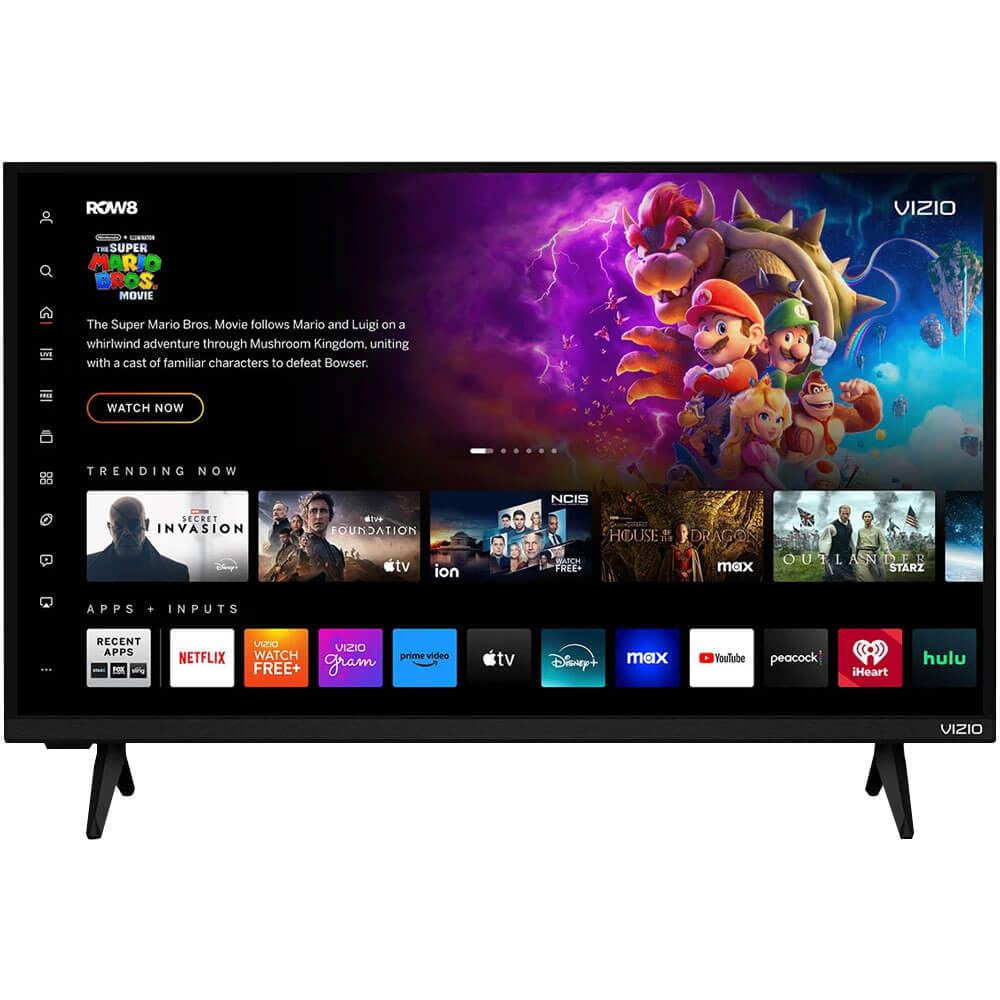
A refurbished VIZIO that pairs fast with both Apple and Android phones.
If you’re an Apple household, this VIZIO punches above its weight with AirPlay 2 and Chromecast built in—meaning you can throw movies, music, and photos straight from your phone or tablet without hunting for the right cable. It’s a 32-inch 720p set with full-array LED backlighting (the lights sit evenly across the screen for a more uniform, brighter picture) and VIZIO’s WatchFree+ platform gives you hundreds of free channels with no subscription.
Connectivity is a strong suit here. It uses Wi-Fi 5 dual-band (a solid wireless standard that keeps streaming smooth) and Bluetooth pairs quickly with wireless headphones or speakers for private listening. Because it’s a renewed unit, you get the quality of a VIZIO at a friendlier price point—it fits neatly in an RV, camper, or master suite, as owners mention using it in a fifth wheel with Starlink.
The honest caveat with this one is that it’s refurbished and reliability is mixed. Some owners get a great unit that works flawlessly; the review pages include an occasional account of one stopping working entirely within a month. That’s the risk you take with a renewed product, so value the return window. For the price, the core picture and sound quality are solid, but long-term durability is the question mark.
The value angle: The thing everyone praises is the overall quality—24 owners call it well-built—with value for money as the second most-mentioned positive.
The realistic caution: Because it’s renewed, make sure you test it early; one owner’s unit lost power entirely after a month, so buy with a good return window.
5. Gawfolk Gaming Monitor 34″ IPS 120Hz
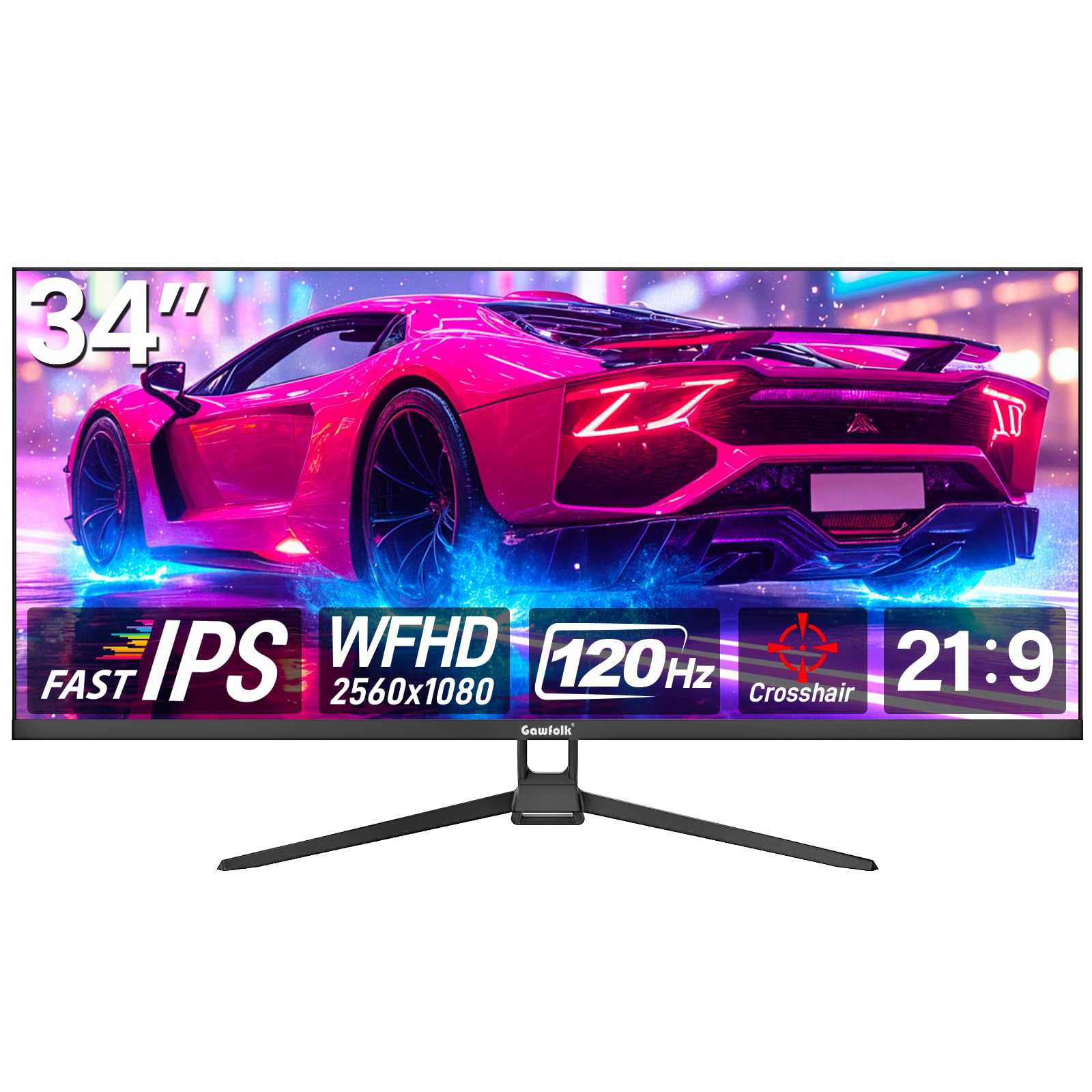
The cheapest way to feel the ultrawide difference at a smooth 120Hz.
The Gawfolk 34″ ultrawide monitor gives you 30% more screen space than a conventional monitor, so you can have a document, a spreadsheet, and your email all visible at once. Its 21:9 shape (much wider than a normal TV’s 16:9) and 2560×1080 resolution work great for productivity and gaming without demanding a super-powerful graphics card.
For gamers, the 120Hz refresh rate (the screen redraws 120 times per second) makes fast motion feel fluid and cuts down on screen tearing. The IPS panel (a screen technology known for wide viewing angles and accurate colors) delivers 128% sRGB coverage, and the 178-degree viewing angle means colors stay consistent even when you’re not sitting dead-center. It’s a bezel-less design, so you don’t get distracted by thick black borders around the picture.
The main compromise is pixel density—at 34 inches with 1080p, individual pixels are slightly more visible up close, so text looks a hair soft. The stand is also flimsy and offers no height adjustment, so wall mounting via the 75x75mm VESA pattern is the better play. The overall quality is heavily praised—124 owners call it well-built—and it works well for both work and everyday use across Xbox, PC, and laptops.
The Productivity Boost
- Quality is the top praise—over 120 owners say it’s solidly built
- Wide 21:9 view adds 30% more screen real estate
- 120Hz makes gaming feel noticeably smoother than 60Hz
What to Know Before Buying
- Pixel density is lower, so text can look slightly soft at close range
- The stand is flimsy with no height adjustment—plan to wall-mount
Who it’s for: First-time ultrawide buyers on a budget who want gaming smoothness and productivity width while staying affordable.
The one catch: If you’re a text-heavy worker who sits very close, the softer 1080p sharpness may bother you—consider a WQHD panel instead.
6. Hisense 32″ S5 DécoTV Series
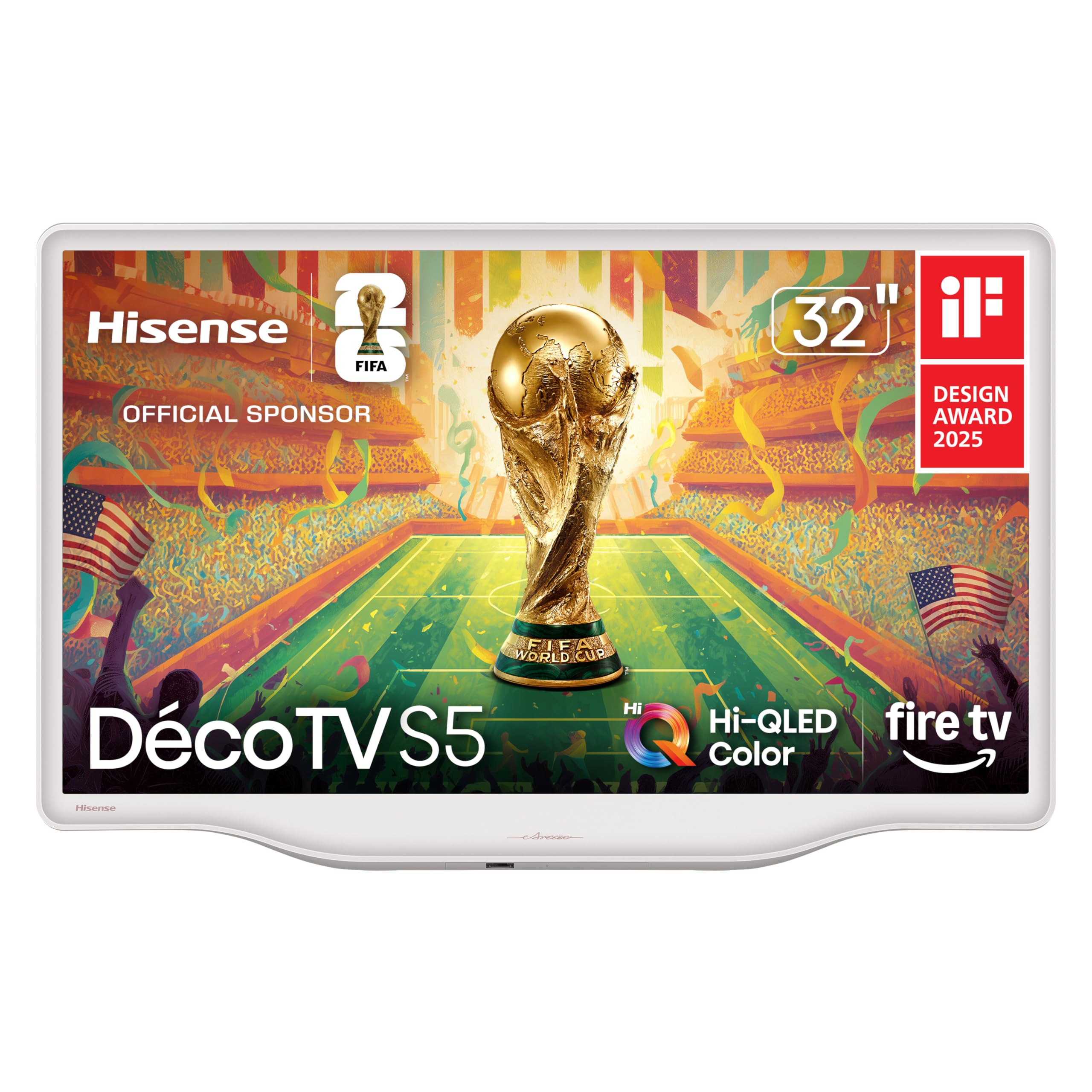
A Morandi white TV that blends into a room like framed art, not a black box.
If you’ve ever hated how a big black rectangle dominates a cozy bedroom, this Hisense is the answer. It’s finished in Morandi white with smooth, flowing curves, and when it’s off it blends into the wall like a piece of artwork on a canvas. The design is the thing that draws people in—owners call it beautiful, classy, and a statement piece proudly perched on its cabinet—but the picture holds up its end too.
Under that pretty shell sits Hi-QLED color technology that makes every frame rich and vibrant, running at a proper 1080p Full HD resolution (good, sharp detail for a 32-inch screen). It runs Fire TV with Alexa, so you get live channels, apps, and a Channel Guide in one place, plus voice control for finding shows, setting timers, and checking sports scores. The built-in speakers are surprisingly good for a slim TV, and the fluid central stand keeps its footprint neat.
The main trade-off is that it draws 100 kWh a year—noticeably higher than the 62 kWh of the Roku pick above—so it’s not the most energy-sipping choice if you leave it on all day. One owner hit an annoying quirk where the TV would switch channels after playing for 10 to 30 minutes, tied to a loose power connection. But the picture quality is the most-praised feature (47 owners call it great), and it’s perfect for a bedroom or small living space where looks matter.
The design-first verdict: This is the pick if the TV’s look matters as much as its picture—the white Morandi finish is genuinely unique and gets constant compliments.
The practical trade-off: It uses more energy than rivals at 100 kWh a year, and one owner found the power connection could be finicky—seat the plug firmly.
7. TCL 32″ Class 3-Series

The 1080p Google TV that doubles as an impressively sharp PC monitor.
This TCL is a favorite for people who want a small TV that also pulls double duty as a giant computer screen. It delivers stunning Full 1080p HD (high-definition detail), and because it runs Google TV—the smart platform from Google—you get one place for 700,000+ movies and shows from across your apps, organized by what you’ve watched. The Google Assistant is built right into the remote, so you can search, launch apps, and control smart home devices by voice.
Owners use it in two very different ways and love it for both. As a bedroom TV, it’s ideal—bright, sharp 1080p, a great digital tuner for over-the-air channels, and a responsive streaming interface. As a PC monitor, the picture quality is “excellent,” with easy laptop connection and crisp text. Pairing it with Apple TV or Bluetooth speakers upgrades the experience further, making it a versatile little workhorse.
The recurring weakness is the built-in sound—it’s the most-discussed negative. The internal speakers are tinny and lack bass, so a soundbar (via HDMI ARC, which carries audio from the TV to speakers on one cable) makes a big difference. There’s also one quirky design point: a bright power light sits dead-center on the front, and covering it blocks the remote’s IR (infrared) receiver. The size is the top praise—50 owners call it just right for small spaces—so if you pair it with a soundbar, it’s a strong pick.
The Flexible Fit
- Size is the top praise—50 owners say it’s perfect for bedrooms and dorms
- Sharp 1080p picture that works great as a PC monitor too
- Google TV makes finding shows easy across apps
The Sound Reality
- Internal speakers are tinny with weak bass—plan for a soundbar
- A bright front power light can interfere with the remote if covered
The smart setup: This is the buy for a bedroom TV or desktop monitor that you’ll pair with a cheap soundbar—you get great 1080p and Google TV for the money.
skip it if: You refuse to add external speakers; the built-in sound alone will underwhelm you.
8. INNOCN 34″ Ultrawide Monitor WQHD
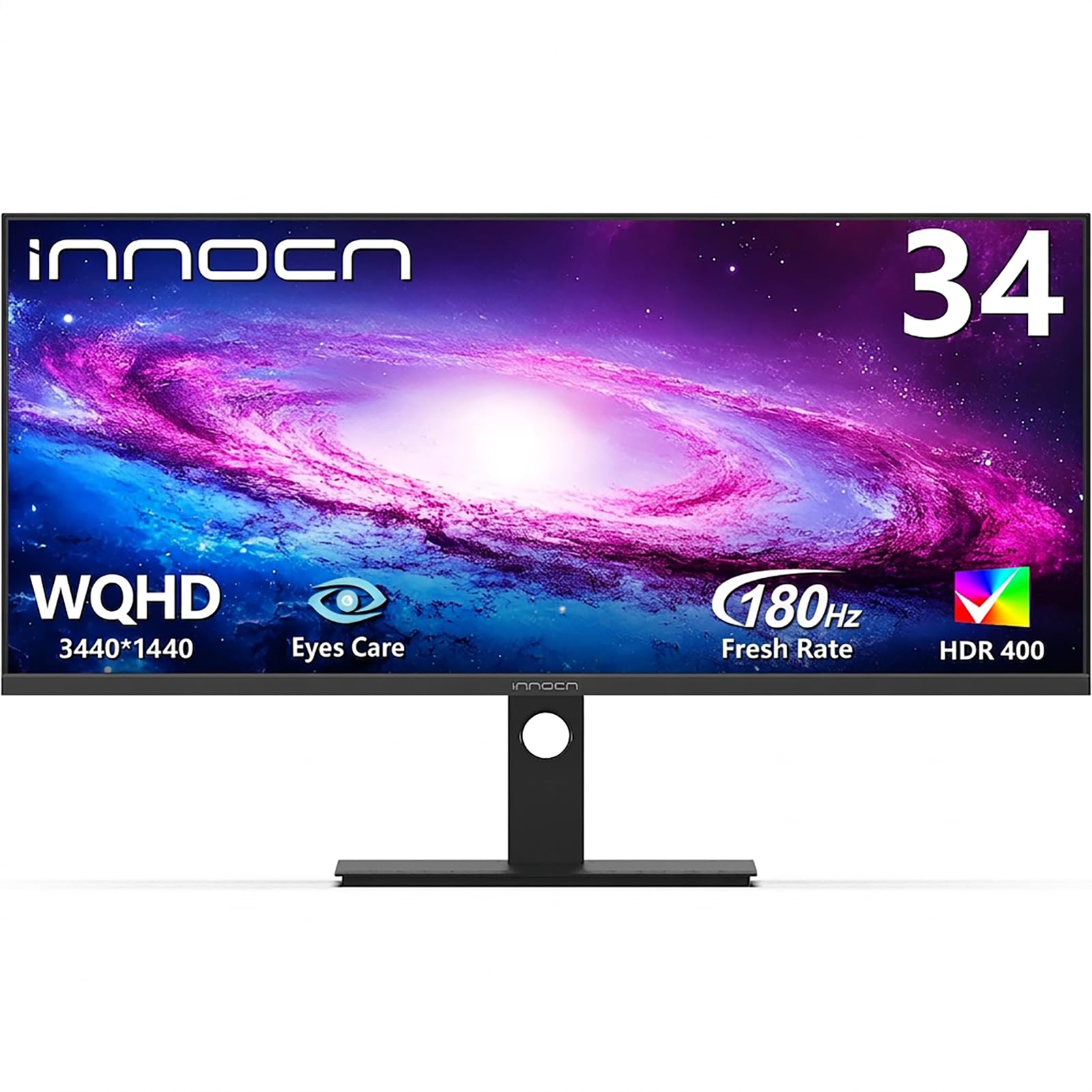
A professional ultrawide that replaces three monitors with razor-sharp WQHD clarity.
For serious productivity—video editing timelines, stock charts, coding with reference material—this INNOCN gives you the screen real estate of two monitors side-by-side in a single elegant panel. The 3440×1440 WQHD resolution (quad-HD sharpness, roughly double the pixels of 1080p) means text and images stay pin-sharp, and the IPS panel covers 100% sRGB color accuracy for reliable, true-to-life color. That’s what designers and editors need, and it delivers.
The standout productivity feature is the built-in PIP (Picture-in-Picture) and PBP (Picture-by-Picture) modes. You can connect two devices at once—say, a PC and a gaming console—and view both on the same screen instead of switching inputs back and forth. The stand is fully adjustable with 130mm height adjustment (you can raise or lower it by about 5 inches) and tilt, plus it swivels, so ergonomic comfort is covered for long work sessions. The 180Hz refresh rate and 1ms response time (how fast pixels change to reduce blur) make it a capable gaming screen too.
Owners are impressed with the color performance at angles—that’s the IPS advantage—and many call it a great value that replaces a triple-monitor setup. A couple of honest caveats: the refresh rate feedback is mixed, with some reporting it tops out at 120Hz in practice, and there are occasional reports of VESA mount compatibility and DisplayPort faults. The built-in speakers are notably quiet, so plan headphones or external audio. Overall, this is a genuinely capable work-and-play panel.
The Multitasking Machine
- Quality is the top praise—50 owners call it solid and well-made
- PIP/PBP lets you run two devices on one screen
- 100% sRGB color accuracy for accurate creative work
The Fine Print
- Some units may cap out at 120Hz instead of the full 180Hz
- Built-in speakers are very quiet—external audio is a must
Who this is for: Professionals who multitask relentlessly, and gamers who want one screen that does both jobs at a high level.
The honest caveat: If you care about hitting exactly 180Hz, test it early and confirm—some units max out lower.
9. Gawfolk 34″ Ultrawide Curved 200Hz
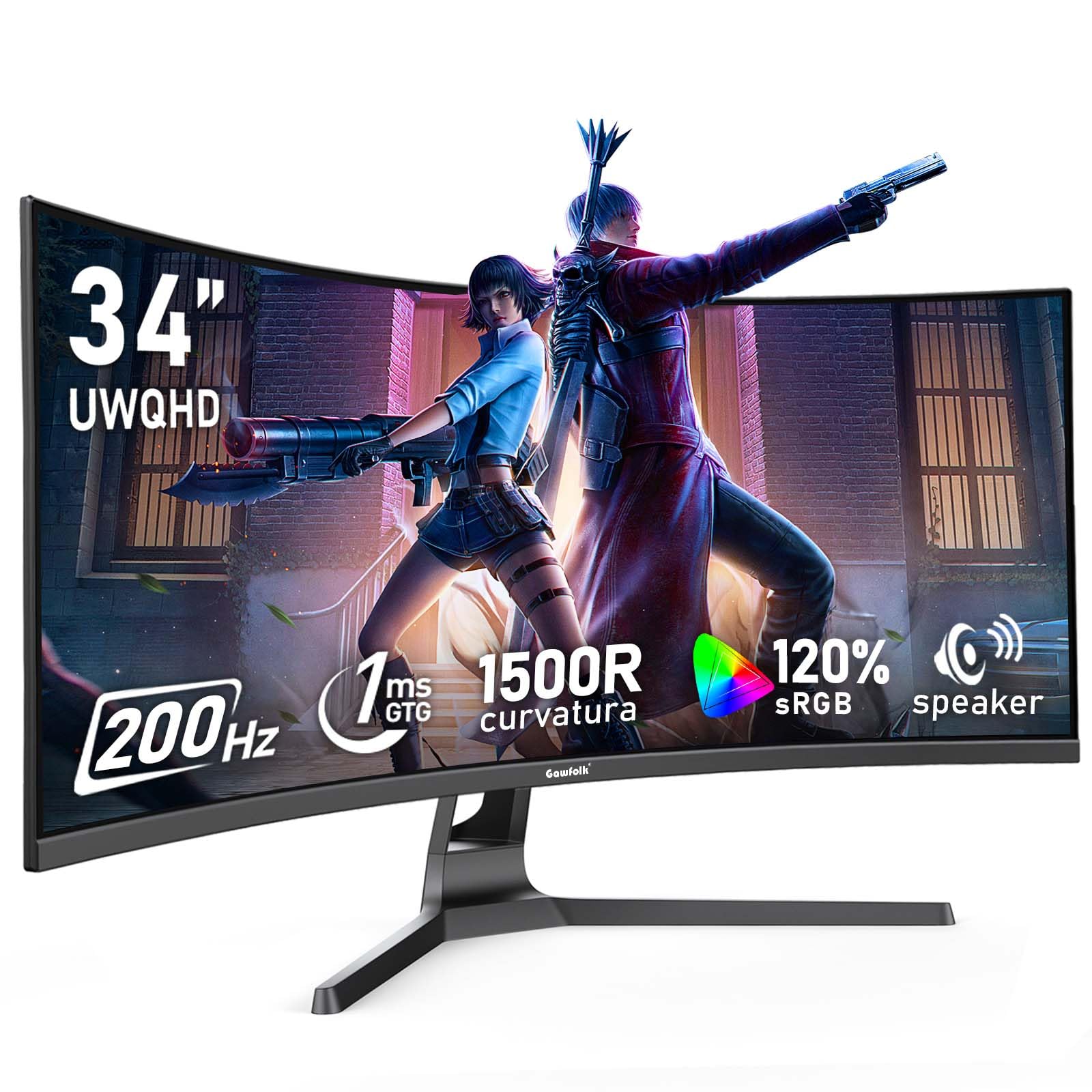
A gently curved 34-inch with a 200Hz refresh rate (the screen redraws 200 times per second) for rich gaming on a budget.
This Gawfolk brings the curve—a 1500R bend that wraps gently around your field of view—paired with a 200Hz refresh rate that’s aimed squarely at gamers who want responsiveness without spending premium money. The 3440×1440 UWQHD resolution (ultrawide quad-HD, plenty sharp), 120% sRGB color coverage, and a 4000:1 contrast ratio (the punchy difference between bright and dark areas) make games look rich and deep. It’s a VA panel, which delivers those deep blacks.
The 200Hz refresh rate shows motion more clearly and minimizes screen stuttering. One important setup note: the default refresh rate is 60Hz, and you must connect via the supplied DisplayPort cable to open up the full 200Hz (HDMI caps out at 100Hz). Adaptive Sync (which syncs the screen to your graphics card’s output to prevent tearing) keeps fast gameplay smooth, and the low-blue-light mode plus DC global dimming (a flicker-free brightness control) make it easier on the eyes during long sessions.
Value for money is the second most-praised aspect here—68 owners call it an excellent deal for the size and speed. The build quality and appearance also get consistent praise. The mixed feedback centers on picture quality, with some units showing blurry images or dead pixels, and reliability concerns showing up in some accounts. The stand also lacks height adjustment, which may bother setup purists. For the price, it’s a strong curved ultrawide, but do check your unit’s panel early.
The gamer’s value read: The monitor quality is the top praise—108 owners—and the 200Hz speed at this price point is hard to match.
The reality check: Quality control shows up in the mixed feedback, so inspect your panel for dead pixels immediately and use the DisplayPort cable for full speed.
10. LG 34G630A-B UltraGear

A 240Hz curved ultrawide from a trusted brand that nails competitive gaming.
This LG UltraGear is the balance for serious esports gamers who want ultrawide width. It pushes a 240Hz refresh rate (the screen redraws 240 times a second—buttery smooth motion) with a 1ms response time (near-instant pixel change, so no ghosting in fast action) across a 21:9 WQHD 3440×1440 curved panel. That combination is what competitive gamers are actually looking for.
The color performance is a highlight: up to 95% DCI-P3 color gamut (a wide color space that makes reds and greens pop) with VESA DisplayHDR 400 (a display standard for high dynamic range contrast). AMD FreeSync Premium keeps frame rates tear-free. For connectivity, you get USB Type-C with 15W power delivery (that plugs into your laptop and charges it on one cable), plus DisplayPort and HDMI. The slim stand offers height, tilt, and swivel adjustments to find your perfect angle.
Owners consistently call the picture “stunning” and “buttery-smooth” for FPS and racing games, and note the heavy-duty stable stand with no wobble. The main setup advice: use the DisplayPort cable for the full 240Hz (HDMI caps at 100/144Hz) and disable the Smart Energy Saving feature to avoid dimming and flicker. The most-mentioned mixed points are performance quirks—some units can turn off randomly—and the sound quality, which is functional but not great. For the price, it’s one of the best-balanced gaming ultrawides you can buy.
The Competitive Edge
- Screen quality is the top praise—49 owners call it excellent
- 240Hz + 1ms response is genuinely fluid for fast-paced titles
- USB-C with 15W charging keeps a laptop setup clean
Set It Up Right
- Must use DisplayPort for full 240Hz—HDMI caps at 100/144Hz
- Disable Smart Energy Saving to stop dimming and flicker
The balanced verdict: This is the monitor to get if you game seriously but also need a clean, adjustable setup for work—no major compromise.
The one thing to watch: Some owners mention random power-off quirks, so run it hard during the return window to make sure your unit is solid.
11. LG 34GX900A-B OLED UltraGear

The steepest 800R OLED curve that dives you into games with true blacks.
This is the screen you buy when the picture itself is the point. It’s a 34-inch WQHD OLED—the display technology where every single pixel lights up on its own, so blacks are genuinely black rather than dark gray. The 800R curve is dramatically steep, wrapping around your periphery so you feel surrounded by the game. With up to 1300 nits peak brightness (very bright highlights), a 1.5M:1 contrast ratio, and 98.5% DCI-P3 color coverage, this is a top-tier visual experience.
Speed matches the beauty: a 240Hz refresh rate with a 0.03ms response time (essentially instant pixel response) means zero perceptible lag or ghosting. It’s both FreeSync Premium Pro and G-SYNC compatible, so it plays nice with AMD and NVIDIA graphics cards alike. For connectivity, HDMI 2.1, DisplayPort 1.4, and USB Type-C with 65W power delivery (enough to charge a full laptop) handle any modern setup. The Switch app even lets you split the screen into up to 6 sections for multitasking.
Owners call it a “standout” and say the deep blacks and HDR (high dynamic range, for punchier contrast and color) are stunning. The steep curve is a hit—one owner says it’s better than a 49-inch TV and requires no head movement. The honest concerns: the “screen going black” issue appears in the feedback (sometimes fixed by running OLED Image Cleaning), and there’s a genuine burn-in consideration with OLED panels—though LG backs it with a 2-year limited warranty covering the OLED panel. Glossy reflections and an occasional defective unit are the other notes.
The Visual Pinnacle
- Display quality is the top praise—31 owners call it top-notch
- True OLED blacks with 240Hz and 0.03ms response
- USB-C with 65W PD charges a laptop on one cable
The Premium Trade-Offs
- Some units experience the screen going black—OLED cleaning often fixes it
- Glossy screen can produce reflections; burn-in risk needs care
The enthusiast’s dream: This is the best image quality you can get in this size class—for gamers and creators who demand perfection and have the budget.
Look elsewhere if: You want a set-and-forget screen with zero maintenance quirks; OLED requires occasional care and mindful use.
Understanding the Specs
Resolution: 720p vs 1080p vs WQHD
Resolution is the number of pixels on the screen, and it determines sharpness. At 32 inches, 720p (1280×720) is acceptable for TV watching from a few feet away, but 1080p (1920×1080, also called Full HD) looks noticeably more detailed for both shows and computer text. Ultrawide 34-inch monitors go much higher: 2560×1080 for entry-level, and 3440×1440 (WQHD, quad-HD) for a crisp, dense picture that holds up at typical desk distances. The closer you sit, the more pixels you want.
Refresh Rate: 60Hz to 240Hz
Refresh rate is how many times per second the screen redraws the image. StandardTVs run at 60Hz, which is perfectly smooth for movies, news, and casual streaming. Gamers care about higher numbers: 120Hz feels noticeably fluid, 180Hz and 240Hz are for serious competitive play where every millisecond matters. The important nuance is that these high speeds only matter if your content and graphics card can deliver them. A 240Hz monitor for a living-room TV is wasted money; a 60Hz TV on a gaming desk will frustrate you. When in doubt, match the speed to how you actually use the screen.
Panel Types: LED vs IPS vs VA vs OLED
The panel determines color, viewing angles, and contrast. LED is the standard, affordable type found in most budget TVs—good balance of brightness and cost. IPS (in-plane switching) is prized for wide viewing angles and consistent color, making it the choice for photo editing and productivity, plus gaming. VA (vertical alignment) delivers deeper blacks and higher contrast ratios, which makes movies and dark games look more dramatic. OLED is the premium technology where each pixel lights independently, delivering true black levels and vibrant colors that nothing else matches—but it costs more and requires care to avoid burn-in. Your priorities dictate the choice: accurate color at angles (IPS), cinematic contrast (VA), or absolute picture quality (OLED).
FAQ
Is a 32-inch TV or a 34-inch ultrawide monitor better for my small room?
Can I use a 32-inch TV as a computer monitor?
What’s the difference between 720p and 1080p on a 32-inch screen?
Do I need a soundbar with these small TVs?
Which smart TV platform is best: Roku, Fire TV, or Google TV?
What is a refresh rate and why does it matter for gaming?
What is the difference between a 1500R and an 800R curved monitor?
What is OLED and is burn-in a real concern?
Final Thoughts: The Verdict
For most people shopping the 32-to-34-inch range, the 34 inch tv winner is the Roku Select Series 32″ because it pairs crisp 1080p with the simplest smart-TV interface and genuinely solid build quality—the most-praised feature among owners. If you want the newest Fire TV experience with faster Wi-Fi 6 and a wake-on-approach feature, grab the Amazon Ember 2-Series. And for the desk where gaming meets productivity, the LG 34G630A-B UltraGear delivers a stunning 240Hz curved ultrawide that balances price and performance better than anything else in the class—while the LG OLED UltraGear exists for those who simply want the best picture money can buy. The crowd favorite across all of these is the Roku, with over 900 owners backing its reliability and value, so if you’re torn, start there.
How We Picked
We do not accept paid placement. Every pick is matched to a real buyer and a real use-case; we do not hands-on test units.
Sources & Methodology
Specifications: manufacturer listings and product documentation. Review insights: verified customer reviews, as of August 2026. Pricing: not shown on this page (it changes often); check the current price via the retailer link.
As an Amazon Associate, Gadgets Feed earns from qualifying purchases. This does not affect which products we feature.