
Our readers keep the lights on and my morning glass full of iced black tea. As an Amazon Associate, I earn from qualifying purchases.
Specs are compiled from manufacturer listings and verified buyer reviews and can change over time — please confirm the key details on the product page before buying.
Hunting for a 40-inch OLED means choosing between two very different beasts: an ultra-wide, steeply curved monitor built purely for speed, or a flat 4K screen that doubles as a living-room centerpiece. This guide breaks down the real trade-offs—refresh rates, curve steepness, and what each one actually does for your gaming and movie nights—so you can pick the screen that fits how you really play.
I’m Min — the founder and writer behind Gadgets Feed. This guide is built by comparing the manufacturers’ published specifications and the patterns across verified customer reviews, so you get each pick’s real strengths and trade-offs instead of marketing spin.
Choosing a 40-inch OLED monitor usually depends on one question: do you want a steep, rich curve for solo gaming, or a flat screen that also works well as a TV for the whole room?
Our Picks at a Glance

How To Choose The Best 40 Inch OLED Monitor
Before you click buy, you need to know what kind of screen you’re getting. In this size range, “OLED” means perfect blacks and vivid colors, but the shape and features split into two very different camps: ultra-wide gaming monitors and standard 16:9 TVs.
Curved vs Flat: The 800R Experience
The biggest difference is the curve. An 800R curve (a radius of 800 millimeters) wraps the screen around your field of view, so the edges fall into your peripheral vision and games feel more rich. But that curve also makes the screen a solo, desk-only experience. A flat screen, by contrast, suits multiple viewers and wall-mounting in a living room.
Adaptive Sync: Matching Your GPU
Screen tearing happens when your graphics card and monitor refresh at different times. Adaptive sync tech—like NVIDIA G-Sync or AMD FreeSync—locks the monitor’s refresh rate to your GPU’s output for tear-free motion. Both LG monitors here support G-Sync and FreeSync, but the Samsung TV uses a slightly different version (FreeSync Premium Pro), so check your graphics card’s brand to get the smoothest experience.
Quick Comparison
| Model | Best For | Resolution | Refresh Rate | Curve | Amazon |
|---|---|---|---|---|---|
| LG 39GX90SA-W★ Best Overall | Speed-focused gamers wanting a smart OS | 3440 x 1440 | 240Hz | 800R | Amazon |
| LG 39GS95QE | Pure gaming immersion on a budget | 3440 x 1440 | 240Hz | 800R | Amazon |
| Samsung S90H | Hybrid TV and gaming use in bright rooms | 4K (3840 x 2160) | 165Hz | Flat | Amazon |
In-Depth Reviews
1. LG 39GX90SA-W Ultragear WQHD OLED
Our pick — over 4★ from 600+ verified ratings; the strongest balance of quality and price.
The ultra-wide that brings its own streaming apps and a 240Hz panel to your desk.
This is the most feature-packed pick of the group. It pairs a 3440 x 1440 OLED panel with a 240Hz refresh rate and a 0.03ms response time, so fast-moving scenes stay sharp with almost no motion blur. That speed is backed by NVIDIA G-Sync compatibility and AMD FreeSync Premium, and buyers report the frame sync works flawlessly—with one noting games like Battlefield 6 hitting a smooth 600fps without stutter or tearing.
What sets this model apart is the built-in webOS24 smart platform. You get native apps like Netflix, Prime Video, and Disney+ directly on the monitor, plus over 300 free LG Channels. You can even cloud-game without a PC or console through services like NVIDIA GeForce NOW and Amazon Luna, all from the screen’s home menu. The steep 800R curve and 1300-nit peak brightness enhance immersion, and the white finish looks cleaner than typical gamer aesthetics.
The trade-off is that this is a demanding screen. One owner upgrading from an Alienware found the picture sharp even at lower resolutions, but noted the built-in speakers are loud yet slightly muffled. Another praised the huge screen real estate for multitasking, calling the 5K-class DPI the best under 6K, though they wished the dual-mode scaling handled black bars better. There’s also a privacy note buried in the reviews: LG has been criticized for installing adware via updates on Windows, so you may want to check the update settings if that bothers you. The 2-year limited warranty on the OLED panel provides solid protection.
What Wows the Crowd
- Quality is what wins people over—by a wide margin it’s the most-praised trait, with picture quality a strong second.
- The 21:9 aspect ratio provides more horizontal space than 16:9, ideal for multitasking and strategy games.
- Built-in streaming apps and cloud gaming remove the need for a separate console or PC for entertainment.
The Honest Compromises
- Windows users have flagged privacy concerns over bundled adware, which is a real consideration.
- Dual-mode scaling is poor—some owners prefer black bars to the stretched image.
- On a Mac, you’ll need a third-party app like BetterDisplay to get the best scaling.
Reach for this if: you want one screen that does it all—ultra-fast gaming, streaming apps, and cloud gaming without extra hardware.
Think twice if: you’re privacy-sensitive about LG’s update behavior on Windows, or you work in text-heavy apps where the 21:9 curve can distort straight lines.
2. LG 39GS95QE Ultragear OLED Curved Gaming Monitor

Pure gaming immersion without the smart-TV extras, wrapped in a steep 800R curve.
If you want the same 240Hz refresh rate and 0.03ms response time as the top pick but skip streaming apps, this is the leaner, more focused alternative. It uses the same 3440 x 1440 OLED panel with a 1.5M:1 contrast ratio and DisplayHDR True Black 400 certification (a standard that ensures deep blacks and rich colors in dark scenes). The 800R curve is the star here—owners say it’s genuinely rich, making you feel inside the game rather than just watching it.
This model skips the smart platform entirely, which is a plus if you already have a streaming box or console. It supports NVIDIA G-Sync (a technology that syncs your graphics card and monitor to reduce screen tearing) and AMD FreeSync Premium Pro, and the adjustable stand lets you tweak height, tilt, and swivel to get the perfect viewing angle. The virtually borderless design keeps your desk clean. Reliability, however, is the recurring conversation point: some owners mention flawless performance for months, while a few say the screen started flickering or went black within weeks—so a good return policy or the 2-year burn-in warranty is worth having.
The honest downside is that this is a gaming-first screen. At 3440 x 1440, the text clarity is merely mediocre for productivity work, and the aggressive curve can feel like overkill for spreadsheets or document editing. One owner summed it up as a fantastic gaming monitor but a very “meh” working monitor. The anti-glare coating also slightly lifts black levels in bright rooms, a small compromise for the OLED contrast. If your desk is small, this 39-inch behemoth still manages to fit well, but plan your space.
Gamer’s Verdict: This is the crowd favorite for pure play—monitor quality is the most-mentioned strength, and the rich curve earns consistent praise.
Pick it for: a dedicated gaming setup where you want maximum immersion and low latency without paying for a smart OS you won’t use.
Look elsewhere if: reliability worries you—the mixed reports of units failing after a few months mean you’ll want a solid warranty or easy return path.
3. Samsung 42-Inch S90H Series OLED Smart TV
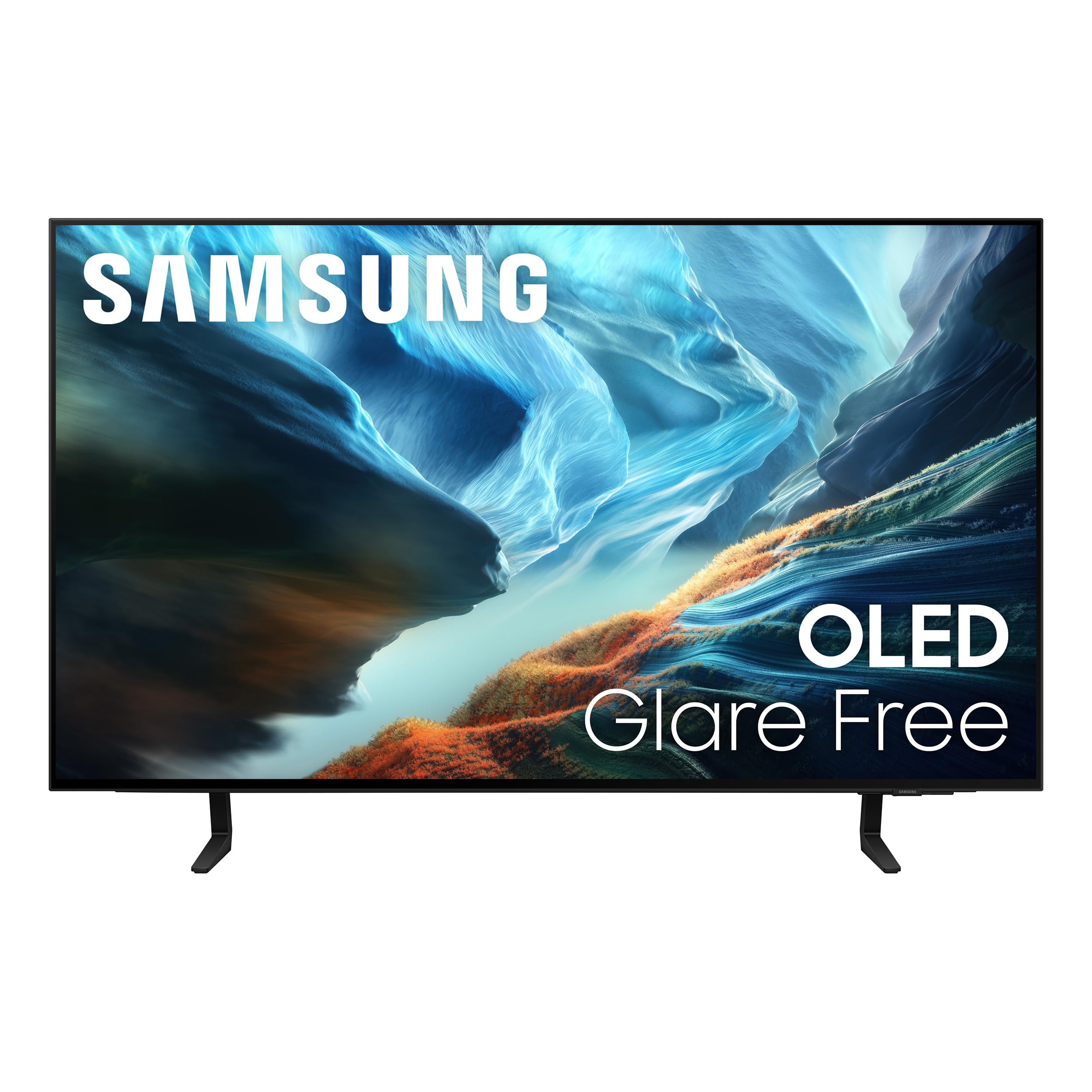
A flat 4K OLED TV that fights glare head-on, making it the best choice for bright rooms.
This Samsung is a different animal—a standard 16:9 4K TV rather than an ultra-wide monitor. Its defining feature is Glare Free technology, which eliminates distracting reflections. Buyers are emphatic about this: even with windows beside and opposite the screen, they report zero reflections, making it the standout pick for a bright living room or home office. The 4K resolution (3840 x 2160) offers more vertical space for productivity than the 3440 x 1440 monitors.
The NQ4 AI Gen3 processor, with 128 neural networks, powers the TV’s upscaling and motion smoothing. It upscales non-4K content to near-4K, smooths fast motion, and remasters non-HDR to look like HDR. For gaming, it supports Motion Xcelerator 165Hz with NVIDIA G-SYNC or AMD FreeSync Premium Pro, which is fast enough for console and most PC play, though not as extreme as the 240Hz monitors. Built-in speakers deliver loud volume with solid bass, and the thin, light design (around 45 lbs) is easy to wall-mount.
The catch is that this is a TV first, monitor second. One owner who tested it with horror content found the mid-black range muddy and out of focus, with blooming in shadows—great for sports and bright content, but not ideal for dark cinematic scenes. Another found it too big for a bedroom and swapped for a 55-inch model, so measure your space carefully. It also lacks the DisplayPort connection of the LG monitors, so check your graphics card’s outputs. For a hybrid setup that handles both gaming and family TV duty, this is the most versatile of the three.
Why It Wins Fans
- Anti-glare is the standout trait—owners consistently praise the zero-reflection screen in bright lighting.
- Picture quality is phenomenal for sports, with crisp, vibrant colors that beat lower-tier models.
- Built-in sound is surprisingly good, with loud levels and bass without a soundbar.
Where It Falls Short
- Dark horror content suffers—the mid-black range can look muddy and out of focus.
- The 165Hz refresh is lower than the LG’s 240Hz, so extreme esports players may prefer the monitors.
- It’s a TV, so you won’t get a DisplayPort input; HDMI-only may limit some PC setups.
Best for: mixed-use spaces—bright rooms, family viewing, console gaming, and productivity where glare and vertical screen space matter most.
Not for: competitive PC gamers chasing the absolute highest refresh rate, or anyone who primarily watches dark, moody films.
Understanding the Specs
Refresh Rate & Response Time
Refresh rate (measured in Hz) tells you how many times the screen redraws per second. A 240Hz panel redraws 240 times a second, making fast motion look buttery smooth. Response time (0.03ms) measures how fast a pixel changes color—lower is better, meaning less ghosting behind moving objects. For competitive shooters, these two numbers matter more than resolution.
Curve Radius (800R)
The “R” stands for radius in millimeters. An 800R curve bends the screen along an 800-millimeter circle, wrapping the edges toward you. This fills more of your peripheral vision for immersion, but it also means the screen is best viewed dead-center by one person. A flat screen (like the Samsung) is more flexible for multiple viewing angles or wall mounting.
FAQ
Can I use a 40-inch OLED monitor for work and productivity?
What is the difference between G-Sync and FreeSync?
Is a curved 800R monitor good for watching movies?
Will a 240Hz monitor work with a PS5 or Xbox Series X?
How long does an OLED monitor last?
What is DisplayHDR True Black 400?
Can the LG 39GX90SA-W replace a smart TV?
What is the ideal viewing distance for a 40-inch OLED?
Will a 40-inch OLED monitor fit on my desk?
Final Thoughts: The Verdict
Across the board, the 40 inch oled monitor winner is the LG 39GX90SA-W because it bundles a 240Hz panel, a steep 800R curve, and a full smart-TV platform into one versatile package—making it the best all-rounder. If you want pure gaming speed without the smart extras and prefer to save a bit, the LG 39GS95QE is the focused choice. And for a bright living room or mixed family-and-gaming setup, the Samsung S90H with its matchless anti-glare screen and true 4K resolution is the one to reach for.
How We Picked
We do not accept paid placement. Every pick is matched to a real buyer and a real use-case; we do not hands-on test units.
Sources & Methodology
Specifications: manufacturer listings and product documentation. Review insights: verified customer reviews, as of August 2026. Pricing: not shown on this page (it changes often); check the current price via the retailer link.
As an Amazon Associate, Gadgets Feed earns from qualifying purchases. This does not affect which products we feature.