
Our readers keep the lights on and my morning glass full of iced black tea. As an Amazon Associate, I earn from qualifying purchases.
Specs are compiled from manufacturer listings and verified buyer reviews and can change over time — please confirm the key details on the product page before buying.
The 7-inch tablet is the forgotten hero of the gadget world — small enough to slip into a purse or hoodie pocket, yet big enough for books, videos, and games. But choosing one is a minefield: some are built for toddlers with drop-proof cases, others are bare-bones e-readers, and the performance gap between budget picks is enormous. This guide cuts through the noise to find the few that actually hold up to daily use.
I’m Min — the founder and writer behind Gadgets Feed. This guide is built by comparing the manufacturers’ published specifications and the patterns across verified customer reviews, so you get each pick’s real strengths and trade-offs instead of marketing spin.
Our Picks at a Glance
How To Choose The Best 7 Inch Tablet Computer
Before you buy, you need to decide who this tablet is for. A 7-inch screen is perfect for little hands and for one-handed reading, but it is a compromise for serious gaming or typing. Knowing the intended user — a toddler, a student, or yourself on a commute — determines which specs you should prioritize.
Who is it for? Kids vs. Adults
If the tablet is for a child, look for a bundled protective case and serious parental controls that can filter content by age. If it is for you, focus on software compatibility and whether the screen is sharp enough for your reading comfort.
Performance and Speed
Look at the RAM — the workspace the tablet uses to keep apps running. More RAM means smoother switching between apps and less freezing. A slower processor is fine for reading e-books, but it will struggle with modern games or video calls.
Battery and Storage
Battery life is measured in milliamp-hours (mAh), with higher numbers lasting longer. Storage, measured in gigabytes, determines how many apps and books you can keep. If a tablet has a microSD slot, you can expand that storage later for a few dollars.
Quick Comparison
| Model | Best For | Performance | Storage | Battery | Amazon |
|---|---|---|---|---|---|
| Amazon Fire 7 Kids★ Best Overall | Kid-proof durability | Quad-core | 16 GB | 10 hours | Amazon |
| YosaToo Kids TabletPremium Pick | Budget-friendly features | 4GB RAM | 32 GB | — | Amazon |
| HNVHNV Android TabletBest Value | E-reading on a budget | 6GB RAM | 32 GB | 4 hours | Amazon |
| VASOUN Android 15 | Travel and light reading | 8GB RAM | 32 GB | 7 hours | Amazon |
| zcobro Kids Tablet | Learning apps for ages 3-7 | 2GB RAM | 32 GB | 10 hours | Amazon |
| Topelotek Kids Tablet | Offline Montessori content | 2GB RAM | 32 GB | 8 hours | Amazon |
| NEWISION Touch 7 | Basic web browsing | 2GB RAM | 32 GB | 6 hours | Amazon |
| HOTTABLET 7Inch | Budget multitasking | 8GB RAM | 32 GB | 6 hours | Amazon |
| PRITOM 7 inch | Lowest entry price | Quad-core | 32 GB | 6 hours | Amazon |
In‑Depth Reviews
1. Amazon Fire 7 Kids tablet
Our pick — over 4★ from 19,500+ verified ratings; the strongest balance of quality and price.
The toddler-tough tablet with the two-year guarantee parents actually trust.
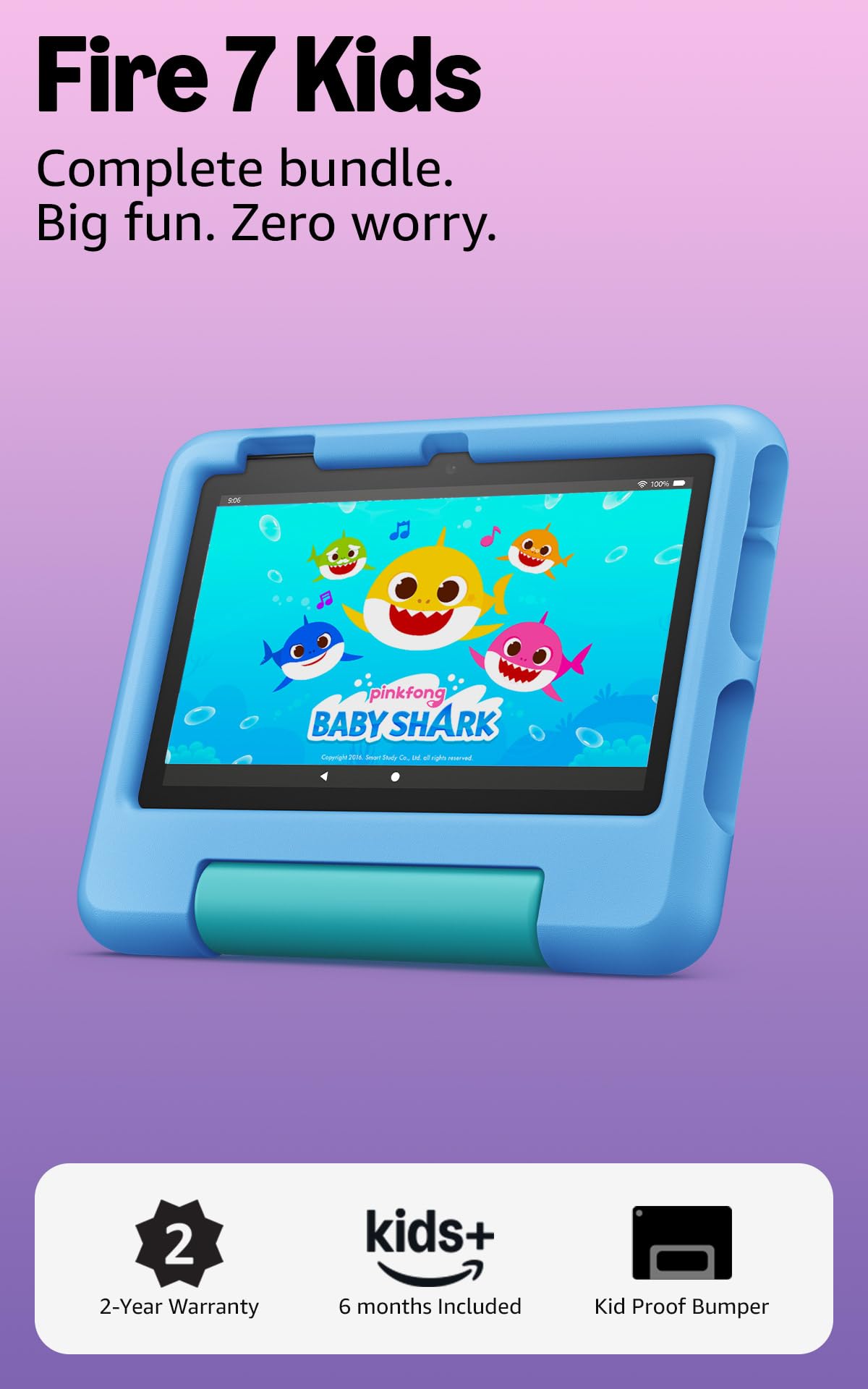
The bundle is the real story here: you get the full-featured tablet, a year of Amazon Kids+, and a sturdy kid-proof case designed to survive drops. The 10-hour battery covers a full car ride or long flight without hunting for a charger.
What wins people over is the suitability for small children — it is repeatedly praised as perfect for 2 and 4-year-olds. The parental dashboard is the star feature: it filters content by age, sets time limits, and can grant access to extras like Netflix and Disney+. The durability also earns rave reviews, with one surviving multiple drops thanks to that case.
The recurring trade-off is storage: 16 GB fills up with apps, though a microSD card (up to 1TB) solves the problem in minutes. Buyers report the battery “lasts for longer than expected,” and the crowd favorite here is the clear choice for families despite higher praise for value going to cheaper rivals.
What Families Rave About
- Two-year low-maintenance guarantee — if it breaks, it gets replaced free
- Bundle includes a full year of Amazon Kids+ with ad-free content
- Up to 10 hours of battery life for trips and daily use
The Trade-Offs
- 16 GB storage fills up quickly — plan for a microSD card
- Older kids may outgrow the limited app selection quickly
Look elsewhere if: the child is over 7 or already wants a full iPad experience.
2. YosaToo Kids Tablet
The newest Android OS in an affordable, shock-absorbing shell for ages 3-12.
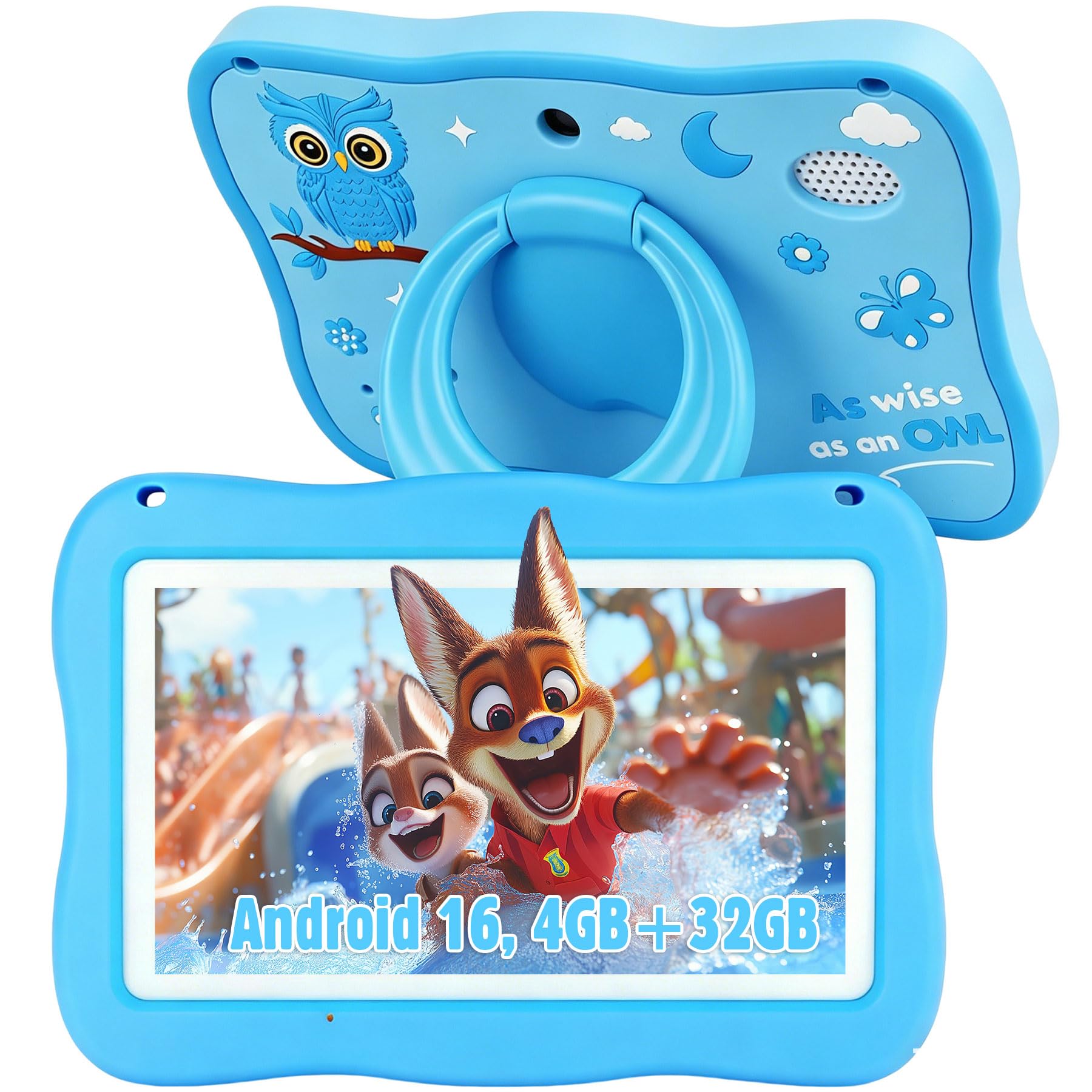
Running on the latest Android 16 with 4GB of RAM and 32GB of built-in storage, this tablet handles multiple learning apps without the frustrating lag seen on cheaper rivals. It is a full Android experience with Google Play, so you are not locked out of the app store like some closed kids’ systems.
The offline “YUBABE” software is the key for travel families — Montessori, mini-games, STEM, and art content work without WiFi, perfect for airplane rides. The silicone case absorbs impact, and parents consistently call it durable and easy to navigate, with strong value for the money.
The honest caveat: battery life draws mixed feedback, with some owners noting it does not last as long as they hoped. But for smaller kids who mostly play light games, it runs quickly and the parental controls are easier to use than on larger, more expensive tablets.
Solid pick: A shockproof case plus offline learning content makes this a top choice for road trips.
Think twice if: your child is older and plays complex games — the battery will struggle.
3. HNVHNV Android Tablet
The budget e-reader that replaces a Kindle Fire while staying affordable.
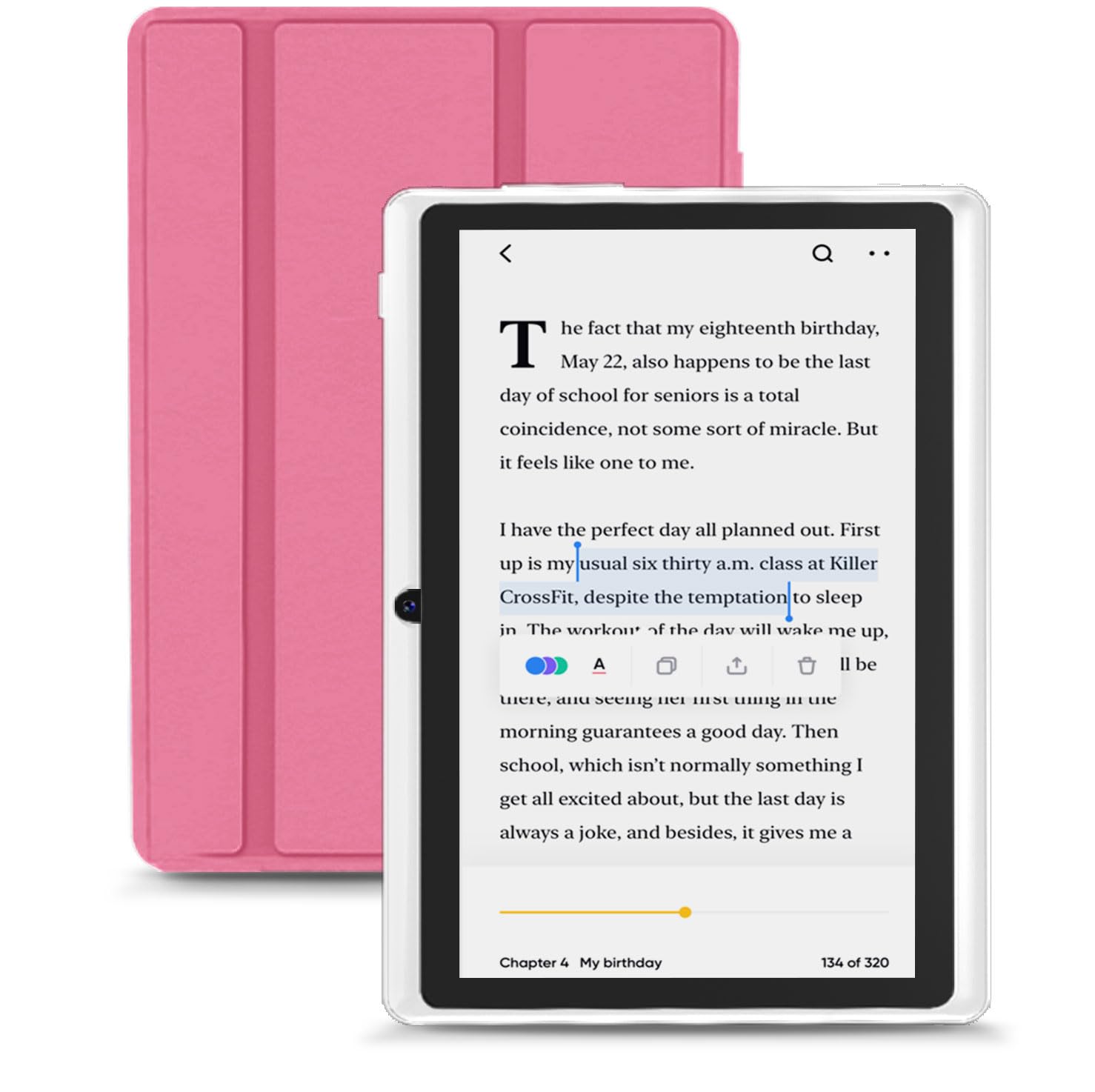
Built around a Unisoc SC7731E quad-core processor and 6GB of RAM (2GB physical plus 4GB virtual), this tablet is surprisingly smooth for reading and streaming. It handles the Kindle app perfectly — owners praise it as a direct replacement for a deceased Fire Tablet, with the same dimensions as a paperback book.
Storage expands to a full 1TB via a microSD card, which means your entire digital library travels with you. The 2MP front and 5MP rear cameras handle video calls, and the included protective case shields it from drops and scratches. The device quality is praised, along with the value for money.
The main gripe is the 4-hour battery life when gaming — it drains fast with heavy apps but charges while you read. It also lags on demanding games, so it is best treated as a reader and streaming device, not a gaming machine.
Smart budget move: If your priority is e-books, waiting-room reading, and light video, this is your pick.
Not the one if: you plan to play games — the lag will test your patience.
4. VASOUN Android 15 Tablet
A featherweight at 0.6 lbs that fits in a hoodie pocket for on-the-go reading.
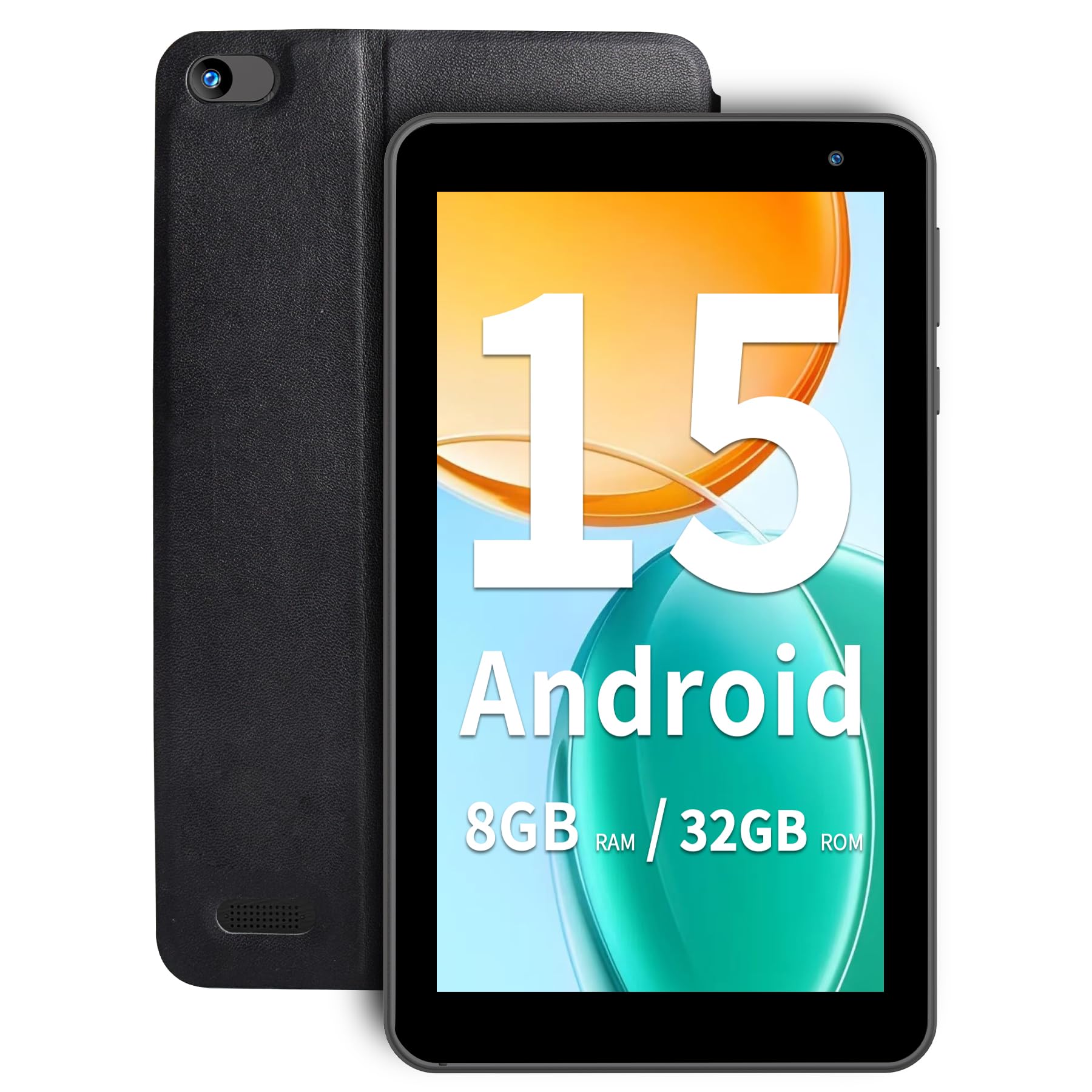
Weighing just 0.6 lbs and running Android 15 with 8GB of RAM (3GB plus 5GB expandable), this is built for travelers who want a second screen without the bulk. It fits easily in a purse or hoodie pocket, and owners love using it for Kindle books, comics, and keeping a 3-year-old occupied on trips.
The 3500mAh battery lasts 7 hours for reading or 5 hours for music, and the 5G WiFi 6 (via dual-band 2.4GHz/5GHz) ensures buffer-free streaming. Owners mention the performance is faster than a Kindle Fire 7, and the value for money is the standout feature.
The catch is mixed performance feedback — some find it works better than expected, while others describe it as insanely slow with constant crashes. There are also reports of it forgetting e-books stored on a 1TB microSD card. It is a solid value for basic reading, but not a heavy-duty workhorse.
Grab it for: lightweight travel reading and a second screen that disappears into a bag.
skip it if: you need a reliable machine for busy multitasking — the stability is inconsistent.
5. zcobro Kids Tablet
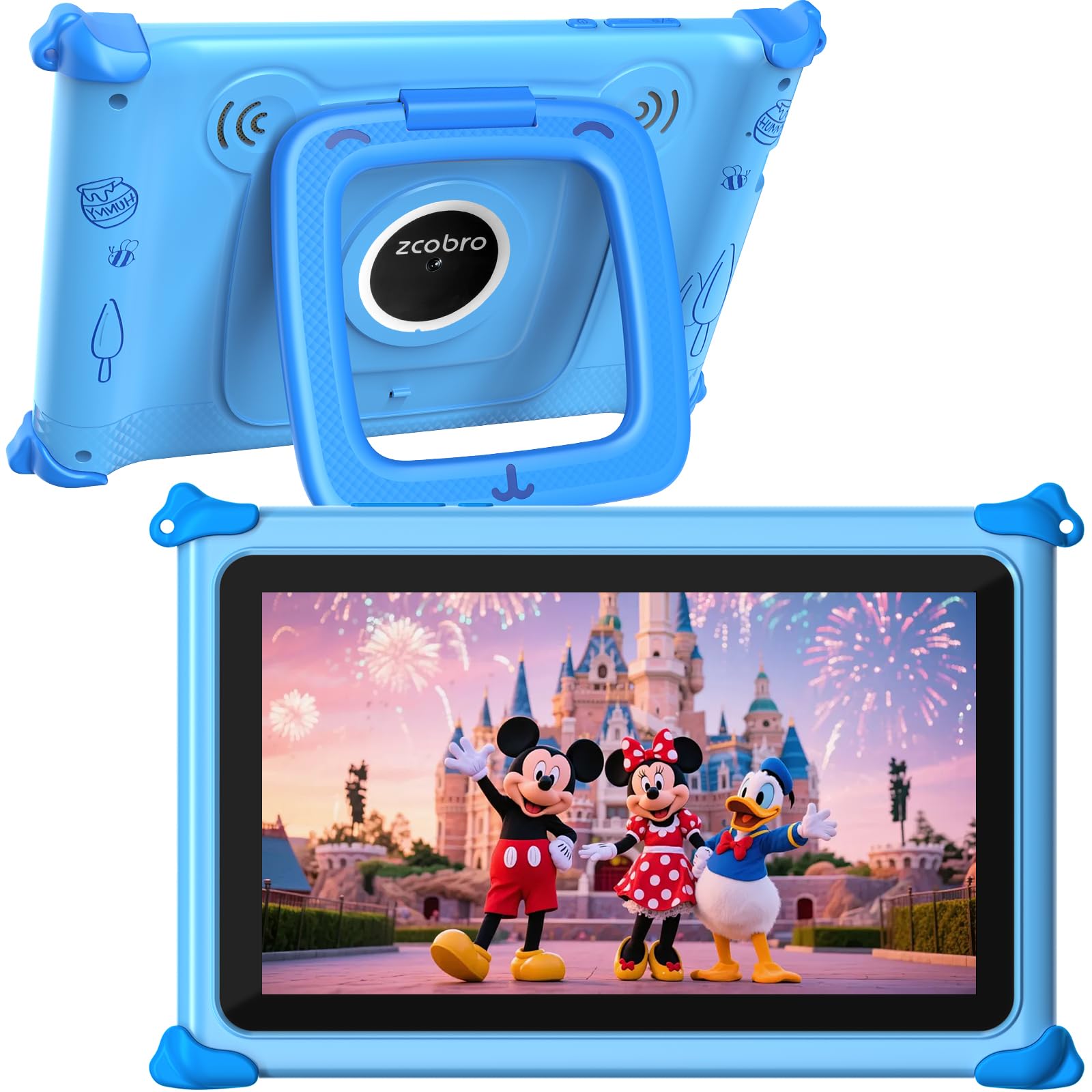
A 10-hour learning companion with preloaded offline content for ages 3-7.
This tablet runs a quad-core processor that the maker claims runs 40% faster when opening apps, and it is GMS certified so you can download from Google Play. The 32GB of storage expands to 512GB, giving you room for all the photos, music, and videos a family collects.
The preloaded Yubabe app offers offline language learning, animal coloring, puzzle games, and story listening. This is the key feature for parents who want to keep kids quiet in the car without burning through mobile data. The parental controls allow multiple child accounts, so one device serves the whole family.
Durability is a common theme in praise — owners highlight it as a tablet that doesn’t lag and wears well. However, reliability gets mixed reviews, with some units reported to stop working and warranty support proving difficult to reach. It is a great value, but a bit of a gamble on the long haul.
Why Parents Like It
- 10 hours of battery life for long trips or school days
- Preloaded educational content works fully offline
- Adjustable stand on the case for hands-free viewing
Why to Hesitate
- Reliability is a gamble — some units fail early
- Warranty support is hard to actually use
Choose this for: a kid aged 3-7 who needs engaging, offline learning content.
Be aware: the warranty sounds great but customers note difficulty getting replacements.
6. Topelotek Kids Tablet
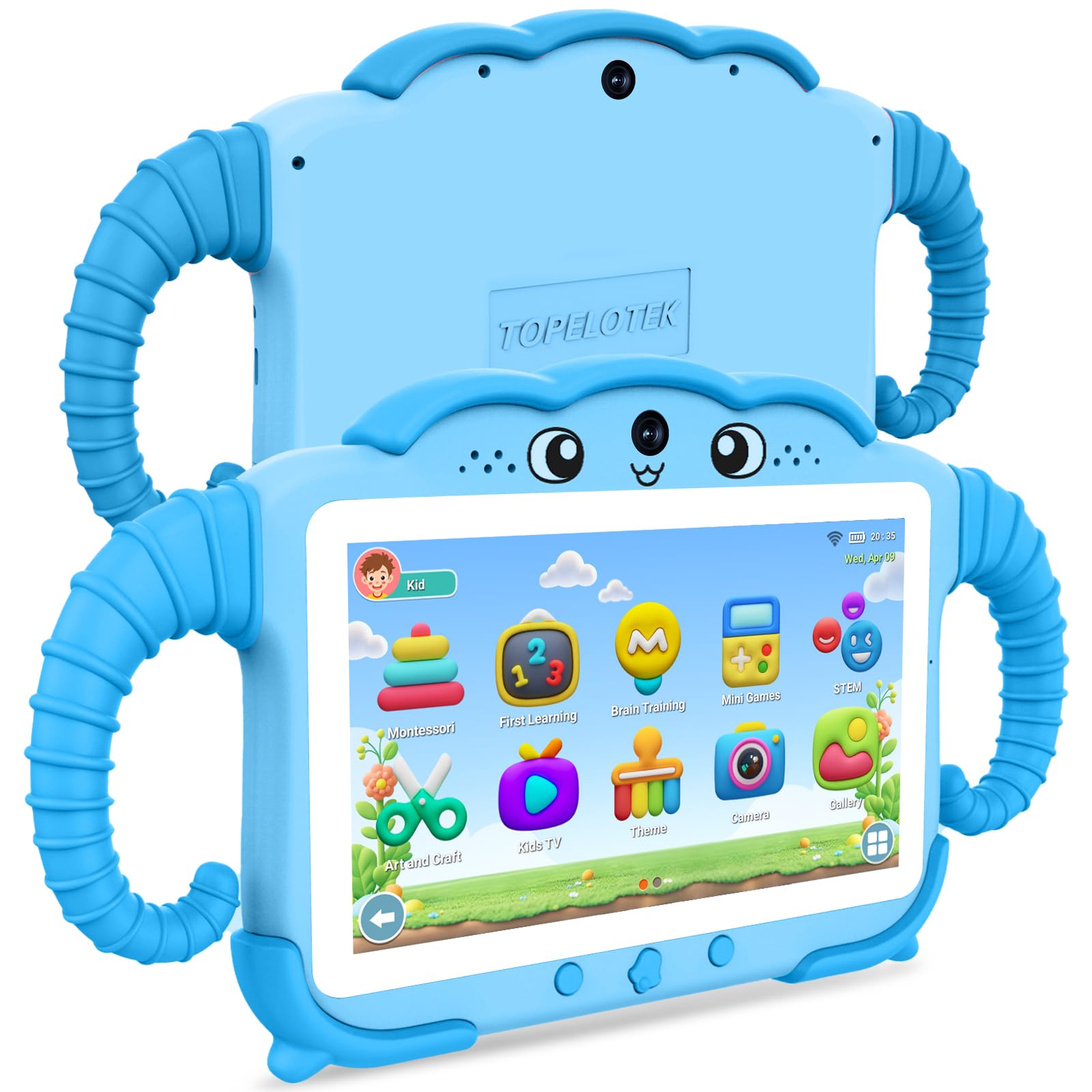
A 3500mAh battery and drop-resistant build made for very small hands.
Designed specifically for kids aged 3-12, this tablet pairs a 3500mAh battery (about 8 hours of average use) with an adjustable-brightness screen designed to reduce eye strain. It comes with 2GB RAM and 32GB storage, expandable to 128GB via microSD, and a dual system with separate adult and child modes.
The preloaded content is the main draw — Montessori lessons, early education, brain exercises, and STEM activities are all available offline. Parents find it child-friendly and educational, and the rotatable stand makes hands-free use easy for little learners.
The biggest concern is battery longevity: reviews report the battery dying within nine months of purchase, and some units stop accepting a charge entirely. While owners love the content and responsiveness, the reliability is a serious question mark for long-term use.
Best for: very young children who will use it for short, supervised learning sessions.
Heads up: the battery is the weak link — treat it gently and it may still fail early.
7. NEWISION Touch 7

A 3500mAh battery and 178-degree IPS screen for casual browsing.
This budget Android tablet uses a 1.5GHz quad-core processor with 2GB RAM plus 2GB expandable memory, making it fine for basic web browsing, chatting, and e-books. The IPS screen’s 178-degree viewing angle keeps the picture clear from nearly any angle.
The 3500mAh battery delivers up to 6 hours of web browsing and 4 hours of video playback, and the included protective case saves you a separate purchase. Owners find the size ideal and love it for reading Kindle books.
The honest downsides: performance is slow, and reliability gets mixed reviews, with some units reportedly stopping after a few weeks. Battery life also dies quickly under load. It is a cheap, replaceable option for simple tasks, not a long-term investment.
Good enough for: a low-stakes reading tablet or a first device for a high-risk user.
Don’t expect: longevity or speed — treat it as a disposable utility, not a daily driver.
8. HOTTABLET 7Inch
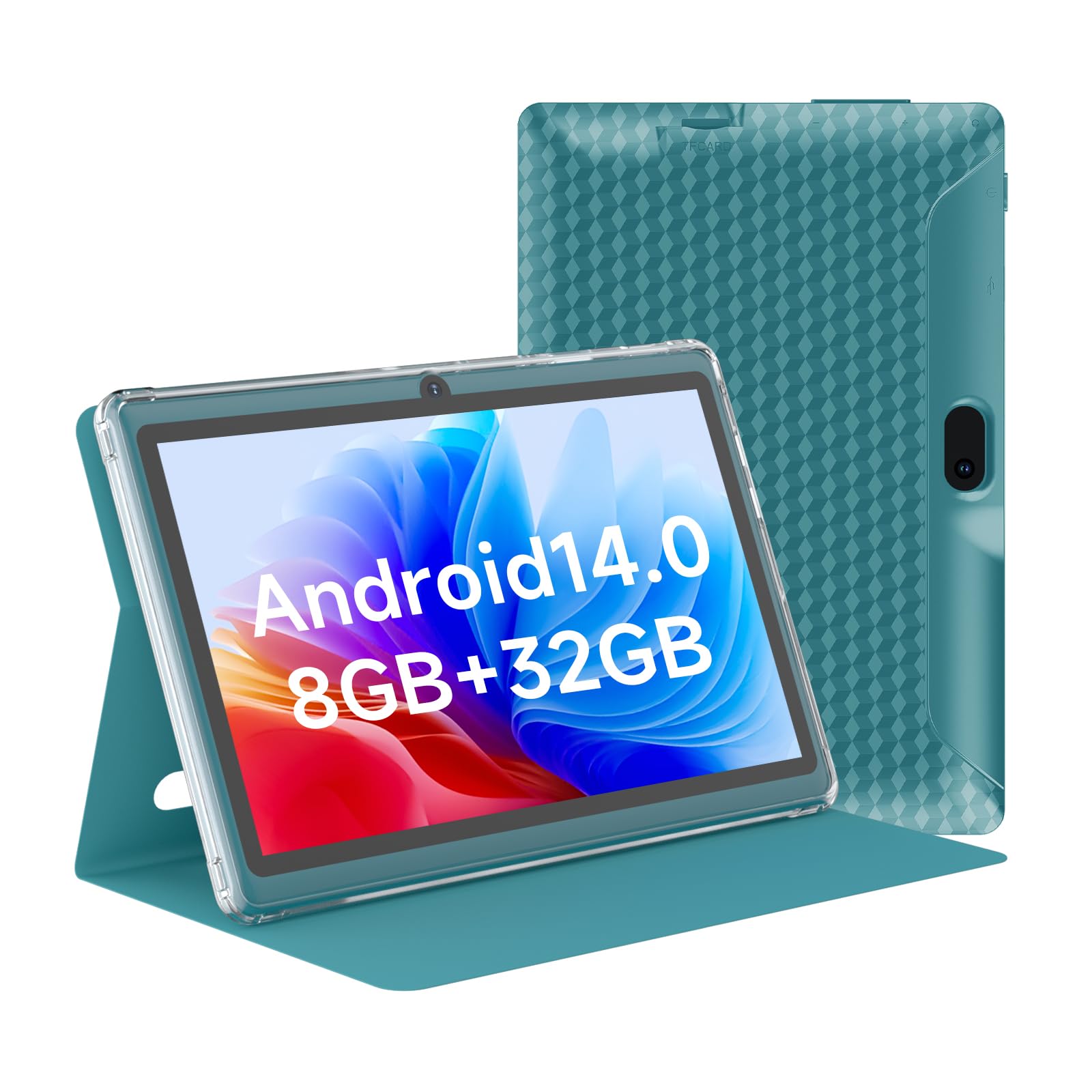
Android 14 with 8GB RAM and dual-band WiFi for surprisingly smooth multitasking.
Running Android 14 with 3GB RAM plus 5GB expansion (8GB total), this tablet handles multiple apps at once — from Zoom calls to social media — without the lag that plagues other budget picks. The MTK8766 processor clocks up to 2GHz, offering a snappier feel than most in this class.
The dual-band 2.4G+5G WiFi is a genuine bonus for crowded spaces, keeping HD streams buffer-free. The 3000mAh battery gives about 6 hours of use, and the included protective case adds durability for kids or students. The 5MP rear and 2MP front cameras cover video calls and photos.
However, performance feedback is mixed — some owners find it slows down within a week and needs a reboot every few days. Others report the battery draining in about 30 minutes, which contradicts the 6-hour spec. Quality control is inconsistent, so this is a gamble, though a rewarding one for some.
Promising pick: The best spec sheet for the money, especially the RAM and WiFi.
The risk: Quality control is uneven — you may get a gem or a dud.
9. PRITOM 7 inch Tablet

The absolute budget entry point with a handy 7″ size and a case included.
Priced to be the most accessible 7-inch tablet here, this runs Android 13 with a quad-core A133 processor and 32GB of storage, expandable to 512GB via the microSD slot. The 1024 x 600 HD IPS display delivers crisp text for reading, and the Eye Health mode filters blue light to reduce eye fatigue.
Owners consistently praise the size as “perfect” for one-handed use and reading e-books, and the included case and screen film offer full protection from the start. The 3000mAh battery provides up to 6 hours of mixed use — reading, browsing, and light games.
However, the reviews paint a harsh picture of reliability: reviewers point out units turning off and refusing to charge after about three months. Speed is also slow, and battery life drains quickly. The review pages sum it up: “Bought it about 3 months ago and it just turned off and is not charging.” It is cheap and replaceable, but durability is the big compromise.
Only for: kids or high-risk users where breaking a tablet is expected and cheap is good.
Steer clear if: you need a reliable daily reader — the failure rate is too high.
Understanding the Specs
RAM and Processor
RAM is the short-term memory your tablet uses to run apps. The more RAM, the more apps you can keep open without freezing or reloading. A quad-core processor is the minimum for smooth video, but a 2GHz clock speed makes app launching noticeably faster.
Storage and microSD
Storage is where your apps, books, and photos live. Most 7-inch tablets come with 32GB, which fills up fast. A microSD slot lets you add extra space cheaply — look for expansion support of at least 512GB so you never run out.
FAQ
Which 7-inch tablet is best for a 3-year-old?
Can a 7-inch tablet replace a Kindle for reading?
How much storage do I need in a kids tablet?
Is a 7-inch tablet good for watching Netflix and YouTube?
What does RAM expansion mean in a tablet spec?
How long does a 7-inch tablet battery last?
Do these tablets work offline for travel?
Are Android tablets better than the Fire 7 for app selection?
Final Thoughts: The Verdict
Across the board, the 7 inch tablet computer winner is the Amazon Fire 7 Kids because it is the only pick that combines a two-year replacement guarantee, a kid-proof case, and a 10-hour battery in one bundle. If you want the newest software and offline learning, grab the YosaToo. And for a pure budget e-reader that replaces a Kindle Fire, the HNVHNV is the one to reach for.
How We Picked
We do not accept paid placement. Every pick is matched to a real buyer and a real use-case; we do not hands-on test units.
Sources & Methodology
Specifications: manufacturer listings and product documentation. Review insights: verified customer reviews, as of August 2026. Pricing: not shown on this page (it changes often); check the current price via the retailer link.
As an Amazon Associate, Gadgets Feed earns from qualifying purchases. This does not affect which products we feature.