
Our readers keep the lights on and my morning glass full of iced black tea. As an Amazon Associate, I earn from qualifying purchases.
Specs are compiled from manufacturer listings and verified buyer reviews and can change over time — please confirm the key details on the product page before buying.
If you are shopping for a compact laptop, you have likely noticed that screen sizes around the 10 to 11.6 inch mark vary wildly, and so does the hardware inside. Your ideal 10-inch notebook hinges on your primary use case—schoolwork, travel, or casual browsing. We rank each model by real-world strengths to match your daily routine, not just spec sheets.
I’m Min — the founder and writer behind Gadgets Feed. This guide is built by comparing the manufacturers’ published specifications and the patterns across verified customer reviews, so you get each pick’s real strengths and trade-offs instead of marketing spin.
Here are the top choices for a 10 inch notebook that balance portability with everyday performance for browsing, streaming, and light work.
Our Picks at a Glance


How To Choose The Best 10 Inch Notebook
Identify your usage pattern first—student, traveler, or casual browser. A student taking notes has different needs than someone who wants a spare machine for travel. Your first decision is choosing between ChromeOS and Windows.
ChromeOS vs Windows
If you live in a web browser, a Chromebook is often the smoother, simpler choice. It boots in seconds, updates itself in the background, and runs Android apps from the Google Play store. Windows gives you full access to traditional desktop programs, which matters if you need specific software that only runs on a PC. ChromeOS suits basic tasks with simpler management; Windows offers more software flexibility.
RAM and Storage Realities
For light use, 4GB of RAM is the minimum you should accept. It will handle a handful of browser tabs, but you will feel it slow down if you push it. 8GB gives you much more comfortable multitasking. On storage, an SSD (solid state drive) is dramatically faster than older eMMC storage for booting up and opening apps. A 64GB drive fills up fast with Windows updates, so consider how much you really need to store locally versus in the cloud.
The Refurbished Question
Many small laptops at this size are renewed or refurbished units. This means they were returned or used before being inspected and resold. Refurbished units cost less but vary in cosmetic and functional condition. Look for sellers with generous return policies, and be prepared for minor cosmetic wear. A renewed business laptop like a Dell Latitude or HP ProBook offers superior build quality over new ultra-budget models.
Quick Comparison
| Model | Best For | Screen Size | RAM / Storage | OS | Amazon |
|---|---|---|---|---|---|
| Samsung Chromebook 4★ Best Overall | Everyday web use | 11.6″ HD | 4GB / 32GB | ChromeOS | Amazon |
| Lenovo 100eBest Value | Basic browsing | 11.6″ HD | 4GB / 64GB | Windows | Amazon |
| Dell Latitude 3190 (N4100)Budget Champion | Budget Windows tasks | 11.6″ HD | 4GB / 64GB | Windows 11 Pro | Amazon |
| Dell Latitude 3190 2-in-1 | Touchscreen flexibility | 11.6″ HD Touch | 4GB / 128GB SSD | Windows 11 Pro | Amazon |
| JSHIX 11.6″ Laptop | Budget multitasking | 11.6″ HD | 8GB / 256GB SSD | Windows 11 | Amazon |
| HBESTORE 10.1 Mini | Ultra-light travel | 10.1″ IPS | 8GB / 128GB SSD | Windows 11 | Amazon |
| LEXiBOOK LAPTAB | Kids and education | 10.1″ HD Touch | — / 128GB | Android | Amazon |
| HP ProBook x360 11 G5 | Refurbished power | 11.6″ HD Touch | 8GB / 256GB SSD | Windows 11 Pro | Amazon |
| ASUS E210 | Light travel use | 11.6″ HD | 4GB / 64GB | Windows 10 S | Amazon |
| ASUS Chromebook CR11 | Rugged school use | 11.6″ HD | 4GB / 64GB | ChromeOS | Amazon |
| CHUWI MiniBook X | Premium portability | 10.51″ FHD+ Touch | 16GB / 512GB SSD | Windows 11 | Amazon |
In‑Depth Reviews
1. Samsung Chromebook 4
Our pick — over 4★ from 2,500+ verified ratings; the strongest balance of quality and price.
The crowd-favorite Chromebook that pairs a long battery with easy everyday web use.
What wins people over here is the value: this is the machine that most buyers report just works for daily tasks like browsing, streaming, and email. The 11.6-inch HD display is the size you get used to quickly, and the Intel Celeron N4000 processor running at 1.10 GHz handles ChromeOS smoothly. It powers up in seconds thanks to Chrome OS, so you can jump straight into work without waiting.
The battery is the standout spec, rated for 12 hours of use, and owners mention real-world sessions of 5 to 6 hours on a charge with light tasks. Storage is 32GB and RAM is 4GB, which is fine for a browser-first lifestyle but means you will lean on Google Drive for files. The preinstalled Google Play store gives you access to a huge library of Android apps for games, music, and movies.
The main thing to know is that this is a renewed unit, so condition varies. Some arrive looking flawless while others show scratches or battery quirks, which is the gamble of buying refurbished. For the price, the majority of owners still call it a fantastic deal, and Samsung phone owners love how easily the two devices pair together.
budget chrome workhorse: Owners praise the value more than anything else — it is the rare small laptop where the price and the experience line up perfectly.
limited local storage: Because it is renewed, inspect the condition on arrival and test the trackpad and charging right away.
2. Lenovo 100e Windows 2nd Gen
A budget Windows netbook that delivers surprising value for basic browsing and typing.
This Lenovo is a straightforward, no-frills Windows machine built for one job: getting online and getting things done. It runs an Intel Celeron N4020 dual-core processor that boosts up to 2.8 GHz, which gives it a noticeable speed edge over the Samsung Chromebook 4’s 1.10 GHz base clock for Windows tasks. The 11.6-inch HD display at 1366 x 768 resolution is crisp enough for documents and video.
It comes with 4GB of RAM and 64GB of flash memory, which is enough for light apps and web use. Owners who bought it as a gift for non-tech family members found it perfect for browsing and typing, calling it a reliable value. It is a full Windows experience, so you can install traditional desktop software, not just apps from a store.
The catch is reliability: this is a renewed unit, and some buyers received units with keyboard issues like non-working letters or needed minor repairs. The recurring gripe is keyboard reliability — test every key when it arrives. If you are comfortable with a refurbished gamble, the value is real, but it is best suited to someone who does not depend on it for critical work.
classroom fit: you want a cheap Windows machine for light browsing and typing without needing much power.
heavy tasks: you need a dependable daily driver — the refurbished quality here is a genuine lottery.
3. Dell Latitude 3190 (N4100)
A renewed business laptop whose quality and value make it a smart budget Windows pick.
This Dell comes from the business world, which means it was built to a higher standard than consumer budget laptops. The Intel Celeron N4100 quad-core processor runs at 2.4 GHz, and owners are pleasantly surprised by how fast it feels for everyday calls and tasks — some even say it outperforms their faster full-size laptops. It arrives with Windows 11 Pro installed and includes a charger, which is not always a given with renewed units.
With 4GB of RAM and 64GB of storage, it is not a powerhouse, but it handles web browsing, documents, and streaming without complaint. The build quality gets consistent praise, with buyers noting it looks almost new. One owner bought it specifically for OBD1 diagnostics and found the BIOS explanations and auto-restore features genuinely useful.
Refurbished units vary in speed and condition—some are fast, others show scratches or lag. Battery life is the other mixed point, though some customers note a solid 6-hour runtime. For a budget-friendly Windows machine that feels more premium than its price, this is a strong contender.
office durable: anyone who wants a sturdy, business-grade Windows laptop without paying business-grade prices.
speed seeker: you need long all-day battery life — this is more of a desk-to-desk machine than a travel companion.
4. Dell Latitude 3190 2-in-1

The 2-in-1 that gives you touchscreen flexibility with a responsive feel and solid value.
The defining feature here is the 11.6-inch multi-touch display, which lets you switch between laptop and tablet modes with a flip of the hinge. Owners love the touch sensitivity, calling it responsive and handy for quick interactions. The Intel Celeron N5030 quad-core processor boosts up to 2.4 GHz, and the 128GB solid state drive offers four times the storage of the Samsung Chromebook 4’s 32GB, giving you real room for files and apps.
With 4GB of DDR4 RAM, it handles basic everyday tasks like browsing and document editing comfortably, and the keyboard gets positive comments for being comfortable and sturdy. Windows 11 Pro comes preinstalled, and the compact size makes it easy to carry around campus or the office. Owners describe it as looking like it came right off the factory floor.
The honest caveat is battery life, which draws mixed feedback — the rated 11 hours is optimistic for real-world use, and some owners hit charging issues with their units. The touchpad gets consistent praise for responsiveness, which helps offset the occasional keyboard quirks. It is a practical, affordable choice if you value the touchscreen flexibility.
versatile use: you like the idea of a touchscreen and tablet mode in a compact, portable laptop.
all-day work: real-world battery life may fall short of the 11-hour rating, so keep the charger nearby.
5. JSHIX 11.6-inch Laptop
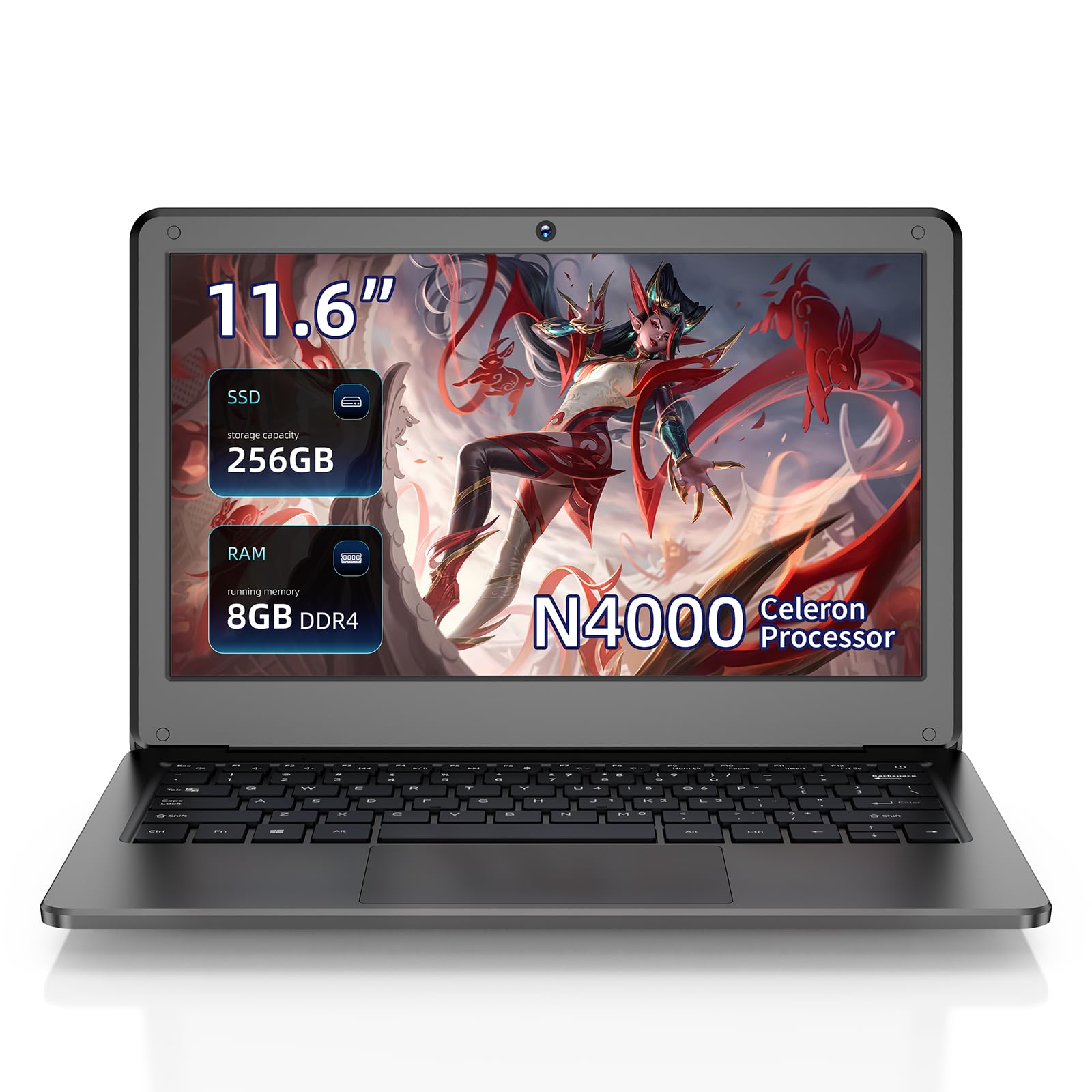
A budget Windows laptop that packs 8GB RAM and 256GB storage for real multitasking.
Most laptops at this price cap out at 4GB of RAM and 64GB of storage, which is why this JSHIX stands out: it doubles both. The 8GB of DDR4 RAM lets you juggle 15 browser tabs plus a couple of programs without choking, and the 256GB solid state drive gives you room to actually install software and store files locally. Owners describe it as a surprisingly fast Windows 11 machine for the money.
The Intel Celeron N4000 dual-core processor boosts up to 2.6 GHz, and the 11.6-inch HD display at 1366 x 768 resolution looks sharp for the price. At a 1.8cm-thin body weighing about 1KG, it slips easily into a bag for students or commuters. The full port selection — USB 2.0, USB 3.0, HDMI, TF card slot, and a 3.5mm headphone jack — covers your peripherals without needing adapters.
The trade-off is reliability: one owner hit a boot failure that required safe mode to fix, so there is some risk with this lesser-known brand. Battery life lands around 5 hours in real use, which is decent but not exceptional. If you want the most RAM and storage for your money and can accept a brand without a long track record, this delivers impressive value.
tight budget: multitasking matters — the 8GB RAM and 256GB SSD beat most laptops in this price range.
multitasker: you want a well-established brand with a proven reliability record.
6. HBESTORE 10.1 Mini Laptop
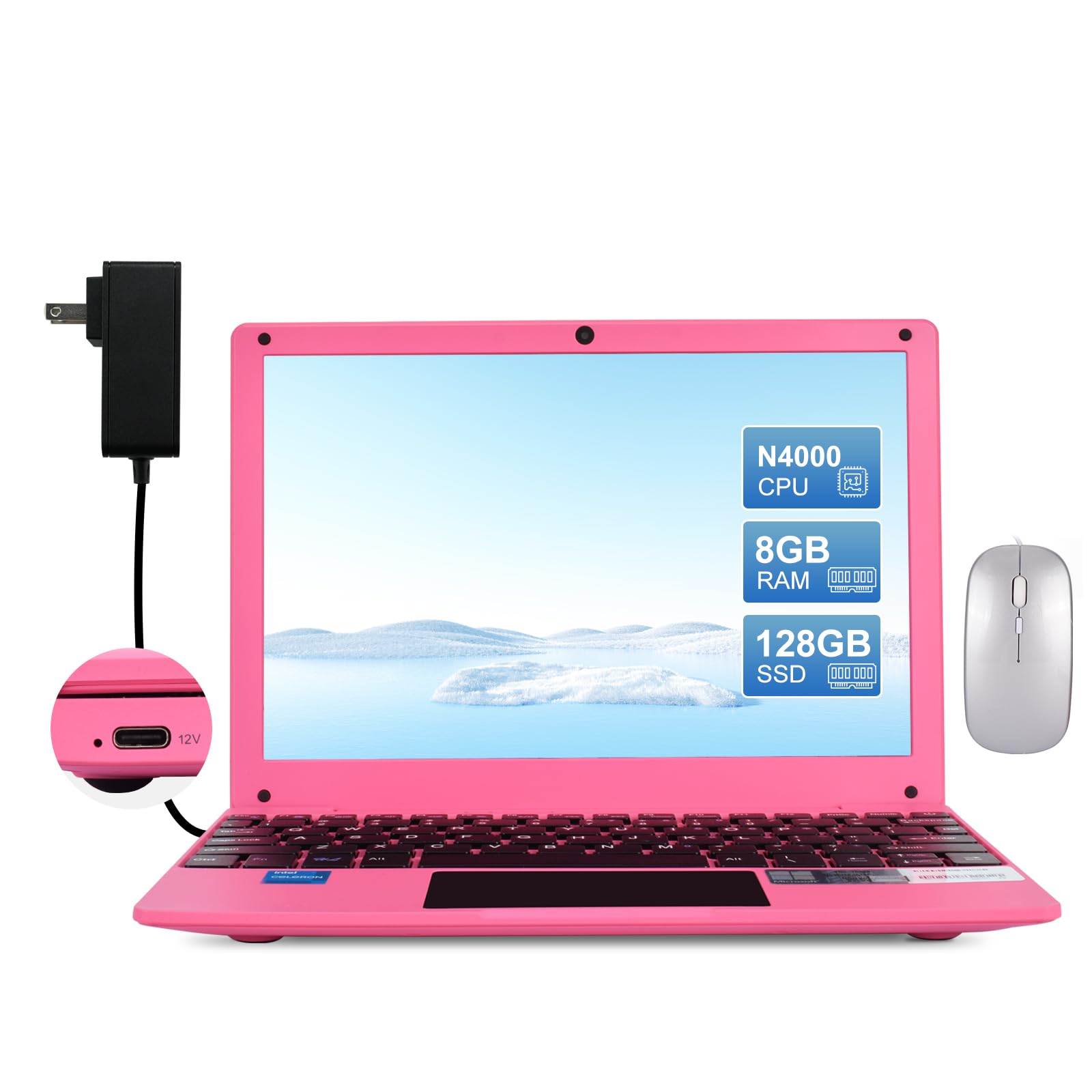
A true 10-inch ultra-portable that weighs just 760g and fits in any bag.
This is the lightest laptop on the list at only 760g, making it a genuine travel companion that you barely notice in your bag. The 10.1-inch IPS display at 1280 x 800 resolution delivers vibrant colors and sharp detail, and the IPS panel (a screen type known for good viewing angles) means it looks good from any angle. Owners call it a true laptop, not a tablet with a detachable keyboard, and some say it rivals their older HP mini.
Inside, you get 8GB of RAM and a 128GB SSD, which is plenty for web browsing, Google Docs, and Zoom meetings — exactly what owners use it for. The Intel Celeron N4000 processor boosts up to 2.6 GHz, and the port selection includes 2x USB 3.0, mini HDMI, a 3.5mm audio jack, Micro SD card reader, plus 2.4/5G Wi-Fi and Bluetooth 4.2. It even comes with a mouse and a carrying bag in the box.
The catch is heat: owners note it gets warm within about an hour of use, though they still like it and it works fine for their needs. Battery life is rated at 4 hours, which is on the shorter side. One reviewer noted it did not support Windows or Word, so check what you need before buying. For a petite, packable machine for basic tasks, this is a sweet little find.
portable pick: travelers and students who want the lightest possible laptop for browsing, docs, and video calls.
typing heavy: the 4-hour battery and warmth under load mean it is not an all-day workhorse.
7. LEXiBOOK LAPTAB 10

A family-friendly touchscreen laptop built around education and parental controls.
This LEXiBOOK is designed with kids in mind, and it shows in the software. It comes with the Power Academy app, 300 ebooks through ReadEra, and a 15-language translator, making it a genuine learning tool rather than just another gadget. The parental controls and customizable profiles let you tailor the experience for each child, and the Qwant Junior browser keeps web surfing safe. Owners say their kids love it and that it is easy to set up however they need.
The 10.1-inch HD touchscreen is the centerpiece, and the octa-core processor keeps things running, with 128GB of storage for apps and games from Google Play. It has 2 USB-A ports and 1 USB-C port, Bluetooth 5.0, and Wi-Fi connectivity. The 2MP front camera handles video calls, and the 4000mAh battery gives it portable power for car rides or classrooms.
The honest downside is speed: owners describe it as doing the job but being noticeably slow, and battery capacity draws some criticism along with buggy software. It is not a full Windows or ChromeOS machine — think of it as an educational tablet in laptop form. For younger children who need a safe, controlled first computer, it hits the mark, but older kids may find it frustratingly slow.
young learners: younger kids who need a safe, parent-controlled first laptop with built-in educational content.
daily driver: anyone who needs speed or a full desktop operating system — this is an Android-based learning device.
8. HP ProBook x360 11 G5

A business-grade 2-in-1 that packs real power into a compact convertible frame.
This HP comes from the ProBook business line, which means it was built for daily professional use. The 360-degree hinge lets you fold it into laptop, tablet, tent, or stand mode, and the 11.6-inch touchscreen makes it genuinely versatile. The Intel 4-Core Pentium Silver N5030 processor delivers what owners call super-fast performance for everyday computing, and the 8GB RAM handles multitasking smoothly.
The 256GB SSD is the real highlight here — it gives you four times the storage of budget rivals and dramatically faster boot times and app loading. Windows 11 Pro comes preinstalled with professional-grade security features. Owners who were nervous about buying refurbished were pleasantly surprised, with many calling it like brand new and perfect for their specific hobby or work needs. One even replaced a cheap new laptop with this renewed HP and found it far superior.
Expect trade-offs: several reviewers point out the battery does not last a full day, and some units have a camera that stops working. It also heats up on fabric or soft surfaces, so set it on a hard desk. If you want renewed confidence with business-grade build quality, this is a compelling pick.
managed fleet: buyers who want a reliable, powerful 2-in-1 without paying new-laptop prices.
light travel: battery life — it is a desk companion, not an all-day traveler.
9. ASUS E210

An ultra-thin ASUS that weighs 2.31 lbs and comes with a free year of Office 365.
Carry this ASUS anywhere: at 0.7 inches thin and 2.31 lbs, it is one of the lightest full Windows laptops you can take on a plane. The 11.6-inch HD display (1366 x 768 resolution) stays bright and clear for its size, and the Intel Celeron N4020 processor (a budget chip) boosts up to 2.8 GHz — 17% faster than the Dell Latitude 3190’s 2.4 GHz ceiling, so everyday apps feel snappier. Owners consistently call it a good little computer for light travel and student use.
A standout perk is the included One Year of Office 365 Personal, which saves you money if you need Word, Excel, or PowerPoint. It ships with 4GB of LPDDR4 RAM and 64GB of eMMC storage, and there is an SSD slot if you want to expand later. The port selection is solid with 2 USB ports, USB-C, and HDMI. Owners find it reliable as a budget travel laptop that handles streaming, email, and shopping without fuss.
The honest limitations are the 4GB RAM, which causes slow loads when multitasking, and the modest 64GB storage that fills up quickly. The numeric pad on the touchpad is a bit gimmicky and gets toggled accidentally, and speakers are quiet, though headphones or Bluetooth solve that. For a lightweight machine for basic tasks, it is a proven, reliable value.
casual use: you want a proven ASUS with a free Office subscription for light travel and student work.
demanding apps: 4GB RAM and 64GB storage mean you will manage memory carefully and use cloud storage.
10. ASUS Chromebook CR11

A ruggedized Chromebook with military-grade durability and a spill-resistant keyboard.
This ASUS is built for the classroom, with a ruggedized body and rubber edges designed for military-grade durability. The spill-resistant keyboard protects against accidental water drops, and the anti-glare HD display cuts reflection for better visibility. The Intel N100 processor is a step up from older Celerons, and shoppers say it performs well for homeschool use and handles everything a typical student needs.
ChromeOS brings the usual benefits: no viruses, automatic updates, and full Google apps like Docs and Sheets. This model goes further with a free Google One AI Premium plan for 3 months, including Gemini Advanced and 2TB of cloud storage. The HD noise-reduction webcam with privacy shield and AI noise-canceling mic make video calls clear for remote learning. Wi-Fi 6E and Bluetooth 5.3 give you fast, modern wireless.
The honest take: some owners say it is well made and sturdy but not truly “rugged,” and the 4GB RAM with 64GB storage can feel tight for heavy users. One detailed review noted the RAM and hard drive are insufficient for demanding tasks and there is no touchscreen. Owners love it for kids who need a safe, virus-proof machine — it keeps them on YouTube without the headaches of a regular laptop.
school chromebook: parents and schools wanting a tough, low-maintenance Chromebook that keeps kids safe online.
media buff: 4GB RAM and 64GB storage are fine for basics but will frustrate power users.
11. CHUWI MiniBook X
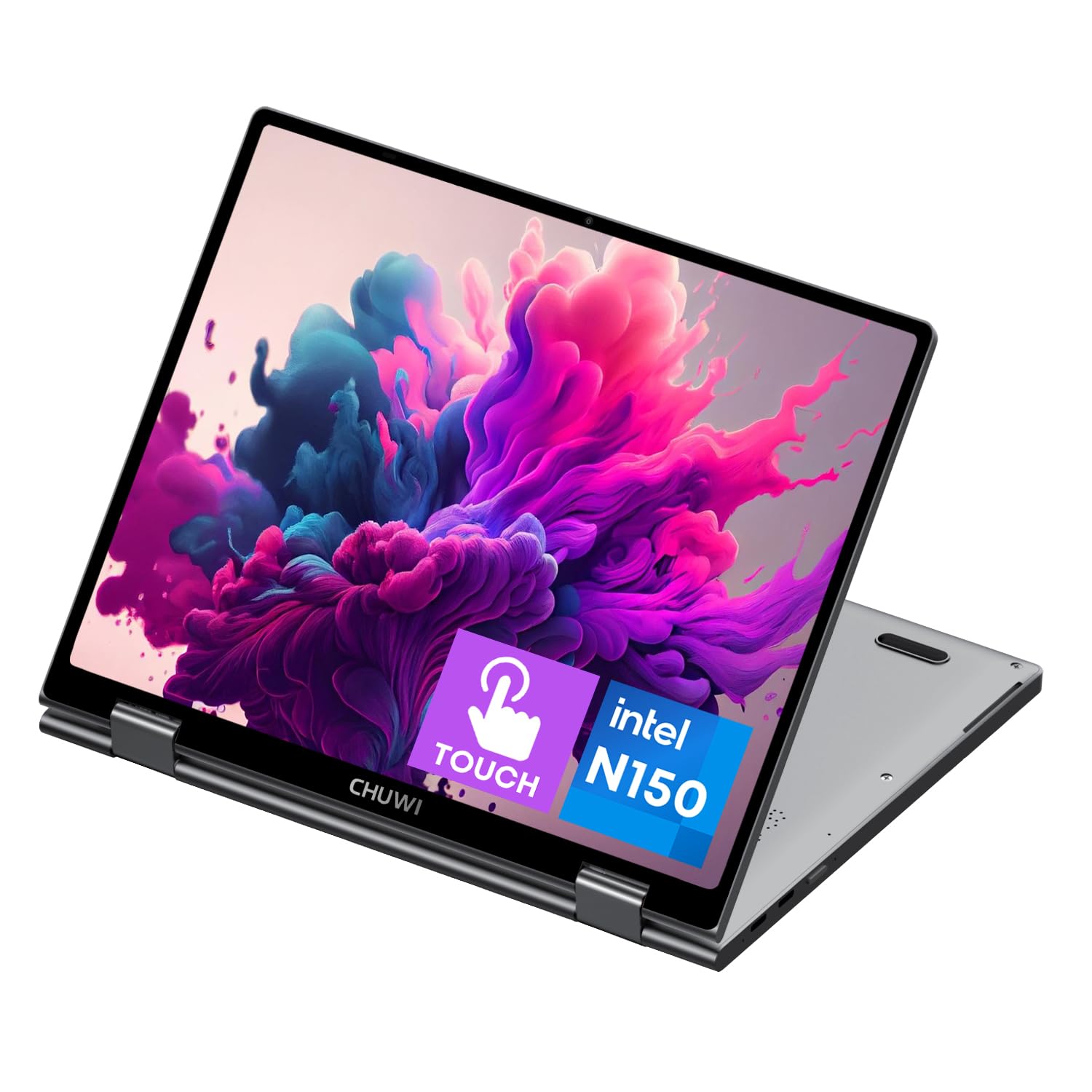
The premium mini laptop that pairs a 2K touchscreen with desktop-class specs.
If you want the best of everything in a small package, this CHUWI is the one. The 10.51-inch FHD+ display runs at a sharp 1920×1200 resolution, which is dramatically crisper than the 1366 x 768 panels on most competitors, and the 16:10 aspect ratio gives you more vertical space for documents. The Intel N150 processor boosts up to 3.6 GHz and handles multitasking with ease, backed by a generous 16GB of LPDDR5 RAM.
Storage is the other standout: a 512GB SSD that supports expansion via an M.2 2280 slot up to 1TB. That is more storage than most full-size laptops offer, and it makes this a genuine work machine rather than just a browsing tool. The 360-degree flip-and-fold design lets you switch between laptop, tablet, tent, and stand modes, and the metallic body feels premium. The backlit keyboard works well in low light, and the efficient cooling fan keeps it quiet.
The surprise hit here is Linux support: buyers report Ubuntu and Debian run great on it with excellent battery life, making it a favorite among Linux enthusiasts. The cons are a shorter 3-4 hour battery life in some setups and a native portrait screen orientation that is not BIOS-changeable. It runs a bit hot and the write speed is slow, but the read speed is fast. For a premium, portable machine that punches above its size, this is the top pick.
travel companion: you want the most powerful, best-display mini laptop for work, travel, or Linux tinkering.
desktop replacement: battery life is modest and the screen defaults to portrait orientation on some Linux setups.
Understanding the Specs
Processor Speed
The processor, or CPU, is the brain of the laptop. Clock speed, measured in GHz, tells you how fast it can process instructions, but more cores matter too. A quad-core like the Intel Celeron N4100 at 2.4 GHz handles multitasking better than a dual-core at the same speed. For basic browsing and documents, any of these will work, but you will notice the difference when juggling many tabs.
RAM and Storage
RAM is short-term memory for running apps, while storage is long-term space for your files. 4GB of RAM is the minimum for today’s web, and 8GB is noticeably smoother. For storage, an SSD (solid state drive) is much faster than eMMC (a cheaper built-in flash memory) for booting up and opening programs. A 32GB or 64GB drive fills up fast — 128GB or more gives you real breathing room.
FAQ
Is a 10 inch notebook too small for everyday use?
What is the difference between Chromebook and Windows on a small laptop?
How much RAM do I need in a 10 inch notebook?
Is it safe to buy a renewed or refurbished small laptop?
How long does the battery last on a 10 inch notebook?
Can a 10 inch notebook handle streaming and video calls?
What storage size should I look for?
Can I use a 10 inch notebook for word processing and schoolwork?
Is a 10 inch notebook good for a child?
Can I install Linux on a small laptop?
Final Thoughts: The Verdict
For most people, the 10 inch notebook winner is the Samsung Chromebook 4 because it delivers the most reliable everyday experience with its 12-hour battery and smooth ChromeOS operation. If you want the most versatile touchscreen model, grab the Dell Latitude 3190 2-in-1 with its responsive display and 2-in-1 flexibility. And if you need real computing power in a tiny frame, the CHUWI MiniBook X with its 16GB RAM and 2K touchscreen is the one to reach for.
How We Picked
We do not accept paid placement. Every pick is matched to a real buyer and a real use-case; we do not hands-on test units.
Sources & Methodology
Specifications: manufacturer listings and product documentation. Review insights: verified customer reviews, as of August 2026. Pricing: not shown on this page (it changes often); check the current price via the retailer link.
As an Amazon Associate, Gadgets Feed earns from qualifying purchases. This does not affect which products we feature.