
Our readers keep the lights on and my morning glass full of iced black tea. As an Amazon Associate, I earn from qualifying purchases.
Specs are compiled from manufacturer listings and verified buyer reviews and can change over time — please confirm the key details on the product page before buying.
Working from home means staring at a screen for eight-plus hours, and a 32-inch monitor is the size that finally gives you room to breathe — spreadsheets, code, and video calls all visible without tab-hopping. The real question is which resolution and refresh rate fit your eyes and your setup. This guide breaks down the top 11 models, weighing picture quality, ergonomics, and honest trade-offs so you can pick the one that makes your desk feel bigger.
I’m Min — the founder and writer behind Gadgets Feed. This guide is built by comparing the manufacturers’ published specifications and the patterns across verified customer reviews, so you get each pick’s real strengths and trade-offs instead of marketing spin.
Your home office monitor should make documents sharp and games smooth without breaking your desk setup. The right 32 inch computer monitor for home office depends on matching the panel type, resolution, and ports to your daily tasks.
Our Picks at a Glance

How To Choose The Best 32 Inch Computer Monitor For Home Office
Picking a 32-inch monitor is a multi-year decision, so it pays to understand the three specs that shape your daily experience: resolution, panel type, and connectivity. Nail these three specs and your monitor will stay relevant for years.
Resolution: 1440p vs 4K
On a 32-inch screen, 2560×1440 (QHD) gives you a sharp, spacious desktop without needing a powerful graphics card. Stepping up to 3840×2160 (4K UHD) packs in four times the pixels of Full HD — roughly 8 million — so text looks print-crisp and you can fit multiple windows side by side with ease. The catch is that 4K needs more graphics horsepower, especially if you want smooth motion.
Refresh Rate and Adaptive Sync
Home-office monitors often top out at 60Hz (how many times the screen updates per second), which is fine for documents but can feel sluggish when scrolling or dragging windows. A 120Hz panel doubles that smoothness, and technologies like FreeSync or G-Sync stop the screen from tearing when the image updates mid-frame. If you game even occasionally, a higher refresh rate is worth the premium.
Panel Types: IPS vs VA
IPS panels deliver consistent colors from almost any angle — vital if you share your screen with a colleague or move around your chair. VA panels offer deeper blacks and higher contrast ratios, making movies and dark-mode coding look richer, but they can wash out when viewed off-center. For a home office that doubles as an entertainment hub, the choice between wide angles and deep contrast is the main trade-off.
Quick Comparison
| Model | Best For | Resolution | Refresh Rate | Panel Type | Amazon |
|---|---|---|---|---|---|
| KTC 32″ 2K★ Best Overall | Fluid motion on a budget | 2560 x 1440 | 120Hz | IPS | Amazon |
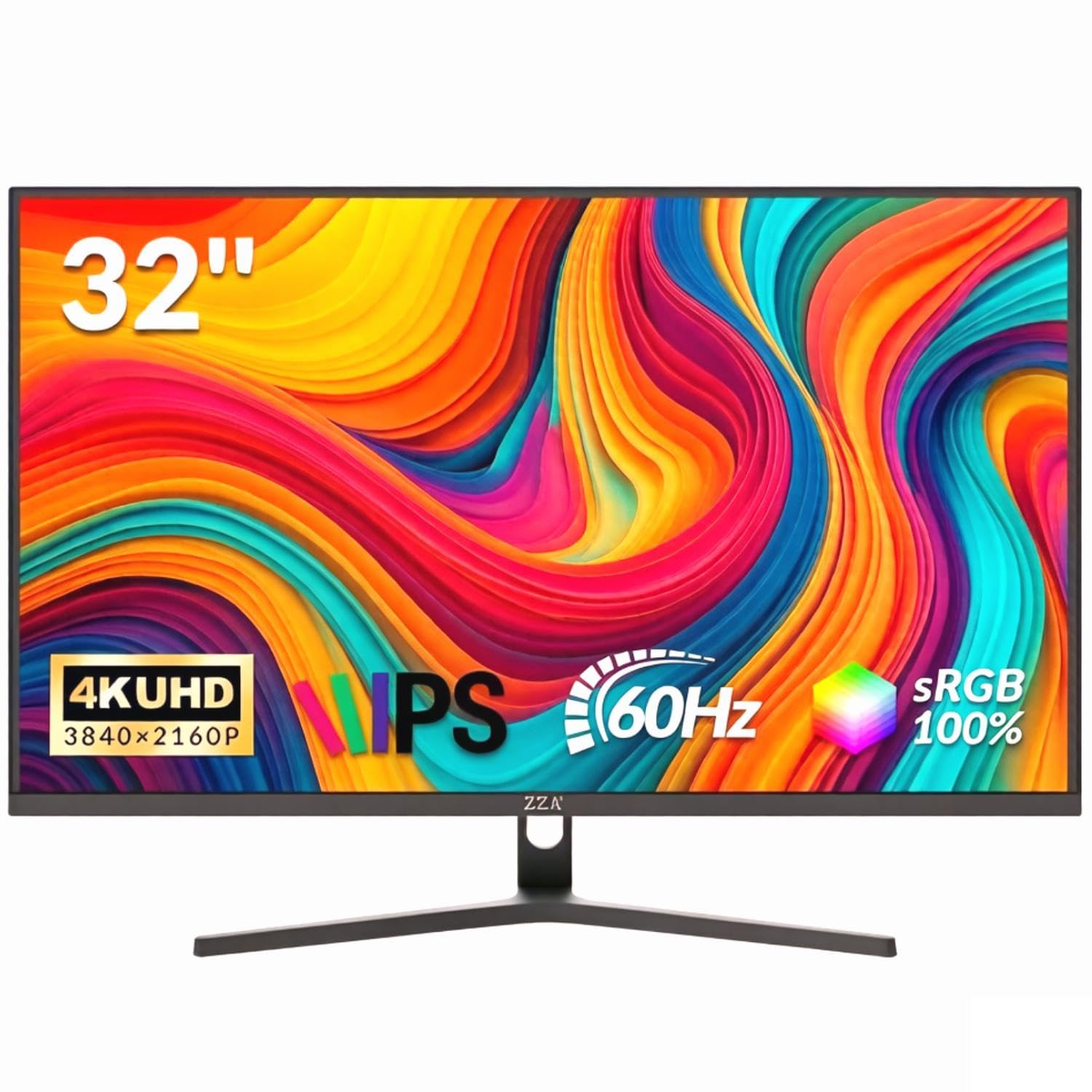
| ZZA 32″ 4K FlatBest Value 4K | Sharp 4K value | 3840 x 2160 | 60Hz | IPS | Amazon |
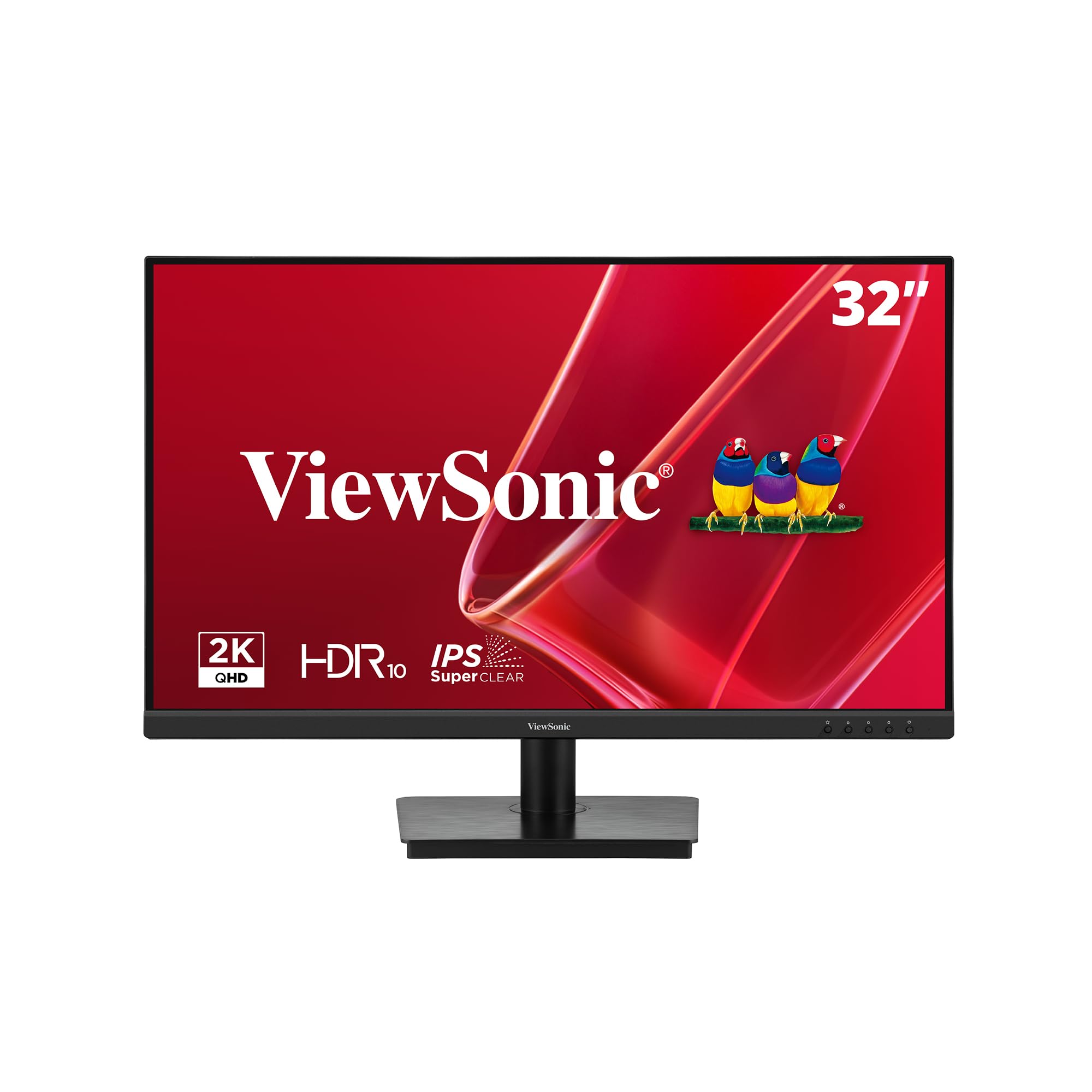
| ViewSonic VS3225-2KMulti-Monitor Pick | Daisy-chaining multi-monitors | 2560 x 1440 | 75Hz | IPS | Amazon |
| ZZA 32″ 4K Curved | Cinematic immersion | 3840 x 2160 | 60Hz | LED | Amazon |
| ASUS VP327Q | Balanced 4K with speakers | 3840 x 2160 | 60Hz | IPS | Amazon |
| LG 32UR500K-B | Everyday 4K reliability | 3840 x 2160 | 60Hz | VA | Amazon |
| LG 32UR550K-B | Full ergonomic adjustments | 3840 x 2160 | 60Hz | VA | Amazon |
| Dell S3225QS | Buttery-smooth dual use | 3840 x 2160 | 120Hz | VA | Amazon |
| Samsung ViewFinity S8 | Portrait-mode productivity | 3840 x 2160 | 60Hz | LED | Amazon |
| Samsung M7 Smart | Streaming and work combo | 3840 x 2160 | 60Hz | LED | Amazon |
| ASUS ProArt PA329CRV | Color-critical creative work | 3840 x 2160 | 60Hz | IPS | Amazon |
In‑Depth Reviews
1. KTC 32 Inch 2K Computer Monitor
Our pick — 4.5★ from 850+ verified ratings; the strongest balance of quality and price.
Crowd favorite for its buttery-smooth 120Hz motion at a price that undercuts pricier rivals.
The KTC lands on top because it solves the home-office boredom problem: a 2560×1440 resolution that is plenty sharp, wrapped around an IPS panel that keeps colors true from wide angles. The standout is the 120Hz refresh rate — double the 60Hz of most office monitors — so scrolling through long documents and dragging windows feels visibly fluid. It also supports FreeSync and G-Sync, so if you hook up a gaming console, the motion stays tear-free.
For visual work, the 109% sRGB color gamut area and a 350 cd/m² brightness make images pop, with a ΔE under 2 meaning colors are accurate enough for creative tasks. Eye comfort is covered by low blue light and flicker-free tech, plus a -5° to 20° tilt. Connectivity is flexible with one DisplayPort 1.4 and two HDMI 2.0 ports, and the 100x100mm VESA mount lets you wall-mount it. It’s the crowd favorite — 4.5 stars across 800+ owners — for its blend of smoothness and affordability. The main complaint is the warranty process, so test your unit early within the return window.
It works best as a single or dual monitor; a three-monitor setup may hit bandwidth limits. The VESA mount can block the power knob, and the power brick is bulky. At this price, the 120Hz motion clarity is class-leading.
What Wins People Over
- 120Hz refresh doubles standard smoothness for work and play
- IPS panel keeps colors consistent at wide viewing angles
- FreeSync and G-Sync support prevent screen tearing
Worth Knowing Before You Buy
- Warranty support has drawn criticism in some cases
- Controls can be awkward in multi-monitor setups
- Includes only basic speakers
Reach for this if: you want a smooth, sharp 32-inch workhorse that also handles casual gaming while staying affordable.
Think twice if: you need full 4K pixel density or expect premium warranty support if something goes wrong.
2. ZZA 32″ Monitor 4K UHD
An ultra-sharp 4K IPS panel that makes spreadsheets and movies look stunning for the price.
The ZZA flat 4K monitor delivers print-crisp text thanks to its 3840×2160 resolution on an IPS panel, and it covers 100% sRGB with a 3000:1 contrast ratio — a notably deeper contrast than the KTC’s 1000:1. That contrast, a 3.0x gap, makes dark mode coding and movie scenes look richer. The 60Hz refresh rate and Adaptive Sync keep video playback smooth for typical office work, and the ultra-thin three-sided bezel is great for multi-monitor desks.
Picture quality is what owners praise most — it is the top-mentioned aspect by a wide margin — with buyers noting it works great for multi-window spreadsheets and is easy to set up with a MacBook. Brightness gets mixed feedback though, with some finding it dim at full brightness, so it is best in a room without harsh glare. Color quality also divides opinion, with some loving it and others finding it flat from the start.
One point to verify before buying: the listing says VESA 75x75mm, but buyers report it actually uses a proprietary round mount and is NOT VESA compatible. If you plan to mount it on an arm, treat the VESA claim with caution. For a desk setup, it’s a fantastic value 4K panel.
Sharp Value Pick: 4K text clarity plus deep 3000:1 contrast at a price that undercuts most rivals — just verify the mount situation before you plan an arm setup.
3. ViewSonic VS3225-2K
The daisy-chain champion for building a clean multi-monitor desk with one cable run.
The ViewSonic VS3225-2K earns its spot for productivity power users who juggle multiple windows. Its 2560×1440 IPS panel (a screen type with wide viewing angles) refreshes at 75Hz, so scrolling feels smoother than a standard 60Hz office display. The standout feature is DisplayPort-out daisy chaining, which lets you link a second monitor with one cable, cutting desk clutter. The frameless edge-to-edge design makes two screens side by side look nearly smooth.
Screen quality is the thing everyone raves about, with sharp 2K text and a much larger desktop to work in. The eye care features are a real plus for long days: Flicker-Free tech and a Blue Light Filter reduce strain, and ViewSonic’s ViewMode presets let you switch between “Game,” “Movie,” “Web,” “Text,” and “Mono” for any task. You also get a 3-year limited warranty with US-based support, which is rare at this level.
The recurring gripe is the controls: an awkward joystick for power and on-screen menus, and a wobbly non-rotating stand. A few found the driver download a hurdle before hitting full 1440p. For multi-monitor fans, the daisy chain alone justifies this pick.
Built For The Multi-Screen Desk
- DisplayPort-out daisy chains a second monitor with one cable
- Frameless bezel makes multi-monitor setups feel smooth
- 3-year US-based warranty for confidence
Keep In Mind
- Joystick control for menus is awkward at first
- Stand is wobbly and doesn’t rotate
- Driver download may be needed for full resolution
Grab it for: building a tidy two- or three-monitor setup where one cable run saves your sanity.
Pass if: you need a rotating stand or an adjustable height from the start.
4. ZZA 32 Inch 4K 1500R Curved
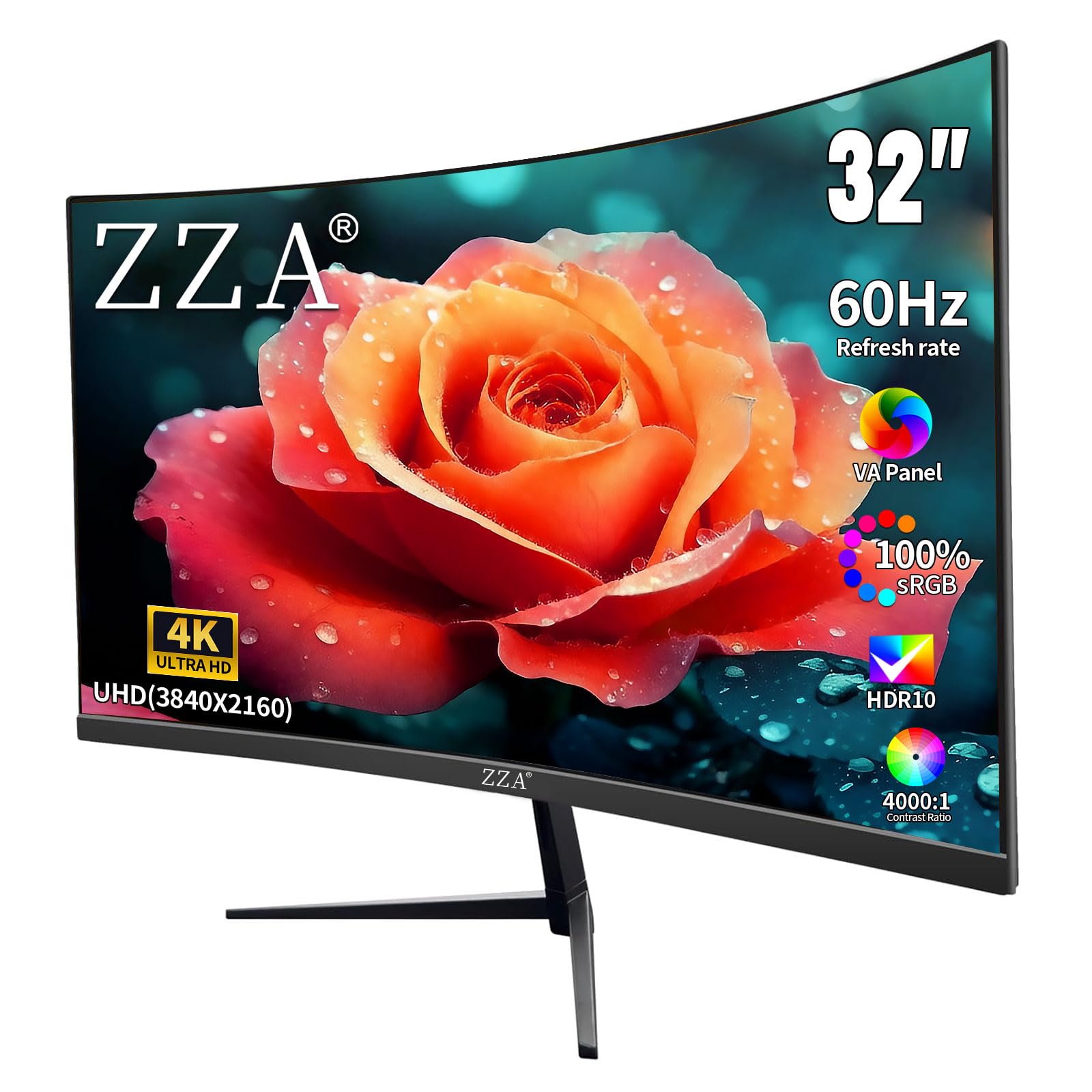
A gentle 1500R curve (a radius that wraps the screen toward you) makes a 4K workspace feel more rich, so your eyes stay centered on the action.
If you want the cinematic feel without going ultrawide, the ZZA 1500R curved monitor is a strong contender. The 3840×2160 4K panel packs a 4000:1 contrast ratio — the deepest on this list — for rich, lifelike shadows in movies and games. The 1500R curve (a radius of 1500mm) gently wraps the screen around your field of view, which owners love for sim driving and general immersion.
The 60Hz refresh rate with FreeSync keeps casual gaming and video playback smooth, and the 100% DCI-P3 color coverage delivers vibrant, accurate color for photo editing. Owners mention setup takes under 10 minutes, and quality and value are the top praises — this is a popular “second monitor” for MacBook users who want a bit of drama on their desk.
Color accuracy splits opinions: customers note some find it excellent, others less impressed. The base lacks height adjustment, so multiple owners recommend an arm or mount. Ports face downward, a minor annoyance when plugging in cables. If you want an rich 4K panel without a premium price, this curve fits — but skip it if you need a height-adjustable stand from the start.
Curved For The Win: The deepest contrast ratio on this list (4000:1) plus a 1500R curve makes this the pick for movie nights and sim racing — budget for an arm since the base is fixed.
5. ASUS VP327Q 4K UHD

A well-rounded 4K companion with built-in speakers and easy-on-the-eyes certs for long shifts.
The ASUS VP327Q gives you a 31.5-inch 4K UHD (3840×2160) IPS panel with a 178-degree viewing angle, so colors stay vibrant even when you lean back or share your screen. It supports HDR-10 and covers 99% sRGB — a solid step up in color depth — and includes built-in stereo speakers, saving you desk space and an extra cable. The frameless design keeps multi-monitor setups looking clean.
For all-day comfort, ASUS Eye Care tech brings a flicker-free backlight and a low blue light filter. Connectivity covers dual HDMI ports and a DisplayPort, so you can switch between a laptop, PC, and console without unplugging. It works well with a MacBook Air M4 and MacBook Pro, per owners, and offers a 3-year warranty with advanced replacement.
Reliability gets mixed feedback — most work from the start, but an occasional unit has issues like random blank screens or won’t wake from timeout. Brightness also draws complaints, with some finding it dim. The power cord is notably short, so plan for an extension. It is a great all-rounder if you get a good unit.
All-Rounder Appeal
- IPS panel with 178° viewing angles for sharing screens
- Built-in speakers and 3-year warranty included
- Dual HDMI plus DisplayPort for multi-device desks
Consider This First
- Reliability is mixed — a few units have screen issues
- Brightness is a common complaint
- Power cord is very short
Best for: a balanced 4K desk setup that keeps cables minimal with built-in speakers.
Look elsewhere if: you need guaranteed reliability and high brightness in a bright room.
6. LG 32UR500K-B Ultrafine 4K

A dependable LG 4K panel that owners say replaces monitors costing three times as much.
The LG 32UR500K-B nails the “just works” brief. Its 32-inch 4K UHD (3840×2160) VA panel reproduces up to 90% of the DCI-P3 color space — a vibrant spectrum for movies and games — and HDR10 support brings content to life. It includes two built-in speakers tuned with Waves MaxxAudio, so you get bigger, bolder sound without extra gear. An ergonomic stand lets you tilt the screen to a comfortable position.
Owners consistently praise the picture quality as sharp and bright right from the start, with no flicker or dead pixels reported in the most common scenarios. It has proven reliable over months of use, and the borderless design keeps the desk looking clean. The convenience extends to OnScreen Control software for splitting your display, plus Dynamic Action Sync and Black Stabilizer features if you game on the side.
The main trade-off is color: from the start, some find SDR content looks washed out and needs tuning, or is better reserved for HDR-heavy use. The VA panel also means a narrower viewing angle than IPS. If you want a trustworthy 4K panel from a big brand, this is the safe choice.
Just Works: A reliable 4K VA panel with built-in speakers and glowing owner reviews for value — expect to tweak SDR color settings for the best look.
7. LG 32UR550K-B Ultrafine 4K

The ergonomic standout that adjusts to you — height, tilt, and pivot for the perfect neck angle.
The LG 32UR550K-B takes the same solid 4K foundation as the 500K and adds the adjustability that makes long workdays kinder to your body. The stand offers height, tilt, AND pivot adjustments, so you can swing the 32-inch 4K UHD (3840×2160) VA panel into portrait mode for long documents. It supports up to 90% of the DCI-P3 color space with HDR10 for vivid, lifelike visuals.
For productivity, the Switch app splits the screen into up to six sections, and gaming features like Dynamic Action Sync and Black Stabilizer help in low-light scenes. The included Waves MaxxAudio speakers deliver solid sound. Owners rate the non-gaming experience highly, noting it works well with a KVM setup and via DisplayPort at 60Hz, with a sturdy tool-free adjustable mount.
Note that picture quality gets mixed feedback — some find it excellent, others report blurry images, so panel quality can vary. It also lacks USB ports and requires manual input selection when switching sources. The stand is adjustable, though the plastic cover feels a bit budget. If ergonomics matter most, this is the one to beat.
The Ergonomics Winner
- Height, tilt, and pivot adjustments for perfect posture
- 90% DCI-P3 color plus HDR10 for vivid visuals
- Screen-splitting Switch app for multitasking
Before You Commit
- Picture quality varies between units
- No USB ports and manual input switching
- Plastic stand cover feels less premium
Choose this for: an ergonomic, adjustable 4K display that protects your neck and eyes during marathon work sessions.
pass on it if: you want a consistent panel and USB hub connectivity.
8. Dell 32 Monitor S3225QS

The premium dual-threat: 4K 120Hz smoothness with a 0.03ms response for work and play.
The Dell S3225QS is for you if you want one monitor for both spreadsheets and shooters. It delivers 4K UHD (3840×2160) on a VA panel (a type known for deep blacks) with a 120Hz refresh rate — as smooth as the KTC — plus an ultra-low 0.03ms response time and AMD FreeSync Premium (a tech that reduces screen tearing). That combo makes fast-action games feel fluid. The 1500:1 contrast ratio and 99% sRGB coverage (a color standard) produce deep, detailed images, so it beats the ViewSonic for gaming while still handling office work.
Image quality is the top praise by a wide margin, with owners calling it “excellent VA performance” with deep text contrast and customizable colors. The Dell ComfortView Plus reduces harmful blue light emissions to ≤35% without sacrificing color accuracy — a serious feature for all-day comfort. Re-engineered speakers deliver more detailed, spacious audio than the previous generation.
Off-axis viewing is the classic VA weakness: colors wash out at angles, so sit directly in front. Performance is mixed for a few, with reports of random blackouts as a rare event. The ultra-thin bezel in ash white looks modern. It is a premium choice that beats the KTC on response time and color coverage, though it costs more.
Work And Play, Mastered
- 120Hz with 0.03ms response for buttery gaming
- ComfortView Plus cuts blue light to ≤35%
- 99% sRGB and 95% DCI-P3 for true-to-life color
The Trade-off
- VA panel washes out when viewed off-center
- Rare reports of random blackouts
- Premium price vs. the KTC
Best for: the home-office worker who games on the side and wants one monitor that excels at both.
Look elsewhere if: you share your screen often or need the widest possible viewing angles.
9. Samsung ViewFinity S8 (S80D)

The document-reader’s dream, with a 90° pivot and tool-free stand for easy portrait mode.
The Samsung ViewFinity S8 is engineered for pure productivity. Its 4K UHD (3840×2160) resolution reveals incredible detail with high pixel density, perfect for designers building dynamic content in Photoshop and Lightroom. The standout convenience is the Easy Setup Stand, which needs no tools or screws — just push a button to adjust. The screen pivots 90 degrees, so long documents, code, and articles read with far less scrolling.
Connectivity is comprehensive: HDMI, DisplayPort, USB-A, and USB-B ports let you hook up peripherals directly to the monitor, keeping your laptop bag light. The height-adjustable stand also swivels and tilts for versatile viewing. Eye comfort is TÜV-certified, with brightness and color temperature auto-optimizing for your environment and an Eye Saver Mode that reduces flicker and blue light.
Quality and picture sharpness are top praises, and buyers confirm it pairs beautifully with a Mac Mini M4. The main gripes: there are no built-in speakers, so you will need external ones, and the single-button control for menus is counterintuitive at first. Touchscreen-style adjustability gets mixed feedback — some want more range. For deep-focus productivity, this is a standout.
Productivity First
- 90° pivot for easy portrait-mode reading
- Tool-free height-adjustable stand
- USB-A and USB-B hub for peripherals
Plan For This
- No built-in speakers
- Single-button menu control is finicky
- Adjustability range draws mixed feedback
Reach for this if: you spend your day in documents and want portrait mode plus a clean, tool-free desk setup.
Pass if: you need built-in audio and prefer a multi-button control scheme.
10. Samsung 32″ M7 (M70F) Smart Monitor

A 4K monitor that doubles as a smart TV, streaming apps and games with no PC attached.
The Samsung M7 is the chameleon of the list — a 4K UHD monitor that also works as a standalone smart TV. It streams content directly to the screen via apps or Samsung TV Plus, and the Samsung Gaming Hub lets you play games from top streaming partners with no PC or console. AI Picture Optimizer adapts visuals for documents or games, and the included remote control makes it feel like a TV.
It connects via Wi-Fi, Bluetooth, HDMI, and USB Type-C, and Samsung Knox keeps your data secure. The Active Voice Amplifier analyzes background noise and adjusts volume automatically, and the 3D Map View manages smart home devices. Owners enjoy it as a two-in-one for family TV and kids’ gaming. It has built-in speakers, making it a complete entertainment package.
The catch: as a monitor, display quality is mixed. Some find it sharp and vibrant, while others report washed-out, blurry images for close-up desktop work, so it leans TV more than precise work panel. Setup is also divisive — easy for some, excruciating for others. Connectivity (only 2 HDMI, no DisplayPort) and performance get mixed feedback. It is best as a hybrid entertainment hub, not a color-critical work monitor.
Two-In-One Appeal: It streamed Netflix and ran a gaming hub with zero PC attached — perfect for a multi-use room, but its 60Hz and mixed clarity make it a better TV than a precision work panel.
11. ASUS ProArt PA329CRV

The color-critical creator’s 4K panel, factory-calibrated for photos and video that must be right.
The ASUS ProArt PA329CRV is for creative professionals who live in color. Its 31.5-inch 4K (3840×2160) IPS panel covers 98% of DCI-P3 — the wider color space used in film and video — and ships factory-calibrated with a Calman Verified report for excellent Delta E under 2 accuracy. That means what you see is what you get, from the start, with no manual tuning.
Connectivity is a creator’s dream: DisplayPort over USB-C delivers 96W Power Delivery, so a single cable charges your laptop while sending 4K video. It also includes DisplayPort (MST for daisy-chaining), HDMI, and a USB hub, plus a 5-year warranty (3 years plus 2 with online registration). The stand offers tilt, swivel, pivot, and height adjustment for comfortable all-day use.
Build quality and color accuracy are the top praises. Owners call it a top-tier display with accurate 10-bit color, though the integrated speakers are underwhelming — basic external speakers outperform them. The catch is reliability: some units arrive with dead pixels or gray smudges, and connectivity issues have frustrated some. Value gets mixed feedback, but if you need precise color for client work, nothing else here matches it.
The Creator’s Standard
- 98% DCI-P3 with Delta E < 2 factory calibration
- USB-C with 96W Power Delivery charges your laptop
- 5-year warranty with tilt, pivot, and height adjust
The Fine Print
- Panel uniformity issues (dead pixels) reported
- Built-in speakers are subpar
- Premium price and mixed value reviews
Best for: photographers and video editors who need accurate out-of-the-box color and single-cable laptop power.
Think twice if: you are on a budget or don’t need the color-critical accuracy.
Understanding the Specs
Resolution and Pixel Density
On a 32-inch screen, resolution determines how much you can fit and how sharp it looks. 2560×1440 (QHD) is a solid, easy-to-drive option. 3840×2160 (4K UHD) packs roughly 8 million pixels — four times a 1080p screen — so text looks print-crisp and you can arrange multiple windows without overlap. The trade-off is that 4K demands more from your computer’s graphics hardware.
Refresh Rate and Adaptive Sync
Refresh rate is how many times the image redraws per second, measured in Hz. A 60Hz panel updates 60 times a second — fine for documents but a little sluggish when scrolling. A 120Hz panel doubles that smoothing. Adaptive Sync technologies like FreeSync and G-Sync match the screen’s refresh to your graphics card’s output, preventing the horizontal “tearing” artifact during fast motion.
FAQ
Is 4K worth it on a 32-inch monitor for office work?
What is the difference between 60Hz and 120Hz on a home office monitor?
Which is better for a home office, an IPS or VA panel?
Will a 32-inch monitor fit on my desk?
Can I use a 32-inch 4K monitor with a MacBook?
What does sRGB color gamut coverage mean for office work?
What is the difference between FreeSync and G-Sync?
Are VESA mounts standardFAQIs 4K worth it on a 32-inch monitor for office work?Yes, if you want boost workspace and print-crisp text. A 3840×2160 resolution on 32 inches gives you roughly four times the pixels of a 1080p monitor, so you can fit multiple windows side by side without them feeling cramped. The main cost is that 4K needs a more powerful graphics card to run smoothly, so check your computer’s output capabilities before buying.What is the difference between 60Hz and 120Hz on a home office monitor?60Hz refreshes the image 60 times per second, while 120Hz refreshes 120 times per second. For everyday office work, both work fine, but 120Hz makes scrolling, dragging windows, and mouse movement feel visibly smoother and less laggy. If you also game, 120Hz significantly reduces motion blur and makes fast scenes easier to track.Which is better for a home office, an IPS or VA panel?Choose IPS if you want consistent colors from wide viewing angles — ideal if you share your screen or move around your chair. Choose VA if you want deeper blacks and higher contrast for movies and dark-mode work, but be aware VA panels can look washed out when viewed off-center. For most office tasks, IPS is the safer, more versatile choice.Will a 32-inch monitor fit on my desk?A 32-inch monitor typically needs around 28 inches of desk width and about 7 to 8 inches of depth for the stand. The Samsung M7, for example, needs a 40-inch wide desk as a minimum. Measure your desk first, and consider a monitor arm to free up space and improve ergonomics.Can I use a 32-inch 4K monitor with a MacBook?Yes, most modern MacBooks work well with 4K monitors. Look for a monitor with USB-C connectivity, like the ASUS ProArt PA329CRV which delivers 96W Power Delivery through a single cable, or the Samsung ViewFinity S8. Some users find 4K text too small on macOS and prefer to scale the resolution, so check your comfort level.What does sRGB color gamut coverage mean for office work?sRGB is the standard color space for web and most computer content. A monitor covering 100% sRGB (like the ZZA or KTC) can display the full range of colors intended for web images, making photos and graphics look accurate. Higher coverage like 109% on the KTC means it can show a wider range of colors beyond the standard.What is the difference between FreeSync and G-Sync?Both are Adaptive Sync technologies that prevent screen tearing by syncing the monitor’s refresh rate to your graphics card’s frame rate. FreeSync is an open standard that works with AMD graphics cards, while G-Sync is Nvidia’s proprietary tech. Many monitors, like the KTC, support both, making them compatible with either GPU brand.Are VESA mounts standard on all 32-inch monitors?Most 32-inch monitors support VESA mounting, but the standard size varies — common sizes are 75x75mm and 100x100mm. The KTC, ViewSonic, and Dell use 100x100mm. The ZZA 4K flat monitor claims 75x75mm VESA support, but reviewers point out it actually uses a proprietary round mount, so verify before buying a monitor arm or wall mount.How long should a 32-inch monitor last for home office use?A quality 32-inch monitor is a multi-year purchase, often lasting five to ten years with normal use. Most brands offer warranties — ViewSonic and ASUS cover 3 years, and the ASUS ProArt extends to 5 years with online registration. Test your monitor thoroughly within the return window for any dead pixels or uniformity issues.Is a curved 32-inch monitor better than a flat one for office work?A curved monitor like the ZZA 1500R wraps the image around your field of view, which some find more rich for gaming and movies. For office work, the curve is largely a personal preference — it can reduce eye strain by keeping the edges of the screen at a more consistent distance from your eyes. The trade-off is that curved panels can create minor distortion for precise design work.Final Thoughts: The VerdictFor the majority of shoppers, the32 Inch Computer Monitor For Home Officewinner is theKTC 32 Inch 2Kbecause it pairs the crowd-favorite combination of 120Hz smoothness, a sharp 1440p IPS panel, and a budget-friendly price — making it the best all-rounder for work and light gaming. If you want the deeper contrast of a premium panel for movies and gaming, grab theDell S3225QS. And for a color-accurate 4K panel that charges your laptop through a single USB-C cable, theASUS ProArt PA329CRVis the one to reach for.?
How We Picked
We do not accept paid placement. Every pick is matched to a real buyer and a real use-case; we do not hands-on test units.
Sources & Methodology
Specifications: manufacturer listings and product documentation. Review insights: verified customer reviews, as of August 2026. Pricing: not shown on this page (it changes often); check the current price via the retailer link.
As an Amazon Associate, Gadgets Feed earns from qualifying purchases. This does not affect which products we feature.