
Our readers keep the lights on and my morning glass full of iced black tea. As an Amazon Associate, I earn from qualifying purchases.
Specs are compiled from manufacturer listings and verified buyer reviews and can change over time — please confirm the key details on the product page before buying.
You want a 32-inch touch screen monitor, not a glorified tablet on a stick. Choose between a smart all-in-one with Android, a PC monitor for your computer, or a commercial kiosk for public use. This guide helps you pick the right type for your desk, kitchen, or shop floor. And yes — “32 inch” here includes the nearest sold sizes like 31.5 inches, so every pick below serves the same purpose without you being misled by half an inch.
I’m Min — the founder and writer behind Gadgets Feed. This guide is built by comparing the manufacturers’ published specifications and the patterns across verified customer reviews, so you get each pick’s real strengths and trade-offs instead of marketing spin.
The search for the ideal 32 inch touch screen monitor depends on how you plan to touch it — with a stylus for work, a greasy finger in the kitchen, or a stranger’s hand in a mall.
Our Picks at a Glance
How To Choose The Best 32 Inch Touch Screen Monitor
Before comparing specs, decide the screen’s primary job. A desk monitor, a rolling smart TV, and a 24/7 kiosk are distinct product types. Decide your use case first, then the specs below become clear.
Smart all-in-one or plain PC monitor?
Smart monitors run Android or webOS right from the start — you connect to Wi-Fi, sign into the Play Store, and stream Netflix or run apps without a computer attached. Plain touch monitors have no operating system; they need a PC, laptop, or mini computer plugged in to do anything. If you want a family screen that works alone, go smart. If you already have a computer and just want a giant touch display, a plain monitor saves money and avoids duplicated smart features.
Resolution: 4K, 2K, or 1080p
Resolution dictates text and image sharpness on the 32-inch screen. 4K (3840×2160) gives the crispest detail for photo editing and high-end streaming, while 2K (2560×1440) and Full HD (1920×1080) are still sharp enough for everyday touch apps, office work, and video calls. Higher resolution requires more processing power, so 4K smart monitors need ample RAM for smooth touch response.
Touch capability and compatibility
Most support 10-point multi-touch for gestures like pinch and zoom. Check which devices the touch function supports before buying — several monitors state clearly that touch does not work with gaming consoles like PS5, Switch, or Xbox, or with streaming sticks. If your main device is a console, verify touch compatibility first so you are not stuck with a screen that only responds to a mouse.
Quick Comparison
| Model | Best For | Resolution | Refresh Rate | Panel & Contrast | Amazon |
|---|---|---|---|---|---|
| KTC A32Q7 MAX★ Best Overall | All-in-one smart use | 3840×2160 | 60 Hz | VA, 3000:1 | Amazon |
| FYHXele 32″ QHDBest Value | Productivity & light gaming | 2560×1440 | 100 Hz | IPS, 1000:1 | Amazon |
| SDYSTVAI Rolling TVMost Portable | Portable family streaming | 1920×1080 | 60 Hz | IPS, 1000:1 | Amazon |
| VLH Android 15 TV | Long cordless runtime | 1920×1080 | — | IPS, 1000:1 | Amazon |
| TouchWo Industrial | Business kiosk & signage | 1920×1080 | — | LED, 1200:1 | Amazon |
| VLH 38,400mAh TV | Longest battery life | 1920×1080 | — | IPS, 1200:1 | Amazon |
| LG Smart Monitor Swing | PC-free office & 4K clarity | 3840×2160 | — | IPS, 1000:1 | Amazon |
| ApoloSign Gen2 | 4K touch with big storage | 3840×2160 | 60 Hz | —, 3000:1 | Amazon |
| Cugima 4K Smart TV | Budget 4K with long runtime | 3840×2160 | — | —, — | Amazon |
| JASZDOT Signage Kiosk | High-traffic public displays | 3840×2160 | — | LCD, 2000:1 | Amazon |
In-Depth Reviews
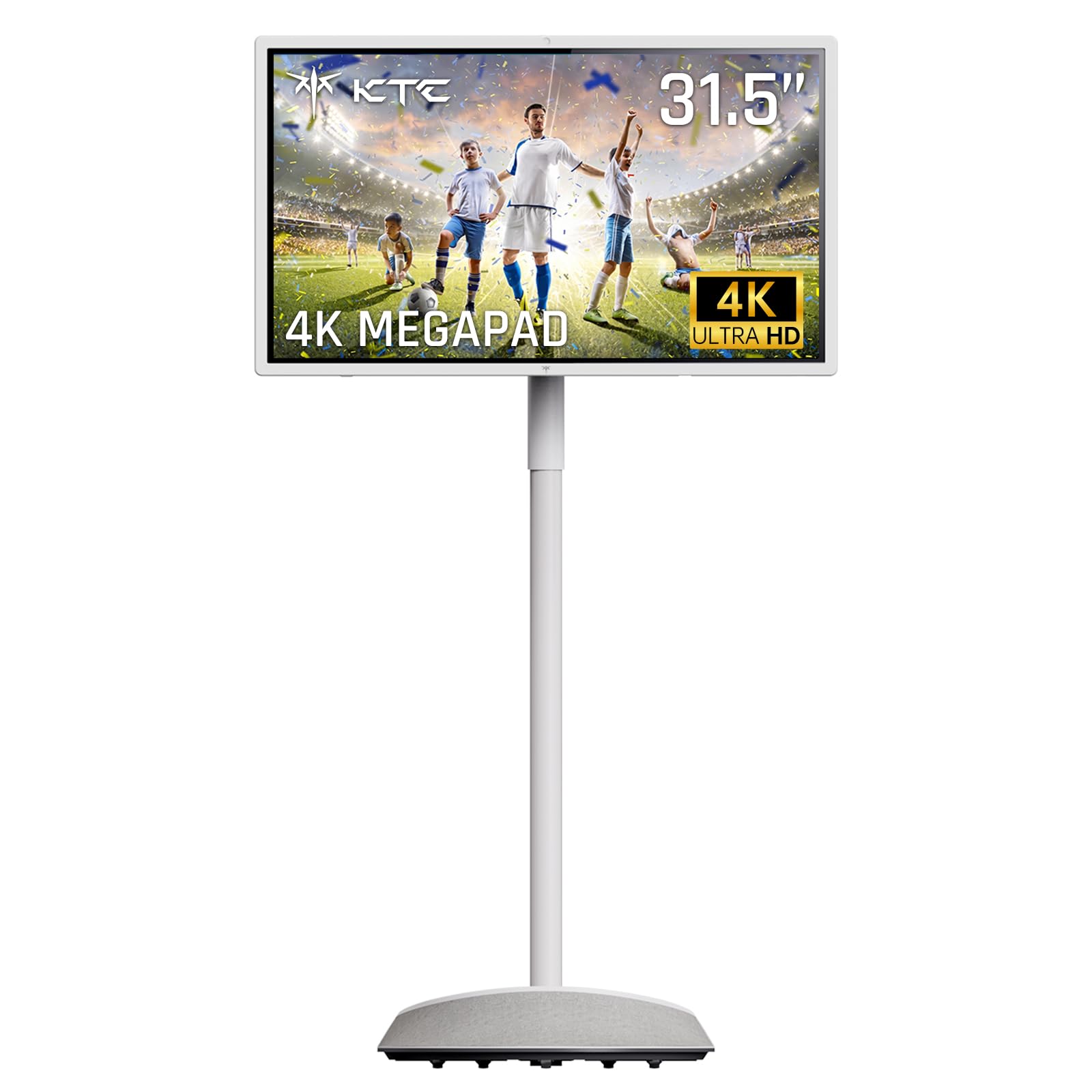
1. KTC 32″ 4K Smart Portable Monitor MEGAPAD, A32Q7 MAX
Our pick — over 4★ from 350+ verified ratings; the strongest balance of quality and price.
The do-everything rolling screen with desktop-grade power and true 4K sharpness.
This is the most powerful all-in-one in the roundup, and the reason is simple: it runs a native 3840×2160 4K display on a VA panel with a 3000:1 contrast ratio — three times the contrast of the FYHXele below — so dark movie scenes and deep blacks look dramatically richer. It also renders 1.07 billion colors, which makes streaming and games feel true-to-life rather than flat.
Under the hood, 16GB of RAM and 256GB of storage give it headroom the 6GB budget options simply do not have — it holds 2.7 times the memory and 2 times the storage of the SDYSTVAI rolling TV. That translates to smooth multitasking: downloading apps from Google Play, running YouTube while video-calling on the built-in 8MP camera, and still having room to spare. Android 13 with Google EDLA certification means direct access to the Play Store, so Netflix, Instagram, and TikTok install the same way they do on a phone.
The 9500mAh battery delivers 4–5 hours of wireless use on a 2.5-hour charge, and the wheeled base moves the whole thing from bedroom to kitchen to patio. Buyers report: “After 1 year of daily use, I can say this is the best monitor I’ve ever had!” The honest catch is physical size and screen care — one owner found it too heavy to hold like a tablet, and there are scattered reports of backlight failure after months of use, so it rewards careful handling. It also carries a 1-year official warranty and lifelong technical support for confidence.
Why buyers pick it
- Value for money is the #1 talking point — 51 owners call it out as a strong buy for the feature set.
- 4K resolution at 3840×2160 with a 3000:1 contrast ratio delivers noticeably richer dark scenes.
- 16GB RAM + 256GB storage makes heavy multitasking feel easy.
Where to be careful
- Reliability gets mixed feedback, with the recurring concern being screen durability over months of use.
- It cannot act as a pure second monitor without an Android device or paid mirroring app.
- At this size and weight, it is a rolling screen, not a handheld tablet.
Reach for this if: you want one 4K smart screen that replaces a TV, a tablet, and a monitor, with the most powerful internals in the list.
Look elsewhere if: you only need a plain PC touch display and do not want to pay for smart features you will never use.
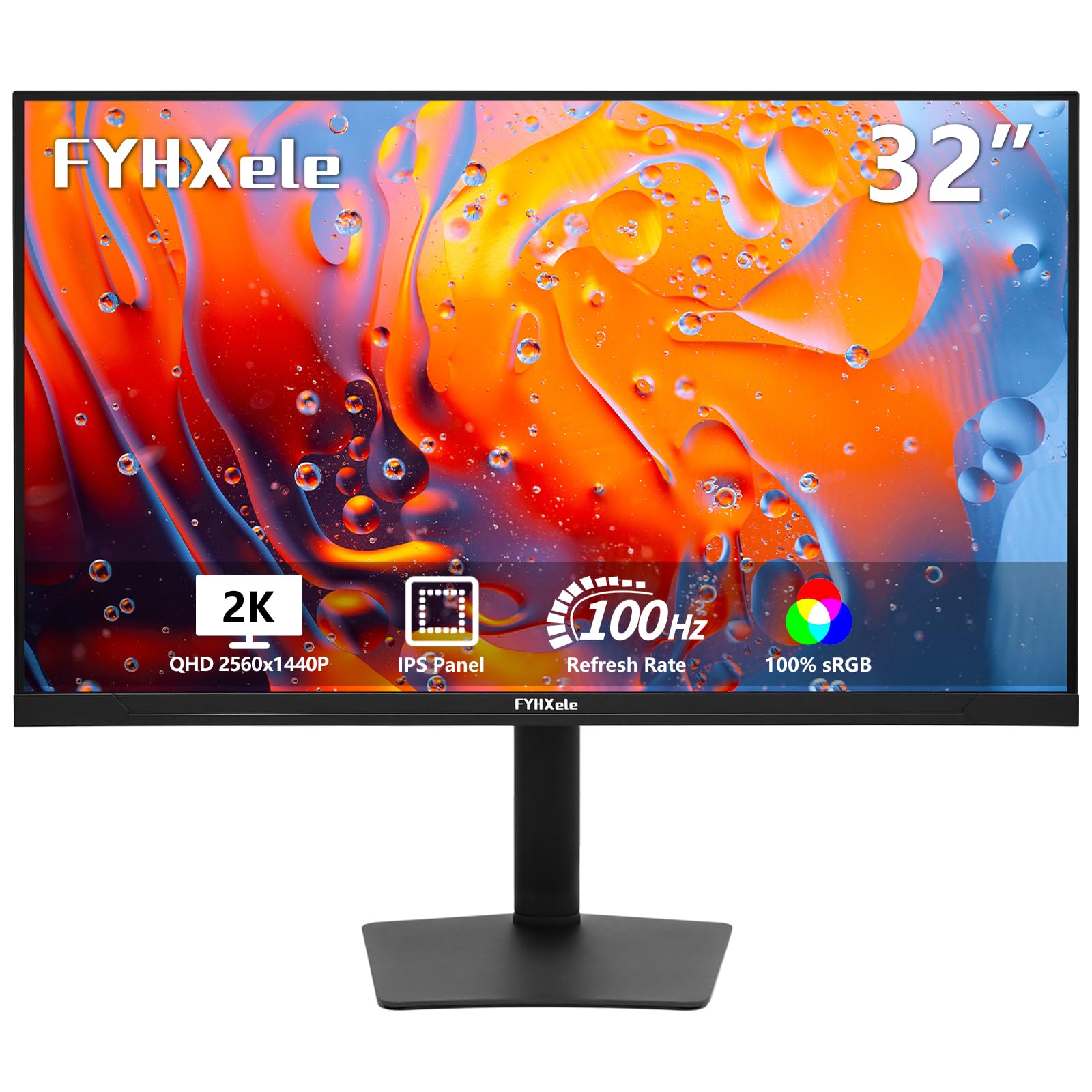
2. FYHXele 32 Inch QHD 1440P 100Hz Touchscreen Monitor
The production-work touchscreen with buttery 100Hz motion and true IPS color.
This one breaks from the smart-TV crowd because it is a dedicated PC monitor — no Android, no battery, just a sharp 2560×1440 2K display that plugs into your computer and works. What makes it special is the 100Hz refresh rate, which is 67% more fluid than the KTC’s 60Hz, so fast-moving video and competitive games show far less blur and ghosting. That refresh advantage is the single biggest reason PC users choose it over the smart options.
The IPS panel delivers a 178° viewing angle with 100% standard color-space coverage, meaning colors stay accurate even when you view from the side — vital for designers and photo editors. Brightness reaches 350cd/m², which keeps the screen readable in a well-lit office. It also adapts to both FreeSync and G-Sync to reduce screen tearing during gaming.
Owners praise the screen quality above all, noting the image stays sharp from every angle and that touch worked plug-and-play over USB. As owners mention: “Monitor is not as high resolution as my smaller one but I needed a larger screen.” The honest trade-off is reliability — several owners reported the screen failing within 6 months, so this is best for a light-to-moderate workload rather than 24/7 commercial use. Note the touch function does not work with PS5, Switch, Xbox, Steam Deck, or Fire TV devices, so check your hardware before buying.
Where it shines: the 100Hz refresh and IPS color accuracy make it the best pure-computer touch display here for creative work and fast-paced gaming.
Mind the catch: touch is not compatible with most game consoles or streaming sticks, and long-term durability gets mixed owner feedback.
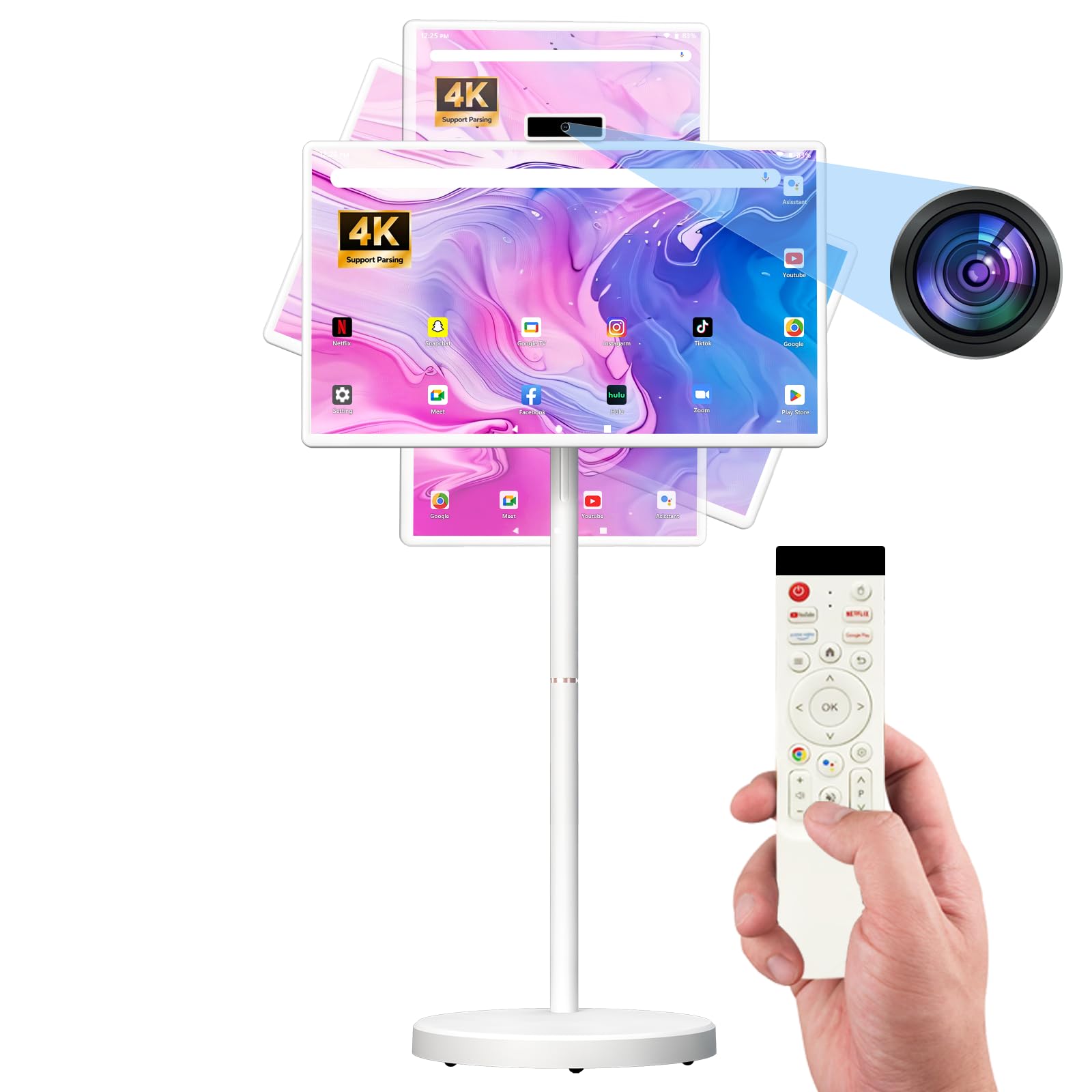
3. SDYSTVAI 32-Inch FHD Smart Portable TV on Wheels
A room-hopping family screen whose 6–8 hour battery frees it from wall outlets.
This rolling TV runs Android 15 on an MT8786 octa-core processor with 6GB RAM and 128GB storage — enough for smooth everyday streaming and light productivity. The 1920×1080 Full HD IPS touch screen covers 100% of the sRGB color space at 350 nits, so colors look vivid and bright in a sunny kitchen or bright classroom. Its 10-point multi-touch responds to several fingers at once, great for pinch-zooming recipes or annotating presentations.
what separates it is the generous 6–8 hours of continuous use on the built-in battery, backed by five silent universal casters that glide across floors. The stand adjusts height up to ±7.9 inches, rotates ±90°, and tilts ±40°, so you can angle it whether you are sitting, standing, or lying in bed. A pop-up 8MP camera with autofocus handles video calls, then hides away for privacy when not in use.
Owners call it a great-quality product with a clear, vibrant picture, praising the smooth wheels and adjustable screen for home and RV life. The recurring complaints are honest ones: the interface can feel laggy at times, the camera is not reliable for video calls, and a few apps like Hulu and Disney+ will not install — though HBO, Netflix, and Pluto work. Battery life also drops with age, with one report of it falling to about 4 hours max after a month of heavy use.
Buy it for: a family TV that rolls from kitchen to living room to RV and runs hours without plugging in.
skip it if: you need rock-solid camera calls or must install every streaming app including Hulu and Disney+.
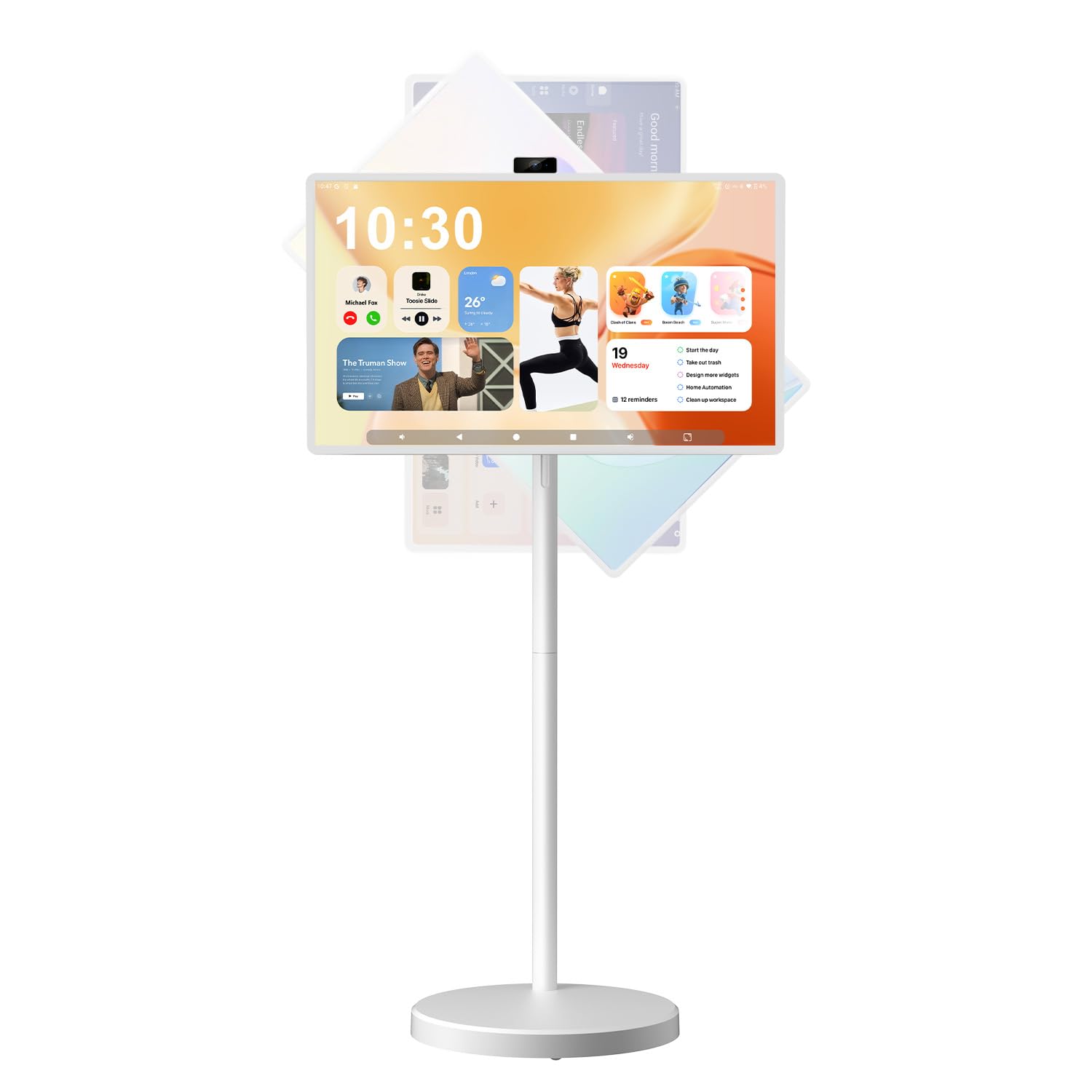
4. VLH 32″ FHD Smart Portable TV with 38400mAh Battery
The marathon runner of rolling TVs with a massive 38400mAh internal battery.
If cordless time is your obsession, this VLH model answers with a 38400mAh rechargeable battery — the largest capacity in this lineup, designed so you can move the screen around the house or take it outdoors without hunting for an outlet. It pairs a 2K IPS display with 16.7 million colors, 100% sRGB coverage, 8-bit color depth, and 350 nits brightness, so images look authentic and colors stay true from wide angles.
Running Android 15 with Google EDLA certification, it opens the full Google Play Store for apps like YouTube and Netflix. The integrated stand rolls on five silent universal casters, with height adjustment up to ±8 inches, ±90° rotation, and ±40° tilt plus pivot support. For connections, you get Wi-Fi 2.4G/5G, Bluetooth 5.0, an HDMI port, USB-A, and USB-C — enough to hook up a gaming console, mouse, or laptop.
Owners genuinely love the mobility, describing using it in the kitchen for recipes, then rolling it to a “she shed” for a new project. The picture is called “clear as a TV screen.” The honest downnotes: it is a bit heavy to lift, and some owners hit app crashes that needed a factory reset to fix. One owner reported the screen became finicky about charging after taking a fall, so seat it firmly on the stand.
Grab this for: all-day cordless use across rooms and outdoor spaces, backed by the largest battery here.
Think twice if: you plan to lift and carry it often — the heavy battery makes it a wheeled device, not a handheld one.
5. TouchWo 32 Inch Capacitive Multi-Touch Industrial Monitor

The hardened workhorse built for shop floors, kiosks, and nonstop public touching.
This TouchWo is a different animal from the smart TVs above — it is a commercial-grade 1920×1080 display with an IP65-rated front panel, meaning it resists dust and water spray for high-traffic environments. The true-flat smooth design uses a lightweight aluminum alloy frame, and it handles both horizontal and vertical wall mounting with 200×200 VESA holes plus desktop stands. This is the one you mount in a restaurant, lobby, or workshop and expect to survive.
Touch works plug-and-play over USB on Windows 7 through 11 and Android, with no driver installation. The screen supports 10-point multi-touch, works even with a glove on, and lets you adjust brightness directly. For special systems like Mac OS, Linux, or Raspberry Pi, you need extra configuration to enable mouse-mode touch, but the seller provides free technical support to guide you through it. Ports include VGA, DisplayPort, HDMI, a built-in speaker, and a 3.5mm audio jack.
The standout owner story calls it “a giant iPad basically” used as a durable gaming table, while a family uses it as a wall-mounted home calendar running PowerPoint and Chrome. Setup is called easy and the optically bonded display looks elegant and sharp. The honest caveat is that responsiveness gets mixed feedback — occasional lag and freezes appear after constant 24/7 operation, so this suits interactive displays and light commercial use better than round-the-clock signage. It is FCC, CE, and RoHS certified.
Pick this if: you need a VESA-mountable touch display that shrugs off dust, moisture, and constant public use.
Pass it by if: you demand flawless 24/7 uptime — some owners saw lag after prolonged continuous operation.
6. VLH 32″ Portable Smart Touchscreen TV, 38,400mAh, 360° Rotation
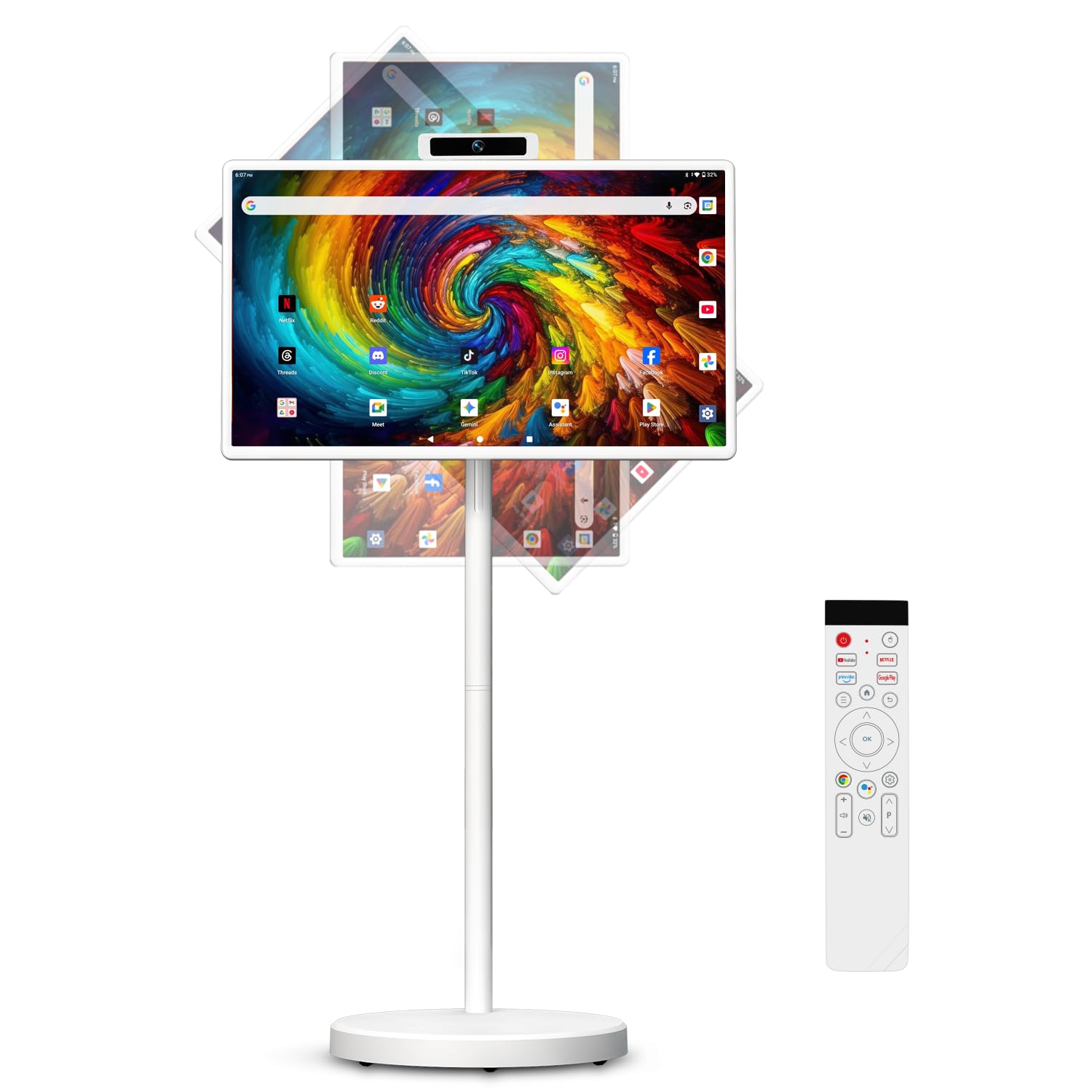
A 38,400mAh screen that runs up to 10 hours and swivels a full 360 degrees.
This VLH model takes the same 38,400mAh battery idea as its sibling but stretches the runtime further, delivering up to 10 hours of cordless use depending on brightness, volume, and Wi-Fi. On a 32-inch FHD touchscreen with a 1200:1 contrast ratio and 8-bit color, it balances clarity and long life. The responsive multi-touch display handles apps, recipes, workouts, and presentations without scrolling through complex button menus.
It runs EDLA-certified Android 15 with 8GB RAM and 128GB storage, so you can stream Netflix and YouTube, browse TikTok, or run productivity and video-calling apps straight from Google Play. Controls are flexible: touch the screen, use the included Bluetooth voice remote with Google Assistant, or connect a Bluetooth keyboard and mouse for office work. The five quiet caster wheels glide over indoor floors, while the sturdy 45-lb structure keeps it stable during touchscreen use.
Owners with vision challenges say they can roll it right up to the bed to watch, and crocheters love that the large picture shows small stitch details clearly. The biggest praise centers on the great sound quality and easy app downloads. The honest cautions are to make sure the screen is firmly attached to the stand — one owner described the screen falling and then refusing to charge afterward — and to note there is no lock mechanism to keep the wheels in place.
Why it stands out: the 10-hour potential runtime and 360° rotation are class-leading here for all-day cordless viewing from any angle.
Watch out for: a missing wheel-lock and the risk of the screen detaching if not secured properly.
7. LG Smart Monitor Swing 32U889SA-W 32-Inch 4K Touchscreen
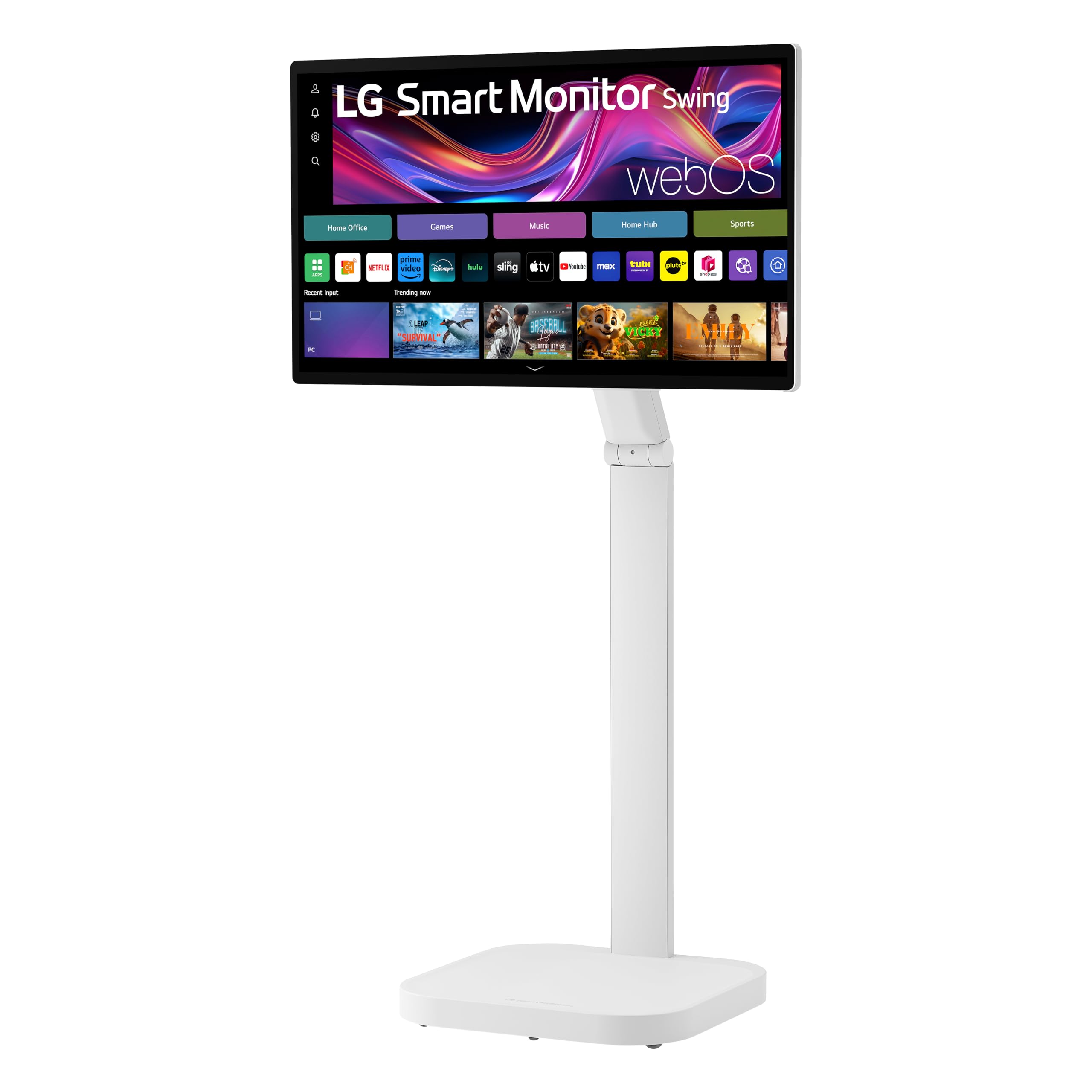
The refined 4K office companion that works without a PC and glides on wheels.
The LG Swing brings a famous name and a genuinely different idea: a 32-inch 4K UHD IPS touchscreen on a wheeled base, powered by webOS so you can work and stream without connecting a computer at all. It covers up to 95% of the DCI-P3 color space at 350 nits brightness, so content looks vibrant and detailed. The touchscreen gives you direct, intuitive control over everything on the display.
The stand is the star — a torsion spring hinge offers tilt, swivel, height, and full Portrait Mode adjustments, while a hidden adapter compartment keeps cables tidy. For connectivity, three USB-C ports let you charge, transfer data, and deliver up to 65W of power through a single cable to your laptop, plus two HDMI ports for extra flexibility. The Switch app splits the screen into up to 6 sections for work, gaming, and streaming simultaneously, and AirPlay 2 handles Apple devices while Screen Share manages Android phones.
Owners describe it as a new era of TV watching, better than using iPads or phones, with a picture called “absolutely crispy clear.” Setup is straightforward and the build feels premium. The honest negatives: sound quality is the recurring complaint — the internal speakers are quiet and thin, so a soundbar or Bluetooth speaker is worth budgeting for — and some find it expensive compared to a generic rolling TV. A few also noted the screen can disconnect from Wi-Fi randomly.
Why it earns its premium badge
- Quality is the #1 owner talking point — 27 buyers highlight the build and display.
- USB-C delivers up to 65W to your laptop through a single cable.
- Portrait Mode and 360-degree flexibility suit both work and play.
The honest trade-offs
- Sound quality is the most-criticized feature — plan for external speakers.
- Value gets mixed feedback, with some owners calling it pricey vs. generic rolling TVs.
- Wi-Fi can drop randomly for some owners.
Choose this when: you want a polished 4K smart monitor with a trusted brand, PC-free webOS, and premium adjustability.
Reconsider if: great built-in sound matters to you — the speakers are the weakest link here.
8. ApoloSign 32 Inch UHD 4K Smart Portable TV Gen2
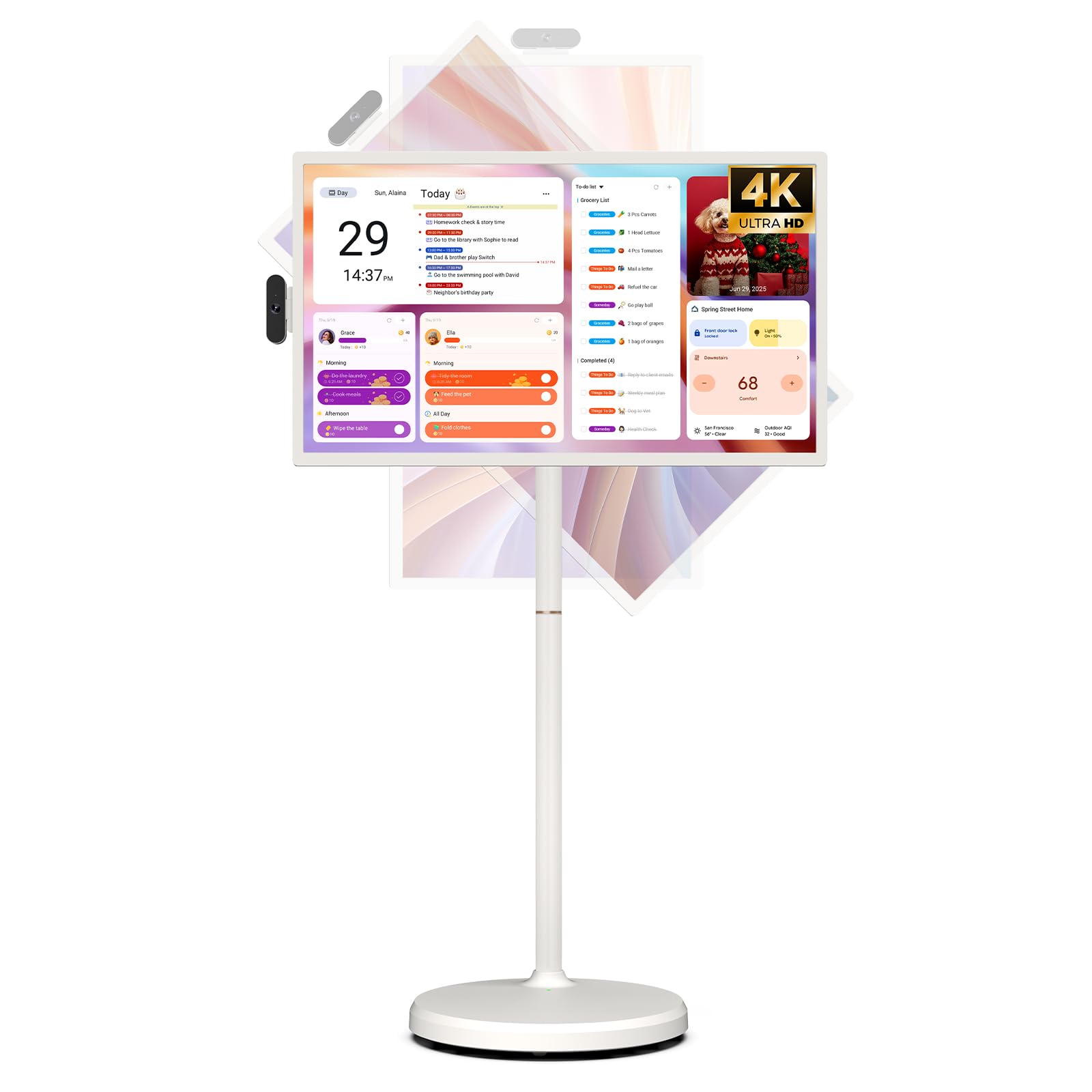
A 4K rolling screen with generous 16GB RAM, 256GB storage, and Android 16.
ApoloSign’s Gen 2 matches the KTC’s 3840×2160 4K resolution and 3000:1 contrast ratio, but pushes the software forward with a customized Android 16 OS. Inside you get 16GB of RAM and 256GB of storage — the same generous internals as our top pick — for smooth, lag-free multitasking across apps. An 8MP camera and voice-activated remote make control easy, whether you are adjusting volume or launching an app by voice.
What makes this one stand out is the exclusive desktop calendar widget and stylish digital screensavers, which sync with Google Calendar, Outlook, and Google Tasks. That turns the screen into a family command center for tasks, reminders, and events at a glance. It also connects via Bluetooth 5.3, and the 4K HDMI port lets you plug in a dedicated TV stick for premium streaming platforms like Hulu or Netflix.
Owners consistently praise the picture quality as “clear, bright, and perfect for moving from room to room,” and the portability earns strong marks — it is lightweight but feels well-made. One owner ran it through an 8-month battery issue that the company resolved quickly by sending a replacement part. The biggest recurring complaint is the remote control, which several call “basically useless,” though the touchscreen itself works well as the primary control. Customer service gets high marks for responsiveness.
Standout feature: the calendar-widget home screen makes this the best family-organizer touch TV here.
Give yourself a heads-up: plan to use the touchscreen, not the included remote, for most controls.
9. Cugima 32 Inch 4K Smart Portable TV on Wheels
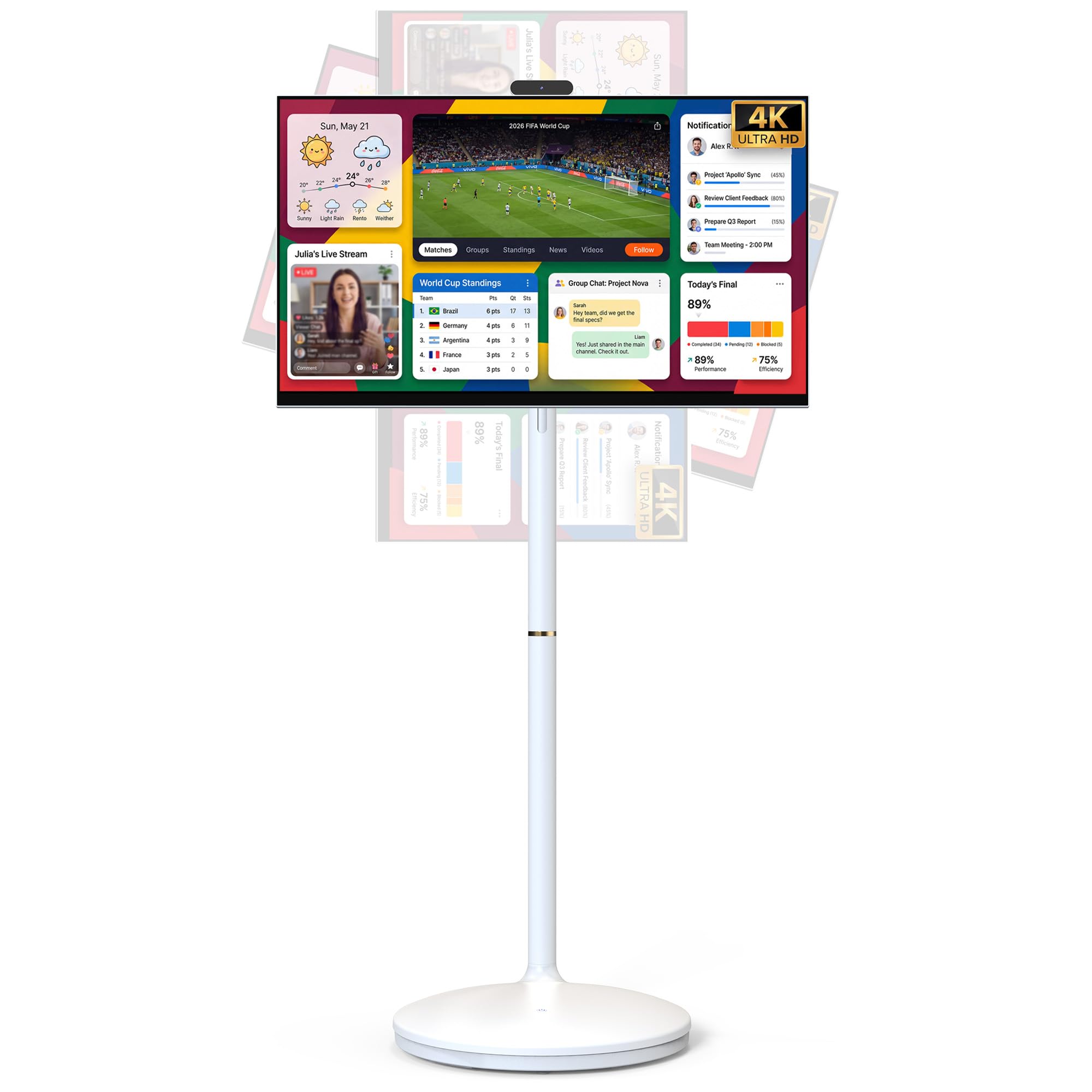
A 4K touch display with an 8-hour battery and console-friendly HDMI that skips the extras.
This Cugima model delivers native 4K UHD at 3840×2160 with responsive multi-touch, running EDLA-certified Android 16 on 8GB RAM and 128GB storage. The anti-glare glass keeps reflections down during the day, and the bezel-less design boost the viewing area. It is built as a true all-in-one that combines a tablet, smart TV, monitor, and projector into a single wheeled device.
The 20000mAh battery provides up to 8 hours of wireless use, and the height-adjustable caster stand rolls easily between living room, bedroom, kitchen, and patio. It supports both landscape and portrait modes with rotation and tilt, so you can flip it for a vertical menu or a tall presentation. Connectivity is broad: HDMI, Wi-Fi, Bluetooth 5.2, USB, Type-C, and a TF card slot, plus wireless mirroring compatibility with Google Cast, Apple AirPlay, and Miracast.
Owners confirm the convenience of rolling it between spaces and call the console gaming experience rich — HDMI to a console gives instant full-screen detail with smooth motion and no lag. The 4K picture earns praise for responsive menus and stunning Netflix quality. The one skeptical review noted the product did not match its listing description, so buy from a trusted seller. A built-in camera handles video calls and online meetings.
Reach for this if: you want 4K sharpness plus 8-hour battery at a friendlier price than the premium smart TVs.
Verify before you commit: a small number of owners felt the delivered product did not match the listing, so check seller ratings.
10. JASZDOT 32/43/55/65 Inch 4K Digital Signage Display Kiosk

A freestanding 4K kiosk built to run all day in malls, restaurants, and airports.
This JASZDOT kiosk is the commercial end of the range — a freestanding digital signage tower with a UHD LCD touch panel using IPS technology and a very bright 600 nits of luminance. That high brightness matters in public spaces with strong ambient light, where a dimmer office monitor would wash out. The 178° viewing angle keeps content clear from every direction, and the 2000:1 contrast ratio punches colors and text for advertising. It is available in 32, 43, 55, and 65-inch sizes, with the touch-screen version here.
Running Android OS with USB, HDMI, 5G Wi-Fi, and Google Apps support, you can update images, text, and video content directly. The split-screen function displays video, images, and text side by side in a single view — perfect for running multiple promotions at once. The freestanding design handles high-traffic environments like malls and airports, though at roughly 71 inches tall and 100 inches high, it is a substantial installation, not a desktop device.
Restaurant owners call it ideal for menus, with sharp text, responsive touch, and a sturdy stand that runs food videos all day reliably. One buyer started with two and expanded to seven units. The standout praise goes to customer service, described as fantastic for helping with touchscreen setup and sending solutions to get it running. The 3-year warranty and lifetime technical support add real protection for a commercial investment, though some Google Play apps may be missing and require sideloading.
Buy this for: a high-brightness, split-screen interactive sign that keeps running all day in a busy store or restaurant.
Know this: some Google Play apps are missing and need sideloading, and the size demands real floor space.
Understanding the Specs
Resolution and contrast ratio
The resolution (3840×2160 for 4K, 2560×1440 for 2K, or 1920×1080 for Full HD) sets overall sharpness on the 32-inch surface. Contrast ratio — the difference between the darkest black and brightest white — decides how deep and rich dark scenes look. A 3000:1 ratio renders noticeably deeper blacks than a 1000:1 panel, which matters most for movies and games with lots of shadows.
Refresh rate and touch responsiveness
Refresh rate, measured in Hertz (Hz), is how many times per second the screen redraws the image. A 60Hz display updates 60 times a second, which is fine for office work and streaming. A 100Hz panel updates 100 times per second, making fast-moving video and games feel smoother with less blur. For touch, a higher refresh rate also makes finger tracking feel more immediate and fluid.
Panel types and viewing angles
The panel technology determines color accuracy and how the screen looks from the side. IPS (In-Plane Switching) panels keep colors stable at wide angles up to 178°, making them the choice for design work and shared viewing. VA panels typically offer higher contrast ratios for deeper blacks, but their viewing angles are narrower. If you will view the screen from the side often, IPS is the safer pick.
Battery capacity and portability
For rolling smart TVs, battery capacity is measured in mAh (milliampere-hours) and directly controls how long the screen runs away from an outlet. A 9500mAh battery lasts roughly 4–5 hours, while a 38400mAh battery can stretch to 10 hours. Bigger batteries mean longer cordless use but also more weight, so a heavy battery works best on a wheeled stand rather than as a handheld tablet.
FAQ
Does a 32-inch touch screen monitor work with game consoles like PS5 or Switch?
Can a smart touch screen monitor work as a second PC monitor?
How long does the battery last on a rolling touch screen TV?
What does Google EDLA certification mean for a touch monitor?
Is a 4K 32-inch touch monitor worth it over a Full HD one?
Can I mount a 32-inch touch monitor on a wall?
How important is the refresh rate for touch screen monitors?
Are these rolling touch screen TVs safe for commercial use?
What camera quality do these smart touch monitors have for video calls?
How much RAM and storage do I need in a smart touch TV?
Final Thoughts: The Verdict
If you want one dependable pick, the 32 inch touch screen monitor winner is the KTC A32Q7 MAX because it is the only pick combining true 4K resolution, a 3000:1 contrast ratio, 16GB RAM, and 256GB storage with a wheeled, battery-powered design — it genuinely replaces a TV, tablet, and PC monitor in one rolling unit.
If you want a dedicated PC touch display that prioritizes motion smoothness, grab the FYHXele — its 100Hz refresh rate at 2560×1440 makes it the sharpest, most fluid pure-monitor choice here, especially for creative work and gaming. And for a cordless family screen that follows you from kitchen to RV, the SDYSTVAI and its 6–8 hour battery deliver the most practical portable value.
The LG Swing remains the premium option for anyone who wants a trusted brand with 4K clarity and PC-free webOS, while the JASZDOT kiosk is the only true commercial unit built for round-the-clock public use. Whichever you choose, the crowd favorite — the KTC at 4.3 stars across 300+ owners — holds one of the strongest value reputations in this entire category, which is exactly why it leads this list.
How We Picked
We do not accept paid placement. Every pick is matched to a real buyer and a real use-case; we do not hands-on test units.
Sources & Methodology
Specifications: manufacturer listings and product documentation. Review insights: verified customer reviews, as of August 2026. Pricing: not shown on this page (it changes often); check the current price via the retailer link.
As an Amazon Associate, Gadgets Feed earns from qualifying purchases. This does not affect which products we feature.