
Our readers keep the lights on and my morning glass full of iced black tea. As an Amazon Associate, I earn from qualifying purchases.
Specs are compiled from manufacturer listings and verified buyer reviews and can change over time — please confirm the key details on the product page before buying.
A 1 gig internet plan is only as good as the router that delivers it. If your current box can’t move data that fast, you’re paying for speed you never see on your phone or laptop. This guide cuts through the spec sheets to the nine routers that actually handle a full gigabit connection without bottlenecking your whole home.
I’m Min — the founder and writer behind Gadgets Feed. This guide is built by comparing the manufacturers’ published specifications and the patterns across verified customer reviews, so you get each pick’s real strengths and trade-offs instead of marketing spin.
Your fiber or cable plan can deliver up to 1 gigabit per second (Gbps), but the right 1 gig router decides whether you actually feel that speed on your phone, laptop, and TV. This guide helps you pick the one that matches your home size and needs, whether that is whole-home mesh, wired-only security, or gaming-grade throughput.
Our Picks at a Glance

How To Choose The Best 1 Gig Router
A gigabit router is the bridge between your internet provider’s speed and your actual devices. Before you buy, you need to match the router’s ports, wireless standard, and coverage to your home’s layout and your plan’s speed.
Check the Wired Ports First
Every router here has gigabit ethernet ports (1000 Mbps), which is the non-negotiable baseline for a 1 gig plan. If a port is only 10/100, it caps your wired connection at a tenth of your plan’s speed. For a true gigabit connection, every LAN port must be gigabit.
Match Wi-Fi 6 to Your Devices
Wi-Fi 6 (802.11ax) is the standard that lets multiple devices share the airwaves without slowing each other down. If your phone or laptop is older, it may only support Wi-Fi 5, but the router still needs Wi-Fi 6 to future-proof your network and handle many connected gadgets at once.
Quick Comparison
| Model | Best For | Wireless Standard | Coverage | Ethernet Ports | Amazon |
|---|---|---|---|---|---|
| eero 6+ (Refurbished)★ Best Overall | Whole-home mesh | Wi-Fi 6 | 1,500 sq. ft. | Gigabit | Amazon |
| Cudy WR3000EBest Value | VPN & value | Wi-Fi 6 | 1400 sq. ft. | 5x GbE | Amazon |
| NETGEAR R6700AXBudget Champion | Budget Wi-Fi 6 | Wi-Fi 6 | 1,500 sq. ft. | 4x 1 Gig | Amazon |
| TP-Link Archer AX21 | Reliable all-rounder | Wi-Fi 6 | Wide coverage | Gigabit | Amazon |
| ASUS ExpertWiFi EBG15 | Wired security | Wired only | Scalable | 3x GbE WAN | Amazon |
| NETGEAR Nighthawk RAX36 | Mid-size homes | Wi-Fi 6 | 2,000 sq. ft. | 4x 1G | Amazon |
| MSI Radix AXE6600 | Gaming & 6E | Wi-Fi 6E | Wide coverage | Tri-band Gigabit | Amazon |
| TP-Link Archer AX80 | Multi-gig wired | Wi-Fi 6 | 3+ bedroom | 2.5G Multi-Gig | Amazon |
| ASUS ROG Rapture GT-BE98 Pro | Wi-Fi 7 flagship | Wi-Fi 7 | Enhanced | Dual 10G + Quad 2.5G | Amazon |
In‑Depth Reviews
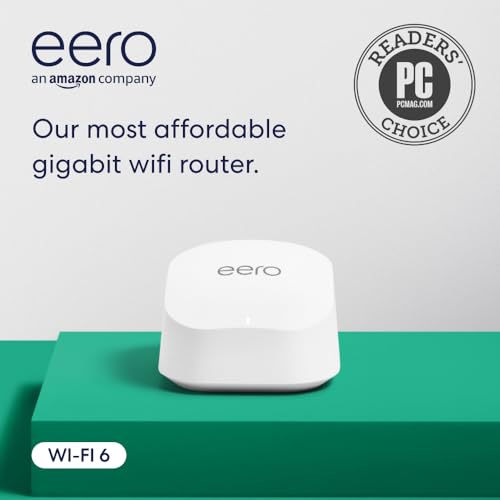
1. Like-New Amazon eero 6+ Mesh WiFi Router
Our pick — over 4.5★ from 550+ verified ratings; the strongest balance of quality and price.
The mesh system that turns a gigabit plan into whole-home speed
The eero 6+ earns the top spot because it solves the real problem of a 1 gig plan: getting that speed to every corner of your house. It’s a refurbished unit, but Amazon tests and certifies it to look and work like new, and it carries the same limited warranty as a brand-new device. That certification matters because it means you get gigabit-class Wi-Fi without paying full retail.
What wins people over is the functionality — the single most-praised aspect of this unit. Buyers report it handles up to 75 simultaneous connections., which is the difference between a router that chokes on a busy smart home and one that sails through. Signal strength is the second thing everyone notes, with real-world reports of one unit covering a 1,500 sq. ft. two-story loft at max speeds. That’s a big coverage claim for a single node, and the mesh design means you can add more units later if your home grows.
Setup is genuinely five minutes for most people, guided by the eero app. It also contains a built-in smart home hub, so compatible Thread and Zigbee devices connect directly without separate hubs. Owners consistently report the eero 6+ delivers the full speed their gigabit plan promises. It’s the most affordable gigabit router eero has ever made, and it shows in the value.
What Owners Love
- TrueMesh routes traffic to cut dead spots and drop-offs
- Expands easily — add any eero to extend coverage
- Automatic updates keep the network secure over time
The Trade-Offs
- Refurbished, so packaging may be a generic Amazon box
- Advanced security requires a separate subscription
Reach for this if: you want a router you can set up in minutes and forget about, with mesh coverage that grows with your home.
Look elsewhere if: you need advanced manual controls or wired-only security features — this is an app-driven mesh, not a tinkerer’s box.
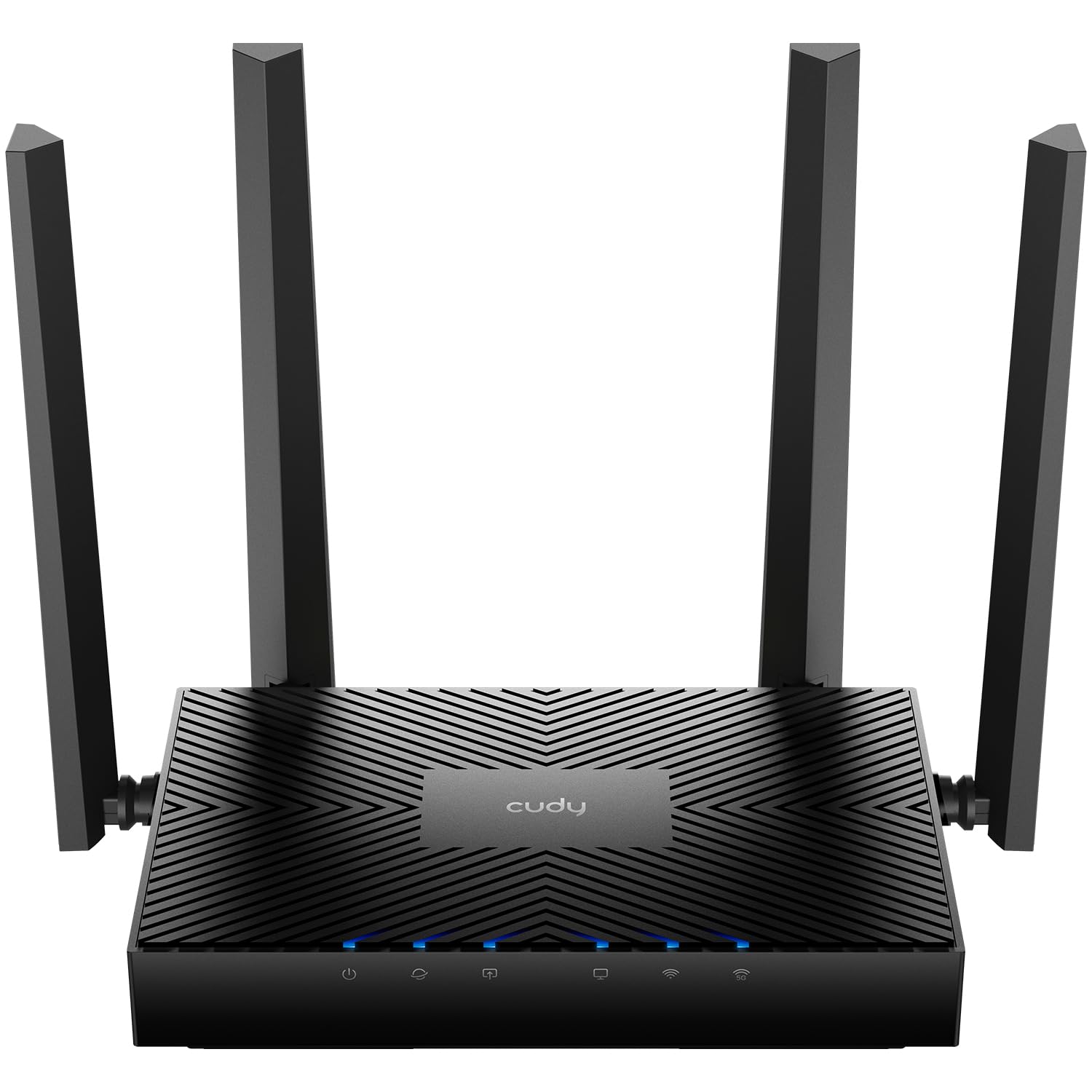
2. Cudy AX3000 Gigabit Mesh Wi-Fi 6 Router (WR3000E)
A router that brings pro-grade VPN and five gigabit ports to a budget price
The Cudy WR3000E is the quiet overachiever of this list. It packs an AX3000 dual-band Wi-Fi 6 radio — 2402 Mbps on 5 GHz and 574 Mbps on 2.4 GHz — into a compact case, and it does it for less than most single-band routers cost. The headline feature is the six-protocol VPN gateway, which supports WireGuard, OpenVPN, IPsec, ZeroTier, PPTP, and L2TP. That’s a level of network control normally found on routers twice the price, and it lets you route specific devices through encrypted tunnels.
All five ports are gigabit — one WAN plus four LAN — and they deliver full throughput simultaneously, so a NAS, gaming console, and desktop can all run at line speed without bottlenecking. The 1.2 GHz dual-core CPU with 128 MB DDR3 RAM keeps up with that demand. The OpenWRT-based firmware gets specific praise for its clean GUI, and Real-world testing shows gigabit LAN-to-WAN throughput with roughly 850 Mbps over Wi-Fi 6.. It’s also been rock-solid with no reboots in a month of use.
The design is no-frills — fixed antennas, a single LAN LED, no USB port — but that’s the trade-off for the price. What you lose in flashy hardware you gain in raw capability. It even meshes with TP-Link devices if you already own some, and the Cudy App adds remote control, parental profiles, and WPA3 security. For a gigabit plan where you want VPN control without a big spend, this is the one.
Why It Wins
- Full gigabit throughput on all five ports at once
- WireGuard VPN setup is genuinely easy
- Per-device VPN routing for selective encryption
Keep In Mind
- No USB port for shared storage
- Basic design won’t win any beauty contests
Sprinkle some VPN magic: this is the budget pick for anyone who wants enterprise-style traffic control without enterprise pricing.
Not your pick if: you need a USB drive plugged into your router or you want the slickest hardware on the shelf.
3. NETGEAR WiFi 6 Router 4-Stream (R6700AX)
The entry-level Nighthawk that delivers true gigabit wired performance
The R6700AX is the router for people who just want their internet to work without fuss. It’s an AX1800 dual-band router with wireless speeds up to 1.8 Gbps, and it covers up to 1,500 sq. ft. — the same coverage claim as the eero above, but in a single traditional router. The build quality is the thing everyone raves about, with owners noting it provides true 1-gigabit wired performance on its four 1 Gig ethernet ports.
Setup through the free Nighthawk app takes about 20 minutes for most people, and it works with any existing modem or ISP gateway. WPA3 encryption and automatic firmware updates come enabled from the start, so your network is protected before you even touch a setting. One owner eliminated their ISP rental fee entirely by switching to this router.
The honest catch is reliability — a minority of owners mention the connection dropping in certain rooms, and one unit failed after six months. Most buyers are delighted, but the mixed connectivity reports mean this isn’t the one to pick if you need faultless uptime for critical work. For an apartment or small home on a gigabit plan, it’s a budget-friendly way to actually use your speed.
The Good
- WPA3 and auto-updates on by default
- Four gigabit ports for wired gaming and streaming
- Backward compatible with Wi-Fi 5 devices
The Catch
- Handles up to 20 devices — not for huge smart homes
- Occasional connectivity issues reported at range
Go for this if: you want a simple, dependable upgrade from an ISP rental without spending extra on mesh hardware.
Think twice if: your home is larger than 1,500 sq. ft. or you run more than 20 connected devices at once.
4. TP-Link Archer AX21 (AX1800)

The crowd favorite that balances rock-solid Wi-Fi 6 with a sensible price
The Archer AX21 is the most proven router in this lineup, with thousands of owners putting it through daily use. It’s an AX1800 dual-band router with up to 1200 Mbps on 5 GHz and 574 Mbps on 2.4 GHz, and its four high-gain antennas use Beamforming to focus signal strength toward your devices. Reliability is the top praised aspect by a huge margin — owners describe phenomenal range with no dead zones or drop-offs at distance.
It handles heavy traffic without lag, making it a solid pick for streaming, gaming, and smart home setups running simultaneously. One owner saw speeds rise from 310 Mbps to 360 Mbps on the same plan after swapping out their ISP router. The VPN server support (OpenVPN and PPTP) is a bonus at this price point, and it works with all major internet service providers.
The one real complaint is the Tether phone app, which some owners find glitchy — one owner recommends skipping the app entirely and using the web-based setup, which works flawlessly. Durability is also mixed, with a small number of units failing within months, but the overwhelming majority report years of stable use. If you want the safest bet for a gigabit plan in a typical home, this is it.
What Makes It Great
- Outstanding range with four beamforming antennas
- Supports both OpenVPN and PPTP VPN servers
- Proven reliability across a huge owner base
What to Know
- Tether app can be buggy — web setup is smoother
- Durability reports are mixed for long-term use
This one’s for: the buyer who wants a proven, dependable Wi-Fi 6 router that just works for years.
skip it if: you need a mesh system or you prefer doing all setup through a polished mobile app.
5. ASUS ExpertWiFi EBG15 Gigabit VPN Wired Router

A wired-only powerhouse that puts commercial-grade security first
This is not a Wi-Fi router — it’s a wired router with a gigabit backbone and up to 3 WAN ethernet ports. That means up to 2 gigabit WAN/LAN ports with load balancing, so you can combine multiple broadband lines for more throughput. The USB port doubles as a backup WAN, letting you connect a phone hotspot if your main line drops. That multi-line flexibility is rare at this level.
Security is the real story here. The EBG15 includes a free-subscription ASUS AiProtection Pro with an intrusion prevention system (IPS) that does deep packet inspection (DPI) and virtual patching to block malicious traffic. Each ethernet port can be assigned to VLAN IDs for added business-grade segmentation. It supports OpenVPN and WireGuard, and the Layer 7 firewall gives you granular control over what traffic flows.
The honest catch is that this is not for novices — setup requires networking knowledge, and one owner notes the firmware can be buggy, needing a daily auto-reboot. Reliability is a mixed bag in the reviews, so it’s a fit for experienced users who want control, not for someone who wants plug-and-play. The build quality is excellent (metal case, instant startup), and for a wired backbone it delivers some of the fastest speeds you’ll see.
The Strengths
- Up to 3 WAN ports with load balancing
- Free AiProtection Pro with IPS and DPI
- VLAN assignment per port for security
The Challenges
- Requires real networking knowledge to configure
- No built-in Wi-Fi — needs a separate access point
Built for: small businesses or tech-savvy home users who want a secure wired backbone and can handle manual configuration.
Avoid if: you want wireless from the start or you’re not comfortable with router administration.
6. NETGEAR Nighthawk WiFi 6 Router (RAX36)

The Nighthawk that pushes AX3000 speed and 2,000 sq. ft. of coverage
If you need more range than the budget picks offer, the RAX36 steps up with 2,000 sq. ft. of coverage for up to 25 devices. It’s an AX3000 dual-band router with wireless speeds up to 3 Gbps, and it’s built for homes where the router sits in one corner and needs to reach the far bedroom. It connects to any existing cable modem and works with any ISP up to 1Gbps.
Reliability is the most-praised aspect, with owners reporting it fixed frequent daily disconnects from their old router. One owner measured real-world downloads of 550-600 Mbps on a gigabit plan. The built-in VPN support and USB 3.0 port add flexibility for privacy-minded users who want to run their own DNS server or share storage.
Setup has a quirk: it works best when done manually rather than through the app, per owners who hit issues. An occasional unit needs a firmware update and factory reset in the first month, which is frustrating but usually cures the problem. On the whole, this is the balance for a medium-to-large home that wants strong Wi-Fi 6 (the latest wireless standard, faster and more reliable than older ones) without moving to a multi-node mesh.
Why It Shines
- Big coverage for up to 25 devices
- Built-in VPN support for privacy
- Real-world speeds close to your plan’s max
Watch Out For
- Manual setup is more reliable than the app
- One owner’s unit needed a firmware fix after a month
Pick this up if: your home spans around 2,000 sq. ft. and you want a single powerful router, not a mesh kit.
Look elsewhere if: you need multi-gig wired ports or you prefer app-only configuration.
7. MSI Radix AXE6600 WiFi 6E Tri-Band Gaming Router

The tri-band 6E router that makes old extenders obsolete
The Radix AXE6600 is for homes that want the newest wireless band without paying flagship prices. It’s a tri-band Wi-Fi 6E router covering 2.4 GHz, 5 GHz, and the new 6 GHz band, supporting 8 streams simultaneously at up to 6.6 Gbps. The 6 GHz band is the headline — it’s a clean, uncrowded highway that owners say works flawlessly for streaming VR from a Meta Quest 3 with no stutter.
Real-world range is exceptional for a home of about 2,400 sq. ft., with owners measuring 150+ Mbps in far corners where old extenders managed only 40-50 Mbps. The 1.8 GHz quad-core processor keeps everything stable, and AI QoS automatically prioritizes gaming and video traffic. The RGB lighting (Mystic Light) syncs with compatible components if you’re building a themed setup, and there’s an LED-off button when you want it dark.
The trade-off is that this is not a beginner’s router — setup takes about an hour and the instructions are weak, per owners who struggled. The app-based setup is tedious, though the browser menu is more sturdy. Reliability is a mixed bag in the broader owner base, so it’s a fit for gamers who are comfortable troubleshooting, not for someone who wants instant plug-and-play.
The Highlights
- Tri-band 6E with a clean 6 GHz channel
- AI QoS auto-prioritizes gaming traffic
- RGB lighting with a disable button
The Hurdles
- Setup is time-consuming with poor instructions
- Not ideal for networking novices
This is your router if: you’re a gamer or VR user who wants 6 GHz speeds and doesn’t mind a longer setup.
Pass on it if: you want the simplest possible installation or you need mesh expandability.
8. TP-Link Archer AX80 (AX6000)

The first step into multi-gig wired speeds without leaving Wi-Fi 6
The Archer AX80 is the router for people who know their next internet upgrade is multi-gig. It includes a 2.5G Multi-Gigabit port, which lets a future 2.5 Gbps plan run at full speed instead of capping at 1 Gbps like every other port on this list. Wireless is AX6000 class — up to 4804 Mbps on 5 GHz and 1148 Mbps on 2.4 GHz — pushed through eight high-gain beamforming antennas.
Performance is the most-praised aspect, with One owner on a 1 gig plan measured 800 Mbps over Wi-Fi at the farthest point of a concrete-heavy home.. That’s the kind of result that makes mesh unnecessary for many houses. The web GUI (graphical user interface, the browser-based control panel) is clean and easy, setup takes minutes, and it supports TP-Link OneMesh so you can add a range extender later and keep one smooth network.
The connectivity feedback is mixed in places, with one owner noting HomeKit devices took a couple of hours to respond after setup. QoS caused dropouts for one user, who simply disabled it. If you’re planning to keep your router for years and want wired headroom, the 2.5G port makes this a smarter long-term buy than a pure gigabit model.
What Stands Out
- 2.5G port future-proofs your wired connection
- Huge throughput with eight antennas
- OneMesh support for easy expansion
Consider This
- Some smart-home devices need extra setup time
- QoS can cause dropouts — may need disabling
Choose this if: you’re on a gigabit plan now but want wired headroom for a future multi-gig upgrade.
pass on it if: you’re strictly on 1 Gbps and want to save money — the 2.5G port won’t matter yet.
9. ASUS ROG Rapture GT-BE98 Pro WiFi 7 Gaming Router

The Wi-Fi 7 flagship that turns a gigabit plan into overkill-proof performance
The GT-BE98 Pro is the most powerful router here, and it’s for a specific buyer: someone who wants Wi-Fi 7 before it’s mainstream and has the hardware to use it. It’s a quad-band router with speeds up to 30 Gbps using 320 MHz channels in the 6 GHz band with 4096-QAM. In plain terms, this is a router that will never be the bottleneck in your network for years to come — One owner measured over 5 Gbps on a phone and 2.8 Gbps on a Wi-Fi 7 PC..
Wired connectivity is where it truly separates from everything else: dual 10G ports and quad 2.5G ports mean you can run a multi-gig NAS, a gaming PC, and a server all at full speed simultaneously. Triple-Level Game Acceleration boosts your PC gaming traffic from the port all the way to the game server. The setup is actually easier than the MSI above, with an intuitive app-guided process and a clean UI that most owners navigate without issue.
The reality check is the price and the setup quirks. Some customers note a painful configuration with multiple factory resets, and the default interface is hard to read until you install Merlin firmware. Reliability is genuinely mixed in the owner base — some units are flawless while others drop connections. This is a router for tech enthusiasts who want the absolute latest and are willing to work for it. For most gigabit households, it’s more router than you need.
The Power
- Wi-Fi 7 with 30 Gbps throughput potential
- Dual 10G and quad 2.5G wired ports
- Game Acceleration across the full path
The Price of Entry
- Premium price — overkill for standard gigabit plans
- Setup can require troubleshooting and resets
This is for: the enthusiast with multi-gig internet and Wi-Fi 7 devices who wants zero compromises.
Not for: the average gigabit user — the eero or Archer AX80 delivers your speed for a fraction of the cost.
Understanding the Specs
Wi-Fi 6 vs 6E vs 7
Wi-Fi 6 (802.11ax) is the current standard that handles many devices without slowing down. Wi-Fi 6E adds a new 6 GHz band, which is less crowded and faster if your devices support it. Wi-Fi 7 is the newest, with 320 MHz channels and much higher throughput, but you need Wi-Fi 7 devices to benefit.
Gigabit vs Multi-Gig Ports
A gigabit port moves data at 1000 Mbps, which matches a standard 1 gig plan. A 2.5G or 10G port is for future multi-gig plans. If your internet plan is exactly 1 gig, gigabit ports are enough. If you plan to upgrade to 2.5 gig or more, you need a multi-gig port to avoid a bottleneck.
FAQ
Do I need a separate modem with these routers?
Will a Wi-Fi 6 router work with my older devices?
How much coverage do I need for my home?
What is a mesh router and do I need one?
Can I use a wired-only router like the ASUS EBG15 for my home?
What’s the difference between AX1800 and AX6000?
Is the 6 GHz band in Wi-Fi 6E or Wi-Fi 7 worth it?
How many devices can these routers handle?
Final Thoughts: The Verdict
Across the board, the 1 gig router winner is the eero 6+ because it delivers gigabit speed across your whole home with easy mesh setup. If you want VPN control on a budget, grab the Cudy WR3000E. And for a multi-gig future, the Archer AX80 is the one to reach for.
How We Picked
We do not accept paid placement. Every pick is matched to a real buyer and a real use-case; we do not hands-on test units.
Sources & Methodology
Specifications: manufacturer listings and product documentation. Review insights: verified customer reviews, as of August 2026. Pricing: not shown on this page (it changes often); check the current price via the retailer link.
As an Amazon Associate, Gadgets Feed earns from qualifying purchases. This does not affect which products we feature.