
Our readers keep the lights on and my morning glass full of iced black tea. As an Amazon Associate, I earn from qualifying purchases.
Specs are compiled from manufacturer listings and verified buyer reviews and can change over time — please confirm the key details on the product page before buying.
You need a 15.6-inch screen to see your spreadsheets without squinting, a keyboard that won’t tire your fingers after a long day, and a price that fits your budget. The latest office laptops deliver all three, with features that used to cost extra now standard on models built for small businesses and everyday professionals. Here are the ones that survive real workday pressure.
I’m Min — the founder and writer behind Gadgets Feed. This guide is built by comparing the manufacturers’ published specifications and the patterns across verified customer reviews, so you get each pick’s real strengths and trade-offs instead of marketing spin.
You’ll find picks for rock-solid reliability, raw processing speed, and budget-friendly upgrades in this roundup of the best 15.6-inch business laptops.
Our Picks at a Glance


How To Choose The Best 15.6 Inch Business Laptop
Before you click buy on any 15.6-inch laptop, focus on the parts you’ll touch and use every single day: the processor for speed, the RAM for multitasking, and the storage for how fast your files open. A business laptop should streamline your workflow, not slow you down with lag or clunky design.
Match the Processor to Your Workload
The processor dictates how fast your laptop handles everyday tasks like email, browsing, and document editing. For email, web browsing, and Office documents, a modern entry-level chip like the Intel Core i3-N305 is more than enough. If you juggle many browser tabs, edit photos, or run data analysis, step up to a mid-range chip like the AMD Ryzen 5 or Intel Core 5, which have more cores to handle parallel tasks. A high-end option like the Ryzen 7 gives you headroom for demanding software without slowdowns.
RAM and Storage Are Your Daily Reality
Random Access Memory (RAM) is your short-term workspace. With 8GB, you can comfortably run a browser with a dozen tabs plus a word processor. With 16GB, you can add spreadsheets, video calls, and background apps without the system slowing down. Storage comes in two types: a Solid State Drive (SSD) opens files in seconds and boots Windows quickly, while a traditional Hard Disk Drive (HDD) is slower and more fragile. For business, an SSD is non-negotiable, and 512GB gives you plenty of room for documents, media, and software.
Quick Comparison
| Model | Best For | Processor | RAM | Storage | Amazon |
|---|---|---|---|---|---|
| Lenovo IdeaPad Slim 3i★ Best Overall | Everyday reliability with a focus on value | Intel Core i3-N305 (3.8 GHz) | 8GB DDR5 | 128GB SSD | Amazon |
| Acer Aspire Go 15 (N355)Best Value | Fast performance on a budget | Intel Core 3 N355 (3.9 GHz) | 8GB DDR5 | 128GB UFS | Amazon |
| ASUS Vivobook Go 15Tough & Travel-Ready | Lightweight portability with military-grade toughness | AMD Ryzen 5 7520U (3.7 GHz) | 8GB RAM | 512GB SSD | Amazon |
| HP 255 G10 (16GB) | Affordable multitasking with generous RAM | AMD Ryzen 3 7330U | 16GB RAM | 256GB SSD | Amazon |
| Dell Pro 15 Essential | A fluid 120Hz display for all-day work | Intel Core 3 100U (4.7 GHz) | 8GB DDR5 | 512GB SSD | Amazon |
| Acer Aspire Go 15 (Ryzen 7) | High-end performance for demanding multitaskers | AMD Ryzen 7 7730U (4.5 GHz) | 16GB DDR4 | 512GB PCIe Gen4 SSD | Amazon |
| HP 255 G10 (Ryzen 7) | Windows 11 Pro with enterprise-grade features | AMD Ryzen 7 7730U (4.5 GHz) | 16GB RAM | 512GB PCIe SSD | Amazon |
| Lenovo V15 (Ryzen 5) | Business connectivity with an RJ45 port | AMD Ryzen 5 5500U (4.0 GHz) | 16GB RAM | 512GB SSD | Amazon |
| Lenovo V15 Gen 4 (Core i5) | Intel power with a numeric keypad | Intel Core i5-13420H (4.6 GHz) | 16GB RAM | 512GB SSD | Amazon |
| Samsung Galaxy Book4 | Premium portability and a backlit keyboard | Intel Core 7 150U (5.4 GHz) | 16GB LPDDR4 | 512GB SSD | Amazon |
| Dell Inspiron Touchscreen | Interactive touch control with massive storage | Intel Core i5-1155G7 (4.5 GHz) | 32GB RAM | 1TB SSD | Amazon |
In‑Depth Reviews
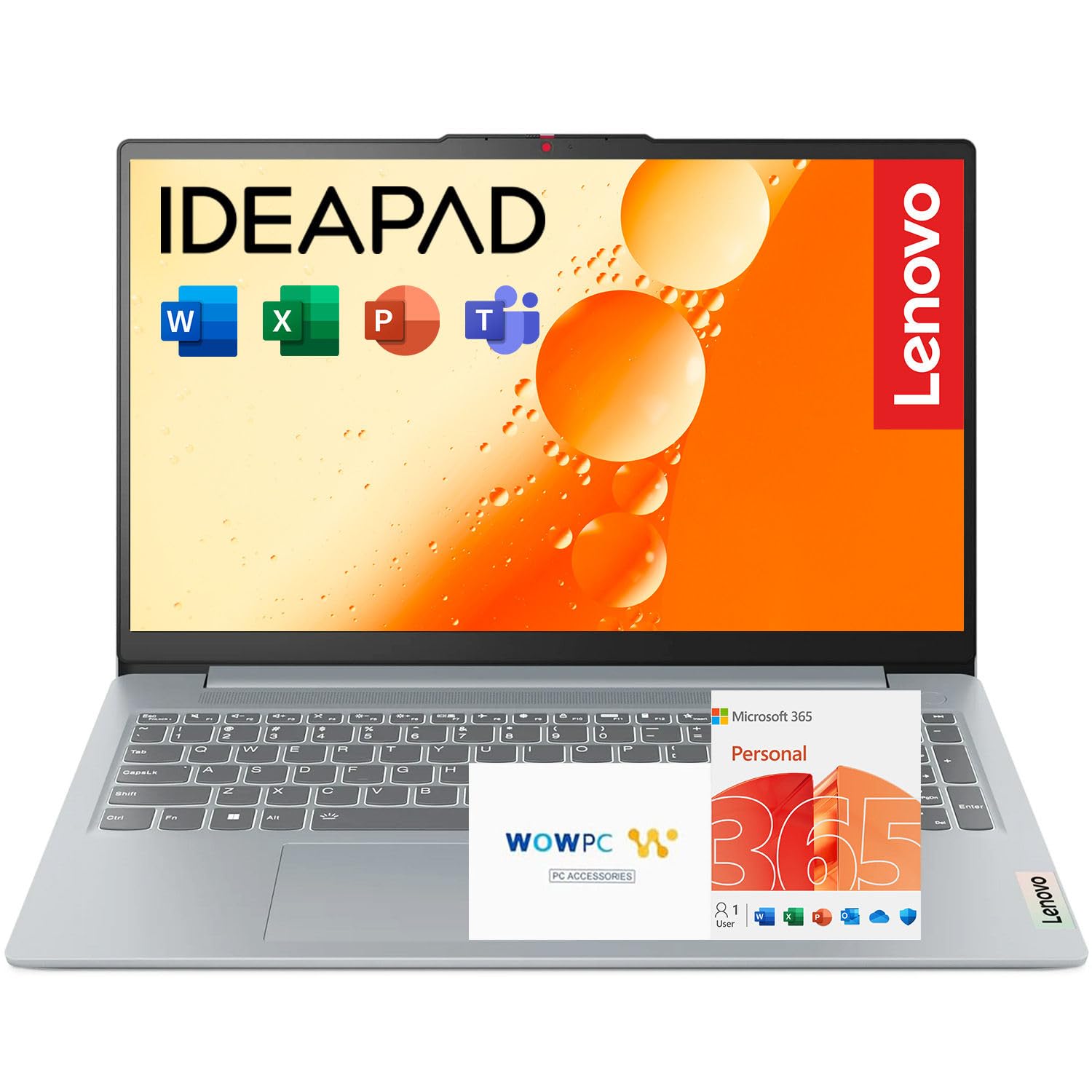
1. Lenovo IdeaPad Slim 3i
Our pick — over 4.5★ from 700+ verified ratings; the strongest balance of quality and price.
A durable Lenovo that has survived years of drops, DIY repairs, and heavy daily use.
The Lenovo IdeaPad Slim 3i tops this list because its Intel Core i3-N305 processor (a mid-range chip for everyday tasks) and 15.6-inch Full HD anti-glare display (1920×1080 resolution that cuts reflections) handle spreadsheets, video calls, and document editing without fuss. Its 8GB of DDR5 RAM (the latest fast memory standard) keeps several apps running at once, but you’ll notice slowdowns with dozens of browser tabs open. The 128GB SSD (solid state drive, which loads files quickly) is small, so plan on cloud storage or an external drive for your files.
What really sets this pick apart is its legendary durability. This laptop has survived 2 years of heavy abuse: drops, DIY screen replacements, missing internal supports, bent parts, dead trackpad. That’s the kind of real-world endurance that turns a budget laptop into a long-term investment. A 1-year Microsoft 365 subscription is included, covering Word, Excel, and PowerPoint from the start, which is a solid value add for any business user.
Buyers report it runs games (physics sims, War Thunder) well, which tells you the processor has more headroom than its modest specs suggest. The connectivity is versatile too: USB Type-C, USB Type-A, HDMI, Wi-Fi 6, and Bluetooth cover your peripherals and displays. The trade-off is that a 15.6-inch machine at this price point isn’t the lightest travel companion, and the storage capacity means you should plan your file storage carefully.
What Builds the Trust
- Proven resilience through years of heavy use.
- Versatile ports including USB-C, HDMI, and Wi-Fi 6.
- Includes a 1-year Microsoft 365 subscription.
Where You’ll Compromise
- 128GB SSD is tight for large file collections.
- Processor is entry-level, not for heavy video editing.
The smart daily driver: Pick this Lenovo if you want a proven, reliable machine that handles standard office work without drama and comes ready with Office software.
Consider a step up if: Your work demands more than a few large applications at once, or you need room for a big local media library.
2. Acer Aspire Go 15 (AG15-32P-352Z)
A budget Acer with a faster processor than rivals at this price point.
For raw speed on a budget, the Acer Aspire Go 15 is 3% faster than the Lenovo IdeaPad Slim 3i, thanks to its Intel Core 3 processor N355 that tops out at 3.9 GHz (the Lenovo’s chip peaks at 3.8 GHz). That extra speed makes multitasking, web work, and streaming feel snappy, and buyers confirm it “Runs FAST.” The 15.6-inch Full HD IPS display (a screen type with wide viewing angles) has an anti-glare finish and narrow bezels, so you stay focused on the task.
You get plenty of ports here: two full-function USB Type-C ports (USB 3.2 Gen 2, up to 10 Gbps) for data and charging, two USB 3.2 Gen 1 ports, an HDMI 2.1 for external monitors, and a Kensington lock slot to secure the laptop in the office. It runs Windows 11 Home in S mode, a locked-down version that only installs apps from the Microsoft Store; you can switch out of S mode for free if you need other software. The Copilot key (a dedicated button) gives you one-touch access to Microsoft’s AI assistant.
Its 8GB of DDR5 memory and 128GB of UFS storage are adequate for a workday, but the storage is the main pinch point if you deal with large files. The laptop is packaged in 100% recyclable materials, and the back cover uses 30% recycled plastic, so it also earns points for sustainability with Energy Star and EPEAT Gold certifications.
The speed pick: The N355 chip gives you a fast, snappy feel for everyday tasks and light multitasking without spending a fortune.
A fair fit note: Storage is limited to 128GB and a forced Microsoft account during setup has frustrated some buyers, so be ready for cloud-based storage.
3. ASUS Vivobook Go 15
A lightweight ASUS with military-grade durability and fast-charging battery.
The ASUS Vivobook Go 15 is built for portability and toughness. Its AMD Ryzen 5 7520U processor (up to 3.7 GHz) pairs with a 512GB SSD, which is 4.0x more storage than the Lenovo IdeaPad Slim 3i’s 128GB — so you can keep all your work files, presentations, and media on the machine without a cloud subscription. It meets US military-grade durability standards (MIL-STD-810H), so it survives the bumps of a commuter bag.
The battery situation is a genuine business asset: ASUS fast-charge technology can recharge the battery up to 50% capacity in just 30 minutes. If you forget to charge overnight, a quick top-up during breakfast gets you through the morning meetings. The ErgoSense keyboard is tuned to reduce hand and wrist strain, a detail that matters when you’re typing all day long.
What wins people over here is the reliability — with 20 owners singling out reliability and 17 praising overall quality. A buyer summed it up: “Purchased for my mom for Microsoft office use, video calling, and internet browsing. She’s had no complaints.” The 15.6-inch FHD display with ultra-slim NanoEdge bezels looks sharp, though the keyboard isn’t backlit, which is a recurring gripe for anyone working in dim rooms.
Built for the Commuter
- 4x more storage than entry rivals at 512GB.
- Fast charge hits 50% battery in 30 minutes.
- Military-grade toughness meets a light frame.
The Trade-offs
- Keyboard lacks backlighting for dark rooms.
- Screen’s viewing angle narrows off-center.
Reach for this when: You’re often moving between desks, meetings, and home, and you want fast charging plus roomy storage without paying a premium.
Look elsewhere if: You frequently work in low-light environments and can’t live without a backlit keyboard.
4. HP 255 G10 (Ryzen 3)
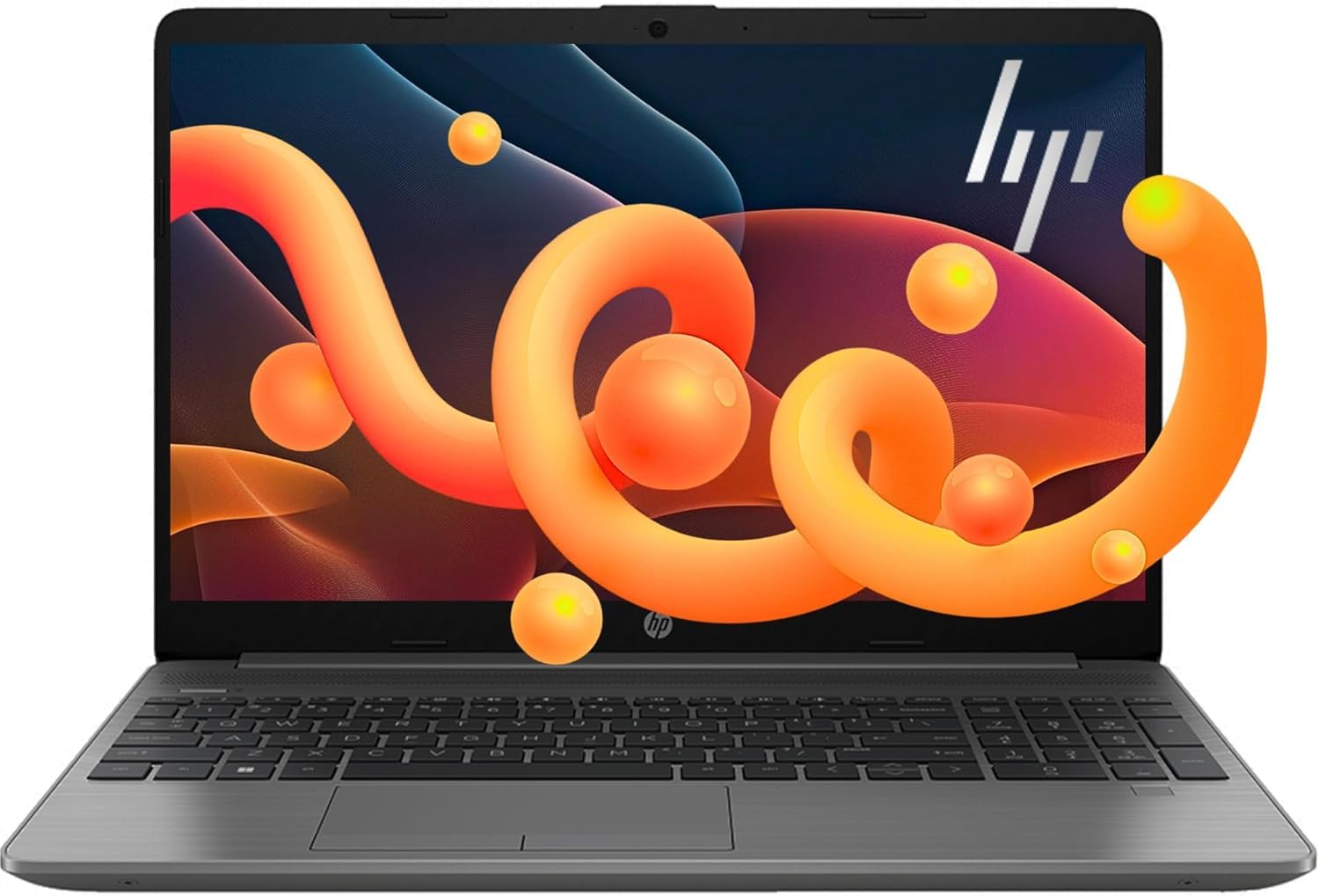
An affordable HP with 16GB RAM that handles heavy multitasking and many browser tabs smoothly.
The HP 255 G10 attacks a very specific problem: the machine that chokes when you have 30 browser tabs, a chat app, and a video call running at once. Its 16GB of high-bandwidth RAM is the fix, keeping multiple applications and tabs running smoothly — a spec usually reserved for pricier models. The AMD Ryzen 3 7330U processor with 4 cores handles the daily grind of coursework, spreadsheets, and light gaming without overheating.
Storage is a solid 256GB SSD, which is a comfortable middle ground. It’s a “thin and light” design with a big screen-to-body ratio, so it doesn’t feel like a brick in your bag. The 15.6-inch Full HD (1920×1080) LED-backlit display delivers crisp visuals, powered by AMD Radeon Graphics. Fans of the machine note it runs fast for coursework and multitasking, with quick charging and minimal heat — though a few have called out the fan noise and a short battery life in heavier use.
One caution from the review floor: the build quality of this price tier is what you’d expect, so it’s best treated as a reliable desk companion rather than a drop-proof road warrior. With a large pool of buyer feedback behind it, this HP is a crowd favorite for good reason — it gets the fundamentals right and the RAM headroom is the selling point that makes daily multitasking feel easy.
The multitasker’s pick: 16GB of RAM means you stop being the person who closes tabs to keep the laptop alive.
Who should skip: Those needing a precision color display for design work, as the screen has been described as slightly washed-out.
5. Dell Pro 15 Essential
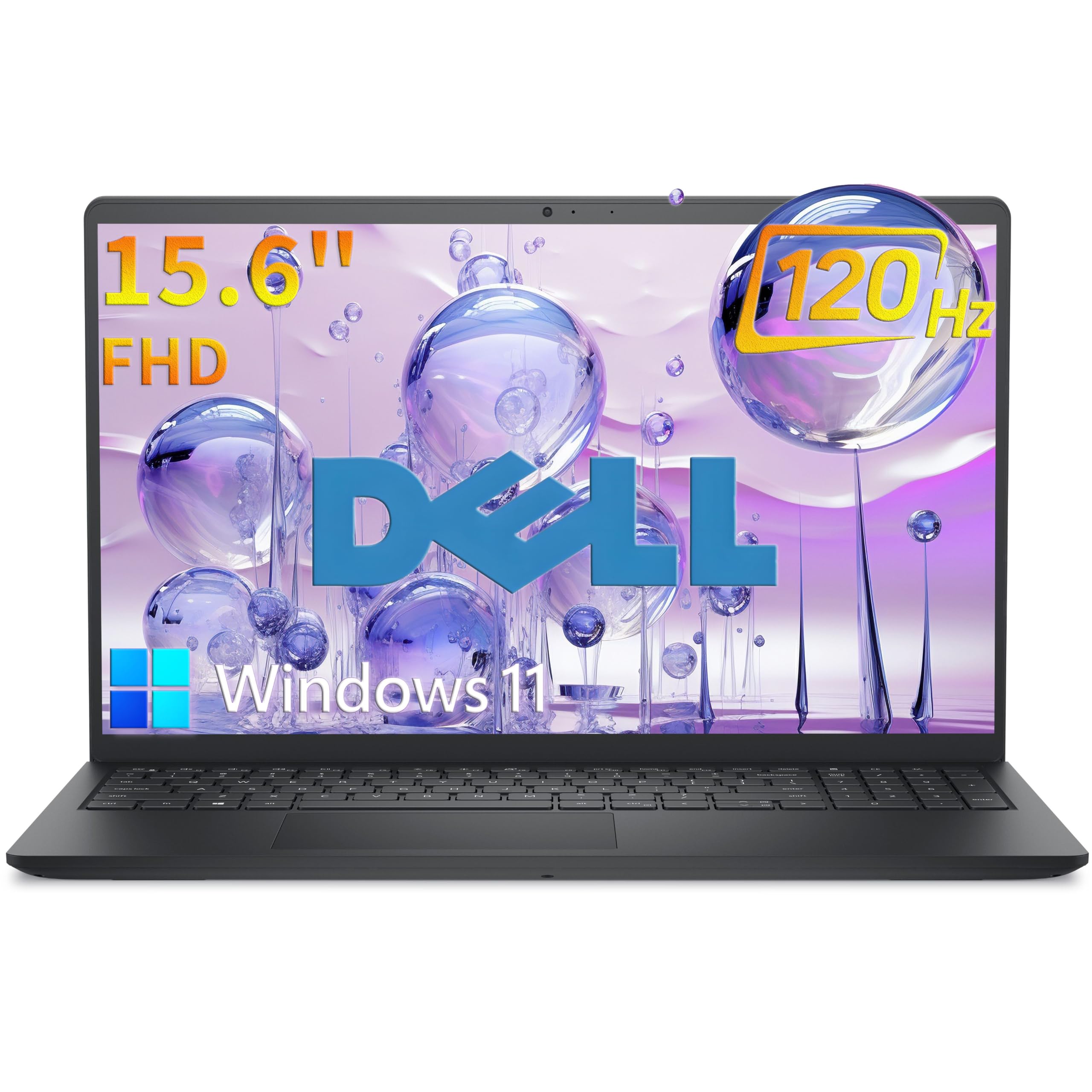
A Dell with a 120Hz display that makes scrolling and spreadsheet work feel fluid.
The Dell Pro 15 Essential differentiates itself with a 120Hz refresh rate on its 15.6-inch Full HD display — a feature that makes scrolling through documents and web pages feel noticeably fluid and reduces motion blur. This is paired with a 250-nit brightness and anti-glare IPS panel that keeps colors accurate from wide angles, reducing eye strain during those long extended work sessions. Performance comes from the Intel Core 3 100U with 6 cores, turbo boosting up to 4.7GHz, and 8GB of DDR5 RAM.
Storage is a fast 512GB M.2 PCIe NVMe SSD, delivering boot times under 10 seconds and instant application launches. The Realtek Wi-Fi 6 (802.11ax) with 2×2 MU-MIMO gives you modern wireless speeds and lower latency. At just 4.19 lbs (1.90 kg) and a compact 0.75-inch profile, it slips into any backpack without weighing you down.
The thing everyone raves about is the performance — 26 buyers call it out as a top strength. The full-size keyboard includes a numeric keypad, which is a godsend for data entry, accounting, and spreadsheet work. The 65W AC adapter keeps it topped up, but the lack of a backlit keyboard is a dealbreaker for some users, so check your lighting situation before committing.
Why the Screen Wins
- 120Hz display for smooth, fluid visuals.
- 6-core processor with 4.7GHz turbo speed.
- 512GB NVMe SSD boots in under 10 seconds.
Know Before You Buy
- Keyboard is not backlit.
- Reliability feedback is mixed in the longer term.
Best for: Anyone who spends hours in spreadsheets or reading long documents and wants the most comfortable viewing experience possible.
A word of caution: If you work in the dark or value a glowing keyboard, the unlit keys here could be a non-starter.
6. Acer Aspire Go 15 (Ryzen 7)

A high-performance Acer with a Ryzen 7 processor that handles demanding multitasking with ease.
Stepping up to the Acer Aspire Go 15 with the AMD Ryzen 7 7730U processor is a serious performance leap. With a maximum speed of 4.5 GHz, 8 cores, and 16 threads, this machine handles demanding business applications, large datasets, and even video editing with ease. It’s paired with 16GB of DDR4 memory and a fast 512GB PCIe Gen4 SSD, ensuring nothing you throw at it slows things down.
The 15.6-inch 1080p Full HD IPS display with narrow bezels gives your content a sharp, detailed presentation, and Acer’s BluelightShield reduces eye strain during late-night work sessions. The full-function USB Type-C port supports connectivity and charging at up to 45W, while Wi-Fi 6 and HDMI 2.1 round out a modern, fast port selection. The inclusion of a Copilot key provides one-touch access to AI assistance in Windows.
The owners’ consensus lands on performance (36 mentions) and value for money (19 mentions) as the biggest wins — this feels like a premium machine without the premium price tag. The keyboard is backlit, a welcome feature at this tier, though the audio quality has drawn mixed feedback, with some users finding the volume weak even at max and the fans a bit loud under load.
The Power Upgrade
- High-end Ryzen 7 processor with 8 cores.
- 16GB RAM and a fast 512GB PCIe Gen4 SSD.
- Backlit keyboard and a full-function USB-C port.
Areas to Note
- Speakers are quiet even at full volume.
- Fans can be audible during heavier tasks.
Reach for this if: Your workflow involves heavy multitasking or processor-intensive apps, and you want a future-proof machine for years of business use.
Consider a step down if: You do most of your work in a quiet office and prioritize silent operation over raw horsepower.
7. HP 255 G10 (Ryzen 7, Win 11 Pro)

The HP built for IT departments, with Windows 11 Pro and remote management built in.
The HP 255 G10 is built for business, shipping with Windows 11 Pro instead of the Home edition. This OS adds enterprise-grade security, management tools like single sign-on (one login for multiple apps), and remote desktop and Cortana for productivity. Inside, the AMD Ryzen 7 7730U processor (8 cores, 16 threads, up to 4.5 GHz) with 16GB of RAM and a 512GB PCIe SSD (a fast solid state drive) handles daily work and demanding projects smoothly.
The 15.6-inch FHD (1920 x 1080) IPS display is anti-glare with a micro-edge design at 250 nits, keeping the picture clear in bright office lighting. This model includes a numeric keypad on the keyboard — a must-have for anyone doing frequent data entry or working with numbers. Connectivity covers 2x Superspeed USB Type-A, 1x Superspeed USB Type-C, 1x HDMI, Wi-Fi 6, and Bluetooth, giving you a complete port setup.
Owners mention it’s “perfect for daily work” — handling emails, job search, research, and MS Office applications beautifully. Performance gets 15 mentions and value for money gets 9, leading the praise. However, reliability feedback is mixed, and a notable complaint is the lack of a backlit keyboard, which one owner called “the single biggest complaint about this thing.” If your corporate network requires domain joining or BitLocker encryption, this Pro-version HP is the right tool.
The IT-friendly pick: Windows 11 Pro open up domain joining, group policies, and remote desktop — features essential for many corporate environments.
Check your keyboard habits: There’s no backlight here, so if you type in the dark, this could be a daily frustration.
8. Lenovo V15 (Ryzen 5)

The dependable Lenovo with a wired Ethernet port for rock-solid office connections.
The Lenovo V15 is designed for the professional who values rock-solid wired connectivity. It’s one of the few in this list with an RJ45 Ethernet port, allowing you to plug into a wired network for stable, high-speed internet in an office — a feature that’s becoming rare in thin laptops. Powered by the AMD Ryzen 5 5500U (6 cores, 12 threads, up to 4.0 GHz), 16GB of RAM, and a 512GB SSD, this machine runs smoothly for productivity and light gaming.
The 15.6-inch FHD (1920 x 1080) display is adequate for work, though buyer feedback on screen quality is mixed. The numeric keypad is a big plus for number crunchers. The build uses a sturdy textured plastic that feels durable in the hand. With 16GB of RAM and a fast SSD, you won’t be waiting around for applications to load, and the performance (67 mentions) is the standout feature for owners.
Beyond Ethernet, you get 1x USB 3.0 Type-A, 1x USB 2.0 Type-A, 1x USB Type-C, HDMI, and a headphone/mic combo. Windows 11 Pro comes pre-installed, adding business management features. The battery life is a mixed bag, ranging from about 45 minutes under heavy load to over an hour in power-save mode, so keep an adapter nearby. Port availability draws some criticism for having only one USB-C, so check if your peripherals are mostly USB-A.
The Office Stablemate
- RJ45 Ethernet port for a stable wired connection.
- 16GB RAM with a responsive 512GB SSD.
- Windows 11 Pro with a numeric keypad.
The Compromises
- Screen quality is a common point of criticism.
- Battery life is short under heavy use.
- Only a single USB-C port available.
Best for: Office workers who need a dependable, wired internet connection and a full keyboard for data entry, all at a reasonable price.
Think twice if: You’re frequently on the move with limited access to power outlets, or you demand a high-quality display for visual work.
9. Lenovo V15 Gen 4 (Core i5)

The Intel-powered Lenovo that brings desktop-level speed to the portable office.
If you prefer Intel silicon, the Lenovo V15 Gen 4 is a compelling pick. It’s driven by the Intel Core i5-13420H processor, which offers 8 cores and 12 threads with a max turbo frequency of 4.6 GHz — plenty of muscle for complex spreadsheets, coding, and simultaneous applications. Paired with 16GB of RAM and a 512GB SSD, this laptop feels quick and responsive for any business task you can think of.
The 15.6-inch FHD (1920 x 1080) display serves up clear visuals for documents and presentations. A full numeric keypad joins the keyboard, and you get an HDMI port, an RJ45 Ethernet port for wired networking, and a USB Type-C port for modern accessories. It ships with Windows 11 Pro, which includes layout options to organize open apps and collaboration features for team workflows.
Buyers describe it as “fast best value money,” noting it arrives quickly and works perfectly. It runs The Sims 4 without lag, so casual use is covered too. The build feels sturdy, though the plastic construction material has been noted as a bit cheap-feeling compared to pricier ThinkPads. Battery life is the main caveat; owners advise keeping the charger handy for all-day sessions.
The Intel workhorse: An 8-core i5 processor delivers strong multi-threaded performance for demanding office software and light content creation.
A portable reality check: It’s not built like a premium ultrabook, and the battery won’t get you through a full day away from a wall outlet.
10. Samsung Galaxy Book4

The lightest and most premium pick, with a backlit keyboard and fingerprint login.
The Samsung Galaxy Book4 brings a premium feel to the business laptop category. It weighs just 3.46 lbs and is a slim 0.61 inches thick, making it the most portable of the 15.6-inch options here — easy to slip into a briefcase for travel. The Intel Core 7 150U processor (10 cores, up to 5.4 GHz) is the fastest in this lineup, making even heavy workloads feel light. The 15.6-inch FHD IPS display is rated at 300 nits with 100% sRGB color coverage and an anti-glare finish, providing bright, accurate visuals.
The full-size backlit keyboard is a welcome luxury for typing in low light, and the integrated fingerprint reader allows for secure, one-touch login via Windows Hello. You also get a numeric keypad, which is a rare combo with the backlight. The 54.4Whr 4-cell battery is rated for up to 12 hours of non-gaming battery life, giving you all-day endurance. Charging happens via USB-C with the included 45W adapter, and the box also includes a free 32GB USB drive.
Connectivity is comprehensive: 2x USB 3.2 Gen 1 Type-C (with Power Delivery for charging), 2x USB 3.2 Gen 1 Type-A, HDMI 2.1, an RJ-45 LAN port for wired internet, and a memory card slot. Wi-Fi 6E (the latest wireless standard) ensures fast, reliable connections. Performance gets 40 mentions and speed gets 9, confirming it “doesn’t lag and handles a lot of work.” Battery life is rated at 8 hours on one spec sheet, but real-world results vary with screen brightness and workload.
The Premium Experience
- Fastest processor in the list at 5.4 GHz turbo.
- Lightest build at 3.46 lbs with a backlit keyboard.
- Fingerprint reader for secure, fast login.
Premium Considerations
- Top-tier price point for a business machine.
- Battery life claims vary between 8 and 12 hours.
Reach for this if: You travel often and want the lightest, fastest 15.6-inch machine with premium touches like a backlit keyboard and fingerprint open up.
Consider alternatives if: You’re on a strict budget but still need more than 8GB of RAM for heavy multitasking.
11. Dell Inspiron Touchscreen

The 32GB RAM and 1TB storage giant that’s ready for heavy workloads.
The Dell Inspiron Touchscreen is the spec king of this list for pure capacity. It packs a massive 32GB of RAM and a 1TB SSD — enough power to run intensive software, huge datasets, and dozens of applications simultaneously without breaking a sweat. The Intel Core i5-1155G7 processor (4 cores, 8 threads, up to 4.5 GHz) handles everyday work and media with ease, and the 15.6-inch Full HD IPS touch display lets you interact with your work directly on screen.
Windows 11 Pro 64-bit is pre-installed, making it ideal for schools, designers, professionals, and small businesses. The 32GB RAM is a massive headroom advantage for anyone doing video editing, 3D modeling, or programming, and buyers confirm it’s “enjoyable and fast” for processing videos and uploading to social media. The numeric keypad aids data entry, and the anti-glare touch display (220 nits) offers a flexible way to navigate.
The screen quality gets mixed feedback, and durability concerns have surfaced, with multiple reports of the hinge breaking after about a year of use. Battery life is also a common complaint, described as poor with the machine struggling to hold a charge under real-world use. At this highest price point, you’re paying for the 32GB/1TB combo and touch, not for marathon battery endurance, so weigh those priorities carefully.
The Capacity King
- 32GB RAM for extreme multitasking and heavy apps.
- Huge 1TB SSD for a massive local library.
- Windows 11 Pro and a touchscreen display.
The Long-Term Reality
- Durability concerns, including hinge issues over time.
- Battery life struggles to hold a charge.
Best for: Creative professionals and power users who need massive RAM and storage headroom for video and design work, and who value touch input.
Think twice if: You need all-day battery life for remote work, or you’re concerned about long-term structural durability.
Understanding the Specs
Processor Generations Explained
The processor is the brain of your laptop, and its name tells you its power level. In Intel’s lineup, Core i3 is entry-level, Core 5 is mid-range, and Core 7 is high-end. For AMD, Ryzen 3 is entry, Ryzen 5 is mid, and Ryzen 7 is top-tier. A higher number generally means more cores and faster speeds, which translates to smoother multitasking and faster application launches. For basic business use, an entry-level chip is fine; for heavy multitasking or data work, step up to a mid-range or high-end chip.
RAM and Storage: The Practical Difference
RAM (Random Access Memory) is your laptop’s short-term memory. 8GB is the minimum for smooth Windows 11, but 16GB is the balance for business users who keep many programs and tabs open. Storage is where your files live. An SSD (Solid State Drive) is far faster and more reliable than a traditional hard drive; a 512GB SSD balances speed and space for most professionals. For heavy media collections or design work, 1TB gives you room to breathe.
FAQ
Is 8GB of RAM enough for a business laptop in 15.6 inches?
What is the real difference between Windows 11 Home and Windows 11 Pro for business?
How much storage do I really need in a business laptop?
Does a bigger screen like 15.6 inches hurt portability?
Is AMD Ryzen or Intel Core better for business work?
How important is a backlit keyboard on a laptop?
What is an IPS display and why does it matter for a business laptop?
Can I upgrade RAM or storage on these laptops later?
How long should a business laptop battery last?
What ports should a 15.6-inch business laptop have?
Final Thoughts: The Verdict
If you want one dependable pick, the 15.6 inch business laptop winner is the Lenovo IdeaPad Slim 3i because it balances proven reliability, a crisp Full HD screen, and a reasonable price with the added value of a Microsoft 365 subscription, making it the most dependable all-rounder. If you need more power for heavy multitasking and faster processing without jumping to a top-tier price, the Acer Aspire Go 15 (Ryzen 7) stands out as the high-performance pick. And for the professional who lives in spreadsheets and needs a rock-solid wired connection, the Lenovo V15 with its RJ45 port and numeric keypad is the one to reach for.
How We Picked
We do not accept paid placement. Every pick is matched to a real buyer and a real use-case; we do not hands-on test units.
Sources & Methodology
Specifications: manufacturer listings and product documentation. Review insights: verified customer reviews, as of August 2026. Pricing: not shown on this page (it changes often); check the current price via the retailer link.
As an Amazon Associate, Gadgets Feed earns from qualifying purchases. This does not affect which products we feature.