
Our readers keep the lights on and my morning glass full of iced black tea. As an Amazon Associate, I earn from qualifying purchases.
Specs are compiled from manufacturer listings and verified buyer reviews and can change over time — please confirm the key details on the product page before buying.
You can build a capable PC without emptying your wallet by picking parts that deliver 90% of the performance for a fraction of the cost. The components here aren’t about chasing the highest benchmark scores—they’re about getting real, playable performance where it counts, like a six-core processor that keeps up in modern games or a power supply that won’t gamble with your other parts’ safety.
I’m Min — the founder and writer behind Gadgets Feed. This guide is built by comparing the manufacturers’ published specifications and the patterns across verified customer reviews, so you get each pick’s real strengths and trade-offs instead of marketing spin.
Whether you are assembling your first rig or refreshing an older one, this breakdown of the most reliable, wallet-friendly affordable pc parts focuses purely on performance per dollar, matching real-world compatibility to your build’s needs.
Our Picks at a Glance

How To Choose The Best Affordable PC Parts
When you are building on a budget, every dollar needs to work twice as hard. Prioritize parts that boost real-world performance, like a high-boost CPU or a PSU with stable amperage, over unused features.
Match the Wattage to Your Graphics Card
Your power supply is the backbone of the build; if it can’t deliver enough stable power, you’ll face random shutdowns or worse, damage to your new GPU. A unit with a high amperage on the +12V rail is key, as modern CPUs and graphics cards draw most of their power from this single line. For a mid-range gaming rig, a 600W to 750W unit typically provides plenty of headroom; for flagship cards that demand 350W on their own, you are safer stepping up to an 850W unit.
Core Counts Beat Brand Loyalty
For a gaming-focused budget build, a processor with 6 cores and 12 threads is the balance; it handles modern game engines and background applications like Discord or a browser without breaking a sweat. Higher boost clocks (measured in GHz) matter more for frame rates than having extra cores you’ll rarely use. Also, check the platform—an open up chip means you can overclock it later for free performance.
Case Airflow Sets the Tone
Even top-tier parts throttle without proper airflow, so choose a case with a mesh front panel. Look for a case with a mesh front panel that lets fans pull in fresh air easily. Check the maximum supported GPU length and CPU cooler height before you buy, so your big graphics card and tower cooler actually fit.
Quick Comparison
| Model | Best For | Wattage | Efficiency | Form Factor | Amazon |
|---|---|---|---|---|---|
| AMD Ryzen 5 5500★ Best Overall | 1080p Gaming Value | 65W (TDP) | — | Socket AM4 | Amazon |
| Apevia Spirit 600WBudget Champion | Entry-Level Builds | 600W | Standard | ATX | Amazon |
| Apevia Spirit 700WHigh-Power Budget | Budget High-Power | 700W | Standard | ATX | Amazon |
| ASRock PRO-650G | Efficient Gold PSU | 650W | 80 Plus Gold | ATX | Amazon |
| DARKROCK EC2 | Budget Mesh Cases | — | — | Mid Tower | Amazon |
| MUSETEX Y6 | Showcase Tempered Glass | — | — | Mid Tower | Amazon |
| Thermaltake Toughpower GT | Native PCIe 5.1 Power | 850W | 80 Plus Gold | ATX 3.1 | Amazon |
| MONTECH Century II | Ultra-Silent Gold PSU | 850W | 80 Plus Gold | ATX 3.1 | Amazon |
| CORSAIR RM750e | Reliable Fully Modular | 750W | 80 Plus Gold | ATX 3.1 | Amazon |
In‑Depth Reviews
1. AMD Ryzen 5 5500 6-Core, 12-Thread open up Desktop Processor with Wraith Stealth Cooler
Our pick — over 4.5★ from 11,000+ verified ratings; the strongest balance of quality and price.
The budget champ that turns a modest AM4 board into a smooth 1080p gaming machine.
This is the heart of a smart budget build, and the numbers back it up: 6 cores and 12 processing threads keep multitasking and modern games running without stutter. You get a 4.2 GHz max boost clock (meaning it can speed up to that frequency under load), it’s open up for overclocking, and it pairs with DDR4-3200 memory—so you can use affordable RAM instead of paying a premium for the newest standard. It runs cool, with temperatures rarely creeping past 70°C, and the bundled Wraith Stealth cooler means you don’t need to spend extra on cooling.
What wins people over is pure performance for the price—it’s the most-discussed strength by far, over 470 buyers praise its smooth handling of games and daily tasks.. A favorite use case is a small-form-factor living room PC: builders report they “prefer 5500 over 5600 for SFF PC with 36MM cooler,” praising the lower power draw that pairs perfectly with a compact cooler. The 19 MB of cache and open up multiplier give you headroom to push clocks higher yourself, and one builder hit 5.65 GHz, showing real overclocking headroom..
The honest trade-off is that it sits on the advanced Socket AM4 platform, which doesn’t support PCIe 4.0—so you’ll want a B550 or A520 board and you won’t get the highest bandwidth for the fastest NVMe drives. Buyers report the compatibility is fine for budget boards, and the included cooler is a genuine plus for saving money. If you’re pairing it with a discrete graphics card for 100+ FPS in popular titles, this is the price-to-performance king.
budget six-core
- 6 cores and 12 threads chew through modern gaming and multitasking
- Runs cool under load with temps rarely exceeding 70°C
- Bundled Wraith Stealth cooler saves you an extra purchase
- open up multiplier lets you overclock for free performance
older platform limits
- No PCIe 4.0 support, so the fastest SSDs won’t hit their peak
- Requires a discrete graphics card—there’s no integrated GPU
smart money says: grab this for a budget or mid-range AM4 gaming rig where raw frames per dollar matter more than the newest sockets.
look elsewhere if: you are building on the newer AM5 platform or need PCIe 4.0 bandwidth for pro-level storage speeds.
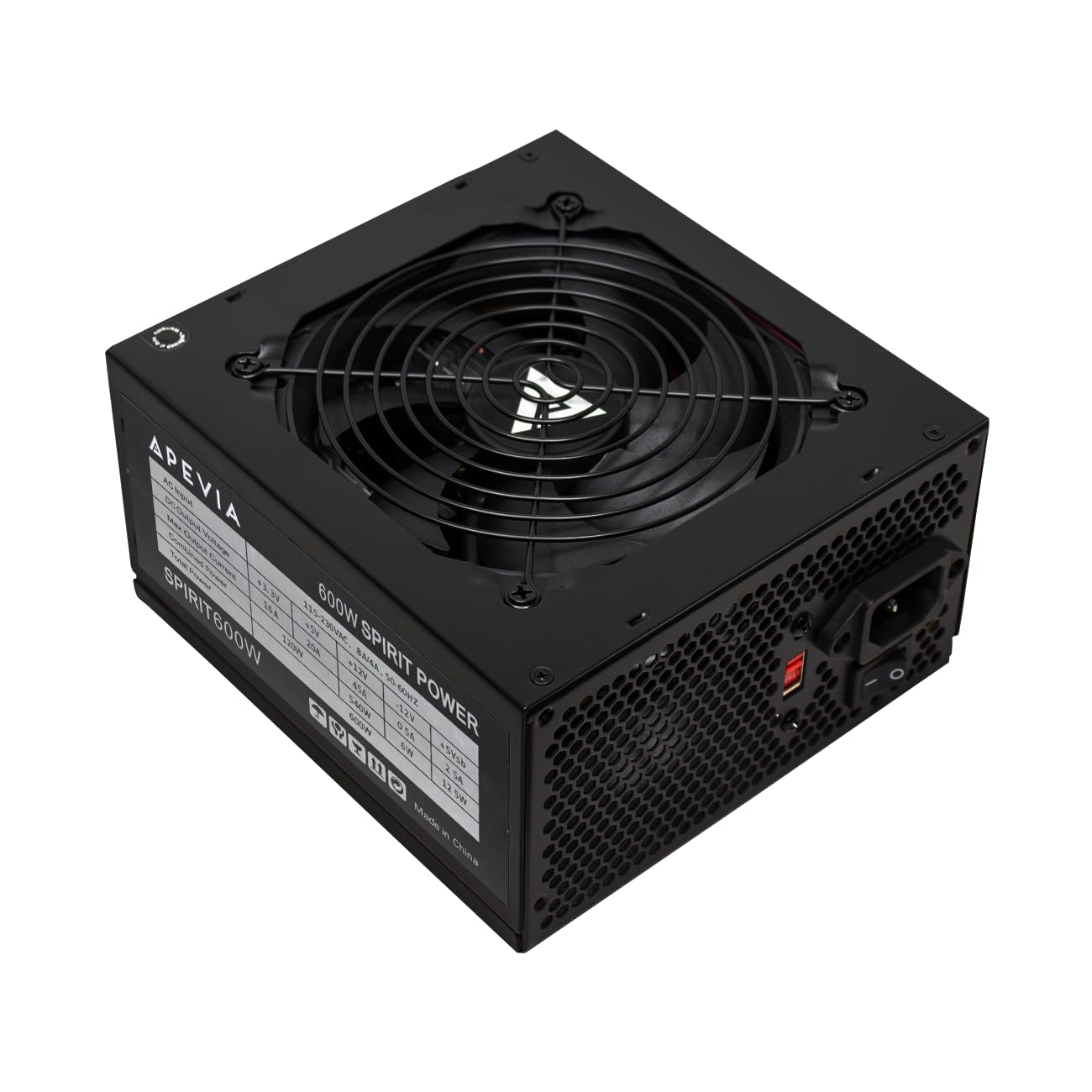
2. Apevia SPIRIT600W Spirit 600W ATX Power Supply, 120MM Fan, All Protections
A dependable 600W lifeline for reviving an old prebuilt or powering a first-time gaming rig.
This unit delivers 600W of clean power on a single 12V rail, which is exactly what modern GPUs and CPUs want for stability. It outputs +12V@45A, giving you a solid 45 amps of current on the line that matters most. The 120mm fan is auto-thermally controlled, so it spins up only when needed and stays quiet during light loads. Owners routinely use it to swap out weak 300W stock units in office PCs, and it handles that job with room to spare.
The biggest praise centers on the built-in protections: a full suite of Short-Circuit, Over-Current, Over-Voltage, Over-Power, Under-Voltage, and Over-Temperature protections. Owners mention one incident where an exposed connector shorted against the frame, and the PSU shut itself off instantly, saving the whole system. That level of safety at this price is what makes it a trusted pick for budget builds.
The trade-off is cable length—customers note the CPU/fan power cable runs “3 inches too short for large cases (HAF-X),” forcing them to route it over the GPU. It’s also non-modular, meaning you’ll have extra unused cables to tuck away. Durability is the most-discussed aspect, and while many units run for years, some owners note failures—so treat this as a solid entry-level choice, not a lifetime part.
budget wattage: the comprehensive protection suite gives you confidence that a faulty component won’t take your whole PC down with it.
safety check first: check your case’s PSU clearance, since the CPU cable is noticeably short for full-tower enclosures.
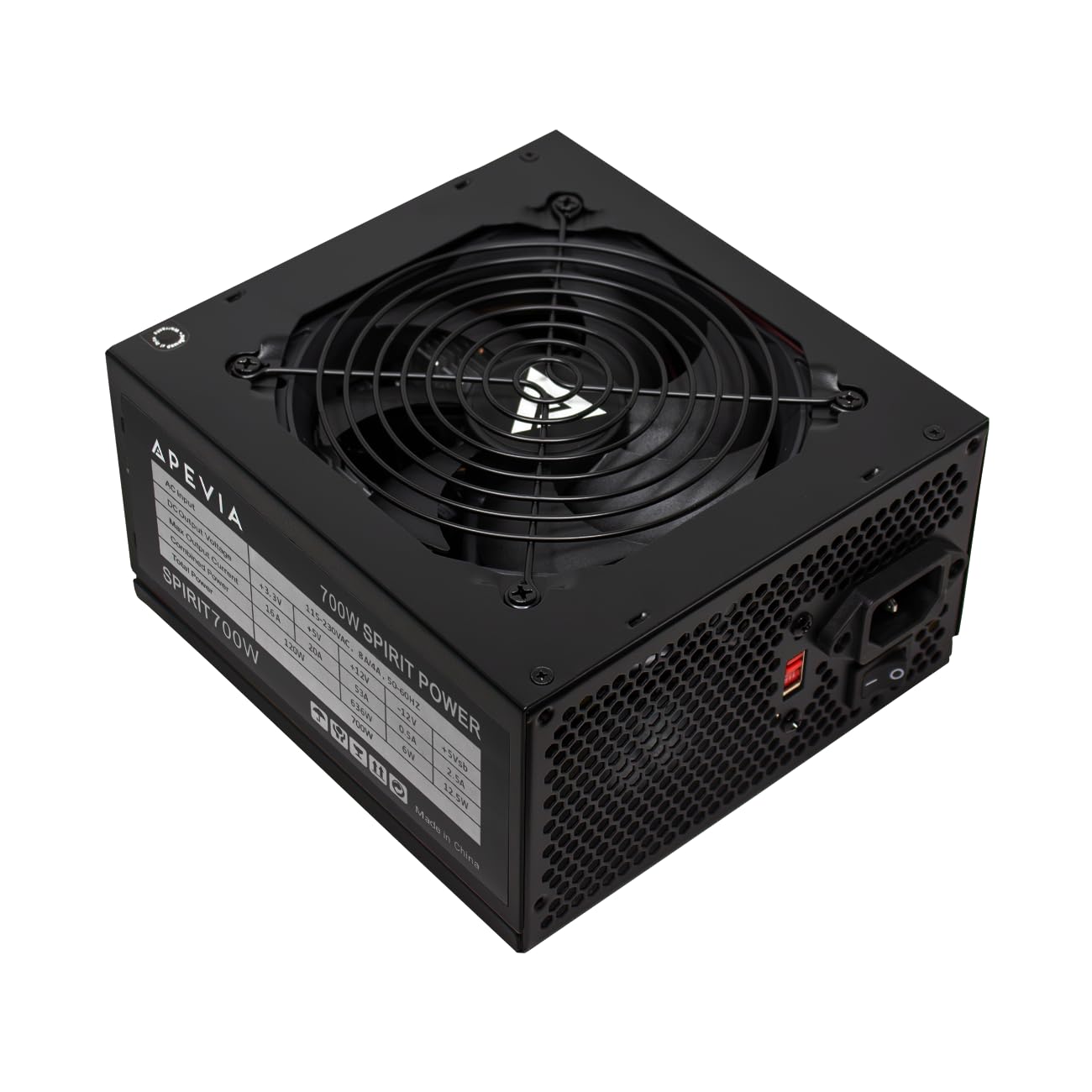
3. Apevia ATX-SP700 Spirit 700W ATX Power Supply, 120MM Fan, All Protections
The budget unit that steps up the amps to keep hungry graphics cards fed while staying affordable.
This 700W power supply delivers a beefy +12V@53A—that’s 53 amps of current on the rail that powers your CPU and GPU, which is the real number that determines whether a high-end graphics card runs stable. It’s a 100W step up from the 600W Spirit model, giving you headroom for a more power-hungry GPU or overclocking. The 120mm auto-thermally controlled fan keeps noise down during normal use.
The thing everyone raves about is the value: owners describe it as “good for a low-cost PSU” and note they have “done several budget builds with this brand and have not had one problem.” The power quality is the top praised aspect, with buyers noting the 53A on the 12V line handles powerful GPUs easily. It comes with all the connections you need—1 x 20/24pin main power, 1 x 4+4pin 12V, 2 x PCI 6+2pin, 4 x SATA, and 4 x peripheral connectors.
The honest caveat is reliability is a mixed bag in the feedback—some units last for years, while an occasional one fails after just 2.5 months. It’s not 80 Plus certified, so it won’t be as efficient as Gold-rated units, which means slightly higher electricity costs over time. If you’re pairing it with a dual-CPU server board, note it only has one CPU 8-pin header, so you’ll need an adapter.
more headroom: the 53A single 12V rail gives you the amperage to run a power-hungry GPU without worrying about tripping protections.
efficiency trade-off: skip it if you run your PC 24/7, since the lack of 80 Plus Gold certification means higher power draw from the wall.
4. ASRock PRO-650G Power Supply – 650W 80 Plus Gold Certified, ATX 3.1 Ready, 120mm Fan, Full Protection Circuit, 3-Year Warranty
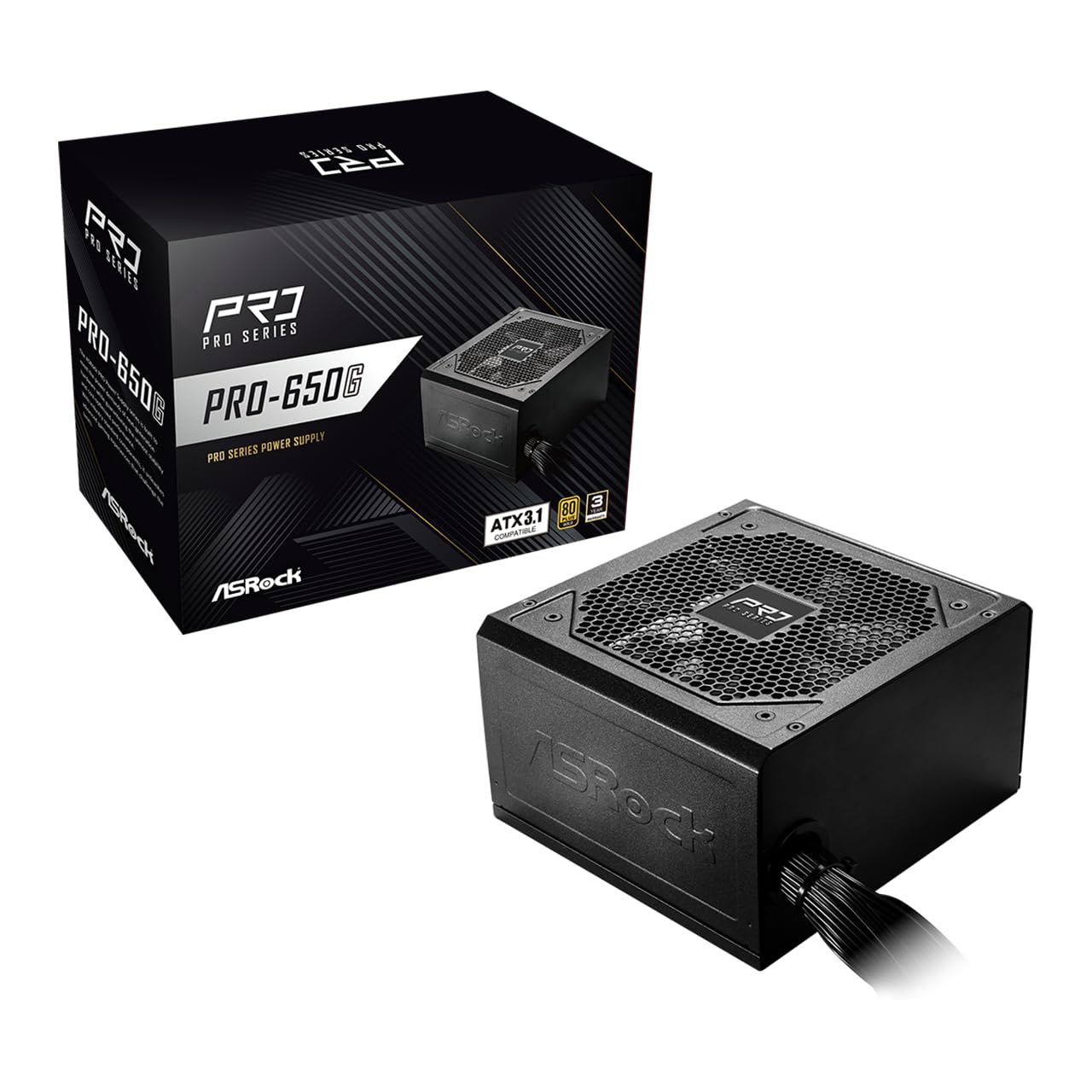
A Gold-certified 650W unit that brings efficiency and modern ATX 3.1 compatibility to a mid-range build.
This 650W power supply delivers 80 Plus Gold efficiency—meaning it converts up to 90% of the AC power from your wall into usable DC power, reducing heat and your electricity bill. It’s ATX 3.1 ready, so it’s built to work with the latest components and next-generation graphics cards. The +12V rail provides 54.1A, giving you stable, reliable power delivery to both your CPU and GPU.
Build quality is the standout here, with all-Taiwanese capacitors that improve durability and longevity over cheaper alternatives. The flat cable design makes routing through your case cleaner and improves airflow. It ships with a full suite of protections—OCP, OVP, UVP, OPP, OTP, and SCP—and comes backed by a 3-year warranty. The standard ATX footprint at 140x150x86mm fits most cases without clearance issues.
The catch is value for money draws mixed feedback—some buyers love the price for a Gold-rated unit, while others feel the 650W capacity limits future upgrades. One owner noted it advertises ATX 3.1 but doesn’t include the 12VHPWR cable, so if you have a brand-new GPU with that connector, you’ll need to buy an adapter. It also won’t work in Dell prebuilts due to their proprietary power connections, so measure your upgrade path before buying.
efficiency-minded builds: this is the right call if you want Gold-rated energy savings and a 3-year warranty at a mid-range price.
future upgrades: if your target graphics card needs a native 12VHPWR cable, confirm it’s included or budget for an adapter.
5. DARKROCK EC2 ATX Mid Tower Gaming Computer PC Case, Type-C Ready

A mesh-front mid tower that keeps your hardware cool and shows it off behind a tempered glass door.
This case’s defining feature is the mesh front panel, which lets your front fans pull in fresh air without restriction—exactly what you need to keep a gaming CPU and GPU from throttling. The tempered glass side panel gives you a clear view of your build, with a hinged magnetic door that makes getting inside a breeze. It’s Type-C ready, so you get modern connectivity on the front I/O for fast data transfers.
The thing owners rave about is the overall case quality, with over 150 buyers praise its solid build for the price.. It’s genuinely roomy: it supports up to 8 x 120mm fans, a 360mm radiator on the front, GPUs up to 340mm in length, and PSUs up to 200mm. Magnetic dust filters on the top and bottom keep the interior clean, and the PSU shroud hides your cables neatly. A long graphics card like the RTX 4070 Ti Super slides in with room to spare.
The honest trade-off is the metal is thin and can bend if you’re not careful, and the top fan slot is limited to 1x140mm plus 1x120mm because of the CPU power connector location. Some owners note the front panel requires force to remove and front fan installation can be tricky—they recommend a 360mm AIO in the front if you’re water cooling. For a budget case with excellent airflow, this is a top-tier pick.
reach for this if: you want a roomy, cool-running case with a glass door and USB-C convenience without paying premium prices.
look elsewhere if: you plan to mount a thick top radiator, since the top fan area is tighter than on pricier cases.
6. MUSETEX Y6 PC Case, Pre-Installed 4 Non-LED Fans, ATX Mid Tower Case, Computer Case with Type-C, 270° Full View Tempered Glass, Black
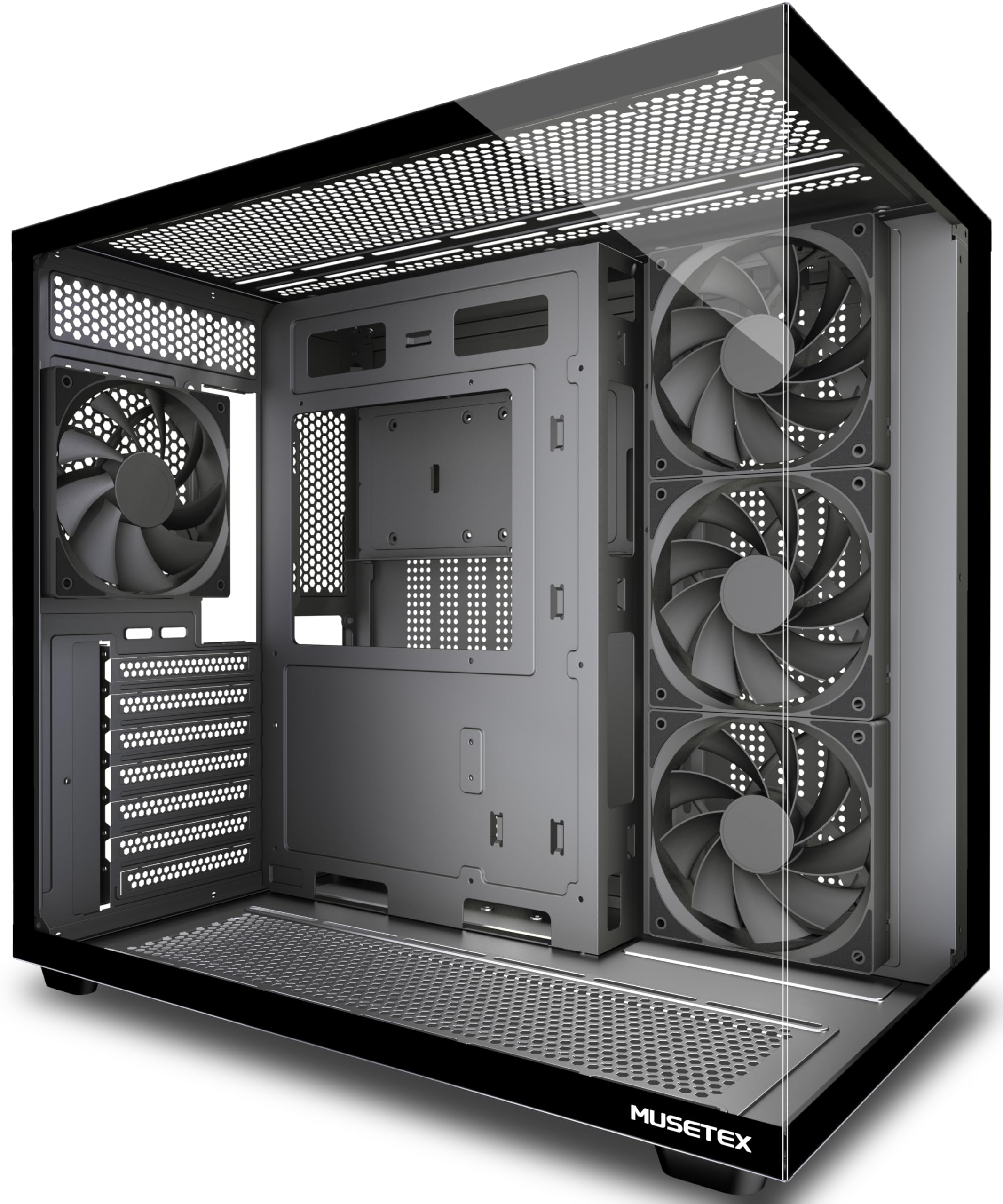
A dual-chamber mid tower with sweeping glass views and four fans already spinning on day one.
What sets this case apart is the 270° fully transparent dual tempered glass panels, giving you a wider view of your hardware than almost any case in its class—your GPU, CPU cooler, and even your favorite figurines get a front-row seat. The dual-chamber design separates the PSU into its own compartment with an independent ventilation channel, which improves thermals and makes cable management far easier. It comes with four 120mm Non-LED fans pre-installed—three reverse fans on the side and one forward fan on the back—so you have working airflow the moment you open the box.
The build quality and appearance are the top praised aspects, with over 110 owners highlight its solid, striking desk presence.. It has generous space for big hardware: GPUs up to 410mm (that’s 16.14 inches, so nearly any flagship card fits), CPU coolers up to 160mm tall, and a 360mm liquid cooler on top. The front I/O includes 1 x Type-C, 1 x USB 3.0, 1 x USB 2.0, plus separate mic and audio jacks.
The trade-off is cable management, which draws mixed feedback—there’s plenty of space, but the built-in routing system isn’t the slickest, so you’ll want to bring your own zip ties. One veteran builder with thousands of builds called the assembly process “hated” but praised the results, flagging a missing standoff hole for mATX boards and some sharp edges. If you value looks and airflow without paying boutique prices, this delivers.
visual flair
- 270° tempered glass shows off your build from every angle
- Four 120mm fans are pre-installed, so no fan purchase needed
- Fits GPUs up to 410mm (16.14″) and coolers up to 160mm tall
- Dual-chamber layout keeps cables and the PSU out of sight
build quirks
- Cable management has room but lacks clever routing channels
- Occasional reports of sharp edges and a missing mATX standoff hole
best for: builders who want a conversation-piece case that shows off their hardware and cools well right from the start.
think twice if: you’re installing a micro-ATX board, since one standoff position may be missing.
7. Thermaltake Toughpower GT 850W ATX 3.1 Standard Power Supply; 80 Plus Gold Efficiency; Smart Zero Fan; Native 450W PCIe 5.1 Connector; PS-TPT-0850FNFAGU-3; 5 Year Warranty

An 850W powerhouse with a native next-gen GPU connector, built to handle the biggest cards without adapters.
This 850W unit is fully ATX 3.1 and PCIe 5.1 ready, meaning it includes a native 12V-2×6 (12+4 pin) connector that can deliver 450W directly to the newest graphics cards—so no clunky adapter is needed. It’s 80 Plus Gold certified, delivering up to 90% efficiency, which keeps your electricity costs and case temperatures lower. The single +12V rail provides high amperage, giving you rock-solid stability for high-end gaming and workstation builds.
Quiet operation is the second-most praised aspect, thanks to the Smart Zero Fan technology that automatically adjusts fan speed based on load—it can literally stop spinning entirely during low-load tasks like web browsing. It’s fully modular, with low-profile flat black cables that make routing clean and improve airflow. The 5-year warranty provides real confidence, and owners running Ryzen 7 9700X and RTX 5070 Ti combinations report no coil whine and rock-solid reliability after a year of use.
The most-discussed aspect is reliability, and while the majority of reviewers point out flawless operation, a minority experienced failures within months—so it’s worth considering the 5-year warranty your safety net. One owner reported sleep modes stopped working after installing it, though they weren’t sure if the PSU or a corrupted setting was to blame. It’s the pricier end of this list, but you’re paying for next-gen readiness and modular convenience.
future-proof wiring: the native 450W PCIe 5.1 connector means your RTX 50-series or next GPU plugs straight in with no weird adapters.
warranty safety net: with the 5-year coverage, even the occasional reliability hiccup is covered by the manufacturer.
8. MONTECH Century II 850W ATX 3.1 Fully Modular 80 Plus Gold Power Supply
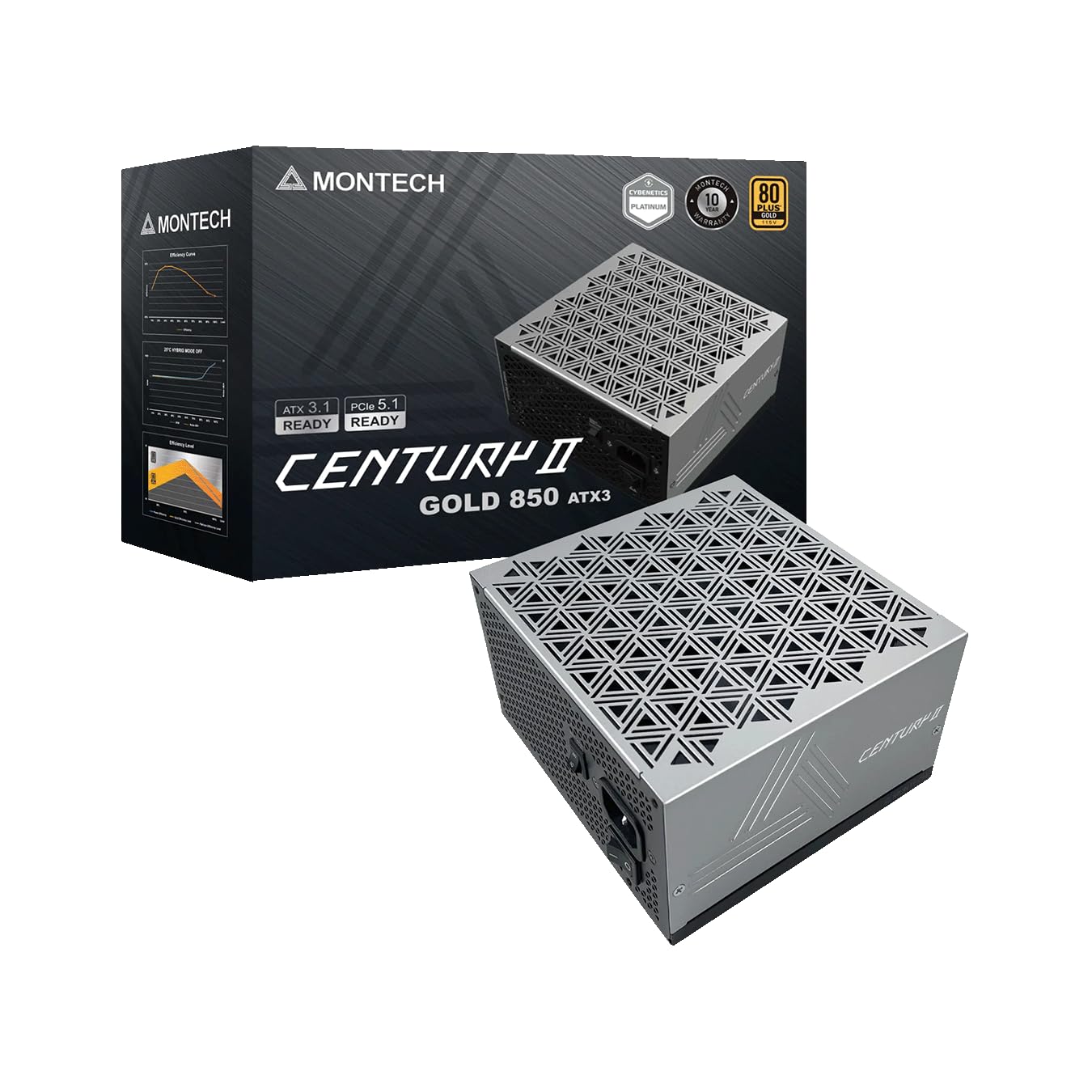
A whisper-quiet 850W Gold unit with Japanese capacitors that punches far above its budget price tag.
This power supply makes silence its defining trait: the 135mm FDB fan (that’s a fluid dynamic bearing, which reduces friction and noise) features a zero RPM mode, meaning it stays completely still during light loads. It’s 80 Plus Gold certified and ATX 3.1 with PCIe 5.1 ready, so it includes the 12V-2×6 cable for the newest GPUs. Inside, it’s equipped with 100% Japanese capacitors, which are widely considered the gold standard for long-term reliability.
Functionality is the top-praised aspect, with owners calling it “whisper quiet” and noting a complete absence of coil whine—the high-pitched electrical buzzing that plagues some cheaper units. Reviewers rate it as an A- tier unit, a strong score for a budget-friendly PSU. It comes with the full protection suite—OCP, OVP, UVP, SCP, OTP, and OPP—and is backed by a 10-year warranty, which is exceptional coverage at this price point.
The only real gripe from owners is that the port spacing is tight, making the initial cable installation a bit finicky—though they note it yields a cleaner final build. It’s fully modular, but you’ll want to plug in the cables in the right order. If you’re building a silent PC or a server that runs 24/7, this is arguably the best value on this list.
silence seekers: if coil whine drives you crazy, the zero RPM fan mode and FDB bearing make this the quietest unit here.
quick builders: the tight port layout means cable installation takes a little more care, but the cleaner build is worth it.
9. CORSAIR RM750e ATX 3.1 PCIe 5.1 Ready 750W Power Supply – Black
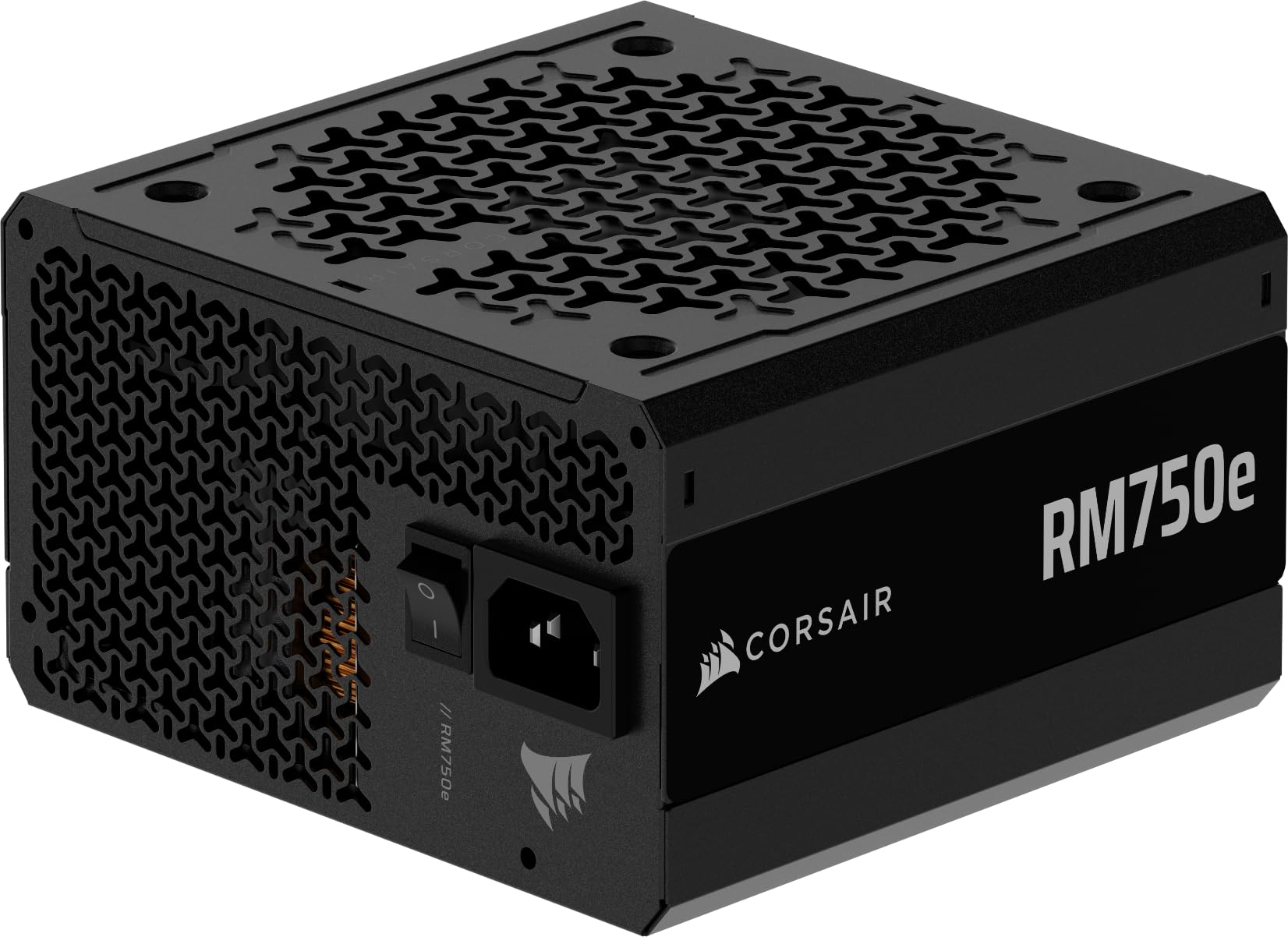
The reliable workhorse from a trusted name, delivering Gold-rated power with a fully modular layout.
This 750W unit brings Corsair’s reputation for reliability to a modular design, meaning you only connect the cables your system actually needs—no more stuffing unused wires into the case. It’s ATX 3.1 certified and PCIe 5.1 ready, so it’s built to withstand the 2x transient power spikes (sudden, brief power surges) that modern GPUs can throw at it. Quality is the top-praised aspect, with owners highlighting its steady, dependable performance.
Reliability is the second-most praised trait, which matters more than any spec sheet—this is the unit people trust to power their Ryzen 7 5800X and RTX 3060 combos without a hiccup. It’s quiet, running a 120mm rifle bearing fan with a specially calculated fan curve that keeps noise down even under full load. The 105°C-rated capacitors handle heat well, and Modern Standby compatibility means extremely fast wake-from-sleep times. It ships with zip ties that make cable management genuinely easy.
The trade-off is it doesn’t include mounting screws, which is a minor annoyance for a first-time builder. Some buyers mention ordering issues—receiving used units or dealing with delays—though the product itself consistently performs. It’s not the absolute cheapest 750W Gold unit, but you’re paying for Corsair’s proven track record and the fully modular convenience.
easy setup: the fully modular cables and included zip ties make this one of the easiest units to install cleanly.
tool-free fans: you’ll need to source your own mounting screws, since they don’t ship in the box.
Understanding the Specs
Wattage and the 12V Rail
The wattage rating (like 600W or 850W) tells you the maximum power the PSU can deliver, but the +12V rail amperage is the real number to check. Modern CPUs and GPUs draw almost all their power from this single rail, so a unit with +12V@53A delivers 53 amps of current for your most demanding components. A 750W unit is plenty for most single-GPU gaming builds, while an 850W unit gives you headroom for flagship cards that can draw 350W on their own.
80 Plus Gold and ATX 3.1
80 Plus Gold is an efficiency certification; a Gold unit converts up to 90% of the AC power from your wall into usable DC power, which means less heat and a smaller electricity bill over time. ATX 3.1 is the latest power supply standard designed for modern GPUs with 12V-2×6 connectors. It’s built to handle the transient power spikes (sudden, brief surges) that new graphics cards can produce, so your system stays stable during intense gaming moments.
FAQ
How much wattage do I really need for a budget gaming PC?
Will a standard ATX power supply fit in my case?
What is the difference between 80 Plus Bronze and 80 Plus Gold?
Is a 6-core processor enough for gaming in modern titles?
What does the included CPU cooler actually cover?
Does an 80 Plus Gold rating mean the PSU is higher quality?
Will an ATX 3.1 power supply work with my older graphics card?
What is the 12V-2×6 connector on new power supplies?
Final Thoughts: The Verdict
For the majority of shoppers, the affordable pc parts winner is the AMD Ryzen 5 5500 because it delivers 6-core, 12-thread performance and overclocking headroom at a price that leaves room for a better GPU. If you want quiet, efficient power for a modern graphics card, grab the MONTECH Century II with its 10-year warranty and Japanese capacitors. And for a case that shows off your build with sweeping glass views and pre-installed fans, the MUSETEX Y6 is the one to reach for. With the crowd favorite—a 4.7-star rating from thousands of builders.—backing the Ryzen chip, you’re on solid ground no matter which of these you pair together.
How We Picked
We do not accept paid placement. Every pick is matched to a real buyer and a real use-case; we do not hands-on test units.
Sources & Methodology
Specifications: manufacturer listings and product documentation. Review insights: verified customer reviews, as of August 2026. Pricing: not shown on this page (it changes often); check the current price via the retailer link.
As an Amazon Associate, Gadgets Feed earns from qualifying purchases. This does not affect which products we feature.