
Our readers keep the lights on and my morning glass full of iced black tea. As an Amazon Associate, I earn from qualifying purchases.
Specs are compiled from manufacturer listings and verified buyer reviews and can change over time — please confirm the key details on the product page before buying.
Your phone’s gallery is full, and the “storage almost full” warning is popping up again. The fix is a compact external drive that plugs into your phone’s USB-C port, letting you offload thousands of photos and videos in minutes without a cloud subscription. This guide breaks down the top options, from pocket-sized solid-state drives to high-capacity hard drives built for phone backup.
I’m Min — the founder and writer behind Gadgets Feed. This guide is built by comparing the manufacturers’ published specifications and the patterns across verified customer reviews, so you get each pick’s real strengths and trade-offs instead of marketing spin.
You need an android phone external hard drive that matches how you shoot—fast transfer for video editing or a 2TB vault for a decade of family photos. Your choice hinges on your shooting habits and file sizes.
Our Picks at a Glance


How To Choose The Best Android Phone External Hard Drive
Before you buy, you need to know your phone can read a drive at all. Most modern Android phones support USB-OTG (On-The-Go), a feature that lets them read external storage, but not all do. Check your phone’s specs or simply plug in a drive — if it shows up in your Files app, you are ready to go.
Capacity vs. Speed
These are the two numbers that matter most. A spinning hard drive (HDD) like a 2TB model stores tons of photos for less money, but transfers at the speed of a USB 3.0 connection. A solid-state drive (SSD) costs more per gigabyte but moves files at over 1000 MB/s, so a whole vacation video library shifts in a blink.
Physical Durability
If the drive travels in a backpack or pocket, look for an SSD with drop resistance. If you plan to leave it on a desk for backups, a traditional hard drive is fine — just handle it gently and use the “eject” option before unplugging.
Quick Comparison
| Model | Best For | Max Speed | Capacity | Drive Type | Amazon |
|---|---|---|---|---|---|
| Crucial X9 SSD★ Best Overall | Fast transfers & travel | 1050MB/s | 1TB | External SSD | Amazon |
| NRICO Ultra SlimBudget Champion | Budget-friendly backup | 5 Gbit/s | 500GB | Portable HDD | Amazon |
| SSK Portable SSDCompact Pick | Ultra-light phone storage | 550MB/s | 256GB | External SSD | Amazon |
| Toshiba Canvio Flex | Multi-device 1TB storage | 5 Gbit/s | 1TB | Portable HDD | Amazon |
| Ezekers Portable Drive | Entry-level extra space | 120MB/s | 500GB | Mechanical HDD | Amazon |
| iDiskk MFi Hard Drive | Battery-powered backup | — | 1TB | Mechanical HDD | Amazon |
| NEWQ 2TB Hard Drive | One-click photo backup | — | 2TB | Portable HDD | Amazon |
| ySky 2TB MFi Drive | Universal 3-in-1 storage | 80MB/s | 2TB | Mechanical HDD | Amazon |
In‑Depth Reviews
1. Crucial X9 1TB Portable SSD
Our pick — 4.5★ from 7,500+ verified ratings; the strongest balance of quality and price.
A pocket-sized SSD that transfers a movie library in seconds.
The Crucial X9 tops this list with the fastest transfer speeds. It hits up to 1050MB/s, which means a 4K video clip that takes minutes on a hard drive moves in seconds. In real-world use, buyers report it benchmarks at 1067MB/s read and 1039MB/s write, with sustained speeds around 650MB/s — that is the fastest data rate here, doubling the 5 Gbit/s you get from the NRICO and Toshiba HDDs.
Beyond speed, it is built for the clumsy moments of life. The X9 is drop resistant up to 7.5 ft and carries an IP55 water and dust resistance rating, so a rainstorm or a slip off a table won’t kill your backup. The 1TB capacity holds tens of thousands of photos, and because it is a solid-state drive with no moving parts, it runs silent and cool even during long transfers.
The main catch is the bundled software. The included Mylio Photos Plus and Acronis True Image trials are clunky, and some owners find them privacy-invasive. The short cable is another minor gripe, but the drive itself is a tiny, reliable powerhouse for anyone who wants plug-and-play speed.
What wins people over
- Blazing 1050MB/s transfers for large video files
- Drop-proof up to 7.5 ft with IP55 protection
- Compact, silent, and cool under heavy use
Reasons to pause
- Premium price for the 1TB capacity
- Bundled software is poor and not worth installing
- Short included cable may need a replacement
Reach for this if: you shoot 4K video or move huge files often and want a rugged drive that keeps up with your phone.
Look elsewhere if: you are on a tight budget and need pure capacity over raw speed.
2. NRICO Ultra Slim Portable External Hard Drive
An ultra-slim metal drive that fits in a pocket at a budget price.
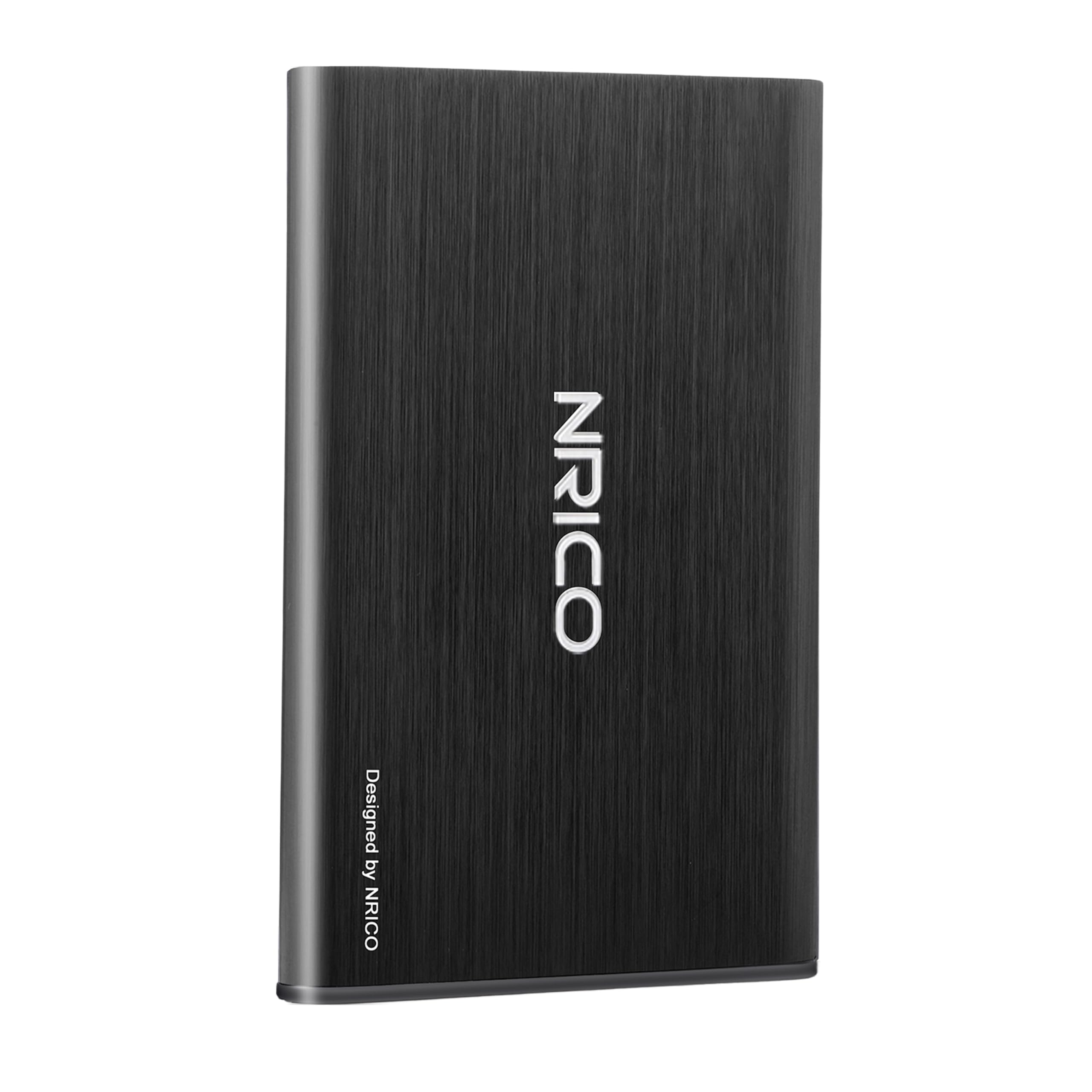
The NRICO is the pick for anyone who wants a no-frills backup drive without paying SSD prices. It is only 0.51 inch thick with an aluminum finish, and its shockproof design includes an internal shock sensor to protect your data when you’re on the move. The USB 3.0 interface pushes data at up to 5 Gbit/s, which is twice the speed of the basic Ezekers HDD.
You get plug-and-play simplicity—no software to install, just connect to your Android phone or PC and start copying. Owners mention it works flawlessly on Macs where other brands have failed, and it connects to HDMI sources like TVs. The 500GB capacity holds a few years of phone photos, and the 3-Year manufacturer warranty with free technical support protects your budget buy.
The honest trade-off: performance is praised, but there are sporadic reports of the drive dropping its connection mid-use on laptops. It is not a flaw that shows up for most owners, but it means the NRICO is best as a secondary backup rather than your only copy of irreplaceable footage.
Who it fits: A student or casual user who needs a cheap, slim drive for occasional phone and laptop backups. The unbeatable price per gigabyte is the headline feature here.
The catch: a small share of units struggle with connection stability, so keep a cloud copy of anything you cannot lose.
3. SSK External Hard Drive 256GB Portable SSD
A featherweight SSD that hangs from a phone without adding bulk.
The SSK is the smallest drive in this roundup at just 27g, making it almost unnoticeable on a keychain or in a shirt pocket. Its 2-in-1 USB-C and USB-A cable is the standout feature — you can plug it directly into an OTG-enabled Android phone or a Windows laptop without hunting for an adapter. It hits up to 550MB/s read and 500MB/s write speeds, which is about 10 times faster than a traditional USB 2.0 memory stick.
For phone users, it is a quick fix for the “storage full” alert. The LED indicator blinks during transfers so you know when it’s safe to unplug, preventing accidental data loss. Owners note it works from the start as a Time Machine drive for Macs and even runs Xbox games, so it is far more versatile than its tiny size suggests.
The limitation is capacity. At 256GB, it holds roughly a year of average phone photos but fills up fast for video enthusiasts. It also runs warm during extended use, which is normal for a small SSD but worth knowing before you back up a huge library in one sitting.
Why it stands out
- Ultra-light 27g design, easy to carry everywhere
- 2-in-1 USB-C/EUA cable for phones and PCs
- Fast 550MB/s read speed for quick offloading
Who should skip it
- 256GB is tight for 4K video shooters
- Runs warm during long transfer sessions
Best for: on-the-go users who want a drop-in SSD for daily phone backups.
Think twice if: you need a big library of movies on hand at all times.
4. Toshiba Canvio Flex 1TB Portable Hard Drive

A versatile drive that works across phone, tablet, and laptop.
The Canvio Flex is built for the “one drive, many devices” lifestyle. It is compatible with smartphones, tablets, Macs, Windows PCs, and even televisions via USB-C and USB-A, so your files are never trapped on one platform. With a 1TB capacity and a 5400 rpm spinning disk, it holds roughly 500,000 photos or a full year of 4K footage at a USB 3.0 connection speed of up to 5 Gbit/s.
The warm silver finish looks premium on a desk, yet it stays compact and lightweight for travel. Owners praise its smooth setup with Mac Time Machine and its reliability for backups from phones and laptops. It is a solid, fast choice for a multi-device household where one drive serves everyone.
One real-world limitation: it can be picky about adapters when connecting to older phones. Reports note it needs a laptop transfer for older iPhone models with certain adapters, though it works directly with newer USB-C phones. It is a portable HDD, so it has moving parts — handle it gently and always eject before unplugging.
Household hero: a balanced 1TB drive that pairs well with Android phones, Macs, and TVs.
Grab it for: the best mix of capacity, style, and cross-platform compatibility.
Keep in mind: older phones may need a compatible adapter for direct connection.
5. Ezekers Portable 500GB External Hard Drive

A budget-friendly drive that delivers reliable phone backup.
The Ezekers is the most pocket-friendly entry point here. It is a 2.5-inch form factor drive with 500GB of storage, drawing all its power from the connected device, so no wall plug is needed on the go. It works with Android phones via USB-C, as well as PS4, Mac, Xbox, and iPhone 15 and newer models, making it a true multi-platform companion.
The ultra-fast USB 3.0/C connection delivers 120MB/s transfer speeds, and an LED indicator shows drive activity so you know when it’s safe to disconnect. Owners describe it as “easy to hook up and disconnect,” perfect for extra storage on a budget — a genuinely plug-and-play experience that doesn’t require any technical expertise.
The catch is quality control. Some units arrive with issues that require an exchange, though the replacement works reliably. Compatibility also gets mixed feedback, so it’s worth testing it with your specific Android device early, but for the price, it is a solid first backup drive.
Budget buy: a 500GB drive that nails the basics of phone backup at entry-level pricing.
Pick this if: you want a cheap, easy extra storage drive for occasional use.
Pass if: you need dependable reliability for irreplaceable data.
6. iDiskk MFi 1TB External Hard Drive
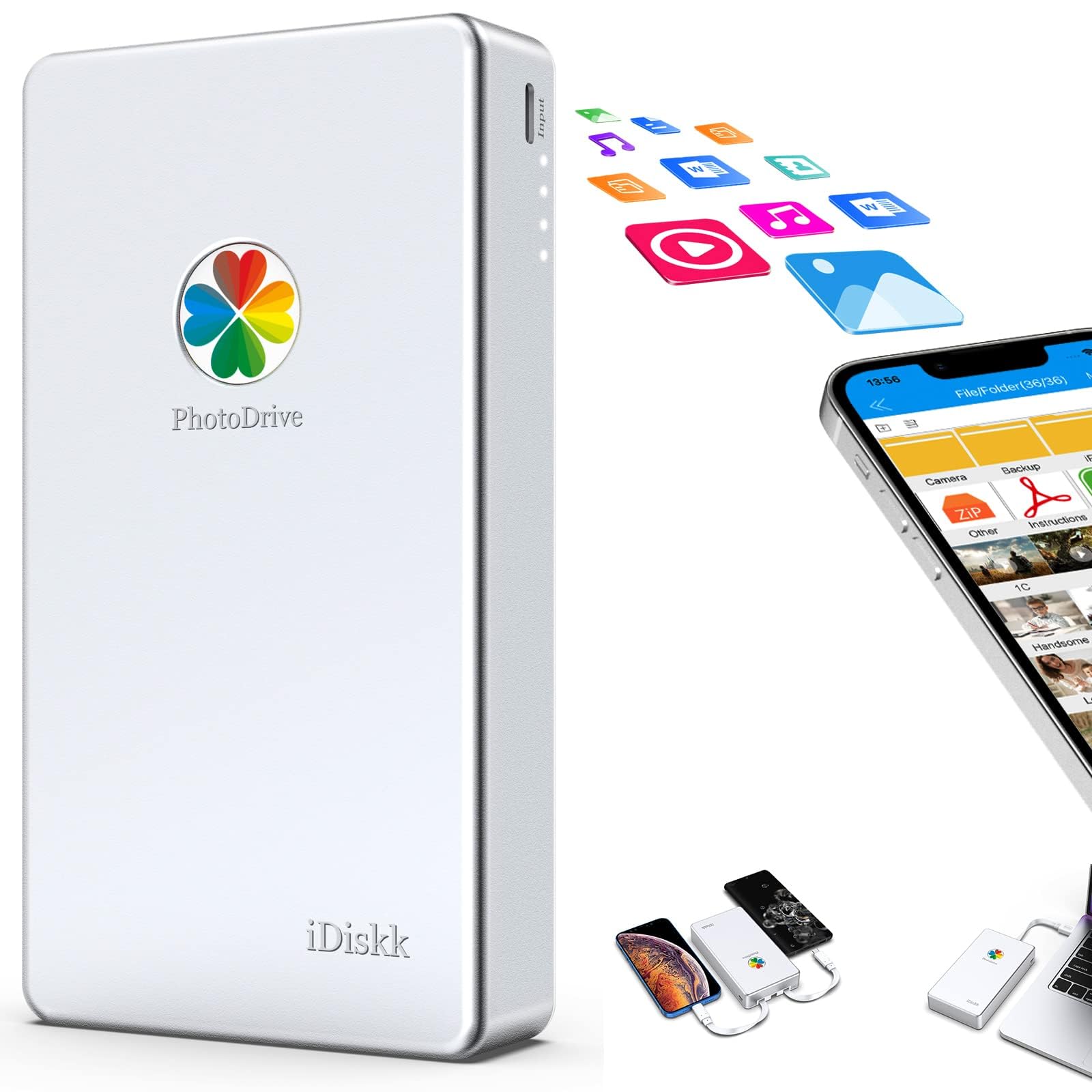
A one-click backup drive with a built-in battery for long transfers.
The iDiskk stands apart with its built-in 5000mAh battery, so it doesn’t drain your phone during a massive photo backup. The one-click backup feature auto-saves your album via the companion app whenever the drive is connected, and future backups only save newly added files — no annoying duplicates. The MFi-certified chip and connector ensure stable transfers with iOS devices.
The 1TB capacity holds a huge backlog of photos and videos, and the app-camera feature lets you shoot directly to the drive, saving phone storage in real time. Customers note moving 300GB of files without issue, though they note the battery drains in about an hour during heavy transfers. It’s a smart backup buddy for travel when you are away from a charger.
The honest concern is reliability — it is the most-discussed trade-off in the reviews. Some units have been reported dead within days, and the drive is bulky for a pocket. It works well for most, but you’ll want to test it thoroughly and keep your important files backed up in a second place.
Standout features
- Built-in 5000mAh battery for independent operation
- One-touch photo and video backup via app
- MFi certified for safe iPhone and iPad transfers
Good to know
- Reliability is hit-or-miss in some units
- Bulky compared to slim SSDs
Reach for this if: you want a self-powered drive for long off-grid backup jobs.
Think twice if: you can’t tolerate any risk of a drive failing — stick to a more proven SSD.
7. NEWQ 2TB External Hard Drive

A 2TB drive that backs up years of photos with one click.
The NEWQ is for the serious photo hoarder. Its 2TB capacity roughly doubles the 1TB drives on this list, holding nearly 500,000 photos or 20,000 short videos. The one-click backup function is a time-saver — connect it to your phone, hit the backup button, and the app moves your whole library over automatically without per-file copy-paste.
It works with Android phones, iPhones, and any computer, so it doubles as a general-purpose HDD for a desktop or laptop. Owners have backed up 10,000+ photos efficiently and love that it has no storage fees, unlike cloud subscriptions. Setup is simple, and the drive is pre-charged for out-of-the-box use on some units.
The elephant in the room is file accessibility. A recurring theme in reviews is that some users can’t access their backed-up photos afterward, and a few report the drive only backed up about half of their new iPhone items. It is fast and easy when it works, but the reliability complaints mean you should keep a local copy of critical files.
Best bang for capacity: a high-volume backup drive for a decade of memories.
Pick this if: you have a huge media library and want one-click convenience.
Be careful if: you can’t risk any file-access issues on your most precious data.
8. ySky 2TB MFi External Hard Drive

The 3-in-1 drive with every cable built in, so you never hunt for an adapter again.
The ySky solves the adapter problem entirely. It comes with three built-in data cables — Lightning, USB-A, and USB-C — so it can plug directly into an iPhone, an Android phone, or a standard PC port. This plug-and-play design makes it as easy as using a USB flash drive, and the built-in 5000mAh battery powers the drive independent of your phone.
The 2TB capacity is the same as the NEWQ, giving you a huge file vault, and the one-touch backup saves only new files to avoid duplicate storage. Owners who are non-techies report it’s the easiest drive to set up — plug in, follow the prompts, and your photo library transfers smoothly. The MFi-certified chip ensures safer transfers with Apple devices.
Transfer speed is the weak point at 80MB/s — fine for photos, but slow if you move lots of 4K video. Reliability and data transfer get mixed feedback, with some users finding it doesn’t back up every photo folder. It is a great universal drive for mixed households, but not the choice for speed demons.
Why it wins
- Three built-in cables cover iPhone, Android, and PC
- 2TB capacity for serious media libraries
- Great for non-techy users, easy setup
Where it lags
- 80MB/s speed is slow for heavy video work
- Some reports of incomplete folder backups
Best for: a multi-device household with iPhones, Androids, and PCs that needs one drive for all.
Look elsewhere if: transfer speed matters more than convenience.
Understanding the Specs
Transfer Speed: MB/s vs. Gbit/s
Speed is measured two ways. Megabytes per second (MB/s) is what you see in real transfers — a 1050MB/s SSD moves a 1GB video in about a second, while a 120MB/s HDD takes over 8 seconds for the same file. Gigabits per second (Gbit/s) is the raw port speed; a 5 Gbit/s USB 3.0 drive is about 10 times faster than older USB 2.0 ports. For phone backups, faster means less time waiting on your camera roll.
SSD vs. HDD: The Real Trade-off
Solid-state drives (SSDs) have no moving parts, so they’re faster, quieter, and survive drops better — ideal for a drive that travels in your pocket. Traditional hard drives (HDDs) spin platters inside, offering more capacity per dollar but with slower speeds and fragility. For a phone backup drive that you’ll take on vacation, an SSD is the safer bet; for a desk-bound archive, a high-capacity HDD boost your storage.
FAQ
Will any external hard drive work with my Android phone?
What is the difference between USB-C and USB-A connections on these drives?
How much video can a 1TB drive actually hold?
Can I watch movies directly from the drive on my phone?
Does a portable HDD need its own power supply?
Is a solid-state drive (SSD) worth the higher price over an HDD?
Why do some drives need an app to back up photos?
How do I safely eject the drive from my Android phone?
Which drive is the best value for a casual phone backup?
Final Thoughts: The Verdict
Across the board, the android phone external hard drive winner is the Crucial X9 because it combines the fastest transfer speed at 1050MB/s with genuine drop and water resistance for daily travel. If you want a huge capacity without paying SSD prices, grab the NEWQ 2TB. And for a slim, budget-friendly drive that just works, the NRICO Ultra Slim is the one to reach for.
How We Picked
We do not accept paid placement. Every pick is matched to a real buyer and a real use-case; we do not hands-on test units.
Sources & Methodology
Specifications: manufacturer listings and product documentation. Review insights: verified customer reviews, as of August 2026. Pricing: not shown on this page (it changes often); check the current price via the retailer link.
As an Amazon Associate, Gadgets Feed earns from qualifying purchases. This does not affect which products we feature.