
Our readers keep the lights on and my morning glass full of iced black tea. As an Amazon Associate, I earn from qualifying purchases.
Specs are compiled from manufacturer listings and verified buyer reviews and can change over time — please confirm the key details on the product page before buying.
You want a budget 1080P GPU that hits 60 frames per second at 1080p on high settings without forcing a new power supply. Spend too little and modern games stutter; spend too much and you miss the point of a budget build. We compared the specs and owner experiences for nine cards to match your rig and game library.
I’m Min — the founder and writer behind Gadgets Feed. This guide is built by comparing the manufacturers’ published specifications and the patterns across verified customer reviews, so you get each pick’s real strengths and trade-offs instead of marketing spin.
Whether you’re building your first PC or reviving an older one, the best budget 1080p gpu is the one that fits your case, your power supply, and the games you actually play.
Our Picks at a Glance

How To Choose The Best Budget 1080P GPU
Match the card to your system’s VRAM needs, PSU wattage, and case clearance rather than chasing the newest model. Balance VRAM capacity, power draw, and physical length against your case and PSU before buying.
VRAM: How Much Memory Do You Actually Need?
VRAM (the card’s dedicated memory for textures and game data) matters most when you max out texture quality. For 1080p gaming in 2025, 8GB is the safer bet because newer games exceed 6GB at those settings. A 6GB card like the GTX 1660 Ti still runs esports titles like Fortnite or Apex Legends smoothly, but an 8GB card like the RX 580 or RX 7600 gives you extra headroom for the latest AAA releases.
Power Supply Requirements: Know Your PSU
Every graphics card has a minimum recommended power supply wattage, and ignoring this is the fastest way to get system crashes or a card that won’t turn on. For example, a card like the RTX 3050 6GB version is special because it draws its power directly from the motherboard slot (around 70 watts), making it perfect for pre-built office PCs. Others, like the RX 580, need a 500W power supply and a 6-pin power connector from your PSU, so you need to check both your wattage and whether you have the right cables.
Physical Size and Build Compatibility
Not all cards are the same length, and a long card won’t fit in a compact case. The ZOTAC GTX 1660 Ti, for example, is a “Super Compact” 8.3-inch card that fits into 99% of systems, which is great for small form-factor builds. Others, like the MOUGOL RX 580, measure about 9.45 inches and need a standard ATX mid-tower or Micro-ATX case. Always measure your case’s clearance and check the card’s length before you buy.
Quick Comparison
| Model | Best For | Graphics Memory | Memory Type | Boost Clock | Amazon |
|---|---|---|---|---|---|
| ZOTAC GTX 1660 Ti★ Best Overall | Small Form Factor Builds | 6 GB | GDDR6 | 1860 MHz | Amazon |
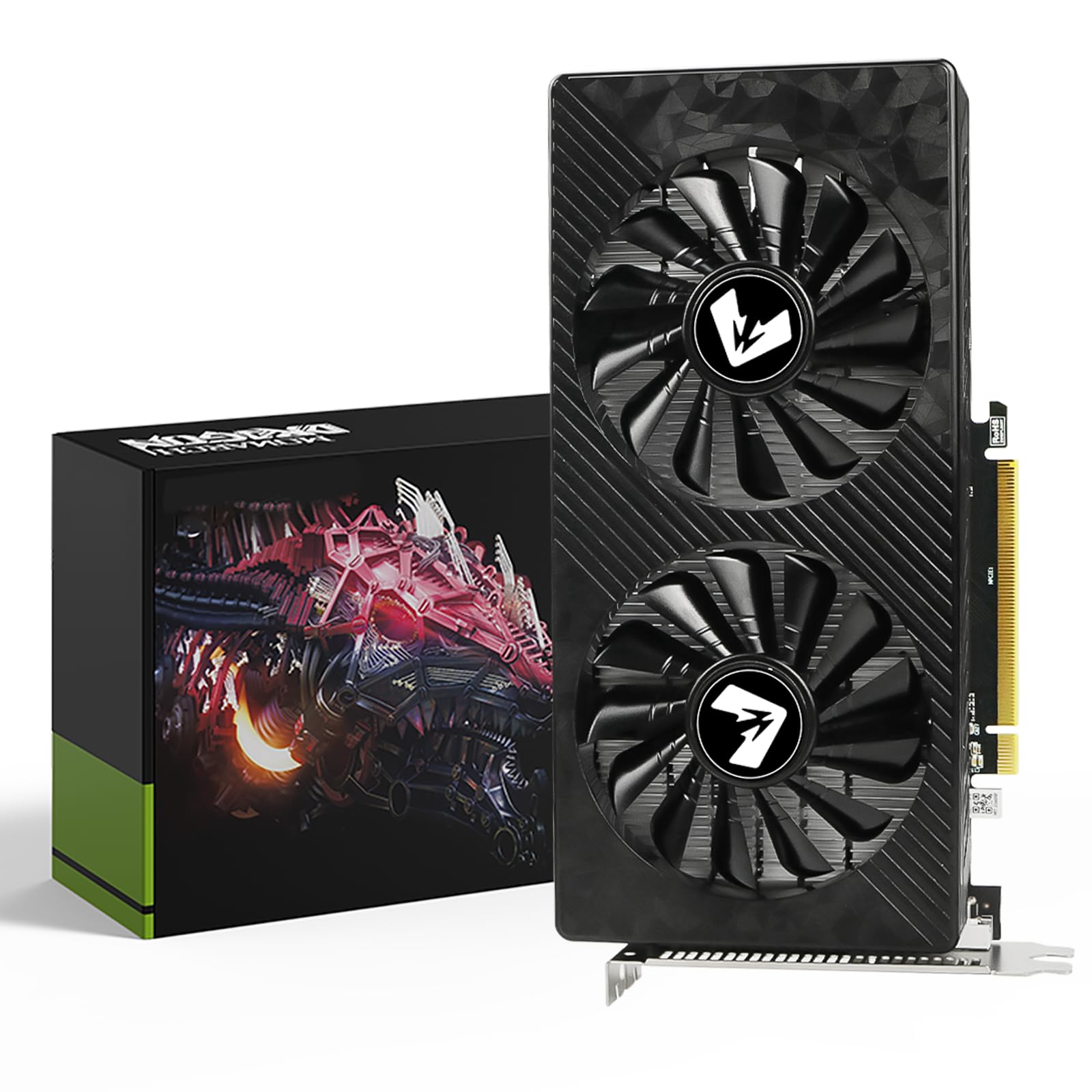
| MOUGOL RX 580Best Value | Triple Monitor Setups | 8 GB | GDDR5 | 1206 MHz | Amazon |
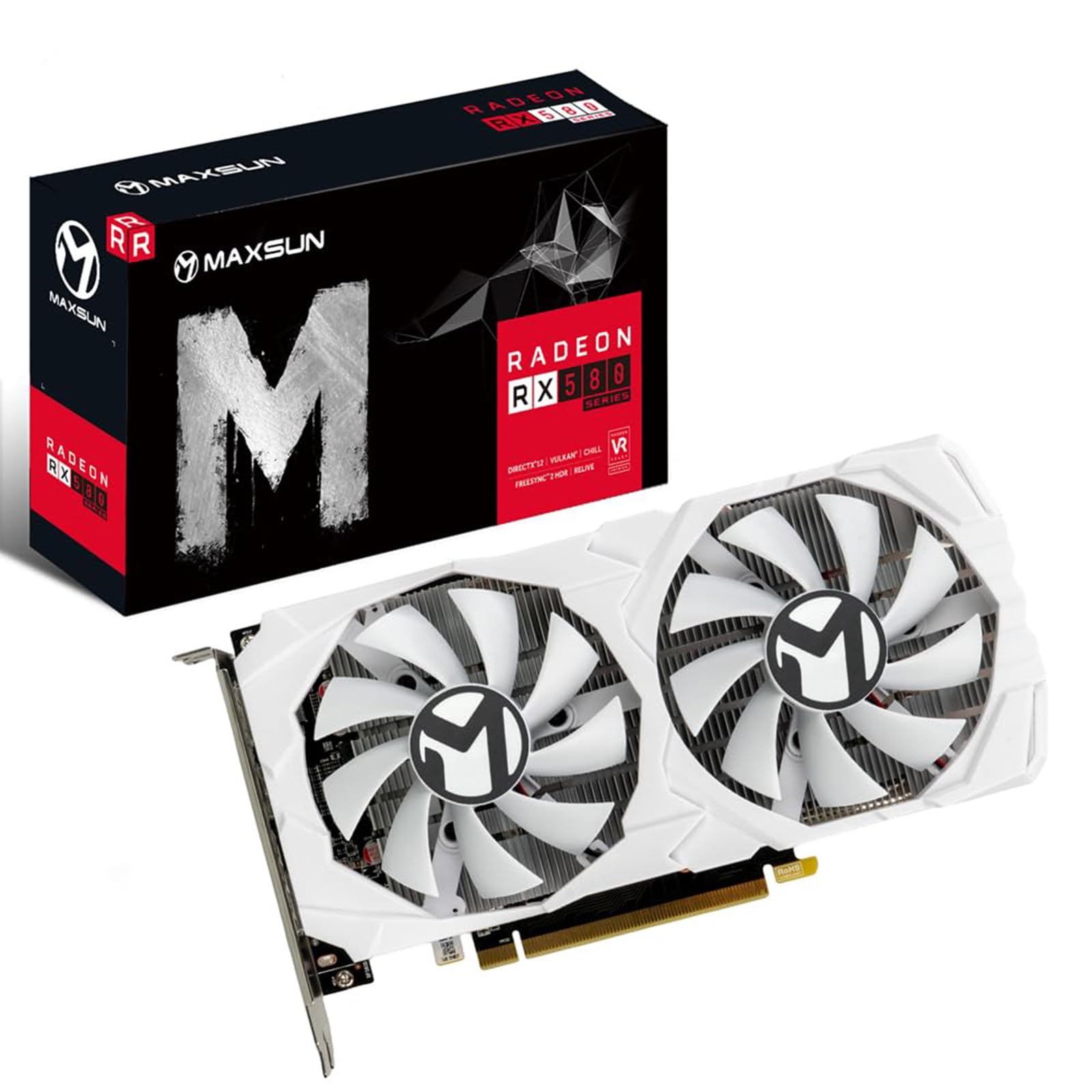
| maxsun RX 580Style Pick | White-Themed PC Builds | 8 GB | GDDR5 | — | Amazon |
| MSI GTX 1660 VENTUS | Quiet Operation | 6 GB | GDDR5 | 1830 MHz | Amazon |
| AISURIX RX 5500 XT | Budget Performance | 8 GB | GDDR6 | 1750 MHz | Amazon |
| ASRock Intel Arc A580 | Modern Features on a Budget | 8 GB | GDDR6 | 2000 MHz | Amazon |
| ZER-LON GTX 1660 Super | Casual & VR Gaming | 6 GB | GDDR6 | 1530 MHz | Amazon |
| MSI RTX 3050 Ventus | Upgrading Pre-Built PCs | 6 GB | GDDR6 | 1492 MHz | Amazon |
| XFX Speedster RX 7600 | 1080p High Refresh Rates | 8 GB | GDDR6 | 2655 MHz | Amazon |
In‑Depth Reviews
1. ZOTAC Gaming GeForce GTX 1660 Ti
Our pick — over 4.5★ from 650+ verified ratings; the strongest balance of quality and price.
The crowd-pleasing champion that squeezes desktop-class power into a tiny frame.
The thing everyone raves about here is performance, and the reason is clear: this card crushes 1080p gaming, with buyers reporting 100+ FPS at 1080p high/ultra in Apex, Killing Floor 2, PUBG, and Fortnite. That level of speed comes from the 6GB 192-bit GDDR6 memory and a boost clock of 1860 MHz, which together handle modern esports titles with plenty of headroom.
Its defining a neat extra is the “Super Compact” design. At just 8.3 inches long, it fits 99% of systems, making it the go-to pick for small form-factor cases and external GPU setups. It runs cool too, staying under 70°C under load with a custom fan curve, though the fans can get loud when pushed to the max.
Buyers also note it’s a solid mid-to-high-end card that’s VR capable and delivers 80+ FPS at 1440p in titles like Borderlands 3 and PlanetSide 2. Its 8.3-inch length and 100+ FPS 1080p performance make it a versatile budget pick for compact builds.
Small Footprint, Big Frames
- Pushes 100+ FPS at 1080p high/ultra in popular titles
- 8.3-inch length fits nearly all PC cases
- Great value for money as a drop-in upgrade
Know Before You Buy
- Fans get noticeably loud at maximum load
- No ray tracing, so it’s not future-proof for that feature
Reach for this if: you need a powerful, compact card that slides into a mini-ITX build or a small case without overheating.
Look elsewhere if: you game in a quiet room and can’t tolerate fan noise under heavy load.
2. MOUGOL AMD Radeon RX 580
A triple-display workhorse that pairs 8GB of memory with a budget-friendly price.
This card’s biggest win is its 8GB of GDDR5 memory on a 256-bit bus, a combination that gives you serious headroom for modern textures and multi-tasking. It’s a big boost for anyone coming from an older 2GB card, with owners describing it as a significant jump in gaming performance for the price.
You get HDMI, DisplayPort, and DVI outputs, so you can run triple-monitor setups for productivity or a high-refresh-rate gaming display. The dual-fan cooling system with heat pipes stays quiet during light office work, making it a solid all-rounder for creators. It supports DirectX 12 and Vulkan (graphics APIs that speed up rendering) for hardware acceleration in apps like Premiere Pro.
What wins people over is the price-to-performance ratio, though the appearance gets mixed reactions, with some loving the look and others finding it plain. It’s a solid starter GPU, but demanding AAA titles may require medium settings for smooth 1080p frame rates.
Triple Monitor Muscle
- 8GB GDDR5 memory with a 256-bit bus for texture-heavy games
- Triple monitor support via HDMI, DP, and DVI
- Quiet dual-fan operation during light workloads
Worth Knowing
- Requires a minimum 500W power supply
- Some find the physical design less appealing
Best for: budget builders who want a big VRAM buffer and the flexibility of a multi-monitor workspace or gaming setup.
A fair caveat: newer AAA titles will need medium settings, and you’ll need a 500W PSU to keep it stable.
3. maxsun AMD Radeon RX 580 2048SP
The clean white card for themed builds that doesn’t compromise on 1080p performance.
If you’re building a white-themed PC, this is the standout choice. It’s a white GPU built for that aesthetic, and it comes with 8GB of GDDR5 memory on a 256-bit interface, so it’s not just a pretty face for your rig. It supports DirectX 12 and Vulkan, ensuring all modern games will run on it.
For video output, it gives you three full digital connections—HDMI plus two DisplayPorts—which is great for multi-monitor setups, and it can handle 4K video decode and encode. It’s physically larger than the MOUGOL RX 580 at 7.48 inches long versus 4.4 inches, so you’ll want to double-check your case clearance, but it’s a standard size for most mid-towers.
One buyer reports running six monitors flawlessly for a trading workstation, praising the build quality and heatsink. However, some buyers report needing a stronger power supply initially, and a few had reliability issues that turned out to be a failing hard drive, not the card—so troubleshoot your other components first.
White on White
- White shroud matches white-themed builds perfectly
- Handles multi-monitor setups up to six displays
- 8GB GDDR5 memory on a 256-bit interface
Consider This
- Larger card requires checking case dimensions
- Reliability can vary, with some needing a beefier PSU
Go for it if: you’re prioritizing a cohesive white aesthetic and want a capable 1080p card for gaming or high-display-count productivity.
Think twice if: you have a compact case or a power supply under 500W, as it demands more room and power.
4. MSI GeForce GTX 1660 VENTUS XS 6G OC

A frugal, fan-smart card that only spins up its coolers when the heat demands it.
The standout trait for this card is its quiet, efficient design. It features a “frugal” power draw and only starts its fans when needed, making it a great choice for a home office or a media center PC where silence is golden. It runs on NVIDIA’s GTX 1660 chipset with a boost clock of 1830 MHz and 6GB of GDDR5 memory.
This renewed card is a solid upgrade for someone coming from older hardware, with one buyer noting it was a big step up from a decade-old card. It has a 192-bit memory interface, which compares well against the 1650 model that only has a 128-bit bus, giving it better memory bandwidth for smoother performance.
It’s praised for fitting into systems where other cards did not, and even runs distributed computing tasks like Folding@Home well. Since this is a renewed product, the experience can vary, and one buyer did report the card overheating from day one, so a quick stress test after installation is wise.
Frugal and Functional: This card sips power, stays quiet by only spinning fans when needed, and has the 192-bit bus for solid 1080p performance.
The Renewed Reality: Because it’s refurbished, check it thoroughly on arrival; most report flawless operation, but a rare unit may have issues.
5. AISURIX RX 5500 XT

A silent semi-passive card that stops its fans cold when you’re just browsing.
The semi-automatic intelligent fan system is what makes this card special. When the GPU temperature is low, like during office work or light browsing, the fans stop completely, giving you zero noise and extending the card’s life. The fans only kick in when you launch a game and the heat builds up.
Under the hood, it packs 8GB of GDDR6 memory and uses AMD’s RDNA architecture, which gives it a boost clock of 1750 MHz. Owners mention it offers a great price for that much VRAM, and it handles 1080p games excellently, working fine right from the start for an Ubuntu build as well.
FPS varies by title, with owners reporting 40–60 fps on newer games at 1080p depending on settings. Port quality got negative feedback, so check your cables, and be aware that a rare unit has been reported to arrive bent, emphasizing the need to inspect the card upon delivery.
Silent Operation: The intelligent fan system stops fans entirely at low loads, making this ideal for quiet work environments.
Demands Careful Handling: The port quality and occasional bent-on-arrival reports mean you should inspect the card and its ports immediately from the start.
6. ASRock Intel Arc A580 Challenger

Intel’s modern architecture brings factory overclocking and future-ready ports to the budget tier.
This is the most forward-looking card on the list. It’s factory overclocked to 2000 MHz from the start, putting it at the top of the budget class for raw clock speed. It also features DisplayPort 2.0 outputs, which is next-gen connectivity you won’t find on most cards, and it supports up to 4 displays simultaneously.
The 8GB of GDDR6 memory on a 256-bit interface running at 16 Gbps gives it excellent bandwidth for 1440p gaming, not just 1080p. Customers note it runs most games smoothly on 1080p with at least 60 FPS on high or ultra graphics, with nice temperatures of 64-68°C during modern gaming sessions.
It’s a 2.4-slot design, so it’s physically thicker, and it requires 2 x 8-pin PCIe power connectors and a recommended 650W power supply, which is more demanding than others here. It also needs Resizable BAR enabled for optimal performance, a setting you may need to turn on in your motherboard BIOS.
Modern Architecture
- Factory overclocked to 2000 MHz for a performance head start
- DisplayPort 2.0 with support for up to 4 displays
- Runs 1080p games at 60+ FPS on high/ultra settings
System Demands
- Thick 2.4-slot design needs a spacious case
- Requires 2 x 8-pin power connectors and a 650W PSU
Pick this if: you have a modern motherboard with Resizable BAR and want the latest ports and a card that’s ready for the next few years.
skip it if: your power supply lacks 8-pin connectors or your case is tight on space, as this card is large and power-hungry.
7. ZER-LON GeForce GTX 1660 Super

A VR-ready card that keeps running around the clock for a kid’s gaming machine.
The most compelling story here is longevity. One owner ran this card 24/7 for 17 months without a shutdown, handling games like PalWorld, hosting an ARK server for 8 months, and then moving on to Roblox without any temperature or performance problems. This 24/7 endurance underscores its durable build for a budget card.
Built on the 12nm process, it has 6GB of GDDR6 memory and is equipped with NVIDIA VRWorks, making it a cheap entry point into virtual reality gaming. Owners confirm it handles VR titles and high-end games without issues, delivering good gaming performance for the price.
The dual-fan cooling uses sintered composite heat pipes that contact the GPU core directly, keeping temperatures in check. It’s not for the newest AAA titles at max settings, but for casual gaming, esports, and VR, it’s a reliable workhorse. Some owners note the physical install can be tricky in pre-built systems, requiring an adapter or removing a drive cage.
Built to Last: This card’s reliability is its superpower, proven by owners who run it 24/7 for over a year without a single shutdown.
Physical Fit Varies: The card is easier to slot into a standard case than a pre-built OEM machine, where you may need to modify the interior for clearance.
8. MSI Gaming RTX 3050 Ventus 2X 6G OC

The only card here that runs entirely off the motherboard slot, perfect for proprietary OEM builds.
This is the ultimate solution for upgrading a pre-built office PC from HP, Dell, or Lenovo. The 6GB version of the RTX 3050 only uses 70 watts, which is within what the PCIe slot can provide, meaning you don’t need any 6 or 8-pin connectors from your power supply—it’s a true plug-and-play upgrade.
Despite being an entry-level RTX card, it brings the Ampere architecture with a boost clock of 1492 MHz and 6GB of GDDR6 memory. Buyers praise its easy installation, with one noting they got it running in their Linux machine in just 5 minutes. It also features an HDMI 2.1a port, which is great for modern TVs and monitors.
It’s a budget entry into RTX with ray tracing, but its 96-bit memory interface limits bandwidth versus rivals. One buyer had theirs installed for 3 years and still working perfectly, highlighting its durability as a budget card.
No-PSU-Upgrade Needed
- Runs on just 70W drawn from the motherboard slot
- No extra power cables required, ideal for OEM PCs
- Easy installation with proven long-term reliability
Performance Notes
- 96-bit memory interface is narrower than competing cards
- As an entry-level RTX card, it’s not a 1440p powerhouse
Reach for this if: you have a proprietary pre-built PC with a weak power supply and want a safe, no-cable GPU upgrade.
Consider the catch: the narrow 96-bit bus means it’s best for 1080p gaming, not high-resolution or high-refresh-rate titles.
9. XFX Speedster SWFT210 Radeon RX 7600

The fastest card on this list, built on AMD’s newest RDNA 3 architecture for demanding 1080p gaming.
If raw performance is your top priority and your budget can stretch, this is the card to beat. Built on AMD’s RDNA 3 architecture, it has a boost clock of up to 2655 MHz, making it significantly faster than the GTX 1660 Ti’s 1860 MHz for a noticeable jump in frame rates. It delivers 60+ FPS on games like RDR2 at high-ultra settings.
The 8GB of GDDR6 memory gives you plenty of VRAM for modern titles, and it’s praised for being an excellent upgrade that uses less power than an RX 580 while performing much better. It also has a dual-fan cooling solution, and it’s great for VR, running games like Half-Life Alyx and Assetto Corsa at max settings.
However, the reliability and stability show mixed results in owner reports. Some say it works perfectly and is amazingly quiet, while others report it stops working after 6 months or fails within 2 months. Updating the drivers is essential—one buyer fixed crashing issues entirely with a driver update, bringing temperatures down to the upper 70s°C.
Speed Demon
- Highest boost clock here at 2655 MHz
- Delivers 60+ FPS at 1080p high-ultra in demanding games
- Uses less power than the RX 580 while performing better
Stability Watch
- Mixed reliability reports, with some units failing within months
- Some reviewers point out coil whine or high fan noise under load
Go for it if: you want the fastest 1080p experience on this list and are comfortable troubleshooting drivers to ensure stability.
Be cautious if: you want a set-and-forget card; the mixed reliability reports mean you should test it thoroughly and update drivers immediately.
Understanding the Specs
VRAM vs. Memory Type (GDDR5 vs GDDR6)
VRAM (the card’s dedicated memory for textures) benefits from more capacity; 8GB is the new balance for 1080p as games get more demanding, while 6GB still works for esports. Memory type also matters—GDDR6 (a newer, faster memory standard) moves data quicker than older GDDR5, which helps with higher resolutions and smoother frame rates.
Boost Clock and Architecture
The boost clock, measured in MHz, is the maximum speed the GPU can reach under load—a higher number often means better performance, as seen with the RX 7600’s 2655 MHz vs the 1660 Ti’s 1860 MHz. The architecture, like NVIDIA’s Ampere or AMD’s RDNA 3, dictates the card’s features and efficiency, so newer architectures usually support modern technologies like ray tracing and upscaling.
FAQ
Will a 6GB card like the GTX 1660 Ti be enough for 1080p gaming?
What is the difference between a 6-pin and an 8-pin power connector?
Is an RX 580 still a good budget GPU in 2025?
What does “Renewed” mean for a graphics card?
Can I use an RTX 3050 6GB in an old Dell or HP office PC?
What is the Intel Arc A580 XeSS feature?
How do I know if a graphics card will fit in my case?
What level of performance can I expect from the XFX RX 7600?
Final Thoughts: The Verdict
For most people, the budget 1080p gpu winner is the ZOTAC GTX 1660 Ti because it delivers the best blend of performance, compact size, and value. If you want a card that lets you game without touching your power supply, grab the MSI RTX 3050 6GB. And for pure 1080p performance, the XFX RX 7600 is the one to reach for, provided you’re okay with some driver tinkering.
How We Picked
We do not accept paid placement. Every pick is matched to a real buyer and a real use-case; we do not hands-on test units.
Sources & Methodology
Specifications: manufacturer listings and product documentation. Review insights: verified customer reviews, as of August 2026. Pricing: not shown on this page (it changes often); check the current price via the retailer link.
As an Amazon Associate, Gadgets Feed earns from qualifying purchases. This does not affect which products we feature.