
Our readers keep the lights on and my morning glass full of iced black tea. As an Amazon Associate, I earn from qualifying purchases.
Specs are compiled from manufacturer listings and verified buyer reviews and can change over time — please confirm the key details on the product page before buying.
Buying a 10-inch laptop is a constant trade-off between portability and performance. The tiny size disappears into a bag, but the weak processors inside many of these machines can turn a simple web search into a test of patience. This guide cuts through the specs to help you find a mini laptop that actually feels responsive for its size, whether you’re buying for a child’s first computer, homework, travel, or light office work.
I’m Min — the founder and writer behind Gadgets Feed. This guide is built by comparing the manufacturers’ published specifications and the patterns across verified customer reviews, so you get each pick’s real strengths and trade-offs instead of marketing spin.
The best way to navigate this market is to focus on RAM and storage over brand names, and this breakdown of the best 10 inch laptop options will show you exactly where that money matters most for a smooth daily experience.
Our Picks at a Glance

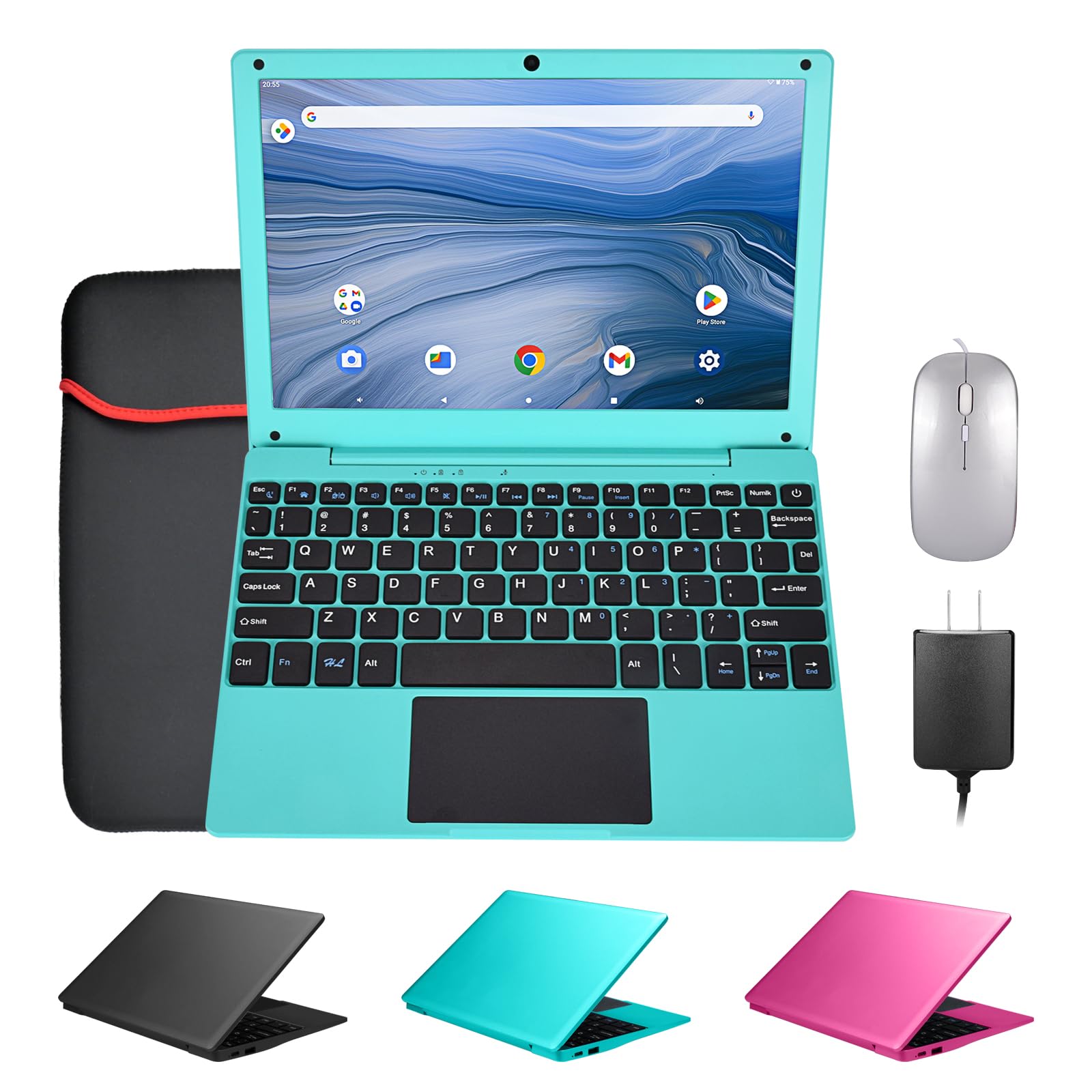

How To Choose The Best 10 Inch Laptop
The 10-inch size class is a magnet for compromises. You get a featherweight machine that slips into a purse or a kid’s backpack, but that portability often comes with a slower processor and less memory than a full-size laptop. Knowing which specs to prioritize separates a useful travel companion from a frustrating paperweight.
Prioritize RAM and Storage
The single biggest decision is how much memory (RAM) and storage you get. Budget models often ship with just 2GB of RAM, which is enough to frustrate even a patient user—the system will struggle to keep multiple apps open. Look for at least 8GB of RAM if the machine needs to handle anything beyond basic single-tab browsing. Storage is equally important: a 64GB drive fills up fast, while 128GB or 256GB gives you real room for documents, apps, and a few movies.
Know Your Operating System
These small laptops run on different foundations. The most common are Android, Chrome OS, and full Windows. Android netbooks are the cheapest and easiest for kids, especially for loading games from the Google Play Store, but they have the least flexibility for traditional computer tasks. Chrome OS (Chromebooks) is secure and fast for web-based work, while a full Windows 11 installation is the most versatile — it runs standard desktop software like Microsoft Office and desktop browsers without workarounds.
Quick Comparison
| Model | Best For | RAM | Storage | Display Resolution | Amazon |
|---|---|---|---|---|---|
| LEXiBOOK LAPTAB LT11EN★ Best Overall | Kids & Family | — | 128 GB | 1280×720 | Amazon |
| 10.1 Inch Mini NetbookBudget Champion | Budget-Friendly | 2GB | 64 GB | 1280×800 | Amazon |
| CHIBBS 10.1″ Kids LaptopFirst Laptop | First Laptop | 2GB | 64 GB | — | Amazon |
| G-Anica Laptop Computer | All-in-One Kit | 2GB | 64 GB | 1280×800 | Amazon |
| THOMSON Laptop NEO 10 | Windows Data Work | 4GB | 64 GB | — | Amazon |
| Goldengulf Win10 Netbook | Home Schooling | 2GB | 32 GB | 800*1280 | Amazon |
| HBESTORE 10.1 Mini Laptop | Premium Portability | 8GB | 256 GB SSD | 1280×800 | Amazon |
| ASUS Chromebook (Renewed) | Chromebook Fans | 8GB | 128 GB | 1920×1200 | Amazon |
| CHUWI 2 in 1 (i3) | Desktop-Style Power | 8GB | 256 GB SSD | 1280×800 | Amazon |
| CHUWI MiniBook X | Convertible Workhorse | 16GB | 512 GB SSD | 1920×1200 | Amazon |
| ZWYING Mini Laptop | Heavy Multitasking | 16GB | 512 GB SSD | 1920×1280 | Amazon |
In‑Depth Reviews
1. LEXiBOOK LAPTAB LT11EN
A touchscreen-first kids’ laptop with double the storage of budget rivals.
This pick leads the list because it is a true gateway for young children, turning a touchscreen into a real computer experience. Its 10.1” HD touchscreen responds to a child’s tap, and the octa-core processor is paired with a substantial 128GB of storage — that’s a 2.0x gap over the 64 GB found in the budget netbook below, giving you real room for apps, ebooks, and games before you ever need to manage storage. The 4000mAh battery powers the entertainment, so it can last through a few car rides or a long afternoon.
It is designed from the ground up for families rather than as a general-purpose machine. The Power Academy app, 300 Ebooks with ReadEra, and a 15-language translator are built in for learning, while parental controls and customizable profiles let you shape exactly what your child can access. It also keeps up with school needs through 2 USB-A ports and 1 USB-C port, Bluetooth 5.0, and Wi-Fi connectivity. The 2MP front camera is there for video calls.
The trade-offs are real and worth knowing. Buyers report that the “Battery capacity is awful, and software is very buggy,” so this is not a machine that will run flawlessly or for an entire school day. It’s also “the slowwwwwest,” so expect patience when apps are launching. This is a tool for learning and play, not for a demanding student or adult work.
What Kids & Parents Get
- 2x the storage of budget models at 128 GB
- Full touchscreen with a real octa-core processor
- Built-in learning apps and parental controls
The Realistic Limits
- Slow performance on demanding tasks
- Battery capacity is a known weak spot
- Not a suitable Windows replacement
Reach for this if: you want a kid-focused touchscreen with serious storage for apps and ebooks, where speed is a secondary concern.
Look elsewhere if: you need a fast, reliable machine for schoolwork or office tasks — the slow processor and buggy software will frustrate you.
2. 10.1 Inch Mini Netbook
The cheapest way into a laptop-like shell, with a bundle that impresses.
This is the classic entry-level buy, and the box makes a strong first impression. It ships with the laptop, a carrying bag, a mouse, a mouse pad, and a power adapter — everything you need to start, which is why the kit earns praise for being ready to use. At 1.76 lbs, it’s featherlight, and the 10.1″ HD IPS display at 1280×800 is sharp enough for browsing and email.
The catch is the engine under the hood. The 1.8GHz Quad-Core processor is paired with just 2GB RAM, and that combination creates real friction. Owners mention that “I can’t even open google on it without having to spend 10-15 minutes,” and describe it as “So slow.” The 64GB ROM is expandable to 1TB via a TF card slot, which is a nice touch for storing files, but the day-to-day feel is sluggish. The quality of the physical build gets consistent praise, and the appearance is a highlight, but the performance holds it back from being a true work machine.
If you need a lightweight, attractive shell for occasional emails and web browsing, and you can live with a slow pace, the value is there. If your patience is thin or your workload is heavy, the 2GB RAM will make it feel like a chore. Some customers note reliability issues including WiFi disconnects and even a cracked screen, so treat it as a budget gamble with excellent physical quality when it works.
Solid Kit, Weak Engine: you get a great bundle and a lovely build for the money, but the 2GB RAM creates a ceiling on what you can realistically do.
3. CHIBBS 10.1″ Kids Laptop
An Android-powered starter laptop that open up the Google Play store for kids.
This pink netbook is aimed squarely at children getting their first taste of a laptop, and it succeeds because of the software it runs. Powered by Android 12.0 with a Quad Core processor, it gives kids access to the full Google Play store, which is a huge win. Reviewers point out that it has “good battery life” and that they “use this to install apps for android that window can’t,” making it a flexible toy-education hybrid that a child can personalize.
The hardware is modest — a 2GB RAM and 64GB ROM pairing with a front camera, 2 USB ports, Bluetooth, and Wi-Fi — but it fits the entry-level mission. The praise comes from parents of young kids: a 6-year-old loves it for practicing typing, and it’s described as a “great gift for school kids.” The keyboard is a real one, which helps kids learn the physical layout rather than just tapping a tablet screen.
The honest limit is speed. Even at this price, “extremely slow from first boot” is a real complaint, with one family finding it “unsuitable even for basic use by a 5-year-old.” The Android interface also can’t be fine-tuned the way Windows can, so expect a more locked-down experience. This is a training-wheels computer — perfect for a very young child to learn typing and app basics, less ideal if you expect smooth performance.
Who it fits: young children, roughly 5 to 8, getting their first keyboard-heavy device for typing practice and casual Android games.
Who it doesn’t: anyone expecting Windows-level app control or fast multitasking from a 2GB Android machine.
4. G-Anica Laptop Computer

A complete multi-device kit for kids that includes the bag, mouse, and pad.
This one is all about the bundle and the screen. The G-Anica computer kit is fully equipped: a 10 inch pink laptop, computer bag, mouse, mouse pad, charger, and user’s manual — everything needed for online classes or entertainment from the start. The 10.1 inch IPS screen at 1280 x 800p offers good viewing angles, so a child can watch YouTube or Netflix from an angle without the picture washing out. The quad-core 1.8 GHz processor with 2G RAM and 64 GB ROM is the standard budget fare.
For kids, this is a reliable starter. The “suitability for kids” is the biggest point in its favor, and it’s often described as “perfect for teenagers.” The battery life is described as “great” for a child’s usage, and it’s easy to learn how to use — “more of a mix between a computer and tablet.” The lightweight design at 2.05 pounds and 0.7 inches thick makes it easy for small hands to carry.
The reliability is the gamble. There are real reports that the device “stops functioning within a day,” with a mouse that just stops responding. Speed is also a sore point — “everything taking forever to load.” This is best framed as a child’s first full-kit computer where the convenience of the bundle outweighs the slow processor. If a child is gentle and patient, it works; if you need guaranteed reliability, budget for the possibility of a return.
Box-to-Box Value: few rivals give you the full carry-on kit for the price, and the IPS screen is a genuine highlight for kids’ media.
5. THOMSON Laptop NEO 10

A Windows machine that delivers a 7-hour battery for single-purpose tasks.
If you genuinely need Windows on a 10-inch chassis, the THOMSON NEO 10 is the most direct route. It runs Windows 10 on an Intel Atom processor, which is the crucial difference from the Android models above — you get full desktop apps, a real file system, and standard Windows software without workarounds. The 4GB RAM and 64GB eMMC storage are modest, but the battery life is a standout: 7 hours of battery life is the best rating in this size class for continuous use.
The design is about simplicity. It has Wi-Fi, Bluetooth, USB plugs, and a Mini-HDMI video plug, so you can hook it to a TV or monitor. A front camera covers video calls. The build includes Mobile Office software from the start, which gives it utility for basic document work. Buyers confirm it “works great for data keeping for what I purchased for,” and that it does “an excellent job” for streaming and web surfing.
The flip side is that the quality control is a coin flip. While some find it “great value,” others have had serious defects: “the letter ‘O’ button only enters a ‘6’ on any document,” and a power cord that “does not stay plugged in.” One frustrated owner called it a “piece of TRASH” that was not salvageable. This makes it a high-risk purchase — those who get a good unit love the long battery and Windows compatibility, but the failure rate is notable. Buy with a return plan in mind.
Buy it for: the 7-hour runtime and genuine Windows compatibility if you prize desktop apps over snappy speed.
skip it if: you can’t tolerate the risk of a defective unit — the QC record here is genuinely mixed.
6. Goldengulf Win10 Netbook

A Windows netbook that has found its true calling in home schooling.
This is the machine that parents keep buying for their kids’ education. It runs Windows 10 on an Intel Quad Core Z8350 CPU, giving it the flexibility to open school documents and web portals, and its performance for home school use is the most-praised aspect of the device. The 6000mAh battery is customized and large, enabling 4-5 hours of continuous video, which is enough for a day of lessons. The 10.1 Inch FHD display handles YouTube, Facebook, and Netflix without fuss for a child.
The seller clearly knows this buyer. It ships with an Optical Mouse, Charger, and a Keychain Light, all in a package that weighs just 1.2kgs for easy carrying. The 32GB storage is on the small side, but the TF card slot supports expansion up to 256GB, giving you some breathing room for files. Customers note it is lightweight, easy to set up, and the screen is “easy to navigate.”
The speed is the trade-off. Shoppers say “slow performance” and “slow startup,” so this is not a snappy machine for multitasking adults. One specific defect to flag: a keyboard that develops a lifted left side over time. The value-for-money read is mixed — some find it works well for the price, others feel it isn’t worth the cost. For a child’s first Windows machine for school, it hits the mark; for adult productivity, the 2GB RAM and 32GB storage will feel cramped.
Education-First Build: a capable single-purpose Windows machine for young students, with a battery that genuinely lasts through lessons.
7. HBESTORE 10.1 Mini Laptop
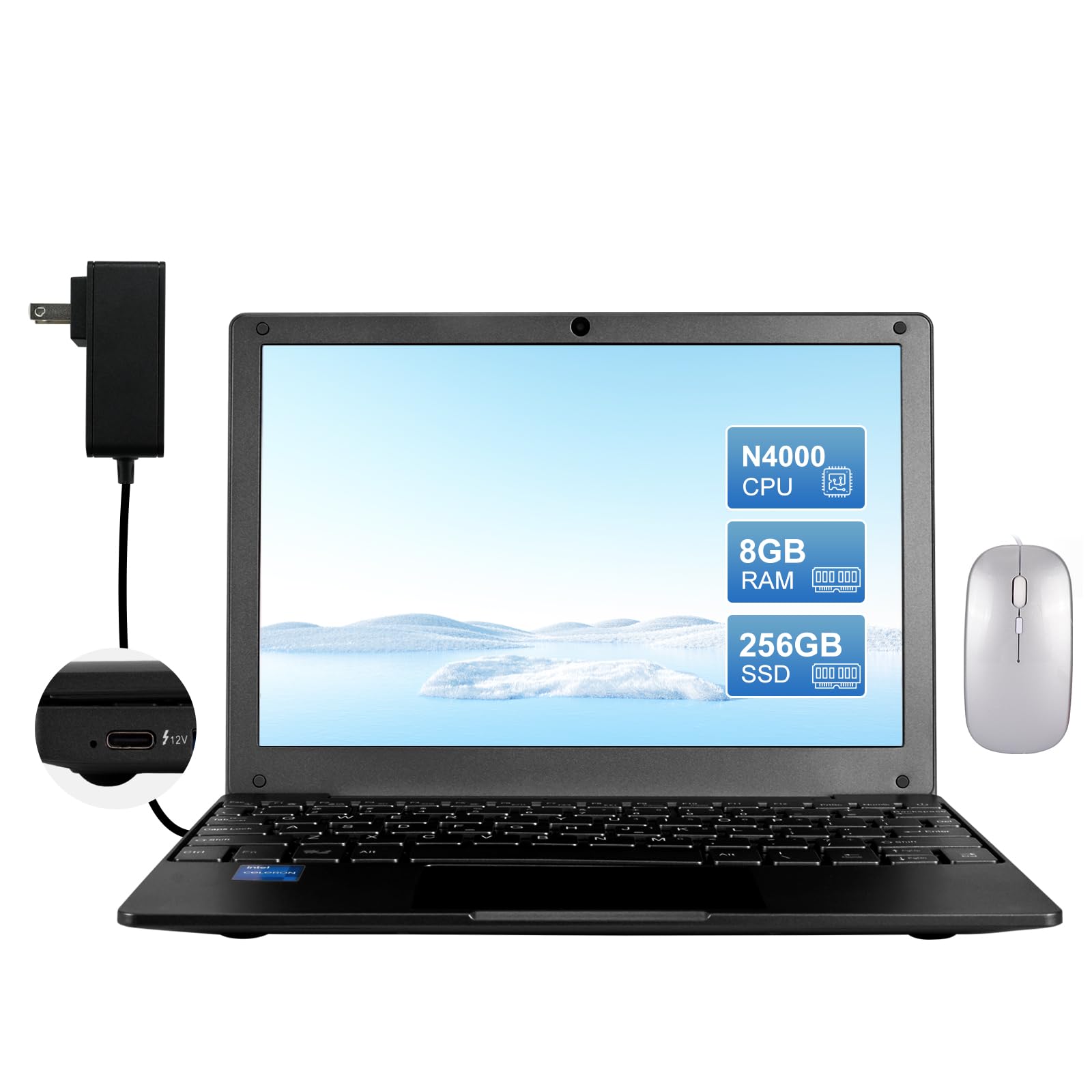
The first real performance jump in this list, with SSD speed and 8GB RAM.
This is where the 10-inch category starts to feel like a usable computer rather than a toy. The HBESTORE jumps to 8GB of RAM and a 256GB SSD, which is a massive step up from the 2GB RAM and 64GB eMMC machines above. The Intel Celeron N4000 processor can boost up to 2.6GHz, and when you pair that with an SSD, you get responsive app launches and smooth multitasking that the budget models simply cannot match. It runs Windows 11, so it’s fully ready for modern desktop software.
The portability is the headline feature. Weighing only 760g, it’s one of the lightest true laptops you can carry, and it has a genuine 10.1-inch IPS display at 1280×800. The port selection is generous for the size: 2 x USB 3.0 ports, mini HDMI, a 3.5mm audio jack, a Micro SD card reader, and 2.4/5G Wi-Fi with Bluetooth 4.2. The package includes a mouse and a bag, so it’s ready for travel.
The battery life is the honest weak point — rated at just 4 hours — and the heat is a known trade-off, with one owner noting “it gets hot within an hour of me using it.” But the performance is praised as “surprisingly very good” for Google Drive and Zoom meetings, and one former HP mini owner calls it “possibly better.” If you want a genuinely light travel laptop that runs Windows well, this is the strongest value in the premium tier, though the 4-hour battery means you’ll want a charger nearby.
The Performance Leap
- 8GB RAM and 256GB SSD for smooth Windows 11
- Just 760g — featherweight for travel
- Full USB 3.0 and mini HDMI ports
The Portable Trade-Off
- 4-hour battery demands a charger for full days
- Runs hot during extended use
8. ASUS 10″ Chromebook
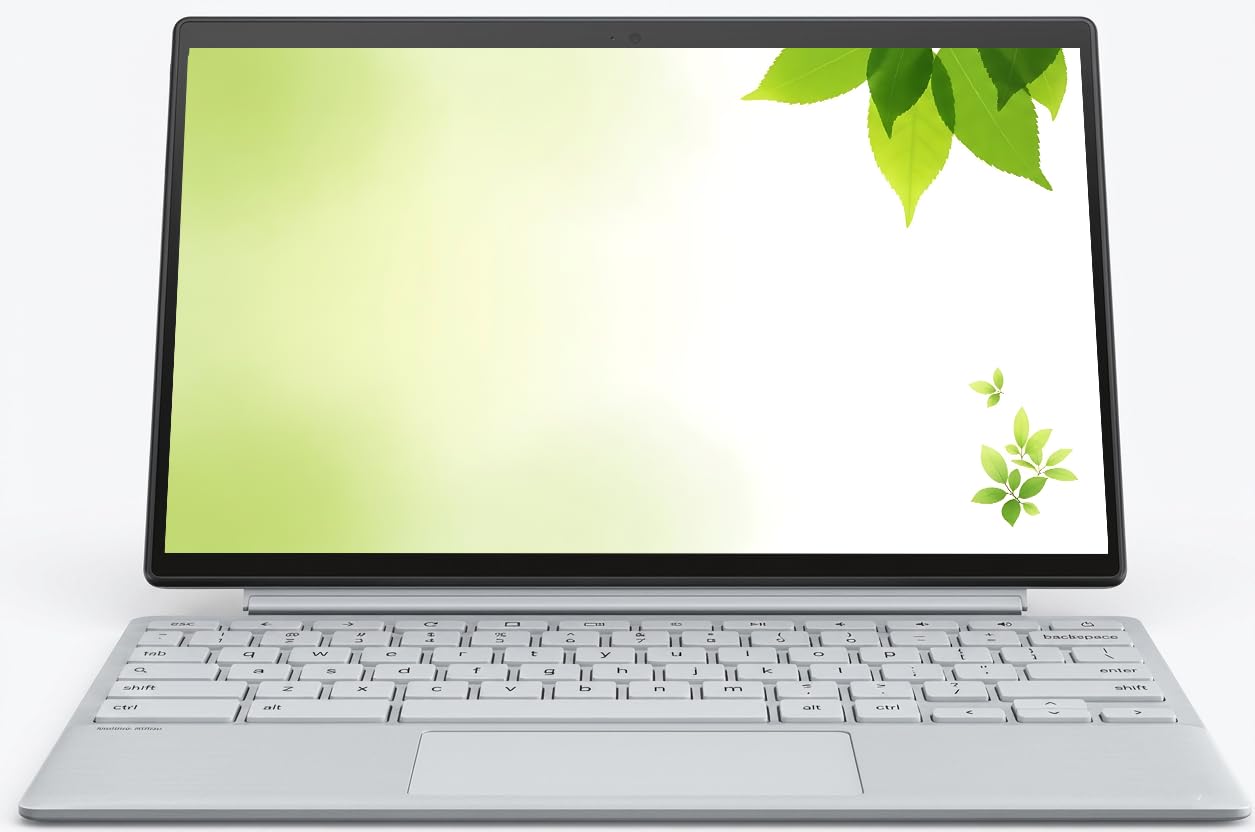
A refined 10-inch Chromebook with the sharpest display in the class.
This is the sharpest screen you can get in a 10-inch laptop. The ASUS Chromebook features a 10” WUXGA IPS Touchscreen at a crisp 1920×1200 pixels — significantly higher resolution than the 1280×800 panels found on most rivals. The text is noticeably clearer, which makes it a pleasure for reading and web browsing. It runs on a MediaTek Processor boosting up to 2.04GHz with 8GB DDR4 RAM and 128GB of SSD storage, a well-rounded spec for Chrome OS.
The build quality is the standout feature, earning consistent praise as “impressive” and a “great multi use product.” It’s a clamshell with a detachable keyboard, meaning you can pull the screen off and use it as a tablet — a pleasant surprise for owners. At this size, it’s small enough to “throw in my purse and take anywhere.” The inclusion of a USB Type-C port and a headphone jack keeps it modern, and the integrated webcam covers video calls.
Chrome OS is the key consideration. It’s fantastic for web-based work, Gmail, Google Docs, and streaming, and it’s very easy for non-tech-savvy users. But it’s not full Windows — you can’t install standard desktop.exe programs. This is a renewed unit, so the condition can vary, but the value is praised strongly. If you live in the Google ecosystem, this is arguably the best-balanced 10-inch option for its size.
Sharp & Simple: the highest-resolution display in this roundup, wrapped in a build that owners call “impressive” — all for Chrome OS fans.
9. CHUWI 2 in 1 Laptop Tablet (i3)
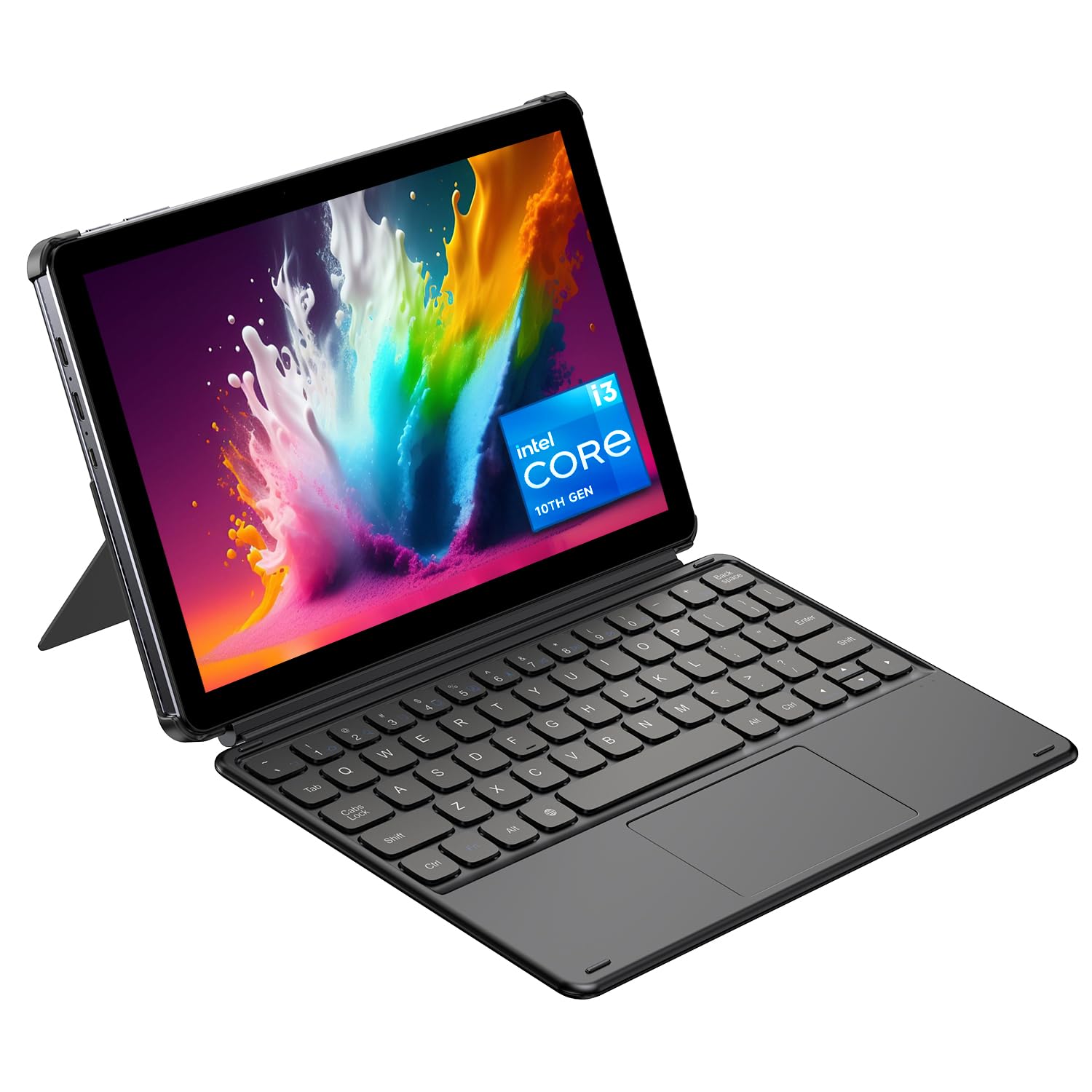
A 2-in-1 that brings desktop-class multitasking to a 10-inch shell.
This CHUWI is the one that blurs the line between a netbook and a real laptop. The Intel Core i3 processor, with a turbo frequency up to 3.9GHz, is a genuine step above the Celeron and Atom chips found elsewhere in this category. Paired with 8GB of RAM and a 256GB SSD, it “ensures snappy performance for office work, online courses, streaming and web browsing.” It’s pre-installed with Windows 11, and the quality is the most-praised aspect of the device.
It’s a true 2-in-1 with a detachable Magnetic Keyboard and an adjustable protective case supporting a 145° viewing angle. You can flip between tablet mode and laptop mode freely. The 10.1-inch 1280×800 HD IPS anti-glare touchscreen is complemented by a 2MP front camera and a 5MP autofocus rear camera. Connectivity is excellent: full-featured Type-C and Micro-HDMI ports support 4K video output to an external display, and it has WiFi6 and BT5.3 for stable connections.
The battery life is the biggest compromise, with owners reporting a mixed 5-6 hour runtime, and some finding it simply poor. The screen resolution is on the lower side for a machine with this much computing power. Owners note the keyboard is “cheap but functional,” and the build is somewhat chunky. This is a machine for someone who wants the full Windows desktop experience — running spreadsheets, coding, or even AutoCAD — in a highly portable format, and who can live near a power outlet.
True Desktop Power
- Core i3 at up to 3.9GHz beats every other chip here
- Dual cameras (2MP front, 5MP rear) and 4K output
- WiFi6 and BT5.3 for fast wireless
The Power Cost
- Battery life is modest — expect a few hours
- Screen is a lower resolution than the processor deserves
10. CHUWI MiniBook X
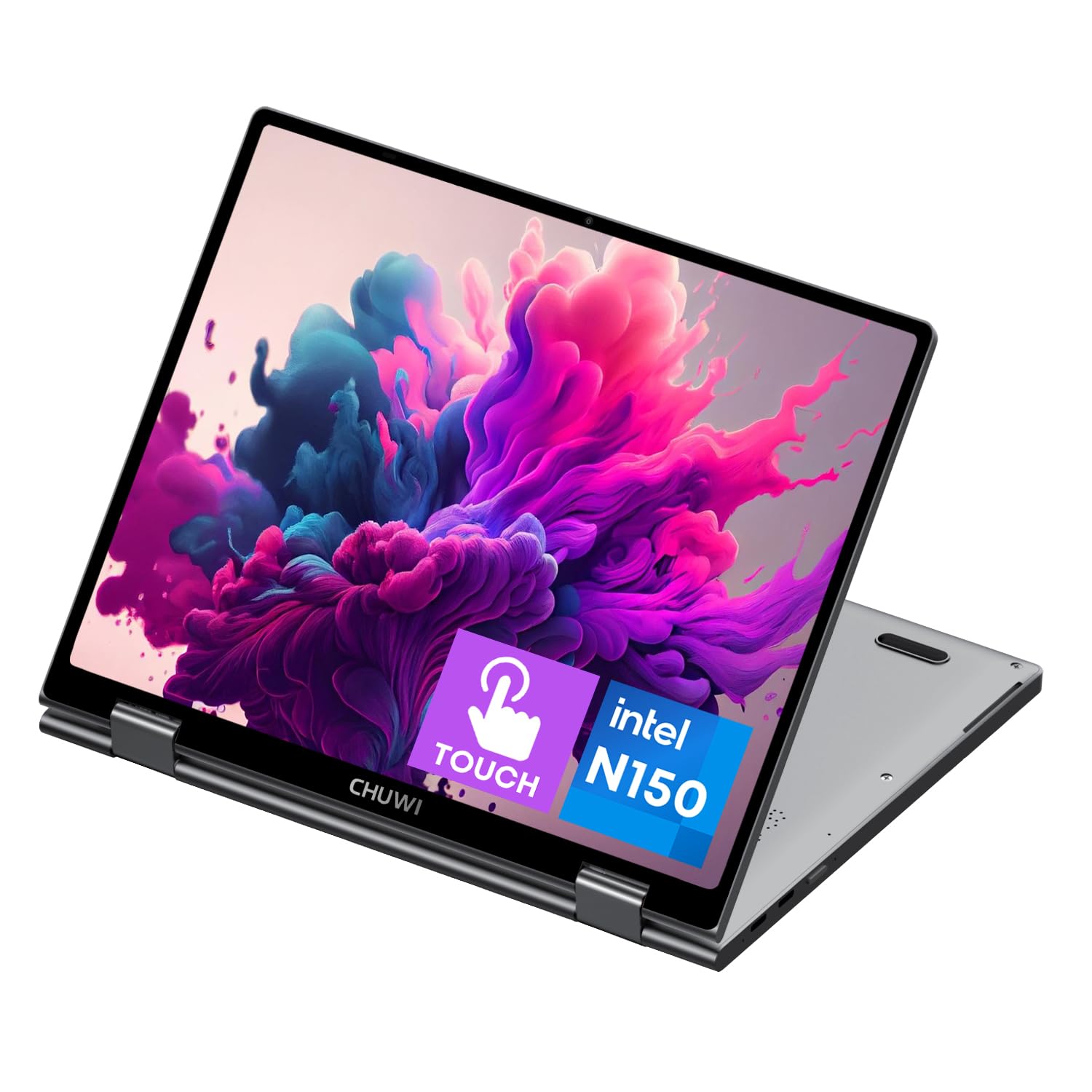
The multitasking king with 16GB RAM and a 360° flip screen.
This is the most powerful, most versatile machine in the 10-inch class. The CHUWI MiniBook X runs on the 12th Gen Intel N150 Processor (4 cores, up to 3.6GHz) and pairs it with a generous 16GB of LPDDR5 RAM and a responsive 512GB SSD. This combination means you can genuinely multitask — multiple browser tabs, a document, and a video call all at once — without the system grinding to a halt. The 512GB SSD is expandable via an M.2 2280 slot up to 1TB.
The design is the reason to pick this over the others. The 360° flip-and-fold design switches between laptop, tablet, tent, and stand modes, and the sleek metallic body is just 0.899kg. The 10.51-inch FHD+ touchscreen display is stunning at 1920×1200 resolution with a 16:10 aspect ratio and 100% sRGB color coverage. In a class where screens are often an afterthought, this one is a genuine highlight. The backlit keyboard makes it usable in low light, which is a rare and welcome feature here.
The battery is the main variable. Buyers praise “great battery life” when running Linux, but report a shorter 3-4 hour span on Windows. The screen is also portrait-native (50Hz), which causes minor quirks on startup. The keyboard and trackpad work well, and the metal build is praised as solid. If you want a travel laptop that feels like a premium device, this is the one — the RAM alone puts it in a different league from the budget netbooks.
Pro-Grade Specs: 16GB RAM and a 2K display make this the clear choice for power users who refuse to compromise on performance.
11. ZWYING Mini Laptop N95
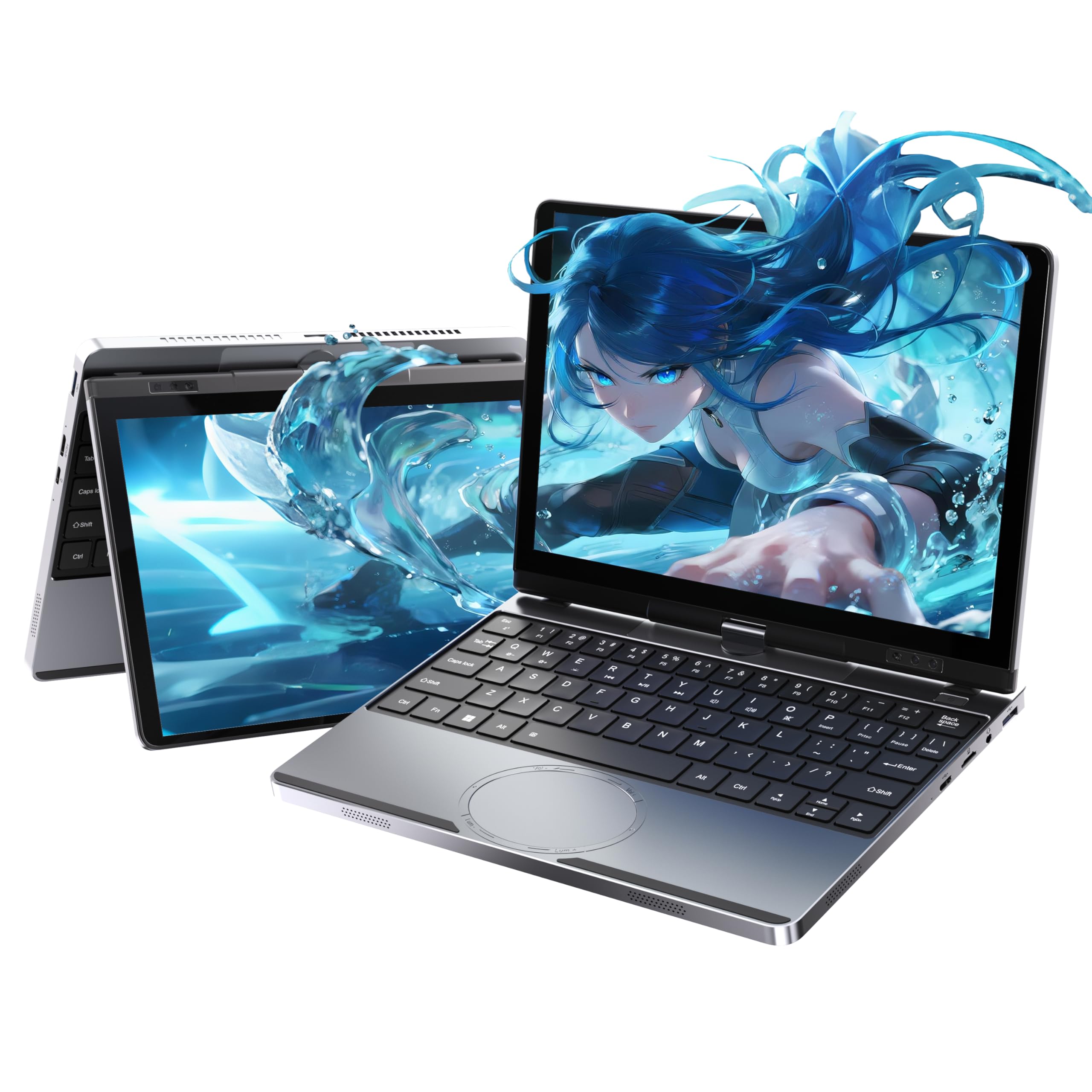
A full-metal 2-in-1 with Face open up and enough RAM to edit photos.
This is the premium pick in the truest sense, packing desktop features into a 2.14 lbs all-metal body. The Intel Alder Lake N95 processor (4 cores, up to 3.6GHz) is paired with 16GB DDR4 RAM — a level of memory that allows owners to run serious applications. Buyers report it handles photo editing software like ON1 and Topaz “well,” which is remarkable for a 10.5-inch machine. The 512GB M.2 SSD (expandable via Micro SD) gives you plenty of space.
The feature list reads like a much larger laptop. It has a 360° convertible touchscreen with a 10.5-Inch FHD IPS display at 1920×1280 (207 PPI), a face open up feature for quick logins, and a smart gesture touchpad for volume and brightness control. The 10-point multi-touch responds well for sketching. Ports are comprehensive: USB 3.0 x2, Type-C x2 (one full-function with 45W PD fast charging), mini HDMI, Micro SD, and an audio jack. The 4500mAh battery provides reliable all-day use.
The main quirks are the port layout and tablet mode. There are only USB-C ports — no HDMI, USB-A, or SD slot — so you’ll need a cheap hub to connect standard peripherals. The tablet mode is also awkward for reading, as the case “doesn’t close tightly.” One buyer had a charging issue, so check it early. The pros overwhelmingly outweigh the cons for anyone who wants a powerful, portable machine for creative work on the go.
Grab it for: the highest performance and build quality in this class, ready for light photo editing and heavy multitasking anywhere.
Think twice if: you need classic USB-A ports without a hub, or you plan to use it primarily as an e-reader in tablet mode.
Understanding the Specs
RAM vs. Storage
RAM (Random Access Memory) is your laptop’s short-term workspace for open apps. More RAM means you can have more browsers and programs open at once without lag. Storage (the hard drive size) is your long-term space for files. In this category, 2GB RAM feels slow for modern websites, while 8GB is comfortable. Look for SSD storage over eMMC — SSDs make your boot-up and app launches noticeably faster.
Processor Generations
The CPU is the engine of the laptop. Budget machines use older or lower-powered chips (Celeron, Atom, or older Quad-Core ARM chips) that can struggle with multitasking. Higher-end small laptops use Intel N-series chips (like the N95, N100, or N150) or even a Core i3. A good rule: if the processor model is from a recent generation and has at least 4 cores, it will handle basic office work and streaming smoothly. Check the “max boost speed” in GHz — higher numbers mean faster bursts for demanding tasks.
FAQ
Is a 10-inch laptop big enough for everyday use?
Can a 10-inch laptop run full Windows programs like Microsoft Office?
How fast is a 2-in-1 convertible vs. a standard clamshell?
Is it better to buy an Android netbook or a Windows netbook for a child?
What is the battery life like on 10-inch laptops?
Can I expand the storage on any of these mini laptops?
Are these laptops good for running Linux?
What is the difference between a netbook and a laptop?
Which is better for a 10-inch laptop: a touchscreen or a standard display?
How long do these mini laptops typically last?
Final Thoughts
Final Thoughts: The Verdict
For the majority of shoppers, the 10 inch laptop winner is the LEXiBOOK LAPTAB LT11EN because it delivers double the storage and a family-first touchscreen experience with parental controls that other budget options lack. If you want serious multitasking power, grab the CHUWI MiniBook X with its 16GB RAM and 2K display. And for an all-in-one travel setup with face open up and photo-editing muscle, the ZWYING Mini Laptop stands as the premium pick for creative work on the go.
Final Thoughts: The Verdict
For the majority of shoppers, the 10 inch laptop winner is the LEXiBOOK LAPTAB LT11EN because it delivers double the storage and a family-first touchscreen experience with parental controls that other budget options lack. If you want serious multitasking power, grab the CHUWI MiniBook X with its 16GB RAM and 2K display. And for an all-in-one travel setup with face open up and photo-editing muscle, the ZWYING Mini Laptop stands as the premium pick for creative work on the go.
How We Picked
We do not accept paid placement. Every pick is matched to a real buyer and a real use-case; we do not hands-on test units.
Sources & Methodology
Specifications: manufacturer listings and product documentation. Review insights: verified customer reviews, as of August 2026. Pricing: not shown on this page (it changes often); check the current price via the retailer link.
As an Amazon Associate, Gadgets Feed earns from qualifying purchases. This does not affect which products we feature.