
Our readers keep the lights on and my morning glass full of iced black tea. As an Amazon Associate, I earn from qualifying purchases.
Specs are compiled from manufacturer listings and verified buyer reviews and can change over time — please confirm the key details on the product page before buying.
The best 14 inch computer screen is a triple threat: it turns your laptop into a dual-display workstation, folds flat enough to slip into your bag, and connects without a single driver download. The catch is that not every model plays nice with your laptop’s ports — the wrong one leaves you with a beautiful paperweight.
I’m Min — the founder and writer behind Gadgets Feed. This guide is built by comparing the manufacturers’ published specifications and the patterns across verified customer reviews, so you get each pick’s real strengths and trade-offs instead of marketing spin.
We zero in on portability, image quality, and connection flexibility to find the 14 inch computer screen that fits your workflow without the compatibility headaches.
Our Picks at a Glance

How To Choose The Best 14 Inch Computer Screen
Before you buy a portable 14-inch monitor, you need to know how it plugs into your laptop, how bright and sharp the screen is, and how much weight you will carry. Get those three right and you have a travel workstation; get them wrong and you are hauling a dead screen.
Check Your Laptop’s Ports Before Anything Else
Most of these screens run off a single USB-C cable, but only if your laptop’s USB-C port supports video output (what the specs call DisplayPort, or DP). If your port is power-only, you need a model that also accepts HDMI — and that HDMI setup usually demands a second cable for power. This single compatibility check decides which product on the list will actually work for you, so do it before you buy.
Brightness and Color Matter More Than You Think
The screen’s brightness is measured in nits. A 250-nit panel is fine for a dim hotel room, but a 300-nit or 350-nit screen stays readable near a bright window. Contrast ratio (like 1000:1 or 1500:1) tells you how deep the blacks look, which matters for watching video or editing photos. Higher numbers here mean a more comfortable, vivid image in real use.
Quick Comparison
| Model | Best For | Brightness | Contrast Ratio | Weight | Amazon |
|---|---|---|---|---|---|
| Funhill Laptop Screen Extender★ Best Overall | Triple-screen multitasking | Not specified | Not specified | Not specified | Amazon |
| KYY Portable Laptop MonitorBest Value | Ultra-light single screen travel | 350 nits | 1500:1 | 1.1 lbs | Amazon |
| ROYY Laptop Screen ExtenderTop Performer | Frequent flyer dual screens | 300 nits | 1000:1 | Not specified | Amazon |
| BOSII Laptop Screen Extender | Versatile foldable setup | 300 nits | 1000:1 | 1.06 kg | Amazon |
| Dopesplay Laptop Screen Extender | Taller 16:10 workspace | 250 nits | 1000:1 | Not specified | Amazon |
| Teamgee Laptop Screen Extender | Programmers and coders | 300 nits | 1000:1 | 1.9 lbs | Amazon |
| Orfibz Laptop Screen Extender | Reliable all-day workhorse | 300 nits | 1000:1 | 1.87 lbs | Amazon |
| Redalf Laptop Screen Extender | Slim premium build | 300 nits | 1000:1 | 1.3 lbs | Amazon |
| APILDELLA Dual Screen Extender | Protected display with speakers | 250 nits | 2000:1 | Not specified | Amazon |
In‑Depth Reviews
1. Funhill Laptop Screen Extender 14 inch
Our pick — 4.5★ from 350+ verified ratings; the strongest balance of quality and price.
The only pick here that turns one laptop into a genuine three-screen cockpit.
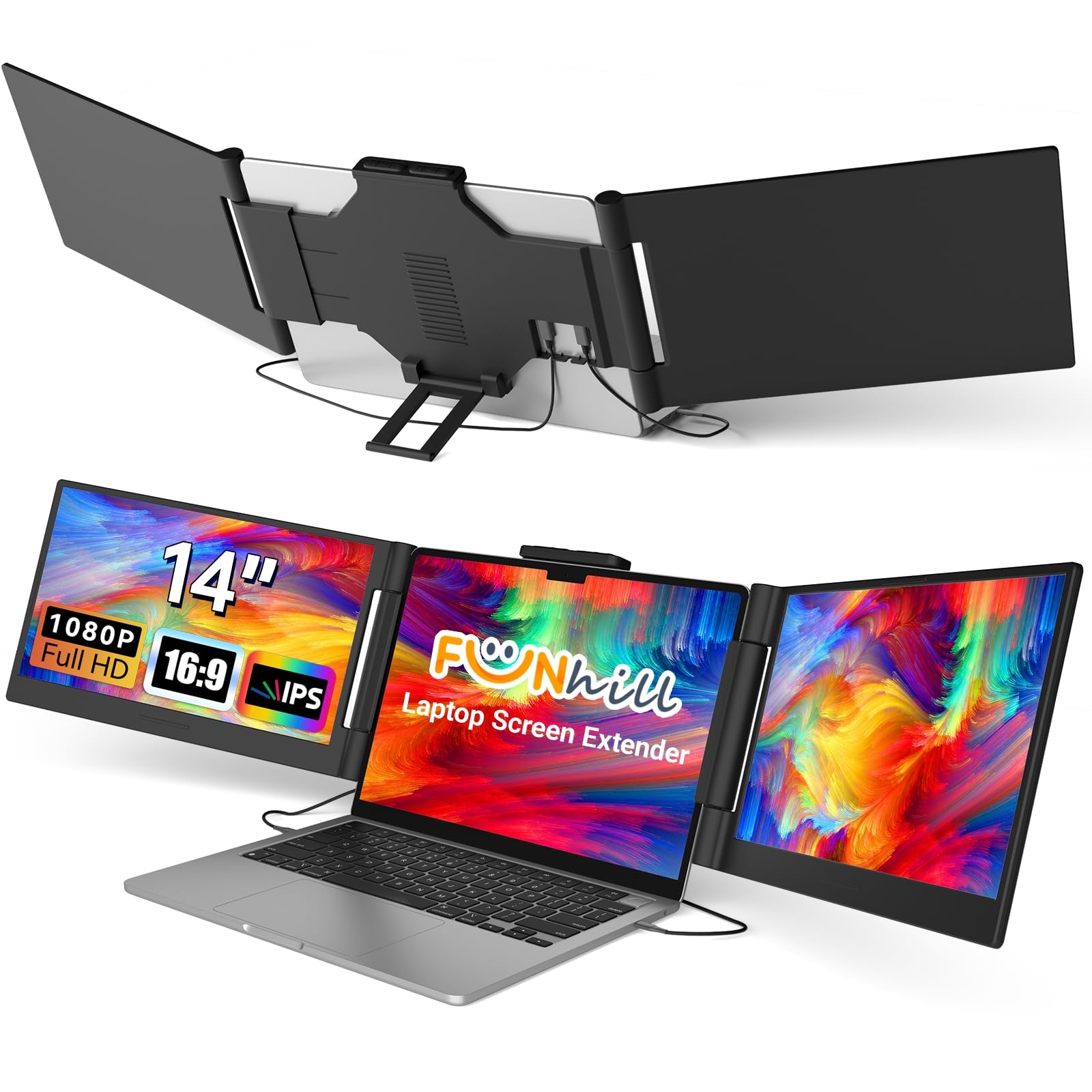
This is the heaviest hitter for productivity because it adds not one but two 14-inch panels beside your laptop — view a spreadsheet, design tool, and chat window all at once, and say goodbye to constant tab-switching. The panels are 1080P (a 1920×1080 resolution) FHD IPS screens with a 16:9 aspect ratio and a 60Hz refresh rate, and the left screen rotates 0-330° while the right swings 0-280° so you can dial in your ideal angle.
The connection story is the one thing to nail down before buying. It is plug-and-play via USB-C DisplayPort or HDMI with no drivers, but it demands that your laptop have two USB-C DP ports or one USB-C DP plus one HDMI port. There is a hard warning in the data: this does not work with base M1/M2/M3 MacBooks, only Pro/Max/M4/M5 chips, and if your USB-C port can’t deliver 5V 3A of power you must plug in the included DC charger. The build earns consistent praise — buyers report it feels like a traditional laptop screen and folds compactly, and the top aspect is build quality with 20 owners praising it, followed by functionality at 13.
For remote workers it has proven its worth, with the review pages noting it supports extended, duplicate, and portrait modes, and that a single USB-C-to-C cable is the reliable path while USB-A setups can fail. People use it for email, spreadsheets, and video meetings on the road, and the included cable kit (2x dual USB-C, 1x HDMI to Mini-HDMI, 1x DC charger) covers most laptops. One habit to protect your investment: close the left screen first, then the right, and never force it to retract.
What wins people over
- Triple-screen setup — a genuine productivity leap for multitaskers
- Sharp 1080P IPS panel with solid colors and viewing angles
- Wide compatibility: Windows, Chrome, Android, Linux, PS4, Switch
Check before you buy
- Requires two USB-C DP ports or one DP plus HDMI to run both screens
- Not compatible with base M1/M2/M3 MacBooks
Grab it for: the productivity-obsessed who want a true triple monitor and have the USB-C DP ports to feed it.
Hold off if: your laptop is a base-model Apple Silicon Mac — it will not power the right screen.
2. KYY Portable Laptop Monitor 14″
A 1.1-pound screen that rides in your bag like it was never there.
This is the featherweight of the group — 1.1 pounds and 0.3 inches thin — yet it is the brightest panel on the list at 350 nits with a 1500:1 contrast ratio, so it holds up nicely near a bright window. The 1080P IPS display supports HDR, and owners regularly compare its output to a 14-inch ASUS monitor, calling the colors and viewing angles excellent.
It is a single-screen portable monitor, not a laptop-attached extender, which means it earns its keep as a second display for a MacBook, a PS5, or a Dell XPS, and it can be mounted on any VESA (75mm x 75mm) arm or wall bracket if you want it off the desk. The smart cover doubles as a stand, and the panel swings between horizontal and vertical modes for portrait reading or coding. Screen quality is the most-praised aspect by a wide margin — 79 owners single it out — followed by portability and value at 36 each.
Owners mention it is truly plug-and-play with all cables included (USB-C to USB-C, USB-C to USB-A, and Mini-HDMI to HDMI), requiring no setup, and it can be powered straight from a laptop’s USB-C port. The honest trade-offs: the built-in speakers are mediocre, some users find the display slightly less sharp than a MacBook Pro’s, and there are occasional units that arrive not working at all. For a travel monitor that disappears into your bag and mounts anywhere, this is the one to beat.
Why it stands out
- Brightest panel here — 350 nits for sunny environments
- Only 1.1 lbs and 0.3 inches thin for easy packing
- VESA mountable plus a smart cover that doubles as a stand
Keep in mind
- Speakers are weak — plan on headphones for media
- Some units have arrived non-functional right from the start
Best suited for: travelers and network engineers who want a super-light second screen that can also bolt to a wall.
Think twice if: you need a screen attached to your laptop lid — this one is a standalone monitor.
3. ROYY Laptop Screen Extender 14″
A dual-screen extender with wide color coverage that portable workhorses rarely offer.
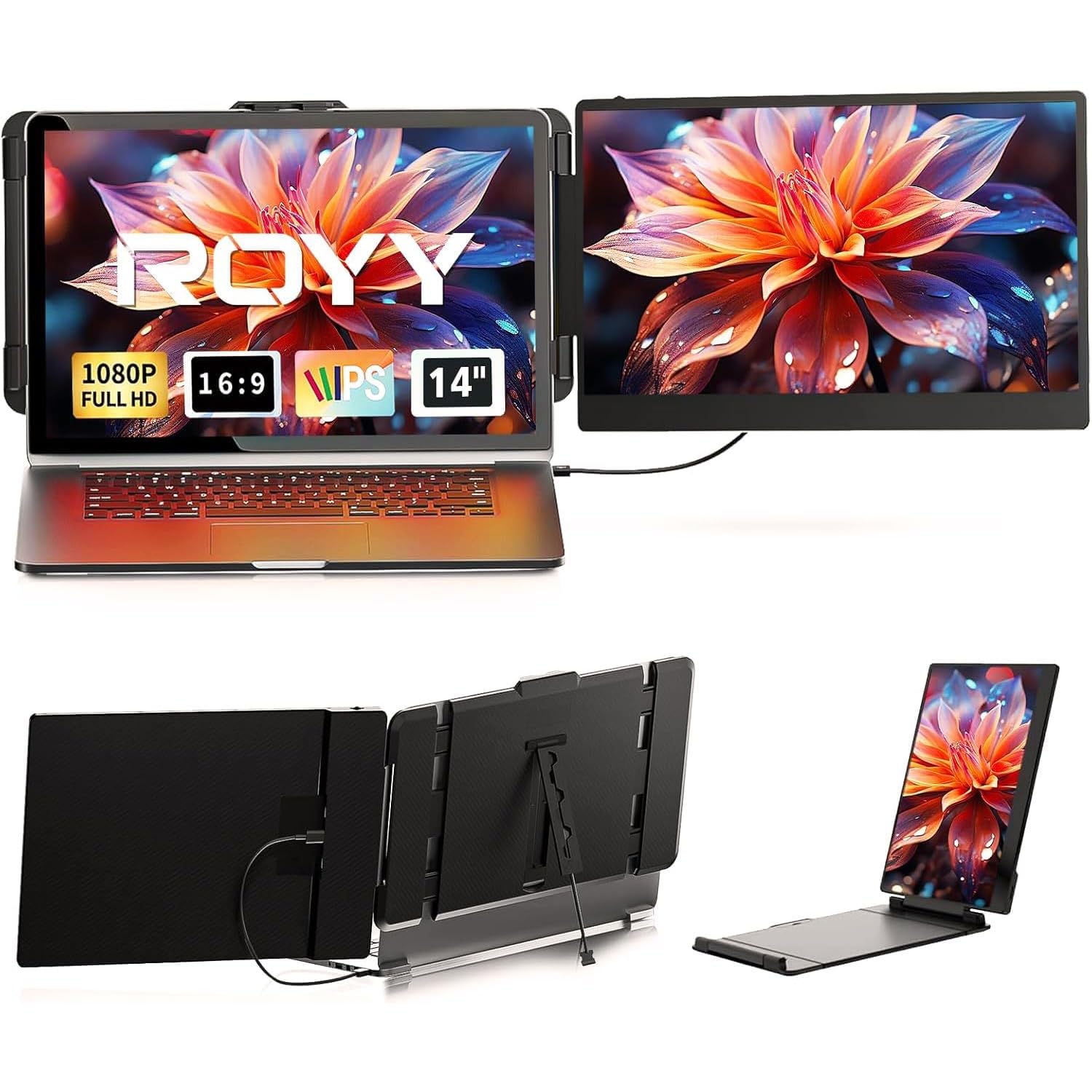
The ROYY attaches directly to your laptop lid and adds two 14-inch FHD (1920×1080) IPS panels with 1000:1 contrast and 300 nits of brightness. What separates it is color: 72% NTSC coverage means richer, more vibrant tones than budget panels, which matters if you present to clients or review design work. The whole unit rotates 180° so you can flip it to share your screen with someone across the table.
The setup is driver-free: one USB-C to USB-C cable does the job on full-featured Type-C laptops, or an HDMI plus USB-A combo for machines without it. Compatibility reaches Windows, Mac, Android, Linux, PS4, Xbox, and Switch, with older Surface models flagged as the likely exception. The review pages carry a recurring note for laptop owners: this extender wants two full-power USB-C ports, which is the single biggest setup gripe.
The strongest praise lands on build quality — 79 owners call it out, with ease of use close behind at 49. IT professionals with over a decade in the field call it compact and versatile, and remote workers describe it as saving the day when mobile, with crisp resolution and a stand that adds no extra weight. There is one honest check: some buyers find it expensive relative to single-screen monitors, and opinions split on weight. For a dual-screen extender with vivid color, this is a top-tier choice.
Its strengths
- 72% NTSC color coverage for richer, more accurate images
- 180° rotation for easy screen sharing with clients
- Driver-free install with Windows, Mac, PS4, Xbox, Switch
Its limits
- Generally wants two full-power USB-C ports to run both panels
- Some owners find the price hard to justify
Pick this for: presenters and designers who need vivid color and an attachable dual-screen setup.
skip it if: your laptop has only one USB-C port — you will fight the power requirements.
4. BOSII Laptop Screen Extender 14 Inch

A dual-screen extender that folds flat and tags along in a briefcase without complaint.
This 14-inch add-on gives you two FHD IPS panels at 1920×1080 resolution with 300 nits brightness and a 1000:1 contrast ratio, plus built-in speakers so you can take calls without hunting for earbuds. It caters to 13 to 17.3-inch laptops, and its foldable, lightweight design (1.06 kg) is built to travel — the review pages note it fits in briefcases and comes with its own carrying case.
Connectivity is genuinely flexible: one full-featured USB-C or HDMI port is all it needs, and the box includes USB-C to USB-C, USB-A to USB-C, and HDMI to USB-C cables. There is a catch for HDMI users — you must also connect the USB-A to USB-C cable for power. The display modes cover Extended, Mirror, and Portrait, and the screen rotates 180° for presentations or coding.
What wins people over is quality, with 73 owners praising it and ease of use at 43. Remote workers say it lets them view multiple records at once without carrying a second laptop., and it works cleanly with a 13-inch MacBook Air. The reliability verdict is mixed, however — many units work flawlessly for years while some quit working entirely, and one owner notes it will not fit older 17.3-inch screens. It is a strong all-rounder if you want foldable dual screens with speakers.
What it delivers
- Built-in speakers for calls and media without extra gear
- Comes with its own carrying case for travel
- Extended, Mirror, and Portrait modes with a 180° rotation
What to watch
- Reliability is hit-or-miss — some units stop working
- Older 17.3-inch laptops may not fit the clamp
Reach for it if: you want an attachable dual-screen extender with speakers and a travel case.
Look elsewhere if: you need guaranteed long-term reliability — the track record is split.
5. Dopesplay Laptop Screen Extender 14″
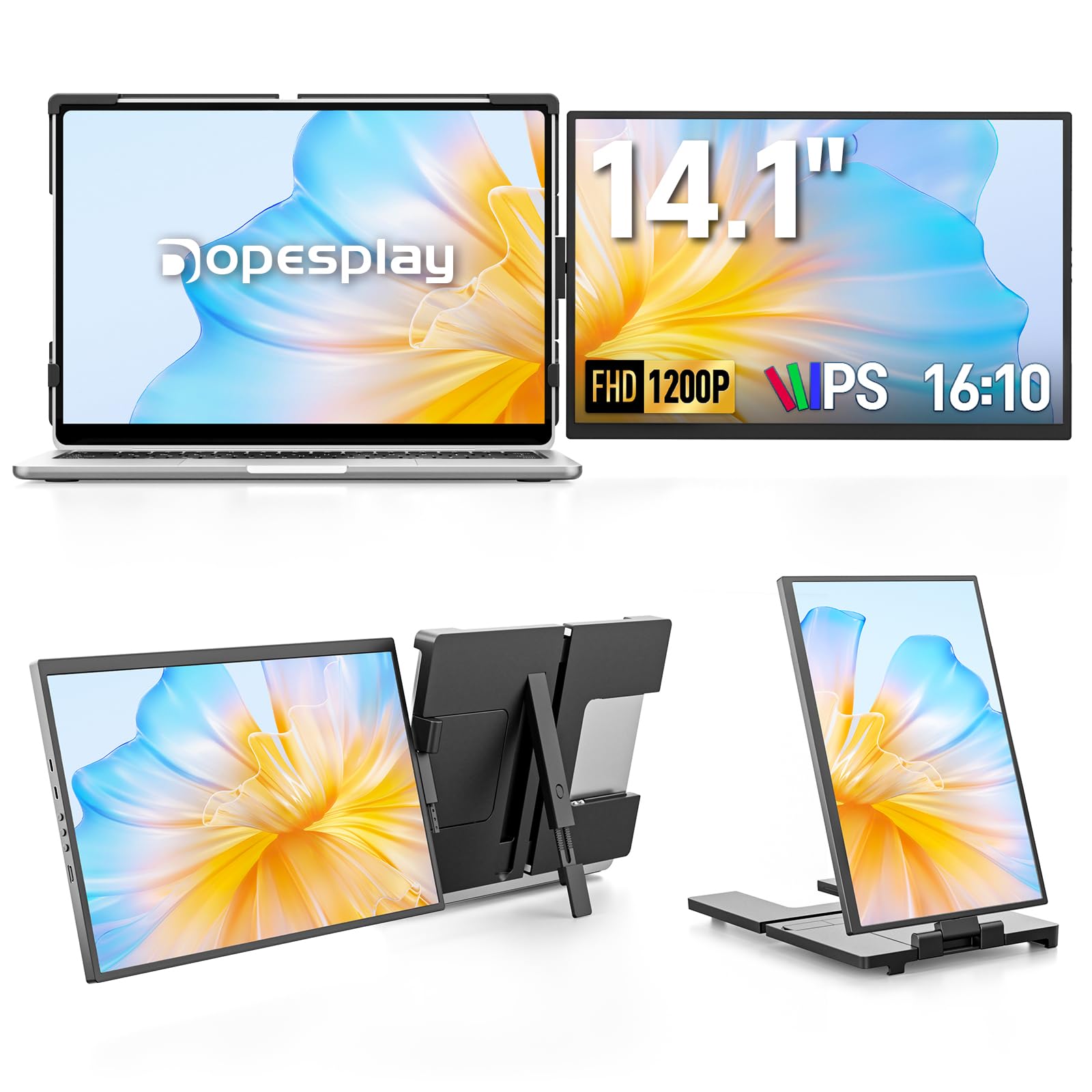
The only dual-screen here with the taller 16:10 format that shows more rows of your work.
Most portable extenders use the standard 16:9 shape; the Dopesplay breaks rank with a 16:10 aspect ratio at 1920×1200 resolution, giving you extra vertical space for documents, code, and long emails. The 1000:1 contrast ratio keeps text sharp, though the 250 nits brightness is the dimmest on this list — fine for indoors, weaker in direct sun. The foldable design fits 14 to 17.3-inch laptops and travels well in a backpack.
Setup is the easy part: a single USB-C cable connects it, no software or drivers needed, and the kit includes USB-C to USB-C, USB-A to USB-C, and Mini HDMI to HDMI cables. It supports vertical and horizontal screen positions with free rotation and an adjustable kickstand, plus brightness, contrast, and backlight controls. Compatibility spans Windows, Mac, Chrome, Android, and Dex, plus PS4/5, Xbox, and Switch.
Quality earns the top mention count at 46, with ease of use next at 25. Buyers call it light, say it fits either side of the laptop and rotates backward, and note it causes minimal battery drain with no kickstand needed. Two honest notes: it really benefits from a right-angle USB-C connector so the cable does not stick out awkwardly, and at least one unit stopped connecting under a year and a cable replacement did not fix it. If you crave vertical space, this tall panel is a standout.
Why it’s different
- 16:10 ratio at 1920×1200 for extra vertical workspace
- Rotates backward and fits either side of the laptop
- Minimal battery drain and no kickstand required
Watch out for
- 250 nits is the dimmest here — weak in bright light
- A right-angle USB-C cable is nearly essential
- Some units have failed within the first year
Choose it for: document-heavy work where extra vertical rows beat a wider view.
Pass on it if: you often work near bright windows — the panel lacks the brightness to compete.
6. Teamgee Laptop Screen Extender 14″
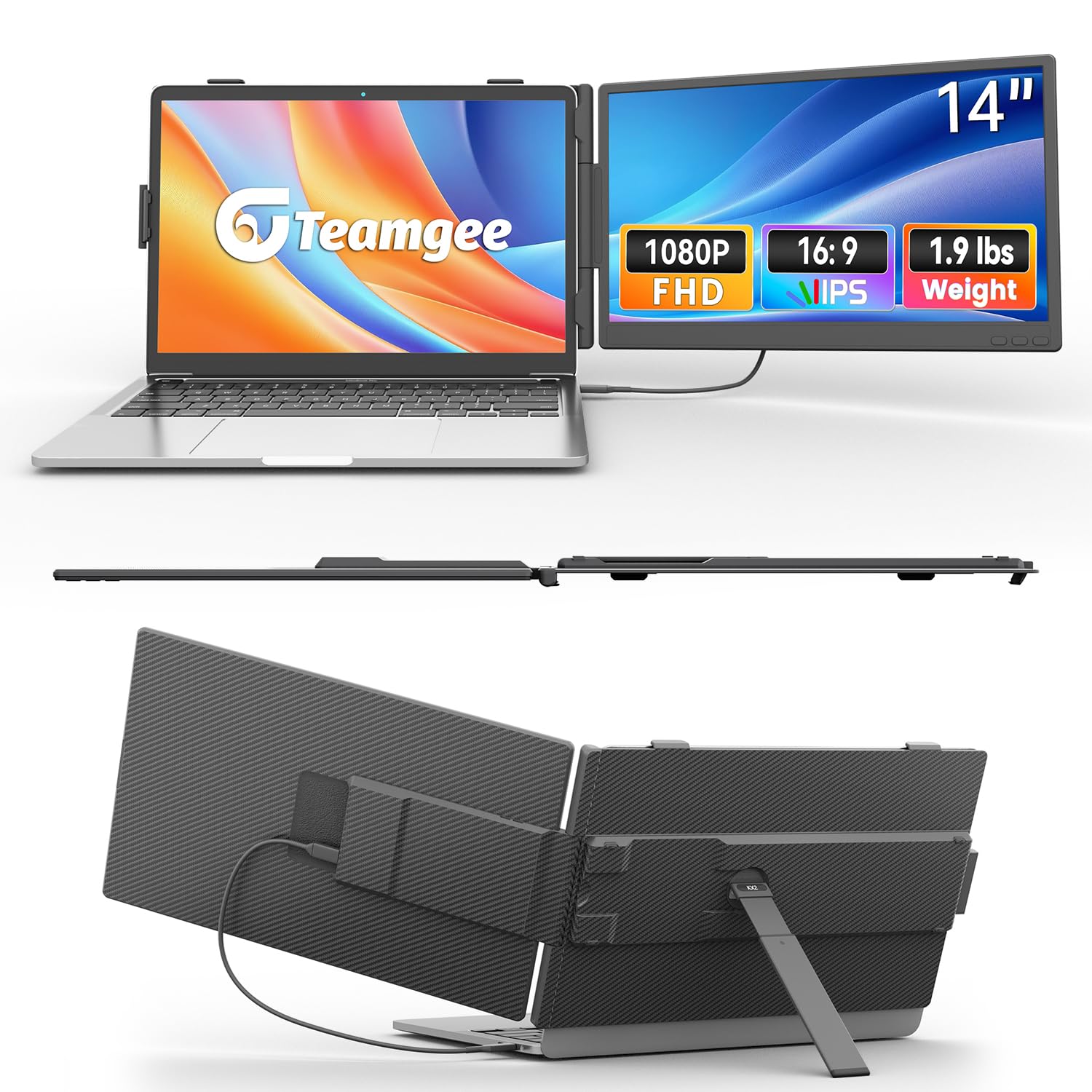
A dual-screen extender with the widest rotation range on the list for custom angles.
This 14-inch extender runs two FHD 1080p panels at 300 nits with a 1000:1 contrast ratio and a 60Hz refresh rate, and its built-in adjustable stand swings a full 226° so you can find the exact angle for coding, gaming, or a quick screen share. At 1.9 lbs it is the heaviest of the extenders, but owners of 16-inch MacBook Pros say it still feels lighter than the laptop it clips onto.
The connection is classic plug-and-play: a single USB-C to USB-C cable drives it on full-featured Type-C laptops, and a USB-A plus HDMI combo covers machines without it. It fits 13 to 17.3-inch laptops and works with desktops, mini PCs, set-top boxes, and game consoles. Independent buttons give you direct control over brightness, sound, and contrast without digging through menus.
Coders, in particular, rave about it — One remote owner says it triples their efficiency., and reviewers highlight the clear, bright, sharp display with a sturdy, convenient setup. The broad 226° rotation is the defining feature, letting you flip the screen into portrait or any odd angle for reading code. It is a niche pick for people who want maximum angle flexibility in a dual-screen extender.
Its edge
- 226° rotation — the widest angle range in this lineup
- 300 nits brightness with a 60Hz refresh rate
- Works with laptops, desktops, mini PCs, and consoles
Its cost
- Heaviest extender here at 1.9 lbs
- Needs a full-featured Type-C port or a USB-A HDMI combo
Best for: programmers and multitaskers who need unusual angles and direct control buttons.
Not for: weight-obsessed packers — other picks save you meaningful pounds.
7. Orfibz Laptop Screen Extender 14.2″
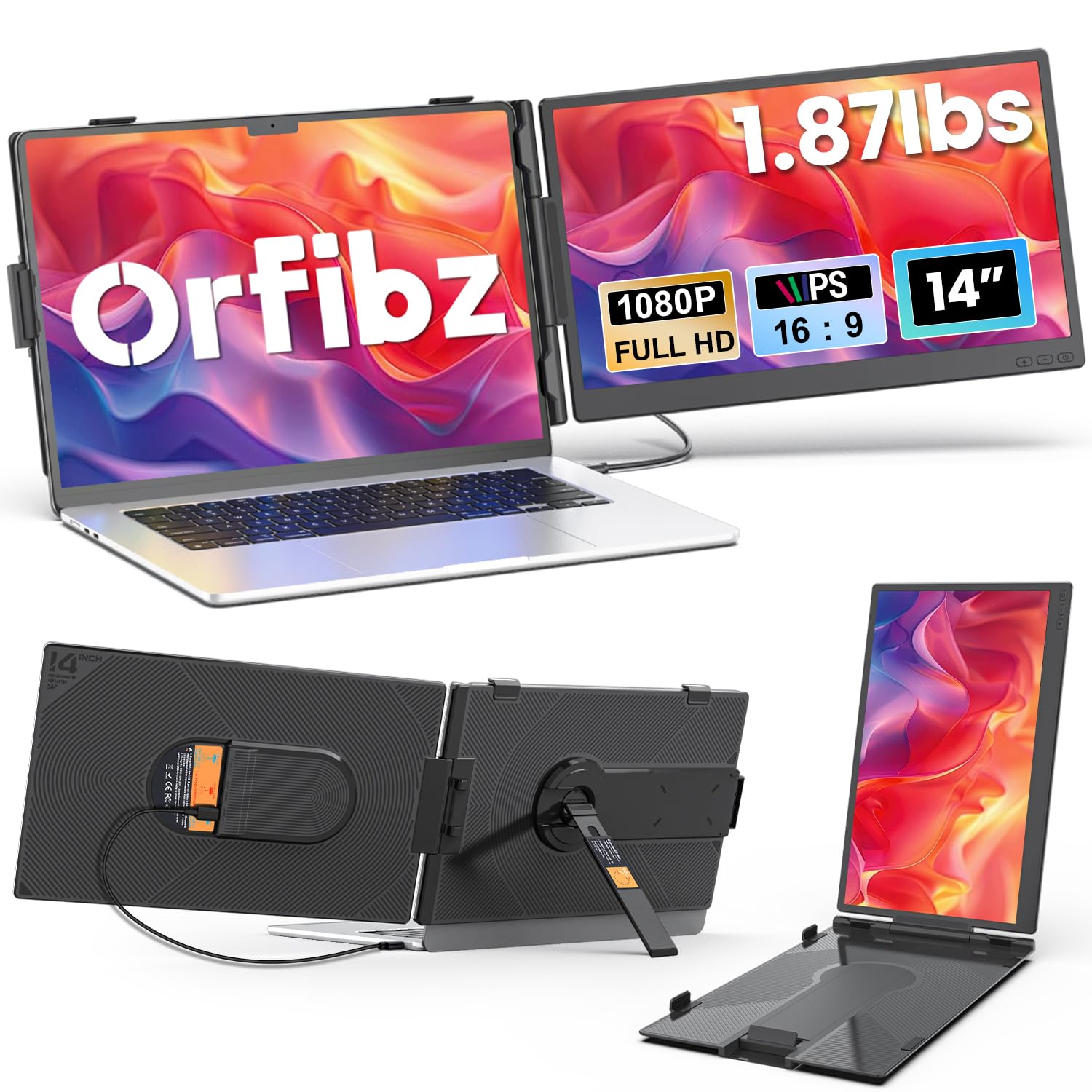
An ultra-slim dual-screen extender that earns its keep in airports and conference rooms.
This 14.2-inch extender keeps travel weight in check at 1.87 lbs and just 0.27 inches thin, yet delivers two 1080P FHD IPS panels at 300 nits with a 1000:1 contrast ratio. The 0-226° adjustable angle lets you tilt each screen to match lighting and seating, and owners say it packs into a laptop sleeve for easy airport hops. It fits 14 to 17.3-inch laptops and works across Windows, macOS, ChromeOS, Linux, and Android.
Connection is second-nature: snap it on, plug in one USB-C cable, and it syncs — no drivers, no software. Laptops without a full-function USB-C port fall back on the included HDMI plus USB-A cable. Certifications for QC, FCC, CE, and RoHS back the build, and the package includes a 1-year warranty with 30 days of free returns.
Quality is the clear winner here with 82 owners praising it, connectivity close behind at 57, and portability at 54. Remote workers report a bright, sharp picture and accurate colors that make multitasking far easier. The one real cost is battery: running this screen can halve your laptop’s unplugged life, roughly 2.5 hours, so keep a charger nearby. It is a polished, dependable workhorse for frequent travelers.
What impresses
- Ultra-slim 0.27-inch profile at 1.87 lbs
- 226° adjustable angle for any viewing position
- QC, FCC, CE, and RoHS certifications
What to budget for
- Battery drain is real — roughly halves unplugged laptop life
- Needs a full-function USB-C port for the one-cable setup
Reach for this if: you live on planes and need a dependable dual-screen extender that slides into a sleeve.
Look elsewhere if: you work unplugged for hours — this screen will eat your battery.
8. Redalf Laptop Screen Extender 14″
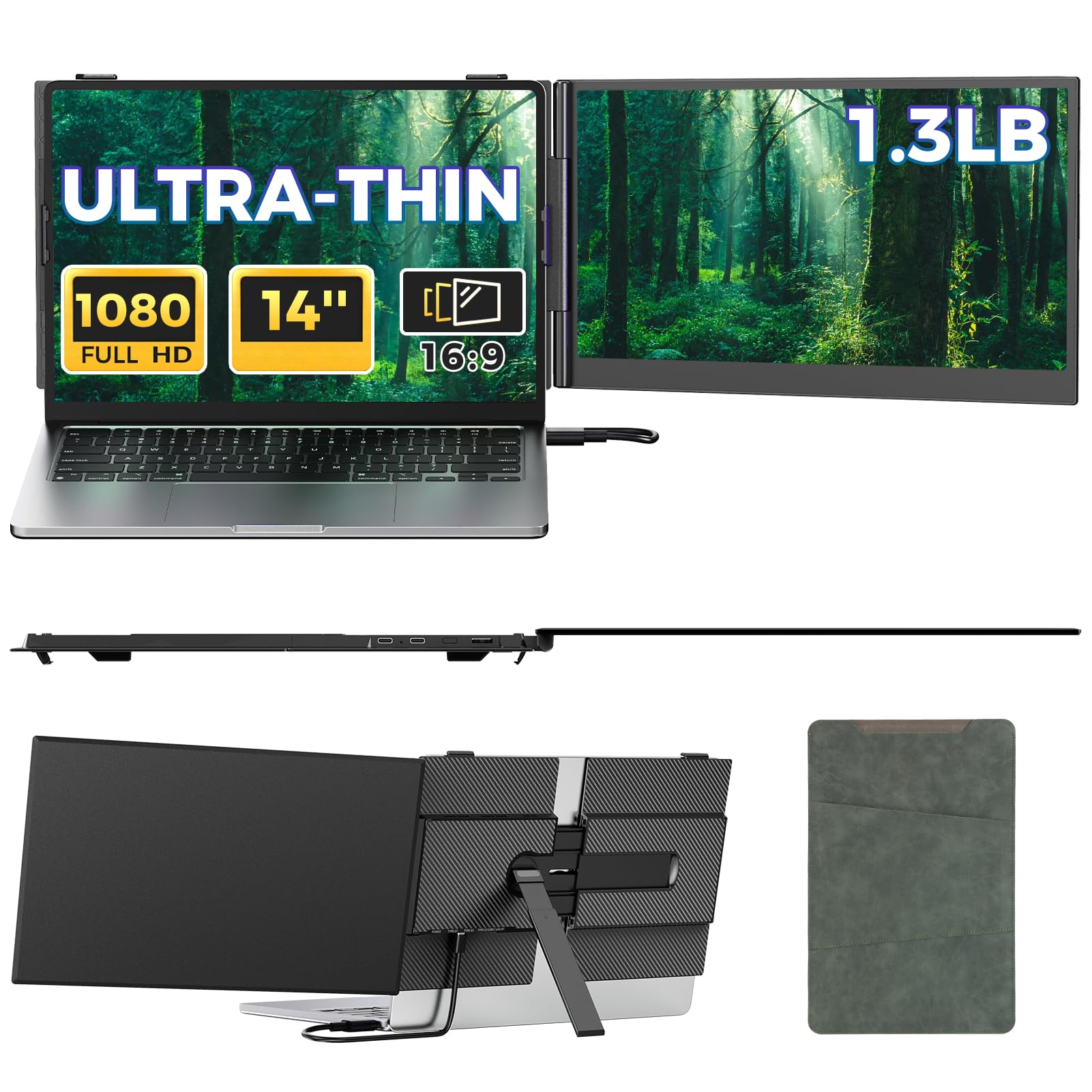
A feather-slim aluminum extender with the most premium feel in this lineup.
This 14-inch extender stands out for its build: just 0.17 inches thin and 1.3 lbs, with a sturdy aluminum alloy shell that dissipates heat better than plastic and feels genuinely premium in hand. The 1080P IPS panels deliver 100% sRGB color accuracy, a 1000:1 contrast ratio, and 300 nits of brightness, plus built-in stereo speakers for meetings and movies. It is one of the slimmest and lightest options on the market, and it slips into any backpack without adding bulk.
It is fully plug-and-play: one USB-C cable on a full-featured port (Thunderbolt 3.0/4.0 with DP output) is all you need, or an HDMI plus USB-A connection for older laptops. It fits 13 to 17.3-inch laptops and works with Windows, Mac, Chrome, Android, Linux, Dex, PS5, Xbox, and Switch. The included travel bag makes carrying it between home and the office easy.
The numbers here are the strongest in the group: 153 owners praise the quality, with setup at 106 and portability at 88 — by far the highest counts on this list. Teachers love it for multitasking and grading, and job-site workers say colleagues ordered their own after seeing it. The harsh reality is in the connectivity column: some Thunderbolt owners could not get a signal through USB-C and had to fall back to USB-C to HDMI, and there is a split opinion on weight despite the 1.3 lbs figure.
Why it leads
- Ultra-slim 0.17-inch aluminum alloy build
- 100% sRGB color accuracy for true-to-life hues
- Built-in stereo speakers and a travel bag included
What’s tricky
- Some Thunderbolt ports fail to send signal over USB-C
- A few owners find it heavier than expected on the go
Grab it for: the slim-profile lover who wants premium materials and built-in speakers in a travel-friendly extender.
Hold off if: your laptop has a Thunderbolt port known for quirky USB-C video — check compatibility first.
9. APILDELLA 14” Dual Laptop Screen Extender
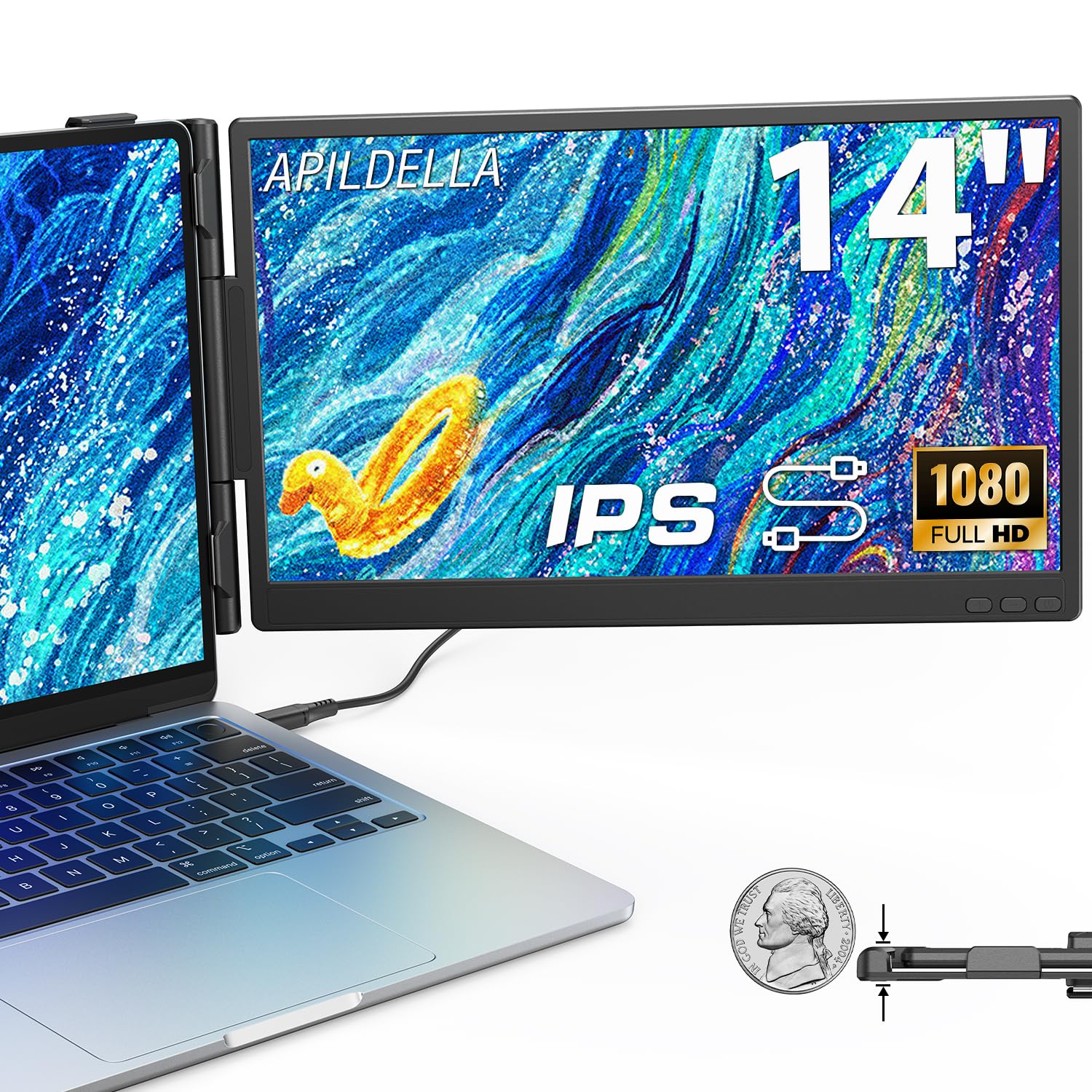
A dual-screen extender with the deepest blacks on this list and scratch protection for your laptop lid.
This 14-inch extender pairs a pair of 1080P FHD IPS panels with a 2000:1 contrast ratio — the highest here — giving you noticeably deeper blacks and punchier images for video work. It also uses a zero-contact frame design so the extender never scratches your laptop screen, and a sliding support arm adjusts to fit 13 to 16-inch laptops. The minimalist hidden structure keeps it light and ready to carry one-handed.
Connection is plug-and-play with USB-C plus USB-A and HDMI cables included, and it folds 0-225° for your preferred angle with a bracket that stabilizes both the laptop and the screen. It supports extend and mirror modes for splitting tasks — code on one screen while checking email on the other — and HDR mode enriches colors. The built-in speakers add convenience for calls and media.
Compatibility is the top praise at 58 mentions, with ease of setup at 38 and portability at 33. Customers note it fits flat in a laptop bag, clips on with a spring clamp that holds well, and connects without external power on some laptops. The sharp-edged details on dense spreadsheets come through crisp, and the screen can run brighter than the laptop itself. The honest notes: high color saturation on some units and a quiet fan that becomes audible only after 10-plus hours of use. For a protected, high-contrast dual-screen extender, this is a smart pick.
Its advantages
- 2000:1 contrast ratio for the deepest blacks here
- Zero-contact frame prevents laptop screen scratches
- Built-in speakers with HDR mode for richer color
Its quirks
- High saturation from the start on some units
- A quiet fan kicks in after very long sessions
Pick this for: the careful owner who wants deep contrast and zero risk of scratching a precious laptop lid.
Pass it by if: you want perfectly neutral colors straight from the start.
Understanding the Specs
Brightness (Nits) & Contrast Ratio
Brightness is measured in nits, and it tells you how well the screen fights ambient light. A 300-nit panel handles a bright office or coffee shop; 250-nit panels are strictly indoor tools. Contrast ratio is the difference between the brightest white and the darkest black — 1000:1 is table stakes, while 1500:1 or 2000:1 delivers noticeably deeper blacks for video and design.
DisplayPort Over USB-C
The single most important compatibility term is “USB-C DisplayPort” or “full-featured USB-C.” It means the port carries video, not just power. If your laptop lacks it, you need an HDMI connection plus a separate power cable — which changes which product will actually work for you. Always check your laptop’s port capabilities before choosing a dual-screen extender.
FAQ
Will a 14 inch computer screen fit my 13 inch laptop?
What is the difference between a screen extender and a portable monitor?
Why does my laptop need a USB-C port with DisplayPort support?
Will a 14 inch screen extender work with a MacBook?
How much weight does a laptop screen extender add to my bag?
Can I use a 14 inch portable monitor with a PS5 or Xbox?
Why does one screen work but the other stays dark?
How long does a laptop battery last with a screen extender attached?
Final Thoughts: The Verdict
Across the board, the 14 inch computer screen winner is the Funhill because a true triple-screen setup is the biggest productivity leap this category offers. If you want the brightest, lightest single screen, grab the KYY. And for an ultra-slim, premium alloy build with the strongest owner praise, the Redalf is the one to reach for. Whichever you pick, check your laptop’s USB-C DisplayPort support first — that single step decides whether your new screen becomes a workhorse or a paperweight.
How We Picked
We do not accept paid placement. Every pick is matched to a real buyer and a real use-case; we do not hands-on test units.
Sources & Methodology
Specifications: manufacturer listings and product documentation. Review insights: verified customer reviews, as of August 2026. Pricing: not shown on this page (it changes often); check the current price via the retailer link.
As an Amazon Associate, Gadgets Feed earns from qualifying purchases. This does not affect which products we feature.