
Our readers keep the lights on and my morning glass full of iced black tea. As an Amazon Associate, I earn from qualifying purchases.
Specs are compiled from manufacturer listings and verified buyer reviews and can change over time — please confirm the key details on the product page before buying.
Choosing a 27-inch 144Hz monitor is about one thing: making motion look smooth and your games feel responsive. You want the panel that won’t blur when you flick your aim, and that keeps colors accurate for work or play. This guide matches you with the right pick, whether you’re on a tight budget or chasing the smoothest possible picture.
I’m Min — the founder and writer behind Gadgets Feed. This guide is built by comparing the manufacturers’ published specifications and the patterns across verified customer reviews, so you get each pick’s real strengths and trade-offs instead of marketing spin.
Refresh rate, response time, and resolution define your experience, so we’ve focused on the models that get these right. Find the best 27 inch 144hz monitor for your setup and upgrade your daily gameplay today.
Our Picks at a Glance

How To Choose The Best 27 Inch 144Hz Monitor
Before you click buy, you need to understand how a monitor’s specs affect what you see. The three most important numbers are refresh rate (how many frames per second it can show), response time (how quickly pixels change color), and resolution (the sharpness of the image).
Refresh Rate: Why 144Hz is the Starting Point
Your monitor’s refresh rate is how many times it updates the image each second, measured in hertz (Hz). A standard office monitor runs at 60Hz, which looks fine for scrolling but can feel sluggish in fast games. Moving to 144Hz makes motion look dramatically smoother.
Every monitor on this list runs at 144Hz or higher — you’ll see models hitting 180Hz, 200Hz, 240Hz, and even 300Hz. Aim for at least 144Hz, as the jump from 60Hz is the most noticeable upgrade for gaming smoothness.
Response Time: The Blur Killer
Response time measures how fast a pixel can change from one color to another, usually in milliseconds (ms). A slower response time creates motion blur or “ghosting” behind fast-moving objects.
Look for 1ms or faster on a 144Hz monitor. Some premium panels now offer 0.3ms or even 0.03ms, which is the difference between seeing a sharp image or a smeared one when you turn your camera quickly in a game. Fast IPS panels deliver this speed without sacrificing color quality.
Resolution: 1080p vs 1440p (QHD)
You get sharper text and more detailed game worlds with a 1440p (also called QHD or 2K) panel, which packs roughly 78% more pixels than 1080p (Full HD). At 27 inches, 1080p is the budget standard, but 1440p is the balance for clarity.
The trade-off is performance: 1440p requires a more powerful graphics card to hit those high frame rates. If you have a mid-range or higher GPU, 1440p is worth it. If you’re on a tight budget PC, 1080p at 144Hz will still feel smooth.
Quick Comparison
| Model | Best For | Resolution | Refresh Rate | Response Time | Amazon |
|---|---|---|---|---|---|
| AOC Q27G41ZE★ Best Overall | Best Overall | 2560×1440 | 240Hz | 0.3ms | Amazon |
| CRUA QHD 240HzSleek Design | Sleek Aesthetic | 2560×1440 | 240Hz | — | Amazon |
| KOORUI G2721PValue QHD | Value QHD | 2560×1440 | 200Hz | 1ms | Amazon |
| AOC CQ27G4H | Curved Immersion | 2560×1440 | 180Hz | 0.5ms | Amazon |
| LG 27GS50F-B | Budget 1080p | 1920×1080 | 180Hz | 1ms | Amazon |
| Dell S2725DSM | Work & Play | 2560×1440 | 144Hz | 1ms | Amazon |
| ASUS VG27AQL5A | Fast IPS | 2560×1440 | 210Hz | 0.3ms | Amazon |
| Alienware AW2725DM | Premium Build | 2560×1440 | 180Hz | 1ms | Amazon |
| ASUS VG27AQM5A | High Refresh | 2560×1440 | 300Hz | 0.3ms | Amazon |
| LG 27G640A-B | Versatile Ports | 2560×1440 | 300Hz | 1ms | Amazon |
| MSI MAG 272QP QD-OLED | OLED True Blacks | 2560×1440 | 240Hz | 0.03ms | Amazon |
In-Depth Reviews
1. AOC 27″ Gaming Monitor QHD 260Hz Overclocked IPS NVIDIA G-SYNC Q27G41ZE
Our pick — over 4.5★ from 500+ verified ratings; the strongest balance of quality and price.
A 240Hz QHD IPS panel with 0.3ms response time at a value price.
This AOC is the complete package for competitive gaming. The 240Hz refresh rate (via DisplayPort) is a massive step up from a standard 60Hz screen — the difference is immediately noticeable in how smooth fast motion appears. With a 0.3ms MPRT response time, you get minimal blur and maximum clarity, which is exactly what you want when tracking enemies across your screen.
The 2560×1440 QHD resolution on a 27-inch IPS panel means you get sharp text and vibrant colors, not just speed. It also supports Adaptive-Sync, working with both AMD and NVIDIA GPUs to eliminate screen tearing. Buyers report the 60Hz to 240Hz jump “very noticeable; smooth,” and the picture quality gets consistent praise for its clarity and accurate colors.
Connectivity covers 1x DisplayPort 1.4 and 2x HDMI 2.0, so you can hook up a PC and a console. The stand offers a -3° to +21° tilt range, and the three-sided frameless design keeps the setup looking clean on your desk. Just know the stand is not height-adjustable, so if you need that, a VESA mount solves it easily.
Why It Wins
- 240Hz refresh rate for buttery-smooth motion
- 0.3ms response time cuts ghosting dramatically
- QHD IPS panel: sharp text and accurate colors
- Adaptive-Sync works with both AMD and NVIDIA
The Trade-Offs
- Stand is tilt-only, not height adjustable
- No built-in speakers (headphone jack only)
- 300-nit brightness is solid, not class-leading
Reach for this if: you want the best blend of speed, sharpness, and price for competitive and casual gaming alike.
Look elsewhere if: you need built-in audio — this model only has a headphone jack, so you’ll need speakers or a headset.
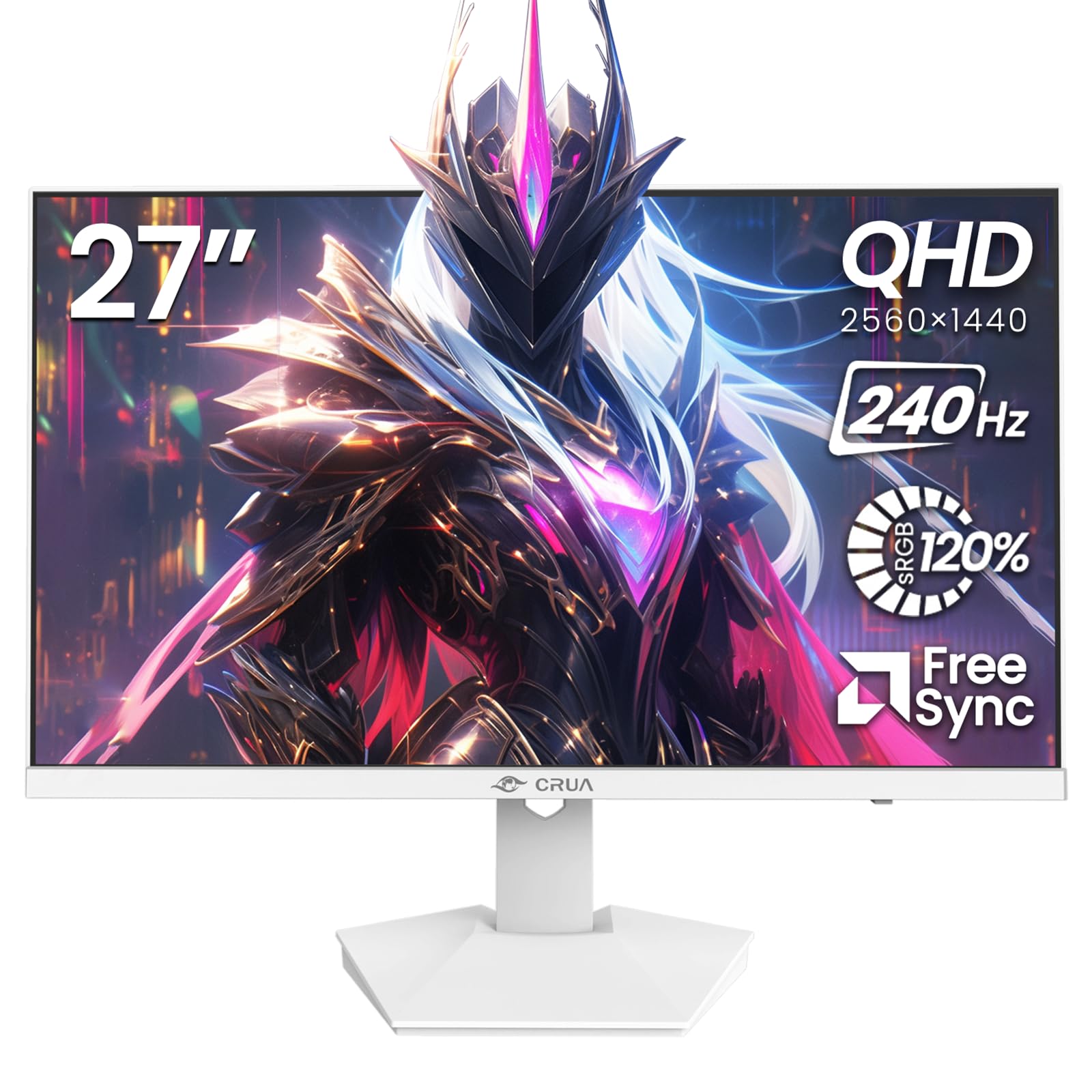
2. CRUA 27″ QHD 2560×1440 240Hz IPS Gaming Monitor, FreeSync, HDMI/DP, White
The white-finished 240Hz panel that matches a clean desk while keeping pace with fast games.
If you want a monitor that doesn’t look like it was built for a dark RGB cave, the CRUA is a breath of fresh air. Its sleek white finish stands out on a minimalist desk, and the 27-inch QHD (2560×1440) IPS panel delivers consistent color across 178° viewing angles. It pairs 240Hz speed with a sleek white design rarely seen at this price.
The 240Hz refresh rate keeps motion fluid, and AMD FreeSync helps minimize tearing and stutter during gameplay. This is a 20% faster refresh rate than the KOORUI G2721P above, making it a stronger pick for players who feel even the smallest difference in smoothness. The 120% sRGB color gamut means colors pop for gaming, video editing, and everyday desktop use.
Built-in speakers provide convenient daily audio, so you don’t need to hunt for a headset just to watch a video. It offers 75x75mm wall mount support for flexible placement. The main caveat is build quality — some owners mention the bezel feels cheap and the on-screen menu lacks brightness and volume controls, so set your expectations accordingly on the finer details.
Why It Stands Out
- 240Hz refresh rate beats many mid-range rivals
- 120% sRGB gamut for vivid, accurate color
- White design fits minimalist and bright setups
- Built-in speakers for everyday use
The Trade-Offs
- On-screen menu is basic with no brightness control
- Bezel quality feels budget-level
- Speakers are average at best
Grab it for: a fast, good-looking 1440p screen that doubles as an office display with built-in audio.
Pass on it if: you need a polished on-screen menu or pro-grade color accuracy for design work.
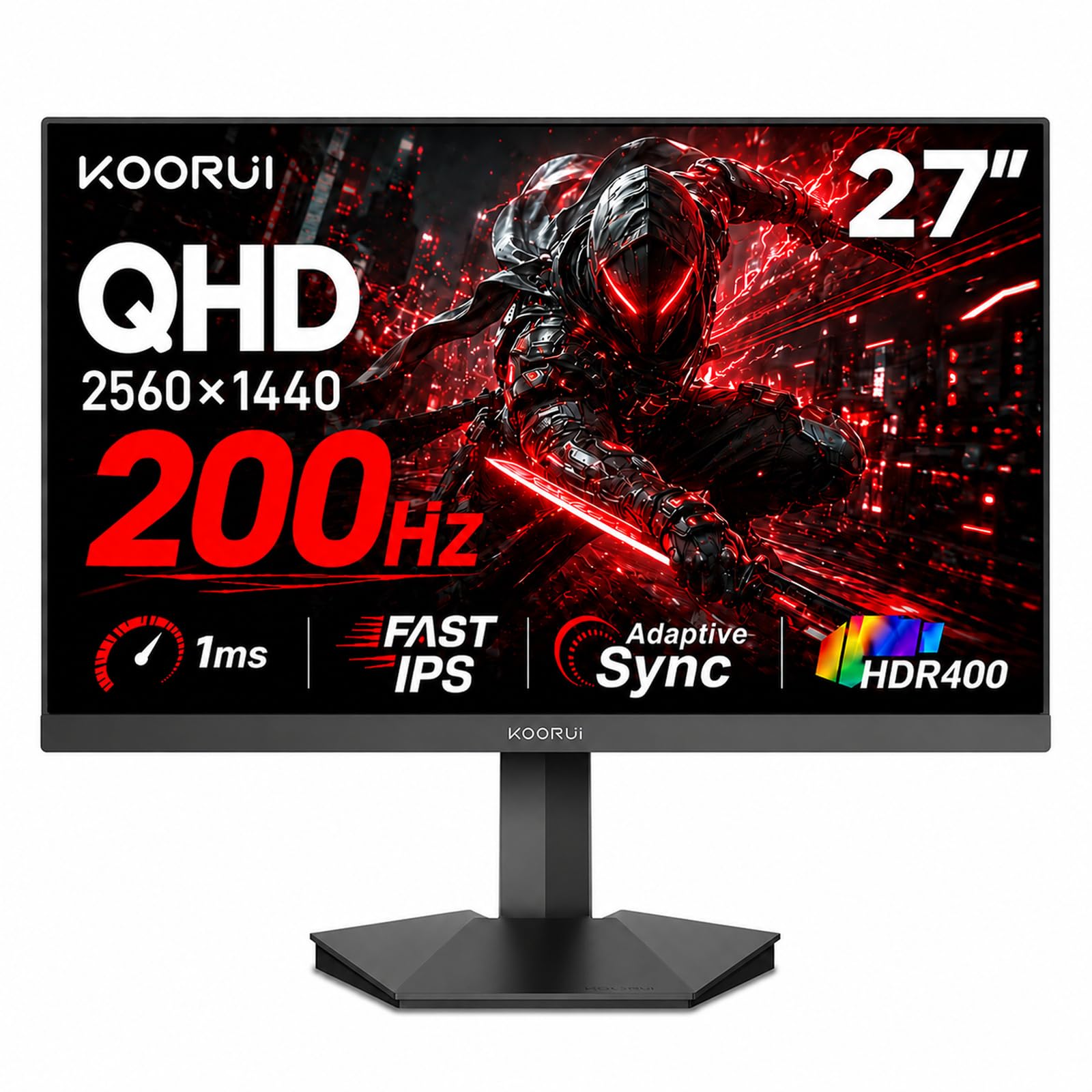
3. KOORUI 27 Inch 1440p Gaming Monitor, 200Hz Fast IPS, 1ms, HDR400 G2721P
A 1440p 200Hz panel with 95% DCI-P3 color at a budget price.
KOORUI has built a huge following for good reason: this 27-inch 1440p monitor delivers speeds most brands charge a lot more for. The 200Hz refresh rate makes every flick of your mouse feel immediate, and the 1ms response time keeps fast action from smearing into a blur. This panel is a budget-to-midrange favorite among buyers.
The DCI-P3 95% wide color gamut brings over 16.7 million colors to life, all rendered accurately from any viewing angle. You get the same realistic, detailed image whether you’re sitting centered or off to the side. It runs at 350 nits brightness, so it stays visible even in a bright room.
You can have it set up in minutes — the stand assembles quickly and lets you tilt -5° to 20°. If you’d rather float the screen, VESA wall-mounting is available. The 3-year warranty and 12-month replacement service offer protection that budget brands rarely match. Just note that on-screen buttons can feel cramped, and the included cables are basic, so order quality DisplayPort or HDMI cables if you play competitively.
What Wins People Over
- 200Hz refresh rate at a budget-friendly price
- 1ms response with FreeSync Premium
- 95% DCI-P3 color gamut for rich tones
- 3-year warranty for long-term confidence
The Trade-Offs
- On-screen menu buttons are small to use
- Included cables are basic quality
- Tilt-only stand, no height adjustment
Pick this when: you want a fast, colorful 1440p screen without spending premium prices — it truly punches above its weight.
skip it if: you need a height-adjustable stand from the start; you’ll need to budget for a VESA arm.
4. AOC 27″ Curved Gaming Monitor 2K QHD 180Hz VA AMD FreeSync Premium CQ27G4H

The 1500R curved VA panel that wraps your view for deeper immersion at a rapid 0.5ms response.
If you want a monitor that pulls you into the game, this AOC’s 1500R curve wraps gently around your field of vision. It’s a subtle immersion boost that makes racing and cinematic titles feel more engaging. The curved VA panel delivers a 3000:1 contrast ratio, which means deeper, richer blacks than a typical IPS screen.
Speed is covered with a 180Hz refresh rate over DisplayPort (144Hz over HDMI) and a rapid 0.5ms response time. It’s no slouch for competitive play, and AMD FreeSync Premium keeps the picture tear-free. Customers note a “huge upgrade” with buttery smooth high refresh and rich colors, with zero dead pixels on arrival.
The stand may look simple but it’s solid metal that screws in tight. Eye care features like Flicker-Free and low blue light help you play longer without strain. The honest catch: some units report hitting 144Hz instead of the advertised 180Hz, so check your DisplayPort settings and cable on day one to get the full speed.
Why It Works
- 1500R curve adds real immersion
- 3000:1 contrast for deep blacks
- 180Hz and 0.5ms for fast play
- FreeSync Premium keeps motion tear-free
The Trade-Offs
- Curved VA shows slight edge darkening off-center
- Some users report 144Hz instead of 180Hz
- Monitor wobbles if the desk is bumped
Buy this for: single-player games and movies where deeper blacks and the curved field of view make the experience more cinematic.
Think twice if: you’re a sit-off-to-the-side type — VA panels like this one look best when you’re centered.
5. LG 27GS50F-B 27-inch FHD (1920 x 1080) Ultragear Gaming Monitor with 180Hz, 1ms MBR, HDR10, AMD FreeSync

The beginner-friendly 1080p speedster that proves you don’t need a 1440p panel to game smoothly.
If your graphics card is modest or you’re just getting into PC gaming, this LG is a brilliant first monitor. The 180Hz refresh rate and 1ms MBR (Motion Blur Reduction) make fast games feel responsive and smooth, and you don’t need a powerful GPU to drive 1080p to those speeds. It’s the easiest way to experience high-refresh gaming without upgrading your PC.
The three-side virtually borderless design looks sleek, and the tilt-adjustable display lets you find a comfortable angle. HDR10 support adds richer color and contrast to supported content, and AMD FreeSync keeps things tear-free. Buyers describe the picture as “crisp and clear” with a fast refresh rate — the perfect entry point for a beginner gamer.
It also throws in gamer-focused extras: a Black Stabilizer to brighten dark scenes, an FPS Counter, and a Crosshair overlay. The catch is the 250-nit brightness, which is modest, so very bright rooms will wash it out a bit. For a dedicated gaming screen where motion matters most, it’s a smart, reliable choice.
The Wins
- 180Hz refresh rate is easy to drive at 1080p
- 1ms MBR keeps fast motion sharp
- Three-side borderless design looks premium
- Gamer GUI adds crosshair and FPS counter
The Trade-Offs
- 1080p means less desktop space than QHD
- 250-nit brightness is modest for bright rooms
- Tilt-only stand, no height adjustment
Best for: first-time gaming monitor buyers and anyone on a mid-range PC that can’t push 1440p to high frame rates.
Not for: heavy multitaskers who want lots of on-screen desktop space — 1080p feels cramped for serious work.
6. Dell 27 Plus QHD Monitor – S2725DSM – 27-inch QHD (2560×1440) 144Hz 1ms Display, 2 x 3W Speakers

A QHD 144Hz monitor with good built-in speakers and a fully adjustable stand.
This Dell isn’t just for gaming — it’s built for the desk warrior who also likes to game. The QHD (2560×1440) resolution and 1500:1 contrast ratio bring astounding depth and detail, making spreadsheets and documents look crisp. The 144Hz refresh rate and 1ms MPRT keep it smooth for gaming, so it genuinely does both jobs well.
Reviewers point out the integrated dual 3W speakers are “really impressive for a monitor” and deliver good sound for daily use. The stand is a major upgrade over most rivals, offering height, tilt, pivot, and swivel adjustment so you can dial in perfect comfort. It’s a 4-star TÜV-certified eye comfort display that reduces blue light without washing out colors.
Buyers have purchased this model many times for business clients, praising the crisp text, reliable performance, and overall value. It connects via HDMI and DisplayPort 1.4, and the included HDMI cable means you’re ready to go from the start. The only real compromise is the 144Hz top end, which is plenty for most players but not the highest on this list.
Why It’s a Daily Hero
- Full ergonomic stand: height, tilt, pivot, swivel
- Built-in dual 3W speakers that sound good
- QHD resolution with crisp, clear text
- TÜV-certified low blue light for eye comfort
The Trade-Offs
- 144Hz is lower than some rivals here
- QHD needs a decent GPU for high frame rates
- Not a specialist esports panel
Reach for it if: it spends 9 hours a day as a work monitor and 1 hour as a gaming screen — it’s the best hybrid on this list.
Choose differently if: pure competitive esports speed is your only priority; you’ll want a 240Hz panel instead.
7. ASUS TUF Gaming VG27AQL5A 27 Inch 1440p 210Hz G-SYNC Gaming Monitor

The 210Hz Fast IPS panel with ELMB Sync that keeps motion razor-sharp for serious competitive play.
ASUS builds this display for players who want every advantage. The 27-inch QHD (2560×1440) Fast IPS panel hits 210Hz when overclocked, and the 0.3ms GTG response time is among the fastest you’ll find on an IPS screen. That combination means near-instant pixel changes, so fast flicks stay crisp instead of turning into a blur.
ASUS Extreme Low Motion Blur Sync (ELMB Sync) is the headline feature here — it lets the blur-reduction tech and variable refresh rate work at the same time, eliminating both ghosting and tearing. FreeSync Premium is enabled by default for a smooth, tear-free experience. The DisplayWidget Center app lets you tweak settings with your mouse, which is far easier than navigating buttons on the back.
Buyers use this even in a professional quad-monitor workstation, praising uniform colors and excellent panel quality. It adds ergonomic height adjustment for comfortable extended sessions. The catch: a few units arrive with dead pixels, and the built-in speakers are better than nothing but not great — plan on a headset or external speakers for serious audio.
The Competitive Edge
- 210Hz OC with ultra-fast 0.3ms GTG
- ELMB Sync kills ghosting and tearing together
- Height-adjustable stand for ergonomic comfort
- DisplayWidget app for easy mouse control
The Trade-Offs
- Some units arrive with dead pixels
- Speakers are usable but weak
- OC to 210Hz requires DisplayPort
Grab it when: your GPU can push 1440p past 180fps and you want a sharp, tear-free competitive edge.
Move on if: you expect a flawless panel every time — QC on dead pixels is not perfect.
8. Alienware 27 Gaming Monitor AW2725DM, WQHD Fast IPS, 180Hz, G-SYNC, VESA

A QHD 180Hz monitor with a sturdy, fully adjustable stand and 95% DCI-P3 color.
Alienware brings its signature design ethos to this 27-inch WQHD monitor, and it looks the part on any desk. The QHD (2560×1440) resolution with Fast IPS delivers vibrant colors and a quick 1ms gray-to-gray response time. The 180Hz refresh rate keeps motion smooth, while VESA DisplayHDR 400 certification brings out details in bright and dark scenes.
Color coverage hits DCI-P3 95%, so games and content look rich and lifelike. Buyers describe it as a midrange pick with “vibrant colors, crisp images, and smooth picture quality,” and it pairs well with modern GPUs like the RTX 5060 Ti. The stand is a standout feature — sturdy, adjustable in height, tilt, swivel, and pivot, so you can lock in a perfect view.
It also includes a console mode and a hardware-based low blue light solution that reduces eye strain without washing out colors, perfect for long sessions. The honest downsides: there’s no audio output, so you’ll need speakers or a headset, and a few units arrive with scratches around the ports. The included USB-A to USB-B cable lets you use the monitor’s USB hub.
Why It’s a Looker
- 180Hz with 1ms response for smooth play
- DisplayHDR 400 for vibrant HDR content
- Fully adjustable stand: height, tilt, swivel, pivot
- 95% DCI-P3 for rich, accurate color
The Trade-Offs
- No audio output at all
- Some units arrive with small scratches
- Premium price for the Alienware name
Pick this for: a premium-feeling, fully adjustable QHD monitor that looks great and games beautifully for years.
Look away if: you need basic built-in audio — this screen has none, so budget for external sound.
9. ASUS TUF Gaming 27” 1440P Monitor (VG27AQM5A) – QHD (2560×1440), 300Hz, Fast IPS, 0.3ms

A 300Hz 1440p Fast IPS panel with 0.3ms response for esports-level smoothness.
If raw smoothness is your obsession, the ASUS VG27AQM5A delivers a staggering 300Hz refresh rate on a 27-inch QHD (2560×1440) Fast IPS panel. It’s the kind of speed that makes a noticeable difference in high-paced shooters, and with a 0.3ms GTG response time, motion stays razor-sharp. Shoppers say hitting 300+ FPS in games like Alienware titles and even 400-500s on ASUS systems.
The ASUS Extreme Low Motion Blur Sync (ELMB Sync) eliminates both ghosting and tearing at the same time, a feature competitive players will appreciate. Shadow Boost brightens dark scenes without over-exposing bright areas, so you can spot enemies hiding in corners. The 95% DCI-P3 color gamut keeps the picture vivid, and a 3-year warranty protects your investment.
The matte anti-glare screen keeps reflections at bay, and the sturdy stand doesn’t shake during intense play. Buyers call it an “amazing monitor for 1440p gaming” with vivid colors and excellent value. The honest trade-offs: QC on dead pixels is mixed, brightness is moderate, and the on-screen menu is a bit clunky — but for pure speed, nothing on this list matches it at this price.
The Speed King
- Blistering 300Hz refresh rate for esports
- 0.3ms GTG response keeps motion sharp
- ELMB Sync eliminates ghosting and tearing
- 3-year warranty for long-term confidence
The Trade-Offs
- Dead pixels reported on some units
- Brightness is moderate, not dazzling
- On-screen menu is clunky to navigate
Choose this if: you play fast competitive shooters and your GPU can push past 240fps at 1440p — you’ll feel the extra smoothness.
pass on it if: you’re sensitive to dead pixels; QC is not perfect, so inspect the panel carefully on arrival.
10. LG 27G640A-B 27-inch Ultragear QHD (2560 x 1440) IPS Gaming Monitor, 300Hz, 1ms, G-Sync, FreeSync Premium, HDMI 2.1, USB-C

The 300Hz all-rounder with HDMI 2.1 and USB-C that connects to PC, Mac, and next-gen consoles easily.
This LG UltraGear is all about total control and versatility. The 27-inch QHD (2560×1440) IPS panel runs at a blazing 300Hz with a 1ms GTG response time, so both competitive play and colorful single-player games look sharp and fluid. Up to 95% DCI-P3 color gamut and VESA DisplayHDR 400 deliver vibrant hues and deep shadows.
Connectivity is where it truly shines: dual HDMI 2.1 ports, DisplayPort 1.4, and USB Type-C with 15W power delivery mean you can plug in a PC, a Mac Mini, a laptop, or a console without hunting for adapters. Both AMD FreeSync Premium and NVIDIA G-SYNC compatibility keep motion tear-free across any setup. The included HDMI 2.1 cable works with next-gen consoles.
The slim-profile display has a narrow bezel and a full ergonomic stand with height, tilt, swivel, and pivot. Buyers call it “phenomenal” value, with excellent colors, angles, and a wide brightness range. The recurring gripe is the speakers — they’re poor, so plan for a headset. One unit shipped with a faulty DisplayPort cable, so test your cables early if the screen won’t power on.
The All-Rounder
- 300Hz QHD IPS for ultra-smooth play
- HDMI 2.1 + USB-C for flexible device setup
- G-Sync Compatible and FreeSync Premium
- Full ergonomic stand: height, tilt, swivel, pivot
The Trade-Offs
- Built-in speakers are weak
- Faulty included cables reported occasionally
- Premium price for the port selection
Get this if: you juggle a PC, laptop, and console and want one display that hooks up to all of them at full speed.
Think twice if: you expect good built-in audio — the speakers here are strictly an emergency fallback.
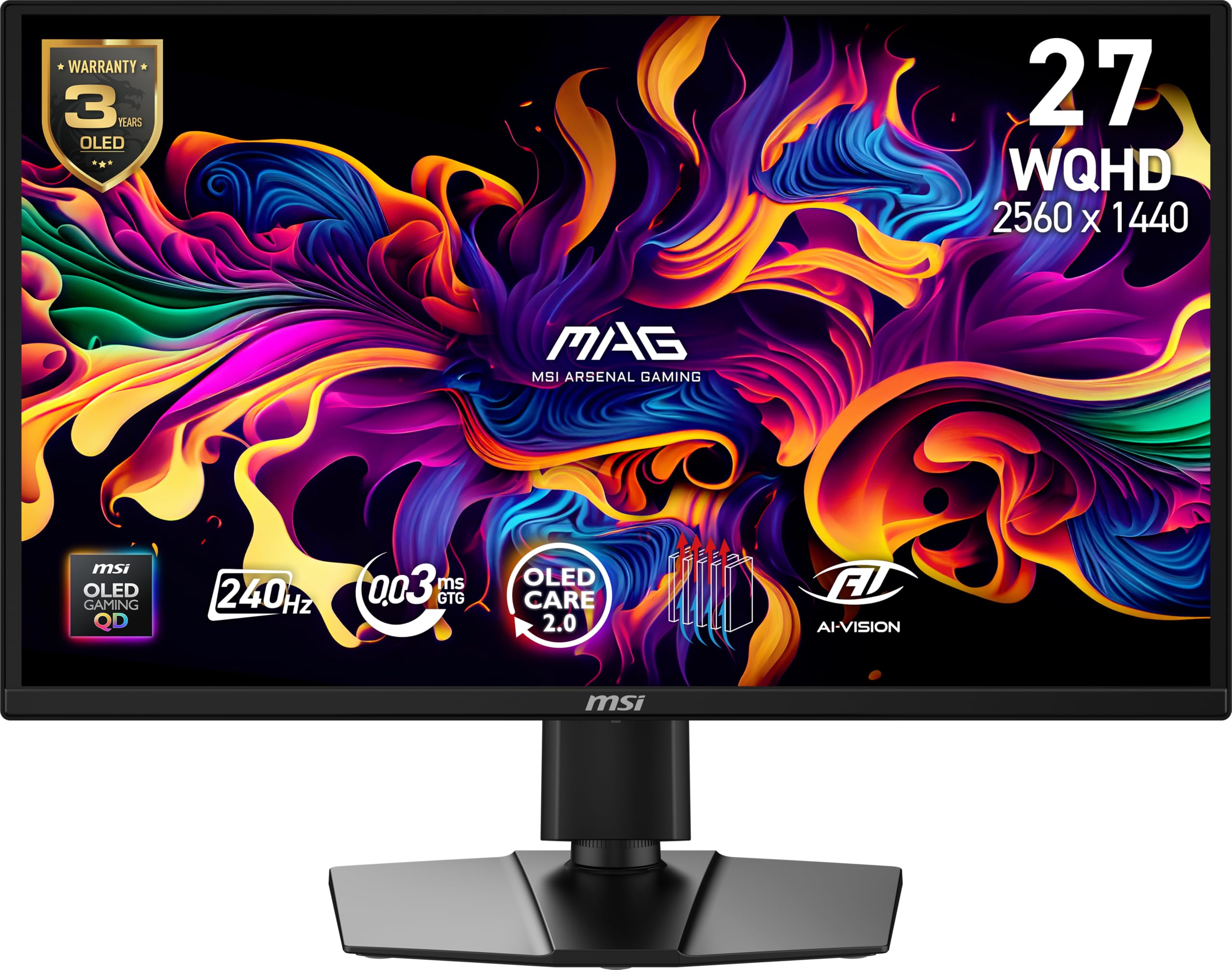
11. MSI MAG 272QP QD-OLED X24 27-Inch WQHD Gaming Monitor, 2560 x 1440 Quantum Dot OLED, 240Hz, 0.03ms
The Quantum Dot OLED panel that brings perfect blacks and a 0.03ms response to the 27-inch desktop arena.
This is the picture-quality king of the list. The MSI MAG 272QP uses a Quantum Dot OLED panel, and the difference is night and day — pixels light up and turn off individually, producing true, inky blacks and an almost infinite contrast ratio of 1,500,000:1. Games and HDR content look spectacular, and buyers call it “the best gaming monitor ever.”
Speed is equally stunning: a 240Hz refresh rate paired with an astonishingly low 0.03ms GTG response time earns a VESA ClearMR 13000 rating, meaning motion is crisp beyond what any traditional LCD can achieve. It displays 1.07 billion colors at 99% DCI-P3 with a Delta E ≤2 accuracy, so it doubles as an excellent screen for content creation. An elite graphene heatsink runs fanless to protect the panel.
MSI’s OLED Care 2.0 software helps prevent burn-in, and the 4-way adjustable stand gives you height, tilt, swivel, and pivot. It connects via DisplayPort 1.4a and HDMI 2.1, both supporting full WQHD at 240Hz. The trade-offs are real: a rare defective unit may fail early, and the 400-nit peak brightness (with lower full-screen brightness) is a limit of OLED technology — but for pure image quality, there’s nothing else at this price.
Why It’s the Pinnacle
- Perfect blacks with 1,500,000:1 contrast
- 0.03ms response — fastest on this list
- 240Hz for fluid motion in any game
- 99% DCI-P3 for stunning color accuracy
The Trade-Offs
- Rare early-failure reports on some unitsBurn-in risk requires OLED Care software
- Peak brightness lower than high-end LCDs
Buy this for: the most breathtaking image quality you can get at 27 inches — perfect blacks, instant response, and stunning HDR.
Choose LCD instead if: you’re worried about burn-in from static desktop elements or you want the highest sustained brightness for a very bright room.
Understanding the Specs
Refresh Rate vs Response Time
Refresh rate (Hz) is how many times the screen updates per second — 144Hz shows 144 frames each second, making motion smooth. Response time (ms) is how fast a pixel changes color — 1ms or faster prevents ghosting behind fast-moving objects. Both matter, but for competitive games, response time often makes the bigger difference in perceived smoothness.
Panel Types: IPS vs VA vs OLED
IPS panels offer the best color accuracy and viewing angles, making them the versatile all-rounder. VA panels provide deeper blacks and higher contrast but can show slight edge darkening. OLED panels deliver perfect blacks and the fastest response times but cost more and carry a burn-in risk for static desktop elements. Your choice depends on whether you prioritize color accuracy, contrast, or pure speed.
FAQ
Is a 27-inch 144Hz monitor worth it for gaming?
What GPU do I need for 1440p at 144Hz?
Should I get 1080p or 1440p at 27 inches?
What’s the difference between FreeSync and G-Sync?
Does a 144Hz monitor work with a console?
What is response time and why does it matter?
Is a curved monitor better for gaming?
Can a monitor be overclocked for higher refresh rates?
Final Thoughts: The Verdict
Across the board, the best 27 inch 144hz monitor is the AOC Q27G41ZE because it delivers a 240Hz refresh rate and 0.3ms response time with a sharp QHD IPS panel at a price that undercuts premium rivals. If you want the best blend of work and play with great built-in speakers, grab the Dell S2725DSM. And for the absolute best picture quality with perfect blacks, the MSI QD-OLED is the one to reach for.
How We Picked
We do not accept paid placement. Every pick is matched to a real buyer and a real use-case; we do not hands-on test units.
Sources & Methodology
Specifications: manufacturer listings and product documentation. Review insights: verified customer reviews, as of August 2026. Pricing: not shown on this page (it changes often); check the current price via the retailer link.
As an Amazon Associate, Gadgets Feed earns from qualifying purchases. This does not affect which products we feature.