
Our readers keep the lights on and my morning glass full of iced black tea. As an Amazon Associate, I earn from qualifying purchases.
Specs are compiled from manufacturer listings and verified buyer reviews and can change over time — please confirm the key details on the product page before buying.
If you are tired of a bezel splitting your work or game in half, a 45-inch monitor gives you the width of two standard screens in one smooth, curved panel. A spreadsheet can stretch across your whole desk, and a racing game can wrap around your peripheral vision. This guide covers ten models, from budget-friendly super-ultrawides to premium OLED flagships, so you can see exactly what each one is good at before you spend.
I’m Min — the founder and writer behind Gadgets Feed. This guide is built by comparing the manufacturers’ published specifications and the patterns across verified customer reviews, so you get each pick’s real strengths and trade-offs instead of marketing spin.
Choose the best 45 inch monitor by matching the panel tech, refresh rate, and curve to your gaming or productivity habits, not just the biggest screen you can afford.
Our Picks at a Glance

How To Choose The Best 45 Inch Monitor
This list includes screens from 45 to 49 inches, so you are comparing curved ultra-wides of a similar class. The big decisions come down to what you do most: competitive gaming, creative color work, or heavy multitasking with multiple windows open at once.
Resolution: DQHD is the Baseline
Almost every pick here uses DQHD (Dual Quad High Definition) at 5120×1440 pixels. That is essentially two 1440p monitors side-by-side without a bezel, which gives you plenty of horizontal space. A few premium models step up to 5K2K (like 5120×2160) for sharper text and more vertical room, but they demand a much more powerful graphics card to run well.
Refresh Rate vs. Color Accuracy
For fast-paced shooters, you want the highest refresh rate you can get—think 185Hz or 240Hz for ultra-smooth motion. For photo editing or video color grading, look at color gamut coverage like 120% sRGB and contrast ratio instead; those specs matter more than speed for visual accuracy.
Panel Tech and Curvature
VA panels are common here because they offer strong contrast (3000:1) at a reasonable cost. OLED panels deliver perfect blacks and near-instant response times but cost more and carry a burn-in risk for static images like a taskbar or spreadsheet. The curve number (like 1000R or 1500R) tells you how steeply the screen wraps; lower numbers wrap more.
Quick Comparison
| Model | Best For | Resolution | Refresh Rate | Panel Type | Amazon |
|---|---|---|---|---|---|
| CRUA 49″ DQHD★ Best Overall | rich budget gaming | 5120 x 1440 | 120Hz | LCD | Amazon |
| Gawfolk 45″ 185HzTop Performer | High-refresh gaming | 5120 x 1440 | 185Hz | VA | Amazon |
| INNOCN 45C1RCreator Pick | Creative productivity | 5120 x 1440 | 120Hz | VA | Amazon |
| Gawfolk 45″ 200Hz | Competitive esports | 5120 x 1440 | 200Hz | LCD | Amazon |
| Deco Gear 49″ | Home office multitasking | 5120 x 1440 | 120Hz | VA | Amazon |
| INNOCN 45″ 120Hz | Dual-device setups | 5120 x 1440 | 120Hz | VA | Amazon |
| Samsung Odyssey G9 | Flagship HDR gaming | 5120 x 1440 | 240Hz | VA | Amazon |
| LG 45GS95QE OLED | OLED purity + speed | 3440 x 1440 | 240Hz | OLED | Amazon |
| LG 45GX90SA webOS | Smart streaming + gaming | 3440 x 1440 | 240Hz | OLED | Amazon |
| LG 45GX950A | Ultimate 5K2K clarity | 5120 x 2160 | 165Hz / 330Hz | OLED | Amazon |
In‑Depth Reviews
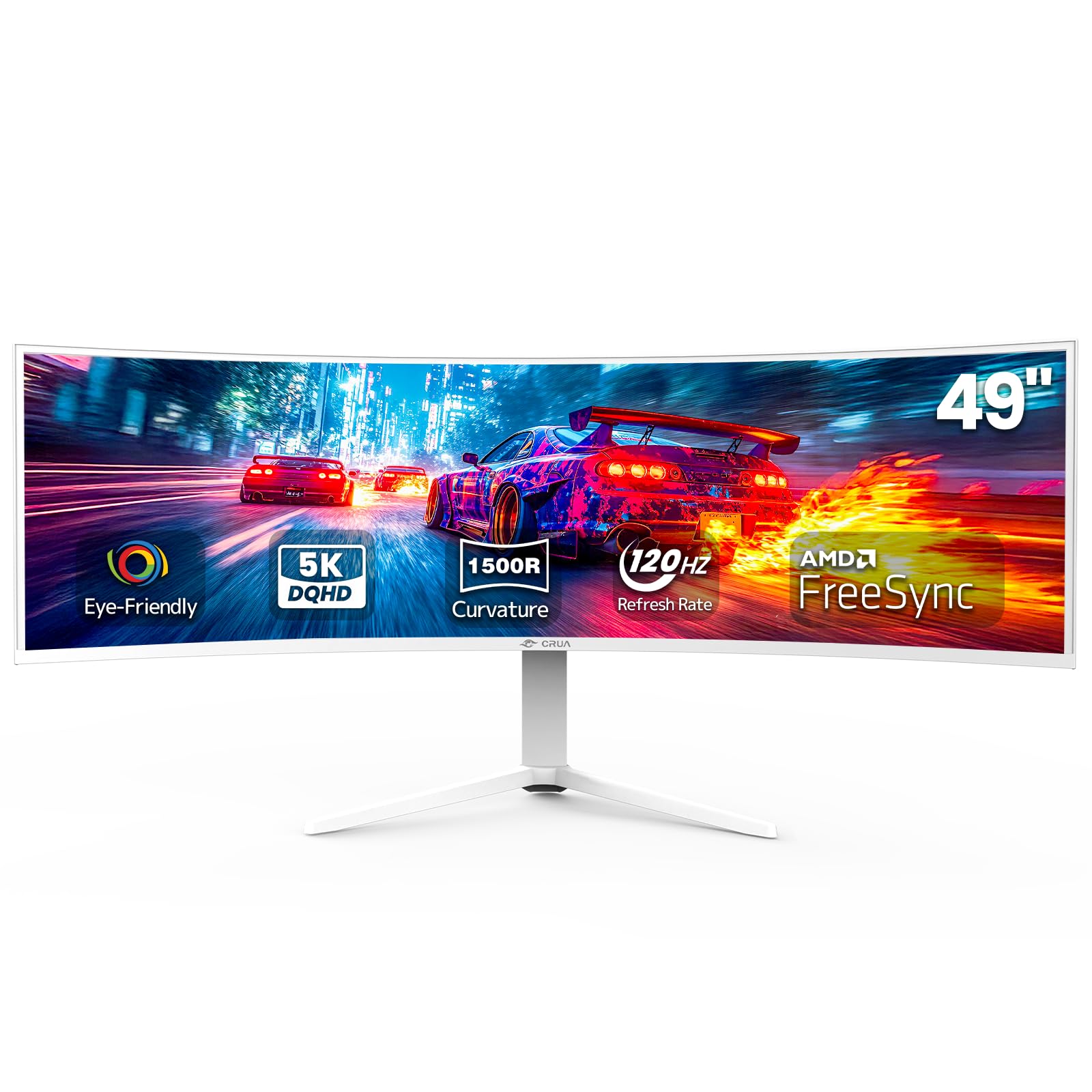
1. CRUA 49″ DQHD 120Hz Ultrawide Curved Gaming Monitor
Our pick — over 4★ from 4,000+ verified ratings; the strongest balance of quality and price.
The 49-inch curve that delivers the full ultra-wide experience without the premium sticker shock.
It delivers the full DQHD 5120×1440 resolution and a 1500R curve at a price that undercuts most rivals. The 120Hz refresh rate with AMD FreeSync keeps motion smooth for both fast games and everyday work.
Owners are often surprised by the sturdy build quality at this budget tier. The stand is sturdy and height-adjustable, and you can mount it on a wall using the standard 100x100mm VESA pattern (a universal hole layout) to free up desk space. It covers 120% sRGB color, so colors look vivid and accurate for design work, and it has HDMI 2.1 and DisplayPort 1.4 inputs, plus a 3.5mm audio jack for external speakers — there are no built-in speakers, so plan for that.
The honest trade-off is picture consistency. While the 120% sRGB coverage and 3000:1 contrast ratio promise vibrant colors, some buyers report washed-out tones or blurriness at times. It can look spectacular but may need color tweaking from the start to suit your eyes.
Why Owners Stick With It
- Quality is the single most-praised aspect — over 500 owners single it out for the sturdy build and clear panel
- Simple setup with an adjustable stand and wall-mount option
- Vivid 120% sRGB colors and a 3000:1 contrast ratio for deep blacks
The Reality Check
- No built-in speakers — you will need to connect your own
- Some owners find the colors washed out or slightly blurry and need to adjust settings
- Durability concerns appear in a minority of reviews, so handle the panel with care
Reach for this if: you want the biggest rich upgrade for your money and can connect external speakers.
Look elsewhere if: you need perfect out-of-the-box color accuracy for professional editing without tweaking.
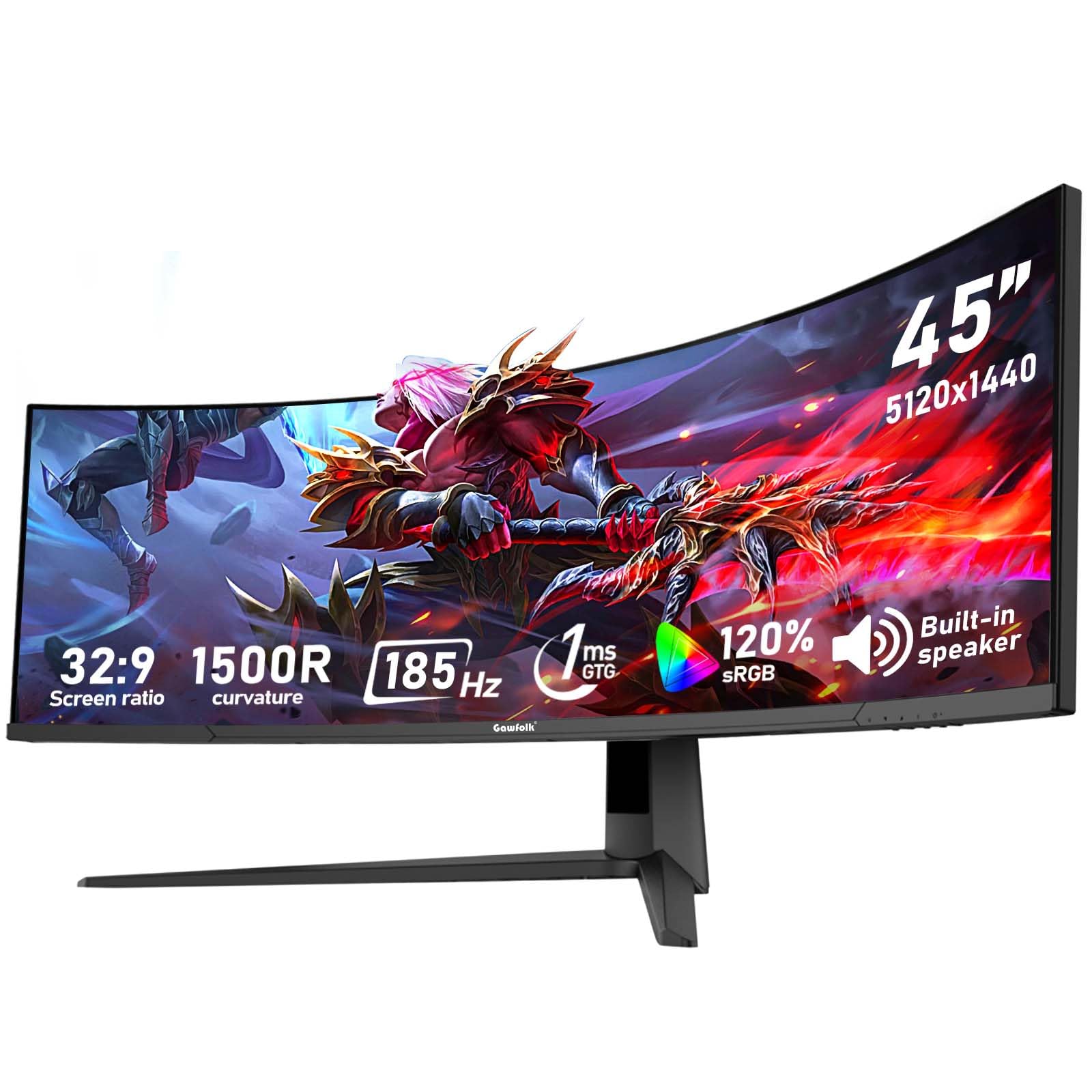
2. Gawfolk 45 inch Ultra-Wide Curved Gaming 185Hz PC Monitor
A 45-inch DQHD panel that pushes a 185Hz refresh rate for noticeably smoother motion than the 120Hz standard.
If you feel the difference between 120Hz and 185Hz in fast games, this Gawfolk is the upgrade. The 185Hz refresh rate is a significant step above the 120Hz of the CRUA above — a gap of over 50% in refresh speed — which translates to less motion blur and more responsive aiming in competitive shooters. It uses Adaptive Sync (compatible with both AMD FreeSync and NVIDIA G-Sync) to keep frames tear-free.
Beyond speed, it is a versatile workhorse. The VA panel hits 350 cd/m² brightness — brighter than the CRUA’s 330 cd/m² — and keeps the same 3000:1 contrast ratio for deep blacks. You get two HDMI 2.1 and two DisplayPort 1.4 inputs, so you can leave a PC, PS5, and laptop all connected and switch without touching cables. The full aluminum build is a standout at this price; as owners mention, it is the “Best 4K at price; full aluminum build, bright screen, easy height/tilt adjust.”
The picture quality splits opinions. Some owners praise the colors and sharp resolution, while others report blurry images or dead pixels on arrival. It is also a budget-tier brand, so quality control can be inconsistent between units — worth checking your panel carefully when it arrives.
The Speed Edge: the 185Hz refresh with Adaptive Sync is the reason to pick this over slower, cheaper rivals — motion stays fluid and tear-free in fast games.
The Consistency Catch: monitor quality is praised most often, but a minority of units arrive with dead pixels or blur, so inspect the panel on day one.
Pick this for: competitive gamers who want the fastest refresh rate in the value tier and a bright VA panel.
skip it if: you cannot tolerate the chance of panel inconsistencies and want a more established brand for confidence.
3. INNOCN 45C1R 45″ 5K2K 5120 x 1440p Ultrawide Curved Gaming Monitor
The productivity powerhouse that charges your laptop and swaps between two devices with a single USB-C cable.
If you live in spreadsheets, code, and timelines all day, this INNOCN is built for you. It delivers the full DQHD 5120×1440 resolution (a super-ultrawide resolution that gives you two 1440p monitors side by side) on a 1500R VA panel with a 120Hz refresh rate, and it stands out for its USB-C port that delivers up to 90W of power delivery — plug in a compatible laptop and it charges while it displays, so you can leave the laptop charger at home. The HDR400 support and 99% sRGB coverage keep colors accurate for content creation.
Connectivity is genuinely rich: DisplayPort 1.4, two HDMI 2.1 ports, USB-C, USB-A, USB-B, and even an RJ45 Ethernet port. The built-in speakers and height/swivel/tilt adjustable stand make it a complete all-in-one for a clean desk. Owners using it with a Mac Mini M2 Pro get full 120Hz over USB-C to DisplayPort, and traders love the matte screen for long charting sessions.
The recurring gripes are weak built-in speakers and color calibration that occasionally needs manual adjustment. A few owners also note a slight loss of clarity at the screen’s edges, which is common with steep curves.
Multitasker’s Dream: the single USB-C 90W cable plus KVM-style input switching handles a work laptop and a gaming PC without cable chaos.
The Fine Print: colors may need tweaking and the speakers are not for music — plan for external audio if that matters to you.
Best suited to: professionals with a USB-C laptop who want one clean cable to charge, display, and connect peripherals.
Not for: audiophiles or anyone expecting rich built-in sound from the monitor’s speakers.
4. Gawfolk 45 Inch Ultrawide Curved Monitor, 200Hz 5K DQHD 1500R Screen
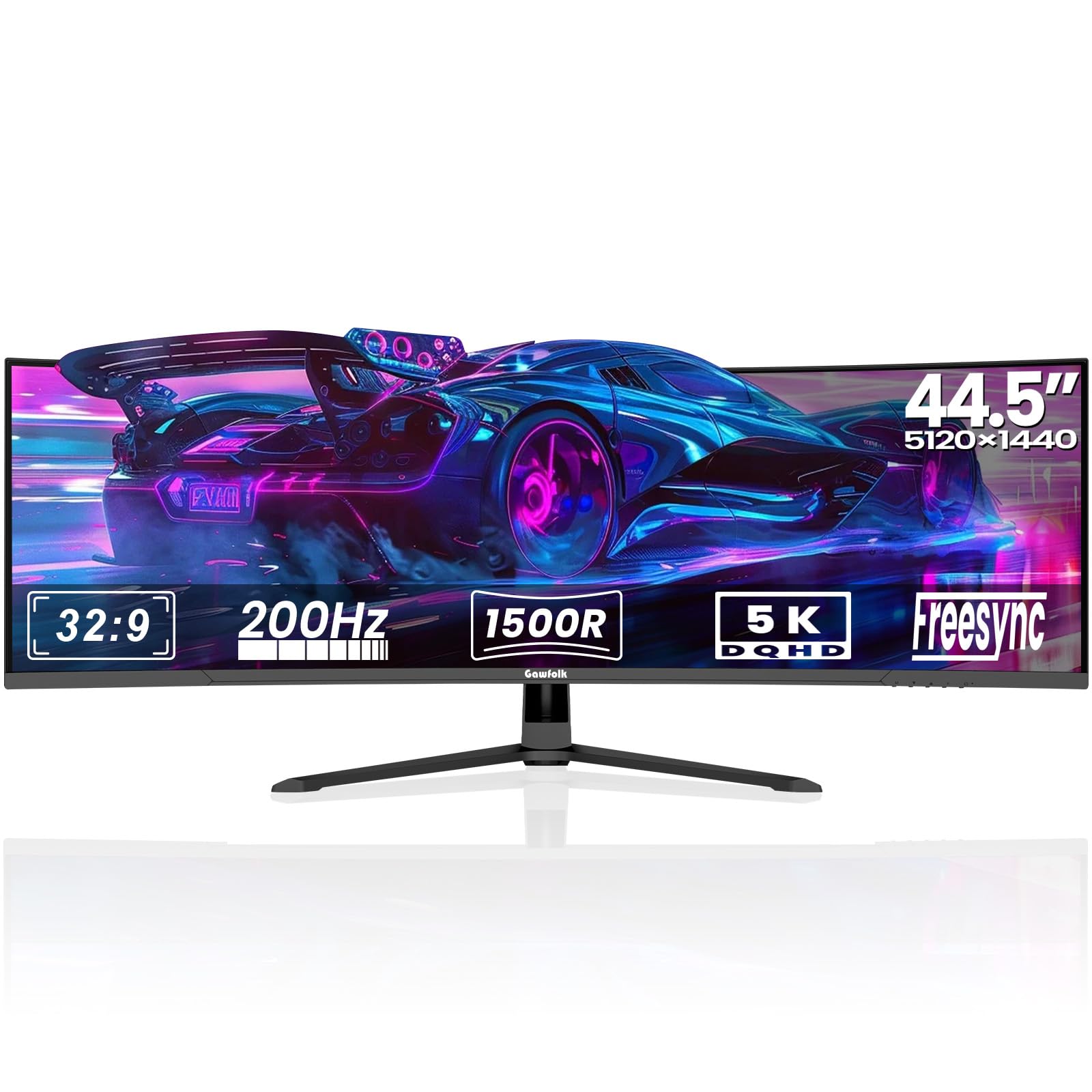
A 45-inch DQHD screen that cranks the refresh rate to 200Hz with gaming-focused OSD features for the competitive crowd.
This is the fastest non-OLED pick in the list, and it is aimed squarely at players who want every millisecond of responsiveness. The 200Hz refresh rate on a 5120×1440 VA panel means ultra-smooth motion, and it is compatible with both AMD FreeSync and NVIDIA G-Sync to eliminate screen tearing. A built-in Overdrive (OD) function fine-tunes response times for a competitive edge in fast-paced titles.
The gaming extras go beyond raw speed. The on-screen display (OSD) menu includes a Black Equalizer to brighten dark corners and spot enemies, plus a customizable crosshair (aim assist) for FPS games. Ambient lighting on the rear panel adds a modern glow to your setup. For multitaskers, PIP (Picture-in-Picture) and PBP (Picture-by-Picture) modes let you view two different inputs at once — like watching a laptop feed while working on a desktop PC.
Build quality is the most-praised feature, with owners noting the sturdy aluminum alloy base holds up well on a monitor arm. However, reliability and picture quality draw mixed feedback: some units stop working entirely, and a few customers note washed-out whites or major ghosting. It is a high-performance panel with an occasional quality-control gamble.
Built for the Win
- Fastest refresh in the mid-range here at 200Hz for ultra-smooth gaming
- Black Equalizer and on-screen crosshair give you a real competitive advantage
- Built-in speakers and PIP/PBP modes make it versatile for work too
Gamble Factor
- A minority of reviewers point out units that stop working or show major ghosting
- Some find the picture washed out and needing calibration
- Speakers lack bass, so they are fine for calls but not for music
Grab it for: serious esports players who want the highest refresh rate for the least money in this class.
Think twice if: you need guaranteed reliability for daily work — a few units fail, and quality control is not perfect.
5. Deco Gear 49 Inch Curved Ultrawide Monitor, 5120×1440 Dual QHD
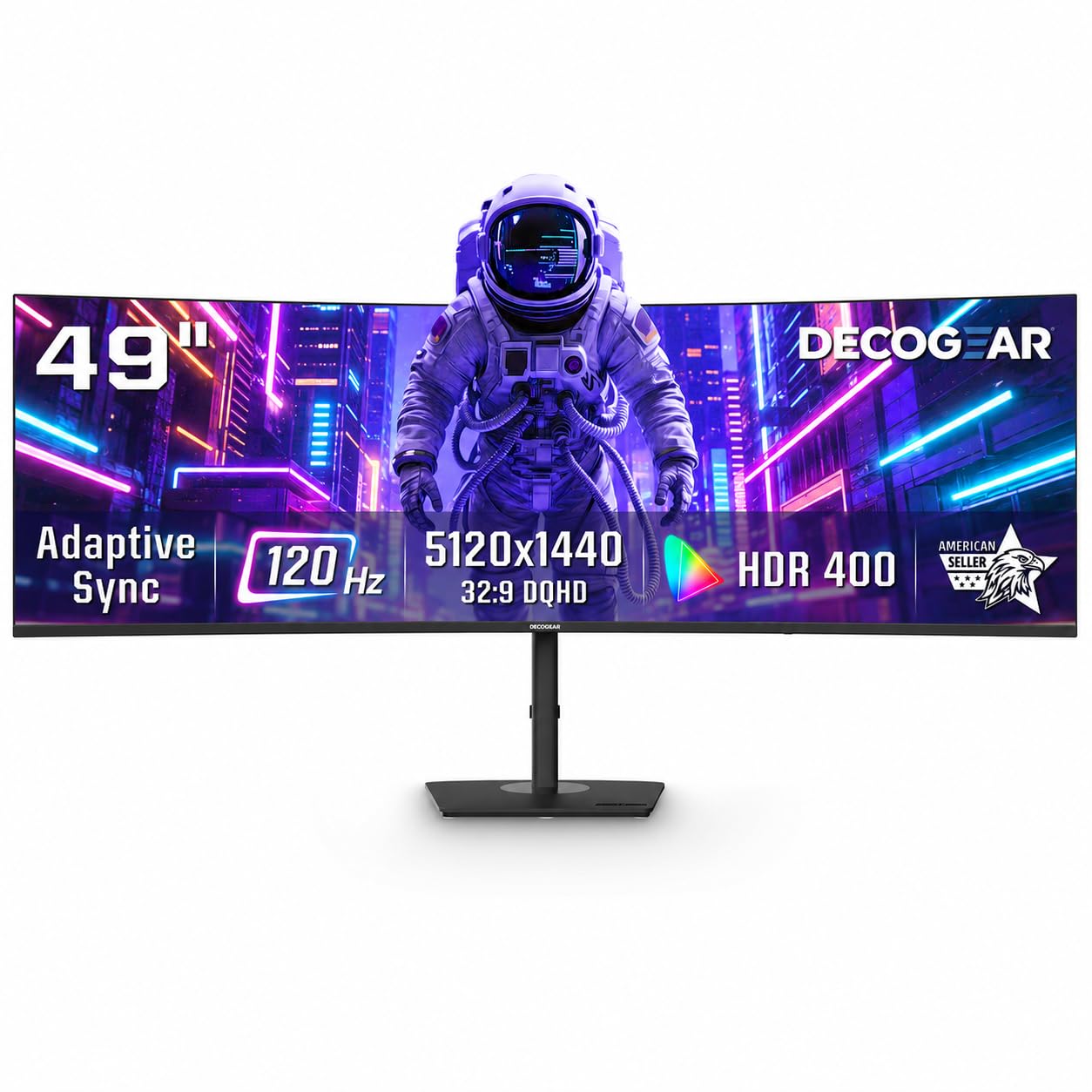
A 49-inch DQHD canvas with a built-in KVM switch that lets one keyboard and mouse run two computers.
This Deco Gear targets the home-office worker who juggles a work laptop and a personal desktop. Its standout feature is a built-in KVM switch (Keyboard, Video, Mouse), which lets you control two devices with a single keyboard and mouse — no extra gadget needed. The USB-C port delivers up to 65W of power, so a connected laptop charges while it displays. HDR400 support and 100% sRGB coverage keep visuals rich for both work and entertainment.
The 120Hz refresh rate with Adaptive Sync and a 1ms MPRT response time (a measure of how fast a pixel changes color, meaning less motion blur) keep it smooth enough for casual games. The 1500R VA panel gives a comfortable curve that owners say is great for working from home with multiple windows and spreadsheets open. It is easy to set up and the packaging is secure.
Two honest caveats: the stand offers tilt but not height adjustment, so you may need a monitor arm for ideal ergonomics, and picture sharpness is lower than a true 4K panel, which some owners notice. One unit also failed quickly in a single review, so inspect yours carefully on arrival. Compatibility with some MacBooks has also been a point of failure for a couple of users.
Desk Declutterer: the USB-C 65W power plus built-in KVM removes the need for a separate switch box and multiple chargers.
The Trade-off: no height adjustment on the stand and a slightly softer image than 4K; a monitor arm solves the first, and your eyes may never notice the second.
Ideal for: multi-device home offices where a KVM and laptop charging are worth more than a perfect image.
Look elsewhere if: you need a height-adjustable stand from the start or a MacBook you cannot verify is compatible.
6. INNOCN 45 Inch 5K2K 5120 x 1440p 120Hz Ultrawide Curved Gaming Monitor
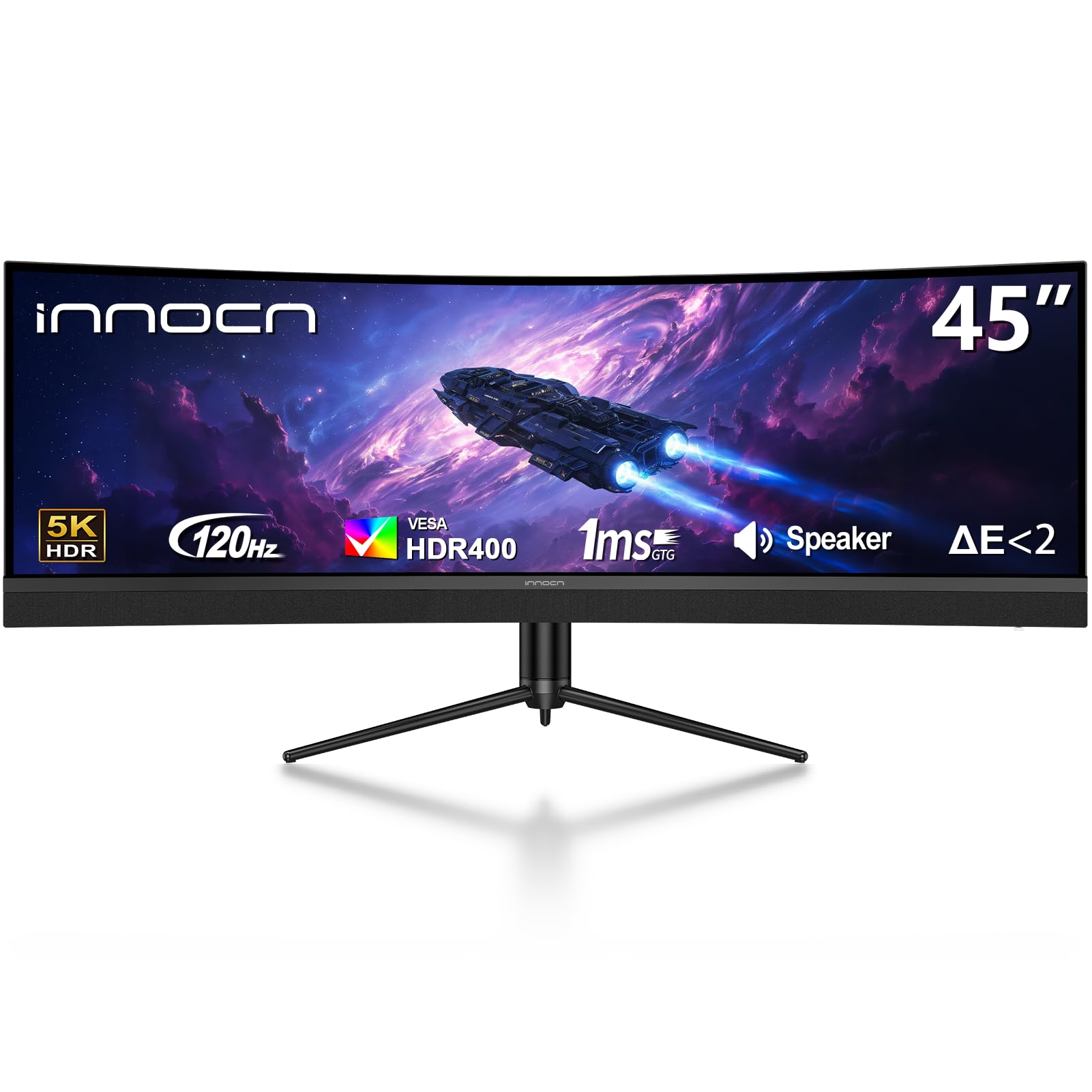
A 45-inch DQHD VA panel that doubles as a USB-C docking hub, replacing a multi-monitor setup with one clean screen.
This INNOCN is essentially the sibling of the 45C1R, and it shares the same core DNA: a 5120×1440 VA panel with a 120Hz refresh rate and a 1500R curve. The difference is the emphasis on connectivity as a hub — it packs a USB-C port with 65W power delivery, two HDMI 2.1 ports, a DisplayPort 1.4, USB-A and USB-B ports, and an RJ45 Ethernet jack. That means a gaming PC, a work laptop, and a wired network can all live on this one screen.
Owners who replaced two 23-inch monitors with this panel love the built-in dock-and-KVM behavior: it switches between a gaming PC (via HDMI) and a work laptop (via USB-C) with ease, and you can fit at least three windows side-by-side comfortably. The 1500R curve and 99% sRGB coverage are aimed at reducing eye fatigue during long sessions.
The catch is quality control at delivery. One owner received a unit with a busted top bezel and missing all cables and screws, and another had the screen blink out after three days. The panel itself is solid when it works, but the packaging and unit-to-unit consistency are a gamble — check the box and hardware as soon as it arrives.
One-Cable Convenience
- USB-C 65W powers and displays a laptop with a single cable
- RJ45 Ethernet and multiple USB ports create a true desktop hub
- PIP/PBP modes let you watch a second input while you work
Delivery Roulette
- Some units arrive damaged with missing cables and stand screws
- A small number of screens fail within days of setup
- Built-in speakers are a bonus, not a feature to rely on
Choose it for: a tidy single-cable desk where a laptop dock and screen in one is the priority.
Pass if: you cannot risk a damaged delivery or want a brand with a longer track record.
7. Samsung 49″ Odyssey G9 Series DQHD 1000R Curved Gaming Monitor

The flagship from Samsung wraps your entire field of view in a steep 1000R curve with HDR 1000 brilliance.
This is the monitor that sets the bar for immersion. The 49-inch Odyssey G9 uses a dramatic 1000R curve (the steepest in this list after the OLED models) to wrap the screen around your eyes, and it pairs that with a 1000-nit peak brightness and a 1,000,000:1 contrast ratio for HDR content that genuinely pops. The 240Hz refresh rate and 1ms (GtG) response time make it exceptionally fast, with AMD FreeSync Premium Pro keeping motion tear-free.
It is not just for gamers. The DQHD 5120×1440 resolution gives you an enormous workspace, and the height-adjustable stand (with swivel and tilt) plus VESA compatibility means you can position it exactly where you need it. CoreSync ambient lighting projects on-screen colors around the monitor for extra immersion. Owners who game on it call the brightness “unreal for a VA panel” and feel the curve is more aggressive than expected — which is a compliment for immersion, but something to be aware of for a desk setup.
The honest concern is long-term reliability. Some shoppers say the panel dying after several months, and Samsung’s warranty support has drawn criticism for being slow during those failures. Screen durability also appears as a negative aspect in the review data, so treat the panel carefully.
The Immersion King: the 1000R curve and 1000-nit brightness create an HDR experience no other VA panel here matches.
The Long Game: monitor quality is praised most, but a handful of units fail after months and support can be a slog — buy with extended protection in mind.
Buy it for: the ultimate HDR gaming experience with the fastest VA refresh rate and deepest blacks in this class.
Consider the risk: if you prioritize warranty support and durability over peak performance, the cheaper value picks may serve you better.
8. LG 45GS95QE Ultragear OLED Curved Gaming Monitor
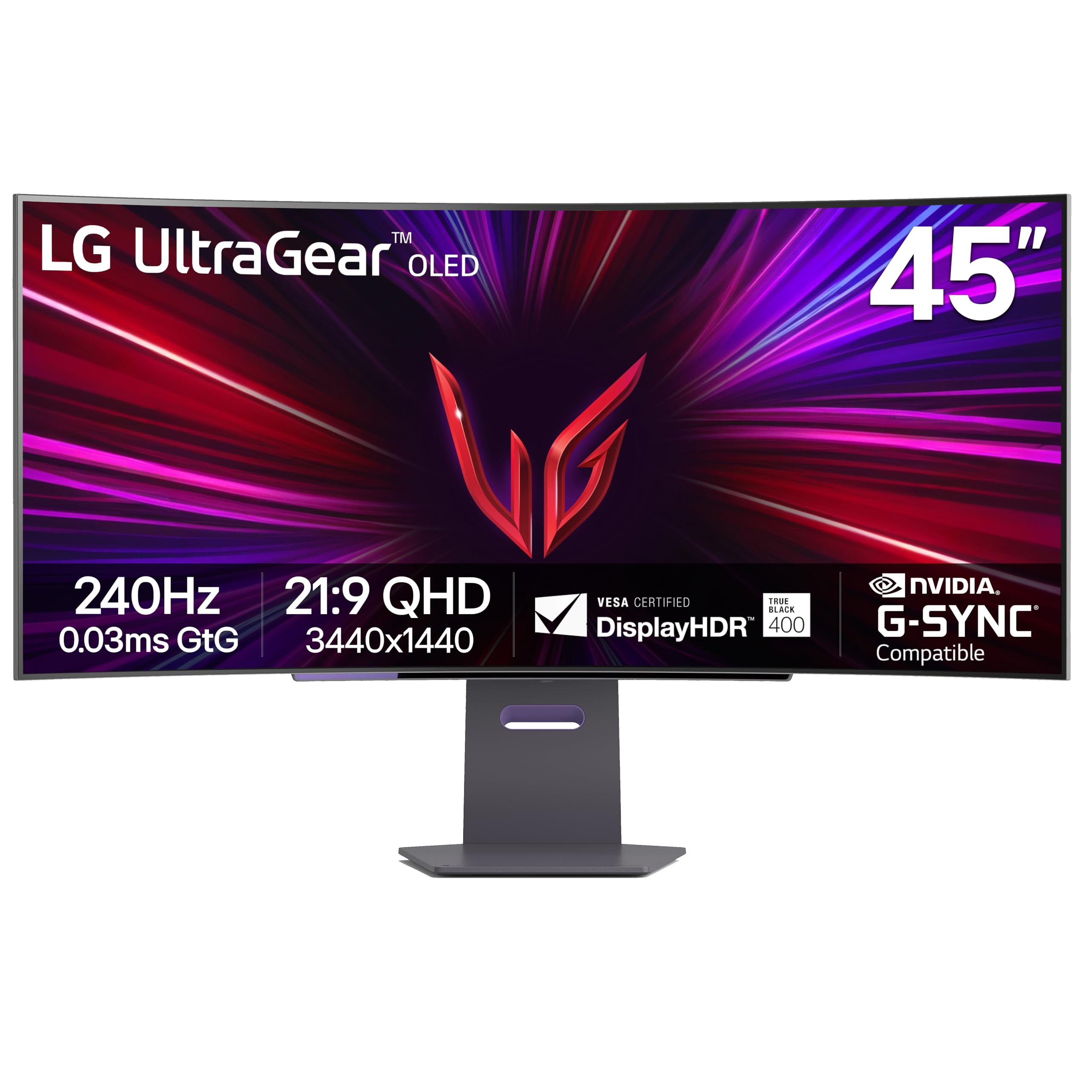
An 800R OLED curve that delivers perfect blacks and an instantaneous 0.03ms response for pure gaming speed.
This is the first OLED in the list, and it changes the game entirely. The LG uses a 45-inch OLED panel (organic light-emitting diodes, where each pixel lights itself, giving perfect blacks and infinite contrast). It offers a 240Hz refresh rate and a near-instantaneous 0.03ms (GtG) response time, which means essentially zero motion blur in fast games. The 800R curve is steep and dramatic, drawing you into the action by extending your peripheral vision.
With DisplayHDR True Black 400 certification and a 1.5M:1 contrast ratio, dark scenes look impeccable — the kind of depth you simply cannot get from a VA panel. It is officially NVIDIA G-Sync Compatible and AMD FreeSync Premium Pro certified, so you get tear-free gameplay whether you run an NVIDIA or AMD graphics card. The anti-glare screen with low reflection keeps distractions down.
The trade-offs are real for text workers. At 3440×1440 on a 45-inch panel, text can look slightly soft (around 84 PPI) — fine for gaming, less ideal for dense spreadsheet work. OLED also carries a burn-in risk if you leave static images on screen for hours. Owners call it “the best monitor there is” for gaming but note it is not a great value nor the sharpest for office use.
The OLED Difference
- Perfect blacks and a 1.5M:1 contrast ratio make HDR and dark scenes stunning
- 240Hz with 0.03ms response is the fastest gaming feel possible
- Dual G-Sync and FreeSync Premium Pro compatibility covers both GPU brands
Not a Text Machine
- Lower resolution (3440×1440) makes text slightly soft for long document work
- OLED burn-in risk with static images like taskbars
- Brightness is moderate at 275 nits, so not ideal for very bright rooms
Made for: dedicated gamers who want the fastest, most rich OLED experience and watch HDR content.
Not for: office workers staring at text for hours — the lower PPI and burn-in risk are real drawbacks.
9. LG 45 inch Ultragear OLED WQHD 240Hz 800R Curved Gaming Monitor with webOS
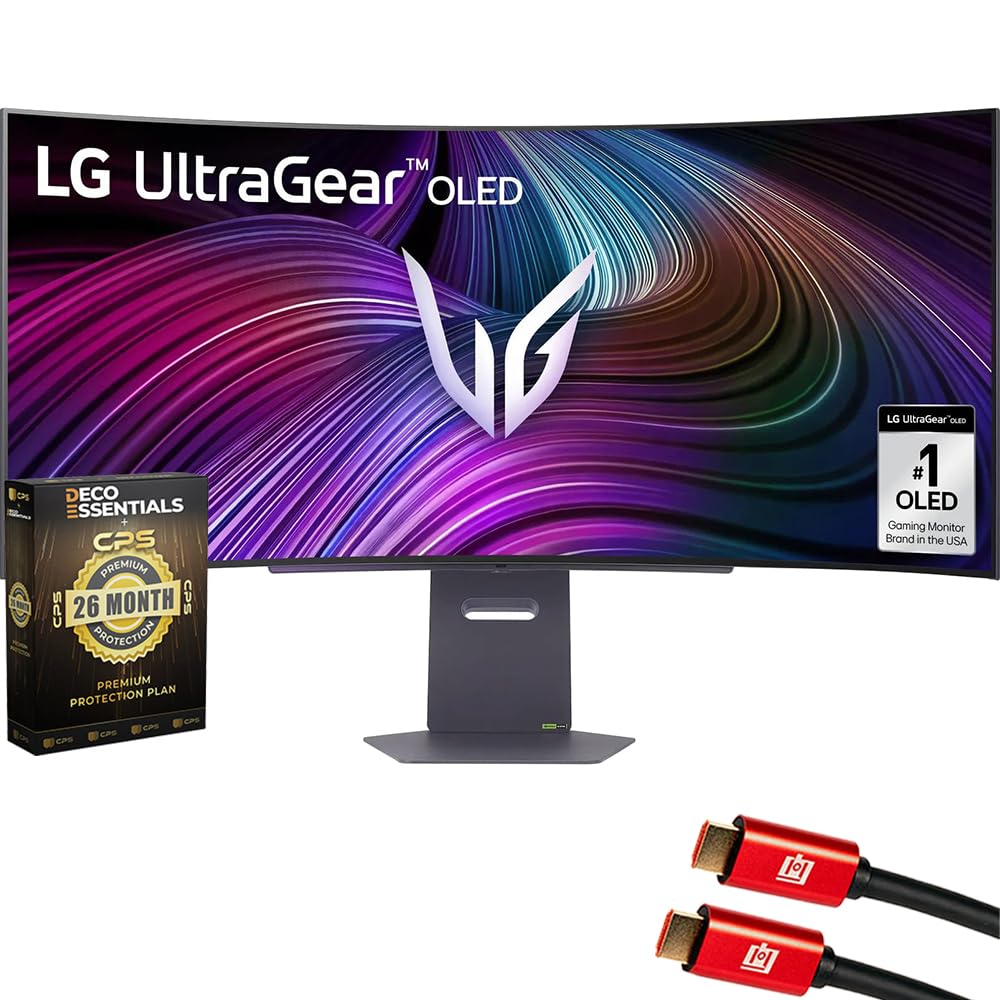
An OLED gaming monitor that doubles as a smart TV with streaming apps and cloud gaming built right in.
This LG stands out because it is not just a monitor — it is a smart display. It runs webOS, so you can stream Netflix, Prime Video, and Disney+ directly on the screen without a PC or console, and play cloud games through services like GeForce NOW, Amazon Luna, and Blacknut. That makes it a hybrid: a 240Hz OLED gaming monitor during the day and a smart TV for movies at night.
The panel is identical in spirit to the 45GS95QE: a 45-inch OLED with a steep 800R curve, 98.5% DCI-P3 color, HDR True Black 400, and a 1.5M:1 contrast ratio for deep blacks. It is compatible with both AMD FreeSync Premium and NVIDIA G-Sync, and the included remote control is a nice touch that most monitors lack. The white color scheme and bundle with two 4K HDMI cables and a 26-month protection plan add value.
Long-term owners are very happy — one reports using two of these for 18 months with zero issues and no eye fatigue. The recurring minor complaint is the power brick, which a few owners say is the only weak point. Some also find the default picture a bit dim and dark, needing a small brightness adjustment to look its best.
Two-in-One Value: built-in webOS streaming means you may not need a separate smart TV for the bedroom or office.
Minor Quirks: dim out-of-box picture needs a brightness bump, and the power brick is the single reported weak spot.
Perfect for: users who want a high-performance OLED monitor and a streaming screen in one device, with a remote included.
Skip if: you never stream on your monitor and would rather save money on a pure gaming panel.
10. LG 45GX950A-B 45-inch Ultragear 5K2K WUHD OLED Curved Gaming Monitor

The world’s first 5K2K OLED monitor, packing 125 PPI sharpness with a dual-mode 330Hz esports setting.
This is the most advanced monitor in the list, and it solves the classic OLED text problem. With a 5120×2160 resolution on a 45-inch panel, it delivers 125 pixels per inch (PPI), which keeps text crisp and sharp for office work while still offering the perfect blacks of OLED. It is the world’s first 5K2K OLED gaming monitor and, at 21:9, actually provides more screen area than a 49-inch 32:9 display.
The dual-mode feature is the a neat extra: run it at 5K2K with a 165Hz refresh rate for stunning, detailed games, or press a hotkey to drop to Wide Full HD at an electrifying 330Hz for ultra-responsive competitive play. It pairs this with a 0.03ms response time, DisplayPort 2.1 (for the highest data speeds), and both NVIDIA G-Sync and AMD FreeSync Premium Pro compatibility. Peak brightness hits up to 1300 nits, making it bright enough for almost any room.
Owners are blown away — one calls the upgrade from a top Alienware monitor “sharp even at 2560×1080 330Hz.” The main cons are the demanding GPU requirements (you will need a serious graphics card to push 5K2K) and LG’s software, which some users have flagged for installing adware on Windows. The built-in speakers are also loud but slightly muffled.
The Complete Package
- 125 PPI means text is sharp enough for all-day office work on an OLED
- Dual-mode 165Hz/330Hz covers both cinematic games and esports
- 90W USB-C power delivery and DisplayPort 2.1 for future-proof connectivity
The Premium Cost
- Needs a powerful GPU (think RTX 50-series) to run 5K2K smoothly
- LG’s Windows software has drawn privacy concerns from some owners
- Speakers are loud but muffled — external audio is recommended
For the enthusiast: who wants the sharpest OLED text and the flexibility of dual refresh modes — this is the endgame monitor.
Who should pass: anyone on a mid-range PC or who wants to avoid LG’s software ecosystem on Windows.
Understanding the Specs
DQHD vs 5K2K Resolution
DQHD (Dual Quad High Definition) at 5120×1440 is the baseline for these super-ultrawides — it is two 1440p monitors side by side. 5K2K (5120×2160) adds extra vertical pixels, which makes text crisper and gives you more room, but it demands a much stronger graphics card to run games well.
Refresh Rate and Adaptive Sync
Refresh rate (like 120Hz, 185Hz, 200Hz, or 240Hz) is how many times the screen updates per second; higher numbers mean smoother motion. Adaptive Sync technologies (FreeSync or G-Sync) match that refresh rate to your GPU’s output to stop screen tearing and stutter.
Panel Types: VA vs OLED
VA panels offer strong contrast (3000:1) at a reasonable price, which makes them the most common choice here. OLED panels use self-lighting pixels for perfect blacks and near-instant response times, but they cost more and risk burn-in if a static image stays on screen for hours.
Curvature and USB-C Power Delivery
Curvature is measured in R (1000R to 1500R); lower numbers wrap the screen more steeply around you for more immersion. USB-C power delivery (like 65W or 90W) lets a single cable charge your laptop while it displays, cleaning up your desk.
FAQ
Will a 45 inch monitor fit on my desk?
What graphics card do I need for a 5120×1440 monitor?
Is a curved monitor better for productivity or gaming?
What is the difference between DQHD and 5K2K resolution?
Can I use a 45 inch monitor with a MacBook?
What does the refresh rate number actually mean?
Is OLED worth the extra money for a monitor?
What is the benefit of a built-in KVM switch on a monitor?
Do I need built-in speakers on an ultrawide monitor?
How does the curvature 1500R compare to 1000R or 800R?
What cables come with these monitors?
Final Thoughts: The Verdict
The best 45 inch monitor for most buyers is the CRUA 49″ DQHD, because it gives you the full super-ultrawide experience — a 5120×1440 resolution, 120Hz refresh rate, and 1500R curve — at a price that makes the category accessible. If your priority is the fastest possible refresh rate on a budget, the Gawfolk 45″ 185Hz is your pick, delivering smooth motion that outpaces the 120Hz standard. And if you want the absolute best image quality with perfect blacks and OLED speed, the LG 45GS95QE is the one to reach for — just be ready for the premium price and burn-in care that comes with OLED technology.
One final nudge: the crowd has already spoken on the CRUA, with over 4,000 reviews and a 4.3-star average. That kind of consensus is rare in the budget ultra-wide space, where many models have only a few hundred ratings. When a monitor delivers this much screen for the price and still earns that kind of trust, it is the safest bet for a first-time ultra-wide buyer.
How We Picked
We do not accept paid placement. Every pick is matched to a real buyer and a real use-case; we do not hands-on test units.
Sources & Methodology
Specifications: manufacturer listings and product documentation. Review insights: verified customer reviews, as of August 2026. Pricing: not shown on this page (it changes often); check the current price via the retailer link.
As an Amazon Associate, Gadgets Feed earns from qualifying purchases. This does not affect which products we feature.