
Our readers keep the lights on and my morning glass full of iced black tea. As an Amazon Associate, I earn from qualifying purchases.
Specs are compiled from manufacturer listings and verified buyer reviews and can change over time — please confirm the key details on the product page before buying.
You want a laptop that can also work as a tablet, but you are not sure whether to pick a clamshell or a 360° convertible. The real question is simple: do you want a laptop that occasionally acts like a tablet, or a tablet that can genuinely replace your laptop? A 2-in-1 with a bend-back hinge covers both, but that flexibility hides big differences in raw performance, portability, and price. This guide cuts through the marketing to show you exactly which convertible fits your daily workflow and which specs you can safely ignore.
I’m Min — the founder and writer behind Gadgets Feed. This guide is built by comparing the manufacturers’ published specifications and the patterns across verified customer reviews, so you get each pick’s real strengths and trade-offs instead of marketing spin.
From flagship AI-powered Ultra 7 processors to budget-friendly Chromebooks, this breakdown of the best all-in-one laptop options examines the specs and features that genuinely improve your day-to-day experience.
Our Picks at a Glance


How To Choose The Best All-In-One Laptop
Balance computing power, tablet-mode frequency, and portability to find your ideal convertible. Prioritize one of these three factors before comparing specs. A student prioritizes portability, while a home-office user values screen size and performance.
Match the Processor to Your Real Workload
If your day is web browsing, documents, and streaming, an efficient processor like the Intel Celeron in budget Chromebooks handles it with ease and gives you amazing battery life. If you run heavier software, edit video, or juggle dozens of browser tabs, you need the extra muscle of a Core Ultra 7 or a Snapdragon X Plus. The processor determines how long your laptop stays responsive, so match it to your workload—Celeron for light tasks, Core Ultra 7 for heavy ones.
Decide Between a 360° Hinge and a Detachable Keyboard
A 360° hinge folds the screen all the way back, turning the whole laptop into a thick tablet for watching or presenting. A detachable keyboard, the route the Microsoft Surface Pro takes, lets you leave the keyboard behind entirely, creating a much thinner and lighter tablet. If you read or draw a lot, detachable is better. If you mostly want the occasional tent mode for watching movies, the simpler hinge is more sturdy and costs less.
Screen Size vs. Portability
16-inch screens excel for spreadsheets and design but are heavy in tablet mode. 12-14 inch panels are lighter and more comfortable as handheld tablets. Choose a 12-14 inch screen for portability, or a 16-inch for desk-bound productivity.
Quick Comparison
| Model | Best For | Processor | RAM | Max CPU Speed | Amazon |
|---|---|---|---|---|---|
| Lenovo Yoga 7i 2-in-1★ Best Overall | Power users who want a massive screen | Core Ultra 7 155U | 16GB DDR5 | 4.8 GHz | Amazon |
| HP OmniBook X FlipPremium AI Pick | Creators wanting next-gen AI performance | Intel Ultra 7 256V | 16GB LPDDR5X | 4.8 GHz | Amazon |
| Samsung Galaxy Book5 360Best Display | Samsung phone owners wanting deep integration | Intel Core Ultra 7 256V | 16GB | 4.8 GHz | Amazon |
| Samsung Chromebook Plus V2 360 | Students on a strict budget | Intel Celeron 3965Y | 4GB LPDDR3 | 2.5 GHz | Amazon |
| ASUS Chromebook Flip CX1 | Everyday Chromebook users | Intel Celeron N4500 | 8GB RAM | 2.8 GHz | Amazon |
| CHUWI 2-in-1 Touchscreen Laptop | Travelers wanting a mini Windows machine | Intel N150 | 16GB LPDDR5 | 3.6 GHz | Amazon |
| Dell Latitude 5330 (Renewed) | Business users wanting huge RAM cheap | Core i7-1265U | 32GB DDR4 | 4.8 GHz | Amazon |
| FUNYET 2-in-1 Laptop | Students wanting a detachable tablet | 12th Gen N100 | 16GB DDR5 | — | Amazon |
| HP Envy x360 | Shoppers wanting a balanced premium laptop | Intel i7-1355U | 16GB DDR4 | — | Amazon |
| Microsoft Surface Pro | Travelers wanting the best tablet experience | Snapdragon X Plus | 16GB | — | Amazon |
| Lenovo ThinkPad X1 Aura | Professionals wanting top-tier build quality | Core Ultra 7 255U | 32GB LPDDR5x | 5.2 GHz | Amazon |
In‑Depth Reviews
1. Lenovo Yoga 7i 2-in-1 Laptop
Our pick — over 4.5★ from 200+ verified ratings; the strongest balance of quality and price.
The 16-inch powerhouse that makes multitasking feel easy.
The sheer size sets this Lenovo apart. The 1920 x 1200 IPS touchscreen gives you a vast canvas for spreadsheets, design work, or running your email and browser side-by-side without squinting. Its 12-core Intel Core Ultra 7 155U processor, which boosts up to 4.8 GHz, is the kind of power that handles heavy workloads, and the 16GB DDR5 RAM keeps everything running smoothly.
The 2TB PCIe 4.0 SSD provides enormous storage for large projects and media files, and Wi-Fi 6E ensures fast, stable connections in crowded networks. The 360° flip-and-fold design lets you switch between laptop, tablet, tent, and stand modes with ease. Performance is what wins people over here — it’s the most-praised feature of this laptop by far, followed closely by its strong value.
While the Core Ultra 7 155U and 2.5 GHz Celeron 3965Y in the Samsung Chromebook Plus represent a massive 1.9x gap in top processor speed, this Lenovo also flexes a 31% larger screen than that 12.2″ model. Setup is easy for non-techies, and the touchscreen is widely adored, but tablet mode is heavy to hold for long periods and the speakers are weak.
What Everyone Raves About
- Fast performance delivers an excellent experience for work, games, and everything in between
- Versatile 360° hinge with laptop, tablet, tent, and stand modes
- Exceptional value with a huge 2TB SSD for storage
- Easy for beginners to set up and enjoy immediately
The Main Trade-Offs
- The 16-inch screen makes it feel heavy when used as a tablet
- Speakers lack the punch you’d expect, despite the Dolby Atmos branding
Your best bet if: you need one machine that can power through demanding work and offer a huge, beautiful screen for everything else.
Keep in mind: it’s a heavier companion, so you’ll feel it in your bag on your daily commute.
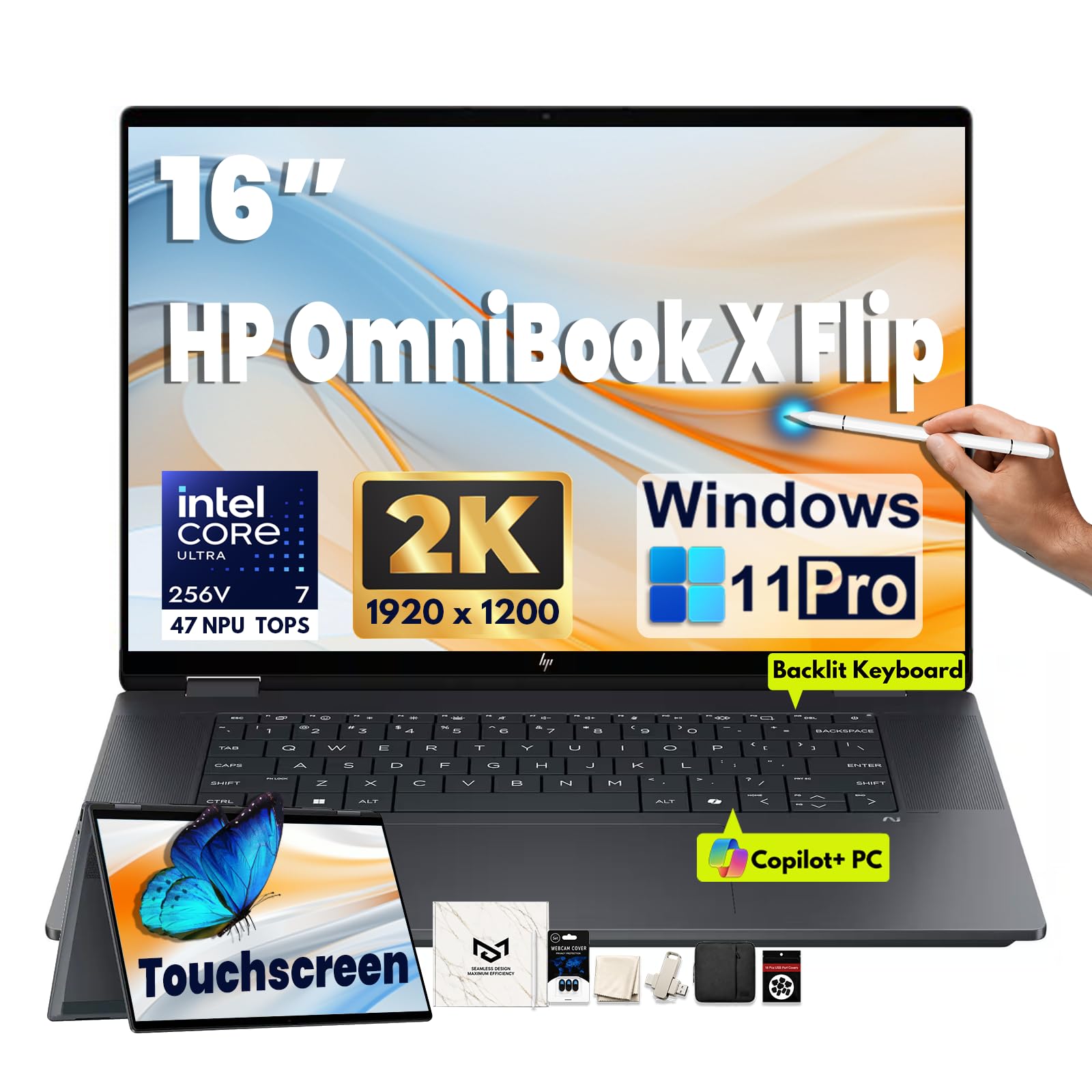
2. HP OmniBook X Flip 2-in-1 Laptop
A next-gen AI laptop with impressive performance for creators.
This HP is built for the new wave of AI-enhanced work. The Intel Core Ultra 7 256V processor clocks up to 4.8 GHz and includes an advanced NPU (a dedicated chip for AI tasks) that delivers up to 47 TOPS, making it ideal for content creation and heavy multitasking. Pair that with 16GB LPDDR5X memory and a fast 1TB PCIe Gen4 NVMe SSD, and you have a machine that loads apps and files instantly.
The spacious 16-inch 1920 x 1200 IPS touchscreen uses edge-to-edge glass for a sleek, modern feel. The 360° hinge flips into laptop, tent, reverse, and tablet modes, adapting to how you work or present. Its 5MP IR camera with noise reduction and Poly Studio dual speakers with DTS:X Ultra make video calls clear and meetings sound better.
Owners praise its excellent performance for content creation, with a keyboard that’s enjoyable to type on and a screen that shows fine details clearly. Buyers report it handles games very well if you don’t care about high refresh rates, though it’s not a dedicated gaming rig. The 6-in-1 accessory bundle, including a sleeve and stylus, adds real value from day one.
Smart Investment: For the price, you’re getting a future-proof AI processor and plenty of storage, making it a strong long-term investment for students and professionals alike.
Minor Consideration: It lacks USB-A ports, so you may need an adapter for older peripherals.
3. Samsung Galaxy Book5 360 Copilot+ PC
A stunning AMOLED screen for Samsung fans and productivity pros.
If you love rich, vibrant colors and perfect blacks, the 15.6-inch FHD AMOLED touchscreen on this Samsung delivers exactly that for everyday work and media consumption. It’s powered by the Intel Core Ultra 7 Processor 256V with an advanced NPU capable of up to 47 TOPS, making it a true next-gen AI PC that excels at daily productivity tasks. Despite the large screen, it’s remarkably portable at just 3.22 lbs and 13.7mm thick, carved from durable CNC Aluminum.
The smart AI features are genuinely useful. AI Select lets you trace anything on your screen to instantly search for it, while Live Captions converts spoken audio into real-time English captions. The dedicated Copilot key puts AI assistance one press away. It also syncs smoothly with other Galaxy devices, letting you control your phone and use your Galaxy Tab as a second screen.
Battery life gets frequent praise for lasting a long time, and the build quality feels premium. The screen is sensitive to careful handling, and running at high brightness can drain the battery faster. There are few USB-A ports, so you might rely more on its Bluetooth 5.4 and Wi-Fi for wireless accessories.
Screen Lover’s Choice: Owners say it’s a beautiful, efficient, and fast machine, especially valuable if you live in the Samsung ecosystem.
The Catch: The high-res screen demands careful handling to avoid damage.
4. Microsoft Surface Pro 2-in-1 Laptop

The ultimate laptop-tablet hybrid for travelers and on-the-go pros.
The Surface Pro is the gold standard for a detachable 2-in-1, offering the power of a laptop with the flexibility of a slim tablet. Its Snapdragon X Plus processor and AI engine deliver up to 45 trillion operations per second for smooth, responsive performance. The 12-inch PixelSense touchscreen is crisp and vibrant, and the built-in kickstand lets you prop it up anywhere. Attach the optional keyboard and it transforms into a full laptop experience.
Portability is its superpower. It’s lightweight and compact, making it the go-to for travel. The integrated design also means you get up to 16 hours of battery life, so you can work, stream, and create all day without hunting for an outlet. Facial recognition login through the biometric sensor adds a layer of fast, secure access.
Owners constantly praise its compact size and lightweight build for traveling, noting the battery outlasts many traditional laptops. While the 12-inch screen might be small for some, it’s perfect for reading, web browsing, and everyday productivity. One recurring note is that the 60Hz refresh rate isn’t aimed at competitive gamers, and creative pros needing intense GPU power might find it limited.
Why It Shines
- Excellent performance for its size, handling Excel, Word, and web apps with ease
- Compact and lightweight design is a joy to travel with
- Built-in kickstand offers flexible viewing angles without a case
- Sharp touchscreen display with crisp text and colors
What to Know
- The Surface Pro Keyboard is sold separately, adding to the base cost
- Coverage for photo editing is limited due to the Snapdragon processor
Reach for this if: you travel frequently and want the lightest, most flexible Windows 11 experience without sacrificing battery life.
Look elsewhere if: your work demands heavy video editing or AAA gaming, where a dedicated GPU is essential.
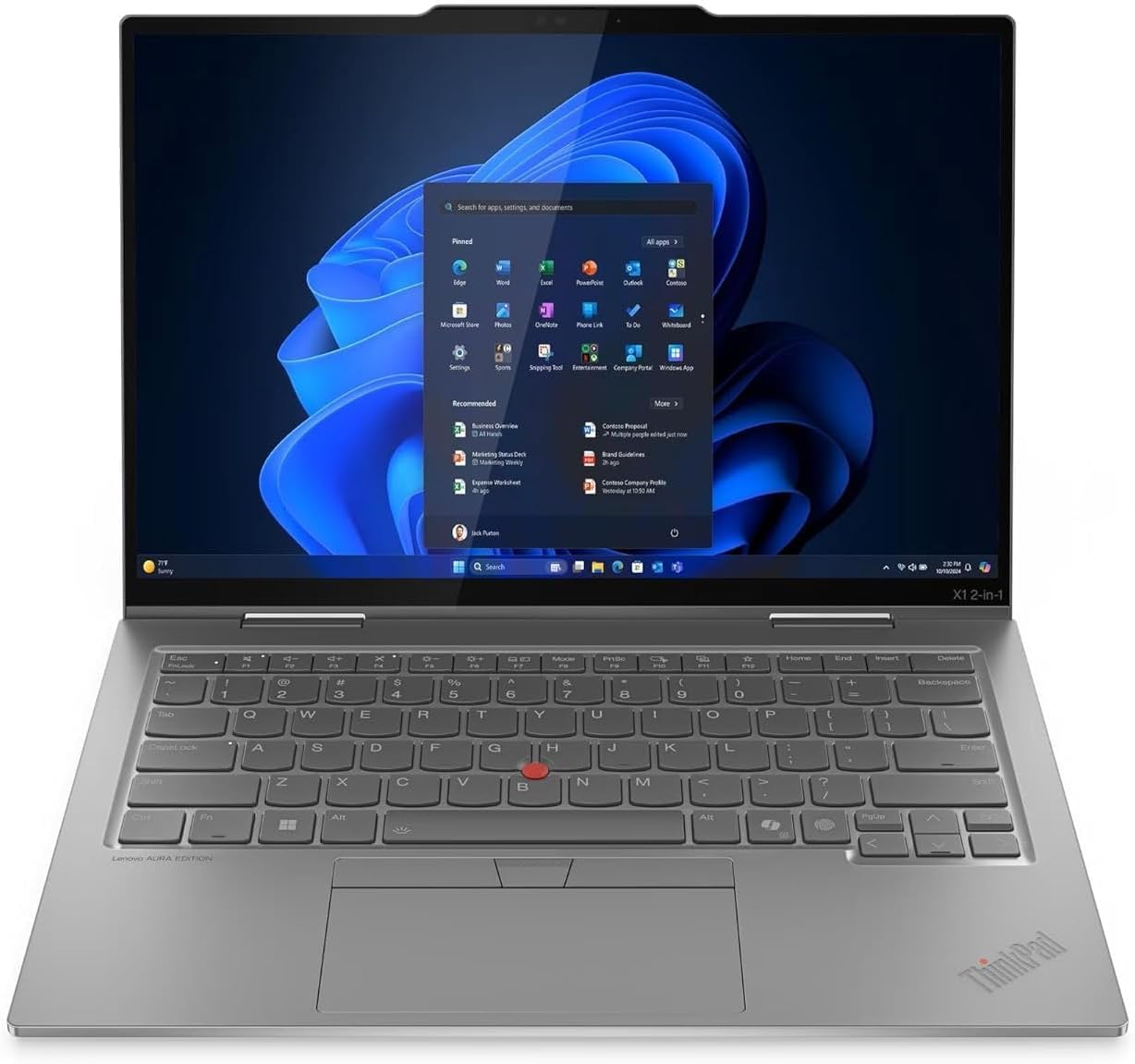
5. Lenovo ThinkPad X1 2-in-1 Gen 10 Aura Edition
A featherlight business machine with top-tier build quality.
For professionals who live in spreadsheets and presentations, the ThinkPad X1 Aura Edition is the business-class answer to the 2-in-1 question. Its Intel Core Ultra 7 255U processor with a maximum speed of 5.2 GHz is the fastest in this lineup, paired with a massive 32GB of LPDDR5x memory for easy multitasking. The 1TB Gen 4 SSD provides fast, ample storage for your entire digital workspace.
The 14-inch WUXGA touchscreen is described as crisp, making it ideal for professional use, and the flexible 360-degree hinge makes sharing your screen easy. It’s also one of the lightest laptops you’ll find, which makes it a fantastic travel companion. The Aura Edition adds Copilot+ to enhance task management with AI-powered suggestions and automation that adapt to your workflow.
Connectivity is comprehensive with two Thunderbolt 4 ports and an HDMI 2.1 port for high-res displays. One owner mentioned a previous ThinkPad lasting 12 years, which says a lot about the build quality and long-term reliability. It is a premium-priced machine, and notably it only has a single USB-A port, so you may want a hub for older peripherals.
Built to Last: Owners mention this is one of the lightest laptops they’ve used, with a solid construction and a keyboard that’s comfortable for long typing sessions.
Fair Warning: There’s just one USB-A port, so plan on using a dock or hub for your existing gear.
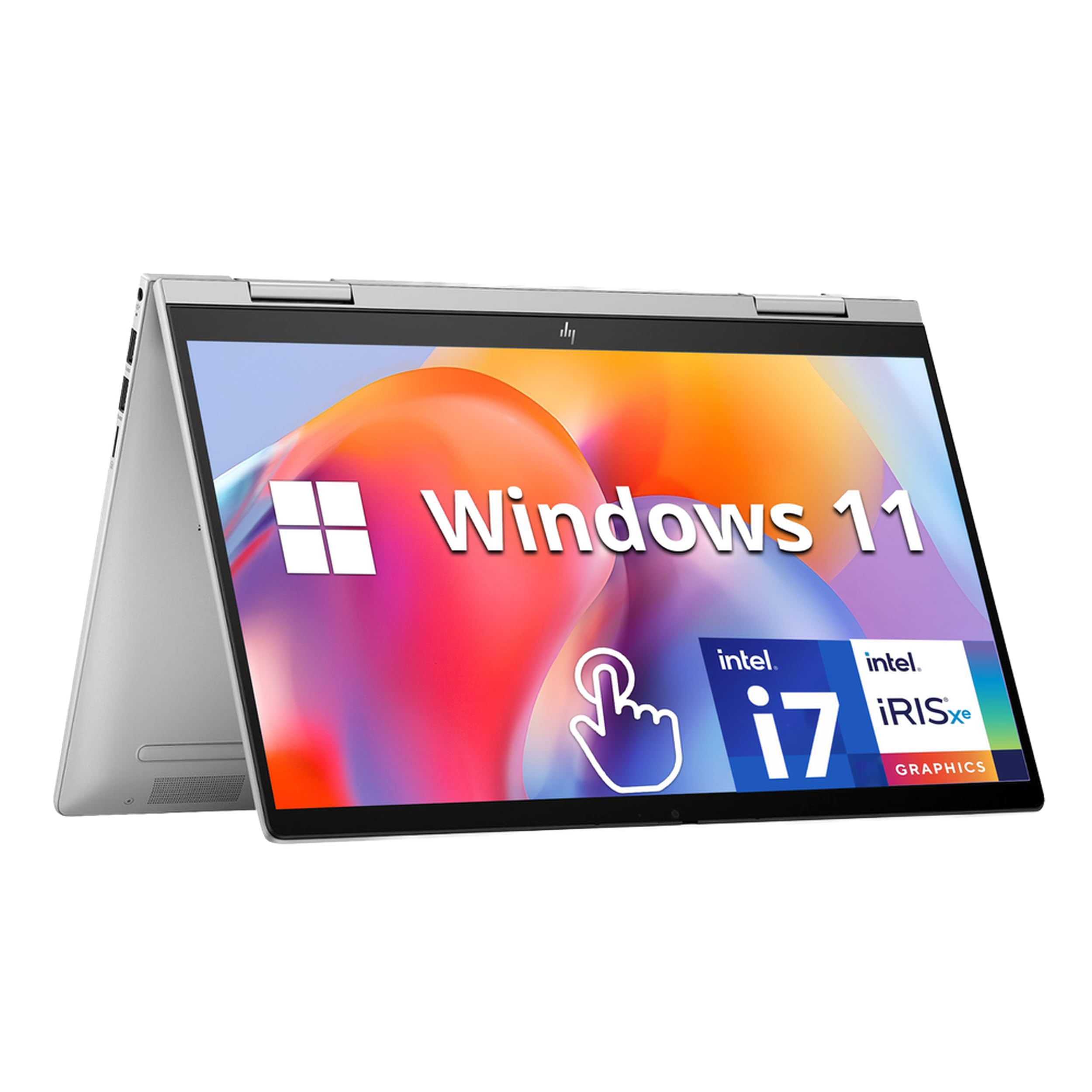
6. HP Envy x360 2-in-1
A reliable all-rounder with a sharp screen and a great price.
The HP Envy x360 is the perfect mid-range pick for students and young professionals who need a dependable machine for everything from writing essays to light photo work. Its 13th Gen Intel Core i7-1355U processor offers 10 cores, providing plenty of speed for efficient multitasking. The 16GB of DDR4 RAM and 1TB PCIe SSD deliver fast boot times and ample space for a growing library of files and photos.
The 14-inch FHD IPS touchscreen is responsive and accurate for writing and creative work. The 360° hinge converts it into a tablet for presentations or watching movies. Video calls are a strong point, thanks to the HP Wide Vision 5MP IR camera with an 88-degree wide-angle field of view, plus infrared sensors for secure facial recognition login. The fingerprint reader adds another layer of fast security.
At just 3.35 lbs, it’s easy to carry between classes or meetings. It ships with Windows 11 Home, which makes it immediately familiar. Owners find it great for student use, lightweight enough to cart around, super fast, and easy to learn. Performance is the most-praised feature, though a rare unit has encountered audio and video playback issues, so checking your specific unit upon arrival is a smart idea.
Strong Points
- Fast 10-core processor handles heavy multitasking with ease
- Great build quality that’s held up well for a year of college use
- Lightweight and easy for students to carry to class
- Includes both a fingerprint reader and IR camera for flexible login
Watch Out For
- A small number of users have reported crashes and video playback issues
- Speakers are adequate but not room-filling for music
A solid choice for: students and general users who want a fast, reliable, and portable Windows laptop without the premium price tag.
You might not need it if: your own IT department provides a standard issue business laptop.
7. ASUS Chromebook Flip CX1 Convertible

A durable, budget-friendly Chromebook with a great screen.
The ASUS Chromebook Flip CX1 is a reliable workhorse for anyone living in a web browser. It’s built to the US Military Grade standard MIL-STD 810H, meaning it can take a few bumps and drops without breaking. Inside is an Intel Celeron N4500 processor and 8GB RAM, which is a solid amount for a Chromebook, ensuring smooth performance for Google apps, browsing, and streaming.
The 14-inch FHD 1920×1080 NanoEdge touchscreen is bright and vivid, with a 360-degree hinge that flips into tent, stand, or tablet mode for work and play at any angle. At just 3.59 lbs, it’s easy to throw in a bag. Battery life is a highlight, with up to 11 hours on a single charge, which beats the 10 hours you get from the Samsung Chromebook Plus V2.
The strong flip mechanism and durable build get frequent praise, alongside a bright and sharp display. It comes with a free 3-month Google One AI Premium plan, which includes Gemini Advanced and 2TB of cloud storage. The Celeron processor is great for everyday tasks, but reviews note it’s not built for high-end performance, so heavy gaming or video editing isn’t its lane.
Perfect for School: It’s bought for teachers and students who love the touchscreen and its smooth operation in Google Classroom.
Keep it simple: This is for web-based work and Android apps, not AAA gaming or heavy video rendering.
Grab this if: you want a dependable, affordable Chromebook with a premium-feeling screen and military-grade durability.
skip it if: you need to run demanding desktop software that requires Windows or macOS.
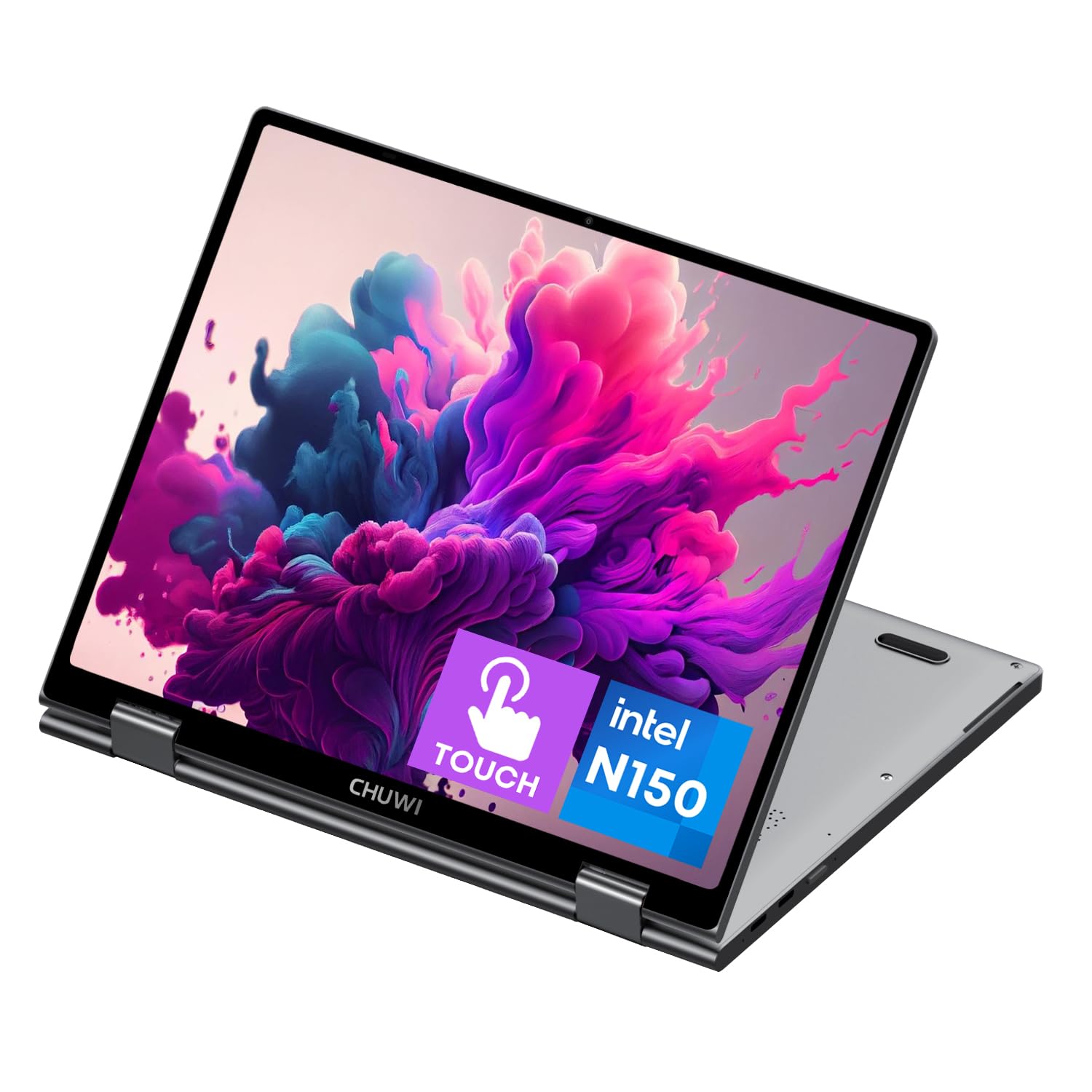
8. CHUWI 2-in-1 Touchscreen Laptop
A tiny travel companion that surprises with its versatility.
The CHUWI MiniBook X is for the traveler who wants a full Windows 11 machine that fits in a small bag. Its 10.51-inch FHD+ touchscreen with a 1920×1200 resolution and 100% sRGB coverage is surprisingly clear for such a compact device. The 12th Gen Intel N150 processor with 16GB LPDDR5 RAM and a 512GB SSD ensures it doesn’t feel sluggish for everyday tasks.
It’s incredibly portable at just 0.899kg and 11mm thin, making it a perfect companion for work and entertainment on the go. The 360° flip-and-fold design switches between laptop, tablet, tent, and stand modes with a sleek metallic body. A backlit keyboard makes typing in the dark easy, and the efficient cooling fan keeps it quiet during longer sessions.
This little machine has a cult following among Linux users, with owners ditching Windows for Ubuntu and Debian and finding it works flawlessly with great battery life. It’s described as a “small but not too small” device that runs cool and handles everyday productivity well, though the write speed of the SSD is on the slower side and it can run a bit hot under sustained load.
The Good Stuff
- Incredibly light and thin, making it the ultimate travel laptop
- Plenty of RAM and storage in a tiny package
- Backlit keyboard for comfortable use in any lighting
- Well-supported for Linux users, though Windows 11 runs from the start
Points to Ponder
- Small screen means a lot of scrolling on complex documents
- Battery life is modest for a portable, lasting a few hours of real use
Ideal for: minimalists and frequent travelers who need a functional Windows PC that disappears into a backpack.
Not ideal for: prolonged heavy workloads where a larger screen and more cooling are essential.
9. Samsung Chromebook Plus V2 360
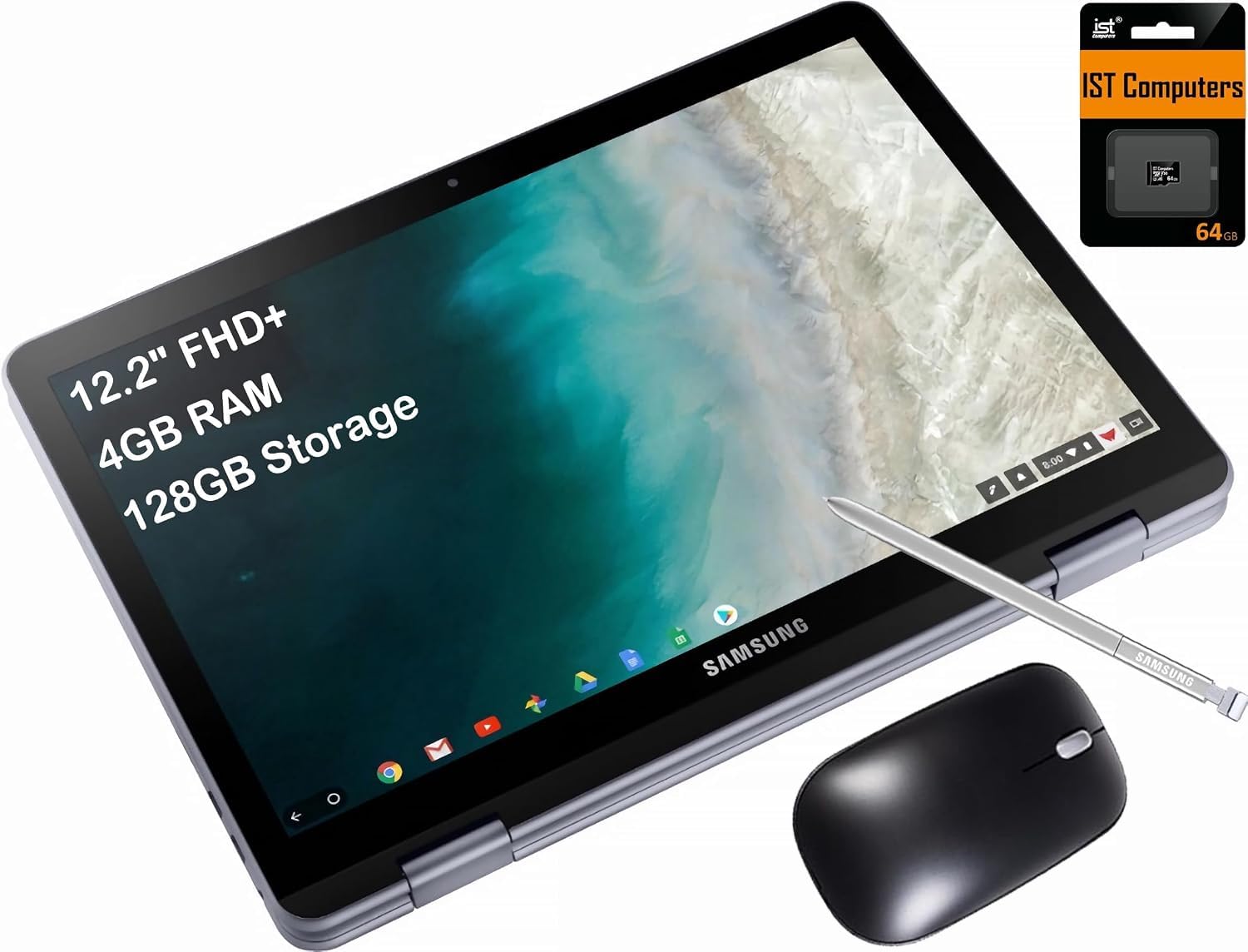
A full-metal budget Chromebook designed for students.
This Samsung Chromebook is one of the best values for a student needing a reliable machine for online classes and schoolwork. The 12.2-inch FHD+ (1920 x 1200) touchscreen is bright and sharp, with a sturdy 360-degree hinge that offers Laptop, Yoga, Flip, and Tablet modes. The included Samsung Stylus is a great addition for taking notes in class or drawing diagrams.
It features a full-metal body that feels more premium than its price point. The Intel Celeron 3965Y processor, while modest at 2.5 GHz max speed, is adequate for web browsing, Google Docs, and video streaming. It has 4GB of RAM and 128GB of storage (64GB eMMC plus a 64GB SD card), which is fine for cloud-based work. Battery life is solid, offering up to 10 hours of use.
Functionality and ease of use are the most-praised aspects, with its touchscreen and lightweight build being big positives. It’s perfect for K-12 and college students who live in the Google ecosystem. The dual webcams (a 1MP front and a 13MP on the keyboard deck) are a unique touch for video calls. The main caveat is long-term reliability and speed, with some finding the lower-end processor shows its limits over time — one long-term user noted it handles everyday Chrome use fine but lags on heavy sites.
School-Ready: It’s a secure, simple, and affordable Chromebook that meets the needs of modern students and daily home use.
Honest Limitations: With 4GB of RAM, you’re best sticking to fewer tabs; it’s not built for heavy multitasking or Windows apps.
Perfect for: families needing a durable, affordable, and easy-to-manage second laptop for kids’ homework and web surfing.
Think twice if: your workflow depends on specific Windows or Mac software that won’t run on ChromeOS.
10. Dell Latitude 5330 2-in-1 Laptop (Renewed)
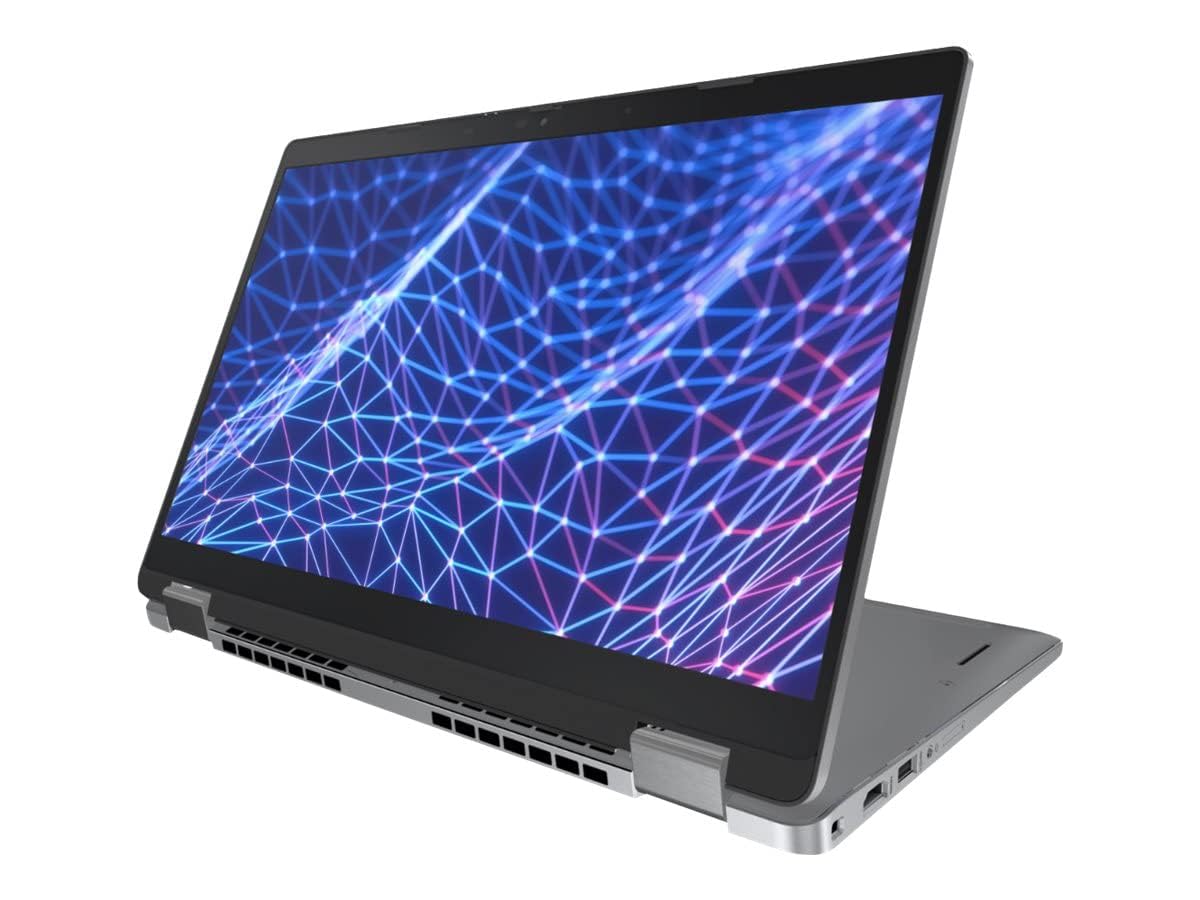
A 32GB RAM business laptop for the ultimate multitasker.
For professionals who juggle endless browser tabs, huge spreadsheets, and video calls simultaneously, the renewed Dell Latitude 5330 is a powerhouse. It’s packed with a 12th generation 10-core Intel Core i7-1265U processor boosting up to 4.8 GHz and a massive 32GB of DDR4 RAM running at 3200MHz. This kind of memory is what lets you run multiple demanding applications at once without slowdowns. A 512GB SSD provides fast startup and file transfers.
The 13.3-inch 1920×1080 touchscreen provides crisp visuals, and the integrated Iris Xe graphics are capable enough for light gaming and creative work. It ships with Windows 11 Pro, the business-focused operating system with built-in security and manageability. It’s a fantastic machine for a Windows-only work environment, and its business pedigree means it’s built to last.
The internals are often found to be clean, and the CPU fan works well to keep it cool. It’s a “renewed” product, meaning it’s professionally refurbished, which offers a way to get top-tier specs at a more accessible price. The battery life is the main trade-off — it’s not an all-day machine, so expect to keep the charger nearby, and some initial Windows updates may cause temporary display flickering, which typically resolves.
Serious Power: The 32GB RAM is the headline here, making this the most capable machine for heavy multitasking in this lineup.
The Catch: It’s a refurbished unit, so battery life and cosmetic condition can vary, and the charger may not be original.
Choose this if: you need a desktop-class RAM capacity for professional work and want to save money by buying refurbished.
Be prepared for: shorter battery life requiring frequent charging.
11. FUNYET 2-in-1 Laptop

A lightweight detachable that doubles as a powerful tablet.
The FUNYET is a great choice if you want the flexibility of a tablet without giving up Windows 11 Pro. Its key feature is a detachable backlit keyboard that turns the screen into a standalone tablet while maintaining a 14-inch 1920 x 1200 touchscreen with 100% sRGB coverage. This makes it great for drawing, reading, or watching videos without the keyboard getting in the way.
Under the hood, it has a 12th Gen Intel N100 processor, 16GB of fast DDR5 RAM (6400MHz), and a 512GB SSD. This setup is speedy enough for browsing multiple web pages and running several programs at once, and it handles light gaming. Weighing just 2 pounds and at 0.4 inches thick, it’s an extremely portable option that’s easy to hold.
Performance and quality are the most-praised features, with owners noting it works beautifully for games like The Sims 4 and handles spreadsheets well. The four built-in HiFi speakers and microphone make video conferencing and online learning convenient. The main criticism is that the real-world battery life is closer to 6-7 hours than the rated 10, so plan for a mid-day charge.
Great Features
- The detachable keyboard gives you a true tablet experience
- Lightweight 2-pound design is easy to carry and hold
- Fast 16GB DDR5 RAM makes everything feel snappy
- Big 14-inch screen for a tablet-style device
Considerations
- Battery life falls short of the advertised 10 hours
- Uses a proprietary charging cable that can be hard to replace
Best for: users who want a Windows tablet with an optional keyboard, perfect for media consumption and light productivity.
Just note: you’ll need to keep the charger handy for a full day of intense use, and consider an adapter for standard USB drives.
Understanding the Specs
Processor (CPU)
The processor dictates how fast your laptop feels. For basic tasks like web browsing and document editing, an efficient processor like the Intel Celeron or N100 series is more than enough and gives great battery life. For heavier workloads involving video editing, large datasets, or many browser tabs, you’ll want the high-end power of an Intel Core Ultra 7 or a Snapdragon X Plus chip. Look for the “GHz” number; a higher number means it can handle demanding tasks at a faster speed.
RAM
RAM is your laptop’s short-term memory. It determines how many programs you can run at the same time without slowing down. For a smooth experience, 16GB is the balance for most users, allowing you to have dozens of browser tabs open alongside your apps. If you’re a heavy multitasker or run professional software, consider 32GB. A budget Chromebook with 4GB of RAM is fine for basic use, but it will struggle if you try to push it too hard.
360° Hinge vs. Detachable Keyboard
There are two main styles of 2-in-1 laptops. A 360° hinge allows the screen to fold all the way back so the whole laptop becomes a large, heavy tablet. It’s a simple and durable design. A detachable keyboard, like the Microsoft Surface Pro or FUNYET, allows you to physically remove the keyboard, leaving you with a much thinner and lighter tablet that’s more comfortable to hold. Choose the hinge for occasional tablet use; choose the detachable for frequent tablet use.
Screen Resolution
Resolution defines how sharp the image on your screen looks. A standard FHD (1920 x 1080) display is crisp for everyday work and is perfect for most users. You’ll see 2K (1920 x 1200) on some 16-inch models, offering slightly more vertical space. For the richest colors and deepest blacks, an AMOLED panel is the premium choice, ideal for media consumption and creative work where color accuracy matters.
FAQ
Will my Windows programs work on any 2-in-1 laptop?
Is 8GB of RAM enough, or do I need 16GB?
What is the difference between a 360° hinge and a detachable keyboard?
How long does battery life last on a2-in-1 laptop?
Is a touchscreen laptop worth the extra cost?
Can I upgrade the RAM or storage later?
What does it mean if a laptop has an AI processor?
Are renewed or refurbished 2-in-1 laptops a good idea?
What is a Chromebook, and why is it cheaper?
How do I connect my 2-in-1 laptop to an external monitor?
Is a 2-in-1 laptop good for gaming?
Final Thoughts: The Verdict
For most buyers, the all-in-one laptop winner is the Lenovo Yoga 7i because it balances a huge, beautiful screen with the raw processing power and storage to handle any task you throw at it. If you want a more focused AI-enhanced experience or live in the Samsung ecosystem, grab the HP OmniBook X Flip or the Galaxy Book5 360. And for a budget-friendly laptop that keeps up with school and everyday work, the ASUS Chromebook Flip CX1 is the one to reach for.
How We Picked
We do not accept paid placement. Every pick is matched to a real buyer and a real use-case; we do not hands-on test units.
Sources & Methodology
Specifications: manufacturer listings and product documentation. Review insights: verified customer reviews, as of August 2026. Pricing: not shown on this page (it changes often); check the current price via the retailer link.
As an Amazon Associate, Gadgets Feed earns from qualifying purchases. This does not affect which products we feature.