
Our readers keep the lights on and my morning glass full of iced black tea. As an Amazon Associate, I earn from qualifying purchases.
Specs are compiled from manufacturer listings and verified buyer reviews and can change over time — please confirm the key details on the product page before buying.
You want game footage that actually follows the action, so you can stop being the designated camera parent and just watch your kid play. A basketball camera needs to solve one main job: keep the play centered without anyone touching it, and deliver footage you can review or share the same night. Some do that with a motorized gimbal, some with a clever ultra-wide lens, and some with a high-end PTZ rig that a pro broadcast crew would happily use.
I’m Min — the founder and writer behind Gadgets Feed. This guide is built by comparing the manufacturers’ published specifications and the patterns across verified customer reviews, so you get each pick’s real strengths and trade-offs instead of marketing spin.
From hands-free AI trackers to pro broadcast PTZ rigs, the best basketball camera for you depends on your court, your phone, and how deep you want to edit. Here is exactly how to choose your basketball camera and the top picks that genuinely deliver.
Our Picks at a Glance
How To Choose The Best Basketball Camera
Before you click buy, you need to answer three questions: who is operating it, what sport is being filmed, and where the footage goes afterward. A pickup game at your local park needs a different tool than a high school team that wants broadcast-style streams for distant relatives. Nail down the use case first and the right camera becomes obvious.
Tracking style: gimbal vs fixed wide lens
Some cameras physically rotate a motorized head to follow the ball, which gives you sharp close-ups when the play moves. Others stay perfectly still with a 180° lens and crop the frame digitally to keep the action centered, which means no moving parts to fail but you lose detail when you zoom in. If you want to see player faces and jersey numbers, a gimbal style is usually stronger; if you want the whole court in one shot the entire game, a fixed wide lens wins.
Your phone is part of the system
Several popular AI trackers don’t record on their own — they clamp to your smartphone and use its camera for the actual footage. That means your phone’s sensor, its low-light performance, and its battery life directly dictate video quality. An older phone with a weak sensor will produce grainy gym footage no matter how smart the tracking AI is, so budget for a dedicated device if your daily phone is old.
Subscription traps and cloud storage
The most expensive cameras often lock core features behind a recurring fee, while budget-friendly ones give you free cloud storage and local SD card recording. Check whether the price you see covers the camera alone or the camera plus a required service, because a cheap hardware price can hide an expensive yearly subscription.
Quick Comparison
| Model | Best For | Effective Still Resolution | Video Resolution | Optical Zoom | Amazon |
|---|---|---|---|---|---|
| Prisual TEM-4K20S Plus★ Best Overall | Pro broadcasts & church streaming | 50 mp | 4K HDR10 | 20x | Amazon |
| BallerCamHands-Free Pick | iPhone parents wanting hands-free tracking | — | Phone dependent | — | Amazon |
| XbotGo ChameleonGimbal Tracker | Coaches filming multiple team sports | — | 4K 60FPS | — | Amazon |
| AVKANS GO | Baseball & live streaming with scoreboards | 2 mp | 4K | 3x | Amazon |
| GoPro HERO13 Black | Action shots, slow-mo, and versatility | 27 mp | 5.3K60 | 2x | Amazon |
| Veo Cam 3 | Serious team analysis with a budget for subs | — | 1080p | — | Amazon |
| JYSECURE 4K Sports Cam | Pocketable POV clips and body-cam use | 8.29 mp | 4K UHD | — | Amazon |
| Pyle PSCHD60BK | Water sports and budget action clips | 12 mp | 1080P | 4x | Amazon |
| kimire Full HD 1080P | First-time buyers wanting a cheap starter cam | 24 mp | 1080P | 16x | Amazon |
In‑Depth Reviews
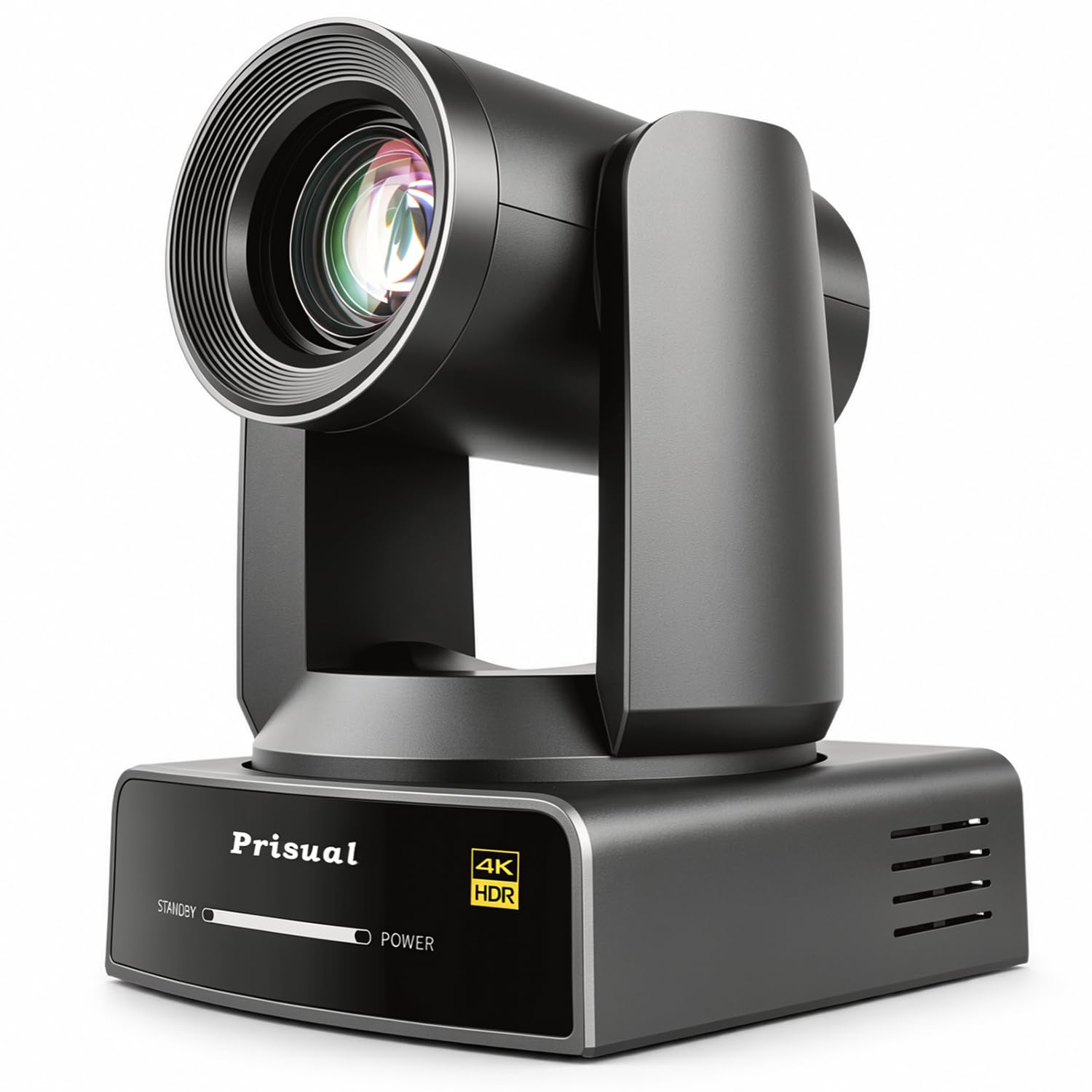
1. Prisual TEM-4K20S Plus
Our pick — over 4.5★ from 100+ verified ratings; the strongest balance of quality and price.
The studio-grade rig that turns a gym into a live broadcast booth.
You can crop a 4K frame into a tight close-up and it still holds together, thanks to a 1/1.55″ sensor (a large image sensor that captures more light) with 50 effective megapixels — a 2.1x resolution gap over the 24 mp kimire below. The 20x optical zoom (f=6.55–126mm) plus a 60° wide angle lets one operator cover the whole court and then punch in on a free throw without touching the lens.
The AI auto-tracking uses millisecond PDAF phase-detection and ReID/FaceID algorithms to keep a sprinting player centered even when others cross the shot. It records 1080P at 120fps for buttery slow-motion replays of a fast break, and the minimum illumination of 0.5 Lux (F1.8, AGC ON) keeps the image clean in dim sports halls.
Connectivity is where this becomes a true workhorse. You get simultaneous 4-channel output via HDMI 2.0, 3G-SDI, USB-C, and Gigabit LAN, plus built-in NDI 6 and Dante AV-H for low-latency AV-over-IP streaming into OBS, vMix, or YouTube. Single-cable PoE+ power means no separate power run, and the solid 2.3 kg all-metal body is ceiling-mountable. Buyers report the picture quality astounds even in dimly lit environments, and the recurring theme is that the quality and ease of install justify the investment.
What wins people over
- 20x optical zoom reaches the far end of a court with sharp detail
- AI tracking keeps a moving player framed even with others crossing the shot
- PoE+/NDI/HDMI/SDI means one cable for power and video
The honest trade-offs
- Manual controls are limited, so there’s a learning curve for custom settings
- At this premium level it suits organized teams or churches, not casual parents
The one to beat: If you want broadcast-grade 4K HDR10, 20x reach, and AI tracking in a single ceiling-mountable unit, this is the definitive pick.
Think twice if: You just want quick clips to text relatives — the pro workflow here is more firepower than a casual game needs.
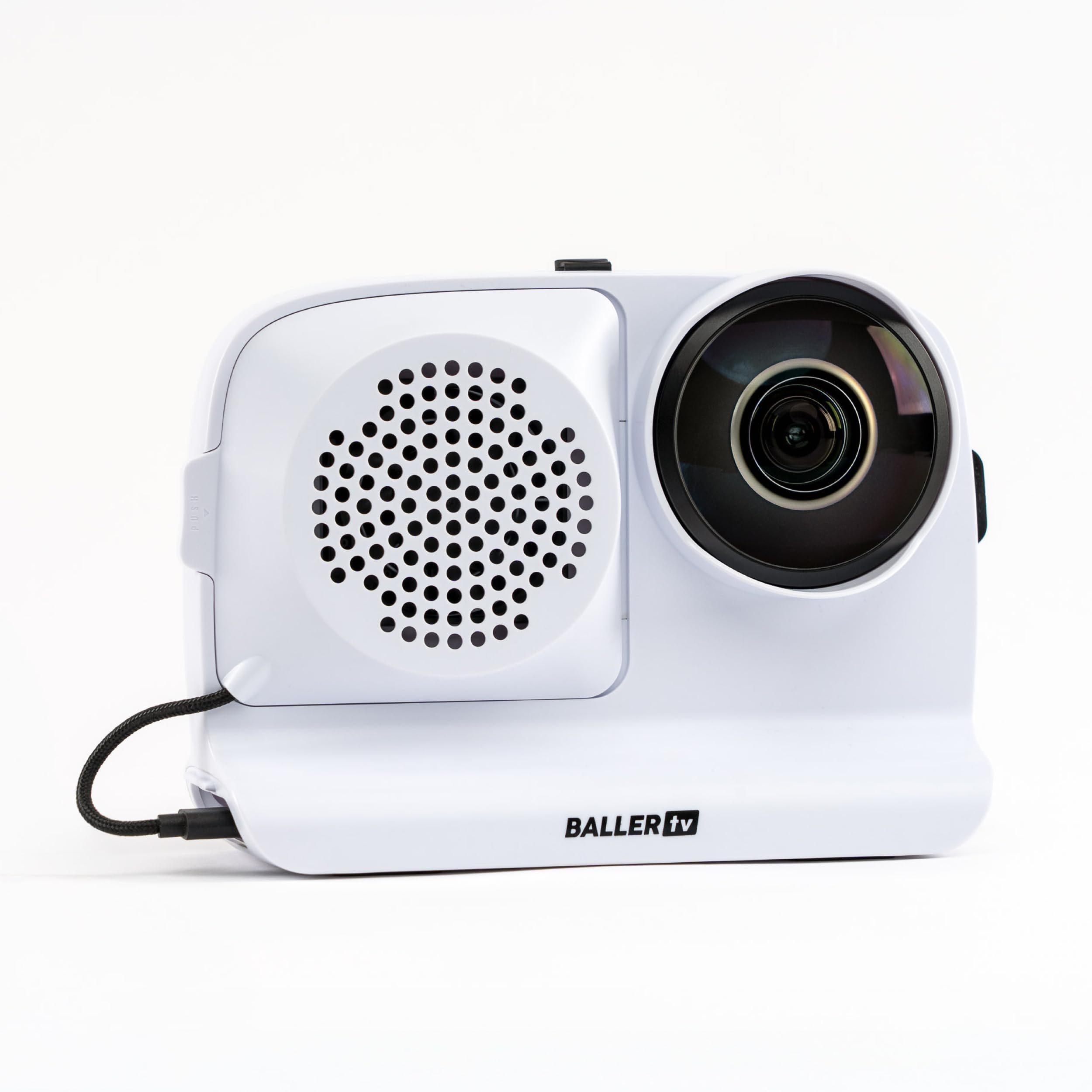
2. BallerCam AI Auto-Tracking System
A 180° lens that sees the whole court while your iPhone does the recording.
The BallerCam solves the biggest parent problem: you want to watch the game, not film it. Its 180° ultra-wide lens sees the entire court at once, and the sports-tracking AI — built on data from 2M+ games — follows the ball and key action digitally without the camera ever moving. That means no mechanical panning errors and no missed plays, and you set it up on a tripod and walk away.
This is an iPhone accessory at heart, and it’s worth being blunt about the catch: the footage quality depends entirely on your phone’s camera. Owners note that an iPhone 14 Pro is the best for low-light gyms, and Android phones are not compatible. The 10000 mAh swappable battery records for 2-3 consecutive games., and the included sun/rain shade means outdoor courts aren’t a problem.
Live streaming is the standout feature for families. You start a stream in the app and send a watch link in seconds — no logins, no complicated setup — which is a standout for grandparents who can’t make the trip. The package includes 20 hours of cloud storage with no subscription required, and you can create highlight clips from any moment and share them instantly.
Why it sells itself
- True hands-free tracking with a fixed lens, so no moving parts to fail
- Live streaming link in seconds for distant family
- 20 hours of free cloud storage, no subscription required
The honest catch
- Requires a dedicated iPhone — footage quality is tied to your phone’s sensor
- Tracking runs about 95% accurate, so the occasional play may shift
Reach for this if: You have a recent iPhone and want to capture the game hands-free while actually watching it live.
Look elsewhere if: You’re on Android or you want a standalone camera that records without borrowing your phone.
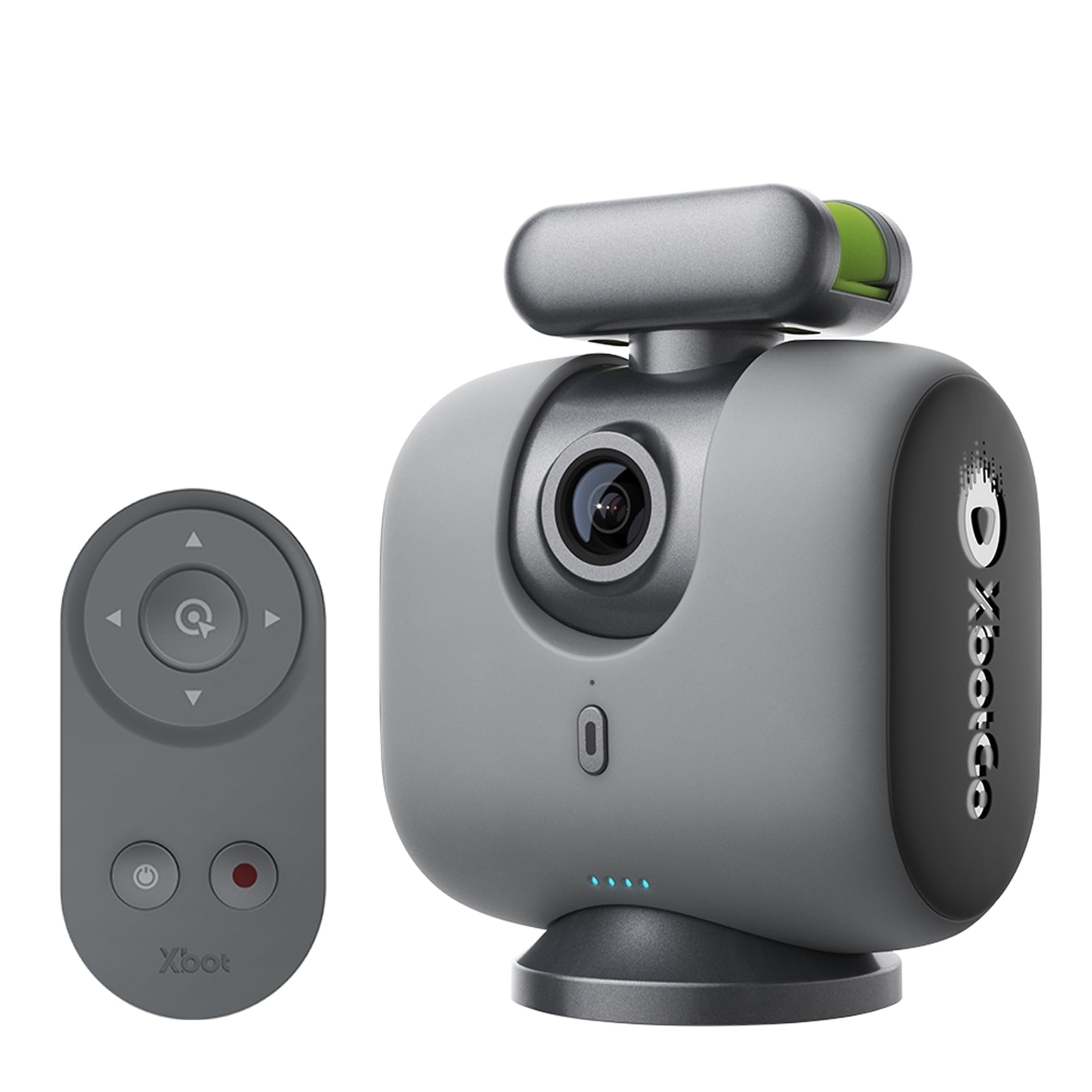
3. XbotGo Chameleon
A 360° gimbal that physically spins to keep the play in frame.
Where the BallerCam crops digitally, the XbotGo Chameleon actually moves. A 360° pan-tilt gimbal physically rotates to follow the action, which means you keep real detail on fast breaks instead of losing resolution to a digital crop. The 120° ultra-wide-angle AI lens and xbotVision AI 2.0 algorithm track over 20 sports, from basketball to martial arts.
The footage runs at a smooth 4K 60FPS (60 frames per second, so fast action stays fluid), and the 8-hour battery average life is genuinely impressive — enough for a full day of tournaments without hunting for an outlet. It works with both iOS and Android, which separates it from the iPhone-only BallerCam. The Bluetooth remote and Apple Watch integration let you adjust angles and get real-time previews without walking back to the tripod.
There’s a real privacy consideration that owners raise: the camera requires full photo access to record, and the privacy policy allows sharing photos for AI training. It’s worth reading that policy before you commit. The honest feedback is that the AI tracking is remarkable for soccer and basketball, but some owners mention it can lose the ball in fast game action, so it’s not flawless auto-pilot.
The strengths
- Physical 360° gimbal keeps real zoomed-in detail on the play
- 8-hour battery life covers a full tournament day
- Works with both iOS and Android phones
What to weigh
- Requires full photo access and allows AI training on your media
- Tracking can occasionally lag on very fast ball movement
Best for: Coaches and parents who want physical gimbal tracking, cross-platform phone support, and long battery life.
skip it if: You’re not comfortable granting full photo access to a third-party app.
4. AVKANS GO
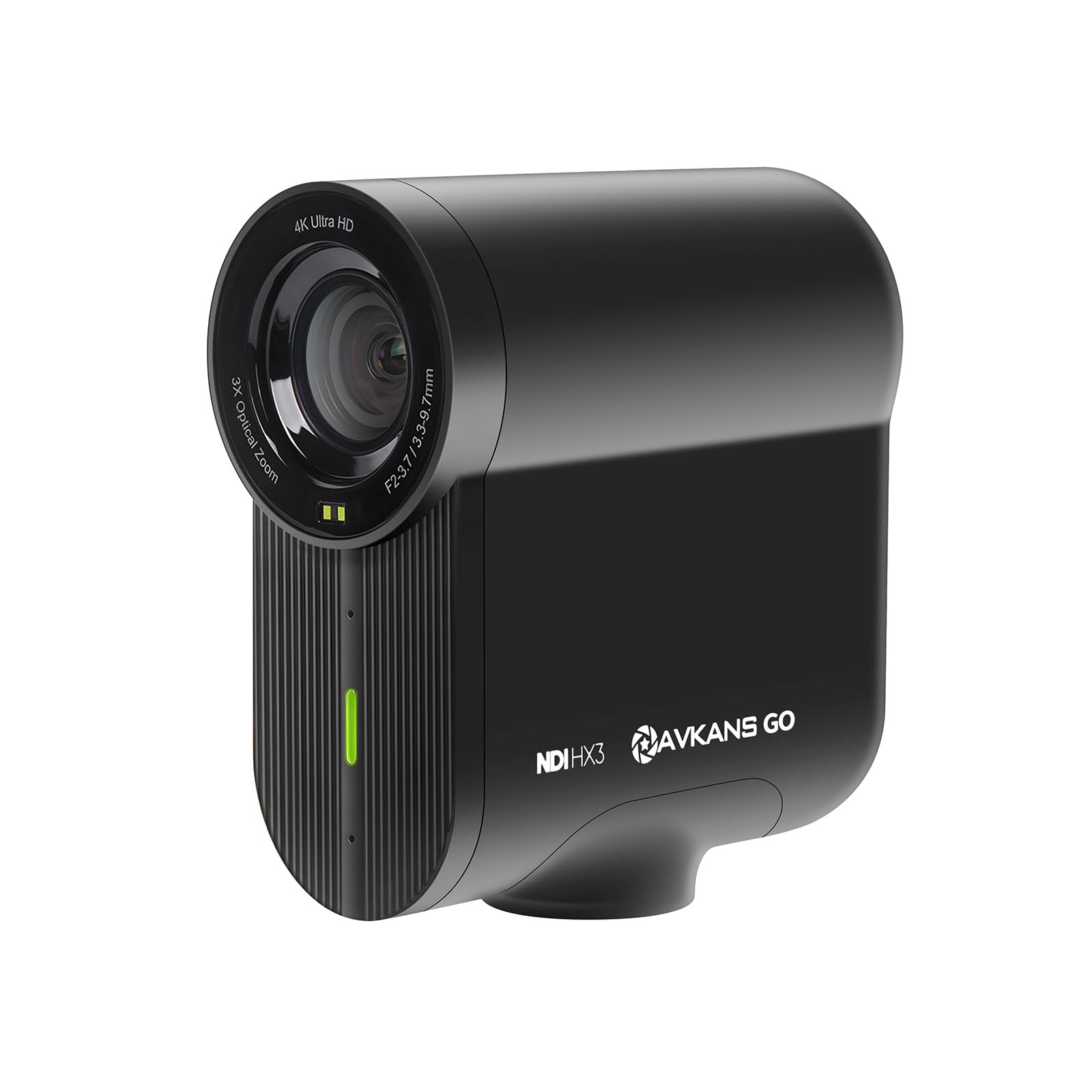
A self-contained 4K streamer with a built-in sports scoreboard overlay.
This is the camera for the parent who wants to do more than record — it wants to produce. The AVKANS GO streams and records a clean 4K feed to a micro SD card simultaneously, so you can broadcast live to YouTube or Facebook while archiving the full-resolution footage for later editing, with no extra capture cards required. The 90° wide-angle lens and 3x optical zoom cover an entire field from first to third base, which is why baseball parents love it.
The killer feature is the built-in professional sport scoreboard overlay. It supports baseball, football, volleyball, soccer, billiards, basketball, and more, so your stream looks like a real production instead of a shaky phone video. The AVKANS Live app adds web overlays, lower thirds, MP3 background music, scrolling text, picture-in-picture, and countdown timers.
Connectivity is genuinely versatile: HDMI, USB, RTMP, RTMPS, NDI, and SRT protocols mean it plugs into GameChanger, SidelineHD, Restream, or Vimeo. The 6-hour battery life covers a full doubleheader. Owners praise the sharp 4K image and reliable autofocus, though wireless connectivity has historically been the mixed spot — recent firmware and app updates resolved most Wi-Fi setup issues, so make sure you update before your first game.
The wins
- Built-in scoreboard overlay for a professional-looking stream
- Simultaneous 4K recording and live streaming to SD card
- NDI/HDMI/USB/RTMP all in one unit
The trade-off
- Wireless stability needs the latest firmware to be reliable
- Only USB cord and pouch included — bring your own SD card
Grab this if: You’re streaming youth basketball or baseball to distant family and want a professional scoreboard look without a laptop.
Not for: Parents who just want to record and never stream — the streaming features are the whole point here.
5. GoPro HERO13 Black

The swiss-army action cam that nails slow-mo, underwater, and on-the-court alike.
This is not a dedicated basketball tracker, but it is the most flexible camera on this list. The HERO13 records up to 5.3K60 video, with 4K120 and 2.7K240 options that deliver 8x slow-motion playback — perfect for breaking down a jump shot frame by frame. The 1/1.9″ sensor with HDR and HLG options captures crisp, cinematic color, and the 27MP still resolution gives you sharp team photos.
HyperSmooth 6.0 stabilization with AutoBoost keeps footage steady even if you hand-hold it while running the sideline, and the 360 Horizon Lock keeps the video level no matter how much the camera rotates. It’s waterproof to 33′ without a housing, which makes it a two-season purchase: basketball in the winter, beach and pool sports in the summer. The 1900mAh Enduro battery records up to 1.5 hours of 5.3K video.
The bundle is a big part of the value here. You get a 50-piece accessory kit, two extra batteries, and a 64GB microSDXC card, so you’re ready to mount it on a tripod, a helmet, or a chest rig straight from the start. The honest feedback is that some accessory kit pieces feel cheap and the included extra batteries have a mixed reputation — one owner reported them swelling in the camera. The camera body itself is universally praised as a reliable workhorse.
What you get
- 5.3K60 and 4K120 for true 8x slow-motion analysis
- Waterproof to 33′ without a housing
- HyperSmooth 6.0 keeps handheld sideline footage steady
The caveats
- No auto-tracking — you or a tripod must follow the action manually
- Bundled extra batteries have a mixed reliability reputation
Choose this for: Families who want one camera for basketball, swimming, skiing, and travel rather than a single-purpose tracker.
Pass if: You specifically want hands-free auto-tracking — this camera has none.
6. Veo Cam 3
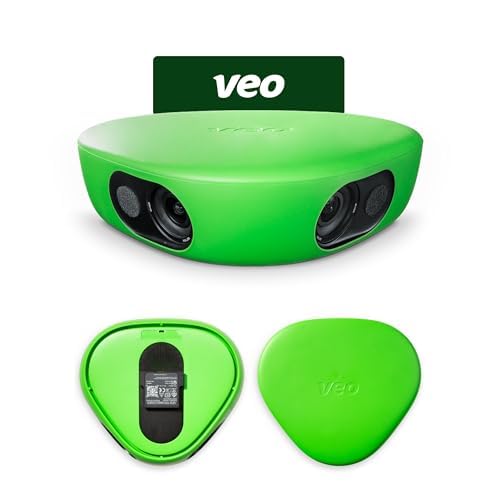
The serious team tool where the subscription does the heavy lifting.
The Veo Cam 3 records in 1080HD and uses AI auto-tracking to follow the action across any team sport — football, basketball, rugby, lacrosse, American football, volleyball, and more. It’s weather-proof in rain and snow and operates from 14°F to 113°F, so outdoor winter basketball and rainy spring soccer are both fair game. The lightweight, travel-friendly design makes it easy to toss in a car and set up in minutes.
Here is the honest catch that you must understand before buying: the subscription is required to use the camera at all. Owners describe the subscription as pricey, and one noted that signing up triggers auto-renewal that’s hard to turn off without a support ticket. The fine print also matters — a credit advertised with the camera cannot be used on the Family plan, only on the more expensive team plans.
For teams that are all-in, the payoff is real analysis footage. The AI auto-tracking means you get full-game footage without anyone babysitting the camera, which coaches use for game reviews and personal player improvement. It’s genuinely “best investment ever” for some buyers and “way too expensive” for others — the difference is whether your team will actually use the footage and split the subscription cost.
The strengths
- Weather-proof from 14°F to 113°F for year-round outdoor play
- AI auto-tracking covers all major team sports
- Set up in minutes with no manual camera operation
The hard truths
- Subscription is mandatory to use the camera at all
- Auto-renewal sign-up and credit restrictions frustrate some owners
Worth it for: Organized teams that will split a subscription and actively review footage for player development.
Skip it for: A single family that just wants to share game clips — the subscription cost won’t make sense.
7. JYSECURE 4K Sports Camera
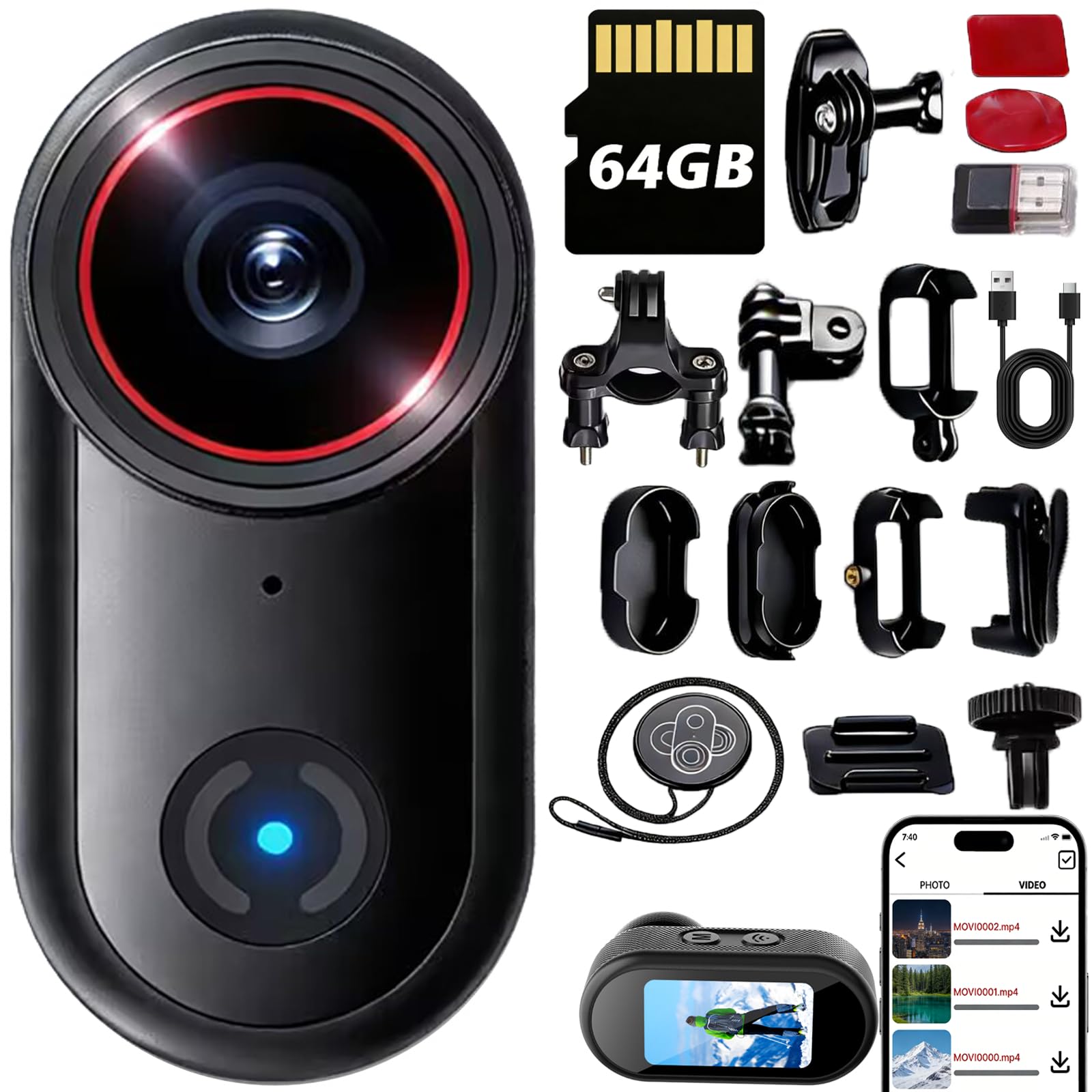
A thumb-sized 4K cam that clips to a helmet for first-person court action.
This is the budget pick that understands its lane. The JYSECURE records crisp 4K Ultra HD video in a thumb-sized body that slips into a pocket instantly, and the rugged shell handles bumps down to -4°F. The magnetic base and 360° clips let you mount it to a helmet, handlebar, or chest rig in seconds, which makes it perfect for a player who wants first-person POV footage of their own drives and cuts.
The “life waterproof” design defies rain, sweat, spills, and submersion, so a water bottle spill on the bench or a sudden downpour won’t kill it. It records while charging for up to 150 minutes of continuous use., and the auto loop recording overwrites old files smoothly so you never run out of space mid-game. Wireless file transfer via the WiFi app means you can grab clips without pulling the SD card.
Owners consistently call it unbeatable for the price, with the standouts being video quality, portability, and the sheer amount of mounting hardware included. The recurring note is that WiFi transfer is slower than just pulling the microSD card, and there’s no image stabilization, so mount it securely if you want smooth footage. It’s a POV addition to a team’s setup, not a replacement for a tripod-based full-court tracker.
The appeal
- 4K UHD in a thumb-sized body that fits any pocket
- 150-minute continuous use with record-while-charging
- Magnetic base and 360° clips for helmet and handlebar mounts
The limits
- No image stabilization, so secure mounting is essential
- WiFi transfer is slower than direct SD card reading
Great for: Players and parents who want cheap, portable POV clips of individual plays, not full-game coverage.
Not the pick for: Anyone needing auto-tracking or a wide full-court view from a tripod.
8. Pyle PSCHD60BK

The waterproof budget cam with a wireless remote and 120fps slow-mo.
The Pyle is an entry-level action camera that records full HD 1080P video with selectable 120, 60, or 30 fps frame rates. The 120fps mode gives you slow-motion playback of a dunk or a sprint, though it needs bright lighting to look its best. The 12MP still resolution captures up to 4000 x 3000 pixel photos, and the 4x digital zoom lets you get a bit closer to the action.
It’s genuinely built for water sports: the included IPX8 waterproof and shock-proof case lets you dive underwater for swimming, surfing, and diving footage. The wireless remote control snaps pics and records video from a distance, and the versatile mount clips work for motorcycle, bike, car, boat, and helmet mounting. The 2.4″ touch screen makes settings and playback easy, and the 1500mAh battery delivers over 2 hours of use.
Honest reality check: this is a value-tier camera with a mixed reputation. Owners who got a good unit found it a capable GoPro alternative — One owner used it for a high-altitude science project at 60,000+ feet with over 2 hours of continuous recording.. But quality control is inconsistent, with some units arriving dead on arrival and low-light footage being nearly nonexistent. It’s a fine budget bet for sunny outdoor games, not a reliable tool for dim gyms.
The value angles
- IPX8 waterproof case for pool, beach, and rain games
- 120fps slow-motion capture on a budget
- Wireless remote and versatile mount clips included
The fair warnings
- Quality control is inconsistent — some units arrive non-functional
- Low-light and night recordings are nearly unusable
Fine for: Sunny outdoor sports and water activities where you want cheap slow-mo and don’t need low-light performance.
Not for: Indoor basketball gyms — the low-light footage will disappoint you.
9. kimire Full HD 1080P Camcorder

The tiny trip-friendly camcorder that’s perfect for first-time videographers.
This is the entry point for someone who has never owned a camera and wants to dip a toe in without a big commitment. The kimire records 1080P video at 15fps with 24MP still images (6000 x 4500 resolution) on a 3.0-inch LCD that rotates 270° for easy framing. It has a 16x digital zoom and a fill light for close-up shots, and it supports SD/SDHC cards up to 128GB (not included).
The defining feature here is value and simplicity. It comes with two NP-FV5 batteries delivering roughly 60-90 minutes of recording per charge., and it supports recording while charging so you can keep it rolling on a tripod. The compact size is the biggest compliment it gets — customers note it’s “small enough to fit in a pocket or small purse,” making it a natural grab-and-go companion for a family trip or a casual game.
The honest truth is that 15fps video and an AVI file format are dated, and the digital zoom is weak. Owners note the start/stop button can feel unresponsive and the night vision mode is essentially useless. If you want footage of a fast basketball game with smooth motion, this will frustrate you — but for a relaxed family event where you want a vintage, throwback feel, owners love exactly what it delivers.
The friendly side
- Pocket-sized design that slips into a purse for easy carrying
- Two batteries plus record-while-charging for long sessions
- 270° rotating LCD for easy self-framing
The dated side
- 15fps video will look choppy on fast-moving basketball
- AVI format and weak digital zoom limit editing flexibility
Perfect starter pick for: A family wanting an ultra-cheap, pocketable camcorder for casual events and a nostalgic video look.
Not for: Capturing smooth, fast basketball action — 15fps is too choppy for that job.
Understanding the Specs
Effective Still Resolution vs Video Quality
This number (measured in megapixels, or mp) tells you how much detail the sensor captures for photos, and it’s a decent proxy for how much you can crop into a scene before it gets blurry. A 50 mp sensor like the Prisual gives you far more room to zoom into a player’s face than a 24 mp sensor like the kimire. For video, what matters more is the video resolution itself — 4K holds up better than 1080p when you crop in.
Optical vs Digital Zoom
Optical zoom physically moves glass elements to magnify the image, so you keep full detail — the Prisual’s 20x optical zoom reaches the far baseline without losing sharpness. Digital zoom just crops and enlarges the existing image, which is why the kimire’s 16x digital zoom still looks soft when you zoom in. For a basketball court, real optical zoom is the difference between seeing jersey numbers and seeing a blur.
FAQ
What is the best basketball camera for parents who want hands-free filming?
Do AI basketball cameras record on their own or do they need my phone?
Will an action camera like the GoPro work for recording basketball?
Does the Veo Cam 3 require a subscription to work?
What is the difference between optical zoom and digital zoom for a basketball camera?
What is the best basketball camera for live streaming games?
How much storage do I need for recording a full basketball game?
Is the XbotGo Chameleon better than the BallerCam for basketball tracking?
Final Thoughts: The Verdict
For most buyers, the best basketball camera is the BallerCam because it delivers true hands-free tracking with a 180° lens and free cloud storage — the simplest way to capture a full game and share it with family. If you want broadcast-grade 4K with real 20x optical zoom and AI tracking, grab the Prisual TEM-4K20S Plus. And for coaches who want a physical gimbal that works with any phone, the XbotGo Chameleon with its 8-hour battery and iOS/Android support is the one to reach for.
How We Picked
We do not accept paid placement. Every pick is matched to a real buyer and a real use-case; we do not hands-on test units.
Sources & Methodology
Specifications: manufacturer listings and product documentation. Review insights: verified customer reviews, as of August 2026. Pricing: not shown on this page (it changes often); check the current price via the retailer link.
As an Amazon Associate, Gadgets Feed earns from qualifying purchases. This does not affect which products we feature.