
Our readers keep the lights on and my morning glass full of iced black tea. As an Amazon Associate, I earn from qualifying purchases.
Specs are compiled from manufacturer listings and verified buyer reviews and can change over time — please confirm the key details on the product page before buying.
Buying a 4K curved gaming monitor means chasing a specific feeling: a screen that wraps around you, sharp enough to read a distant enemy’s name tag, and smooth enough that a flick-shot doesn’t smear into a blur. The real choice is panel tech — OLED for true blacks or VA for brightness — plus a cable that can carry 4K at high refresh rates. This guide focuses on the specs that matter most for gaming performance and image quality.
I’m Min — the founder and writer behind Gadgets Feed. This guide is built by comparing the manufacturers’ published specifications and the patterns across verified customer reviews, so you get each pick’s real strengths and trade-offs instead of marketing spin.
Your pick hinges on whether you prioritize OLED contrast or high brightness, balanced with speed and curve depth.
Our Picks at a Glance


How To Choose The Best 4K Curved Monitor For Gaming
Each curved 4K monitor delivers immersion, speed, and clarity differently based on its panel type. Your first decision is OLED versus VA, because that single choice sets the ceiling for contrast, brightness, and response time. Your second is whether your PC or console can actually push 4K at the refresh rate you’re paying for.
OLED or VA: The panel decision that matters most
OLED panels like QD-OLED and WOLED turn each pixel off individually for true, infinite blacks and near-instant response times around 0.03ms. VA panels use a backlight with a contrast ratio around 3000:1 — strong, but nowhere near the per-pixel control of OLED. VA wins on price and peak brightness headroom, while OLED wins on contrast, motion clarity, and color vibrancy at the cost of burn-in risk over many years of static HUDs.
Refresh rate, response time, and the GPU reality
Refresh rate is how many frames per second the screen shows, and response time is how fast a pixel changes color. A 240Hz panel halves the input lag you feel versus a 120Hz one, but only if your graphics card can render 4K at high frames. HDMI 2.1 with 48 Gbps bandwidth is the connector that carries 4K at 240Hz without compression — older DisplayPort or HDMI 1.4 cables will silently cap you at 60Hz, a trap buyers hit when they use the wrong included cable.
Curvature: 1000R vs 1500R vs 1700R
The curvature number is the radius of the circle the screen bends toward, measured in millimeters. A lower number like 1000R means a tighter, more aggressive arc that wraps around your vision at closer sitting distances, while 1500R and 1700R are gentler curves that suit users who also do desktop work. The tighter the curve, the more rich games feel, but the more it distorts straight lines in spreadsheet work.
Quick Comparison
| Model | Best For | Panel / Contrast | Refresh Rate | Curvature | Amazon |
|---|---|---|---|---|---|
| MSI MPG 321CURX★ Best Overall | Top-tier OLED image quality | QD-OLED / 1500000:1 | 240Hz | 1700R | Amazon |
| CRUA 32″ 160HzBudget Champion | Entry-level budget 4K | VA / 3000:1 | 160Hz | 1500R | Amazon |
| Gawfolk 32″ 240HzSpeed Pick | Budget 240Hz speed | VA / 3000:1 | 240Hz | 1500R | Amazon |
| CRUA 32″ 240Hz PIP | Multitasking on one screen | VA / 3000:1 | 240Hz | 1500R | Amazon |
| Samsung Odyssey G7 37″ | Huge rich console play | VA / 3000:1 | 165Hz | 1000R | Amazon |
| LG UltraGear 37G800A | Bright VA with strong ergonomics | VA / 4000:1 | 165Hz | Curved | Amazon |
| Acer Predator X32 X | Premium QD-OLED contrast | QD-OLED / Very High | 240Hz | 1700R | Amazon |
| LG UltraGear 32GX870A | Dual-mode 4K/240Hz or FHD/480Hz | OLED / 1500000:1 | 240Hz / 480Hz | Curved | Amazon |
| ASUS ROG PG32UCDP | G-Sync fans wanting 480Hz mode | WOLED / High | 240Hz / 480Hz | Curved | Amazon |
| Samsung Odyssey Neo G8 | Extreme HDR brightness | VA Mini-LED / 1M:1 | 240Hz | 1000R | Amazon |
In-Depth Reviews
1. MSI MPG 321CURX QD-OLED
Our pick — over 4★ from 450+ verified ratings; the strongest balance of quality and price.
A QD-OLED panel with 1500000:1 contrast that makes blacks truly black.
This is the pick for gamers who refuse to compromise on image quality. Its 3rd-Gen QD-OLED panel delivers a 1500000:1 contrast ratio — a 500x gap over the entry VA panels in this list — which means blacks are truly black and highlights pop with zero backlight bleed. Its 240Hz refresh rate and 0.03ms GtG response time deliver motion so smooth it feels like zero input lag.
Color is where this panel separates itself. QD Premium Color hits Delta E≤2, a factory-calibration standard that means what you see is what the game engine intended, and the 98 color gamut score backs that claim. For HDR fans, the VESA DisplayHDR True Black 400 certification confirms per-pixel dimming that makes dark scenes in Cyberpunk 2077 genuinely cinematic. The KVM switch lets one keyboard and mouse control both your gaming PC and work laptop via USB-C with 98W power delivery.
Console players are covered too, with HDMI 2.1 at a full 48 Gbps bandwidth delivering UHD at 240Hz. The recurring trade-off is OLED care: the MSI OLED Care 2.0 software reduces burn-in risk, but the monitor does prompt you every few hours — buyers actually described it as a useful break timer. It lacks built-in speakers, so plan for a headset or desktop audio, and the glossy screen picks up fingerprints readily.
vivid color flagship: the monitor quality itself is the single most-praised thing about this display, with owners calling it one of the best on the market for vibrant colors and deep blacks. That 240Hz smoothness earns its own dedicated praise from buyers who upgraded from 1440p IPS panels.
pick for vibrancy: you want the best-looking 4K curved gaming image available at this size and you run a PC or console powerful enough to feed 240Hz.
budget elsewhere: the glossy finish and burn-in prompts — treat this as a display that rewards care, not neglect.
2. CRUA 32″ 4K UHD 160Hz Curved Gaming Monitor
The budget 4K entry that nails the essentials without the OLED premium.
If you want 4K curved immersion without spending OLED money, this white VA panel from CRUA delivers the core experience. The 3840×2160 resolution sits behind a 1500R curvature that buyers agree is “not too curved” — gentle enough for productivity, present enough for gaming. Its 160Hz refresh rate with AMD FreeSync reduces blur and input lag during fast movement, and at a contrast ratio of 3000:1 against the MSI’s 1500000:1, you see the gap clearly in dark scenes, even if daylit games look close.
Color coverage is the surprise here. With a 120% sRGB color gamut and the 3000:1 VA contrast, owners describe the picture as crisp and clean for the price, and the 120 score actually beats the MSI’s 98 by 22% — though that number reflects gamut coverage, not color accuracy. Built-in speakers and HDMI 2.1 plus DP 1.4 connectivity mean you can run it straight from a console or PC without extra gear, and the 75x75mm wall mount keeps your desk clear.
The catch is brightness and reliability. At a 320 cd peak, the screen struggles in rooms with direct window light, and while the 12V DC input is a genuine flex — owners run it directly in RVs and vans off-grid without an inverter — one buyer’s screen failed after about 3 months with a fuzzy, dark display, and another found the included DisplayPort cable silently limited them to 60Hz until they swapped it. Buy it for the value, and budget for a good cable.
budget 4K speed: the build quality overall is what owners single out first, and value-for-money is the second most-discussed strength, with buyers calling it genuinely budget-friendly.
grab for value: you’re on a strict budget, you want 4K curve for mixed gaming and work, and you don’t play in a bright, sunny room.
flat-screen fans: reliability anxiety is a deal-breaker for you — the quality is there, but so is the occasional failure story.
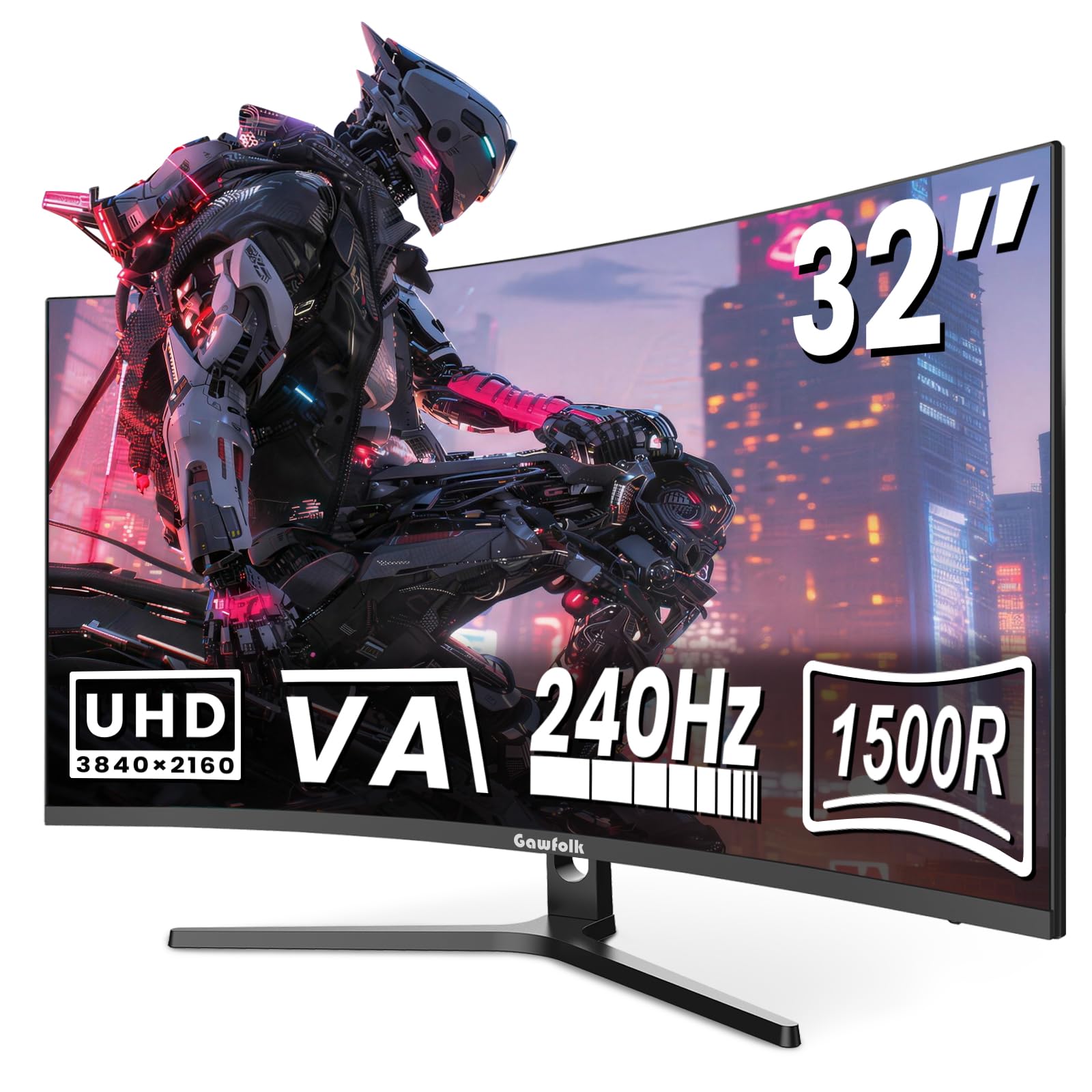
3. Gawfolk 32 Inch 4K 240Hz Curved Gaming Monitor
Native 240Hz at a price that undercuts every OLED competitor by a mile.
Gawfolk’s pitch is simple: the same 240Hz refresh rate the premium OLEDs charge a fortune for, on a VA panel that costs a fraction. The 1500R curve and UHD 3840×2160 resolution wrap your vision, and the 3000:1 native contrast ratio delivers deep dark shades that avoid the washed-out black look flat screens suffer from. It runs the full 240Hz natively with Free-Sync, so fast-paced FPS and racing titles stay tear-free and crisp.
Color reproduction borrows from the modern VA playbook with 8Bit+FRC depth generating over 16.7 million color gradients, plus an 85% NTSC wide color gamut at a 300 cd/m² peak brightness. Owners consistently praise the quality and say it’s a great pick for gaming, with the 240Hz refresh rate being the reason competitive players look here instead of the 160Hz CRUA. The built-in speakers and frameless design add convenience, and the 75x75mm VESA mount pairs with any arm to save desk space.
The honest split is in reliability and picture quality. While dozens of owners praise its build, an equal number report a blurry image or a panel that stops working, so this is a lottery ticket you buy at a budget price. Setup is easy and it comes unassembled, and the stand is functional rather than premium — height and tilt adjust to ease neck strain through long sessions.
high-refresh bargain: general quality is the standout, and its easy setup earns consistent positive notes from owners. The 240Hz native refresh is the spec that makes it a value speed pick.
choose for refresh: you want genuine 240Hz smoothness and 4K curve on a budget, and you’re comfortable with the VA brightness ceiling.
trusted brands: you need guaranteed long-term reliability — this one’s a lottery ticket at a budget price.
4. CRUA 32″ 4K UHD 240Hz Curved Gaming Monitor
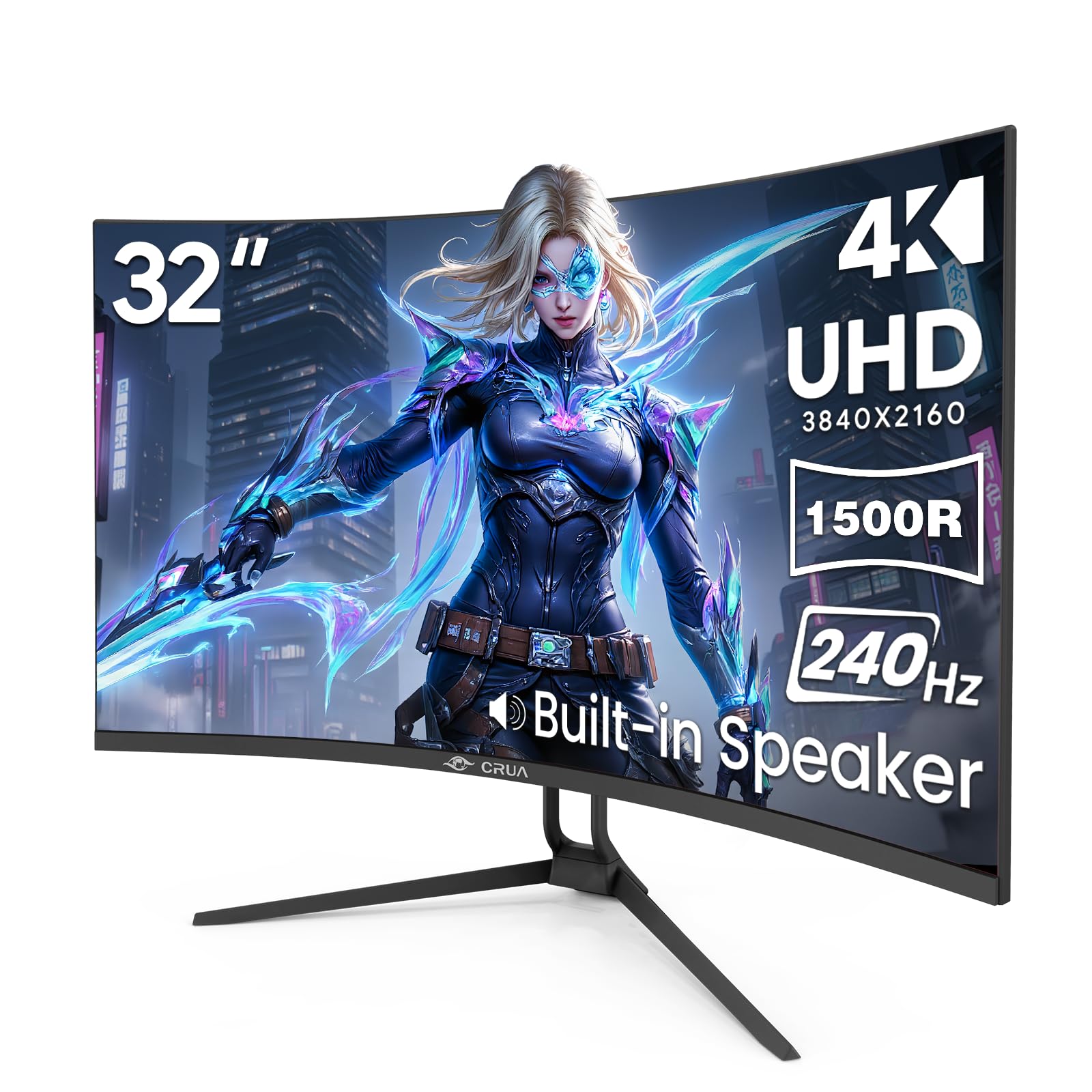
The streamer’s canvas that splits one screen into two workflows.
While most gaming monitors obsess over pure speed, this CRUA model adds a trick that content creators and traders will appreciate more: native Picture-in-Picture (PIP) and Picture-by-Picture (PBP) modes. You can run a live stream, stock ticker, or chat window on one side of the 32-inch canvas while grinding through a work project on the other — no second monitor or cable crawling required. The 240Hz refresh rate, which the spec sheet notes is four times faster than a standard 60Hz display, still serves up fluid FPS and racing sims.
Color performance matches the brand’s other VA panels at a 120% sRGB gamut and 3000:1 contrast ratio, with 1.07 billion colors through 8-bit plus FRC. The rear RGB lighting casts that late-night glow against your wall, and the stand tilts from -5° to 15° to reduce glare. Two HDMI 2.1 ports and two DP 1.4 inputs future-proof your setup across PS4/PS5, Xbox, and PC, and dual built-in speakers handle system audio plus a 3.5mm audio jack for private listening.
The reviews tell a slightly loose story. Owners call it great value with a sharp picture, but one buyer notes text elongation from an odd aspect ratio and another flags HDR as washed-out with colors like black appearing light blue. The massive size and thick back need desk space, though it’s lighter than expected. This is a good mid-range pick if you value the PIP workflow over the last 10% of image purity.
solid everyday pick
- Monitor quality is the most-praised aspect — owners call it a great value.
- PIP/PBP genuinely boosts multitasking without a second screen.
- 240Hz with FreeSync keeps fast games fluid for the price.
curve not for all
- HDR is weak — washed out with off colors on dark scenes.
- Image quality and sound quality both draw mixed feedback.
- Text elongation from the aspect ratio bothers some productivity users.
use for work: you live in PIP/PBP mode as a streamer, trader, or dual-device worker who wants 240Hz gaming on the side.
esports purists: HDR depth and perfect color accuracy are non-negotiable for you.
5. Samsung 37″ Odyssey G7 (G75F)

The 37-inch 1000R monster that turns your desk into a cockpit.
For the player who wants the biggest, most rich curved canvas without going ultrawide, the Odyssey G7’s 37-inch 1000R display wraps around your field of vision more aggressively than any other pick here. That 1000R arc mirrors the curve of the human eye, making games feel like they surround you rather than sit in front of you. The 4K UHD resolution at this size delivers over 4 square feet of screen space, per owners, crisper than their old 32-inch 1440p panels.
The G7 pairs a 165Hz refresh rate with a near-instant 1ms GtG response time to minimize lag, and its AMD FreeSync Premium Pro keeps motion tear-free. VESA DisplayHDR 600 certification adds real contrast with deeper blacks and brighter whites — strong for a VA panel, even if it’s a step below the OLEDs. The 3000:1 contrast ratio and 350 cd/m² brightness hold up well in normal room lighting, and buyers running a 9070XT call it smooth, bright, and rich for single-player titles.
The trade-off is size and practicality. At 37 inches 16:9, owners describe it as almost too big — the maximum practical size before you’re moving your head to see corners — and it’s genuinely heavy. It also misses 240Hz, which some fast-twitch players notice when they’ve tried both. For console players, though, it’s a revelation: true 4K at 120Hz on PS5 with a curve several owners call the perfect upgrade from a flat G5.
ultrawide immersion: the display quality is the most-praised aspect, with picture quality and that dramatic size close behind. For console immersion, this is the pick that turns games into cinema.
measure first: you’re a console-first gamer or a single-player enthusiast who wants maximum curve immersion without paying OLED prices.
small desks: you want 240Hz or you don’t have deep desk space for a heavy 37-inch panel.
6. LG 37G800A-B UltraGear 37″

The tall 4K curve built for marathon sessions and perfect posture.
LG’s UltraGear 37-incher approaches the 4K curved category from the angle of comfort and competitive clarity. It runs a 165Hz refresh rate with 1ms GtG response, and its VA panel reaches a 4000:1 contrast ratio — the highest native contrast of the VA panels in this list, edging past the 3000:1 found elsewhere. FreeSync Premium Pro keeps motion stutter-free, and LG’s Dynamic Action Sync cuts input lag so you react a beat faster in firefights.
Where this monitor flags its colors: up to 95% DCI-P3 coverage and VESA DisplayHDR 600 certification mean vibrant, accurate hues with brighter whites than the budget VAs. LG’s Black Stabilizer brightens dark scenes so you can spot threats before they see you, and the built-in Crosshair feature places a center display reticle for FPS precision. The stand is genuinely adjustable — tilt, height, and swivel — which owners say makes 8-hour workdays rich instead of exhausting.
Connectivity is a serious step up: USB Type-C with 65W power delivery charges your laptop while dual HDMI 2.1 and DP 1.4 handle next-gen consoles and PCs. One owner calls it brilliant and large with a curve that feels like a movie screen after 6 months of daily use, but another found the USB-C port delivered no power to a phone and returned it. The monitor is heavy — not ideal for a monitor arm, and the 95% DCI-P3 is slightly behind the OLEDs at 99%. Still, at its price it balances image quality, ergonomics, and brightness better than most non-OLED rivals.
comfortable long sits
- Image quality and value for money lead the positive feedback.
- 4000:1 contrast leads the VA field here.
- Height/tilt/swivel stand plus Black Stabilizer for comfort and visibility.
limited size choice
- USB-C power delivery drew a valid complaint from one owner.
- Heavy — skip the flimsy monitor arms.
- Reliability draws mixed reports across owners.
sit for hours: you split your day between work and play, and you want a tall curved 4K screen with a proper adjustable stand.
size flexibility: the budget VAs are already pushing your price ceiling — this one earns its premium through ergonomics and brightness.
7. Acer Predator X32 X

Acer’s 1700R QD-OLED that buries the hatchet on color accuracy.
The Predator X32 X is the entry into premium QD-OLED territory without the highest price in this list. Its 4K quantum dot OLED display with true 10-bit color is “obligated to offer stunning contrast,” per the marketing, and the data backs it: a DCI-P3 99% color gamut and VESA DisplayHDR True Black 400 certification with a minimum 0.0005 nits black level. That means cinematic colors that leap off the screen and blacks that genuinely vanish — owners call the contrast near-flawless.
Speed is the other headline. At 240Hz with a 0.03ms GtG response time, the X32 X matches the fastest OLEDs here, and the 1700R curvature plus 16:9 aspect ratio wraps your vision for an all-encompassing feel you actually stop noticing during play — buyers report you don’t see the curve, you just feel the immersion. The stand adjusts tilt, swivel, and height to find your angle for extended sessions, and built-in speakers mean no separate audio gear to start.
The honest notes come in the mixed brightness feedback. Some owners call it phenomenal in HDR once you adjust brightness through the joystick, GPU driver, and Windows settings — one explicitly says the negative brightness reviews are user error — while others find it not as punchy as expected. One owner compared it directly to an HP Omen OLED and found the Acer less bright with blacks that weren’t as deep, plus a USB-C display connection that proved unreliable. The 3-year warranty covers the burn-in worry, but treat the brightness as a setting you must tune.
mini-LED punch: quality is the standout positive — owners call it top-notch with a beautiful, sleek display and brilliant colors. The frames come fast and the image stays smooth.
opt for HDR: you want QD-OLED contrast at a lower entry cost than the MSI, and you’ll spend 10 minutes tuning brightness settings.
firmware skeptics: you want out-of-the-box brightness that’s immediately punchy, or you rely on USB-C for your primary display connection.
8. LG UltraGear 32GX870A

One panel, two speeds — 4K for story, FHD for the esports grind.
The UltraGear 32GX870A is LG’s flagship answer to the “one monitor for everything” question. Its VESA-certified Dual Mode lets you run graphically rich, story-driven games in 4K at up to 240Hz, then hotkey-switch to Full HD at up to 480Hz for fast-paced FPS, MOBA, and racing titles. This is the only panel type in this list that genuinely serves both the cinematic single-player player and the competitive esports grinder without compromise.
LG’s Micro Lens Array+ (MLA+) technology pushes this OLED to a typical brightness of 275 nits and a peak of up to 1300 nits, making it the brightest OLED gaming display in the UltraGear lineup. The 1.5M:1 contrast ratio — matching the MSI’s 1500000:1 — delivers impeccable color and image detail in dark scenes. It’s officially NVIDIA G-SYNC Compatible and AMD FreeSync Premium Pro certified, so it plays nice with both graphics card families, and the 0.03ms GtG response time leaves lag behind entirely.
Owners rave about the display quality — calling the blacks perfect even in bright rooms — and note the matte anti-glare coating minimizes reflections. The Switch app transforms the screen into a multitasking hub with up to 6 sections, and the built-in speakers pump out bass-driven audio with DTS Headphone:X for 3D positioning via the 4-pole headphone jack. The main caveats: the matte coating looks slightly grainy on static pages, and one owner wished the audio matched the visuals, calling the speakers “wimpy” for a monitor at this level. The 2-year warranty covers the OLED panel with pixel-cleaning tools built in.
smooth 4K gaming: the display quality itself is the consensus winner — perfect blacks and stunning image quality make FPS games feel incredibly responsive. Refresh-rate handling of high-end games is another confirmed strength.
mount instead: you split time between cinematic 4K titles and fast 480Hz esports, and you want the brightest OLED here.
stock stand: you’ll only ever game in 4K and never switch to FHD — you’d be paying for a second mode you won’t use.
9. ASUS ROG PG32UCDP
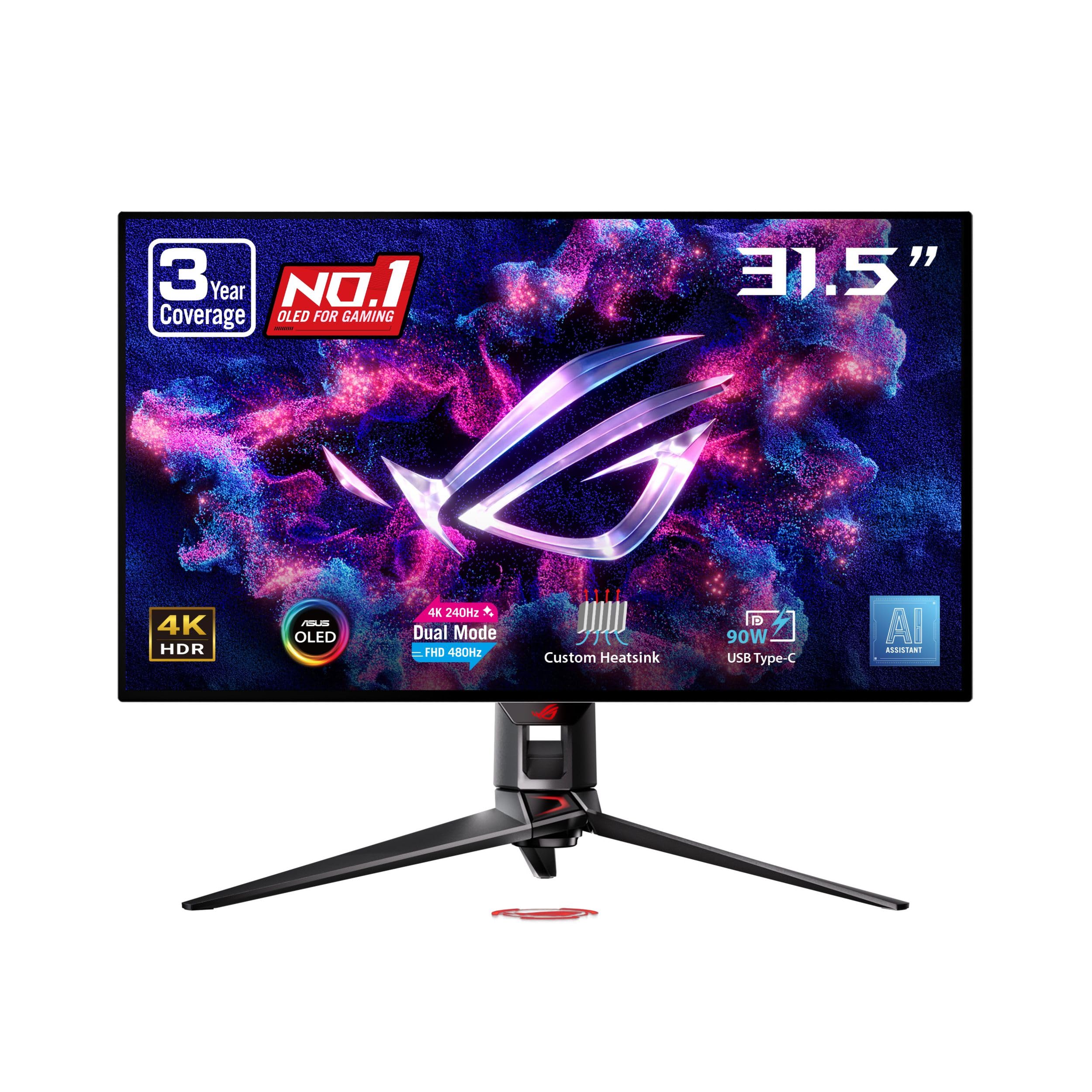
The ROG formula: 4K/240Hz plus FHD/480Hz with anti-flicker for long grinds.
ASUS brings its Republic of Gamers pedigree to the dual-mode race with the PG32UCDP, a 32-inch WOLED panel that switches between 4K at 240Hz and FHD at 480Hz. The ROG-exclusive OLED Anti-Flicker Technology addresses the refresh-rate fluctuations that plague other OLEDs, making this a more comfortable choice for extended gaming sessions — a genuine differentiator if you’ve been burned by OLED flicker before. Its 99% DCI-P3 color space with true 10-bit depth delivers vibrant, accurate colors, and the 100 color gamut score matches or beats every other pick here.
Beyond raw speed, the PG32UCDP packs ROG’s AI Assistant features — dynamic AI Crosshair, AI Sniper, and AI Visual functions that tune the image for you. The DisplayWidget Center software lets you manage OLED Care functions and settings with a mouse, and the custom heatsink provides exceptional passive cooling to reduce burn-in risk and extend panel life. The 3-year warranty with burn-in coverage is the most generous in this list, and you get a free 3-month Adobe Creative Cloud subscription.
Where it stumbles is consistency. The display quality draws the most praise — owners call it transformative, with crisp text even at native 4K 100% scaling — but there are credible reports of aggressive auto-dimming on static images and one owner who hit severe OLED flicker in multi-monitor setups that survived 15+ hours of troubleshooting. Another notes the dual-mode FHD 480Hz refused to engage due to a GPU signal issue. Your ROG gaming ecosystem and patience for OLED quirks will determine if this is the pick for you.
dual-mode flexible
- Display quality is the most-praised aspect — deep blacks and vivid color.
- Anti-flicker tech plus a 3-year burn-in warranty for confidence.
- 90W USB-C power delivery charges your gaming laptop hands-free.
fan noise audible
- Reliability drew negative feedback in the review set — some units failed within a month.
- Aggressive auto-dimming on static images bothers desktop users.
- Dual-mode 480Hz had GPU-signal compatibility hiccups for some.
tune for modes: you’re deep in the NVIDIA/Ryzen ecosystem and want AI-assisted enhancements plus the fastest FHD mode here.
silent rooms: you’re buying on a tight tolerance for defects — the display is superb, but the reliability anecdotes are real.
10. Samsung 32″ Odyssey Neo G8

The Mini-LED titan that hits 2000 nits while OLEDs are still in the hundreds.
The Neo G8 is Samsung’s HDR monster and the answer for gamers who play in bright rooms and refuse to surrender peak brightness to OLED. Its 1000R curvature mirrors the arc of the human eye for maximal immersion, and it’s the world’s first 4K gaming monitor with a 240Hz refresh rate, aided by a 1ms GtG response time. Quantum Mini LEDs create controlled brightness and perfect contrast — a 1M:1 contrast ratio with 2000-nit peak brightness delivers what Samsung calls Quantum HDR2000.
That brightness is the defining spec. Where the OLEDs top out around 400 nits typical, the Neo G8’s 2000 nit peak makes sun-scorched scenes genuinely blinding and gloomy shadows stay readable. AMD FreeSync Premium Pro syncs the panel with both Radeon and GeForce GPUs to eliminate choppiness, screen-lag, and image tears. The matte screen absorbs rather than reflects artificial and natural light — owners say it keeps you laser-focused during tough battles. The 99 color gamut score and 3840×2160 resolution make it one of the sharpest VA panels money can buy.
The catch is the longstanding G8 story: quality control. Owners who get a good copy describe blacks near-OLED levels and a gorgeous, responsive display — but several report the panel arriving cracked or developing recurring scan lines within months, with one returning it after three instances in a single month. The 240Hz needs serious GPU muscle; owners recommend an RTX 4090 or 7900XTX to feed it, and the curve takes about two weeks to adapt to. It also lists a 21:9 aspect ratio in its specs, so check your content’s compatibility, and it’s not great used as a TV despite its size.
sharp 4K curve: the monitor quality leads the positives at a wide margin, with appearance and refresh rate following. HDR content looks amazing and owners consider it worth the premium when the panel is flawless.
buy for clarity: you need 2000-nit HDR in a bright room and have a high-end GPU to push 4K at 240Hz.
line-sensitive: you’re risk-averse — a flawless copy is superb, but the QC lottery is the most-discussed durability concern here.
Understanding the Specs
Contrast Ratio and HDR
Contrast ratio measures the difference between the brightest white and the darkest black a panel can show, written like 3000:1 or 1500000:1. Higher numbers mean deeper blacks and more dramatic highlights. For HDR, the VESA DisplayHDR certification matters: True Black 400 on OLEDs confirms per-pixel dimming, while DisplayHDR 600 on VA panels means brighter but less precise zones. The Neo G8’s 2000-nit peak proves Mini-LED can out-brightness OLEDs.
Refresh Rate and Response Time
Refresh rate, measured in Hertz (Hz), is how many frames per second your screen shows — 240Hz is double the smoothness of 120Hz. Response time, measured in milliseconds (ms), is how fast a pixel changes color; OLED’s 0.03ms beats VA’s 1ms. Both matter: a high refresh with a slow response causes smearing, while a fast response on a low refresh looks choppy. FreeSync and G-Sync match your GPU’s frame output to the panel to prevent screen tearing.
Curvature and Viewing
The curvature number describes the radius of the arc, so a lower number like 1000R is a tighter, more rich curve than 1700R. The rule of thumb: the distance from your eyes to the screen should roughly match the curvature radius for the image to look correct. A 1000R panel on a shallow desk can feel like it’s bending around you, which some find euphoric and others find tiring for spreadsheet work.
Connectivity for 4K Speed
To run 4K at high refresh rates you need HDMI 2.1 (48 Gbps bandwidth) or DisplayPort 1.4a with DSC. The included cable matters as much as the port — a cheap DisplayPort 1.2 cable silently drops you to 60Hz. USB-C with power delivery (PD) lets one cable carry video plus charge your laptop, ranging from 65W to 98W across the picks here.
FAQ
What’s the difference between QD-OLED and WOLED panels?
How long do OLED gaming monitors last before burn-in?
built-in protections. MSI’s OLED Care 2.0 reduces the burn-in risk with pixel refresh prompts every few hours — buyers actually describe the reminder as a useful break timer. The Acer Predator X32 X and ASUS ROG PG32UCDP both back their OLED panels with a 3-year warranty that includes burn-in coverage, while LG covers the 32GX870A’s OLED panel for 2 years. The practical advice from owners: keep your taskbar auto-hidden, run the pixel-cleaning cycle regularly, and avoid leaving static HUDs on screen for days at a time.
Which graphics card do I need for 4K 240Hz gaming?
Is a 1000R curve too aggressive for desktop work?
Why is my new 4K monitor stuck at 60Hz?
What’s the difference between FreeSync Premium Pro and G-Sync Compatible?
Is a 37-inch monitor too big for a standard desk?
Why does HDR look washed out on my monitor?
Can I use a 4K curved gaming monitor for console gaming?
How do I choose between a 165Hz and 240Hz 4K monitor?
Final Thoughts: The Verdict
For the majority of shoppers, the 4k curved monitor for gaming winner is the MSI MPG 321CURX because it delivers the most complete package — QD-OLED contrast at 1500000:1, a buttery 240Hz refresh, and the 0.03ms response time that makes every frame feel instant and every dark scene genuinely cinematic. If you want the dual-mode flexibility of 4K story gaming and FHD esports speed on one panel, grab the LG UltraGear 32GX870A with its 480Hz mode. And for the budget-conscious player who just wants a huge rich 4K curve while staying affordable, the CRUA 32″ 160Hz is the entry point to watch. Before you click buy, double-check your GPU’s ability to feed the refresh rate you’re paying for, and always budget for a quality HDMI 2.1 or DisplayPort cable — it’s the cheapest upgrade that actually open up your monitor’s full speed.
How We Picked
We do not accept paid placement. Every pick is matched to a real buyer and a real use-case; we do not hands-on test units.
Sources & Methodology
Specifications: manufacturer listings and product documentation. Review insights: verified customer reviews, as of August 2026. Pricing: not shown on this page (it changes often); check the current price via the retailer link.
As an Amazon Associate, Gadgets Feed earns from qualifying purchases. This does not affect which products we feature.